warning LINCOLN NAVIGATOR 2018 Owners Manual
[x] Cancel search | Manufacturer: LINCOLN, Model Year: 2018, Model line: NAVIGATOR, Model: LINCOLN NAVIGATOR 2018Pages: 649, PDF Size: 4.96 MB
Page 227 of 649
LIMITED SLIP DIFFERENTIAL (IF
EQUIPPED)
The Electronic Limited Slip Differential (eLSD)system directs torque, enabling the vehicleto drive over terrain and road conditions thata conventional axle cannot. The system isactive at all times and requires no input fromthe driver.
Note:If your vehicle is not at optimaloperating conditions or a system fault ispresent, a warning may be displayed in theinstrument cluster. Depending on thewarning, your vehicle may need to beserviced. For more information regarding thesystem information messages, SeeInformation Messages (page 124).
Locking Function (If Equipped)
The lock button engages ‘lockermode’.
With the locker engaged, the systemelectronically locks the differential causingboth half shafts to turn at the same rate. Thisincreases traction during off road events.
The locker mode may automaticallydisengage based on certain conditions suchas vehicle speed. When engaged, a telltalein the instrument cluster will illuminate amberand the switch button will be illuminated.When the speed is exceeded the telltale willturn gray, the locker will be disengaged andbe in standby mode until the speedconditions are met. If the eLSD system isfaulted and the locker cannot engage, awarning message will be displayed in theinstrument cluster and the switch button willflash.
Spare Tire
If your vehicle is equipped with an ElectronicLimited Slip Differential, a spare tire of adifferent size than the tire provided, shouldnot be used. If a spare tire is installed, amessage may appear, indicating the systemhas disabled automatically or reducedfunction to prevent system overheat anddamage. It is recommended to reinstall therepaired or replaced road tire as soon aspossible. When the road tire is replaced, thesystem will resume normal operation on thenext key cycle.
Trailer Towing
The Electronic Limited Slip Differentialenhances vehicle stability during trailer towoperation. During high demand traileringevents (such as steep grades, high speedsor with a spare tire), the system may providea warning in the instrument cluster andreduce function or enter a temporarilydisabled state. To resume normal function,stop the vehicle in a safe location and allowthe unit to adequately cool. Once the systemhas reached normal operating temperatures,system function will be restored and theElectronic Limited Slip Differential Restoredmessage will be displayed.
224
Navigator (TB9) Canada/United States of America, enUSA, Edition date: 201708, Third-Printing-
Rear AxleE163170
Page 228 of 649
GENERAL INFORMATION
Note: Occasional brake noise is normal. Ifa metal-to-metal, continuous grinding orcontinuous squeal sound is present, thebrake linings may be worn-out and anauthorized dealer should check them. If thevehicle has continuous vibration or shudderin the steering wheel while braking, anauthorized dealer should check your vehicle.
Note:Brake dust may accumulate on thewheels, even under normal drivingconditions. Some dust is inevitable as thebrakes wear and does not contribute tobrake noise. See Cleaning the Wheels(page 389).
See Warning Lamps andIndicators (page 113).
Wet brakes result in reduced brakingefficiency. Gently press the brake pedal afew times when driving from a car wash orstanding water to dry the brakes.
Brake Over Accelerator
In the event the accelerator pedal becomesstuck or entrapped, apply steady and firmpressure to the brake pedal to slow thevehicle and reduce engine power. If youexperience this condition, apply the brakesand bring your vehicle to a safe stop. Switchthe engine off, move the transmission to park(P) and apply the parking brake. Inspect theaccelerator pedal and the area around it forany items or debris that may be obstructingits movement.If none are found and thecondition persists, have your vehicle towedto the nearest authorized dealer.
Emergency Brake Assist
Emergency brake assist detects when youbrake heavily by measuring the rate at whichyou press the brake pedal. It providesmaximum braking efficiency as long as youpress the pedal. Emergency brake assistcan reduce stopping distances in criticalsituations.
Anti-lock Brake System
This system helps you maintain steeringcontrol during emergency stops by keepingthe brakes from locking.
This lamp momentarily illuminateswhen you switch the ignition on. Ifthe light does not illuminate duringstart up, remains on or flashes, the anti-lockbraking system may be disabled. Have thesystem checked by an authorized dealer. Ifthe anti-lock brake system is disabled,normal braking is still effective.
If the brake warning lampilluminates with the parking brakereleased, have your brake systemserviced immediately.
It also illuminates momentarily when youswitch the ignition on to confirm the lamp isfunctional. If it does not illuminate when youswitch the ignition on, or begins to flash atany time, have the system checked by anauthorized dealer.
225
Navigator (TB9) Canada/United States of America, enUSA, Edition date: 201708, Third-Printing-
BrakesE138644 E138644
Page 229 of 649
HINTS ON DRIVING WITH ANTI-
LOCK BRAKES
The anti-lock braking system does noteliminate the risks when:
•You drive too closely to the vehicle infront of you.
•Your vehicle is hydroplaning.
•You take corners too fast.
•The road surface is poor.
Note: If the system activates, the brakepedal may pulse and may travel further. Maintain pressure on the brake pedal. Youmay also hear a noise from the system. Thisis normal.
ELECTRIC PARKING BRAKE
WARNING: Always fully apply theparking brake and make sure you shift intopark (P). Failure to follow this instructioncould result in personal injury or death.
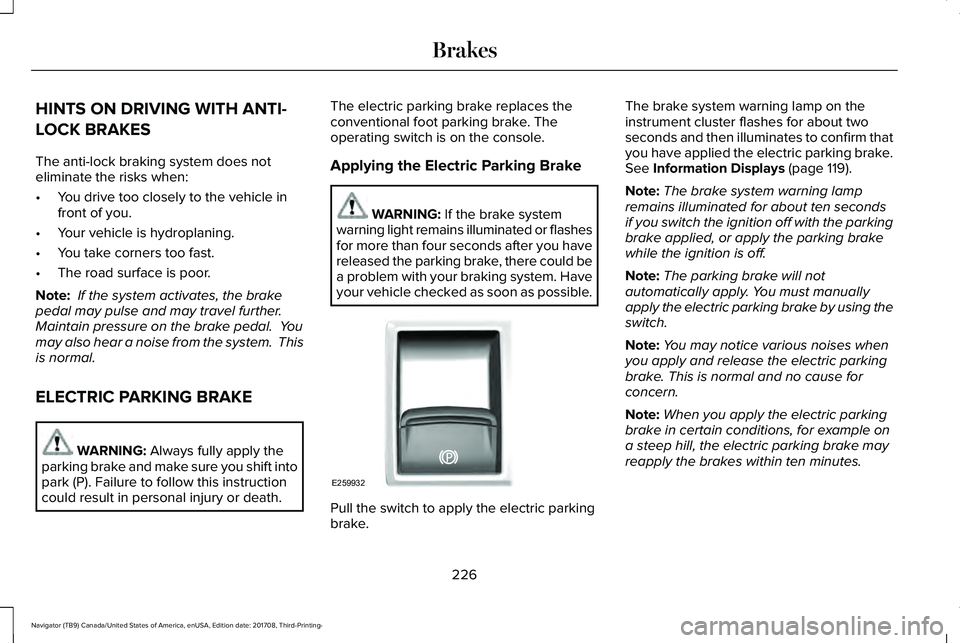
The electric parking brake replaces theconventional foot parking brake. Theoperating switch is on the console.
Applying the Electric Parking Brake
WARNING: If the brake systemwarning light remains illuminated or flashesfor more than four seconds after you havereleased the parking brake, there could bea problem with your braking system. Haveyour vehicle checked as soon as possible.
Pull the switch to apply the electric parkingbrake.
The brake system warning lamp on theinstrument cluster flashes for about twoseconds and then illuminates to confirm thatyou have applied the electric parking brake.See Information Displays (page 119).
Note:The brake system warning lampremains illuminated for about ten secondsif you switch the ignition off with the parkingbrake applied, or apply the parking brakewhile the ignition is off.
Note:The parking brake will notautomatically apply. You must manuallyapply the electric parking brake by using theswitch.
Note:You may notice various noises whenyou apply and release the electric parkingbrake. This is normal and no cause forconcern.
Note:When you apply the electric parkingbrake in certain conditions, for example ona steep hill, the electric parking brake mayreapply the brakes within ten minutes.
226
Navigator (TB9) Canada/United States of America, enUSA, Edition date: 201708, Third-Printing-
BrakesE259932
Page 230 of 649
Using the Electric Parking Brake In AnEmergency
WARNING: With the exception ofemergency conditions (for example, thebrake pedal is broken or is blocked), donot apply the electric parking brake whilethe vehicle is moving. On bends, or poorroad surfaces or weather conditions,emergency braking can cause the vehicleto skid out of control or off the road.
Note:Repeated use of the electric parkingbrake to slow the vehicle while moving maycause damage to the brake system.
If there is a problem with the brake pedalwhile driving, you can use the electricparking brake in an emergency to stop thevehicle.
Pull and hold the electric parking brakeswitch while the vehicle is moving to slowyour vehicle. The rear brake lights turn on,a warning lamp illuminates and a warningtone sounds. The vehicle will continue tocome to a stop as long as you pull the switch.When your vehicle speed is below 3 mph(5 km/h), the electric parking brake will beapplied.
Releasing the Electric Parking Brake
You can release the electric parking brakeeither manually by pressing the switch orautomatically.
Note:Do not drive with the parking brakeapplied as this will cause damage to thebrake system. You must manually releasethe electric parking brake by pressing theswitch while pressing the brake pedal.
Manual Release
You can manually release the electric parkingbrake by:
•Switching the ignition on.
•Pressing and holding the brake pedal.
•Pressing the electric parking brakeswitch.
When you release the electric parking brake,the brake system warning lamp turns off.
Automatic Release - Drive Away Release
WARNING: If the brake systemwarning light remains illuminated or flashesfor more than four seconds after you havereleased the parking brake, there could bea problem with your braking system. Haveyour vehicle checked as soon as possible.
227
Navigator (TB9) Canada/United States of America, enUSA, Edition date: 201708, Third-Printing-
Brakes
Page 231 of 649
The electric parking brake automaticallyreleases if:
•You close the driver door.
•You put the transmission in a forward orreverse gear.
•You press the accelerator pedal.
When you release the electric parking brake,the brake system warning lamp turns off.
Note:If the electric parking brake warninglamp stays lit, the electric parking brake willnot automatically release. You must releasethe electric parking brake using the electricparking brake switch.
Note:The electric parking brake drive awayrelease makes starting on a hill easier. Thisfeature releases the parking brakeautomatically when the vehicle has sufficientdrive force to move up the hill.
Driving With a Trailer
When parked on a hill with the weight of thetrailer, your vehicle and trailer may rollslightly when you put the transmission ingear.
To prevent this from happening, do thefollowing:
1. Pull and hold the electric parking brakeswitch.
2. Put the transmission in gear.
3.Press the accelerator pedal until you feelthat the engine has developed enoughpower to move the vehicle, then releasethe electric parking brake switch.
Battery With No Charge
WARNING: You will not be able toapply or release the electric parking brakeif the battery is low or has no charge.
If the battery is low or has no charge, usejumper cables and a booster battery.
HILL START ASSIST
WARNING: The system does notreplace the parking brake. When you leaveyour vehicle, always apply the parkingbrake and shift the transmission into park(P) for automatic transmission or first gearfor manual transmission.
WARNING: You must remain in yourvehicle when the system turns on. At alltimes, you are responsible for controllingyour vehicle, supervising the system andintervening, if required. Failure to take caremay result in the loss of control of yourvehicle, serious personal injury or death.
Note:If the engine is revved excessively, orif a malfunction is detected, the system willbe deactivated.
The system makes it easier to pull awaywhen your vehicle is on a slope without theneed to use the parking brake.
228
Navigator (TB9) Canada/United States of America, enUSA, Edition date: 201708, Third-Printing-
Brakes
Page 232 of 649
When the system is active, your vehicle willremain stationary on the slope for two tothree seconds after you release the brakepedal. This allows you time to move yourfoot from the brake to the accelerator pedal. The brakes release automatically when theengine has sufficient torque to prevent yourvehicle from rolling down the grade. This isan advantage when pulling away on a slope,for example from a car park ramp, trafficlights or when reversing uphill into a parkingspace.
The system will activate automatically on anyslope that will cause significant vehiclerollback. For vehicles with a manualtransmission, you can switch this feature offusing the information display. SeeInformation Displays (page 119). The systemwill remain on or off depending on how itwas last set.
Note:There is no warning lamp to indicatethe system is either on or off.
Note:If your vehicle is equipped with AutoHold, Hill Start Assist will not be availablewhile Auto Hold is active.
Using Hill Start Assist
1. Bring your vehicle to a completestandstill. Keep the brake pedal pressedand select an uphill gear (for example,drive (D) or first (1) when facing uphill orreverse (R) when facing downhill).
2. If the sensors detect that your vehicle ison a slope, the system will activateautomatically.
3. When you remove your foot from thebrake pedal, your vehicle will remain onthe slope without rolling away for abouttwo or three seconds. This hold time willautomatically be extended if you are inthe process of driving off.
4. Drive off in the normal manner. Thebrakes will release automatically.
Switching the System On and Off
You can switch this feature on or off if yourvehicle is equipped with a manualtransmission and an information display. SeeGeneral Information (page 119). The systemremembers the last setting when you startyour vehicle.
If your vehicle is not equipped with a manualtransmission and an information display, youcannot turn the system on or off. When youswitch the ignition on, the systemautomatically turns on.
AUTO HOLD
WARNING: The system does notreplace the parking brake. When you leaveyour vehicle, always apply the parkingbrake.
WARNING: You must remain in yourvehicle when the system turns on. At alltimes, you are responsible for controllingyour vehicle, supervising the system andintervening, if required. Failure to take caremay result in the loss of control of yourvehicle, serious personal injury or death.
229
Navigator (TB9) Canada/United States of America, enUSA, Edition date: 201708, Third-Printing-
Brakes
Page 233 of 649
WARNING: The system will turn offif a malfunction is apparent. Failure to takecare may result in the loss of control ofyour vehicle, serious personal injury ordeath.
The system uses your vehicle's brakes tohold your vehicle at a standstill after you stopyour vehicle and release the brake pedal.For example, Auto Hold can assist you whilestopping at traffic lights or while in trafficjams by holding the brake pressure for youonce you bring your vehicle to a stop.
Make sure you switch the system off beforetowing with your vehicle.
Note:In case of a malfunction in the systemwhile Auto Hold actively holds the vehicle(for example, low power supply), a messageappears in the information display askingyou to press the brake pedal. If you see thismessage, press the brake pedalimmediately.
Note:The system only activates if itrecognizes it is applying enough brakepressure. On a steep hill or slope, make sureyou press the brake pedal sufficiently toactivate the system.
Note:In some cases, Auto Hold might handover to the parking brake. When the parkingbrake applies, the red brake lamp appears.This is normal. When you press theaccelerator pedal, the drive away releasefeature releases the parking brake.
Note:Auto Hold works on all road grades.
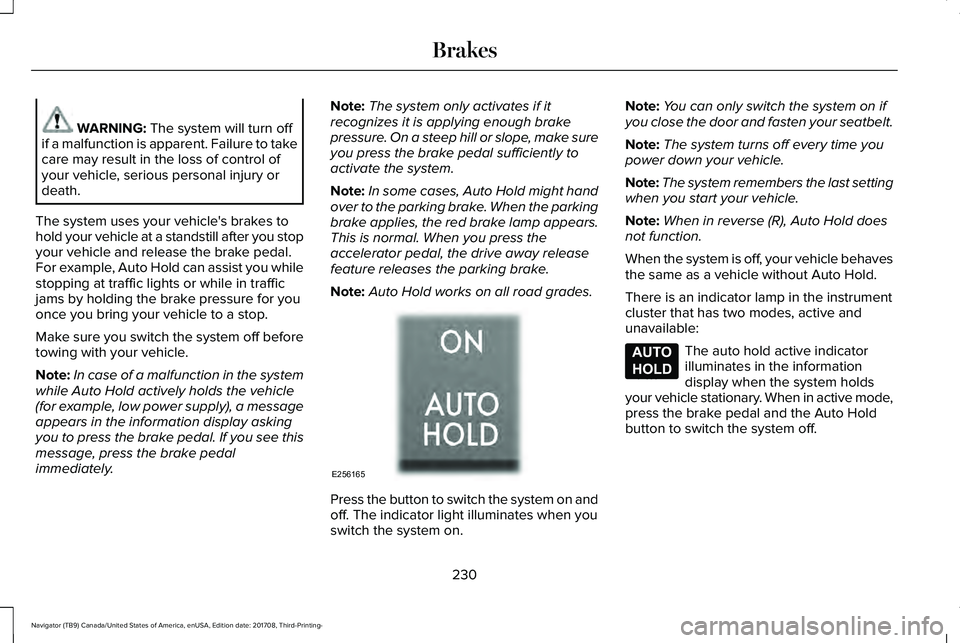
Press the button to switch the system on andoff. The indicator light illuminates when youswitch the system on.
Note:You can only switch the system on ifyou close the door and fasten your seatbelt.
Note:The system turns off every time youpower down your vehicle.
Note:The system remembers the last settingwhen you start your vehicle.
Note:When in reverse (R), Auto Hold doesnot function.
When the system is off, your vehicle behavesthe same as a vehicle without Auto Hold.
There is an indicator lamp in the instrumentcluster that has two modes, active andunavailable:
The auto hold active indicatorilluminates in the informationdisplay when the system holdsyour vehicle stationary. When in active mode,press the brake pedal and the Auto Holdbutton to switch the system off.
230
Navigator (TB9) Canada/United States of America, enUSA, Edition date: 201708, Third-Printing-
BrakesE256165 E197933
Page 235 of 649
PRINCIPLE OF OPERATION
The traction control system helps avoid drivewheel spin and loss of traction.
If your vehicle begins to slide, the systemapplies the brakes to individual wheels and,when needed, reduces engine power at thesame time. If the wheels spin whenaccelerating on slippery or loose surfaces,the system reduces engine power in orderto increase traction.
USING TRACTION CONTROL
WARNING: The stability and tractioncontrol light illuminates steadily if thesystem detects a failure. Make sure youdid not manually disable the tractioncontrol system using the informationdisplay controls or the switch. If the stabilitycontrol and traction control light is still
illuminating steadily, have the systemserviced by an authorized dealerimmediately. Operating your vehicle withthe traction control disabled could lead toan increased risk of loss of vehicle control,vehicle rollover, personal injury and death.
The system automatically turns on each timeyou switch the ignition on.
If your vehicle is stuck in mud or snow,switching traction control off may bebeneficial as this allows the wheels to spin.
Note:When you switch traction control off,stability control remains fully active.
Switching the System On and Off
You can switch traction control on and offthrough the information display controls. SeeGeneral Information (page 119).
When you switch the system off, a messageand an illuminated icon appear on theinstrument cluster.
Switch traction control on again to return thesystem to normal operations.
Note:Your vehicle may have MyKeyrestrictions regarding this feature. SeePrinciple of Operation (page 68).
System Indicator Lights and Messages
The stability and traction controllight temporarily illuminates onengine start-up and flashes:
•When a driving condition activates eitherof the systems.
•If a problem occurs in either of thesystems.
The stability and traction controloff light temporarily illuminates onengine start-up and stays on whenyou switch the traction control system off.
232
Navigator (TB9) Canada/United States of America, enUSA, Edition date: 201708, Third-Printing-
Traction ControlE138639 E130458
Page 236 of 649
PRINCIPLE OF OPERATION
WARNING: Vehicle modificationsinvolving braking system, aftermarket roofracks, suspension, steering system, tireconstruction and wheel and tire size maychange the handling characteristics of yourvehicle and may adversely affect theperformance of the electronic stabilitycontrol system. In addition, installing anystereo loudspeakers may interfere withand adversely affect the electronic stabilitycontrol system. Install any aftermarketstereo loudspeaker as far as possible fromthe front center console, the tunnel, andthe front seats in order to minimize the riskof interfering with the electronic stabilitycontrol sensors. Reducing theeffectiveness of the electronic stabilitycontrol system could lead to an increasedrisk of loss of vehicle control, vehiclerollover, personal injury and death.
WARNING: Remember that evenadvanced technology cannot defy the lawsof physics. It’s always possible to losecontrol of a vehicle due to inappropriatedriver input for the conditions. Aggressivedriving on any road condition can causeyou to lose control of your vehicleincreasing the risk of personal injury orproperty damage. Activation of theelectronic stability control system is anindication that at least some of the tireshave exceeded their ability to grip theroad; this could reduce the operator’sability to control the vehicle potentiallyresulting in a loss of vehicle control, vehiclerollover, personal injury and death. If yourelectronic stability control system activates,SLOW DOWN.
The system automatically turns on each timeyou switch the ignition on.
If a fault occurs in either the stability controlor the traction control system, you mayexperience the following conditions:
•The stability and traction control lightilluminates steadily.
•The stability control and traction controlsystems do not enhance your vehicle'sability to maintain traction of the wheels.
If a driving condition activates either thestability control or the traction control systemyou may experience the following conditions:
•The stability and traction control lightflashes.
•Your vehicle slows down.
•Reduced engine power.
•A vibration in the brake pedal.
•The brake pedal is stiffer than usual.
•If the driving condition is severe and yourfoot is not on the brake, the brake pedalmay move as the system applies higherbrake force.
The stability control system has severalfeatures built into it to help you maintaincontrol of your vehicle:
233
Navigator (TB9) Canada/United States of America, enUSA, Edition date: 201708, Third-Printing-
Stability Control
Page 239 of 649
PRINCIPLE OF OPERATION
WARNING: Hill descent controlcannot control descent in all surfaceconditions and circumstances, such as iceor extremely steep grades. Hill descentcontrol is a driver assist system and cannotsubstitute for good judgment by the driver.Failure to do so may result in loss ofvehicle control, crash or serious injury.
WARNING: Hill descent control doesnot provide hill hold at zero miles per hour(0 kilometers per hour). When stopped,you must apply the parking brake or placethe vehicle in P (Park), or it may roll away.
Hill descent control allows you to set andmaintain vehicle speed while descendingsteep grades in various surface conditions.
Hill descent control can maintain vehiclespeeds on downhill grades between 2 mph(3 km/h) and 12 mph (20 km/h). Above 20mph (32 km/h), the system remains armed,but you cannot use the system to set ormaintain the descent speed.
Hill descent control requires a cooling downinterval after a period of sustained use. Theamount of time that the feature can remainactive before cooling varies with conditions.The system provides a warning in themessage center and a tone sounds whenthe system is about to disengage for cooling.At this time, manually apply the brakes asneeded to maintain descent speed.
USING HILL DESCENT CONTROL
You can switch the hill descentcontrol on and off through theinformation display.
To increase descent speed, press theaccelerator pedal until you reach the desiredspeed. To decrease descent speed, pressthe brake pedal until you reach the desiredspeed.
Whether accelerating or decelerating, onceyou reach the desired descent speed,remove your feet from the pedals and hilldescent control maintains the chosen vehiclespeed.
Note:You may observe noise from the ABSpump motor during hill descent controloperation. This is a normal characteristic ofthe ABS and should be no reason forconcern.
Hill Descent Modes
•At speeds between 2 mph (3 km/h) and20 mph (32 km/h): Your vehicle maintainsthe speed you desire while in this mode.
•At speeds between 20 mph (32 km/h)and 40 mph (64 km/h): Your vehicle doesnot maintain the speed you desire andyou cannot set your descent speed.
•At speeds above 40 mph (64 km/h): Youneed to switch this feature back on touse.
Refer to the Information Display for additionalhill descent control messages. SeeInformation Messages (page 124).
236
Navigator (TB9) Canada/United States of America, enUSA, Edition date: 201708, Third-Printing-
Hill Descent Control (If Equipped)