mirror LINCOLN NAVIGATOR 2019 Owner's Manual
[x] Cancel search | Manufacturer: LINCOLN, Model Year: 2019, Model line: NAVIGATOR, Model: LINCOLN NAVIGATOR 2019Pages: 645, PDF Size: 5.02 MB
Page 255 of 645
The default setting for the rear camera delayis OFF.
When shifting the transmission out of reverse(R) and into any gear other than park (P), thecamera image remains in the display until:
•Your vehicle speed reachesapproximately 6 mph (10 km/h).
•You shift your vehicle into park (P).
360 DEGREE CAMERA (IF EQUIPPED)
WARNING: The 360 degree camerasystem still requires the driver to use it inconjunction with looking out of thewindows, and checking the interior andexterior mirrors for maximum coverage.
WARNING: Objects that are close toeither corner of the bumper or under thebumper, might not be seen on the screendue to the limited coverage of the camerasystem.
WARNING: Use caution when turningcamera features on or off when thetransmission is not in park (P). Make sureyour vehicle is not moving.
Note:The 360 degree camera system turnsoff when your vehicle is in motion at lowspeed, except when in reverse (R).
The 360 degree camera system consists offront, side and rear cameras. The system:
•Allows you to see what is directly in frontor behind your vehicle.
•Provides cross traffic view in front andbehind your vehicle.
•Allows you to see a top-down view of thearea outside your vehicle, including theblind spots.
•Provides visibility around your vehicle toyou in parking maneuvers such as:
•Centering in a parking space.
•Obstacles near vehicle.
•Parallel parking.
Camera Views
The front camera enable button islocated near the display screenand turns on the front camerawhen your vehicle is not in reverse (R).
When in park (P), neutral (N) or drive (D), onlyimages from the front cameras are displayed.Press the camera button to display the frontcamera image on the display screen.
When in reverse (R), only images from therear cameras are displayed. When you shiftinto reverse (R), the rear view camera imageautomatically shows on the display screen.
Advanced Camera Views (If Equipped)
Additional camera views may beavailable for vehicles with specificfeatures. Press the small cameraicon shown on the top left corner of thedisplay screen to open the camera viewmenu.
252
Navigator (TB9) Canada/United States of America, enUSA, Edition date: 201808, First-Printing
Parking AidsE205884 E233726
Page 256 of 645
The following camera views can be accessedin park (P), neutral (N) or drive (D) when youpress the camera button:
•Front 360 + Normal: Contains the normalfront camera view next to a 360 degreecamera view.
•Front Normal View: Provides an imageof what is directly in front of your vehicle.
•Front Split View: Provides an extendedview of what is in front of your vehicle.
The following camera views can be accessedwhen you shift into reverse (R):
•Rear 360 + Normal: Contains the normalrear camera view next to a 360 degreecamera view. Press the zoom (+) buttonto quickly access Rear Normal View fromthis screen.
•Rear Normal View: Provides an imageof what is directly behind your vehicle.
•Rear Split View: Provides an extendedview of what is behind your vehicle.
Keep Out Zone
The Keep Out Zone is represented by theyellow dotted lines running parallel to yourvehicle. It is designed to give you theindication on the ground of the fullyextended outside mirror position.
Front Camera
WARNING: The front camera systemstill requires the driver to use it inconjunction with looking out of yourvehicle.
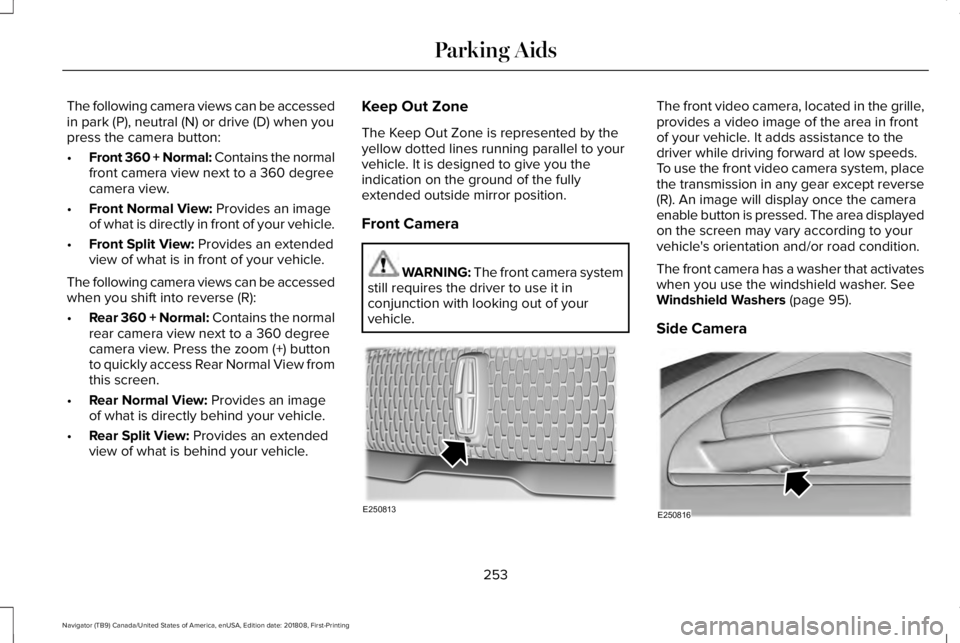
The front video camera, located in the grille,provides a video image of the area in frontof your vehicle. It adds assistance to thedriver while driving forward at low speeds.To use the front video camera system, placethe transmission in any gear except reverse(R). An image will display once the cameraenable button is pressed. The area displayedon the screen may vary according to yourvehicle's orientation and/or road condition.
The front camera has a washer that activateswhen you use the windshield washer. SeeWindshield Washers (page 95).
Side Camera
253
Navigator (TB9) Canada/United States of America, enUSA, Edition date: 201808, First-Printing
Parking AidsE250813 E250816
Page 257 of 645
The side view camera, located in the outsidemirror, provides a video image of the areaon the sides of your vehicle as part of thefront 360 + normal view and rear 360 +normal view. It aids you while parking yourvehicle either forward or backward.
Note:Use caution when using the 360 viewwhile any of the doors are ajar. If a door isajar, the camera will be out of position andthe video image may be incorrect.
254
Navigator (TB9) Canada/United States of America, enUSA, Edition date: 201808, First-Printing
Parking Aids
Page 274 of 645
BLIND SPOT INFORMATION
SYSTEM
WARNING: Do not use the blind spotinformation system as a replacement forusing the interior and exterior mirrors orlooking over your shoulder beforechanging lanes. The blind spot informationsystem is not a replacement for carefuldriving.
WARNING: The system may notoperate properly during severe weatherconditions, for example snow, ice, heavyrain and spray. Always drive with due careand attention. Failure to take care mayresult in a crash.
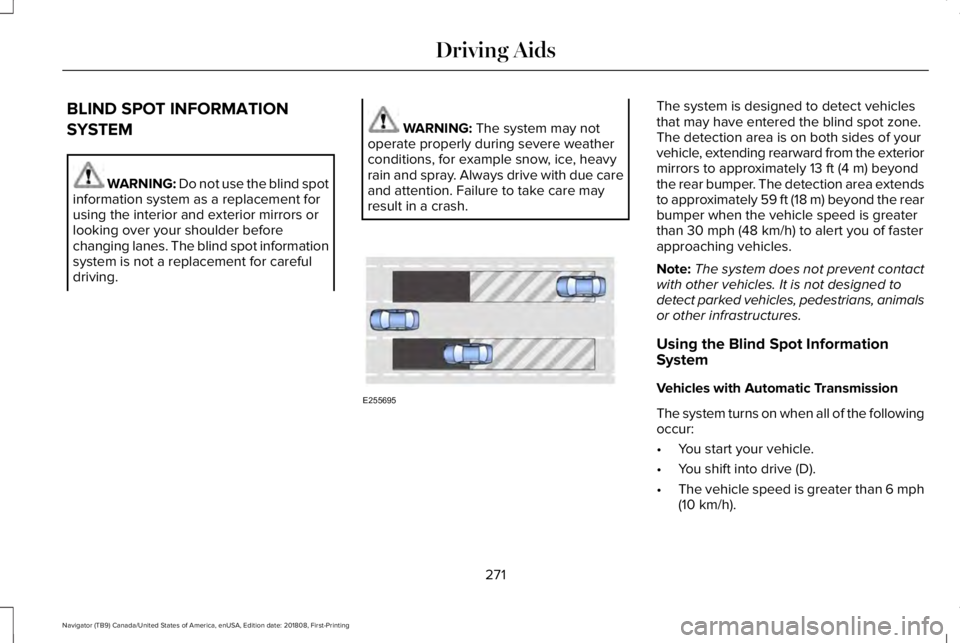
The system is designed to detect vehiclesthat may have entered the blind spot zone.The detection area is on both sides of yourvehicle, extending rearward from the exteriormirrors to approximately 13 ft (4 m) beyondthe rear bumper. The detection area extendsto approximately 59 ft (18 m) beyond the rearbumper when the vehicle speed is greaterthan 30 mph (48 km/h) to alert you of fasterapproaching vehicles.
Note:The system does not prevent contactwith other vehicles. It is not designed todetect parked vehicles, pedestrians, animalsor other infrastructures.
Using the Blind Spot InformationSystem
Vehicles with Automatic Transmission
The system turns on when all of the followingoccur:
•You start your vehicle.
•You shift into drive (D).
•The vehicle speed is greater than 6 mph(10 km/h).
271
Navigator (TB9) Canada/United States of America, enUSA, Edition date: 201808, First-Printing
Driving AidsE255695
Page 275 of 645
Note:The system does not operate in park(P) or reverse (R).
Vehicles with Manual Transmission
The system turns on when all of the followingoccur:
•You start your vehicle.
•The vehicle speed is greater than 6 mph(10 km/h).
Note:The system does not operate inreverse (R).
System Lights and Messages
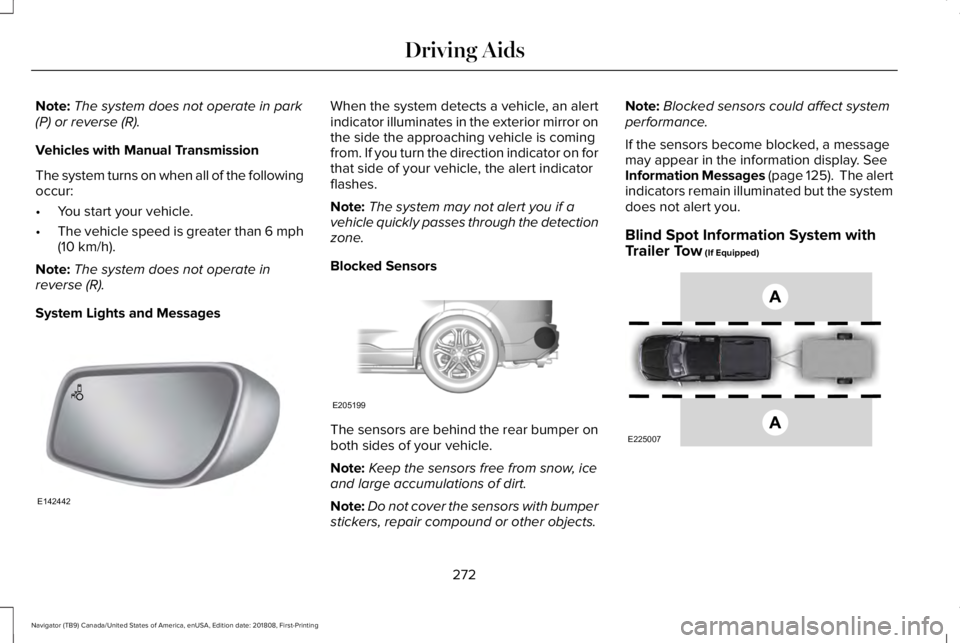
When the system detects a vehicle, an alertindicator illuminates in the exterior mirror onthe side the approaching vehicle is comingfrom. If you turn the direction indicator on forthat side of your vehicle, the alert indicatorflashes.
Note:The system may not alert you if avehicle quickly passes through the detectionzone.
Blocked Sensors
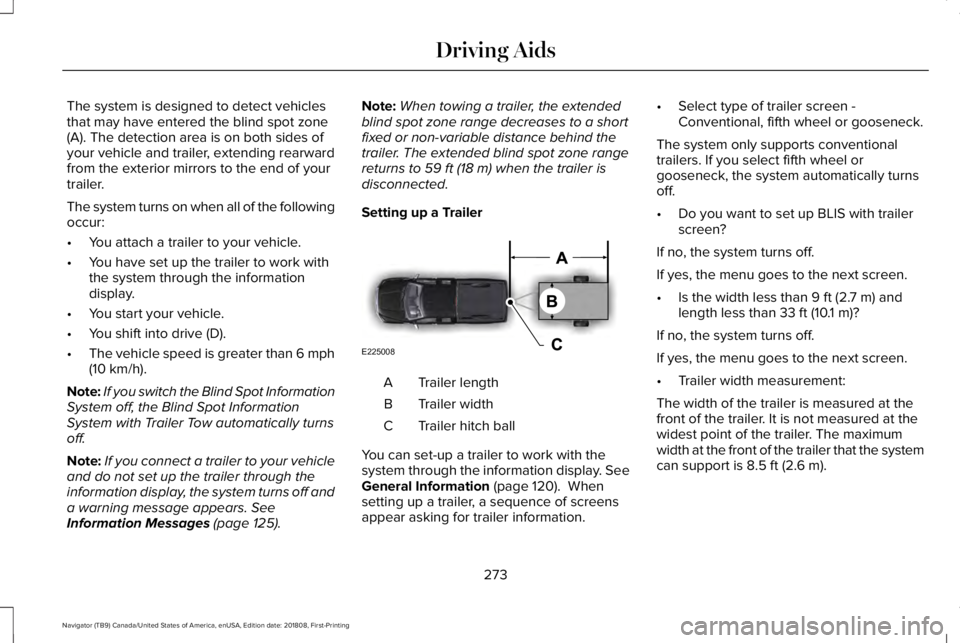
The sensors are behind the rear bumper onboth sides of your vehicle.
Note:Keep the sensors free from snow, iceand large accumulations of dirt.
Note:Do not cover the sensors with bumperstickers, repair compound or other objects.
Note:Blocked sensors could affect systemperformance.
If the sensors become blocked, a messagemay appear in the information display. SeeInformation Messages (page 125). The alertindicators remain illuminated but the systemdoes not alert you.
Blind Spot Information System withTrailer Tow (If Equipped)
272
Navigator (TB9) Canada/United States of America, enUSA, Edition date: 201808, First-Printing
Driving AidsE142442 E205199 E225007
Page 276 of 645
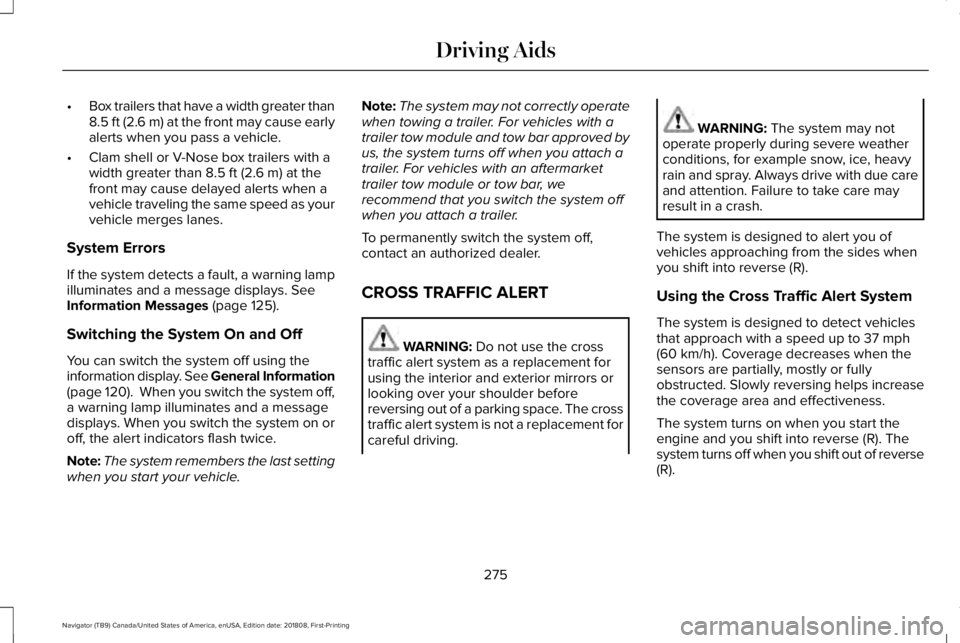
The system is designed to detect vehiclesthat may have entered the blind spot zone(A). The detection area is on both sides ofyour vehicle and trailer, extending rearwardfrom the exterior mirrors to the end of yourtrailer.
The system turns on when all of the followingoccur:
•You attach a trailer to your vehicle.
•You have set up the trailer to work withthe system through the informationdisplay.
•You start your vehicle.
•You shift into drive (D).
•The vehicle speed is greater than 6 mph(10 km/h).
Note:If you switch the Blind Spot InformationSystem off, the Blind Spot InformationSystem with Trailer Tow automatically turnsoff.
Note:If you connect a trailer to your vehicleand do not set up the trailer through theinformation display, the system turns off anda warning message appears. SeeInformation Messages (page 125).
Note:When towing a trailer, the extendedblind spot zone range decreases to a shortfixed or non-variable distance behind thetrailer. The extended blind spot zone rangereturns to 59 ft (18 m) when the trailer isdisconnected.
Setting up a Trailer
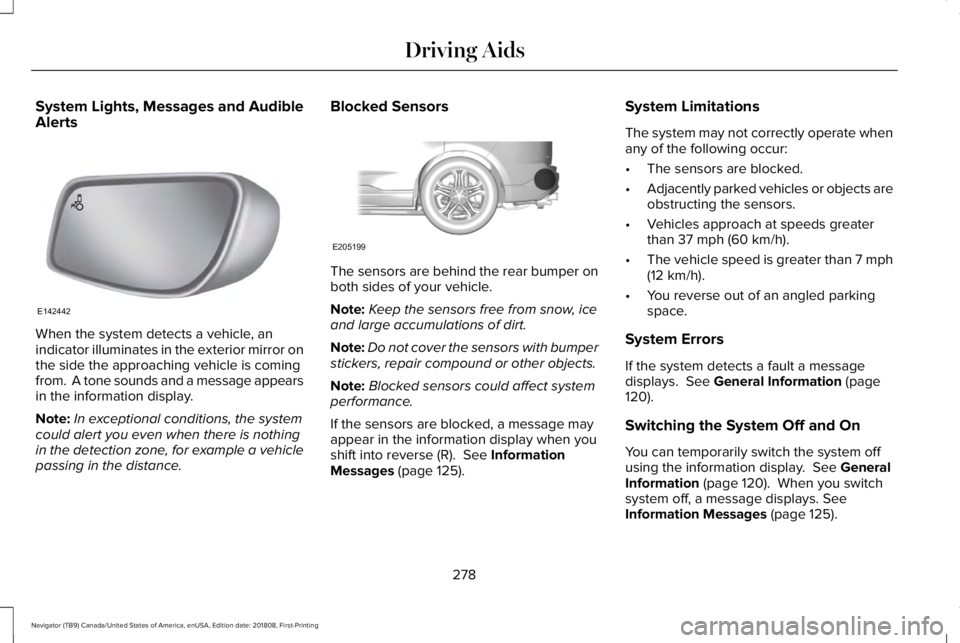
Trailer lengthA
Trailer widthB
Trailer hitch ballC
You can set-up a trailer to work with thesystem through the information display. SeeGeneral Information (page 120). Whensetting up a trailer, a sequence of screensappear asking for trailer information.
•Select type of trailer screen -Conventional, fifth wheel or gooseneck.
The system only supports conventionaltrailers. If you select fifth wheel orgooseneck, the system automatically turnsoff.
•Do you want to set up BLIS with trailerscreen?
If no, the system turns off.
If yes, the menu goes to the next screen.
•Is the width less than 9 ft (2.7 m) andlength less than 33 ft (10.1 m)?
If no, the system turns off.
If yes, the menu goes to the next screen.
•Trailer width measurement:
The width of the trailer is measured at thefront of the trailer. It is not measured at thewidest point of the trailer. The maximumwidth at the front of the trailer that the systemcan support is 8.5 ft (2.6 m).
273
Navigator (TB9) Canada/United States of America, enUSA, Edition date: 201808, First-Printing
Driving AidsE225008
Page 278 of 645
•Box trailers that have a width greater than8.5 ft (2.6 m) at the front may cause earlyalerts when you pass a vehicle.
•Clam shell or V-Nose box trailers with awidth greater than 8.5 ft (2.6 m) at thefront may cause delayed alerts when avehicle traveling the same speed as yourvehicle merges lanes.
System Errors
If the system detects a fault, a warning lampilluminates and a message displays. SeeInformation Messages (page 125).
Switching the System On and Off
You can switch the system off using theinformation display. See General Information(page 120). When you switch the system off,a warning lamp illuminates and a messagedisplays. When you switch the system on oroff, the alert indicators flash twice.
Note:The system remembers the last settingwhen you start your vehicle.
Note:The system may not correctly operatewhen towing a trailer. For vehicles with atrailer tow module and tow bar approved byus, the system turns off when you attach atrailer. For vehicles with an aftermarkettrailer tow module or tow bar, werecommend that you switch the system offwhen you attach a trailer.
To permanently switch the system off,contact an authorized dealer.
CROSS TRAFFIC ALERT
WARNING: Do not use the crosstraffic alert system as a replacement forusing the interior and exterior mirrors orlooking over your shoulder beforereversing out of a parking space. The crosstraffic alert system is not a replacement forcareful driving.
WARNING: The system may notoperate properly during severe weatherconditions, for example snow, ice, heavyrain and spray. Always drive with due careand attention. Failure to take care mayresult in a crash.
The system is designed to alert you ofvehicles approaching from the sides whenyou shift into reverse (R).
Using the Cross Traffic Alert System
The system is designed to detect vehiclesthat approach with a speed up to 37 mph(60 km/h). Coverage decreases when thesensors are partially, mostly or fullyobstructed. Slowly reversing helps increasethe coverage area and effectiveness.
The system turns on when you start theengine and you shift into reverse (R). Thesystem turns off when you shift out of reverse(R).
275
Navigator (TB9) Canada/United States of America, enUSA, Edition date: 201808, First-Printing
Driving Aids
Page 281 of 645
System Lights, Messages and AudibleAlerts
When the system detects a vehicle, anindicator illuminates in the exterior mirror onthe side the approaching vehicle is comingfrom. A tone sounds and a message appearsin the information display.
Note:In exceptional conditions, the systemcould alert you even when there is nothingin the detection zone, for example a vehiclepassing in the distance.
Blocked Sensors
The sensors are behind the rear bumper onboth sides of your vehicle.
Note:Keep the sensors free from snow, iceand large accumulations of dirt.
Note:Do not cover the sensors with bumperstickers, repair compound or other objects.
Note:Blocked sensors could affect systemperformance.
If the sensors are blocked, a message mayappear in the information display when youshift into reverse (R). See InformationMessages (page 125).
System Limitations
The system may not correctly operate whenany of the following occur:
•The sensors are blocked.
•Adjacently parked vehicles or objects areobstructing the sensors.
•Vehicles approach at speeds greaterthan 37 mph (60 km/h).
•The vehicle speed is greater than 7 mph(12 km/h).
•You reverse out of an angled parkingspace.
System Errors
If the system detects a fault a messagedisplays. See General Information (page120).
Switching the System Off and On
You can temporarily switch the system offusing the information display. See GeneralInformation (page 120). When you switchsystem off, a message displays. SeeInformation Messages (page 125).
278
Navigator (TB9) Canada/United States of America, enUSA, Edition date: 201808, First-Printing
Driving AidsE142442 E205199
Page 301 of 645
RV & Trailer Towing Guide Online
http://www.fleet.ford.com/towing-guides/Website
TRAILER REVERSING AIDS (IF
EQUIPPED)
Pro Trailer Backup Assist™
WARNING: Driving while distractedcan result in loss of vehicle control, crashand injury. We strongly recommend thatyou use extreme caution when using anydevice that may take your focus off theroad. Your primary responsibility is the safeoperation of your vehicle. We recommendagainst the use of any hand-held devicewhile driving and encourage the use ofvoice-operated systems when possible.Make sure you are aware of all applicablelocal laws that may affect the use ofelectronic devices while driving.
WARNING: This system is an extradriving aid. It does not replace yourattention and judgment, or the need toapply the brakes. This system does NOTautomatically brake your vehicle. If you failto press the brake pedal when necessary,you may collide with another vehicle.
Note:The system is not a substitute for safedriving practices.
Note:You must always be aware of thevehicle and trailer combination and thesurrounding environment.
Note:The system does not detect or preventthe vehicle or trailer from making contactwith obstacles in the surroundingenvironment.
Note:Keep in mind that the front end of thevehicle swings out when changing thedirection of the trailer.
Note:The system relies on usermeasurements to determine stickerplacement and system limits. It is critical totake the key measurements correctly.Incorrect measurements can result in theimproper function of the system up to andincluding contact between the vehicle andtrailer.
Note:The system limits vehicle speed whenbacking up. The system is not a replacementfor proper use of the throttle and brakepedals.
Principle of Operation
This feature helps you to steer your vehiclewhen reversing with a trailer attached. Turnand hold the control knob in the directionyou want the trailer to go and the systemtakes over the steering. This allows you tofocus on checking the mirrors and operatingthe brake and accelerator.
298
Navigator (TB9) Canada/United States of America, enUSA, Edition date: 201808, First-Printing
Towing
Page 346 of 645

Protected ComponentFuse RatingFuse Number
Horn.25A11
Fan 1.50A22
Front wiper motor.30A23
Not used.—4
Starter relay.30A25
Power point #1.20A26
Power point #2.20A28
Rain sensor.5A110
Not used.—12
4X4 module.10A113Heated backlite.Heated mirror relay coil.Heated wiper park relay coil.Transmission isolation relay coil.
Transmission coil module.15A114
343
Navigator (TB9) Canada/United States of America, enUSA, Edition date: 201808, First-Printing
Fuses