page 32 LINCOLN NAVIGATOR 2020 Owners Manual
[x] Cancel search | Manufacturer: LINCOLN, Model Year: 2020, Model line: NAVIGATOR, Model: LINCOLN NAVIGATOR 2020Pages: 622, PDF Size: 6.47 MB
Page 294 of 622
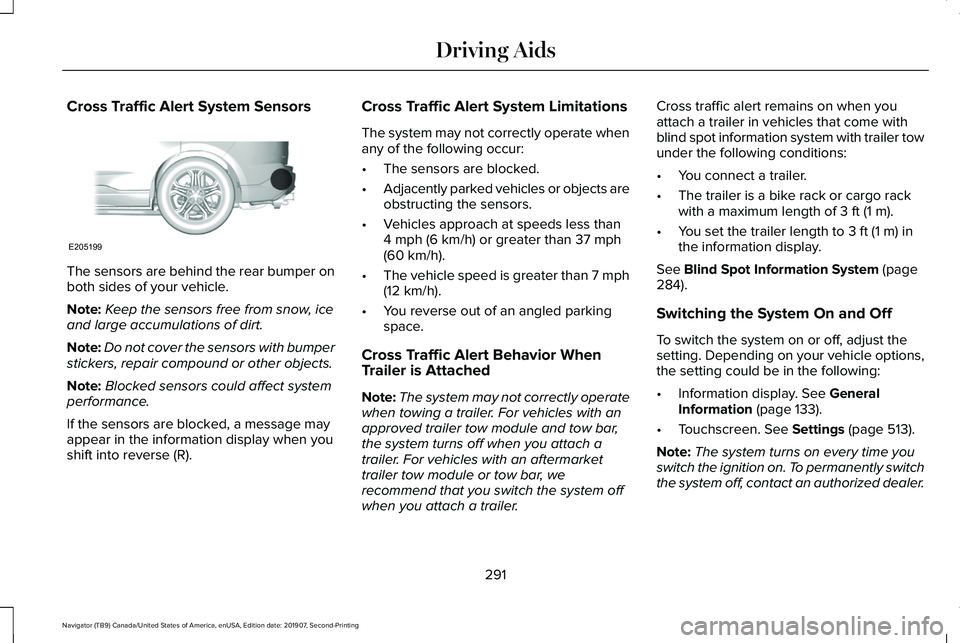
Cross Traffic Alert System Sensors
The sensors are behind the rear bumper on
both sides of your vehicle.
Note:
Keep the sensors free from snow, ice
and large accumulations of dirt.
Note: Do not cover the sensors with bumper
stickers, repair compound or other objects.
Note: Blocked sensors could affect system
performance.
If the sensors are blocked, a message may
appear in the information display when you
shift into reverse (R). Cross Traffic Alert System Limitations
The system may not correctly operate when
any of the following occur:
•
The sensors are blocked.
• Adjacently parked vehicles or objects are
obstructing the sensors.
• Vehicles approach at speeds less than
4 mph (6 km/h) or greater than 37 mph
(60 km/h).
• The vehicle speed is greater than 7 mph
(12 km/h)
.
• You reverse out of an angled parking
space.
Cross Traffic Alert Behavior When
Trailer is Attached
Note: The system may not correctly operate
when towing a trailer. For vehicles with an
approved trailer tow module and tow bar,
the system turns off when you attach a
trailer. For vehicles with an aftermarket
trailer tow module or tow bar, we
recommend that you switch the system off
when you attach a trailer. Cross traffic alert remains on when you
attach a trailer in vehicles that come with
blind spot information system with trailer tow
under the following conditions:
•
You connect a trailer.
• The trailer is a bike rack or cargo rack
with a maximum length of
3 ft (1 m).
• You set the trailer length to
3 ft (1 m) in
the information display.
See
Blind Spot Information System (page
284).
Switching the System On and Off
To switch the system on or off, adjust the
setting. Depending on your vehicle options,
the setting could be in the following:
• Information display.
See General
Information (page 133).
• Touchscreen.
See Settings (page 513).
Note: The system turns on every time you
switch the ignition on. To permanently switch
the system off, contact an authorized dealer.
291
Navigator (TB9) Canada/United States of America, enUSA, Edition date: 201907, Second-Printing Driving AidsE205199
Page 299 of 622
Time Gap
Distance Gap
Graphics
Sensitivity
Speed
>0.9sec
>82 ft (25 m)
Grey
Normal
62 mph (100 km/h)
0.6sec — 0.9sec
56–82 ft (17–25 m)
Yellow
Normal
62 mph (100 km/h)
<0.6sec
<
56 ft (17 m)
Red
Normal
62 mph (100 km/h)
Adjusting the Pre-Collision Assist
Settings
You can adjust the following settings by
using the information display controls.
See
General Information (page 133).
• You can adjust the Alert and Distance
Alert sensitivity to one of three settings.
• You can switch the Distance Indication
and Alert function on or off.
• If required, you can switch Active Braking
on or off.
Note: Active braking automatically turns on
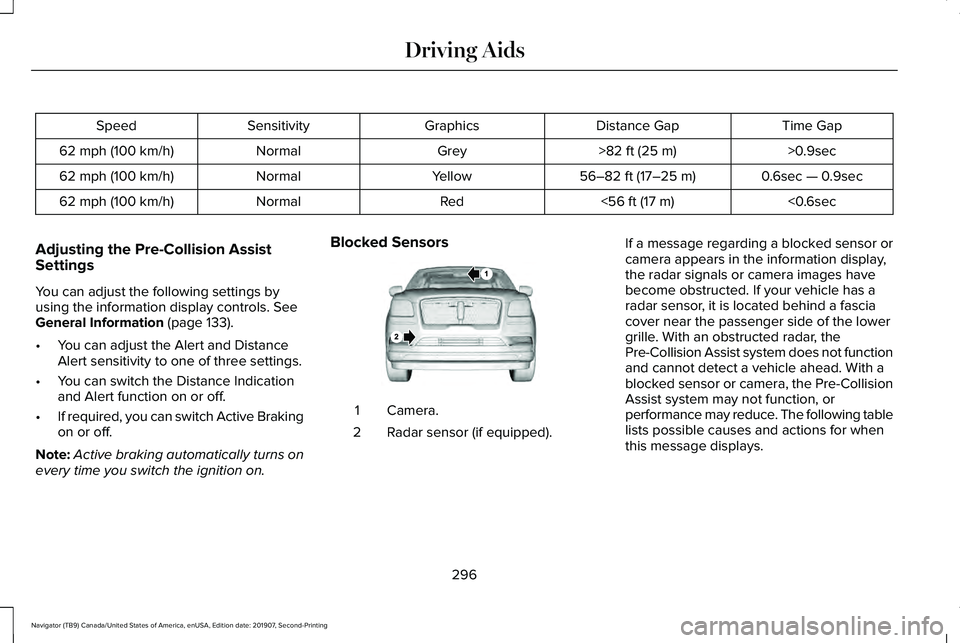
every time you switch the ignition on. Blocked Sensors
Camera.
1
Radar sensor (if equipped).
2 If a message regarding a blocked sensor or
camera appears in the information display,
the radar signals or camera images have
become obstructed. If your vehicle has a
radar sensor, it is located behind a fascia
cover near the passenger side of the lower
grille. With an obstructed radar, the
Pre-Collision Assist system does not function
and cannot detect a vehicle ahead. With a
blocked sensor or camera, the Pre-Collision
Assist system may not function, or
performance may reduce. The following table
lists possible causes and actions for when
this message displays.
296
Navigator (TB9) Canada/United States of America, enUSA, Edition date: 201907, Second-Printing Driving AidsE253503
Page 302 of 622
Note:
If your vehicle detects excessive heat
at the camera or a potential misalignment
condition, a message may display in the
information display indicating temporary
sensor unavailability. When operational
conditions are correct, the message
deactivates. For example, when the ambient
temperature around the sensor decreases
or the sensor automatically recalibrates
successfully.
DRIVE MODE CONTROL
Lincoln Drive Modes
Lincoln Drive Modes deliver a driving
experience through a suite of sophisticated
electronic vehicle systems. These systems
optimize steering, handling and powertrain
response. You can control performance
settings for multiple systems from this single
location.
Changing the drive mode automatically
changes the functionality of the following
systems: •
Electronically power-assisted steering
system adjusts steering effort and feel
based on the mode you select. See
Steering (page 293).
• Electronic stability control and traction
control maintain your vehicle control in
adverse conditions or high performance
driving. See Stability Control (page
244).
• Electronic throttle control enhances the
powertrain response to your inputs.
• Transmission controls optimize with shift
schedules tuned to each mode.
• Driveline settings optimize for each
mode.
Using the System
The system automatically tailors your vehicle
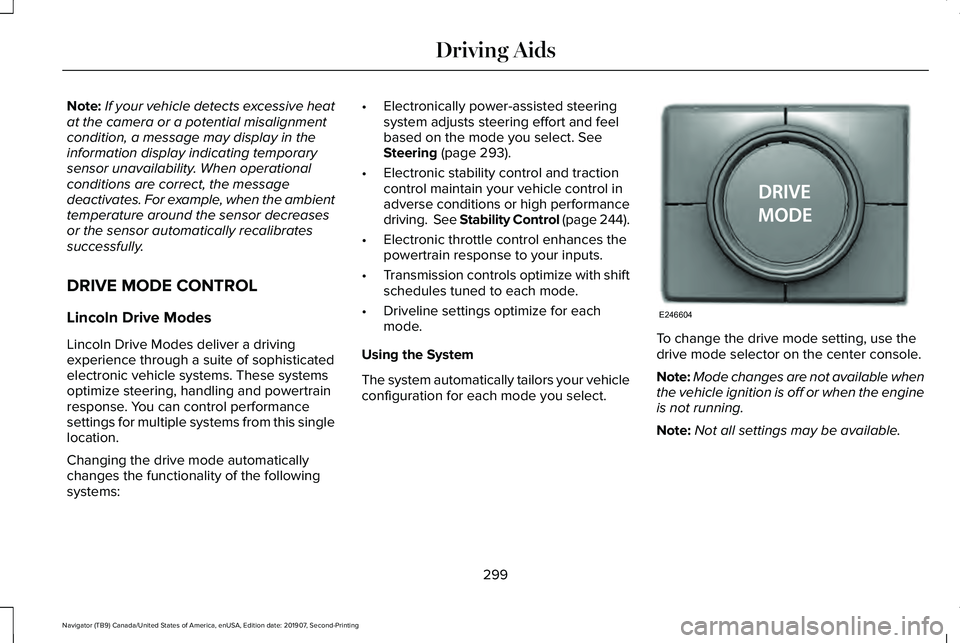
configuration for each mode you select. To change the drive mode setting, use the
drive mode selector on the center console.
Note:
Mode changes are not available when
the vehicle ignition is off or when the engine
is not running.
Note: Not all settings may be available.
299
Navigator (TB9) Canada/United States of America, enUSA, Edition date: 201907, Second-Printing Driving AidsE246604
Page 314 of 622
TOWING A TRAILER
WARNING: Towing trailers
beyond the maximum recommended
gross trailer weight exceeds the limit
of your vehicle and could result in
engine damage, transmission damage,
structural damage, loss of vehicle
control, vehicle rollover and personal
injury. WARNING:
Do not exceed the
GVWR or the GAWR specified on the
certification label.
Note: See
Recommended Towing
Weights (page 323).
Your vehicle may have electrical items,
such as fuses or relays, related to
towing.
See Fuses (page 356). Your vehicle's load capacity designation
is by weight, not by volume, so you
cannot necessarily use all available
space when loading a vehicle or trailer.
Towing a trailer places an extra load on
your vehicle's engine, transmission, axle,
brakes, tires and suspension. Inspect
these components periodically during,
and after, any towing operation.
Load Placement
To help minimize how trailer movement
affects your vehicle when driving:
•
Load the heaviest items closest to
the trailer floor.
• Load the heaviest items centered
between the left and right side trailer
tires. •
Load the heaviest items above the
trailer axles or just slightly forward
toward the trailer tongue. Do not
allow the final trailer tongue weight
to go above or below 10-15% of the
loaded trailer weight.
• Select a ball mount with the correct
rise or drop and load capacity. When
both the loaded vehicle and trailer
are connected, the trailer frame
should be level, or slightly angled
down toward your vehicle, when
viewed from the side.
When driving with a trailer or payload, a
slight takeoff vibration or shudder may
be present due to the increased payload
weight. Additional information regarding
proper trailer loading and setting your
vehicle up for towing is located in
another chapter of this manual.
See
Load Limit (page 305).
You can also find information in the
RV
& Trailer Towing Guide available at your
authorized dealer, or online.
311
Navigator (TB9) Canada/United States of America, enUSA, Edition date: 201907, Second-Printing Towing
Page 316 of 622
You have to set up each trailer you use with
your vehicle. You must accurately follow the
setup process to make sure you correctly
place the sticker.
Contact your dealership if you need
assistance in setting up your trailer.
Setting Up Pro Trailer Backup Assist
Note:
Once you enter a trailer's information,
the system stores it for easy recall. You can
add a maximum of 10 trailers to the system.
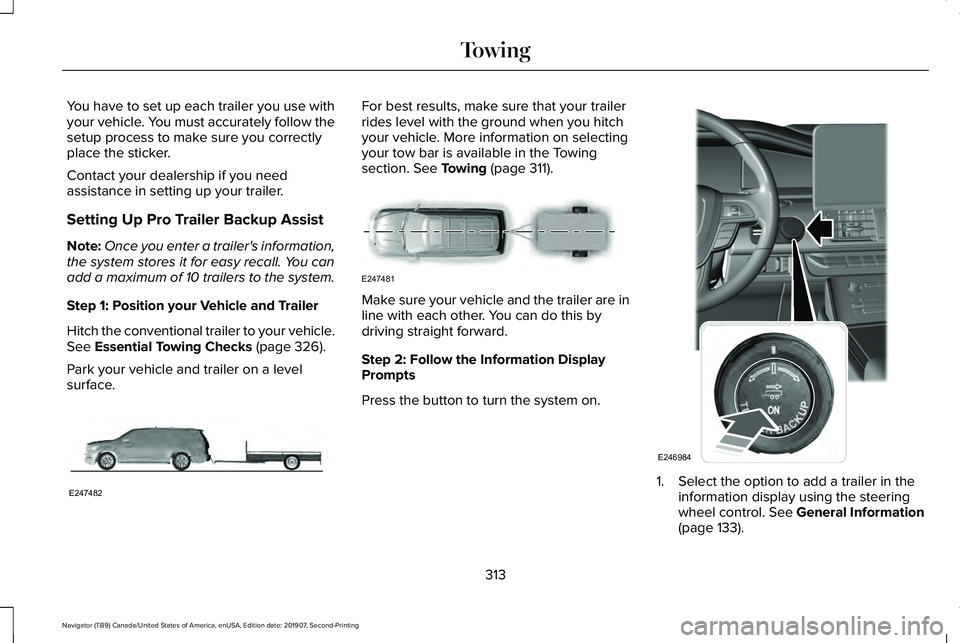
Step 1: Position your Vehicle and Trailer
Hitch the conventional trailer to your vehicle.
See Essential Towing Checks (page 326).
Park your vehicle and trailer on a level
surface. For best results, make sure that your trailer
rides level with the ground when you hitch
your vehicle. More information on selecting
your tow bar is available in the Towing
section.
See Towing (page 311).
Make sure your vehicle and the trailer are in
line with each other. You can do this by
driving straight forward.
Step 2: Follow the Information Display
Prompts
Press the button to turn the system on.
1. Select the option to add a trailer in the
information display using the steering
wheel control.
See General Information
(page 133).
313
Navigator (TB9) Canada/United States of America, enUSA, Edition date: 201907, Second-Printing TowingE247482 E247481 E246984
Page 326 of 622
TRAILER SWAY CONTROL (IF EQUIPPED)
WARNING: Turning off trailer sway
control increases the risk of loss of vehicle
control, serious injury or death. Ford does
not recommend disabling this feature
except in situations where speed reduction
may be detrimental (such as hill climbing),
the driver has significant trailer towing
experience, and can control trailer sway
and maintain safe operation.
Note: This feature does not prevent trailer
sway, but reduces it once it begins.
Note: This feature cannot stop all trailers
from swaying.
Note: In some cases, if vehicle speed is too
high, the system may activate multiple times,
gradually reducing vehicle speed. This feature applies your vehicle brakes at
individual wheels and, if necessary, reduces
engine power. If the trailer begins to sway,
the stability control light flashes and the
message TRAILER SWAY REDUCE SPEED
appears in the information display. The first
thing to do is slow your vehicle down, then
pull safely to the side of the road and check
for proper tongue load and trailer load
distribution.
See Load Carrying (page 301).
RECOMMENDED TOWING
WEIGHTS
Note: Do not exceed the trailer weight
for your vehicle configuration listed in
the chart below.
Note: Make sure to take into
consideration trailer frontal area. Do not
exceed 55 ft² (5.11 m²) if your vehicle has
the standard towing package, or 60 ft²
(5.57 m²) if your vehicle has the heavy
duty package. Note:
Exceeding this limitation may
significantly reduce the performance of
your towing vehicle. Selecting a trailer
with a low aerodynamic drag and
rounded front design helps optimize
performance and fuel economy.
Note: For high altitude operation,
reduce the gross combined weight by
2% per 1,000 ft (300 m) starting at the
1,000 ft (300 m) elevation point.
Note: Certain states require electric
trailer brakes for trailers over a specified
weight. Be sure to check state
regulations for this specified weight. The
maximum trailer weights listed may be
limited to this specified weight, as the
vehicle ’s electrical system may not
include the wiring connector needed to
activate electric trailer brakes.
Your vehicle may tow a trailer provided
the maximum trailer weight is less than
or equal to the maximum trailer weight
listed for your vehicle configuration on
the following chart.
323
Navigator (TB9) Canada/United States of America, enUSA, Edition date: 201907, Second-Printing Towing
Page 329 of 622
ESSENTIAL TOWING CHECKS
Follow these guidelines for safe towing:
•
Do not tow a trailer until you drive your
vehicle at least 1,000 mi (1,600 km).
• Consult your local motor vehicle laws for
towing a trailer.
• See any instructions that come with
towing accessories for the proper
installation and adjustment specifications.
• Service your vehicle more frequently if
you tow a trailer.
See Scheduled
Maintenance (page 537).
• If you use a rental trailer, follow the
instructions the rental agency gives you.
You can find information on load
specification terms found on the tire label
and Safety Compliance label as well as
instructions on calculating your vehicle's load
in the Load Carrying chapter. See Load Limit
(page
305).
Remember to account for the trailer tongue
weight as part of your vehicle load when
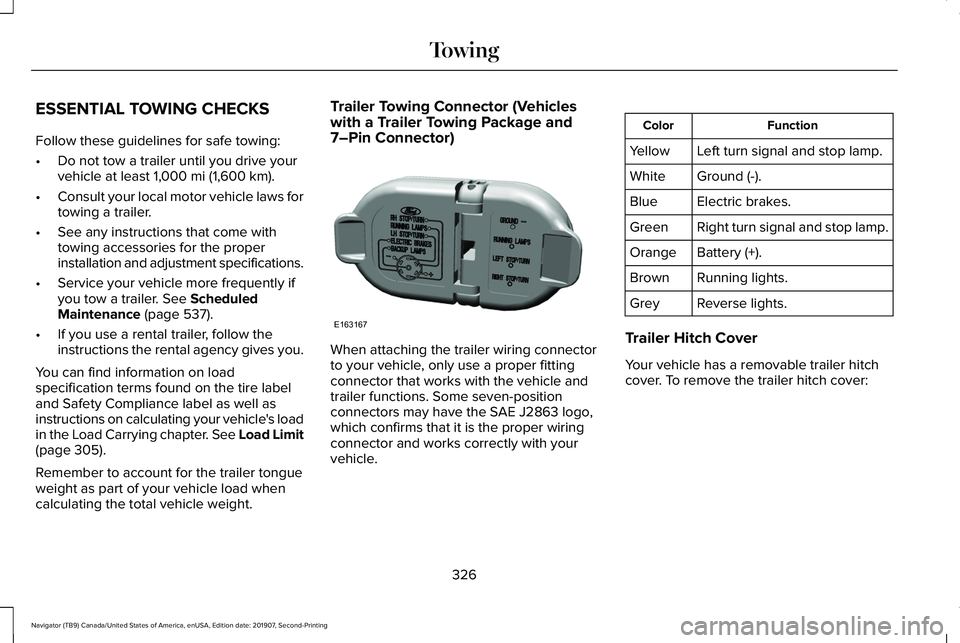
calculating the total vehicle weight. Trailer Towing Connector (Vehicles
with a Trailer Towing Package and
7–Pin Connector)
When attaching the trailer wiring connector
to your vehicle, only use a proper fitting
connector that works with the vehicle and
trailer functions. Some seven-position
connectors may have the SAE J2863 logo,
which confirms that it is the proper wiring
connector and works correctly with your
vehicle. Function
Color
Left turn signal and stop lamp.
Yellow
Ground (-).
White
Electric brakes.
Blue
Right turn signal and stop lamp.
Green
Battery (+).
Orange
Running lights.
Brown
Reverse lights.
Grey
Trailer Hitch Cover
Your vehicle has a removable trailer hitch
cover. To remove the trailer hitch cover:
326
Navigator (TB9) Canada/United States of America, enUSA, Edition date: 201907, Second-Printing TowingE163167
Page 336 of 622
Before Towing a Trailer
Practice turning, stopping and backing up to
get the feel of your vehicle-trailer
combination before starting on a trip. When
turning, make wider turns so the trailer
wheels clear curbs and other obstacles.
When Towing a Trailer
•
Do not drive faster than 70 mph
(113 km/h) during the first 500 mi
(800 km).
• Do not make full-throttle starts.
• Check your hitch, electrical connections
and trailer wheel lug nuts thoroughly after
you have traveled
50 mi (80 km).
• When stopped in congested or heavy
traffic during hot weather, place the
transmission in park (P) to aid engine and
transmission cooling and to help A/C
performance.
• Turn off the speed control when carrying
heavy loads or in hilly terrain. The speed
control may turn off automatically when
you are towing on long, steep grades. •
Shift to a lower gear when driving down
a long or steep hill. Do not apply the
brakes continuously, as they may
overheat and become less effective.
• If your transmission has a Grade Assist
or Tow/Haul feature, use this feature
when towing. This provides engine
braking and helps eliminate excessive
transmission shifting for optimum fuel
economy and transmission cooling.
• If your vehicle has AdvanceTrac with
RSC, this system may turn on during
typical cornering maneuvers with a
heavily loaded trailer. This is normal.
Turning the corner at a slower speed
while towing may reduce this tendency.
• If your vehicle has Adaptive suspension,
you can select NORMAL or SPORT drive
control modes for better experience
when towing a trailer.
See Information
Displays (page 133). •
If you are towing a trailer frequently in
hot weather, hilly conditions, at the gross
combined weight rating (or any
combination of these factors), consider
refilling your rear axle with synthetic gear
lubricant (if the axle is not already filled
with it).
See Capacities and
Specifications (page 435).
• Allow more distance for stopping with a
trailer attached. Anticipate stops and
brake gradually.
• Avoid parking on a grade. However, if
you must park on a grade:
1. Turn the steering wheel to point your vehicle tires away from traffic flow.
2. Set your vehicle parking brake.
3. Place the transmission in park (P).
4. Place wheel chocks in the front and back
of the trailer wheels.
Note: Chocks are not included with your
vehicle.
333
Navigator (TB9) Canada/United States of America, enUSA, Edition date: 201907, Second-Printing Towing
Page 337 of 622
Your vehicle may be equipped with a
temporary or conventional spare tire. A
temporary spare tire is different in size
(diameter or width), tread-type (All-Season
or All-Terrain) or is from a different
manufacturer than the road tires on your
vehicle. Consult information on the tire label
or Safety Compliance label for limitations
when using.
Launching or Retrieving a Boat or
Personal Watercraft (PWC)
Note:
Disconnect the wiring to the trailer
before backing the trailer into the water.
Note: Reconnect the wiring to the trailer
after
removing the trailer from the water.
When backing down a ramp during boat
launching or retrieval:
• Do not allow the static water level to rise
above the bottom edge of the rear
bumper.
• Do not allow waves to break higher than
6 in (15 cm)
above the bottom edge of
the rear bumper. Exceeding these limits may allow water to
enter vehicle components:
•
Causing internal damage to the
components.
• Affecting driveability, emissions, and
reliability.
Replace the rear axle lubricant anytime the
rear axle has been submerged in water.
Water may have contaminated the rear axle
lubricant, which is not normally checked or
changed unless a leak is suspected or other
axle repair is required.
TOWING THE VEHICLE ON FOUR
WHEELS WARNING:
If your vehicle has a
steering wheel lock make sure the ignition
is in the accessory or on position when
being towed. Recreational Towing
Note:
Put your climate control system in
recirculated air mode to prevent exhaust
fumes from entering your vehicle.
See
Climate Control (page 165).
Follow these guidelines if you have a need
for recreational towing, such as towing your
vehicle behind a motorhome. These
guidelines are designed to prevent damage
to your transmission.
Two-wheel Drive Vehicles
You cannot tow a two-wheel drive vehicle
with any wheels on the ground as vehicle or
transmission damage may occur. You must
tow your vehicle with all four wheels off the
ground, for example when using a
car-hauling trailer.
Four-wheel Drive Vehicles Without
SLOW
CLIMB Mode
You cannot tow your vehicle with any wheels
on the ground or vehicle damage may occur.
You must tow your vehicle with all four
wheels off the ground, for example when
using a car-hauling trailer.
334
Navigator (TB9) Canada/United States of America, enUSA, Edition date: 201907, Second-Printing Towing
Page 338 of 622
Four-wheel Drive Vehicles With SLOW
CLIMB Mode
You can only tow your vehicle with all wheels
on the ground by placing the transfer case
in its neutral position and engaging the four
wheel down towing feature. Perform the
steps outlined in the following section after
positioning your vehicle behind the tow
vehicle and properly securing them together.
Four-wheel-down Towing
Note: If completed successfully, the
information display shows
Neutral Tow
Enabled Leave Transmission in Neutral.
This indicates that your vehicle is safe to tow
with all wheels on the ground.
Note: If you do not see the message in the
information display, you must perform the
procedure again from the beginning.
Note: Make sure you properly secure your
vehicle to the tow vehicle.
1. Start your vehicle.
2. Confirm that your vehicle is in
NORMAL
mode. See Drive Mode Control (page
299). 3. Place your vehicle in stay in neutral
mode.
See Automatic Transmission
(page 222).
4. Switch your vehicle off by pressing the engine
START/STOP button once. A
Transmission Not in Park message
appears in the information display.
5. Place your vehicle in accessory mode by
pressing the start button once without
pressing the brake pedal.
6. Press and hold the brake pedal.
7. Enable neutral tow through the information display by selecting Settings
from the menu. See General Information
(page
133).
8. Then select
Advanced Settings.
9. Then select
Vehicle.
10. Then select
Neutral Tow.
11. Press and hold the
OK button until the
information display states Neutral Tow
Enabled Leave Transmission in
Neutral
. Note:
If completed successfully, the
information display shows
Neutral Tow
Enabled Leave Transmission in Neutral.
This indicates that your vehicle is safe to tow
with all wheels on the ground.
Note: If you do not see the message in the
information display, you must perform the
procedure again from the beginning.
Note: You may hear an audible noise as the
transfer case shifts into neutral, this is
normal.
12. Leave the transmission in neutral (N) and switch the ignition off by pressing
the engine
START/STOP button once
without pressing the brake pedal. You
do not need to leave your keys in the
vehicle. You can lock and unlock your
vehicle as you normally do. WARNING:
Do not disconnect the
battery during recreational towing. It
prevents the transfer case from shifting
properly and may cause the vehicle to roll,
even if the transmission is in park (P).
335
Navigator (TB9) Canada/United States of America, enUSA, Edition date: 201907, Second-Printing Towing