air conditioning LINCOLN NAVIGATOR 2020 User Guide
[x] Cancel search | Manufacturer: LINCOLN, Model Year: 2020, Model line: NAVIGATOR, Model: LINCOLN NAVIGATOR 2020Pages: 622, PDF Size: 6.47 MB
Page 442 of 622
CAPACITIES AND SPECIFICATIONS
Use oil and fluid that meets the defined
specification and viscosity grade.
If you do not use oil and fluid that meets the
defined specification and viscosity grade, it
could result in:
•
Component damage that your vehicle
warranty does not cover.
• Longer engine cranking periods. •
Increased emission levels.
• Reduced engine performance.
• Reduced fuel economy.
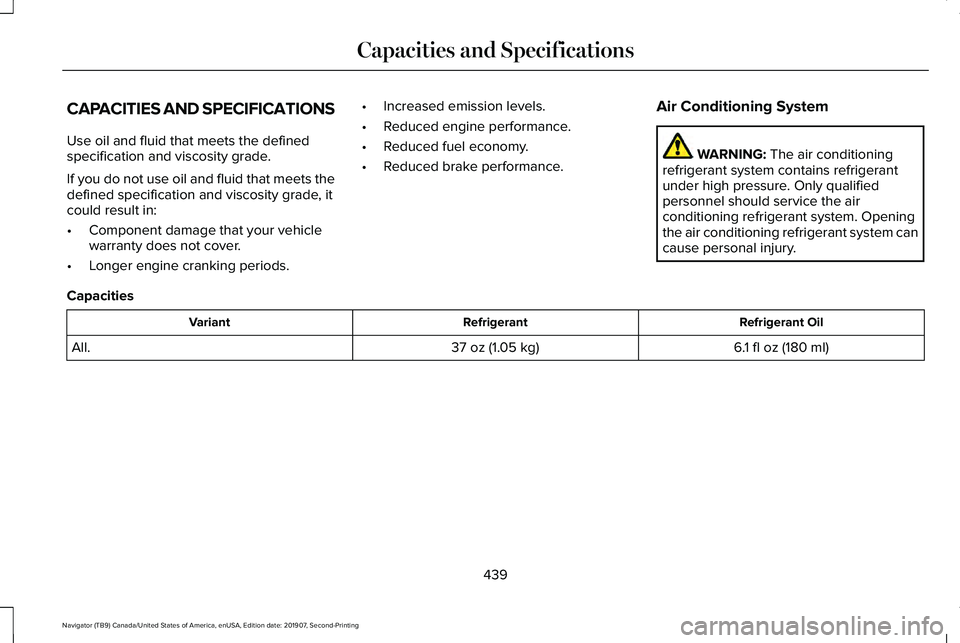
• Reduced brake performance. Air Conditioning System WARNING: The air conditioning
refrigerant system contains refrigerant
under high pressure. Only qualified
personnel should service the air
conditioning refrigerant system. Opening
the air conditioning refrigerant system can
cause personal injury.
Capacities Refrigerant Oil
Refrigerant
Variant
6.1 fl oz (180 ml)
37 oz (1.05 kg)
All.
439
Navigator (TB9) Canada/United States of America, enUSA, Edition date: 201907, Second-Printing Capacities and Specifications
Page 501 of 622
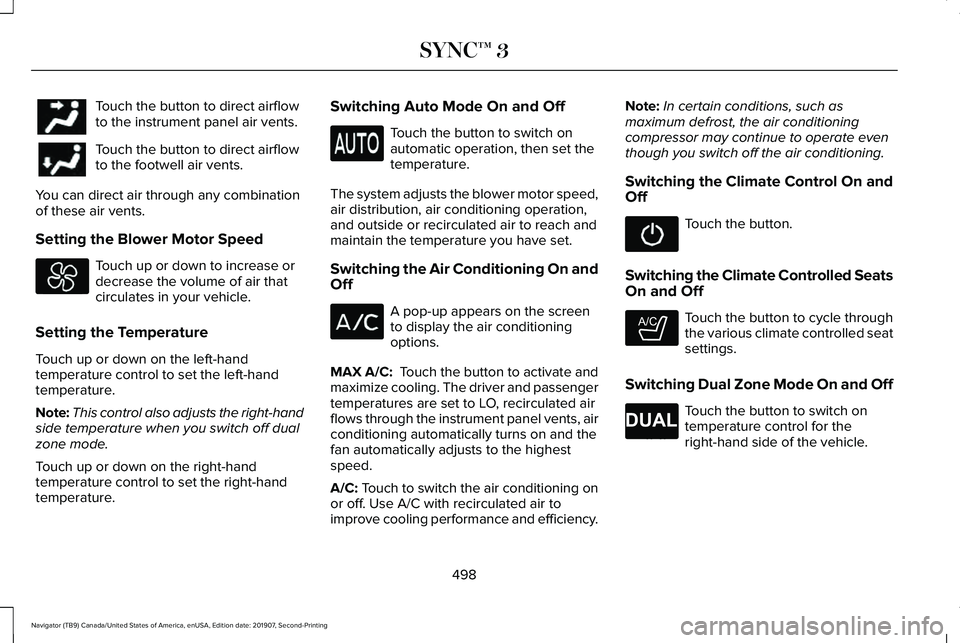
Touch the button to direct airflow
to the instrument panel air vents.
Touch the button to direct airflow
to the footwell air vents.
You can direct air through any combination
of these air vents.
Setting the Blower Motor Speed Touch up or down to increase or
decrease the volume of air that
circulates in your vehicle.
Setting the Temperature
Touch up or down on the left-hand
temperature control to set the left-hand
temperature.
Note: This control also adjusts the right-hand
side temperature when you switch off dual
zone mode.
Touch up or down on the right-hand
temperature control to set the right-hand
temperature. Switching Auto Mode On and Off Touch the button to switch on
automatic operation, then set the
temperature.
The system adjusts the blower motor speed,
air distribution, air conditioning operation,
and outside or recirculated air to reach and
maintain the temperature you have set.
Switching the Air Conditioning On and
Off A pop-up appears on the screen
to display the air conditioning
options.
MAX A/C: Touch the button to activate and
maximize cooling. The driver and passenger
temperatures are set to LO, recirculated air
flows through the instrument panel vents, air
conditioning automatically turns on and the
fan automatically adjusts to the highest
speed.
A/C: Touch to switch the air conditioning on
or off. Use A/C with recirculated air to
improve cooling performance and efficiency. Note:
In certain conditions, such as
maximum defrost, the air conditioning
compressor may continue to operate even
though you switch off the air conditioning.
Switching the Climate Control On and
Off Touch the button.
Switching the Climate Controlled Seats
On and Off Touch the button to cycle through
the various climate controlled seat
settings.
Switching Dual Zone Mode On and Off Touch the button to switch on
temperature control for the
right-hand side of the vehicle.
498
Navigator (TB9) Canada/United States of America, enUSA, Edition date: 201907, Second-Printing SYNC™ 3 E265282 E265280
Page 502 of 622
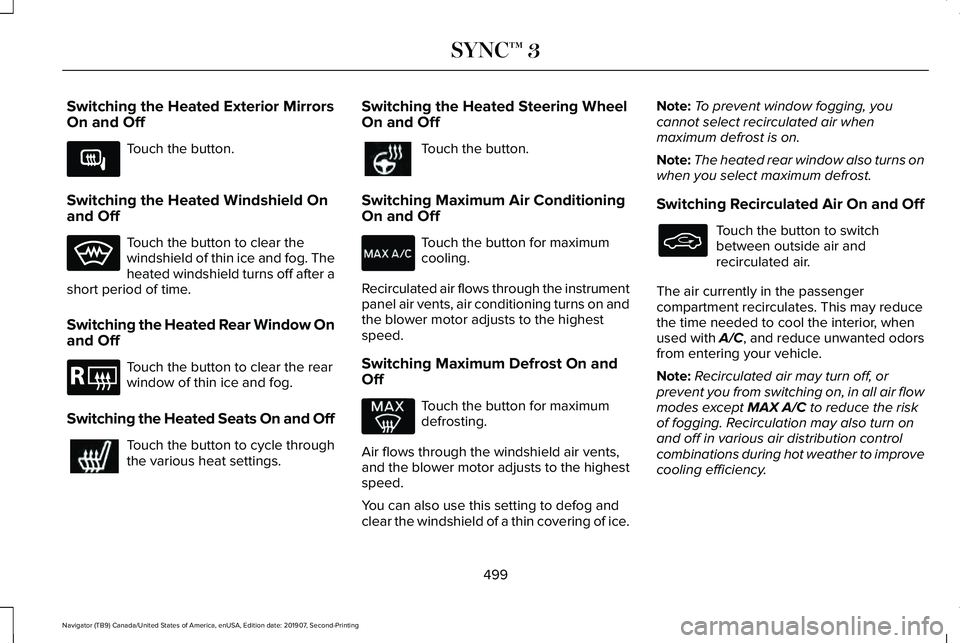
Switching the Heated Exterior Mirrors
On and Off
Touch the button.
Switching the Heated Windshield On
and Off Touch the button to clear the
windshield of thin ice and fog. The
heated windshield turns off after a
short period of time.
Switching the Heated Rear Window On
and Off Touch the button to clear the rear
window of thin ice and fog.
Switching the Heated Seats On and Off Touch the button to cycle through
the various heat settings. Switching the Heated Steering Wheel
On and Off Touch the button.
Switching Maximum Air Conditioning
On and Off Touch the button for maximum
cooling.
Recirculated air flows through the instrument
panel air vents, air conditioning turns on and
the blower motor adjusts to the highest
speed.
Switching Maximum Defrost On and
Off Touch the button for maximum
defrosting.
Air flows through the windshield air vents,
and the blower motor adjusts to the highest
speed.
You can also use this setting to defog and
clear the windshield of a thin covering of ice. Note:
To prevent window fogging, you
cannot select recirculated air when
maximum defrost is on.
Note: The heated rear window also turns on
when you select maximum defrost.
Switching Recirculated Air On and Off Touch the button to switch
between outside air and
recirculated air.
The air currently in the passenger
compartment recirculates. This may reduce
the time needed to cool the interior, when
used with A/C, and reduce unwanted odors
from entering your vehicle.
Note: Recirculated air may turn off, or
prevent you from switching on, in all air flow
modes except MAX A/C to reduce the risk
of fogging. Recirculation may also turn on
and off in various air distribution control
combinations during hot weather to improve
cooling efficiency.
499
Navigator (TB9) Canada/United States of America, enUSA, Edition date: 201907, Second-Printing SYNC™ 3E266189 E184884
Page 543 of 622
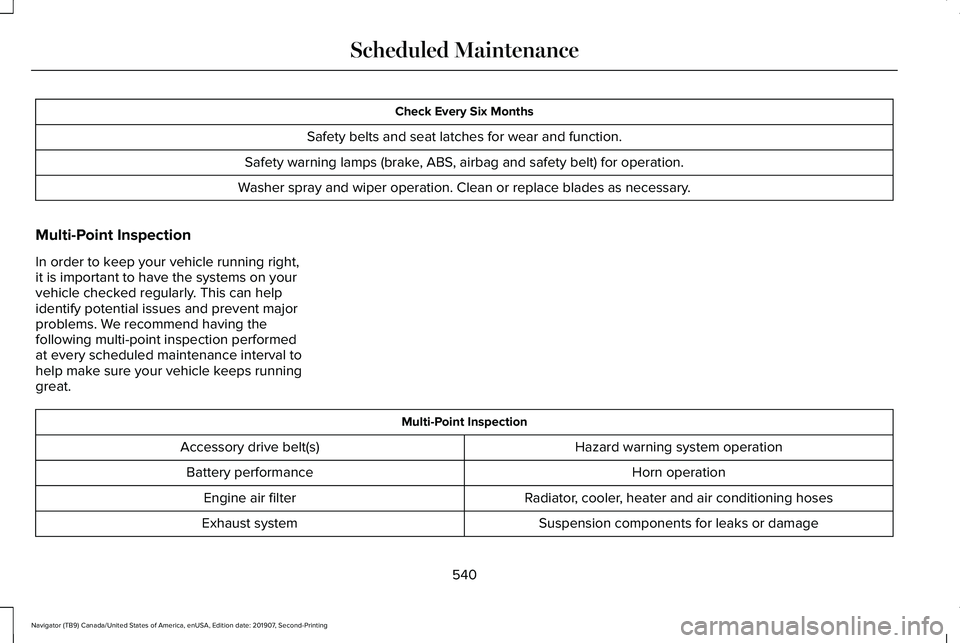
Check Every Six Months
Safety belts and seat latches for wear and function.
Safety warning lamps (brake, ABS, airbag and safety belt) for operation.
Washer spray and wiper operation. Clean or replace blades as necessary.
Multi-Point Inspection
In order to keep your vehicle running right,
it is important to have the systems on your
vehicle checked regularly. This can help
identify potential issues and prevent major
problems. We recommend having the
following multi-point inspection performed
at every scheduled maintenance interval to
help make sure your vehicle keeps running
great. Multi-Point Inspection
Hazard warning system operation
Accessory drive belt(s)
Horn operation
Battery performance
Radiator, cooler, heater and air conditioning hoses
Engine air filter
Suspension components for leaks or damage
Exhaust system
540
Navigator (TB9) Canada/United States of America, enUSA, Edition date: 201907, Second-Printing Scheduled Maintenance
Page 608 of 622
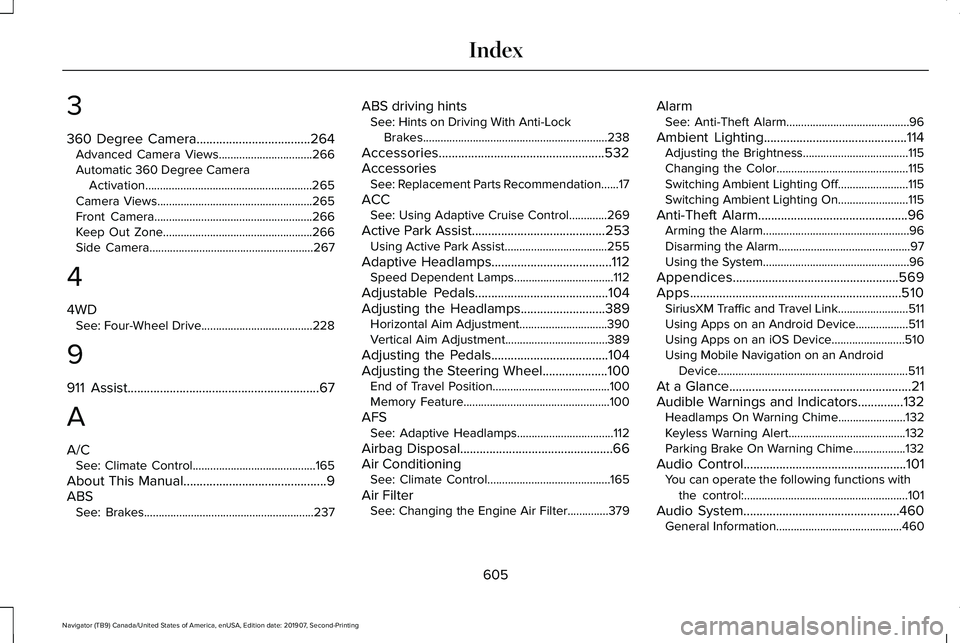
3
360 Degree Camera...................................264
Advanced Camera Views................................266
Automatic 360 Degree Camera
Activation.........................................................265
Camera Views.....................................................265
Front Camera......................................................266
Keep Out Zone...................................................266
Side Camera........................................................267
4
4WD See: Four-Wheel Drive......................................228
9
911 Assist...........................................................67
A
A/C See: Climate Control..........................................165
About This Manual
............................................9
ABS See: Brakes..........................................................237 ABS driving hints
See: Hints on Driving With Anti-Lock
Brakes...............................................................238
Accessories...................................................532
Accessories See: Replacement Parts Recommendation......17
ACC See: Using Adaptive Cruise Control.............269
Active Park Assist
.........................................253
Using Active Park Assist...................................255
Adaptive Headlamps
.....................................112
Speed Dependent Lamps..................................112
Adjustable Pedals.........................................104
Adjusting the Headlamps
..........................389
Horizontal Aim Adjustment..............................390
Vertical Aim Adjustment...................................389
Adjusting the Pedals....................................104
Adjusting the Steering Wheel....................100 End of Travel Position........................................100
Memory Feature..................................................100
AFS See: Adaptive Headlamps.................................112
Airbag Disposal
...............................................66
Air Conditioning See: Climate Control..........................................165
Air Filter See: Changing the Engine Air Filter..............
379 Alarm
See: Anti-Theft Alarm..........................................96
Ambient Lighting
............................................114
Adjusting the Brightness....................................115
Changing the Color.............................................115
Switching Ambient Lighting Off........................115
Switching Ambient Lighting On........................115
Anti-Theft Alarm..............................................96 Arming the Alarm..................................................96
Disarming the Alarm.............................................97
Using the System..................................................96
Appendices...................................................569
Apps.................................................................510 SiriusXM Traffic and Travel Link........................511
Using Apps on an Android Device..................
511
Using Apps on an iOS Device.........................510
Using Mobile Navigation on an Android Device.................................................................511
At a Glance........................................................21
Audible Warnings and Indicators..............132 Headlamps On Warning Chime
.......................132
Keyless Warning Alert........................................132
Parking Brake On Warning Chime..................132
Audio Control
..................................................101
You can operate the following functions with
the control:........................................................101
Audio System................................................460 General Information...........................................460
605
Navigator (TB9) Canada/United States of America, enUSA, Edition date: 201907, Second-Printing Index
Page 609 of 622
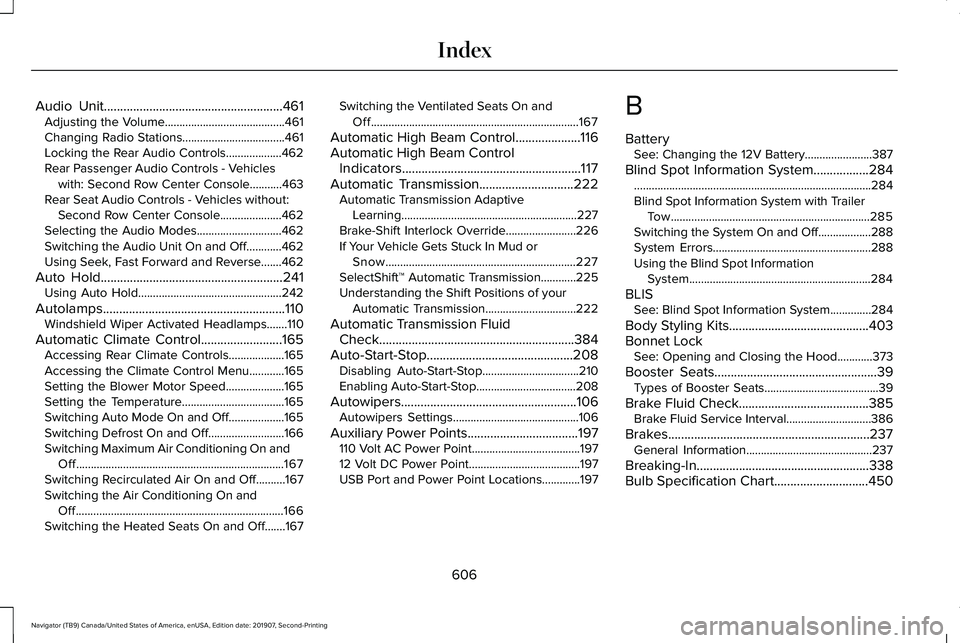
Audio Unit.......................................................461
Adjusting the Volume.........................................461
Changing Radio Stations...................................461
Locking the Rear Audio Controls...................462
Rear Passenger Audio Controls - Vehicles
with: Second Row Center Console...........463
Rear Seat Audio Controls - Vehicles without: Second Row Center Console.....................462
Selecting the Audio Modes.............................462
Switching the Audio Unit On and Off............462
Using Seek, Fast Forward and Reverse.......462
Auto Hold
........................................................241
Using Auto Hold.................................................242
Autolamps........................................................110 Windshield Wiper Activated Headlamps.......110
Automatic Climate Control
.........................165
Accessing Rear Climate Controls...................165
Accessing the Climate Control Menu............165
Setting the Blower Motor Speed....................165
Setting the Temperature...................................165
Switching Auto Mode On and Off...................
165
Switching Defrost On and Off..........................166
Switching Maximum Air Conditioning On and Off.......................................................................167
Switching Recirculated Air On and Off..........167
Switching the Air Conditioning On and Off.......................................................................166
Switching the Heated Seats On and Off.......
167 Switching the Ventilated Seats On and
Off.......................................................................167
Automatic High Beam Control
....................116
Automatic High Beam Control Indicators.......................................................117
Automatic Transmission
.............................222
Automatic Transmission Adaptive
Learning............................................................227
Brake-Shift Interlock Override........................226
If Your Vehicle Gets Stuck In Mud or Snow.................................................................227
SelectShift™ Automatic Transmission............225
Understanding the Shift Positions of your Automatic Transmission...............................222
Automatic Transmission Fluid Check............................................................384
Auto-Start-Stop.............................................208 Disabling Auto-Start-Stop.................................210
Enabling Auto-Start-Stop..................................208
Autowipers......................................................106 Autowipers Settings...........................................106
Auxiliary Power Points
..................................197
110 Volt AC Power Point.....................................197
12 Volt DC Power Point......................................197
USB Port and Power Point Locations.............197 B
Battery
See: Changing the 12V Battery.......................
387
Blind Spot Information System.................284 ........................................................................\
.........284
Blind Spot Information System with Trailer
Tow....................................................................285
Switching the System On and Off..................288
System Errors......................................................288
Using the Blind Spot Information System..............................................................284
BLIS See: Blind Spot Information System..............284
Body Styling Kits...........................................403
Bonnet Lock See: Opening and Closing the Hood............
373
Booster Seats..................................................39 Types of Booster Seats.......................................39
Brake Fluid Check
........................................385
Brake Fluid Service Interval.............................386
Brakes ..............................................................
237
General Information...........................................237
Breaking-In.....................................................338
Bulb Specification Chart
.............................450
606
Navigator (TB9) Canada/United States of America, enUSA, Edition date: 201907, Second-Printing Index
Page 610 of 622
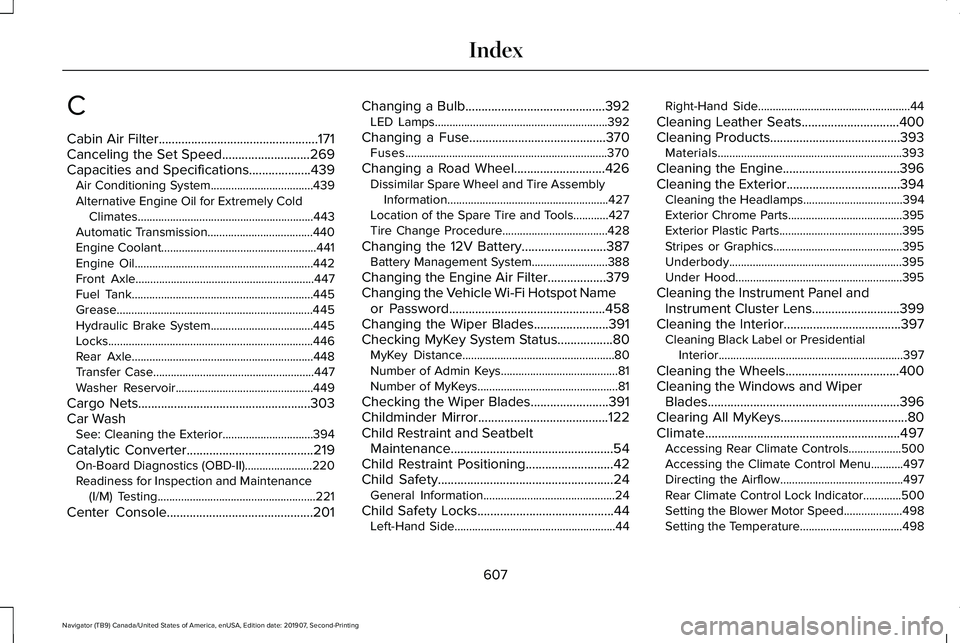
C
Cabin Air Filter.................................................171
Canceling the Set Speed...........................269
Capacities and Specifications...................439
Air Conditioning System...................................439
Alternative Engine Oil for Extremely Cold Climates............................................................443
Automatic Transmission....................................440
Engine Coolant.....................................................441
Engine Oil.............................................................442
Front Axle.............................................................447
Fuel Tank..............................................................445
Grease...................................................................445
Hydraulic Brake System...................................445
Locks......................................................................446
Rear Axle..............................................................448
Transfer Case.......................................................447
Washer Reservoir...............................................449
Cargo Nets
.....................................................303
Car Wash See: Cleaning the Exterior...............................394
Catalytic Converter
.......................................219
On-Board Diagnostics (OBD-II).......................220
Readiness for Inspection and Maintenance
(I/M) Testing......................................................221
Center Console
.............................................201 Changing a Bulb
...........................................392
LED Lamps...........................................................392
Changing a Fuse
..........................................370
Fuses.....................................................................370
Changing a Road Wheel............................426 Dissimilar Spare Wheel and Tire Assembly
Information.......................................................427
Location of the Spare Tire and Tools............427
Tire Change Procedure....................................428
Changing the 12V Battery..........................387 Battery Management System..........................388
Changing the Engine Air Filter..................379
Changing the Vehicle Wi-Fi Hotspot Name or Password
................................................458
Changing the Wiper Blades.......................391
Checking MyKey System Status.................80 MyKey Distance....................................................80
Number of Admin Keys........................................81
Number of MyKeys................................................81
Checking the Wiper Blades........................391
Childminder Mirror........................................122
Child Restraint and Seatbelt Maintenance..................................................54
Child Restraint Positioning
...........................42
Child Safety......................................................24
General Information.............................................24
Child Safety Locks
..........................................44
Left-Hand Side.......................................................44 Right-Hand Side....................................................44
Cleaning Leather Seats..............................400
Cleaning Products
........................................393
Materials...............................................................393
Cleaning the Engine
....................................396
Cleaning the Exterior...................................394
Cleaning the Headlamps..................................394
Exterior Chrome Parts.......................................395
Exterior Plastic Parts..........................................395
Stripes or Graphics............................................395
Underbody...........................................................395
Under Hood.........................................................395
Cleaning the Instrument Panel and Instrument Cluster Lens...........................399
Cleaning the Interior....................................397 Cleaning Black Label or Presidential
Interior...............................................................397
Cleaning the Wheels...................................400
Cleaning the Windows and Wiper Blades...........................................................396
Clearing All MyKeys.......................................80
Climate............................................................497 Accessing Rear Climate Controls..................500
Accessing the Climate Control Menu...........
497
Directing the Airflow..........................................497
Rear Climate Control Lock Indicator.............500
Setting the Blower Motor Speed....................498
Setting the Temperature...................................498
607
Navigator (TB9) Canada/United States of America, enUSA, Edition date: 201907, Second-Printing Index
Page 611 of 622
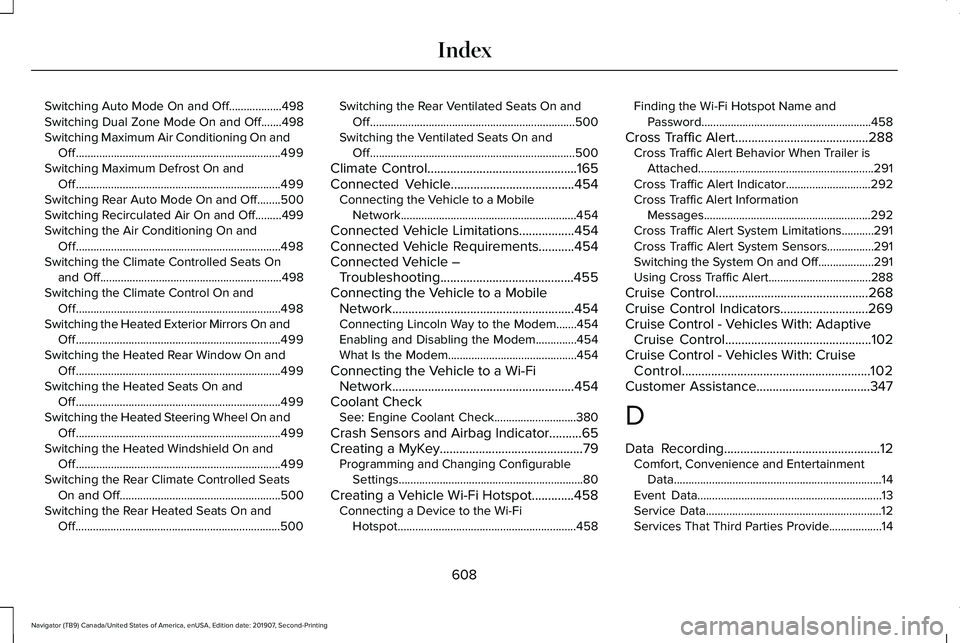
Switching Auto Mode On and Off..................498
Switching Dual Zone Mode On and Off.......498
Switching Maximum Air Conditioning On and
Off......................................................................499
Switching Maximum Defrost On and Off......................................................................499
Switching Rear Auto Mode On and Off........500
Switching Recirculated Air On and Off.........499
Switching the Air Conditioning On and Off......................................................................498
Switching the Climate Controlled Seats On and Off..............................................................498
Switching the Climate Control On and Off......................................................................498
Switching the Heated Exterior Mirrors On and Off......................................................................499
Switching the Heated Rear Window On and Off......................................................................499
Switching the Heated Seats On and Off......................................................................499
Switching the Heated Steering Wheel On and Off......................................................................499
Switching the Heated Windshield On and Off......................................................................499
Switching the Rear Climate Controlled Seats On and Off.......................................................500
Switching the Rear Heated Seats On and Off......................................................................500 Switching the Rear Ventilated Seats On and
Off......................................................................500
Switching the Ventilated Seats On and Off......................................................................500
Climate Control..............................................165
Connected Vehicle......................................454
Connecting the Vehicle to a Mobile
Network............................................................454
Connected Vehicle Limitations.................454
Connected Vehicle Requirements...........454
Connected Vehicle – Troubleshooting.........................................455
Connecting the Vehicle to a Mobile Network........................................................454
Connecting Lincoln Way to the Modem.......454
Enabling and Disabling the Modem..............454
What Is the Modem............................................454
Connecting the Vehicle to a Wi-Fi Network........................................................454
Coolant Check See: Engine Coolant Check............................380
Crash Sensors and Airbag Indicator..........65
Creating a MyKey
............................................79
Programming and Changing Configurable
Settings...............................................................80
Creating a Vehicle Wi-Fi Hotspot.............458 Connecting a Device to the Wi-Fi
Hotspot.............................................................458 Finding the Wi-Fi Hotspot Name and
Password..........................................................458
Cross Traffic Alert.........................................288 Cross Traffic Alert Behavior When Trailer is
Attached............................................................291
Cross Traffic Alert Indicator.............................
292
Cross Traffic Alert Information Messages.........................................................292
Cross Traffic Alert System Limitations...........291
Cross Traffic Alert System Sensors................291
Switching the System On and Off...................291
Using Cross Traffic Alert...................................288
Cruise Control...............................................268
Cruise Control Indicators...........................269
Cruise Control - Vehicles With: Adaptive Cruise Control
.............................................102
Cruise Control - Vehicles With: Cruise Control..........................................................102
Customer Assistance
...................................347
D
Data Recording
................................................12
Comfort, Convenience and Entertainment
Data.......................................................................14
Event Data...............................................................13
Service Data............................................................12
Services That Third Parties Provide..................14
608
Navigator (TB9) Canada/United States of America, enUSA, Edition date: 201907, Second-Printing Index