ecu LINCOLN NAVIGATOR 2020 Service Manual
[x] Cancel search | Manufacturer: LINCOLN, Model Year: 2020, Model line: NAVIGATOR, Model: LINCOLN NAVIGATOR 2020Pages: 622, PDF Size: 6.47 MB
Page 477 of 622
4. Follow the instructions provided to
download the update to the USB drive.
Installing an Update
Note: You can use the system when an
installation is in progress.
1. Disconnect all other USB devices from the USB ports.
2. Connect the USB drive with the update to a USB port.
Note: Installation starts automatically within
10 minutes.
Updating the System Using a Wi-Fi Network
Connection
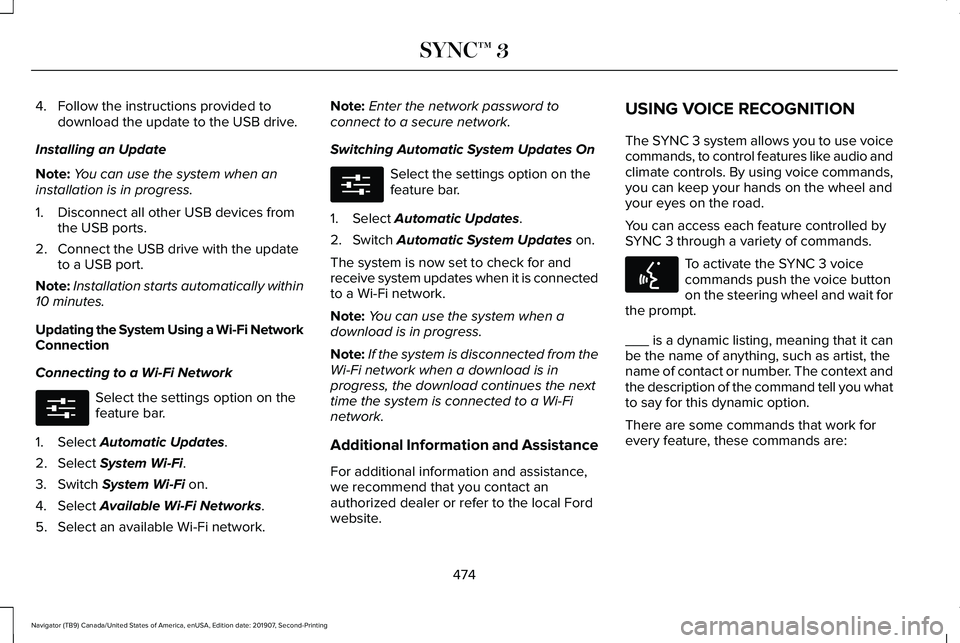
Connecting to a Wi-Fi Network Select the settings option on the
feature bar.
1. Select Automatic Updates.
2. Select
System Wi-Fi.
3. Switch
System Wi-Fi on.
4. Select
Available Wi-Fi Networks.
5. Select an available Wi-Fi network. Note:
Enter the network password to
connect to a secure network.
Switching Automatic System Updates On Select the settings option on the
feature bar.
1. Select
Automatic Updates.
2. Switch
Automatic System Updates on.
The system is now set to check for and
receive system updates when it is connected
to a Wi-Fi network.
Note: You can use the system when a
download is in progress.
Note: If the system is disconnected from the
Wi-Fi network when a download is in
progress, the download continues the next
time the system is connected to a Wi-Fi
network.
Additional Information and Assistance
For additional information and assistance,
we recommend that you contact an
authorized dealer or refer to the local Ford
website. USING VOICE RECOGNITION
The SYNC 3 system allows you to use voice
commands, to control features like audio and
climate controls. By using voice commands,
you can keep your hands on the wheel and
your eyes on the road.
You can access each feature controlled by
SYNC 3 through a variety of commands.
To activate the SYNC 3 voice
commands push the voice button
on the steering wheel and wait for
the prompt.
___ is a dynamic listing, meaning that it can
be the name of anything, such as artist, the
name of contact or number. The context and
the description of the command tell you what
to say for this dynamic option.
There are some commands that work for
every feature, these commands are:
474
Navigator (TB9) Canada/United States of America, enUSA, Edition date: 201907, Second-Printing SYNC™ 3E280315 E280315 E142599
Page 521 of 622

Possible Cause and Resolution
Symptom
–Incorrect device settings.
•Make sure that your device does not have an auto-install program or active \
security
settings.
• Check that your device is not set only to charge.
– Device lock screen enabled.
•Unlock your device before connecting it.
The system does not recognize my device. –Device limitation.
•Do not leave your device in your vehicle during very hot or very cold we\
ather condi-
tions.
– Cable connection issue.
•Correctly connect the cable to your device and the vehicle USB port.
– Incompatible cable.
•Use the cable recommended by the manufacturer of your device.
The system does not understand the name of
a track or artist. –
Device limitation. Bluetooth does not support voice commands.
•Connect your device to a USB port.
• If you have an iOS device, press and hold the voice control button on the steering
wheel to use Siri to play specific tracks.
518
Navigator (TB9) Canada/United States of America, enUSA, Edition date: 201907, Second-Printing SYNC™ 3
Page 538 of 622
Transferable Coverage
If you sell your vehicle before your Lincoln
Protect extended service plan coverage
expires, you can transfer any remaining
coverage to the new owner. Which should
give you and your potential buyer a little
more peace of mind.
Less Cost to Properly Maintain Your Vehicle
Lincoln Protect extended service plan also
offers a Premium Maintenance Plan that
covers all scheduled maintenance, and
selected wear items. The coverage is
prepaid, so you never have to worry about
the cost of your vehicle
’s maintenance.
Covered maintenance includes:
• Windshield wiper blades.
• Spark plugs.
• The clutch disc (if equipped).
• Brake pads and linings.
• Shock absorbers and struts.
• Engine cooling hoses, clamps and
o-rings. •
Engine belts.
• Diesel exhaust fluid replenishment (if
equipped).
Interest Free Finance Options
Just a 10% down payment will provide you
with an affordable, no interest, no fee
payment program allowing you all the
security and benefits Lincoln Protect
extended service plan has to offer while
paying over time. You are pre-approved with
no credit check or hassles. To learn more,
call our Lincoln Protect extended service
plan specialists at 800-367-3377.
Complete the information below and mail to:
Lincoln Protect Extended Service Plan
P.O. Box 321067
Detroit, MI 48232 Lincoln Protect (CANADA ONLY)
You can get more protection for your vehicle
by purchasing a Lincoln Protect extended
service plan. Lincoln Protect extended
service plan is the only service contract
backed by Lincoln Motor Company of
Canada, Limited. Depending on the plan you
purchase, Lincoln Protect extended service
plan provides benefits such as:
•
Rental reimbursement.
• Coverage for certain maintenance and
wear items.
• Protection against repair costs after your
New Vehicle Limited Warranty Coverage
expires.
• Roadside Assistance benefits.
535
Navigator (TB9) Canada/United States of America, enUSA, Edition date: 201907, Second-Printing Lincoln Protect
Page 588 of 622
(b) use your own personal judgment while
driving. If you feel that a route suggested by
the TeleNav Software instructs you to
perform an unsafe or illegal maneuver,
places you in an unsafe situation, or directs
you into an area that you consider to be
unsafe, do not follow such instructions;
(c) do not input destinations, or otherwise
manipulate the TeleNav Software, unless
your vehicle is stationary and parked;
(d) do not use the TeleNav Software for any
illegal, unauthorized, unintended, unsafe,
hazardous, or unlawful purposes, or in any
manner inconsistent with this Agreement;
(e) arrange all GPS and wireless devices and
cables necessary for use of the TeleNav
Software in a secure manner in your vehicle
so that they will not interfere with your
driving and will not prevent the operation of
any safety device (such as an airbag).
You agree to indemnify and hold TeleNav
harmless against all claims resulting from any
dangerous or otherwise inappropriate use
of the TeleNav Software in any moving
vehicle, including as a result of your failure
to comply with the directions above.
2. Account Information
You agree: (a) when registering the TeleNav
Software, to provide TeleNav with true,
accurate, current, and complete information
about yourself, and (b) to inform TeleNav
promptly of any changes to such information,
and to keep it true, accurate, current and
complete.
3. Software License
•
Subject to your compliance with the
terms of this Agreement, TeleNav hereby
grants to you a personal, non-exclusive,
non-transferable license (except as
expressly permitted below in connection
with your permanent transfer of the
TeleNav Software license), without the
right to sublicense, to use the TeleNav
Software (in object code form only) in
order to access and use the TeleNav
Software. This license shall terminate
upon any termination or expiration of this
Agreement. You agree that you will use
the TeleNav Software only for your
personal business or leisure purposes,
and not to provide commercial navigation
services to other parties. 3.1 License Limitations
•
(a) reverse engineer, decompile,
disassemble, translate, modify, alter or
otherwise change the TeleNav Software
or any part thereof; (b) attempt to derive
the source code, audio library or
structure of the TeleNav Software without
the prior express written consent of
TeleNav;
(c) remove from the TeleNav
Software, or alter, any of TeleNav's or its
suppliers' trademarks, trade names,
logos, patent or copyright notices, or
other notices or markings;
(d) distribute,
sublicense or otherwise transfer the
TeleNav Software to others, except as
part of your permanent transfer of the
TeleNav Software; or (e) use the TeleNav
Software in any manner that
I. infringes the intellectual property or
proprietary rights, rights of publicity or
privacy or other rights of any party,
ii. violates any law, statute, ordinance or
regulation, including but not limited to laws
and regulations related to spamming, privacy,
consumer and child protection, obscenity or
defamation, or
585
Navigator (TB9) Canada/United States of America, enUSA, Edition date: 201907, Second-Printing Appendices
Page 593 of 622
communication with any positioning devices
or any mobile or wireless-connected
electronic or computer devices, including
without limitation cellular phones, palmtop
and handheld computers, pagers, and
personal digital assistants or PDAs.
Warning. The Data may contain inaccurate
or incomplete information due to the
passage of time, changing circumstances,
sources used and the nature of collecting
comprehensive geographic data, any of
which may lead to incorrect results.
No Warranty.
This Data is provided to you
“as is, ” and you agree to use it at your own
risk. Telenav and its licensors (and their
licensors and suppliers) make no guarantees,
representations or warranties of any kind,
express or implied, arising by law or
otherwise, including but not limited to,
content, quality, accuracy, completeness,
effectiveness, reliability, fitness for a
particular purpose, usefulness, use or results
to be obtained from this Data, or that the
Data or server will be uninterrupted or
error-free. Disclaimer of Warranty: TELENAV AND ITS
LICENSORS (INCLUDING THEIR LICENSORS
AND SUPPLIERS) DISCLAIM ANY
WARRANTIES, EXPRESS OR IMPLIED, OF
QUALITY, PERFORMANCE,
MERCHANTABILITY, FITNESS FOR A
PARTICULAR PURPOSE OR
NON-INFRINGEMENT. Some States,
Territories and Countries do not allow certain
warranty exclusions, so to that extent the
above exclusion may not apply to you.
Disclaimer of Liability:
TELENAV AND ITS
LICENSORS (INCLUDING THEIR LICENSORS
AND SUPPLIERS) SHALL NOT BE LIABLE TO
YOU: IN RESPECT OF ANY CLAIM, DEMAND
OR ACTION, IRRESPECTIVE OF THE
NATURE OF THE CAUSE OF THE CLAIM,
DEMAND OR ACTION ALLEGING ANY LOSS,
INJURY OR DAMAGES, DIRECT OR
INDIRECT, WHICH MAY RESULT FROM THE
USE OR POSSESSION OF THE
INFORMATION; OR FOR ANY LOSS OF
PROFIT, REVENUE, CONTRACTS OR
SAVINGS, OR ANY OTHER DIRECT,
INDIRECT, INCIDENTAL, SPECIAL OR
CONSEQUENTIAL DAMAGES ARISING OUT
OF YOUR USE OF OR INABILITY TO USE THIS INFORMATION, ANY DEFECT IN THE
INFORMATION, OR THE BREACH OF THESE
TERMS OR CONDITIONS, WHETHER IN AN
ACTION IN CONTRACT OR TORT OR BASED
ON A WARRANTY, EVEN IF TELENAV OR
ITS LICENSORS HAVE BEEN ADVISED OF
THE POSSIBILITY OF SUCH DAMAGES.
Some States, Territories and Countries do
not allow certain liability exclusions or
damages limitations, so to that extent the
above may not apply to you.
Export Control. You shall not export from
anywhere any part of the Data or any direct
product thereof except in compliance with,
and with all licenses and approvals required
under, applicable export laws, rules and
regulations, including but not limited to the
laws, rules and regulations administered by
the Office of Foreign Assets Control of the
U.S. Department of Commerce and the
Bureau of Industry and Security of the U.S.
Department of Commerce. To the extent that
any such export laws, rules or regulations
prohibit HERE from complying with any of its
obligations hereunder to deliver or distribute
Data, such failure shall be excused and shall
not constitute a breach of this Agreement.
590
Navigator (TB9) Canada/United States of America, enUSA, Edition date: 201907, Second-Printing Appendices
Page 597 of 622
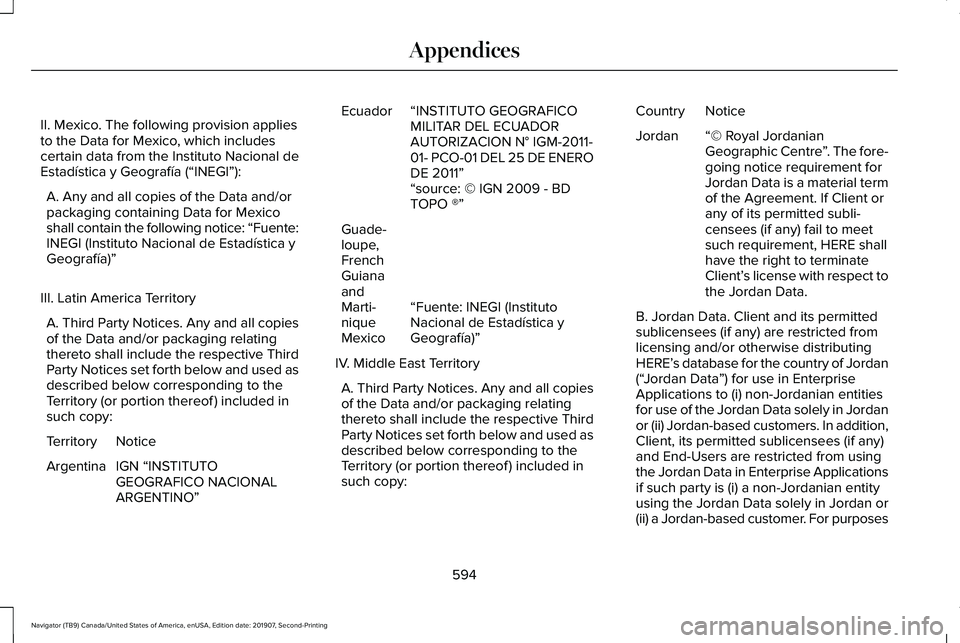
II. Mexico. The following provision applies
to the Data for Mexico, which includes
certain data from the Instituto Nacional de
Estadística y Geografía (“INEGI”):
A. Any and all copies of the Data and/or
packaging containing Data for Mexico
shall contain the following notice: “Fuente:
INEGI (Instituto Nacional de Estadística y
Geografía)”
III. Latin America Territory A. Third Party Notices. Any and all copies
of the Data and/or packaging relating
thereto shall include the respective Third
Party Notices set forth below and used as
described below corresponding to the
Territory (or portion thereof ) included in
such copy: Notice
Territory
IGN “INSTITUTO
GEOGRAFICO NACIONAL
ARGENTINO ”
Argentina “INSTITUTO GEOGRAFICO
MILITAR DEL ECUADOR
AUTORIZACION N° IGM-2011-
01- PCO-01 DEL 25 DE ENERO
DE 2011”
Ecuador
“source: © IGN 2009 - BD
TOPO ®”
“Fuente: INEGI (Instituto
Nacional de Estadística y
Geografía)”
Guade-
loupe,
French
Guiana
and
Marti-
nique
Mexico
IV. Middle East Territory A. Third Party Notices. Any and all copies
of the Data and/or packaging relating
thereto shall include the respective Third
Party Notices set forth below and used as
described below corresponding to the
Territory (or portion thereof ) included in
such copy: Notice
Country
“© Royal Jordanian
Geographic Centre ”. The fore-
going notice requirement for
Jordan Data is a material term
of the Agreement. If Client or
any of its permitted subli-
censees (if any) fail to meet
such requirement, HERE shall
have the right to terminate
Client’ s license with respect to
the Jordan Data.
Jordan
B. Jordan Data. Client and its permitted
sublicensees (if any) are restricted from
licensing and/or otherwise distributing
HERE’
s database for the country of Jordan
(“ Jordan Data ”) for use in Enterprise
Applications to (i) non-Jordanian entities
for use of the Jordan Data solely in Jordan
or (ii) Jordan-based customers. In addition,
Client, its permitted sublicensees (if any)
and End-Users are restricted from using
the Jordan Data in Enterprise Applications
if such party is (i) a non-Jordanian entity
using the Jordan Data solely in Jordan or
(ii) a Jordan-based customer. For purposes
594
Navigator (TB9) Canada/United States of America, enUSA, Edition date: 201907, Second-Printing Appendices
Page 600 of 622
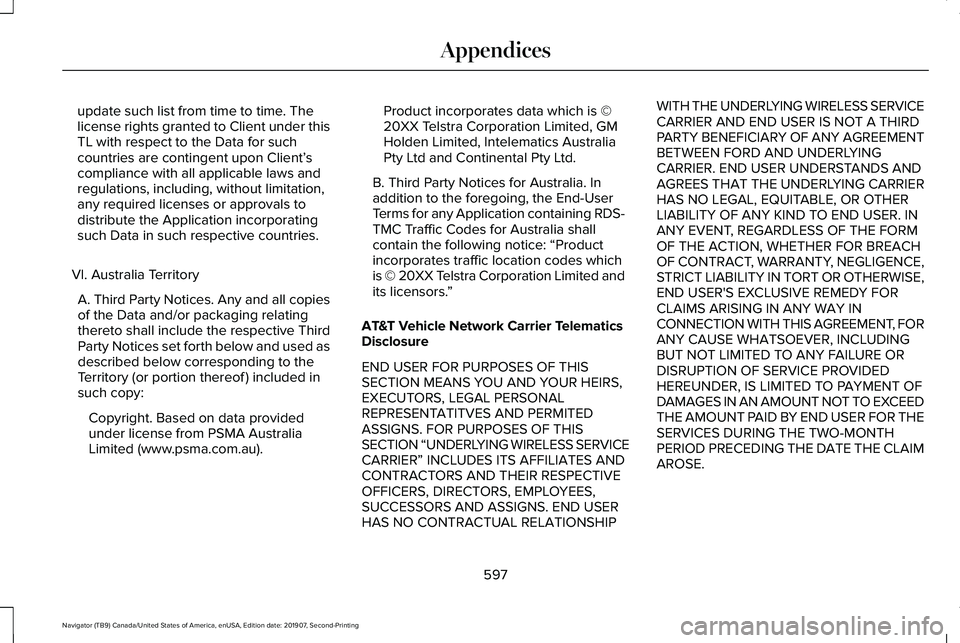
update such list from time to time. The
license rights granted to Client under this
TL with respect to the Data for such
countries are contingent upon Client’
s
compliance with all applicable laws and
regulations, including, without limitation,
any required licenses or approvals to
distribute the Application incorporating
such Data in such respective countries.
VI. Australia Territory A. Third Party Notices. Any and all copies
of the Data and/or packaging relating
thereto shall include the respective Third
Party Notices set forth below and used as
described below corresponding to the
Territory (or portion thereof ) included in
such copy: Copyright. Based on data provided
under license from PSMA Australia
Limited (www.psma.com.au). Product incorporates data which is ©
20XX Telstra Corporation Limited, GM
Holden Limited, Intelematics Australia
Pty Ltd and Continental Pty Ltd.
B. Third Party Notices for Australia. In
addition to the foregoing, the End-User
Terms for any Application containing RDS-
TMC Traffic Codes for Australia shall
contain the following notice: “Product
incorporates traffic location codes which
is © 20XX Telstra Corporation Limited and
its licensors. ”
AT&T Vehicle Network Carrier Telematics
Disclosure
END USER FOR PURPOSES OF THIS
SECTION MEANS YOU AND YOUR HEIRS,
EXECUTORS, LEGAL PERSONAL
REPRESENTATITVES AND PERMITED
ASSIGNS. FOR PURPOSES OF THIS
SECTION “UNDERLYING WIRELESS SERVICE
CARRIER ” INCLUDES ITS AFFILIATES AND
CONTRACTORS AND THEIR RESPECTIVE
OFFICERS, DIRECTORS, EMPLOYEES,
SUCCESSORS AND ASSIGNS. END USER
HAS NO CONTRACTUAL RELATIONSHIP WITH THE UNDERLYING WIRELESS SERVICE
CARRIER AND END USER IS NOT A THIRD
PARTY BENEFICIARY OF ANY AGREEMENT
BETWEEN FORD AND UNDERLYING
CARRIER. END USER UNDERSTANDS AND
AGREES THAT THE UNDERLYING CARRIER
HAS NO LEGAL, EQUITABLE, OR OTHER
LIABILITY OF ANY KIND TO END USER. IN
ANY EVENT, REGARDLESS OF THE FORM
OF THE ACTION, WHETHER FOR BREACH
OF CONTRACT, WARRANTY, NEGLIGENCE,
STRICT LIABILITY IN TORT OR OTHERWISE,
END USER'S EXCLUSIVE REMEDY FOR
CLAIMS ARISING IN ANY WAY IN
CONNECTION WITH THIS AGREEMENT, FOR
ANY CAUSE WHATSOEVER, INCLUDING
BUT NOT LIMITED TO ANY FAILURE OR
DISRUPTION OF SERVICE PROVIDED
HEREUNDER, IS LIMITED TO PAYMENT OF
DAMAGES IN AN AMOUNT NOT TO EXCEED
THE AMOUNT PAID BY END USER FOR THE
SERVICES DURING THE TWO-MONTH
PERIOD PRECEDING THE DATE THE CLAIM
AROSE.
597
Navigator (TB9) Canada/United States of America, enUSA, Edition date: 201907, Second-Printing Appendices
Page 601 of 622
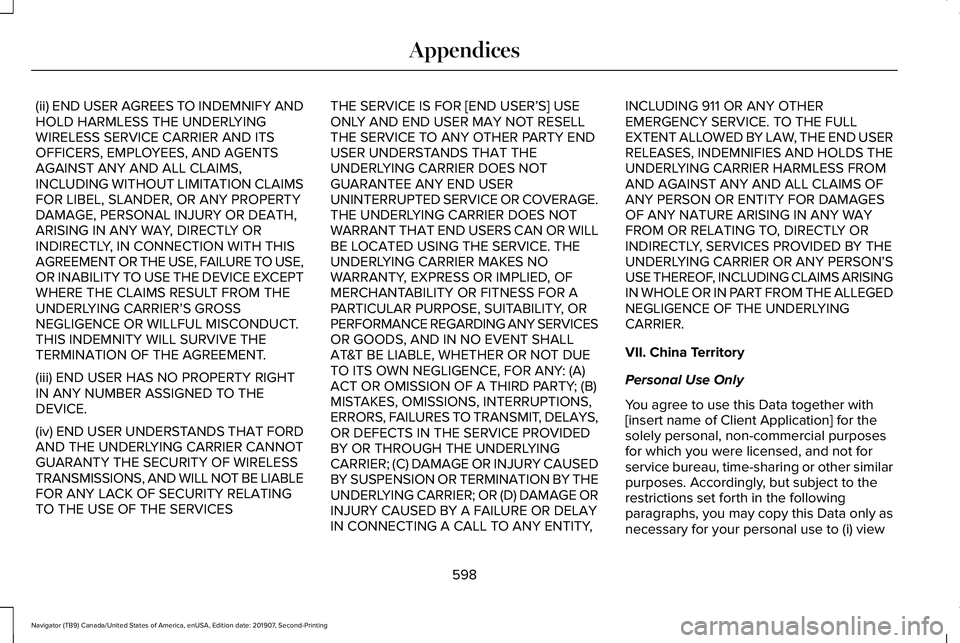
(ii) END USER AGREES TO INDEMNIFY AND
HOLD HARMLESS THE UNDERLYING
WIRELESS SERVICE CARRIER AND ITS
OFFICERS, EMPLOYEES, AND AGENTS
AGAINST ANY AND ALL CLAIMS,
INCLUDING WITHOUT LIMITATION CLAIMS
FOR LIBEL, SLANDER, OR ANY PROPERTY
DAMAGE, PERSONAL INJURY OR DEATH,
ARISING IN ANY WAY, DIRECTLY OR
INDIRECTLY, IN CONNECTION WITH THIS
AGREEMENT OR THE USE, FAILURE TO USE,
OR INABILITY TO USE THE DEVICE EXCEPT
WHERE THE CLAIMS RESULT FROM THE
UNDERLYING CARRIER
’S GROSS
NEGLIGENCE OR WILLFUL MISCONDUCT.
THIS INDEMNITY WILL SURVIVE THE
TERMINATION OF THE AGREEMENT.
(iii) END USER HAS NO PROPERTY RIGHT
IN ANY NUMBER ASSIGNED TO THE
DEVICE.
(iv) END USER UNDERSTANDS THAT FORD
AND THE UNDERLYING CARRIER CANNOT
GUARANTY THE SECURITY OF WIRELESS
TRANSMISSIONS, AND WILL NOT BE LIABLE
FOR ANY LACK OF SECURITY RELATING
TO THE USE OF THE SERVICES THE SERVICE IS FOR [END USER
’S] USE
ONLY AND END USER MAY NOT RESELL
THE SERVICE TO ANY OTHER PARTY END
USER UNDERSTANDS THAT THE
UNDERLYING CARRIER DOES NOT
GUARANTEE ANY END USER
UNINTERRUPTED SERVICE OR COVERAGE.
THE UNDERLYING CARRIER DOES NOT
WARRANT THAT END USERS CAN OR WILL
BE LOCATED USING THE SERVICE. THE
UNDERLYING CARRIER MAKES NO
WARRANTY, EXPRESS OR IMPLIED, OF
MERCHANTABILITY OR FITNESS FOR A
PARTICULAR PURPOSE, SUITABILITY, OR
PERFORMANCE REGARDING ANY SERVICES
OR GOODS, AND IN NO EVENT SHALL
AT&T BE LIABLE, WHETHER OR NOT DUE
TO ITS OWN NEGLIGENCE, FOR ANY: (A)
ACT OR OMISSION OF A THIRD PARTY; (B)
MISTAKES, OMISSIONS, INTERRUPTIONS,
ERRORS, FAILURES TO TRANSMIT, DELAYS,
OR DEFECTS IN THE SERVICE PROVIDED
BY OR THROUGH THE UNDERLYING
CARRIER; (C) DAMAGE OR INJURY CAUSED
BY SUSPENSION OR TERMINATION BY THE
UNDERLYING CARRIER; OR (D) DAMAGE OR
INJURY CAUSED BY A FAILURE OR DELAY
IN CONNECTING A CALL TO ANY ENTITY, INCLUDING 911 OR ANY OTHER
EMERGENCY SERVICE. TO THE FULL
EXTENT ALLOWED BY LAW, THE END USER
RELEASES, INDEMNIFIES AND HOLDS THE
UNDERLYING CARRIER HARMLESS FROM
AND AGAINST ANY AND ALL CLAIMS OF
ANY PERSON OR ENTITY FOR DAMAGES
OF ANY NATURE ARISING IN ANY WAY
FROM OR RELATING TO, DIRECTLY OR
INDIRECTLY, SERVICES PROVIDED BY THE
UNDERLYING CARRIER OR ANY PERSON’S
USE THEREOF, INCLUDING CLAIMS ARISING
IN WHOLE OR IN PART FROM THE ALLEGED
NEGLIGENCE OF THE UNDERLYING
CARRIER.
VII. China Territory
Personal Use Only
You agree to use this Data together with
[insert name of Client Application] for the
solely personal, non-commercial purposes
for which you were licensed, and not for
service bureau, time-sharing or other similar
purposes. Accordingly, but subject to the
restrictions set forth in the following
paragraphs, you may copy this Data only as
necessary for your personal use to (i) view
598
Navigator (TB9) Canada/United States of America, enUSA, Edition date: 201907, Second-Printing Appendices
Page 615 of 622
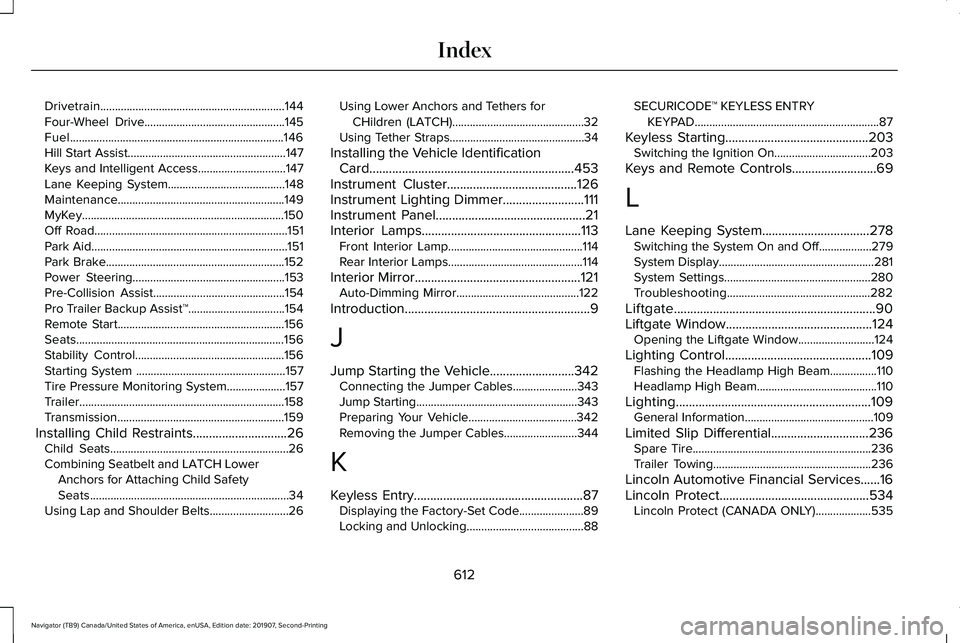
Drivetrain...............................................................144
Four-Wheel Drive................................................145
Fuel........................................................................\
.146
Hill Start Assist......................................................147
Keys and Intelligent Access..............................147
Lane Keeping System........................................148
Maintenance.........................................................149
MyKey.....................................................................150
Off Road..................................................................151
Park Aid...................................................................151
Park Brake.............................................................152
Power Steering....................................................153
Pre-Collision Assist.............................................154
Pro Trailer Backup Assist™.................................154
Remote Start.........................................................156
Seats.......................................................................156
Stability Control...................................................156
Starting System ...................................................157
Tire Pressure Monitoring System....................157
Trailer......................................................................158
Transmission.........................................................159
Installing Child Restraints.............................26 Child Seats.............................................................26
Combining Seatbelt and LATCH Lower
Anchors for Attaching Child Safety
Seats....................................................................34
Using Lap and Shoulder Belts...........................26 Using Lower Anchors and Tethers for
CHildren (LATCH).............................................32
Using Tether Straps..............................................34
Installing the Vehicle Identification Card...............................................................453
Instrument Cluster........................................126
Instrument Lighting Dimmer.........................111
Instrument Panel
..............................................21
Interior Lamps.................................................113
Front Interior Lamp..............................................114
Rear Interior Lamps..............................................114
Interior Mirror...................................................121 Auto-Dimming Mirror..........................................122
Introduction.........................................................9
J
Jump Starting the Vehicle..........................342 Connecting the Jumper Cables......................
343
Jump Starting.......................................................343
Preparing Your Vehicle.....................................342
Removing the Jumper Cables.........................
344
K
Keyless Entry....................................................87 Displaying the Factory-Set Code......................89
Locking and Unlocking........................................88 SECURICODE™ KEYLESS ENTRY
KEYPAD...............................................................87
Keyless Starting
............................................203
Switching the Ignition On.................................203
Keys and Remote Controls
..........................69
L
Lane Keeping System.................................278 Switching the System On and Off..................279
System Display.....................................................281
System Settings..................................................280
Troubleshooting.................................................282
Liftgate..............................................................90
Liftgate Window.............................................124 Opening the Liftgate Window..........................124
Lighting Control.............................................109 Flashing the Headlamp High Beam................110
Headlamp High Beam.........................................110
Lighting............................................................109 General Information............................................109
Limited Slip Differential..............................236 Spare Tire.............................................................236
Trailer Towing......................................................236
Lincoln Automotive Financial Services......16
Lincoln Protect..............................................534 Lincoln Protect (CANADA ONLY)...................535
612
Navigator (TB9) Canada/United States of America, enUSA, Edition date: 201907, Second-Printing Index
Page 617 of 622
Passive Anti-Theft System............................94
SecuriLock™............................................................94
PATS See: Passive Anti-Theft System........................94
Perchlorate........................................................16
Personal Safety System ™..............................56
How Does the Personal Safety System
Work?..................................................................56
Phone as a Key Limitations
..........................75
Phone as a Key................................................75 Phone as a Key – Troubleshooting..................76
Phone as a Key – Troubleshooting............76 Phone as a Key – Frequently Asked
Questions...........................................................76
Phone..............................................................500 Android Auto.......................................................502
Apple CarPlay.....................................................502
Pairing Your Cell Phone for the First
Time..................................................................500
Text Messaging....................................................501
Using Your Cell Phone.......................................501
Post-Crash Alert System
.............................344
Power Door Locks See: Locking and Unlocking..............................
83
Power Liftgate
.................................................90
Obstacle Detection..............................................92
Opening and Closing the Liftgate....................90
Setting the Liftgate Open Height.....................92 Stopping the Liftgate Movement.......................91
Switching the Power Liftgate On or Off..........92
Using the Hands-Free Liftgate..........................92
Power Running Boards
.................................98
Power Seats....................................................177 Adjusting the Lumbar Support.........................
179
Adjusting the Multi-Contour Front Seats With Active Motion ..................................................179
Power Windows..............................................118 Accessory Delay...................................................119
Bounce-Back.........................................................118
One-Touch Down.................................................118
One-Touch Up.......................................................118
Window Lock.........................................................119
Pre-Collision Assist......................................294 Adjusting the Pre-Collision Assist
Settings............................................................296
Blocked Sensors................................................296
Distance Indication and Alert..........................295
Using the Pre-Collision Assist System..........294
Programming Your Phone.............................75
Protecting the Environment.........................20
Puncture See: Changing a Road Wheel.........................
426
R
Rear Axle
........................................................236 Rear Parking Aid...........................................248
Object Distance Indicator................................249
Rear Passenger Climate Controls.............168 Directing Air to the Rear Console Air
Vents..................................................................168
Directing Air to the Rear Footwell Air Vents..................................................................169
Rear Climate Control Lock Indicator..............
169
Setting the Rear Blower Motor Speed...........169
Setting the Rear Temperature..........................169
Switching Rear Auto Mode On........................169
Switching the Rear Climate Control On and Off.......................................................................170
Switching the Rear Heated Seats On and Off.......................................................................170
Switching the Rear Ventilated Seats On and Off.......................................................................170
Rear Seats
.......................................................185
Adjusting the Manual Second Row Outermost
Seats for Easy Entry.......................................185
Adjusting the Power Second Row Outermost Seats for Easy Entry.......................................186
Adjusting the Second Row Center Seat........188
Adjusting the Second Row Outermost Seats for Easy Exit......................................................187
Folding the Power Rear Seats.........................189
Folding the Second Row Center Seat ..........188
614
Navigator (TB9) Canada/United States of America, enUSA, Edition date: 201907, Second-Printing Index