seats LINCOLN NAVIGATOR 2020 Service Manual
[x] Cancel search | Manufacturer: LINCOLN, Model Year: 2020, Model line: NAVIGATOR, Model: LINCOLN NAVIGATOR 2020Pages: 622, PDF Size: 6.47 MB
Page 188 of 622
REAR SEATS
Folding the Second Row Outermost
Seats
WARNING: Do not place cargo or
any objects behind the seat backrest
before returning it to the original position.
Pull on the seat backrest to make sure that
it has fully latched after returning the seat
backrest to its original position. An
unlatched seat may become dangerous if
you stop suddenly or have a crash. 1.
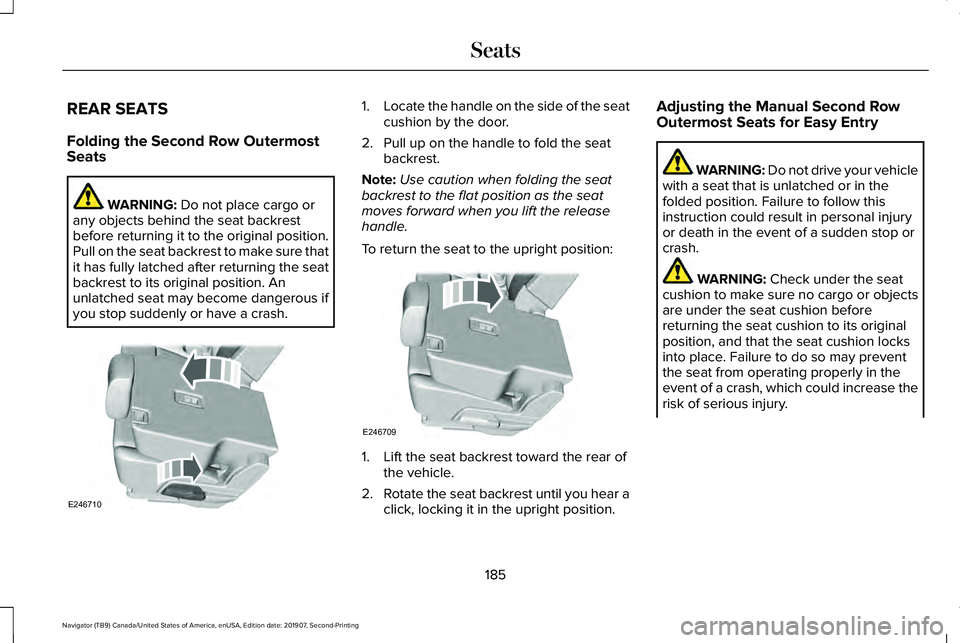
Locate the handle on the side of the seat
cushion by the door.
2. Pull up on the handle to fold the seat backrest.
Note: Use caution when folding the seat
backrest to the flat position as the seat
moves forward when you lift the release
handle.
To return the seat to the upright position: 1. Lift the seat backrest toward the rear of
the vehicle.
2. Rotate the seat backrest until you hear a
click, locking it in the upright position. Adjusting the Manual Second Row
Outermost Seats for Easy Entry WARNING: Do not drive your vehicle
with a seat that is unlatched or in the
folded position. Failure to follow this
instruction could result in personal injury
or death in the event of a sudden stop or
crash. WARNING:
Check under the seat
cushion to make sure no cargo or objects
are under the seat cushion before
returning the seat cushion to its original
position, and that the seat cushion locks
into place. Failure to do so may prevent
the seat from operating properly in the
event of a crash, which could increase the
risk of serious injury.
185
Navigator (TB9) Canada/United States of America, enUSA, Edition date: 201907, Second-Printing SeatsE246710 E246709
Page 189 of 622
WARNING: Do not place cargo or
any objects behind the seat backrest
before returning it to the original position.
Pull on the seat backrest to make sure that
it has fully latched after returning the seat
backrest to its original position. An
unlatched seat may become dangerous if
you stop suddenly or have a crash.
Note: You can move the outermost seats
forward to allow access to the third row
seats.
This feature allows for easier entry and exit
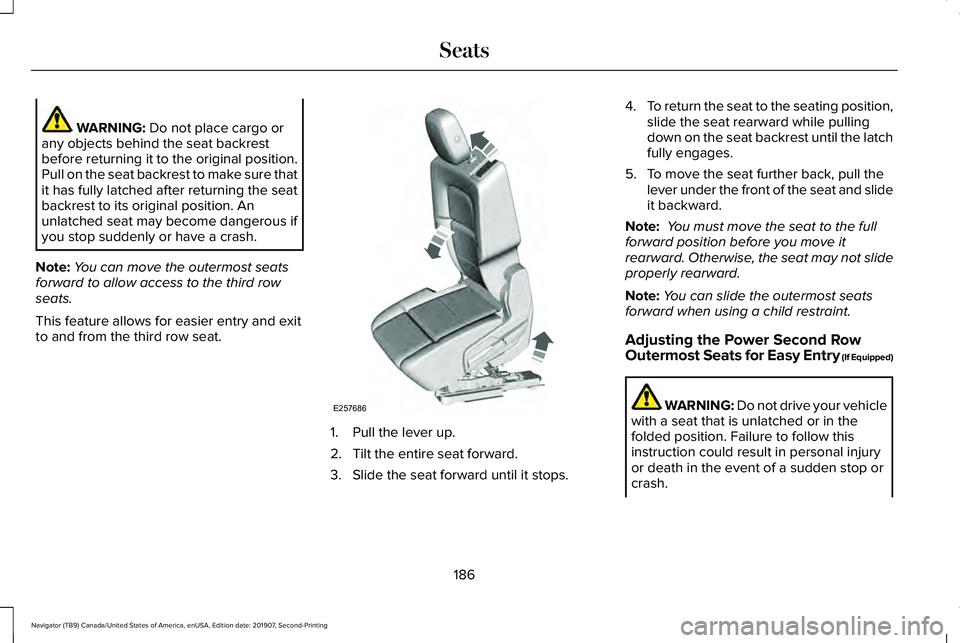
to and from the third row seat. 1. Pull the lever up.
2. Tilt the entire seat forward.
3. Slide the seat forward until it stops.4.
To return the seat to the seating position,
slide the seat rearward while pulling
down on the seat backrest until the latch
fully engages.
5. To move the seat further back, pull the lever under the front of the seat and slide
it backward.
Note: You must move the seat to the full
forward position before you move it
rearward. Otherwise, the seat may not slide
properly rearward.
Note: You can slide the outermost seats
forward when using a child restraint.
Adjusting the Power Second Row
Outermost Seats for Easy Entry (If Equipped) WARNING: Do not drive your vehicle
with a seat that is unlatched or in the
folded position. Failure to follow this
instruction could result in personal injury
or death in the event of a sudden stop or
crash.
186
Navigator (TB9) Canada/United States of America, enUSA, Edition date: 201907, Second-Printing SeatsE257686
Page 190 of 622
WARNING: Check under the seat
cushion to make sure no cargo or objects
are under the seat cushion before
returning the seat cushion to its original
position, and that the seat cushion locks
into place. Failure to do so may prevent
the seat from operating properly in the
event of a crash, which could increase the
risk of serious injury. WARNING:
Do not place cargo or
any objects behind the seat backrest
before returning it to the original position.
Pull on the seat backrest to make sure that
it has fully latched after returning the seat
backrest to its original position. An
unlatched seat may become dangerous if
you stop suddenly or have a crash.
The easy entry seat allows for easier entry
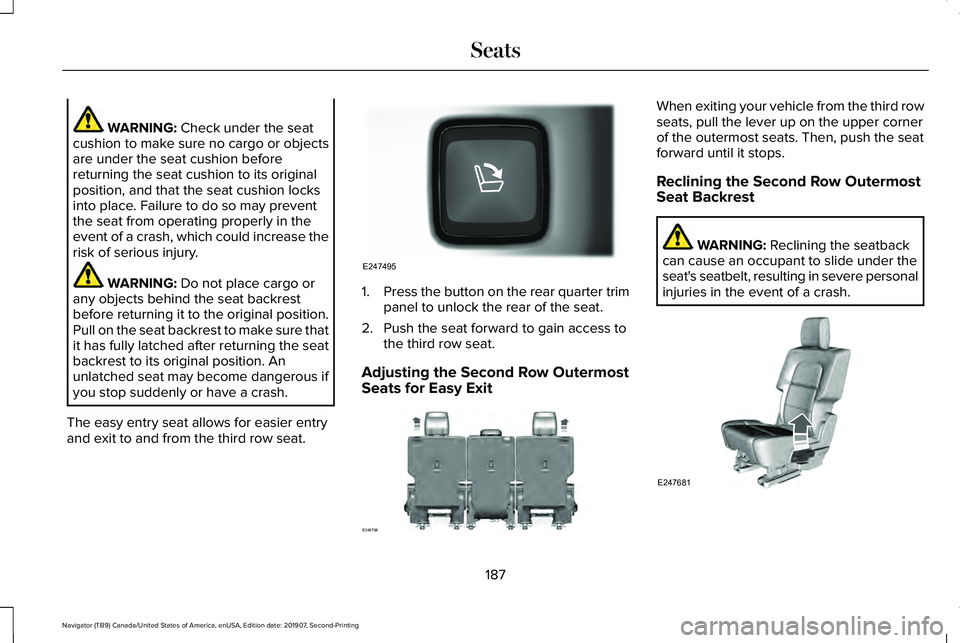
and exit to and from the third row seat. 1.
Press the button on the rear quarter trim
panel to unlock the rear of the seat.
2. Push the seat forward to gain access to the third row seat.
Adjusting the Second Row Outermost
Seats for Easy Exit When exiting your vehicle from the third row
seats, pull the lever up on the upper corner
of the outermost seats. Then, push the seat
forward until it stops.
Reclining the Second Row Outermost
Seat Backrest
WARNING:
Reclining the seatback
can cause an occupant to slide under the
seat's seatbelt, resulting in severe personal
injuries in the event of a crash. 187
Navigator (TB9) Canada/United States of America, enUSA, Edition date: 201907, Second-Printing SeatsE247495 E246708 E247681
Page 191 of 622
The release handle is on the outermost side
of the seat cushion. Lift it to adjust the seat
backrest to your desired position.
Folding the Second Row Center Seat
(If Equipped)
WARNING: To prevent possible
damage to the seat or seatbelts, make sure
that the seatbelts are not fastened before
folding the seatback. WARNING:
Do not place cargo or
any objects behind the seat backrest
before returning it to the original position.
Pull on the seat backrest to make sure that
it has fully latched after returning the seat
backrest to its original position. An
unlatched seat may become dangerous if
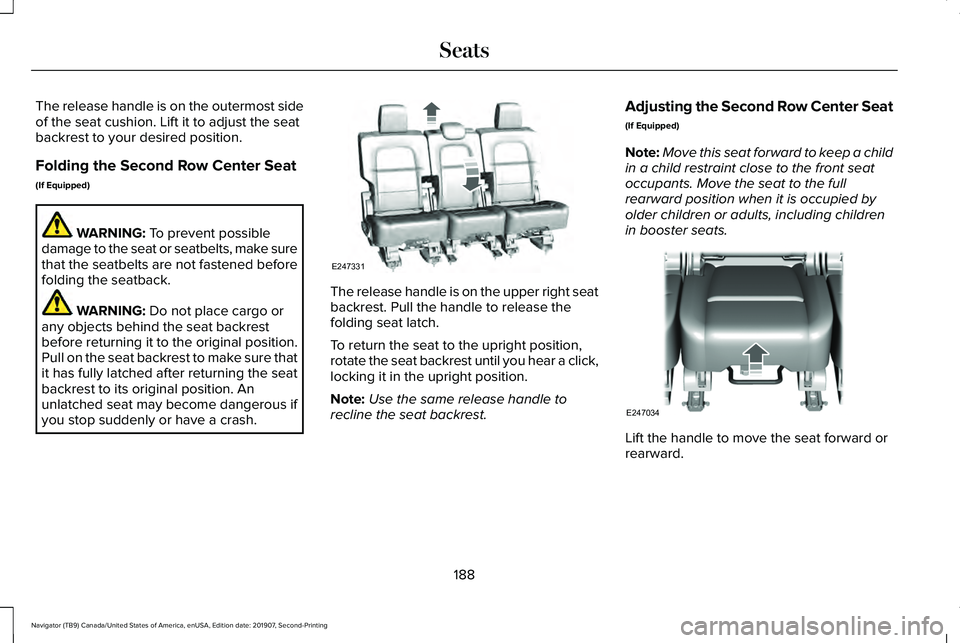
you stop suddenly or have a crash. The release handle is on the upper right seat
backrest. Pull the handle to release the
folding seat latch.
To return the seat to the upright position,
rotate the seat backrest until you hear a click,
locking it in the upright position.
Note:
Use the same release handle to
recline the seat backrest. Adjusting the Second Row Center Seat
(If Equipped)
Note:
Move this seat forward to keep a child
in a child restraint close to the front seat
occupants. Move the seat to the full
rearward position when it is occupied by
older children or adults, including children
in booster seats. Lift the handle to move the seat forward or
rearward.
188
Navigator (TB9) Canada/United States of America, enUSA, Edition date: 201907, Second-Printing SeatsE247331 E247034
Page 192 of 622
Folding the Power Rear Seats
Note:
Similar to the battery saver feature,
the power rear seat functions disable 10
minutes after you switch the ignition off. The
transmission must be in park (P) and the
liftgate, or liftgate glass must be open in
order to operate the seats.
Note: Be sure the third-row center head
restraint is in the lowered position before
you power the rear seats down. The
third-row outermost head restraints fold
when you press the fold button.
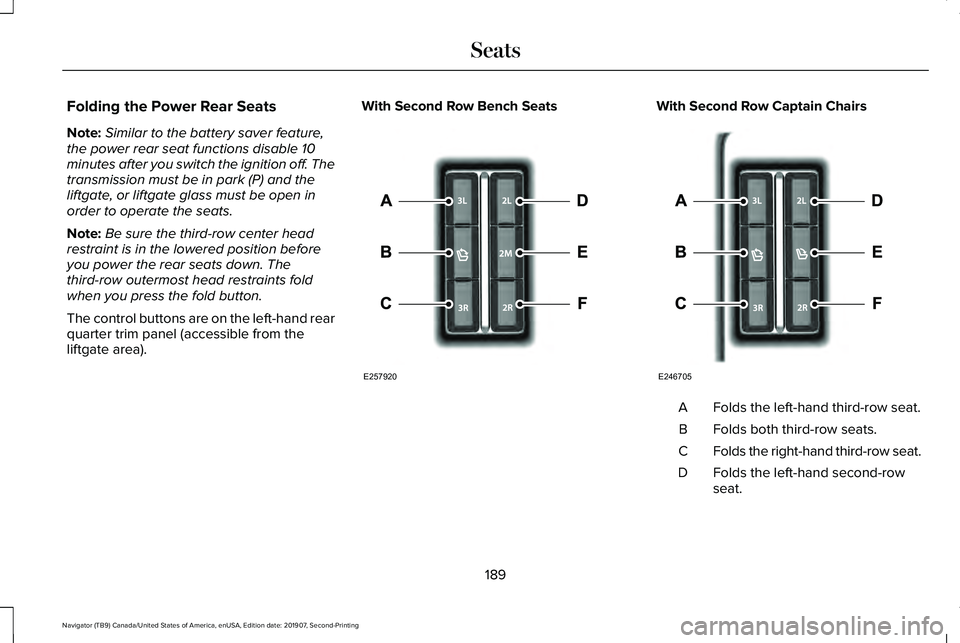
The control buttons are on the left-hand rear
quarter trim panel (accessible from the
liftgate area). With Second Row Bench Seats With Second Row Captain Chairs
Folds the left-hand third-row seat.
A
Folds both third-row seats.
B
Folds the right-hand third-row seat.
C
Folds the left-hand second-row
seat.
D
189
Navigator (TB9) Canada/United States of America, enUSA, Edition date: 201907, Second-Printing SeatsE257920 E246705
Page 193 of 622
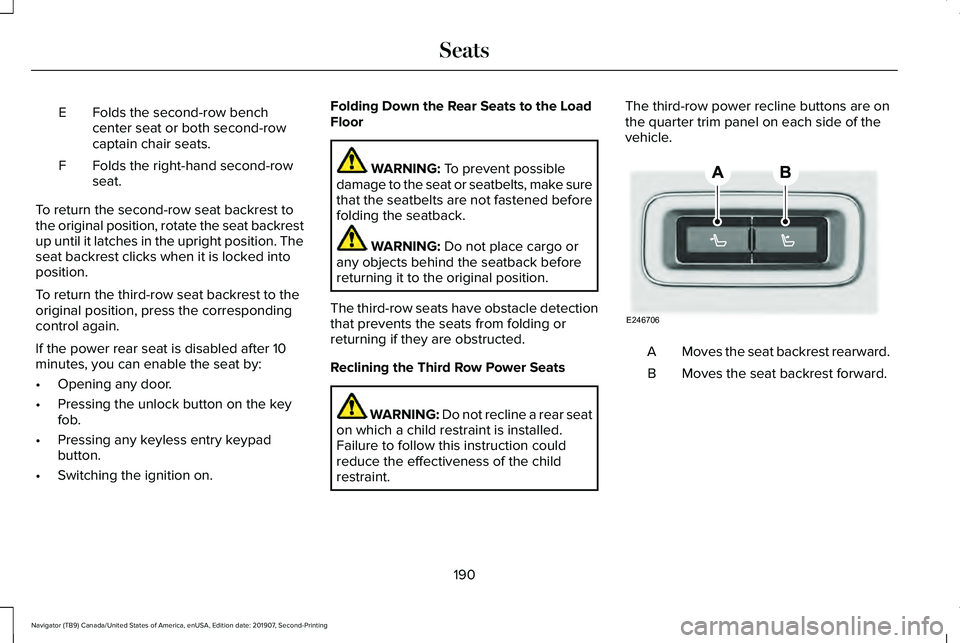
Folds the second-row bench
center seat or both second-row
captain chair seats.
E
Folds the right-hand second-row
seat.
F
To return the second-row seat backrest to
the original position, rotate the seat backrest
up until it latches in the upright position. The
seat backrest clicks when it is locked into
position.
To return the third-row seat backrest to the
original position, press the corresponding
control again.
If the power rear seat is disabled after 10
minutes, you can enable the seat by:
• Opening any door.
• Pressing the unlock button on the key
fob.
• Pressing any keyless entry keypad
button.
• Switching the ignition on. Folding Down the Rear Seats to the Load
Floor WARNING: To prevent possible
damage to the seat or seatbelts, make sure
that the seatbelts are not fastened before
folding the seatback. WARNING:
Do not place cargo or
any objects behind the seatback before
returning it to the original position.
The third-row seats have obstacle detection
that prevents the seats from folding or
returning if they are obstructed.
Reclining the Third Row Power Seats WARNING:
Do not recline a rear seat
on which a child restraint is installed.
Failure to follow this instruction could
reduce the effectiveness of the child
restraint. The third-row power recline buttons are on
the quarter trim panel on each side of the
vehicle.
Moves the seat backrest rearward.
A
Moves the seat backrest forward.
B
190
Navigator (TB9) Canada/United States of America, enUSA, Edition date: 201907, Second-Printing SeatsE246706
Page 194 of 622
HEATED SEATS (IF EQUIPPED)
WARNING:
Use caution when using
the heated seat if you are unable to feel
pain to your skin because of advanced
age, chronic illness, diabetes, spinal cord
injury, medication, alcohol use, exhaustion
or other physical conditions. The heated
seat could cause burns even at low
temperatures, especially if used for long
periods of time. Failure to follow this
instruction could result in personal injury. WARNING:
Do not poke sharp
objects into the seat cushion or seat
backrest. This could damage the heated
seat element and cause it to overheat.
Failure to follow this instruction could result
in personal injury. WARNING:
Do not place anything on
the seat that blocks the heat, for example
a seat cover or a cushion. This could cause
the seat to overheat. Failure to follow this
instruction could result in personal injury. Front Seats
Do not do the following:
•
Place heavy objects on the seat.
• Operate the heated seat if water or any
other liquid spills on the seat. Allow the
seat to dry thoroughly.
Note: The engine must be running to use
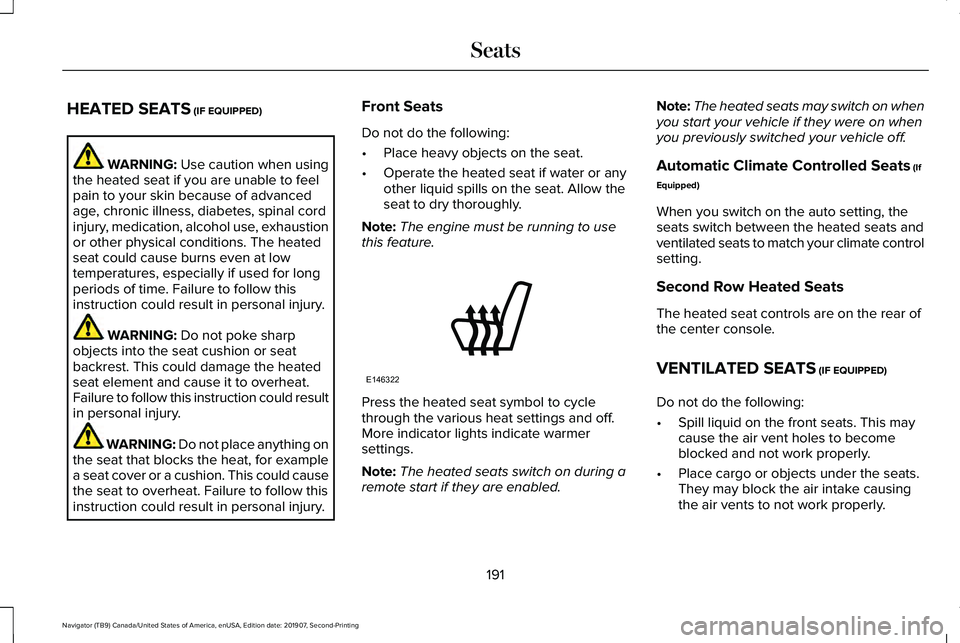
this feature. Press the heated seat symbol to cycle
through the various heat settings and off.
More indicator lights indicate warmer
settings.
Note:
The heated seats switch on during a
remote start if they are enabled. Note:
The heated seats may switch on when
you start your vehicle if they were on when
you previously switched your vehicle off.
Automatic Climate Controlled Seats
(If
Equipped)
When you switch on the auto setting, the
seats switch between the heated seats and
ventilated seats to match your climate control
setting.
Second Row Heated Seats
The heated seat controls are on the rear of
the center console.
VENTILATED SEATS
(IF EQUIPPED)
Do not do the following:
• Spill liquid on the front seats. This may
cause the air vent holes to become
blocked and not work properly.
• Place cargo or objects under the seats.
They may block the air intake causing
the air vents to not work properly.
191
Navigator (TB9) Canada/United States of America, enUSA, Edition date: 201907, Second-Printing SeatsE146322
Page 195 of 622
The engine must be running to use this
feature.
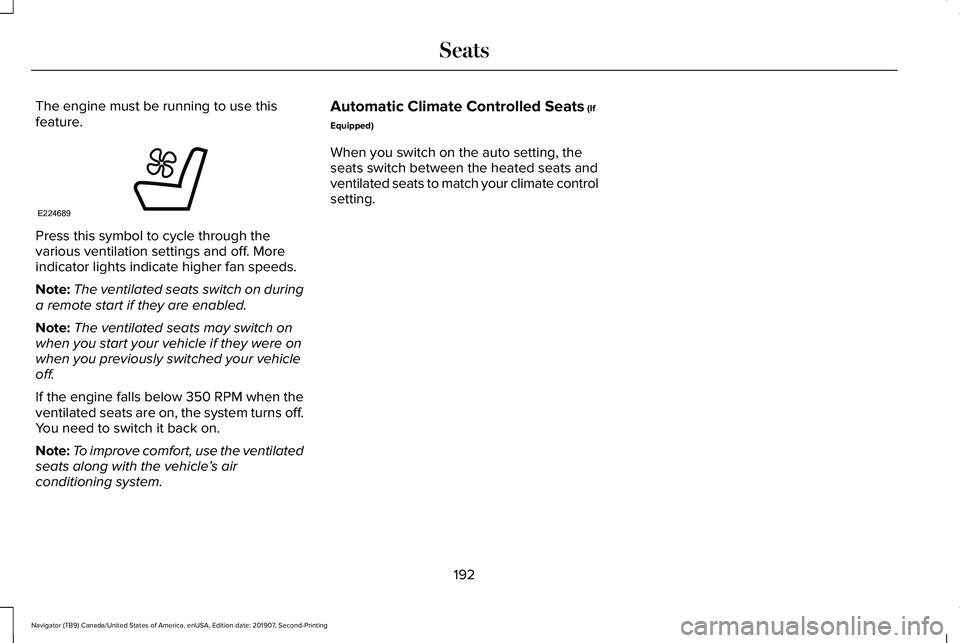
Press this symbol to cycle through the
various ventilation settings and off. More
indicator lights indicate higher fan speeds.
Note:
The ventilated seats switch on during
a remote start if they are enabled.
Note: The ventilated seats may switch on
when you start your vehicle if they were on
when you previously switched your vehicle
off.
If the engine falls below 350 RPM when the
ventilated seats are on, the system turns off.
You need to switch it back on.
Note: To improve comfort, use the ventilated
seats along with the vehicle ’s air
conditioning system. Automatic Climate Controlled Seats (If
Equipped)
When you switch on the auto setting, the
seats switch between the heated seats and
ventilated seats to match your climate control
setting.
192
Navigator (TB9) Canada/United States of America, enUSA, Edition date: 201907, Second-Printing SeatsE224689
Page 247 of 622
PRINCIPLE OF OPERATION
WARNING: Vehicle modifications
involving braking system, aftermarket roof
racks, suspension, steering system, tire
construction and wheel and tire size may
change the handling characteristics of your
vehicle and may adversely affect the
performance of the electronic stability
control system. In addition, installing any
stereo loudspeakers may interfere with
and adversely affect the electronic stability
control system. Install any aftermarket
stereo loudspeaker as far as possible from
the front center console, the tunnel, and
the front seats in order to minimize the risk
of interfering with the electronic stability
control sensors. Reducing the
effectiveness of the electronic stability
control system could lead to an increased
risk of loss of vehicle control, vehicle
rollover, personal injury and death. WARNING:
Remember that even
advanced technology cannot defy the laws
of physics. It’ s always possible to lose
control of a vehicle due to inappropriate
driver input for the conditions. Aggressive
driving on any road condition can cause
you to lose control of your vehicle
increasing the risk of personal injury or
property damage. Activation of the
electronic stability control system is an
indication that at least some of the tires
have exceeded their ability to grip the
road; this could reduce the operator’ s
ability to control the vehicle potentially
resulting in a loss of vehicle control, vehicle
rollover, personal injury and death. If your
electronic stability control system activates,
SLOW DOWN.
The system automatically turns on each time
you switch the ignition on.
If a fault occurs in either the stability control
or the traction control system, you may
experience the following conditions: •
The stability and traction control light
illuminates steadily.
• The stability control and traction control
systems do not enhance your vehicle's
ability to maintain traction of the wheels.
If a driving condition activates either the
stability control or the traction control system
you may experience the following conditions:
• The stability and traction control light
flashes.
• Your vehicle slows down.
• Reduced engine power.
• A vibration in the brake pedal.
• The brake pedal is stiffer than usual.
• If the driving condition is severe and your
foot is not on the brake, the brake pedal
may move as the system applies higher
brake force.
The stability control system has several
features built into it to help you maintain
control of your vehicle:
244
Navigator (TB9) Canada/United States of America, enUSA, Edition date: 201907, Second-Printing Stability Control
Page 306 of 622
Cargo Shelf
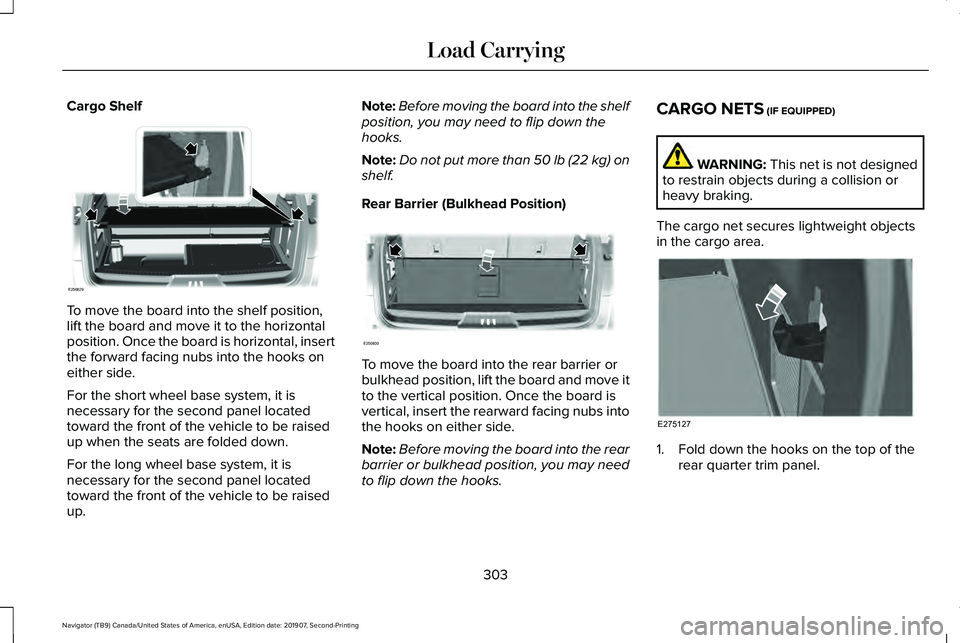
To move the board into the shelf position,
lift the board and move it to the horizontal
position. Once the board is horizontal, insert
the forward facing nubs into the hooks on
either side.
For the short wheel base system, it is
necessary for the second panel located
toward the front of the vehicle to be raised
up when the seats are folded down.
For the long wheel base system, it is
necessary for the second panel located
toward the front of the vehicle to be raised
up. Note:
Before moving the board into the shelf
position, you may need to flip down the
hooks.
Note: Do not put more than 50 lb (22 kg) on
shelf.
Rear Barrier (Bulkhead Position) To move the board into the rear barrier or
bulkhead position, lift the board and move it
to the vertical position. Once the board is
vertical, insert the rearward facing nubs into
the hooks on either side.
Note:
Before moving the board into the rear
barrier or bulkhead position, you may need
to flip down the hooks. CARGO NETS (IF EQUIPPED) WARNING:
This net is not designed
to restrain objects during a collision or
heavy braking.
The cargo net secures lightweight objects
in the cargo area. 1. Fold down the hooks on the top of the
rear quarter trim panel.
303
Navigator (TB9) Canada/United States of America, enUSA, Edition date: 201907, Second-Printing Load CarryingE250829 E250830 E275127