ignition LINCOLN NAVIGATOR 2022 Workshop Manual
[x] Cancel search | Manufacturer: LINCOLN, Model Year: 2022, Model line: NAVIGATOR, Model: LINCOLN NAVIGATOR 2022Pages: 646, PDF Size: 7.29 MB
Page 293 of 646
Using Activation Prompts
When the prompt appears, press
the button to switch ActiveGlide
on.
The indicator appears in the instrument
cluster. When the system is on, the color of
the indicator changes to indicate the system
status.
Note: You must enable activation prompts
in the touchscreen.
Using Steering Wheel Controls Using the adaptive cruise control
and lateral support buttons, ensure
both systems are active.
ActiveGlide activates.
Switching ActiveGlide Off Press either the lateral support or
adaptive cruise control button
when system is active or in
standby mode.
ActiveGlide turns off through each
ignition cycle. ACTIVEGLIDE™ ALERTS
When ActiveGlide is providing hands-on
driving or transitioning to hands-on driving
from hands-free driving and detects no
steering activity for a certain period of time,
the system alerts you with a message in the
instrument cluster to put your hands on the
steering wheel. After the first alert, the
system alerts you with a message in the
instrument cluster and an audible warning.
When ActiveGlide is providing hands-on or
hands-free driving and detects you are not
looking at the road for a certain period of
time, the system alerts you to return your
eyes to the road. Depending on where you
are looking, the alert can be a message in
the instrument cluster and an audible
warning.
If you do not react to the warnings,
ActiveGlide cancels, quickly activates and
releases the brakes, and slows your vehicle
down to low speeds while maintaining
steering control.
If your vehicle slows down and you resume
control, a message appears to prompt you
to press the accelerator pedal to allow the
system to resume.
Note:
If the system detects repeated
inactivity, it disables until the next key cycle.
ACTIVEGLIDE™ AUTOMATIC
CANCELLATION
When an external condition cancels
ActiveGlide, for example, no lane markings
available, a tone sounds and a message
appears in the instrument cluster. If your vehicle starts to slow down,
you must take control of steering
and press and release the button
to reactivate ActiveGlide.
System cancellation can also occur if:
• The lane becomes too narrow.
• The system cannot detect valid lane
markings.
289
2022 Navigator (TB9) Canada/United States of America, enUSA, Edition date: 202109, First-Printing ActiveGlide™ (If Equipped)E144529 E308131 E144529 E308131 E144529 E308130
Page 297 of 646
WHAT IS DRIVE MODE CONTROL
Your vehicle has various drive modes that
you can select for different driving
conditions. Depending on the drive mode
that you select, the system adjusts various
vehicle settings.
HOW DOES DRIVE MODE
CONTROL WORK
Drive mode control adjusts your vehicle
configuration for each mode you select.
Changing the drive mode adjusts the
steering effort and feel of the steering
system.
The stability and traction control assist your
vehicle control in adverse conditions or
high-performance driving.
Throttle control enhances the powertrain
response, transmission controls become
optimized with shift schedules, and
four-wheel drive settings are optimized and
tuned to each mode.
Changing the drive mode can engage or
disengage the electronic locking differentials.
Changing the drive mode changes the
four-wheel drive mode to the default setting
for the selected drive mode.
Note:
The system has diagnostic checks that
continuously monitor the system for proper
operation. If a mode is unavailable due to a
system fault, the drive mode system defaults
to normal. When the system defaults to
normal, the driveline settings remain the
same as prior to the system fault. Note:
The system reverts to the normal
mode each time you start your vehicle. At
startup the system also displays a prompt
on the instrument cluster display that gives
you the option to return to the previously
selected drive mode during the last ignition
cycle. If you select yes, the system returns
to the last selected drive mode and the
default driveline settings associated with
that mode. If you select no, the system
remains in normal mode and the driveline
settings remain the same as selected in the
prior ignition cycle. If you do not select yes
or no, the system stays in normal mode and
the driveline settings remain the same as
selected in the prior ignition cycle.
293
2022 Navigator (TB9) Canada/United States of America, enUSA, Edition date: 202109, First-Printing Drive Mode Control
Page 321 of 646
CROSS TRAFFIC ALERT
LIMITATIONS
The system may not correctly operate when
any of the following occur:
•
Something is blocking the sensors.
• Adjacently parked vehicles or objects are
obstructing the sensors.
• Vehicles approach at speeds less than
4 mph (6 km/h) or greater than 37 mph
(60 km/h).
• Your vehicle speed is greater than 7 mph
(12 km/h)
.
• You reverse out of an angled parking
space. Cross Traffic Alert Limitations with a
Trailer Attached
The system remains on when you attach a
trailer in vehicles with blind spot information
system with trailer tow under the following
conditions:
•
You connect a trailer.
• The trailer is a bike rack or cargo rack
with a maximum length of
3 ft (1 m).
• You set the trailer length to
3 ft (1 m) in
the instrument cluster display.
Note: The system may not correctly operate
when towing a trailer. For vehicles with an
approved trailer tow module and tow bar,
the system turns off when you attach a
trailer. For vehicles with an aftermarket
trailer tow module or tow bar, we
recommend that you switch the system off
when you attach a trailer.
SWITCHING CROSS TRAFFIC
ALERT ON AND OFF
To switch cross traffic alert on or off use the
touchscreen. 1. Press
Features on the touchscreen.
2. Press
Driver Assistance.
3. Switch
Cross Traffic Alert on or off.
Note: The system switches on every time
you switch the ignition on. To permanently
switch the system off, contact an authorized
dealer.
LOCATING THE CROSS TRAFFIC
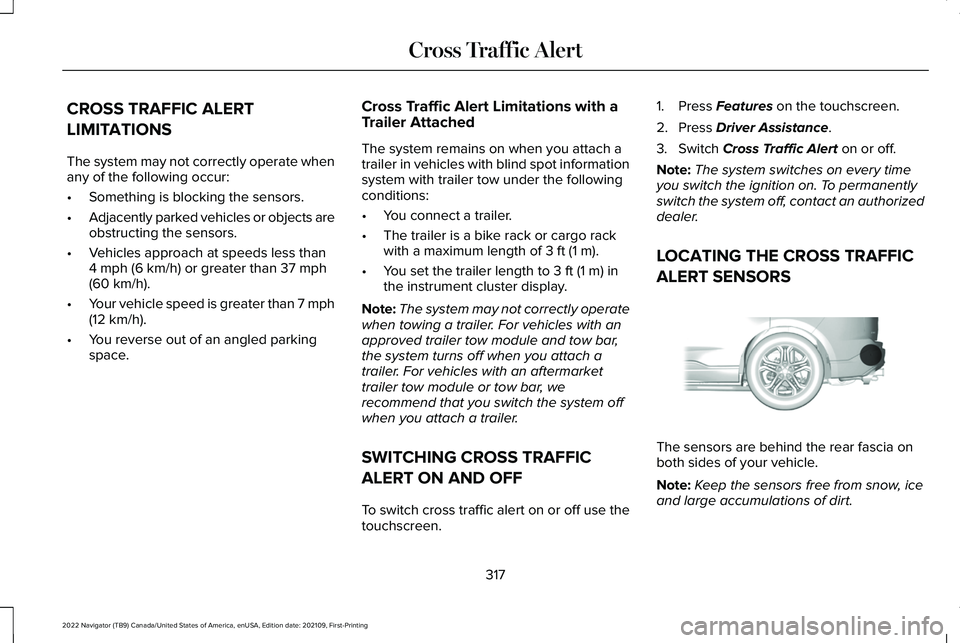
ALERT SENSORS The sensors are behind the rear fascia on
both sides of your vehicle.
Note:
Keep the sensors free from snow, ice
and large accumulations of dirt.
317
2022 Navigator (TB9) Canada/United States of America, enUSA, Edition date: 202109, First-Printing Cross Traffic AlertE205199
Page 326 of 646
Cyclist Detection Limitations
Cyclist detection is active at speeds up to
50 mph (80 km/h).
Cyclist detection functions optimally when
detected hazards are clearly identifiable.
System performance may reduce in
situations where cyclists are fast-moving,
partly obscured, have a complex
background, or cannot be distinguished from
a group.
Intersection Assist
(If Equipped)
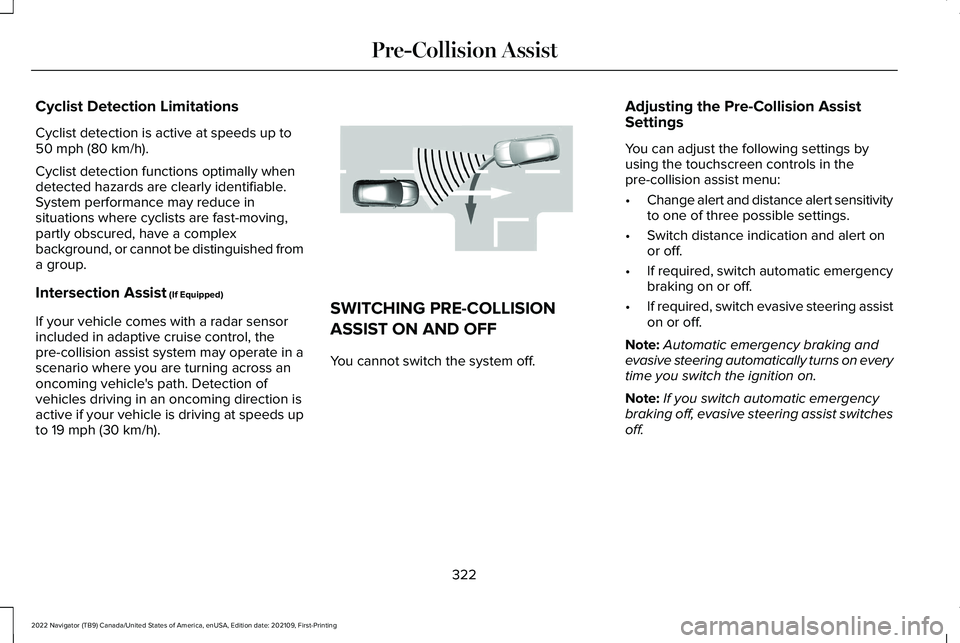
If your vehicle comes with a radar sensor
included in adaptive cruise control, the
pre-collision assist system may operate in a
scenario where you are turning across an
oncoming vehicle's path. Detection of
vehicles driving in an oncoming direction is
active if your vehicle is driving at speeds up
to
19 mph (30 km/h). SWITCHING PRE-COLLISION
ASSIST ON AND OFF
You cannot switch the system off.
Adjusting the Pre-Collision Assist
Settings
You can adjust the following settings by
using the touchscreen controls in the
pre-collision assist menu:
•
Change alert and distance alert sensitivity
to one of three possible settings.
• Switch distance indication and alert on
or off.
• If required, switch automatic emergency
braking on or off.
• If required, switch evasive steering assist
on or off.
Note: Automatic emergency braking and
evasive steering automatically turns on every
time you switch the ignition on.
Note: If you switch automatic emergency
braking off, evasive steering assist switches
off.
322
2022 Navigator (TB9) Canada/United States of America, enUSA, Edition date: 202109, First-Printing Pre-Collision AssistE309750
Page 331 of 646
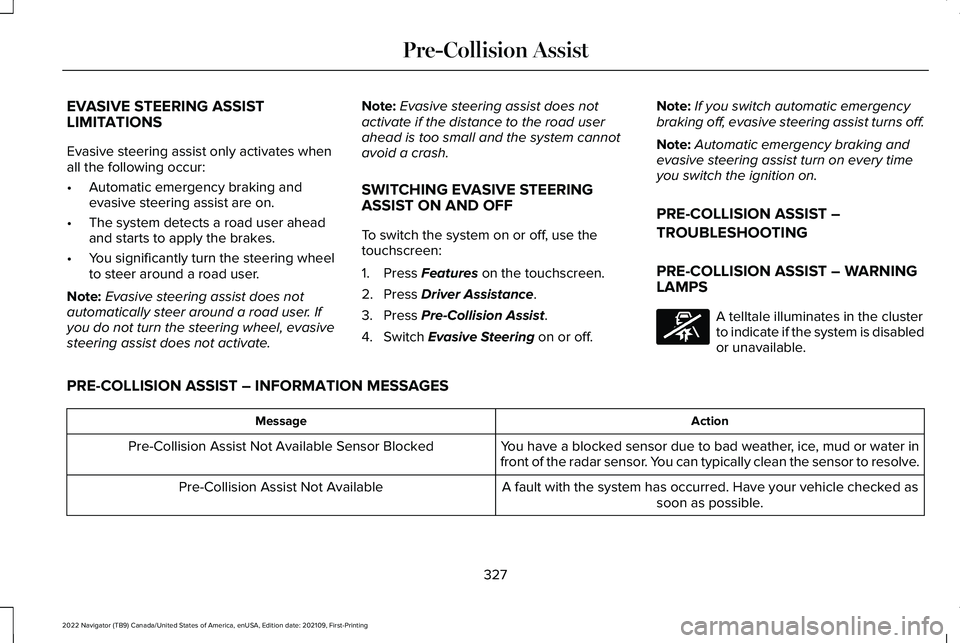
EVASIVE STEERING ASSIST
LIMITATIONS
Evasive steering assist only activates when
all the following occur:
•
Automatic emergency braking and
evasive steering assist are on.
• The system detects a road user ahead
and starts to apply the brakes.
• You significantly turn the steering wheel
to steer around a road user.
Note: Evasive steering assist does not
automatically steer around a road user. If
you do not turn the steering wheel, evasive
steering assist does not activate. Note:
Evasive steering assist does not
activate if the distance to the road user
ahead is too small and the system cannot
avoid a crash.
SWITCHING EVASIVE STEERING
ASSIST ON AND OFF
To switch the system on or off, use the
touchscreen:
1. Press Features on the touchscreen.
2. Press
Driver Assistance.
3. Press
Pre-Collision Assist.
4. Switch
Evasive Steering on or off. Note:
If you switch automatic emergency
braking off, evasive steering assist turns off.
Note: Automatic emergency braking and
evasive steering assist turn on every time
you switch the ignition on.
PRE-COLLISION ASSIST –
TROUBLESHOOTING
PRE-COLLISION ASSIST – WARNING
LAMPS A telltale illuminates in the cluster
to indicate if the system is disabled
or unavailable.
PRE-COLLISION ASSIST – INFORMATION MESSAGES Action
Message
You have a blocked sensor due to bad weather, ice, mud or water in
front of the radar sensor. You can typically clean the sensor to resolve.
Pre-Collision Assist Not Available Sensor Blocked
A fault with the system has occurred. Have your vehicle checked assoon as possible.
Pre-Collision Assist Not Available
327
2022 Navigator (TB9) Canada/United States of America, enUSA, Edition date: 202109, First-Printing Pre-Collision AssistE335612
Page 335 of 646
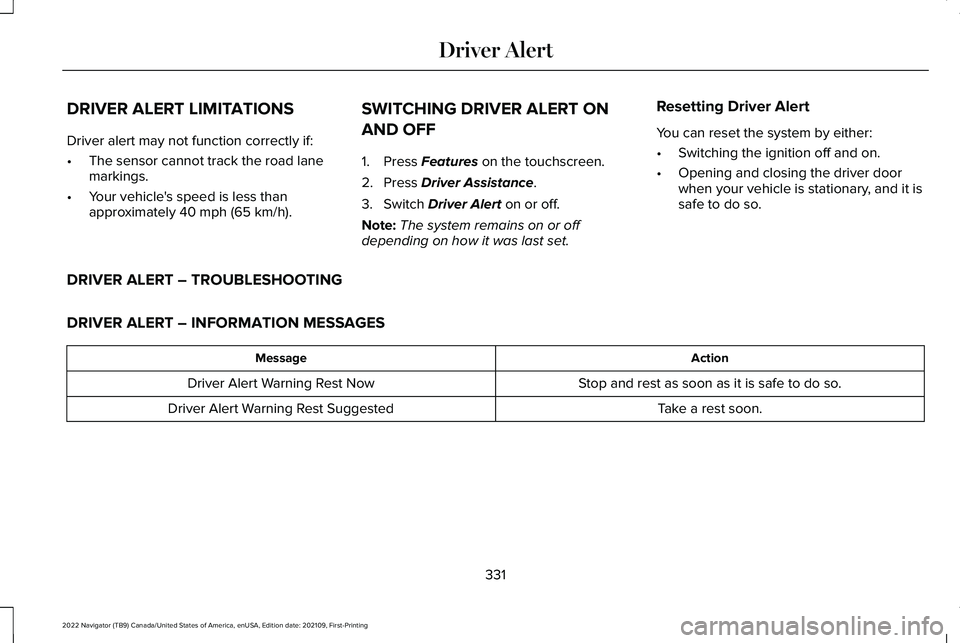
DRIVER ALERT LIMITATIONS
Driver alert may not function correctly if:
•
The sensor cannot track the road lane
markings.
• Your vehicle's speed is less than
approximately 40 mph (65 km/h). SWITCHING DRIVER ALERT ON
AND OFF
1. Press
Features on the touchscreen.
2. Press
Driver Assistance.
3. Switch
Driver Alert on or off.
Note: The system remains on or off
depending on how it was last set. Resetting Driver Alert
You can reset the system by either:
•
Switching the ignition off and on.
• Opening and closing the driver door
when your vehicle is stationary, and it is
safe to do so.
DRIVER ALERT – TROUBLESHOOTING
DRIVER ALERT – INFORMATION MESSAGES Action
Message
Stop and rest as soon as it is safe to do so.
Driver Alert Warning Rest Now
Take a rest soon.
Driver Alert Warning Rest Suggested
331
2022 Navigator (TB9) Canada/United States of America, enUSA, Edition date: 202109, First-Printing Driver Alert
Page 352 of 646
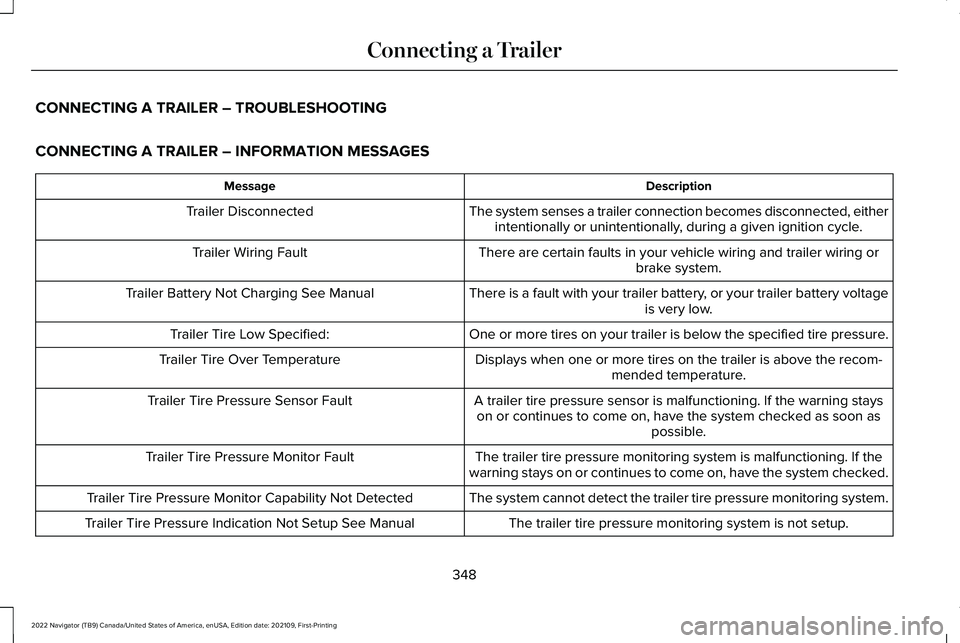
CONNECTING A TRAILER – TROUBLESHOOTING
CONNECTING A TRAILER – INFORMATION MESSAGES
Description
Message
The system senses a trailer connection becomes disconnected, eitherintentionally or unintentionally, during a given ignition cycle.
Trailer Disconnected
There are certain faults in your vehicle wiring and trailer wiring orbrake system.
Trailer Wiring Fault
There is a fault with your trailer battery, or your trailer battery voltageis very low.
Trailer Battery Not Charging See Manual
One or more tires on your trailer is below the specified tire pressure.
Trailer Tire Low Specified:
Displays when one or more tires on the trailer is above the recom-mended temperature.
Trailer Tire Over Temperature
A trailer tire pressure sensor is malfunctioning. If the warning stayson or continues to come on, have the system checked as soon as possible.
Trailer Tire Pressure Sensor Fault
The trailer tire pressure monitoring system is malfunctioning. If the
warning stays on or continues to come on, have the system checked.
Trailer Tire Pressure Monitor Fault
The system cannot detect the trailer tire pressure monitoring system.
Trailer Tire Pressure Monitor Capability Not Detected
The trailer tire pressure monitoring system is not setup.
Trailer Tire Pressure Indication Not Setup See Manual
348
2022 Navigator (TB9) Canada/United States of America, enUSA, Edition date: 202109, First-Printing Connecting a Trailer
Page 361 of 646
3.
When you plug in a trailer with electric or
electric-over-hydraulic brakes, a message
confirming connection appears in the
information display.
4. Use the gain adjustment to find the desired starting point. A gain setting of
6.0 is a good starting point for heavier
loads.
Note: Use the following steps to adjust the
gain setting whenever road, weather and
trailer, or vehicle loading conditions, change
from when you initially set the gain.
5. In a traffic-free environment, tow the trailer on a dry, level surface and squeeze
the manual control lever completely.
6. If the trailer wheels lock up, indicated by
squealing tires, reduce the gain setting.
If the trailer wheels turn freely, increase
the gain setting. Repeat Steps 5 and 6
until the gain setting is at a point just
below trailer wheel lock-up. If towing a
heavier trailer, trailer wheel lock-up may
not be attainable even with the maximum
gain setting of 10.
Note: Only perform this procedure at speeds
of approximately 20–25 mph (30–40 km/h). Note:
The trailer brake controller reduces
output at vehicle speeds below 11 mph
(18 km/h) so that trailer and vehicle braking
is not jerky or harsh. This feature is only
available when applying the brakes using
your vehicle's brake pedal, not the controller.
Note: Your vehicle's brake system and the
trailer brake system work independently of
each other. Changing the gain setting on the
controller does not affect the operation of
your vehicle's brakes whether you attach a
trailer or not.
Note: With the proper electrical connection,
pressing your vehicle brake pedal or using
the manual control lever illuminates both
trailer and vehicle brake lamps.
Note: When you switch the engine off, the
controller output is disabled and the display
and module shut down. The controller
module and display turn on when you switch
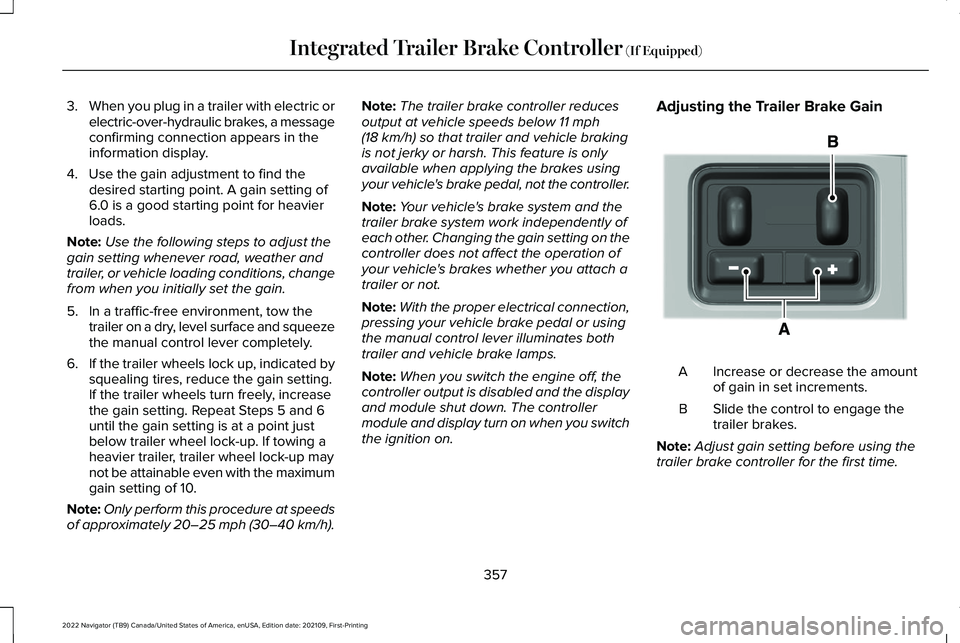
the ignition on. Adjusting the Trailer Brake Gain
Increase or decrease the amount
of gain in set increments.
A
Slide the control to engage the
trailer brakes.
B
Note: Adjust gain setting before using the
trailer brake controller for the first time.
357
2022 Navigator (TB9) Canada/United States of America, enUSA, Edition date: 202109, First-Printing Integrated Trailer Brake Controller
(If Equipped)E333154
Page 363 of 646
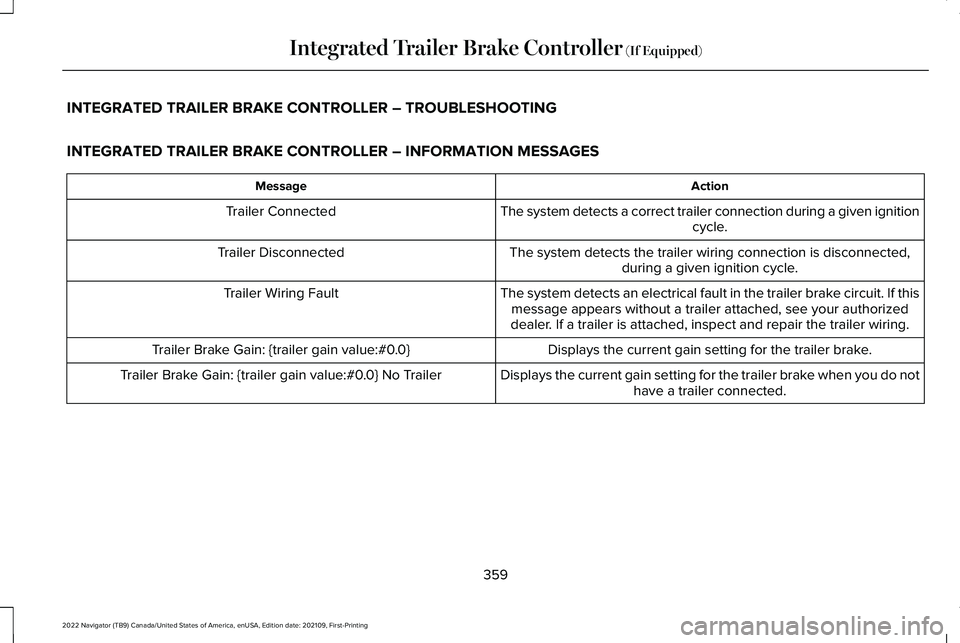
INTEGRATED TRAILER BRAKE CONTROLLER – TROUBLESHOOTING
INTEGRATED TRAILER BRAKE CONTROLLER – INFORMATION MESSAGES
Action
Message
The system detects a correct trailer connection during a given ignitioncycle.
Trailer Connected
The system detects the trailer wiring connection is disconnected,during a given ignition cycle.
Trailer Disconnected
The system detects an electrical fault in the trailer brake circuit. If thismessage appears without a trailer attached, see your authorized
dealer. If a trailer is attached, inspect and repair the trailer wiring.
Trailer Wiring Fault
Displays the current gain setting for the trailer brake.
Trailer Brake Gain: {trailer gain value:#0.0}
Displays the current gain setting for the trailer brake when you do nothave a trailer connected.
Trailer Brake Gain: {trailer gain value:#0.0} No Trailer
359
2022 Navigator (TB9) Canada/United States of America, enUSA, Edition date: 202109, First-Printing Integrated Trailer Brake Controller (If Equipped)
Page 395 of 646
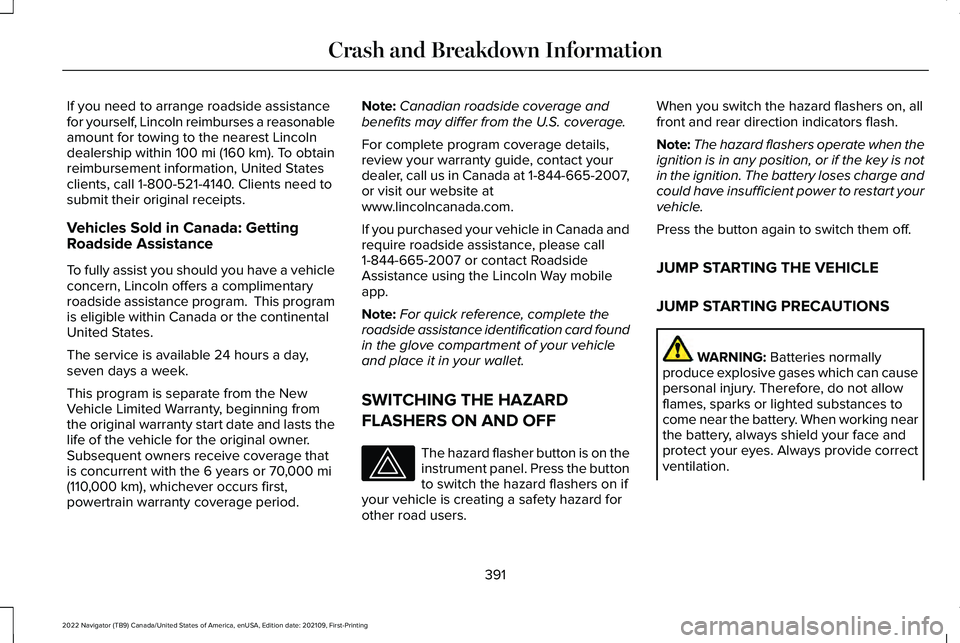
If you need to arrange roadside assistance
for yourself, Lincoln reimburses a reasonable
amount for towing to the nearest Lincoln
dealership within 100 mi (160 km). To obtain
reimbursement information, United States
clients, call 1-800-521-4140. Clients need to
submit their original receipts.
Vehicles Sold in Canada: Getting
Roadside Assistance
To fully assist you should you have a vehicle
concern, Lincoln offers a complimentary
roadside assistance program. This program
is eligible within Canada or the continental
United States.
The service is available 24 hours a day,
seven days a week.
This program is separate from the New
Vehicle Limited Warranty, beginning from
the original warranty start date and lasts the
life of the vehicle for the original owner.
Subsequent owners receive coverage that
is concurrent with the 6 years or
70,000 mi
(110,000 km), whichever occurs first,
powertrain warranty coverage period. Note:
Canadian roadside coverage and
benefits may differ from the U.S. coverage.
For complete program coverage details,
review your warranty guide, contact your
dealer, call us in Canada at 1-844-665-2007,
or visit our website at
www.lincolncanada.com.
If you purchased your vehicle in Canada and
require roadside assistance, please call
1-844-665-2007 or contact Roadside
Assistance using the Lincoln Way mobile
app.
Note: For quick reference, complete the
roadside assistance identification card found
in the glove compartment of your vehicle
and place it in your wallet.
SWITCHING THE HAZARD
FLASHERS ON AND OFF The hazard flasher button is on the
instrument panel. Press the button
to switch the hazard flashers on if
your vehicle is creating a safety hazard for
other road users. When you switch the hazard flashers on, all
front and rear direction indicators flash.
Note:
The hazard flashers operate when the
ignition is in any position, or if the key is not
in the ignition. The battery loses charge and
could have insufficient power to restart your
vehicle.
Press the button again to switch them off.
JUMP STARTING THE VEHICLE
JUMP STARTING PRECAUTIONS WARNING:
Batteries normally
produce explosive gases which can cause
personal injury. Therefore, do not allow
flames, sparks or lighted substances to
come near the battery. When working near
the battery, always shield your face and
protect your eyes. Always provide correct
ventilation.
391
2022 Navigator (TB9) Canada/United States of America, enUSA, Edition date: 202109, First-Printing Crash and Breakdown Information