display LINCOLN NAVIGATOR 2023 User Guide
[x] Cancel search | Manufacturer: LINCOLN, Model Year: 2023, Model line: NAVIGATOR, Model: LINCOLN NAVIGATOR 2023Pages: 660, PDF Size: 14.04 MB
Page 93 of 660
DOORS AND LOCKS AUDIBLE
WARNINGS
Door Ajar Audible Warning
Sounds when a door is not fully closed andyour vehicle is moving.
DOORS AND LOCKS –
TROUBLESHOOTING
DOORS AND LOCKS – WARNINGLAMPS
Door Ajar Warning Lamp
Illuminates when you switch theignition on and remains on if anydoor or the hood is open.
DOORS AND LOCKS – INFORMATION MESSAGES
ActionMessage
Displays if a door is open. Fully close the door.Driver Door Ajar
Passenger Door Ajar
Rear Left Door Ajar
Rear Right Door Ajar
Displays if a hood is open. Fully close the hood.Hood Ajar
89
2023 Navigator (TB9) Canada/United States of America, enUSA, Edition date: 202207, DOMDoors and LocksE249859
Page 112 of 660
SECURITY – TROUBLESHOOTING
SECURITY – INFORMATION MESSAGES
DetailsMessage
The system has not detected a correctly coded key.No Key Detected
The system has malfunctioned. Have your vehicle checked as soon as possible.Starting System Fault
Displays when the alarm has been triggered due to unauthorized entry.Vehicle Alarm To Stop Alarm, StartVehicle.
Alarm Announcement
108
2023 Navigator (TB9) Canada/United States of America, enUSA, Edition date: 202207, DOMSecurity
Page 114 of 660
POWER RUNNING BOARD
PRECAUTIONS
WARNING: In extreme climates,excessive ice buildup may occur, causingthe running boards not to deploy. Makesure that the running boards havedeployed, and have finished moving beforeattempting to step on them. The runningboards will resume normal function oncethe blockage is cleared.
WARNING: Switch off the runningboards before jacking or placing any objectunder your vehicle. Never place your handbetween the extended running board andyour vehicle. A moving running board maycause injury.
Do not use the running boards, front and rearhinge assemblies, running board motors, orthe running board underbody mounts to liftyour vehicle when jacking. Use properjacking points.
The running boards could move slower incold temperatures.
POWER RUNNING BOARD
SETTINGS
1.Access the vehicle drawer on thetouchscreen.
2.Press SETTINGS.
3.Press Power Running Board.
4.Press a setting.
Running Boards (Modes)
Off
The power running boards remain stowed,regardless of door position.
Auto
The power running boards deploy when youapproach your vehicle with a remote control,unlock the door or open the door.
The power running boards stow:
•After a few seconds when you close thedoors.
•If you unlock the door but do not openit.
•If you have switched Approach detectionon and do not open a door before theAuto Timer setting expires.
Note:When you select this mode, an optiondisplays that allows you to select how longthe running boards stay deployed withoutopening the door.
Out
The power running boards remain deployed,regardless of door position. The powerrunning boards stow when the vehicle speedis more than 3 mph (5 km/h), and the modechanges to Auto. You need to select Outmode again if you want the power runningboards to stay deployed at the end of eachtrip.
110
2023 Navigator (TB9) Canada/United States of America, enUSA, Edition date: 202207, DOMPower Running Boards
Page 139 of 660
USING GLOBAL OPENING (If Equipped)
1.Press and release the unlock button onthe remote control.
2.Press and hold the unlock button on theremote control.
3.Release the button when the windowsstart to open.
Press the lock or the unlock button on theremote control to stop global opening.
Note:You can use global opening for a shortperiod of time when you unlock your vehicleusing the remote control.
SWITCHING GLOBAL OPENING ONAND OFF (If Equipped)
1.Using the information display controls onthe steering wheel, select Settings.
2.Select Vehicle.
3.Select Windows.
4.Switch Remote Open on or off.
WINDOW BOUNCE-BACK
WHAT IS WINDOW BOUNCE-BACK
The window stops and reverses if it detectsan obstruction when closing.
OVERRIDING WINDOW BOUNCE-BACK
WARNING: If you overridebounce-back, the window does not reverseif it detects an obstacle. Take care whenclosing the windows to avoid personalinjury or damage to your vehicle.
1.Close the window until it reaches thepoint of resistance and let it reverse.
2.Lift and hold the window control switchwithin two seconds to overridebounce-back and close the window. Bounce-back is now disabled and youcan close the window manually.
Note:The window goes past the point ofresistance and you can fully close it.
Note:If the window does not close, haveyour vehicle checked as soon as possible.
LOCKING THE REAR WINDOW
CONTROLS
Press the window control switchto lock or unlock the rear windowcontrols. It illuminates when youlock the rear window controls.
135
2023 Navigator (TB9) Canada/United States of America, enUSA, Edition date: 202207, DOMWindows
Page 147 of 660
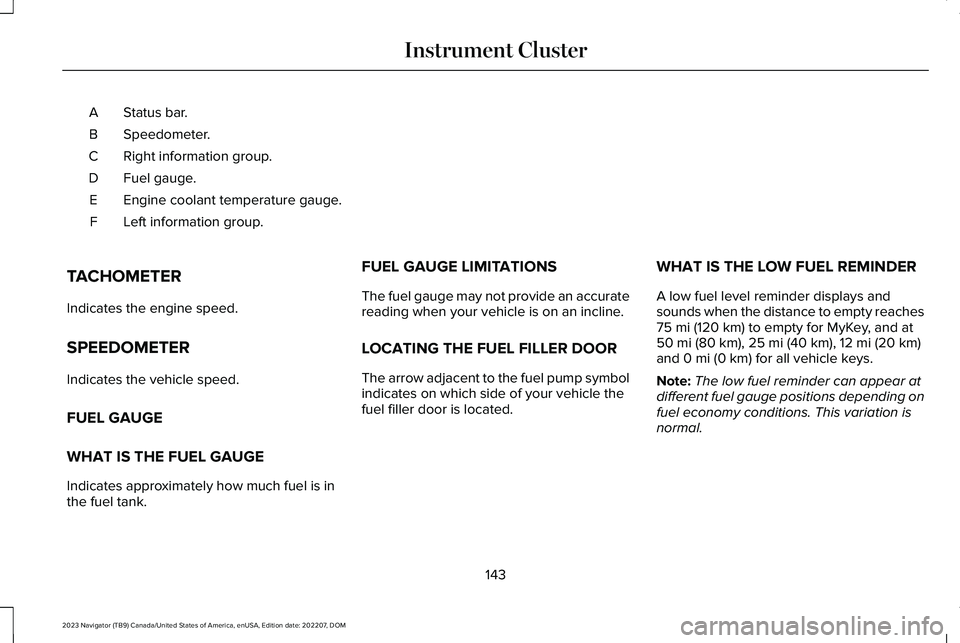
Status bar.A
Speedometer.B
Right information group.C
Fuel gauge.D
Engine coolant temperature gauge.E
Left information group.F
TACHOMETER
Indicates the engine speed.
SPEEDOMETER
Indicates the vehicle speed.
FUEL GAUGE
WHAT IS THE FUEL GAUGE
Indicates approximately how much fuel is inthe fuel tank.
FUEL GAUGE LIMITATIONS
The fuel gauge may not provide an accuratereading when your vehicle is on an incline.
LOCATING THE FUEL FILLER DOOR
The arrow adjacent to the fuel pump symbolindicates on which side of your vehicle thefuel filler door is located.
WHAT IS THE LOW FUEL REMINDER
A low fuel level reminder displays andsounds when the distance to empty reaches75 mi (120 km) to empty for MyKey, and at50 mi (80 km), 25 mi (40 km), 12 mi (20 km)and 0 mi (0 km) for all vehicle keys.
Note:The low fuel reminder can appear atdifferent fuel gauge positions depending onfuel economy conditions. This variation isnormal.
143
2023 Navigator (TB9) Canada/United States of America, enUSA, Edition date: 202207, DOMInstrument Cluster
Page 152 of 660
USING THE INSTRUMENT
CLUSTER DISPLAY CONTROLS
WARNING: Driving while distractedcan result in loss of vehicle control, crashand injury. We strongly recommend thatyou use extreme caution when using anydevice that may take your focus off theroad. Your primary responsibility is the safeoperation of your vehicle. We recommendagainst the use of any hand-held devicewhile driving and encourage the use ofvoice-operated systems when possible.Make sure you are aware of all applicablelocal laws that may affect the use ofelectronic devices while driving.
Note:Some options could appear slightlydifferent or not at all if the items are optional.
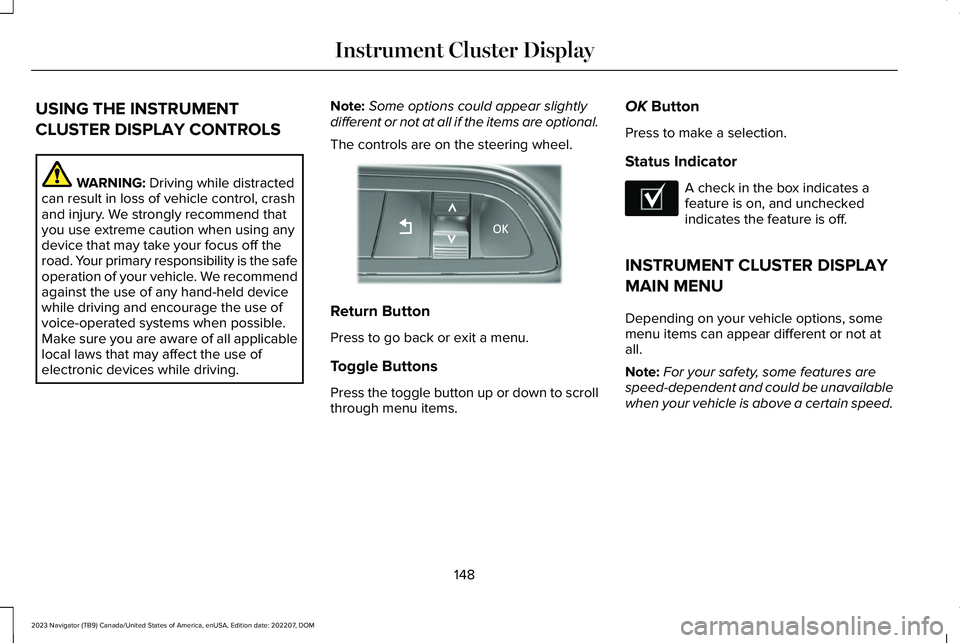
The controls are on the steering wheel.
Return Button
Press to go back or exit a menu.
Toggle Buttons
Press the toggle button up or down to scrollthrough menu items.
OK Button
Press to make a selection.
Status Indicator
A check in the box indicates afeature is on, and uncheckedindicates the feature is off.
INSTRUMENT CLUSTER DISPLAY
MAIN MENU
Depending on your vehicle options, somemenu items can appear different or not atall.
Note:For your safety, some features arespeed-dependent and could be unavailablewhen your vehicle is above a certain speed.
148
2023 Navigator (TB9) Canada/United States of America, enUSA, Edition date: 202207, DOMInstrument Cluster DisplayE357886 E204495
Page 153 of 660
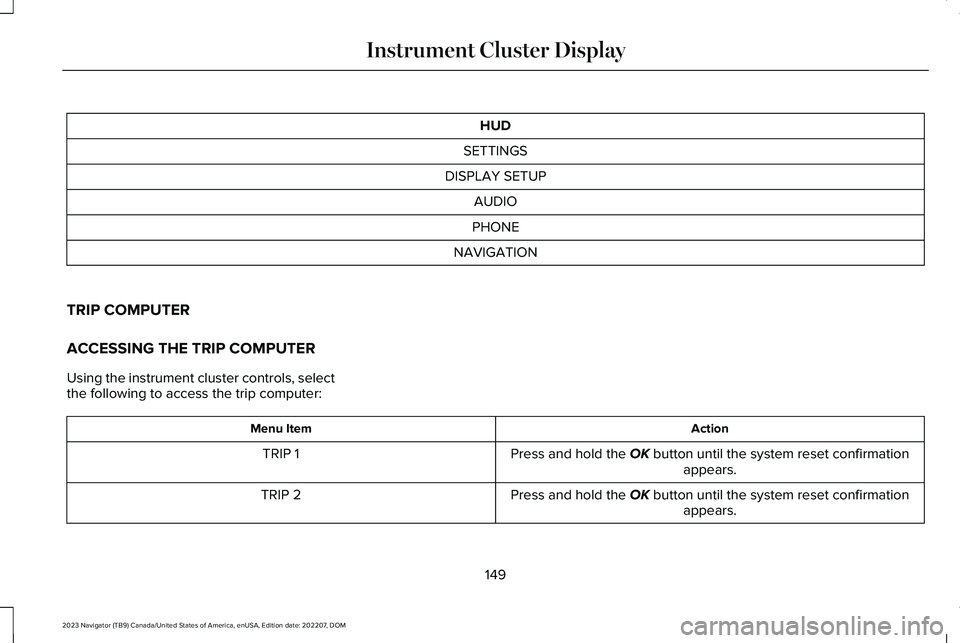
HUD
SETTINGS
DISPLAY SETUP
AUDIO
PHONE
NAVIGATION
TRIP COMPUTER
ACCESSING THE TRIP COMPUTER
Using the instrument cluster controls, selectthe following to access the trip computer:
ActionMenu Item
Press and hold the OK button until the system reset confirmationappears.TRIP 1
Press and hold the OK button until the system reset confirmationappears.TRIP 2
149
2023 Navigator (TB9) Canada/United States of America, enUSA, Edition date: 202207, DOMInstrument Cluster Display
Page 154 of 660
RESETTING THE INDIVIDUAL TRIPVALUES
Using the instrument cluster controls, selectthe following to reset individual trip values:
ActionMenu Item
Press and hold the OK button until the system reset confirmationappears.TRIP 1
Press and hold the OK button until the system reset confirmationappears.TRIP 2
CUSTOMIZING THE INSTRUMENT
CLUSTER DISPLAY
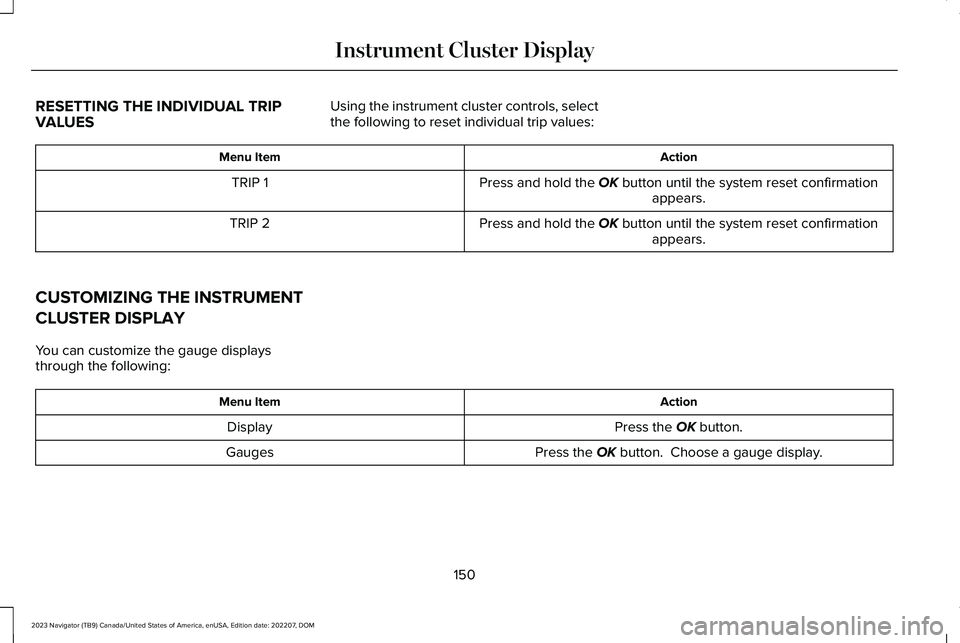
You can customize the gauge displaysthrough the following:
ActionMenu Item
Press the OK button.Display
Press the OK button. Choose a gauge display.Gauges
150
2023 Navigator (TB9) Canada/United States of America, enUSA, Edition date: 202207, DOMInstrument Cluster Display
Page 156 of 660
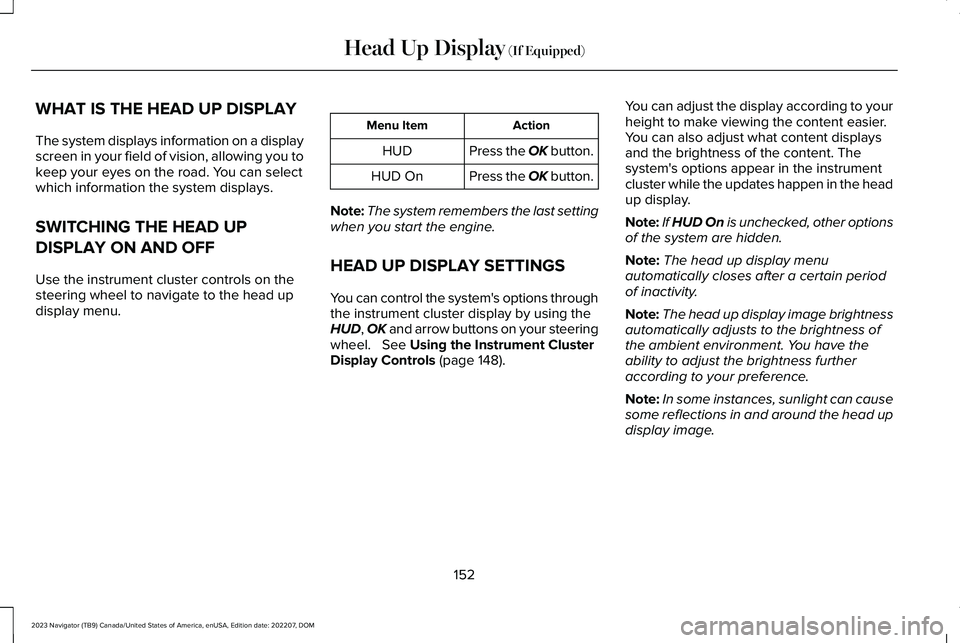
WHAT IS THE HEAD UP DISPLAY
The system displays information on a displayscreen in your field of vision, allowing you tokeep your eyes on the road. You can selectwhich information the system displays.
SWITCHING THE HEAD UP
DISPLAY ON AND OFF
Use the instrument cluster controls on thesteering wheel to navigate to the head updisplay menu.
ActionMenu Item
Press the OK button.HUD
Press the OK button.HUD On
Note:The system remembers the last settingwhen you start the engine.
HEAD UP DISPLAY SETTINGS
You can control the system's options throughthe instrument cluster display by using theHUD, OK and arrow buttons on your steeringwheel. See Using the Instrument ClusterDisplay Controls (page 148).
You can adjust the display according to yourheight to make viewing the content easier.You can also adjust what content displaysand the brightness of the content. Thesystem's options appear in the instrumentcluster while the updates happen in the headup display.
Note:If HUD On is unchecked, other optionsof the system are hidden.
Note:The head up display menuautomatically closes after a certain periodof inactivity.
Note:The head up display image brightnessautomatically adjusts to the brightness ofthe ambient environment. You have theability to adjust the brightness furtheraccording to your preference.
Note:In some instances, sunlight can causesome reflections in and around the head updisplay image.
152
2023 Navigator (TB9) Canada/United States of America, enUSA, Edition date: 202207, DOMHead Up Display (If Equipped)
Page 157 of 660

Head-Up Display (HUD)
Follow onscreen directions to confirm or modify your settings.Brightness
Follow onscreen directions to confirm ormodify your settings.Vertical PositionHUD Adjustments
Image Rotation
Turns the distance to empty, time and temperature on and off.HUD Content
Select Your SettingCruise and Lane Control
Note:When you save a memory preset position, your current HUD settings are also saved to that memory preset position. See What Is theMemory Function (page 186).
153
2023 Navigator (TB9) Canada/United States of America, enUSA, Edition date: 202207, DOMHead Up Display (If Equipped)