engine MASERATI LEVANTE 2019 Repair Manual
[x] Cancel search | Manufacturer: MASERATI, Model Year: 2019, Model line: LEVANTE, Model: MASERATI LEVANTE 2019Pages: 436, PDF Size: 15.24 MB
Page 210 of 436
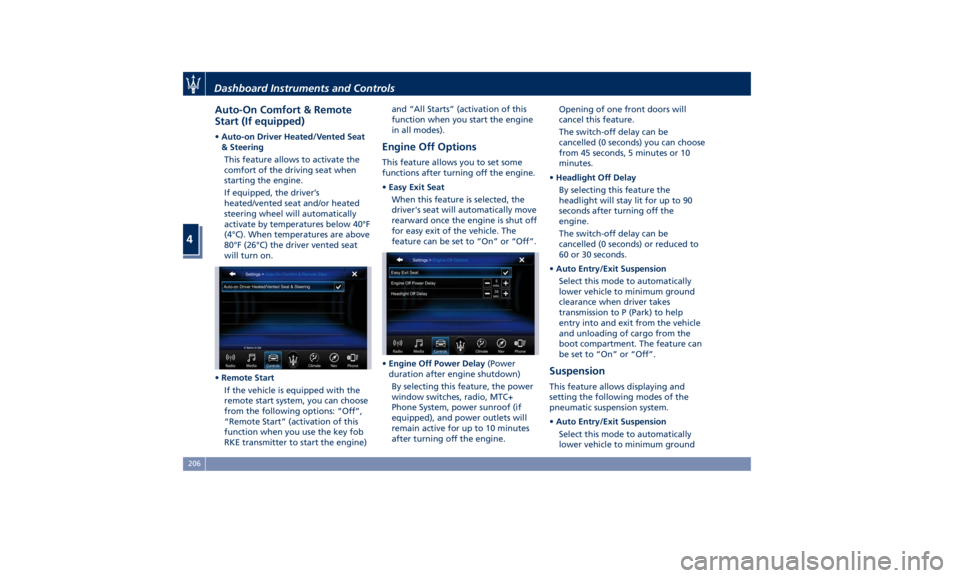
Auto-On Comfort & Remote
Start (If equipped) • Auto-on Driver Heated/Vented Seat
& Steering
This feature allows to activate the
comfort of the driving seat when
starting the engine.
If equipped, the driver’s
heated/vented seat and/or heated
steering wheel will automatically
activate by temperatures below 40°F
(4°C). When temperatures are above
80°F (26°C) the driver vented seat
will turn on.
• Remote Start
If the vehicle is equipped with the
remote start system, you can choose
from the following options: “Off”,
“Remote Start” (activation of this
function when you use the key fob
RKE transmitter to start the engine) and “All Starts” (activation of this
function when you start the engine
in all modes).
Engine Off Options This feature allows you to set some
functions after turning off the engine.
• Easy Exit Seat
When this feature is selected, the
driver's seat will automatically move
rearward once the engine is shut off
for easy exit of the vehicle. The
feature can be set to “On” or “Off”.
• Engine Off Power Delay (Power
duration after engine shutdown)
By selecting this feature, the power
window switches, radio, MTC+
Phone System, power sunroof (if
equipped), and power outlets will
remain active for up to 10 minutes
after turning off the engine. Opening of one front doors will
cancel this feature.
The switch-off delay can be
cancelled (0 seconds) you can choose
from 45 seconds, 5 minutes or 10
minutes.
• Headlight Off Delay
By selecting this feature the
headlight will stay lit for up to 90
seconds after turning off the
engine.
The switch-off delay can be
cancelled (0 seconds) or reduced to
60 or 30 seconds.
• Auto Entry/Exit Suspension
Select this mode to automatically
lower vehicle to minimum ground
clearance when driver takes
transmission to P (Park) to help
entry into and exit from the vehicle
and unloading of cargo from the
boot compartment. The feature can
be set to “On” or “Off”.
Suspension This feature allows displaying and
setting the following modes of the
pneumatic suspension system.
• Auto Entry/Exit Suspension
Select this mode to automatically
lower vehicle to minimum groundDashboard Instruments and Controls
4
206
Page 221 of 436
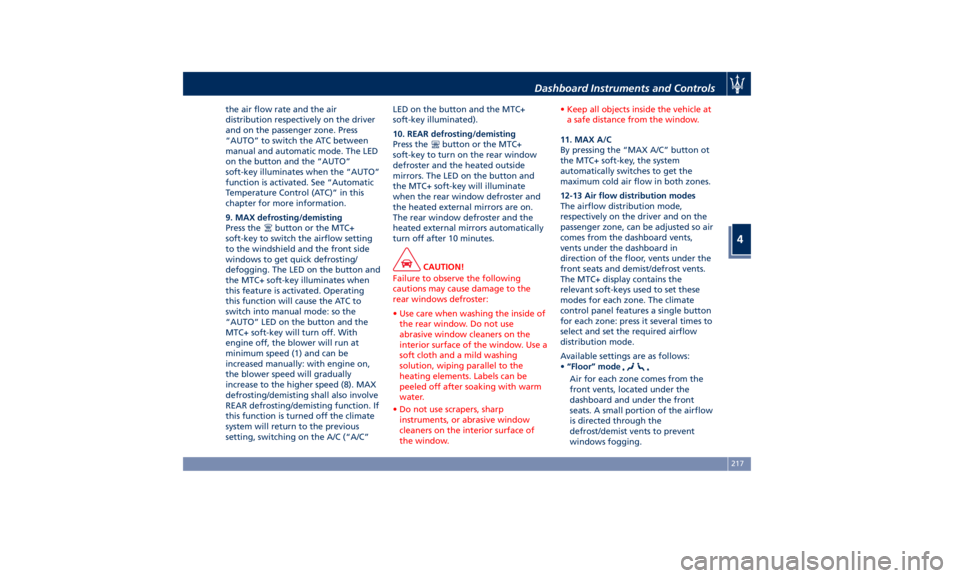
the air flow rate and the air
distribution respectively on the driver
and on the passenger zone. Press
“AUTO” to switch the ATC between
manual and automatic mode. The LED
on the button and the “AUTO”
soft-key illuminates when the “AUTO”
function is activated. See “Automatic
Temperature Control (ATC)” in this
chapter for more information.
9. MAX defrosting/demisting
Press the
button or the MTC+
soft-key to switch the airflow setting
to the windshield and the front side
windows to get quick defrosting/
defogging. The LED on the button and
the MTC+ soft-key illuminates when
this feature is activated. Operating
this function will cause the ATC to
switch into manual mode: so the
“AUTO” LED on the button and the
MTC+ soft-key will turn off. With
engine off, the blower will run at
minimum speed (1) and can be
increased manually: with engine on,
the blower speed will gradually
increase to the higher speed (8). MAX
defrosting/demisting shall also involve
REAR defrosting/demisting function. If
this function is turned off the climate
system will return to the previous
setting, switching on the A/C (“A/C” LED on the button and the MTC+
soft-key illuminated).
10. REAR defrosting/demisting
Press the
button or the MTC+
soft-key to turn on the rear window
defroster and the heated outside
mirrors. The LED on the button and
the MTC+ soft-key will illuminate
when the rear window defroster and
the heated external mirrors are on.
The rear window defroster and the
heated external mirrors automatically
turn off after 10 minutes.
CAUTION!
Failure to observe the following
cautions may cause damage to the
rear windows defroster:
• Use care when washing the inside of
the rear window. Do not use
abrasive window cleaners on the
interior surface of the window. Use a
soft cloth and a mild washing
solution, wiping parallel to the
heating elements. Labels can be
peeled off after soaking with warm
water.
• Do not use scrapers, sharp
instruments, or abrasive window
cleaners on the interior surface of
the window. • Keep all objects inside the vehicle at
a safe distance from the window.
11. MAX A/C
By
pressing the “MAX
A/C” button ot
the MTC+ soft-key, the system
automatically switches to get the
maximum cold air flow in both zones.
12-13 Air flow distribution modes
The airflow distribution mode,
respectively on the driver and on the
passenger zone, can be adjusted so air
comes from the dashboard vents,
vents under the dashboard in
direction of the floor, vents under the
front seats and demist/defrost vents.
The MTC+ display contains the
relevant soft-keys used to set these
modes for each zone. The climate
control panel features a single button
for each zone: press it several times to
select and set the required airflow
distribution mode.
Available settings are as follows:
• “Floor” mode
Air for each zone comes from the
front vents, located under the
dashboard and under the front
seats. A small portion of the airflow
is directed through the
defrost/demist vents to prevent
windows fogging.Dashboard Instruments and Controls
4
217
Page 224 of 436
“Dashboard” air distribution mode
are also selected.
The blower speed can be adjusted and
the air distribution can be modified
without exiting “MAX A/C”. To exit
“MAX A/C” touch the relevant MTC+
soft-key or exit A/C or recirculation.
Selecting
, “AUTO”, or “OFF”, will
also exit “MAX A/C”.
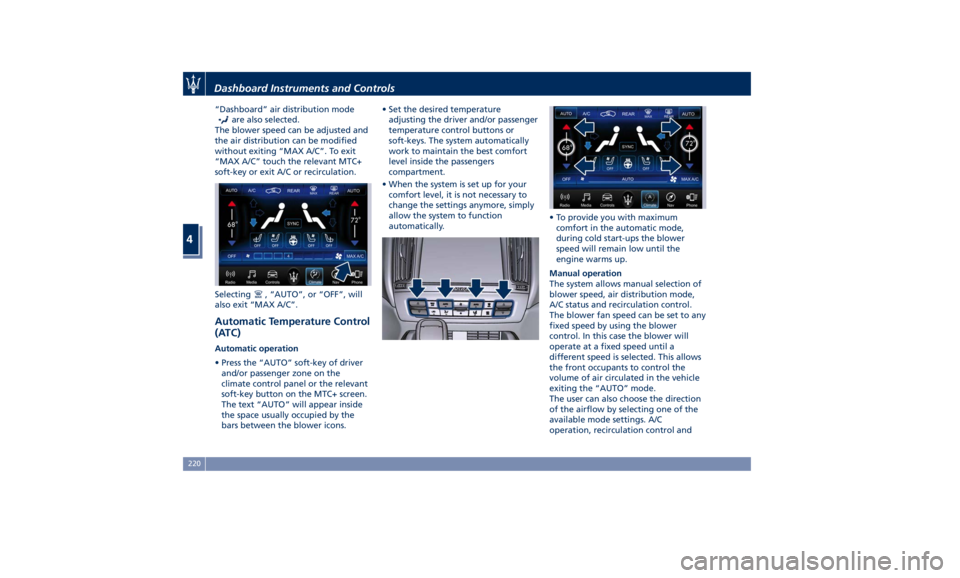
Automatic Temperature Control
(ATC) Automatic operation
• Press the “AUTO” soft-key of driver
and/or passenger zone on the
climate control panel or the relevant
soft-key button on the MTC+ screen.
The text “AUTO” will appear inside
the space usually occupied by the
bars between the blower icons. • Set the desired temperature
adjusting the driver and/or passenger
temperature control buttons or
soft-keys. The system automatically
work to maintain the best comfort
level inside the passengers
compartment.
• When the system is set up for your
comfort level, it is not necessary to
change the settings anymore, simply
allow the system to function
automatically. • To provide you with maximum
comfort in the automatic mode,
during cold start-ups the blower
speed will remain low until the
engine warms up.
Manual operation
The system allows manual selection of
blower speed, air distribution mode,
A/C status and recirculation control.
The blower fan speed can be set to any
fixed speed by using the blower
control. In this case the blower will
operate at a fixed speed until a
different speed is selected. This allows
the front occupants to control the
volume of air circulated in the vehicle
exiting the “AUTO” mode.
The user can also choose the direction
of the airflow by selecting one of the
available mode settings. A/C
operation, recirculation control andDashboard Instruments and Controls
4
220
Page 226 of 436
NOTE:
The Bi-Level mode is designed to
provide comfort by sending cooler air
out of the central console vents and
warmer air from the floor vents.
7. “Floor” mode
Air comes from the fixed floor vents
under the front seats and on the
lateral sides of the central console.
8. “Torso” mode
Air comes from the adjustable vents on
the central console. Each of these
vents can be singly adjusted. The air
grids of the vents can be moved
up/down and right/left to adjust the
airflow direction. A setting wheel,
placed near each vent, allows to
regulate the airflow or to close the
vent.
9. AUTO
This function automatically controls
the interior temperature by adjusting
the air flow rate and the air
distribution.
• Press the “AUTO” button: the
automatic rear climate control
switches from manual to automatic
mode and vice-versa. The “AUTO”
symbol on the button illuminates
when this function is activated. • Adjust then the temperature you
wish to maintain by regulating the
left and/or right side temperature
control buttons. Once the desired
temperature is set, the system will
achieve and automatically maintain
that comfort level.
• When the system is set up for your
comfort level, it is not necessary to
change the settings anymore: simply
allow the system to function
automatically.
To provide you with maximum comfort
in the Automatic mode, during cold
start-ups the blower speed will remain
low until the engine warms up.
Four-Zone Climate Control by the
Driver
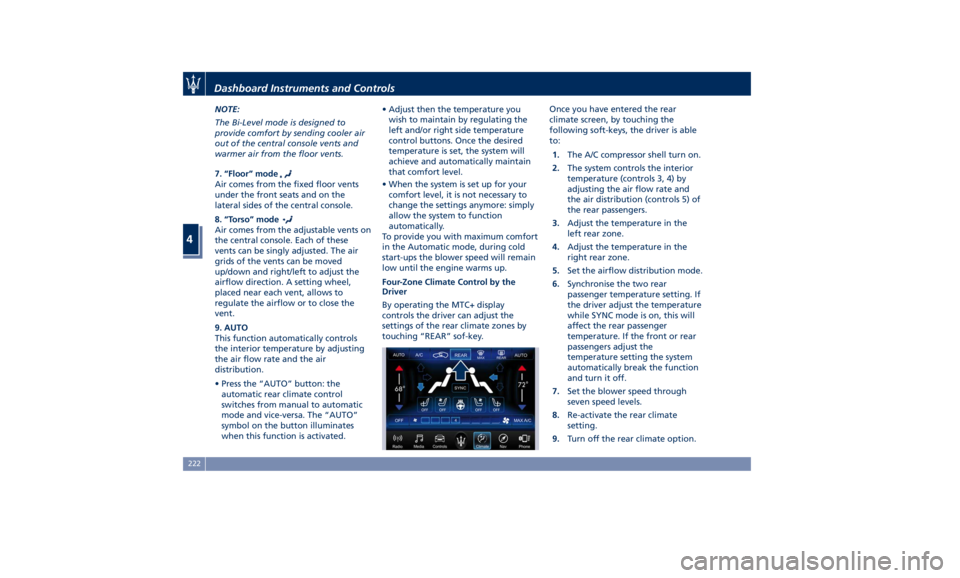
By operating the MTC+ display
controls the driver can adjust the
settings of the rear climate zones by
touching “REAR” sof-key. Once you have entered the rear
climate screen, by touching the
following soft-keys, the driver is able
to:
1. The A/C compressor shell turn on.
2. The system controls the interior
temperature (controls 3, 4) by
adjusting the air flow rate and
the air distribution (controls 5) of
the rear passengers.
3. Adjust the temperature in the
left rear zone.
4. Adjust the temperature in the
right rear zone.
5. Set the airflow distribution mode.
6. Synchronise the two rear
passenger temperature setting. If
the driver adjust the temperature
while SYNC mode is on, this will
affect the rear passenger
temperature. If the front or rear
passengers adjust the
temperature setting the system
automatically break the function
and turn it off.
7. Set the blower speed through
seven speed levels.
8. Re-activate the rear climate
setting.
9. Turn off the rear climate option.Dashboard Instruments and Controls
4
222
Page 231 of 436
5 – Driving Normal Starting of the Engine ............................. 228
Automatic Start&Stop System ............................. 230
Automatic Transmission .................................. 234
All-Wheel Drive ........................................ 243
Drive Mode ........................................... 244
Active Alternator ....................................... 264
Off-Road Drive ......................................... 264
Parking Brake ......................................... 268
Parking .............................................. 271
Brake and Stability Control System ......................... 273
Using the Brakes ....................................... 280
Use of the Engine ...................................... 281
Electronic Cruise Control ................................. 282
Adaptive Cruise Control - ACC (optional) ..................... 286
Forward Collision Warning – FCW .......................... 297
Lane Keeping Assist - LKA (optional, with ACC only) ............ 301
Blind Spot Assist – BSA (without ACC) ....................... 305
Active Blind Spot Assist - ABSA (optional, with ACC only) ........ 310
Highway Assist – HAS (optional, with ACC only) ................ 313
Traffic Sign Assist – TSA (optional) .......................... 319
Tires - General Information ............................... 321
Tire Pressure Monitoring System (TPMS) ..................... 329
Fuel Requirements ...................................... 334
Refueling ............................................. 336
Driving Conditions ...................................... 338
Trailer Towing ......................................... 341 227
Page 232 of 436
Normal Starting of the
Engine WARNING!
It is dangerous to run the engine in an
enclosed area. The engine consumes
oxygen and discharges carbon
dioxide, carbon monoxide and other
toxic gases in the atmosphere.
WARNING!
California Proposition 65
Operating, servicing and maintaining
a passenger vehicle or off-road vehicle
can expose you to chemicals including
such as, engine exhaust, carbon
monoxide, phthalates and lead, that
which are known to the State of
California to cause cancer and birth
defects or other reproductive harm. To
minimize exposure, avoid breathing
exhaust, do not idle the engine except
as necessary, service your vehicle in a
well-ventilated area and wear gloves
or wash your hands frequently when
servicing your vehicle. For more
information go to: www.P65Warnings.ca.gov/passenger-
vehicle
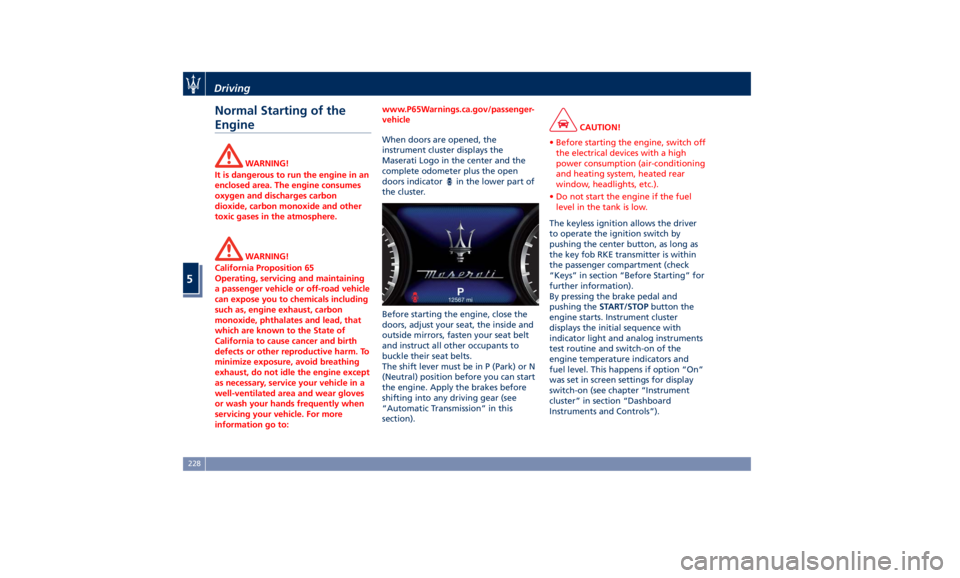
When doors are opened, the
instrument
cluster displays the
Maserati
Logo in the center and the
complete odometer plus the open
doors indicator
in the lower part of
the cluster.
Before starting the engine, close the
doors, adjust your seat, the inside and
outside mirrors, fasten your seat belt
and instruct all other occupants to
buckle their seat belts.
The shift lever must be in P (Park) or N
(Neutral) position before you can start
the engine. Apply the brakes before
shifting into any driving gear (see
“Automatic Transmission” in this
section). CAUTION!
• Before starting the engine, switch off
the electrical devices with a high
power consumption (air-conditioning
and heating system, heated rear
window, headlights, etc.).
• Do not start the engine if the fuel
level in the tank is low.
The keyless ignition allows the driver
to
operate the ignition
switch by
pushing the center button, as long as
the key fob RKE transmitter is within
the passenger compartment (check
“Keys” in section “Before Starting” for
further information).
By pressing the brake pedal and
pushing the START/STOP button the
engine starts. Instrument cluster
displays the initial sequence with
indicator light and analog instruments
test routine and switch-on of the
engine temperature indicators and
fuel level. This happens if option “On”
was set in screen settings for display
switch-on (see chapter “Instrument
cluster” in section “Dashboard
Instruments and Controls”).Driving
5
228
Page 233 of 436
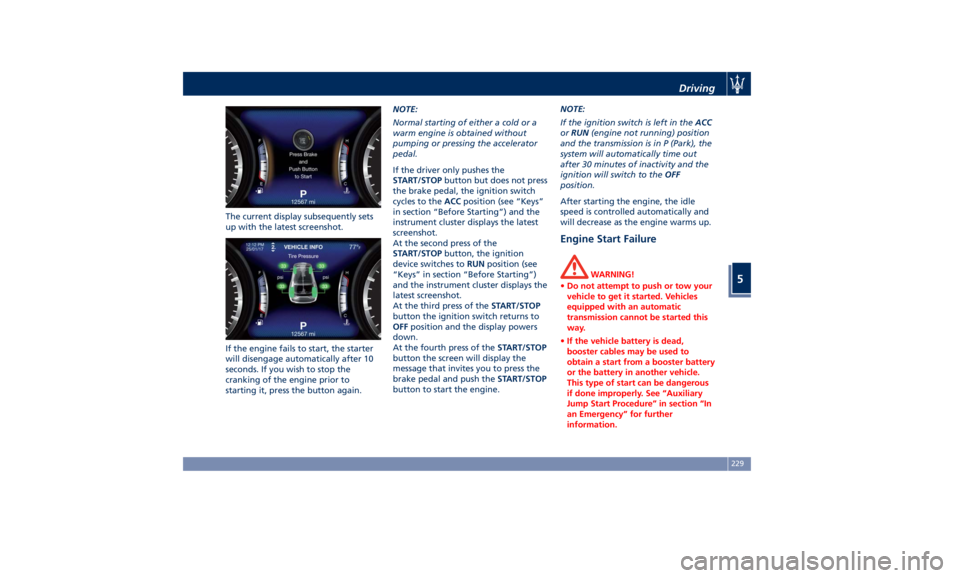
The current display subsequently sets
up with the latest screenshot.
If the engine fails to start, the starter
will disengage automatically after 10
seconds. If you wish to stop the
cranking of the engine prior to
starting it, press the button again. NOTE:
Normal starting of either a cold or a
warm engine is obtained without
pumping or pressing the accelerator
pedal.
If the driver only pushes the
START/STOP button but does not press
the brake pedal, the ignition switch
cycles to the ACC position (see “Keys”
in section “Before Starting”) and the
instrument cluster displays the latest
screenshot.
At the second press of the
START/STOP button, the ignition
device switches to RUN position (see
“Keys” in section “Before Starting”)
and the instrument cluster displays the
latest screenshot.
At the third press of the START/STOP
button the ignition switch returns to
OFF position and the display powers
down.
At the fourth press of the START/STOP
button the screen will display the
message that invites you to press the
brake pedal and push the START/STOP
button to start the engine. NOTE:
If the ignition switch is left in the ACC
or RUN (engine not running) position
and the transmission is in P (Park), the
system will automatically time out
after 30 minutes of inactivity and the
ignition will switch to the OFF
position.
After starting the engine, the idle
speed is controlled automatically and
will decrease as the engine warms up.
Engine Start Failure WARNING!
• Do not attempt to push or tow your
vehicle to get it started. Vehicles
equipped with an automatic
transmission cannot be started this
way.
• If the vehicle battery is dead,
booster cables may be used to
obtain a start from a booster battery
or the battery in another vehicle.
This type of start can be dangerous
if done improperly. See “Auxiliary
Jump Start Procedure” in section “In
an Emergency” for further
information.Driving
5
229
Page 234 of 436
Starting with a Cold Engine
Start-off slowly, avoiding sudden
acceleration and rev the engine up at
low medium speeds. High-
performance driving should be
avoided until the engine temperature
reaches 149-158°F (65-70°C).
Engine Turn-Off • With the shift lever in P (Park), D
(Drive) or R (Reverse) positions (see
“Automatic Transmission” in this
section) and vehicle standstill, press
and release the START/STOP button
to switch off the engine. A burst on
the accelerator pedal before turning
off the engine has no purpose and
increases fuel consumption.
• If the shift lever is in N (Neutral) and
the START/STOP button is pressed
once, the instrument cluster will
display a “Vehicle Not in Park”
message and the engine will remain
running.
WARNING!
Never leave a vehicle out of the P
(Park) position, as it could move. NOTE:
If
the ignition switch is left in the ACC
or RUN (engine not running) position
and the transmission is in P (Park), the
system will automatically time out
after 30 minutes of inactivity and the
ignition will switch to OFF position.
Engine Turn Off when in Automatic
Start&Stop
When the engine has been turned off
by the Start&Stop system, press and
release the START/STOP button. The
ignition switch will return to the OFF
position and the vehicle is off.
“Panic Stop” Strategy In panic conditions, if driver stops
engine in any non-standard manner
while driving at a speed over 5 mph
(8 km/h), the “Panic Stop” strategy can
manage the situation by checking
gearchange condition upon engine
cutting, driver’s action on brakes, road
condition (flat or slope) so as to set
gearchange to the most suitable
condition.Automatic Start&Stop
System The Maserati Start&Stop system allows
the engine to automatically switch off
when the vehicle stops and to restart
when the driver intends to drive. This
feature helps reduce fuel
consumption. During the “Stop
(AutoStop)” phase the ignition is still
on and all security features are
available.
In order for the Start&Stop to activate,
the vehicle must be stationary and the
brake pedal adequately pressed.
NOTE:
If the brake pedal is not sufficiently
pressed the Start&Stop may not
function even if the vehicle is stopped.
When the Start&Stop switches off the
engine, the related light
illuminates on the instrument
cluster.
As soon as the brake pedal is released,
the engine turns on.
While the vehicle is stopped, the
transmission can be placed in P (Park)
pressing the “P” button on the shift
lever.
In this case it is possible to release the
brake pedal and the vehicle willDriving
5
230
Page 235 of 436
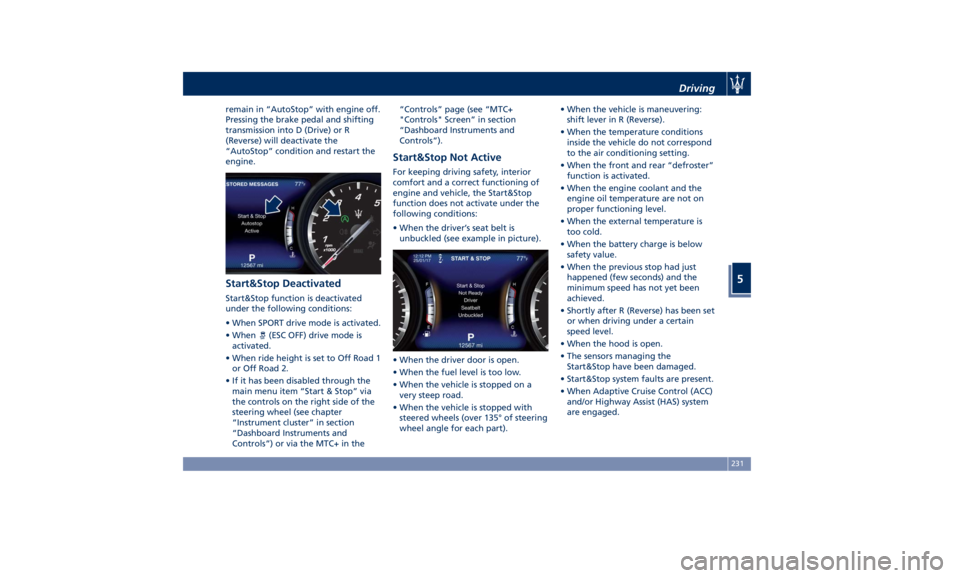
remain in “AutoStop” with engine off.
Pressing the brake pedal and shifting
transmission into D (Drive) or R
(Reverse) will deactivate the
“AutoStop” condition and restart the
engine.
Start&Stop Deactivated Start&Stop function is deactivated
under the following conditions:
• When SPORT drive mode is activated.
• When
(ESC OFF) drive mode is
activated.
• When ride height is set to Off Road 1
or Off Road 2.
• If it has been disabled through the
main menu item “Start & Stop” via
the controls on the right side of the
steering wheel (see chapter
“Instrument cluster” in section
“Dashboard Instruments and
Controls”) or via the MTC+ in the “Controls” page (see “MTC+
"Controls" Screen” in section
“Dashboard Instruments and
Controls”).
Start&Stop Not Active For keeping driving safety, interior
comfort and a correct functioning of
engine and vehicle, the Start&Stop
function does not activate under the
following conditions:
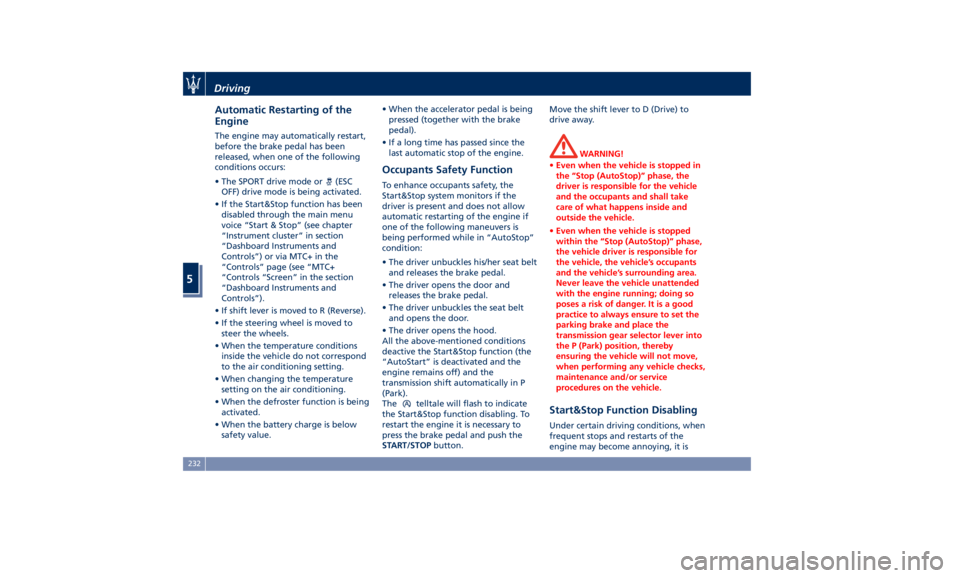
• When the driver’s seat belt is
unbuckled (see example in picture).
• When the driver door is open.
• When the fuel level is too low.
• When the vehicle is stopped on a
very steep road.
• When the vehicle is stopped with
steered wheels (over 135° of steering
wheel angle for each part). • When the vehicle is maneuvering:
shift lever in R (Reverse).
• When the temperature conditions
inside the vehicle do not correspond
to the air conditioning setting.
• When the front and rear “defroster”
function is activated.
• When the engine coolant and the
engine oil temperature are not on
proper functioning level.
• When the external temperature is
too cold.
• When the battery charge is below
safety value.
• When the previous stop had just
happened (few seconds) and the
minimum speed has not yet been
achieved.
• Shortly after R (Reverse) has been set
or when driving under a certain
speed level.
• When the hood is open.
• The sensors managing the
Start&Stop have been damaged.
• Start&Stop system faults are present.
• When Adaptive Cruise Control (ACC)
and/or Highway Assist (HAS) system
are engaged.Driving
5
231
Page 236 of 436
Automatic Restarting of the
Engine The engine may automatically restart,
before the brake pedal has been
released, when one of the following
conditions occurs:
• The SPORT drive mode or
(ESC
OFF) drive mode is being activated.
• If the Start&Stop function has been
disabled through the main menu
voice “Start & Stop” (see chapter
“Instrument cluster” in section
“Dashboard Instruments and
Controls”) or via MTC+ in the
“Controls” page (see “MTC+
“Controls “Screen” in the section
“Dashboard Instruments and
Controls”).
• If shift lever is moved to R (Reverse).
• If the steering wheel is moved to
steer the wheels.
• When the temperature conditions
inside the vehicle do not correspond
to the air conditioning setting.
• When changing the temperature
setting on the air conditioning.
• When the defroster function is being
activated.
• When the battery charge is below
safety value. • When the accelerator pedal is being
pressed (together with the brake
pedal).
• If a long time has passed since the
last automatic stop of the engine.
Occupants Safety Function To enhance occupants safety, the
Start&Stop system monitors if the
driver is present and does not allow
automatic restarting of the engine if
one of the following maneuvers is
being performed while in “AutoStop”
condition:
• The driver unbuckles his/her seat belt
and releases the brake pedal.
• The driver opens the door and
releases the brake pedal.
• The driver unbuckles the seat belt
and opens the door.
• The driver opens the hood.
All the above-mentioned conditions
deactive the Start&Stop function (the
“AutoStart” is deactivated and the
engine remains off) and the
transmission shift automatically in P
(Park).
The
telltale will flash to indicate
the Start&Stop function disabling. To
restart the engine it is necessary to
press the brake pedal and push the
START/STOP button. Move the shift lever to D (Drive) to
drive away.
WARNING!
• Even when the vehicle is stopped in
the “Stop (AutoStop)” phase, the
driver is responsible for the vehicle
and the occupants and shall take
care of what happens inside and
outside the vehicle.
• Even when the vehicle is stopped
within the “Stop (AutoStop)” phase,
the vehicle driver is responsible for
the vehicle, the vehicle’s occupants
and the vehicle’s surrounding area.
Never leave the vehicle unattended
with the engine running; doing so
poses a risk of danger. It is a good
practice to always ensure to set the
parking brake and place the
transmission gear selector lever into
the P (Park) position, thereby
ensuring the vehicle will not move,
when performing any vehicle checks,
maintenance and/or service
procedures on the vehicle.
Start&Stop Function Disabling Under certain driving conditions, when
frequent stops and restarts of the
engine may become annoying, it isDriving
5
232