ven MAZDA MAZDA 2023 Owners Manual
[x] Cancel search | Manufacturer: MAZDA, Model Year: 2023, Model line: MAZDA, Model: MAZDA MAZDA 2023Pages: 623, PDF Size: 15.08 MB
Page 201 of 623
WARNING
Never touch the areas where high
current is flowing:
Never touch a M Hybrid related part.
Otherwise, it could lead to an
electrical shock or burns causing
serious injury.
Never touch electrical wiring that may
be protruding into or outside of the
cabin:
Otherwise, it could lead to an
electrical shock or burns causing
serious injury.
Never touch any area where
electrolyte is visible or electrolyte is
leaking from the area:
If any electrolyte from the M Hybrid
battery gets in the eyes or on the skin,
it could cause loss of vision or skin
reactions. In the unlikely event that
electrolyte comes into contact with the
eyes or skin, flush with large quantities
of water immediately and seek
immediate medical attention.
Do not come near the vehicle if
electrolyte is leaking from the M
Hybrid battery:
Even if the M Hybrid battery is
damaged, large quantities of
electrolyte will not flow out due to the
internal structure of the battery,
however, in the unlikely event that it
does, it will produce steam. The steam
contains properties that can irritate the
eyes and skin, and could cause acute
poisoning if absorbed.
Never approach objects that are on
fire or extremely hot:
Electrolyte in the M Hybrid battery may
cause a fire.
If the vehicle catches fire, extinguish
the fire using an ABC fire
extinguisher:
Only extinguish a fire with water when
a high volume of water is available
such as from a fire hydrant.
▼ M Hybrid Control Status Display
The driver is notified of the M Hybrid
operation status by the control status
display.
The M Hybrid operation status is
displayed in the center display.
Refer to the Information section in the
Mazda Connect Owner's Manual.
When Driving
M Hybrid
4-56
Mazda3_8LC2-EA-22G_Edition1_new
2022-5-20 11:26:10
Page 202 of 623
Lighting Control
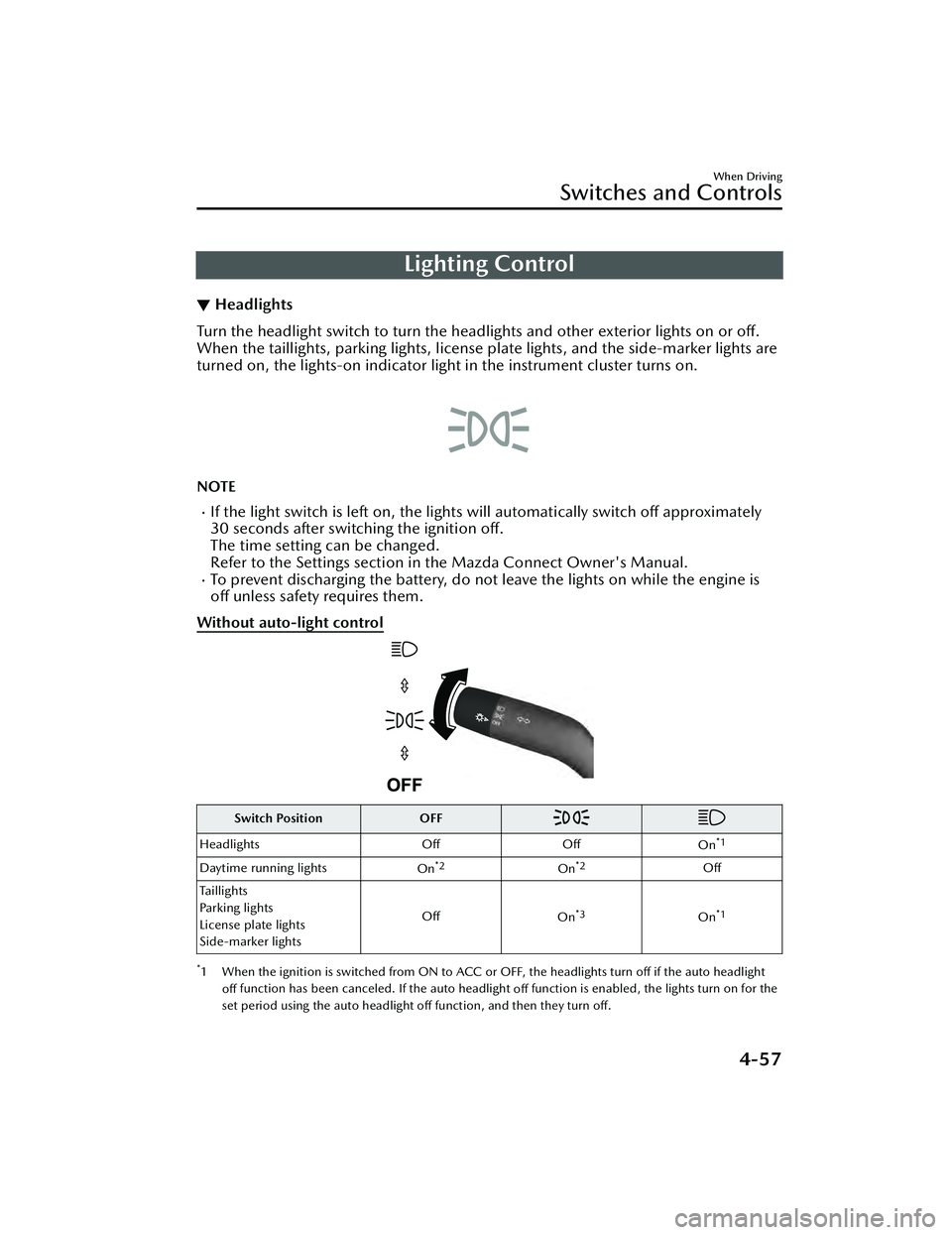
▼Headlights
Turn the headlight switch to turn the headli
ghts and other exterior lights on or off.
When the taillights, parking lights, license plate lights, and the side-marker lights are
turned on, the lights-on indicator ligh t in the instrument cluster turns on.
NOTE
If the light switch is left on, the lights will automatically switch off approximately
30 seconds after switching the ignition off.
The time setting can be changed.
Refer to the Settings section in the Mazda Connect Owner's Manual.
To prevent discharging the battery, do not leave the lights on while the engine is
off unless safety requires them.
Without auto-light control
Switch Position OFF
Headlights OffOff
On*1
Daytime running lights On*2On*2Off
Taillights
Parking lights
License plate lights
Side-marker lights Off
On
*3On*1
*1 When the ignition is switched from ON to ACC or OFF, the headlights turn off if the auto headlight
off function has been canceled. If the auto headlight
off function is enabled, the lights turn on for the
set period using the auto headlight off function, and then they turn
off.
When Driving
Switches and Controls
4-57
Mazda3_8LC2-EA-22G_Edition1_new 2022-5-20 11:26:10
Page 205 of 623
NOTE
The headlights and other exterior lights may not turn off immediately even if the
surrounding area becomes well-lit because the light sensor determines that it is
night time if the surrounding area is cont inuously dark for several minutes such as
inside long tunnels, traffic jams inside tunnels, or in indoor parking lots.
If the headlight switch and the windshie ld wiper switch are in AUTO, and the
wipers are operated at low or high speed by the auto wiper control for several
seconds, bad weather conditions are determined and the headlights may be
turned on.
The sensitivity of the auto-light control may be changed.
Refer to the Settings section in the Mazda Connect Owner's Manual.
▼Headlight High-Low Beam
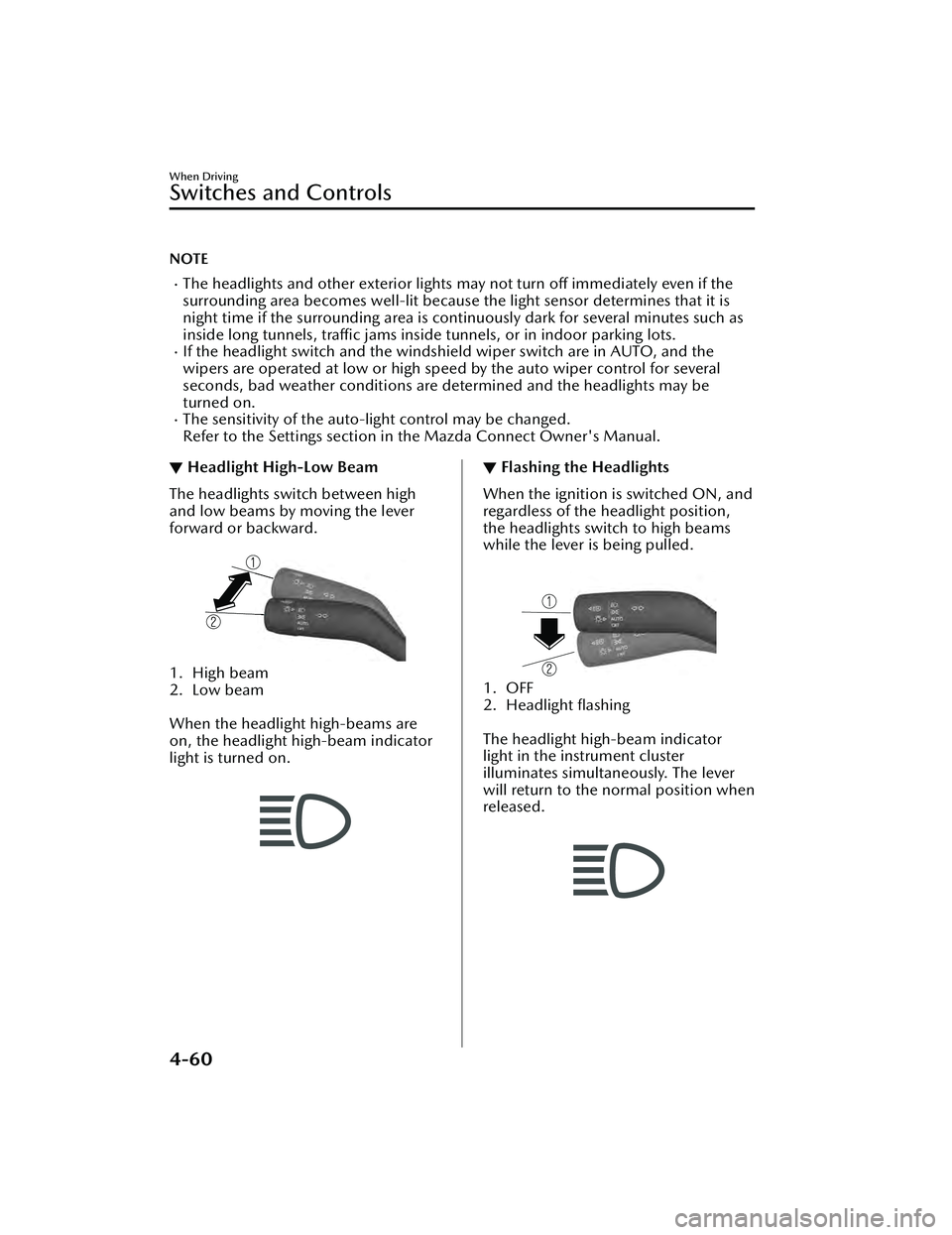
The headlights switch between high
and low beams by moving the lever
forward or backward.
1. High beam
2. Low beam
When the headlight high-beams are
on, the headlight high-beam indicator
light is turned on.
▼ Flashing the Headlights
When the ignition is switched ON, and
regardless of the headlight position,
the headlights switch to high beams
while the lever is being pulled.
1. OFF
2. Headlight flashing
The headlight high-beam indicator
light in the instrument cluster
illuminates simultaneously. The lever
will return to the normal position when
released.
When Driving
Switches and Controls
4-60
Mazda3_8LC2-EA-22G_Edition1_new
2022-5-20 11:26:10
Page 209 of 623
Windshield Wipers andWasher
▼Windshield Wipers and Washer
The ignition must be switched ON to
use the wipers.
WARNING
Use only windshield washer fluid or
plain water in the reservoir:
Using radiator antifreeze as washer
fluid is dangerous. If sprayed on the
windshield, it will
dirty the windshield,
affect your visibility, and could result in
an accident.
Only use windshield washer fluid
mixed with anti-freeze protection in
freezing weather conditions:
Using windshield washer fluid without
anti-freeze protection in freezing
weather conditions is dangerous as it
could freeze on the windshield and
block your vision which could cause an
accident. In addition, make sure the
windshield is sufficiently warmed using
the defroster before spraying the
washer fluid.
CAUTION
When the wipers are not used during
freezing temperatures or for a long
time, the wiper rubber may adhere
to the glass. If the wipers are
operated while adhered to the glass,
it could damage the wiper rubber
and motor.
If the wipers are operated while the
glass is dry, the glass could be
scratched and the wiper rubber
damaged. When the glass is dry,
spray washer fluid before operating
the wipers.
If the amount of washer fluid spray is
insufficient, do not use the washer
switch. If the washer switch
continues to be operated with no
washer fluid being sprayed, it could
lead to pump damage.
NOTE
If the windshield wipers are operated
under cold weather conditions or
during snowfall, they could stop due to
accumulated snow on the windshield.
If the windshield wipers stop due to
accumulated snow on the windshield,
park the vehicle in a safe place, turn
the wiper switch off, and then remove
the accumulated snow. If the wiper
switch is turned to another position
other than OFF, the wipers will
operate. If the wipers do not operate
even though the wiper switch is turned
to a position other than OFF, consult
an Authorized Mazda Dealer as soon
as possible.
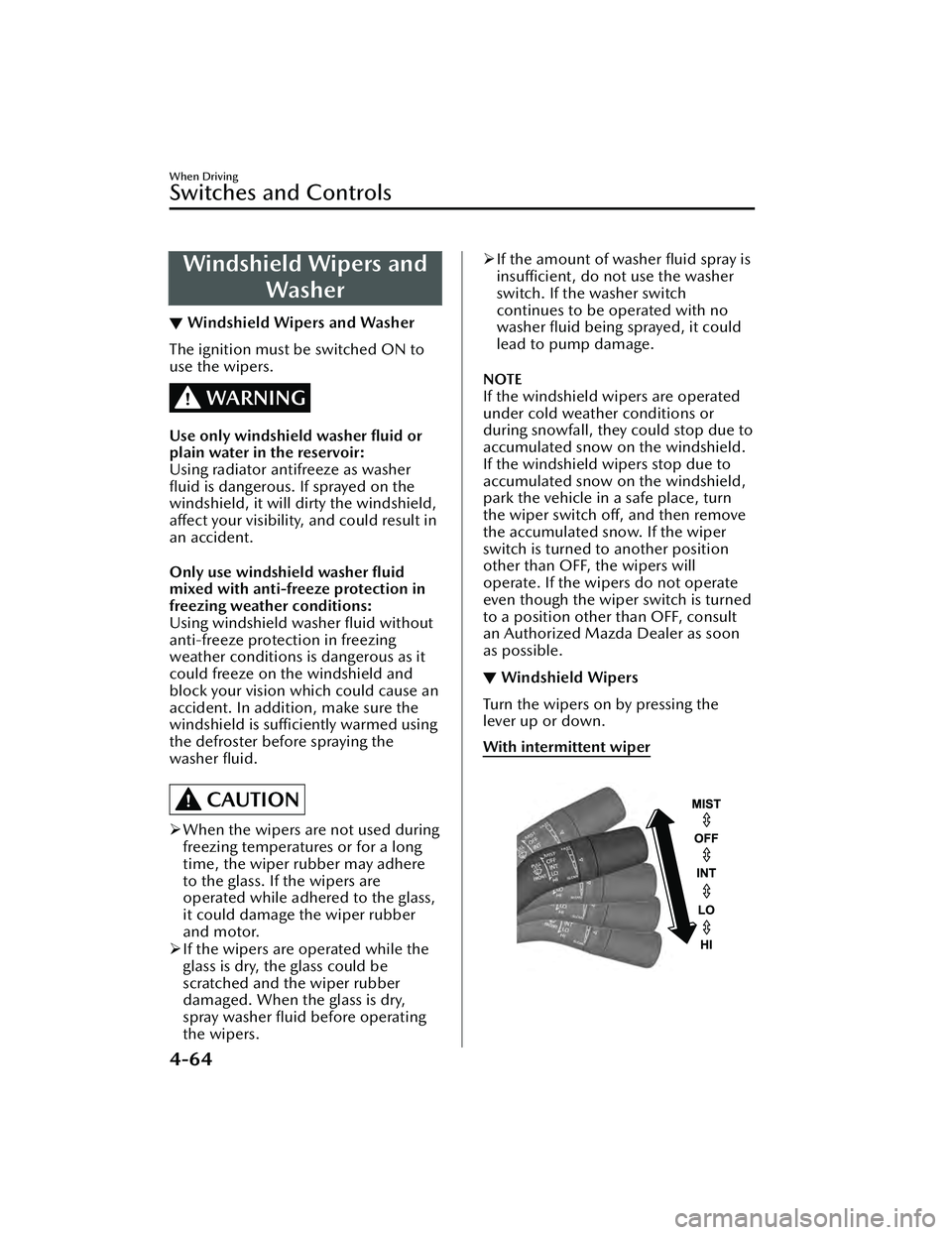
▼ Windshield Wipers
Turn the wipers on by pressing the
lever up or down.
With intermittent wiper
When Driving
Switches and Controls
4-64
Mazda3_8LC2-EA-22G_Edition1_new
2022-5-20 11:26:10
Page 213 of 623
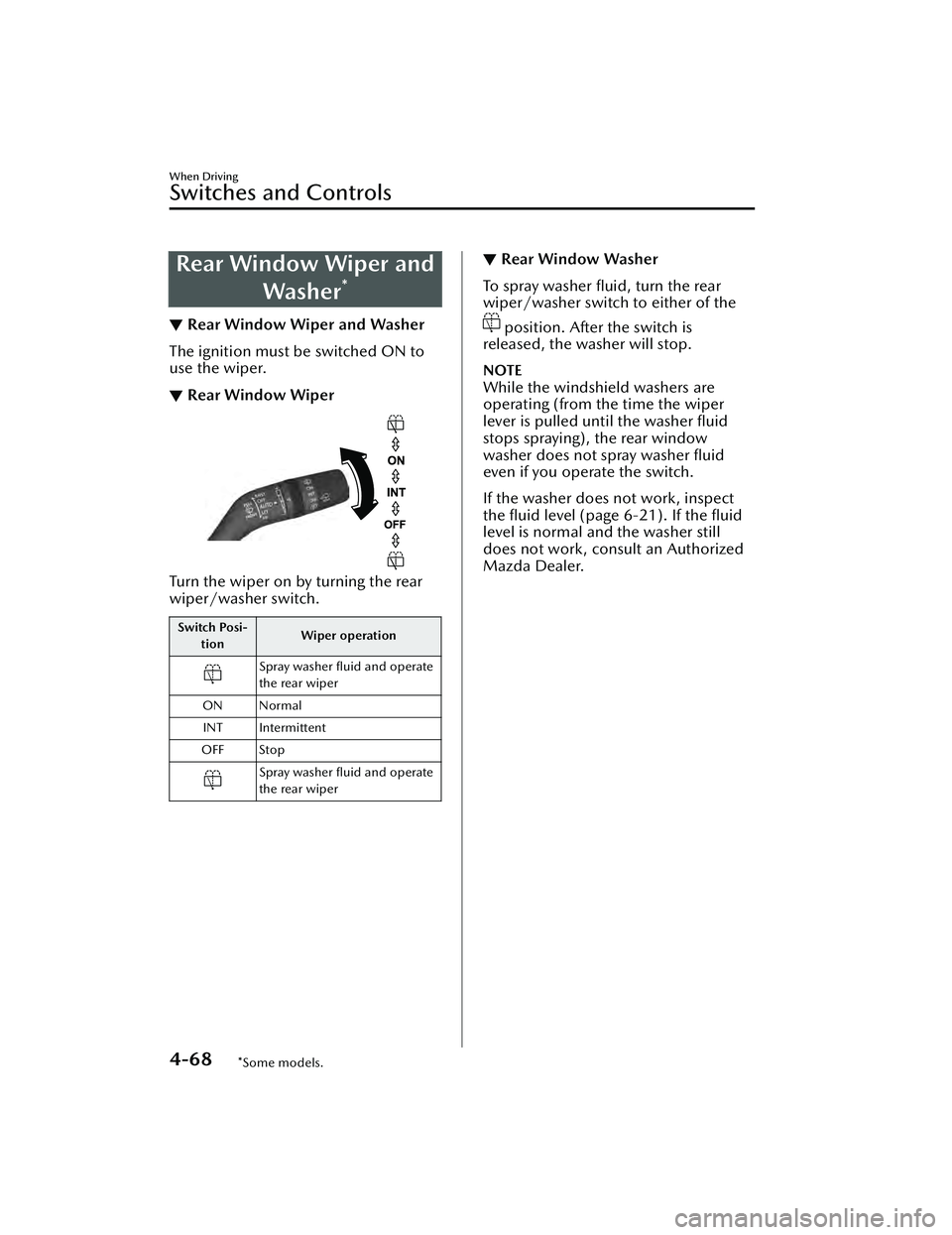
Rear Window Wiper andWasher
*
▼Rear Window Wiper and Washer
The ignition must be switched ON to
use the wiper.
▼Rear Window Wiper
Turn the wiper on by turning the rear
wiper/washer switch.
Switch Posi-
tion Wiper operation
Spray washer fluid and operate
the rear wiper
ON Normal INT Intermittent
OFF Stop
Spray washer fluid and operate
the rear wiper
▼ Rear Window Washer
To spray washer fluid, turn the rear
wiper/washer switch to either of the
position. After the switch is
released, the washer will stop.
NOTE
While the windshield washers are
operating (from the time the wiper
lever is pulled until the washer fluid
stops spraying), the rear window
washer does not spray washer fluid
even if you operate the switch.
If the washer does not work, inspect
the fluid level (page 6-21). If the fluid
level is normal and the washer still
does not work, consult an Authorized
Mazda Dealer.
When Driving
Switches and Controls
4-68*Some models.
Mazda3_8LC2-EA-22G_Edition1_new 2022-5-20 11:26:10
Page 217 of 623
Using these garage door openers can
increase the risk of serious injury or
death. For further information, contact
HomeLink at www.homelink.com or
www.youtube.com/HomeLinkGentex
or an Authorized Mazda Dealer.
Always check the areas surrounding
garage doors and gates for people or
obstructions before programming or
during operation of the HomeLink
system:
Programming or operating the
HomeLink system without verifying the
safety of areas surrounding garage
doors and gates is dangerous and
could result in an unexpected accident
and serious injury if someone were to
be hit.
NOTE
The programming will not be erased
even if the battery is disconnected.
▼Pre-programming the HomeLink
System
NOTE
It is recommended that a new battery
be placed in the hand-held transmitter
of the device being programmed to
HomeLink for quicker training and
accurate transmission of the
radio-frequency signal.
Verify that there is a remote control
transmitter available for the device
you would like to program.
▼
Programming the HomeLink
System
The HomeLink system provides 3
buttons which can be individually
selected and programmed using the
transmitters for current, on-market
devices as follows:
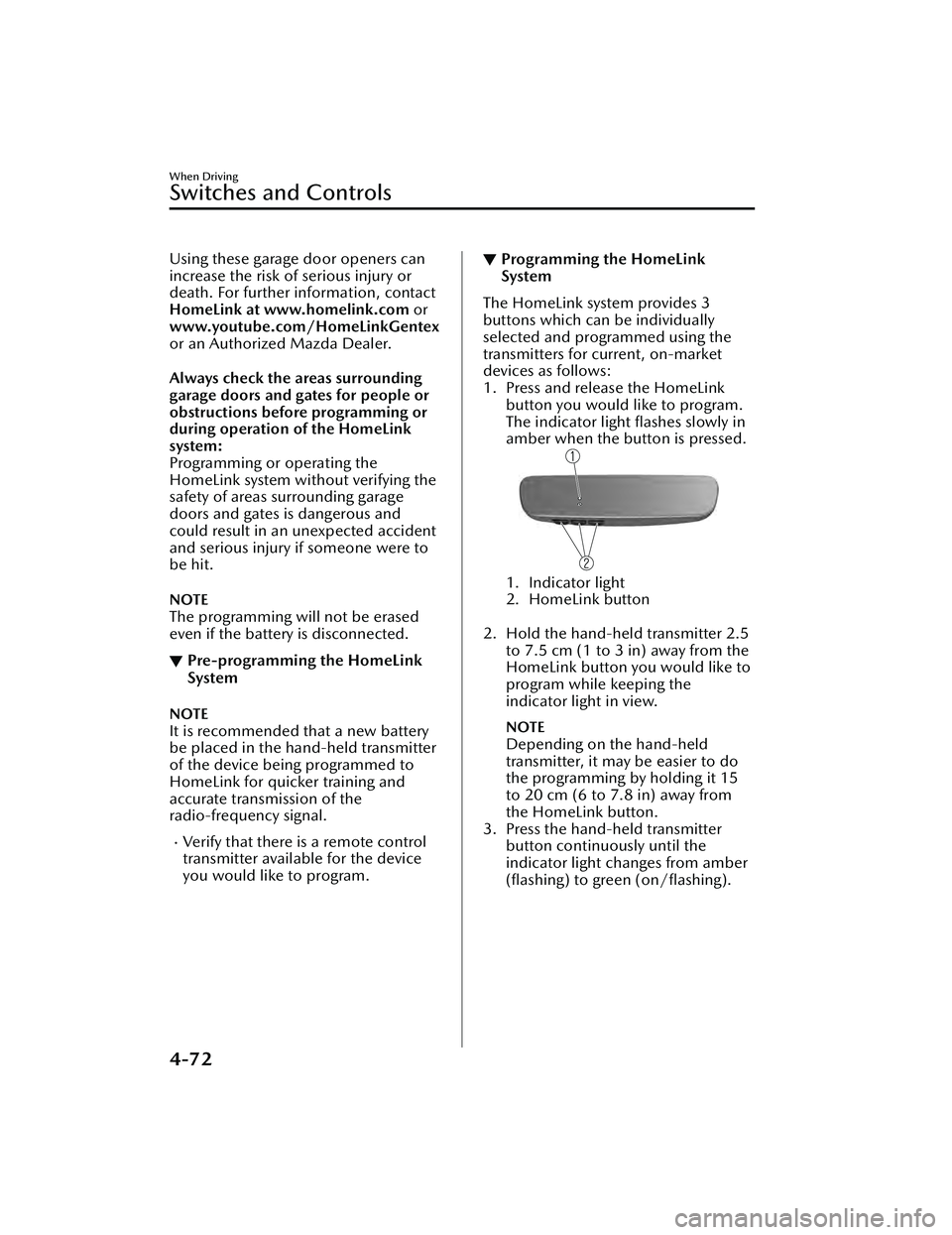
1. Press and release the HomeLink
button you would like to program.
The indicator light flashes slowly in
amber when the button is pressed.
1. Indicator light
2. HomeLink button
2. Hold the hand-held transmitter 2.5
to 7.5 cm (1 to 3 in) away from the
HomeLink button you would like to
program while keeping the
indicator light in view.
NOTE
Depending on the hand-held
transmitter, it may be easier to do
the programming by holding it 15
to 20 cm (6 to 7.8 in) away from
the HomeLink button.
3. Press the hand-held transmitter button continuously until the
indicator light changes from amber
(flashing) to green
(on/flashing).
When Driving
Switches and Controls
4-72
Mazda3_8LC2-EA-22G_Edition1_new 2022-5-20 11:26:10
Page 219 of 623
▼Gate operator/Canadian
Programming
Canadian radio-frequency laws require
transmitter signals to “time-out” (or
quit) after several seconds of
transmission
― which may not be long
enough for HomeLink to pick up the
signal during programming. Similar to
this Canadian law, some U.S. gate
operators are designed to “time-out”
in the same manner.
If you live in Canada or are having
difficulties programming a gate
operator by using the programming
procedures (regardless of where you
live), replace Step 3 of Programming
the HomeLink System with the
following:
NOTE
If programming a garage door opener
or gate operator, it is advised to unplug
the device during the “cycling” process
to prevent possible overheating.
While the indicator light is flashing in
amber, press the button on the
hand-held transmitter for 2 seconds
and release it repeatedly until the
indicator light changes from amber to
green.
Go back to Step 4 of Programming the
HomeLink System to complete the
procedure.
▼ Operating the HomeLink System
Press the programmed HomeLink
button to operate a programmed
device.
▼
Reprogramming the HomeLink
system
To program a device to HomeLink
using a HomeLink button previously
trained, follow these steps:
1. Press and hold the desired
HomeLink button. DO NOT release
the button.
2. After 20 seconds, the indicator light flashes in amber. After the indicator
light flashes, release the HomeLink
button.
3. Go back to Step 2 of Programming the HomeLink System to complete
the procedure.
NOTE
If the programming has not been
completed, the system returns to the
previous programming.
▼Erasing Programmed HomeLink
Buttons
NOTE
All of the programmed HomeLink
buttons are reset. Individual buttons
cannot be reset, however, individual
buttons can be reprogrammed. For
individual button reprogramming,
refer to Reprogramming the
HomeLink System (page 4-74).
Verify that the programming has
been erased if you resell the vehicle.
When Driving
Switches and Controls
4-74
Mazda3_8LC2-EA-22G_Edition1_new
2022-5-20 11:26:10
Page 220 of 623
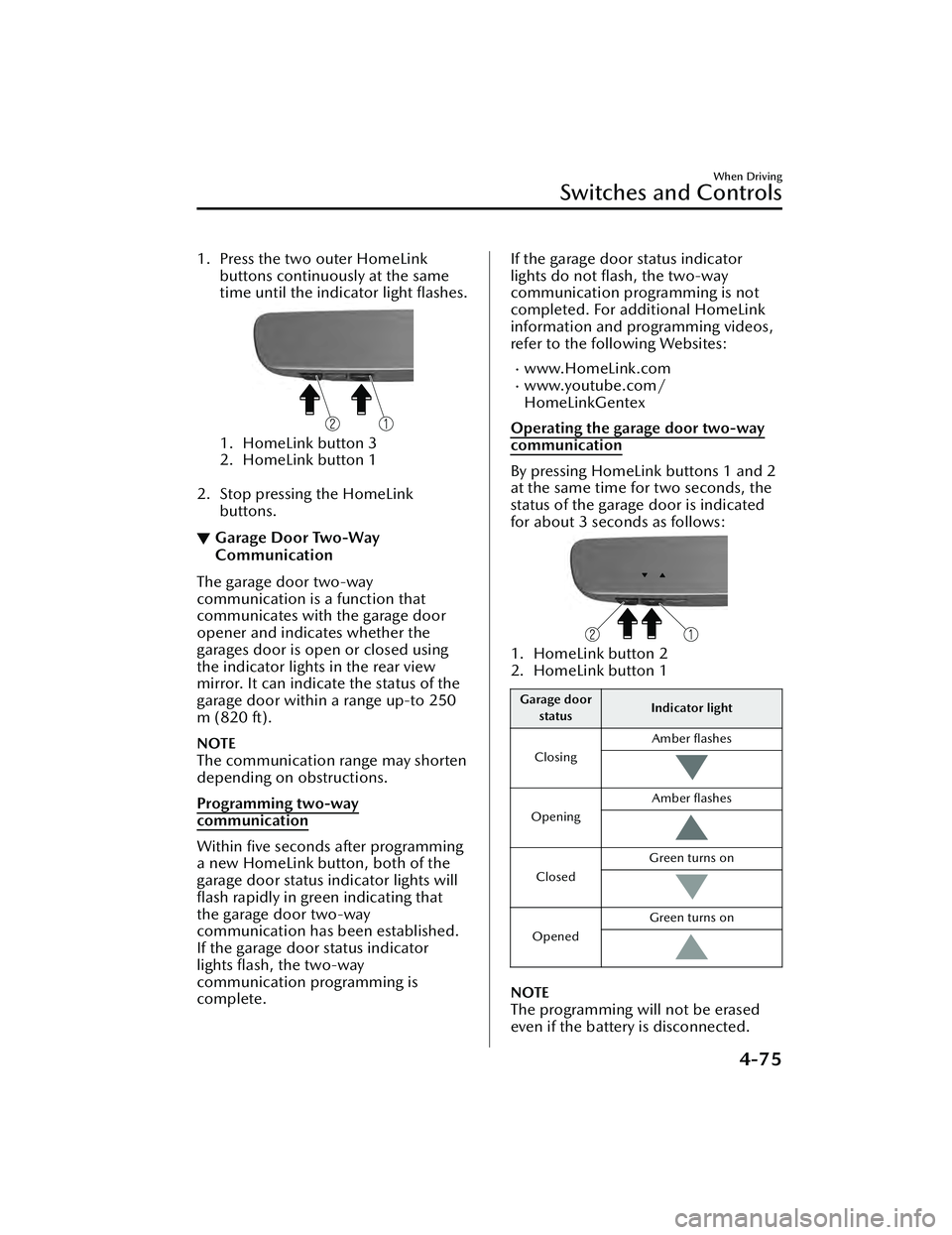
1. Press the two outer HomeLinkbuttons continuously at the same
time until the indicator light flashes.
1. HomeLink button 3
2. HomeLink button 1
2. Stop pressing the HomeLink buttons.
▼Garage Door Two-Way
Communication
The garage door two-way
communication is a function that
communicates with the garage door
opener and indicates whether the
garages door is open or closed using
the indicator lights in the rear view
mirror. It can indicate the status of the
garage door within a range up-to 250
m (820 ft).
NOTE
The communication range may shorten
depending on obstructions.
Programming two-way
communication
Within five seconds after programming
a new HomeLink button, both of the
garage door status indicator lights will
flash rapidly in green indicating that
the garage door two-way
communication has been established.
If the garage door status indicator
lights flash, the two-way
communication programming is
complete.
If the garage door status indicator
lights do not flash, the two-way
communication programming is not
completed. For additional HomeLink
information and programming videos,
refer to the following Websites:
www.HomeLink.comwww.youtube.com/
HomeLinkGentex
Operating the garage door two-way
communication
By pressing HomeLink buttons 1 and 2
at the same time for two seconds, the
status of the garage door is indicated
for about 3 seco nds as follows:
1. HomeLink button 2
2. HomeLink button 1
Garage door
status Indicator light
Closing Amber flashes
Opening Amber flashes
ClosedGreen turns on
Opened Green turns on
NOTE
The programming will not be erased
even if the battery is disconnected.
When Driving
Switches and Controls
4-75
Mazda3_8LC2-EA-22G_Edition1_new
2022-5-20 11:26:10
Page 221 of 623
Brake System
▼Foot Brake
This vehicle has power-assisted brakes
that adjust automatically through
normal use.
Should power-assist fail, you can stop
by applying greater force than normal
to the brake pedal. But the distance
required to stop will be greater than
usual.
WARNING
Do not coast with the engine stalled
or turned off, find a safe place to stop:
Coasting with the engine stalled or
turned
off is dangerous. Braking will
require more effort, and the brake's
power-assist could be depleted if you
pump the brake. This will cause longer
stopping distances or even an
accident.
Shift to a lower gear when going
down steep hills:
Driving with your foot continuously on
the brake pedal or steadily applying
the brakes for long distances is
dangerous. This causes overheated
brakes, resulting in longer stopping
distances or even total brake failure.
This could cause loss of vehicle control
and a serious accident. Avoid
continuous application of the brakes.
Dry off brakes that have become wet
by driving slowly, releasing the
accelerator pedal and lightly applying
the brakes several times until the
brake performance returns to normal:
Driving with wet brakes is dangerous.
Increased stopping distance or the
vehicle pulling to one side when
braking could result in a serious
accident. Light braking will indicate
whether the brakes have been
affected.
CAUTION
Do not drive with your foot held on
the clutch pedal or brake pedal, or
hold the clutch pedal depressed
halfway unnecessarily. Doing so
could result in the following:
The clutch and brake parts will
wear out more quickly.
The brakes can overheat and
adversely
affect brake
performance.
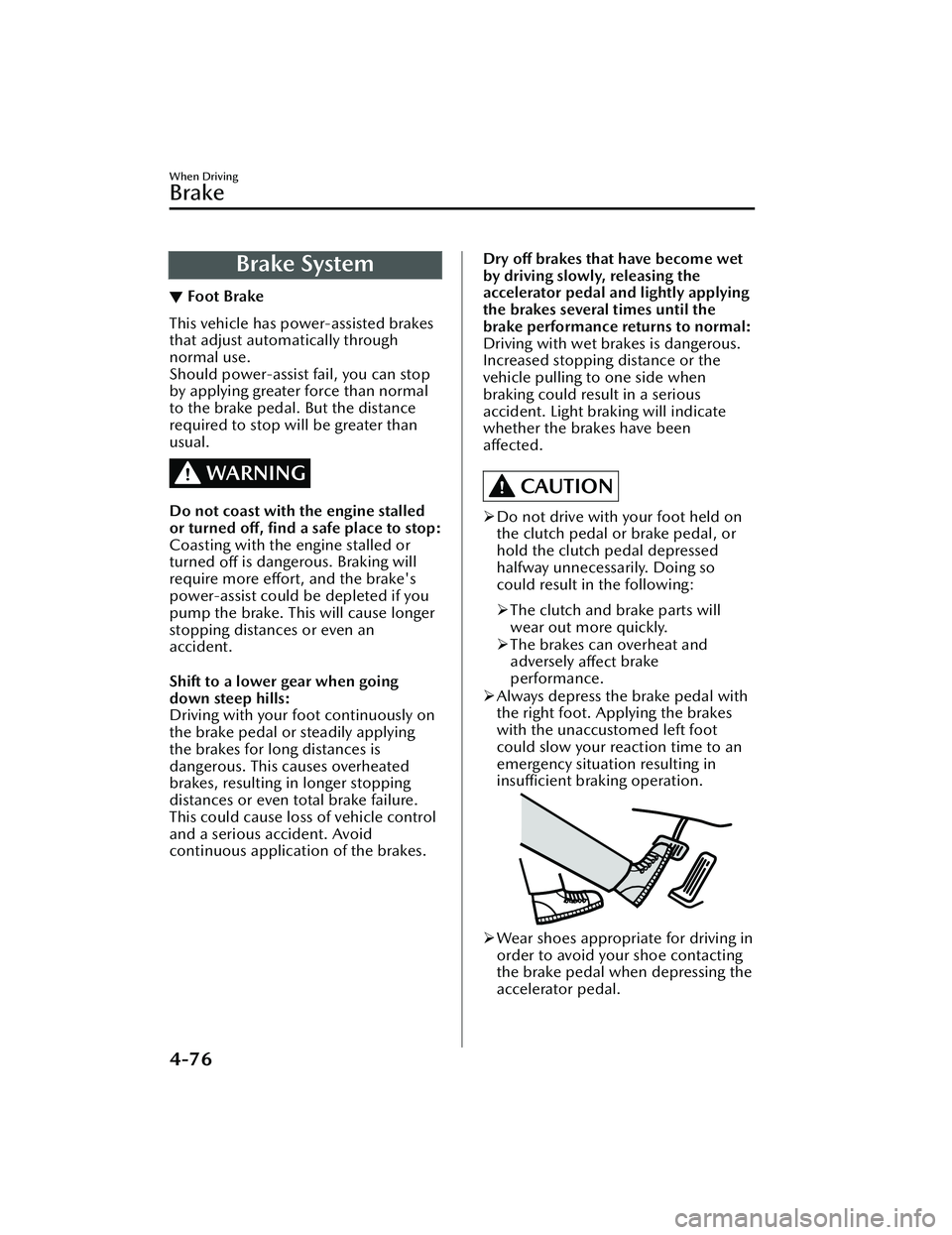
Always depress the brake pedal with
the right foot. Applying the brakes
with the unaccustomed left foot
could slow your reaction time to an
emergency situation resulting in
insufficient braking operation.
Wear shoes appropriate for driving in
order to avoid your shoe contacting
the brake pedal when depressing the
accelerator pedal.
When Driving
Brake
4-76
Mazda3_8LC2-EA-22G_Edition1_new 2022-5-20 11:26:10
Page 222 of 623
▼Electric Parking Brake (EPB)
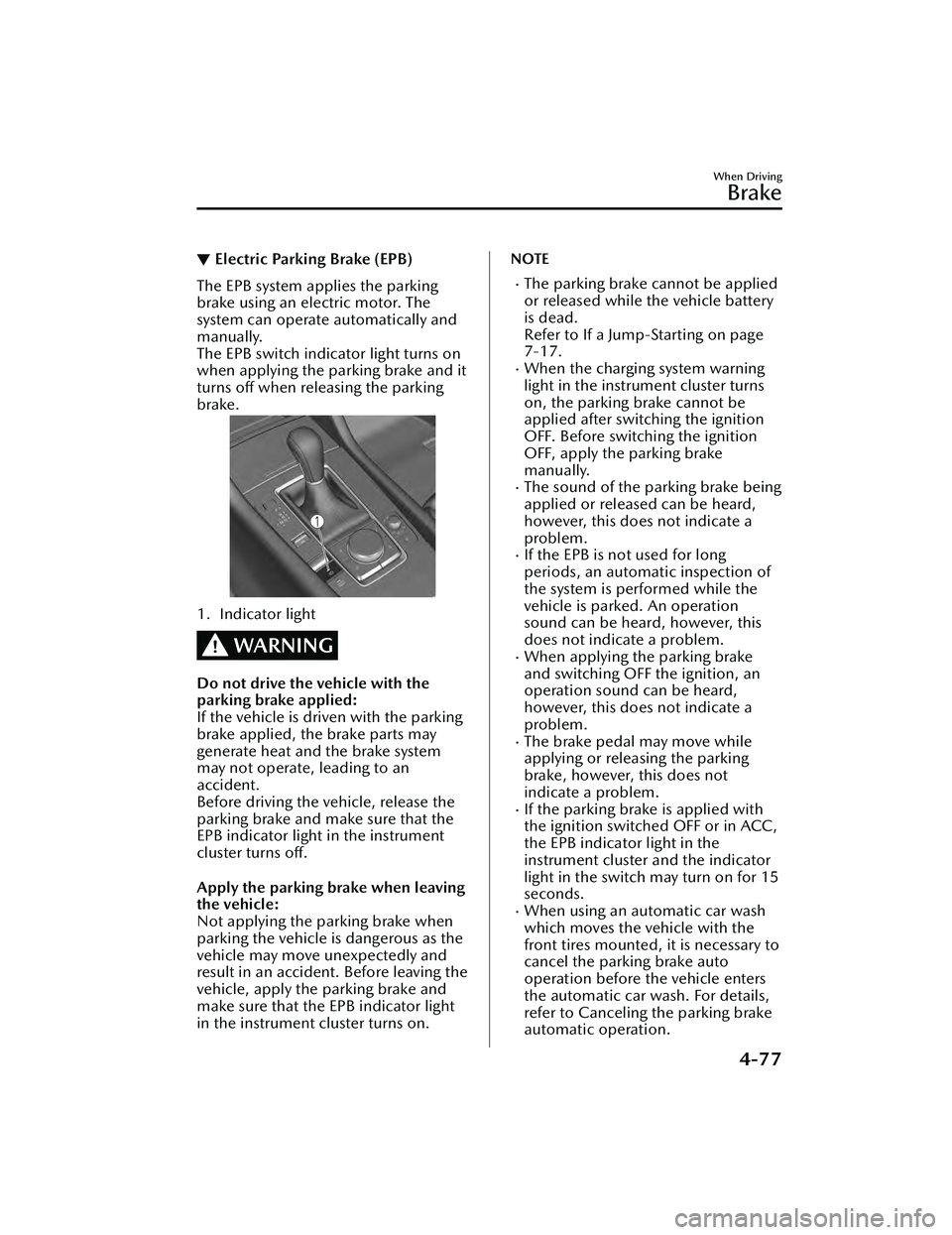
The EPB system applies the parking
brake using an electric motor. The
system can operate automatically and
manually.
The EPB switch indicator light turns on
when applying the parking brake and it
turns off when releasing the parking
brake.
1. Indicator light
WARNING
Do not drive the vehicle with the
parking brake applied:
If the vehicle is driven with the parking
brake applied, the brake parts may
generate heat and the brake system
may not operate, leading to an
accident.
Before driving the vehicle, release the
parking brake and make sure that the
EPB indicator light in the instrument
cluster turns off.
Apply the parking brake when leaving
the vehicle:
Not applying the parking brake when
parking the vehicle is dangerous as the
vehicle may move unexpectedly and
result in an accident. Before leaving the
vehicle, apply the parking brake and
make sure that the EPB indicator light
in the instrument cluster turns on.
NOTE
The parking brake cannot be applied
or released while the vehicle battery
is dead.
Refer to If a Jump-Starting on page
7-17.
When the charging system warning
light in the instrument cluster turns
on, the parking brake cannot be
applied after switching the ignition
OFF. Before switching the ignition
OFF, apply the parking brake
manually.
The sound of the parking brake being
applied or released can be heard,
however, this does not indicate a
problem.
If the EPB is no
t used for long
periods, an automatic inspection of
the system is performed while the
vehicle is parked. An operation
sound can be heard, however, this
does not indicate a problem.
When applying the parking brake
and switching OFF the ignition, an
operation sound can be heard,
however, this does not indicate a
problem.
The brake pedal may move while
applying or releasing the parking
brake, however, this does not
indicate a problem.
If the parking brake is applied with
the ignition switched OFF or in ACC,
the EPB indicator light in the
instrument cluster and the indicator
light in the switch may turn on for 15
seconds.
When using an automatic car wash
which moves the vehicle with the
front tires mounted, it is necessary to
cancel the parking brake auto
operation before the vehicle enters
the automatic car wash. For details,
refer to Canceling the parking brake
automatic operation.
When Driving
Brake
4-77
Mazda3_8LC2-EA-22G_Edition1_new 2022-5-20 11:26:10