ven MAZDA MAZDA 2023 Owners Manual
[x] Cancel search | Manufacturer: MAZDA, Model Year: 2023, Model line: MAZDA, Model: MAZDA MAZDA 2023Pages: 623, PDF Size: 15.08 MB
Page 269 of 623
Operation conditions
The system operates when all of the
following conditions are met:
When your vehicle is driven at less
than about 10 km/h (6 mph).
(Automatic transmission)
The selector lever is in the D
position.
(Manual transmission)
The shift lever is in a position other
than N or R.
When a vehicle approaches from the
front side of your vehicle at a vehicle
speed of about 5 km/h (3 mph) or
faster.
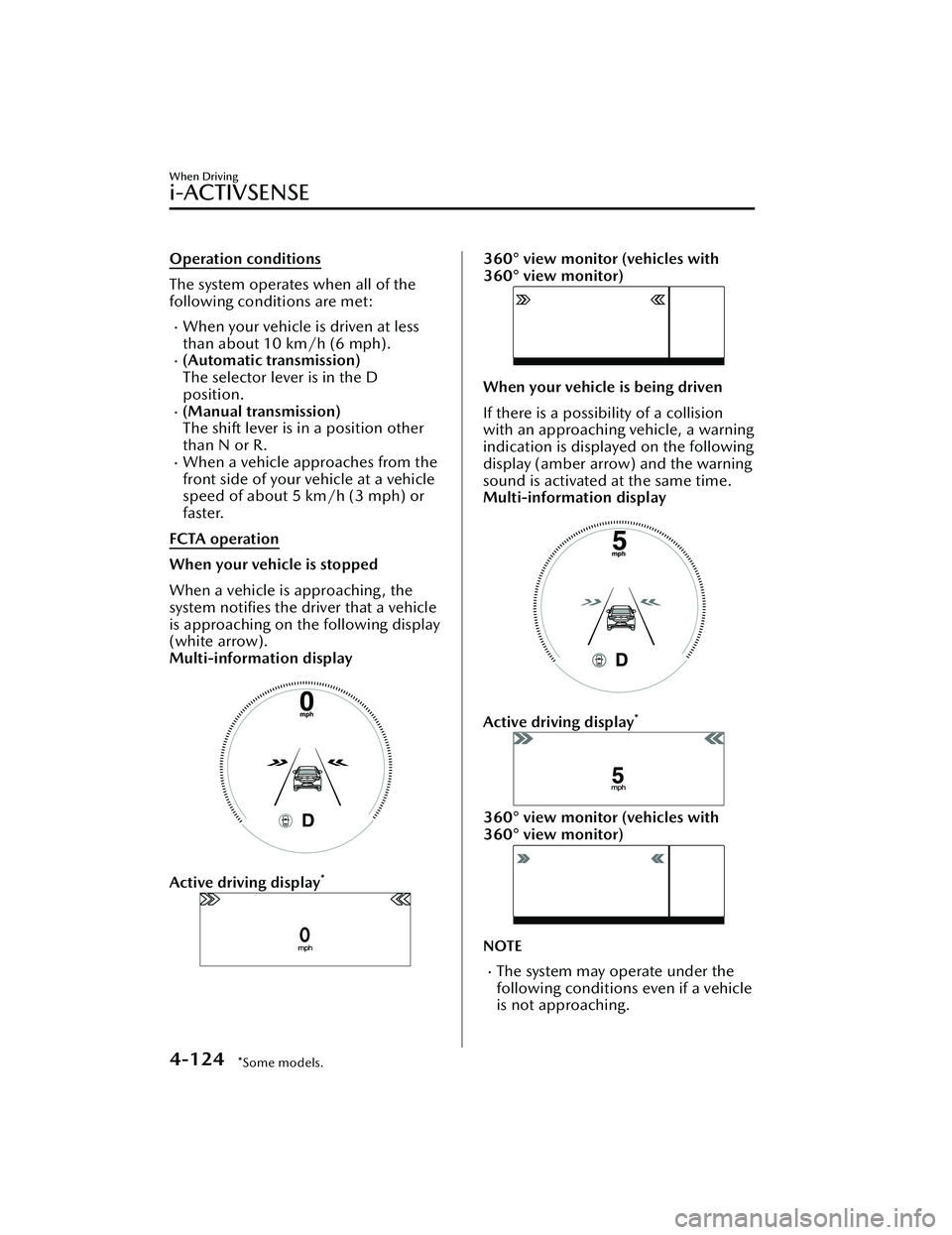
FCTA operation
When your vehicle is stopped
When a vehicle is approaching , the
system notifies the driver that a vehicle
is approaching on the following display
(white arrow).
Multi-information display
Active driving display*
360° view monitor (vehicles with
360° view monitor)
When your vehicle is being driven
If there is a possibility of a collision
with an approaching vehicle, a warning
indication is displayed on the following
display (amber arrow) and the warning
sound is activated at the same time.
Multi-information display
Active driving display*
360° view monitor (vehicles with
360° view monitor)
NOTE
The system may operate under the
following conditions even if a vehicle
is not approaching.
When Driving
i-ACTIVSENSE
4-124*Some models.
Mazda3_8LC2-EA-22G_Edition1_new 2022-5-20 11:26:10
Page 270 of 623
An object that reflects the radio
waves of the radar such as a
parked vehicle, guardrail, or wall is
directly next to your vehicle.
Vehicles are stopped in the area
around your vehicle such as during
heavy traffic.
A vehicle approaching from the
front or side of your vehicle slows
down.
A vehicle approaching from the
front or left side of your vehicle
makes a right or left turn directly in
front of your vehicle.
A vehicle or pedestrian moves in
the parking lot or on the sidewalk
in the area surrounding your
vehicle.
After making a left or right turn, an
on-coming vehicle is present.
When passing an on-coming
vehicle.
A vehicle overtakes your vehicle
while it is stopped.
Your vehicle is in an area where
strong radio waves or electrical
noise may occur such as near a
television tower or power plant.
Under the following conditions, the
front side radar sensor cannot detect
approaching vehicles or it might be
difficult to detect them, and the
system may not operate normally.
The front side radar sensor
detection area is obstructed by a
nearby wall or vehicle.
Directly after the system becomes
operable.
Radio wave interference from a
radar sensor equipped on a nearby
vehicle.
The approaching vehicle has any of
the following shapes.
a) The size of the vehicle body isextremely small.
b) The vehicle height is extremely low or high.
c) A special type of vehicle with a complex shape
A vehicle suddenly enters the
detection area from the front or
side of your vehicle.
A vehicle that has stopped
suddenly starts to move.
Multiple objects move at the same
time.
The vehicle is driven in bad
weather conditions such as heavy
rain, fog , snow, or sand storms.
The vehicle is driven on a sharp
curve or on bumpy roads.
An object that reflects the radio
waves of the radar such as a
parked vehicle, guardrail, or wall is
directly next to your vehicle.
A vehicle approaches while turning
(Such as roundabout)
The vehicle is driven at an
extremely slow speed.
In the following cases, the system
turns on the i-ACTIVSENSE warning
indication/warning light and
operation of the system is stopped. If
the i-ACTIVSENSE warning
indication/warning light remains on,
have the vehicle inspected by an
Authorized Mazda Dealer as soon as
possible.
Some problem with the system has
occurred.
The front side radar sensor
installation position is greatly
deviated.
There is a large accumulation of
snow or ice on the front bumper
near a front side radar sensor.
The temperature near the radar
sensors becomes extremely hot
due to driving for a long time on
slopes during the summer.
The battery voltage has decreased.
When Driving
i-ACTIVSENSE
4-125
Mazda3_8LC2-EA-22G_Edition1_new 2022-5-20 11:26:10
Page 271 of 623
The front side radar sensor of the
FCTA may be regulated under the
radio wave related laws of the
country where the vehicle is driven.
If this system is used abroad, it may
be necessary to turn off the system.
Refer to Front Side Radar Sensor
on page 4-218.
▼Canceling Operation of Front
Cross Traffic Alert (FCTA)
The FCTA can be set to inoperable.
(If only the FCTA is turned
off)
Refer to the Settings section in the
Mazda Connect Owner's Manual.
(If the FCTA is turned off by
operating the i-ACTIVSENSE OFF
switch)
Refer to i-ACTIVSENSE OFF Switch
on page 4-100.
NOTE
If the ignition is switched OFF while
you have canceled the system using the
i-ACTIVSENSE OFF switch, the system
is automatically enabled the next time
the ignition is switched ON. However,
if the system is canceled using the
personalization features, the system is
not automatically enabled.
Rear Cross Traffic Alert
(RCTA)
*
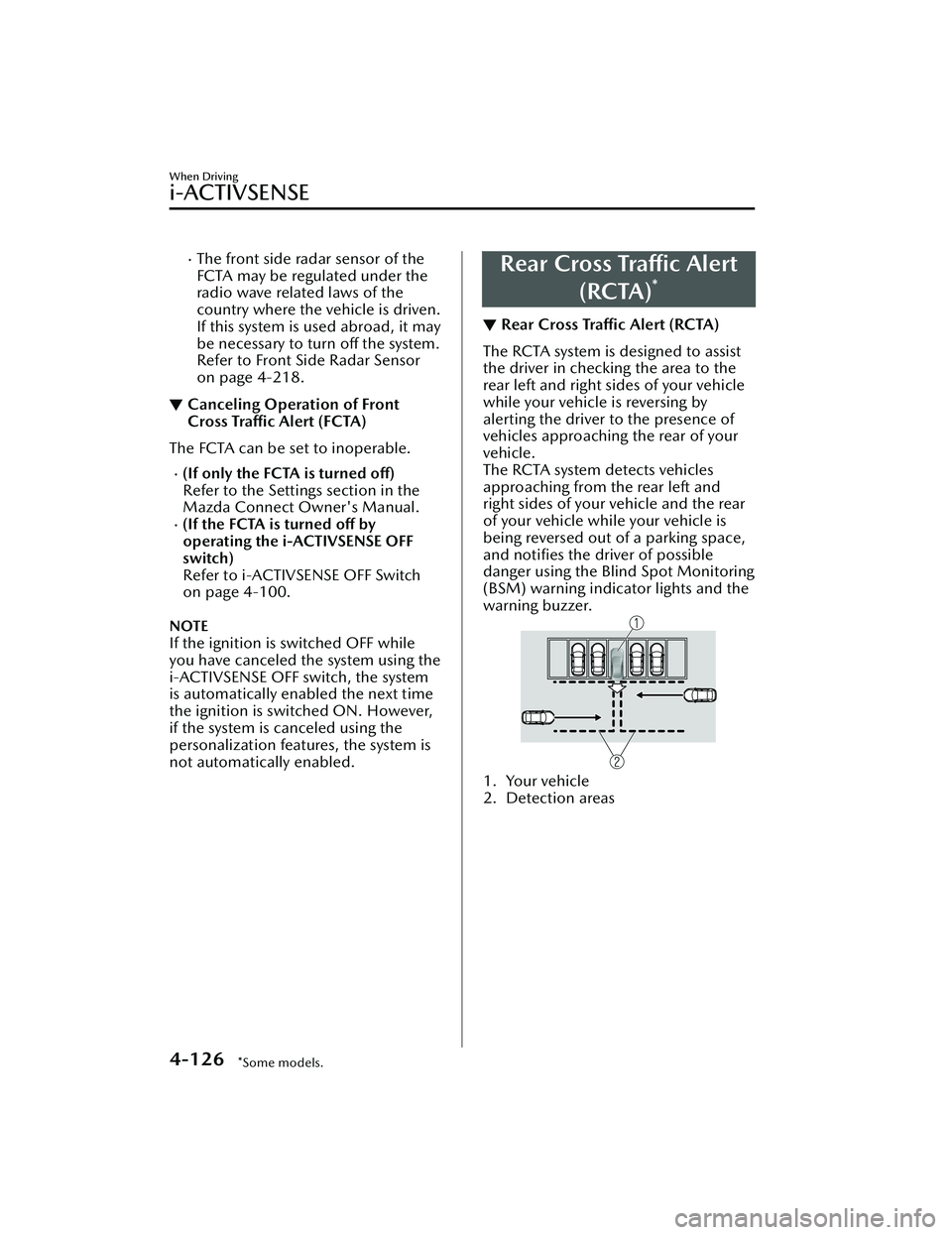
▼Rear Cross Traffic Alert (RCTA)
The RCTA system is designed to assist
the driver in checking the area to the
rear left and right sides of your vehicle
while your vehicle is reversing by
alerting the driver to the presence of
vehicles approaching the rear of your
vehicle.
The RCTA system detects vehicles
approaching from the rear left and
right sides of your vehicle and the rear
of your vehicle while your vehicle is
being reversed out of a parking space,
and notifies the driver of possible
danger using the Blind Spot Monitoring
(BSM) warning indicator lights and the
warning buzzer.
1. Your vehicle
2. Detection areas
When Driving
i-ACTIVSENSE
4-126*Some models.
Mazda3_8LC2-EA-22G_Edition1_new
2022-5-20 11:26:10
Page 272 of 623
WARNING
Always check the surrounding area
visually before actually putting the
vehicle in reverse:
The system is only designed to assist
you in checking for vehicles at the rear
when putting the vehicle in reverse.
Due to certain limitations with the
operation of this system, the Blind Spot
Monitoring (BSM) warning indicator
lights may not flash or it might be
delayed even though a vehicle is
behind your vehicle. Always make it
your responsibility as a driver to check
the rear.
RCTA operation
1. The RCTA system operates whenthe shift lever (manual
transmission) or the selector lever
(automatic transmi ssion) is shifted
to the reverse (R) position.
2. If there is the possibility of a collision with an approaching
vehicle, the Blind Spot Monitoring
(BSM) warning indicator lights
flashes and the warning beep is
activated simultaneously.
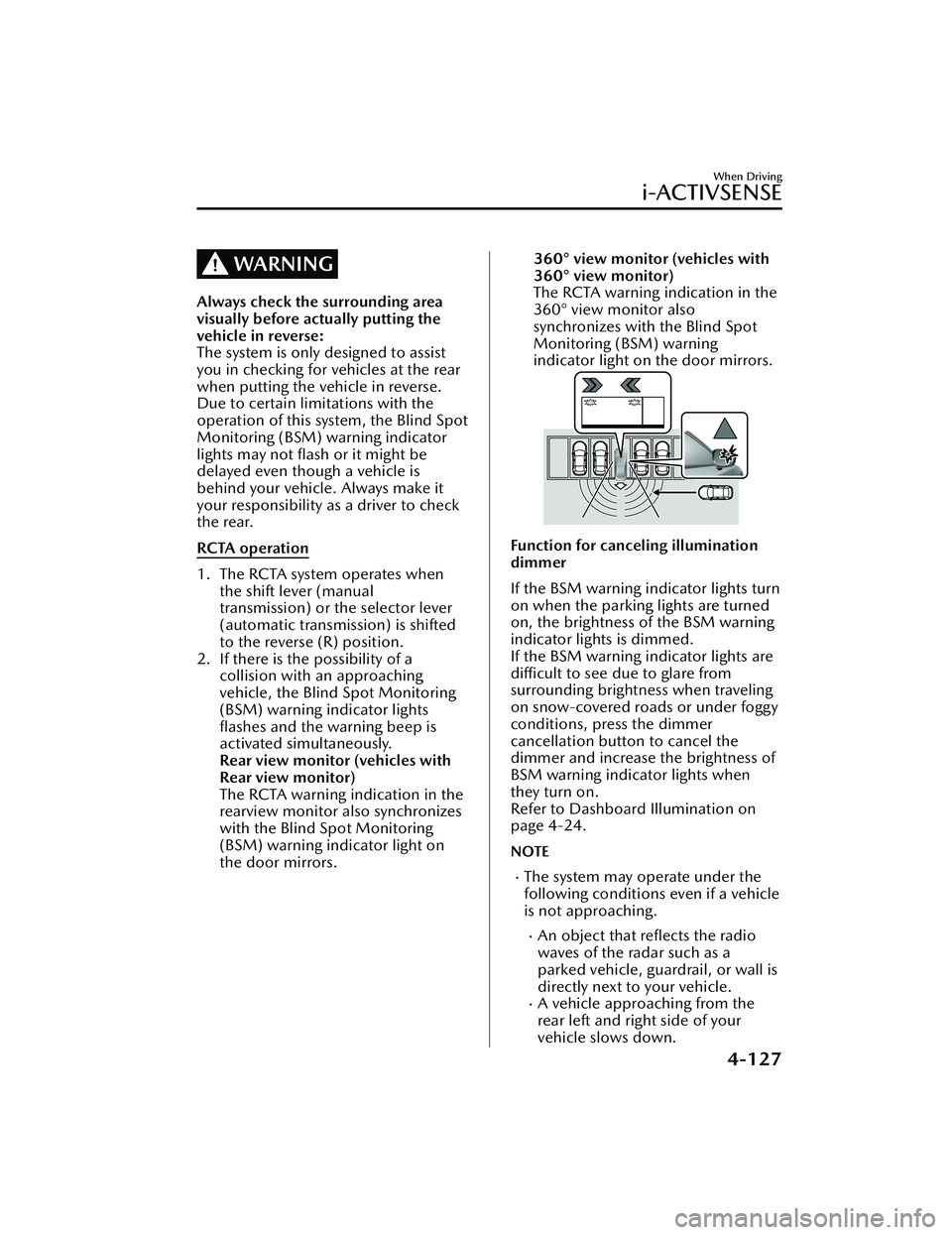
Rear view monitor (vehicles with
Rear view monitor)
The RCTA warning indication in the
rearview monitor also synchronizes
with the Blind Spot Monitoring
(BSM) warning indicator light on
the door mirrors.
360° view monitor (vehicles with
360° view monitor)
The RCTA warning indication in the
360° view monitor also
synchronizes with the Blind Spot
Monitoring (BSM) warning
indicator light on the door mirrors.
Function for canceling illumination
dimmer
If the BSM warning indicator lights turn
on when the parking lights are turned
on, the brightness of the BSM warning
indicator lights is dimmed.
If the BSM warning indicator lights are
difficult to see due to glare from
surrounding brightness when traveling
on snow-covered roads or under foggy
conditions, press the dimmer
cancellation button to cancel the
dimmer and increase the brightness of
BSM warning indicator lights when
they turn on.
Refer to Dashboard Illumination on
page 4-24.
NOTE
The system may operate under the
following conditions even if a vehicle
is not approaching.
An object that reflects the radio
waves of the radar such as a
parked vehicle, guardrail, or wall is
directly next to your vehicle.
A vehicle approaching from the
rear left and right side of your
vehicle slows down.
When Driving
i-ACTIVSENSE
4-127
Mazda3_8LC2-EA-22G_Edition1_new 2022-5-20 11:26:10
Page 274 of 623
In the following cases, it may be
difficult to view the illumination/
flashing of the Blind Spot Monitoring
(BSM) warning indicator lights
equipped on the door mirrors.
Snow or ice adheres to the door
mirrors.
The front door glass is fogged or
covered in snow, frost or dirt.
Turn off the RCTA system while
pulling a trailer or while an accessory
such as a bicycle carrier is installed to
the rear of the vehicle. Otherwise,
the radio waves emitted by the radar
will be blocked causing the system to
not operate normally.
The rear side radar sensor of the
RCTA may be regulated under the
radio wave related laws of the
country where the vehicle is driven. If
this system is used abroad, it may be
necessary to turn off the system.
Refer to Rear Side Radar Sensor on
page 4-219.
▼ Canceling Operation of Rear Cross
Traffic Alert (RCTA)
The RCTA can be set to inoperable.
(If only the RCTA is turned
off)
Refer to the Settings section in the
Mazda Connect Owner's Manual.
(If the RCTA is turned off by
operating the i-ACTIVSENSE OFF
switch)
Refer to i-ACTIVSENSE OFF Switch
on page 4-100.
NOTE
If the ignition is switched OFF while
you have canceled the system using the
i-ACTIVSENSE OFF switch, the system
is automatically enabled the next time
the ignition is switched ON. However,
if the system is canceled using the
personalization features, the system is
not automatically enabled.
When Driving
i-ACTIVSENSE
4-129
Mazda3_8LC2-EA-22G_Edition1_new 2022-5-20 11:26:10
Page 276 of 623
Slippery roads such as ice or
snow-bound roads (Tires could spin
causing you to lose vehicle control,
or the stop hold control may not
operate.)
Long, descending slopes (to
maintain distance between vehicles,
the system automatically and
continuously applies the brakes
which could result in the loss of
brake power.)
Slopes with a steep gradient (The
vehicle ahead may not be detected
correctly.)
Two-wheeled vehicles such as
motorcycles or bicycles are ahead.
For safety purposes, switch the MRCC
system off when it is not being used.
Leaving the MRCC system turned on
when it is not in use is dangerous as it
could operate unexpectedly, resulting
in an accident.
CAUTION
Turn the system
off when the vehicle
is running on a chassis roller.
If your vehicle is towed or you are
towing something , switch the MRCC
system off to prevent an unexpected
operation.
NOTE
The MRCC system does not detect
the following as physical objects.
Vehicles approaching in the
opposite direction
Pe d e s t r i a n sStationary objects (stopped
vehicles, obstructions)
If a vehicle ahead is traveling at an
extremely low speed, the system
may not detect it correctly.
If there is a structure on the road or
an object (such as a monorail) at a
low height off the ground in front of
the vehicle, the system may operate.
Therefore, do not use the MRCC.
Do not use the MRCC system under
conditions in which close proximity
warnings are frequently activated.
During headway control travel, the
system accelerates and decelerates
your vehicle in conjunction with the
speed of the vehicle ahead.
However, if it is necessary to
accelerate for a lane change or if the
vehicle ahead brakes suddenly
causing you to close in on the vehicle
rapidly, accelerate using the
accelerator pedal or decelerate using
the brake pedal depending on the
conditions.
While the MRCC system is in use, it
does not cancel even if the shift lever
is operated and any intended engine
braking will not occur. If deceleration
is required, lower the vehicle speed
setting or depress the brake pedal.
While braking by the MRCC control
is operating, you might hear an
operation sound, however, this does
not indicate a problem.
The brake lights turn on while
braking by the MRCC control is
operating , however, they may not
turn on while the vehicle is on a
down slope at the set vehicle speed
or traveling at a constant speed and
following a vehicle ahead.
Stop the headway control function to
switch the system to the cruise
control function.
Refer to the Settings section in the
Mazda Connect Owner's Manual.
When Driving
i-ACTIVSENSE
4-131
Mazda3_8LC2-EA-22G_Edition1_new 2022-5-20 11:26:10
Page 278 of 623
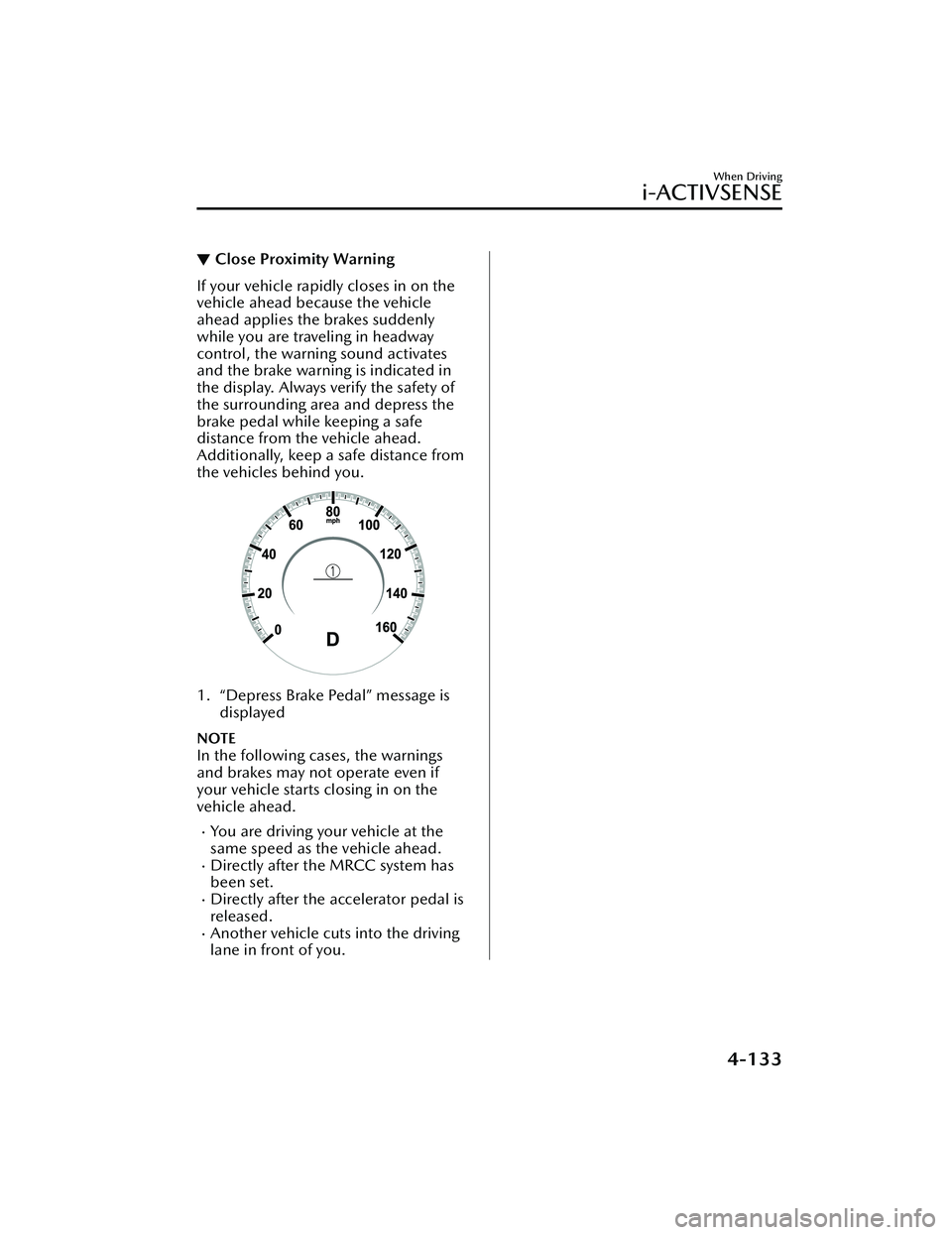
▼Close Proximity Warning
If your vehicle rapidly closes in on the
vehicle ahead because the vehicle
ahead applies the brakes suddenly
while you are traveling in headway
control, the warning sound activates
and the brake warning is indicated in
the display. Always verify the safety of
the surrounding area and depress the
brake pedal while keeping a safe
distance from the vehicle ahead.
Additionally, keep a safe distance from
the vehicles behind you.
1. “Depress Brake Pedal” message is
displayed
NOTE
In the following cases, the warnings
and brakes may not operate even if
your vehicle starts closing in on the
vehicle ahead.
You are driving your vehicle at the
same speed as the vehicle ahead.
Directly after the MRCC system has
been set.
Directly after the accelerator pedal is
released.
Another vehicle cuts into the driving
lane in front of you.
When Driving
i-ACTIVSENSE
4-133
Mazda3_8LC2-EA-22G_Edition1_new 2022-5-20 11:26:10
Page 283 of 623
Resuming control
If the MRCC system is canceled, you can resume control at the previously set speed
by pressing the RES switch and after all of the operation conditions have been met.
NOTE
If the set speed is not indicated in the display, the control does not resume even if
the RES switch is pressed.
Tu r n i n g off the system
When the MRCC switch is pressed while the MRCC is operating, the MRCC turns
off.
When Driving
i-ACTIVSENSE
4-138
Mazda3_8LC2-EA-22G_Edition1_new
2022-5-20 11:26:10
Page 284 of 623
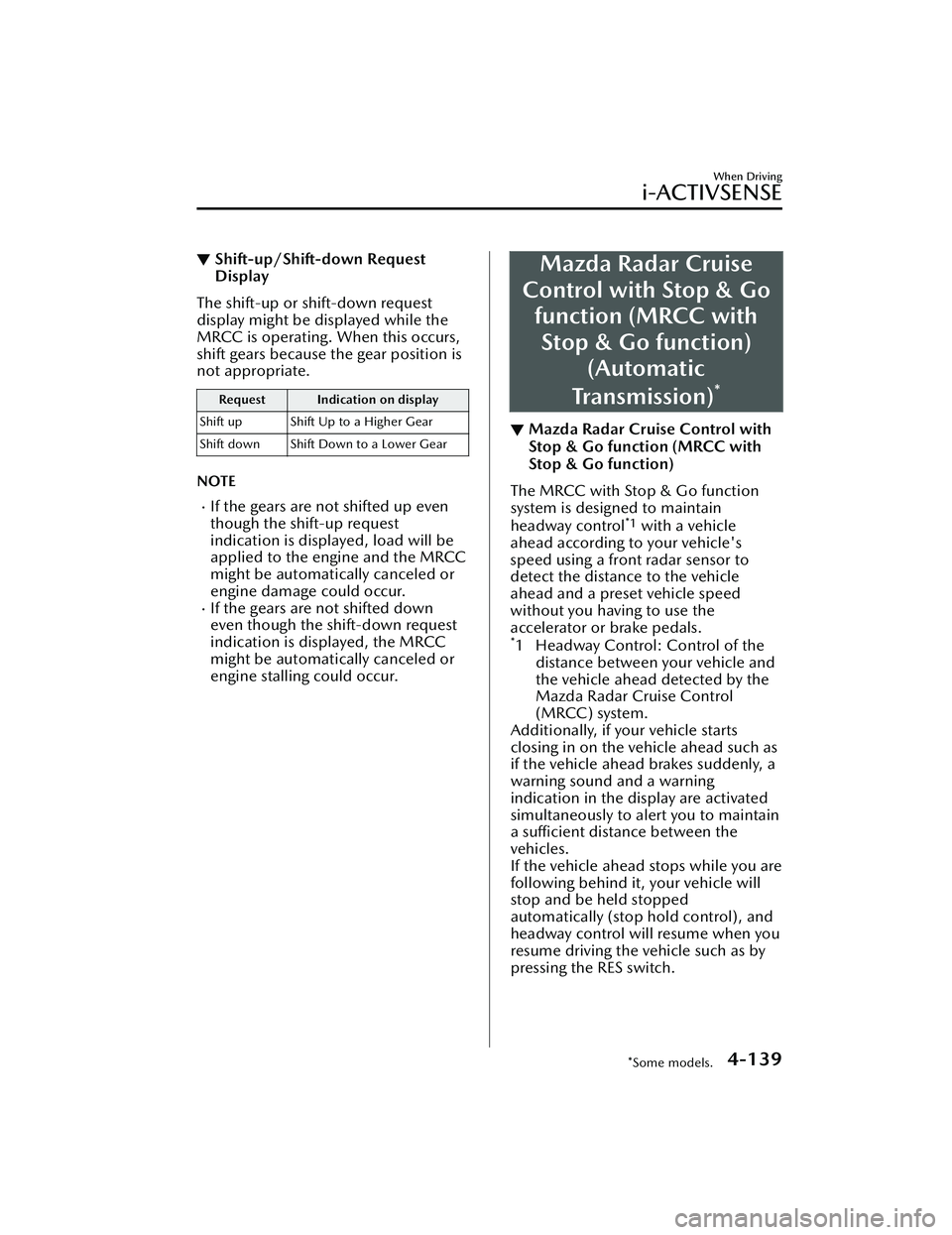
▼Shift-up/Shift-down Request
Display
The shift-up or shift-down request
display might be displayed while the
MRCC is operating. When this occurs,
shift gears because the gear position is
not appropriate.
Request Indication on display
Shift up Shift Up to a Higher Gear
Shift down Shift Down to a Lower Gear
NOTE
If the gears are not shifted up even
though the shift-up request
indication is displayed, load will be
applied to the engine and the MRCC
might be automatically canceled or
engine damage could occur.
If the gears are not shifted down
even though the shift-down request
indication is displayed, the MRCC
might be automatically canceled or
engine stalling could occur.
Mazda Radar Cruise
Control with Stop & Go function (MRCC with
Stop & Go function) (Automatic
Transmission)
*
▼ Mazda Radar Cruise Control with
Stop & Go function (MRCC with
Stop & Go function)
The MRCC with Stop & Go function
system is designed to maintain
headway control
*1 with a vehicle
ahead according to your vehicle's
speed using a front radar sensor to
detect the distance to the vehicle
ahead and a preset vehicle speed
without you having to use the
accelerator or brake pedals.
*1 Headway Control: Control of the distance between your vehicle and
the vehicle ahead detected by the
Mazda Radar Cruise Control
(MRCC) system.
Additionally, if your vehicle starts
closing in on the vehicle ahead such as
if the vehicle ahead brakes suddenly, a
warning sound and a warning
indication in the display are activated
simultaneously to alert you to maintain
a sufficient distance between the
vehicles.
If the vehicle ahead stops while you are
following behind it, your vehicle will
stop and be held stopped
automatically (stop hold control), and
headway control will resume when you
resume driving the vehicle such as by
pressing the RES switch.
When Driving
i-ACTIVSENSE
*Some models.4-139
Mazda3_8LC2-EA-22G_Edition1_new 2022-5-20 11:26:10
Page 286 of 623
Do not get out of the vehicle while
the stop hold control is operating:
Getting out of the vehicle while the
stop hold control is operating is
dangerous as the vehicle may move
unexpectedly and result in an accident.
Before getting out of the vehicle,
switch the MRCC with Stop & Go
function system off, shift the selector
lever to the P position, and apply the
parking brake.
CAUTION
If your vehicle is towed or you are
towing something , switch the MRCC
with Stop & Go function system off
to prevent an unexpected operation.
Turn the system
off when the vehicle
is running on a chassis roller.
NOTE
The MRCC with Stop & Go function
system does not detect the following
as physical objects.
Vehicles approaching in the
opposite direction
Pe d e s t r i a n sStationary objects (stopped
vehicles, obstructions)
If a vehicle ahead is traveling at an
extremely low speed, the system may
not detect it correctly.
If there is a structure on the road or
an object (such as a monorail) at a
low height off the ground in front of
the vehicle, the system may operate.
Therefore, do not use the MRCC
with Stop & Go function.
Do not use the MRCC with Stop &
Go function system under conditions
in which close proximity warnings
are frequently activated.
During headway control travel, the
system accelerates and decelerates
your vehicle in conjunction with the
speed of the vehicle ahead.
However, if it is necessary to
accelerate for a lane change or if the
vehicle ahead brakes suddenly
causing you to close in on the vehicle
rapidly, accelerate using the
accelerator pedal or decelerate using
the brake pedal depending on the
conditions.
While the MRCC with Stop & Go
function system is in use, it does not
cancel even if the selector lever is
operated and any intended engine
braking does not occur. If
deceleration is required, lower the
set speed or depress the brake
pedal.
While braking by the MRCC with
Stop & Go function control is
operating , you might hear an
operation sound, however, this does
not indicate a problem.
The brake lights turn on while
braking by the MRCC with Stop &
Go function control is operating,
however, they may not turn on while
the vehicle is on a down slope at the
set vehicle speed or traveling at a
constant speed and following a
vehicle ahead.
Stop the headway control function to
switch the system to the cruise
control function.
Refer to the Settings section in the
Mazda Connect Owner's Manual.
When Driving
i-ACTIVSENSE
4-141
Mazda3_8LC2-EA-22G_Edition1_new 2022-5-20 11:26:10