Turn On MAZDA MODEL 3 4-DOOR 2010 Owners Manual
[x] Cancel search | Manufacturer: MAZDA, Model Year: 2010, Model line: MODEL 3 4-DOOR, Model: MAZDA MODEL 3 4-DOOR 2010Pages: 504, PDF Size: 5.62 MB
Page 241 of 504

Black plate (241,1)
qControl Switches
AUTO switch
By pressing the AUTO switch the
following functions will be automatically
controlled in accordance with the selected
set temperature:
lAirflow temperaturelAmount of airflowlSelection of airflow modelOutside/Recirculated air selectionlAir conditioner operation
NOTE
AUTO switch indicator lightlWhen on, it indicates AUTO operation, and
the system will function automatically.
lIf any of the following dials or switches are
operated while in AUTO control, the AUTO
switch indicator turns off.
lMode selector switchlFan control diallWindshield defroster switch
The functions for dials and switches other
than those operated in the above continue
to operate in AUTO control.
OFF switch
Pressing the OFF switch shuts off the
climate control system.
Temperature control dial
Hot
Cold
This dial controls temperature. Turn it
clockwise for hot and counterclockwise
for cold.
lWhen the DUAL switch is off:
Turn the driver temperature control dial
to control the temperature.
lWhen the DUAL switch is on:
Turn the driver or front passenger
temperature control dial to control the
temperature.
NOTE
The system changes to the individual operation
mode (DUAL switch indicator light
illuminated) by turning the front passenger
temperature control dial even when the DUAL
switch is off, which allows individual control
of the set temperature for the driver and front
passenger.
Fan control dial
Slow Fast
The fan has seven speeds. The selected
speed will be displayed.
Interior Comfort
Climate Control System
6-11
Mazda3_8BG3-EA-09J_Edition2 Page241
Tuesday, December 8 2009 1:29 PM
Form No.8BG3-EA-09J
Page 242 of 504
Black plate (242,1)
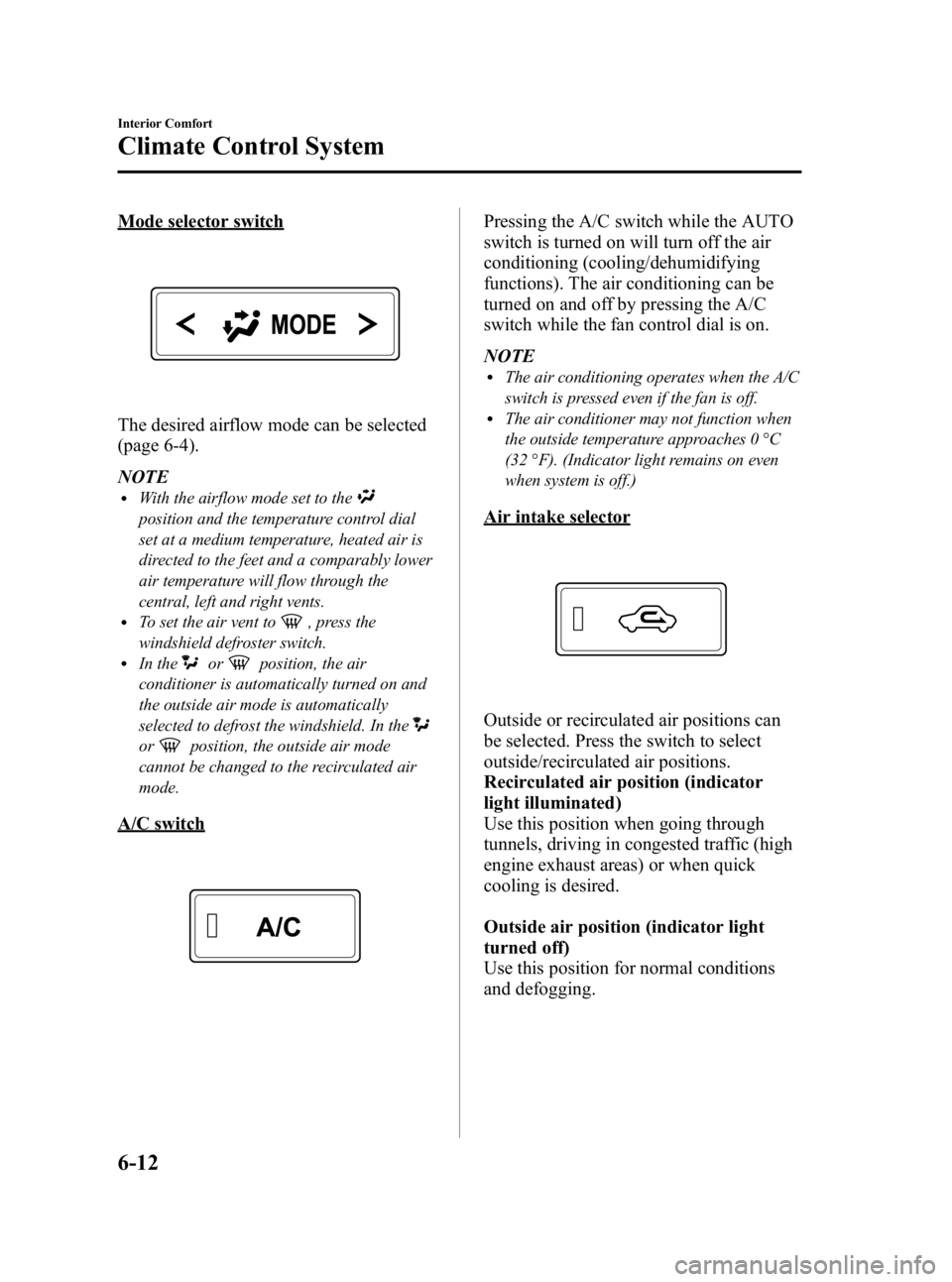
Mode selector switch
The desired airflow mode can be selected
(page 6-4).
NOTE
lWith the airflow mode set to the
position and the temperature control dial
set at a medium temperature, heated air is
directed to the feet and a comparably lower
air temperature will flow through the
central, left and right vents.
lTo set the air vent to, press the
windshield defroster switch.
lIn theorposition, the air
conditioner is automatically turned on and
the outside air mode is automatically
selected to defrost the windshield. In the
orposition, the outside air mode
cannot be changed to the recirculated air
mode.
A/C switch
Pressing the A/C switch while the AUTO
switch is turned on will turn off the air
conditioning (cooling/dehumidifying
functions). The air conditioning can be
turned on and off by pressing the A/C
switch while the fan control dial is on.
NOTE
lThe air conditioning operates when the A/C
switch is pressed even if the fan is off.
lThe air conditioner may not function when
the outside temperature approaches 0 °C
(32 °F). (Indicator light remains on even
when system is off.)
Air intake selector
Outside or recirculated air positions can
be selected. Press the switch to select
outside/recirculated air positions.
Recirculated air position (indicator
light illuminated)
Use this position when going through
tunnels, driving in congested traffic (high
engine exhaust areas) or when quick
cooling is desired.
Outside air position (indicator light
turned off)
Use this position for normal conditions
and defogging.
6-12
Interior Comfort
Climate Control System
Mazda3_8BG3-EA-09J_Edition2 Page242
Tuesday, December 8 2009 1:29 PM
Form No.8BG3-EA-09J
Page 243 of 504

Black plate (243,1)
WARNING
Do not use theposition in cold or
rainy weather:
Using the
position in cold or
rainy weather is dangerous as it will
cause the windows to fog up. Your
vision will be hampered, which could
lead to a serious accident.
DUAL switch
Use the DUAL switch to change the mode
between the individual operation (driver
and passenger) and interconnection
modes.
Individual operation mode (indicator
light illuminated)
The set temperature can be controlled
individually for the driver and front
passenger.
Interconnection mode (indicator light
turned off)
The set temperature for the driver and
front passenger is controlled
simultaneously.
NOTE
is displayed on the information display
while in the individual operation mode.
Windshield defroster switch
Press the switch to defrost the windshield
and front door windows.
NOTE
In theposition, the air conditioner is
automatically turned on and the outside air
mode is automatically selected to defrost the
windshield. In the
position, the outside air
mode cannot be changed to the recirculated
air mode.
q Operation of Automatic Air
Conditioning
1. Press the AUTO switch. Selection of
the airflow mode, air intake selector
and amount of airflow will be
automatically controlled.
Interior Comfort
Climate Control System
6-13
Mazda3_8BG3-EA-09J_Edition2 Page243
Tuesday, December 8 2009 1:29 PM
Form No.8BG3-EA-09J
Page 244 of 504
Black plate (244,1)
2. Use the temperature control dial toselect a desired temperature.
Press the DUAL switch or turn the
front passenger temperature control
dial to control the set temperature
individually for the driver and front
passenger.
To turn off the system, press the OFF
switch.
NOTE
lSetting the temperature to the maximum
high or low will not provide the desired
temperature at a faster rate.
lWhen selecting heat, the system will restrict
airflow until it has warmed to prevent cold
air from blowing out of the vents.
qWindshield Defrosting and Defogging
Press the windshield defroster switch.
In this position, the outside air position is
automatically selected, and the air
conditioner automatically turns on. The
air conditioner will directly dehumidify
the air to the front windshield and side
windows (page 6-4). Airflow amount will
be increased.
WARNING
Set the temperature control to the hot
or warm position when defogging (
position):
Using the
position with the
temperature control set to the cold
position is dangerous as it will cause
the outside of the windshield to fog
up. Your vision will be hampered,
which could lead to a serious
accident.
NOTE
Use the temperature control dial to increase
the air flow temperature and defog the
windshield more quickly.
6-14
Interior Comfort
Climate Control System
Mazda3_8BG3-EA-09J_Edition2 Page244
Tuesday, December 8 2009 1:29 PM
Form No.8BG3-EA-09J
Page 246 of 504
Black plate (246,1)
Antenna
qAntenna (4 Door)
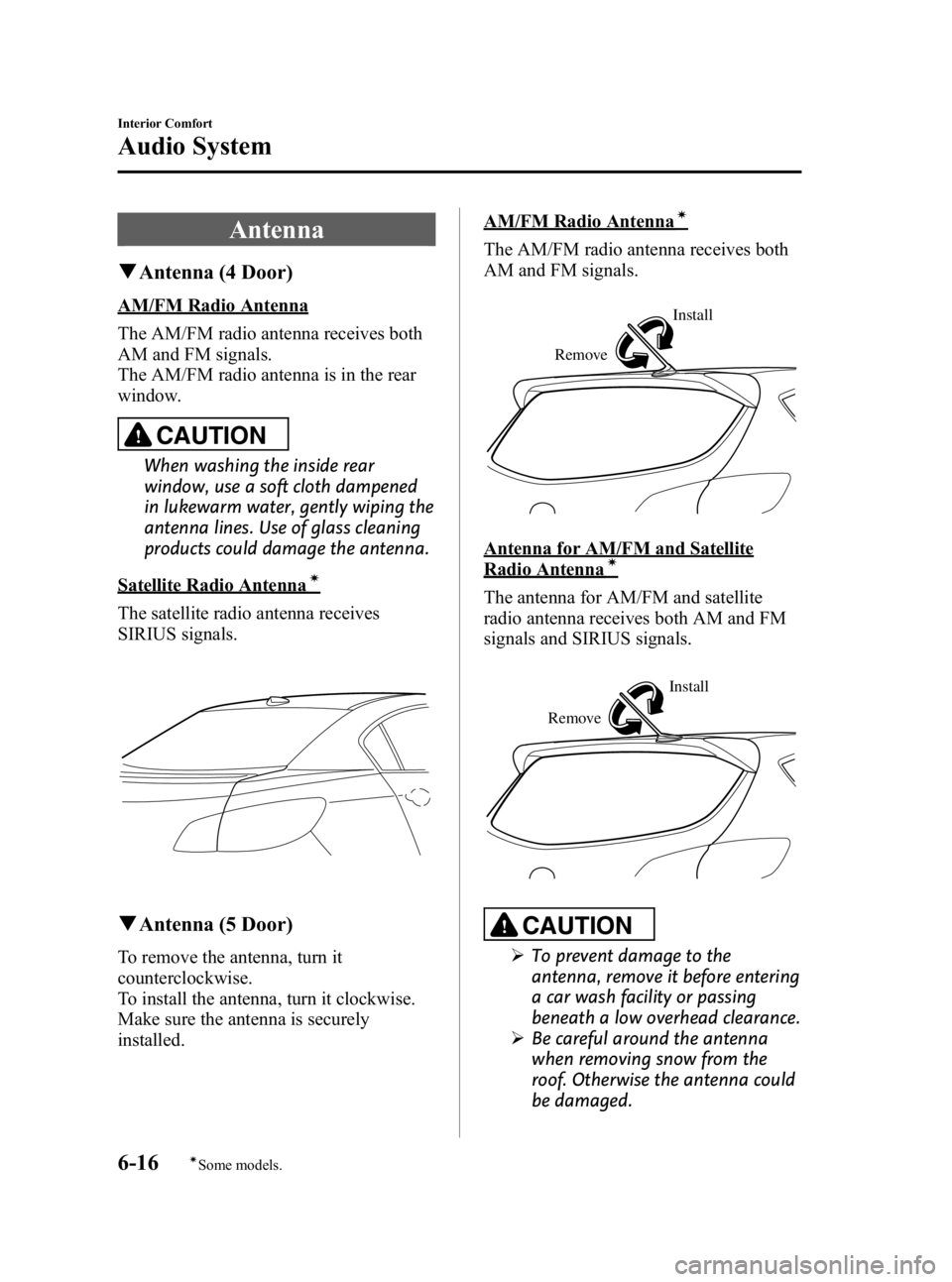
AM/FM Radio Antenna
The AM/FM radio antenna receives both
AM and FM signals.
The AM/FM radio antenna is in the rear
window.
CAUTION
When washing the inside rear
window, use a soft cloth dampened
in lukewarm water, gently wiping the
antenna lines. Use of glass cleaning
products could damage the antenna.
Satellite Radio Antennaí
The satellite radio antenna receives
SIRIUS signals.
qAntenna (5 Door)
To remove the antenna, turn it
counterclockwise.
To install the antenna, turn it clockwise.
Make sure the antenna is securely
installed.
AM/FM Radio Antennaí
The AM/FM radio antenna receives both
AM and FM signals.
Remove Install
Antenna for AM/FM and Satellite
Radio Antennaí
The antenna for AM/FM and satellite
radio antenna receives both AM and FM
signals and SIRIUS signals.
Remove
Install
CAUTION
Ø
To prevent damage to the
antenna, remove it before entering
a car wash facility or passing
beneath a low overhead clearance.
Ø Be careful around the antenna
when removing snow from the
roof. Otherwise the antenna could
be damaged.
6-16
Interior Comfort
íSome models.
Audio System
Mazda3_8BG3-EA-09J_Edition2 Page246
Tuesday, December 8 2009 1:29 PM
Form No.8BG3-EA-09J
Page 250 of 504
Black plate (250,1)
qOperating Tips for CD Player/In-
Dash CD Changer
Condensation phenomenon
Immediately after turning on the heater
when the vehicle is cold, the CD or
optical components (prism and lens) in the
CD player/In-dash CD changer may
become clouded with condensation. At
this time, the CD will eject immediately
when placed in the unit. A clouded CD
can be corrected simply by wiping it with
a soft cloth. Clouded optical components
will clear naturally in about an hour. Wait
for normal operation to return before
attempting to use the unit.
Handling the CD player/In-dash CD
changer
The following precautions should be
observed.
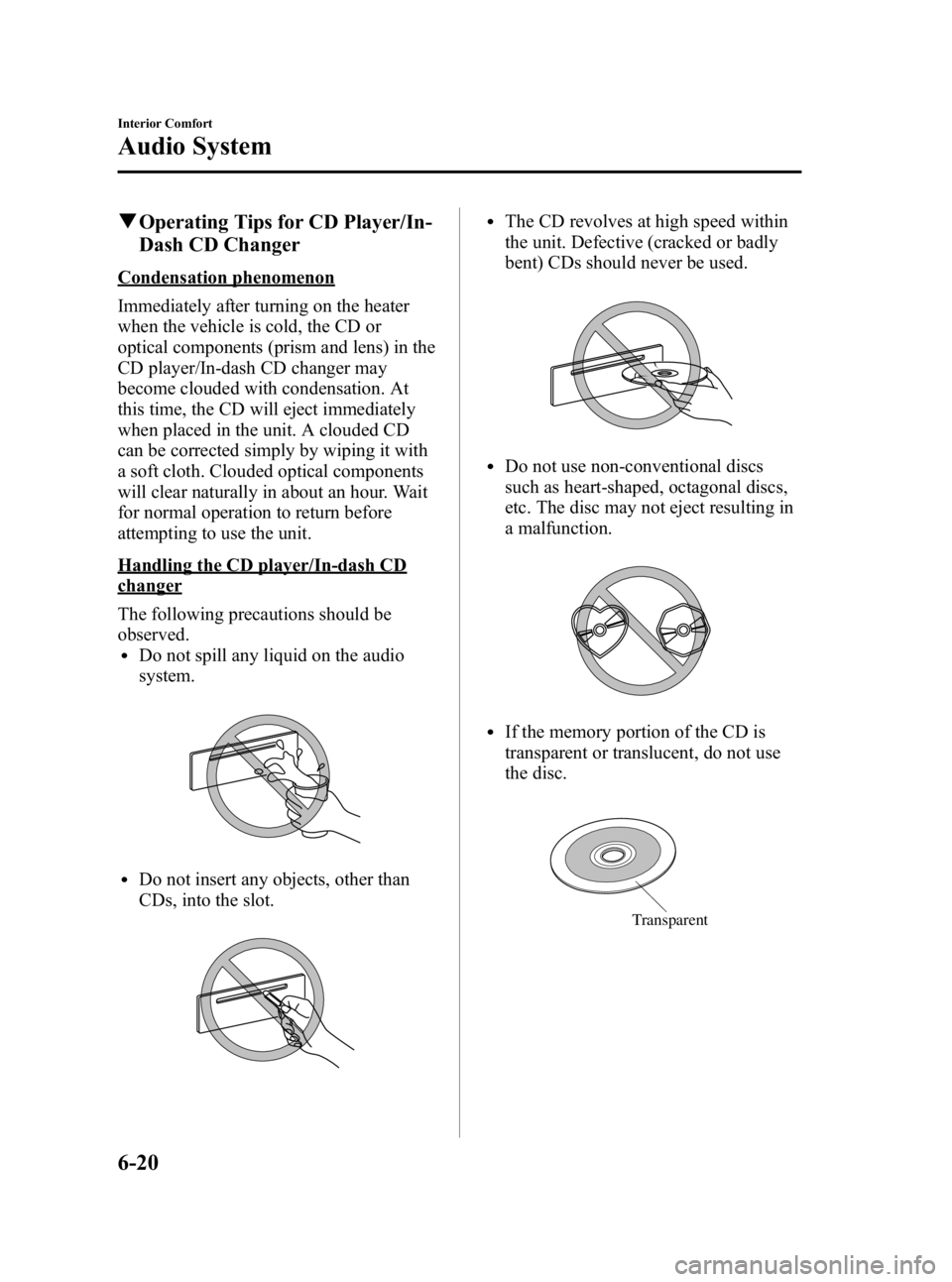
lDo not spill any liquid on the audio
system.
lDo not insert any objects, other than
CDs, into the slot.
lThe CD revolves at high speed within
the unit. Defective (cracked or badly
bent) CDs should never be used.
lDo not use non-conventional discs
such as heart-shaped, octagonal discs,
etc. The disc may not eject resulting in
a malfunction.
lIf the memory portion of the CD is
transparent or translucent, do not use
the disc.
Transparent
6-20
Interior Comfort
Audio System
Mazda3_8BG3-EA-09J_Edition2 Page250
Tuesday, December 8 2009 1:29 PM
Form No.8BG3-EA-09J
Page 258 of 504

Black plate (258,1)
qPower/Volume/Sound Controls
Power/Volume dial Audio control dial
Power ON/OFF
Switch the ignition to ACC or ON.
Press the power/volume dial to turn the
audio system on.
Press the power/volume dial again to turn
the audio system off.
NOTE
To prevent the battery from being discharged,
do not leave the audio system on for a long
period of time when the engine is not running.
Volume adjustment
To adjust the volume, turn the power/
volume dial.
Turn the power/volume dial to the right to
increase volume, to the left to decrease it.
Audio sound adjustment
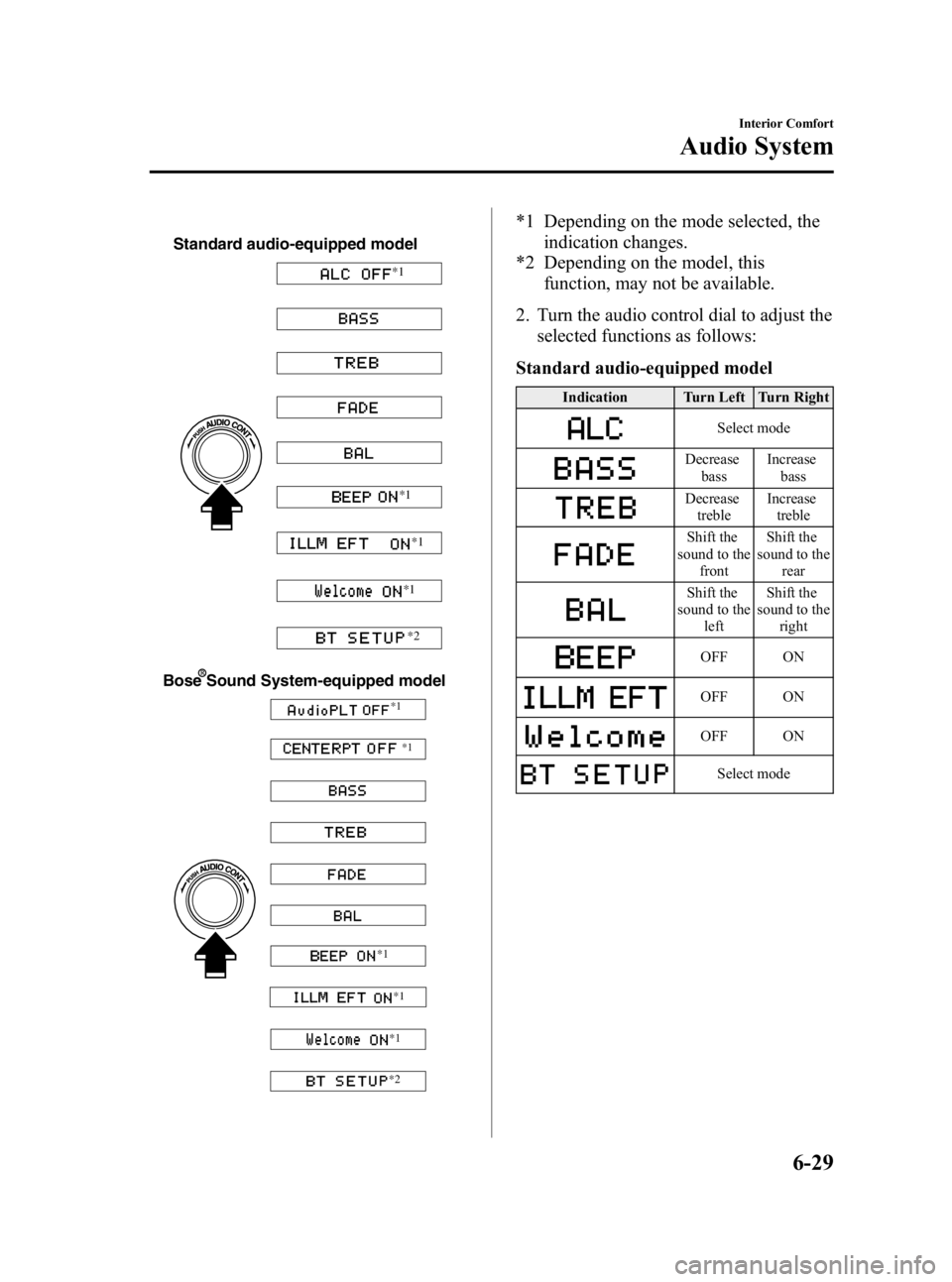
1. Press the audio control dial to select the
function. The selected function will be
indicated.
6-28
Interior Comfort
Audio System
Mazda3_8BG3-EA-09J_Edition2 Page258
Tuesday, December 8 2009 1:29 PM
Form No.8BG3-EA-09J
Page 259 of 504
Black plate (259,1)
Standard audio-equipped model
*1*1
*1
*1
*2
Bose Sound System-equipped model
*1 *1
*1
*1
*1
*2
*1 Depending on the mode selected, the indication changes.
*2 Depending on the model, this
function, may not be available.
2. Turn the audio control dial to adjust the selected functions as follows:
Standard audio-equipped model
Indication Turn Left Turn Right
Select mode
Decrease bass Increase
bass
Decreasetreble Increase
treble
Shift the
sound to the front Shift the
sound to the rear
Shift the
sound to the
left Shift the
sound to the
right
OFF ON
OFF ON
OFF ON
Select mode
Interior Comfort
Audio System
6-29
Mazda3_8BG3-EA-09J_Edition2 Page259
Tuesday, December 8 2009 1:29 PM
Form No.8BG3-EA-09J
Page 260 of 504

Black plate (260,1)
Bose®Sound System-equipped model
Indication Turn Left Turn Right
OFF ON
OFF ON
Decreasebass Increase
bass
Decreasetreble Increase
treble
Shift the
sound to the
front Shift the
sound to the
rear
Shift the
sound to the left Shift the
sound to the right
OFF ON
OFF ON
OFF ON
Select mode
NOTE
About 5 seconds after selecting any mode, the
volume function will be automatically selected.
To reset bass, treble, fade, and balance, press
the audio control dial for 2 seconds. The unit
will beep and “CLEAR ”will be displayed.
Automatic Level Control (ALC)
The automatic level control is a feature
that automatically adjusts audio volume
and sound quality according to the vehicle
speed.
The volume increases in accordance with
the increase in vehicle speed, and
decreases as vehicle speed decreases. Select the desired ALC mode.
Mode
Volume change
No change
Minimum
Medium
Maximum
Turn the audio control dial to select ALC
OFF or ALC LEVEL1― 7 modes. The
selected mode will be indicated.
6-30
Interior Comfort
Audio System
Mazda3_8BG3-EA-09J_Edition2 Page260
Tuesday, December 8 2009 1:29 PM
Form No.8BG3-EA-09J
Page 261 of 504

Black plate (261,1)
*AudioPilot®2 (Bose®Sound System-
equipped model)
AudioPilot
®2 automatically adjusts audio
volume and sound quality in accordance
with the level of noise entering the vehicle
interior while driving. When AudioPilot
®
2 is turned on, the system automatically
calculates the conditions for optimum
hearing of sound which may be difficult
to hear depending on exterior noise.
* AudioPilot
®2 is a registered trademark
of Bose Corporation.
*Centerpoint®(Bose®Sound System-
equipped model)
Centerpoint
®offers you the experience of
5.1-channel surround sound in your
vehicle even with your conventional 2-
channel stereo CDs.
Centerpoint
®can be set on or off.
NOTE
lCenterpoint®operates optimally with a 2-
channel stereo CD. MP3 audio files can be
played, however, MP3 audio files encoded
with high compression may result in poor
sound quality.
lCenterpoint®is available for 2-channel
stereo audio except for AM radio/FM radio/
SIRIUS digital satellite radio/AUX/BT
audio.
* Centerpoint®is a registered trademark
of Bose Corporation.
BEEP setting
The beep-sound when operating the audio
system can be set on or off.
ILLM EFT setting (Illumination setting
during operation)
The audio system illumination during
operation can be set on or off.
Welcome modeí
The welcome mode provides the
following presentation:
Sound is heard when the ignition is turned
on.
BT SETUP modeí
Music and other audio such as voice data
recorded on portable audio devices and
mobile phones available on the market
which are equipped with the Bluetooth
transmission function can be listened to
via wireless transmission over the
vehicle's speakers. Using the BT SETUP
mode, these devices can be programmed
to the Bluetooth unit or changed. For
details, refer to Bluetooth audio (page
6-62).
Interior Comfort
Audio System
6-31íSome models.
Mazda3_8BG3-EA-09J_Edition2 Page261
Tuesday, December 8 2009 1:29 PM
Form No.8BG3-EA-09J