fog light MAZDA MODEL 3 5-DOOR 2017 Owners Manual
[x] Cancel search | Manufacturer: MAZDA, Model Year: 2017, Model line: MODEL 3 5-DOOR, Model: MAZDA MODEL 3 5-DOOR 2017Pages: 612
Page 131 of 612
4–1
*Some models.
4When Driving
Information concerning safe driving and stopping.
Start/Stop Engine ................................4-4
Ignition Switch ...............................4-4
Starting the Engine .........................4-5
Turning the Engine Off ................4-10
Instrument Cluster and Display ......4-12
Meters and Gauges .......................4-12
Active Driving Display* ...............4-21
Warning/Indicator Lights .............4-23
Manual Transaxle Operation ...........4-29
Manual Transaxle Shift Pattern ....4-29
Automatic Transaxle .........................4-32
Automatic Transaxle Controls .....4-32
Shift-Lock System .......................4-33
Transaxle Ranges .........................4-34
Manual Shift Mode ......................4-35
Direct Mode* ................................4-41
Driving Tips .................................4-42
Switches and Controls ......................4-43
Lighting Control ...........................4-43
Fog Lights* ...................................4-48
Turn and Lane-Change Signals ....4-49
Windshield Wipers and Washer ...4-50
Rear Window Wiper and
Washer*.........................................4-53
Rear Window Defogger ...............4-54
Horn .............................................4-56
Hazard Warning Flasher ...............4-56
HomeLink Wireless Control
System* .........................................4-57
Brake ..................................................4-61
Brake System ...............................4-61
Hill Launch Assist (HLA) ............4-67
ABS/TCS/DSC ...................................4-68
Antilock Brake System (ABS) .....4-68
Traction Control System (TCS) ...4-69
Dynamic Stability Control
(DSC)
...........................................4-70
i-ELOOP ............................................4-72
i-ELOOP* .....................................4-72
Fuel Economy Monitor .....................4-75
Fuel Economy Monitor* ...............4-75
Drive Selection ...................................4-78
Drive Selection* ...........................4-78
Power Steering ...................................4-80
Power Steering .............................4-80
Mazda3_8FL6-EA-16F_Edition2.indb 12016/08/10 17:35:40
Page 178 of 612
4–48
When Driving
Switches and Controls
*Some models.
Headlight Leveling*
The number of passengers and weight of
cargo in the luggage compartment change
the angle of the headlights.
The angle of the headlights will be
automatically adjusted when turning on
the headlights.
Daytime Running Lights
Some countries require moving vehicles
to have their lights on (daytime running
lights) during the daytime.
The daytime running lights turn on
automatically when the vehicle starts
moving.
They turn off when the parking brake is
operated or the shift lever is shifted to the
P position (automatic transaxle vehicle).
NOTE
(Except Canada)
The daytime running lights can be
deactivated.
Refer to Personalization Features on page
9-12.
Fog Lights*
The fog lights can be used when the
ignition is switched ON.
Use this switch to turn on the fog lights.
The fog lights will improve visibility at
night and during foggy conditions.
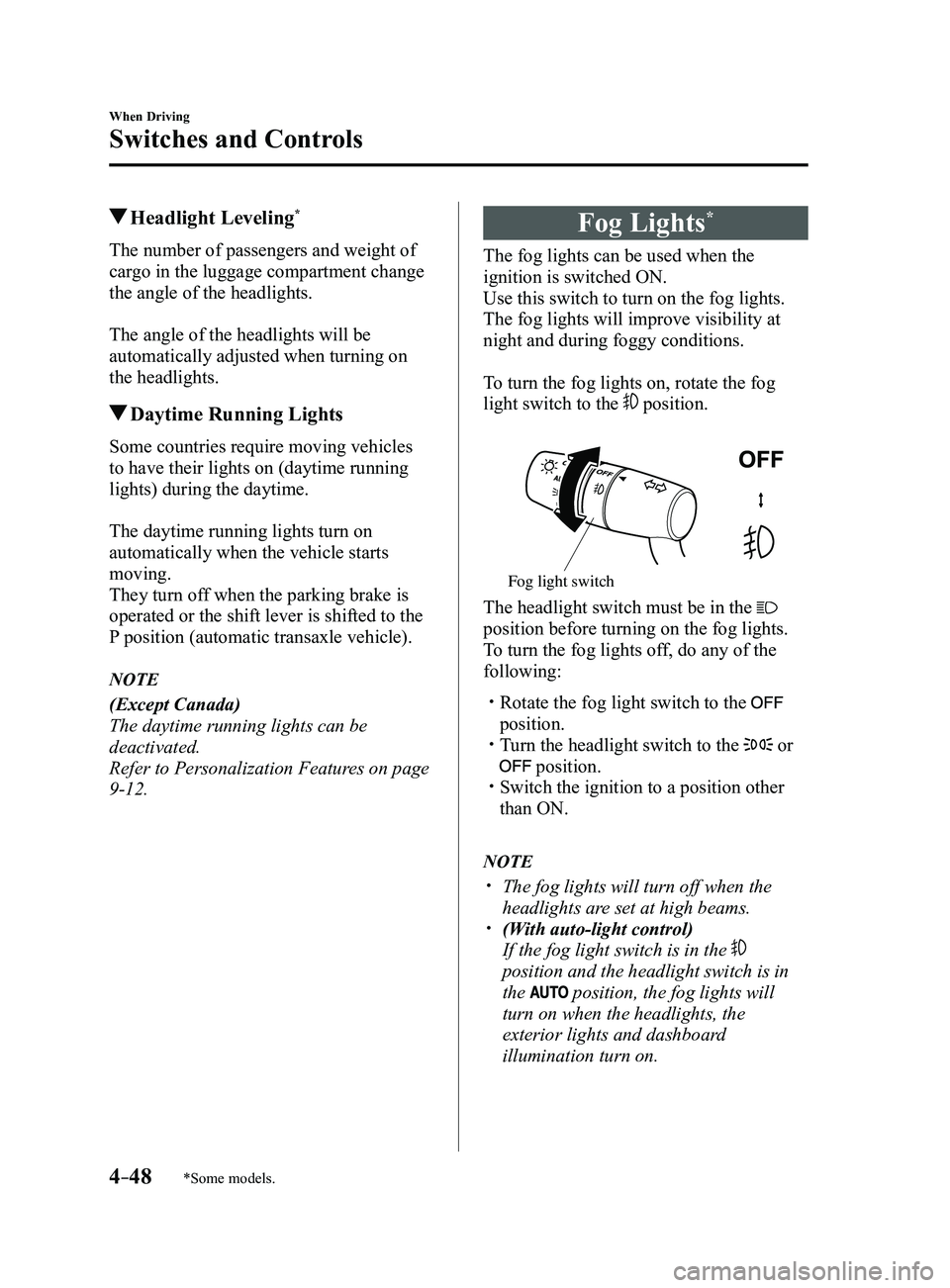
To turn the fog lights on, rotate the fog
light switch to the
position.
Fog light switch
The headlight switch must be in the
position before turning on the fog lights.
To turn the fog lights off, do any of the
following:
Rotate the fog light switch to the
position. Turn the headlight switch to the or
position. Switch the ignition to a position other
than ON.
NOTE
The fog lights will turn off when the
headlights are set at high beams. (With auto-light control)
If the fog light switch is in the
position and the headlight switch is in
the
position, the fog lights will
turn on when the headlights, the
exterior lights and dashboard
illumination turn on.
Mazda3_8FL6-EA-16F_Edition2.indb 482016/08/10 17:36:18
Page 184 of 612
4–54
When Driving
Switches and Controls
Rear Window Defogger
The rear window defogger clears fog from
the rear window.
The ignition must be switched ON to use
the defogger.
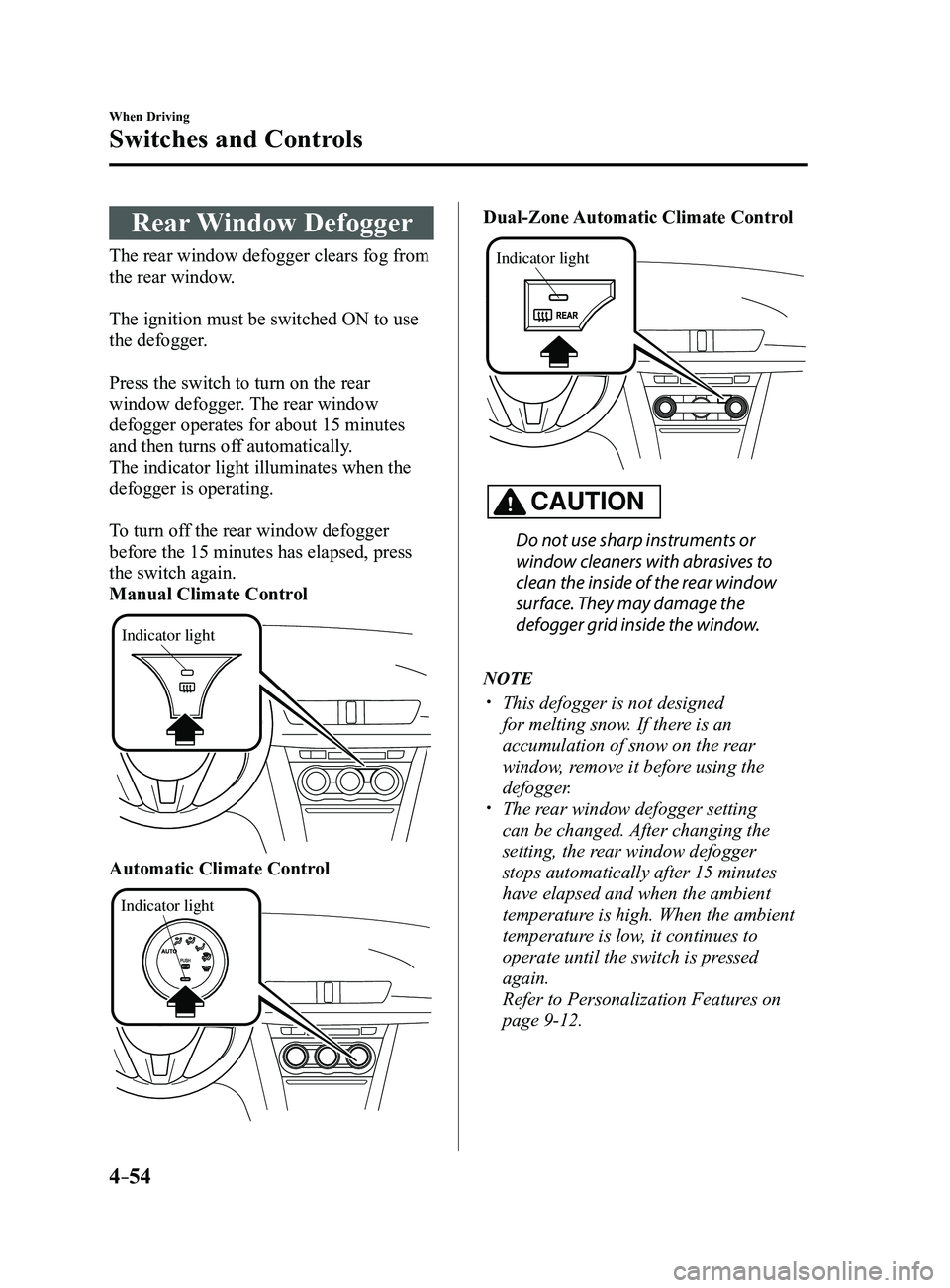
Press the switch to turn on the rear
window defogger. The rear window
defogger operates for about 15 minutes
and then turns off automatically.
The indicator light illuminates when the
defogger is operating.
To turn off the rear window defogger
before the 15 minutes has elapsed, press
the switch again.
Manual Climate Control
Indicator light
Automatic Climate Control
Indicator light
Dual-Zone Automatic Climate Control
Indicator light
CAUTION
Do not use sharp instruments or
window cleaners with abrasives to
clean the inside of the rear window
surface. They may damage the
defogger grid inside the window.
NOTE
This defogger is not designed
for melting snow. If there is an
accumulation of snow on the rear
window, remove it before using the
defogger.
The rear window defogger setting
can be changed. After changing the
setting, the rear window defogger
stops automatically after 15 minutes
have elapsed and when the ambient
temperature is high. When the ambient
temperature is low, it continues to
operate until the switch is pressed
again.
Refer to Personalization Features on
page 9-12.
Mazda3_8FL6-EA-16F_Edition2.indb 542016/08/10 17:36:23
Page 185 of 612
4–55
When Driving
Switches and Controls
*Some models.
Mirror Defogger*
The mirror defoggers defrost the outside
mirrors.
The mirror defoggers operate in
conjunction with the rear window
defogger.
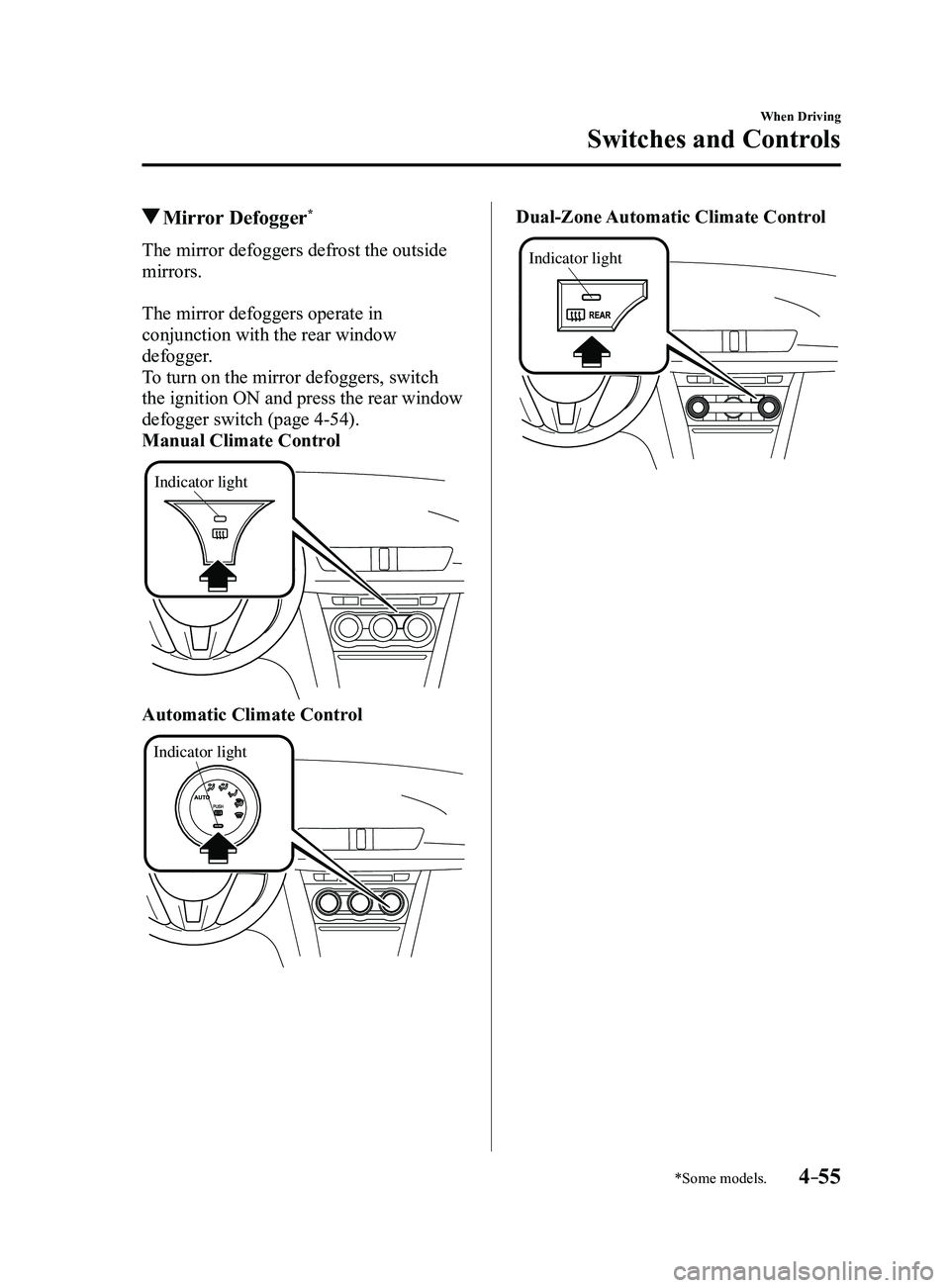
To turn on the mirror defoggers, switch
the ignition ON and press the rear window
defogger switch (page
4-54).
Manual Climate Control
Indicator light
Automatic Climate Control
Indicator light
Dual-Zone Automatic Climate Control
Indicator light
Mazda3_8FL6-EA-16F_Edition2.indb 552016/08/10 17:36:23
Page 216 of 612
4–86
When Driving
i-ACTIVSENSE
CAUTION
Do not adjust the vehicle height, modify the headlight units, or remove the camera,
otherwise the system will not operate normally. Do not rely excessively on the High Beam Control System (HBC) and drive the vehicle while
paying sufficient attention to safety. Switch the headlights between the high beams and
low beams manually if necessary.
NOTE
The timing in which the system switches the headlights changes under the\
following
conditions. If the system does not switch the headlights appropriately, manually switch
between high and low beams according to the visibility as well as road and traffic
conditions.
When there are sources of light in the area such as street lamps, illuminated signboards,
and traffic signals. When there are reflective objects in the surrounding area such as reflective plates and
signs. When visibility is reduced under rain, snow and foggy conditions. When driving on roads with sharp turn or hilly terrain. When the headlights/r ear lamps of vehicles in front of you or in the opposite lane are dim
or not illuminated. When there is sufficient darkness such as at dawn or dusk. When the luggage compartment is loaded with heavy objects or the r ear passenger seats
are occupied. When visibility is reduced due to a vehicle in front of you spraying water from its tires
onto your windshield.
Mazda3_8FL6-EA-16F_Edition2.indb 862016/08/10 17:36:36
Page 220 of 612
4–90
When Driving
i-ACTIVSENSE
In the following case, the flashing of the Blind Spot Monitoring (BSM) warning indicator
light, and the activation of the warning sound and the warning screen indicator display
may not occur or they may be delayed.
A vehicle makes a lane change from a driving lane two lanes over to an adjacent lane. Driving on steep slopes. Crossing the summit of a hill or mountain pass. The turning radius is small (making a sharp turn, turning at intersecti\
ons). When there is a difference in the height between your driving lane and the adjacent
lane. Directly after pressing the Blind Spot Monitoring (BSM) OFF switch and the system
becomes operable.
If the road width is extremely narrow, vehicles two lanes over may be detected.
The detection area of the radar sensors (rear) is set according to the road width of
expressways.
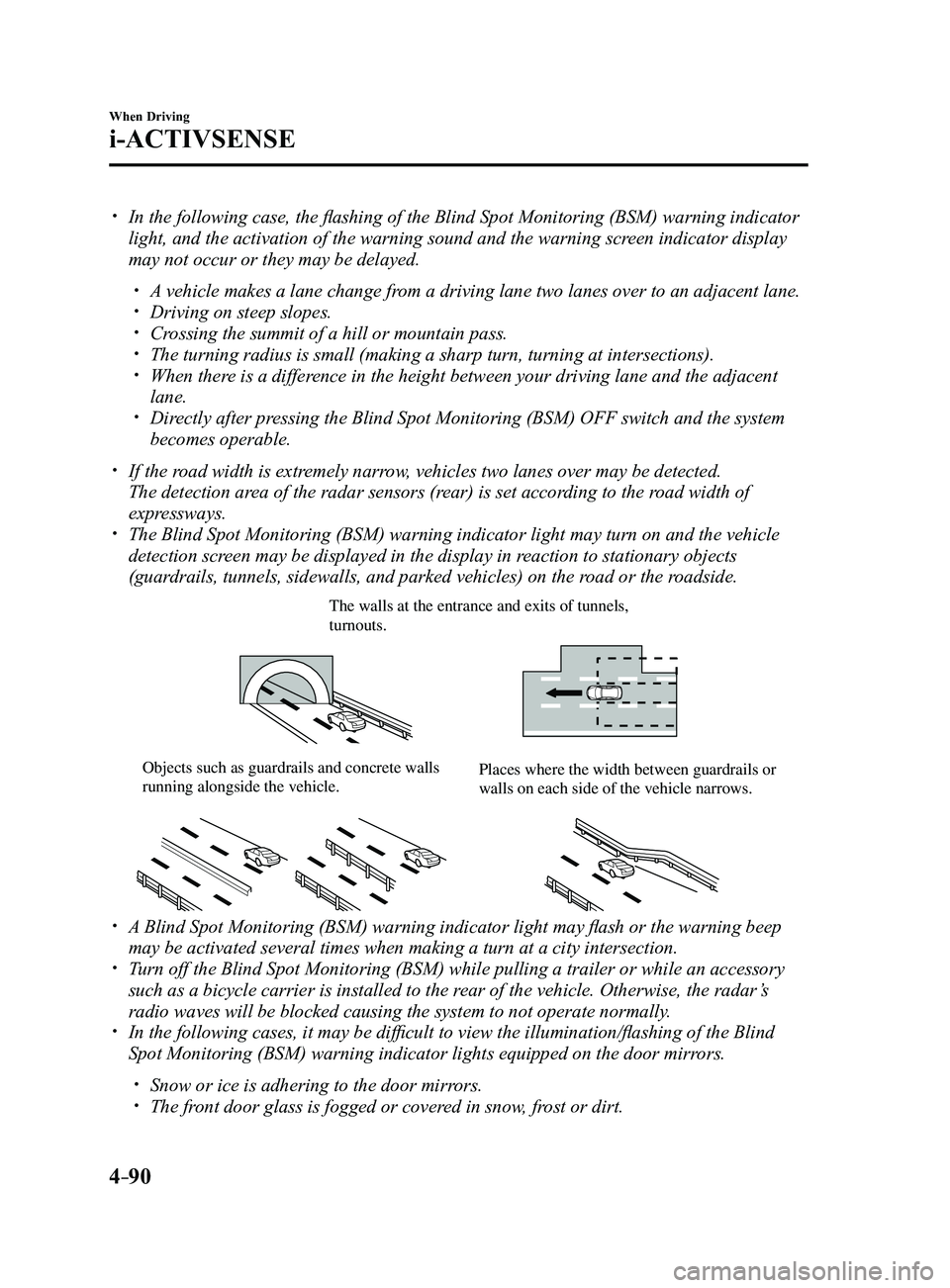
The Blind Spot Monitoring (BSM) warning indicator light may turn on an\
d the vehicle
detection screen may be displayed in the display in reaction to stationary objects
(guardrails, tunnels, sidewalls, and parked vehicles) on the road or the roadside.
The walls at the entrance and exits of tunnels, turnouts.
Objects such as guardrails and concrete walls running alongside the vehicle.Places where the width between guardrails or walls on each side of the vehicle narrows.
A Blind Spot Monitoring (BSM) warning indicator light may flash or the warning beep
may be activated several times when making a turn at a city intersection\
. Turn off the Blind Spot Monitoring (BSM) while pulling a trailer or whi\
le an accessory
such as a bicycle carrier is installed to the rear of the vehicle. Otherwise, the radar’s
radio waves will be blocked causing the system to not operate normally.
In the following cases, it may be difficult to view the illumination/flashing of the Blind
Spot Monitoring (BSM) warning indicator lights equipped on the door mi\
rrors.
Snow or ice is adhering to the door mirrors. The front door glass is fogged or covered in snow, frost or dirt.
Mazda3_8FL6-EA-16F_Edition2.indb 902016/08/10 17:36:38
Page 222 of 612
4–92
When Driving
i-ACTIVSENSE
Forward driving (Blind Spot Monitoring (BSM) operation)
The Blind Spot Monitoring (BSM) detects vehicles approaching from the rear and turns on
the Blind Spot Monitoring (BSM) warning indicator lights equipped on the door mirrors
according to the conditions. Additionally, while a Blind Spot Monitoring (BSM) warning
indicator light is illuminated, if the turn signal lever is operated to \
signal a turn in the
direction in which the Blind Spot Monitoring (BSM) warning indicator light is illuminated,
the Blind Spot Monitoring (BSM) warning indicator light flashes.
Reverse driving (Rear Cross Traffic Alert (RCTA) system operation)
The Rear Cross Traffic Alert (RCTA) system detects vehicles approaching from the left and
right of your vehicle and flashes the Blind Spot Monitoring (BSM) warning indicator lights.
Function for cancelling illumination dimmer
If the Blind Spot Monitoring (BSM) warning indicator lights turn on when the parking lights
are turned on, the brightness of the Blind Spot Monitoring (BSM) warning indicator lights is
dimmed.
If the Blind Spot Monitoring (BSM) warning indicator lights are difficult to see due to
glare from surrounding brightness when traveling on snow-covered roads o\
r under foggy
conditions, press the dimmer cancellation button to cancel the dimmer an\
d increase the
brightness of Blind Spot Monitoring (BSM) warning indicator lights when they turn on.
Refer to Dashboard Illumination on page
4-18.
Display indicator (Vehicles with active driving display)
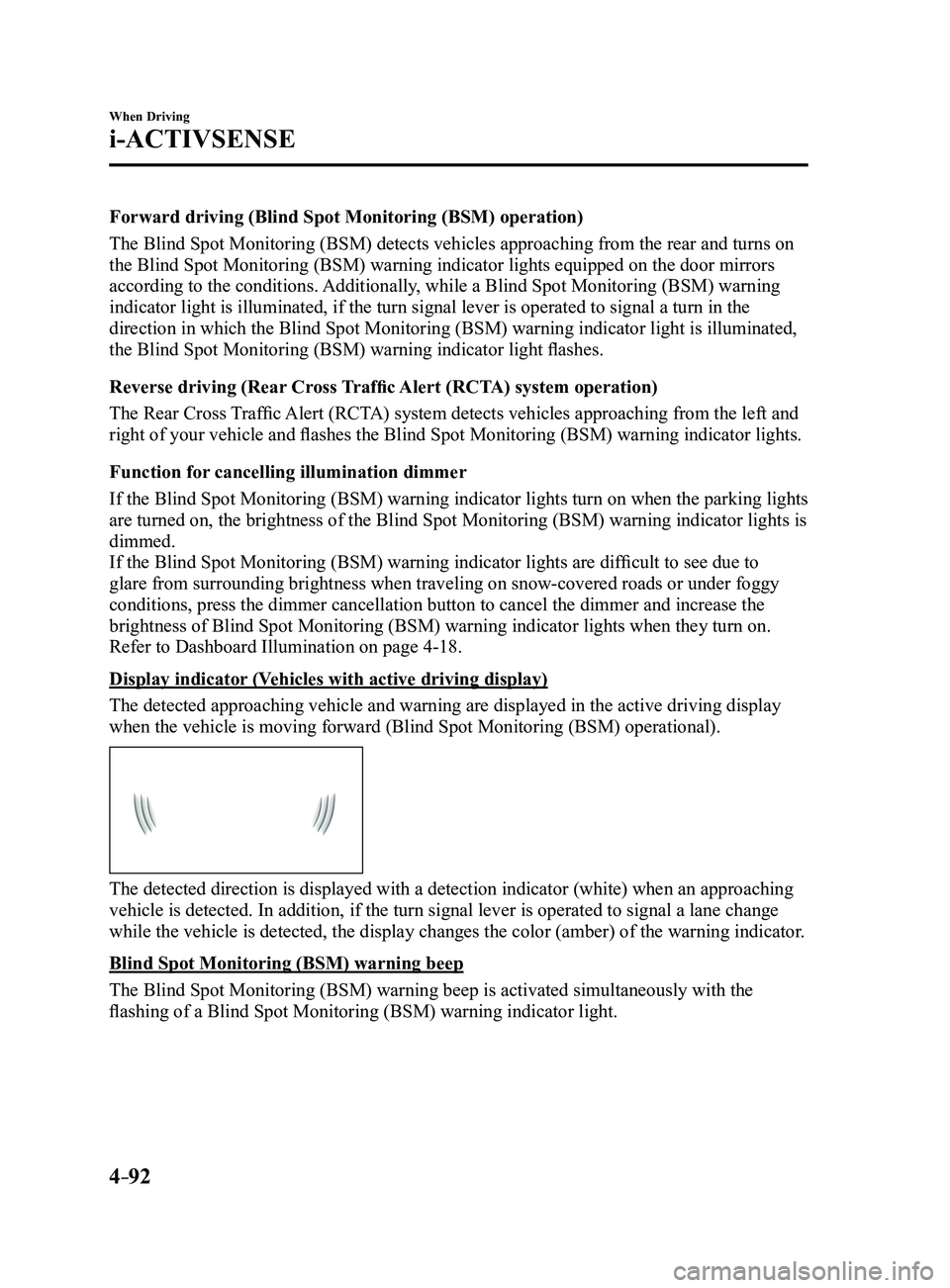
The detected approaching vehicle and warning are displayed in the active\
driving display
when the vehicle is moving forward (Blind Spot Monitoring (BSM) operational).
The detected direction is displayed with a detection indicator (white)\
when an approaching
vehicle is detected. In addition, if the turn signal lever is operated t\
o signal a lane change
while the vehicle is detected, the display changes the color (amber) o\
f the warning indicator.
Blind Spot Monitoring (BSM) warning beep
The Blind Spot Monitoring (BSM) warning beep is activated simultaneously with the
flashing of a Blind Spot Monitoring (BSM) warning indicator light.
Mazda3_8FL6-EA-16F_Edition2.indb 922016/08/10 17:36:39
Page 226 of 612
4–96
When Driving
i-ACTIVSENSE
NOTE
The Traffic Sign Recognition System (TSR) does not operate if there is a malfunction in
the Forward Sensing Camera (FSC). Under the following conditions, the Traffic Sign Recognition System (TSR) may not
operate normally.
An object placed on the dashboard is reflected in the windshield and picked up by the
camera. Heavy luggage is loaded in the luggage compartment or on the r ear seat and the
vehicle is tilted. The tire pressures are not adjusted to the specified pressure. Tires other than standard tires are equipped. The vehicle is driven on the ramp and surrounding area to or from a rest area or a
tollgate on a highway. When surrounding brightness suddenly changes such as when entering or exiting a
tunnel. The illumination of the headlights is weakened because of dirt or the op\
tical axis is
deviated. The windshield is dirty or foggy. The windshield and camera are fogged (water droplets). Strong light is directed at the front of the vehicle (such as backlight or high-beam
headlights of on-coming vehicles). The vehicle is making a sharp turn. Strong light reflects off the road. A traffic sign is in a position which makes it difficult to reflect the light from the
vehicle's headlights, such as when the vehicle is driven at night or in \
a tunnel. The vehicle is driven under weather conditions such as rain, fog, or sno\
w . The stored map data for the navigation system is not current. The camera cannot capture a traffic sign's image. A traffic sign is obscured by mud or snow. A traffic sign is concealed by trees or a vehicle. A traffic sign is partially shaded. A traffic sign is bent or warped. A traffic sign is too low or too high. A traffic sign is too bright or too dark (including electronic traffic signs). A traffic sign is too big or too small. There is an object similar to the traffic sign being read (such as another traffic sign or
other signs resembling it).
The Traffic Sign Recognition System (TSR) does not operate if the active driving display
is set to non-display. The Traffic Sign Recognition System (TSR) can be set to inoperable.
Refer to Personalization Featur es on page 9-12.
Mazda3_8FL6-EA-16F_Edition2.indb 962016/08/10 17:36:41
Page 236 of 612
4–106
When Driving
i-ACTIVSENSE
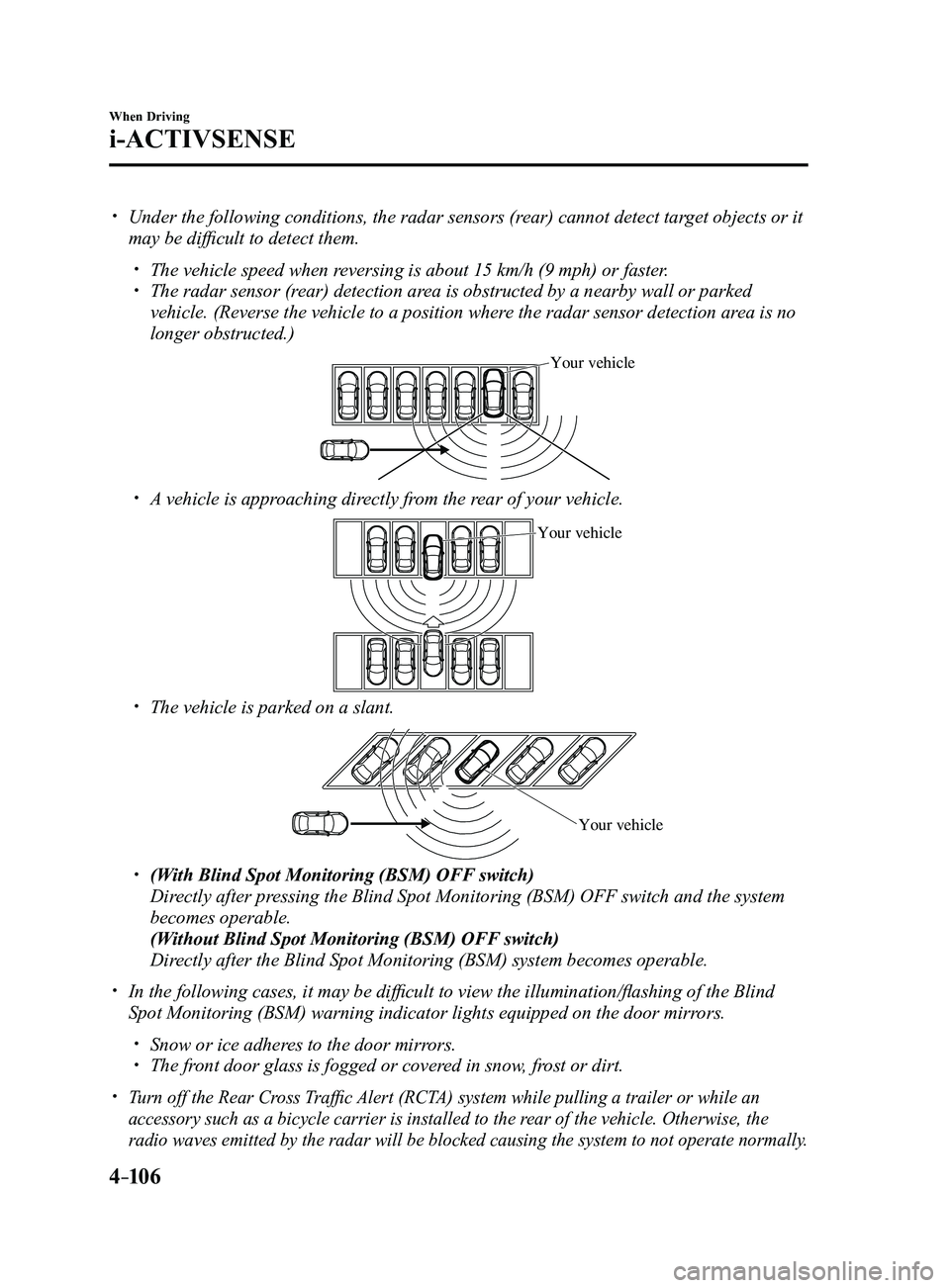
Under the following conditions, the radar sensors (rear) cannot detect target objects or it
may be difficult to detect them.
The vehicle speed when reversing is about 15 km/h (9 mph) or faster. The radar sensor (rear) detection area is obstructed by a nearby wall or parked
vehicle. (Reverse the vehicle to a position where the radar sensor detection area is no
longer obstructed.)
Your vehicle
A vehicle is approaching directly from the rear of your vehicle.
Your vehicle
The vehicle is parked on a slant.
Your vehicle
(With Blind Spot Monitoring (BSM) OFF switch)
Directly after pressing the Blind Spot Monitoring (BSM) OFF switch and the system
becomes operable.
(Without Blind Spot Monitoring (BSM) OFF switch)
Directly after the Blind Spot Monitoring (BSM) system becomes operable.
In the following cases, it may be difficult to view the illumina tion/flashing of the Blind
Spot Monitoring (BSM) warning indicator lights equipped on the door mi\
rrors.
Snow or ice adheres to the door mirrors. The front door glass is fogged or covered in snow, frost or dirt.
Turn off the Rear Cross Traffic Alert (RCTA) system while pulling a trailer or while an
accessory such as a bicycle carrier is installed to the rear of the vehicle. Otherwise, the
radio waves emitted by the radar will be blocked causing the system to n\
ot operate normally.
Mazda3_8FL6-EA-16F_Edition2.indb 1062016/08/10 17:36:45
Page 249 of 612
 line, the system determines that")
4–119
When Driving
i-ACTIVSENSE
If the steering wheel, accelerator pedal, or brake pedal is operated abr\
uptly and the vehicle
moves close to a white (yellow) line, the system determines that the d\
river is making a lane
change and the Lane-keep Assist System (LAS) & Lane Departure Warning System (LDWS)
operation is temporarily canceled. The Lane-keep Assist System (LAS) & Lane Departure
Warning System (LDWS) becomes operational again when the system detects\
white (yellow)
lane lines while the vehicle is being driven normally within its vehicle\
lane.
If the vehicle deviates from its lane repeatedly within a short period of time, the Lane-
keep Assist System (LAS) & Lane Departure Warning System (LDWS) may not operate. When white (yellow) lane lines ar e not detected, the Lane-keep Assist System (LAS) &
Lane Departure Warning System (LDWS) does not operate. Under the following conditions, the Lane-keep Assist System (LAS) & Lane Departure
Warning System (LDWS) may not be able to detect white (yellow) lane l\
ines correctly and
it may not operate normally.
If an object placed on the dashboard is reflected in the windshield and picked up by the
camera. Heavy luggage is loaded in the luggage compartment or on the r ear seat and the
vehicle is tilted. The tire pressures are not adjusted to the specified pressure. Tires other than conventional tires are equipped. When the vehicle is driven on the guiding branch to or from the rest area or tollgate of
a highway. The white (yellow) lane lines are less visible because of dirt or fading/patchiness. A vehicle in front of your vehicle is running near a white (yellow) lane line making \
it
less visible. A white (yellow) lane line is less visible because of bad weather (rai\
n, fog, or snow). The vehicle is driven on a temporary lane or section with a closed lane \
resulting from
construction where there may be multiple white (yellow) lane lines or they are interrupted.
A misleading line is picked up on the road such as a temporary line for construction,
or because of shade, lingering snow, or grooves filled with water. The surrounding brightness suddenly changes such as when entering or exiting a t\
unnel. The illumination of the headlights is weakened because of dirt or the op\
tical axis is
deviated. The windshield is dirty or foggy . The windshield, camera is fogged (water dr oplets). Back-light is reflected off the road surface. The road surface is wet and shiny after rain, or there are puddles on the road. The shade of a guar drail parallel to a white (yellow) lane line is cast on the road. The width of the driving lane is narr ow (less than about 2.5 m (98 in)) or wide (more
than about 4.5 m (178 in)) Driving on roads with tight curves. The road is excessively uneven. The vehicle is shaken after hitting a r oad bump. There are two or more adjacent white (yellow) lane lines. There are various road markings or lane markings of various shapes near an intersection.
Mazda3_8FL6-EA-16F_Edition2.indb 1192016/08/10 17:36:52