ignition MAZDA MODEL 6 2015 (in English) Repair Manual
[x] Cancel search | Manufacturer: MAZDA, Model Year: 2015, Model line: MODEL 6, Model: MAZDA MODEL 6 2015Pages: 576
Page 166 of 576

Black plate (166,1)
qHBC Warning Light (Amber)/
HBC Indicator Light (Green)í
HBC warning light (Amber)
When illuminated
When the ignition is switched ON, this
warning light illuminates and then turns
off after a few seconds. The warning light
illuminates if the area of the windshield in
front of the forward sensing camera (FSC)
is fogged or obstructed.
When flashing
This light flashes if there is a malfunction
in the high beam control system (HBC).
Have your vehicle inspected by an
Authorized Mazda Dealer.
HBC indicator light (Green)
This indicator light illuminates when the
system is operating and turns off when the
system operation is canceled.
qWrench Indicationí
Perform maintenance in accordance with
the message.
qTCS/DSC Indicator Light
This indicator light stays on for a few
seconds when the ignition is switched
ON. If the TCS or DSC is operating, the
indicator light flashes.
If the light stays on, the TCS, DSC or the
brake assist system may have a
malfunction and they may not operate
correctly. Take your vehicle to an
Authorized Mazda Dealer.
NOTE
lIn addition to the indicator light flashing, a
slight lugging sound will come from the
engine. This indicates that the TCS/DSC is
operating properly.
lOn slippery surfaces, such as fresh snow, it
will be impossible to achieve high rpm
when the TCS is on.
qDSC OFF Indicator Light
This indicator light stays on for a few
seconds when the ignition is switched
ON.
It also illuminates when the DSC OFF
switch is pressed and TCS/DSC is
switched off.
Refer to DSC OFF Switch on page 4-94.
4-42
When Driving
íSome models.
Instrument Cluster and Display
Mazda6_8DQ8-EA-13L_Edition3 Page166
Friday, June 13 2014 6:21 PM
Form No.8DQ8-EA-13L
Page 167 of 576

Black plate (167,1)
If the light remains illuminated and the
TCS/DSC is not switched off, take your
vehicle to an Authorized Mazda Dealer.
The DSC may have a malfunction.
qAFS OFF Indicator Lightí
When illuminated
This indicator light illuminates briefly
when the ignition is switched ON, and
then turns off.
Pressing the AFS OFF switch cancels the
AFS function and illuminates the
indicator light.
When flashing
The indicator light flashes continuously if
the system is malfunctioning. Consult an
Authorized Mazda Dealer.
NOTE
lEven if the AFS is not operating due to
some malfunction, the normal headlight
function is still operable.
lIf there is a malfunction with the headlight
auto-leveling function, the indicator light
flashes.
qLow Engine Coolant Temperature
Indicator Light (Blue)
The light illuminates continuously when
the engine coolant temperature is low and
turns off after the engine is warm.
If the low engine coolant temperature
indicator light remains illuminated after
the engine has been sufficiently warmed
up, the temperature sensor could have a
malfunction. Consult an Authorized
Mazda Dealer.
qShift Position Indication
This indicates the selected shift position.
Gear position indicator
In manual shift mode, the“M”of the shift
position indicator illuminates and the
numeral for the selected gear displays.
When Driving
Instrument Cluster and Display
4-43íSome models. Mazda6_8DQ8-EA-13L_Edition3 Page167
Friday, June 13 2014 6:21 PM
Form No.8DQ8-EA-13L
Page 168 of 576
Black plate (168,1)
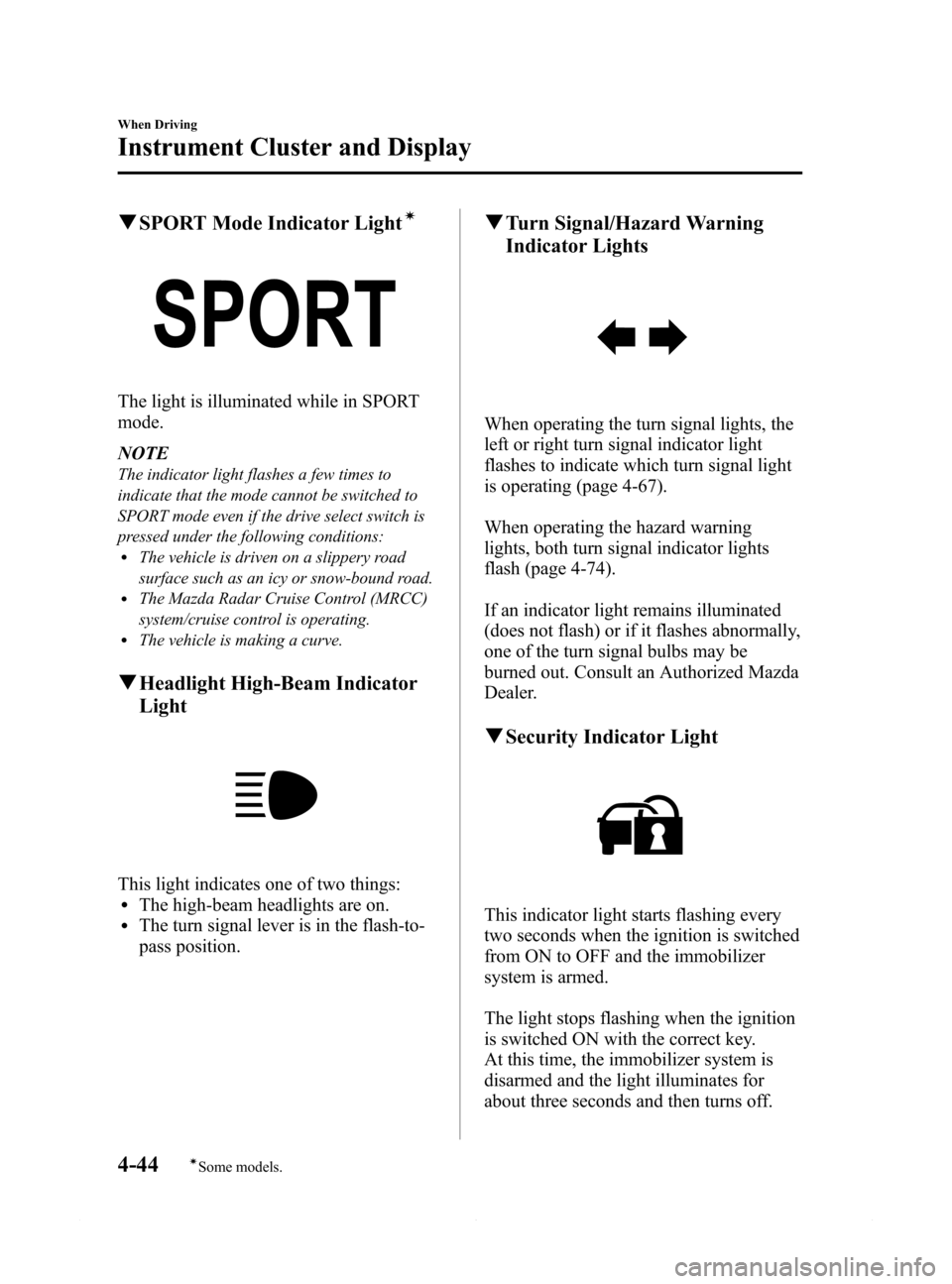
qSPORT Mode Indicator Lightí
The light is illuminated while in SPORT
mode.
NOTE
The indicator light flashes a few times to
indicate that the mode cannot be switched to
SPORT mode even if the drive select switch is
pressed under the following conditions:
lThe vehicle is driven on a slippery road
surface such as an icy or snow-bound road.
lThe Mazda Radar Cruise Control (MRCC)
system/cruise control is operating.
lThe vehicle is making a curve.
qHeadlight High-Beam Indicator
Light
This light indicates one of two things:lThe high-beam headlights are on.lThe turn signal lever is in the flash-to-
pass position.
qTurn Signal/Hazard Warning
Indicator Lights
When operating the turn signal lights, the
left or right turn signal indicator light
flashes to indicate which turn signal light
is operating (page 4-67).
When operating the hazard warning
lights, both turn signal indicator lights
flash (page 4-74).
If an indicator light remains illuminated
(does not flash) or if it flashes abnormally,
one of the turn signal bulbs may be
burned out. Consult an Authorized Mazda
Dealer.
qSecurity Indicator Light
This indicator light starts flashing every
two seconds when the ignition is switched
from ON to OFF and the immobilizer
system is armed.
The light stops flashing when the ignition
is switched ON with the correct key.
At this time, the immobilizer system is
disarmed and the light illuminates for
about three seconds and then turns off.
4-44
When Driving
íSome models.
Instrument Cluster and Display
Mazda6_8DQ8-EA-13L_Edition3 Page168
Friday, June 13 2014 6:21 PM
Form No.8DQ8-EA-13L
Page 169 of 576

Black plate (169,1)
If the engine does not start with the
correct key, and the security indicator
light keeps illuminating or flashing, the
system may have a malfunction. Consult
an Authorized Mazda Dealer.
qMazda Radar Cruise Control
(MRCC) Warning Light (Amber)/
Indicator Light (Green)
í
Mazda Radar Cruise Control (MRCC)
Warning Light (Amber)
Illuminated
When the ignition is switched ON, the
warning light is illuminated and then turns
off after a few seconds.
Flashing
The warning light flashes if there is a
malfunction in the system while the
Mazda Radar Cruise Control (MRCC)
system is on. Have your vehicle inspected
at an Authorized Mazda Dealer.
Mazda Radar Cruise Control (MRCC)
Indicator Light (Green)
Illuminated
Illuminated when the speed for the Mazda
Radar Cruise Control (MRCC) system is
set.
qCruise Main Indicator Light
(Amber)/Cruise Set Indicator
Light (Green)
í
The indicator light has two colors.
Cruise Main Indicator Light (Amber)
The indicator light illuminates amber
when the ON switch is pressed and the
cruise control system is activated.
Cruise Set Indicator Light (Green)
The indicator light illuminates green when
a cruising speed has been set.
qBSM OFF Indicator Lightí
This indicator light illuminates for a few
seconds when the ignition is switched
ON.
The BSM OFF indicator light illuminates
when the BSM system is turned off by
pressing the BSM OFF switch.
The indicator light flashes if the BSM
system has a malfunction. Consult an
Authorized Mazda Dealer.
When Driving
Instrument Cluster and Display
4-45íSome models. Mazda6_8DQ8-EA-13L_Edition3 Page169
Friday, June 13 2014 6:21 PM
Form No.8DQ8-EA-13L
Page 173 of 576

Black plate (173,1)
Automatic Transaxle Controls
Lock-release button
Indicates the shift lever can be shifted freely into any position.
Indicates that you must hold in the lock-release button to shift.
Indicates that you must depress the brake pedal and hold in the lock-release
button to shift (The ignition must be switched ACC or ON).
Various Lockouts:
NOTE
The Sport AT has an option that is not included in the traditional automatic transaxle giving the
driver the option of selecting each gear instead of leaving it to the transaxle to shift gears. Even if
you intend to use the automatic transaxle functions as a traditional automatic, you should also be
aware that you can inadvertently shift into manual shift mode and an inappropriate gear may be
retained as the vehicle speed increases. If you notice the engine speed going higher or hear the
engine racing, confirm you have not accidentally slipped into manual shift mode (page 4-52).
When Driving
Transaxle
4-49
Mazda6_8DQ8-EA-13L_Edition3 Page173
Friday, June 13 2014 6:21 PM
Form No.8DQ8-EA-13L
Page 175 of 576

Black plate (175,1)
CAUTION
Do not shift into N when driving the
vehicle. Doing so can cause transaxle
damage.
NOTE
Apply the parking brake or depress the brake
pedal before moving the shift lever from N to
prevent the vehicle from moving unexpectedly.
D (Drive)
D is the normal driving position. From a
stop, the transaxle will automatically shift
through a 6-gear sequence.
M (Manual)
M is the manual shift mode position.
Gears can be shifted up or down by
operating the shift lever.
Refer to Manual Shift Mode on page
4-52.
qActive Adaptive Shift (AAS)
Active Adaptive Shift (AAS)
automatically controls the transaxle shift
points to best suit the road conditions and
driver input. This improves driving feel.
The transaxle may switch to AAS mode
when driving up and down slopes,
cornering, driving at high elevations, or
depressing the accelerator pedal quickly
while the shift lever is in the D position.
Depending on the road and driving
conditions/vehicle operations, gear
shifting could be delayed or not occur,
however, this does not indicate a problem
because the AAS mode will maintain the
optimum gear position.
qShift-Lock System
The shift-lock system prevents shifting
out of P unless the brake pedal is
depressed.
To shift from P:
1. Depress and hold the brake pedal.
2. Start the engine.
3. Press and hold the lock-release button.
4. Move the selector lever.
NOTE
lWhen the ignition is switched to ACC or the
ignition is switched off, the selector lever
cannot be shifted from P.
lThe ignition cannot be switched to OFF if
the selector lever is not in P.
qShift-Lock Override
If the selector lever will not move from P
using the proper shift procedure, continue
to hold down the pedal.
1. Remove the shift-lock override cover
using a cloth-wrapped flat head
screwdriver.
2. Insert a screwdriver and push it down.
Cover
3. Press and hold the lock-release button.
When Driving
Transaxle
4-51
Mazda6_8DQ8-EA-13L_Edition3 Page175
Friday, June 13 2014 6:21 PM
Form No.8DQ8-EA-13L
Page 182 of 576
Black plate (182,1)
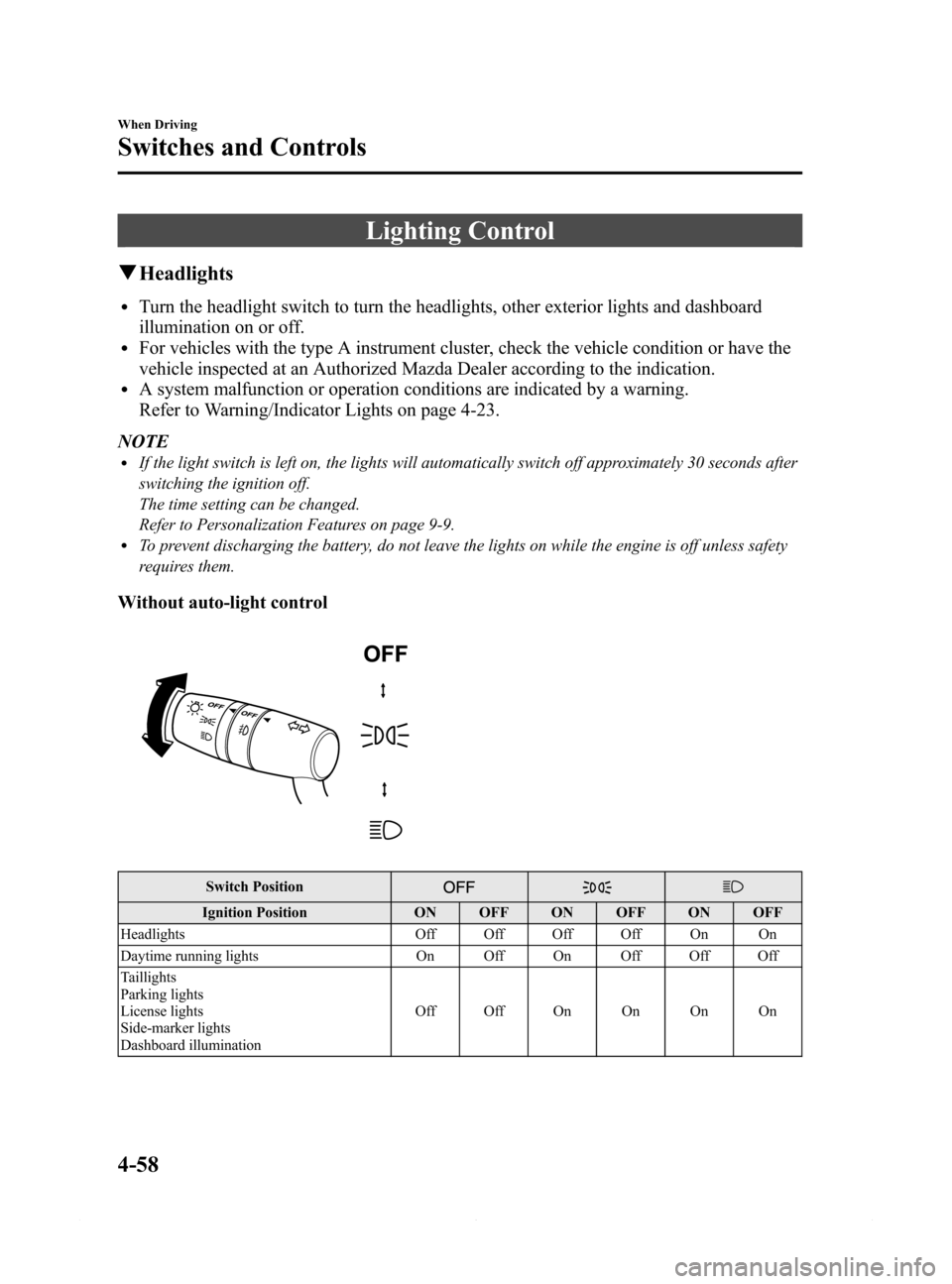
Lighting Control
qHeadlights
lTurn the headlight switch to turn the headlights, other exterior lights and dashboard
illumination on or off.
lFor vehicles with the type A instrument cluster, check the vehicle condition or have the
vehicle inspected at an Authorized Mazda Dealer according to the indication.
lA system malfunction or operation conditions are indicated by a warning.
Refer to Warning/Indicator Lights on page 4-23.
NOTE
lIf the light switch is left on, the lights will automatically switch off approximately 30 seconds after
switching the ignition off.
The time setting can be changed.
Refer to Personalization Features on page 9-9.
lTo prevent discharging the battery, do not leave the lights on while the engine is off unless safety
requires them.
Without auto-light control
Switch Position
Ignition Position ON OFF ON OFF ON OFF
Headlights Off Off Off Off On On
Daytime running lights On Off On Off Off Off
Taillights
Parking lights
License lights
Side-marker lights
Dashboard illuminationOff Off On On On On
4-58
When Driving
Switches and Controls
Mazda6_8DQ8-EA-13L_Edition3 Page182
Friday, June 13 2014 6:21 PM
Form No.8DQ8-EA-13L
Page 183 of 576

Black plate (183,1)
With auto-light control
Switch Position
Ignition Position ON OFF ON OFF ON OFF ON OFF
Headlights Off Off Auto*Off Off Off On On
Daytime running lights On Off Auto*Off On Off Off Off
Taillights
Parking lights
License lights
Side-marker lights
Dashboard illuminationOff Off Auto
*OffOnOnOnOn
* The headlight and other light settings switch automatically depending on the surrounding brightness detected by
the sensor.
When Driving
Switches and Controls
4-59
Mazda6_8DQ8-EA-13L_Edition3 Page183
Friday, June 13 2014 6:21 PM
Form No.8DQ8-EA-13L
Page 184 of 576
Black plate (184,1)
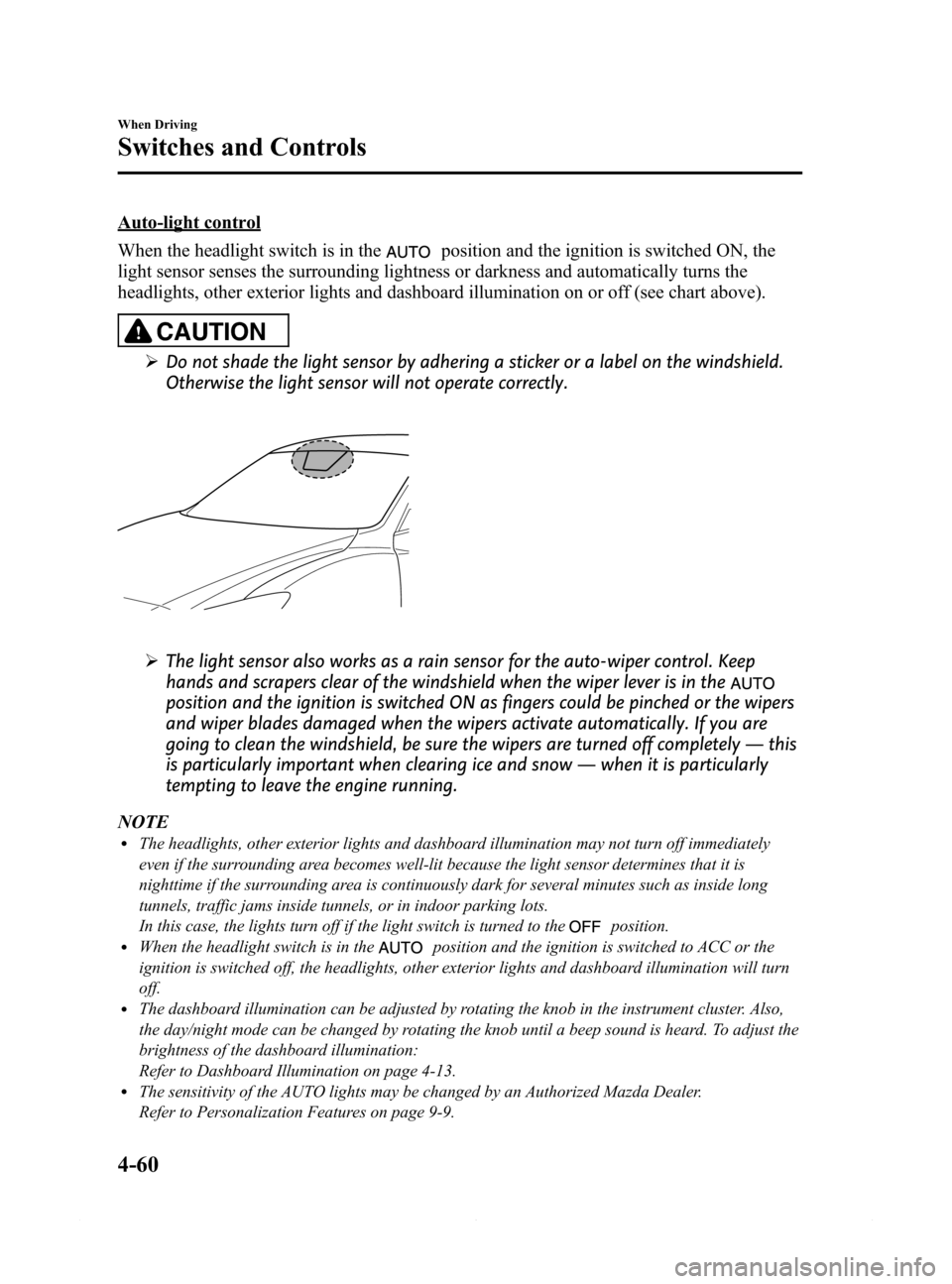
Auto-light control
When the headlight switch is in the
position and the ignition is switched ON, the
light sensor senses the surrounding lightness or darkness and automatically turns the
headlights, other exterior lights and dashboard illumination on or off (see chart above).
CAUTION
ØDo not shade the light sensor by adhering a sticker or a label on the windshield.
Otherwise the light sensor will not operate correctly.
ØThe light sensor also works as a rain sensor for the auto-wiper control. Keep
hands and scrapers clear of the windshield when the wiper lever is in the
position and the ignition is switched ON as fingers could be pinched or the wipers
and wiper blades damaged when the wipers activate automatically. If you are
going to clean the windshield, be sure the wipers are turned off completely―this
is particularly important when clearing ice and snow―when it is particularly
tempting to leave the engine running.
NOTE
lThe headlights, other exterior lights and dashboard illumination may not turn off immediately
even if the surrounding area becomes well-lit because the light sensor determines that it is
nighttime if the surrounding area is continuously dark for several minutes such as inside long
tunnels, traffic jams inside tunnels, or in indoor parking lots.
In this case, the lights turn off if the light switch is turned to the
position.lWhen the headlight switch is in theposition and the ignition is switched to ACC or the
ignition is switched off, the headlights, other exterior lights and dashboard illumination will turn
off.
lThe dashboard illumination can be adjusted by rotating the knob in the instrument cluster. Also,
the day/night mode can be changed by rotating the knob until a beep sound is heard. To adjust the
brightness of the dashboard illumination:
Refer to Dashboard Illumination on page 4-13.
lThe sensitivity of the AUTO lights may be changed by an Authorized Mazda Dealer.
Refer to Personalization Features on page 9-9.
4-60
When Driving
Switches and Controls
Mazda6_8DQ8-EA-13L_Edition3 Page184
Friday, June 13 2014 6:21 PM
Form No.8DQ8-EA-13L
Page 186 of 576
Black plate (186,1)
qHeadlight Levelingí
The number of passengers and weight of
cargo in the luggage compartment change
the angle of the headlights.
The angle of the headlights will be
automatically adjusted when turning on
the headlights.
A system malfunction or operation
conditions are indicated by a warning.
Refer to Warning/Indicator Lights on page
4-23.
qAdaptive Front Lighting System
(AFS)í
The adaptive front lighting system (AFS)
automatically adjusts the headlight beams
to the left or right in conjunction with the
operation of the steering wheel after the
headlights have been turned on.
A system malfunction or operation
conditions are indicated by a warning.
Refer to Warning/Indicator Lights on page
4-23.
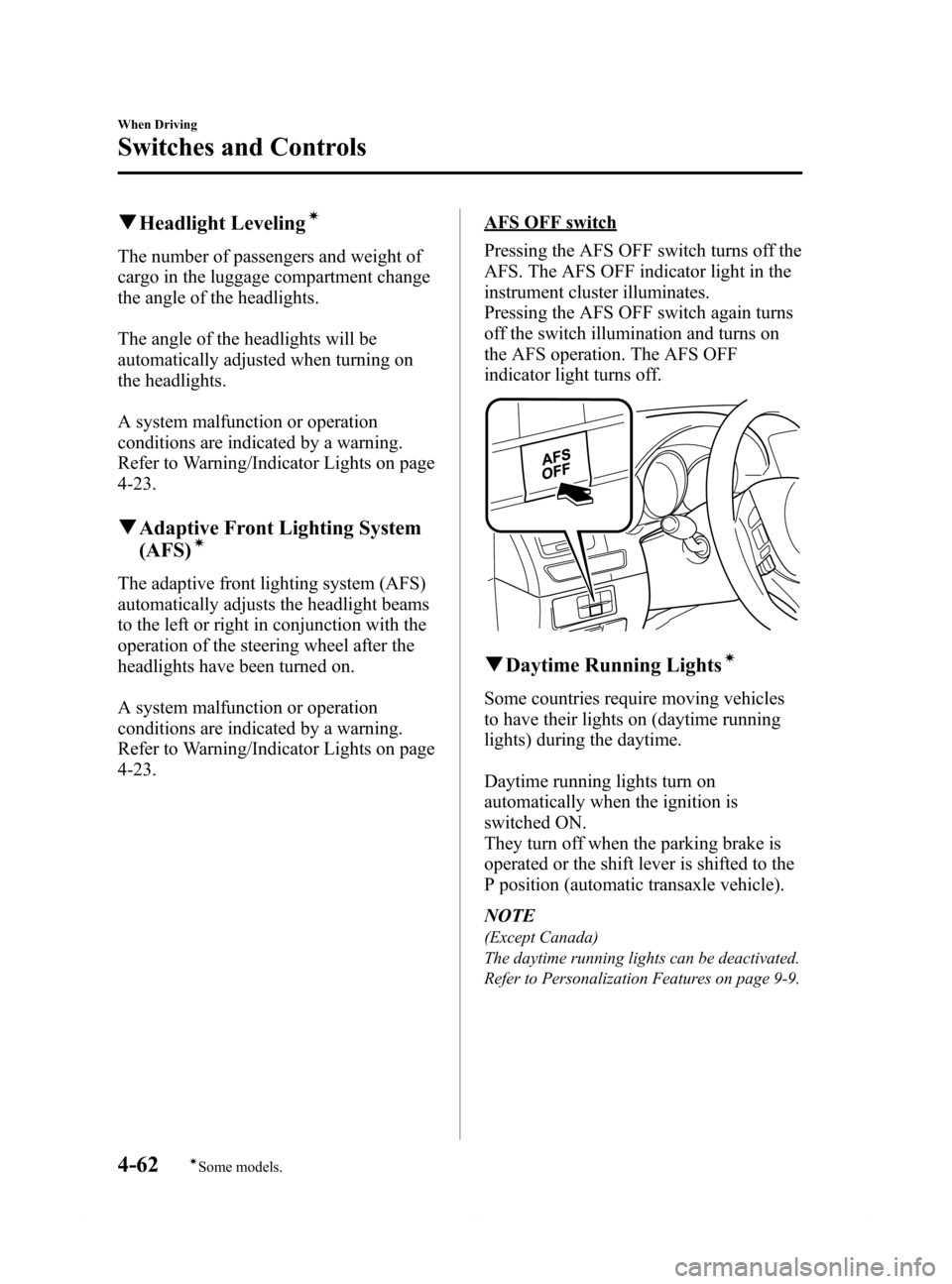
AFS OFF switch
Pressing the AFS OFF switch turns off the
AFS. The AFS OFF indicator light in the
instrument cluster illuminates.
Pressing the AFS OFF switch again turns
off the switch illumination and turns on
the AFS operation. The AFS OFF
indicator light turns off.
qDaytime Running Lightsí
Some countries require moving vehicles
to have their lights on (daytime running
lights) during the daytime.
Daytime running lights turn on
automatically when the ignition is
switched ON.
They turn off when the parking brake is
operated or the shift lever is shifted to the
P position (automatic transaxle vehicle).
NOTE
(Except Canada)
The daytime running lights can be deactivated.
Refer to Personalization Features on page 9-9.
4-62
When Driving
íSome models.
Switches and Controls
Mazda6_8DQ8-EA-13L_Edition3 Page186
Friday, June 13 2014 6:21 PM
Form No.8DQ8-EA-13L