ECO mode MAZDA MODEL 6 2017 (in English) User Guide
[x] Cancel search | Manufacturer: MAZDA, Model Year: 2017, Model line: MODEL 6, Model: MAZDA MODEL 6 2017Pages: 578, PDF Size: 54.72 MB
Page 139 of 578
4–15
When Driving
Instrument Cluster and Display
*Some models.
NOTE
If the fuel economy data is reset using
the fuel economy monitor, or trip A
is reset using the trip meter when the
function which synchronizes the fuel
economy monitor and the trip meter is
on, the fuel economy data and trip A are
reset simultaneously.
Refer to Fuel Economy Monitor on page
4-83.
Only the trip meters record tenths of
kilometers (miles).
The trip record will be erased when:
The power supply is interrupted
(blown fuse or the battery is
disconnected).
The vehicle is driven over 9999.9 km
(mile).
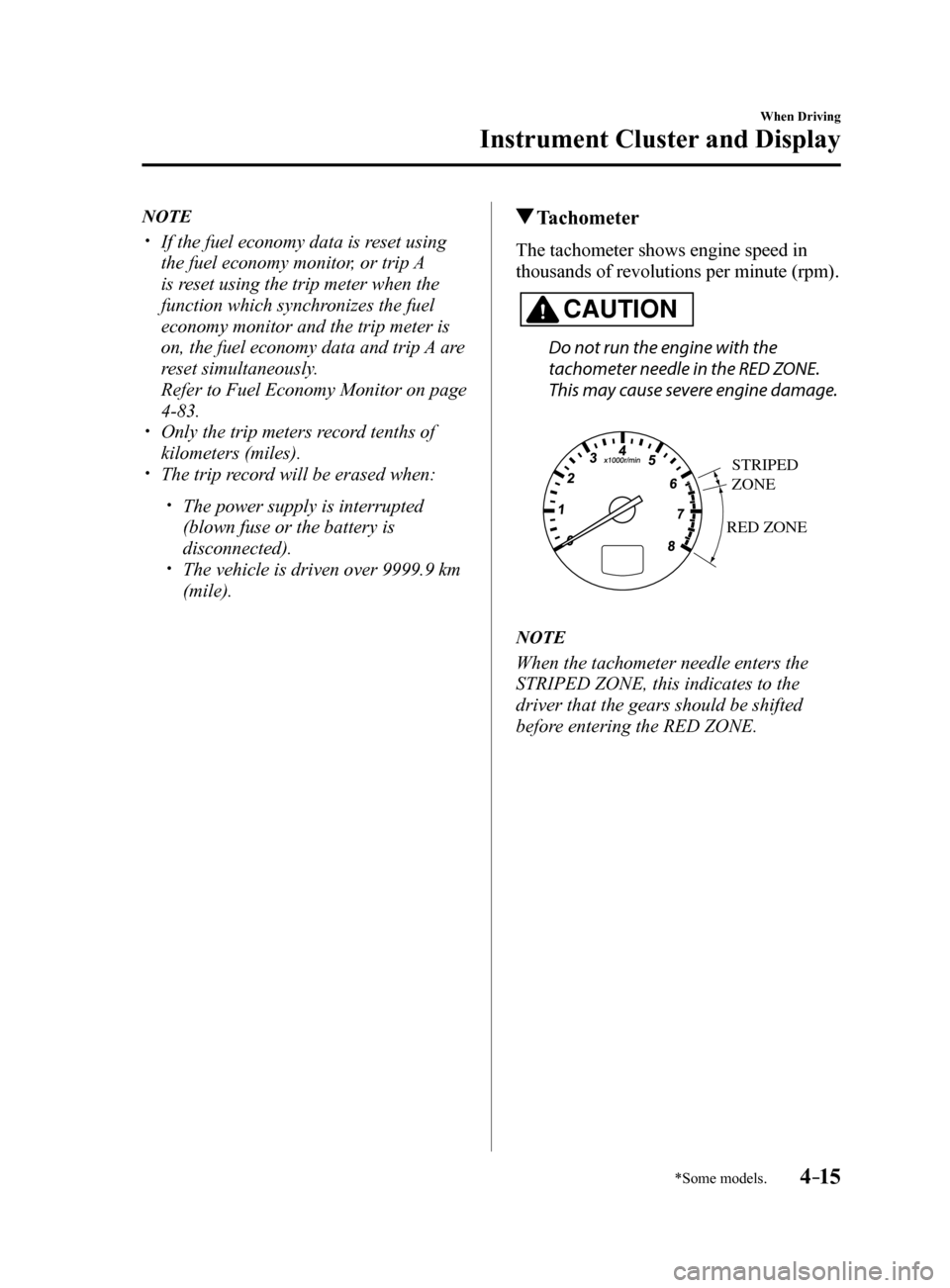
Tachometer
The tachometer shows engine speed in
thousands of revolutions per minute (rpm).
CAUTION
Do not run the engine with the
tachometer needle in the RED ZONE.
This may cause severe engine damage.
RED ZONE
STRIPED
ZONE
NOTE
When the tachometer needle enters the
STRIPED ZONE, this indicates to the
driver that the gears should be shifted
before entering the RED ZONE.
Mazda6_8FH2-EA-16F_Edition2.indb 152016/07/07 13:44:35
Page 143 of 578
4–19
When Driving
Instrument Cluster and Display
Cruise Control Set Vehicle Speed
Display (Without Multi-
information Display)
The vehicle speed preset using the cruise
control is displayed.
Trip Computer and INFO Switch
(Without Multi-information
Display)
The following information can be selected
by pressing the INFO switch with the
ignition switched ON.
Distance-to-empty mode Average fuel economy mode Current fuel economy mode Compass mode
If you have any problems with your trip
computer, consult an Authorized Mazda
Dealer.
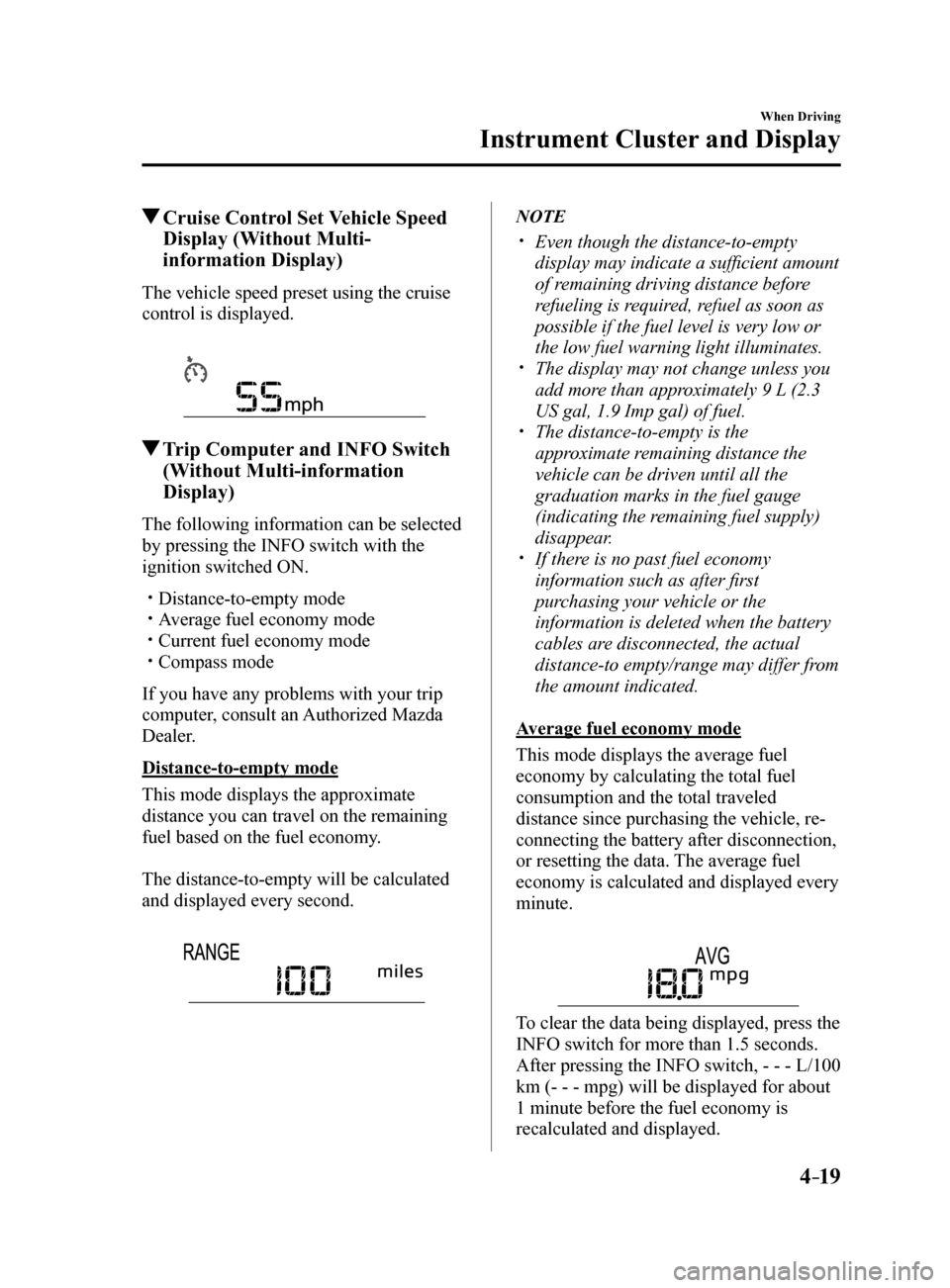
Distance-to-empty mode
This mode displays the approximate
distance you can travel on the remaining
fuel based on the fuel economy.
The distance-to-empty will be calculated
and displayed every second.
NOTE
Even though the distance-to-empty
display may indicate a sufficient amount
of remaining driving distance before
refueling is required, refuel as soon as
possible if the fuel level is very low or
the low fuel warning light illuminates.
The display may not change unless you
add more than approximately 9 L (2.3
US gal, 1.9 Imp gal) of fuel.
The distance-to-empty is the
approximate remaining distance the
vehicle can be driven until all the
graduation marks in the fuel gauge
(indicating the remaining fuel supply)
disappear.
If there is no past fuel economy
information such as after first
purchasing your vehicle or the
information is deleted when the battery
cables are disconnected, the actual
distance-to empty/range may differ from
the amount indicated.
Average fuel economy mode
This mode displays the average fuel
economy by calculating the total fuel
consumption and the total traveled
distance since purchasing the vehicle, re-
connecting the battery after disconnection,
or resetting the data. The average fuel
economy is calculated and displayed every
minute.
To clear the data being displayed, press the
INFO switch for more than 1.5 seconds.
After pressing the INFO switch, - - - L/100
km (- - - mpg) will be displayed for about
1 minute before the fuel economy is
recalculated and displayed.
Mazda6_8FH2-EA-16F_Edition2.indb 192016/07/07 13:44:37
Page 144 of 578
4–20
When Driving
Instrument Cluster and Display
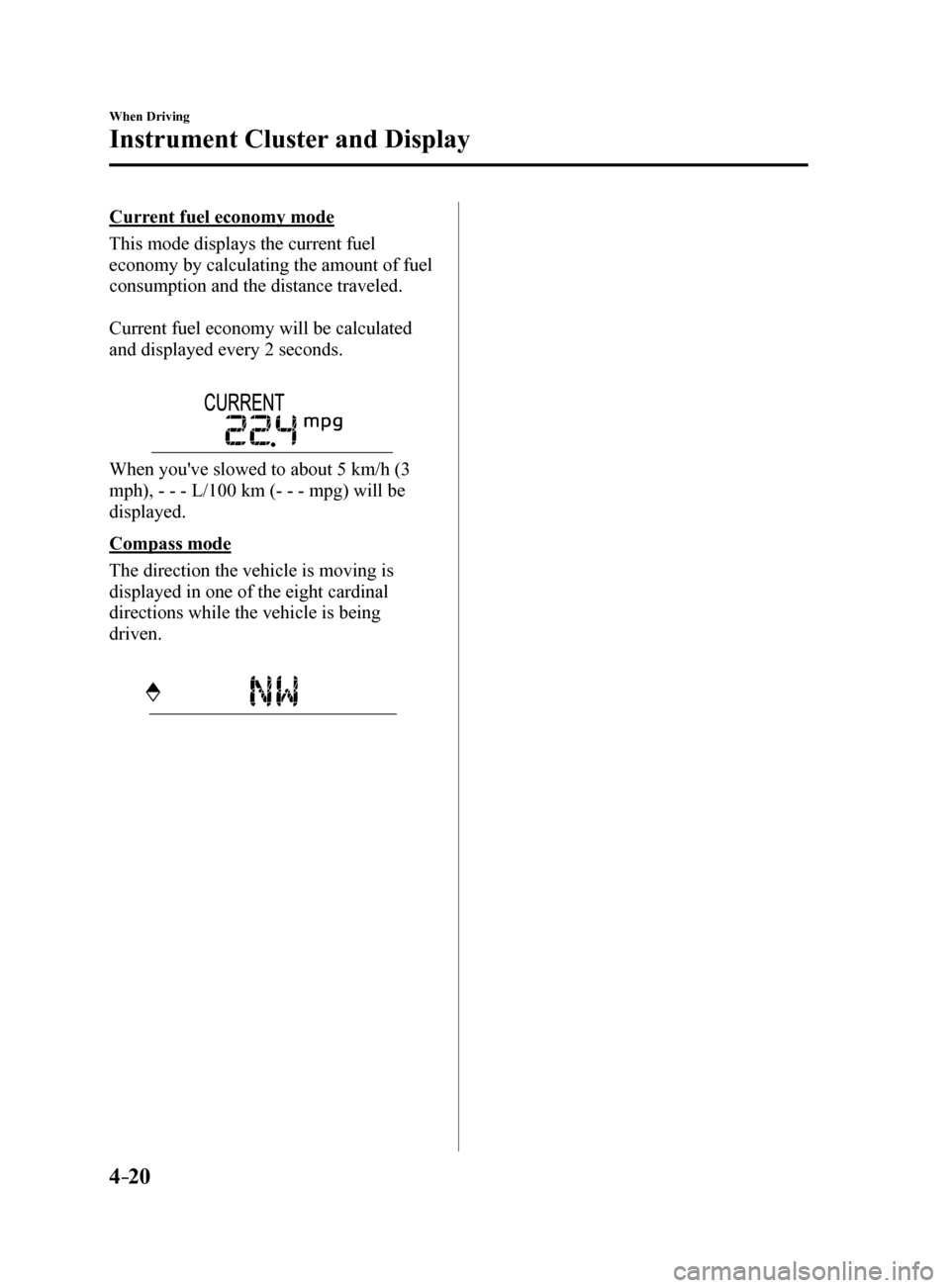
Current fuel economy mode
This mode displays the current fuel
economy by calculating the amount of fuel
consumption and the distance traveled.
Current fuel economy will be calculated
and displayed every 2 seconds.
When you've slowed to about 5 km/h (3
mph), - - - L/100 km (- - - mpg) will be
displayed.
Compass mode
The direction the vehicle is moving is
displayed in one of the eight cardinal
directions while the vehicle is being
driven.
Mazda6_8FH2-EA-16F_Edition2.indb 202016/07/07 13:44:37
Page 145 of 578
4–21
When Driving
Instrument Cluster and Display
*Some models.
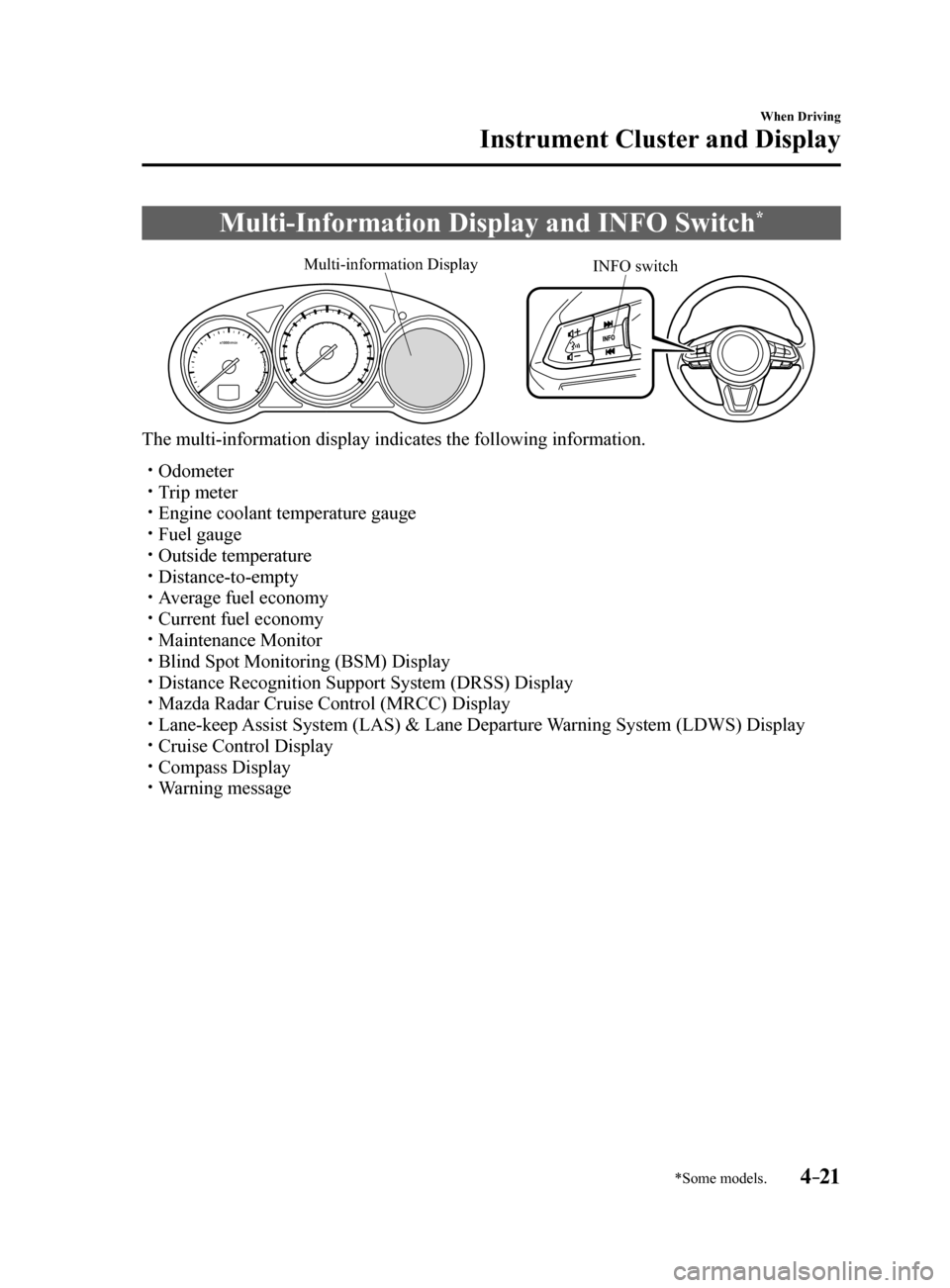
Multi-Information Display and INFO Switch*
INFO switch
Multi-information Display
The multi-information display indicates the following information.
Odometer
Trip meter Engine coolant temperature gauge Fuel gauge Outside temperature Distance-to-empty Average fuel economy Current fuel economy Maintenance Monitor Blind Spot Monitoring (BSM) Display Distance Recognition Support System (DRSS) Display Mazda Radar Cruise Control (MRCC) Display Lane-keep Assist System (LAS) & Lane Departure Warning System (LDWS) Display Cruise Control Display Compass Display Warning message
Mazda6_8FH2-EA-16F_Edition2.indb 212016/07/07 13:44:37
Page 147 of 578
4–23
When Driving
Instrument Cluster and Display
Odometer, Trip Meter and Trip
Meter Selector
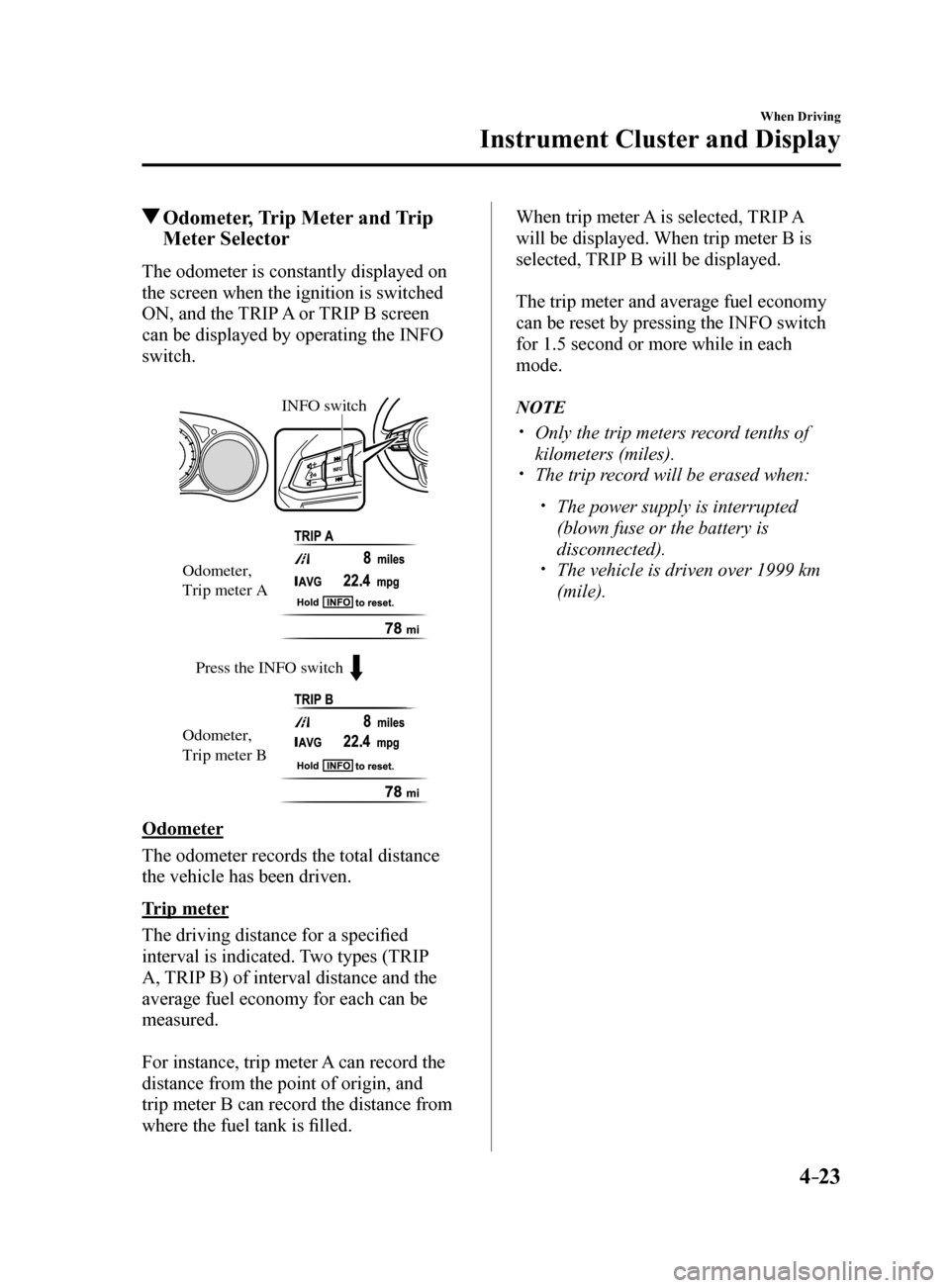
The odometer is constantly displayed on
the screen when the ignition is switched
ON, and the TRIP A or TRIP B screen
can be displayed by operating the INFO
switch.
Press the INFO switch
INFO switch
Odometer,
Trip meter A
Odometer,
Trip meter B
Odometer
The odometer records the total distance
the vehicle has been driven.
Trip meter
The driving distance for a specified
interval is indicated. Two types (TRIP
A, TRIP B) of interval distance and the
average fuel economy for each can be
measured.
For instance, trip meter A can record the
distance from the point of origin, and
trip meter B can record the distance from
where the fuel tank is filled. When trip meter A is selected, TRIP A
will be displayed. When trip meter B is
selected, TRIP B will be displayed.
The trip meter and average fuel economy
can be reset by pressing the INFO switch
for 1.5 second or more while in each
mode.
NOTE
Only the trip meters record tenths of
kilometers (miles).
The trip record will be erased when:
The power supply is interrupted
(blown fuse or the battery is
disconnected).
The vehicle is driven over 1999 km
(mile).
Mazda6_8FH2-EA-16F_Edition2.indb 232016/07/07 13:44:38
Page 150 of 578
4–26
When Driving
Instrument Cluster and Display
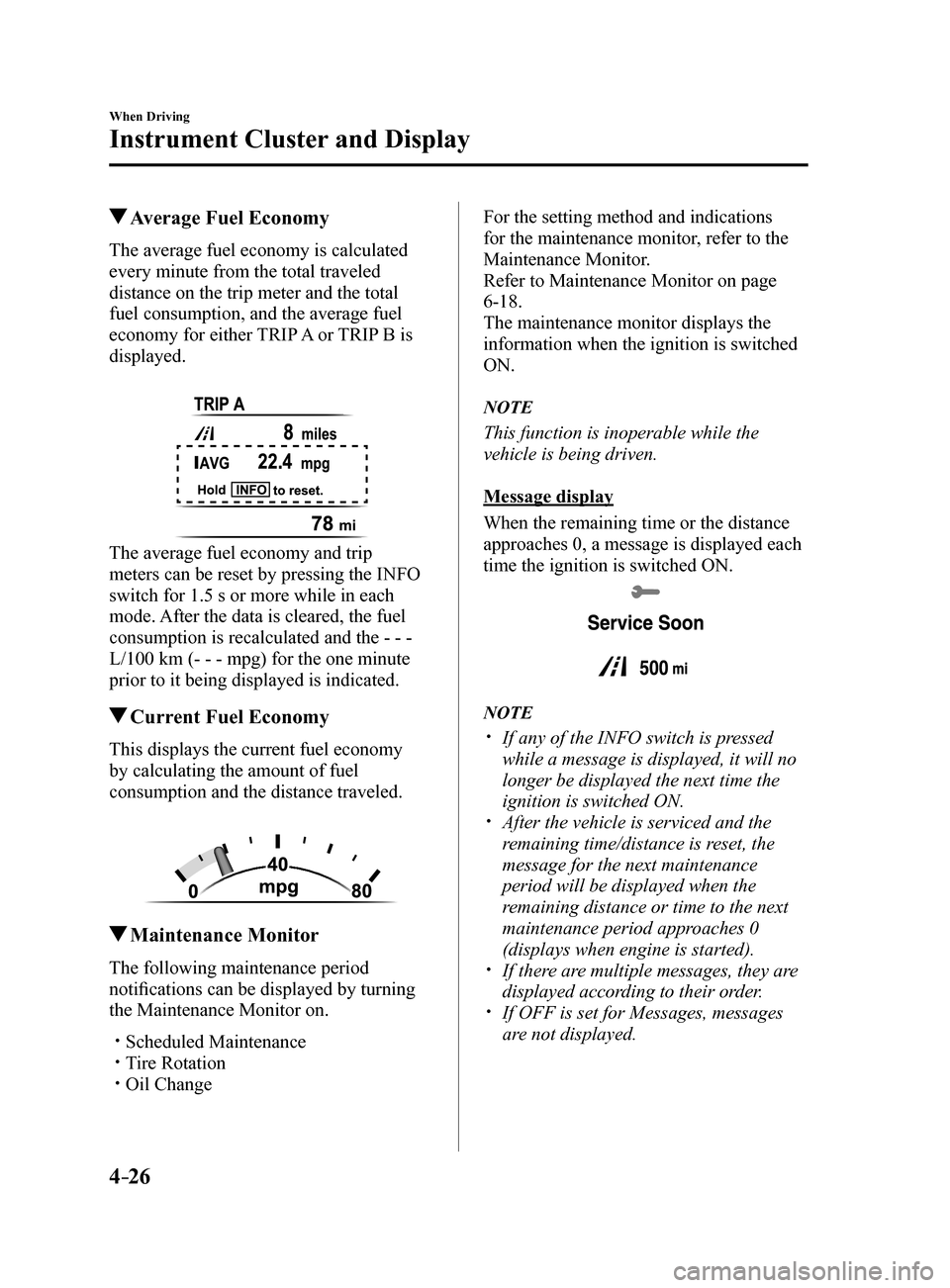
Average Fuel Economy
The average fuel economy is calculated
every minute from the total traveled
distance on the trip meter and the total
fuel consumption, and the average fuel
economy for either TRIP A or TRIP B is
displayed.
The average fuel economy and trip
meters can be reset by pressing the INFO
switch for 1.5 s or more while in each
mode. After the data is cleared, the fuel
consumption is recalculated and the - - -
L/100 km (- - - mpg) for the one minute
prior to it being displayed is indicated.
Current Fuel Economy
This displays the current fuel economy
by calculating the amount of fuel
consumption and the distance traveled.
Maintenance Monitor
The following maintenance period
notifications can be displayed by turning
the Maintenance Monitor on.
Scheduled Maintenance Tire Rotation Oil Change
For the setting method and indications
for the maintenance monitor, refer to the
Maintenance Monitor.
Refer to Maintenance Monitor on page
6-18.
The maintenance monitor displays the
information when the ignition is switched
ON.
NOTE
This function is inoperable while the
vehicle is being driven.
Message display
When the remaining time or the distance
approaches 0, a message is displayed each
time the ignition is switched ON.
NOTE
If any of the INFO switch is pressed
while a message is displayed, it will no
longer be displayed the next time the
ignition is switched ON.
After the vehicle is serviced and the
remaining time/distance is reset, the
message for the next maintenance
period will be displayed when the
remaining distance or time to the next
maintenance period approaches 0
(displays when engine is started).
If there are multiple messages, they are
displayed according to their order.
If OFF is set for Messages, messages
are not displayed.
Mazda6_8FH2-EA-16F_Edition2.indb 262016/07/07 13:44:40
Page 151 of 578
4–27
When Driving
Instrument Cluster and Display
*Some models.
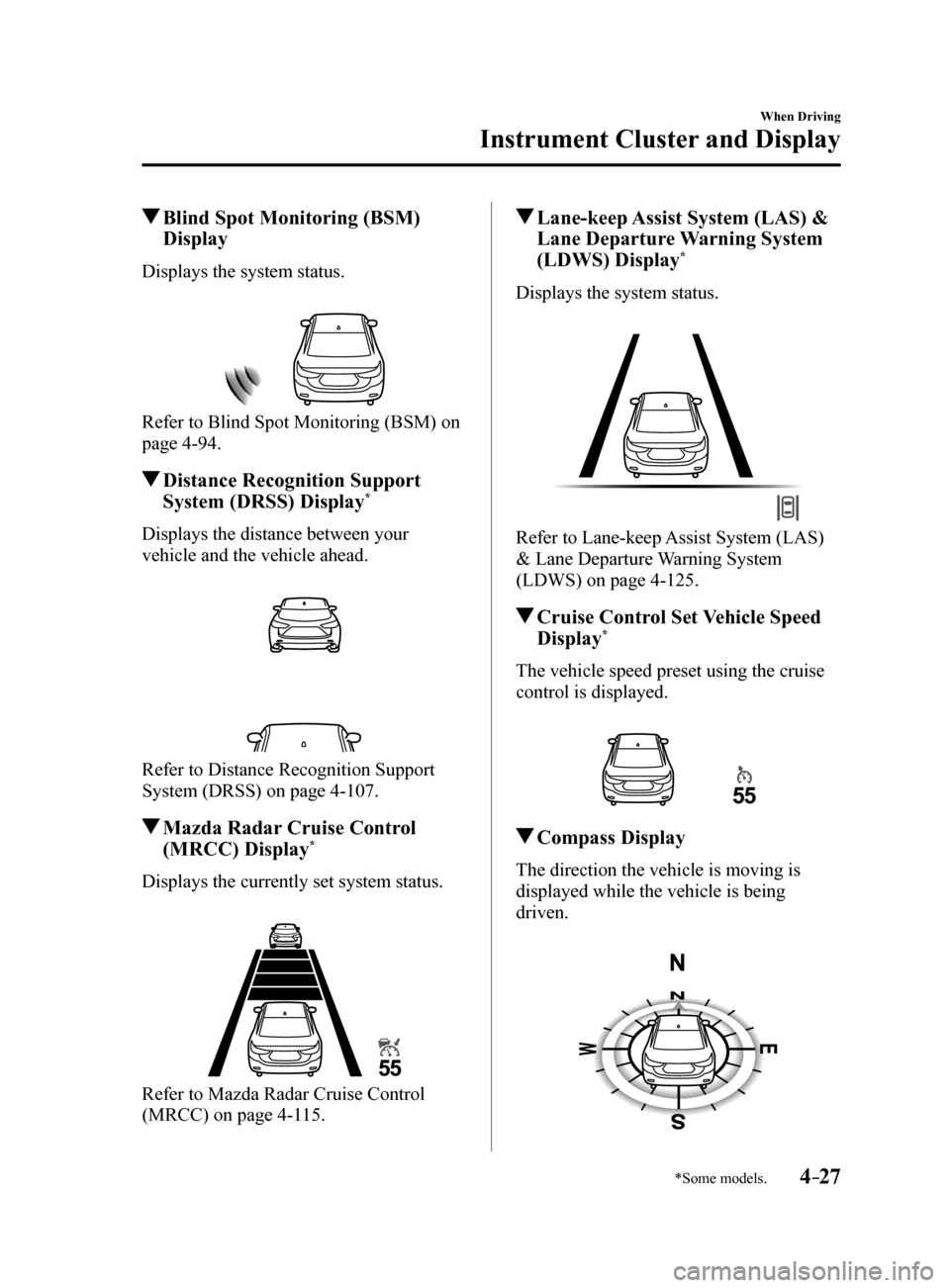
Blind Spot Monitoring (BSM)
Display
Displays the system status.
Refer to Blind Spot Monitoring (BSM) on
page 4-94.
Distance Recognition Support
System (DRSS) Display*
Displays the distance between your
vehicle and the vehicle ahead.
Refer to Distance Recognition Support
System (DRSS) on page 4-107.
Mazda Radar Cruise Control
(MRCC) Display*
Displays the currently set system status.
Refer to Mazda Radar Cruise Control
(MRCC) on page 4-115.
Lane-keep Assist System (LAS) &
Lane Departure Warning System
(LDWS) Display
*
Displays the system status.
Refer to Lane-keep Assist System (LAS)
& Lane Departure Warning System
(LDWS) on page 4-125.
Cruise Control Set Vehicle Speed
Display*
The vehicle speed preset using the cruise
control is displayed.
Compass Display
The direction the vehicle is moving is
displayed while the vehicle is being
driven.
Mazda6_8FH2-EA-16F_Edition2.indb 272016/07/07 13:44:41
Page 159 of 578
4–35
When Driving
Instrument Cluster and Display
*Some models.
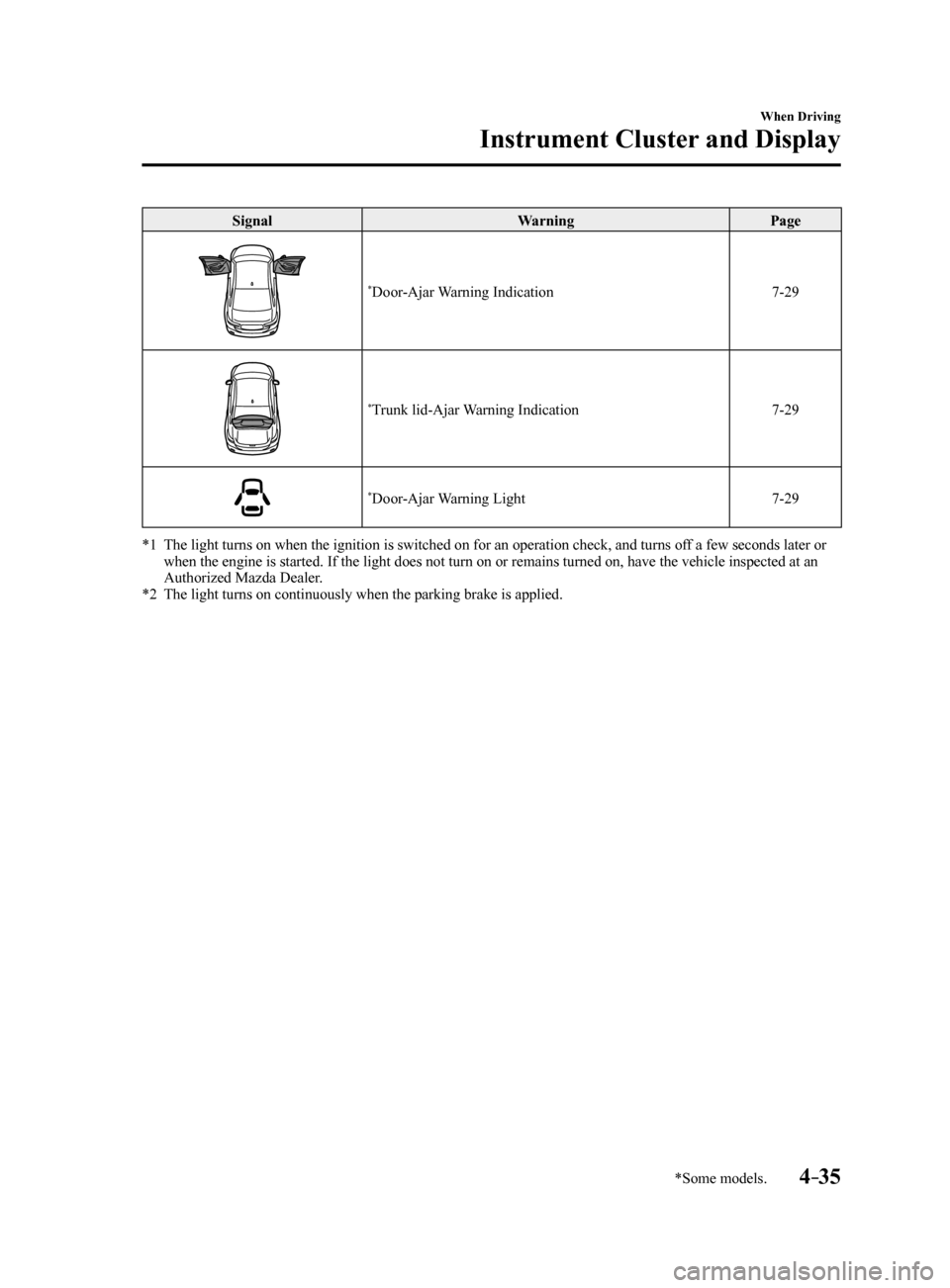
SignalWarningPage
*Door-Ajar Warning Indication 7-29
*Trunk lid-Ajar Warning Indication7-29
*Door-Ajar Warning Light7-29
*1 The light turns on when the ignition is switched on for an operation che\
ck, and turns off a few seconds later or
when the engine is started. If the light does not turn on or remains tur\
ned on, have the vehicle inspected at an
Authorized Mazda Dealer.
*2 The light turns on continuously when the parking brake is applied.
Mazda6_8FH2-EA-16F_Edition2.indb 352016/07/07 13:44:46
Page 162 of 578
4–38
When Driving
Instrument Cluster and Display
*Some models.
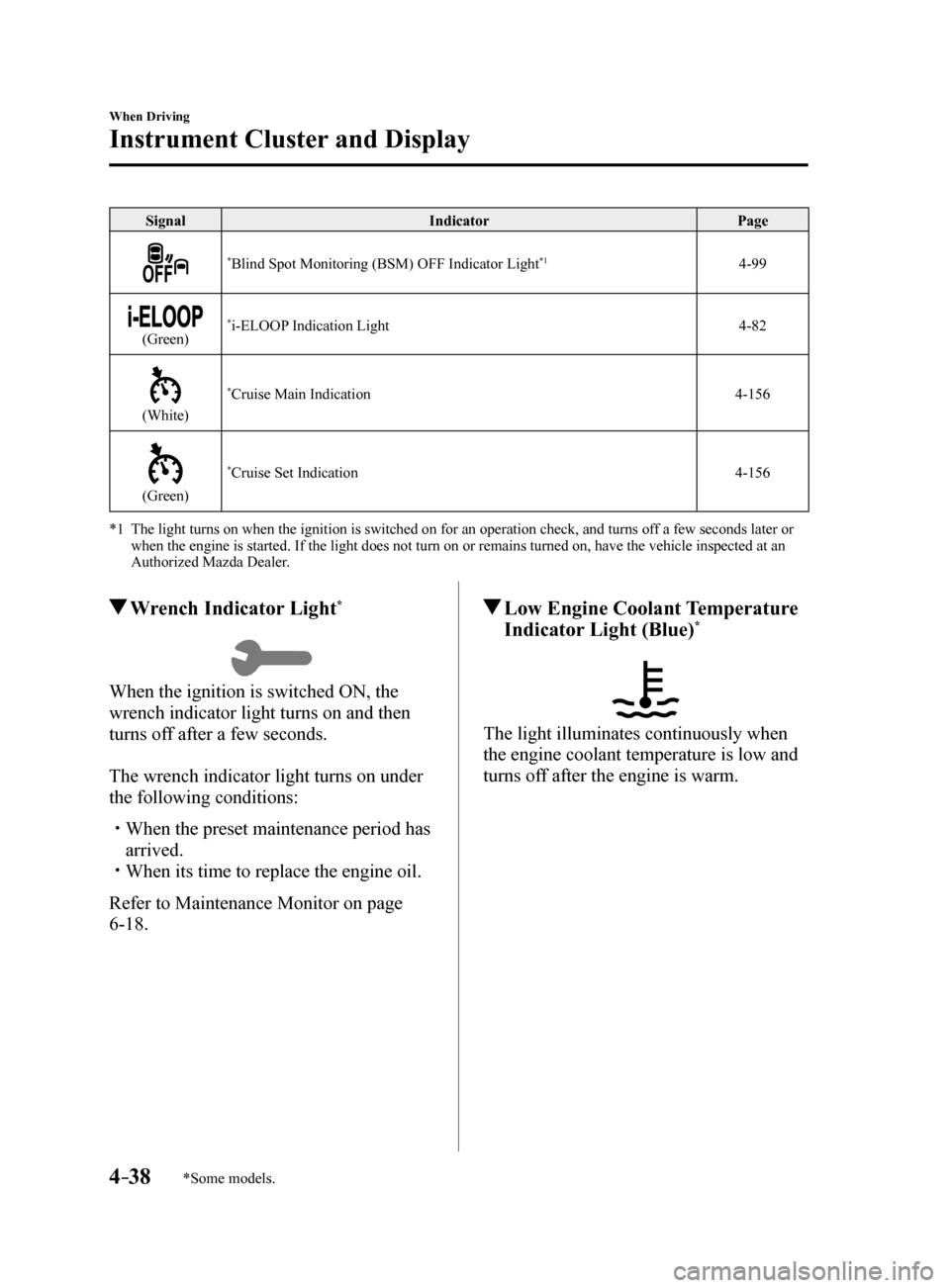
SignalIndicator Page
*Blind Spot Monitoring (BSM) OFF Indicator Light*14-99
(Green)*i-ELOOP Indication Light 4-82
(White)
*Cruise Main Indication4-156
(Green)
*Cruise Set Indication4-156
*1 The light turns on when the ignition is switched on for an operation che\
ck, and turns off a few seconds later or
when the engine is started. If the light does not turn on or remains tur\
ned on, have the vehicle inspected at an
Authorized Mazda Dealer.
Wrench Indicator Light*
When the ignition is switched ON, the
wrench indicator light turns on and then
turns off after a few seconds.
The wrench indicator light turns on under
the following conditions:
When the preset maintenance period has
arrived.
When its time to replace the engine oil.
Refer to Maintenance Monitor on page
6-18.
Low Engine Coolant Temperature
Indicator Light (Blue)*
The light illuminates continuously when
the engine coolant temperature is low and
turns off after the engine is warm.
Mazda6_8FH2-EA-16F_Edition2.indb 382016/07/07 13:44:50
Page 170 of 578
4–46
When Driving
Automatic Transaxle
*Some models.
Indicators
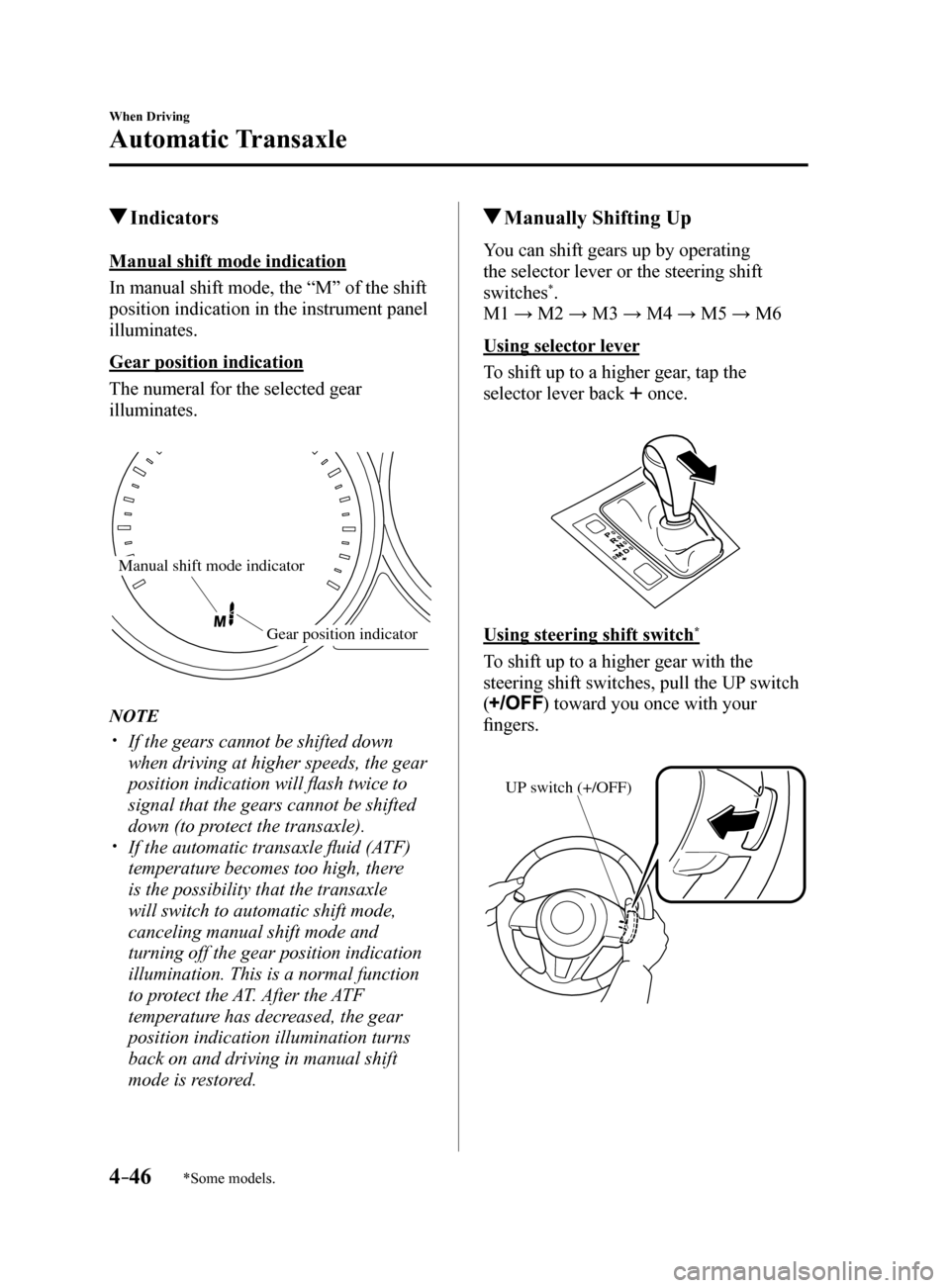
Manual shift mode indication
In manual shift mode, the “M” of the shift
position indication in the instrument panel
illuminates.
Gear position indication
The numeral for the selected gear
illuminates.
Manual shift mode indicator
Gear position indicator
NOTE
If the gears cannot be shifted down
when driving at higher speeds, the gear
position indication will flash twice to
signal that the gears cannot be shifted
down (to protect the transaxle).
If the automatic transaxle fluid (ATF)
temperature becomes too high, there
is the possibility that the transaxle
will switch to automatic shift mode,
canceling manual shift mode and
turning off the gear position indication
illumination. This is a normal function
to protect the AT. After the ATF
temperature has decreased, the gear
position indication illumination turns
back on and driving in manual shift
mode is restored.
Manually Shifting Up
You can shift gears up by operating
the selector lever or the steering shift
switches
*.
M1 → M2 → M3 → M4 → M5 → M6
Using selector lever
To shift up to a higher gear, tap the
selector lever back
once.
Using steering shift switch*
To shift up to a higher gear with the
steering shift switches, pull the UP switch
(
) toward you once with your
fingers.
UP switch (+/OFF)
Mazda6_8FH2-EA-16F_Edition2.indb 462016/07/07 13:44:52