ignition MAZDA MODEL 6 2017 (in English) User Guide
[x] Cancel search | Manufacturer: MAZDA, Model Year: 2017, Model line: MODEL 6, Model: MAZDA MODEL 6 2017Pages: 578, PDF Size: 54.72 MB
Page 79 of 578
3–5
Before Driving
Keys
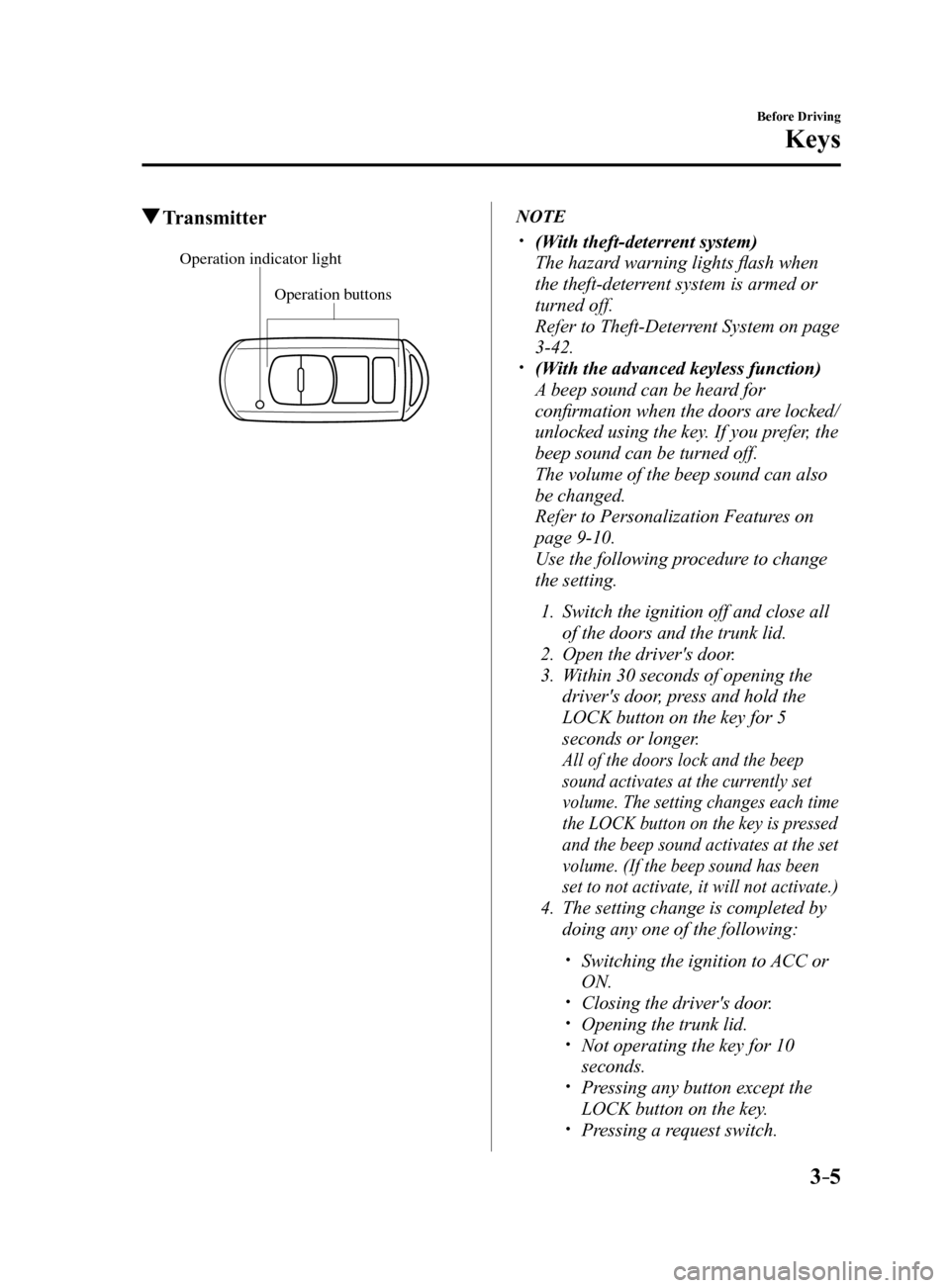
Transmitter
Operation buttons
Operation indicator light
NOTE
(With theft-deterrent system)
The hazard warning lights flash when
the theft-deterrent system is armed or
turned off.
Refer to Theft-Deterrent System on page
3-42.
(With the advanced keyless function)
A beep sound can be heard for
confirmation when the doors are locked/
unlocked using the key. If you prefer, the
beep sound can be turned off.
The volume of the beep sound can also
be changed.
Refer to Personalization Features on
page 9-10.
Use the following procedure to change
the setting.
1. Switch the ignition off and close all
of the doors and the trunk lid.
2. Open the driver's door.
3. Within 30 seconds of opening the
driver's door, press and hold the
LOCK button on the key for 5
seconds or longer.
All of the doors lock and the beep
sound activates at the currently set
volume. The setting changes each time
the LOCK button on the key is pressed
and the beep sound activates at the set
volume. (If the beep sound has been
set to not activate, it will not activate.)
4. The setting change is completed by
doing any one of the following:
Switching the ignition to ACC or
ON.
Closing the driver's door. Opening the trunk lid. Not operating the key for 10
seconds.
Pressing any button except the
LOCK button on the key.
Pressing a request switch.
Mazda6_8FH2-EA-16F_Edition2.indb 52016/07/07 13:44:22
Page 81 of 578
3–7
Before Driving
Keys
NOTE
The system can be set to unlock all
doors by performing a single operation.
Refer to Personalization Features on
page 9-10.
Use the following procedure to change
the setting.
1. Switch the ignition off and close all
of the doors and the trunk lid.
2. Open the driver's door.
3. Within 30 seconds of opening the
driver's door, press and hold the
UNLOCK button on the key for 5
seconds or longer (the sound of
the doors locking/unlocking can be
heard).
After this, the system switches the
setting each time the UNLOCK
button is pressed (the sound of the
doors locking/unlocking can be
heard).
4. The setting change is completed by
doing any one of the following:
Switching the ignition to ACC or
ON.
Closing the driver's door. Opening the trunk lid. Not operating the key for 10
seconds.
Pressing any button except the
UNLOCK button on the key.
Pressing a request switch.
(Auto re-lock function)
After unlocking with the key, all doors
will automatically lock if any of the
following operations are not performed
within about 60 seconds. If your
vehicle has a theft-deterrent system,
the hazard warning lights will flash for
confirmation.
The time required for the doors to lock
automatically can be changed.
Refer to Personalization Features on
page 9-10.
A door or the trunk lid is opened. The ignition is switched to any
position other than off.
(With theft-deterrent system)
When the doors are unlocked by
pressing the unlock button on the key
while the theft-deterrent system is
turned off, the hazard warning lights
will flash twice to indicate that the
system is turned off.
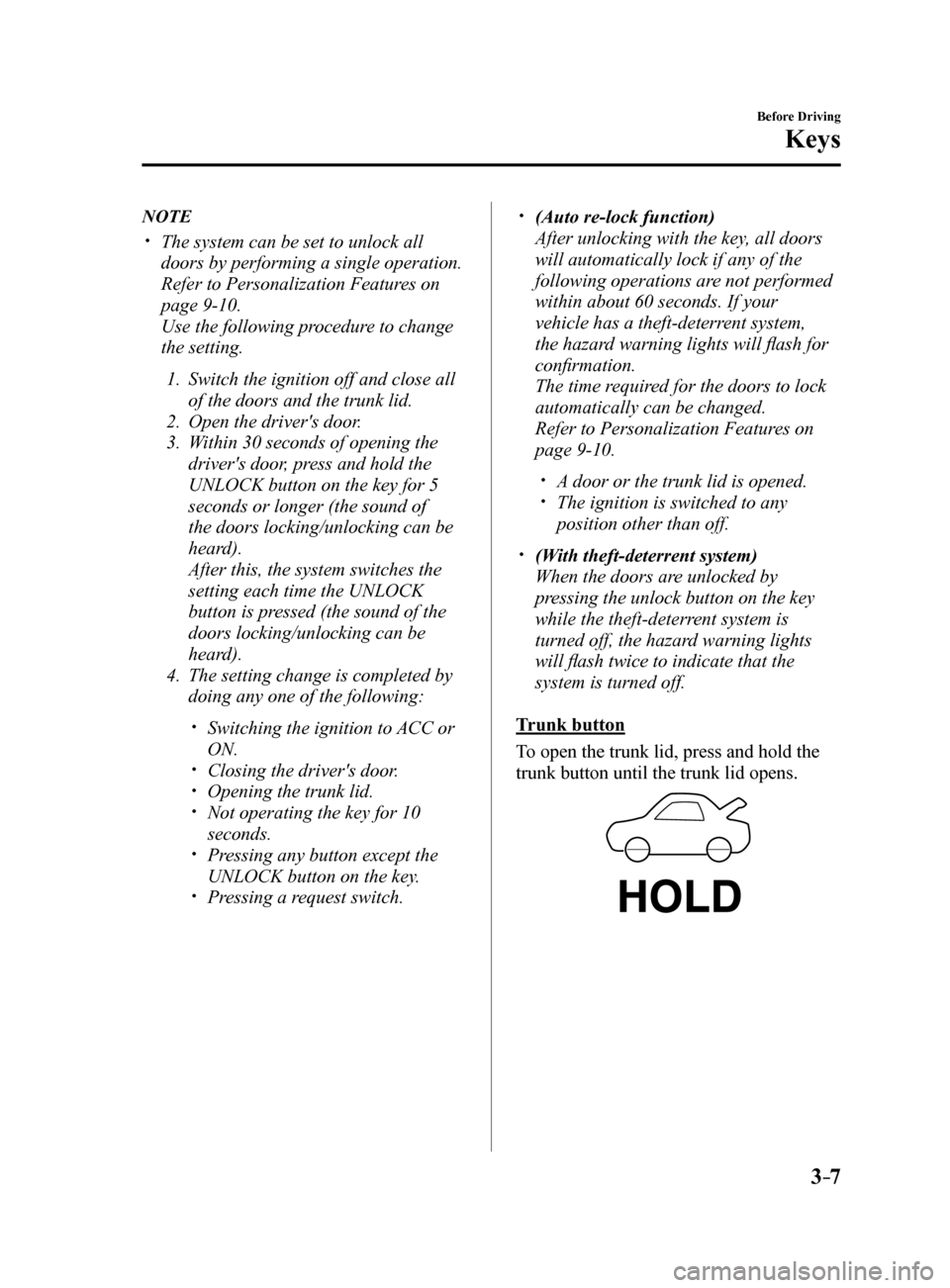
Trunk button
To open the trunk lid, press and hold the
trunk button until the trunk lid opens.
Mazda6_8FH2-EA-16F_Edition2.indb 72016/07/07 13:44:22
Page 82 of 578
3–8
Before Driving
Keys
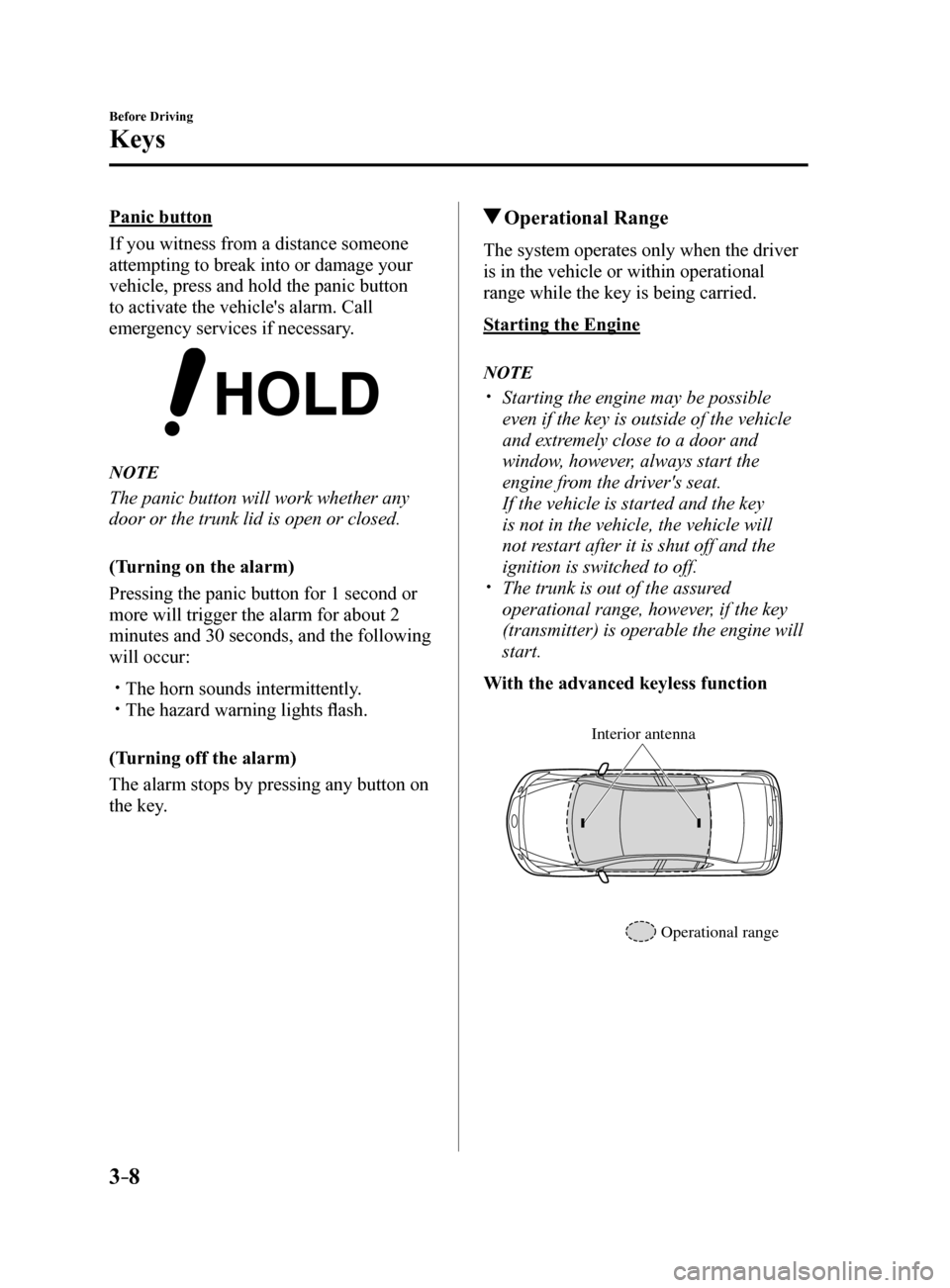
Panic button
If you witness from a distance someone
attempting to break into or damage your
vehicle, press and hold the panic button
to activate the vehicle's alarm. Call
emergency services if necessary.
NOTE
The panic button will work whether any
door or the trunk lid is open or closed.
(Turning on the alarm)
Pressing the panic button for 1 second or
more will trigger the alarm for about 2
minutes and 30 seconds, and the following
will occur:
The horn sounds intermittently. The hazard warning lights flash.
(Turning off the alarm)
The alarm stops by pressing any button on
the key.
Operational Range
The system operates only when the driver
is in the vehicle or within operational
range while the key is being carried.
Starting the Engine
NOTE
Starting the engine may be possible
even if the key is outside of the vehicle
and extremely close to a door and
window, however, always start the
engine from the driver's seat.
If the vehicle is started and the key
is not in the vehicle, the vehicle will
not restart after it is shut off and the
ignition is switched to off.
The trunk is out of the assured
operational range, however, if the key
(transmitter) is operable the engine will
start.
With the advanced keyless function
Interior antenna
Operational range
Mazda6_8FH2-EA-16F_Edition2.indb 82016/07/07 13:44:22
Page 87 of 578
3–13
Before Driving
Doors and Locks
NOTE
Always stop the engine and lock the
doors. In addition, to prevent theft of
valuables, do not leave them inside the
cabin.
If the key is left in the following areas
and you leave the vehicle, the doors
may be locked depending on the radio
wave conditions even if the key is left in
the vehicle.
Around the dashboard In the storage compartments such as
the glove compartment or the center
console
On the rear parcel shelf Next to a communication device such
as a mobile phone
When the ignition is switched to ACC
or ON, the vehicle lock-out prevention
feature prevents you from locking
yourself out of the vehicle.
All doors will automatically unlock if
they are locked using the power door
locks with any door open.
The vehicle lock-out prevention feature
does not operate while the ignition is
switched off.
When any door is opened from the
outside while the key is inside the
vehicle, the closed doors are locked. All
the doors are automatically unlocked by
closing the open door.
(With the advanced keyless function)
The beep sound is heard for about 10
seconds to notify the driver that the key
has been left in the vehicle.
(Without the advanced keyless function)
The horn sound is heard twice to notify
the driver that the key has been left in
the vehicle.
(Door unlock (control) system with
collision detection)
This system automatically unlocks the
doors in the event the vehicle is involved
in an accident to allow passengers to
get out of the vehicle immediately and
prevent being trapped inside. While the
ignition is switched ON and in the event
the vehicle receives an impact strong
enough to inflate the air bags, all the
doors are automatically unlocked after
about 6 seconds have elapsed from the
time of the accident.
The doors may not unlock depending on
how an impact is applied, the force of
the impact, and other conditions of the
accident.
If door-related systems or the battery
is malfunctioning, the doors will not
unlock.
Mazda6_8FH2-EA-16F_Edition2.indb 132016/07/07 13:44:23
Page 89 of 578
3–15
Before Driving
Doors and Locks
NOTE
The system can be set to unlock all
doors by performing a single operation.
Refer to Personalization Features on
page 9-10.
Use the following procedure to change
the setting.
1. Switch the ignition off and close all
of the doors and the trunk lid.
2. Open the driver's door.
3. Within 30 seconds of opening the
driver's door, press and hold the
UNLOCK button on the key for 5
seconds or longer (the sound of
the doors locking/unlocking can be
heard).
After this, the system switches the
setting of pressing the driver's
request switch once or twice
to unlock all doors each time
the UNLOCK button is pressed
(the sound of the doors locking/
unlocking can be heard).
4. The setting change is completed by
doing any one of the following:
Switching the ignition to ACC or
ON.
Closing the driver's door. Opening the trunk lid. Not operating the key for 10
seconds.
Pressing any button except the
UNLOCK button on the key.
Pressing a request switch.
Confirm that all doors are securely
locked.
For the trunk lid, move it without
pressing the electric trunk lid opener to
verify that the trunk lid has not been left
ajar.
All doors cannot be locked when any
door is open.
It may require a few seconds for the
doors to unlock after the request switch
is pressed.
A beep sound is heard for confirmation
when the doors are locked/unlocked
using the request switch. If you prefer,
the beep sound can be turned off.
The volume of the beep sound can also
be changed. Refer to Personalization
Features on page 9-10.
Use the following procedure to change
the setting.
1. Switch the ignition off and close all
of the doors and the trunk lid.
2. Open the driver's door.
3. Within 30 seconds of opening the
driver's door, press and hold the
LOCK button on the key for 5
seconds or longer.
All of the doors lock and the beep
sound activates at the currently set
volume. The setting changes each
time the LOCK button on the key is
pressed and the beep sound activates
at the set volume. (If the beep sound
has been set to not activate, it will
not activate.)
4. The setting change is completed by
doing any one of the following:
Switching the ignition to ACC or
ON.
Closing the driver's door. Opening the trunk lid. Not operating the key for 10
seconds.
Pressing any button except the
LOCK button on the key.
Pressing a request switch.
Mazda6_8FH2-EA-16F_Edition2.indb 152016/07/07 13:44:23
Page 90 of 578
3–16
Before Driving
Doors and Locks
(With theft-deterrent system)
The hazard warning lights flash when
the theft-deterrent system is armed or
turned off.
Refer to Theft-Deterrent System on page
3-42.
The setting can be changed so that the
doors are locked automatically without
pressing the request switch.
Refer to Personalization Features on
page 9-10.
(Auto-lock function)
A beep sound is heard when all doors are
closed while the advanced key is being
carried. All doors are locked automatically
after about three seconds when the
advanced key is out of the operational
range. Also, the hazard warning lights
flash once. (Even if the driver is in the
operational range, all doors are locked
automatically after about 30 seconds.)
If you are out of the operational range
before the doors and the trunk lid are
completely closed or another key is left in
the vehicle, the auto-lock function will not
work. Always make sure that all doors and
the trunk lid are closed and locked before
leaving the vehicle. The auto-lock function
does not close the power windows.
Auto re-lock function
After unlocking with the request switch,
all doors will automatically lock if any
of the following operations are not
performed within about 30 seconds.
If your vehicle has a theft-deterrent
system, the hazard warning lights will
flash for confirmation.
The time required for the doors to lock
automatically can be changed.
Refer to Personalization Features on
page 9-10.
Opening a door or the trunk lid. Switching the ignition to any position
other than off.
Locking, Unlocking with
Transmitter
All doors can be locked/unlocked by
operating the keyless entry system
transmitter, refer to Keyless Entry System
(page 3-3).
Locking, Unlocking with Door-
Lock Switch
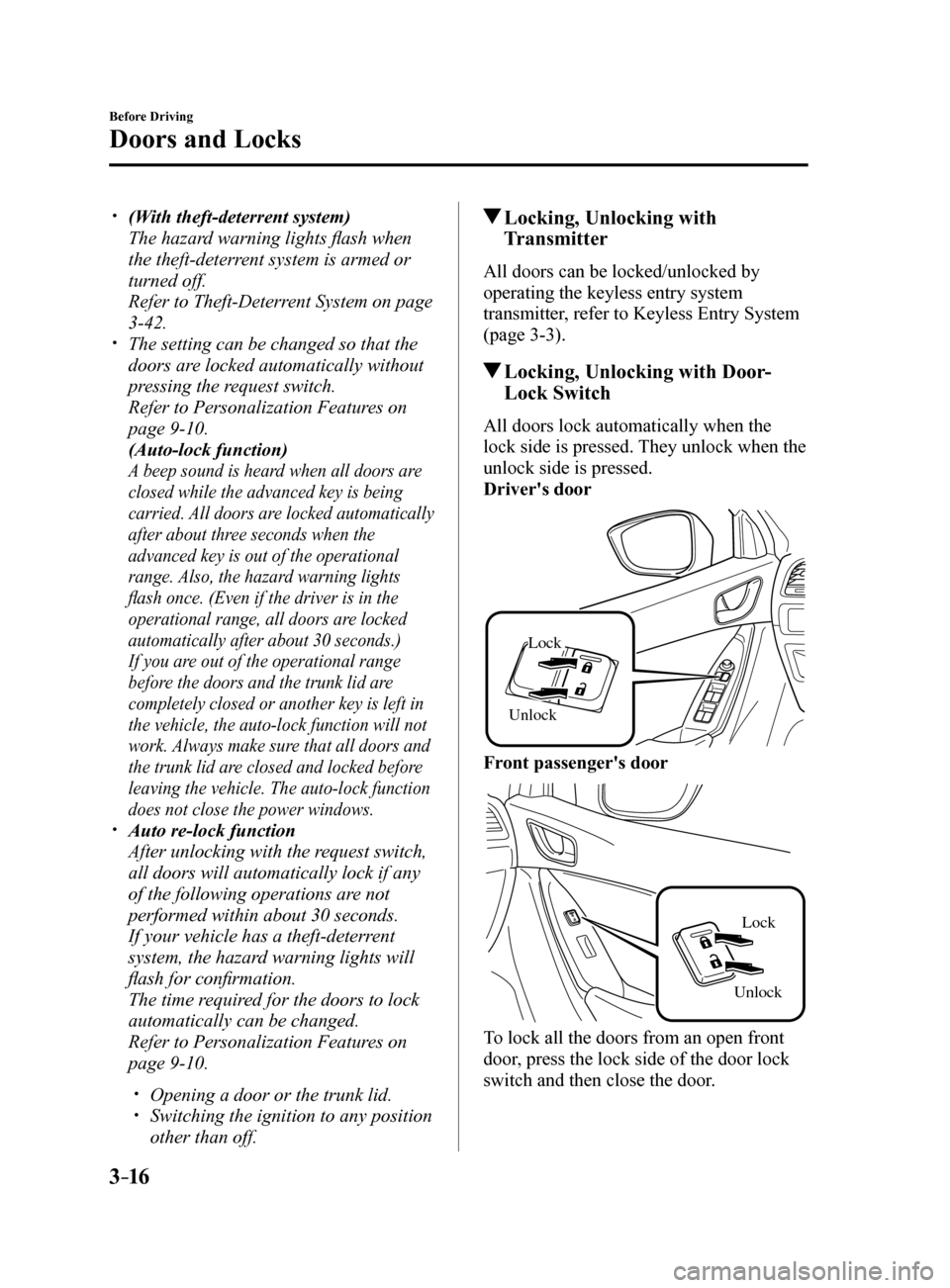
All doors lock automatically when the
lock side is pressed. They unlock when the
unlock side is pressed.
Driver's door
Unlock
Lock
Front passenger's door
Unlock Lock
To lock all the doors from an open front
door, press the lock side of the door lock
switch and then close the door.
Mazda6_8FH2-EA-16F_Edition2.indb 162016/07/07 13:44:24
Page 91 of 578
3–17
Before Driving
Doors and Locks
NOTE
When locking the doors this way, be
careful not to leave the key inside the
vehicle.
Auto Lock/Unlock Function
WARNING
Do not pull the inner handle on a front
door:
Pulling the inner handle on a front
door while the vehicle is moving
is dangerous. Passengers can fall
out of the vehicle if the door opens
accidentally , which could result in
death or serious injury.
When the vehicle speed exceeds
20 km/h (12 mph), all doors lock
automatically.
When the ignition is switched off, all
doors unlock automatically.
These functions can also be disabled so
that they do not operate.
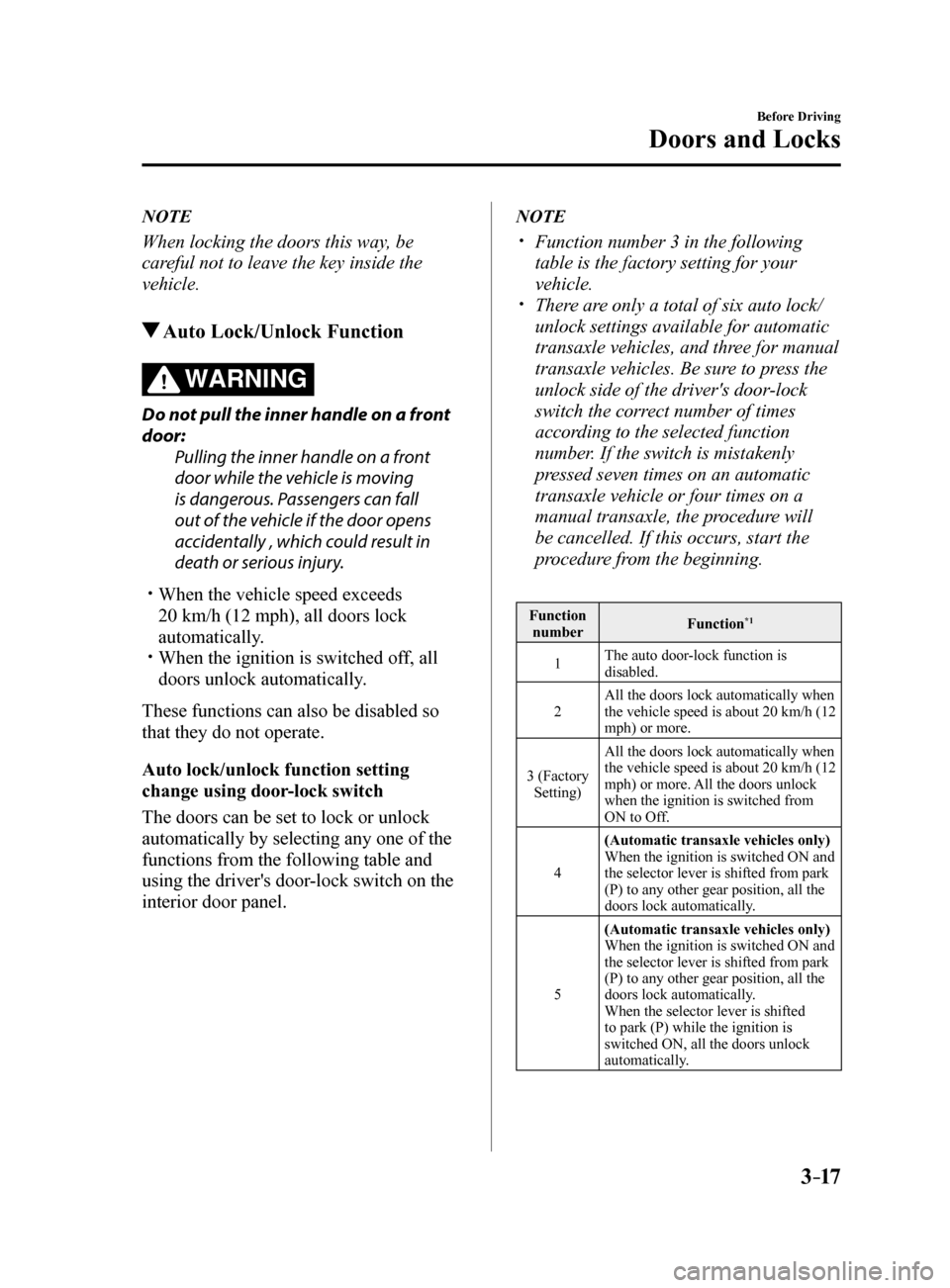
Auto lock/unlock function setting
change using door-lock switch
The doors can be set to lock or unlock
automatically by selecting any one of the
functions from the following table and
using the driver's door-lock switch on the
interior door panel.
NOTE
Function number 3 in the following
table is the factory setting for your
vehicle.
There are only a total of six auto lock/
unlock settings available for automatic
transaxle vehicles, and three for manual
transaxle vehicles. Be sure to press the
unlock side of the driver's door-lock
switch the correct number of times
according to the selected function
number. If the switch is mistakenly
pressed seven times on an automatic
transaxle vehicle or four times on a
manual transaxle, the procedure will
be cancelled. If this occurs, start the
procedure from the beginning.
Function
number Function*1
1The auto door-lock function is
disabled.
2 All the doors lock automatically when
the vehicle speed is about 20 km/h (12
mph) or more.
3 (Factory Setting) All the doors lock automatically when
the vehicle speed is about 20 km/h (12
mph) or more. All the doors unlock
when the ignition is switched from
ON to Off.
4 (Automatic transaxle vehicles only)
When the ignition is switched ON and
the selector lever is shifted from park
(P) to any other gear position, all the
doors lock automatically.
5 (Automatic transaxle vehicles only)
When the ignition is switched ON and
the selector lever is shifted from park
(P) to any other gear position, all the
doors lock automatically.
When the selector lever is shifted
to park (P) while the ignition is
switched ON, all the doors unlock
automatically.
Mazda6_8FH2-EA-16F_Edition2.indb 172016/07/07 13:44:24
Page 92 of 578
3–18
Before Driving
Doors and Locks
Function number Function*1
6(Automatic transaxle vehicles only)
All the doors lock automatically when
the vehicle speed is about 20 km/h (12
mph) or more.
When the selector lever is shifted
to park (P) while the ignition is
switched ON, all the doors unlock
automatically.
*1 Other settings for the auto door lock function are
available at an Authorized Mazda Dealer. For
details consult an Authorized Mazda Dealer. Refer
to Personalization Features on page 9-10.
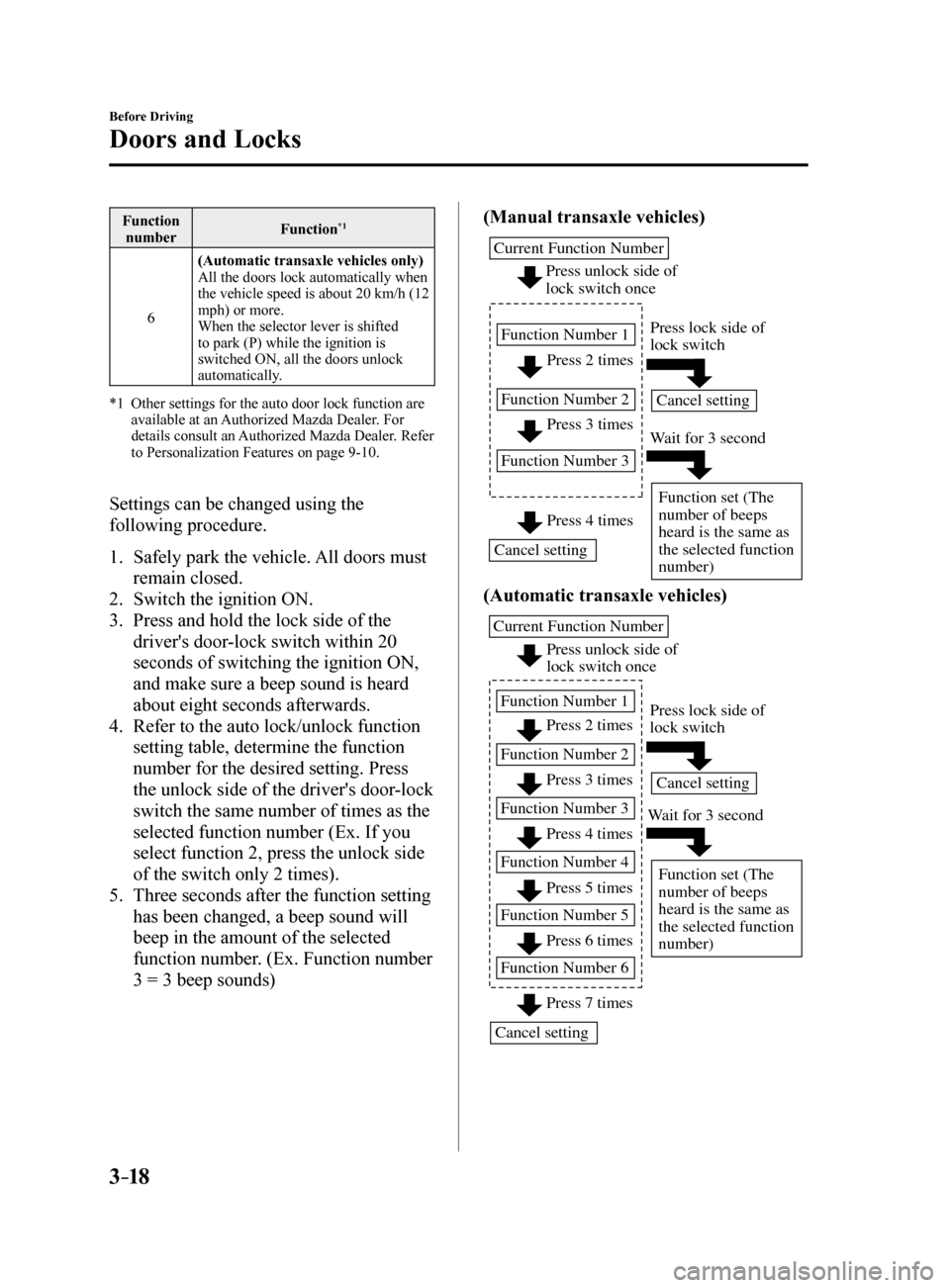
Settings can be changed using the
following procedure.
1. Safely park the vehicle. All doors must
remain closed.
2. Switch the ignition ON.
3. Press and hold the lock side of the
driver's door-lock switch within 20
seconds of switching the ignition ON,
and make sure a beep sound is heard
about eight seconds afterwards.
4. Refer to the auto lock/unlock function
setting table, determine the function
number for the desired setting. Press
the unlock side of the driver's door-lock
switch the same number of times as the
selected function number (Ex. If you
select function 2, press the unlock side
of the switch only 2 times).
5. Three seconds after the function setting
has been changed, a beep sound will
beep in the amount of the selected
function number. (Ex. Function number
3 = 3 beep sounds) (Manual transaxle vehicles)
Press 2 times
Press 3 times
Current Function Number
Function Number 1
Function Number 2
Function Number 3
Press 4 times
Press unlock side of
lock switch once
Cancel setting Cancel setting
Function set (The
number of beeps
heard is the same as
the selected function
number)
Press lock side of
lock switch
W
ait for 3 second
(Automatic transaxle vehicles)
Press unlock side of
lock switch once
Press 2 times
Press 3 times
Current Function Number
Function Number 1
Function Number 2
Press 4 times
Function Number 3
Press 5 times
Function Number 4
Press 7 times
Function Number 5
Press 6 times
Function Number 6
Cancel setting Cancel setting
Function set (The
number of beeps
heard is the same as
the selected function
number)
Press lock side of
lock switch
W ait for 3 second
Mazda6_8FH2-EA-16F_Edition2.indb 182016/07/07 13:44:24
Page 100 of 578
3–26
Before Driving
Fuel and Emission
Emission Control System
This vehicle is equipped with an emission control system (the catalytic converter is
part of this system) that enables the vehicle to comply with existing e\
xhaust emissions
requirements.
WARNING
Never park over or near anything flammable:
Parking over or near anything flammable, such as dry grass, is dangerous. Even with the
engine turned off, the exhaust system remains very hot after normal use and could ignite
anything flammable. A resulting fire could cause serious injury or death.
CAUTION
Ignoring the following precautions could cause lead to accumulate on the catalyst inside
the converter or cause the converter to get very hot. Either condition will damage the
converter and cause poor performance.
USE ONLY UNLEADED FUEL. Do not drive your Mazda with any sign of engine malfunction. Do not coast with the ignition switched off. Do not descend steep grades in gear with the ignition switched off. Do not operate the engine at high idle for more than 2 minutes. Do not tamper with the emission control system. All inspections and adjustments must
be made by a qualified technician.
Do not push-start or pull-start your vehicle.
NOTE
Under U.S. federal law, any modification to the original-equipment emission control
system before the first sale and registration of a vehicle is subject to penalties. In some
states, such modification made on a used vehicle is also subject to penalties.
While the engine is off, the sound of a valve opening and closing can be\
heard at the rear
of the vehicle, however this does not indicate an abnormality. The vehicle has a self-
checking device and it operates while the engine is off.
Mazda6_8FH2-EA-16F_Edition2.indb 262016/07/07 13:44:26
Page 104 of 578
3–30
Before Driving
Steering Wheel
*Some models.
Steering Wheel
WARNING
Never adjust the steering wheel while
the vehicle is moving:Adjusting the steering wheel while
the vehicle is moving is dangerous.
Moving it can very easily cause the
driver to abruptly turn to the left or
right. This can lead to loss of control or
an accident.
Steering Wheel Adjustment
To change the angle or length of the
steering wheel:
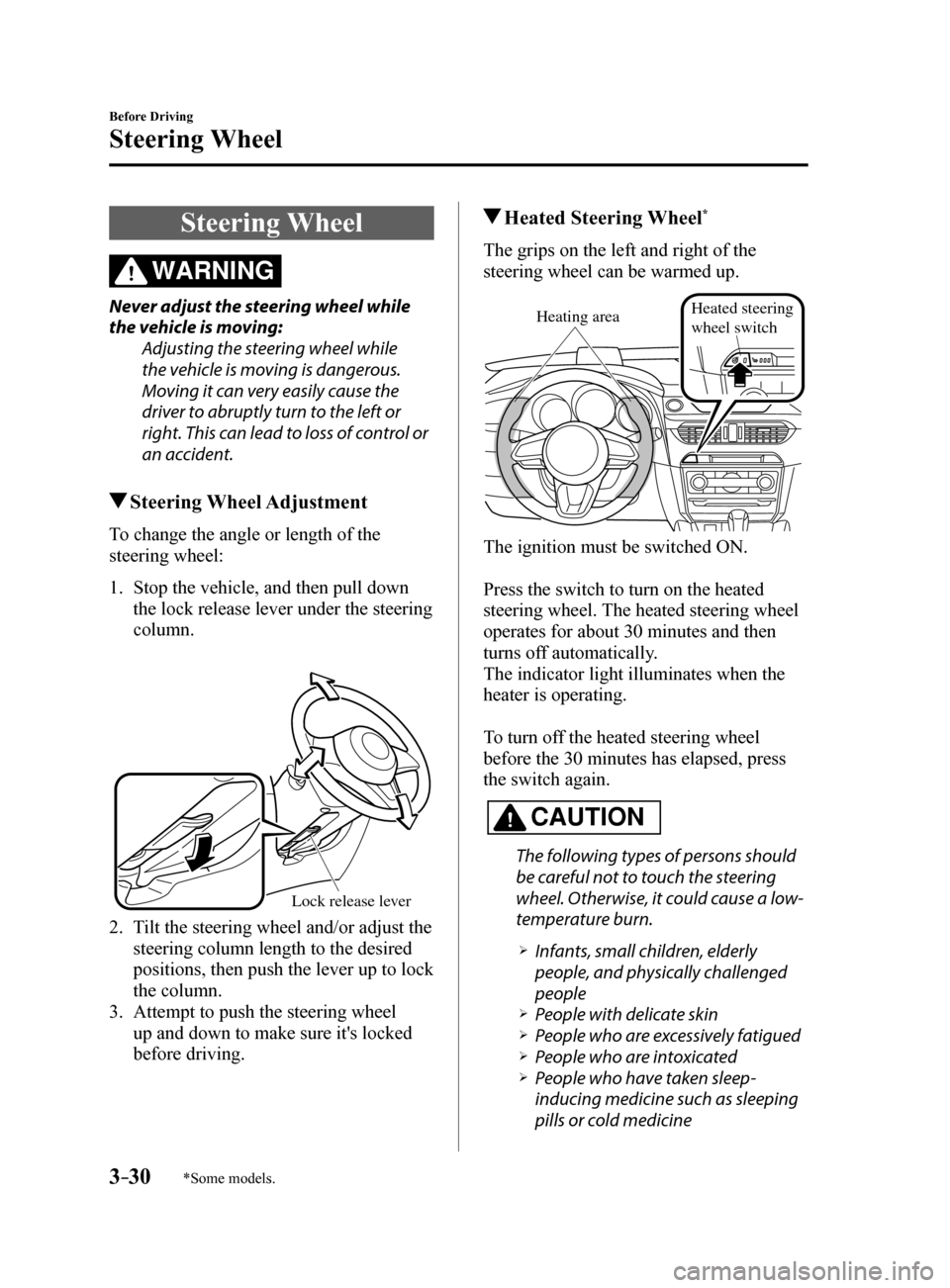
1. Stop the vehicle, and then pull down
the lock release lever under the steering
column.
Lock release le ver
2. Tilt the steering wheel and/or adjust the
steering column length to the desired
positions, then push the lever up to lock
the column.
3. Attempt to push the steering wheel
up and down to make sure it's locked
before driving.
Heated Steering Wheel*
The grips on the left and right of the
steering wheel can be warmed up.
Heating areaHeated steering
wheel switch
The ignition must be switched ON.
Press the switch to turn on the heated
steering wheel. The heated steering wheel
operates for about 30 minutes and then
turns off automatically.
The indicator light illuminates when the
heater is operating.
To turn off the heated steering wheel
before the 30 minutes has elapsed, press
the switch again.
CAUTION
The following types of persons should
be careful not to touch the steering
wheel. Otherwise, it could cause a low-
temperature burn.
Infants, small children, elderly
people, and physically challenged
people
People with delicate skin People who are excessively fatigued People who are intoxicated People who have taken sleep-
inducing medicine such as sleeping
pills or cold medicine
Mazda6_8FH2-EA-16F_Edition2.indb 302016/07/07 13:44:27