instrument cluster MAZDA MODEL CX-5 2018 (in English) Service Manual
[x] Cancel search | Manufacturer: MAZDA, Model Year: 2018, Model line: MODEL CX-5, Model: MAZDA MODEL CX-5 2018Pages: 628, PDF Size: 82.38 MB
Page 201 of 628
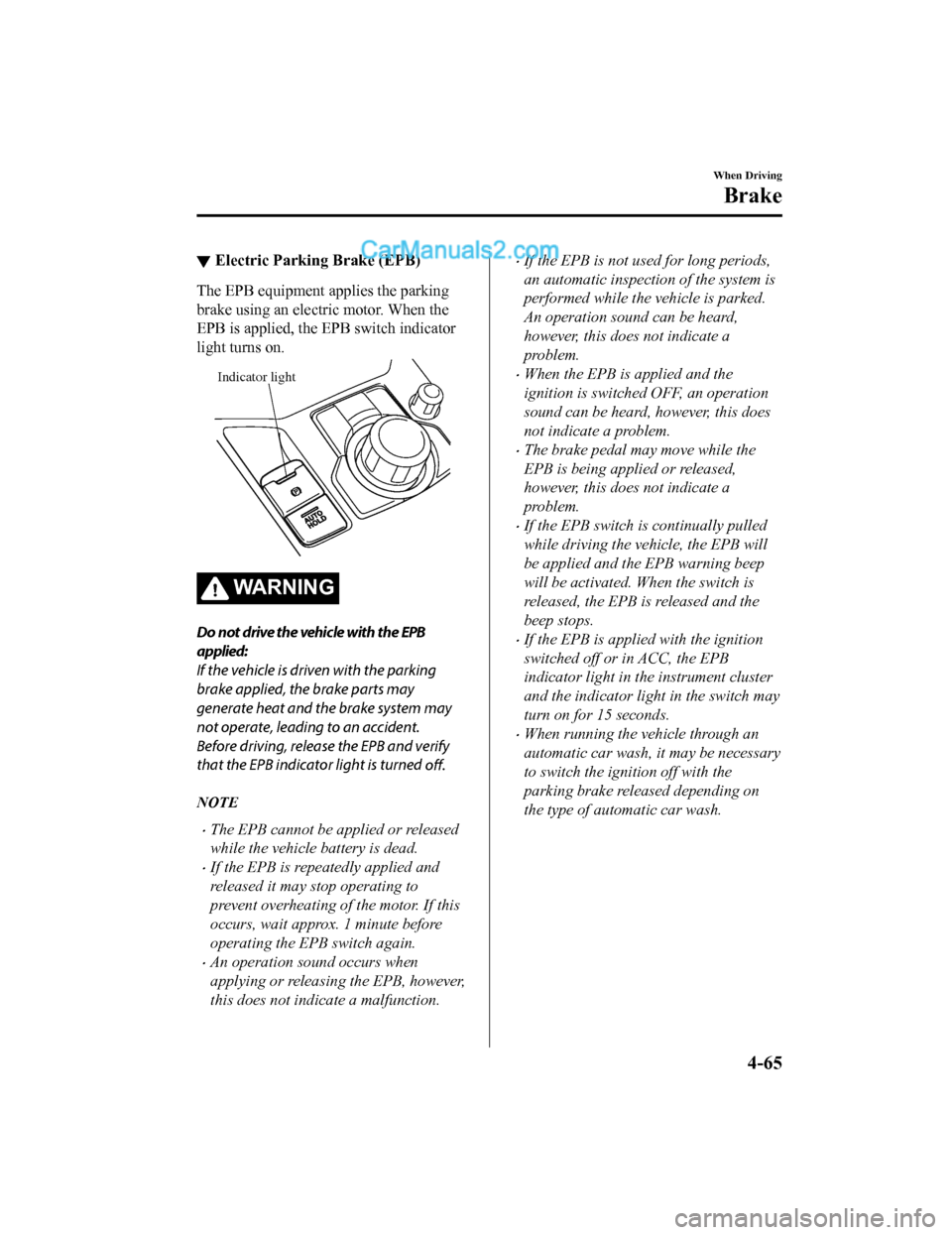
▼Electric Parking Brake (EPB)
The EPB equipment applies the parking
brake using an electric motor. When the
EPB is applied, the EPB switch indicator
light turns on.
Indicator light
WA R N I N G
Do not drive the vehicle with the EPB
applied:
If the vehicle is driven with the parking
brake applied, the brake parts may
generate heat and the brake system may
not operate, leading to an accident.
Before driving, release the EPB and verify
that the EPB indicator light is turned
off.
NOTE
•The EPB cannot be applied or released
while the vehicle battery is dead.
•If the EPB is repeatedly applied and
released it may stop operating to
prevent overheating of the motor. If this
occurs, wait approx. 1 minute before
operating the EPB switch again.
•An operation sound occurs when
applying or releasing the EPB, however,
this does not indicate a malfunction.
•If the EPB is not used for long periods,
an automatic inspection of the system is
performed while the vehicle is parked.
An operation sound can be heard,
however, this does not indicate a
problem.
•When the EPB is applied and the
ignition is switched OFF, an operation
sound can be heard, however, this does
not indicate a problem.
•The brake pedal may move while the
EPB is being applied or released,
however, this does not indicate a
problem.
•If the EPB switch is continually pulled
while driving the vehicle, the EPB will
be applied and the EPB warning beep
will be activated. When the switch is
released, the EPB is released and the
beep stops.
•If the EPB is applied with the ignition
switched off or in ACC, the EPB
indicator light in the instrument cluster
and the indicator light in the switch may
turn on for 15 seconds.
•When running the vehicle through an
automatic car wash, it may be necessary
to switch the ignition off with the
parking brake released depending on
the type of automatic car wash.
When Driving
Brake
4-65
CX-5_8GN5-EA-17J_Edition1 2017-8-18 12:58:27
Page 202 of 628

When applying the EPB
The EPB can be applied regardless of the
ignition switch position.
Securely depress the brake pedal and pull
up the EPB switch.
The EPB is applied and the EPB indicator
light and the EPB switch indicator light
turn on.
Refer to Warning/Indicator Lights on page
4-30.
When releasing the EPB
The EPB can be released while the
ignition is switched ON or the engine is
running. When the EPB is released, the
EPB indicator light and the EPB switch
indicator light turn off.
EPB manual release
Firmly depress the brake pedal and press
the EPB switch.
If the EPB switch is pressed without
depressing the brake pedal, the display or
indicator light in the instrument cluster
notifies the driver that the brake is not
depressed.
(Type A instrument cluster)
A message is displayed on the
multi-information display in the
instrument cluster.
Refer to Message Indicated in
Multi-information Display on page 7-38.
(Type B instrument cluster)
The brake pedal operation demand
indicator light (green) in the instrument
cluster turns on.
(Green)
When Driving
Brake
4-66
CX-5_8GN5-EA-17J_Edition12017-8-18 12:58:27
Page 206 of 628

Always apply the electric parking brake (EPB) when parking the vehicle:
Not applying the electric parking brake (EPB) when parking the vehicle is dangerous as the
vehicle may move unexpectedly and result in an accident. When parking the vehicle, shift the
selector lever to the P position (automatic tr ansaxle vehicle) and apply the electric parking
brake (EPB).
CAUTION
If you stop operating the accelerator pedal befo re the vehicle starts moving, the force holding
the vehicle in the stopped position may weaken. Firmly depress the brake pedal or depress the
accelerator pedal to accelerate the vehicle.
NOTE
•Under the following conditions, a problem wi th the AUTOHOLD is occurring. Have your
vehicle inspected at an Authorized Mazda Dealer as soon as possible.
•The brake pedal operation demand warning ligh t (red) in the instrument cluster flashes
and the warning sound is activated for about five seconds while the AUTOHOLD is
operating or when you press the AUTOHOLD switch.
•A message is indicated on the multi-information display and a warning sound is
activated for about five seconds while the AUTOHOLD is operating or when your press
the AUTOHOLD switch.
•If you switch the ignition OFF while the AUTOHOLD is operating, the electric parking
brake (EPB) is applied automatically to assist you with parking the vehicle.
•The AUTOHOLD is canceled when the selector lever is shifted to R while the vehicle is on
level ground, or facing up a hill or grade (as shown below).
Level ground
: Driving in reverse (selector lever in R)
Vehicle tilts forward Vehicle tilts rearward
AUTOHOLD :
Operates AUTOHOLD :
Does not operate,
canceled
AUTOHOLD :
Does not operate,
canceled
When Driving
Brake
4-70
CX-5_8GN5-EA-17J_Edition1 2017-8-18 12:58:27
Page 208 of 628

To release AUTOHOLD and start
driving the vehicle
If you do any of the following actions to
resume driving the v ehicle, the brakes
release automatically and the
AUTOHOLD active indi cator light turns
off.
•The accelerator pedal is depressed.
•The vehicle tilts rearward or the selector
lever is shifted to th e R position on level
ground.
NOTE
•If the electric parking brake (EPB)
switch is pulled while the AUTOHOLD
is operating, the AUTOHOLD is
released and the electric parking brake
(EPB) is applied. In addition, if the
electric parking brake (EPB) is released
under this condition, the AUTOHOLD
operates to hold the brakes.
•Under the following conditions, the
electric parking brake (EPB) is
automatically applied and the
AUTOHOLD is released. The
AUTOHOLD is re-enabled when the
conditions before the AUTOHOLD is
released are restored.
•The driver’s seat belt is unfastened.
•The driver’s door is opened.
•When about ten minutes or longer have
passed since the AUTOHOLD operation
started, the electric parking brake
(EPB) is automatically applied. Because
the AUTOHOLD is restored when
releasing the electric parking brake
(EPB), the hold on the brakes by
AUTOHOLD function resumes.
▼ AUTOHOLD System is Turned Off
The vehicle is driven
Press the AUTOHOLD switch to turn off
the AUTOHOLD ( AUTOHOLD standby
indicator light turns off).
Brakes are held
Depress the brake pedal and press the
AUTOHOLD switch to turn off the
AUTOHOLD (AUTOHOLD standby
indicator light and AUTOHOLD active
indicator light in instrument cluster turn
off).
AUTOHOLD standby
indicator light
When Driving
Brake
4-72
CX-5_8GN5-EA-17J_Edition1
2017-8-18 12:58:27
Page 209 of 628

NOTE
•(Without multi-information display)
If the AUTOHOLD switch is pressed
without depressing the brake pedal
while the AUTOHOLD is operating
(AUTOHOLD active indicator light is
turned on), the brake pedal operation
demand indicator light (green) in the
instrument cluster turns on to notify the
driver that it is necessary to depress the
brake pedal.
(Green)
(With multi-information display)
If the AUTOHOLD switch is pressed
without depressing the brake pedal
while AUTOHOLD is operating
(AUTOHOLD active indicator light in
instrument cluster is turned on), the
message Depress Brake Pedal to
Release Parking Brake is indicated on
the multi-informati on display to notify
the driver to depress the brake pedal.
•If any of the follow ing conditions occurs
while the AUTOHOLD function is
operating (AUTOHOLD active indicator
light is turned on), the electric parking
brake (EPB) is applied automatically
and the AUTOHOLD function turns off.
For the electric parking brake (EPB)
operation, refer to the electric parking
brake (EPB) on page 4-65.
•The ignition is switched OFF.
•There is a problem with the
AUTOHOLD function.
Hill Launch Assist (HLA)
HLA is a function which assists the driver
in accelerating from a stop while on a
slope. When the driver releases the brake
pedal and depresses the accelerator pedal
while on a slope, the function prevents the
vehicle from rolling. T he braking force is
maintained automatically after the brake
pedal is released on a steep grade.
HLA operates on a downward slope when
the selector lever is in the reverse (R)
position, and on an upward slope when the
selector lever is in a forward gear.
WA R N I N G
Do not rely completely on HLA :
HLA is an auxiliary device for accelerating
from a stop on a slope. The system only
operates for about two seconds and
therefore, relying only on the system, when
accelerating from a stop is dangerous
because the vehicle may move (roll)
unexpectedly and cause an accident.
The vehicle could roll depending on the
vehicle's load or if it is towing something.
Always confirm the safety around the
vehicle before starting to drive the vehicle.
When Driving
Brake
4-73
CX-5_8GN5-EA-17J_Edition1 2017-8-18 12:58:27
Page 213 of 628

▼TCS OFF Indicator Light
This indicator light
stays on for a few
seconds when the ignition is switched ON.
It also illuminates when the TCS OFF
switch is pressed and TCS is switched off.
Refer to TCS OFF Sw itch on page 4-77.
If the light remains i lluminated and the
TCS is not switched of f, take your vehicle
to an Authorized Mazda Dealer. The DSC
may have a malfunction.
▼ TCS OFF Switch
Press the TCS OFF switch to turn off the
TCS. The TCS OFF indicator light in the
instrument cluster will illuminate.
Press the switch agai
n to turn the TCS
back on. The TCS OFF indicator light will
turn off.
NOTE
•When TCS is on and you attempt to free
the vehicle when it is stuck, or drive it
out of freshly fallen snow, the TCS (part
of the DSC system) will activate.
Depressing the accelerator will not
increase engine power and freeing the
vehicle may be difficult. When this
happens, turn off the TCS.
•If the TCS is off when the engine is
turned off, it automatically activates
when the ignition is switched ON.
•Leaving the TCS on will provide the best
traction.
•If the TCS OFF switch is pressed and
held for 10 seconds or more, the TCS
OFF switch malfunction detection
function operates and the TCS system
activates automatically. The TCS OFF
indicator light turn s off while the TCS
system is operative.
When Driving
ABS/TCS/DSC
4-77
CX-5_8GN5-EA-17J_Edition1 2017-8-18 12:58:27
Page 217 of 628

▼Fuel Economy Data Reset and Trip
Meter (TRIP A) Synchronization (Linking)
(Without Multi-information Display)
Because the average fuel economy indication on the instrument c luster display is linked
with the “Average Fuel Economy History” (Current) indication on the center display, when
one is reset the other is also reset.
In addition, switching between reset and no reset of the averag e fuel economy indication on
the instrument cluster display and the “Average Fuel Economy Hi story” (Current) indication
on the center display when rese tting the trip meter (TRIP A) is possible.
Reset operation item Synchronized (linked) and reset information
Trip meter (TRIP A) Average fuel econo-
my on instrument cluster display “Average Fuel
Economy History” (Current) indica-
tion on the center display
Trip meter (TRIP A) X
X/—
*1X/—*1
Average fuel economy o n instrument cluster
display —X X
“Average Fuel Economy History” (Current)
indication on the center display —X X
X: Reset
—: Not reset
*1 Can be personalized.
Refer to Personalization Features on page 9-9.
When Driving
Fuel Economy Monitor
4-81
CX-5_8GN5-EA-17J_Edition1 2017-8-18 12:58:27
Page 218 of 628

Drive Selection
Drive selection is a system to switch the vehicle's drive mode. When the sport mode is
selected, vehicle's response against accelerator operation is e nhanced. This provides
additional quick acceleration which may be needed to safely mak e maneuvers such as lane
changes, merging onto freeways, or passing other vehicles.
CAUTION
Do not use the sport mode when driving on slip pery roads such as wet or snow-covered roads.
It may cause tire slipping.
NOTE
•When the sport mode is selected, driving at higher engine speeds increases and it may
increase fuel consumption. Mazda recommends that you cancel the sport mode on normal
driving.
•Drive mode cannot be switched in the following conditions:
•ABS/TCS/DSC is operating
•The Mazda Radar Cruise Control (MRCC) system/cruise control is operating.
•Steering wheel is being operated abruptly
▼ Drive Selection Switch
Press the drive sele
ction switch forward
(“
”) to select the sport mode.
Pull the drive selection switch back
(“
”) to cancel the sport mode.
NOTE
•When the ignition is switched off, the
sport mode is canceled.
•Depending on the driving conditions
when sport mode is selected, the vehicle
may perform shift-down or slightly
accelerate.
▼ Select Mode Indication
When the sport mode is selected, the select
mode indication turns
on in the instrument
cluster.
NOTE
If the drive selection cannot be switched to
sport mode, the select mode indication
flashes to notify the driver.
When Driving
Drive Selection
4-82
CX-5_8GN5-EA-17J_Edition1 2017-8-18 12:58:27
Page 227 of 628
NOTE
The timing in which the system switches the headlights changes under the following
conditions. If the system does not switch the headlights appropriately, manually switch
between high and low beams according to the visibility as well as road and traffic
conditions.
•When there are sources of light in the area such as street lamps, illuminated signboards,
and traffic signals.
•When there are reflective objects in the surrounding area such as reflective plates and
signs.
•When visibility is reduced under rain, snow and foggy conditions.
•When driving on roads with sharp turn or hilly terrain.
•When the headlights/rear lamps of vehicles in front of you or in the opposite lane are dim
or not illuminated.
•When there is sufficient darkness such as at dawn or dusk.
•When the luggage compartment is loaded with heavy objects or the rear passenger seats
are occupied.
•When visibility is reduced due to a vehicle in front of you spraying water from its tires
onto your windshield.
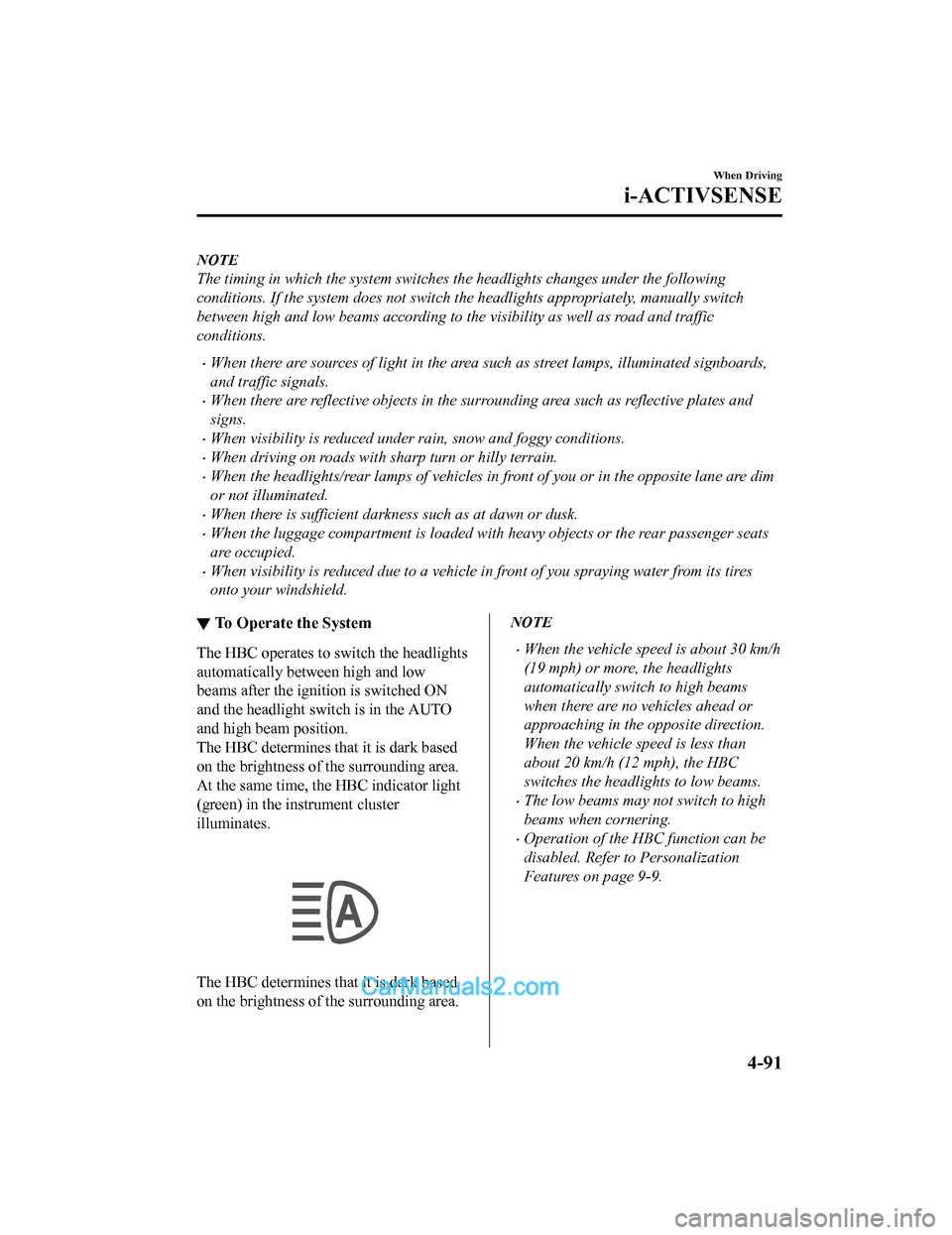
▼ To Operate the System
The HBC operates to s
witch the headlights
automatically between high and low
beams after the igni tion is switched ON
and the headlight sw itch is in the AUTO
and high beam position.
The HBC determines that it is dark based
on the brightness of the surrounding area.
At the same time, the HBC indicator light
(green) in the instrument cluster
illuminates.
The HBC determines that it is dark based
on the brightness of the surrounding area.
NOTE
•When the vehicle speed is about 30 km/h
(19 mph) or more, the headlights
automatically switch to high beams
when there are no vehicles ahead or
approaching in the opposite direction.
When the vehicle speed is less than
about 20 km/h (12 mph), the HBC
switches the headlights to low beams.
•The low beams may not switch to high
beams when cornering.
•Operation of the HBC function can be
disabled. Refer to Personalization
Features on page 9-9.
When Driving
i-ACTIVSENSE
4-91
CX-5_8GN5-EA-17J_Edition1 2017-8-18 12:58:27
Page 230 of 628

NOTE
•The BSM will operate when all of the following conditions are met:
•The ignition is switched ON.
•The BSM OFF indicator light in the instrument cluster is turned off.
•The vehicle speed is about 10 km/h (6.3 mph) or faster.
•The BSM will not operate under the following circumstances.
•The vehicle speed falls below about 10 km/h (6.3 mph) even though the BSM OFF
indicator light is turned off.
•The selector lever is shifted to r everse (R) and the vehicle is reversing.
•The turning radius is small (making a sharp turn, turning at intersections).
•In the following cases, the BSM OFF indicator light turns on and operation of the system
is stopped. If the BSM OFF indicator light re mains illuminated, have the vehicle inspected
at an Authorized Mazda Dealer as soon as possible.
•Some problem with the system including the BSM warning indicator lights is detected.
•A large deviation in the installation position of a radar sensor (rear) on the vehicle has
occurred.
•There is a large accumulation of snow or ice on the rear bumper near a radar sensor
(rear). Remove any snow, ice or mud on the rear bumper.
•Driving on snow-covered roads for long periods.
•The temperature near the radar sensors (rear) becomes extremely hot due to driving for
long periods on slopes during the summer.
•The battery voltage has decreased.
•Under the following conditions, the radar sensors (rear) cannot detect target objects or it
may be difficult to detect them.
•A vehicle is in the detection area at the rear in an adjacent driving lane but it does not
approach. The BSM determines the condition based on radar detection data.
•A vehicle is traveling alongside your vehicle at nearly the same speed for an extended
period of time.
•Vehicles approaching in the opposite direction.
•A vehicle in an adjacent driving lane is attempting to pass your vehicle.
•A vehicle is in an adjacent lane on a road with extremely wide driving lanes. The
detection area of the radar sensors (rear) is set at the road width of expressways.
•In the following case, the flashing of the BS M warning indicator light, and the activation
of the warning sound and the warning screen indicator display may not occur or they may
be delayed.
•A vehicle makes a lane change from a driving lane two lanes over to an adjacent lane.
•Driving on steep slopes.
•Crossing the summit of a hill or mountain pass.
When Driving
i-ACTIVSENSE
4-94
CX-5_8GN5-EA-17J_Edition1 2017-8-18 12:58:27