brake light MAZDA MODEL TRIBUTE 2002 Owners Manual (in English)
[x] Cancel search | Manufacturer: MAZDA, Model Year: 2002, Model line: MODEL TRIBUTE, Model: MAZDA MODEL TRIBUTE 2002Pages: 256, PDF Size: 2.66 MB
Page 1 of 256
Introduction 3
Instrument Cluster 10
Warning and control lights 10
Gauges 16
Entertainment Systems 19
AM/FM stereo with CD 19
Climate Controls 50
Manual heating and air conditioning 50
Lights 54
Headlamps 54
Turn signal control 56
Bulb replacement 57
Driver Controls 62
Windshield wiper/washer control 62
Steering wheel adjustment 65
Power windows 67
Speed control 69
Locks and Security 77
Keys 77
Locks 77
Anti-theft system 78
Seating and Safety Restraints 87
Seating 87
Safety restraints 98
Air bags 109
Child restraints 118
Driving 130
Starting 130
Brakes 134
Table of Contents
1
Page 6 of 256
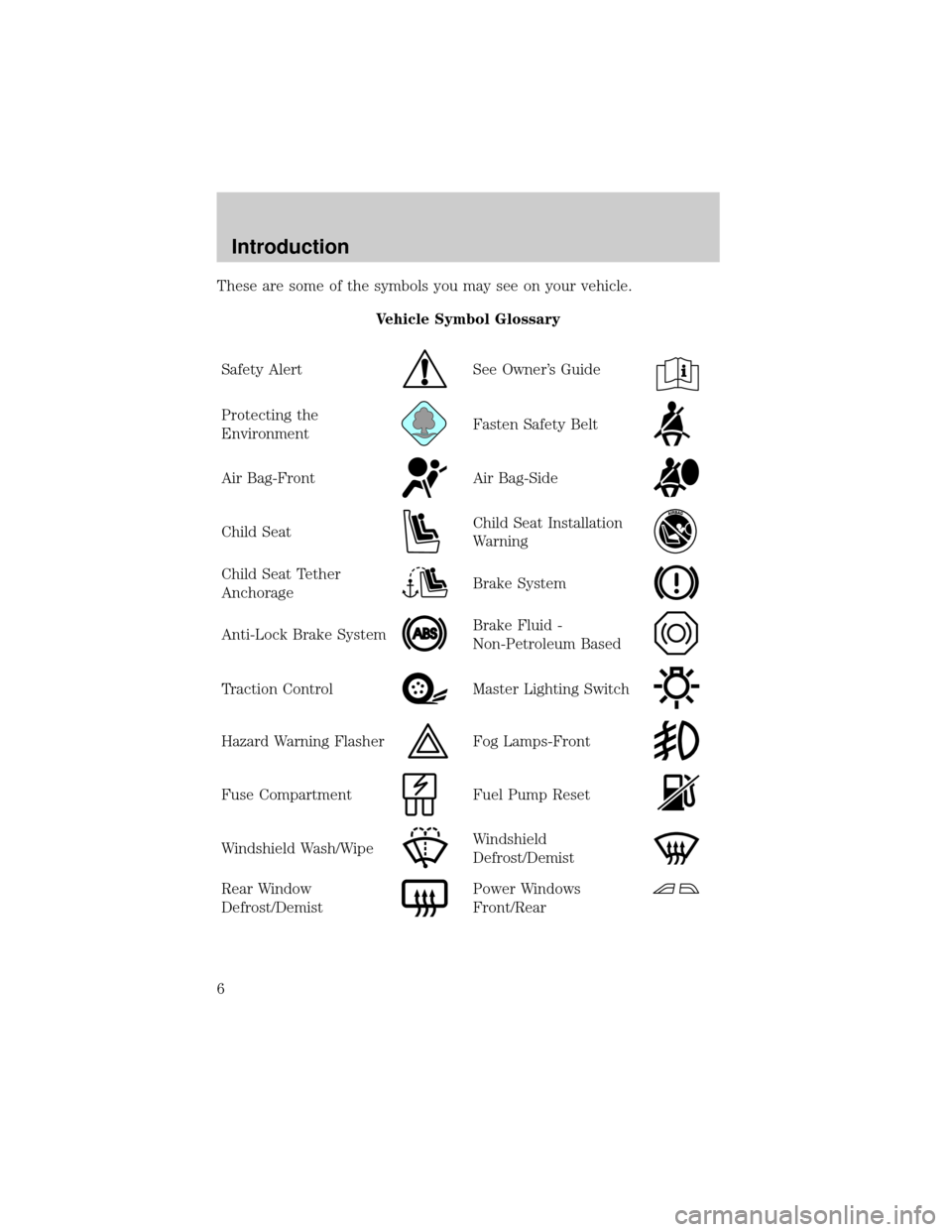
These are some of the symbols you may see on your vehicle.
Vehicle Symbol Glossary
Safety Alert
See Owner's Guide
Protecting the
EnvironmentFasten Safety Belt
Air Bag-FrontAir Bag-Side
Child SeatChild Seat Installation
Warning
Child Seat Tether
AnchorageBrake System
Anti-Lock Brake SystemBrake Fluid -
Non-Petroleum Based
Traction ControlMaster Lighting Switch
Hazard Warning FlasherFog Lamps-Front
Fuse CompartmentFuel Pump Reset
Windshield Wash/WipeWindshield
Defrost/Demist
Rear Window
Defrost/DemistPower Windows
Front/Rear
Introduction
6
Page 12 of 256

Low fuel
Illuminates when the fuel level in
the fuel tank is at, or near, empty
(refer toFuel gaugein this chapter
for more information).
Air bag readiness
Illuminates to confirm that the air
bags (front or side) are operational.
If the light fails to illuminate,
continues to flash or remains on,
have the system serviced
immediately.
Safety belt
Illuminates to remind you to fasten
your safety belts. For more
information, refer to theSeating
and safety restraintschapter.
Brake system warning
Illuminates if the parking brake is
engaged. Also momentarily
illuminates at start up to ensure the
circuit is functional. If the brake
warning lamp does not illuminate at
these times, or illuminates after releasing the parking brake, seek service
immediately. Refer toBrakesin theDrivingchapter for more
information.
WARNING: Illumination after releasing the parking brake
indicates low brake fluid level and the brake system should be
inspected immediately.
!
BRAKE
Instrument Cluster
12
Page 13 of 256
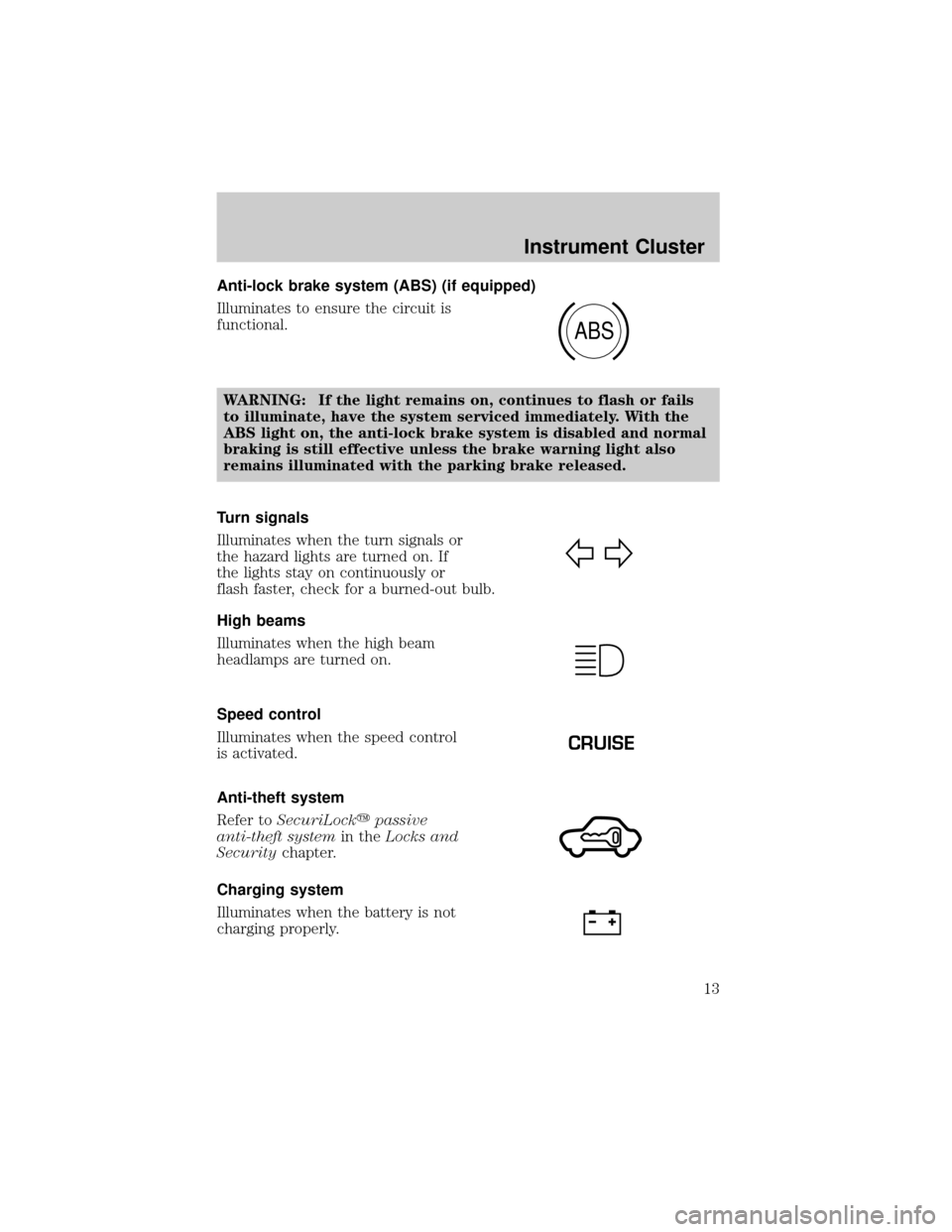
Anti-lock brake system (ABS) (if equipped)
Illuminates to ensure the circuit is
functional.
WARNING: If the light remains on, continues to flash or fails
to illuminate, have the system serviced immediately. With the
ABS light on, the anti-lock brake system is disabled and normal
braking is still effective unless the brake warning light also
remains illuminated with the parking brake released.
Turn signals
Illuminates when the turn signals or
the hazard lights are turned on. If
the lights stay on continuously or
flash faster, check for a burned-out bulb.
High beams
Illuminates when the high beam
headlamps are turned on.
Speed control
Illuminates when the speed control
is activated.
Anti-theft system
Refer toSecuriLockypassive
anti-theft systemin theLocks and
Securitychapter.
Charging system
Illuminates when the battery is not
charging properly.
ABS
CRUISE
Instrument Cluster
13
Page 57 of 256
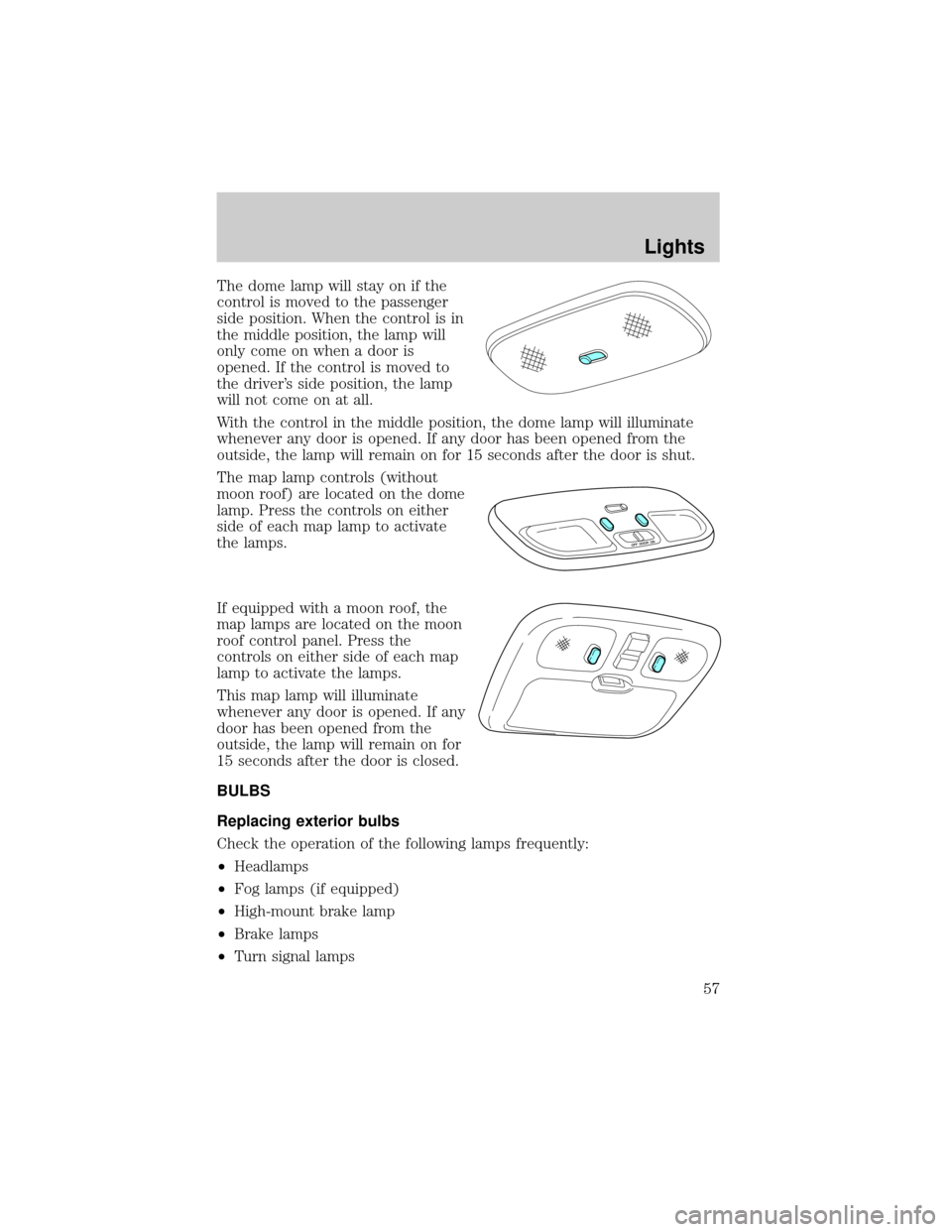
The dome lamp will stay on if the
control is moved to the passenger
side position. When the control is in
the middle position, the lamp will
only come on when a door is
opened. If the control is moved to
the driver's side position, the lamp
will not come on at all.
With the control in the middle position, the dome lamp will illuminate
whenever any door is opened. If any door has been opened from the
outside, the lamp will remain on for 15 seconds after the door is shut.
The map lamp controls (without
moon roof) are located on the dome
lamp. Press the controls on either
side of each map lamp to activate
the lamps.
If equipped with a moon roof, the
map lamps are located on the moon
roof control panel. Press the
controls on either side of each map
lamp to activate the lamps.
This map lamp will illuminate
whenever any door is opened. If any
door has been opened from the
outside, the lamp will remain on for
15 seconds after the door is closed.
BULBS
Replacing exterior bulbs
Check the operation of the following lamps frequently:
²Headlamps
²Fog lamps (if equipped)
²High-mount brake lamp
²Brake lamps
²Turn signal lamps
Lights
57
Page 60 of 256

Replacing brake/tail/turn/backup lamps bulbs
The brake/tail/turn/backup lamp bulbs are located in the tail lamp
assembly, one just below the other. Follow the same steps to replace
either bulb:
1. Open the liftgate to expose the
lamp assemblies.
2. Remove the two screws from
the lamp assembly.
3. Carefully remove the lamp
assembly by pulling it rearward.
4. Twist the bulb socket
counterclockwise and remove
from lamp assembly.
5. Pull the bulb straight out of the
socket and push in the new
bulb.
6. To complete installation, follow
the removal procedure in
reverse order.
Replacing front parking/turn lamp bulbs
1. Make sure that the headlamp control is in the OFF position.
2. Open the hood. The position lamps are located on the bottom half of
each headlamp.
3. Disconnect the electrical connector from the bulb by pulling
rearward.
4. Remove the bulb socket from the lamp assembly by turning
counterclockwise.
Lights
60
Page 61 of 256

5. Pull the bulb straight out of the
socket and push in the new
bulb.
6. To complete installation, follow
the removal procedure in
reverse order.
Replacing fog lamp bulbs (if equipped)
1. Remove the bulb socket from
the fog lamp by turning
counterclockwise.
2. Disconnect the electrical
connector from the fog lamp
bulb.
3. Connect the electrical connector to the new fog lamp bulb.
4. Install the bulb socket in the fog lamp turning clockwise.
Replacing license plate lamp bulbs
1. Remove two screws and the
license plate lamp assembly
(located above the license
plate) from the liftgate.
2. Remove bulb socket from lamp
assembly by turning
counterclockwise.
3. Pull the bulb out from the
socket and push in the new
bulb.
4. Install the bulb socket in lamp assembly turning it clockwise,
5. Install the lamp assembly on liftgate with two screws.
Replacing front parking lamp/turn signal bulbs
For bulb replacement, see an authorized Mazda dealer.
Replacing high-mount brake lamp bulbs
For bulb replacement, see an authorized Mazda dealer.
Lights
61
Page 132 of 256

If starting a vehicle with a manual
transmission:
²Make sure the parking brake is
set.
²Push the clutch pedal to the
floor.
3. Turn the key to 3 (ON) without
turning the key to 4 (START).
Make sure the corresponding lights illuminate or illuminate briefly. If a
light fails to illuminate, have the vehicle serviced.
Note:If the driver's safety belt is fastened, the
light may not
illuminate.
Starting the engine
Note:Whenever you start your vehicle, release the key as soon as the
engine starts. Excessive cranking could damage the starter.
BRAKEO/D
OFF
CHECK
FUEL
CAP
Driving
132
Page 135 of 256
squeal or groan noises when the brakes are applied. Such noises are
usually heard during the first few brake applications in the morning;
however, they may be heard at any time while braking and can be
aggravated by environmental conditions such as cold, heat, moisture,
road dust, salt or mud. If a ªmetal-to-metal,º ªcontinuous grindingº or
ªcontinuous squealº sound is present while braking, the brake linings
may be worn-out and should be inspected by an authorized Mazda
dealership.
Four-wheel anti-lock brake system (ABS) (if equipped)
If the vehicle is equipped with an anti-lock braking system (ABS), a
noise from the hydraulic pump motor and pulsation in the pedal may be
observed during ABS braking events. Pedal pulsation coupled with noise
while braking under panic conditions or on loose gravel, bumps, wet or
snowy roads is normal and indicates proper functioning of the vehicle's
anti-lock brake system.
NOTE:The ABS performs a self-check after you start the engine and
begin to drive away.
A brief mechanical noise may be heard during this test. This is normal. If
a malfunction is found, the ABS warning light will come on. If the vehicle
has continuous vibration or shudder in the steering wheel while braking,
the vehicle should be inspected by an authorized Mazda dealership.
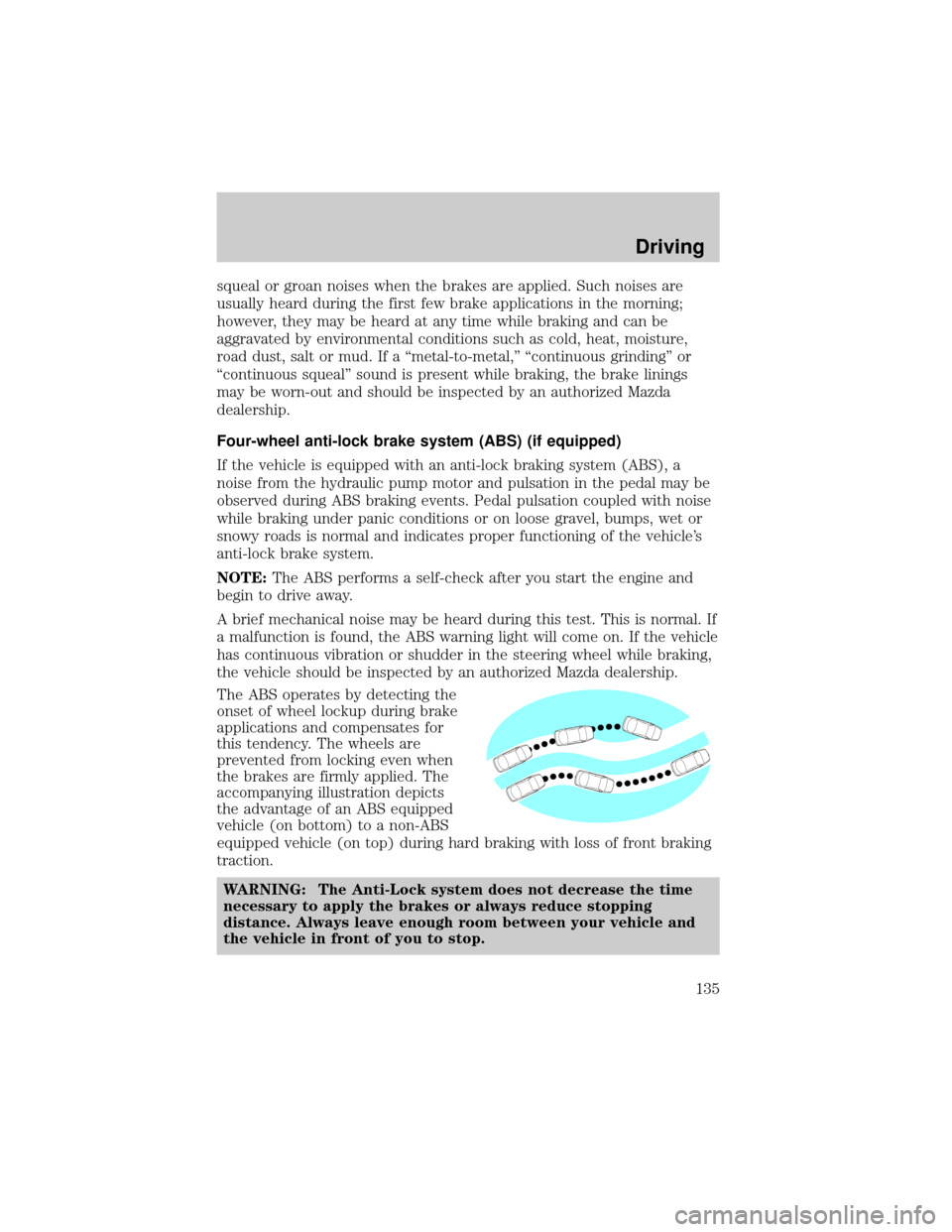
The ABS operates by detecting the
onset of wheel lockup during brake
applications and compensates for
this tendency. The wheels are
prevented from locking even when
the brakes are firmly applied. The
accompanying illustration depicts
the advantage of an ABS equipped
vehicle (on bottom) to a non-ABS
equipped vehicle (on top) during hard braking with loss of front braking
traction.
WARNING: The Anti-Lock system does not decrease the time
necessary to apply the brakes or always reduce stopping
distance. Always leave enough room between your vehicle and
the vehicle in front of you to stop.
Driving
135
Page 136 of 256
ABS warning lampABS(if equipped)
The
ABSwarning lamp in the instrument cluster momentarily illuminates
when the ignition is turned to the ON position. If the light does not
illuminate momentarily at start up, remains on or continues to flash, the
ABS needs to be serviced.
With the ABS light on, the anti-lock
brake system is disabled and normal
braking is still effective unless the
brake warning light also remains
illuminated with parking brake
released. (If your brake warning lamp illuminates, have your vehicle
serviced immediately by an authorized Mazda dealership.)
Using four wheel ABS (if equipped)
²In an emergency or when maximum efficiency from the ABS is
required, apply continuous force on the brake. The ABS will be
activated immediately, thus allowing you to retain full steering control
of your vehicle and, providing there is sufficient space, will enable you
to avoid obstacles and bring the vehicle to a controlled stop.
WARNING: The Anti-Lock system does not decrease the time
necessary to apply the brakes or always reduce stopping
distance. Always leave enough room between your vehicle and
the vehicle in front of you to stop.
NOTE:We recommend that you familiarize yourself with this braking
technique. However, avoid taking any unnecessary risks.
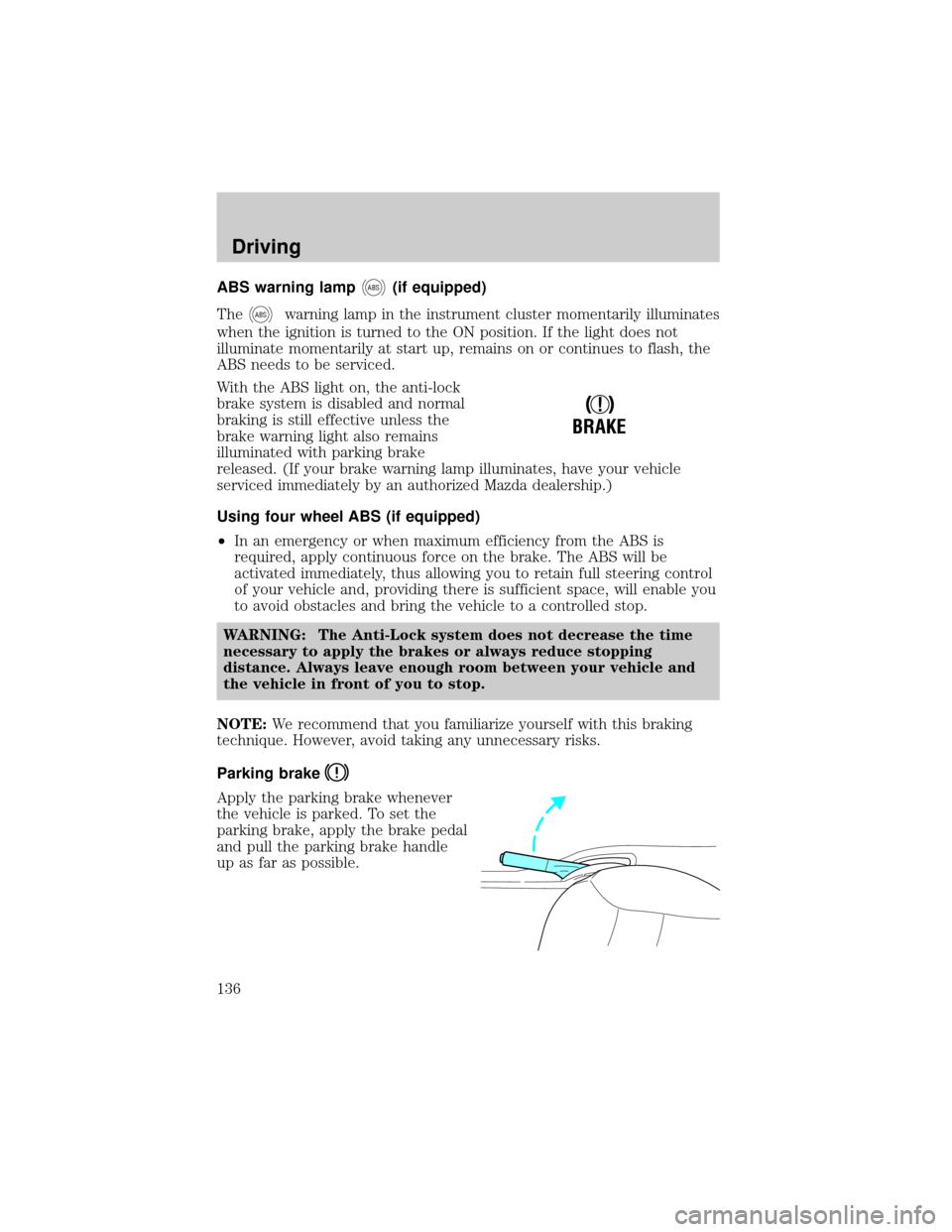
Parking brake
Apply the parking brake whenever
the vehicle is parked. To set the
parking brake, apply the brake pedal
and pull the parking brake handle
up as far as possible.
!
BRAKE
Driving
136