ignition MAZDA MODEL TRIBUTE 4WD 2001 Owner's Manual
[x] Cancel search | Manufacturer: MAZDA, Model Year: 2001, Model line: MODEL TRIBUTE 4WD, Model: MAZDA MODEL TRIBUTE 4WD 2001Pages: 232, PDF Size: 1.74 MB
Page 63 of 232
If your keys are lost or stolen you
will need to do the following:
²Use your spare key to start the
vehicle. or
² Have your vehicle towed to an
authorized Mazda dealership. .
The key codes will need to be
erased from your vehicle and new key codes will need to be re-coded.
Replacing coded key can be very costly and you may want to store an
extra programmed key away from the vehicle in a safe place to prevent
an unforeseen inconvenience.
WARNING: If an unprogrammed key is used in the ignition it
will cause a ªNO STARTº condition.
Programming spare keys
A maximum of eight keys can be coded to your vehicle. Only
SecuriLock ykeys can be used. To program a coded keyyourself, you
will need two previously programmed coded keys(keys that already
operate your vehicle's engine) and the new unprogrammed key(s) readily
accessible for timely implementation of each step in the procedure.
If two previously programmed coded keys are not available, you must
bring your vehicle to your authorized Mazda dealership to have the spare
coded key(s) programmed.
NOTE: Please read and understand the entire procedure before you
begin.
NOTE: This procedure must be completed within the specified times. If
not completed within the specified time period, the reprogramming
procedure must be restarted from the beginning.
Controls and features
63
Page 64 of 232
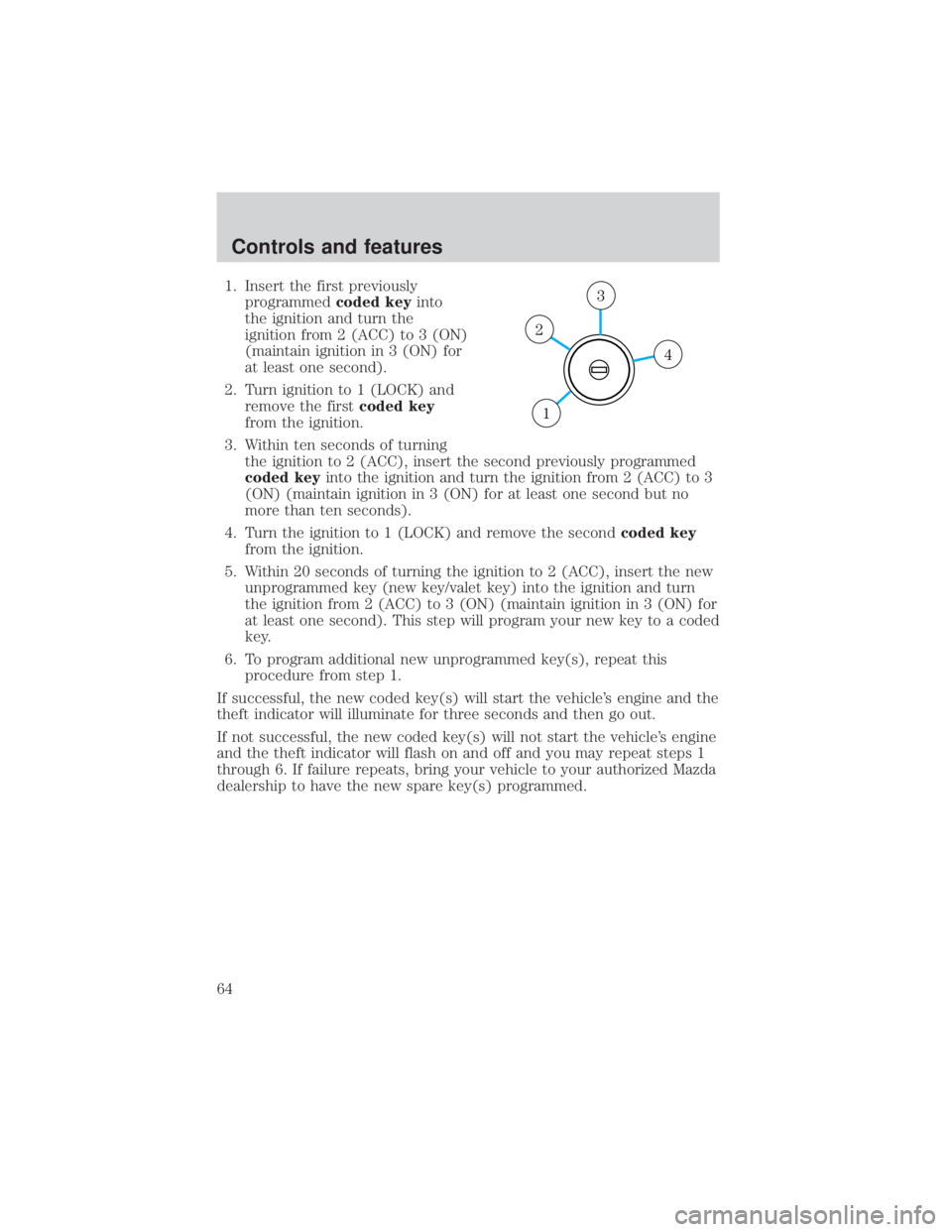
1. Insert the first previouslyprogrammed coded keyinto
the ignition and turn the
ignition from 2 (ACC) to 3 (ON)
(maintain ignition in 3 (ON) for
at least one second).
2. Turn ignition to 1 (LOCK) and remove the first coded key
from the ignition.
3. Within ten seconds of turning the ignition to 2 (ACC), insert the second previously programmed
coded key into the ignition and turn the ignition from 2 (ACC) to 3
(ON) (maintain ignition in 3 (ON) for at least one second but no
more than ten seconds).
4. Turn the ignition to 1 (LOCK) and remove the second coded key
from the ignition.
5. Within 20 seconds of turning the ignition to 2 (ACC), insert the new unprogrammed key (new key/valet key) into the ignition and turn
the ignition from 2 (ACC) to 3 (ON) (maintain ignition in 3 (ON) for
at least one second). This step will program your new key to a coded
key.
6. To program additional new unprogrammed key(s), repeat this procedure from step 1.
If successful, the new coded key(s) will start the vehicle's engine and the
theft indicator will illuminate for three seconds and then go out.
If not successful, the new coded key(s) will not start the vehicle's engine
and the theft indicator will flash on and off and you may repeat steps 1
through 6. If failure repeats, bring your vehicle to your authorized Mazda
dealership to have the new spare key(s) programmed.
4
3
2
1
Controls and features
64
Page 65 of 232
PERIMETER ALARM SYSTEM (IF EQUIPPED)
The perimeter anti-theft system will respond if unauthorized entry is
attempted.
If there is any potential perimeter anti-theft problem with your vehicle,
ensureALL key fobs (remote entry transmitters) are brought to
authorized Mazda dealership, to aid in troubleshooting.
Arming the system
When armed, this system will respond if unauthorized entry is
attempted. When unauthorized entry occurs, the system will flash the
headlamps, parking lamps and will sound the horn.
The system is ready to arm whenever key is removed from the ignition.
Either of the following actions will prearm the alarm system:
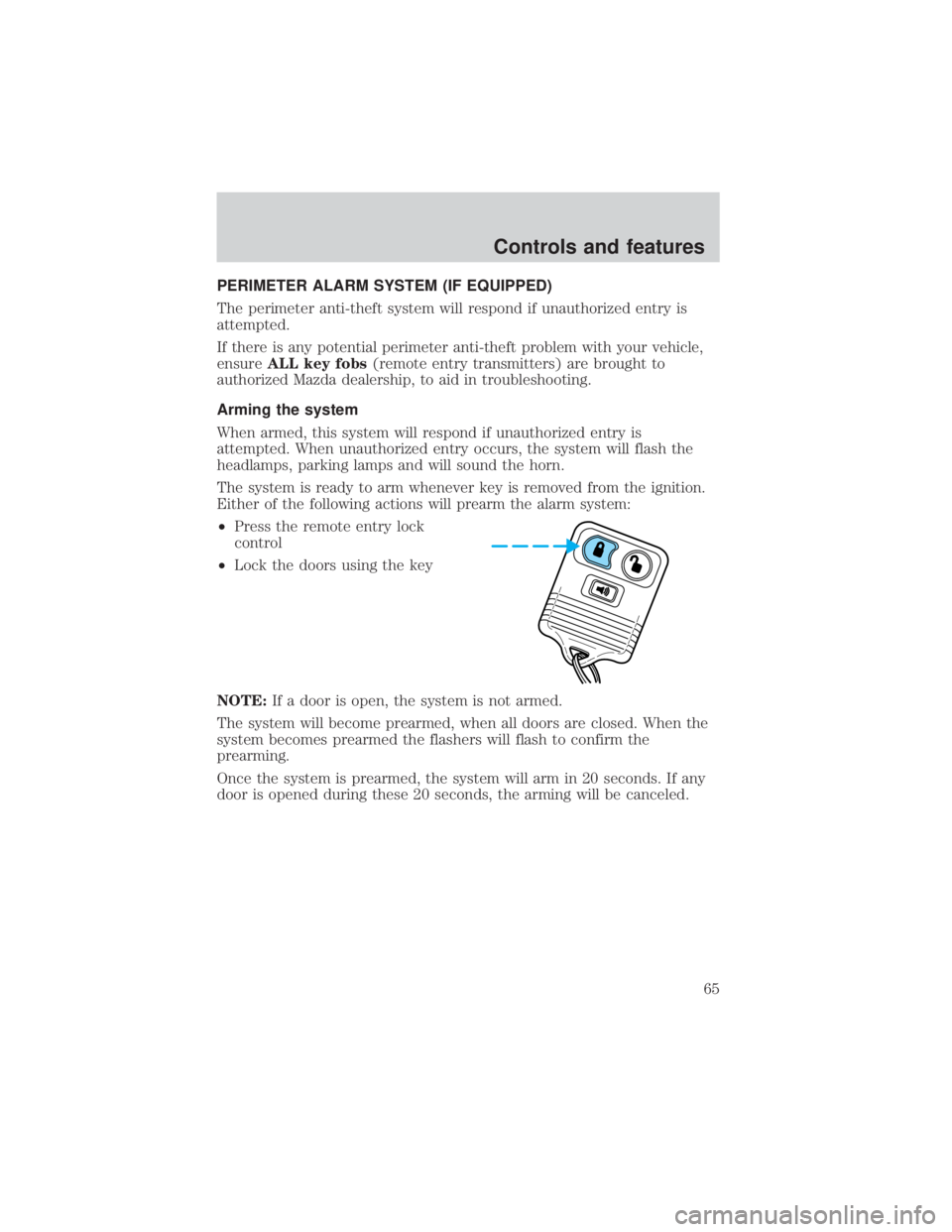
² Press the remote entry lock
control
² Lock the doors using the key
NOTE: If a door is open, the system is not armed.
The system will become prearmed, when all doors are closed. When the
system becomes prearmed the flashers will flash to confirm the
prearming.
Once the system is prearmed, the system will arm in 20 seconds. If any
door is opened during these 20 seconds, the arming will be canceled.
Controls and features
65
Page 81 of 232
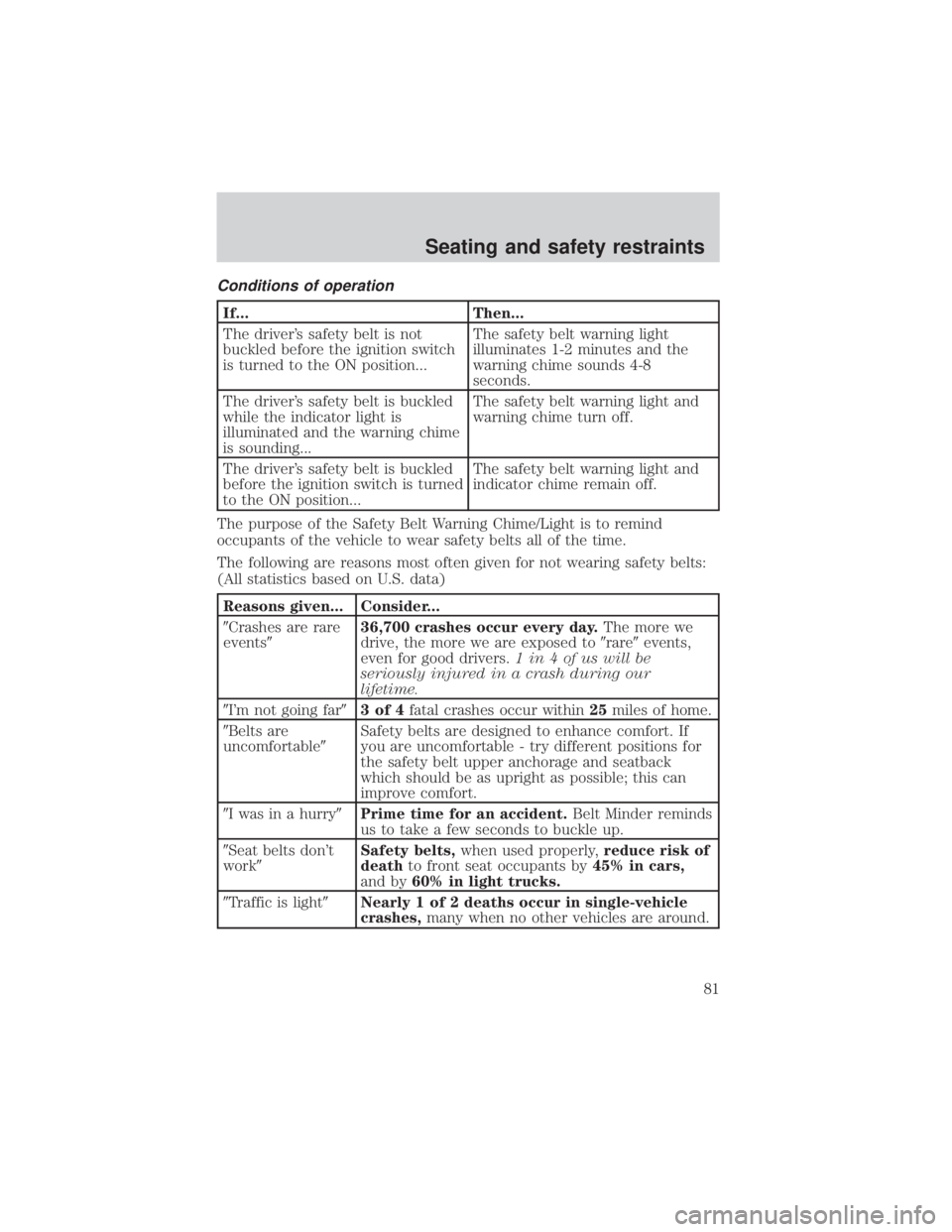
Conditions of operation
If...Then...
The driver's safety belt is not
buckled before the ignition switch
is turned to the ON position... The safety belt warning light
illuminates 1-2 minutes and the
warning chime sounds 4-8
seconds.
The driver's safety belt is buckled
while the indicator light is
illuminated and the warning chime
is sounding... The safety belt warning light and
warning chime turn off.
The driver's safety belt is buckled
before the ignition switch is turned
to the ON position... The safety belt warning light and
indicator chime remain off.
The purpose of the Safety Belt Warning Chime/Light is to remind
occupants of the vehicle to wear safety belts all of the time.
The following are reasons most often given for not wearing safety belts:
(All statistics based on U.S. data)
Reasons given... Consider...
9Crashes are rare
events9 36,700 crashes occur every day.
The more we
drive, the more we are exposed to 9rare9events,
even for good drivers. 1 in 4 of us will be
seriously injured in a crash during our
lifetime.
9I'm not going far 93of4fatal crashes occur within 25miles of home.
9Belts are
uncomfortable 9Safety belts are designed to enhance comfort. If
you are uncomfortable - try different positions for
the safety belt upper anchorage and seatback
which should be as upright as possible; this can
improve comfort.
9I was in a hurry 9Prime time for an accident. Belt Minder reminds
us to take a few seconds to buckle up.
9Seat belts don't
work9 Safety belts,
when used properly, reduce risk of
death to front seat occupants by 45% in cars,
and by 60% in light trucks.
9Traffic is light 9Nearly 1 of 2 deaths occur in single-vehicle
crashes, many when no other vehicles are around.
Seating and safety restraints
81
Page 87 of 232
WARNING: Several air bag system components get hot after
inflation. Do not touch them after inflation or you may be
burned.
WARNING: If the air bag has deployed, the air bag will not
function again and must be replaced immediately. If the air bag
is not replaced, the unrepaired area will increase the risk of
injury in a collision.
The SRS consists of:
² driver and passenger air bag modules (which include the inflators and
air bags),
² one or more impact and safing sensors,
² a readiness light and tone
² diagnostic module
² and the electrical wiring which connects the components.
The diagnostic module monitors its own internal circuits and the
supplemental air bag electrical system warning (including the impact
sensors), the system wiring, the air bag system readiness light, the air
bag back up power and the air bag ignitors.
Determining if the system is operational
The SRS uses a readiness light in the instrument cluster or a tone to
indicate the condition of the system. Refer to the Air bag readiness
section in the Instrumentation chapter. Routine maintenance of the air
bag is not required.
A difficulty with the system is indicated by one or more of the following:
² The readiness light will either
flash or stay lit.
² The readiness light will not
illuminate immediately after
ignition is turned on.
² A series of five beeps will be heard. The tone pattern will repeat
periodically until the problem and/or light are repaired.
If any of these things happen, even intermittently, have the SRS serviced
at your authorized Mazda dealership immediately.
Seating and safety restraints
87
Page 91 of 232
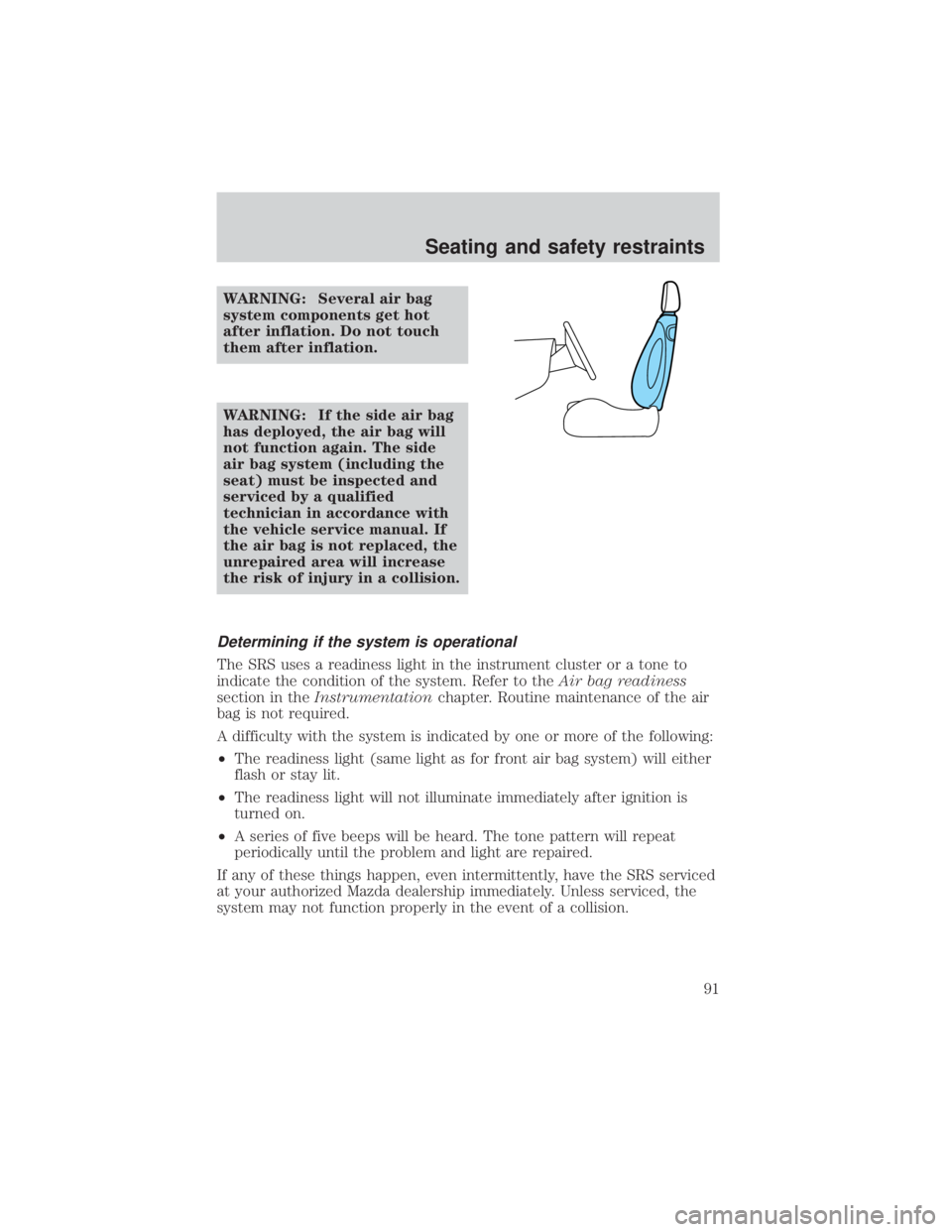
WARNING: Several air bag
system components get hot
after inflation. Do not touch
them after inflation.
WARNING: If the side air bag
has deployed, the air bag will
not function again. The side
air bag system (including the
seat) must be inspected and
serviced by a qualified
technician in accordance with
the vehicle service manual. If
the air bag is not replaced, the
unrepaired area will increase
the risk of injury in a collision.
Determining if the system is operational
The SRS uses a readiness light in the instrument cluster or a tone to
indicate the condition of the system. Refer to theAir bag readiness
section in the Instrumentation chapter. Routine maintenance of the air
bag is not required.
A difficulty with the system is indicated by one or more of the following:
² The readiness light (same light as for front air bag system) will either
flash or stay lit.
² The readiness light will not illuminate immediately after ignition is
turned on.
² A series of five beeps will be heard. The tone pattern will repeat
periodically until the problem and light are repaired.
If any of these things happen, even intermittently, have the SRS serviced
at your authorized Mazda dealership immediately. Unless serviced, the
system may not function properly in the event of a collision.
Seating and safety restraints
91
Page 108 of 232
WARNING: The Anti-Lock system does not decrease the time
necessary to apply the brakes or always reduce stopping
distance. Always leave enough room between your vehicle and
the vehicle in front of you to stop.
ABS warning lamp
ABS(if equipped)
The
ABSwarning lamp in the instrument cluster momentarily illuminates
when the ignition is turned to the ON position. If the light does not
illuminate momentarily at start up, remains on or continues to flash, the
ABS needs to be serviced.
With the ABS light on, the anti-lock
brake system is disabled and normal
braking is still effective unless the
brake warning light also remains
illuminated with parking brake released. (If your brake warning lamp
illuminates, have your vehicle serviced immediately by an authorized
Mazda dealership.)
Using four wheel ABS (if equipped)
² In an emergency or when maximum efficiency from the ABS is
required, apply continuous force on the brake. The ABS will be
activated immediately, thus allowing you to retain full steering control
of your vehicle and, providing there is sufficient space, will enable you
to avoid obstacles and bring the vehicle to a controlled stop.
WARNING: The Anti-Lock system does not decrease the time
necessary to apply the brakes or always reduce stopping
distance. Always leave enough room between your vehicle and
the vehicle in front of you to stop.
NOTE: We recommend that you familiarize yourself with this braking
technique. However, avoid taking any unnecessary risks.
Driving
108
Page 109 of 232
Parking brake
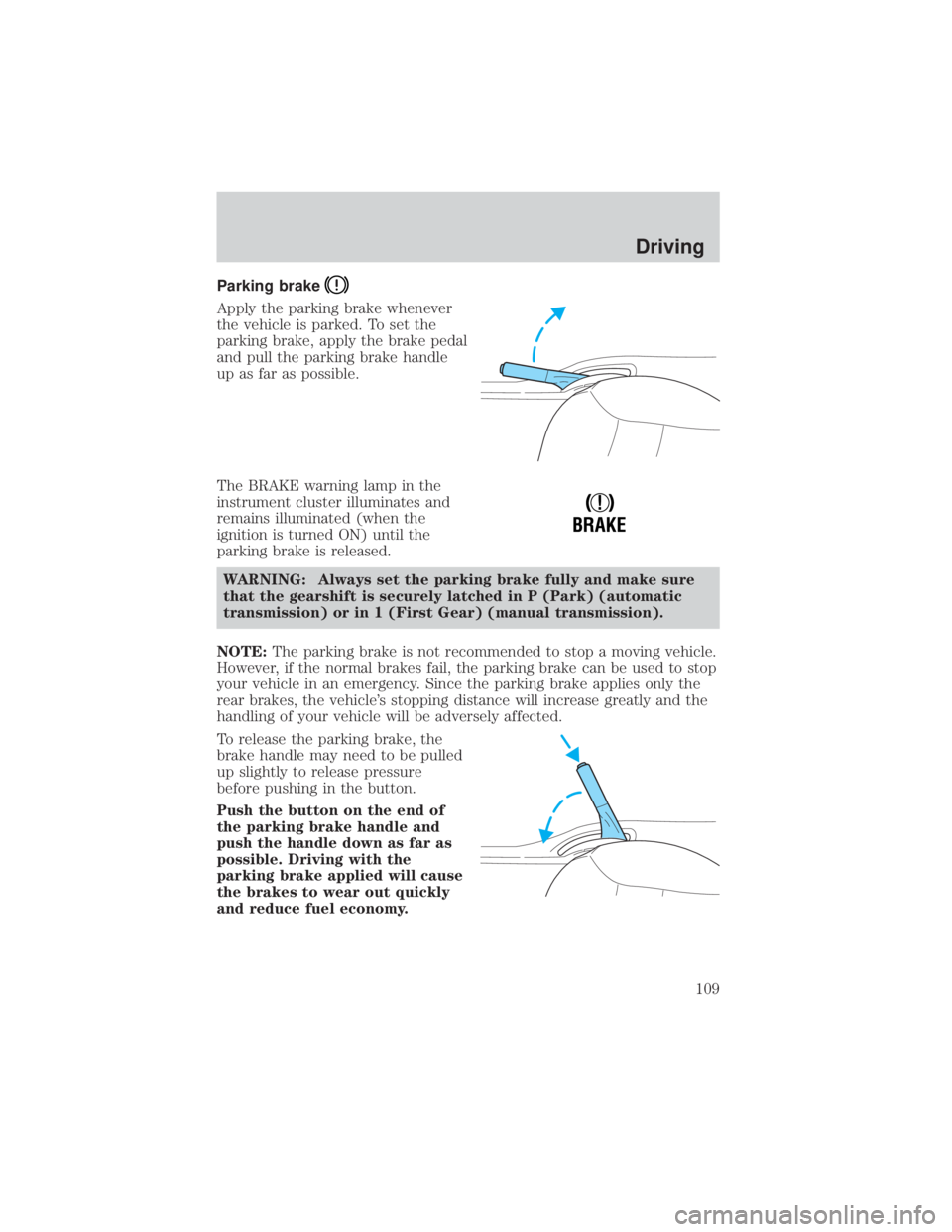
Apply the parking brake whenever
the vehicle is parked. To set the
parking brake, apply the brake pedal
and pull the parking brake handle
up as far as possible.
The BRAKE warning lamp in the
instrument cluster illuminates and
remains illuminated (when the
ignition is turned ON) until the
parking brake is released.WARNING: Always set the parking brake fully and make sure
that the gearshift is securely latched in P (Park) (automatic
transmission) or in 1 (First Gear) (manual transmission).
NOTE: The parking brake is not recommended to stop a moving vehicle.
However, if the normal brakes fail, the parking brake can be used to stop
your vehicle in an emergency. Since the parking brake applies only the
rear brakes, the vehicle's stopping distance will increase greatly and the
handling of your vehicle will be adversely affected.
To release the parking brake, the
brake handle may need to be pulled
up slightly to release pressure
before pushing in the button.
Push the button on the end of
the parking brake handle and
push the handle down as far as
possible. Driving with the
parking brake applied will cause
the brakes to wear out quickly
and reduce fuel economy.
!
BRAKE
Driving
109
Page 112 of 232
Do not rock the vehicle if the engine is not at normal operating
temperature or damage to the transaxle may occur.
Do not rock the vehicle for more than a few minutes or damage
to the transaxle and tires may occur or the engine may overheat.WARNING: Always set the parking brake fully and make sure
the gearshift is latched in P (Park). Turn off the ignition
whenever you leave your vehicle.
WARNING: If the parking brake is fully released, but the brake
warning lamp remains illuminated, the brakes may not be
working properly. See your authorized Mazda dealer or a
qualified service technician.
Driving with an automatic overdrive transaxle
Your automatic transaxle electronically controls the shift feel by using an
adaptive learning strategy. This feature is designed to optimize shift
smoothness. NOTE:It is normal for your transaxle to shift firmly during
the first few hundred kilometers (miles) of operation until the adaptive
strategy has been learned. The adaptive learning strategy is maintained
by power from the battery. When the battery is disconnected or a new
battery is installed, the transaxle must relearn its adaptive strategy.
Optimal shifting will resume within a few hundred kilometers (miles) of
operation.
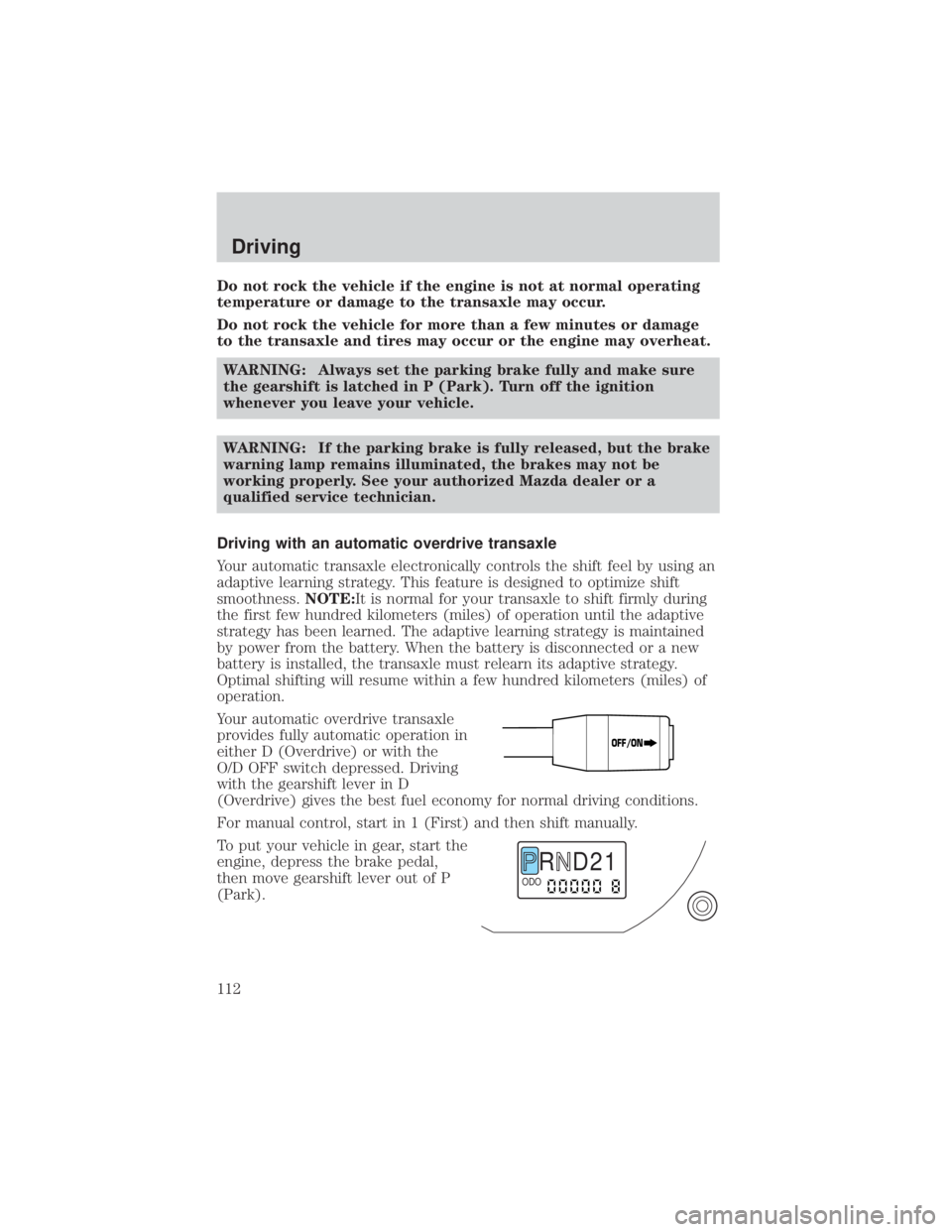
Your automatic overdrive transaxle
provides fully automatic operation in
either D (Overdrive) or with the
O/D OFF switch depressed. Driving
with the gearshift lever in D
(Overdrive) gives the best fuel economy for normal driving conditions.
For manual control, start in 1 (First) and then shift manually.
To put your vehicle in gear, start the
engine, depress the brake pedal,
then move gearshift lever out of P
(Park).
OFF/ON
R D 2 1ODO
Driving
112
Page 113 of 232
Understanding gearshift positions
Your automatic transaxle electronically controls the shift feel by using an
adaptive learning strategy. This feature is designed to optimize shift
smoothness.NOTE:It is normal for your transaxle to shift firmly during
the first few hundred kilometers (miles) of operation until the adaptive
strategy has been learned. The adaptive learning strategy is maintained
by power from the battery. When the battery is disconnected or a new
battery is installed, the transaxle must relearn its adaptive strategy.
Optimal shifting will resume within a few hundred kilometers (miles) of
operation.
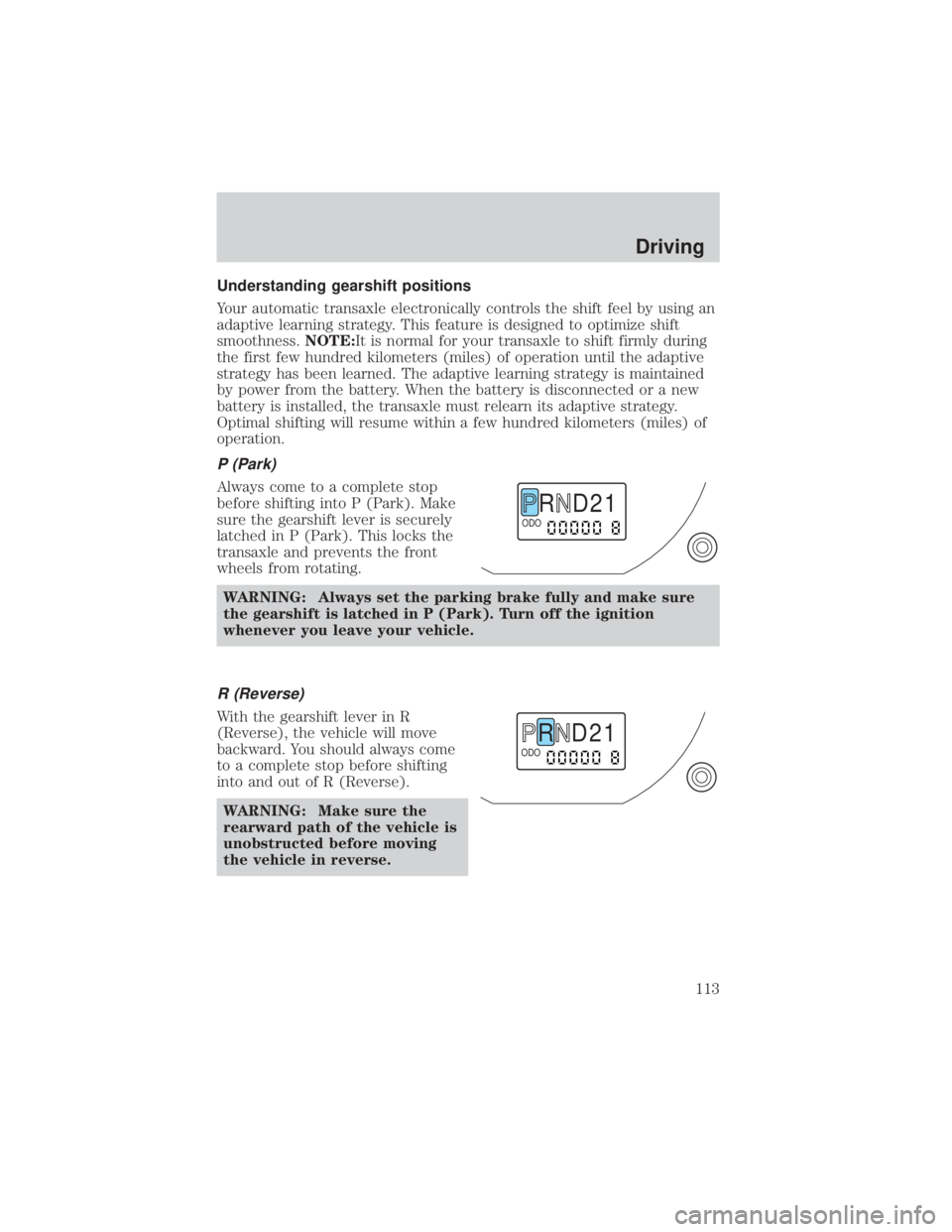
P (Park)
Always come to a complete stop
before shifting into P (Park). Make
sure the gearshift lever is securely
latched in P (Park). This locks the
transaxle and prevents the front
wheels from rotating.
WARNING: Always set the parking brake fully and make sure
the gearshift is latched in P (Park). Turn off the ignition
whenever you leave your vehicle.
R (Reverse)
With the gearshift lever in R
(Reverse), the vehicle will move
backward. You should always come
to a complete stop before shifting
into and out of R (Reverse).WARNING: Make sure the
rearward path of the vehicle is
unobstructed before moving
the vehicle in reverse.
R D 2 1ODO
R D 2 1ODO
Driving
113