ignition MERCEDES-BENZ A CLASS 2012 Manual PDF
[x] Cancel search | Manufacturer: MERCEDES-BENZ, Model Year: 2012, Model line: A CLASS, Model: MERCEDES-BENZ A CLASS 2012Pages: 356, PDF Size: 4.96 MB
Page 228 of 356
AMG menu in AMG vehicles
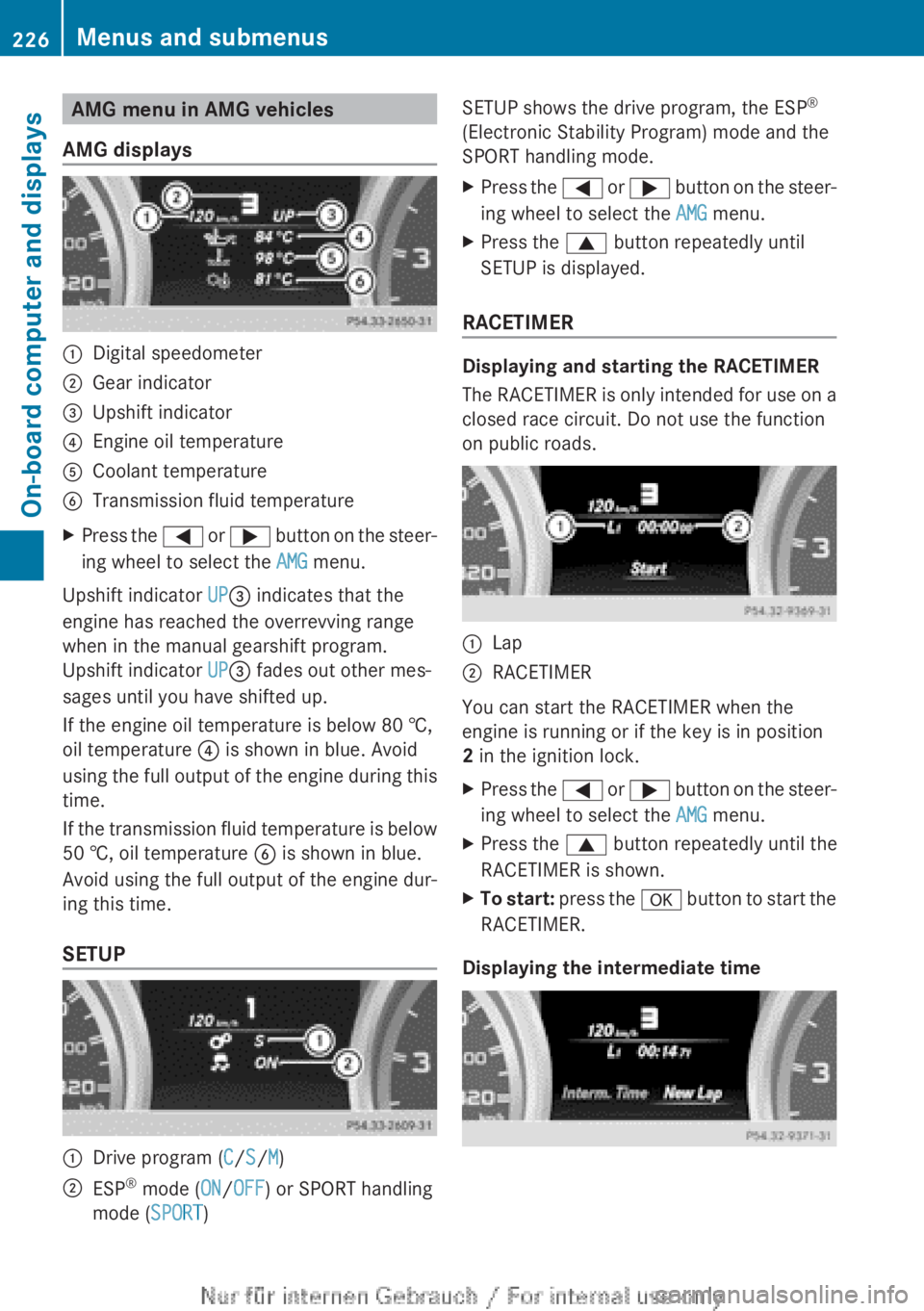
AMG displays :
Digital speedometer
; Gear indicator
= Upshift indicator
? Engine oil temperature
A Coolant temperature
B Transmission fluid temperature
X Press the = or ; button on the steer-
ing wheel to select the AMG menu.
Upshift indicator UP= indicates that the
engine has reached the overrevving range
when in the manual gearshift program.
Upshift indicator UP= fades out other mes-
sages until you have shifted up.
If the engine oil temperature is below
80 †,
oil temperature ? is shown in blue. Avoid
using the full output of the engine during this
time.
If the transmission fluid temperature is below
50 †, oil temperature B is shown in blue.
Avoid using the full output of the engine dur-
ing this time.
SETUP :
Drive program (C/S/M)
; ESP ®
mode ( ON/OFF) or SPORT handling
mode ( SPORT) SETUP shows the drive program, the ESP
®
(Electronic Stability Program) mode and the
SPORT handling mode.
X Press the =
or ; button on the steer-
ing wheel to select the AMG menu.
X Press the 9 button repeatedly until
SETUP is displayed.
RACETIMER Displaying and starting the RACETIMER
The
RACETIMER is only intended for use on a
closed race circuit. Do not use the function
on public roads. :
Lap
; RACETIMER
You can start the RACETIMER when the
engine is running or if the key is in position
2 in the ignition lock.
X Press the =
or ; button on the steer-
ing wheel to select the AMG menu.
X Press the 9 button repeatedly until the
RACETIMER is shown.
X To start:
press the a button to start the
RACETIMER.
Displaying the intermediate time 226
Menus and submenus
On-board computer and displays
Page 229 of 356
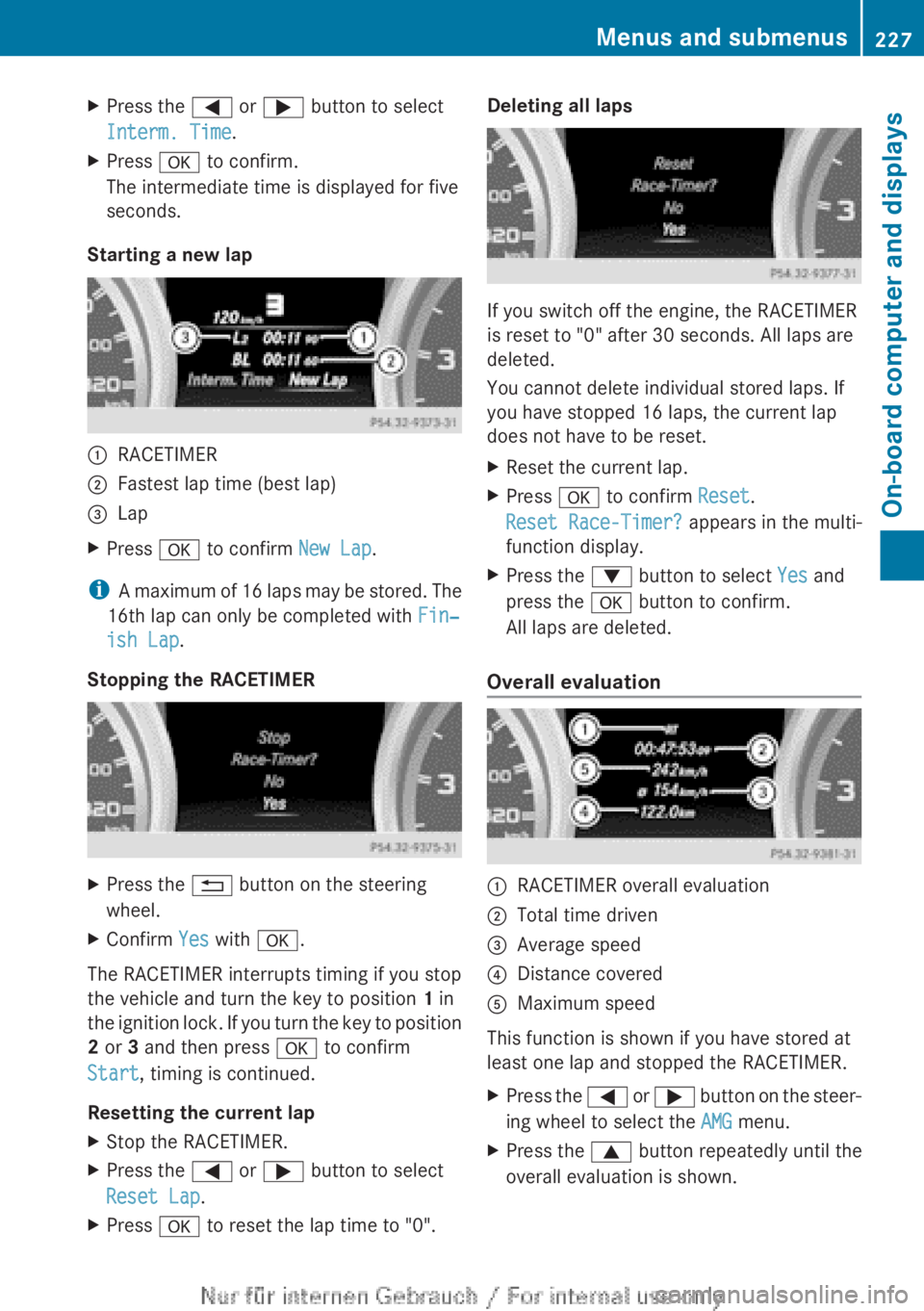
X
Press the = or ; button to select
Interm. Time.
X Press a to confirm.
The intermediate time is displayed for five
seconds.
Starting a new lap :
RACETIMER
; Fastest lap time (best lap)
= Lap
X Press a to confirm New Lap.
i A maximum of 16 laps may be stored. The
16th lap can only be completed with Fin‐
ish Lap.
Stopping the RACETIMER X
Press the % button on the steering
wheel.
X Confirm Yes with a.
The RACETIMER interrupts timing if you stop
the vehicle and turn the key to position 1 in
the
ignition lock. If you turn the key to position
2 or 3 and then press a to confirm
Start, timing is continued.
Resetting the current lap
X Stop the RACETIMER.
X Press the = or ; button to select
Reset Lap.
X Press a to reset the lap time to "0". Deleting all laps
If you switch off the engine, the RACETIMER
is reset to "0" after 30 seconds. All laps are
deleted.
You cannot delete individual stored laps. If
you have stopped 16 laps, the current lap
does not have to be reset.
X
Reset the current lap.
X Press a to confirm Reset.
Reset Race-Timer? appears in the multi-
function display.
X Press the : button to select Yes and
press the a button to confirm.
All laps are deleted.
Overall evaluation :
RACETIMER overall evaluation
; Total time driven
= Average speed
? Distance covered
A Maximum speed
This function is shown if you have stored at
least one lap and stopped the RACETIMER.
X Press the =
or ; button on the steer-
ing wheel to select the AMG menu.
X Press the 9 button repeatedly until the
overall evaluation is shown. Menus and submenus
227
On-board computer and displays Z
Page 231 of 356
Display messages
General notes
Display messages appear in the multifunction display.
Display messages with graphic symbols are simplified in the Owner's Manual and may differ
from the symbols in the multifunction display.
Please respond in accordance with the display messages and follow the additional notes in
this Owner's Manual.
Certain
display messages are accompanied by an audible warning tone or a continuous tone.
When the ignition is switched off, all display messages are deleted apart from some high-
priority display messages. Once the causes of the high-priority display messages have been
rectified, the corresponding display messages are also deleted.
When you stop and park the vehicle, please observe the notes on the HOLD function
(Y page 179) and parking ( Y page 162).Hiding display messages
X Press the a or % button on the steering wheel to hide the display message.
The display message is cleared.
The multifunction display shows high-priority display messages in red. Some high-priority dis-
play messages cannot be hidden.
The multifunction display shows these messages continuously until the causes for the mes-
sages have been remedied. Message memory
The on-board computer saves certain display messages in the message memory. You can
call up the display messages:
X Press = or ; on the steering wheel to select the Service menu.
If there are display messages, the multifunction display shows, for example, 2 messages.
X Press the 9 or : button to select the entry, e.g. 2 messages.
X Press a to confirm.
X Press the 9 or : button to scroll through the display messages. Display messages
229
On-board computer and displays Z
Page 235 of 356
Display messages Possible causes/consequences and
M Solutions!
Release parking
brake The red
! indicator lamp flashes and a warning tone sounds.
A condition for automatic release of the electric parking brake is
not fulfilled ( Y page 163).
You are driving with the electric parking brake applied.
X Release the electric parking brake manually. The red
! indicator lamp flashes and a warning tone sounds.
You are making an emergency stop using the electric parking
brake ( Y page 163). !
Parking brake See
Owner's Manual The yellow
! warning lamp lights up.
The electric parking brake is malfunctioning.
To apply:
X Switch the ignition off.
X Press the electric parking brake handle for at least ten seconds.
X Vehicles with manual transmission: engage first gear.
X Vehicles with automatic transmission: shift the transmission
to P.
X Consult a qualified specialist workshop. The yellow
! warning lamp and the red ! indicator lamp
are lit.
The electric parking brake is malfunctioning.
To release:
X Switch off the ignition and turn it back on.
X Release the electric parking brake manually.
or
X Vehicles with manual transmission (automatic emergency
release): insert the seat belt in the belt buckle and accelerate
slightly more when pulling away.
X Vehicles with automatic transmission: release the electric
parking brake automatically
(Y page 163).
If the electric parking brake still cannot be released:
X Do not drive on.
X Consult a qualified specialist workshop. Display messages
233
On-board computer and displays Z
Page 236 of 356
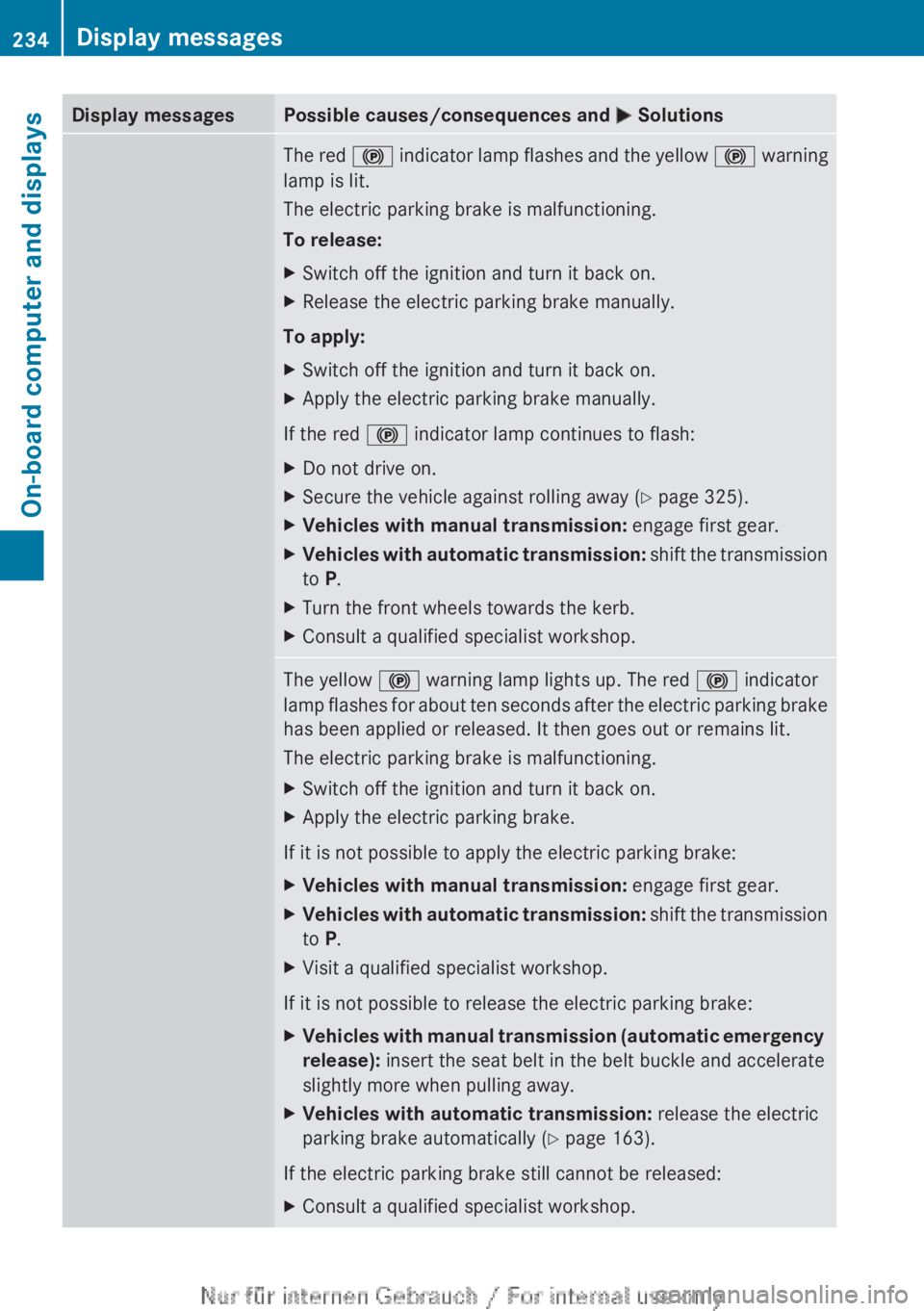
Display messages Possible causes/consequences and
M SolutionsThe red
! indicator lamp flashes and the yellow ! warning
lamp is lit.
The electric parking brake is malfunctioning.
To release:
X Switch off the ignition and turn it back on.
X Release the electric parking brake manually.
To apply:
X Switch off the ignition and turn it back on.
X Apply the electric parking brake manually.
If the red ! indicator lamp continues to flash:
X Do not drive on.
X Secure the vehicle against rolling away ( Y page 325).
X Vehicles with manual transmission: engage first gear.
X Vehicles with automatic transmission:
shift the transmission
to P.
X Turn the front wheels towards the kerb.
X Consult a qualified specialist workshop. The yellow
! warning lamp lights up. The red ! indicator
lamp
flashes for about ten seconds after the electric parking brake
has been applied or released. It then goes out or remains lit.
The electric parking brake is malfunctioning.
X Switch off the ignition and turn it back on.
X Apply the electric parking brake.
If it is not possible to apply the electric parking brake:
X Vehicles with manual transmission: engage first gear.
X Vehicles with automatic transmission:
shift the transmission
to P.
X Visit a qualified specialist workshop.
If it is not possible to release the electric parking brake:
X Vehicles with manual transmission (automatic emergency
release): insert the seat belt in the belt buckle and accelerate
slightly more when pulling away.
X Vehicles with automatic transmission: release the electric
parking brake automatically
(Y page 163).
If the electric parking brake still cannot be released:
X Consult a qualified specialist workshop.234
Display messages
On-board computer and displays
Page 237 of 356
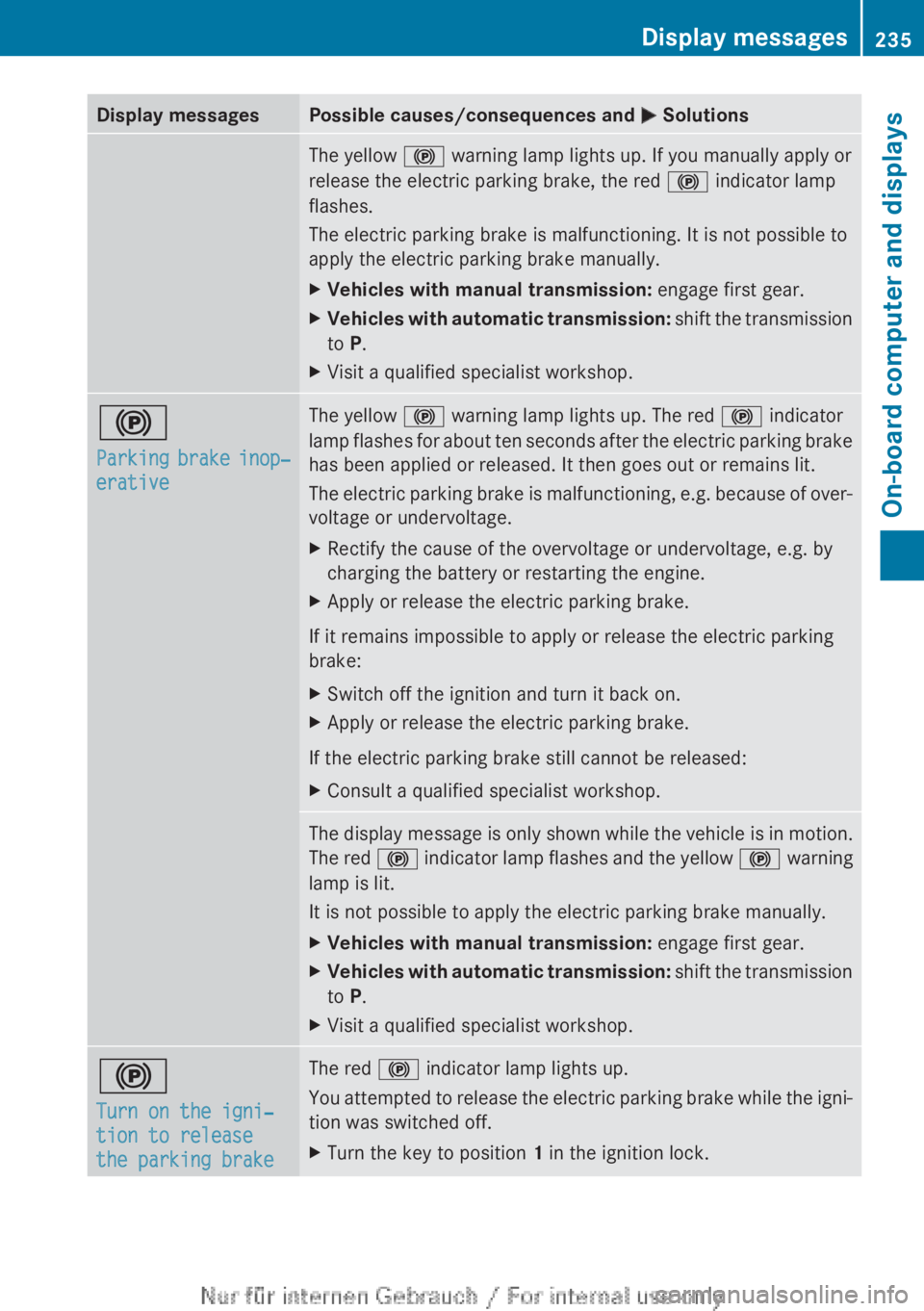
Display messages Possible causes/consequences and
M SolutionsThe yellow
! warning lamp lights up. If you manually apply or
release the electric parking brake, the red ! indicator lamp
flashes.
The electric parking brake is malfunctioning. It is not possible to
apply the electric parking brake manually.
X Vehicles with manual transmission: engage first gear.
X Vehicles with automatic transmission: shift the transmission
to P.
X Visit a qualified specialist workshop. !
Parking
brake inop‐
erative The yellow
! warning lamp lights up. The red ! indicator
lamp flashes for about ten seconds after the electric parking brake
has been applied or released. It then goes out or remains lit.
The electric parking brake is malfunctioning, e.g. because of over-
voltage or undervoltage.
X Rectify the cause of the overvoltage or undervoltage, e.g. by
charging the battery or restarting the engine.
X Apply or release the electric parking brake.
If it remains impossible to apply or release the electric parking
brake:
X Switch off the ignition and turn it back on.
X Apply or release the electric parking brake.
If the electric parking brake still cannot be released:
X Consult a qualified specialist workshop. The display message is only shown while the vehicle is in motion.
The
red ! indicator lamp flashes and the yellow ! warning
lamp is lit.
It is not possible to apply the electric parking brake manually.
X Vehicles with manual transmission: engage first gear.
X Vehicles with automatic transmission:
shift the transmission
to P.
X Visit a qualified specialist workshop. !
Turn on the igni‐
tion to release
the parking brake The red
! indicator lamp lights up.
You
attempted to release the electric parking brake while the igni-
tion was switched off.
X Turn the key to position 1 in the ignition lock. Display messages
235
On-board computer and displays Z
Page 258 of 356
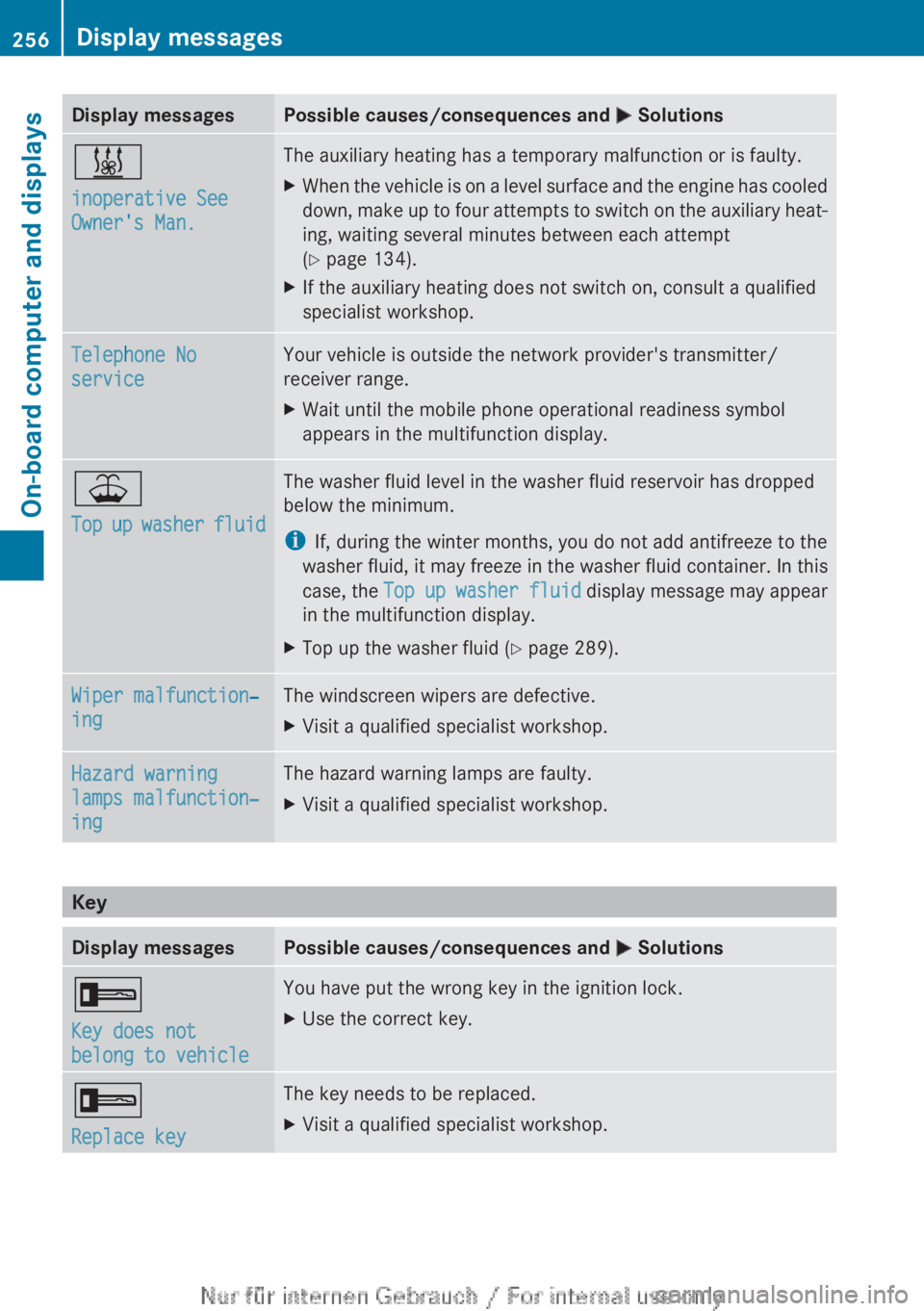
Display messages Possible causes/consequences and
M Solutions&
inoperative See
Owner's Man. The auxiliary heating has a temporary malfunction or is faulty.
X
When the vehicle is on a level surface and the engine has cooled
down,
make up to four attempts to switch on the auxiliary heat-
ing, waiting several minutes between each attempt
(Y page 134).
X If the auxiliary heating does not switch on, consult a qualified
specialist workshop. Telephone No
service Your vehicle is outside the network provider's transmitter/
receiver range.
X
Wait until the mobile phone operational readiness symbol
appears in the multifunction display. ¥
Top
up washer fluid The washer fluid level in the washer fluid reservoir has dropped
below the minimum.
i
If, during the winter months, you do not add antifreeze to the
washer
fluid, it may freeze in the washer fluid container. In this
case, the Top up washer fluid display message may appear
in the multifunction display.
X Top up the washer fluid ( Y page 289).Wiper malfunction‐
ing The windscreen wipers are defective.
X
Visit a qualified specialist workshop. Hazard warning
lamps malfunction‐
ing The hazard warning lamps are faulty.
X
Visit a qualified specialist workshop. Key
Display messages Possible causes/consequences and
M Solutions+
Key does not
belong to vehicle You have put the wrong key in the ignition lock.
X
Use the correct key. +
Replace key The key needs to be replaced.
X
Visit a qualified specialist workshop.256
Display messages
On-board computer and displays
Page 266 of 356
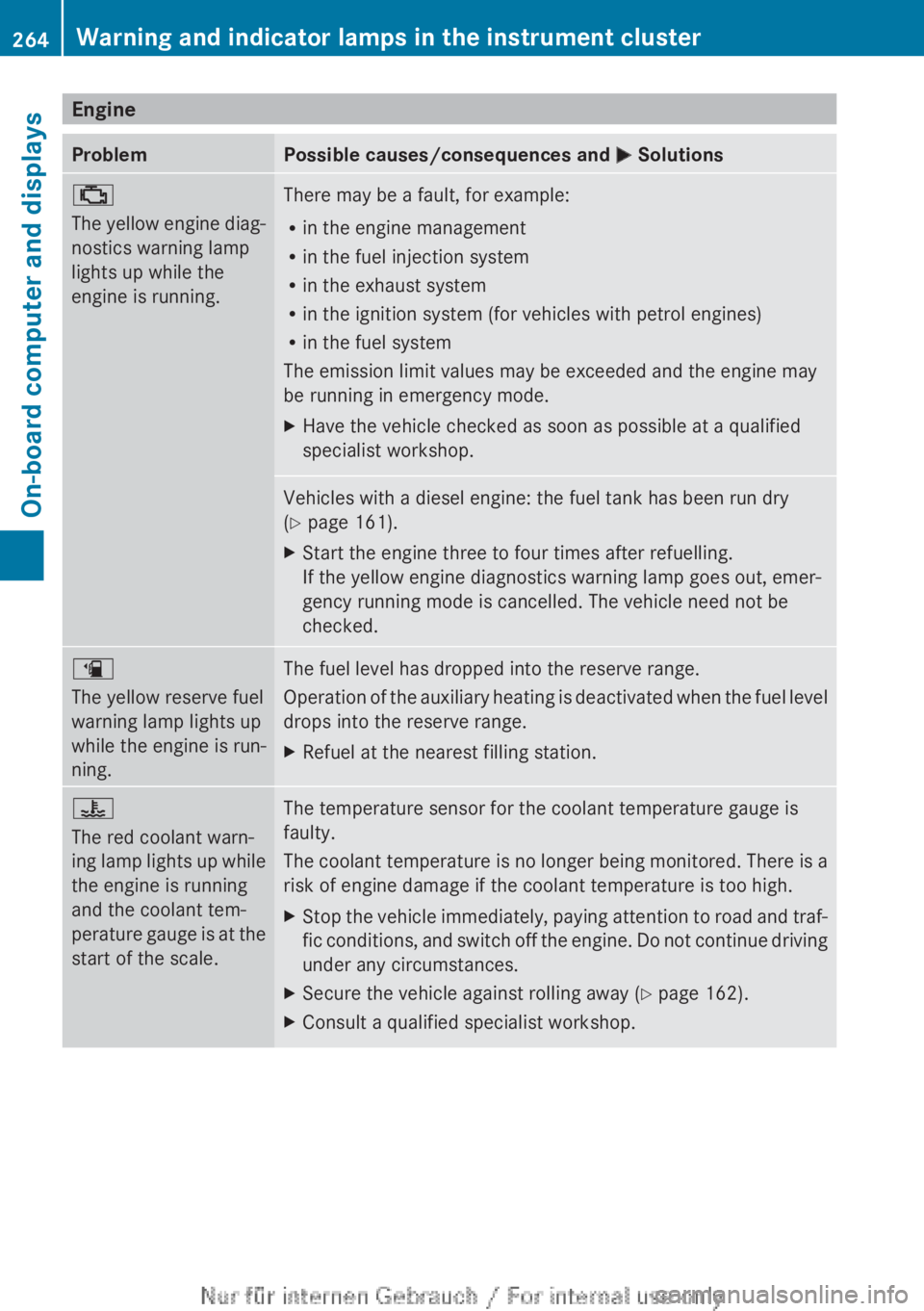
Engine
Problem Possible causes/consequences and
M Solutions;
The
yellow engine diag-
nostics warning lamp
lights up while the
engine is running. There may be a fault, for example:
R
in the engine management
R in the fuel injection system
R in the exhaust system
R in the ignition system (for vehicles with petrol engines)
R in the fuel system
The emission limit values may be exceeded and the engine may
be running in emergency mode.
X Have the vehicle checked as soon as possible at a qualified
specialist workshop. Vehicles with a diesel engine: the fuel tank has been run dry
(Y page 161).
X
Start the engine three to four times after refuelling.
If the yellow engine diagnostics warning lamp goes out, emer-
gency running mode is cancelled. The vehicle need not be
checked. æ
The yellow reserve fuel
warning lamp lights up
while the engine is run-
ning.
The fuel level has dropped into the reserve range.
Operation
of the auxiliary heating is deactivated when the fuel level
drops into the reserve range.
X Refuel at the nearest filling station. ?
The red coolant warn-
ing
lamp lights up while
the engine is running
and the coolant tem-
perature gauge is at the
start of the scale. The temperature sensor for the coolant temperature gauge is
faulty.
The
coolant temperature is no longer being monitored. There is a
risk of engine damage if the coolant temperature is too high.
X Stop the vehicle immediately, paying attention to road and traf-
fic
conditions, and switch off the engine. Do not continue driving
under any circumstances.
X Secure the vehicle against rolling away ( Y page 162).
X Consult a qualified specialist workshop.264
Warning and indicator lamps in the instrument cluster
On-board computer and displays
Page 280 of 356
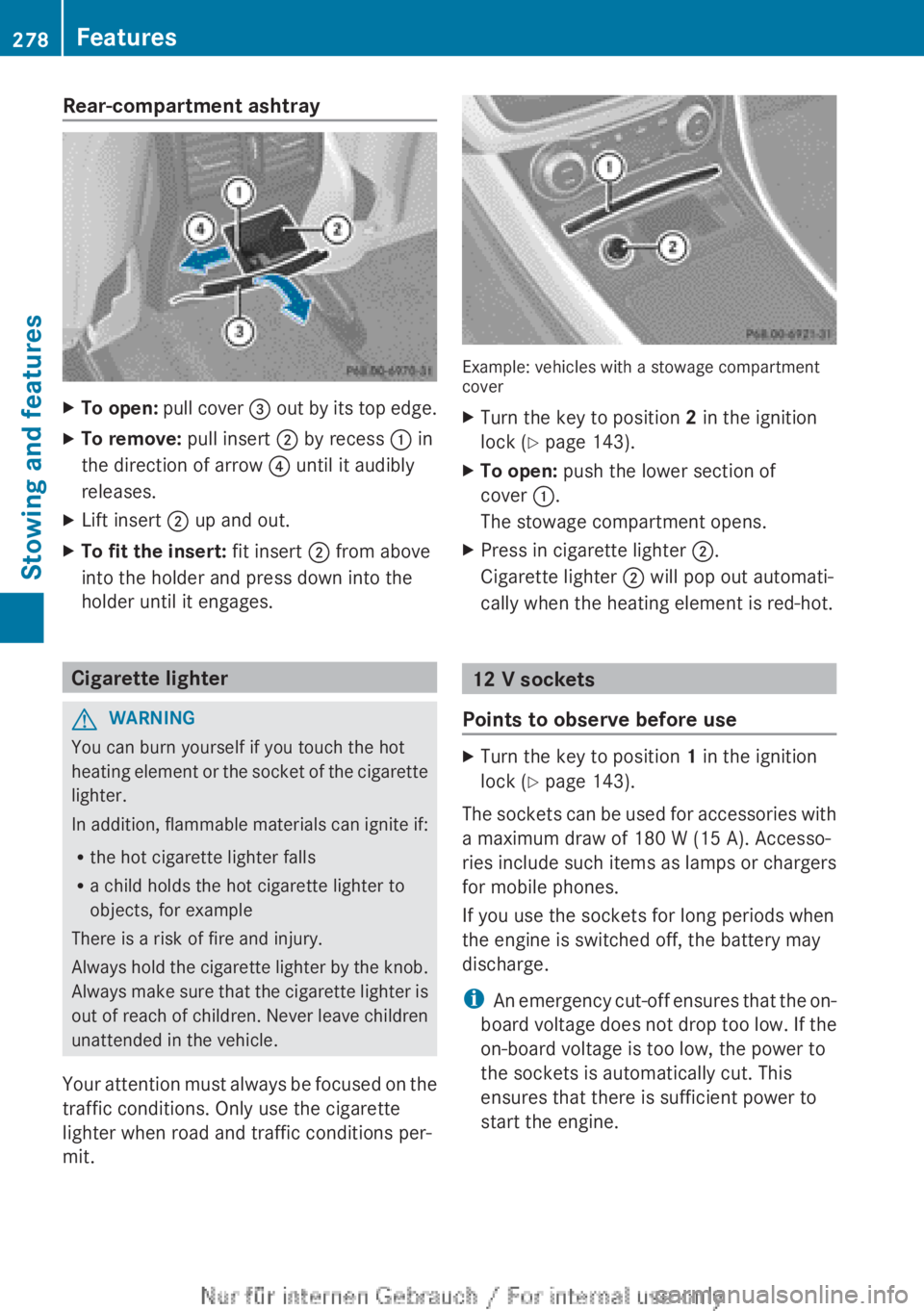
Rear-compartment ashtray
X
To open: pull cover = out by its top edge.
X To remove: pull insert ; by recess : in
the direction of arrow ? until it audibly
releases.
X Lift insert ; up and out.
X To fit the insert: fit insert ; from above
into the holder and press down into the
holder until it engages. Cigarette lighter
G
WARNING
You can burn yourself if you touch the hot
heating
element or the socket of the cigarette
lighter.
In addition, flammable materials can ignite if:
R the hot cigarette lighter falls
R a child holds the hot cigarette lighter to
objects, for example
There is a risk of fire and injury.
Always hold the cigarette lighter by the knob.
Always make sure that the cigarette lighter is
out of reach of children. Never leave children
unattended in the vehicle.
Your attention must always be focused on the
traffic conditions. Only use the cigarette
lighter when road and traffic conditions per-
mit. Example: vehicles with a stowage compartment
cover
X
Turn the key to position 2 in the ignition
lock (Y page 143).
X To open: push the lower section of
cover :.
The stowage compartment opens.
X Press in cigarette lighter ;.
Cigarette lighter ; will pop out automati-
cally when the heating element is red-hot. 12 V sockets
Points to observe before use X
Turn the key to position 1 in the ignition
lock (Y page 143).
The sockets can be used for accessories with
a maximum draw of
180 W (15 A). Accesso-
ries include such items as lamps or chargers
for mobile phones.
If you use the sockets for long periods when
the engine is switched off, the battery may
discharge.
i An emergency cut-off ensures that the on-
board voltage does not drop too low. If the
on-board voltage is too low, the power to
the sockets is automatically cut. This
ensures that there is sufficient power to
start the engine. 278
Features
Stowing and features
Page 282 of 356
sion surrounding the possible health risk
posed by electromagnetic fields.
Mercedes-Benz recommends the use of an
approved exterior aerial. This ensures:
R
optimal mobile phone reception quality in
the vehicle
R mutual influences between the vehicle
electronics and mobile phones are mini-
mised
An exterior aerial has the following advan-
tages:
R it
conducts the electromagnetic fields gen-
erated by a wireless device to the exterior.
R the field strength in the vehicle interior is
lower than in a vehicle that does not have
an exterior aerial.
Information on retrofitting two-way radios
and mobile phones (RF transmitters)
(Y page 336).
General notes There are various mobile phone brackets that
may be fitted in your vehicle; in some cases,
these are country-specific.
You can connect a Bluetooth
®
-capable
mobile phone with Audio 20 or COMAND
Online
via the Bluetooth ®
interface. This also
applies if your vehicle is equipped with con-
venience telephony.
More information on suitable mobile phones,
mobile phone brackets and on connecting
Bluetooth ®
-capable mobile phones with
Audio 20 or COMAND Online can be obtained:
R at your Mercedes-Benz Service Centre
R on the Internet at http://www.mercedes-
benz.com/connect
i The functions and services available when
you use the phone depend on your mobile
phone model and service provider. Using a mobile phone If the mobile phone is inserted in the mobile
phone bracket, you can speak to the person
you are calling using the hands-free system.
X
Open the telephone compartment
(Y page 270).
X Place the mobile phone bracket into the
pre-installed fitting (see the separate
installation instructions for the mobile
phone fitting).
X Insert the mobile phone into the mobile
phone bracket (see the separate installa-
tion instructions for the mobile phone fit-
ting).
i On
some mobile phone brackets, first you
have to connect the phone to the mobile
phone bracket via Bluetooth ®
(see the sep-
arate operating instructions for the mobile
phone bracket).
If this is the case, the mobile phone does
not have to be inserted into the bracket for
you to be able to use the telephone func-
tions. However, the charging function and
aerial function are not available.
Operating the mobile phone You can operate the telephone using the
6 and ~ buttons on the multifunction
steering
wheel. You can operate other mobile
phone functions via the on-board computer
(Y page 215).
When you remove the key from the ignition
lock, the mobile phone stays switched on.
However, you can no longer use the hands-
free system.
If you have an active call and would like to
take the key out of the ignition lock, first
remove the mobile phone from the bracket.
i If you use a mobile phone bracket which
is connected to your mobile via Blue-
tooth ®
and you wish to continue a call on
your mobile phone:
You should switch the call to "Private
mode" before you remove the key from the 280
Features
Stowing and features