reset MERCEDES-BENZ B-CLASS 2012 Owner's Manual
[x] Cancel search | Manufacturer: MERCEDES-BENZ, Model Year: 2012, Model line: B-CLASS, Model: MERCEDES-BENZ B-CLASS 2012Pages: 340, PDF Size: 3.09 MB
Page 192 of 340
The From Start trip computer is
automatically reset when:
R
the ignition has
been switched off for more
than four hours.
R 999 hours have been exceeded.
R 9,999 miles have been exceeded.
If the value exceeds 9,999 hours or
99,999 miles, the From Reset trip computer
is automatically reset.
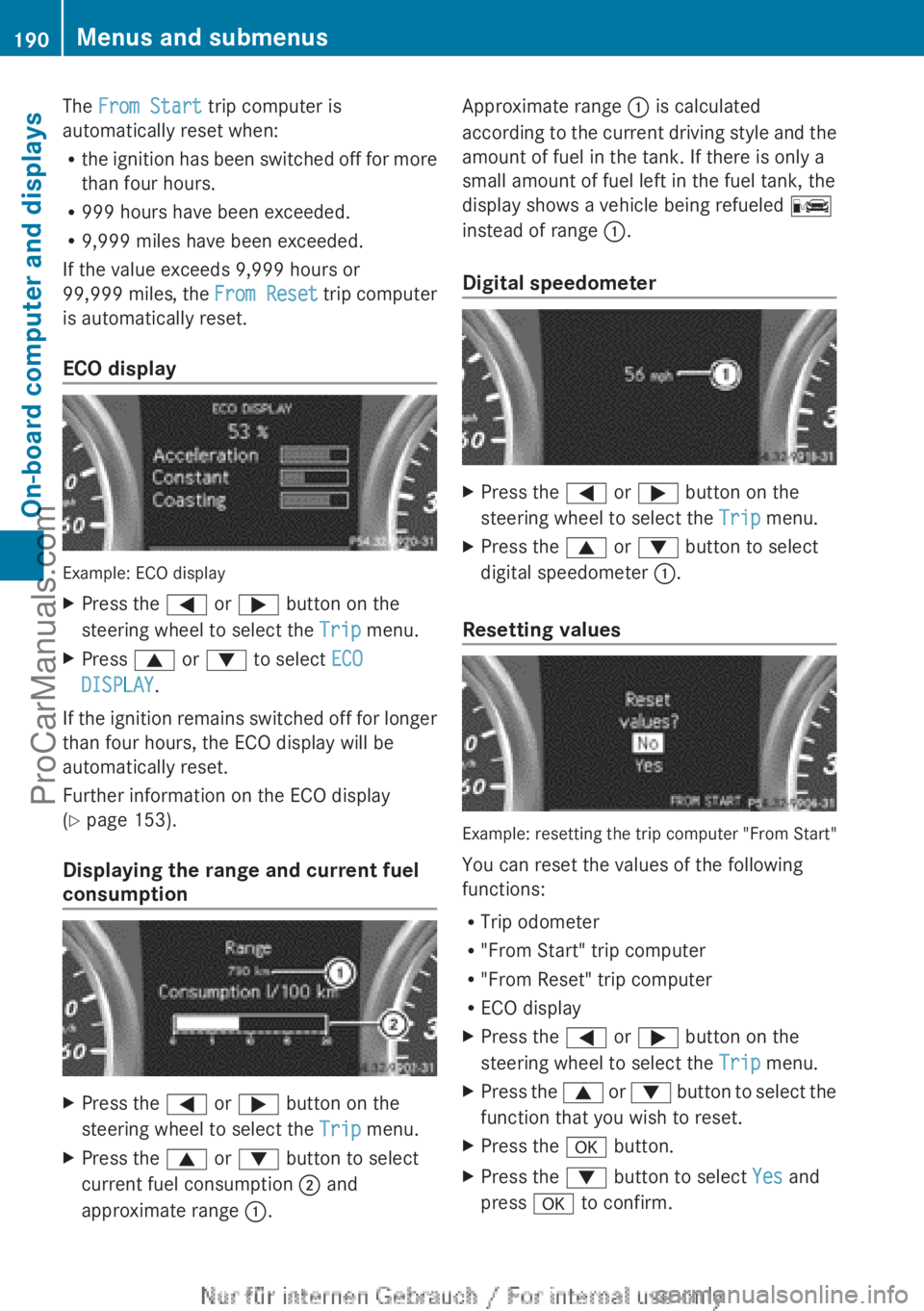
ECO display Example: ECO display
X
Press the = or ; button on the
steering wheel to select the Trip menu.
X Press 9 or : to select ECO
DISPLAY.
If the ignition remains switched off for longer
than four hours, the ECO display will be
automatically reset.
Further information on the ECO display
(Y page 153).
Displaying the range and current fuel
consumption X
Press the = or ; button on the
steering wheel to select the Trip menu.
X Press the 9 or : button to select
current fuel consumption ; and
approximate range :. Approximate range : is calculated
according to
the
current driving style and the
amount of fuel in the tank. If there is only a
small amount of fuel left in the fuel tank, the
display shows a vehicle being refueled C
instead of range :.
Digital speedometer X
Press the = or ; button on the
steering wheel to select the Trip menu.
X Press the 9 or : button to select
digital speedometer :.
Resetting values Example: resetting the trip computer "From Start"
You can reset the values of the following
functions:
R
Trip odometer
R "From Start" trip computer
R "From Reset" trip computer
R ECO display
X Press the = or ; button on the
steering wheel to select the Trip menu.
X Press the 9 or :
button to select the
function that you wish to reset.
X Press the a button.
X Press the : button to select Yes and
press a to confirm. 190
Menus and submenus
On-board computer and displays
ProCarManuals.com
Page 193 of 340
i
When you reset the values in the "ECO
display", the values in the trip computer
"From start" are likewise reset. When you
reset the values
in the trip computer "From
start", the values in the "ECO display" are
likewise reset. Navigation system menu
Displaying navigation instructions X
Switch on Audio 20 with Becker ®
MAP
PILOT or COMAND (see the separate
operating instructions).
X Press the = or ; button on the
steering wheel to select the Navi menu.
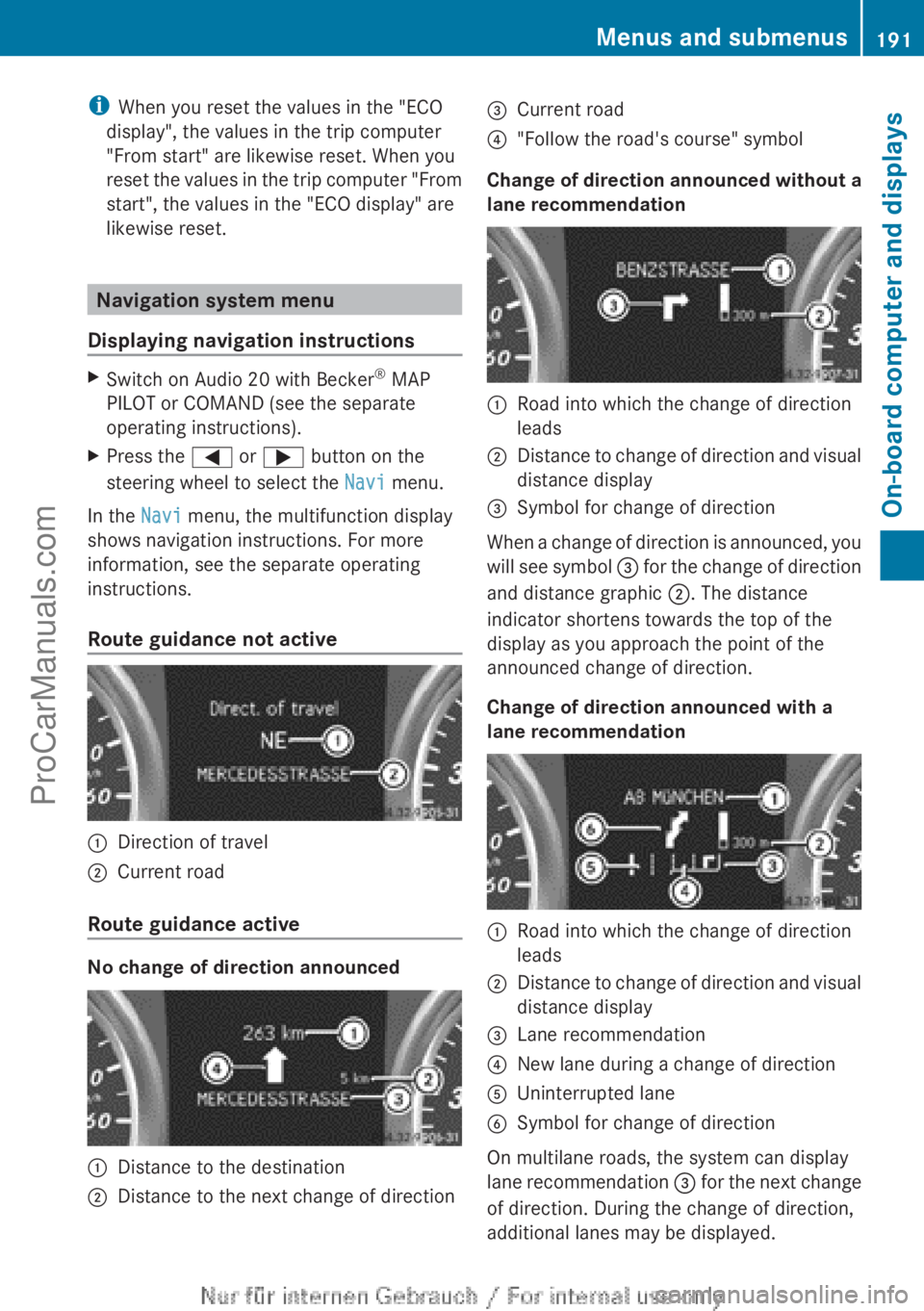
In the Navi menu, the multifunction display
shows navigation instructions. For more
information, see the separate operating
instructions.
Route guidance not active :
Direction of travel
; Current road
Route guidance active No change of direction announced
:
Distance to the destination
; Distance to the next change of direction =
Current road
? "Follow the road's course" symbol
Change of direction announced without a
lane recommendation :
Road into which the change of direction
leads
; Distance to change of direction and visual
distance display
= Symbol for change of direction
When a change of direction is announced, you
will see
symbol =
for the change of direction
and distance graphic ;. The distance
indicator shortens towards the top of the
display as you approach the point of the
announced change of direction.
Change of direction announced with a
lane recommendation :
Road into which the change of direction
leads
; Distance to change of direction and visual
distance display
= Lane recommendation
? New lane during a change of direction
A Uninterrupted lane
B Symbol for change of direction
On multilane roads, the system can display
lane recommendation
=
for the next change
of direction. During the change of direction,
additional lanes may be displayed. Menus and submenus
191
On-board computer and displays Z
ProCarManuals.com
Page 201 of 340
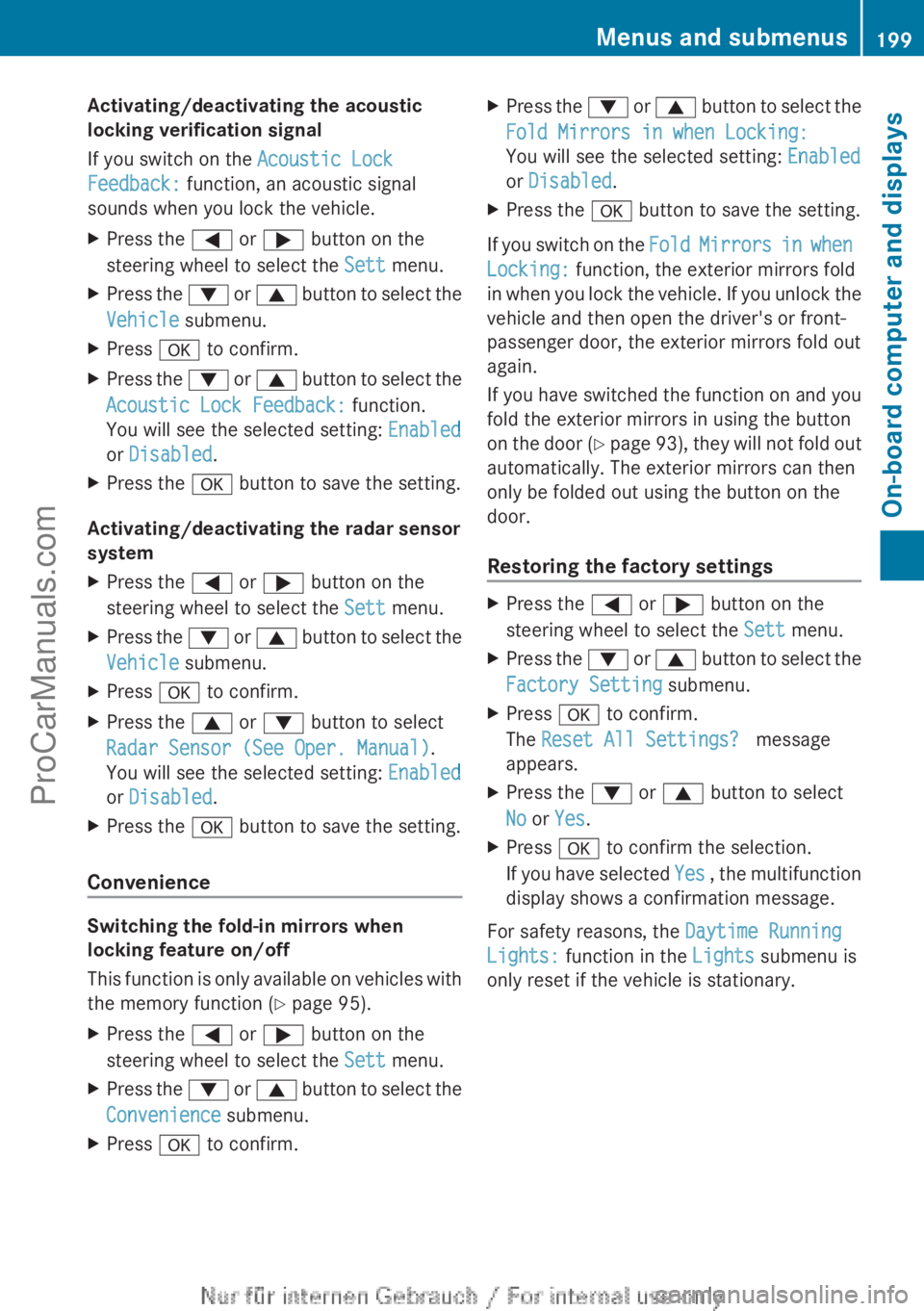
Activating/deactivating the acoustic
locking verification signal
If you switch on the Acoustic Lock
Feedback: function, an acoustic signal
sounds when you lock the vehicle.
X
Press the = or ; button on the
steering wheel to select the Sett menu.
X Press the : or 9 button to select the
Vehicle submenu.
X Press a to confirm.
X Press the :
or 9
button to select the
Acoustic Lock Feedback: function.
You will see the selected setting: Enabled
or Disabled.
X Press the a button to save the setting.
Activating/deactivating the radar sensor
system
X Press the = or ; button on the
steering wheel to select the Sett menu.
X Press the : or 9
button to select the
Vehicle submenu.
X Press a to confirm.
X Press the 9 or : button to select
Radar Sensor (See Oper. Manual).
You will see the selected setting: Enabled
or Disabled.
X Press the a button to save the setting.
Convenience Switching the fold-in mirrors when
locking feature on/off
This function
is
only available on vehicles with
the memory function ( Y page 95).
X Press the = or ; button on the
steering wheel to select the Sett menu.
X Press the : or 9
button to select the
Convenience submenu.
X Press a to confirm. X
Press the : or 9
button to select the
Fold Mirrors in when Locking:
You will see the selected setting: Enabled
or Disabled.
X Press the a button to save the setting.
If you switch on the Fold Mirrors in
when
Locking: function, the exterior mirrors fold
in when you lock the vehicle. If you unlock the
vehicle and then open the driver's or front-
passenger door, the exterior mirrors fold out
again.
If you have switched the function on and you
fold the exterior mirrors in using the button
on the door (Y page 93), they will not fold out
automatically. The exterior mirrors can then
only be folded out using the button on the
door.
Restoring the factory settings X
Press the = or ; button on the
steering wheel to select the Sett menu.
X Press the : or 9
button to select the
Factory Setting submenu.
X Press a to confirm.
The Reset All Settings? message
appears.
X Press the : or 9 button to select
No or Yes.
X Press a to confirm the selection.
If you have
selected Yes , the multifunction
display shows a confirmation message.
For safety reasons, the Daytime Running
Lights: function in the Lights submenu is
only reset if the vehicle is stationary. Menus and submenus
199
On-board computer and displays Z
ProCarManuals.com
Page 272 of 340
The washer fluid reservoir is used for both the
windshield washer
system
and the headlamp
cleaning system.
The recommended minimum amount when
topping up is 1 liter. If the water level drops
below this, a message appears in the
multifunction display prompting you to refill
the washer fluid ( Y page 223).
Further information on windshield washer
fluid/antifreeze ( Y page 334).Maintenance
ASSYST PLUS
Service messages The ASSYST PLUS service interval display
informs you of the next service due date.
Information on
the
type of service and service
intervals (see the separate Maintenance
Booklet).
You can obtain further information from an
authorized Mercedes-Benz Center or at
http://www.mbusa.com (USA only).
i The ASSYST PLUS service interval display
does not show any information on the
engine oil level. Observe the notes on the
engine oil level ( Y page 267).
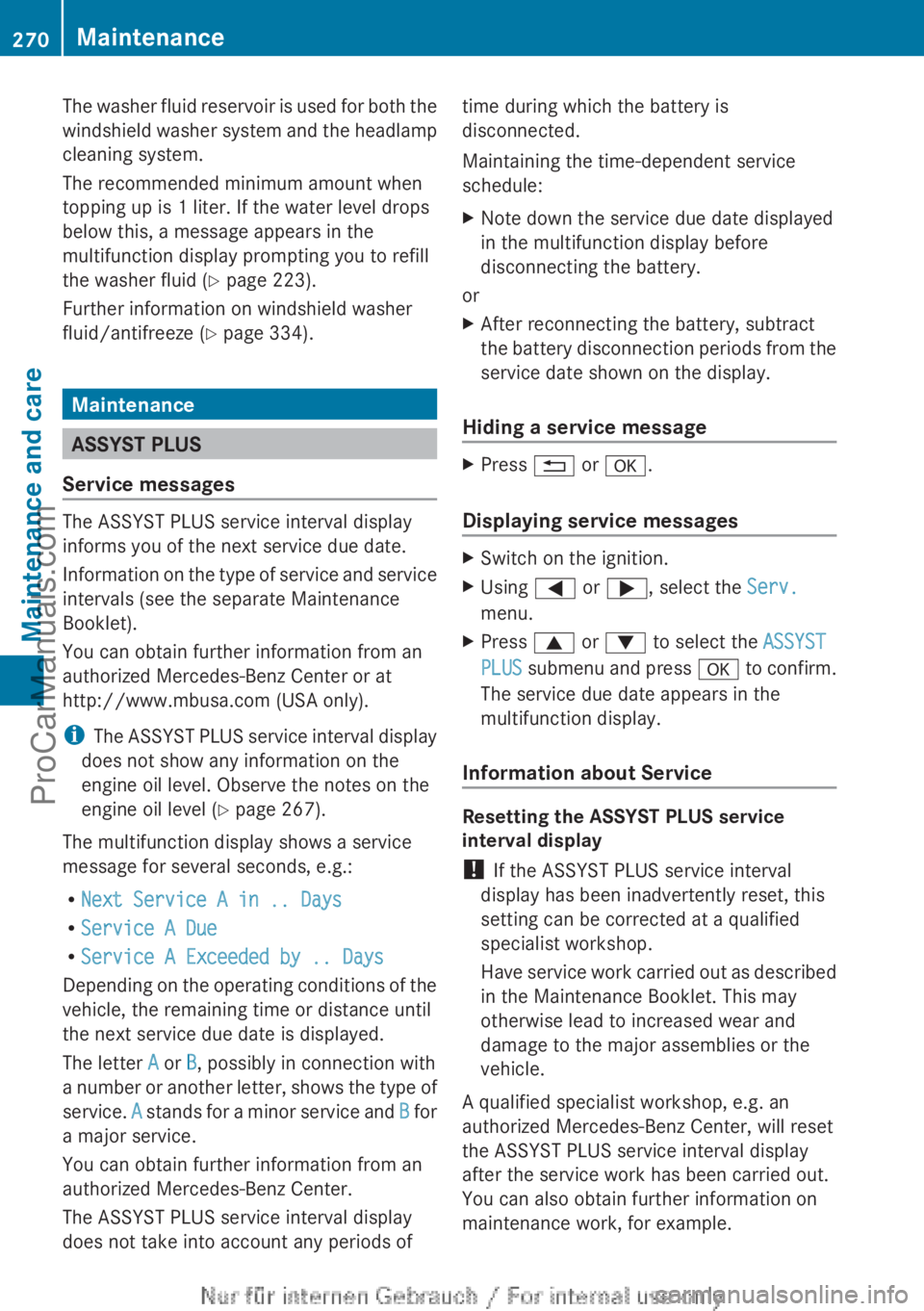
The multifunction display shows a service
message for several seconds, e.g.:
R Next Service A in .. Days
R Service A Due
R Service A Exceeded by .. Days
Depending on the operating conditions of the
vehicle, the remaining time or distance until
the next service due date is displayed.
The letter A or B, possibly in connection with
a number or another letter, shows the type of
service. A stands for a minor service and B for
a major service.
You can obtain further information from an
authorized Mercedes-Benz Center.
The ASSYST PLUS service interval display
does not take into account any periods of time during which the battery is
disconnected.
Maintaining the time-dependent service
schedule:
X
Note down the service due date displayed
in the multifunction display before
disconnecting the battery.
or
X After reconnecting the battery, subtract
the battery
disconnection
periods from the
service date shown on the display.
Hiding a service message X
Press % or a.
Displaying service messages X
Switch on the ignition.
X Using = or ;, select the Serv.
menu.
X Press 9 or : to select the ASSYST
PLUS submenu and
press a to confirm.
The service due date appears in the
multifunction display.
Information about Service Resetting the ASSYST PLUS service
interval display
!
If the ASSYST PLUS service interval
display has been inadvertently reset, this
setting can be corrected at a qualified
specialist workshop.
Have service work
carried out as described
in the Maintenance Booklet. This may
otherwise lead to increased wear and
damage to the major assemblies or the
vehicle.
A qualified specialist workshop, e.g. an
authorized Mercedes-Benz Center, will reset
the ASSYST PLUS service interval display
after the service work has been carried out.
You can also obtain further information on
maintenance work, for example. 270
Maintenance
Maintenance and care
ProCarManuals.com
Page 290 of 340
i
If the power supply has been interrupted,
e.g. if you reconnect the battery, you will
have to:
R set the clock (audio system/COMAND,
see the
separate operating instructions).
R reset the function for folding the exterior
mirrors in/out automatically, by folding
the mirrors out once ( Y page 93).Charging the battery
G
WARNING
During charging and jump-starting, explosive
gases can escape
from the battery. There is a
risk of an explosion.
Particularly avoid fire, open flames, creating
sparks and smoking. Ensure there is sufficient
ventilation while charging and jump-starting.
Do not lean over a battery. G
WARNING
Battery acid is caustic. There is a risk of injury.
Avoid contact with
the skin, eyes or clothing.
Do not inhale any battery gases. Do not lean
over the battery. Keep children away from
batteries. Wash battery acid immediately with
water and seek medical attention. G
WARNING
A discharged battery can freeze at
temperatures below freezing point. When
jump-starting the vehicle or charging the
battery, gases can escape from the battery.
There is a risk of an explosion.
Allow the frozen battery to thaw out before
charging it or jump-starting.
! Only use battery chargers with a
maximum charging voltage of 14.8 V.
! Only charge the battery using the jump-
starting connection point.
The jump-starting connection point is in the
engine compartment (Y
page 289). X
Open the hood (Y page 266).
X Connect the battery charger to the positive
terminal and ground point in the same
order as when connecting the donor
battery in the jump-starting procedure
(Y page 289).
If, at low temperatures, the indicator lamps/
warning lamps in the instrument cluster do
not light up, it is highly likely that the
discharged battery has frozen. In this case
you may neither jump-start the vehicle nor
charge the battery. The service life of a
thawed-out battery may be shorter. The
starting characteristics can be impaired,
particularly at low temperatures. Have the
thawed-out battery checked at a qualified
specialist workshop.
Only charge the installed battery with a
battery charger which has been tested and
approved by Mercedes-Benz. An accessory
battery charge unit specially adapted for
Mercedes-Benz vehicles and tested and
approved by Mercedes-Benz is available. It
permits the charging of the battery in its
installed position. Contact an authorized
Mercedes-Benz Center for further
information and availability.
Read the battery
charger's operating instructions before
charging the battery. 288
Battery (vehicle)
Breakdown assistance
ProCarManuals.com
Page 295 of 340
Towing the vehicle with the front axle
raised
! The ignition must be switched off if the
vehicle is being towed with the front axle
raised. Otherwise, ESP®
may intervene and
damage the brake system.
X Turn the SmartKey to position 2 in the
ignition lock.
X When the vehicle is stationary, depress the
brake pedal and keep it depressed.
X Shift the automatic transmission to
position P.
X Release the brake pedal.
X Release the electric parking brake.
X Deactivate automatic locking
(Y page 198).
X Switch on the hazard warning lamps
(Y page 101).
X Turn the SmartKey to position 0 in the
ignition lock and
leave the SmartKey in the
ignition lock.
When towing your vehicle with the front axle
raised, it is important that you observe the
safety instructions ( Y page 291).Towing a vehicle with both axles on
the ground
G
WARNING
The power assistance for the steering and the
brake force booster do not work when the
engine is not running. You will then need
much more effort to brake and steer the
vehicle. Adapt your style of driving
accordingly.
i In order to signal a change of direction
when towing with
the hazard warning lamps
switched on, use the combination switch as
usual. In this case, only the turn signals for
the desired direction flash. When you reset
the combination switch, the hazard
warning lamps start flashing again. The automatic transmission automatically
shifts
to position P
when you open the driver's
or front-passenger door or when you remove
the SmartKey from the ignition lock. In order
to ensure that the automatic transmission
stays in position N when towing the vehicle,
you must observe the following points:
X Make sure that the vehicle is stationary.
X Turn the SmartKey to position 2 in the
ignition lock.
X Depress and hold the brake pedal.
X Shift the automatic transmission to
position N.
X Leave the SmartKey in position 2 in the
ignition lock.
X Release the brake pedal.
X Release the electric parking brake.
X Switch on the hazard warning lamps
(Y page 101).
It is important that you observe the safety
instructions when towing away your vehicle
(Y page 291). Transporting the vehicle
! Only lash the
vehicle down by the wheels
or wheel rims, not by parts of the vehicle
such as axle or steering components.
Otherwise, the vehicle could be damaged.
X Turn the SmartKey to position 2 in the
ignition lock.
X Shift the transmission to position N.
As soon as the vehicle is loaded:
X Prevent the vehicle from rolling away by
applying the electric parking brake.
X Shift the transmission to position P.
X Turn the SmartKey to position 0 in the
ignition lock and remove it.
X Secure the vehicle.
The towing eye can be used to pull the vehicle
onto a trailer or transporter for transporting
purposes. Towing and tow-starting
293
Breakdown assistance Z
ProCarManuals.com
Page 305 of 340
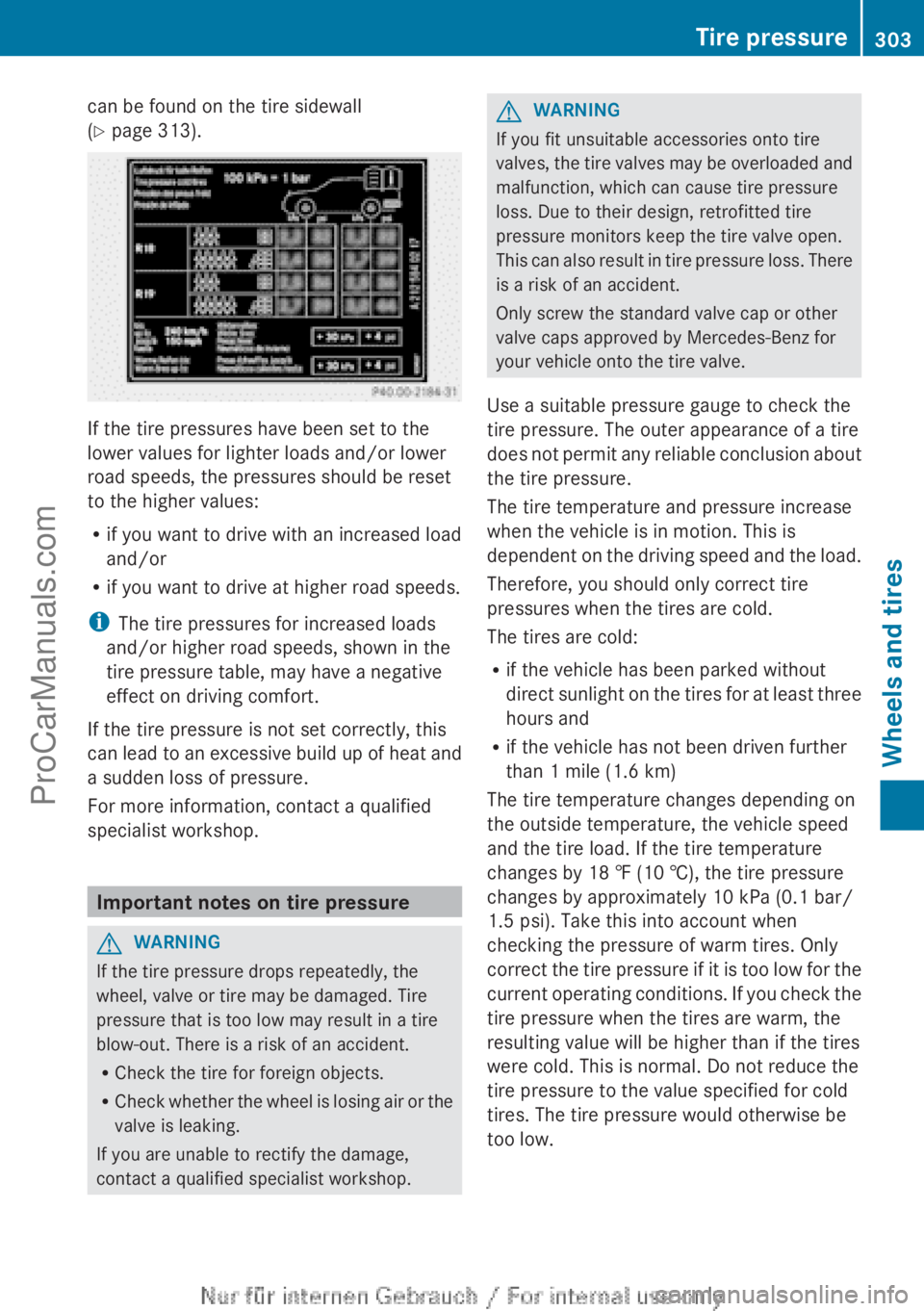
can be found on the tire sidewall
(Y page 313).
If the tire pressures have been set to the
lower values for lighter loads and/or lower
road speeds, the pressures should be reset
to the higher values:
R
if you want to drive with an increased load
and/or
R if you want to drive at higher road speeds.
i The tire pressures for increased loads
and/or higher road speeds, shown in the
tire pressure table, may have a negative
effect on driving comfort.
If the tire pressure is not set correctly, this
can lead to
an excessive build up of heat and
a sudden loss of pressure.
For more information, contact a qualified
specialist workshop. Important notes on tire pressure
G
WARNING
If the tire pressure drops repeatedly, the
wheel, valve or tire may be damaged. Tire
pressure that is too low may result in a tire
blow-out. There is a risk of an accident.
R Check the tire for foreign objects.
R Check whether the
wheel is losing air or the
valve is leaking.
If you are unable to rectify the damage,
contact a qualified specialist workshop. G
WARNING
If you fit unsuitable accessories onto tire
valves, the tire
valves may be overloaded and
malfunction, which can cause tire pressure
loss. Due to their design, retrofitted tire
pressure monitors keep the tire valve open.
This can also result in tire pressure loss. There
is a risk of an accident.
Only screw the standard valve cap or other
valve caps approved by Mercedes-Benz for
your vehicle onto the tire valve.
Use a suitable pressure gauge to check the
tire pressure. The outer appearance of a tire
does not permit any reliable conclusion about
the tire pressure.
The tire temperature and pressure increase
when the vehicle is in motion. This is
dependent on the driving speed and the load.
Therefore, you should only correct tire
pressures when the tires are cold.
The tires are cold:
R if the vehicle has been parked without
direct sunlight on the tires for at least three
hours and
R if the vehicle has not been driven further
than 1 mile (1.6 km)
The tire temperature changes depending on
the outside temperature, the vehicle speed
and the tire load. If the tire temperature
changes by 18 ‡ (10 †), the tire pressure
changes by approximately 10 kPa (0.1 bar/
1.5 psi). Take this into account when
checking the pressure of warm tires. Only
correct the tire pressure if it is too low for the
current operating conditions. If you check the
tire pressure when the tires are warm, the
resulting value will be higher than if the tires
were cold. This is normal. Do not reduce the
tire pressure to the value specified for cold
tires. The tire pressure would otherwise be
too low. Tire pressure
303
Wheels and tires Z
ProCarManuals.com