light MERCEDES-BENZ C-CLASS 2002 Owner's Guide
[x] Cancel search | Manufacturer: MERCEDES-BENZ, Model Year: 2002, Model line: C-CLASS, Model: MERCEDES-BENZ C-CLASS 2002Pages: 399, PDF Size: 16.95 MB
Page 188 of 399

185
Audio system
Te ch n i c a l
data
Instruments
and controls Operation
DrivingInstrument
cluster display Practical hints Car care Index
Scanning
Press the button. “SEEK
FWD” will appear on the
display. Each track will be
played for 8 seconds in
ascending order. The search
will stop if any of the , , , ,
buttons are pressed.
Skipping of blank sections (Skip-Blank)
Press the “SB” key. The Skip-
Blank function is switched on
or off. When switched on, the
“SB” on the display is
highlighted.
With the “SB” function activated and no sound signal
received for approximately 10 to 15 seconds, the tape
will fast forward to the next sound signal. Dolby NR
1 (noise reduction system)
To enable optimum sound
reproduction of cassettes
recorded using the Dolby B
system, press the “NR” key so
the “NR” on the display is
highlighted. To turn off Dolby B noise reduction, press
the “NR” key so the “NR” on the display is not
highlighted.
1 Dolby and the double-D symbol
Ù
are trademarks of Dolby
Laboratories Licensing Corporation. The Dolby noise reduction
system is manufactured under licence from Dolby Laboratories
Licensing Corporation.
SC #
SC #
ProCarManuals.com
Page 189 of 399
186
Audio system
Te ch n i c a l
data
Instruments
and controls Operation
DrivingInstrument
cluster display Practical hints Car care Index
CD mode
General notes on CD mode
Should excessive temperatures occur while in CD mode,
“CD TEMP HIGH” will appear on the display and muting
will take place. The unit will then switch back to radio
mode until the temperature has decreased to a safe
operating level.
Should temperatures occur while in CD mode which are
too low, “CD TEMP LOW” will be displayed, but the CD
will play. It will be sensitive to skipping if you are
driving over rough roads.
Handle CDs carefully to prevent interference during
playback.
Avoid fingerprints and dust on CDs. Do not write on the
CDs or apply any label or other material or devices to
the CDs.
Clean CDs from time to time with a commercially
available cleaning cloth. No solvents, anti-static sprays,
etc. should be used.
Replace the CD in its container after use. Protect CDs
from heat and direct sunlight. Only use CDs, which bear the
label shown and that conform to
the compact disc digital audio
standard (IEC 60908).
Use of CDs which do not meet this
standard may cause damage to the
CD changer. Do not play single-CDs (80 mm) with an
adapter.
1Optional equipmentWa r n i n g !
The CD changer
1 is a Class1 laser product. There is
a danger of invisible laser radiation if the cover is
opened or damaged.
Do not remove the cover. The CD changer
1 does not
contain any parts which can be serviced by the
user. For safety reasons, have any service work
which may be necessary performed only by
qualified personnel.
ProCarManuals.com
Page 192 of 399
189
Audio system
Te ch n i c a l
data
Instruments
and controls Operation
DrivingInstrument
cluster display Practical hints Car care Index
Fast forward/reverse
Press and hold the button for audible fast forward.
Press and hold the button for audible reverse.
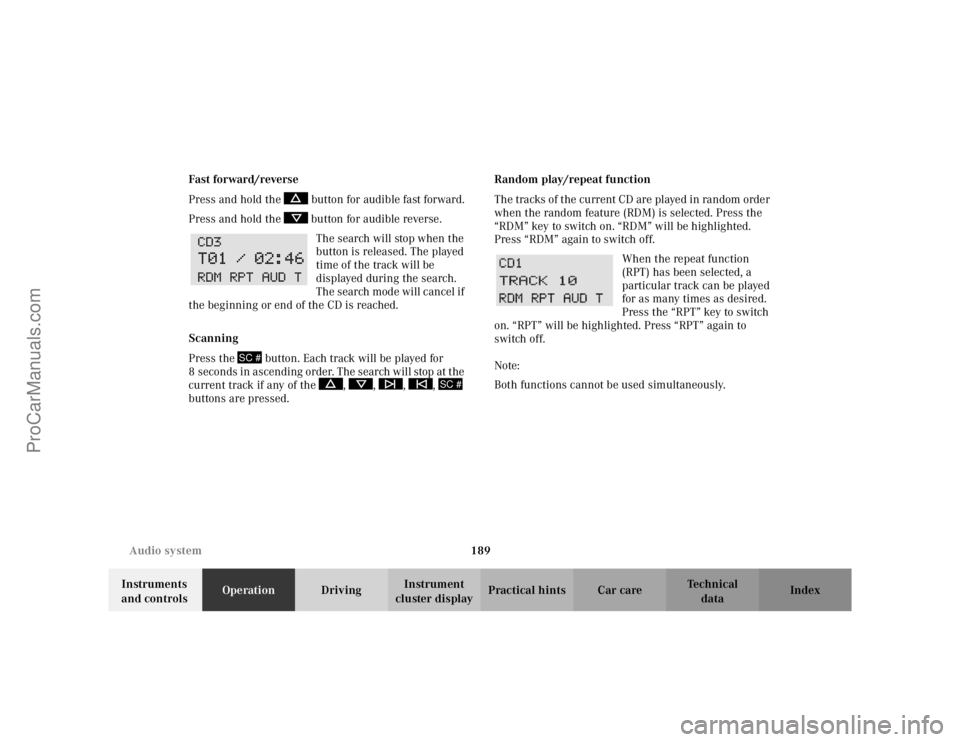
The search will stop when the
button is released. The played
time of the track will be
displayed during the search.
The search mode will cancel if
the beginning or end of the CD is reached.
Scanning
Press the button. Each track will be played for
8 s econ d s i n as cen di ng or de r. The s earch will stop at t he
current track if any of the , , , ,
buttons are pressed. Random play/repeat function
The tracks of the current CD are played in random order
when the random feature (RDM) is selected. Press the
“RDM” key to switch on. “RDM” will be highlighted.
Press “RDM” again to switch off.
When the repeat function
(RPT) has been selected, a
particular track can be played
for as many times as desired.
Press the “RPT” key to switch
on. “RPT” will be highlighted. Press “RPT” again to
switch off.
Note:
Both functions cannot be used simultaneously.
SC #
SC #
ProCarManuals.com
Page 200 of 399

197
Interior equipment
Te ch n i c a l
data
Instruments
and controls Operation
DrivingInstrument
cluster display Practical hints Car care Index
Power windows
The control panel is located on the driver’s door.
Switches for:
1 left, front
2 right, front
There is a single switch on the passenger door.
Turn electronic key in starter switch to position 1 or 2. Opening the windows:
Press the switch to resistance point.
Closing the windows:
Pull the switch to resistance point.
Release switch when window is in desired position.
Express opening and closing
Press or pull switch past resistance point and release –
window opens or closes completely.
To interrupt procedure, briefly press or pull switch.
If the upward movement of the window is blocked
during the closing procedure, the window will stop
during the last few inches before closure and open
slightly.
When pulling and holding the switch to close the
window, and upward movement of the window is
blocked during the last few inches before closure, it will
stop but not
open slightly.
ProCarManuals.com
Page 204 of 399

201
Interior equipment
Te ch n i c a l
data
Instruments
and controls Operation
DrivingInstrument
cluster display Practical hints Car care Index
Opening the panorama sliding / pop-up roof
automatically
Move the switch past resistance point in direction (1)
and release. The roof will not open completely. Press
switch again to open it completely.
Stopping the sliding / pop-up roof:
Move the switch in any direction.
If the movement of the panorama sliding / pop-up roof is
blocked during the closing procedure, the roof will stop
and reopen slightly.
The panorama sliding/pop-up
roof can also be opened
and closed using the summer opening / convenience
feature, see page 34.
Notes:
The panorama sliding/pop-up roof can be opened or
closed manually should an electrical malfunction occur,
see page 354.
Wa r n i n g !
When closing the panorama sliding / pop-up roof,
be sure that there is no danger of anyone being
harmed by the closing procedure.The closing procedure of the panorama sliding/
pop- up roof can be immediately reversed by either
pressing or pulling the switch, or pressing
button Œon the electronic key and holding it.When leaving the vehicle, always remove the
electronic key from starter switch, and lock your
vehicle. Do not leave children unattended in the
vehicle, or with access to an unlocked vehicle.
Unsupervised use of vehicle equipment can cause
serious personal injury.
ProCarManuals.com
Page 206 of 399
203
Interior equipment
Te ch n i c a l
data
Instruments
and controls Operation
DrivingInstrument
cluster display Practical hints Car care Index
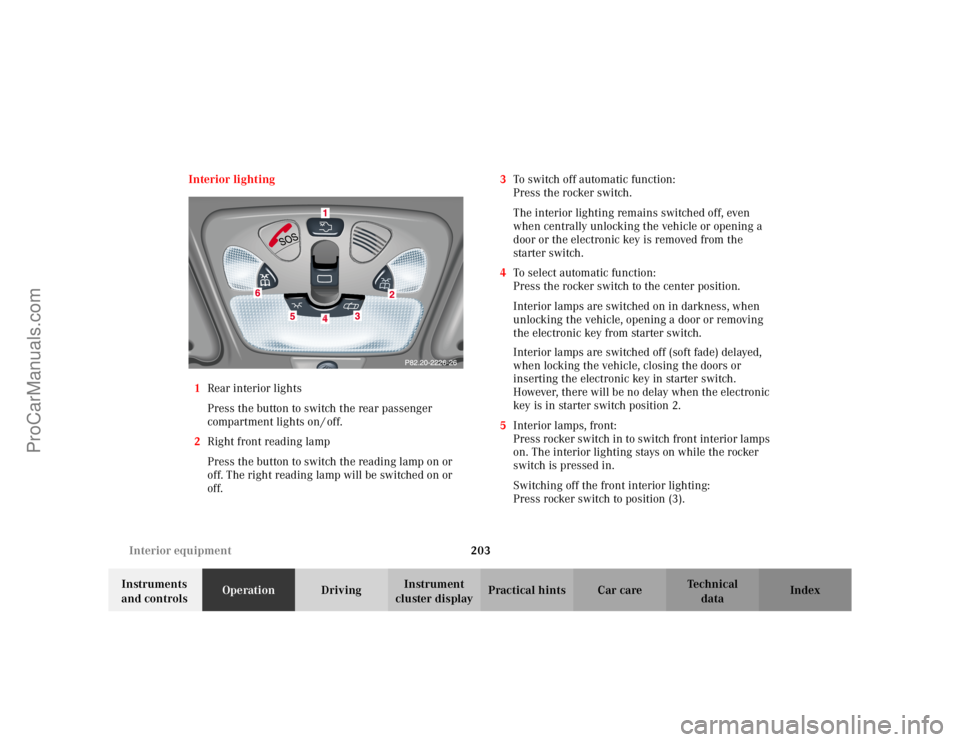
Interior lighting
1 Rear interior lights
Press the button to switch the rear passenger
compartment lights on / off.
2 Right front reading lamp
Press the button to switch the reading lamp on or
off. The right reading lamp will be switched on or
off. 3
To switch off automatic function:
Press the rocker switch.
The interior lighting remains switched off, even
when centrally unlocking the vehicle or opening a
door or the electronic key is removed from the
starter switch.
4 To select automatic function:
Press the rocker switch to the center position.
Interior lamps are switched on in darkness, when
unlocking the vehicle, opening a door or removing
the electronic key from starter switch.
Interior lamps are switched off (soft fade) delayed,
when locking the vehicle, closing the doors or
inserting the electronic key in starter switch.
However, there will be no delay when the electronic
key is in starter switch position 2.
5 Interior lamps, front:
Press rocker switch in to switch front interior lamps
on. The interior lighting stays on while the rocker
switch is pressed in.
Switching off the front interior lighting:
Press rocker switch to position (3).
ProCarManuals.com
Page 207 of 399
204
Interior equipment
Te ch n i c a l
data
Instruments
and controls Operation
DrivingInstrument
cluster display Practical hints Car care Index
6 Left front reading lamp:
Press the button to switch the reading lamp on or
off. The left reading lamp will be switched on or off. Notes:
The time delay for the interior light to switch off after
the electronic key is removed from the starter switch
can be adjusted in the individual setting menu
“LIGHTING” – “INT. ILLUMINATION DELAYED
SWITCH–OFF”. See page 128.
To prevent the vehicle battery from being discharged
with doors open, all interior lamps switch off after
approximately 5 minutes, when the electronic key
removed or in starter switch position 0.
An interior lamp switched on manually does not go out
autom ati cally. Be for e leav ing t he vehic le , make s ure t hat
all interior lamps are switched off.
ProCarManuals.com
Page 208 of 399
205
Interior equipment
Te ch n i c a l
data
Instruments
and controls Operation
DrivingInstrument
cluster display Practical hints Car care Index
Sun visors
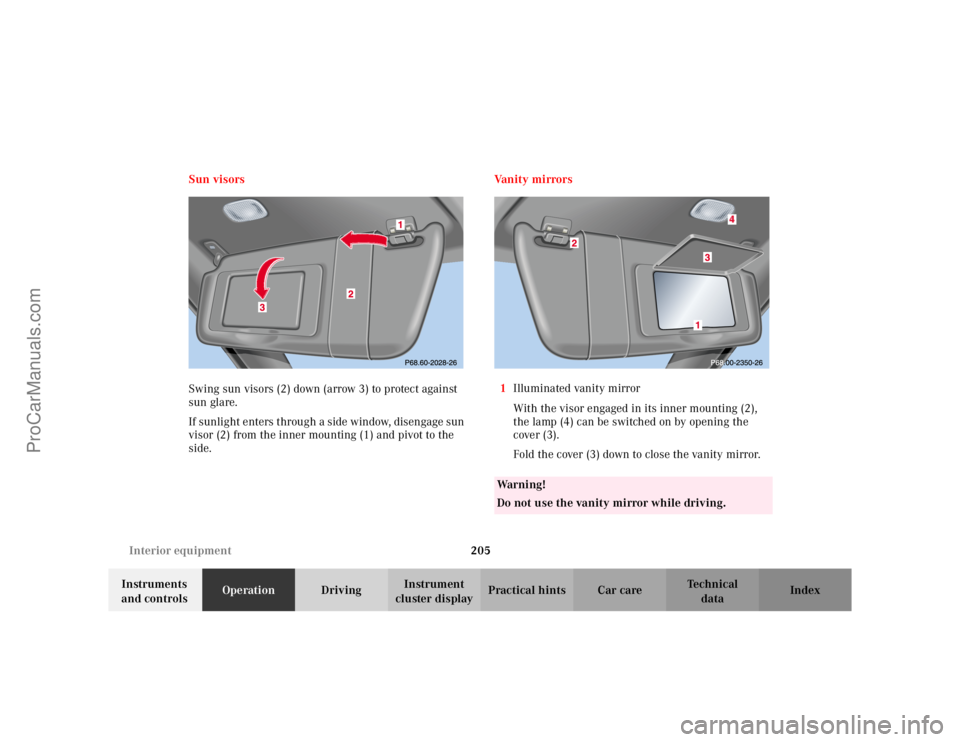
Swing sun visors (2) down (arrow 3) to protect against
sun glare.
If sunlight enters through a side window, disengage sun
visor (2) from the inner mounting (1) and pivot to the
side.
Va n i t y m i r r o r s
1 Illuminated vanity mirror
With the visor engaged in its inner mounting (2),
the lamp (4) can be switched on by opening the
cover (3).
Fold the cover (3) down to close the vanity mirror.
Wa r n i n g !
Do not use the vanity mirror while driving.
ProCarManuals.com
Page 211 of 399
208
Interior equipment
Te ch n i c a l
data
Instruments
and controls Operation
DrivingInstrument
cluster display Practical hints Car care Index
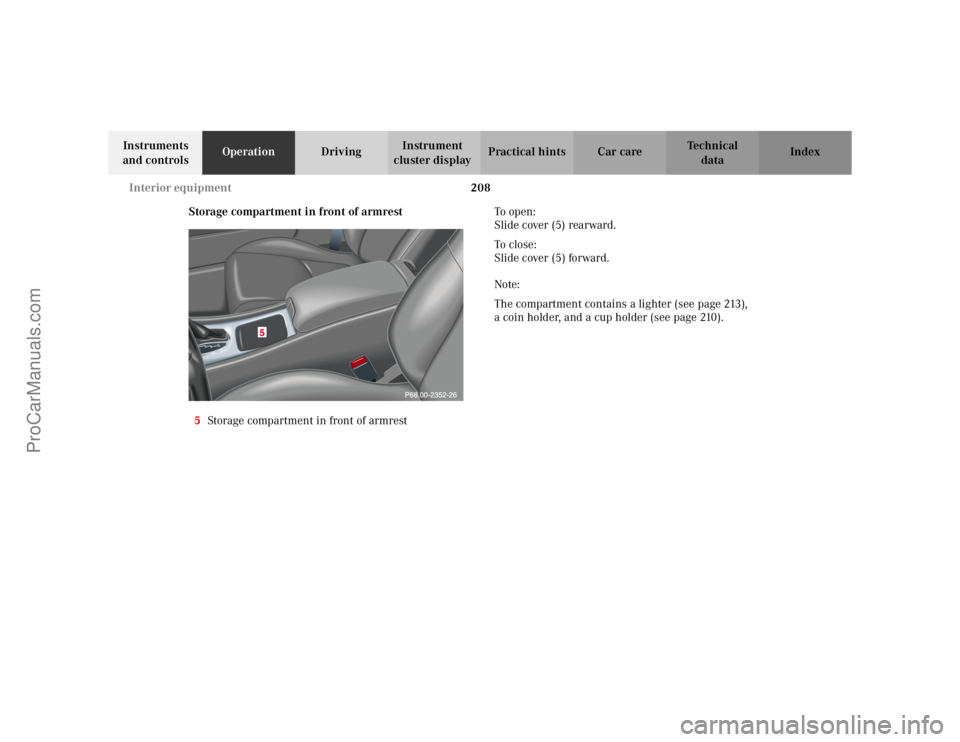
Storage compartment in front of armrest
5 Storage compartment in front of armrest To o p e n :
Slide cover (5) rearward.
To c l o s e :
Slide cover (5) forward.
Note:
The compartment contains a lighter (see page 213),
a coin holder, and a cup holder (see page 210).
ProCarManuals.com
Page 216 of 399
213
Interior equipment
Te ch n i c a l
data
Instruments
and controls Operation
DrivingInstrument
cluster display Practical hints Car care Index
Lighter
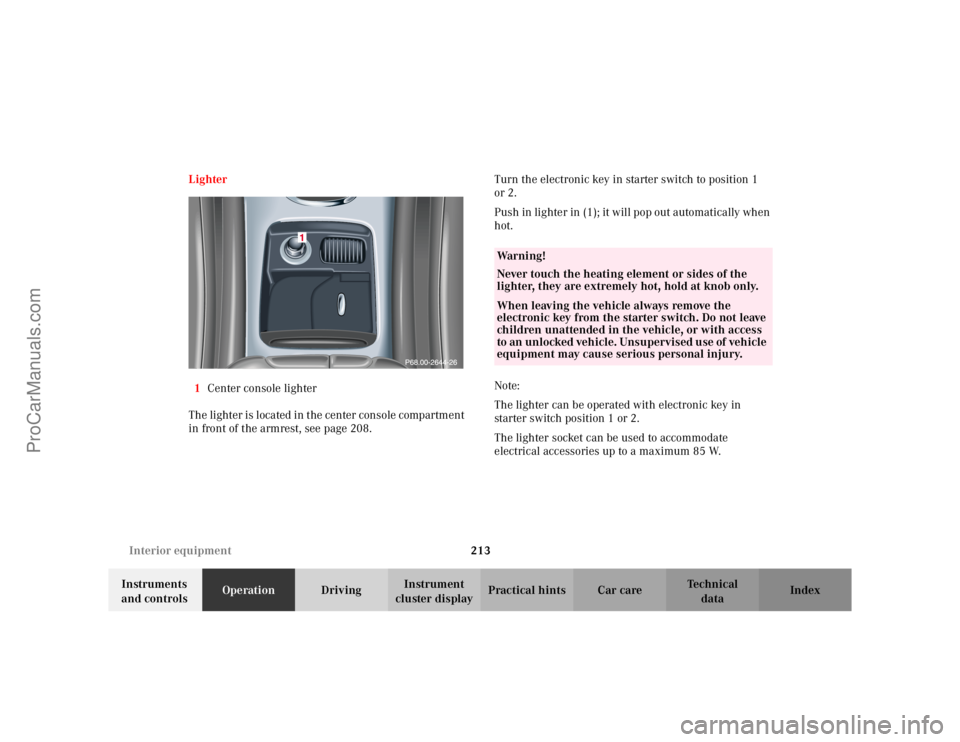
1 Center console lighter
The lighter is located in the center console compartment
in front of the armrest, see page 208. Turn the electronic key in starter switch to position 1
or 2.
Push in lighter in (1); it will pop out automatically when
hot.
Note:
The lighter can be operated with electronic key in
starter switch position 1 or 2.
The lighter socket can be used to accommodate
electrical accessories up to a maximum 85 W.
Wa r n i n g !
Never touch the heating element or sides of the
lighter, they are extremely hot, hold at knob only.When leaving the vehicle always remove the
electronic key from the starter switch. Do not leave
children unattended in the vehicle, or with access
to an unlocked vehicle. Unsupervised use of vehicle
equipment may cause serious personal injury.
ProCarManuals.com