eco MERCEDES-BENZ C-Class 2012 W204 Comand Manual
[x] Cancel search | Manufacturer: MERCEDES-BENZ, Model Year: 2012, Model line: C-Class, Model: MERCEDES-BENZ C-Class 2012 W204Pages: 234, PDF Size: 6.74 MB
Page 71 of 234
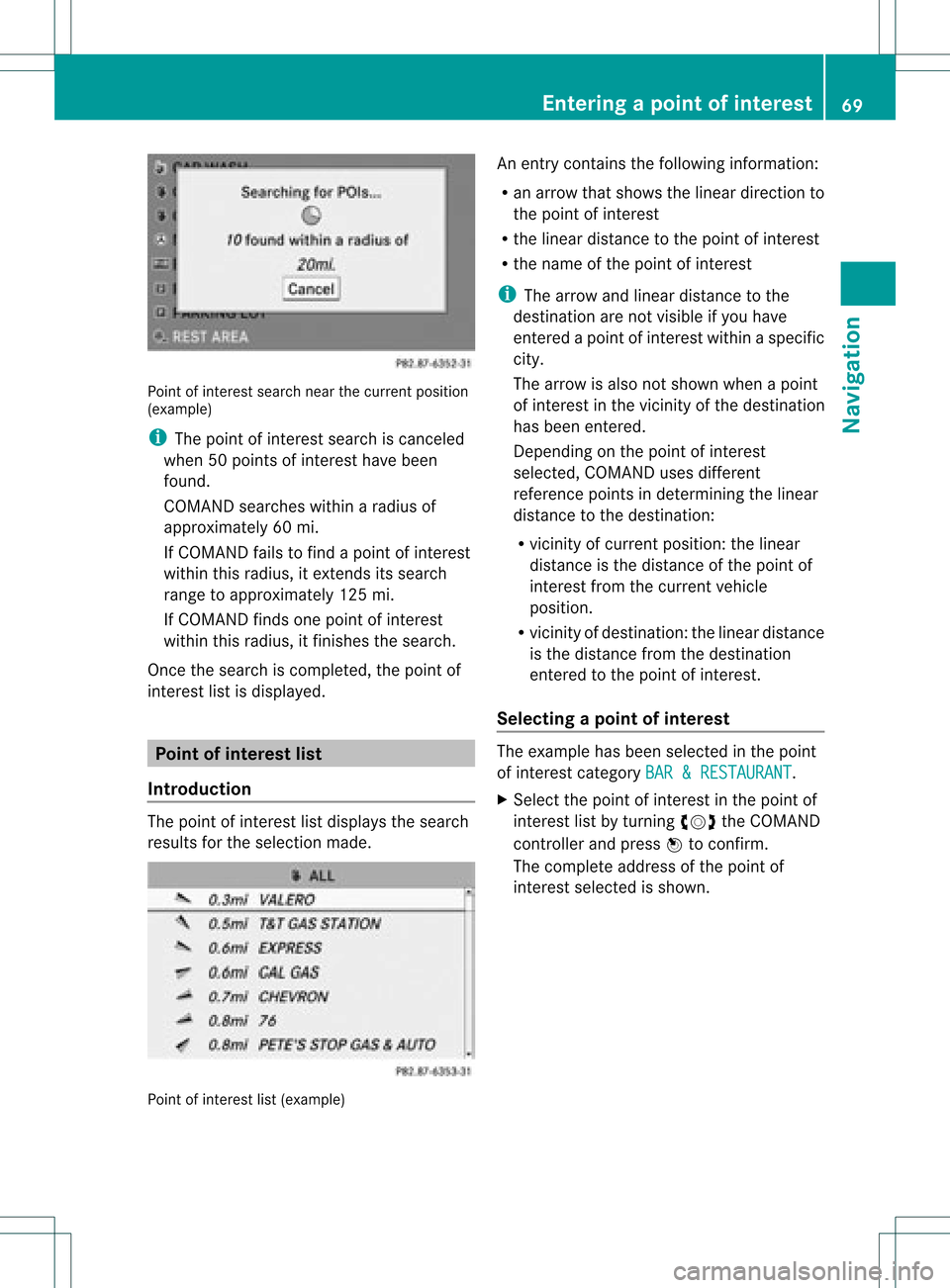
Point
ofinter estsearch nearthecurrent position
(example)
i The point ofinter estsearch iscanc eled
when 50points ofinter esthave been
found.
COMAND searcheswithinaradius of
approximately 60mi.
If COMAND failstofind apoint ofinter est
within thisradius, itexten dsits search
range toapproximately 125mi.
If COMAND findsonepoint ofinter est
within thisradius, itfinishes thesearch.
Onc ethe search iscompleted, thepoint of
inter estlistisdisplay ed. Point
ofinterest list
Introdu ction The
point ofinter estlistdisplay sthe search
results forthe selection made. Point
ofinter estlist(example) An
entrycont ains thefollowing information:
R an arrow thatshows thelinear direction to
the point ofinter est
R the linear distanc eto the point ofinter est
R the name ofthe point ofinter est
i The arrow andlinear distanc eto the
destinat ionare not visible ifyou have
ent ered apoint ofinter estwithin aspecific
city.
The arrow isalso notshown whenapoint
of inter estinthe vicinit yof the destinat ion
has been entered.
Dependin gon the point ofinter est
selected, COMAND usesdifferent
referen cepoints indetermin ingthe linear
distanc eto the destinat ion:
R vicinit yof curren tposition: thelinear
distanc eis the distanc eof the point of
inter estfrom thecurren tvehicle
position.
R vicinit yof destinat ion:thelinear distanc e
is the distanc efrom thedestinat ion
ent ered tothe point ofinter est.
Selecting apoint ofint eres t The
exam plehas been selectedin thepoin t
of interes tcate gor yBAR &RES TAURANT .
X Sel ect thepoin tof intere stinthepoin tof
int ere stlist byturnin gcVd theCOMA ND
co ntroll erand pres sW toconfirm .
The comple teaddre ssofthepoin tof
int erest selectedisshown . Enter
ingapoint ofint eres t
69Navi gatio n Z
Page 72 of 234
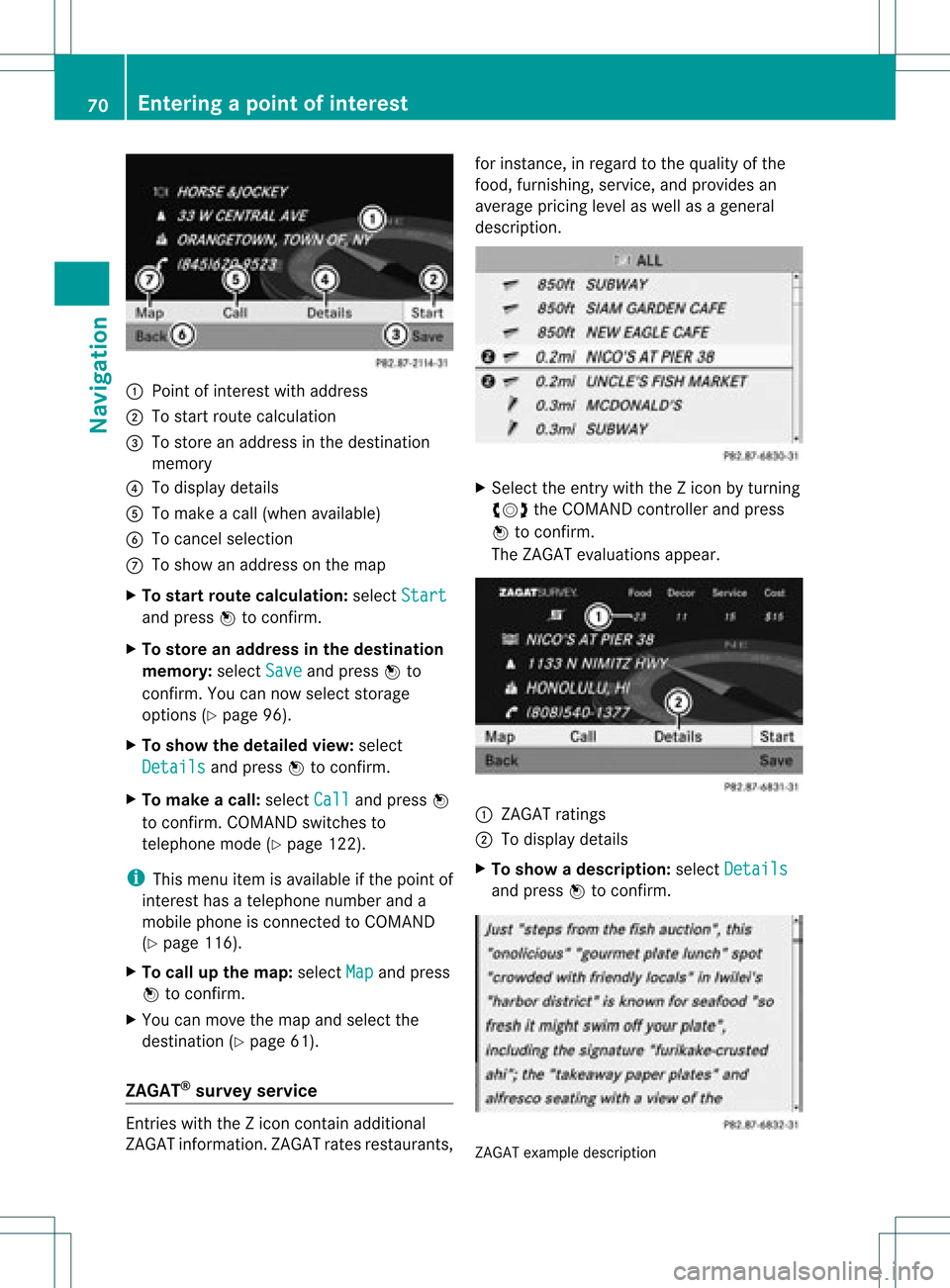
:
Point ofinter estwith address
; Tostart route calculation
= Tostore anaddress inthe destinat ion
memory
? Todisplay details
A Tomake acall (when availabl e)
B Tocanc elselection
C Toshow anaddress onthe map
X To star trout ecalculation: selectStart and
press Wtoconf irm.
X To store anadd ress inthe destinat ion
memor y:select Save and
press Wto
conf irm. Youcannow select storage
options (Ypage 96).
X To show thedeta iledview: select
Details and
press Wtoconf irm.
X To mak eacall: select Call and
press W
to conf irm. COMAND switchesto
telephone mode(Ypage 122).
i This menu itemisavailabl eif the point of
inter esthas atelephone numberanda
mobile phoneisconn ected toCOMAND
(Y page 116).
X To call upthe map :select Map and
press
W toconf irm.
X You canmove themap andselect the
destinat ion(Ypage 61).
ZAGAT ®
survey service En
tries withtheZicon containadditional
ZAGAT information.ZAGAT ratesrestaurant s,for
inst ance, inregard tothe quality ofthe
food, furnishin g,service, andprovides an
average pricinglevelaswell asageneral
descript ion. X
Select theentrywith theZicon byturn ing
cVd theCOMAND controller andpress
W toconf irm.
The ZAGAT evaluations appear. 1
ZAGAT ratings
2 Todisplay details
X To show adescri ption: selec tDet ails and
pres sW tocon firm. ZAGA
Texam pledesc ription 70
Enter
ingapoint ofint eres tNavi gatio n
Page 73 of 234
Point
ofinterest listwith charact erbar If
you have selected SearchByName in
the
point ofinterest menu(Ypage 66)and then
defined theposition forthe search
(Y page 67),thepoint ofinterest listwith
character barappears.
Depending onyour selection, youcan select
all availa blepoints ofinterest onthe digital
map orthe points ofinterest inthe vicinity of
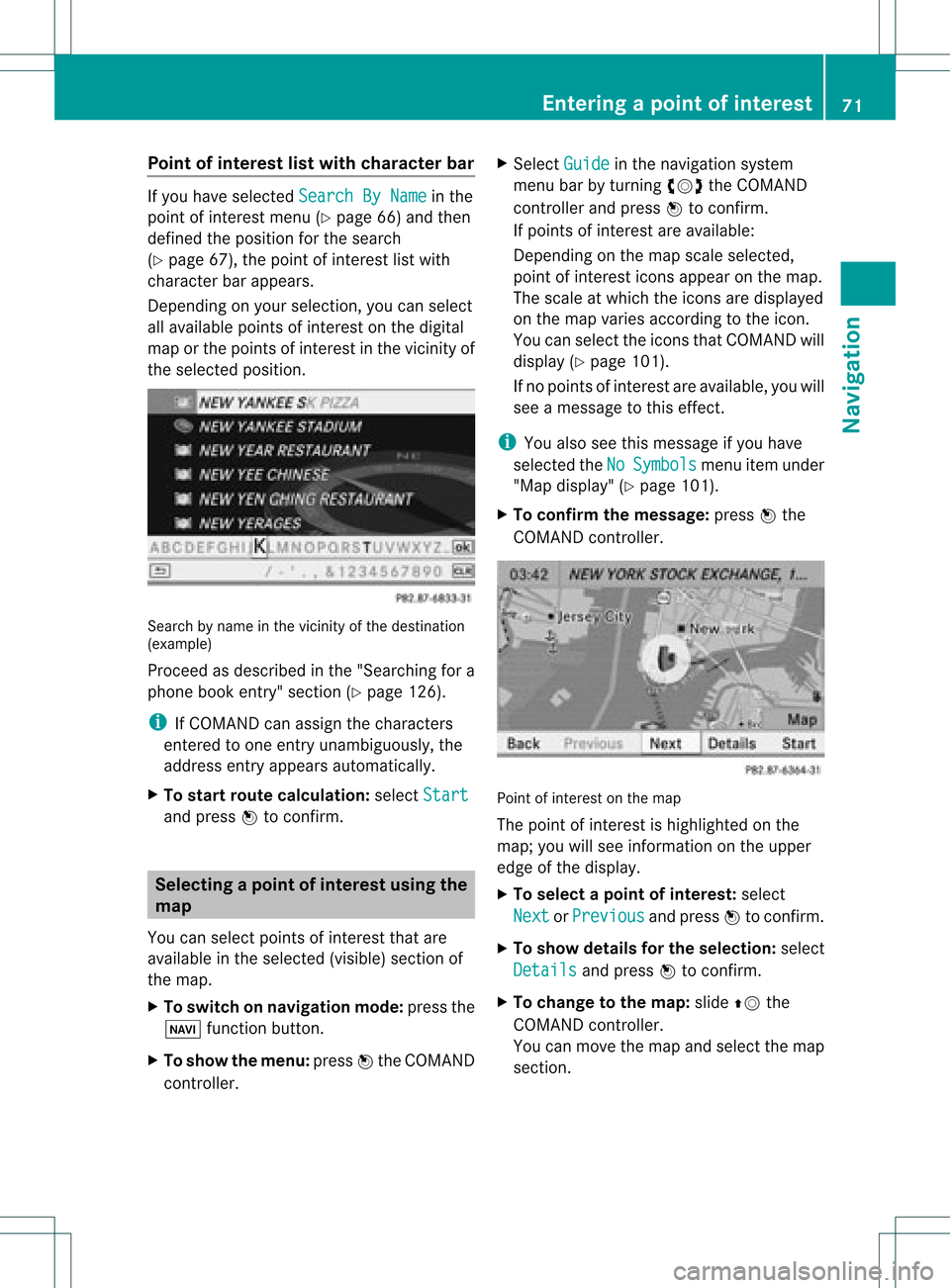
the selected position. Search
byname inthe vicinity ofthe destination
(example)
Proceed asdescribed inthe "Searching fora
phone bookentry"section (Ypage 126).
i IfCOMAND canassign thecharacters
entered toone entryunambiguou sly,the
address entryappears automatically.
X To star troute calculation: selectStart and
press Wtoconf irm. Selec
tingapoint ofint eres tusing the
map
You canselect points ofinter estthat are
available inthe selected (visible)sectionof
the map.
X To switch onnavigat ionmode: pressthe
Ø function button .
X To show themenu: pressWthe COMAND
con troller. X
Select Guide in
the navigation system
menu barbyturn ingcVd theCOMAND
con troller andpress Wtocon firm.
If points ofinter estare available:
Depen dingonthe map scale selected,
point ofinter esticons appear onthe map.
The scale atwhich theicons aredisplayed
on the map varies accordin gto the icon.
You canselect theicons thatCOMAND will
display (Ypage 101).
If no points ofinter estare available, youwill
see amessage tothis effec t.
i You also seethis message ifyou have
selected theNo Symbols menu
itemunder
"Map display" (Ypage 101).
X To confirm themessage: pressWthe
COMAND controller. Point
ofinter estonthe map
The point ofinter estishighlighted onthe
map; youwillsee infor mation onthe upper
edge ofthe display.
X To select apoint ofint erest :selec t
Nex t or
Pre vious and
pres sW tocon firm.
X To show details fortheselecti on:selec t
Det ails and
pres sW tocon firm.
X To chan getothema p:slide ZVthe
COMA NDcontroller .
You canmov eth emap andselec tthe map
section. Entering
apoint ofint eres t
71Navi gatio n Z
Page 74 of 234
X
To start route calculati on:sel ect Start and
pressW toconfi rm.
Ap rompt appears asking whethe rthe point
of interest shouldbeused asthe
destination.
X Select Yes or
No and
press Wtoconfirm .
If you select Yes ,
route guidancestarts.
If you select No ,
you can choose anew point
of interest .
i Cont. is
displa yedinstead ofStart when
Calculate Alternative Routes is
activated inthe navigation menu
(Y page 82),option 2. Personal
pointsofinterest Settings
Overview Personal
destinations canbe:
R displa yedonthe map
R highlighted onthe map asyou approach
them
R managed incategories
R managed
Calling upthe "Personal pointsof
interest" menu X
To switch onnavigation mode:pressthe
Ø functionbutton.
X To show themenu: pressWthe COMAND
cont roller.
X Select Navi in
the main functionbar by
sliding ZVandturning cVdtheCOMAND
cont roller andpress Wtoconfirm .
X Select Personal POIs and
press Wto
confirm . Displaying
personalpointsofinterest
on the map The
personal pointsofinterest areshown on
the map withanicon according totheir
category.
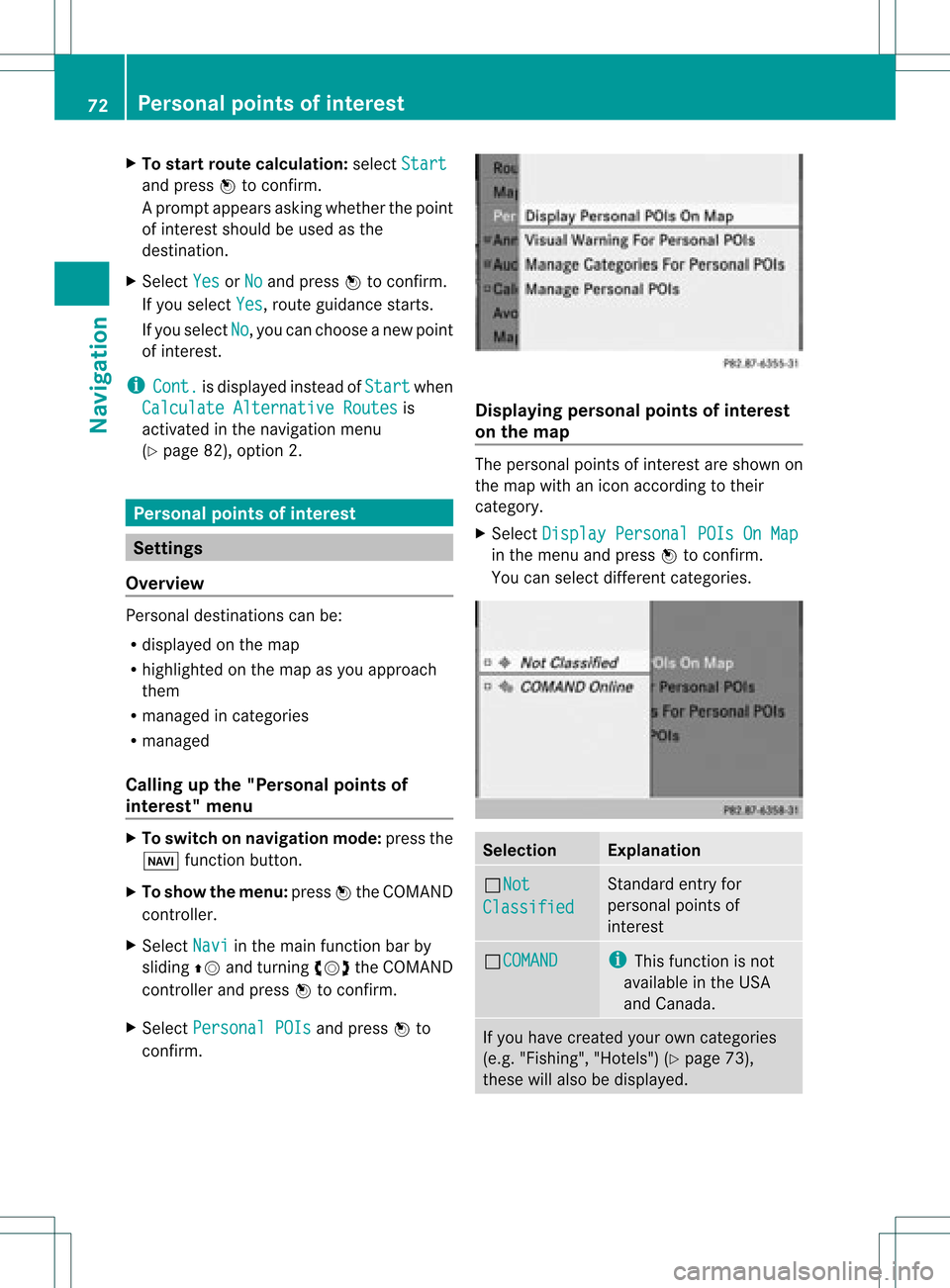
X Select Display Personal POIsOnMap in
the menu andpress Wtoconfirm .
You canselect different categories. Selec
tion Explanation
ªNot
Classified Standard
entryfor
personal pointsof
interest ªCOMAND i
This funct ionisnot
availa bleinthe USA
and Canada . If
you have created yourowncategories
(e.g. "Fishing", "Hotels")(Ypage 73),
these willalso bedispla yed. 72
Personal
pointsofinterestNavigat ion
Page 76 of 234
X
To del ete acate gory: select Delete and
pre ssW toconfi rm.
Ap rompt appears asking whethe rthe
category shouldbedeleted.
i Ifyou delete acategory, allpoints of
interest ofthis category arealso deleted.
X Select Yes and
press Wtoconfirm .
If you select Yes ,
the category willbe
deleted.
If you select No ,
the process willbe
canceled.
Managing personalpointsofinterest X
Select Manage Personal POIs in
the
menu andpress Wtoconfirm .
X Select NotClassified ,
COMAND or
your
own category andpress Wtoconfirm .
X Select apersonal pointofinterest and
press Wtoconfirm .
The personal pointofinterest isdispla yed.
The following functionsaredescribed inthe
"Select asdestination" section
(Y page 75):
R renaming
R changing thecategory
R deleting Saving
personal pointsofinterest
There arethree waysto save personal points
of interest .You must insert anSD memory
card todo so. The No Memory Card message
otherwise appears.
i Personal pointsofinterest androutes are
written tothe memory cardinadata format
based uponopenformat GPX(GPS
Exchange Format).Geodataissaved inthis
format. Option
1
X Insert theSDmemory card(Ypage 157).
X Hide themenu (Ypage 51)todispla ythe
map infull screen mode.
X Press Wthe COMAND controller forlonger
than twoseconds.
The current position ofthe vehicle issaved
as apersonal pointofinterest onthe SD
memory cardinthe "Unclassified"
category.
i The crosshair positionissaved while
scrolling themap (Ypage 61).
Option 2
X Insert theSDmemory card(Ypage 61).
X To show themenu: pressWthe COMAND
cont roller.
X Select Position in
the navigation system
menu barbyturning cVdtheCOMAND
cont roller andpress Wtoconfirm .
X Select SavePosition AsPersonal POI or
Save Crosshair Pos.As Personal
POI ("Move
map"function
active) andpress Wtoconfirm .
The listofpersonal categories appears.
X Select acategory andpress Wtoconfirm .
X Name forthe personal pointofinterest .
Proceed asdescribed under"Entering
characters" inthe "Ent ering characters in
the address andphone books" section
(Y page 31).
Option 3
X Insert theSDmemory card(Ypage 157).
X Select Save from
theaddress entrymenu
and press Wtoconfirm .
X Select SaveAsPersonal POI and
press
W toconfirm .
X Select acategory.
X Ent erthe name.
The current address issaved asapersonal
point ofinterest onthe SDmemory card. 74
Personal
pointsofinterestNavigat ion
Page 77 of 234
Selec
tingasthe destination
X Insert theSDmemory card(Ypage 157).
X To switch onnavigation mode:pressthe
Ø functionbutton.
X To show themenu: pressWthe COMAND
cont roller.
X Select Destination in
the navigation
system menubarbyturnin gcVd the
COMAND controller andpress Wto
conf irm.
X Select FromPersonal POIs and
press
W toconf irm.
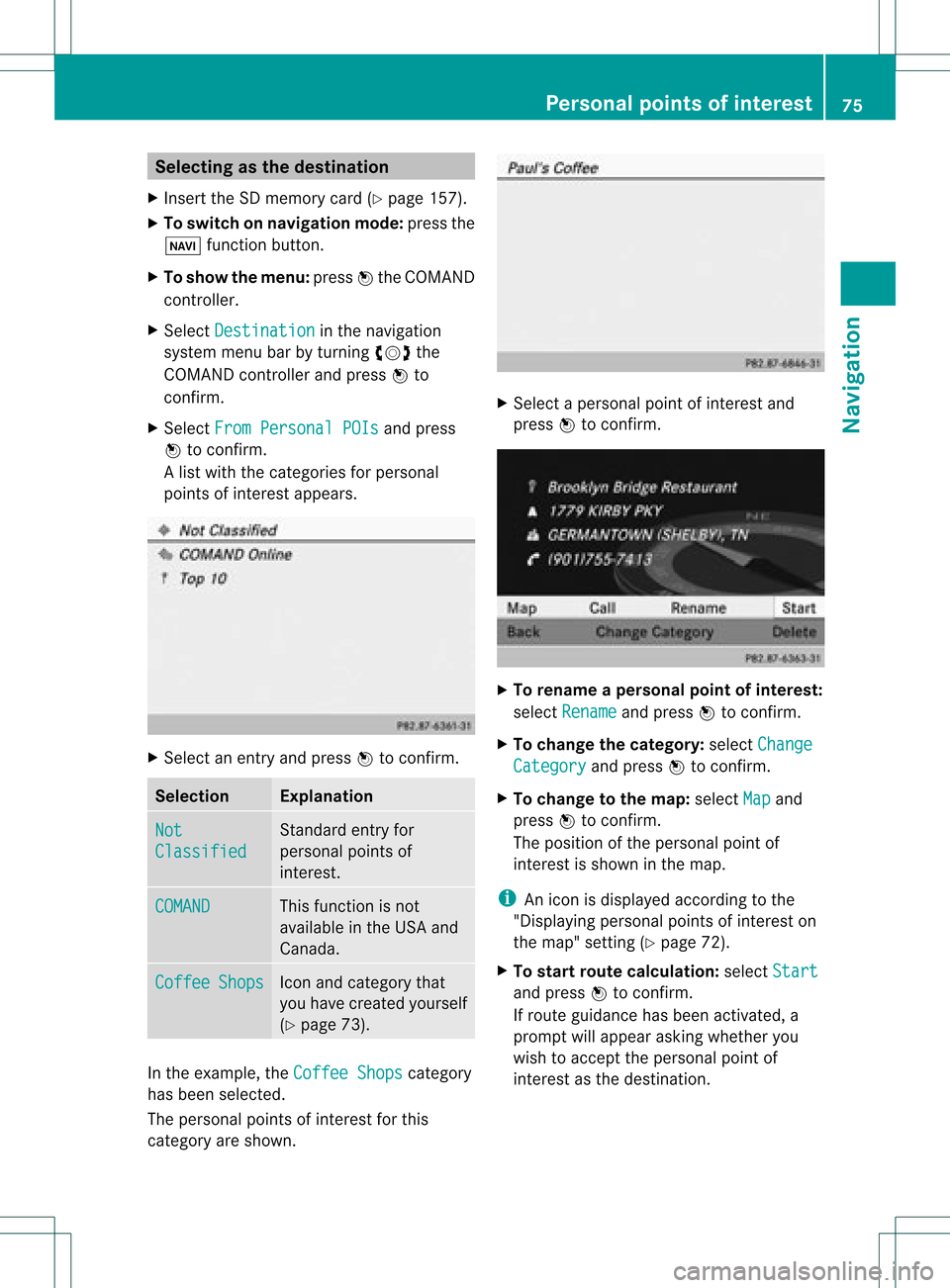
Al ist with thecategorie sfor perso nal
point sof interest appears. X
Selec tan ent ryand press Wtocon firm . Selection Expla
nation Not
Clas
sified St
andard entryfor
perso nalpoint sof
int erest . COMA
ND This
function isnot
available inthe USA and
Canada. Coff
ee Shop
s Ico
nand category that
you have created yourself
(Y page 73). In
the exam ple,theCoff eeShop s cat
egory
has been selected.
The perso nalpoint sof interest forthis
cat egory areshown . X
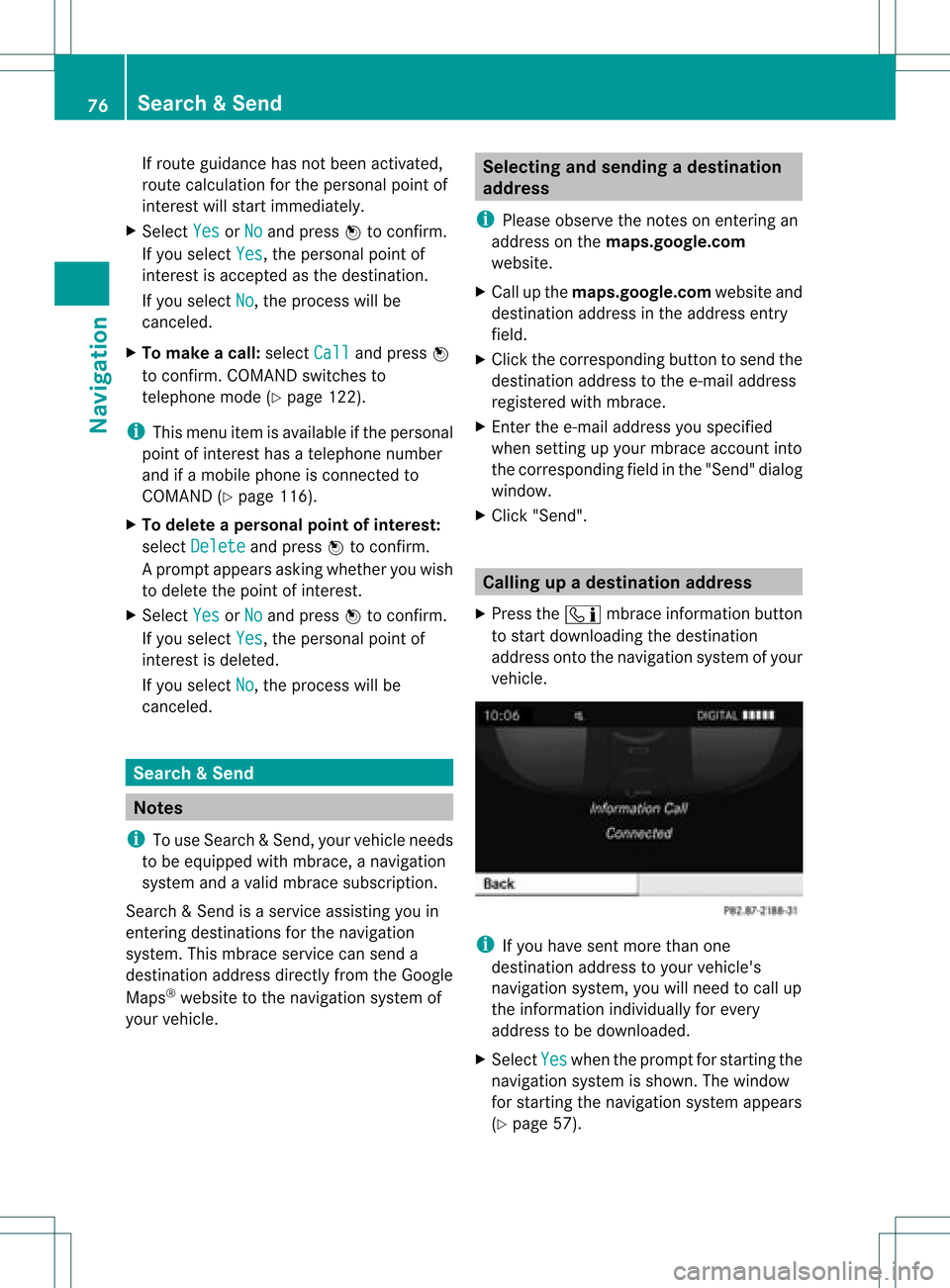
Selec tapersonal pointofinterest and
press Wtocon firm. X
To renam eapers onal point ofinter est:
select Rename and
press Wtocon firm.
X To change thecategor y:select Change Catego
ry and
press Wtocon firm.
X To change tothe map:select Map and
press Wtocon firm.
The position ofthe person alpoint of
int erest isshown inthe map.
i Anicon isdisplayed accordingtothe
"Displaying personalpoint sof interest on
the map" setting(Ypage 72).
X To star trout ecalculat ion:select Start and
press Wtocon firm.
If route guidance hasbeen activated, a
prompt willappear askingwhether you
wish toaccept theperson alpoint of
int erest asthe destin ation. Personal
pointsofinter est
75Navigat ion Z
Page 78 of 234
If
route guidance hasnotbeen activated,
route calculationforthe personal pointof
interest willstart immedi ately.
X Select Yes or
No and
press Wtoconfirm.
If you select Yes ,
the personal pointof
interest isaccepted asthe destination.
If you select No ,
the process willbe
canceled.
X To make acall :select Call and
press W
to confirm. COMAND switchesto
telepho nemode (Ypage 122).
i This menu itemisavai lableifthe personal
point ofinterest hasatelepho nenumber
and ifamobil ephone isconnect edto
COMAND (Ypage 116).
X To delete apersonal pointofinterest:
select Delete and
press Wtoconfirm.
Ap rompt appears asking whethe ryou wish
to delete thepoint ofinteres t.
X Select Yes or
No and
press Wtoconf irm.
If you select Yes ,
the personal pointof
inter estisdeleted.
If you select No ,
the process willbe
canceled. Search
&Send Not
es
i Touse Sear ch&S end, your vehicle needs
to be equipped withmbrace, anavigation
system andavalid mbrace subscript ion.
Searc h&S end isaservic eassistin gyou in
ent ering destin ations forthe navigation
system. Thismbrace servicecan send a
destin ationaddress directlyfrom theGoogle
Maps ®
website tothe navigation systemof
your vehicle. Selecting
andsending adesti nation
ad dress
i Please observetheno teson ent erin gan
addre sson thema ps.google. com
websit e.
X Call upthema ps.google. comwebsit eand
dest inationaddre ssintheaddre ssent ry
field .
X Click thecor respon ding buttontosen dth e
dest inationaddre sstothee-m ailaddre ss
regi stered withmbrace.
X En tert he e-mail address youspecified
when settingup your mbrace account into
the corresponding fieldinthe "Send" dialog
window.
X Click "Send". Calling
upadestination address
X Press theï mbrace information button
to start downloadi ngthe destination
address ontothenavigation systemofyour
vehicle. i
Ifyou have sentmore thanone
destination addresstoyour vehicle's
navigation system,youwillneed tocall up
the information individuallyfor every
address tobe downloaded .
X Select Yes when
theprompt forstartin gthe
navigation systemisshown. Thewindow
for startin gthe navigation systemappears
(Y page 57). 76
Search
&SendNavi gatio n
Page 79 of 234
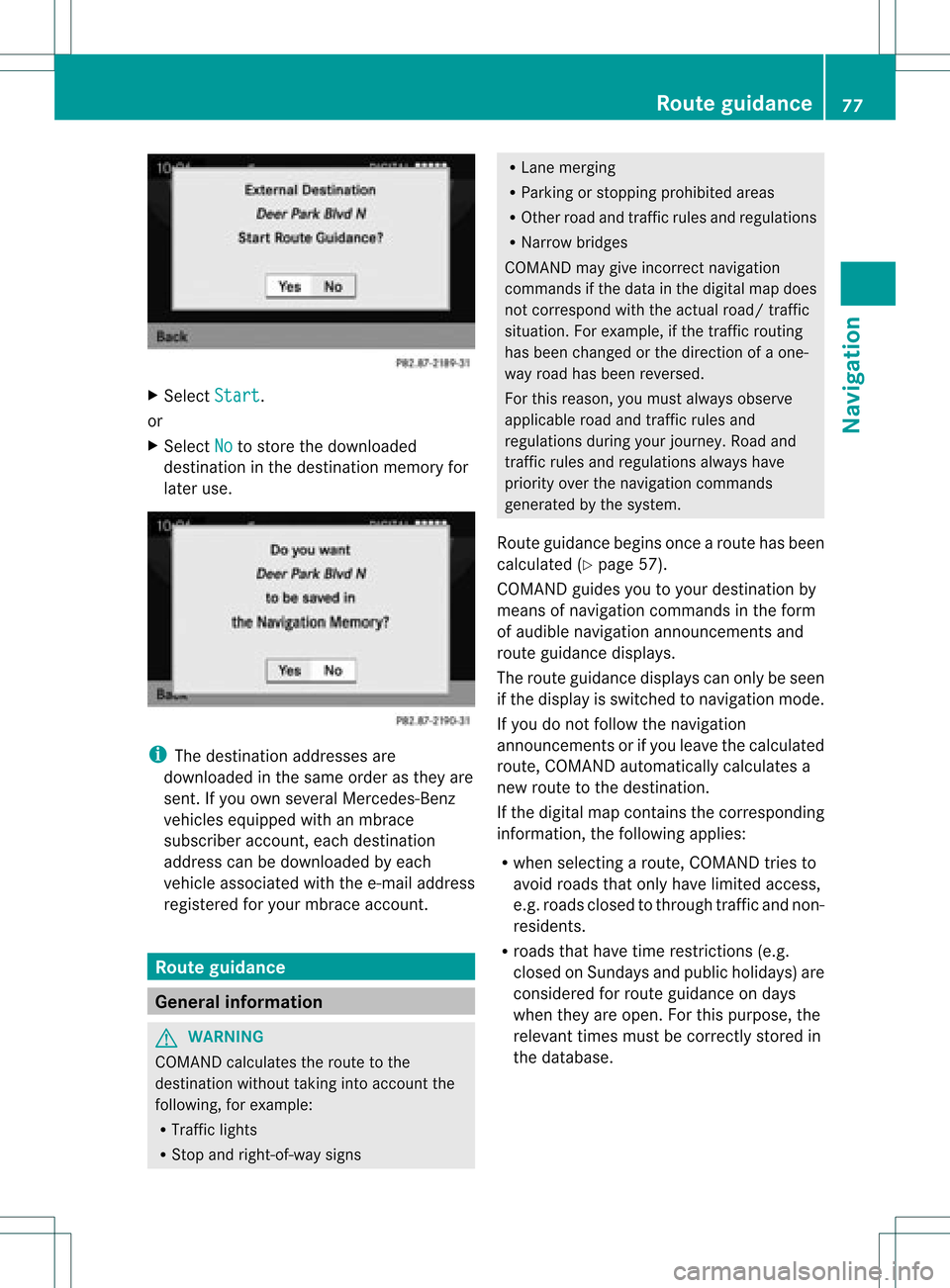
X
Sel ect Start .
or
X Sel ect No to
store thedow nloaded
de stina tioninthe destina tionmemo ryfor
la ter use. i
The destina tionaddre sse sare
dow nloaded inthe same orderas they are
sent. Ifyo uow ns everal Mercedes- Benz
vehicles equipped withanmbrace
subscriber account,each destin ation
address canbedownloaded byeach
vehicle associated withthee-mail address
register edfor your mbrace account. Rout
eguida nce General
information G
WARN
ING
COMAND calculates theroute tothe
destin ationwithout takinginto accoun tthe
following, forexample:
R Traffic lights
R Stop and right- of-way signs R
Lane mergin g
R Parkin gor stoppin gprohibited areas
R Other roadandtrafficrules andregulations
R Narrow bridges
COMAND maygiveincor rectnavigation
comm andsifthe data inthe digital mapdoes
not corr espond withtheactual road/traffic
situation .For example, ifthe traff icroutin g
has been changed orthe direct ionofaone-
way road hasbeen revers ed.
For this reason, youmust alway sobserve
applicable roadandtrafficrules and
regulations duringyourjourn ey.Road and
traff icrules andregulations alwayshave
priority overthenavigation commands
generat edbythe system.
Route guidance beginsoncear oute hasbeen
calculated (Ypage 57).
COMAND guidesyoutoyour destination by
means ofnavigation commandsinthe form
of audib lenavigation announcementsand
route guidance displays.
The route guidance displayscan only beseen
if the display isswitched tonavigation mode.
If you donot follow thenavigation
announc ementsor ifyou leave thecalculated
route, COMAND automatically calculatesa
new route tothe destination .
If the digital mapcontains thecorrespon ding
inform ation,thefollowing applies:
R when selecting aroute, COMAND triesto
avoid roads thatonly have limited access,
e.g. roads closed tothrough trafficandnon-
residents.
R roads thathave timerestriction s(e.g.
closed onSundays andpublic holiday s)are
considered forroute guidance ondays
when theyareopen. Forthis purpose, the
relevant timesmustbecorrec tlystored in
the database. Rout
eguidance
77Navigation Z
Page 81 of 234
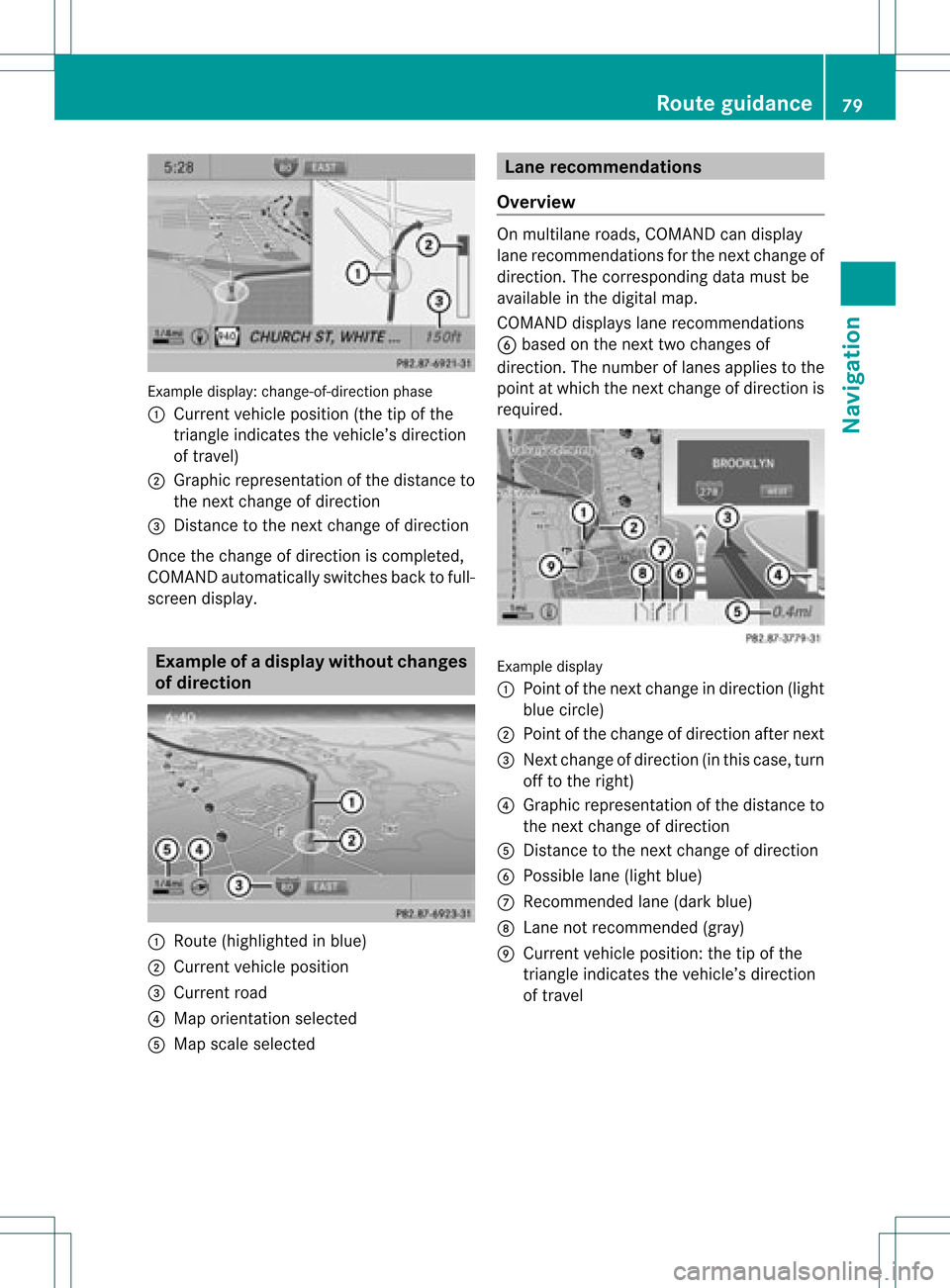
Exam
ple displ ay:c hange-of-direct ionphase
: Current vehicleposition (thetipofthe
triangle indicates thevehicle’s direction
of travel)
; Graphic representation ofthe distance to
the next change ofdirection
= Distanc eto the next change ofdirection
Once thechange ofdirection iscompleted,
COMAND automatically switchesbacktofull-
screen display. Example
ofad ispla ywithout changes
of dir ection :
Route (highlight edinblue)
; Curren tvehicle position
= Current road
? Map orient ationselect ed
A Map scale select ed Lane
recomm endations
Overview On
multilane roads,COMAND candisplay
lane recom mendat ionsforthe nextchange of
direction. Thecorresponding datamust be
availa bleinthe digital map.
COMAND displayslane recommen dations
B based onthe next twochanges of
direction. Thenumber oflanes appliestothe
point atwhich thenext change ofdirection is
required. Example
display
: Point ofthe next change indirection (light
blue circle)
; Point ofthe change ofdirection afternext
= Next change ofdirection (inthis case, turn
off tothe right)
? Graphic representat ionofthe distance to
the next change ofdirection
A Distanc eto the next change ofdirection
B Possible lane(light blue)
C Recommended lane(dark blue)
D Lane notrecommen ded(gray)
E Current vehicleposition: thetipofthe
triangle indicates thevehicle’s direction
of travel Route
guidance
79Navigation Z
Page 82 of 234
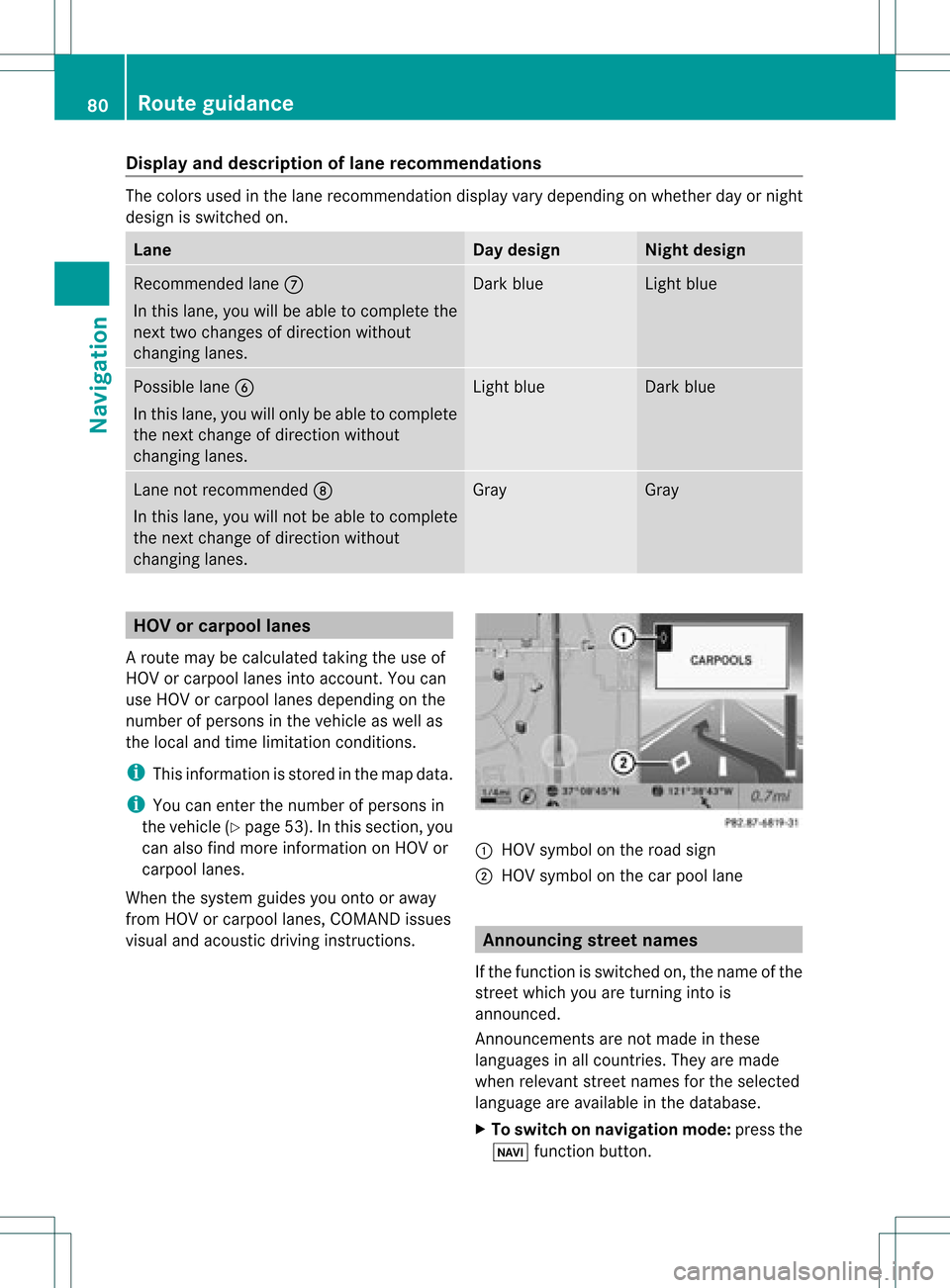
Disp
layandd escri ption oflane recom mendation s The
colo rsused inthelane recomm endatio ndisplay varydepen dingonwhet herday ornigh t
design isswitc hedon. Lane Day
design Nigh
tdesign Recom
mendedlane C
In this lane, youwillbeable tocom pleteth e
nex ttwo chan gesofdirec tionw itho ut
chan ginglanes. Dar
kblue Light
blue Possib
lelane B
In this lane, youwillonly beable tocom plete
the nextchange ofdirection without
changing lanes. Light
blue Dark
blue Lane
notrecommen dedD
In this lane, youwillnotbeable tocomplete
the next change ofdirection without
changing lanes. Gray Gray
HOV
orcarpool lanes
Ar oute maybecalculated takingthe use of
HOV orcarpool lanesintoaccount .You can
use HOV orcarpool lanesdepending onthe
number ofpersons inthe vehicle aswell as
the local andtime limitation conditions.
i This inform ationisstored inthe map data.
i You canenter thenumber ofpersons in
the vehicle (Ypage 53).Inthis section ,you
can also findmore inform ationonHOV or
carpool lanes.
When thesystem guidesyouontoor away
from HOVorcarpool lanes,COMAND issues
visual andacoustic drivinginstructions. :
HOV symbol onthe road sign
; HOV symbol onthe carpool lane Announci
ngstreet names
If the funct ionisswitched on,the name ofthe
street whichyouareturnin ginto is
announc ed.
Ann ouncemen tsare not made inthese
languages inall count ries.They aremade
when relevant streetnames forthe selected
language areavaila bleinthe database.
X To switch onnavigation mode:pressthe
Ø functionbutton . 80
Rout
eguidanceNa vigation