phone MERCEDES-BENZ C-CLASS COUPE 2015 Owner's Manual
[x] Cancel search | Manufacturer: MERCEDES-BENZ, Model Year: 2015, Model line: C-CLASS COUPE, Model: MERCEDES-BENZ C-CLASS COUPE 2015Pages: 385, PDF Size: 13.12 MB
Page 306 of 385
i
Furthe
rinformation on suitabl emobile
phones can be obtained on the Internet at:
http://www.mercedes-benz.com/
connect
Searching for and authorisin gamobile
phone Befor
eusing your mobile phone with the multi-
media system for the firs ttime, yo uwilln eed to
search for the phone and then authorise (con-
nect) it. Depending on the mobile phone, author- isation takes place by means of Secure Simple
Pairing or by entering apasskey .The multimedia
system automaticall ymake sthe procedure that
is relevant for your mobile phone available. The
mobile phone is always connected automati-
cally afte rauthorisation. Furthe rinformation on
using amobile phone with the multimedia sys-
tem (se ethe Digital Owner's Manual).
If the multimedia system doe snot detect your
mobile phone, this may be du etoparticular
security setting sonyourm obile phone (se ethe
manufacturer's operating instructions).
Only one mobile phone can be connected to the
multimedia system at any one time.
Searching for amobile phone
Audio 20:
X Select Tel/
Tel/ ®QConnect Connect
device deviceQSe archfor phones
Search for phonesQSt art
Start
search
search.
The available mobile phones are displayed.
COMAND Online:
X Select Telephone TelephoneQConnect Connect
device
deviceQSe archfor phones
Search for phonesQSt art
Start
search
search.
The available mobile phones are displayed.
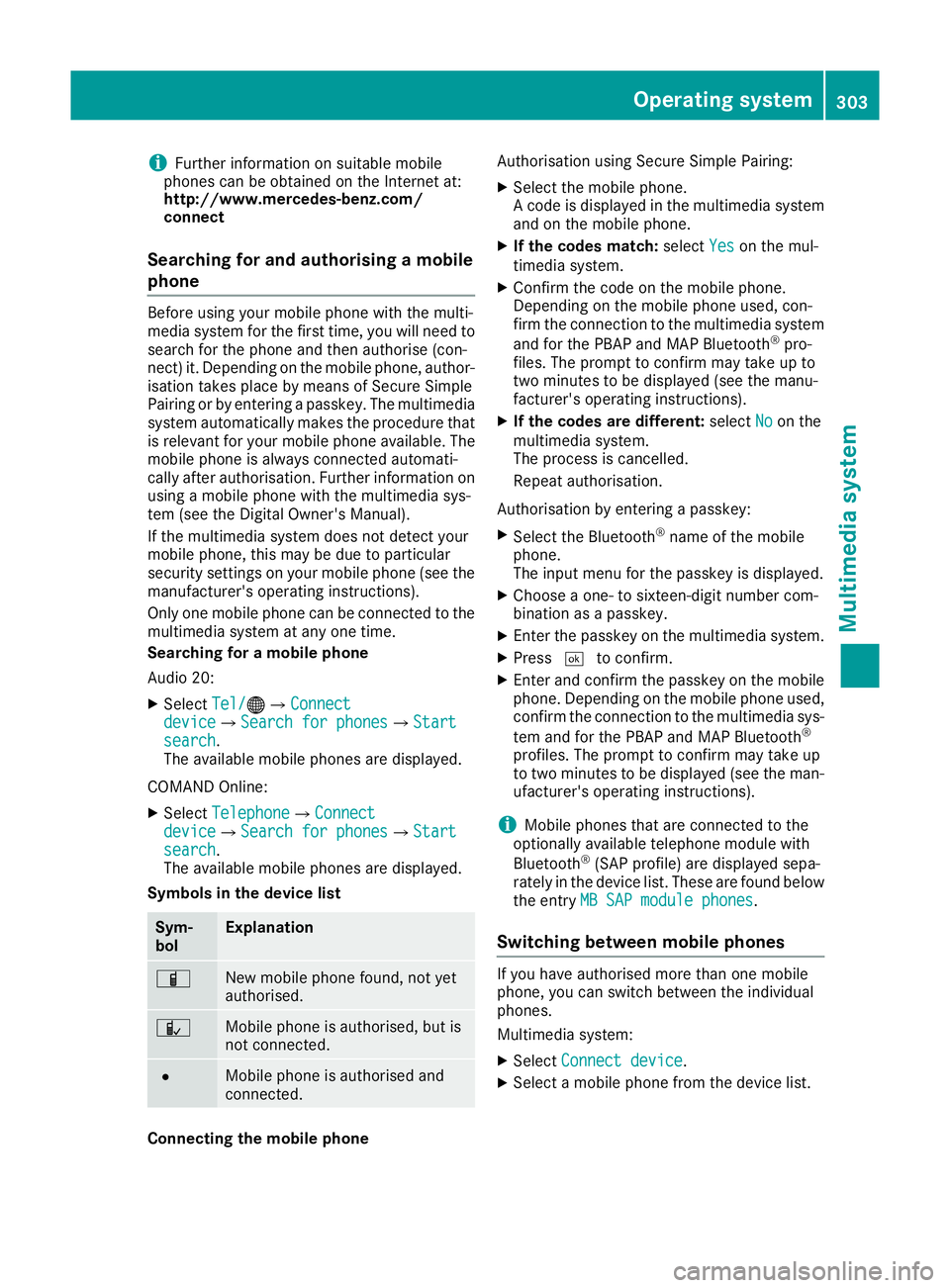
Symbols in the device list Sym-
bol Explanation
Ï
New mobile phone found, not yet
authorised. Ñ
Mobil
ephone is authorised ,but is
not connected. #
Mobil
ephone is authorised and
connected. Connecting the mobile phone Authorisation using Secure Simple Pairing:
X Select the mobile phone.
Ac ode is displaye dinthe multimedia system
and on the mobile phone.
X If the codes match: selectYes Yeson the mul-
timedia system.
X Confirm the code on the mobile phone.
Depending on the mobile phone used, con-
firm the connectio ntothe multimedia system
and for the PBAP and MAP Bluetooth ®
pro-
files. The prompt to confir mmay take up to
two minutes to be displaye d(seet he manu-
facturer's operating instructions).
X If the codes are different: selectNo
No on the
multimedia system.
The process is cancelled.
Repea tauthorisation.
Authorisation by entering apasskey:
X Select the Bluetooth ®
name of the mobile
phone.
The inpu tmenu for the passkey is displayed.
X Choose aone- to sixteen-digit number com-
bination as apasskey.
X Enter the passkey on the multimedia system.
X Press ¬to confirm.
X Enter and confir mthe passkey on the mobile
phone. Depending on the mobile phone used,
confir mthe connectio ntothe multimedia sys-
tem and for the PBAP and MAP Bluetooth ®
profiles. The prompt to confir mmay take up
to two minutes to be displaye d(seet he man-
ufacturer's operating instructions).
i Mobil
ephones that are connected to the
optionally available telephone module with
Bluetooth ®
(SAP profile) are displaye dsepa-
rately in the device list. These are found below
the entry MB SAP module phones MB SAP module phones.
Switchin gbetween mobile phones If yo
uhavea uthorised more than one mobile
phone, yo ucan switch between the individual
phones.
Multimedia system:
X Select Connect device Connect device.
X Select amobile phone from the device list. Operating system
303Multimedia system Z
Page 307 of 385
Telephon
emodule with Bluetooth ®
(SAP profile)
Introduction The modul
ecan be used as apermanentl yinstal-
le dt elephon ewithi ts ow nSIM card
(Y page 305 )orinconjunctio nwitham obile
phone (Y page 305).
If yo uwishtou sethe modul einconjunctio nwith
your mobil etelephone, the mobil ephone must
support the Bluetooth ®
SAP profil e(SIM Access
Profile).
The following functions ar eavailable using the
module:
R data modem mod e(Ypage 306)
R sending and receiving text messages
(Y page 306)
R accessing the phone book of the mobile
phone (Y page 306)
R charging amobil ephone via the USB connec-
tio n(Ypage 306)
Al istofc ompatibl emobil ephonesc an be found
at:
http://www.mercedes-benz.com/connect
i The modul
eisnot availabl einallvehicles,
depending on the equipment.
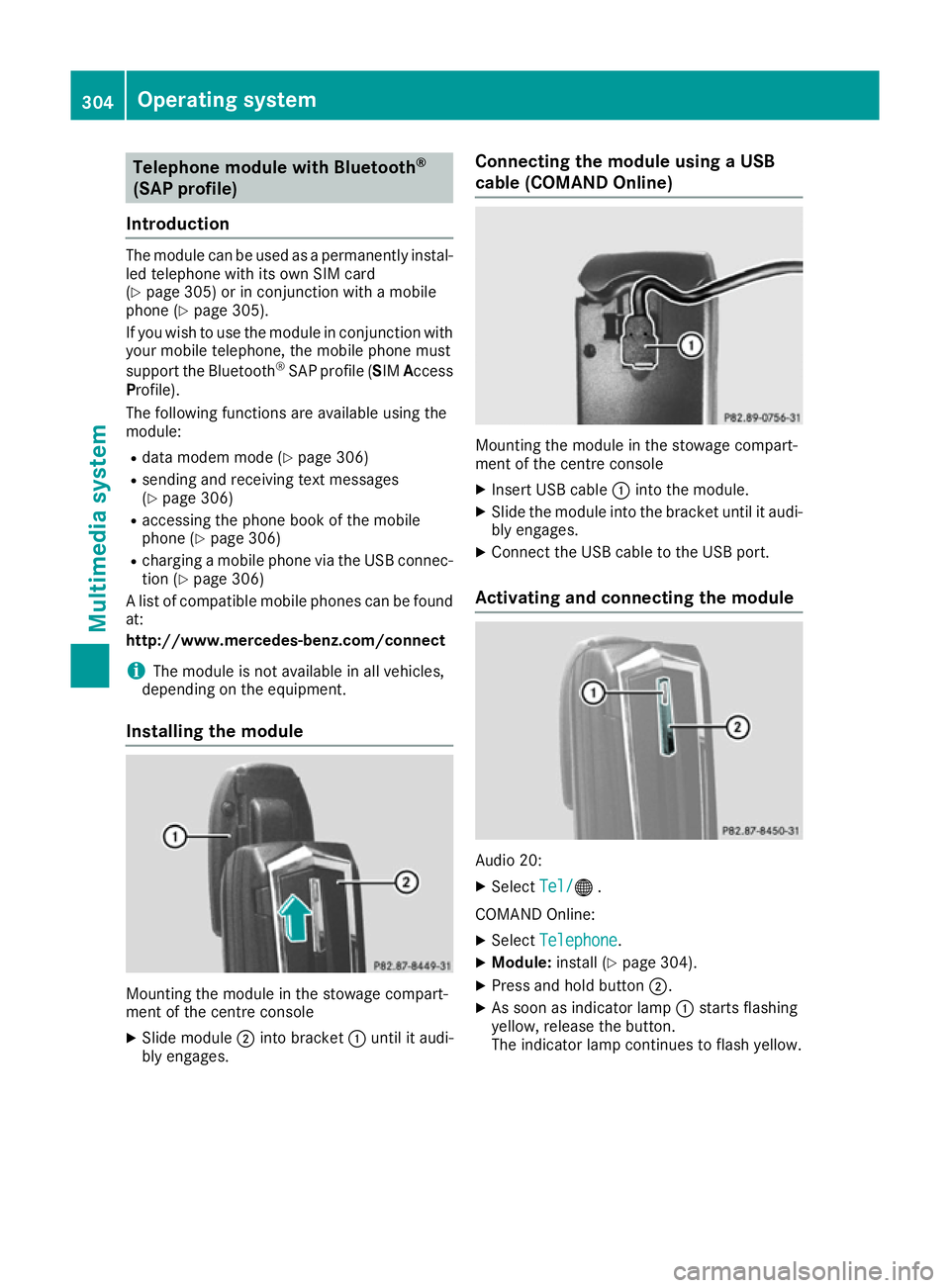
Installing the module Mounting the modul
einthe stowag ecompart-
ment of the centre console
X Slide module ;into bracket :unti lita udi-
bl ye ngages. Connectin
gthe module using aUSB
cabl e(CO MAND Online) Mounting the modul
einthe stowag ecompart-
ment of the centre console
X Insert USB cable :into the module.
X Slide the modul einto the bracket unti litaudi-
bl ye ngages.
X Connect the USB cable to the USB port.
Activatin gand connectin gthe module Audio 20:
X Select Tel/ Tel/® .
COMAND Online:
X Select Telephone Telephone .
X Module: install(Y page 304).
X Press and hol dbutton ;.
X As soo nasindicator lamp :starts flashing
yellow ,release the button.
The indicator lamp continue stoflash yellow. 304
Operatin
gsystemMultimedia system
Page 308 of 385
Multimedia system:
X Select Connect device
Connect deviceQConnect MB Connect MB
SAP module
SAP moduleQStart search Start search.
The module is searched for and connected.
X To authorise amobile phone: selectStart
Start
search
search and follow the instructions of the mul-
timedia system. Further information on
authorising and connecting mobile phones
(Y page 303).
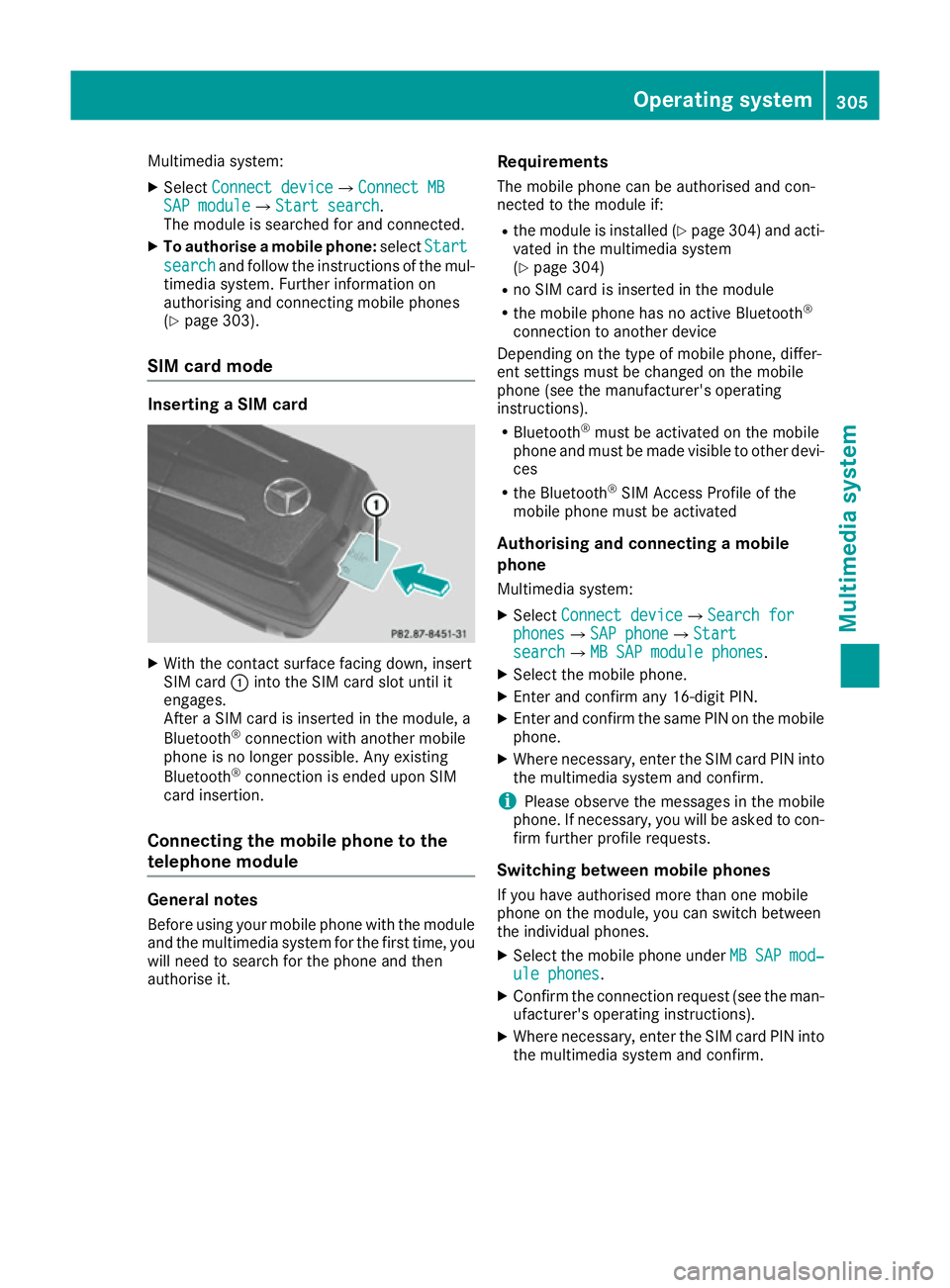
SIM card mode Inserting
aSIM card X
With the contact surface facing down, insert
SIM card :into the SIM card slot until it
engages.
After aSIM card is inserted in the module, a
Bluetooth ®
connection with another mobile
phone is no longer possible. Any existing
Bluetooth ®
connection is ended upon SIM
card insertion.
Connecting the mobile phone to the
telephone module General notes
Before using your mobile phone with the module
and the multimedia system for the first time, you will need to search for the phone and then
authorise it. Requirements
The mobile phone can be authorised and con-
nected to the module if:
R the module is installed (Y page 304) and acti-
vated in the multimedia system
(Y page 304)
R no SIM card is inserted in the module
R the mobile phone has no active Bluetooth ®
connection to another device
Depending on the type of mobile phone, differ-
ent settings must be changed on the mobile
phone (see the manufacturer's operating
instructions).
R Bluetooth ®
must be activated on the mobile
phone and must be made visible to other devi- ces
R the Bluetooth ®
SIM Access Profile of the
mobile phone must be activated
Authorising and connecting amobile
phone
Multimedia system:
X Select Connect device
Connect deviceQSearch for Search for
phones phonesQSAP phone SAP phoneQStart Start
search
searchQMB SAP module phones MB SAP module phones.
X Select the mobile phone.
X Enter and confirm any 16-digit PIN.
X Enter and confirm the same PIN on the mobile
phone.
X Where necessary, enter the SIM card PIN into
the multimedia system and confirm.
i Please observe the messages in the mobile
phone. If necessary, you will be asked to con-
firm further profile requests.
Switching between mobile phones If you have authorised more than one mobile
phone on the module, you can switch between
the individual phones.
X Select the mobile phone under MB MBSAP
SAP mod‐
mod‐
ule phones
ule phones.
X Confirm the connection request (see the man-
ufacturer's operating instructions).
X Where necessary, enter the SIM card PIN into
the multimedia system and confirm. Operating system
305Multimedia system Z
Page 309 of 385
Dat
am odem mode X
Connect th emobile phone to th emodule
(Y page 305).
or
X Inser tthe SIMc ardi ntot he SIMc ards loton
th em odule (Y page 305).
X Before connecting fo rthe first time, enable
th em odule fo rInterne taccess and selec tthe
networ kprovider in th emultimedia system
(se ethe manufacturer's operatin ginstruc-
tions).
Use as adatam odem is automatically activa-
ted.
X Activate/deactivat edatar oamin g(seet he
manufacturer's operatin ginstructions).
Fo rfurther information on dat amodew ithout
telephon ywithC OMAN DOnlin e( seet he man-
ufacturer's operatin ginstructions).
Settings Storing/deleting th
eSIM car dPIN
Multimedia system:
X Select Connect Connect device
deviceQMBMBSAP
SAP module
module
phones
phones .
X Highlight th emobile phone.
X To select G:navigatetotheright.
X Activate Oor deactivate ªStore PINStore PIN .
Transferring th ephone book In order to use th
ephone boo kofthemobile
phone via th emultimedia system, th ephone
boo kmustbet ransferred usin gthe module.
The dat atransfe rmay take up to te nminutes.
Transmissio noccursa utomatically after aBlue-
tooth ®
connection is automatically established.
Text messages Requirements
The module is connecte dwitht he mobile phone
(Y page 305) or is bein gused in th eSIMcard
mode (Y page 305). Activating/deactivating text message
downloading from th emobile phone Dial number Function
00080 Tex
tmessag edown-
loadin gisdeactiva-
ted. 00081 Tex
tmessag edown-
loadin gisactivated. Fo
rfurther information on receivin gtextm es-
sages when usin gthe telephon emodule (see
th em anufacturer's operatin ginstructions).
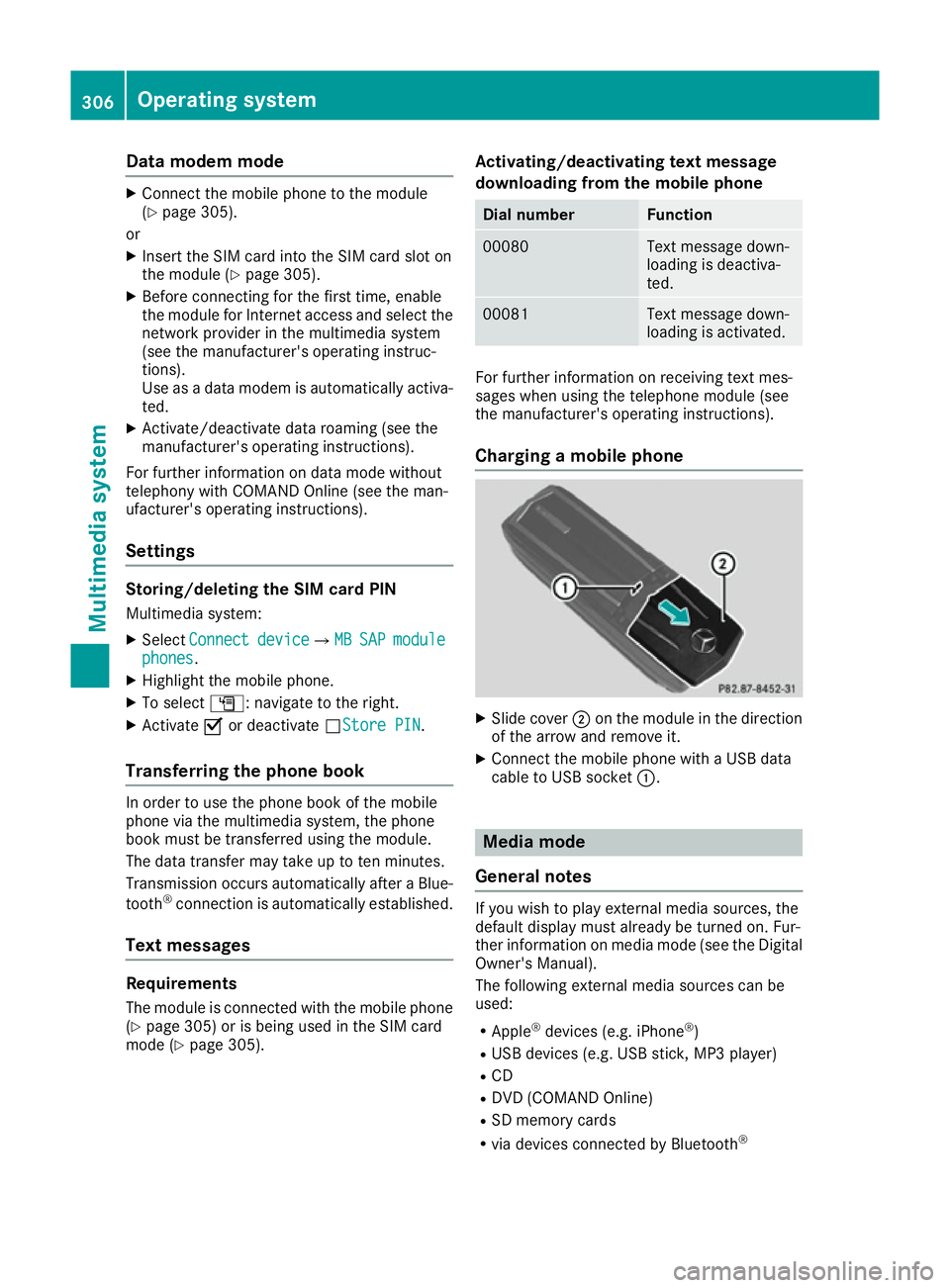
Charging amobile phone X
Slide cover ;on th emodule in th edirection
of th earrow and remov eit.
X Connect th emobile phone wit haUSBdata
cable to US Bsocket :. Media mode
General notes If you wish to play external media sources, the
default display mus
talready be turned on .Fur-
ther information on media mode (se ethe Digital
Owner' sManual).
The followin gexternal media source scan be
used:
R Apple ®
devices (e.g. iPhone ®
)
R US Bd evices (e.g. US Bstick ,MP3 player)
R CD
R DV D(COMAN DOnline)
R SD memor ycards
R via devices connecte dbyBluetooth ® 306
Operating systemMultimedi
asystem
Page 311 of 385
Stowage areas
Loading guidelines
G
WARNING
Combustion engines emit poisonous exhaust
gases such as carbon monoxide. Exhaust
gases can enter the vehicle interior if the boot
lid is open when the engine is running, espe-
cially if the vehicle is in motion. There is arisk
of poisoning.
Always switch off the engine before opening
the boot lid. Never drive with the boot lid
open. G
WARNING
If objects, luggage or loads are not secured or not secured sufficiently, they could slip, tip
over or be flung around and thereby hit vehicle
occupants. There is arisk of injury, especially
when braking or abruptly changing directions.
Always store objectssot hat they cannot be
flung around. Secure objects, luggage or
loads against slipping or tipping before the
journey. G
WARNING
The exhaust tail pipe and tail pipe trim can
become very hot. If you come into contact
with these parts of the vehicle, you could burn
yourself. There is arisk of injury.
Always be particularly careful around the
exhaust tail pipe and the tail pipe trim. Allow
these components to cool down before touch-
ing them.
The handling characteristics of aladen vehicle
are dependent on the distribution of the load
within the vehicle. For this reason, you should
observe the following notes when transporting a
load:
R never exceed the maximum permissible gross
vehicle weight or the permissible axle loads
for the vehicle (including occupants).
R the boot is the preferred place to store
objects.
R position heavy loads as far forward as possi-
ble and as low down in the boot as possible. R
the load must not protrude above the upper
edge of the seat backrests.
R always place the load behind unoccupied
seats if possible.
R secure the load with sufficiently stronga nd
wear-resistant lashing material. Pad sharp
edges for protection.
i Load restraint
sare available at any qualified
specialist workshop, e.g. aMercedes-Benz
Service Centre. Stowage compartments
Important safety notes G
WARNING
If objectsint he passenger compartmen tare
stowed incorrectly, they can slide or be
thrown around and hit vehicle occupants. In
addition, cupholders, open stowage spaces
and mobile phone brackets cannot always
retain all objectst hey contain. There is arisk
of injury, particularly in the event of sudden
braking or asudden change in direction.
R Always stow objectssot hat they cannot be
thrown around in such situations.
R Always make sure that objectsdon ot pro-
trude from stowage spaces, parcel nets or
stowage nets.
R Close the lockable stowage spaces before
startingaj ourney.
R Always stow and secure heavy, hard, poin-
ted, sharp-edged, fragile or bulky objectsin
the boot.
Observe the loading guidelines (Y page 308).308
Stowage areasStowing and features
Page 313 of 385
In stowage space
:in the doors you can store
bottles with acapacity of up to 1.0 l,ar olled-up
fluorescent jacke t(driver' sdoor )and th evehicle
documen twallet (front-passenger door).
Stowage compartment/telephone com-
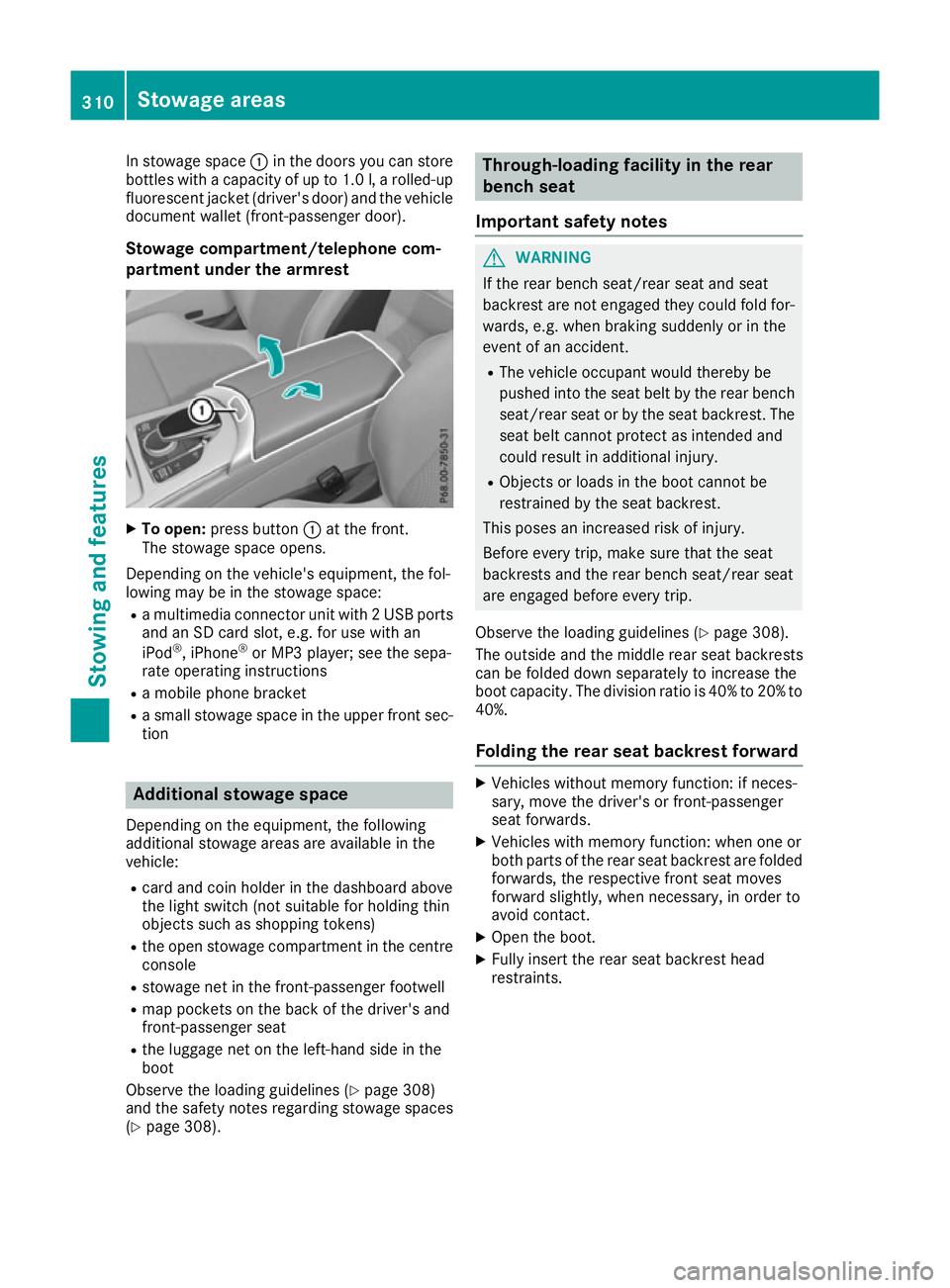
partmen tunder th earmre st X
To open: pressbutton :at th efront.
The stowage spac eopens.
Dependin gonthevehicle's equipment ,the fol-
lowin gmay be in th estowage space:
R am ultimedia connecto runit with 2USBports
and an SD car dslot,e.g.f or use with an
iPod ®
,i Phone ®
or MP3 player; see th esepa-
rat eo peratin ginstructions
R am obile phon ebracket
R as mall stowage spac eintheupper fron tsec-
tion Additional stowage space
Dependin gontheequipment ,the following
additional stowage areas are availabl einthe
vehicle:
R car dand coi nholde rint hedashboard above
th el ight switch (no tsuitable for holding thin
object ssuchass hoppin gtokens)
R theo pen stowage compartmen tinthecentre
console
R stowage net in th efront-pa ssenger footwell
R map pockets on th eback of th edriver' sand
front-passenger seat
R thel uggage net on th eleft-hand side in the
boot
Observ ethe loadin gguidelines (Y page 308)
and th esafety note sregardin gstowage spaces
(Y page 308). Through-loading facilit
yintherear
bench seat
Important safety notes G
WARNING
If th erear bench seat/rear seat and seat
backres tare no tengaged they coul dfold for-
wards ,e.g.w hen braking suddenly or in the
even tofana ccident.
R The vehicle occupant would thereb ybe
pushe dintot he seat belt by th erear bench
seat/rear seat or by th eseat backrest. The
seat belt canno tprotect as intended and
coul dresult in additional injury.
R Object sorloads in th eboot canno tbe
restraine dbytheseat backrest.
This pose sanincreased risk of injury.
Before ever ytrip, mak esure that th eseat
backrests and th erear bench seat/rear seat
are engaged before ever ytrip.
Observ ethe loadin gguidelines (Y page 308).
The outside and th emiddle rear seat backrests
can be folded down separately to increas ethe
boot capacity. The division ratio is 40 %to20%to
40%.
Foldin gthe rea rseat backres tforward X
Vehicle swithout memory function :ifneces-
sary, mov ethe driver' sorfront-pa ssenger
seat forwards.
X Vehicle swith memory function :when on eor
bot hpartsoft herear seat backres tare folded
forwards ,the respectiv efront seat moves
forward slightly, when necessary, in orde rto
avoid contact.
X Open th eboot.
X Fully insert th erear seat backres thead
restraints. 310
Stowage areasStowing and features
Page 321 of 385
Problems with the 230
Vpower socket Problem
Possible causes/consequences and
M
MSolutions The warning lamp on the
230 Vpower socket is
not lit. The on-board voltage is too low because the battery is too weak.
X Start the engine.
or X Charge the battery (Y page 343).
If the indicator lamp still does not light up: X Consult aqualified specialist workshop. The temperature of the DC/AC converter is temporarily too high.
X Remove the electronic device connector from the 230 Vsocket.
X Let the DC/AC converter cool down.
If the indicator lamp still does not light up after the converter cools
down:
X Consult aqualified specialist workshop. You have connected an electronic device that has
aconstant nominal
power of less than 150 watts, but has avery high switch-on current.
This device will not work. If you connect such adevice, the 230 V
power socket will not supply it with power.
X Connect asuitable electronic device. Mercedes-Benz emergency call sys-
tem
Information on these requirements can be found in the separate multimedia system operating
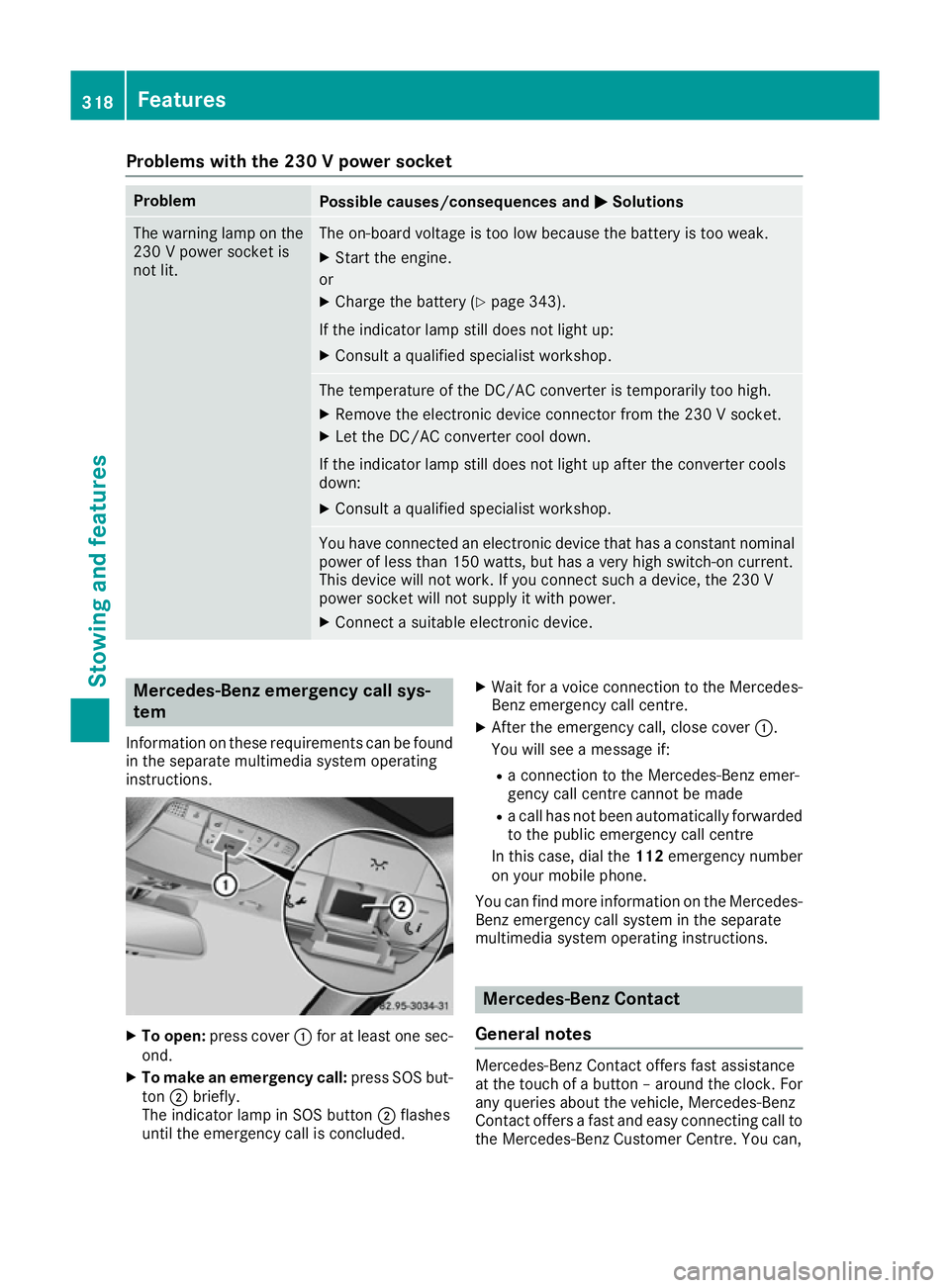
instructions. X
To open: press cover :for at least one sec-
ond.
X To make an emergency call: press SOS but-
ton ;briefly.
The indicator lamp in SOS button ;flashes
until the emergency call is concluded. X
Wait for avoice connection to the Mercedes-
Benz emergency call centre.
X After the emergency call, close cover :.
You will see amessage if:
R ac onnection to the Mercedes-Benz emer-
gency call centre cannot be made
R ac all has not been automatically forwarded
to the public emergency call centre
In this case, dial the 112emergency number
on your mobile phone.
You can find more information on the Mercedes- Benz emergency call system in the separate
multimedia system operating instructions. Mercedes-Benz Contact
General notes Mercedes-Benz Contact offers fast assistance
at the touch of
abutton –around the clock. For
any queries about the vehicle, Mercedes-Benz
Contact offers afast and easy connecting call to
the Mercedes-Benz Customer Centre. You can, 318
FeaturesStowing and features
Page 322 of 385
for example, request an appointment or call for
help in the event of abreakdown.
The Audi o20/COMAND Online display indi-
cates that acall is active. During the call ,you
can change to the navigation menu by pressing
the NAVI button on the multimedi asystem ,for
example.
Voice outpu tisnot available in this case.
You can find more information on Mercedes-
Benz Contact in the separate multimedi asys-
tem operating instructions.
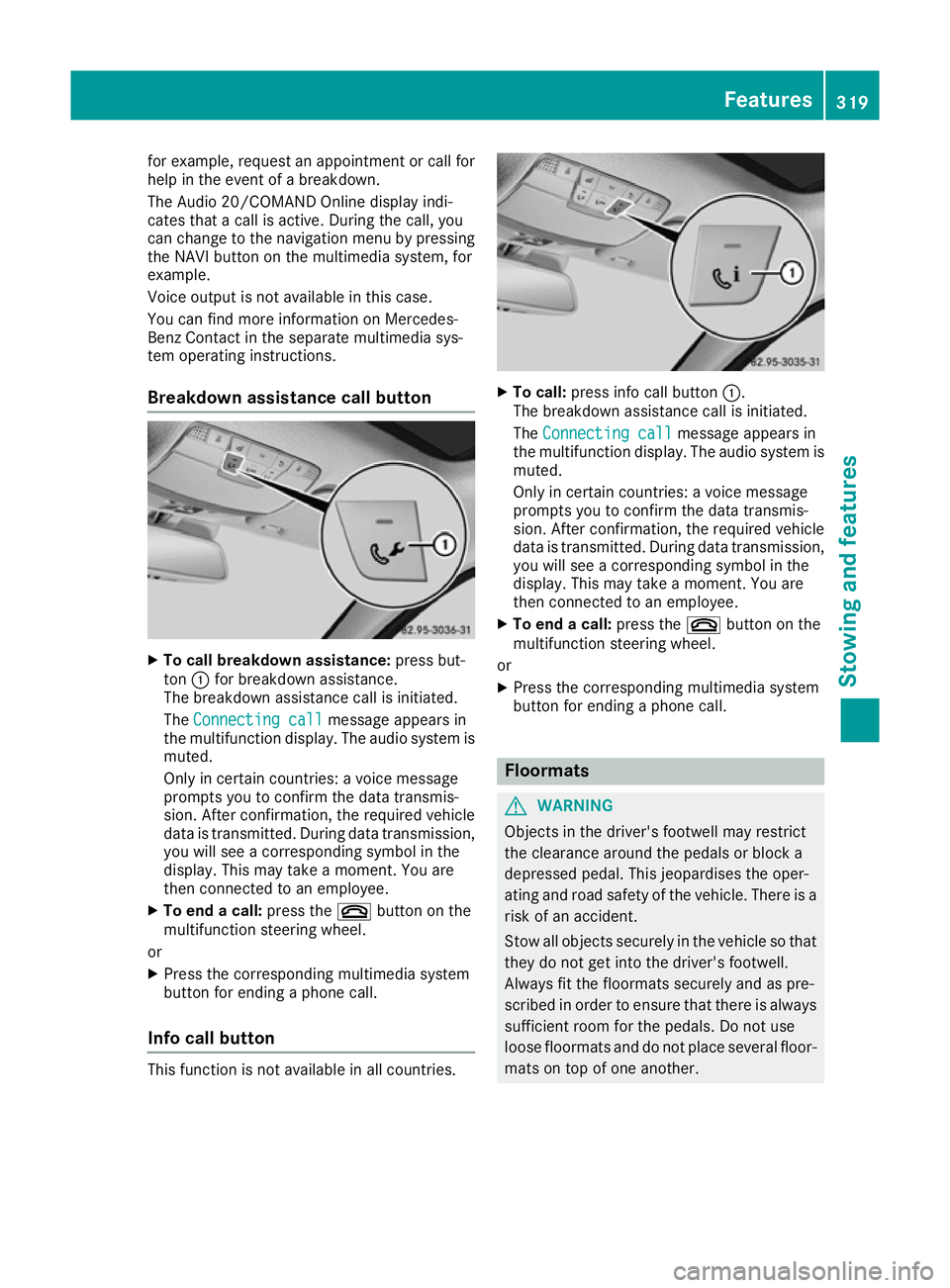
Breakdown assistance call button X
To call breakdow nassistance: press but-
ton :for breakdown assistance.
The breakdown assistance call is initiated.
The Connecting call
Connecting call message appears in
the multifunction display .The audio system is
muted.
Only in certain countries :avoice message
prompts you to confirm the data transmis-
sion. After confirmation, the required vehicle
data is transmitted. During data transmission, you wil lsee acorresponding symbol in the
display .This may take amoment. You are
then connected to an employee.
X To end acall: press the ~button on the
multifunction steering wheel.
or X Press the corresponding multimedi asystem
button for ending aphone call.
Info call button This function is not available in all countries. X
To call: press info call button :.
The breakdown assistance call is initiated.
The Connecting call Connecting call message appears in
the multifunction display .The audio syste mis
muted.
Only in certain countries :avoice message
prompts you to confirm the data transmis-
sion. After confirmation, the required vehicle
data is transmitted. During data transmission,
you wil lsee acorresponding symbol in the
display .This may take amoment. You are
then connected to an employee.
X To end acall: press the ~button on the
multifunction steering wheel.
or
X Press the corresponding multimedi asystem
button for ending aphone call. Floormats
G
WARNING
Objects in the driver's footwell may restrict
the clearance around the pedals or block a
depressed pedal. This jeopardise sthe oper-
ating and road safety of the vehicle. There is a risk of an accident.
Stow all objects securely in the vehicl esothat
they do not get into the driver's footwell.
Always fit the floormats securely and as pre-
scribe dinorder to ensure that there is always
sufficient room for the pedals. Do not use
loos efloormats and do not place severa lfloor-
mats on top of one another. Features
319Stowing and features Z
Page 323 of 385
X
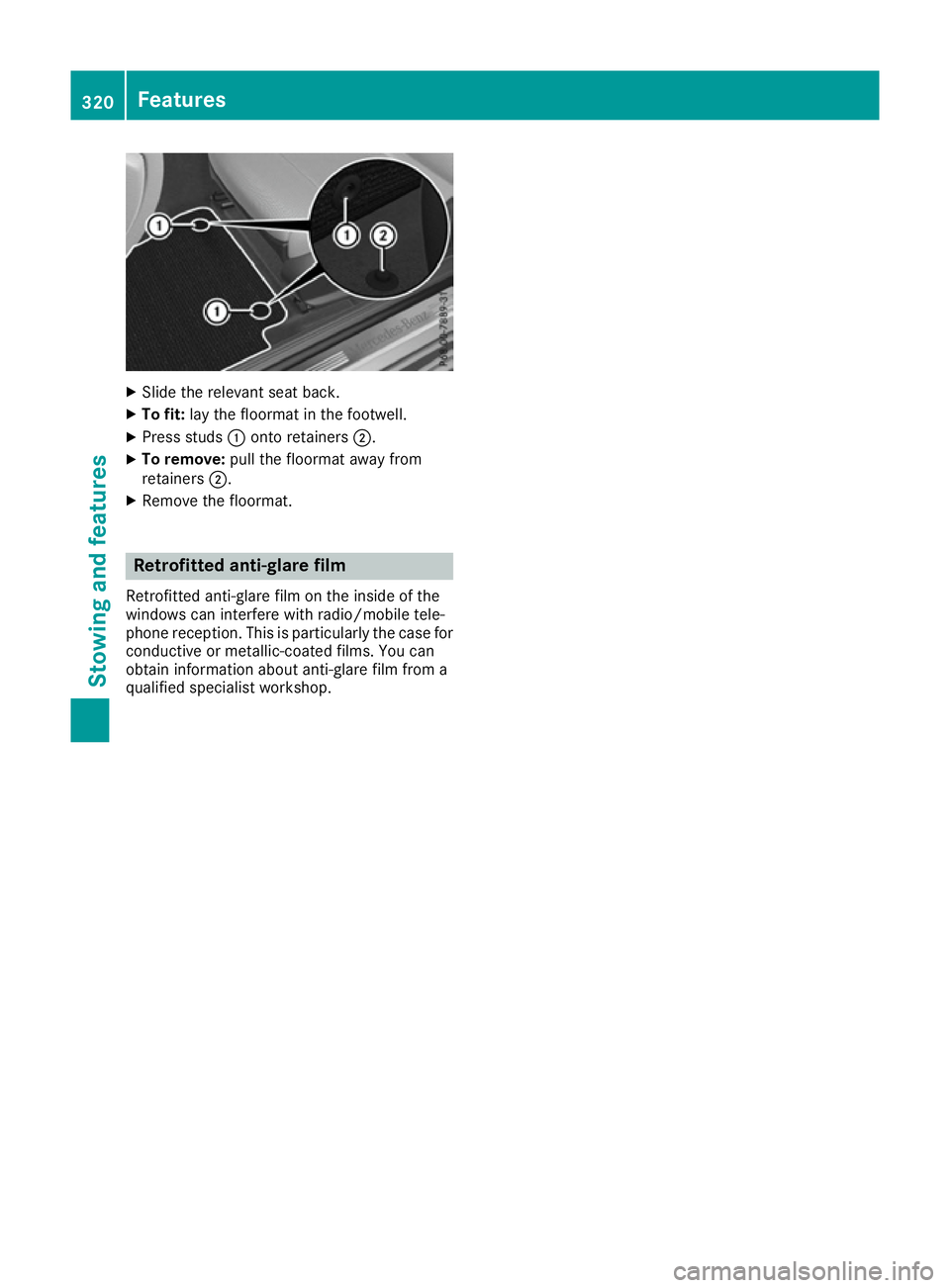
Slide the relevant sea tback.
X To fit: layt he floorma tinthe footwell.
X Press studs :onto retainers ;.
X To remove: pull the floorma tawa yfrom
retainers ;.
X Remove the floormat. Retrofitte
danti-glare film
Retrofitted anti-glare fil monthe inside of the
window scan interfere with radio/mobil etele-
phone reception. Thi sisparticularly the cas efor
conductive or metallic-coate dfilms. You can
obtain information abou tanti-glare fil mfrom a
qualified specialist workshop. 320
FeaturesStowin
gand features
Page 327 of 385
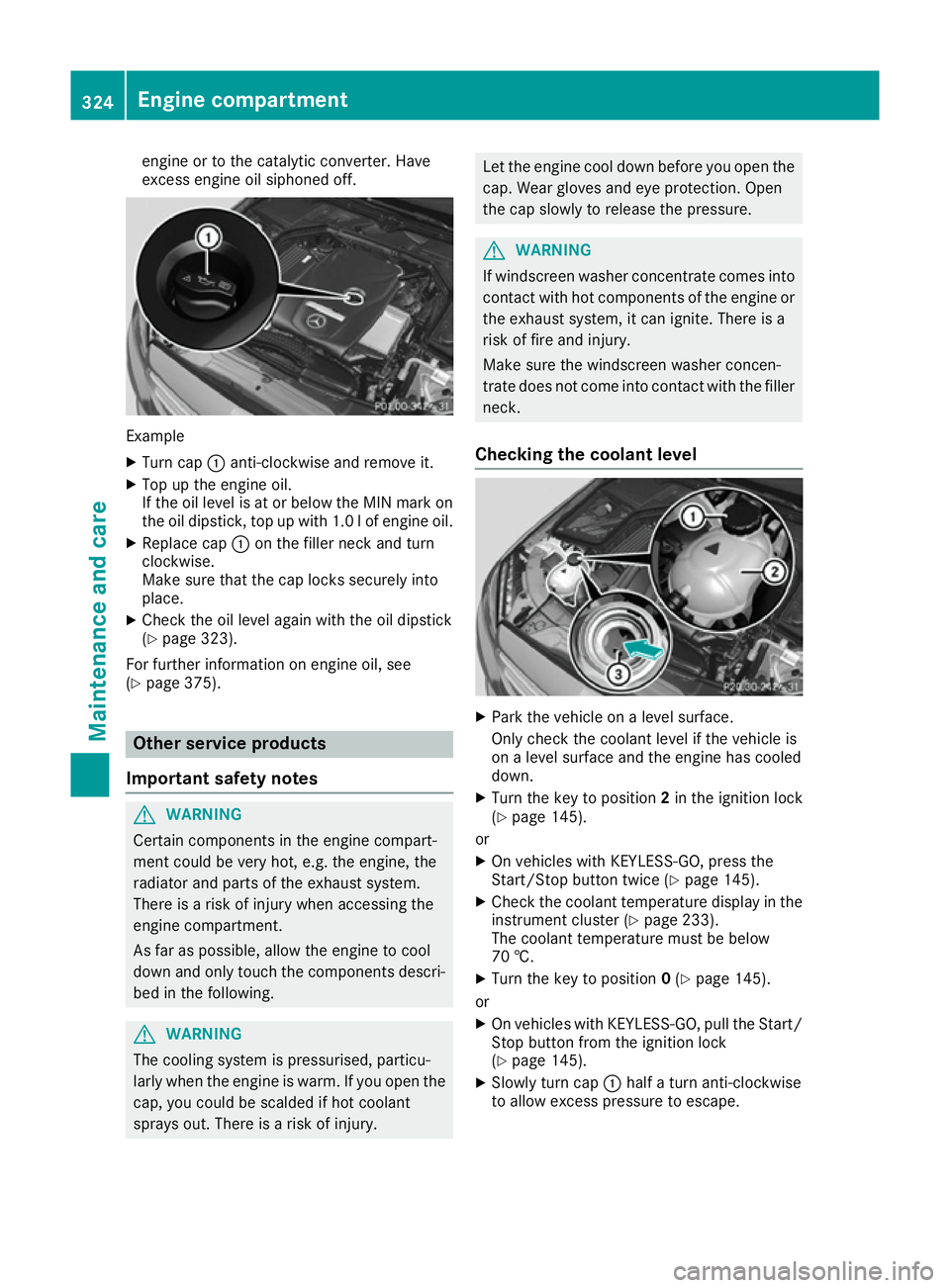
engine or to the catalytic converter. Have
exces
sengine oil siphoned off. Example
X Turn cap :anti-clockwise and remove it.
X Top up the engine oil.
If the oil level is at or below the MIN mark on
the oil dipstick ,top up with 1.0 lofe ngine oil.
X Replace cap :on the filler neck and turn
clockwise.
Make sure that the cap locks securely into
place.
X Check the oil leve lagain with the oil dipstick
(Y pag e323).
For further information on engine oil ,see
(Y pag e375). Other service products
Important safety notes G
WARNING
Certain components in the engine compart-
ment coul dbevery hot, e.g. the engine, the
radiator and parts of the exhaust system.
There is arisk of injury when accessing the
engine compartment.
As far as possible ,allow the engine to cool
dow nand only touch the components descri-
bed in the following. G
WARNING
The cooling system is pressurised, particu-
larl yw hen the engine is warm. If you open the
cap, you coul dbescalded if hot coolant
sprays out. There is arisk of injury. Let the engine cool dow
nbefore you open the
cap. Wea rglove sand eye protection. Open
the cap slowly to release the pressure. G
WARNING
If windscreen washer concentrate comes into contact with hot components of the engine or
the exhaust system, it can ignite. There is a
risk of fire and injury.
Make sure the windscreen washer concen-
trate does not come into contact with the filler neck.
Checking the coolan tlevel X
Park the vehicl eonalevelsurface.
Only check the coolant leve lifthe vehicl eis
on aleve lsurface and the engine has cooled
down.
X Turn the key to position 2in the ignition lock
(Y pag e145).
or
X On vehicles with KEYLESS-GO, press the
Start/Stop button twice (Y page145).
X Check the coolant temperature display in the
instrument cluster (Y page233).
The coolant temperature must be below
70 †.
X Turn the key to position 0(Y pag e145).
or
X On vehicles with KEYLESS-GO, pul lthe Start/
Stop button from the ignition lock
(Y pag e145).
X Slowl yturn cap :halfat urn anti-clockwise
to allow excess pressure to escape. 324
Engine compartmentMaintenance and care