reset MERCEDES-BENZ CL COUPE 2009 Owner's Manual
[x] Cancel search | Manufacturer: MERCEDES-BENZ, Model Year: 2009, Model line: CL COUPE, Model: MERCEDES-BENZ CL COUPE 2009Pages: 421, PDF Size: 10.78 MB
Page 219 of 421
R
the ignition has been switched off for more
than 4 hours.
R 999 hours have been exceeded.
R 9,999 kilometres/miles have been excee-
ded.
The trip computer After resetis automati-
cally reset if the value exceeds 9,999 hours
or 99,999 kilometres/miles.
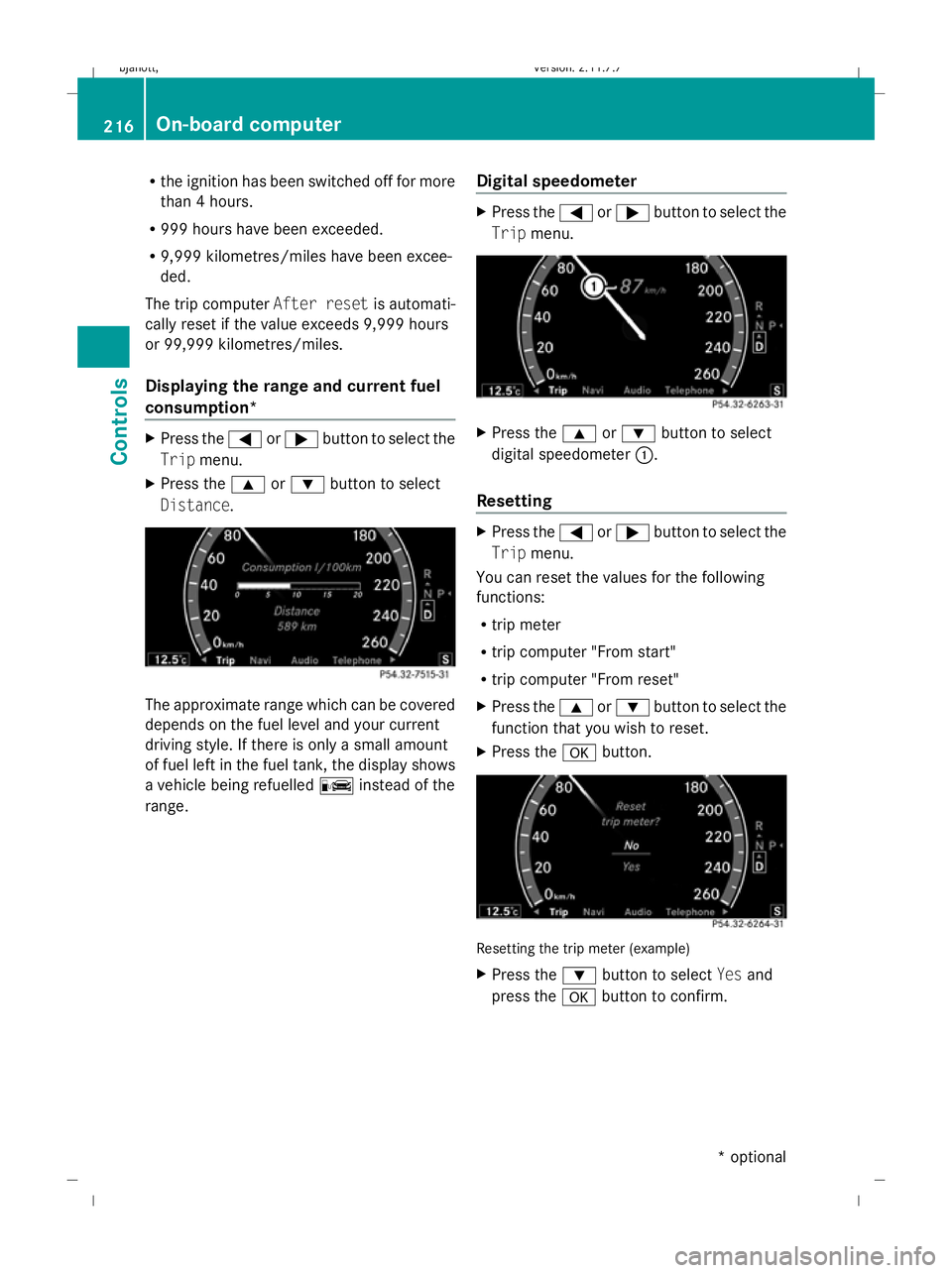
Displaying the range and current fuel
consumption* X
Press the =or; button to select the
Trip menu.
X Press the 9or: button to select
Distance. The approximate range which can be covered
depends on the fuel level and your current
driving style. If there is only a small amount
of fuel left in the fuel tank, the display shows
a vehicle being refuelled Cinstead of the
range. Digital speedometer X
Press the =or; button to select the
Trip menu. X
Press the 9or: button to select
digital speedometer :.
Resetting X
Press the =or; button to select the
Trip menu.
You can reset the values for the following
functions:
R trip meter
R trip computer "From start"
R trip computer "From reset"
X Press the 9or: button to select the
function that you wish to reset.
X Press the abutton. Resetting the trip meter (example)
X
Press the :button to select Yesand
press the abutton to confirm. 216
On-board
computerControls
* optional
216_AKB; 2; 3, en-GB
bjanott,
Version: 2.11.7.7 2009-02-27T14:54:17+01:00 - Seite 216
Dateiname: 6515230602_buchblock.pdf; erzeugt am 04. Mar 2009 11:15:51; WK
Page 224 of 421
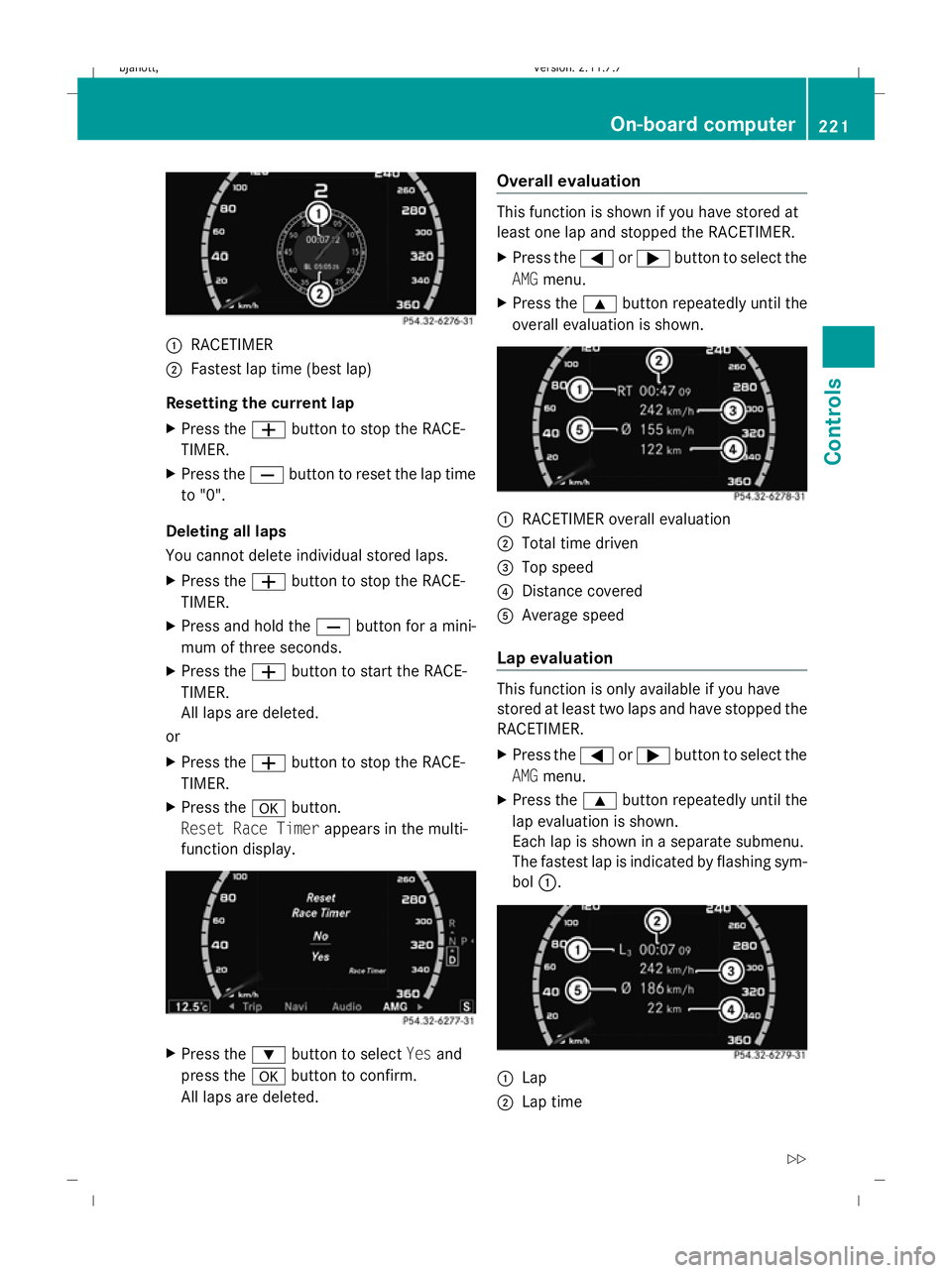
:
RACETIMER
; Fastest lap time (best lap)
Resetting the current lap
X Press the Wbutton to stop the RACE-
TIMER.
X Press the Xbutton to reset the lap time
to "0".
Deleting all laps
You cannot delete individual stored laps.
X Press the Wbutton to stop the RACE-
TIMER.
X Press and hold the Xbutton for a mini-
mum of three seconds.
X Press the Wbutton to start the RACE-
TIMER.
All laps are deleted.
or
X Press the Wbutton to stop the RACE-
TIMER.
X Press the abutton.
Reset Race Timer appears in the multi-
function display. X
Press the :button to select Yesand
press the abutton to confirm.
All laps are deleted. Overall evaluation This function is shown if you have stored at
least one lap and stopped the RACETIMER.
X Press the =or; button to select the
AMG menu.
X Press the 9button repeatedly until the
overall evaluation is shown. :
RACETIMER overall evaluation
; Total time driven
= Top speed
? Distance covered
A Average speed
Lap evaluation This function is only available if you have
stored at least two laps and have stopped the
RACETIMER.
X Press the =or; button to select the
AMG menu.
X Press the 9button repeatedly until the
lap evaluation is shown.
Each lap is shown in a separate submenu.
The fastest lap is indicated by flashing sym-
bol :. :
Lap
; Lap time On-board computer
221Controls
216_AKB; 2; 3, en-GB
bjanott, Version: 2.11.7.7 2009-02-27T14:54:17+01:00 - Seite 221 Z
Dateiname: 6515230602_buchblock.pdf; erzeugt am 04. Mar 2009 11:15:53; WK
Page 228 of 421
X
Press the abutton.
X To activate or deactivate: pressa
again. Service menu
In the Service menu you can:
R call up display messages (Y page 316)
R reset the tyre pressure loss warning system
(Y page 299) or check the tyre pressure
electronically* (Y page 300)
R call up the service due date (Y page 307)
R check the engine oil level* (Y page 293)Settings menu
Use the buttons on the multi-function steer-
ing wheel.
In the Settings menu you can:
R switch the daytime driving lights on/off
(Y page 225)
R activate/deactivate the Intelligent Light
System (Y page 225)
R set permanent SPEEDTRONIC
(Y page 245)
R show/hide the additional speedometer
(Y page 226)
R select the units for speed/distance
(Y page 226)
R activate/deactivate the radar sensor sys-
tem* (Y page 226)
Switching the daytime driving lights
on/off If you set the
Daytime driving lamps and
the light switch is set to $orc, the
side lamps, dipped-beam headlamps and
licence plate lighting are switched on auto-
matically when the engine is running. If you
turn the light switch to a different position,
the corresponding lights are switched on. If you switch off the daytime driving lights
while driving at night, make sure that the light
switch is set to
Lorc.
X Press the =or; button to select the
Settings menu.
X Press 9or: to select Daytime
driving lights.
X Press the abutton.
X To activate/deactivate: pressa
again.
Activating/deactivating the Intelligent
Light System Select
Intell. Light System to switch on
or switch off the following functions:
R motorway mode
R active light function
R cornering light function
R extended range foglamps
X Press the =or; button to select the
Settings menu.
X Press 9or: to select Intell.
Light System.
X Press the abutton.
X To activate/deactivate: pressa
again.
Tourist mode
If you drive in countries in which traffic drives
on the opposite side of the road to the country
where the vehicle is registered, oncoming
traffic may be dazzled by the asymmetrical
dipped-beam headlamps.
If tourist mode is activated, the multi-function
display shows the Intell. Light System
Inoperative display message in the
Intell. Light System function. Motorway
mode and the extended range foglamps are
deactivated.
Have tourist mode activated as near to the
border as possible before crossing into these
countries. The headlamps are switched to
symmetrical dipped beam. When symmetri- On-board computer
225Controls
* optional
216_AKB; 2; 3, en-GB
bjanott,
Version: 2.11.7.7 2009-02-27T14:54:17+01:00 - Seite 225 Z
Dateiname: 6515230602_buchblock.pdf; erzeugt am 04. Mar 2009 11:15:54; WK
Page 233 of 421
G
Risk of accident
The brake pedal is retracted when Distronic
brakes. Do not restrict the movement of the
pedal in any way.
R Do not put any objects in the footwell.
R Ensure that floor mats and carpets are fixed
securely.
R Do not place your foot under the brake
pedal as it could become trapped.
You could otherwise cause an accident and
injure yourself and others. G
Risk of accident
Do not change down for additional engine
braking on a slippery road surface. This could
cause the drive wheels to lose their grip and
the vehicle could skid. G
Risk of accident
Distronic is only an aid designed to assist
driving. The driver remains fully responsible
for the vehicle's distance from other vehicles,
the vehicle's speed and for braking in good
time.
Distronic does not react to:
R pedestrians
R stationary obstacles on the road, e.g. sta-
tionary or parked vehicles
R oncoming and crossing traffic
Distronic may not detect narrow vehicles driv-
ing in front, e.g. motorcycles, or vehicles driv-
ing on a different line. Therefore, always pay
attention to traffic conditions even when Dis-
tronic is activated. Otherwise, you may fail to
recognise dangers in time, could cause an
accident and injure yourself and others.
If a slower-moving vehicle is detected in front,
Distronic causes your vehicle to brake and
maintain the preset distance to the vehicle in
front that you have set. G
Risk of accident
Distronic cannot take account of road and
traffic conditions. Deactivate, or do not acti-
vate, Distronic if it does not detect the vehicle
in front, or if it no longer detects it. This is
especially the case:
R before corners
R in filter lanes
R when changing to a lane with faster moving
traffic
R in complex driving situations or where the
lanes are diverted, e.g. at roadworks on a
motorway
Otherwise, Distronic maintains the current
speed or accelerates to the set speed.
Distronic cannot take account of weather
conditions. Deactivate, or do not activate,
Distronic:
R if the roads are slippery, snow-covered or
icy. The wheels could lose their grip when
braking or accelerating. The vehicle could
start to skid.
R if the sensors are dirty or there is poor vis-
ibility, e.g. due to snow, rain or fog. Dis-
tance control may be impaired.
Always pay attention to traffic conditions
even when Distronic is activated. Otherwise,
you may fail to recognise dangers in time,
could cause an accident and injure yourself
and others.
If there is no vehicle in front, Distronic oper-
ates in the same way as cruise control. Dis-
tronic functions in the 30 km/h to
200 km/h range. G
Risk of accident
Distronic brakes your vehicle at a maximum
of 2 m/s 2
, depending on its speed. This cor-
responds to approximately 20% of your vehi-
cle's maximum braking power. You must also
apply the brakes yourself if this braking power
is not sufficient. 230
Driving systemsControls
216_AKB; 2; 3, en-GB
bjanott,
Version: 2.11.7.7 2009-02-27T14:54:17+01:00 - Seite 230
Dateiname: 6515230602_buchblock.pdf; erzeugt am 04. Mar 2009 11:15:56; WK
Page 238 of 421
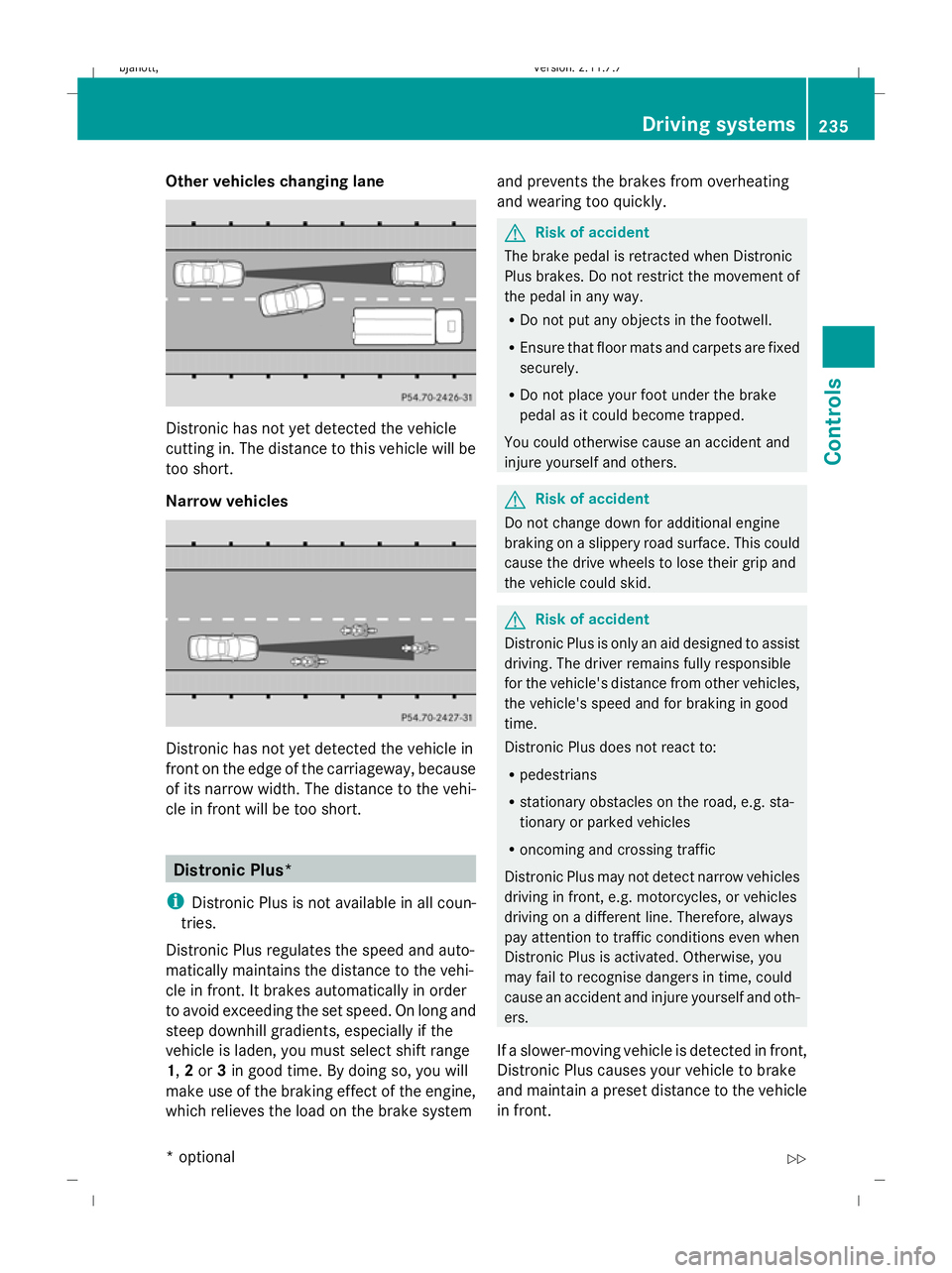
Other vehicles changing lane
Distronic has not yet detected the vehicle
cutting in. The distance to this vehicle will be
too short.
Narrow vehicles
Distronic has not yet detected the vehicle in
front on the edge of the carriageway, because
of its narrow width. The distance to the vehi-
cle in front will be too short. Distronic Plus*
i Distronic Plus is not available in all coun-
tries.
Distronic Plus regulates the speed and auto-
matically maintains the distance to the vehi-
cle in front. It brakes automatically in order
to avoid exceeding the set speed. On long and
steep downhill gradients, especially if the
vehicle is laden, you must select shift range
1, 2or 3in good time. By doing so, you will
make use of the braking effect of the engine,
which relieves the load on the brake system and prevents the brakes from overheating
and wearing too quickly. G
Risk of accident
The brake pedal is retracted when Distronic
Plus brakes. Do not restrict the movement of
the pedal in any way.
R Do not put any objects in the footwell.
R Ensure that floor mats and carpets are fixed
securely.
R Do not place your foot under the brake
pedal as it could become trapped.
You could otherwise cause an accident and
injure yourself and others. G
Risk of accident
Do not change down for additional engine
braking on a slippery road surface. This could
cause the drive wheels to lose their grip and
the vehicle could skid. G
Risk of accident
Distronic Plus is only an aid designed to assist
driving. The driver remains fully responsible
for the vehicle's distance from other vehicles,
the vehicle's speed and for braking in good
time.
Distronic Plus does not react to:
R pedestrians
R stationary obstacles on the road, e.g. sta-
tionary or parked vehicles
R oncoming and crossing traffic
Distronic Plus may not detect narrow vehicles
driving in front, e.g. motorcycles, or vehicles
driving on a different line. Therefore, always
pay attention to traffic conditions even when
Distronic Plus is activated. Otherwise, you
may fail to recognise dangers in time, could
cause an accident and injure yourself and oth-
ers.
If a slower-moving vehicle is detected in front,
Distronic Plus causes your vehicle to brake
and maintain a preset distance to the vehicle
in front. Driving systems
235Controls
* optional
216_AKB; 2; 3, en-GB
bjanott
,V ersion: 2.11.7.7
2009-02-27T14:54:17+01:00 - Seite 235 Z
Dateiname: 6515230602_buchblock.pdf; erzeugt am 04. Mar 2009 11:15:58; WK
Page 241 of 421
Activating when driving towards a sta-
tionary vehicle
If the vehicle in front of you is stationary, you
can only activate Distronic Plus once your
vehicle is stationary as well.
X Briefly pull the cruise control lever towards
you ?.
Distronic Plus is selected.
i Distronic Plus can only be activated at
under 30 km/h if a vehicle in front has been
detected. Therefore, the Distronic Plus dis-
tance display in the instrument cluster
should be activated.
X Keep the cruise control lever pressed
up : or down Auntil the desired speed
is set.
i You can use the cruise control lever to set
the stored speed and the thumbwheel on
the cruise control lever to set the specified
minimum distance (Y page 239).
Pulling away
X If the vehicle in front pulls away: remove
your foot from the brake pedal.
X Briefly pull the cruise control lever towards
you ?.
or
X Accelerate briefly.
Your vehicle pulls away and adapts its
speed to that of the vehicle in front.
Driving
If there is no vehicle in front, Distronic Plus
operates in the same way as cruise control.
If a slower-moving vehicle is detected in front,
Distronic Plus causes your vehicle to brake
and maintain a preset distance to the vehicle
in front.
If Distronic Plus detects a faster-moving vehi-
cle in front, it increases the driving speed, but
only up to the stored speed. G
Risk of accident
If you depress the brake, Distronic Plus is
deactivated unless your vehicle is stationary.
Distronic Plus then no longer brakes your
vehicle. The driver remains fully responsible
for the vehicle's distance from other vehicles,
its speed and for braking in good time.
Stopping G
Risk of accident
The Distronic Plus braking effect is cancelled
and the vehicle could roll away if:
R Distronic Plus is deactivated using the
cruise control lever.
R you accelerate.
R the system or the power supply is disrup-
ted, e.g. due to battery failure.
R the electrical system in the engine com-
partment or the fuses have been tampered
with.
R the battery is disconnected. G
Risk of accident
Never get out of the vehicle when Distronic
Plus is activated.
Distronic Plus must never be operated or
deactivated by a passenger or from outside
the vehicle.
Distronic Plus does not replace the electric
parking brake and must not be used for park-
ing.
If you wish to leave the vehicle or park it,
deactivate Distronic Plus and secure the vehi-
cle against rolling away.
If Distronic Plus detects that the vehicle in
front is stopping, it brakes your vehicle until
it is stationary.
Once your vehicle is stationary, it remains
stationary and you do not need to depress the
brake.
i After a time, the electric parking brake
secures the vehicle and relieves the service
brake. 238
Driving syste
msControls
216_AKB; 2; 3, en-GB
bjanott, Version: 2.11.7.7 2009-02-27T14:54:17+01:00 - Seite 238
Dateiname: 6515230602_buchblock.pdf; erzeugt am 04. Mar 2009 11:15:58; WK
Page 278 of 421
The sun protection cover automatically opens
along with the sliding/tilting sunroof. Once
you have closed the sliding/tilting sunroof,
you can close the cover by hand.
Closing with increased force and with-
out the anti-entrapment feature G
Risk of injury
You could be severely or even fatally injured
when closing the sliding/tilting sunroof with
increased force or without the anti-entrap-
ment feature. Make sure that nobody can
become trapped when closing the sliding/tilt-
ing sunroof.
If the sliding/tilting sunroof locks up during
closing:
X Immediately after it locks up, pull the
switch again to the pressure point in the
direction of arrow ;until the sliding/tilt-
ing sunroof is closed.
The sliding/tilting sunroof is closed with
more force.
If the sliding/tilting sunroof locks up during
closing again:
X Immediately after it locks up, pull the
switch again to the pressure point in the
direction of arrow ;until the sliding/tilt-
ing sunroof is closed.
The sliding/tilting sunroof is closed without
the anti-entrapment feature.
Rain closing feature* If the ignition key is removed and the vehicle
is locked, the sliding/tilting sunroof closes
automatically:
R if it starts to rain
R at extreme outside temperatures
R after six hours
R if there is a malfunction in the power supply
The rear of the sliding/tilting sunroof is then
raised in order to ventilate the interior of the
vehicle. i
The sliding/tilting sunroof is opened
slightly again if it is obstructed while being
closed by the rain closing feature. The rain
closing feature is then deactivated.
i The sliding/tilting sunroof does not close
if:
R it is raised at the rear.
R it is blocked.
R no rain is falling on the windscreen (e.g.
because the vehicle is under a bridge or
in a carport).
Resetting Reset the sliding/tilting sunroof if it does not
open smoothly.
X
Turn the key to position 2in the ignition
lock.
X The sliding/tilting sunroof is raised fully at
the rear.
X Keep the switch pressed for an additional
second.
X Make sure that the sliding/tilting sunroof
can be opened or closed fully again
(Y page 274).
X If this is not the case, consult a qualified
specialist workshop. Loading and stowing
Stowage compartments
G
Risk of injury
The stowage compartments must be closed
when items are stored in them. Luggage nets
are not designed to secure heavy items of
luggage.
You or other vehicle occupants could be
injured by objects being thrown around if you:
R brake sharply
R change direction suddenly
R have an accident Loading and stowing
275Controls
* optional
216_AKB; 2; 3, en-GB
bjanott,
Version: 2.11.7.7 2009-02-27T14:54:17+01:00 - Seite 275 Z
Dateiname: 6515230602_buchblock.pdf; erzeugt am 04. Mar 2009 11:16:14; WK