display MERCEDES-BENZ CLK COUPE 2004 Owner's Manual
[x] Cancel search | Manufacturer: MERCEDES-BENZ, Model Year: 2004, Model line: CLK COUPE, Model: MERCEDES-BENZ CLK COUPE 2004Pages: 453, PDF Size: 14.93 MB
Page 120 of 453
117
Controls in detail
Operating system Resetting all settings
You can return the functions of all the sub-
menus to the factory settings.
6
Press the reset button on the left in the
instrument cluster for approximately
three seconds.
You will see the request inthe displ ay
to press the reset button once more to
confi rm.
6 Press the reset button again.
All the submenu functions are restored
to their factory settings.
i If you do not pre ssthe reset button a second
time to co nfirm ,the ch angedsetting s remain
set. You will see theSettings...menu again
aft erapproximately five seconds .
In the
Lightingsubm enu,theLight circuit
headla mpmode
function is not res etfor safety
reasons. Su
bmenus in the Set tings menu
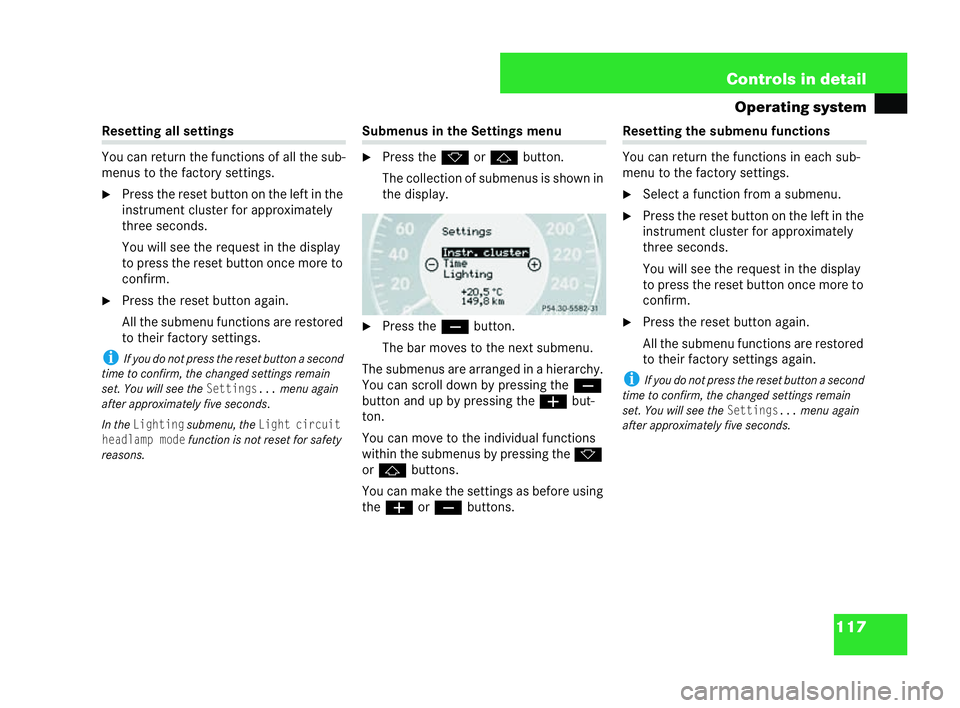
6 Press the korj button.
The collection of submenus is shown in
the display.
6 Press the çbutton.
The bar moves to the next submenu.
The submenus are arranged in a hierarchy.
You can scroll down by pressing the ç
button and up by pressing the æbut-
ton.
You can move to the individual functions
wi thin the submenus by pressing the k
or j buttons.
You can make the settings as before using
the æ orç buttons. Resetting the subme
nufunctions
You can return the functions ineach sub-
me nu to the factory settings.
6 Select a function from a submenu.
6 Press the reset but ton on the left in the
instrument cluster for approximately
three seconds.
You will see the request in the display
to press the reset button once more to
confirm.
6 Pres s the reset button again.
All the submenu functions are restored
to thei rfact ory settings again.
i If you do not press the reset button a second
time to confirm, the changed settings remain
set. You will see the
Settings...menu again
after approximate lyfive seconds.
P54.30-5207-31 209en_d2.boo Seite
117 Dienstag, 25. Mai 2004 7:26 19
Page 121 of 453
118 Controls in detail
Operating system
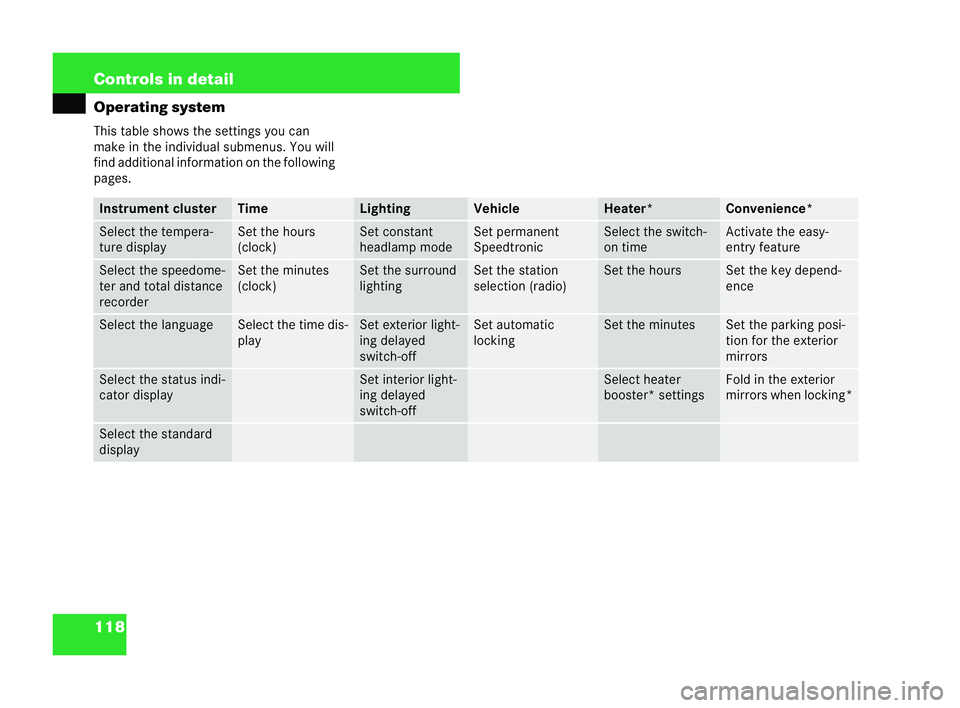
This table shows the settings you can
make in the individual submenus. You will
find additional information on the following
pages.
: Instrument cluster Time Lighting Vehicle He
ater* Convenience*
Select the tempera-
ture display Set the
hours
(cl ock) Set constant
headlam
pmode Set permanent
Speedtro
nic Select the switch-
on time Ac
tivate the easy-
entry feature Select the speedome-
ter and total distance
rec
order Set the
minutes
(cl ock) Set the surround
li
ghti ng Set the station
se
lection (radio) Set the hours Set the key depend-
ence
Select the
language Sele
ctthe tim edis-
play Set exterior li
ght-
in g delayed
switch-off Set automatic
lo
ck ing Set the
minutes Set the parking posi-
tion
for the exterior
mirrors Select the status indi-
cator
display Set
interior light-
in g delayed
switch-off Select heater
booster* settings Fold in the exterior
mirrors when locking*
Select the standard
display209en_d2.boo Seite
118 Dienstag, 25. Mai 2004 7:26 19
Page 122 of 453
119
Controls in detail
Operating system Instru
ment cluster submenu
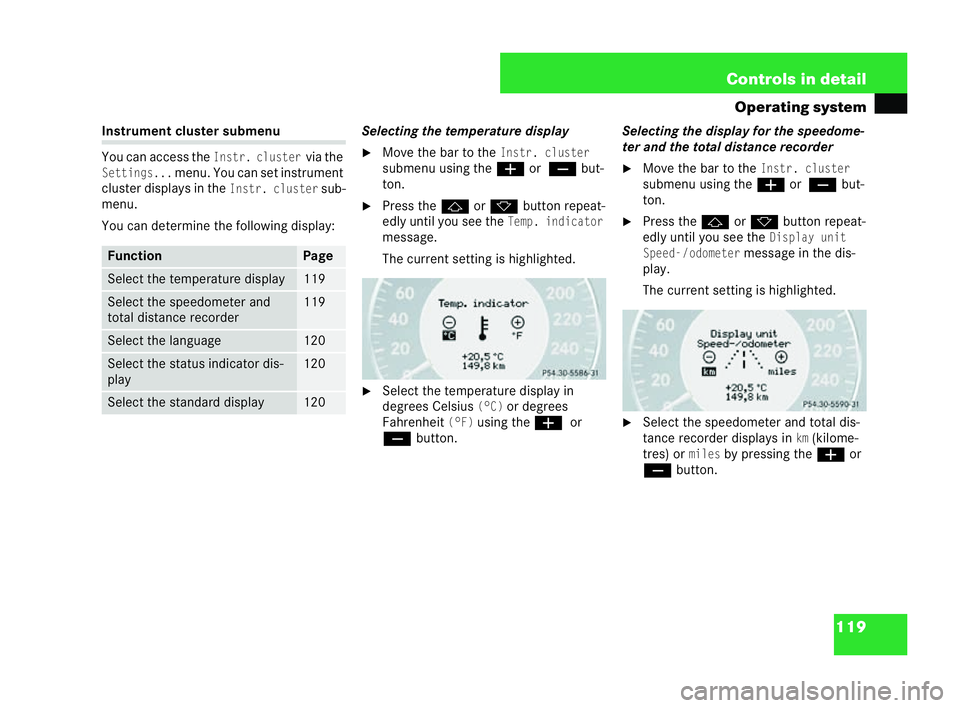
You can access theInstr. clustervia the
Settings...menu. You can set instrument
cluster displays in the
Instr. clustersub-
menu.
You can determine the following display: Selecting the temperature display
6 Movethe bar to the
Inst r.cluster
submenu using the æor
ç but-
ton.
6 Press the jork button repeat-
edly until you see the
Temp . indicator
message.
The current setting ishighlighted.
6 Select the temperature display in
degrees Celsius
(°C)or degrees
Fahrenhe it
(°F)using the æor
ç button. Selecting the
display for the speedome-
ter and the total distance recorder
6 Move the bar to the
Instr. cluster
submenu using the æor
ç but-
ton.
6 Press the jork button repeat-
edly until you see the
Display unit
Speed -/odometer
message in the dis-
play.
The current setting is highlighted.
6 Select the speedometer and total dis-
tance recorder displays in
km(kilome-
tres) or
milesby pressing the æor
ç button. Fu
nction Page
Select the temperature display 119
Select the speedometer and
to
tal distance recorder 119
Select the language 120
Select the status indicator dis-
play 120
Select the standard display 120 P54.30-5208-31
P54.30-5209-31209en_d2.boo Seite
119 Dienstag, 25. Mai 2004 7:26 19
Page 123 of 453
120 Controls in detail
Operating system
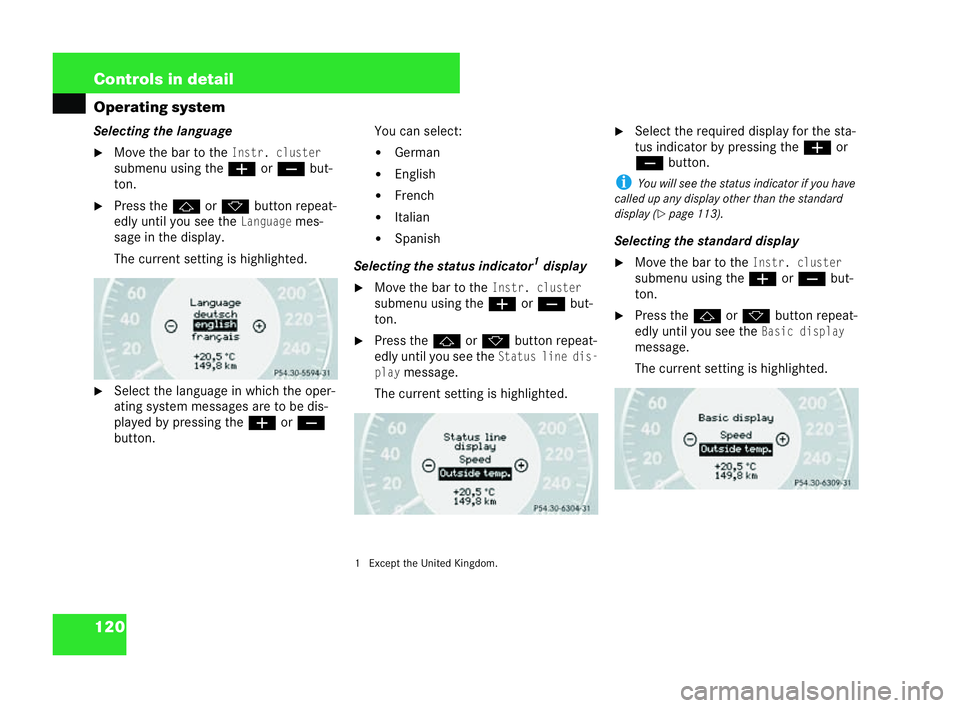
Se
lecting the language
6 Move the bar to theInstr. cluster
submenu using the æorç but-
ton.
6 Press the jork button repeat-
edly until you see the
Languagemes-
sage in the display.
The current setting is highlighted.
6 Select the language in which the oper-
ating system messages are to be dis-
played by pressing the æorç
button. You can select:
! German
! English
! French
! Italian
! Spanish
Selecting the status indicator 1
dis play
6 Move the bar to the
Instr. cluster
submenu using the æorç but-
ton.
6 Press the jork button repeat-
edly until you see the
Stat usline dis-
play
message.
The current setting is highlighted.
1 Except the United Kin gdom. 6
Select the requ ired dis play for the sta-
tus indicator by pressing the æor
ç button.
i You will see the status indicator if you have
ca lledup any display ot her thanthe standard
display ( =
page 113).
Selec ting the standard display
6 Move the bar to the
Instr. cluster
submenu using the æorç but-
ton.
6 Press the jork buttonre pea t-
edly until you see the
Basic di splay
message.
The current setting is highlighted.
P54.30-5210-31 P54.30-5211-31 P54.30-5212-31209en_d2.boo Seite
120 Dienstag, 25. Mai 2004 7:26 19
Page 124 of 453
121
Controls in detail
Operating system
6 Select the requi red dis play for the
standard display by pressing the æ
or ç button (=
page 112). Ti
me subm enu
You can access theTimesubmenu via the
Settin gs...menu. You can set the clock,
for example, in the
Timesubmenu.
You will only see this function if you have a
built-in Audi o20 system.
i If the vehicle isequipped with COMAND* or
Audio 50 APS*, you can set the tim evia the
aud iosystem – see the audio system Operating
In structions.
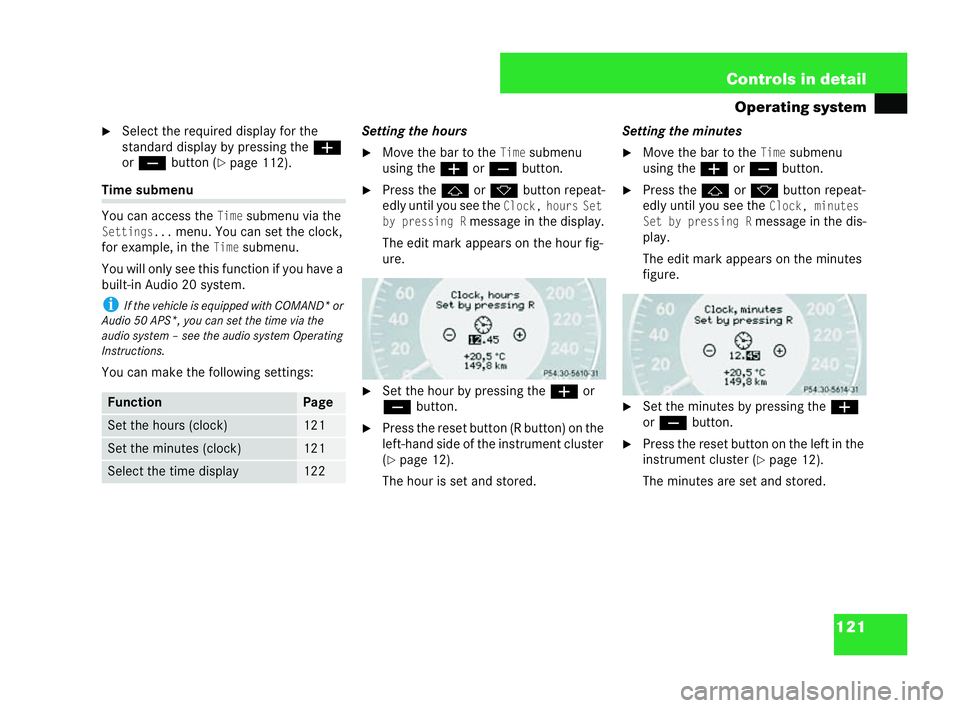
You can make the following settings: Setting the hours
6 Movethe bar to the
Timesubmenu
using theæ orç button.
6 Press the jork button repeat-
edly until you see the
Clock, ho ursSet
by pressing R
message in the display.
The edi tmark appears on the hour fig-
ure.
6 Set the hour by pressing the æor
ç button.
6 Press the reset button (R button) on the
left-hand side of the instrument cluster
( = page 12).
The hour isset and stored. Setting the minutes
6 Move the bar to the
Timesubmenu
using the æorç button.
6 Pres s the j ork button repeat-
edly until you see the
Clock, minutes
Set by pressing R
message inthe dis-
play.
The edit mark appear son the minutes
figur e.
6 Set the minutes by pressing the æ
or ç button.
6 Press the reset but ton on the left in the
instrument cluster (
=pag e12).
The minutes are set and stored. Fu
nction Page
Set the hours (clock) 121
Set the
minutes (cloc k) 121
Selec
tthe time display 122 P54.30-5214-31
P54.30-5215-31209en_d2.boo Seite
121 Dienstag, 25. Mai 2004 7:26 19
Page 125 of 453
122 Controls in detail
Operating system
Sel
ecting the time display
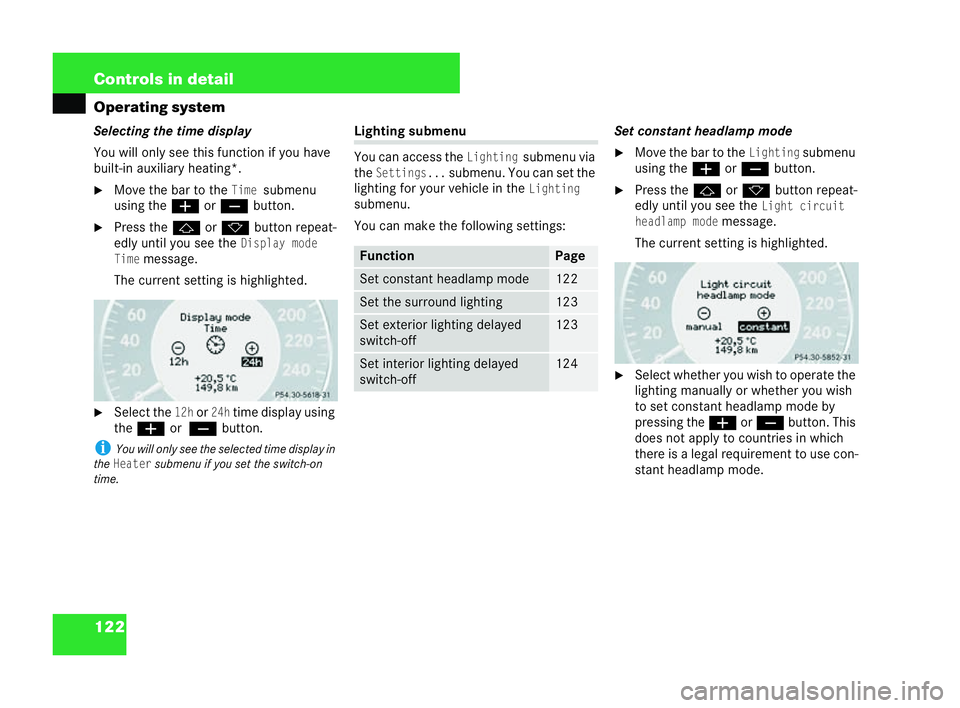
You will only see this function ifyou have
built-in auxiliary heating*.
6 Move the bar to theTimesubmenu
using the æorç button.
6 Press the jork button repeat-
edly until you see the
Display mode
Time
message.
The current setting is highlighted.
6 Select the
12hor24htime display using
the æ or
ç button.
i You will onlyseetheselecte dtime display in
the
Heatersubm enu if you set the switc h-on
time. Lighting submenu
You can access the
Lightingsubmenu via
the
Sett ings...submenu. You can set the
lighting for your vehicl ein the
Lighting
submenu.
You can make the following settings: Set constant headlamp mode
6 Move the bar tothe
Lightingsubmenu
using the æorç button.
6 Press the jork button repea t-
edly until you see the
Light ci rcuit
he adlamp mode
message.
The current setting is highl ighted.
6 Select whether you wish to operate the
lighting man ually or whether you wish
to set constant headlam pmode by
pressing the æorç button. This
does not apply to countrie sin which
there is a legal requi rement to use con-
stant headlamp mode.
P54.30-5216-31 Fun
ction Pa
ge Set constant headlamp mode 122
Set the surround lighting 123
Set exterior lightin
gdelayed
switch-off 123
Set
interior lighting del ayed
switch-off 124 P54.30-5851-31209en_d2.boo Seite
122 Dienstag, 25. Mai 2004 7:26 19
Page 128 of 453
125
Controls in detail
Operating system
6 Select the len gth of time you wish the
lights to remain on by pressing the
æ orç button. You can select
the following:
!0s, delayed switch-off is deacti-
vated
!
5s,10 s,15 sor20 s, delayed
switch-off is acti vated Vehicle submenu
You can access the
Vehiclesubmenu
via
the
Settings...menu. You can set the
general behaviour of the vehicle in the
Vehiclesubmenu.
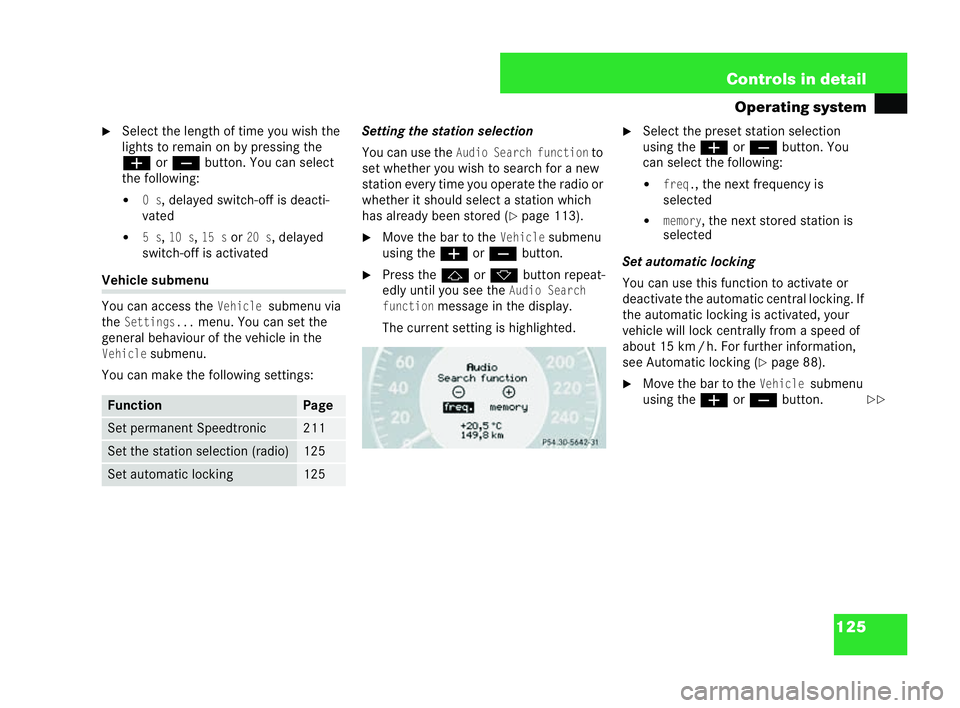
You can make the following settings: Setting the stati
onselection
You can use the
Audio Search functionto
set whether you wish to search for a new
station every time you operate the radio or
wh ether it should select a station which
has already been stored ( =pa ge 113).
6 Movethe bar to the
Vehi clesubmenu
using theæ orç button.
6 Press the jork button repeat-
edly until you see the
Audio Search
function
message in the display.
The current setting ishighlighted. 6
Select the preset station selection
using the æorç button. You
can select the following:
!
freq., the next frequency is
selected
!
memory, the next stored station is
selected
Set automatic locking
You can use this function to activate or
deactivate the automatic central locking. If
the automatic locking is activated, your
vehicle will lock centrally from a speed of
about 15 km /h. For further information,
see Automatic lockin g(
=page 88).
6 Move the bar tothe
Vehiclesubmenu
using the æorç button. Fu
nction Page
Set permanent Speedtronic 211
Set the station selection (radio) 125
Set autom
atic locking 125 P54.30-5222-31
==209en_d2.boo Seite
125 Dienstag, 25. Mai 2004 7:26 19
Page 130 of 453
127
Controls in detail
Operating system
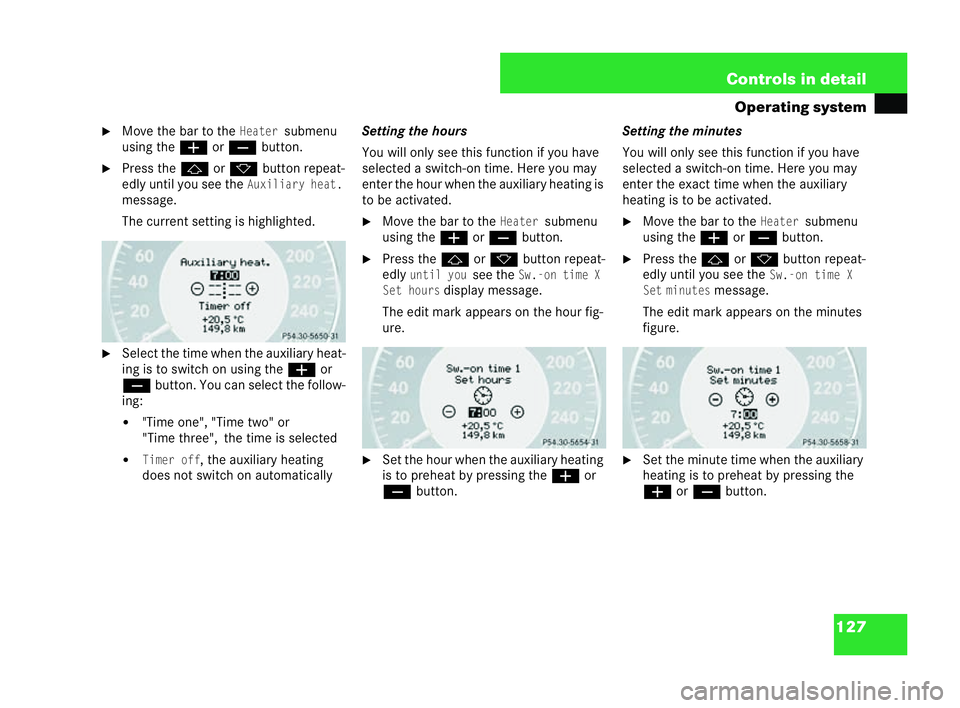
6 Move the bar to theHeatersubmenu
us ing the æ orç button.
6 Press the jork button repea t-
edly until you see the
Auxiliary heat.
message.
The current setting is highlighted.
6 Select the time when the auxiliary heat-
ing is to switch on using the æor
ç button. You can select the follow-
ing:
!
"Time one", "Time two" or
"Tim ethree",
the time is selected
!
Timer off, the auxiliary heating
does not switch on automatically Setting the hours
You will only see this function if
you have
selected a switch-on time. Here you may
enter the hour when the auxiliary heating is
to be activat ed.
6 Movethe bar to the
Heat ersubmenu
using theæ orç button.
6 Press the jork button repeat-
edly
until yousee theSw.-on time X
Set hours
display message.
The edi tmark appears on the hour fig-
ure.
6 Set the hour when the auxiliary heating
is to preheat by pressing the æor
ç button. Sett
ing the minutes
You wil lonly see this function if you have
selected a switch-on time. Here you may
enter the exa cttim ew hen the aux iliary
heating is to be activated.
6 Move the bar to the
Heatersubmenu
using the æorç button.
6 Press the jork button repeat-
edly until you see the
Sw.-on time X
Se tm inutes
mes sage.
The edit mark appears on the minutes
figur e.
6 Set the minute time when the auxiliary
heating is to preheat by pressing the
æ orç button.
P54.30-5224-31 P54.30-5225-31 P54.30-5226-31209en_d2.boo Seite
127 Dienstag, 25. Mai 2004 7:26 19
Page 134 of 453
131
Controls in detail
Operating system i
If you have switched onthis function and
folded in the exteri ormirrors using the button on
the centre console, themi rrors will not be folded
ou twhen the ignition is switched on. It isthen
only possible to fold out the mi rrors using the
button on the centre console.
6 Move the bar to theConveniencesub-
menu using the æorç button.
6 Press the korj button repea t-
edly until you see the
Fold in mirr ors
wh en locking
message inthe displ ay.
The current setting is highlighted.
6 Switch the Mirror setting when parking
function
onoroffusing the æor
ç button. You can call up statistical data for your
vehicle
inthe Trip computer menu.
You can call up the following information: Con
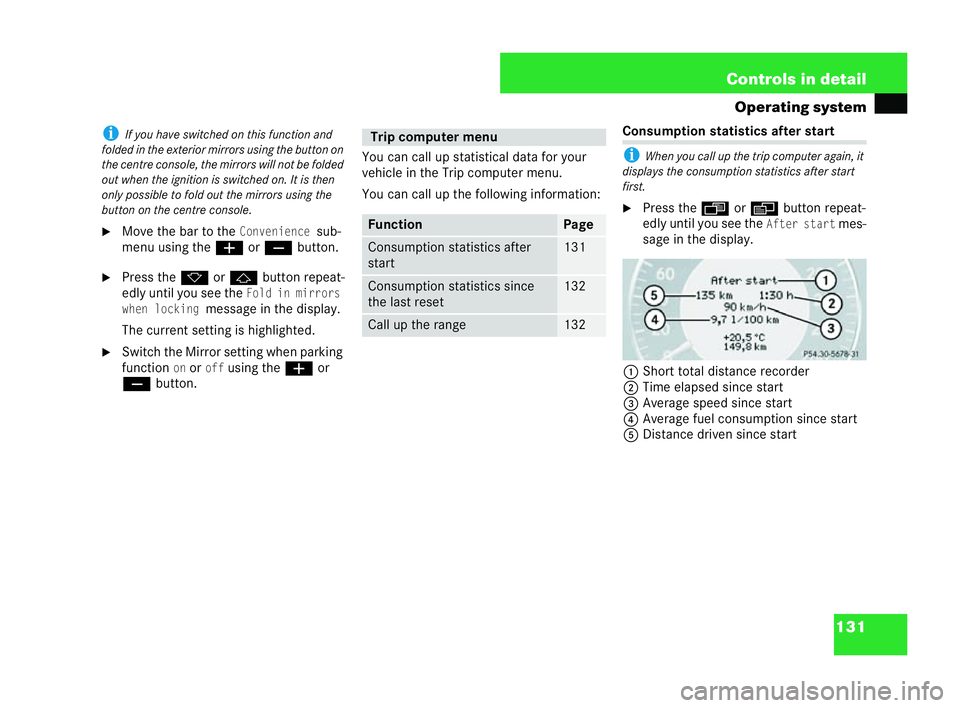
sumptio nstatistics after start
i Whenyou call up the trip computer again, it
displays the consumption statistics after start
first.
6 Press the ÿorè button repeat-
edly until you see the
After startmes-
sage in the display.
1 Short total distance recorder
2 Time elapsed since start
3 Average speed since start
4 Average fuel consumption since start
5 Distance driven since start Trip computer menu
Function Page
Consumption statistics after
start 131
Consumption statistics since
the
last reset 132
Ca
llup the range 132 P54.30-5231-31209en_d2.boo Seite
131 Dienstag, 25. Mai 2004 7:26 19
Page 135 of 453
132 Controls in detail
Operating systemi
If you turn the key to position 0in the ig ni-
tion lock or remove it, all the val uesar ere set
after appro ximately four hours.
The val uesarenot rese t ifyou turn th ekey back
to position 1or 2during th istime .
Resetting con sumption statistics
Press and hol dthe reset button on the left
in the instrument cluster ( =page 12) until
the consumption statist ics have been
reset to "0".
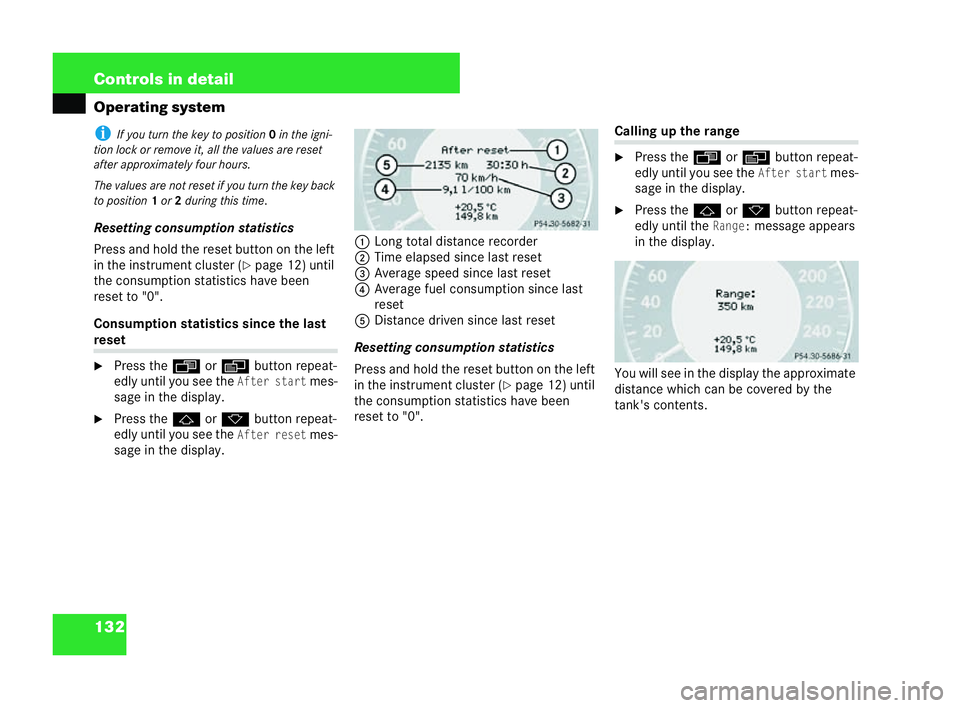
Consumption statistics since the last reset
6
Press the ÿorè button repeat-
edly until you see theAfter startmes-
sage in the display.
6 Pres s the j ork button repeat-
edly until you see the
After resetmes-
sage in the display. 1
Long total distance recorder
2 Time elapsed since last reset
3 Average speed since last reset
4 Average fuel consumption since last
reset
5 Distance driven since last res et
Resetting consumption statistics
Press and hold the reset button on the left
in the instrument cluster (
=page 12) until
the consumption statistics have been
re set to "0". Calling
uptherange
6 Press the ÿorè button repeat-
edly unt ilyou see the
After startmes-
sage in the display.
6 Press the jork button repea t-
edl yuntil the
Range:message appears
in the display.
You will see in the display the approximate
dist ance which can becovered bythe
tank's contents.
P54.30-5232-31 P54.30-5233-31209en_d2.boo Seite
132 Dienstag, 25. Mai 2004 7:26 19