start stop button MERCEDES-BENZ CLS-Class 2014 W218 User Guide
[x] Cancel search | Manufacturer: MERCEDES-BENZ, Model Year: 2014, Model line: CLS-Class, Model: MERCEDES-BENZ CLS-Class 2014 W218Pages: 382, PDF Size: 5.36 MB
Page 111 of 382
Position of the steering wheel for
driving
The steering wheel is moved to the last
selected position when:
R the driver's door is closed
R with KEYLESS-GO: you press the Start/
Stop button once on vehicles with
KEYLESS-GO
or
R with the SmartKey: you insert the
SmartKey into the ignition lock.
When you close the driver's door with the
ignition switched on, the steering wheel is
also automatically moved to the previously
set position.
The last position of the steering wheel is
stored when you switch off the ignition or
when you store the settingw ith the memory
function (Y page 112).
Crash-responsive EASY-EXIT feature If the crash-responsiv
eEASY-EXI Tfeature is
triggere dinana ccident,the steerin gcolumn
will mov eupwards when the driver's door is
opened. This occurs irrespective of the
position of the SmartKey in the ignition lock.
This makes it easier to exit the vehicle and
rescue the occupants.
The crash-responsiv eEASY-EXI Tfeature is
only operational if the EASY-EXIT/ENTRY
feature is activated in the on-board computer.
(Y page 233) Mirrors
Exterior mirrors
Adjusting th eexterior mirrors G
WARNING
You could lose control of your vehicle if you
do the followin gwhile driving:
R adjust the driver's seat ,head restraint,
steerin gwheel or mirrors
R fasten the seat belt
There is arisk of an accident.
Adjust the driver's seat, head restraint,
steerin gwheel and mirror and fasten your
seat belt before starting the engine. G
WARNING
The exterior mirror on the front-passenger
side reduces the size of the image. Visible
objects are actually closer than they appear.
This means that you could misjudge the
distanc efrom road users travelin gbehind,
e.g. when changin glane. There is arisk of an
accident.
For this reason, alway smake sure of the
actual distanc efrom the road users traveling
behind by glancin gover your shoulder. X
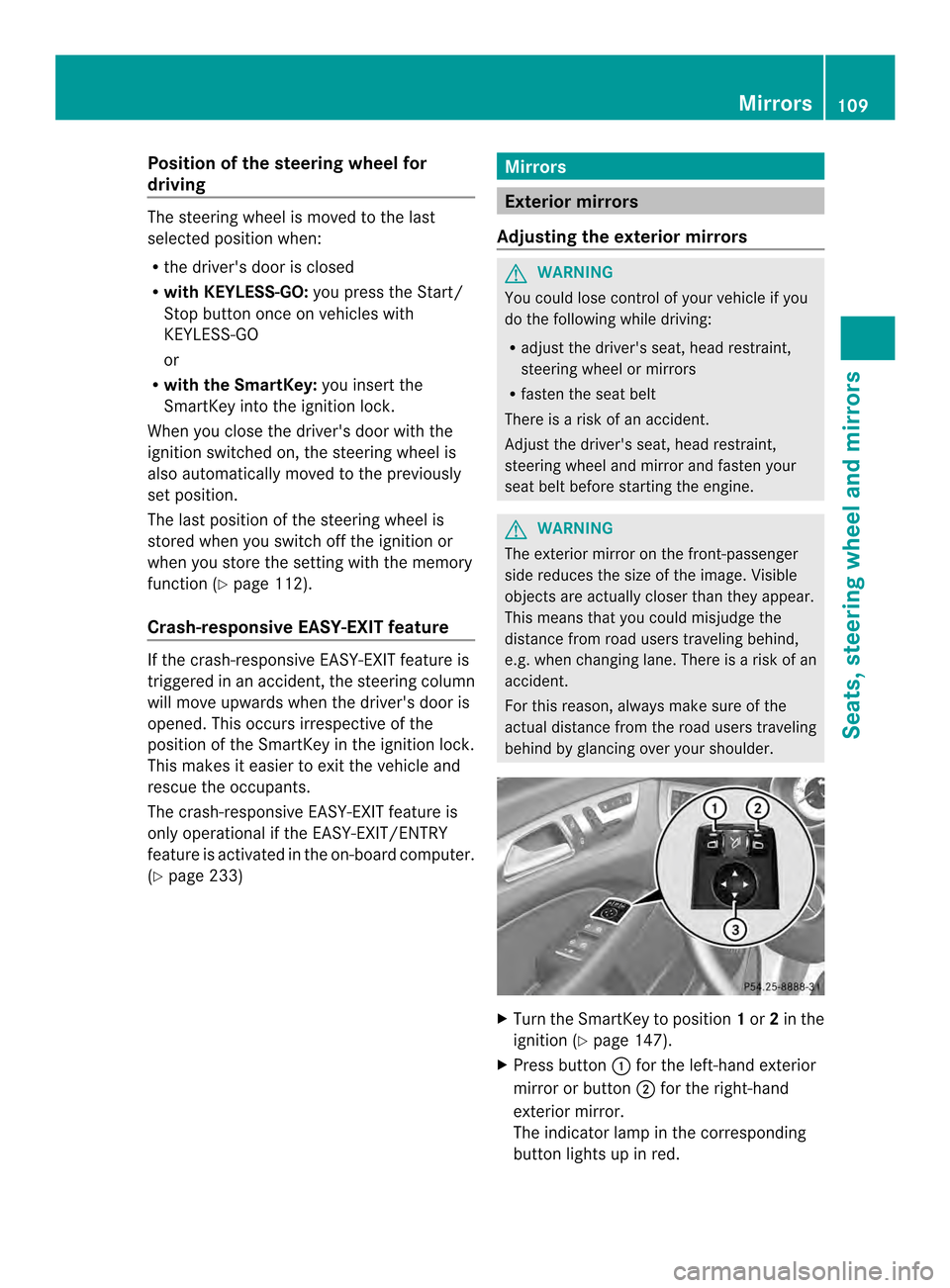
Turn the SmartKey to position 1or 2in the
ignition (Y page 147).
X Press button 001Afor the left-hand exterior
mirror or button 0010for the right-hand
exterior mirror.
The indicator lamp in the corresponding
button lights up in red. Mirrors
109Seats, steering wheel and mirrors Z
Page 130 of 382
Problems with the windshield wipers
Problem Possible causes/consequences and
000B Solutions
The windshield wipers
are jammed. Leaves or snow, for example, may be obstructing the windshield
wiper movement.T
he wiper motor has been deactivated.
X For safety reasons, you should remove the SmartKey from the
ignition lock.
or
X Switch off the engine using the Start/Stop button and open the
driver's door.
X Remove the cause of the obstruction.
X Switch the windshield wipers back on. The windshield wipers
fail completely. The windshield wiper drive is malfunctioning.
X
Select another wiper speed on the combination switch.
X Have the windshield wipers checked at aqualified specialist
workshop. 128
Windshield wipersLights and windshield wipers
Page 135 of 382
indicator lamp above the
0010button goes
out.
R Vehicles with COMAN DMultimedia-
System: if you change the settings of the
climate control system, the climate status
display appears for approximately three
seconds at the bottom of the screen in the
COMAND display. See also the separate
COMAND operating instructions .You will
see the current settings of the various
climate control functions.
ECO start/stop function During automatic engine switch-off, the ECO
start/stop function only operates at a
reduced capacity. If you require the full
climate control output, you can switch off the
ECO start/stop function by pressing the ECO
button (Y page 152). Overview of climate control systems
133Climate control
Page 137 of 382
Information abou
tusing 3-zone
automatic climate control
Automatic climate control The 3-zone automatic climate control is only
available on vehicles for Canada.
The following contains instructions and
recommendations to enable you to get the
most out of your automatic climate control.
R Activate climate control using the 000Dand
000C buttons. The indicato rlamps above
the 000D and000C buttons light up.
R In automatic mode, you can also use the
0011 buttontos etac limate mode
(FOCUS/MEDIUM/DIFFUSE). The
MEDIUM leve lisrecommended.
R Set th etem peratur etof72‡ (22 †).
R Only use th e"Windshield defrosting"
function briefly until th ewindshield is clear
again.
R Only use air-recirculation mod ebriefly, e.g.
if there are unpleasan toutside odor sor
when in atunnel. The windows could
otherwise fog up, since no fresh air is drawn
int ot he vehicl einair-recirculation mode.
R Use th eZON Efunction to adopt the
temperature setting sonthedriver's side
for the front-passenger side and the rear
compartment as well. The indicato rlamp
above the 0010button goes out.
R Use the residual heat function if you want
to heat or ventilate the vehicle interior
when the ignition is switched off. The
residual heat function can only be activated
or deactivated with the ignition switched
off.
R Vehicles with COMAND Multimedia-
System: if you change the settings of the
climate control system, the climate status
displaya ppears for approximately three
seconds at the bottom of the screen in the
COMAND display. See also the separate
COMAND operating instructions. You will
see the current settings of the various
climate control functions. ECO start/stop function During automatic engine switch-off,t
he ECO
start/stop function only operates at a
reduced capacity. If you require the full
climate control output, you can switch off the
ECO start/stop function by pressing the ECO
button (Y page 152). Operating the climate control
systems Switching climate control on/off
Points to observe before use When the climate control is switched off, the
air supply and air circulation are also
switched off. The windows could fog up.
Therefore, switch off climate control only
briefly
i
Activate climate control primarily using
the 000D button (Y page 137).
Activating/deactivating X
Turn the SmartKey to position 2in the
ignition lock (Y page 147).
X To switch on: press the000Dbutton on
the control panel for the climate control.
The indicator lamp in the 000Dbutton lights
up. Airflow and air distribution are set to
automatic mode.
or
X Press the 0007button.
The indicator lamp in the 0007button goes
out. The previously selected settings are
restored.
X To switch off: press the0007button.
The indicator lamp in the 0007button lights
up. Operating the climate control systems
135Climatecontrol
Page 149 of 382

G
WARNING
Unsuitable footwea rcan hinder correc tusage
of the pedals, e.g.:
R shoes with thick soles
R shoes with high heels
R slippers
There is arisk of an accident.
Wear suitable footwear to ensure correct
usage of the pedals. G
WARNING
If you switch off the ignition while driving,
safety-relevant functions are only available
with limitations, or not at all. This could affect,
for example, the power steering and the brake
boosting effect. You will require considerably
more effort to steer and brake. There is arisk
of an accident.
Do not switch off the ignition while driving. G
WARNING
If the parking brake has not been fully
released when driving, the parking brake can:
R overheat and cause afire
R lose its hold function.
There is arisk of fire and an accident. Release
the parking brake fully before driving off.
! Warm up the engine quickly. Do not use
the engine's full performance until it has
reached operating temperature.
Only shift the automatic transmission to
the desired drive position when the vehicle
is stationary.
Where possible,a void spinning the drive
wheels when pulling awayons lippery
roads. You could otherwise damage the
drive train.
! AMG vehicles: at low engine oil
temperatures below 68 ‡(+20 †), the
maximu mengine speed is restricte din
order to protect the engine .Toprotectt he
engine and maintain smooth engine operation, avoid driving at full throttle when
the engine is cold. Key positions
SmartKey 0018
To remove the SmartKey
(shift the transmission to position P)
0001 Power supply for some consumers, such
as the windshield wipers
0002 Ignition (power supply for all consumers)
and drive position
0003 To start the engine
i The SmartKey can be turned in the
ignition lock even if it is not the correct
SmartKey for the vehicle. The ignition is not
switched on. The engine cannot be started.
KEYLESS-GO General notes
R
Do not store the KEYLESS-GO key together
with:
-electronic devices, e.g. amobile phone
or another SmartKey
- metallic objects, e.g. coins or metal film
R Do not keep the KEYLESS-GO key in metal
objects, e.g. metal cases.
This can affect the functionality of
KEYLESS-GO.
Vehicles with KEYLESS-GO are equipped with
keys featuring the integrated KEYLESS-GO
function and adetachable Start/Stop button. Driving
147Driving and parking Z
Page 150 of 382
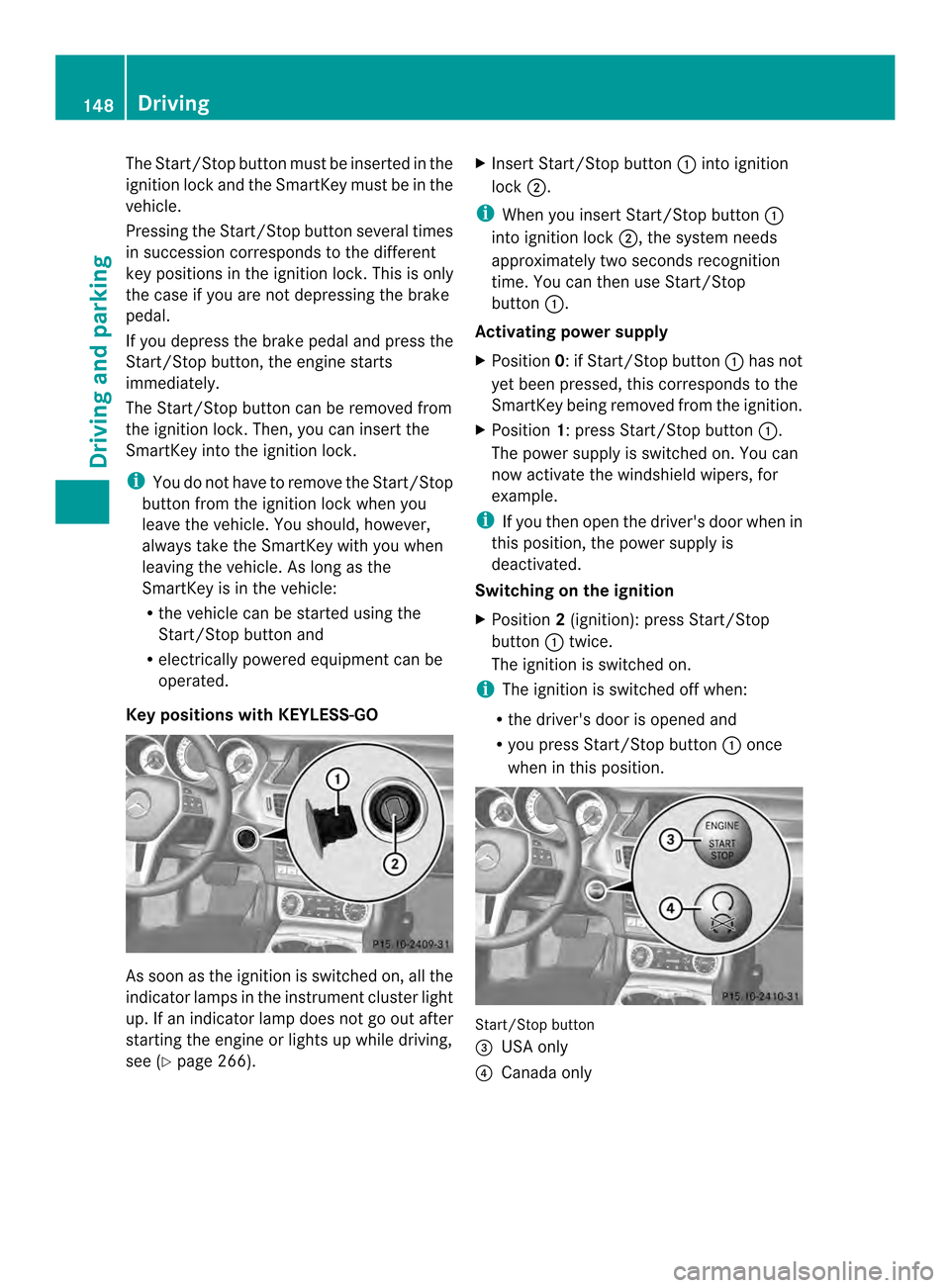
The Start/Stop button must be inserted in the
ignition lock and the SmartKey must be in the
vehicle.
Pressing the Start/Stop button several times
in succession corresponds to the different
key positions in the ignition lock. This is only
the case if you are not depressing the brake
pedal.
If you depress the brake pedal and press the
Start/Stop button ,the engine starts
immediately.
The Start/Stop button can be removed from
the ignition lock. Then, you can insert the
SmartKey into the ignition lock.
i You do not have to remove the Start/Stop
button from the ignition lock when you
leave the vehicle. You should, however,
alway stake the SmartKey with you when
leaving the vehicle. As long as the
SmartKey is in the vehicle:
R the vehicle can be started using the
Start/Stop button and
R electrically powered equipment can be
operated.
Key positions with KEYLESS-GO As soon as the ignition is switched on, all the
indicator lamps in the instrument cluster light
up. If an indicator lamp does not go out after
starting the engine or lights up while driving,
see (Y page 266). X
Insert Start/Stop button 001Ainto ignition
lock 0010.
i When you insert Start/Stop button 001A
into ignition lock 0010,the system needs
approximately two seconds recognition
time. You can then use Start/Stop
button 001A.
Activating power supply
X Position 0:ifStart/Stop button 001Ahas not
yet been pressed, this corresponds to the
SmartKey being removed from the ignition.
X Position 1:press Start/Stop button 001A.
The power supply is switched on. You can
now activat ethe windshield wipers, for
example.
i If you then open the driver's door when in
this position, the power supply is
deactivated.
Switching on the ignition
X Position 2(ignition): press Start/Stop
button 001Atwice.
The ignition is switched on.
i The ignition is switched off when:
R the driver's door is opened and
R you press Start/Stop button 001Aonce
when in this position. Start/Stop button
0024
USA only
0021 Canada only 148
DrivingDriving and parking
Page 151 of 382
Starting the engine
Important safety notes G
WARNING
If children are left unsupervised in the vehicle,
they could:
R open the doors, thus endangering other
people or road users.
R get out and disrupt traffic.
R operate the vehicle's equipment.
Additionally, children could set the vehicle in
motion if, for example, they:
R release the parking brake.
R shift the automatic transmission out of
parking position P.
R startingt he engine.
There is arisk of an accident and injury.
When leaving the vehicle, always take the
SmartKey with you and lock the vehicle. Never
leave children or animals unattended in the
vehicle. Always keep the SmartKey out of
reach of children. G
WARNING
Combustion engines emit poisonous exhaust
gases such as carbon monoxide. Inhaling
these exhaust gases leads to poisoning. There
is ar isk of fatal injury. Therefore never leave
the engine running in enclosed spaces
without sufficient ventilation. G
WARNING
Flammable materials introduced through
environmental influence or by animals can
ignite if in contact with the exhaust system or
parts of the engine that heat up. There is arisk
of fire.
Carry out regular checkstom ake sure that
there are no flammable foreign materials in
the engine compartmen torinthe exhaust
system.
! Do not depress the accelerator pedal
when startingt he engine. General notes i
The catalytic converter is preheated for
up to 30 seconds after acold start. The
sound of the engine may change during this
time.
Automatic transmission X
Shift the transmission to position P.
The transmission position display in the
multifunction display shows P.
i You can also start the engine when the
transmission is in position N.
Starting procedurew ith the SmartKey i
To start the engine using the SmartKey
instead of KEYLESS-GO, pull the Start/
Stop button out of the ignition lock.
X Turn the SmartKey to position 3in the
ignition lock (Y page 147) and release it as
soon as the engine is running.
Using KEYLESS-GO to startt he engine i
The Start/Stop button can be use dto
start the vehicle manually without inserting
the SmartKey into the ignition lock. The
Start/Stop button must be inserted in the
ignition lock and the SmartKey must be in
the vehicle. This mode for starting the
engine operates independently of the ECO
start/stop automatic engine start function.
X Depress the brake pedal and keep it
depressed.
X Press the Start/Stop button once
(Y pag e147).
The engine starts. Driving
149Driving and parking Z
Page 153 of 382
Important safety notes
G
WARNING
If th eengineiss witched off automatically and
you exit th evehicle, th eengine is restarted
automatically. The vehicl emay begi nmoving.
There is arisk of accident and injury.
If you wish to exit the vehicle, alwayst urn off
the ignition and secure the vehicle against
rolling away.
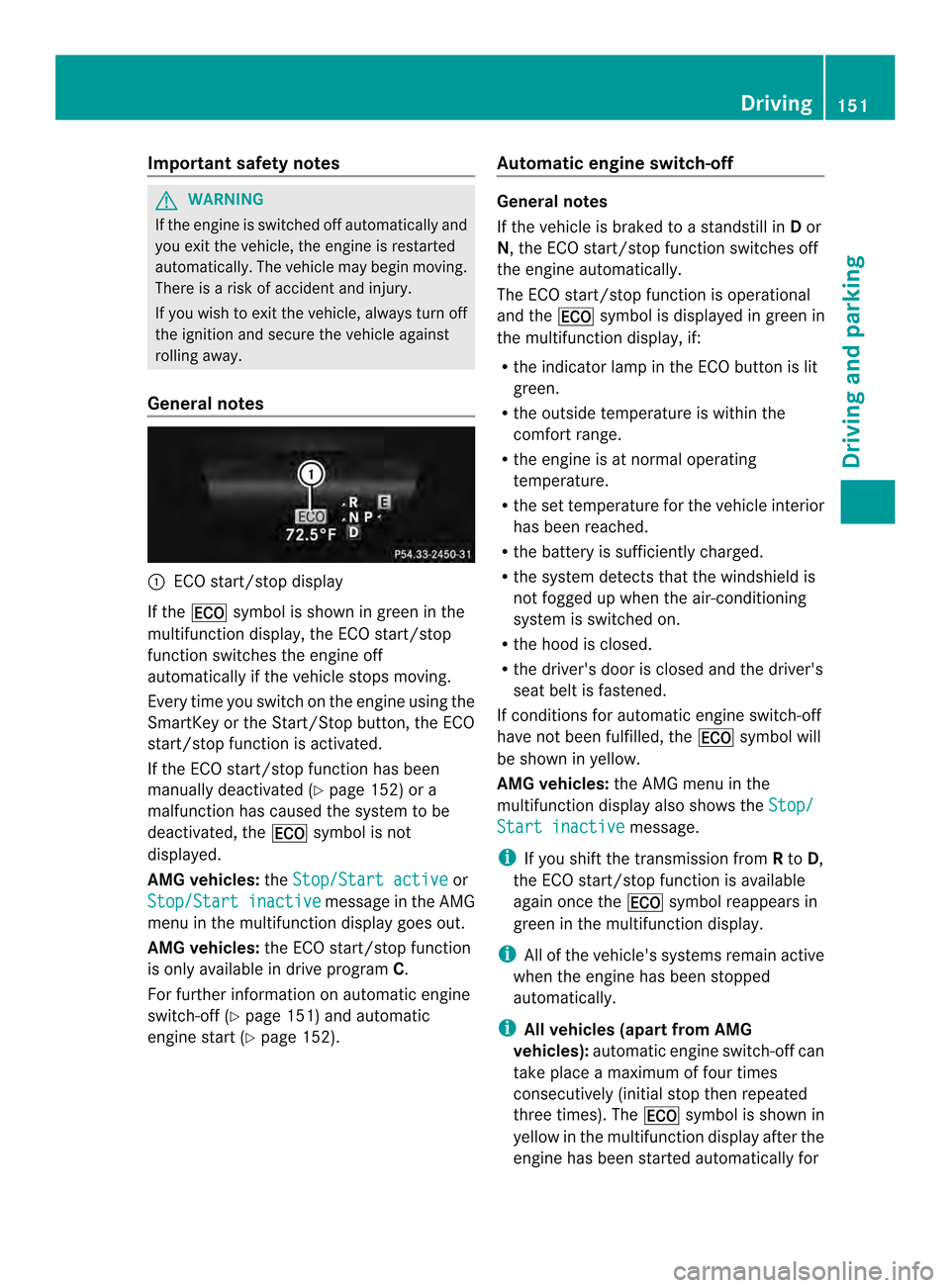
General notes 001A
ECO start/stop display
If the 000C symbol is shown in green in the
multifunction display ,the ECO start/stop
function switches the engine off
automatically if the vehicle stops moving.
Every time you switch on the engine using the
SmartKey or the Start/Stop button ,the ECO
start/stop function is activated.
If the ECO start/stop function has been
manually deactivated (Y page 152) or a
malfunction has caused the system to be
deactivated, the 000Csymbol is not
displayed.
AMG vehicles: theStop/Start active or
Stop/Start inactive message in the AMG
menu in the multifunction display goes out.
AMG vehicles: the ECO start/stop function
is only available in drive program C.
For further information on automatic engine
switch-off (Y page 151) and automatic
engine start (Y page 152). Automatic engine switch-off General notes
If the vehicle is braked to
astandstill in Dor
N,t he ECO start/stop function switches off
the engine automatically.
The ECO start/stop function is operational
and the 000Csymbol is displayed in green in
the multifunction display ,if:
R the indicator lamp in the ECO button is lit
green.
R the outside temperature is within the
comfor trange.
R the engine is at normal operating
temperature.
R the set temperature for the vehicle interior
has been reached.
R the battery is sufficiently charged.
R the system detect sthat the windshield is
not fogged up when the air-conditioning
system is switched on.
R the hood is closed.
R the driver's door is closed and the driver's
seat belt is fastened.
If conditions for automatic engine switch-off
have not been fulfilled, the 000Csymbol will
be shown in yellow.
AMG vehicles: the AMG menu in the
multifunction display also shows the Stop/ Start inactive message.
i If you shift the transmission from Rto D,
the ECO start/stop function is available
again once the 000Csymbol reappears in
green in the multifunction display.
i All of the vehicle's systems remain active
when the engine has been stopped
automatically.
i All vehicles (apartf rom AMG
vehicles): automatic engine switch-off can
take place amaximum of four times
consecutively (initial stop then repeated
three times). The 000Csymbol is shown in
yellow in the multifunction display after the
engine has been started automatically for Driving
151Driving and parking Z
Page 154 of 382
the fourth time. When the
000Csymbo lis
shown in green in the multifunctio ndisplay,
automatic engine switch-off is again
possible.
i AMG vehicles: times which the engine
can be automatically switched off.
i The HOL Dfunction can also be activated
if the engine has been switched off
automatically. It is the nnot necessary to
continue applying the brakes durin gthe
automatic stop phase. When you depress
the accelerator pedal, the engine starts
automatically and the braking effect of the
HOL Dfunction is deactivated.
Automatic engine start The engine start
sautomatically if:
R you switc hoff the ECO start/stop function
by pressing the ECO button.
R you release the brakes when in
transmission position Dor Nand when the
HOL Dfunction is not active.
R you depres sthe accelerator pedal.
R you engage reverse gear R.
R you mov ethe transmission out of position
P.
R you switc htodrive program S,S+ orM
(AMG vehicles).
R you unfasten your seat belt or open the
driver's door.
R the vehicle start storoll.
R the brak esystem require sthis.
R the temperature in the vehicle interior
deviates fro mthe set range.
R the system detectsm oisture on the
windshield when the air-conditioning
system is switched on.
R the charge level of the battery is too low.
i Shiftingt he transmission to position P
does not start the engine.
i If you shift the transmission from Rto D,
the ECO start/stop function is available again once the
000Csymbol reappears in
green in the multifunction display.
Deactivating/activating the ECO start/
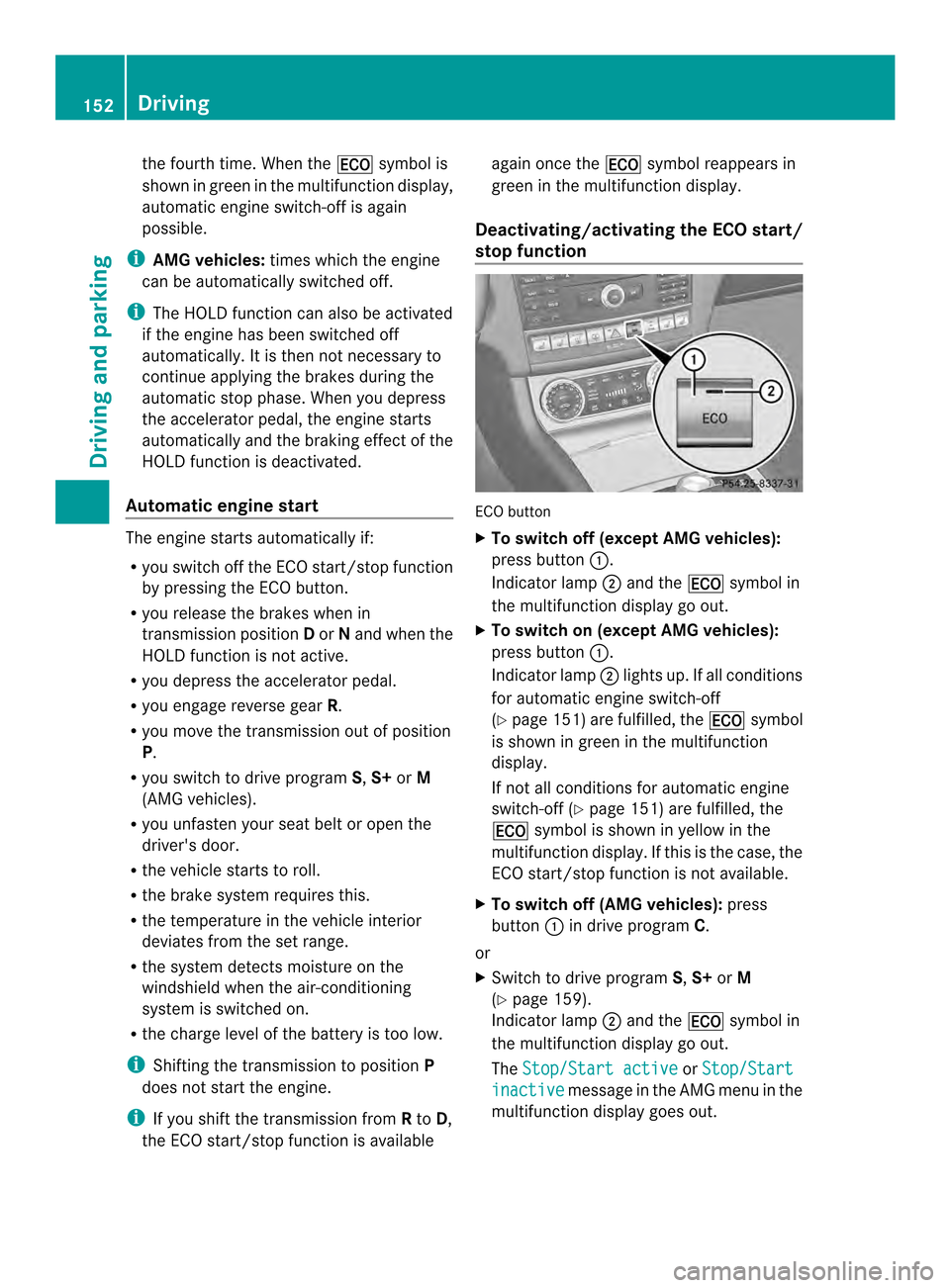
stop function ECO button
X
To switch off (except AMG vehicles):
press button 001A.
Indicator lamp 0010and the 000Csymbol in
the multifunction displaygoo ut.
X To switch on (except AMG vehicles):
press button 001A.
Indicator lamp 0010lights up. If all conditions
for automatic engine switch-off
(Y page 151) are fulfilled,t he000C symbol
is shown in green in the multifunction
display.
If not all conditionsf or automatic engine
switch-off (Y page 151) are fulfilled,t he
000C symbol is shown in yellow in the
multifunction display. If this is the case, the
ECO start/stop function is not available.
X To switch off (AMG vehicles): press
button 001Ain drive program C.
or
X Switch to drive program S,S+ orM
(Y page 159).
Indicator lamp 0010and the 000Csymbol in
the multifunction displaygoo ut.
The Stop/Start active or
Stop/Start inactive message in the AMG menu in the
multifunction displayg oes out.152
DrivingDriving and parking
Page 155 of 382
X
To switc hon(AMG vehicles): press
button 001A.
Indicator lamp 0010lights up. If drive
program S,S+ orMis active, the automatic
transmission switches to drive program C.
If all conditions for automatic engine
switch-off (Y page 151) are fulfilled, the
000C symbol is shown in green in the
multifunction display. In addition, the
Stop/Start active message is shown in
the AMG menu in the multifunction display.
If conditions for automatic engine switch-
off (Y page 151) have not been fulfilled, the
000C symbol will be shown in yellow. If this
is the case, the ECO start/stop function is
not available. In addition, the Stop/Startinactive message is shown in the AMG
menu in the multifunction display.
i If indicator lamp 0010is off, the ECO start/
stop function has been deactivated
manually or as the result of amalfunction.
The engin ewill then not be switched off
automatically when the vehicle stops. Driving
153Driving and parking Z