display MERCEDES-BENZ E-CLASS CABRIOLET 2017 Manual PDF
[x] Cancel search | Manufacturer: MERCEDES-BENZ, Model Year: 2017, Model line: E-CLASS CABRIOLET, Model: MERCEDES-BENZ E-CLASS CABRIOLET 2017Pages: 521, PDF Size: 10.64 MB
Page 251 of 521
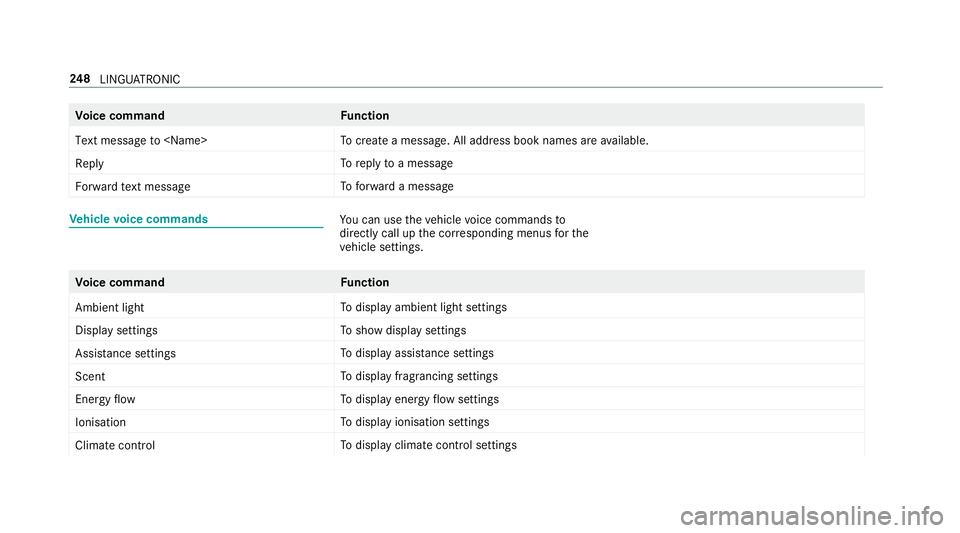
Vo
ice command Function
Text message to
crea tea message. All address book names are available.
Reply To
reply toa message
Forward text message To
forw ard a message Ve
hicle voice commands Yo
u can use theve hicle voice commands to
directly call up the cor responding menus forthe
ve hicle settings. Vo
ice command Function
Ambient light To
display ambient light settings
Display settings To
show display settings
Assistance settings To
display assis tance settings
Scent To
display fragrancing settings
Energy flow To
display energy flow settings
Ionisation To
display ionisation settings
Climate control To
display climate control settings 248
LINGU ATRO NIC
Page 252 of 521
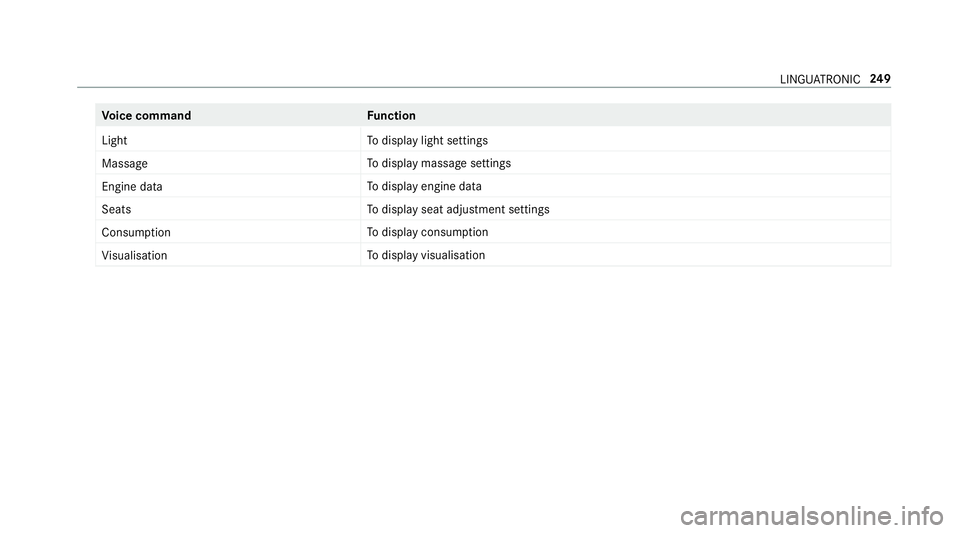
Vo
ice command Function
Light To
display light settings
Massage To
display massage settings
Engine data To
display engine data
Seats To
display seat adjustment settings
Consumption To
display consum ption
Visualisation To
display visualisation LINGU
ATRO NIC 249
Page 253 of 521
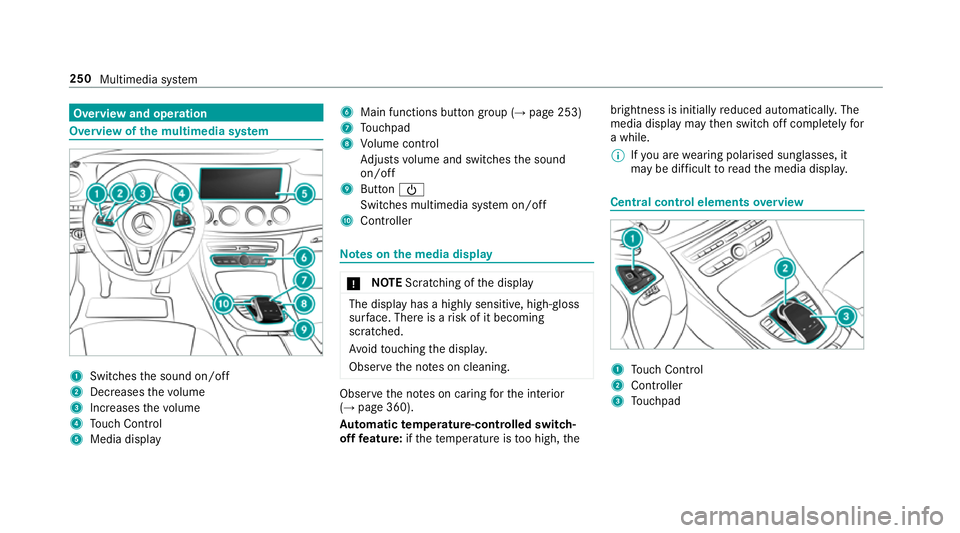
Overview and operation
Overview of
the multimedia sy stem 1
Swit ches the sound on/off
2 Decre asesthevo lume
3 Increases thevo lume
4 Touch Control
5 Media displ ay 6
Main functions button group (→ page 253)
7 Touchpad
8 Volume control
Ad justs volume and switches the sound
on/off
9 Button Ü
Switches multimedia sy stem on/off
A Controller Note
s onthe media display *
NO
TEScratching of the display The display has a highly sensitive, high-gloss
sur
face. The reis a risk of it becoming
scratched.
Av oid touching the displa y.
Obser vethe no tes on cleaning. Obser
vethe no tes on caring forth e interior
(→ page 360).
Au tomatic temperature-cont rolled switch-
off feature: ifth ete mp erature is too high, the brightness is initially
reduced automatically. The
media display may then switch off comple tely for
a while.
% Ifyo u are wearing polarised sun glasses, it
may be dif ficult toread the media displa y. Central control elements
overview 1
Touch Control
2 Controller
3 Touchpad 250
Multimedia sy stem
Page 255 of 521
#
Turn 3 left or right. #
Slide 1 left orright. #
Slide 4 up or down. #
Slide 2 diagonally. #
Press 7brief lyor press and hold. To
uchpad Switching
theto uchpad on/off
Re quirement:
The vehicle is equipped with a contro ller.
Multimedia sy stem:
, System .
w Input #
Switch Touchpad onO or off ª.
Operating theto uchpad
Re quirement:
Fo rve hicles with a contro ller:theto uchpad is
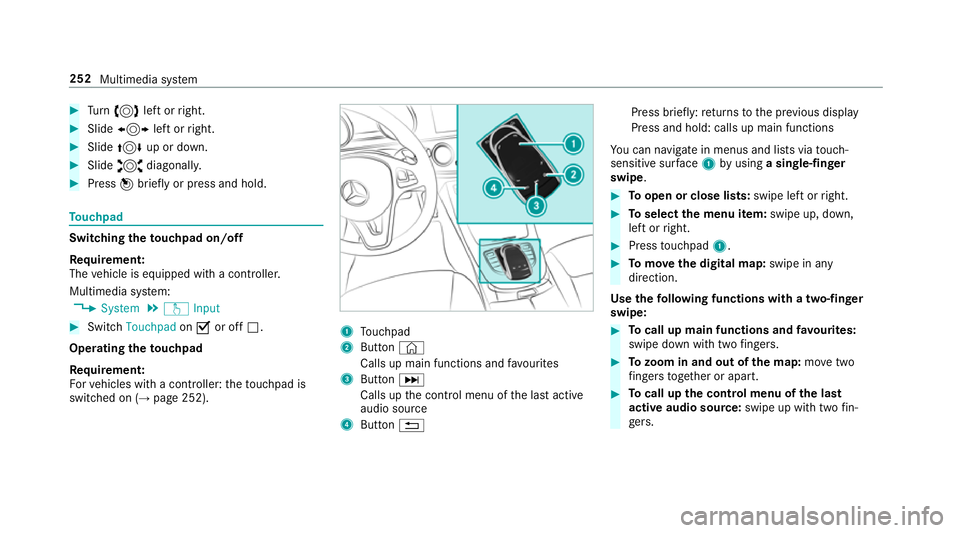
swit ched on (→ page 252). 1
Touchpad
2 Button©
Calls up main functions and favo urites
3 ButtonD
Calls up the control menu of the last active
audio source
4 Button % Press brief
ly:re turns tothe pr evious display
Press and hold: calls up main functions
Yo u can navigate in menus and lists via touch-
sensitive sur face 1 byusing a single-finger
swipe. #
Toopen or close lists: swipe left orright. #
Toselect the menu item: swipe up, down,
left or right. #
Press touchpad 1. #
Tomo vethe digital map: swipe in any
direction.
Use thefo llowing functions with a two-finger
swipe: #
Tocall up main functions and favo urites:
swipe down with two fingers. #
Tozoom in and out of the map: movetwo
fi ngers toget her or apart. #
Tocall up the control menu of the last
active audio source: swipe up with twofin‐
ge rs. 252
Multimedia sy stem
Page 261 of 521
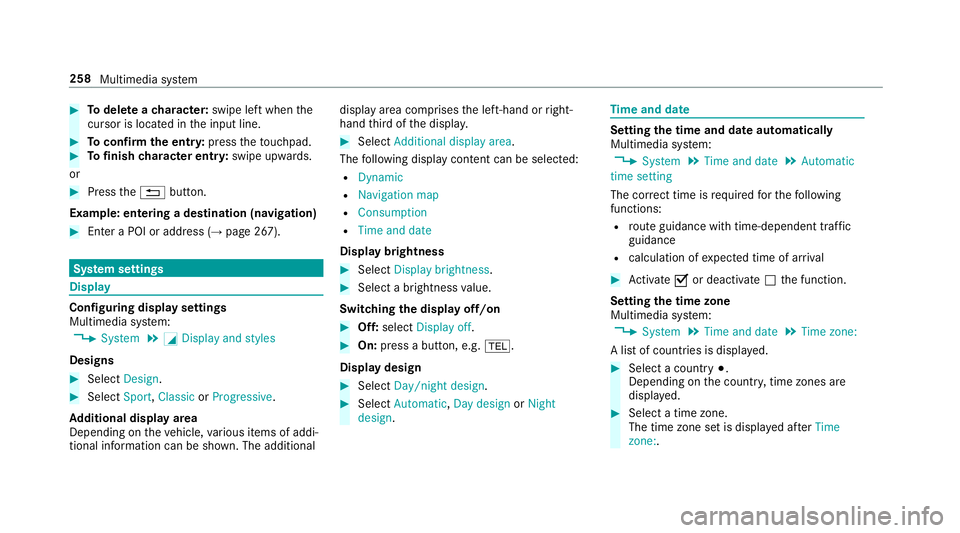
#
Todel ete a character: swipe left when the
cursor is loca ted in the input line. #
Toconfirm the entr y:press theto uchpad. #
Tofinish character entr y:swipe upwards.
or #
Press the% button.
Example: entering a destination (navigation) #
Ente r a POI or addre ss (→page 267). Sy
stem settings Display
Configuring display settings
Multimedia sy
stem:
, System .
G Display and styles
Designs #
Select Design. #
Select Sport,Classic orProgressive.
Ad ditional displ ayarea
Depending on theve hicle, various items of addi‐
tional information can be shown. The additional display area comprises
the left-hand or right-
hand third of the displa y. #
Select Additional display area .
The following display con tent can be selected:
R Dynamic
R Navigation map
R Consumption
R Time and date
Displ aybrightness #
Select Display brightness . #
Select a brightness value.
Switching the display off/on #
Off: select Display off . #
On: press a button, e.g. %.
Display design #
Select Day/night design . #
Select Automatic, Day design orNight
design . Time
and date Setting
the time and da teautomatically
Multimedia sy stem:
, System .
Time and date .
Automatic
time setting
The cor rect time is requ ired forth efo llowing
functions:
R route guidance with time-dependent traf fic
guidance
R calculation of expected time of ar rival #
Activate Oor deacti vate ª the function.
Setting the time zone
Multimedia sy stem:
, System .
Time and date .
Time zone:
A list of count ries is displa yed. #
Select a count ry#.
Depending on the count ry, time zones are
displa yed. #
Select a time zone.
The time zone set is displa yed af terTime
zone:. 258
Multimedia sy stem
Page 264 of 521
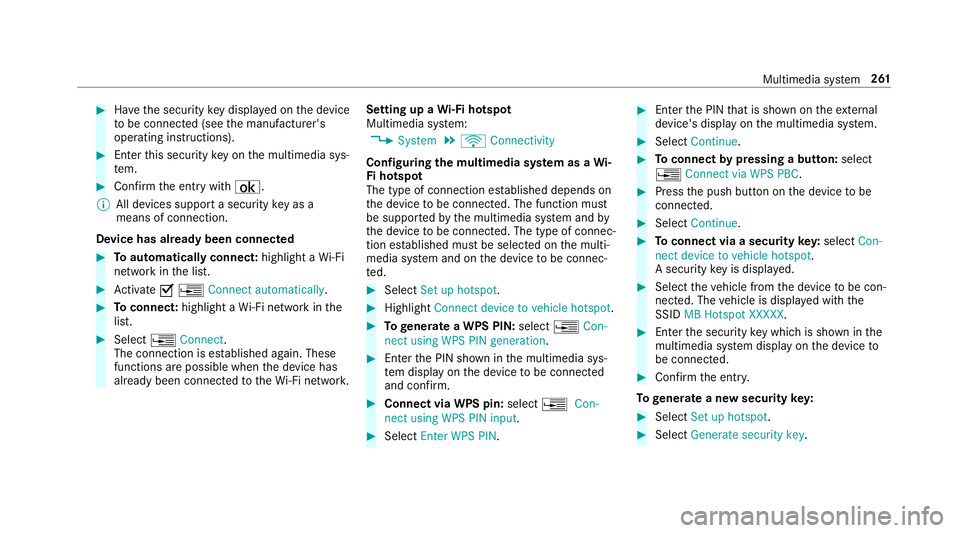
#
Have the security key displa yed on the device
to be connec ted (see the manufacturer's
operating instructions). #
Ente rth is security key on the multimedia sys‐
te m. #
Confirm the entry with¡.
% All devices support a security key as a
means of connection.
Device has already been connec ted#
Toautomatically connect: highlight aWi-Fi
network in the list. #
Activate O¥ Connect automatically. #
Toconnect: highlight a Wi-Fi network in the
list. #
Select ¥Connect.
The connection is es tablished again. These
functions are possible when the device has
already been connected totheWi -Fi networ k.Setting up a
Wi-Fi hotspot
Multimedia sy stem:
, System .
ö Connectivity
Configuring the multimedia sy stem as a Wi-
Fi hotspot
The type of connection es tablished depends on
th e device tobe connec ted. The function must
be suppor tedby the multimedia sy stem and by
th e device tobe connec ted. The type of connec‐
tion es tablished must be selected on the multi‐
media sy stem and on the device tobe connec‐
te d. #
Select Set up hotspot. #
Highlight Connect device to vehicle hotspot. #
Togenerate a WPS PIN: select¥Con-
nect using WPS PIN generation. #
Ente rth e PIN shown in the multimedia sys‐
te m display on the device tobe connec ted
and con firm. #
Connect via WPS pin: select¥Con-
nect using WPS PIN input. #
Select Enter WPS PIN. #
Enterth e PIN that is shown on theex tern al
device's display on the multimedia sy stem. #
Select Continue. #
Toconnect bypressing a button: select
¥ Connect via WPS PBC . #
Press the push button on the device tobe
connec ted. #
Select Continue. #
Toconnect via a security key:select Con-
nect device to vehicle hotspot.
A security key is displa yed. #
Select theve hicle from the device tobe con‐
nec ted. The vehicle is displa yed with the
SSID MB Hotspot XXXXX . #
Enter the security key which is shown in the
multimedia sy stem display on the device to
be connec ted. #
Confirm the entry.
To generate a new security key: #
Select Set up hotspot . #
Select Generate security key . Multimedia sy
stem 261
Page 272 of 521
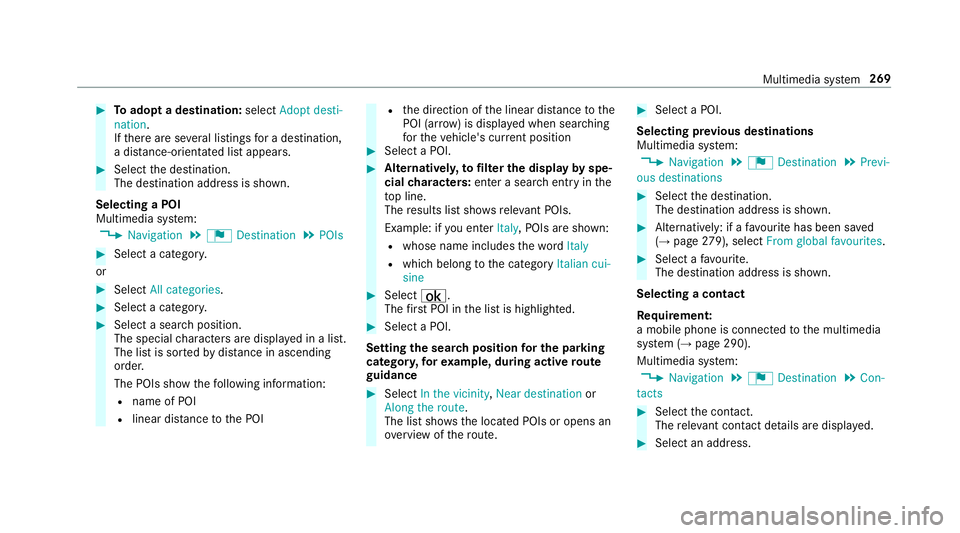
#
Toadopt a destination: selectAdopt desti-
nation.
If th ere are se veral listings for a destination,
a dis tance-o rientated list appears. #
Select the destination.
The destination address is shown.
Selecting a POI
Multimedia sy stem:
, Navigation .
¬ Destination .
POIs #
Select a categor y.
or #
Select All categories. #
Select a categor y. #
Select a sea rch position.
The special characters are displa yed in a list.
The list is sor tedby distance in ascending
orde r.
The POIs show thefo llowing information:
R name of POI
R linear dis tance tothe POI R
the direction of the linear dis tance tothe
POI (ar row) is displa yed when sear ching
fo rth eve hicle's cur rent position #
Select a POI. #
Altern ativel y,to filter the display byspe‐
cial characters: enter a sea rch entry in the
to p line.
The results list sho wsreleva nt POIs.
Example: if you en terItaly, POIs are shown:
R whose name includes thewo rdItaly
R which belong tothe category Italian cui-
sine #
Select ¡.
The firs t POI in the list is highlighted. #
Select a POI.
Setting the sear chposition for the parking
ca tegor y,forex ample, during active route
guidance #
Select In the vicinity ,Near destination or
Along the route.
The list sho ws the located POIs or opens an
ove rview of thero ute. #
Select a POI.
Selecting pr evious destinations
Multimedia sy stem:
, Navigation .
¬ Destination .
Previ-
ous destinations #
Select the destination.
The destination address is shown. #
Alternatively: if a favo urite has been sa ved
( → page 279), sele ctFrom global favourites . #
Select a favo urite.
The destination address is shown.
Selecting a contact
Re quirement:
a mobile phone is connec tedto the multimedia
sy stem (→ page 290).
Multimedia sy stem:
, Navigation .
¬ Destination .
Con-
tacts #
Select the conta ct.
The releva nt contact de tails are displa yed. #
Select an address. Multimedia sy
stem 269
Page 273 of 521
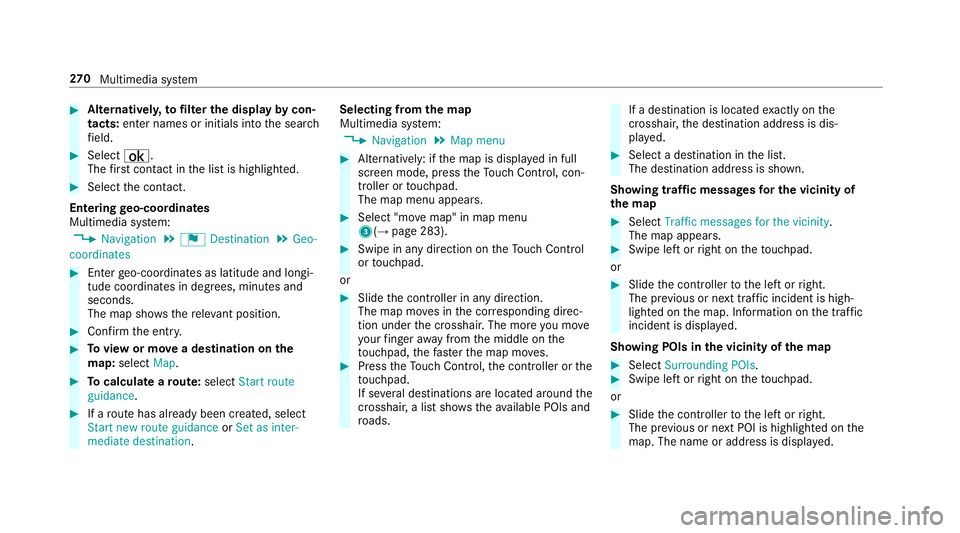
#
Alternativel y,to filter the display bycon‐
tacts: enter names or initials into the sear ch
fi eld. #
Select ¡.
The firs t contact in the list is highlighted. #
Select the conta ct.
En tering geo-coordina tes
Multimedia sy stem:
, Navigation .
¬ Destination .
Geo-
coordinates #
Ente rge o-coordinates as latitude and longi‐
tude coordinates in degrees, minutes and
seconds.
The map sho ws there leva nt position. #
Confirm the entry. #
Toview or mo vea destination on the
map: select Map. #
Tocalculate a route: select Start route
guidance. #
If a route has already been created, select
Start new route guidance orSet as inter-
mediate destination . Selecting from
the map
Multimedia sy stem:
, Navigation .
Map menu #
Alternatively: if the map is displa yed in full
screen mode, press theTo uch Control, con‐
troller or touchpad.
The map menu appears. #
Select "mo vemap" in map menu
3(→ page 283). #
Swipe in any direction on theTo uch Control
or touchpad.
or #
Slide the controller in any direction.
The map mo ves in the cor responding direc‐
tion under the crosshair. The more you mo ve
yo ur finger away from the middle on the
to uchpad, thefast erthe map mo ves. #
Press theTo uch Control, the controller or the
to uchpad.
If se veral destinations are located around the
crosshair, a li stsho wstheav ailable POIs and
ro ads. If a destination is located
exact ly on the
crosshair, the destination address is dis‐
pla yed. #
Select a destination in the list.
The destination address is shown.
Showing traf fic messages for the vicinity of
the map #
Select Traffic messages for the vicinity.
The map appears. #
Swipe le ftor right on theto uchpad.
or #
Slide the controller tothe left or right.
The pr evious or next traf fic incident is high‐
lighted on the map. Information on the tra ffic
incident is displa yed.
Showing POIs in the vicinity of the map #
Select Surrounding POIs . #
Swipe left or right on theto uchpad.
or #
Slide the controller tothe left or right.
The pr evious or next POI is highligh ted on the
map. The name or addre ss is displayed. 270
Multimedia sy stem
Page 274 of 521
#
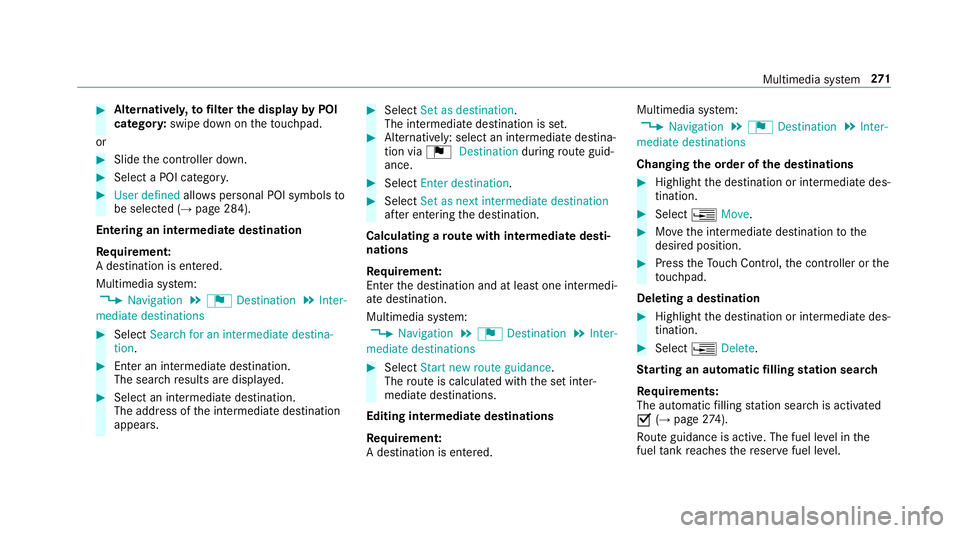
Alternativel y,to filter the display byPOI
categor y:swipe down on theto uchpad.
or #
Slide the controller down. #
Select a POI categor y.#
User defined allowspersonal POI symbols to
be selected (→ page 284).
Entering an intermedia tedestination
Re quirement:
A destination is entered.
Multimedia sy stem:
, Navigation .
¬ Destination .
Inter-
mediate destinations #
Select Search for an intermediate destina-
tion . #
Ente r an intermedia tedestination.
The sear chresults are displa yed. #
Select an intermediate destination.
The address of the intermediate destination
appears. #
Select Set as destination.
The intermediate destination is set. #
Alternatively: select an intermediate destina‐
tion via ¬Destination duringroute guid‐
ance. #
Select Enter destination. #
Select Set as next intermediate destination
af te r entering the destination.
Calculating a route with intermediate desti‐
nations
Re quirement:
En terth e destination and at least one intermedi‐
ate destination.
Multimedia sy stem:
, Navigation .
¬ Destination .
Inter-
mediate destinations #
Select Start new route guidance.
The route is calculated with the set inter‐
mediate destinations.
Editing intermedia tedestinations
Re quirement:
A destination is entered. Multimedia sy
stem:
, Navigation .
¬ Destination .
Inter-
mediate destinations
Changing the order of the destinations #
Highlight the destination or intermediate des‐
tination. #
Select ¥Move. #
Movethe intermediate destination tothe
desired position. #
Press theTo uch Control, the controller or the
to uchpad.
Deleting a destination #
Highlight the destination or intermediate des‐
tination. #
Select ¥Delete.
St arting an automatic filling station sear ch
Re quirements:
The automatic filling station sear chis activated
O (→page 274).
Ro ute guidance is active. The fuel le vel in the
fuel tank reaches there ser vefuel le vel. Multimedia sy
stem 271
Page 278 of 521
Ro
ute guidance Note
s onroute guidance
Ro ute guidance begins once a route has been
calculated.
The road and traf fic ru les and regulations alw ays
ha ve priority over multimedia sy stem driving rec‐
ommendations.
Driving recommendations are:
R Navigation announcements
R Route guidance displ ays
R Lane recommendations
If yo u do not follow the navigation announce‐
ments or if you lea vethe calculated route, a new
ro ute is calculated automaticall y.
Driving recommendations may di ffer from the
actual road and traf fic conditions if:
R thero ute is diver ted
R the direction of a one- wayst re et has
ch anged
Fo rth is reason, you must alw ays obser veroad
and traf fic ru les and regulations during your
journe y. The
route may dif fer from the ideal route due to
th efo llowing:
R roadwor ks
R incomple tedigital map data
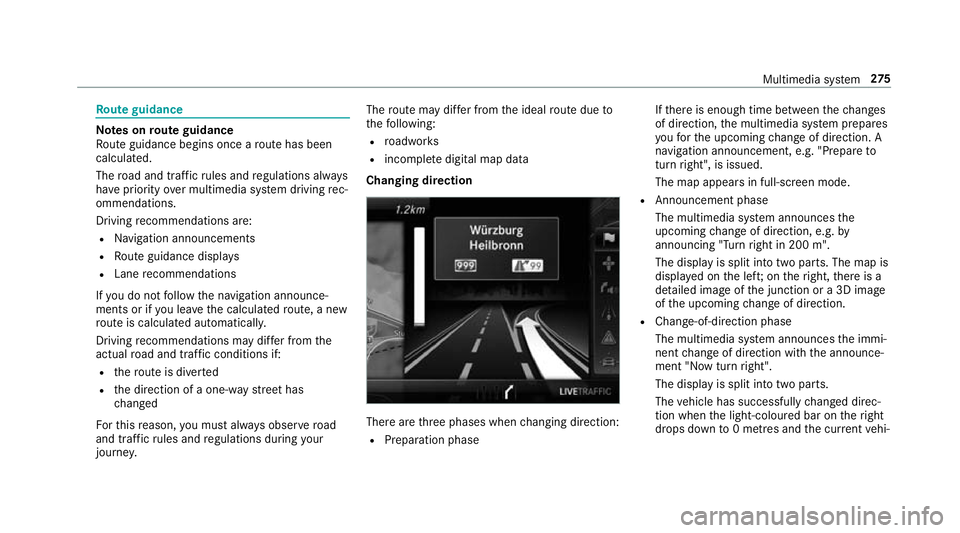
Changing direction There are
thre e phases when changing direction:
R Preparation phase If
th ere is enough time between thech anges
of direction, the multimedia sy stem prepares
yo ufo rth e upcoming change of direction. A
navigation announcement, e.g. "Prepare to
turn right", is issued.
The map appears in full-screen mode.
R Announcement phase
The multimedia sy stem announces the
upcoming change of direction, e.g. by
announcing "Turn right in 200 m".
The display is split into two parts. The map is
displa yed on the lef t;on theright, there is a
de tailed image of the junction or a 3D image
of the upcoming change of direction.
R Chan ge-of-direction phase
The multimedia sy stem announces the immi‐
nent change of direction with the announce‐
ment "Now turn right".
The display is split into two parts.
The vehicle has successfully changed direc‐
tion when the light-coloured bar on theright
drops down to0 metres and the cur rent vehi‐ Multimedia sy
stem 275