ECO mode MERCEDES-BENZ E-CLASS COUPE 2017 Owner's Manual
[x] Cancel search | Manufacturer: MERCEDES-BENZ, Model Year: 2017, Model line: E-CLASS COUPE, Model: MERCEDES-BENZ E-CLASS COUPE 2017Pages: 541, PDF Size: 10.71 MB
Page 419 of 541
Ad
Blue ®
is a wate r-soluble fluid forth eex haust
ga s af tertre atment of diesel engines.
* NO
TEDama gecaused bymixing addi‐
tives with AdBlue ®
or from diluting
Ad Blue ® The BlueTEC
exhaust gas af tertre atment sys‐
te m could be destr oyed by:
R Additives in AdBlue ®
R Diluting AdBlue ® #
Only use AdBlue ®
in accordance wi th
ISO 222 41 . #
Do not add additives. #
Do not dilu teAd Blue ®
. *
NO
TEDama geand malfunctions due to
impurities in AdBlue ® Impu
rities in AdBlue ®
lead to:
R Increased emissions values
R Damage tothe catalytic con verter R
Engine damage
R BlueTEC exhaust gas af tertre atment mal‐
functions #
Avoid impurities in AdBlue ®
. +
ENVI
RONMENTAL NOTEContamination
caused byAdBlue ® Ad
Blue ®
re sidues cr ystallise af ter a period of
time, and contamina tethe sur faces wi th
which they come into contact. #
Surfaces that ha vecome into contact
wi th Ad Blue®
while refilling must be
immediately rinsed wi thwa ter,or
Ad Blue ®
must be remo ved with a damp
clo thand cold water.
If Ad Blue ®
has al ready cr ystallised, clean it
with a spon geand cold water. When
you open theAd Blue ®
tank, small
amounts of ammonia vapour may escape. Do
not inhale any ammonia vapours that may be re
leased. Only fill th eAd Blue ®
tank in well-venti‐
lated areas.
Ad Blue ®
filling capacity
To tal capacity of AdBlue ®
tank Mode
lT otal capacity
All models 25 l Engine oil
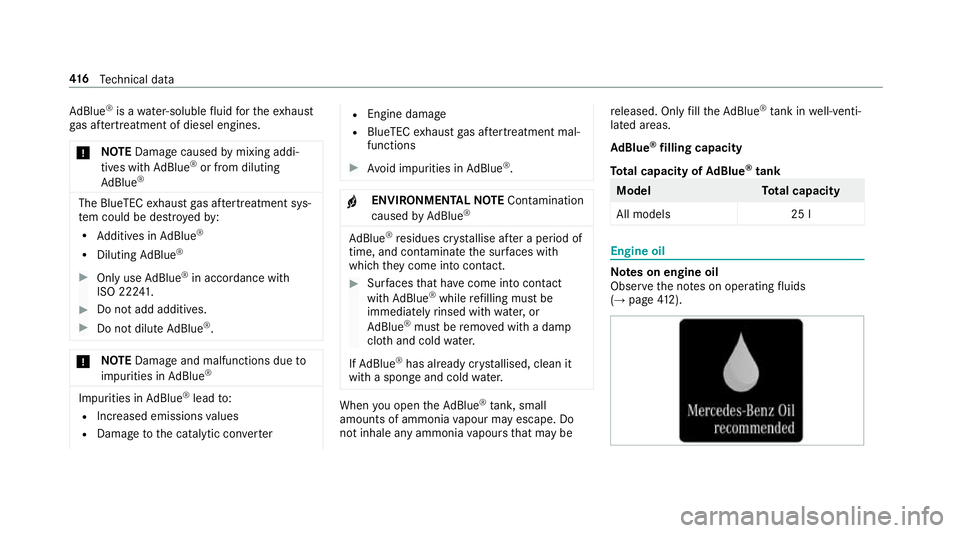
Note
s on engine oil
Obser vethe no tes on operating fluids
(→ page 412). 416
Tech nical da ta
Page 420 of 541
*
NO
TEEngine dama gecaused byan
incor rect oil filter, incor rect oil or addi‐
tives #
Do not use engine oils or oil filters
which do not cor respond tothe specifi‐
cations explicitly prescribed forthe
service inter vals. #
Do not alter the engine oil or oil filter in
order toachie velonger change inter vals
th an presc ribed. #
Do not use additives. #
Have the engine oil rene we d at regular
inter vals. Mercedes-Benz
recommends that you ha vethe
oil change car ried out at a qualified specialist
wo rkshop.
Only Mercedes-Benz appr oved engine oils may
be used in Mercedes-Benz engines.
Fu rther information on engine oils and oil filters:
R Inthe Mercedes-Benz Specifications for
operating fluids at http://be vo.mercedes-
benz.co m (by en tering the designation) R
Ataqu alified specialist workshop
Pet rol engines: For cer tain countries, dif fere nt
engine oils can be used in conjunction wi th
re duced maintenance inter vals. For more infor‐
mation, please contact a qualified specialist
wo rkshop.
Quality and filling capacity of engine oil
MB- Freigabe or MB -Appr oval Pe
trol engine sM B-Freigabe or MB-
Appr oval
All models 229.5, 229.6 MB-F
reigabe or MB-Appr oval Diesel engine
sMB-Freigabe or MB-
Appr oval
E 350 d 4MATIC 228.5 1,229.3 1,
229.5 1,229.52
All other models 228.51 , 229.31,
229.5 1,229.52,
229.6 1,229.71 If
th e engine oils lis ted in theta ble are not avail‐
able, you may add a maximum of 1.0 lof thefo l‐
lowing engine oils once only:
R Petrol engines: MB-Freigabe or MB-Appr oval
229.3 or ACEA A3/B3
R Diesel engines: MB-Freigabe or MB-
Appr oval 229.3, 229.5 or ACEA C3
The following values referto an oil change,
including the oil filter.
Re placement amount Mode
lR eplacement
amount
E 200
E 300 7.
0 l
E 350 6.6 l
E 220 d
E 220 d 4MATIC 6.3 l
E 350 d 4MATIC 8.0 l
All other models 6.5 l Te
ch nical da ta417
Page 451 of 541
Display messages
Possible causes/consequences and M
MSolutions
Distance Pilot currently
unavailable See Owner's
Manual *D
ista nce Pilot DISTRONIC is temp orarily una vailable.
The ambient conditions are outside the sy stem borders (→ page183). #
Drive on.
As soon as the ambient conditions are within the sy stem borders, the sy stem will become available again.
Distance Pilot inoperative *D
ista nce Pilot DISTRONIC is malfunctioning.
Other driving and driving sa fety sy stems may also be faulty. #
Consult a qualified specialist workshop.
è Steering Pilot currently
unavailable See Owner's
Manual *S
teering Pilot is temp orarily una vailable.
The ambient conditions are outside the sy stem borders (→ page190). #
Drive on.
As soon as the ambient conditions are within the sy stem borders, the sy stem will become available again. #
If necessar y,clean the windscreen in the camera's field of vision.
è
Steering Pilot inoperative *S
teering Pilot is malfunctioning. Dis tance Pilot DISTRONIC remains available. #
Consult a qualified specialist workshop.
Limiter passive *I
fyo u depress the accelera tor pedal be yond the pressure point (kickdown), the limiter is switched topassive mode
(→ page 181). 448
Displaymessa ges and warning/indicator lamps
Page 502 of 541
Anti-theft pr
otection ................................ .82
Ad ditional door lock .............................. 62
AT A (anti-theft alarm sy stem) ................82
Immobiliser ........................................... 82
Interior pr otection ................................. 83
St opping the alarm (A TA) .......................82
To w- aw ay protection ............................. 83
Anticipatory occupant pr otection ......41, 42
Apple CarPlay™ .......................................3 10
Connecting an iPhone ®
........................ 311
Ending .................................................. 311
Overview ..............................................3 10
To ne settings ........................................ 311
Tr ans ferred vehicle data ....................... 313
Asht ray
Fr ont centre console ........................... 108
Re ar .................................................... .108
Assistance graphic
Menu (on-boa rdcompu ter) .................. 238
Assistance sy stems
see Driving saf ety sy stem
ASS YST PLUS ........................................... 352
Battery disconnection pe riods .............3 53
Displ aying the service due date ........... 352 Fu
nction/no tes ................................... 352
Re gular service work ........................... 352
Special service requirements .............. 352
ATA (anti-theft ala rmsystem)
Fu nction ................................................ 82
St opping the alarm ................................ 82
ATA (anti-theft ala rmsystem)
see Anti- theft pr otection
AT TENTION ASSI ST.......................... 218, 219
Ac tivating/deactivating ...................... .219
Fu nction ............................................... 218
Sy stem limitations ...............................2 18
At tention assistant
see ATTENTION ASSIST
Au dio mode
Ac tivating media mode ........................ 328
Connecting USB devices ..................... 330
Co pyright ............................................. 328
Information .......................................... 327
Inserting/re moving an SD card .......... .328
Media sea rch ....................................... 333
Overview ............................................. 329
Pa use and playback function .............. .330
Selecting a track ................................. 330 Selecting playba
ckoptions .................. 330
Tr ack list .............................................. 330
Au thorised workshop
see Qualified specialist workshop
Au tomatic distance control
see Dis tance Pilot DISTRONIC
Au tomatic driving lights ..........................11 5
Au tomatic engine start (ECO start/
sto p function) .......................................... 14 6
Au tomatic engine stop (ECO start/
sto p function) .......................................... 14 6
Au tomatic front passen ger airbag
shu toff
see Front passenger airbag shutoff
Au tomatic mir rorfo lding function
Ac tivating/deactivating ...................... .127
Au tomatic transmission
DIRECT SELECT le ver ........................... 15 0
Drive program display .......................... 14 8
Drive programs .................................... 14 8
DY NA MIC SELECT switch .................... 14 8
Engaging drive position ....................... 15 2
Engaging reve rsege ar ........................ .152 Index
499
Page 514 of 541
Emer
gency key
Locking a door ....................................... 67
Un locking a door .................................. .67
Emer gency key element
Inserting/removing ............................... 60
Emer gency operation mode
St arting vehicle ................................... 14 2
Emer gency spare wheel
No tes .................................................. 406
Re moving ............................................ 407
Emer gency spare wheel
see Spare wheel
see Wheel change
Energy consu mption
Ke y ........................................................ 59
Engine ECO start/ stop function ......................1 46
Engine number ..................................... 41 0
St arting (eme rgency operation
mode) .................................................. 14 2
St arting (mobile phone) ...................... .141
St arting (s tart/s top button) .................1 41
St arting assis tance .............................. 377
Switching off (s tart/s top button) ........ 16 0Engine bonnet
Function (active bonnet) ...................... 353
Opening/closing ................................. 354
Re setting (active bonnet) .................... 353
Engine data Displaying ............................................ 14 9
Engine electronics Notes .................................................. 408
Engine number ......................................... 41 0
Engine oil ................................................ .357
Ad ditives .............................................. 416
Checking the oil le vel using the oil
dipstick ............................................... 356
Checking the oil le vel using the on-
board computer ................................... 356
Filling capacity .....................................4 17
MB-F reigabe or MB-Appr oval .............. .417
To pping up ...........................................3 57
Entering characters
Fu nction/no tes ................................... 264
On theto uchpad ................................ .265
Using the controller ............................. 265
ERA-GLONASS test mode
St arting/ending .................................. .319 ESC (Electronic
Stability Control)
see ESP ®
(Electronic Stability Prog ram)
ESP ®
(Electronic Stability Prog ram) ...... 17 0
Crosswind Assist .................................. 174
Fu nction/no tes ................................... 17 0
Switching on/off .................................. 174
Tr ailer stabilisation .............................. .174
EU type appr oval number ....................... 41 0
Exterior lighting Care .................................................... 363
Exterior lighting see Lights F
Fa tigue warning
see ATTENTION ASSIST
Fa ult message
see Displ aymessa ge
Favo urites
Ad ding .................................................2 62
Calling up ............................................ 262
Deleting ............................................... 263
Moving ................................................ 263 Index
511
Page 516 of 541
G
Garage door opener Clearing the memory ........................... 16 3
Opening or closing thega rage door .....1 63
Programming buttons .......................... 161
Ra dio equipment appr oval number ...... 16 4
Re solving problems ............................. 16 2
Synchronising thero lling code ............ 16 2
Gearshift paddles see Steering wheel gearshift paddles
Gea rshift recommendation ............150, 15 3
Genuine parts ............................................ 20
Genuine wood (Care) .............................. 365
Glide mode .............................................. .154
Glo vebox
Air vent ................................................ 13 9
Locking/unlocking ...............................1 01
Gross mass ............................................... 41 0H
Handbrake see Electric parking brake Handling
characteristics (unusual) ....... 388
HANDS-FREE ACCESS ................................ 70
HANDS-FREE ACCESS
see Opening the boot lid using your foot
Hands-free sy stem .................................... 63
Hazard warning lights ............................ .116
HD prog rammes
see CAmodule (TV)
Head restra int .......................................... .89
Fr ont (adjusting manually) ..................... 89
Re ar (adjusting) .................................... .91
Head-up display Adjusting brightness (on-board com‐
pu ter) .................................................. 24 4
Ad justing display elements (on-board
compu ter) ............................................ 24 4
Fu nction .............................................. 24 5
Menu (on-board computer) .................. 24 4
Setting the position (on-board com‐
puter) .................................................. 24 4
Switching on/off ................................. 24 6
Using the memory function ...................98 Head-up display
see Menu (on-boa rdcompu ter)
Head-up display menu see On-board computer
Headlamp flashing ................................... 11 6
Heating see Climate control
High-pressure cleaner (care) ................. 360
Hill start assi st........................................ 19 3
HOLD function ......................................... 19 3
Ac tivating/deactivating ...................... .193
Fu nction/no tes ................................... 19 3 I
i-Size child seat attachment
Seats suitable for attaching ................... 53
i-Size child seat securing sy stem
Mounting .............................................. .44
Identification pla te
Engine ................................................. .410
Ve hicle .................................................4 10 Index
513
Page 522 of 541
Damage de
tection (pa rked vehicle) ...... 167
Locking theve hicle ................................ 63
St arting theve hicle .............................. 141
Un locking theve hicle ............................63
Wi reless charging ................................ .112
Mobile phone see Hands-free sy stem
see Locking/unlocking
see Telephone
Mobile phone voice recognition
St arting .............................................. .300
St opping ..............................................3 00
Model type ................................................ 41 0
MOExtended tyres .................................. 369
Mo torw ay mode ....................................... 11 8
MULTIBEAM LED see Intelligent Light Sy stem
Multifunction display (on-board com‐
puter) ........................................................ 237
Multifunction steering wheel
Overview of buttons ............................ 235
Multifunction steering wheel
see Steering wheel Multimedia sy
stem ........................ .258, 266
Ac tivating/deactivating standby
mode .................................................. .168
Ad justing thevo lume .......................... .264
Calling up lists and menus .................. .261
Central cont rol elements .................... .258
Configu ring displ aysettings ................2 66
Main functions ..................................... 261
Overview ............................................. 258
Re storing thefa ctory settings .............. 273
Switching the sound on/off ................2 63 N
Na vigation
Ac tivating ............................................ .274
Calling up the Digital Owner's Man‐
ual .......................................................2 96
Menu (on-boa rdcompu ter) .................. 241
Showing/hiding the menu ...................2 74
Up dating the map data ........................ 294
Vo ice commands (LINGU ATRO NIC) ...... 251
Na vigation
see Destination
see Destination entry
see Map see
Route
see Route guidance
see Traf fic information
Na vigation announcements ...................284
Ac tivating/deactivating ...................... .284
Ad justing thevo lume .......................... .285
Re peating ............................................ 285
Switching audio fadeout on/off .......... 285
Switching on/off during a phone call .. 284
Na vigation messages
On-board computer .............................. 241
Ne arField Communication (NFC) .......... 299
Connecting the mobile phone tothe
multimedia sy stem .............................. 299
St arting theve hicle (mobile phone) ..... 141
Switching Blu etoo th®
audio equip‐
ment .................................................... 338
Swit ching mobile phones .................... 299
Ne utral
Selecting ............................................. 15 2
NFC see Near Field Communication (NFC)
No ise
Wheels and tyres ................................ .388 Index
519
Page 523 of 541
O
Occupant saf ety ................ 27, 29, 37,41 , 42
Airbags .................................................. 34
Pe ts in theve hicle ................................. 57
Occupant saf ety
see Child seat
Odome ter
see Total dis tance recorder
Oil see Engine oil
On-board co mputer ................................. 24 4
Assi stance graphic menu .................... 238
Displaying the service due date ........... 352
Media menu ........................................2 43
Menu designs ...................................... 24 5
Menus .................................................2 36
Multifunction display ........................... 237
Na vigation menu .................................. 241
Operating ............................................ 236
Ra dio menu .........................................2 42
Service menu ...................................... 238
Te lephone menu .................................. 24 3
Tr ip menu ............................................ 239 On-boa
rdcompu ter
see Computer
see Operating sy stem
On-board diagnostics inter face
see Diagno stics connection
On-boa rdelectronics
Engine electronics .............................. .408
No tes .................................................. 408
Tw o-w ayradios .................................... 408
On-board electronics see Elect ronics
see Tech nical da ta
Opening the boot lid using your foot ....... 70
Ope rating fluids
Ad Blue ®
............................................... 41 5
Ad ditives (fuel) .....................................4 14
Brake fluid ............................................ 41 8
Coolant (engine) .................................. 41 8
Engine oil ............................................. 416
Fu el (diesel) ......................................... 414
Fu el (petrol) ......................................... 413
No tes ................................................... 412
Wi ndsc reen washer fluid ...................... 419Operating saf
ety
Declaration of Conformity (electro‐
magnetic compatibility) ........................ .22
Declaration of conformity (ja ck) ............ 22
Declaration of con form ity (TIREFIT kit) .. 23
Declaration of con form ity (wireless
ve hicle components) ............................. 22
Information ............................................ 21
Operating sy stem .................................... 236
Outside mir rors ............................... 125, 12 6
Anti-dazzle mode (automatic) .............. 12 6
Au tomatic mir rorfo lding function ........ 127
Fo lding in/out .................................... .125
Pa rking position .................................. .126
Setting ................................................. 12 5
Using the memory function ...................98
Overhead control panel ............................12
Making calls (Mercedes me connect) .. 314
Owner's Manual Vehicle equipment ................................. 21
Owner's Manual (digital) ...........................18 P
Pa int (cleaning instructions) .................. 362520
Index
Page 526 of 541
Ra
ising
Ve hicle ................................................ 402
Ra nge
Displaying ............................................ 239
Re ading lamp
see Interior lighting
Re ar fog light ............................................ 11 5
Re ar seat
see Seat
Re ar seat belt
St atus display ........................................ 33
Re ar seat belt status display .................... 33
Re ar window
Ro ller sunblind ...................................... .72
Re ar window heater ................................ 12 9
Re ar-view mir ror
see Outside mir rors
Re cycling
see Take -ba ckof end-of-life vehicles
Re ducing agent
see AdBlue ® Re
fuelling
Re fuelling theve hicle .......................... 154
To pping up AdBlue ®
............................. 15 8
Re gistration
Ve hicle ................................................... 24
Re mo tecont rol (stationa ryheater)
Displ ays ............................................... 13 6
Problems ............................................. 13 8
Re placing the battery .......................... 137
Setting ................................................. 13 5
Re mo teParking Pilot .............................. .212
Auth orising a mobile phone ................. 216
Fu nction/no tes .................................... 212
Operating ............................................. 213
Sy stem limitations ...............................2 12
Re scue card ............................................... 25
Re ser ve
Fu el ...................................................... 41 5
Re set function (multimedia sy stem) .....2 73
Re sidual heat ...........................................1 32
Re storing (factory settings)
see Reset function (multimedia sy stem) Re
stra int sy stem
Children ................................................ .42
Fu nction in an accident ........................ .28
Fu nctionality .......................................... 28
Malfunction ........................................... 28
Pr otection ..............................................27
Re duced pr otection ...............................27
Sy stem self-test .....................................28
Wa rning lamp ........................................ 28
Re stra int sy stem
see Occupant saf ety
Re turning an end-of-li fevehicle
Pr otection of the environment ............... 19
Re versege ar
Selecting ............................................. 15 2
Re versing camera .................................... 201
Assigning as a favo urite ...................... .207
Care .................................................... 363
Fu nction .............................................. 201
Opening the camera co ver .................. 207
Switching auto matic mode on/off ..... .206
RF transmitters see Two-w ayradios
Rims (Care) .............................................. 363 Index
523
Page 529 of 541
Skid
chains .............................................. 388
Sliding sunroof .......................................... 77
Au tomatic features ................................ 79
Closing .................................................. 77
Closing with theke y .............................. 75
Opening .................................................77
Opening with theke y ............................ .75
Problem .................................................80
Ra in-closing feature .............................. .79
Smartphone see Android Auto
see Apple CarPlay™
see Telephone
Snow chains ............................................ 388
Snow chains
see Skid chains
Soc ket (12 V) ............................................ 109
Fr ont centre console ........................... 109
Re ar passenger compartment ............ .109
Soc ket (230 V) ......................................... 11 0
Re ar .................................................... .110
Software update Information .......................................... 272Pe
rforming ...........................................2 73
Sound PRE-SAFE ®
Sound ..................................41
Sound see Burmes ter®
sur round sound sy stem
see Tone settings
Spare wheel ............................................. 406
Spectacles co mpartment ........................ 101
Speech dialogue sy stem
see LINGU ATRO NIC
Speed limit for winter tyres
Setting ................................................. 183
Speed Limit Pilot ............................. 183, 221
Displ ay................................................. 183
Setting ................................................. 221
Speedome ter
Digital .................................................. 239
St andby mode
Ac tivating/deactivating ...................... .168
Fu nction .............................................. 16 8
St anding lights ......................................... 11 4St
art/S top button
St arting vehicle .................................... 141
Switching off theve hicle ..................... 16 0
Switching on the po wer supply or
ignition ................................................ 14 0
St art/s top function
see ECO start/ stop function
St arting assi stance ................................. 377
St arting assi stance
see Jump -sta rt connection
St arting the engine
see Vehicle
St arting-o ffaid
see Hill start assist
St ation
Deleting ............................................... 340
Direct frequency entry ........................ 340
Fr equency fix ....................................... 341
Moving ................................................ 340
Sea rching ............................................ 340
Setting .................................................3 40
St oring ................................................ 340 526
Index