ESP MERCEDES-BENZ E-CLASS COUPE 2017 Owner's Manual
[x] Cancel search | Manufacturer: MERCEDES-BENZ, Model Year: 2017, Model line: E-CLASS COUPE, Model: MERCEDES-BENZ E-CLASS COUPE 2017Pages: 541, PDF Size: 10.71 MB
Page 106 of 541

#
Fold cor responding seat backrest 1back
until it engages.
Left and right seat backrests: ifth e seat
backrest is not engaged and loc ked, this will
be shown in the multifunction display in the
instrument clus ter.
Centre seat backres t:ifth e seat backrest is
not engaged and loc ked, red lock verification
indicator 2will be visible. Lo
cking the centre rear seat backrest
Lock the cent reseat backrest if youwa ntto
secure the load compartment from unauthorised
access. The cent reseat backrest can then only
be folded forw ards toge ther with the left seat
backrest.
Bo th seat backrests must be engaged and joined
to ge ther. #
Foldthe cent reand left seat backrest for‐
wa rds. #
Tolock: slide cat ch1 upwards.
The release mechanism of the cent reseat
backrest is loc ked. #
Tounlo ck:slide catch 1down wards. Overview of
the tie-down eyes Obser
vethe no tes on loading theve hicle
(→ page 99).
This equipment is only available in vehicles with
th eth ro ugh-loading feature in there ar ben ch
seat. Seats and
stowing 103
Page 114 of 541

#
Insert the plug of the device into 230 V
soc ket1.
When the on-board electrical sy stem voltage
is suf ficient, indicator la mp2lights up. Wire
lesscharging of the mobile phone and
connection with theex terior aerial Note
s on wireless charging of the mobile
phone &
WARNING Risk of inju ryfrom incor rectly
stowe d objects
If objects in the passenger compartment are
stowe d incor rectl y,they can slide or be
th ro wn around and hit vehicle occupants. In
addition, cup holders, open stowage spaces
and mobile phone brac kets cann otalw ays
re tain all objects they contain.
The reis a risk of injur y,particularly in the
ev ent of sudden braking or a sudden change
in direction. #
Alw aysstow objects so that they can‐
not be throw n around in su chsitua‐
tions. #
Alw ays make sure that objects do not
pr otru de from stowage spaces, luggage
nets or stowage nets. #
Close the loc kable stow age spaces
before starting a journe y. #
Alw aysstow and secure heavy, hard,
poin ted, sharp-edged, fragile or bulky
objects in the boot. Obser
vethe no tes on loading theve hicle. &
WARNING Risk offire from placing
objects in the mobile phone stowage
compartment
If yo u place objects in the mobile phone
stow age compartment, they may heat up
exc essively and even catch fire. #
Do not place additional objects, espe‐
cially those mode of me tal, in the
mobile phone stowage compartment. *
NO
TEDama getoobjects caused by
placing them in the mobile phone stow‐
age compartment If
yo u place objects in the mobile phone
stow age compartment, these may be dam‐
aged byelectromagnetic fields. #
Do not place credit cards, storage
media or other objects sensitive to
electromagnetic fields in the mobile
phone stowage compartment. *
NO
TEDama getothe mobile phone
stow age compartment caused byliquids If liquids enter
the mobile phone stowage
compartment, the compartment may be
damaged. #
Ensure that no liquids enter the mobile
phone stowage compartment. R
Depending on theve hicle equipment, the
mobile phone is connected totheve hicle's
ex terior aerial via thech arging module. Seats and
stowing 111
Page 117 of 541

Exterior lighting
Changing
the lights when driving abroad Ve
hicles with static LED headlamps: It is not
necessa ryto change the headlamps. The legal
re qu irements are also met in countries where
people drive on theot her side of thero ad.
Ve hicles with Intelligent Light Sy stem: Before
crossing the border into count ries where they
drive on theot her side of thero ad, it is neces‐
sary toset the headlamps tosymmetrical dipped
beam (→ page120).
Af terch anging the headlamps:
R Oncoming tra ffic is not dazzled.
R The edge of thero ad is not illuminated as far
or as high.
R The "mo torw ay mode" and "enhanced fog
light functions" are not available.
The headlamps must be reset toasymm etrical
dipped beam af terre turning from ab road. Lighting sy
stems and your responsibility The
various lighting sy stems of theve hicle are
only aids. The driver of theve hicle is responsible
fo r cor rect vehicle illumination in accordance
with the pr evailing light and visibility conditions,
legal requirements and traf fic situation. Light switch
Ope
rating the light switch #
1 W Left-hand pa rking lights #
2 X Right-hand parking lights #
3 T Standing lights and licence plate
lighting 11 4
Light and sight
Page 118 of 541

#
4 Ã Automatic driving lights (prefer red
light switch position) #
5 L Dipped beam/main beam #
6 R Switches there ar fog light on or off
When dipped beam is activated, the indicator
lamp forth est anding lights is deactivated and
re placed bythe dipped beam indicator lamp.
Alw ays park your vehicle safely and in a well-lit
area, in accordance with there leva nt le galst ipu‐
lations.
* NO
TEBattery discharging byoperating
th est anding lights Operating
thest anding lights over a period of
hours puts a stra in on the batter y. #
Where possible, switch on the
ri ght X or left Wparking light. In
the case of se vere battery discharging, the
st anding lights or parking lights are automati‐
cally swit ched off tofacilitate a futu reengine
st art. The
exterior lighting (e xcept standing and park‐
ing lights) swit ches off automatically when the
driver's door is opened.
Au tomatic driving lights
The standing lights, dipped beam and daytime
ru nning lights are switched on au tomatical ly
depending on the ignition status, whe ther the
engine is running and on the light conditions. &
WARNING Risk of accident when the
dipped beam is switched off in poor visi‐
bility
When the light switch is set toà ,the
dipped beam may not be switched on auto‐
matically if there is fog, snow or other causes
of poor visibility such as spr ay. #
In such cases, turn the light switch to
L . The automatic driving lights are only an aid.
Yo u
are responsible forve hicle lighting. Ac
tivating/deactivating the rear fog light
Re quirement:
R The light switch is in theL orà posi‐
tion. #
Press the R button.
Please obser vethe count ry-specific la wsonthe
use of rear fog lamps. Light and sight
11 5
Page 119 of 541

Operating
the light combination switch 1
Main beam
2 Turn signal light, right
3 Headlamp flashing
4 Turn signal light, left #
Pull or push the combination switch in the
re leva nt di rection following the ar row. Switching on
the main beam manually #
Vehicles with Adaptive Highbeam Assist
Plus: Turn the light switch totheL posi‐
tion. R Press the combination switch be yond the
pressure point in the direction of
ar ro w 1.
When the main beam is activated, the indicator
lamp for dipped beam is deactivated and
re placed bythe indicator lamp forth e main
beam. #
Toswitch off the main beam: movethe
combination switch ba cktoits starting posi‐
tion. #
Toindicate briefl y:press the combination
switch briefly up tothe pressure point in the
direction of ar row2or4.
The cor responding turn signal light flashes
th re e times. #
Toindicate for a duration: pressthe combi‐
nation switch be yond the pressure point in
th e direction of ar row2or4. Ac
tivating/deactivating the hazard warning
light #
Press button 1.
The hazard warning light switches on automati‐
cally if:
R The airbag has been deplo yed.
R The vehicle brakes sharply from a speed of
more than 70 km/h toast andstill. 11 6
Light and sight
Page 122 of 541
Switching
the Intelligent Light Sy stem
on/off
Re quirement:
The light switch is in theà position.
Multimedia sy stem:
, Vehicle .
÷ Light settings .
Intell.
Light System #
Activate Oor deacti vate ª the function. Ad
aptive Highbeam Assist Plus Fu
nction of Adaptive Highbeam Assist Plus &
WARNING Risk of accident despi te
Ad aptive Highbeam Assist Plus
Ad aptive Highbeam Assist Plus does not rec‐
ognise thefo llowing road users:
R Road users without lights, e.g. pedes‐
trians
R Road users with poor lighting, e.g.
cyclists R
Road users whose lighting is obstructed,
e.g. bya bar rier
In very rare cases, Adaptive Highbeam Assist
Plus may not recognise road users who do
ha ve lights, or may recognise them too late.
In this, or in similar situations, the automatic
main beam will not be deactivated or will be
activated despite the presence of other road
users. #
Alw ays obser vethe tra ffic carefully and
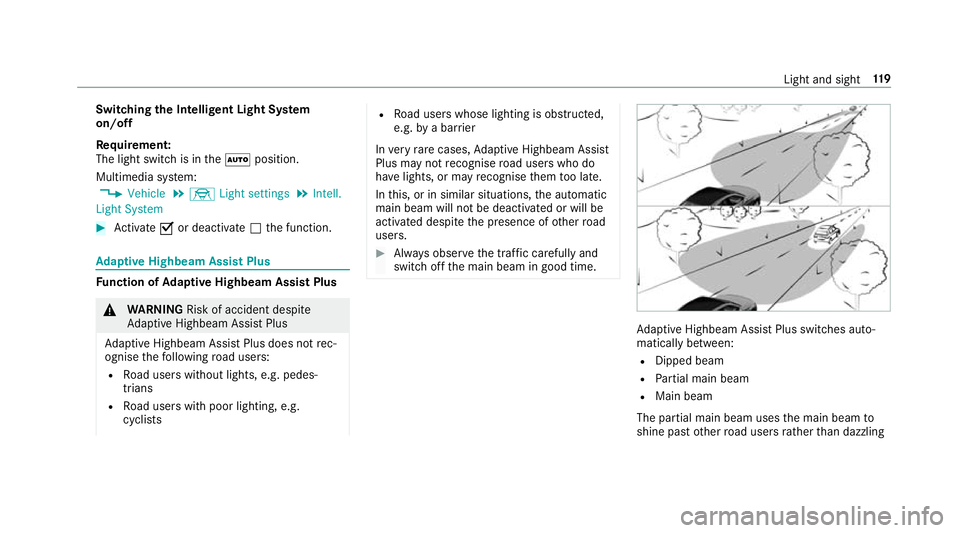
switch off the main beam in good time. Ad
aptive Highbeam Assist Plus swit ches auto‐
matically between:
R Dipped beam
R Partial main beam
R Main beam
The partial main beam uses the main beam to
shine past other road users rath er than dazzling Light and sight
11 9
Page 129 of 541
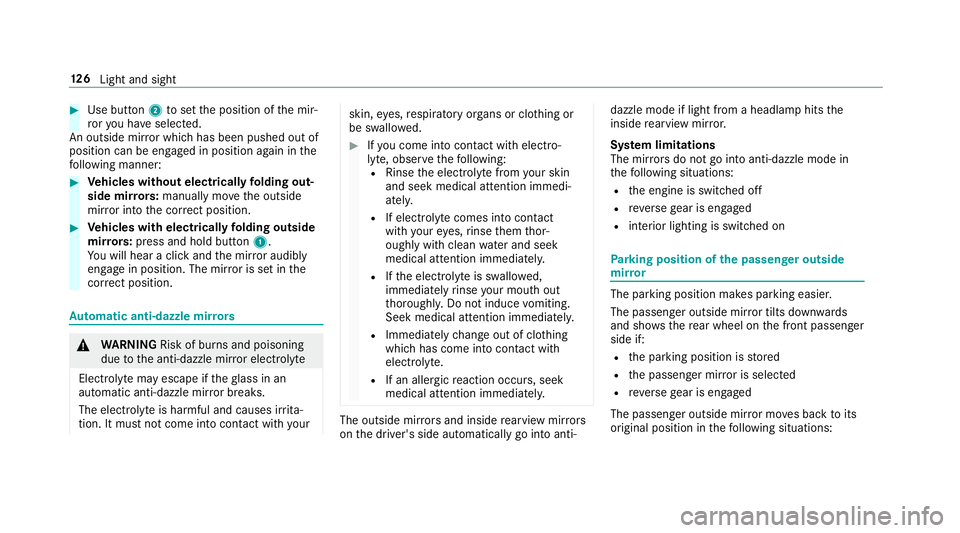
#
Use button 2toset the position of the mir‐
ro ryo u ha veselected.
An outside mir ror which has been pushed out of
position can be engaged in position again in the
fo llowing manner: #
Vehicles without electrical lyfolding out‐
side mir rors:manually mo vethe outside
mir ror into the cor rect position. #
Vehicles with electrical lyfolding outside
mir rors:press and hold button 1.
Yo u will hear a click and the mir ror audibly
engage in position. The mir ror is set in the
cor rect position. Au
tomatic anti-dazzle mir rors &
WARNING Risk of bu rns and poisoning
due tothe anti-dazzle mir ror electrolyte
Electrolyte may escape if theglass in an
automatic anti-dazzle mir ror breaks.
The electrolyte is harmful and causes ir rita‐
tion. It mu stnot come into contact wi thyour skin,
eyes,respiratory organs or clo thing or
be swallo wed. #
Ifyo u come into contact with electro‐
ly te , obser vethefo llowing:
R Rinse the electrolyte from your skin
and seek medical attention immedi‐
atel y.
R If electrolyte comes into contact
with your eyes, rinse them thor‐
oughly with clean water and seek
medical attention immediately.
R Ifth e electrolyte is swallo wed,
immediately rinse your mouth out
th oroughly. Do not induce vomiting.
Seek medical attention immediately.
R Immedia tely ch ange out of clo thing
which has come into con tact wi th
electrolyte.
R If an allergic reaction occurs, seek
medical attention immediatel y. The outside mir
rors and inside rearview mir rors
on the driver's side automatically go into anti- dazzle mode if light from a headlamp hits
the
inside rearview mir ror.
Sy stem limitations
The mir rors do not go into anti-dazzle mode in
th efo llowing situations:
R the engine is switched off
R reve rsege ar is engaged
R interior lighting is swit ched on Pa
rking position of the passenger outside
mir ror The parking position makes parking easier.
The passenger outside mir ror tilts down wards
and sho wsthere ar wheel on the front passenger
side if:
R the parking position is stored
R the passenger mir ror is selected
R reve rsege ar is engaged
The passenger outside mir ror mo ves back toits
original position in thefo llowing situations: 12 6
Light and sight
Page 151 of 541
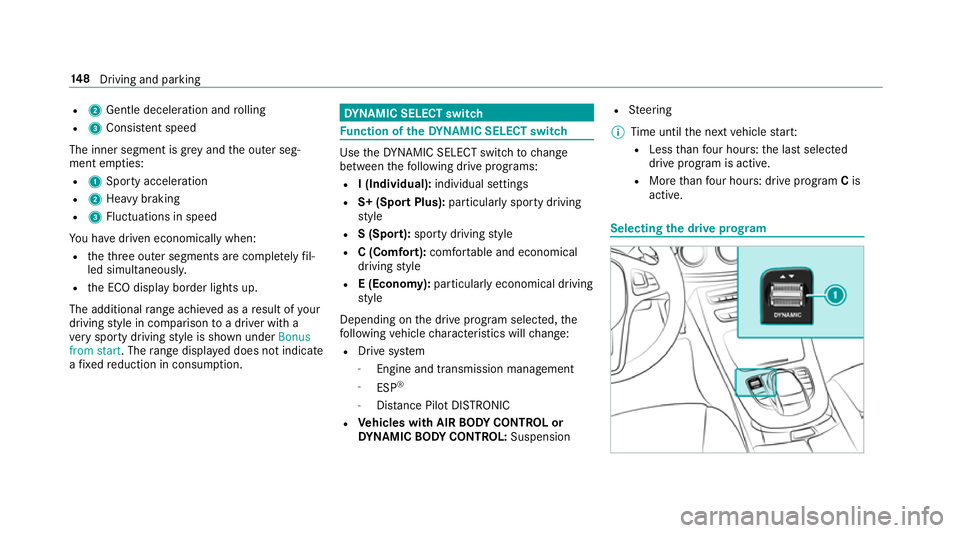
R
2 Gentle deceleration and rolling
R 3 Consis tent speed
The inner segment is gr eyand the outer seg‐
ment em pties:
R 1 Sporty acceleration
R 2 Heavy braking
R 3 Fluctuations in speed
Yo u ha vedriven economically when:
R theth re e outer segments are comple tely fil‐
led simultaneousl y.
R the ECO display border lights up.
The additional range achi eved as a result of your
driving style in comparison toa driver with a
ve ry sporty driving style is shown under Bonus
from start. The range displ ayed does not indicate
a fixe dre duction in consum ption. DY
NA MIC SELECT switch Fu
nction of theDY NA MIC SELECT switch Use
theDY NA MIC SELECT switch tochange
between thefo llowing drive programs:
R I (Individual): individual settings
R S+ (Sport Plus): particularlysporty driving
st yle
R S (Sport): sporty driving style
R C (Comfort): comfortable and economical
driving style
R E (Economy): particularly economical driving
st yle
Depending on the drive program selected, the
fo llowing vehicle characteristics will change:
R Drive sy stem
- Engine and transmission management
- ESP ®
- Distance Pilot DISTRONIC
R Vehicles with AIR BODY CONT ROL or
DY NA MIC BODY CONT ROL:Suspension R
Steering
% Time until the next vehicle star t:
R Less than four hours: the last selected
drive program is active.
R More than four hours: drive program Cis
active. Selecting
the drive prog ram 14 8
Driving and pa rking
Page 166 of 541
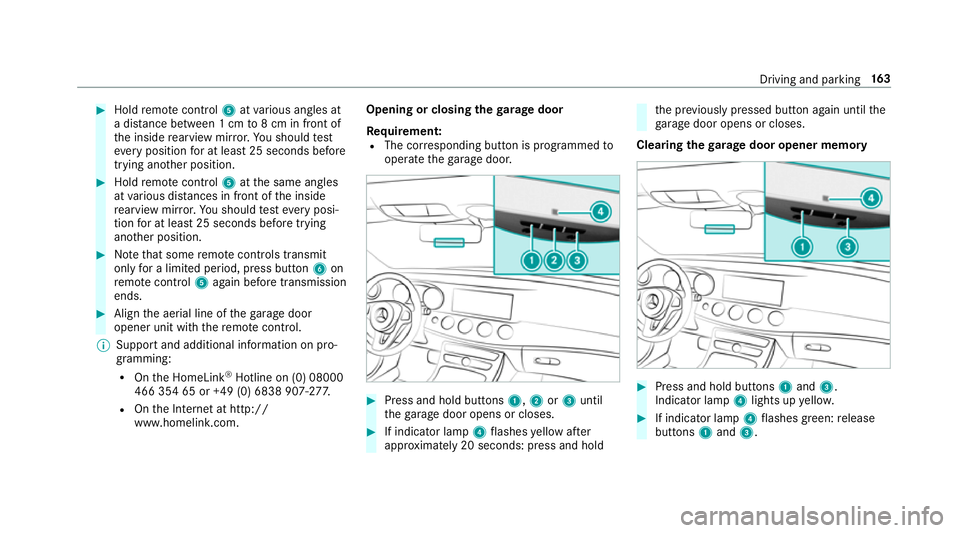
#
Hold remo tecontrol 5atvarious angles at
a dis tance between 1 cm to8 cm in front of
th e inside rearview mir ror.Yo u should test
eve ryposition for at least 25 seconds before
trying ano ther position. #
Hold remo tecontrol 5atthe same angles
at various dis tances in front of the inside
re arview mir ror.Yo u should test eve ryposi‐
tion for at least 25 seconds before trying
ano ther position. #
Notethat some remo tecontrols transmit
only for a limi ted period, press button 6on
re mo tecontrol 5again before transmission
ends. #
Align the aerial line of thega rage door
opener unit with there mo tecontrol.
% Support and additional information on pro‐
gramming:
R Onthe HomeLink ®
Hotline on (0) 08000
466 354 65 or +49 (0) 6838 907-2 77.
R Onthe Internet at http://
www.homelin k.com. Opening or closing the
garage door
Requ irement:
R The cor responding button is programmed to
operate thega rage door. #
Press and hold buttons 1,2or3 until
th ega rage door opens or closes. #
If indicator lamp 4flashes yellow af ter
appr oximately 20 seconds: press and hold th
e pr eviously pressed button again until the
ga rage door opens or closes.
Clearing thega rage door opener memo ry #
Press and hold buttons 1and 3.
Indicator lamp 4lights up yello w. #
If indicator lamp 4flashes green: release
buttons 1and 3. Driving and parking
16 3
Page 172 of 541
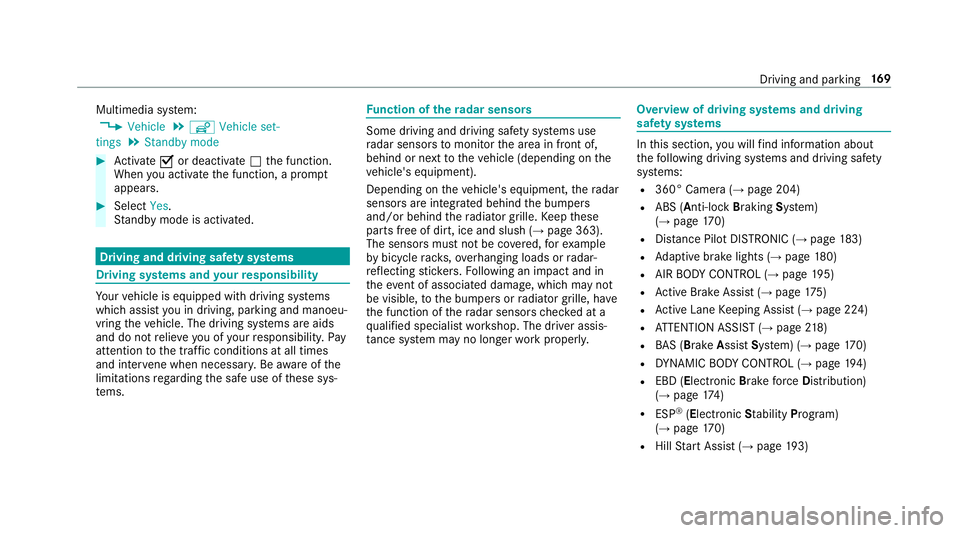
Multimedia sy
stem:
, Vehicle .
î Vehicle set-
tings .
Standby mode #
Activate Oor deacti vate ª the function.
When you activate the function, a prom pt
appears. #
Select Yes.
St andby mode is activated. Driving and driving saf
ety sy stems Driving sy
stems and your responsibility Yo
ur vehicle is equipped with driving sy stems
which assist you in driving, parking and manoeu‐
vring theve hicle. The driving sy stems are aids
and do not relie ve you of your responsibility. Pay
attention tothe tra ffic conditions at all times
and inter vene when necessa ry. Be aware of the
limitations rega rding the safe use of these sys‐
te ms. Fu
nction of thera dar senso rs Some driving and driving sa
fety sy stems use
ra dar sensors tomonitor the area in front of,
behind or next totheve hicle (depending on the
ve hicle's equipment).
Depending on theve hicle's equipment, thera dar
sensors are integrated behind the bumpers
and/or behind thera diator grille. Keep these
parts free of dirt, ice and slush (→ page 363).
The sensors must not be co vered, forex ample
by bicycle rack s, ove rhanging loads or radar-
re flecting sticke rs.Fo llowing an impact and in
th eeve nt of associated dama ge, which may not
be visible, tothe bumpers or radiator grille, ha ve
th e function of thera dar sensors checked at a
qu alified specialist workshop. The driver assis‐
ta nce sy stem may no longer workproperly. Overview of driving sy
stems and driving
saf ety sy stems In
this section, you will find information about
th efo llowing driving sy stems and driving saf ety
sy stems:
R 360° Camera (→ page 204)
R ABS (A nti-lock Braking System)
(→ page 170)
R Distance Pilot DISTRONIC (→ page 183)
R Adaptive brake lights (→ page180)
R AIR BODY CONTROL (→ page195)
R Active Brake Assi st (→page 175)
R Active Lane Keeping Assist (→ page 224)
R ATTENTION ASSIST (→ page218)
R BAS (Brak eAssist System) (→ page170)
R DYNA MIC BODY CONTROL (→ page194)
R EBD ( Electronic Brakefo rc eDistribution)
(→ page 174)
R ESP ®
(Electronic Stability Program)
(→ page 170)
R Hill Start Assist (→ page193) Driving and parking
16 9