service MERCEDES-BENZ E-CLASS ESTATE 2009 Owner's Manual
[x] Cancel search | Manufacturer: MERCEDES-BENZ, Model Year: 2009, Model line: E-CLASS ESTATE, Model: MERCEDES-BENZ E-CLASS ESTATE 2009Pages: 373, PDF Size: 12.37 MB
Page 68 of 373
G
Risk of accident
If, in a critical driving situation, you do not
receive a visual and acoustic warning:
R PRE-SAFE ®
Brake did not detect the risk of
a collision
R PRE-SAFE ®
Brake is switched off
R PRE-SAFE ®
Brake has failed
You must then brake to avoid a collision.
X To activate: activate PRE-SAFE ®
Brake in
the on-board computer (Y page 130).
The Ä symbol appears in the lower
multi-function display, as long as the HOLD
function is not activated (Y page 151).
On vehicles with parking guidance*, drive
range Pmust be engaged for the symbol to
be displayed.
The radar sensors are automatically deacti-
vated in the vicinity of radio telescope facili-
ties (Y page 362).
For PRE-SAFE ®
Brake to assist you when driv-
ing, the radar sensor system must be
switched on and operational.
PRE-SAFE ®
Brake does not always detect
complex traffic situations properly. You can
terminate the braking action of PRE-SAFE ®
Brake in a non-critical driving situation at any
time if:
R an acoustic and visual warning occurs
R the vehicle brakes
To end this you can either depress the accel-
erator pedal further, activate kickdown or
release the brake pedal.
The braking action of PRE-SAFE ®
Brake is
ended automatically if:
R you manoeuvre to avoid the obstacle.
R you drive slower than approximately
15 km/h.
R there is no longer an obstacle detected in
front of your vehicle.
R there is no longer any danger of a collision. Following a collision or crash-related damage
to the front end of the vehicle, have the con-
figuration and operation of the radar sensors
checked. Choose a qualified specialist work-
shop for this which has the necessary spe-
cialist knowledge and tools for the work
required. Mercedes-Benz recommends that
you use a Mercedes-Benz Service Centre for
this purpose.
Anti-theft systems
Immobiliser
The immobiliser prevents your vehicle from
being started without the correct key.
Activating the immobiliser X
With the key: remove the key from the
ignition lock.
X With KEYLESS GO*: press the start/stop
button on the dashboard.
The engine switches off.
Deactivating the immobiliser X
With the key: turn the key to position 2in
the ignition lock.
X With KEYLESS GO*: press the start/stop
button on the dashboard twice without
depressing the brake.
i The immobiliser is always deactivated
when you start the engine. ATA* (anti-theft alarm system)
A visual and audible alarm is triggered when
the alarm system is primed and you open:
R a door
R a door or the boot lid with the emergency
key element
R the boot lid/tailgate
R the bonnet Anti-theft systems
65Safety
* optional
212_AKB; 2; 4, en-GB
mkalafa
,V ersion: 2.11.8.1
2009-05-05T14:17:16+02:00 - Seite 65 Z
Dateiname: 6515346702_buchblock.pdf; erzeugt am 07. May 2009 14:15:44; WK
Page 79 of 373
Seats
Points to remember
You will find information about folding the
rear bench seat forwards in the "Through-
loading feature in the rear bench seat"
(Saloon) (Y page 195) and "EASY-PACK load-
ing-aid feature rear bench seat (Estate)"
(Y page 196) sections.
Depending on the vehicle's equipment, the
seats can adjusted either manually/electri-
cally or electrically*. G
Risk of injury
The seats can still be adjusted when there is
no key in the ignition lock. For this reason,
children should never be left unsupervised in
the vehicle. They could become trapped when
adjusting a seat. G
Risk of accident
Only adjust the driver's seat when the vehicle
is stationary. You will otherwise be distracted
from the road and traffic conditions and you
could lose control of the vehicle as a result of
the seat moving. This could cause an acci-
dent. G
Risk of injury
Make sure that nobody can become trapped
when you adjust the seat.
Observe the notes concerning the airbag sys-
tem.
Secure children as recommended; see "Chil-
dren in the vehicle" section. G
Risk of injury
Make sure that the central area of the head
restraint supports the back of your head at
about eye level. You could seriously injure
your neck if your head is not correctly sup-
ported by the head restraint in the event of an
accident. Never travel without a correctly
adjusted and engaged head restraint.
! When you move the seats, make sure that
there are no objects in the footwell or behind the seats. Otherwise, you could
damage the seats and the objects.
i The head restraints in the front seats are
fitted with the NECK-PRO system
(Y page 43). For this reason, it is not pos-
sible to remove the head restraints from
the front seats.
The head restraints cannot be removed
from the rear compartment seats on vehi-
cles without the through-loading feature*.
Please contact a Mercedes-Benz Service
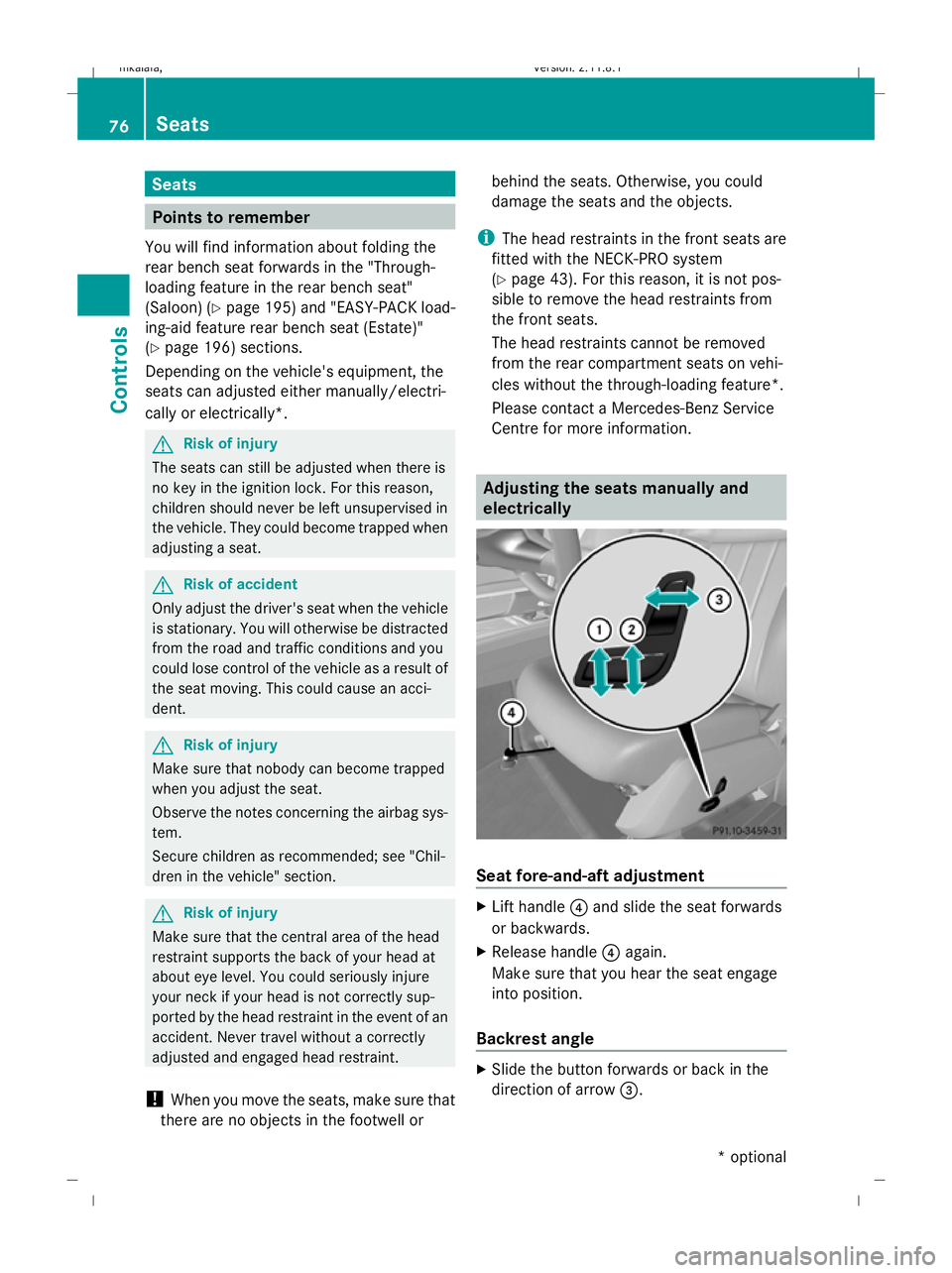
Centre for more information. Adjusting the seats manually and
electrically Seat fore-and-aft adjustment
X
Lift handle ?and slide the seat forwards
or backwards.
X Release handle ?again.
Make sure that you hear the seat engage
into position.
Backrest angle X
Slide the button forwards or back in the
direction of arrow =.76
SeatsControls
* optional
212_AKB; 2; 4, en-GB
mkalafa,
Version: 2.11.8.1 2009-05-05T14:17:16+02:00 - Seite 76
Dateiname: 6515346702_buchblock.pdf; erzeugt am 07. May 2009 14:15:49; WK
Page 93 of 373
G
Risk of injury
A dirty or damaged seat belt or a seat belt that
has been subjected to a load in an accident
or which has been modified no longer offers
the intended level of protection. Under certain
circumstances, this could cause severe or
even fatal injuries.
For this reason, check regularly that the seat
belts are not damaged or dirty.
Always have damaged seat belts or seat belts
that have been subjected to a load in an acci-
dent replaced at a qualified specialist work-
shop. Consult a qualified specialist workshop
which has the necessary specialist knowledge
and tools to carry out the work required.
Mercedes-Benz recommends that you use a
Mercedes-Benz Service Centre for this pur-
pose.
For safety reasons, Mercedes-Benz recom-
mends that you only use seat belts which have
been approved by Mercedes-Benz for your
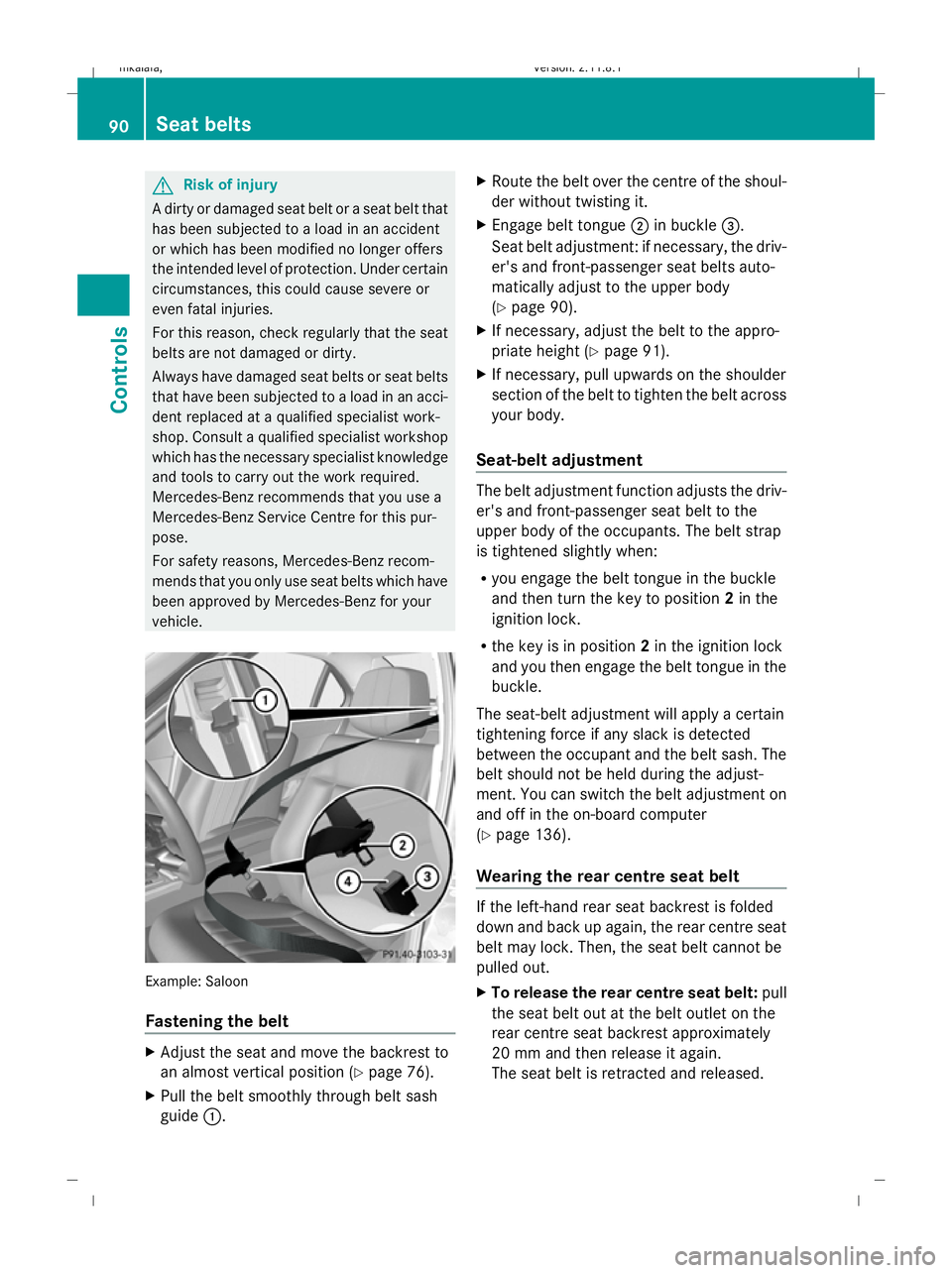
vehicle. Example: Saloon
Fastening the belt
X
Adjust the seat and move the backrest to
an almost vertical position (Y page 76).
X Pull the belt smoothly through belt sash
guide :. X
Route the belt over the centre of the shoul-
der without twisting it.
X Engage belt tongue ;in buckle =.
Seat belt adjustment: if necessary, the driv-
er's and front-passenger seat belts auto-
matically adjust to the upper body
(Y page 90).
X If necessary, adjust the belt to the appro-
priate height (Y page 91).
X If necessary, pull upwards on the shoulder
section of the belt to tighten the belt across
your body.
Seat-belt adjustment The belt adjustment function adjusts the driv-
er's and front-passenger seat belt to the
upper body of the occupants. The belt strap
is tightened slightly when:
R
you engage the belt tongue in the buckle
and then turn the key to position 2in the
ignition lock.
R the key is in position 2in the ignition lock
and you then engage the belt tongue in the
buckle.
The seat-belt adjustment will apply a certain
tightening force if any slack is detected
between the occupant and the belt sash. The
belt should not be held during the adjust-
ment. You can switch the belt adjustment on
and off in the on-board computer
(Y page 136).
Wearing the rear centre seat belt If the left-hand rear seat backrest is folded
down and back up again, the rear centre seat
belt may lock. Then, the seat belt cannot be
pulled out.
X To release the rear centre seat belt: pull
the seat belt out at the belt outlet on the
rear centre seat backrest approximately
20 mm and then release it again.
The seat belt is retracted and released. 90
Seat beltsControls
212_AKB; 2; 4, en-GB
mkalafa
,V ersion: 2.11.8.1
2009-05-05T14:17:16+02:00 - Seite 90
Dateiname: 6515346702_buchblock.pdf; erzeugt am 07. May 2009 14:15:57; WK
Page 96 of 373
It should:
R
fit snugly across your body.
R be routed across the middle of your
shoulder.
R be routed in your pelvic area across the
hip joints. Lights
Exterior lighting
Notes on the exterior lighting For safety reasons, Mercedes-Benz recom-
mends that you drive with the lights switched
on even during the daytime. In some coun-
tries, daytime operation of headlamps varies
due to legal and voluntary requirements. In
these countries, daytime driving lights are
automatically switched on when the engine is
started.
The exterior lighting (except the side lamp/
parking lamp) switches off automatically if
you:
R remove the key from the ignition lock
R open the driver's door with the ignition
turned off (key in position 0in the ignition
lock).
! Switch off the side lamps and parking
lamp when you leave the vehicle. This pre-
vents the battery from discharging. Information about driving abroad Converting to symmetrical dipped beam
when driving abroad:
switch the headlamps
to symmetrical dipped beam in countries in
which traffic drives on the opposite side of the
road to the country where the vehicle is reg-
istered. This prevents oncoming traffic from
being dazzled.
Have the headlamps converted at a qualified
specialist workshop, e.g. a Mercedes-Benz
Service Centre, as close to the border as pos-
sible before driving in these countries. Sym-
metrical lights do not illuminate as large an
area of the edge of the carriageway.
Converting to asymmetrical dipped beam
after returning: have the headlamps conver-
ted back to asymmetrical dipped beam at a
qualified specialist workshop, e.g. a
Mercedes-Benz Service Centre, as soon as
possible after crossing the border when
returning.
Vehicles with Intelligent Light System*: if
the headlamps are converted to symmetrical
dipped beam, not all light functions are avail-
able. "Motorway mode" and the "extended
range foglamps" are deactivated
(Y page 133). Lights
93Controls
* optional
212_AKB; 2; 4, en-GB
mkalafa
,V ersion: 2.11.8.1
2009-05-05T14:17:16+02:00 - Seite 93 Z
Dateiname: 6515346702_buchblock.pdf; erzeugt am 07. May 2009 14:15:59; WK
Page 120 of 373
Downshifting
G
Risk of accident
Do not shift down to brake on a slippery road
surface. This could cause the drive wheels to
lose their grip, and the vehicle could skid.
X Pull the left-hand paddle ( Ypage 114).
The automatic transmission shifts down to
the next gear.
i For maximum acceleration, pull the left-
hand steering wheel gearshift paddle until
the transmission selects the optimum gear
for the current speed.
Kickdown
i On vehicles with AMG engines, it is not
possible to use kickdown in manual drive
program M. Instrument cluster
Points to remember
You will find an illustration of the instrument
cluster in the "At a glance" section
(Y page 27). G
Risk of accident
If the instrument cluster or the multi-function
display fails, then no display messages can be
shown.
You will not then be able to see information
about the vehicle status, such as speed and
outside temperature, warning and indicator
lamps, display messages or the failure of sys-
tems. The vehicle’s handling characteristics
may be affected. Adapt your driving style and
speed accordingly.
Immediately consult a qualified specialist
workshop which has the necessary specialist
knowledge and tools to carry out the work
required. Mercedes-Benz recommends that
you use a Mercedes-Benz Service Centre for
this purpose. In particular, work relevant to
safety or on safety-related systems must be
carried out at a qualified specialist workshop. Coolant temperature display
The coolant temperature gauge is in the
instrument cluster on the right-hand side.
Under normal operating conditions and with
the specified coolant level, the coolant tem-
perature may rise to 120 †. The coolant tem-
perature may rise to the top end of the scale
at high outside temperatures and on long
uphill stretches. Speedometer with segments
The segments in the speedometer indicate
which speed range is available.
Cruise control mode:
The segments light up from the stored speed
to the maximum speed.
Variable Speedtronic mode:
The segments light up from the start of the
scale to the selected limit speed.
Distronic Plus* mode:
One or two segments around the stored
speed light up. Rev counter
The red band in the rev counter indicates the
engine's overrevving range. The fuel supply is
interrupted to protect the engine when the
red band is reached.
! Do not drive in the overrevving range.
Doing so will damage the engine. Outside temperature display
G
Risk of accident
At temperatures just above freezing point, the
road could be icy, particularly in wooded areas
or on bridges. The vehicle could start skidding
if you fail to adapt your driving style. You
should therefore always adapt your driving
style and speed to suit the weather condi-
tions. Inst
rument cluster
117Controls
* optional
212_AKB; 2; 4, en-GB
mkalafa
,V ersion: 2.11.8.1
2009-05-05T14:17:16+02:00 - Seite 117 Z
Dateiname: 6515346702_buchblock.pdf; erzeugt am 07. May 2009 14:16:09; WK
Page 124 of 373
Function
C
Service
(Ypage 130) menu
R calls up display messages
(Y page 252)
R Tyre pressure loss warning
(Y page 226) or checks the tyre
pressure electroni-
cally* (Y page 228)
R ASSYST PLUS service interval dis-
play (Y page 239) D
Settings
menu (Ypage 131) The number of menus shown depends on the
optional equipment in the vehicle.
The Audio, Navi* and Telmenus are dis-
played slightly differently in vehicles with an
audio system and vehicles with COMAND
APS*. The examples given in this Owner's
Manual apply to vehicles equipped with
COMAND APS*. Trip menu
i Reset the trip meter or trip computer
(Y page 122).
Standard display X
Press and hold the %button on the
steering wheel until the Tripmenu with
trip meter :and total distance
recorder ;is shown. Trip computer "From start" or "From
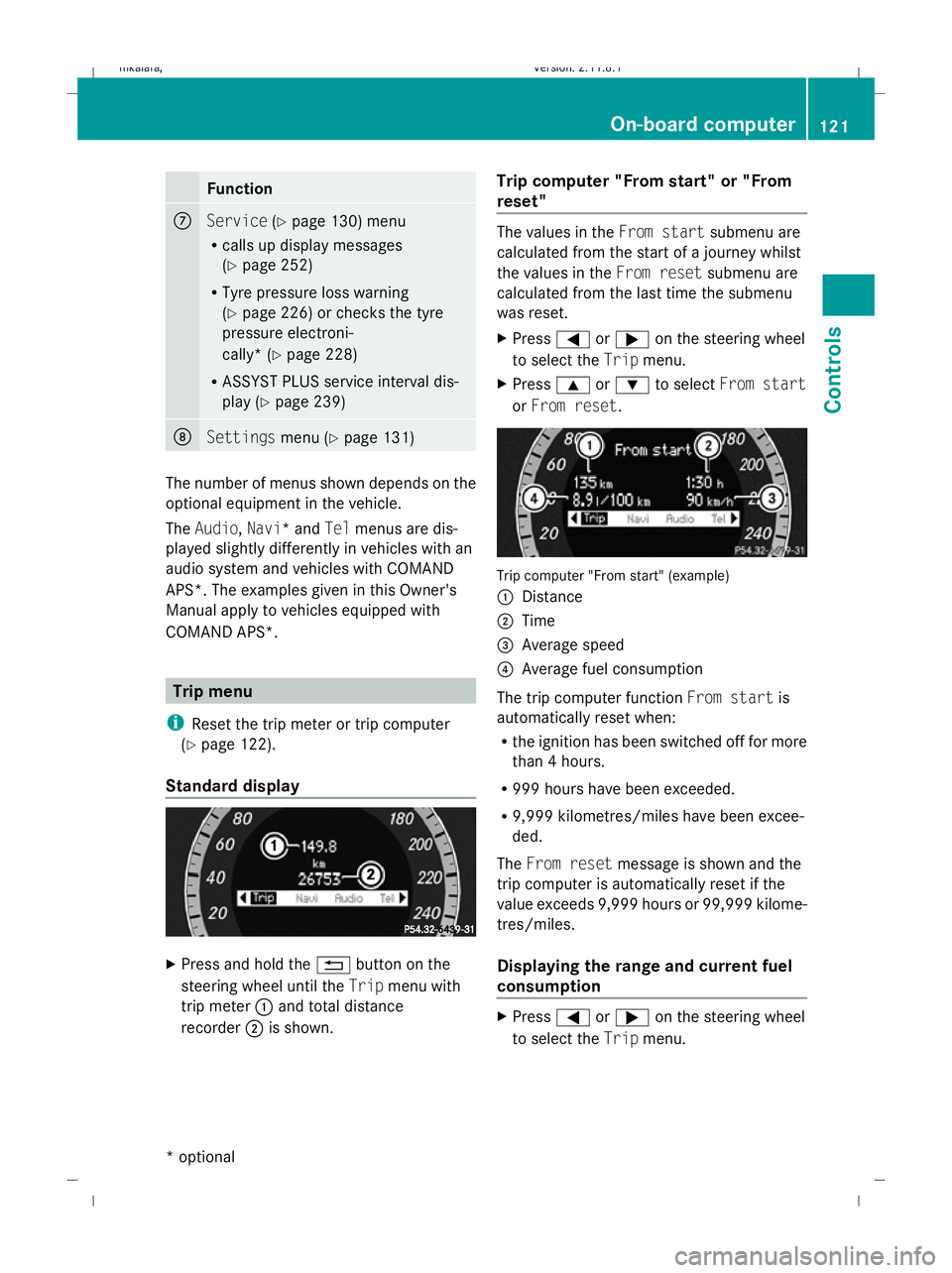
reset" The values in the
From startsubmenu are
calculated from the start of a journey whilst
the values in the From resetsubmenu are
calculated from the last time the submenu
was reset.
X Press =or; on the steering wheel
to select the Tripmenu.
X Press 9or: to select From start
or From reset. Trip computer "From start" (example)
:
Distance
; Time
= Average speed
? Average fuel consumption
The trip computer function From startis
automatically reset when:
R the ignition has been switched off for more
than 4 hours.
R 999 hours have been exceeded.
R 9,999 kilometres/miles have been excee-
ded.
The From reset message is shown and the
trip computer is automatically reset if the
value exceeds 9,999 hours or 99,999 kilome-
tres/miles.
Displaying the range and current fuel
consumption X
Press =or; on the steering wheel
to select the Tripmenu. On-board computer
121Controls
* optional
212_AKB; 2; 4, en-GB
mkalafa
,V ersion: 2.11.8.1
2009-05-05T14:17:16+02:00 - Seite 121 Z
Dateiname: 6515346702_buchblock.pdf; erzeugt am 07. May 2009 14:16:12; WK
Page 131 of 373
9
or: button until the desired
scene has been reached. Telephone menu
Functions and displays are dependent on the
optional equipment installed in your vehicle.
You can establish a Bluetooth connection to
the audio system or to COMAND APS* (see
separate operating instructions). G
Risk of accident
Observe the legal requirements of the country
in which you are currently driving regarding
the use of mobile phones in the vehicle.
If it is permitted to use mobile phones while
the vehicle is in motion, you should only use
them when the road and traffic conditions
allow. Otherwise, you may be distracted from
the traffic conditions, cause an accident and
injure yourself and others.
X Switch on the mobile phone and audio
equipment or COMAND APS*; see the sep-
arate operating instructions.
X Press the =or; button on the steer-
ing wheel to select the Telmenu.
Mobile phone on PIN* not yet entered
The
Please enter PIN display message
appears in the multi-function display.
X Enter the PIN using the mobile phone, Lin-
guatronic*, the audio system or COMAND
APS*.
The mobile phone will search for a network.
In the meantime the Telephone No
service display message appears in the
multi-function display.
Mobile phone operational
The multi-function display shows the Tele‐
phone ready message or the name of the
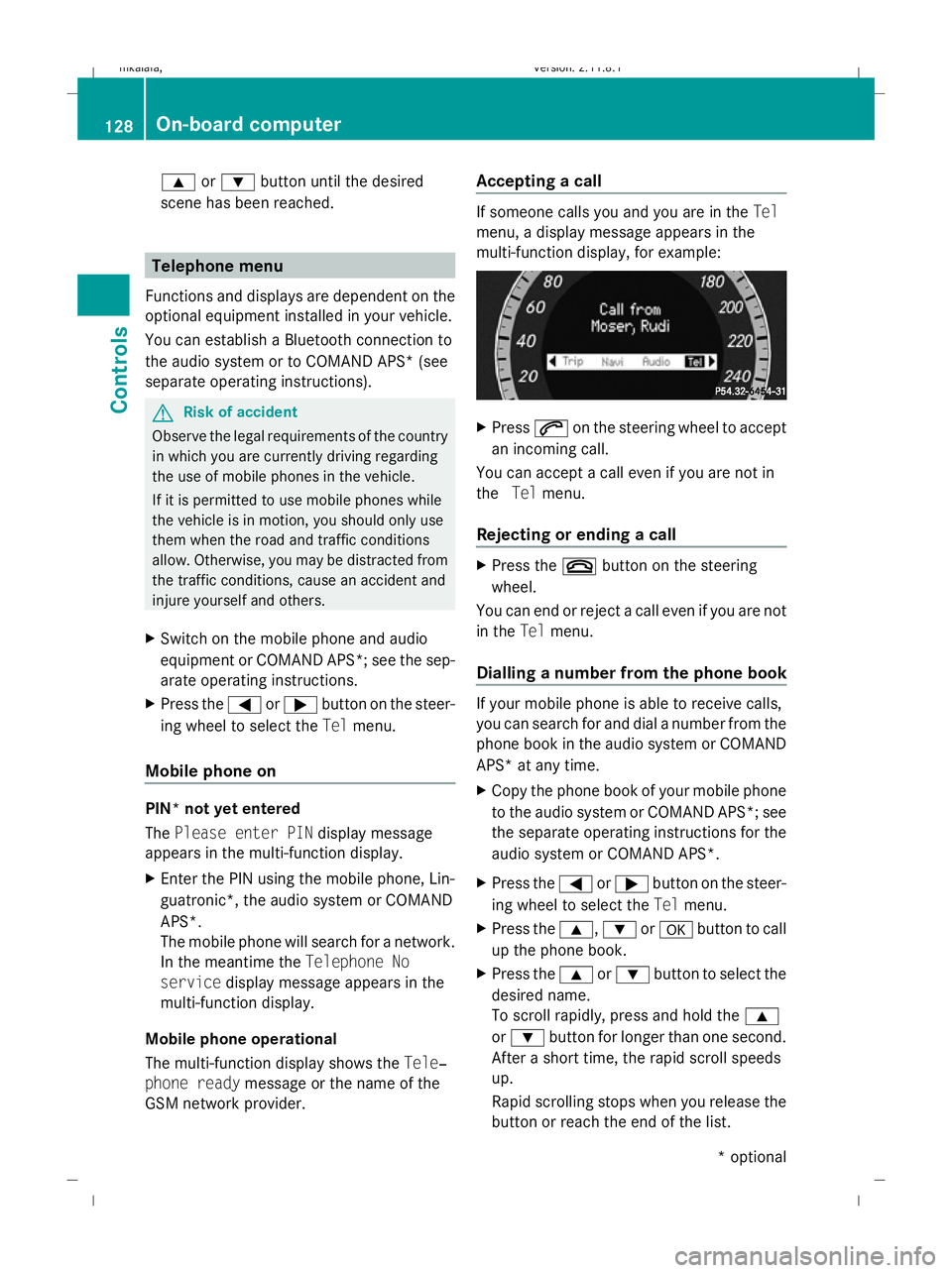
GSM network provider. Accepting a call If someone calls you and you are in the
Tel
menu, a display message appears in the
multi-function display, for example: X
Press 6on the steering wheel to accept
an incoming call.
You can accept a call even if you are not in
the Telmenu.
Rejecting or ending a call X
Press the ~button on the steering
wheel.
You can end or reject a call even if you are not
in the Telmenu.
Dialling a number from the phone book If your mobile phone is able to receive calls,
you can search for and dial a number from the
phone book in the audio system or COMAND
APS* at any time.
X
Copy the phone book of your mobile phone
to the audio system or COMAND APS*; see
the separate operating instructions for the
audio system or COMAND APS*.
X Press the =or; button on the steer-
ing wheel to select the Telmenu.
X Press the 9,:ora button to call
up the phone book.
X Press the 9or: button to select the
desired name.
To scroll rapidly, press and hold the 9
or : button for longer than one second.
After a short time, the rapid scroll speeds
up.
Rapid scrolling stops when you release the
button or reach the end of the list. 128
On-board computerControls
* optional
212_AKB; 2; 4, en-GB
mkalafa,
Version: 2.11.8.1 2009-05-05T14:17:16+02:00 - Seite 128
Dateiname: 6515346702_buchblock.pdf; erzeugt am 07. May 2009 14:16:15; WK
Page 133 of 373
X
Press the abutton.
Speed Limit Assist appears in the multi-
function display.
X Press the :button.
The current selection is displayed.
X To activate or deactivate: pressa.
A detected speed limit appears automati-
cally for five seconds.
Showing the distance display* This function is only available with Distronic
Plus*.
X Press =or; on the steering wheel
to select the Assist.menu.
X Press the 9or: button to select
Distance display.
X Press the abutton.
The Distronic Plus* distance display
appears in the multi-function display.
Activating/deactivating PRE-SAFE ®
Brake* This function is only available with Distronic
Plus*.
X Press =or; on the steering wheel
to select the Assist.menu.
X Press 9or: to select PRE-SAFE
Brake.
X Press a.
The current selection is displayed.
X To activate or deactivate: pressa
again.
When PRE-SAFE ®
Brake is activated, the
multi-function display shows the Äsym-
bol.
Activating/deactivating ATTENTION
ASSIST X
Press =or; on the steering wheel
to select the Assist.menu.
X Press 9or: to select the Atten‐
tion Asst. menu. X
Press a.
The current selection is displayed.
X To activate or deactivate: pressa
again.
When ATTENTION ASSIST is activated, the
À symbol appears in the multi-function
display when the ignition is on.
Activating/deactivating Blind Spot
Assist* X
Press =or; on the steering wheel
to select the Assist.menu.
X Press 9or: to select Blind Spot
Asst.
X Press a.
The current selection is displayed.
X To activate or deactivate: pressa
again.
Activating/deactivating Lane Keeping
Assist* X
Press =or; on the steering wheel
to select the Assist.menu.
X Press 9or: to select the Lane
Keep. Asst. menu.
X Press a.
The current selection is displayed.
X To activate or deactivate: pressa
again.
When Lane Keeping Assist is activated, the
à symbol appears in the multi-function
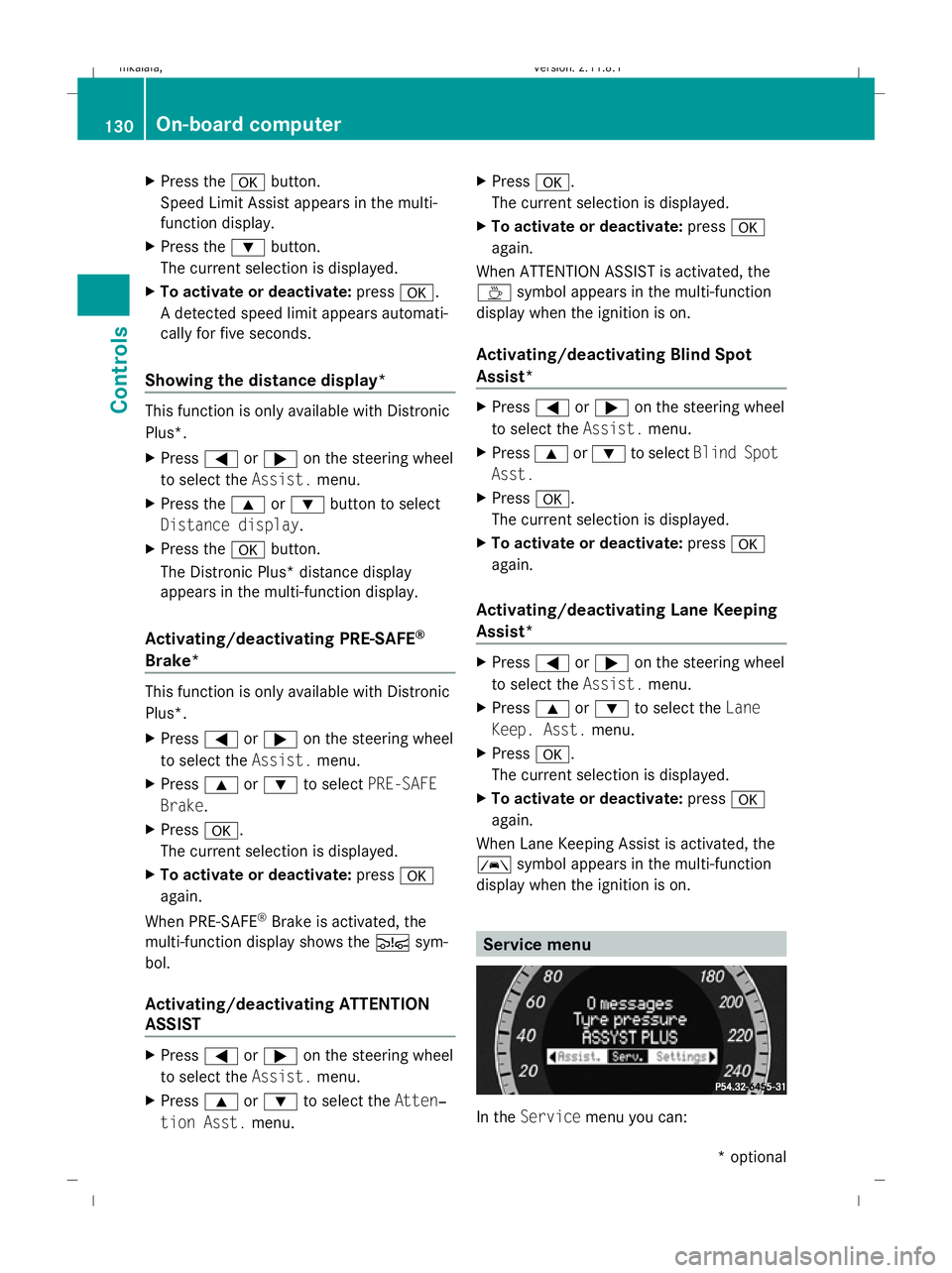
display when the ignition is on. Service menu
In the
Service menu you can: 130
On-board computerControls
* optional
212_AKB; 2; 4, en-GB
mkalafa,
Version: 2.11.8.1 2009-05-05T14:17:16+02:00 - Seite 130
Dateiname: 6515346702_buchblock.pdf; erzeugt am 07. May 2009 14:16:15; WK
Page 134 of 373
R
call up display messages (Y page 251)
R reset the tyre pressure loss warning system
(Y page 226) or check the tyre pressure
electronically* (Y page 228)
R call up the service due date (Y page 239)Settings menu
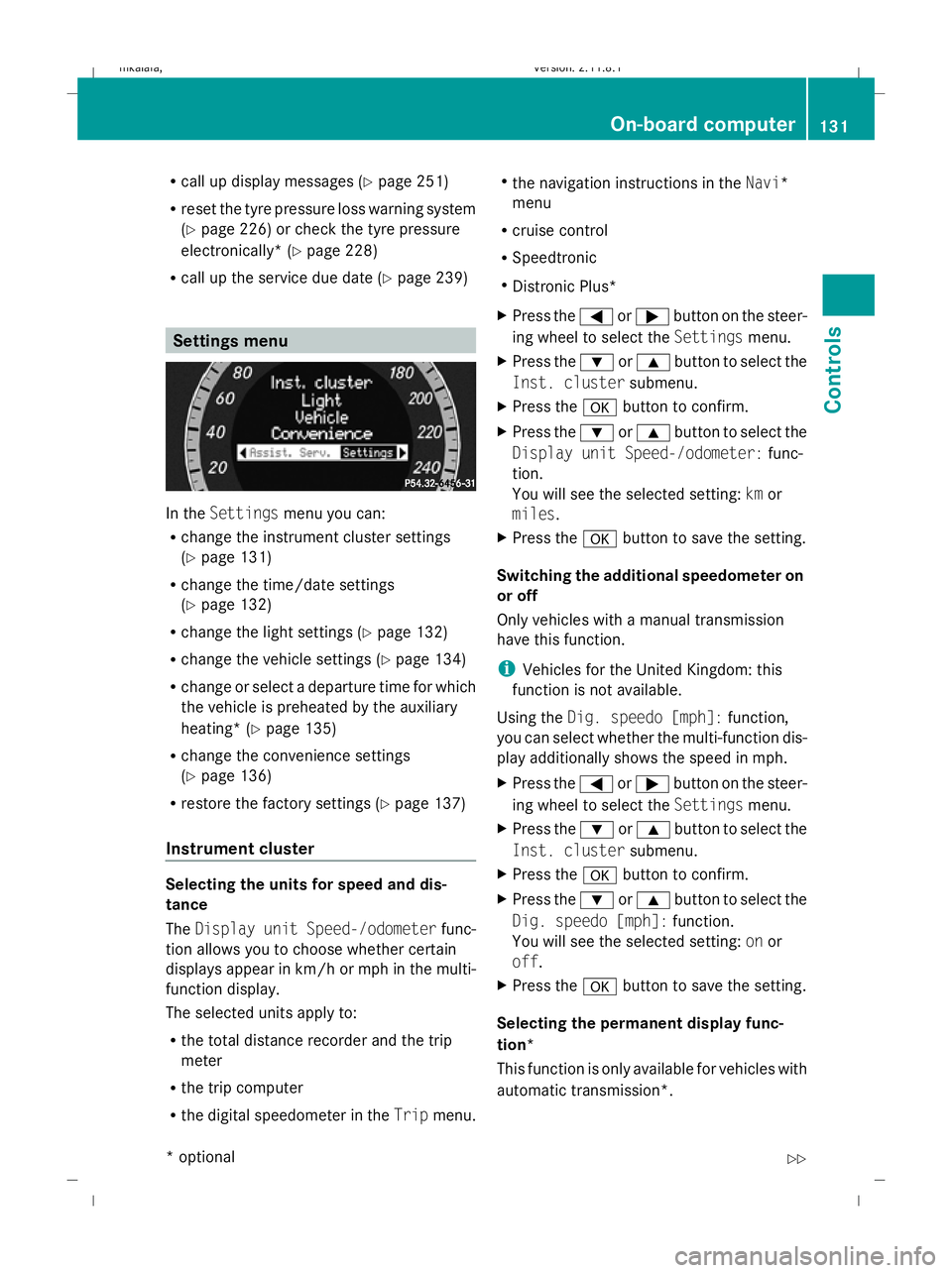
In the
Settings menu you can:
R change the instrument cluster settings
(Y page 131)
R change the time/date settings
(Y page 132)
R change the light settings ( Ypage 132)
R change the vehicle settings (Y page 134)
R change or select a departure time for which
the vehicle is preheated by the auxiliary
heating* (Y page 135)
R change the convenience settings
(Y page 136)
R restore the factory settings (Y page 137)
Instrument cluster Selecting the units for speed and dis-
tance
The
Display unit Speed-/odometer func-
tion allows you to choose whether certain
displays appear in km/h or mph in the multi-
function display.
The selected units apply to:
R the total distance recorder and the trip
meter
R the trip computer
R the digital speedometer in the Tripmenu. R
the navigation instructions in the Navi*
menu
R cruise control
R Speedtronic
R Distronic Plus*
X Press the =or; button on the steer-
ing wheel to select the Settingsmenu.
X Press the :or9 button to select the
Inst. cluster submenu.
X Press the abutton to confirm.
X Press the :or9 button to select the
Display unit Speed-/odometer: func-
tion.
You will see the selected setting: kmor
miles.
X Press the abutton to save the setting.
Switching the additional speedometer on
or off
Only vehicles with a manual transmission
have this function.
i Vehicles for the United Kingdom: this
function is not available.
Using the Dig. speedo [mph]: function,
you can select whether the multi-function dis-
play additionally shows the speed in mph.
X Press the =or; button on the steer-
ing wheel to select the Settingsmenu.
X Press the :or9 button to select the
Inst. cluster submenu.
X Press the abutton to confirm.
X Press the :or9 button to select the
Dig. speedo [mph]: function.
You will see the selected setting: onor
off.
X Press the abutton to save the setting.
Selecting the permanent display func-
tion*
This function is only available for vehicles with
automatic transmission*. On-board computer
131Controls
* optional
212_AKB; 2; 4, en-GB
mkalafa
,V ersion: 2.11.8.1
2009-05-05T14:17:16+02:00 - Seite 131 Z
Dateiname: 6515346702_buchblock.pdf; erzeugt am 07. May 2009 14:16:15; WK
Page 136 of 373
running. When it is dark, the side lamps and
the dipped-beam headlamps are switched on
automatically.
In countries where daytime driving lights are
legally required, Onis the factory setting.
X Press the =or; button on the steer-
ing wheel to select the Settingsmenu.
X Press the :or9 button to select the
Light submenu.
X Press the abutton to confirm.
X Press the :or9 button to select the
Daytime driving lamps function.
You will see the selected setting: onor
off.
X Press the abutton to save the setting.
Activating/deactivating the Intelligent
Light System*
When you activate the Intell. Light Sys‐
tem: function, you activate the following:
R motorway mode
R active light function
R cornering light function
R extended range foglamps
X Press the =or; button on the steer-
ing wheel to select the Settingsmenu.
X Press the :or9 button to select the
Light submenu.
X Press the abutton to confirm.
X Press the :or9 button to select the
Intell. Light System: function.
You will see the selected setting: onor
off.
X Press the abutton to save the setting.
Tourist mode
This function is only available on vehicles with
the Intelligent Light System.
If you drive in countries in which traffic drives
on the opposite side of the road to the country
where the vehicle is registered, oncoming
traffic may be dazzled by the asymmetrical
dipped-beam headlamps. Have tourist mode activated as close as pos-
sible to the border, before crossing the border
into such countries. This switches the head-
lamps to symmetrical dipped beam. When
using symmetrical beam, the edge of the car-
riageway is not illuminated as widely and as
far ahead as normal. Observe that if tourist
mode is activated not all lighting functions are
available.
If tourist mode is activated, the multi-function
display shows the display message:
Intell. Light System inoperative in
the Light submenu. Motorway mode and the
extended range foglamps are deactivated.
When you are driving back on the same side
of the road as the country where the vehicle
is registered, have tourist mode deactivated
at a qualified specialised workshop as soon
as possible after crossing the border, e.g. at
a Mercedes-Benz Service Centre.
Switching Adaptive Highbeam Assist*
on/off
X Press the =or; button on the steer-
ing wheel to select the Settingsmenu.
X Press the :or9 button to select the
Light submenu.
X Press the abutton to confirm.
X Press the :or9 button to select the
Adaptive Main-beam Assist: function.
You will see the selected setting: onor
off.
X Press the abutton to save the setting.
Setting the ambient lighting
X Press the =or; button on the steer-
ing wheel to select the Settingsmenu.
X Press the :or9 button to select the
Light submenu.
X Press the abutton to confirm.
X Press the :or9 button to select the
Ambient light Brightness: function.
You will see the selected setting.
X Press the abutton to confirm. On-board computer
133Controls
* optional
212_AKB; 2; 4, en-GB
mkalafa,
Version: 2.11.8.1 2009-05-05T14:17:16+02:00 - Seite 133 Z
Dateiname: 6515346702_buchblock.pdf; erzeugt am 07. May 2009 14:16:16; WK