display MERCEDES-BENZ E-CLASS ESTATE 2017 Repair Manual
[x] Cancel search | Manufacturer: MERCEDES-BENZ, Model Year: 2017, Model line: E-CLASS ESTATE, Model: MERCEDES-BENZ E-CLASS ESTATE 2017Pages: 585, PDF Size: 11.8 MB
Page 387 of 585
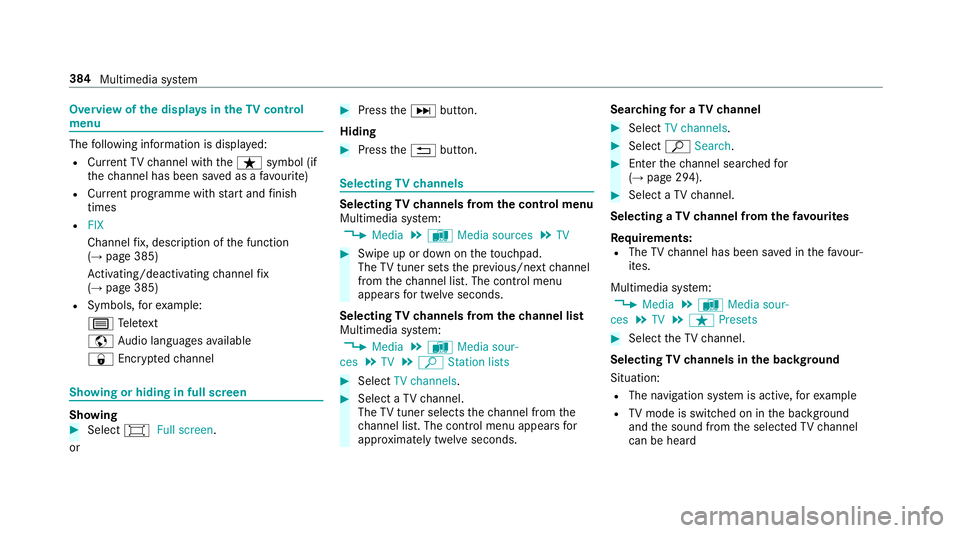
Overvie
wofthe dis play sint heTV cont rol
menu The
following informatio nisdisplayed:
R Cur rent TV channel wit hthe ß symbol (if
th ec hannel has been sa vedasaf avourite)
R Cur rent programme wi thstar ta nd finish
times
R FIX
Channe lfix, desc ript ionoft he function
(→ pag e385)
Ac tivating/deactivating channel fix
( → pag e385)
R Symbols, fore xamp le:
p Telete xt
z Audio languages available
r Encryp tedc hannel Showing or hiding in full screen
Showing
#
Select #Full screen.
or #
Press theD button.
Hiding #
Press the% button. Selecting
TVchannels Selecting
TVchannels from thec ontrol menu
Multimedia sy stem:
, Media .
à Media sources .
TV #
Swipe up or down on thet ouchpad.
The TVtune rsetst he pr evious/n extc hannel
from thec hannel list. The control menu
appear sfor twelv eseconds.
Selecting TVchannels from thec hanne llist
Multimedi asystem:
, Media .
à Media sour-
ces .
TV .
ª Station lists #
Select TV channels. #
Select aTVchannel.
The TVtune rselect sthe channel from the
ch annel list. The control men uappear sfor
appr oximatel ytwe lves econds. Sear
ching foraTVc hannel #
Select TV channels . #
Select ªSearch . #
Enter thec hannel sear ched for
( → pag e294). #
Select aTVchannel.
Selecting aTVchanne lfro mt hefavo urites
Re quirements:
R The TVchannel has been sa vedint hefavo ur‐
ites.
Multimedia sy stem:
, Media .
à Media sour-
ces .
TV .
ß Presets #
Select theTVc hannel.
Selecting TVchannels in theb ackg round
Situation: R The navigation sy stem is active, fore xamp le
R TVmode is switched on in theb ackg round
and thes ound from thes elected TVchannel
can be heard 384
Multimedia sy stem
Page 388 of 585
#
Press theD button on thet ouchpad.
The media menu is called up. #
Navigat eupord own.
The next or pr evious TVchannel is selec ted.
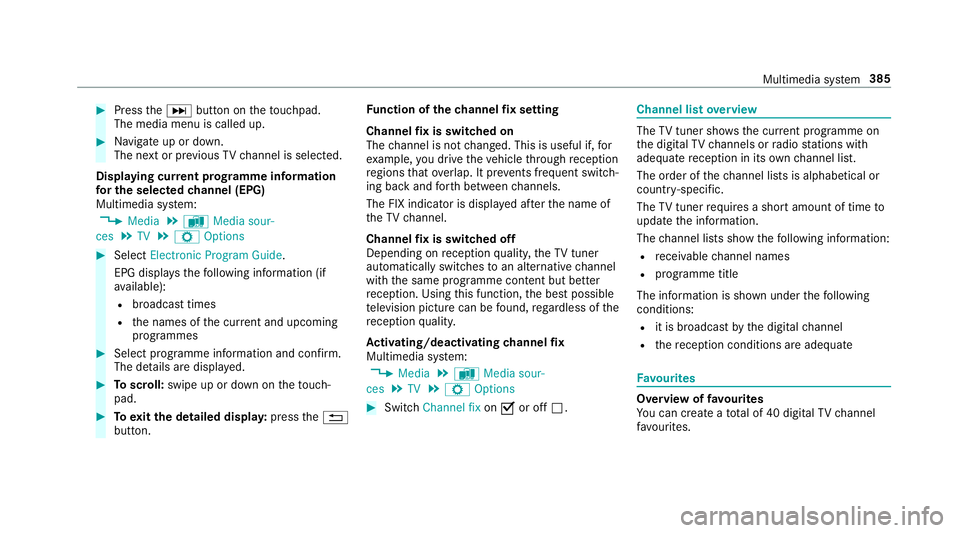
Displaying cur rent prog ramme in form ation
fo rt he selected channe l(EP G)
Multimedi asystem:
, Media .
à Media sour-
ces .
TV .
Z Options #
Select Electronic Program Guide.
EPG displa ys thefollowing information (if
av ailable):
R broadcas ttimes
R then ames of thec urrent and upcoming
programmes #
Select programme informatio nand confirm.
The de tails ar edispla yed. #
Toscroll: swipe up or down on thet ouch‐
pad. #
Toexitth ed etailed displa y:press the%
button. Fu
nction of thec hanne lfix setting
Channel fixiss witched on
The channel is no tchanged. This is useful if, for
ex ample, youd rive thev ehicle thro ugh reception
re gions that ove rlap. It pr events frequent switch‐
ing ba ckand forthb etwe en channels.
The FI Xindicator is displa yeda fter then ame of
th eTVc hannel.
Channel fixiss witched off
Depending on reception qualit y,theTVt uner
au tomatical lyswitches toan alternativ echannel
wit hthe same programme content but better
re ception. Using this function ,the bes tpossible
te levision pictur ecan be found ,regardless of the
re ception qualit y.
Ac tivating/deactivatin gchanne lfix
Multimedia sy stem:
, Media .
à Media sour-
ces .
TV .
Z Options #
Switch Channel fix onO or off ª. Channel lis
toverview The
TVtune rshows thec urrent programme on
th ed igital TVchannels or radio stations with
adequat ereceptio ninitsow nc hannel list.
The order of thec hannel lists is alphabetical or
countr y-specific.
The TVtune rrequires ashor tamount of tim eto
updat ethe information.
The channel lists sho wthe following information:
R recei vable channel names
R programme title
The information is shown unde rthe following
conditions:
R it is broadcas tbythe digital channel
R ther eceptio nconditions ar eadequate Favo
urites Overvie
woffavourites
Yo uc an creat eatotal of 40 digital TVchannel
fa vo urites. Multimedia sy
stem 385
Page 394 of 585
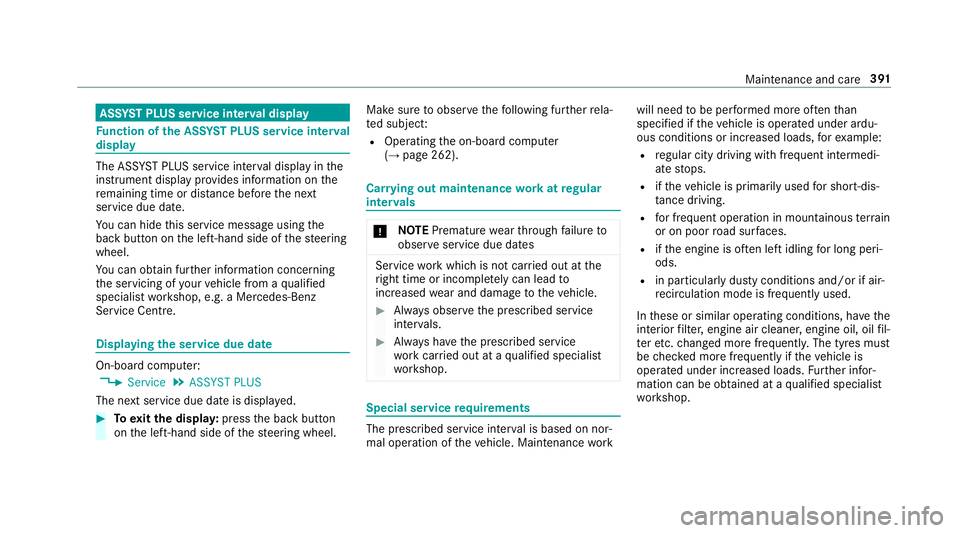
ASS
YSTP LUSs ervice in terv al display Fu
nction of theA SSYSTP LUSs ervice in terv al
display The ASS
YSTP LUSs ervice inter vald ispla yint he
instrument display prov ides informatio nonthe
re maining time or dis tance be fore then ext
service due date.
Yo uc an hide this service messag eusing the
bac kbutton on thel eft-hand side of thes teering
wheel.
Yo uc an obtain fur ther information concerning
th es ervicing of your vehicle from aqualified
specialis tworks hop, e.g. aMercedes-Benz
Service Centre. Displaying
thes ervice du edate On-boa
rdcomputer:
, Service .
ASSYST PLUS
The next service due dat eisdisplayed. #
Toexitth ed ispla y:press theb ackb utton
on thel eft-hand side of thes teering wheel. Mak
esuretoo bservethef ollowing fur ther rela‐
te ds ubjec t:
R Operating theo n-boar dcomputer
(→ pag e262). Car
rying out maintenance workatregular
inter vals *
NO
TEPrematur ewear thro ugh failur eto
obser veservice due dates Service
workwhic hisn otcar ried out at the
ri ght time or incomple tely can lead to
inc reased wear and damag etothevehicle. #
Alw ayso bser vethep rescribed service
inter vals. #
Alw aysh ave thep rescribed service
wo rkcar ried out at aqualified specialist
wo rkshop. Special service
requ irements The prescribed service inter
valisb ased on nor‐
mal operation of thev ehicle. Maintenance work will nee
dtobep erform ed mor eoften than
specified if thev ehicle is operated under ardu‐
ous conditions or increased loads, fore xamp le:
R regular city driving wit hfrequ ent intermedi‐
at es tops.
R ifth ev ehicle is primaril yused fors hort-dis‐
ta nce driving.
R forf requ ent operation in mountainou sterrain
or on poor road sur faces.
R ifth ee ngine is of tenl eftidling forl ong peri‐
ods.
R in particula rlyd usty condition sand/o rifair-
re circulation mod eisfrequently used.
In these or similar operating conditions ,have the
interior filter ,engin eair cleaner ,engin eoil, oil fil‐
te re tc. changed mor efrequ ent ly.T he tyres must
be checkedm oref requ entl yift hevehicle is
operated under increased loads. Further infor‐
mation can be obtained at aqualified specialist
wo rkshop. Maintenance and care
391
Page 399 of 585
It is no
tpossible tocor rectl ym easu retheo il
le ve lif:
R thev ehicle is no tleve lduring them easure‐
ment process.
R theb onnet wasp reviousl yopened.
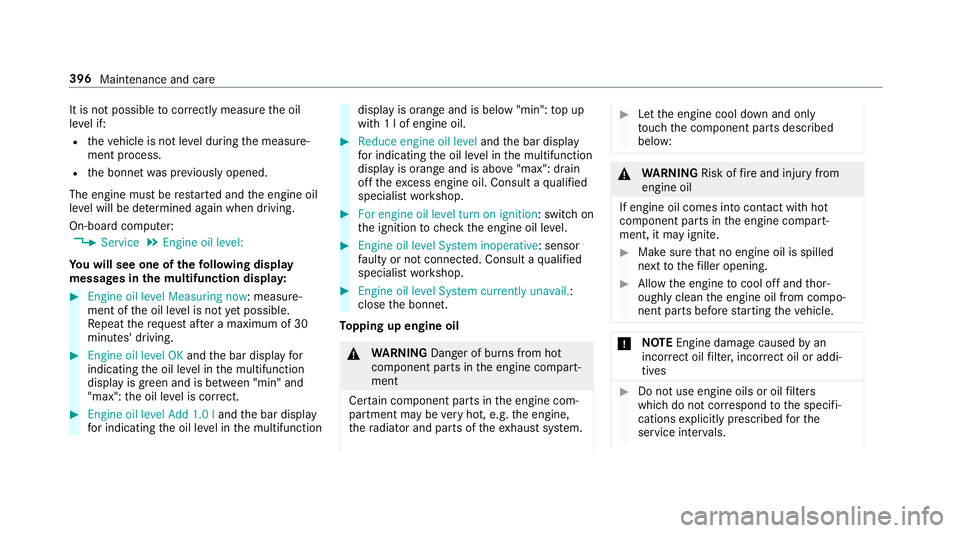
The engin emustber estarted and thee ngine oil
le ve lw ill be de term ined again when driving.
On-boar dcomputer:
, Service .
Engine oil level:
Yo uw ills ee one of thef ollowing display
messa gesint he multifunction dis play: #
Engine oi llev el Measuring now:m easure‐
ment of theo il le velisn otyetp ossible.
Re peat ther eques tafter am aximu mof30
minutes' driving. #
Engine oil level OK andtheb ar displa yfor
indicating theo il le velint he multifunction
displa yisgreen and is between "min" and
"max": theo il le velisc orrect. #
Engine oil level Add 1.0 l andtheb ar display
fo ri ndicating theo il le velint he multifunction displa
yisorang ea nd is belo w"min": topup
wit h1lofe ngineoil. #
Reduce engin eoil level andtheb ar display
fo ri ndicating theo il le velint he multifunction
displa yisorang ea nd is abo ve"max": drain
of ft he exc ess engine oil. Consult aqualified
specialis tworks hop. #
For engine oil level turn on ignition:s witchon
th ei gnition tocheckt he engine oil le vel. #
Engine oil level System inoperative :sensor
fa ulty or no tconnec ted. Consult aqualified
specialis tworks hop. #
Engine oil level System currently unavail. :
close theb onnet.
To pping up engine oil &
WARNING Danger of bu rnsf romh ot
component parts in thee ngine compart‐
ment
Cer tain component parts in thee ngine com‐
partmen tmaybe very hot, e.g. thee ngine,
th er adiator and parts of thee xhau stsystem. #
Letthe engine cool down and only
to uc ht he component parts described
below: &
WARNING Risk offire and injur yfrom
engine oil
If engine oil comes int ocontact wi thhot
component parts in thee ngine compart‐
ment ,itmayignite. #
Mak esuret hat no engine oil is spilled
next tothef iller opening. #
Allo wthe engine tocool of fand thor‐
oughl yclean thee ngine oil from compo‐
nentp arts befor estartin gt he vehicle. *
NO
TEEngine dama gecaused byan
incor rect oil filter ,incor rect oil or addi‐
tives #
Do no tuse engine oil soroilfilters
whic hdon otcor respond tothes pecifi‐
cation sexplicit lyprescribed fort he
service inter vals. 396
Maintenance and care
Page 408 of 585
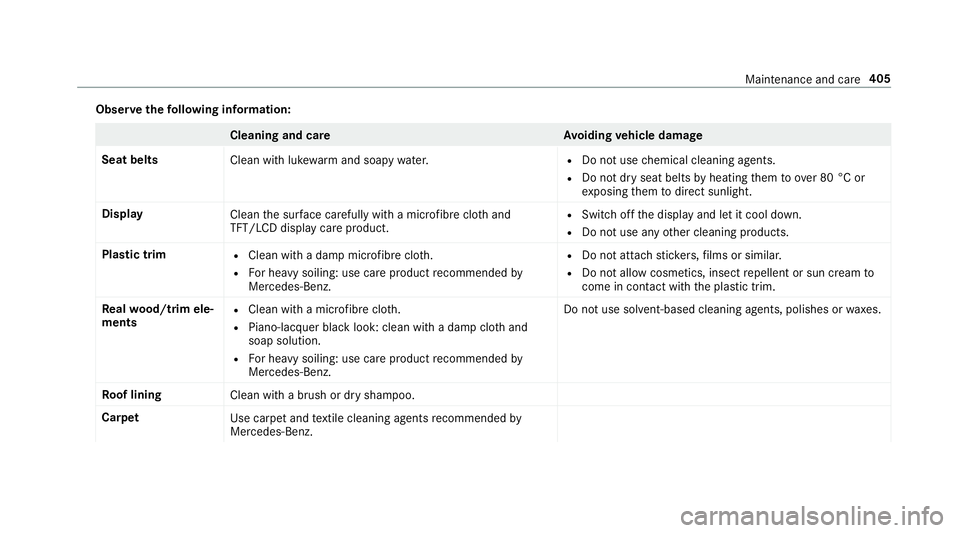
Obser
vethef ollowing information: Cleaning and car
eA voiding vehicl edamage
Seat belts Clean withlukewa rmand soap ywater. R
Do no tuse chemical cleanin gagents.
R Do no tdryseat belts byheating them toove r80°Cor
ex posing them todirect sunlight.
Display Cleanthes urface carefully wi tham icro fibr ec loth and
TFT/LCD displa ycarep roduct. R
Swit chofft he displa yand le titcool down.
R Do no tuse an yother cleaning products.
Plastic trim R
Cleanw ithad ampm icrofibr ecloth.
R Forh eavy soiling: use car eproduct recommended by
Mercedes-Benz. R
Do no tattac hstickers,f ilms or similar.
R Do no tallowc osmetics, insect repellent or sun cream to
come in contact wi th theplastic trim.
Re alwo od/t rime le‐
ments R
Clea nwitham icro fibr ec loth.
R Piano-lacquer blac klook: clean wit hadampcloth and
soap solution.
R Forh eavy soiling: use car eproduct recommended by
Mercedes-Benz. Do no
tuse sol vent-based cleaning agents, polishe sorwaxes.
Ro of lining
Clean withabrush or dr yshampoo.
Carpet Use carpetand textil ec leaning agents recommended by
Mercedes-Benz. Maintenance and care
405
Page 413 of 585
#
Afterd riving in emergency mode ha ve
th er ims checkedbyaq ualified special‐
is tw orks hop wit hregar dtot heir fur ther
use. #
The defectiv etyrem ustber eplaced in
eve rycase. Wi
th MOExtended tyres (run-flat tyres), youc an
continue todriv eyour vehicle evenift hereisa
tot al loss of pressur einoneor mor etyres. How‐
eve r,th et yrea ffected mus tnotsho wanyclearly
visible damage.
Yo uc an recognise MOExtende dtyres bythe
MOExtended marking whic happear sonthe side
wa ll of thet yre.
Ve hicles with tyr epressur elossw arnin gsys‐
te m: MOExtended tyres ma yonly be used in
conjunctio nwithana ctivated tyr epressur eloss
wa rning sy stem.
Ve hicles with tyr epressur emonitoring sys‐
te m: MOExtended tyres ma yonly be used in
conjunctio nwithana ctivated tyr epressur emon‐
itoring sy stem. If
ap ressur eloss warning messag eappear sin
th em ultifunction display:
R Chec kthe tyr efor damage.
R If driving on, obser vethef ollowing no tes.
Driving distance possible in limp-home mode
af te rt he pressur elossw arning: Loa
dcondition Driving distance pos‐
sible in limp-homemode
Pa rtiall yladen 80 km
Fu llyl aden 30 km R
The drivin gdista nce possibl einlimp-home
mod emayvary dependin gonthe driving
st yle.
R Maximum permissible speed 80 km/h.
If at yreh as gone flat and canno tbereplaced
wit hanM OExtende dtyre, youc an use astand‐
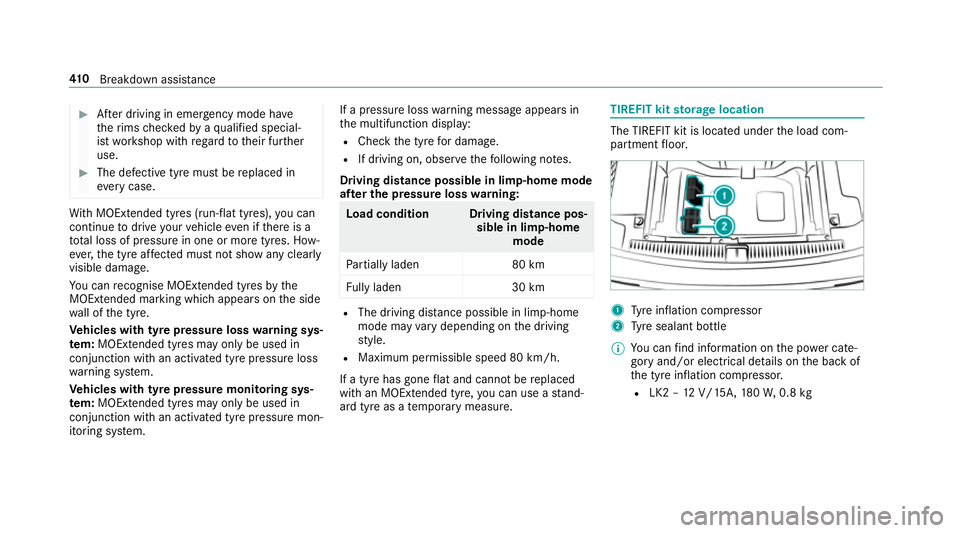
ar dt yreasat emporar ymeasure. TIREFIT kit
storage location The TIREFIT kit is located under
thel oad com‐
partmen tfloor. 1
Tyre inflation compressor
2 Tyre sealant bottle
% Youc an find informatio nonthe powercate‐
gor yand/or electrical de tails on theb ackof
th et yrei nflation compressor.
R LK2 –12V /15A,180 W,0.8 kg 41 0
Breakdown assis tance
Page 434 of 585
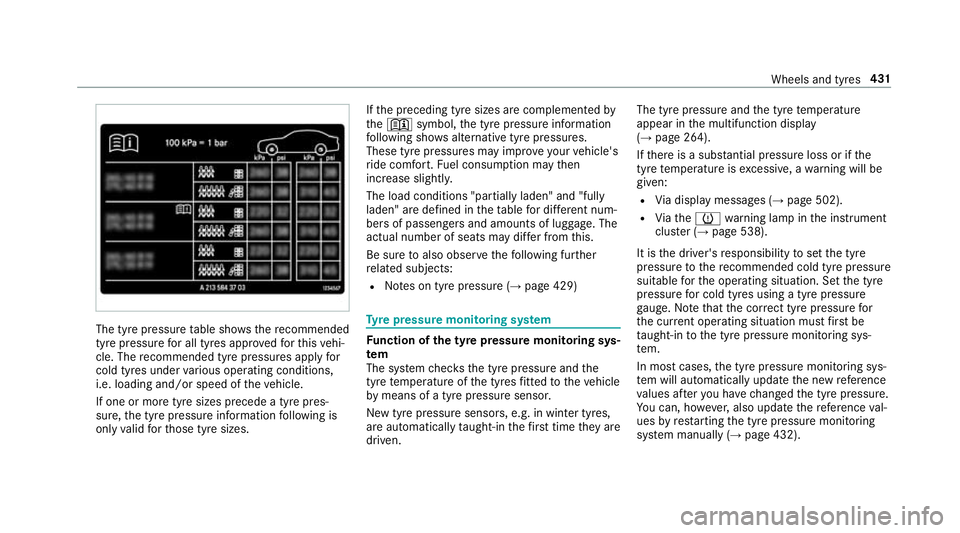
The tyr
epressur etable sho ws therecommended
tyr ep ressur efor all tyres appr ovedfor this vehi‐
cle. The recommended tyr epressures apply for
cold tyres under various operating conditions,
i.e. loading and/or speed of thev ehicle.
If one or mor etyres izes precede atyrep res‐
sure, thet yrep ressur einformation following is
onl yvalid fort hose tyr esizes. If
th ep receding tyr esizes ar ecomplemented by
the + symbol, thet yrep ressur einformation
fo llowing sho wsalternativ etyrep ressures.
Thes etyrep ressures ma yimp rove your vehicle's
ri de comfort. Fuel consum ption ma ythen
increase slightly.
The load conditions "partially laden" and "fully
laden" ar edefined in thet able ford iffe re nt num‐
be rs of passenger sand amounts of luggage. The
actual number of seats ma ydiffe rf romt his.
Be sur etoalso obse rvet he following fur ther
re lated subjects:
R Notesont yrep ressur e(→pag e429) Ty
re pressur emonitoring sy stem Fu
nction of thet yrep ress urem onitoring sys‐
tem
The sy stem checks thet yrep ressur eand the
tyr etemperatur eofthe tyres fitted tothev ehicle
by means of atyrep ressu resensor.
Ne wt yrep ressur esensors, e.g. in winter tyres,
ar ea utomatically taught-in thef irst tim etheya re
driven. The tyr
epressur eand thet yret emperature
appear in them ultifunction display
(→ pag e264).
If th er eisas ubstantia lpressur elossorift he
tyr etemperatur eisexcessive, awarning will be
given:
R Viad ispla ymessages (→ page502).
R Viat he h warning lam pinthe instrument
clus ter( →pag e538).
It is thed rive r's responsibility tosetthe tyre
pressur etotherecommended cold tyr epressure
suitable fort he operating situation. Se tthe tyre
pressur efor cold tyres using atyrep ressu re
ga uge. Notethat thec orrect tyr epressur efor
th ec urrent operating situatio nmustfirst be
ta ught-in tothet yrep ressur emonitoring sys‐
te m.
In mos tcases, thet yrep ressur emonitoring sys‐
te mw illa utom atical lyupdat ethe ne wreference
va lues af tery ou ha vechanged thet yrep ressure.
Yo uc an,h owe ver,also updat ethe refere nce val‐
ues byrestartin gthe tyr epressur emonitoring
sy stem manually (→ page432). Wheels and tyres
431
Page 435 of 585
Sy
stem limitations
The sy stem ma ybeimpaired or ma ynotfunction
in thef ollowing situations:
R Ifth et yrep ressur eiss etincor rectly.
R Ifth er eisas udden pressur eloss caused, for
ex ample, byaforeign object penetratin gthe
tyre.
R Ifth er eisam alfunction caused byano ther
ra dio signal source.
Mak esuretoo bservethef ollowing fur ther rela‐
te ds ubjec t:
R Notesont yrep ressur e(→pag e429)
Checking thet yrep ress urew itht he tyre
pressur emonitoring sy stem
Re quirement:
R The ignition is switched on.
On-boar dcomputer:
, Service .
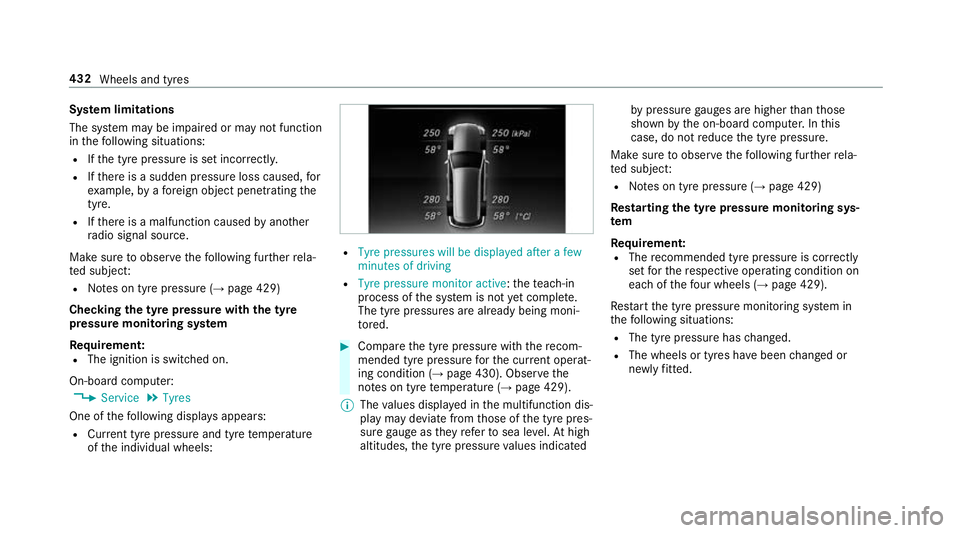
Tyres
One of thef ollowing displa ysappears:
R Cur rent tyr epressur eand tyr etemperature
of thei ndividual wheels: R
Tyre pressures will be displayed after afew
minutes of driving
R Tyre pressure monitor active:t heteach-in
process of thes ystemisn ot yetcompl ete.
The tyr epressures ar ealready being moni‐
to re d. #
Compar ethe tyr epressur ewitht he recom‐
mended tyr epressur efor thec urrent operat‐
ing condition (→ page 430). Obse rvet he
no tesont yret emperatur e(→pag e429).
% The values displa yedint he multifunction dis‐
pla ym aydeviat efromt hose of thet yrep res‐
sur egaug east heyr efer tosea le vel.At high
altitudes, thet yrep ressur evalues indicated by
pressur egauges ar ehigher than those
shown bytheo n-boar dcomputer .Inthis
case, do no treduce thet yrep ressure.
Mak esuretoo bservethef ollowing fur ther rela‐
te ds ubjec t:
R Notesont yrep ressur e(→pag e429)
Rest arting thet yrep ress urem onitoring sys‐
tem
Requ irement:
R The recommended tyr epressur eisc orrectly
se tfor ther espectiv eoperating condition on
eac hoft hefour wheel s(→pag e429).
Re star tt he tyr epressur emonitoring sy stem in
th ef ollowing situations:
R The tyr epressur ehaschanged.
R The wheels or tyres ha vebeen changed or
newl yfitted. 432
Wheels an dtyres
Page 468 of 585
Displa
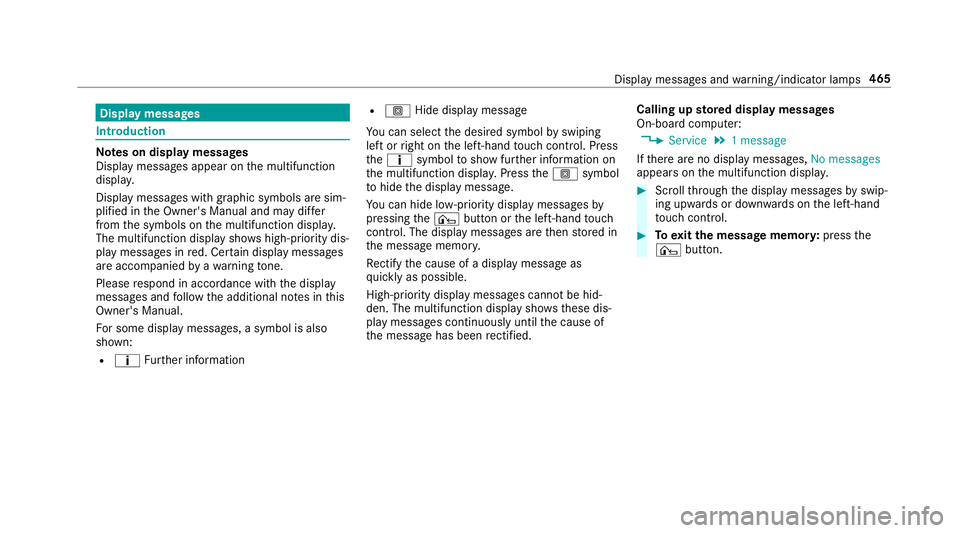
ymessages Int
roduction Note
sond isplaymessages
Displa ymessages appear on them ultifunction
displa y.
Displ aymessa gesw ithg raphic symbols ar esim‐
plified in theO wner's Manual and ma ydiffer
from thes ymbols on them ultifunction displa y.
The multifunction displa yshows high-priority dis‐
pla ym essages in red. Cer tain displa ymessages
ar ea ccompanied byaw arning tone.
Please respond in accordance wit hthe display
messages and follo wt he additional no tesint his
Owner's Manual.
Fo rs ome displa ymessa ges,as ymbol is also
shown:
R ¤ Further information R
O Hide displa ymessage
Yo uc an select thed esired symbol byswiping
lef torr ight on thel eft-hand touc hc ontrol .Press
the ¤ symbol tosho wfurther information on
th em ultifunction displa y.Press theO symbol
to hide thed ispla ymessage.
Yo uc an hide lo w-priority displa ymessages by
pressing the¤ button or thel eft-hand touch
cont rol. The displa ymessages ar ethen stored in
th em essag ememor y.
Re ctify thec ause of adispla ymessag eas
qu ickl yasp ossible.
High-priority displa ymessages canno tbehid‐
den. The multifunction displa yshows th ese dis‐
pla ym essages continuousl yuntil thec ause of
th em essag ehas been rectified. Calling up
storedd ispl aymessages
On-boa rdcompu ter:
, Service .
1m essage
If th er ea reno displa ymessages, No messages
appear sonthe multifunction displa y. #
Scrol lthrough thed ispla ymessages byswip‐
ing upwards or down wardsont he left-hand
to uc hc ontrol. #
Toexitth em essag ememor y:press the
¤ button. Displa
ymessages and warning/indicator lamps 465
Page 473 of 585
Displa
ymessages
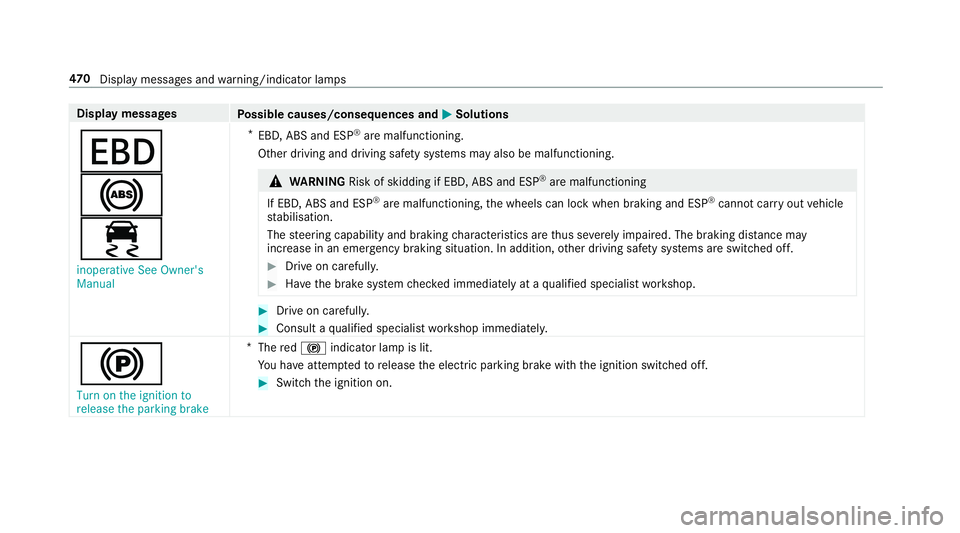
Possible causes/consequences and M
MSolutions
T
!
÷ inoperative See Owner's
Manual *
EBD,A BS and ESP ®
arem alfunctioning.
Other driving and driving saf etys yst ems ma yalso be malfunctioning. &
WARNING Risk of skidding if EBD, ABS and ESP ®
are malfunctioning
If EBD, ABS and ESP ®
arem alfunctioning ,the wheels can loc kwhen braking and ESP ®
cann otcar ryout vehicle
st abilisation.
The steering capability and braking characteristic sarethus se verely impaired .The brakin gdista nce may
increase in an eme rgency braking situation .Inaddition, other driving saf etys yst ems ar eswitched off. #
Driv eonc arefull y. #
Have theb rake system checkedi mmediatel yataqualified specialis tworks hop. #
Driv eonc arefully. #
Consult aqualified specialis tworks hop immediatel y.
!
Turn on the ignition to
release the parking brake *
The red! indicator lam pislit.
Yo uh ave attem ptedtor elease thee lectric parking brak ewitht he ignition switched off. #
Switc hthe ignition on. 47 0
Displaymessa gesa nd warning/indicator lamps