audio MERCEDES-BENZ G-Class 2017 W463 User Guide
[x] Cancel search | Manufacturer: MERCEDES-BENZ, Model Year: 2017, Model line: G-Class, Model: MERCEDES-BENZ G-Class 2017 W463Pages: 286, PDF Size: 4.91 MB
Page 219 of 286
multifunction display.The audio outpu tis
muted.
If ac onnection can be made ,the Call
Connec‐tedmessage appears in the multifunction dis-
play.
If am obilep hone network and GPS reception
are available, the system transfers data to the
Mercedes-Benz Customer Assistance Center,
for example:
Rcurrent location of the vehicle
Rvehiclei dentification number
The multimedia system display indicates that a
call is active. During the call ,you can change to
the navigation menu by pressing the NAVI but-
ton on the multimedia system, for example.
Voice outpu tisnot available in this case.
Av oice connection is established betweent he
Mercedes-Benz Customer Assistance Center
and the vehicleo ccupants.
From the remote malfunction diagnosis, the
Mercedes-Benz Customer Assistance Center
can ascertai nthe nature of the problem
(
Ypage 220).
The Mercedes-Benz Customer Assistance Cen-
ter either sends aqualified Mercedes-Benz tech-
nician or makes arrangements for you rvehicle
to be transported to the nearest Mercedes-Benz Service Center.
You may be charged for services such as repair
work and/or towing.
You can find more informatio ninthe separate
mbrace manual.
The system has not been abletoi nitiateaRoad-
side Assistance call ,if:
Rthe F indicator lamp for the Roadside
Assistance call button is flashing continu-
ously.
Rno voice connection to the Mercedes-Benz
Customer Assistance Center was estab-
lished.
This can occur if the relevant mobilep hone net-
work is not available, for example.
The Call Failed
message appears in the mul-
tifunction display.
XTo end acall: press the ~button on the
multifunction steering wheel.
or
XPress the corresponding multimedia system
button for ending aphone call.
Info call button
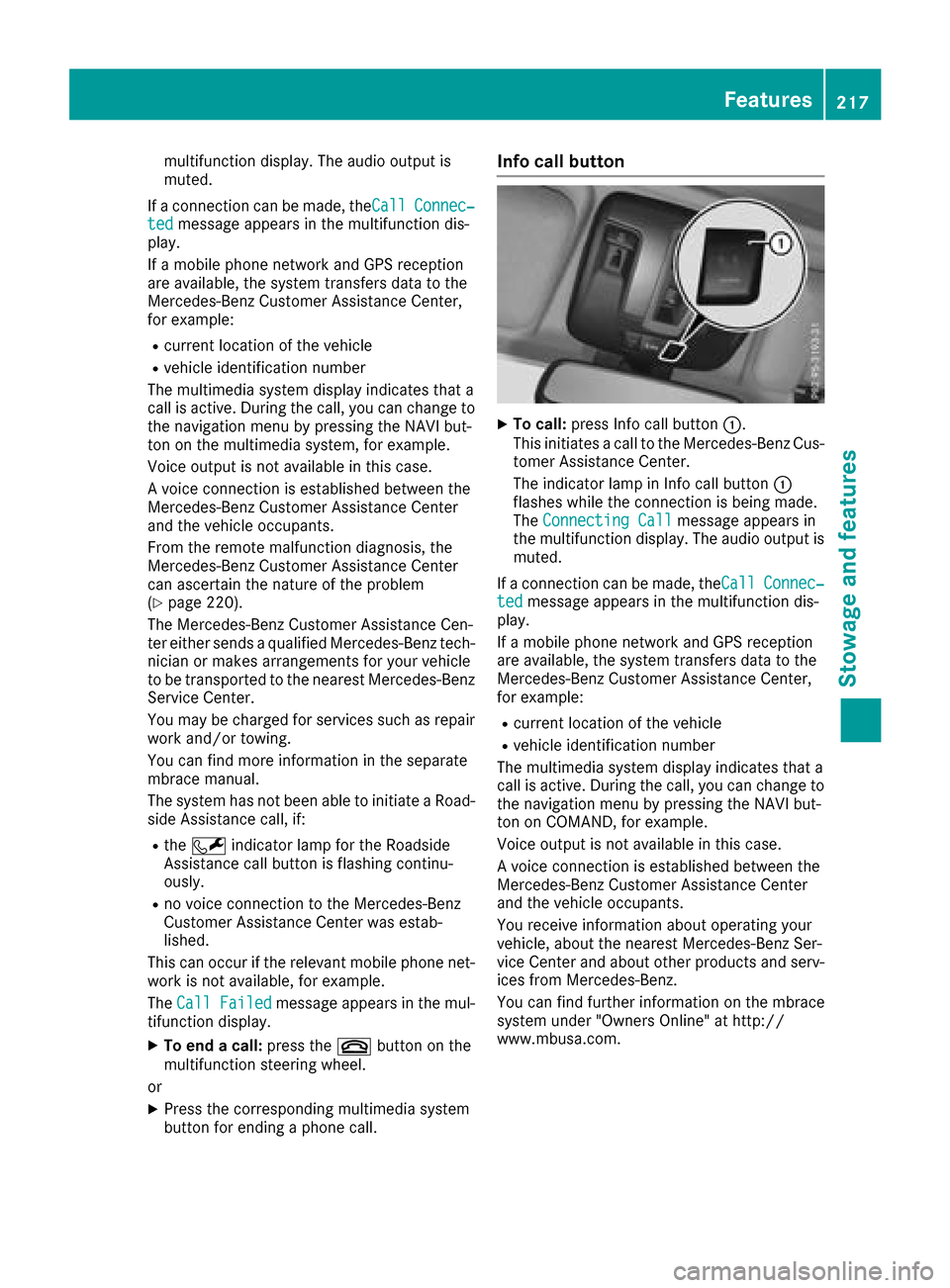
XTo call: press Info call button :.
This initiates acall to the Mercedes-Benz Cus-
tomer Assistance Center.
The indicator lamp in Info call button :
flashes whilet he connection is being made.
The ConnectingC all
message appears in
the multifunction display .The audio outpu tis
muted.
If ac onnection can be made ,the Call
Connec‐tedmessage appears in the multifunction dis-
play.
If am obilep hone network and GPS reception
are available, the system transfers data to the
Mercedes-Benz Customer Assistance Center,
for example:
Rcurrent location of the vehicle
Rvehiclei dentification number
The multimedia system display indicates that a
call is active. During the call ,you can change to
the navigation menu by pressing the NAVI but-
ton on COMAND, for example.
Voice outpu tisnot available in this case.
Av oice connection is established betweent he
Mercedes-Benz Customer Assistance Center
and the vehicleo ccupants.
You receive informatio nabou toperating your
vehicle, aboutt he nearest Mercedes-Benz Ser-
vice Center and abouto ther products and serv-
ices from Mercedes-Benz.
You can find further informatio nonthe mbrace
system under "Owners Online" at http://
www.mbusa.com.
Features217
Stowage and features
Z
Page 220 of 286
The system has not been able to initiate an MB
Info call, if:
Rthe indicator lamp in theïInfo call button
is flashing continuously.
Rno voice connection to the Mercedes-Benz
Customer Assistance Center was estab-
lished.
This can occur if the relevant mobile phone net-
work is not available, for example.
The Call Failed
message appears in the mul-
tifunction display.
XTo end acall: press the ~button on the
multifunction steerin gwheel.
or
XPress the corresponding multimedia system
button for ending aphone call.
Call priority
When service calls are active, e.g. Roadside
Assistance or Info calls, an emergencyc all can
still be initiated. In this case, an emergencyc all
will take priority and override all other active
calls.
The indicator lamp of the respective button
flashes until the call is ended.
An emergencyc all can only be terminated by the
Mercedes-Benz Customer Assistance Center.
All other calls can be ended by pressing:
Rthe ~ button on the multifunction steering
wheel
Rthe corresponding button in the multimedia
system to end the voice call
When acall is initiated, the audio system is
muted.
The mobile phone is no longer connected to the multimedia system.
However, if you want to use your mobile phone,
do so only when the vehicle is stationary and in
as afe location.
Downloading destinations
Downloading destinations
Downloading destinations gives you access to a
database with over 15 million points of interest
(POIs). These can be downloaded on the navi-
gation system in your vehicle. If you know the
destination, the address can be downloaded.
Alternatively, you can obtain the location of Points of Interest (POIs)/important destinations
in the vicinity.
Furthermore, you can download routes with up
to four way points.
You are prompted to confirm route guidance to
the address entered.
XSelect Yesby turning 3or sliding 1
the controller and confirm with 7.
The system calculates the route and subse-
quently start sthe route guidance with the
address entered.
If you select No
the address can be stored in
the address book.
The destination download function is available
if:
Rthe vehicle is equipped with anavigation sys-
tem.
Rthe relevant mobile phone network is availa-
ble and data transfer is possible.
Route Assistance
This service is part of the mbrace PLUS Package
and cannot be purchased separately.
You can use the Route Assistance function even
if the vehicle is not equipped with anavigation
system.
Within the framework of this service, you receive
ap rofessional and reliable form of navigation
support without having to leave your vehicle.
The customer service representative finds a
suitable route depending on your vehicle's cur-
rent position and the desired destination. You
will then be guided live through the current route
section.
Search &Send
General notes
To use "Search &Send", your vehicle must be
equipped with mbrace and anavigation system.
Additionally, an mbrace service subscription
must be completed.
"Search &Send" is adestination entr yservice. A
destination address which is found on Google
Maps
®can be transferred via mbrace directly to
your vehicle's navigation system.
218Features
Stowage and features