display MERCEDES-BENZ GL SUV 2012 Owners Manual
[x] Cancel search | Manufacturer: MERCEDES-BENZ, Model Year: 2012, Model line: GL SUV, Model: MERCEDES-BENZ GL SUV 2012Pages: 441, PDF Size: 10.66 MB
Page 285 of 441
X
Press ato confirm.
X Press the :or9 button to select the
Amb. ligh t+/- function.
Yo uw ill see the selected setting.
X Press ato confirm.
X Press the :or9 button to adjust the
brightness to any level from Off to
Level 5 (bright).
X Press the aor% button to save the
setting.
Setting the ambient lighting colour
X Press the =or; button on the steer-
ing wheel to select the Settings menu.
X Press the :or9 button to select the
Light submenu.
X Press ato confirm.
X Press the :or9 button to select the
Ambien tlight colour function.
X Press ato confirm.
X Press the :or9 buttontos et the
colour to SOLAR ,
NEUTRAL or
POLAR .
X Press the aor% button to save the
setting.
Surround lighting and exterior lighting
delayed switch-off
X Press the =or; button on the steer-
ing wheel to select the Settings menu.
X Press the :or9 button to select the
Light submenu.
X Press ato confirm.
X Press :or9 to select the Sur‐ roun
dlighting function.
When the Surround lighting function is
activated, th elight cone and the area
around the vehicle are displaye dinred in
the multifunction display.
X Press the abutton to save the setting. Deac
tivating delayed switch -off of th eexte-
rior lighting tempo rarily:
X Befor eleaving the vehicle, tur nthe key to
position 0in the ignition lock.
X Tur nthe key to position 2in the ignition
lock.
The exterior lighting delayed switch-off is
deactivated.
Delayed switch-off of the exterior lighting is
reactivated the nex ttime you start the
engine.
If you have activated the Surround light‐ ing func
tion and the light switc hisset to
Ã,t he followin gfunctions are activated
when it is dark:
R Surround lighting: the exterior lighting
remains lit for 40 seconds after unlocking
with the key. If you start the engine, the
surround lighting is switched off and the
automatic headlamp mode is activated
(Y page 119).
R Exterior lighting delayed switch-off: the
exterior lighting remains lit for
60 seconds after the engine is switched off.
If you close all the doors and the tailgate,
the exterior lighting goes off after
5s econds.
i Depending on your vehicle's equipment,
when the surround lighting and delayed
switch-off exterior lighting are on, the fol-
lowing light up:
R side lamps
R daytime driving lights
R surround lighting in the exterior mirrors
Activating/deactivating th einterior light-
ing delayed switch-off
If you activa tethe Lighti ngdelayed sw.- off function, th
einterior lighting remains on
for 20seconds after you remove the key from
the ignition lock. 282
Menus and submenusOn-boar
dcomputer and displays
Page 286 of 441
X
Press the =or; button on the steer-
ing wheel to select the Settings menu.
X Press the :or9 button to select the
Light submenu.
X Press ato confirm.
X Press :or9 to select the Light‐ in
gd elayed sw.-off function.
When the Lighting delayed sw.-off function is activated, th
evehicle interior is
displayed in red in the multifunction dis-
play.
X Press the abutton to save the setting.
Vehicle submenu Setting per
manent SPEEDTRONIC
X Press the =or; button on the steer-
ing wheel to select the Settings menu.
X Press :or9 to select the Vehicle submenu.
X Press ato confirm.
X Press the :or9 button to select the
Limit speed (winter tyres): function.
You will see the curren tsetting.
X Press ato confirm.
X Press the :or9 button to adjust
permanen tSPEEDTRONI Cinincrements of
ten (23 0km/h to
160 km/h ). The
Off set-
ting switches permanent SPEED TRONIC
off.
X Press the abuttontos tore the entry.
For furth erinformation on perm anent SPEED-
TRONIC (Y page 198).
Switchin gthe automati clocking feature
on/off
If yo uactivate the Automatic door locks function, the vehicl
eiscentrally locked above
as peed of around 15 km/h.
X Press the =or; button on the steer-
ing whee ltoselectthe Settings men
u.
X Press :or9 to select the Vehicle submenu. X
Press ato confirm.
X Press :or9 to select the Auto‐ matic door locks function.
When the Automaticdoorl ocks func-
ti on is activated, the vehicle doors are dis-
played in red in the multifunction displ ay.
X Press the abutton to save the setting.
For further information on the automatic lock-
ing feature, see (Y page 84).
Activating/deactivating th eacoustic
lockin gconfirmation
If you switch on the Acoustic Lock function,
an acoustic signal sounds when you lock the
vehicle.
X Press the =or; button on the steer-
ing wheel to select the Settings menu.
X Press :or9 to select the Vehicle submenu.
X Press ato confirm.
X Press the :or9 button to select the
Acoustic Lock function.
If the Acoustic Lock function is activated,
the & symbol in the multifunction dis-
play lights up red.
X Press the abutton to save the setting.
Activating/deactivating the radar sensor
system
X Press the =or; button on the steer-
ing wheel to select the Settings menu.
X Press :or9 to select the Vehicle submenu.
X Press ato confirm.
X Press the 9or: button to select
Rada rsensor (See Owner's Man.): .
Yo uw ill see the selected setting: on or
off .
X Press the abutton to save the setting.
i You must deactivate the radar sensor sys-
tem in certain countries and near radio
telescope facilities. For further informa-
tion, see (Y page 433). Menus and submenus
283On-board computer and displays Z
Page 287 of 441
When you are close to radi
otelescope facili-
ties, the rada rsensor system will be deacti-
vated automatically.
The following system sare switche doff when
th er adar senso rsystem is deactivated:
R DISTRONIC PLUS (Y page 198)
R BAS PLUS (Y page 62)
R PRE-SAFE ®
Brak e(Ypage 68)
R Blin dSpot Assist (Y page 238)
R Active Blin dSpot Assist (Y page 242)
Heating submenu Auxiliary heating dep
arture time G
WARNING
Exhaus tfumes are produced when the auxili-
ary heating is in operation. Inhaling the se
exhaus tfumes can be poisonous. You should
therefor eswitch off th eauxiliar yheating in
confine dspaces without an extraction sys-
tem, e.g .agarage. G
WARNING
When operating the auxiliary heating parts of
the vehicle can get very hot. Make sure that
the exhaust system does not under any cir-
cumstances come into contact with easily
ignitable material such as dry grass or fuels.
The material could otherwise ignite and set
the vehicle alight. Choos eyour parkin gspot
accordingly.
Operating the auxiliary heating is thus pro-
hibited at fillin gstations or when your vehicle
is being refuelled .You must therefor eswitch
off the auxiliary heating at filling stations.
! Operating the auxiliary heating/ventila-
tion draws on the vehicle battery. After you
have heated or ventilated the vehicle a
maximum of two times, drive for alonger
distance.
This func tion is only available on vehicles with
auxiliary heatin g(Ypage 148). In the
Heating submenu, you can select a
stored departure tim eorchange adeparture
time.
The auxiliary heatin gtimer func tion calcu-
lates the switch-on tim eaccording to the out-
sid etemperatur esothat the vehicle is pre-
heate dbyt he departur etime. When the
departur etime is reached, the auxiliary heat-
ing continues to heat for afurther five
minutes and then switches off. The auxiliary
heating adopts the THERMATI Cor
THERMOTRONI Ctemperature setting.
You can switc hoff th eauxiliary heating by
using the remot econtrol or the auxiliar yheat-
ing button on the centre console.
i Swit chthe auxiliary heating on regularly
once amonthfor about ten minutes.
Selecting th edepartur etime or deactivat-
ing aselected depa rtur et ime
X Press the =or; button on the steer-
ing wheel to select the Settings menu.
X Press the :or9 button to select the
Heating submenu.
X Press ato confirm.
You will see the selected setting.
X Press ato confirm.
X Press the :or9 button to select
one of the three departur etimes or Timer off (no timer active).
X Press ato confirm.
If ad eparture tim eisselected, the yellow
indicator lam plights up on the auxiliary
heating button.
Changing the depa rtur et ime
X Press the =or; button on the steer-
ing wheel to select the Settings menu.
X Press the :or9 button to select the
Heating submenu.
X Press ato confirm.
You will see the selected setting.
X Press ato confirm. 284
Menus and submenusOn-board computer and displays
Page 288 of 441
X
Press the :or9 button to select A ,
B or
Change C .
X Press ato confirm.
You can now change the departur etime.
X Press the =or; button to select the
display to be changed: hours, minutes.
X Press the :or9 button to set the
selected display.
X Press the abutton to store the entry.
The yellow indicator lamp on the auxiliary
heating button lights up.
Convenience submenu Activating/deactivating the EASY-
ENTRY/EXIT feature
G
WARNING
The steerin gwheel moves when the EASY-
ENTRY/ EXIT feature is active. There is arisk
of occupant sbecoming trapped. Before acti-
vating the EASY-ENTRY/EXI Tfeature, make
sure that nobody can becom etrapped.
Do not leave children unsupervised in the
vehicle, eve nifthey ar esecured in achild
rest raint system. The children could open the
driver's door and thereby unintentionally acti-
vate the EASY-ENTRY/EXIT featur eand
become trapped.
X Pres sthe = or; button on the steer-
ing wheel to selec tthe Settings menu.
X Press the :or9 button to selec tthe
Convenie nce submenu.
X Press ato con firm.
X Press :or9 to select the Easy Entry/Ex
it function.
If the Easy Entry/Exit function is activa-
ted ,the vehicle steerin gwheel is displayed
in red in the multifunction display.
X Press the abutton to sav ethe setting.
Further information on the EASY- ENTRY/EXIT
feature (Y page 111). Switching the belt adjustment on/off
X
Press the =or; button on the steer-
ing whee ltoselect the Settings menu.
X Press the :or9 button to select the
Convenie nce submenu.
X Press ato con firm.
X Press the :or9 buttontos elect the
Belt adjustme nt function.
When the Belt adjustment function is
activated, th evehicle seat belt is displayed
in red in the multifunction display.
X Press the abutton to save the setting.
For further information on belt adjustment,
see (Y page 48).
Switching th eFold in mirrors when lock-
ing function on/off
This func tion is only available on vehicles with
Memor yFunction (Y page 115).
When you activat ethe Auto. fold-in mir‐
rors func
tion, the exterior mirror sare folded
in when th evehicle is locked. When you
unloc kthe vehicle and then open adoor, the
exterior mirror sfold out again.
X Press the =or; button on the steer-
ing wheel to select the Settings menu.
X Press the :or9 button to select the
Convenie nce submenu.
X Press ato con firm.
X Press :or9 to select the Auto. fold-in mirrors function.
If the Auto. fold-in mirrors function is
activated, th evehicle' sexterior mirror is
displaye dinred in the multifunction dis-
play.
X Press the abutton to save the setting. Menus and submenus
285On-board computera nd displays Z
Page 289 of 441
:
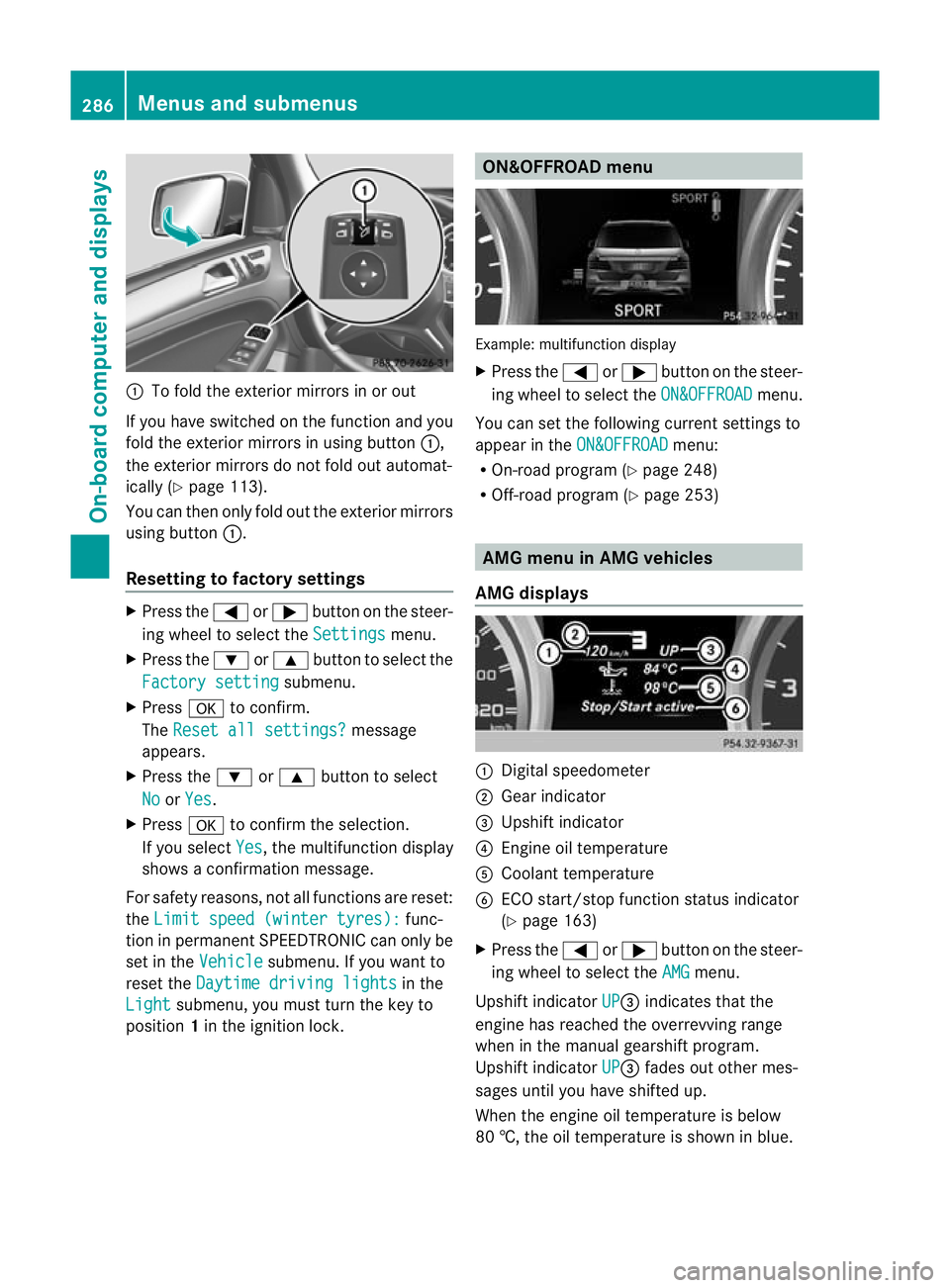
To fold the exterior mirror sinorout
If you have switched on the function and you
fold the exterior mirrors in using button :,
the exterior mirrors do not fold out automat-
ically (Y page 113).
You can then only fold out the exterior mirrors
using button :.
Resetting to factor ysettings X
Pres sthe = or; button on th esteer-
ing wheel to selec tthe Settings menu.
X Press the :or9 button to selec tthe
Factor ysetting submenu.
X Press ato confirm.
The Reset all settings? message
appe ars.
X Pres sthe : or9 button to select
No or
Yes .
X Press ato confir mthe selection.
If you select Yes ,t
he multifunction display
shows aconfirmation message.
For safet yreasons, not all functions are reset:
the Limi tspeed (winter tyres): func-
tion in permanen tSPEEDTRONIC can only be
set in the Vehicle submenu. If you want to
reset the Daytimedriving lights in the
Light submenu, yo
umust turn the key to
position 1in the ignition lock. ON&OFFROAD menu
Example: multifunction display
X
Press the =or; button on the steer-
ing wheel to select the ON&OFFROAD menu.
You can set the following current settings to
appea rintheON&OFFROAD menu:
R On-road program (Y page 248)
R Off-road program (Y page 253) AM
Gm enu in AMG vehicles
AMG displays :
Digital speedometer
; Gear indicator
= Upshift indicator
? Engin eoil temperature
A Coolant temperature
B ECO start/stop func tion status indicator
(Y page 163)
X Press the =or; button on the steer-
ing wheel to select the AMG menu.
Upshift indicator UP =
indicates that the
engin ehas reached the overrevving range
when in the manual gearshift program.
Upshift indicator UP =
fades out other mes-
sages until you have shifted up.
When the engine oil temperature is below
80 †, the oil temperature is shown in blue. 286
Menus and submenusOn-board computer and displays
Page 290 of 441
Avoi
dusing the ful loutpu toft he engin edur-
ing this time.
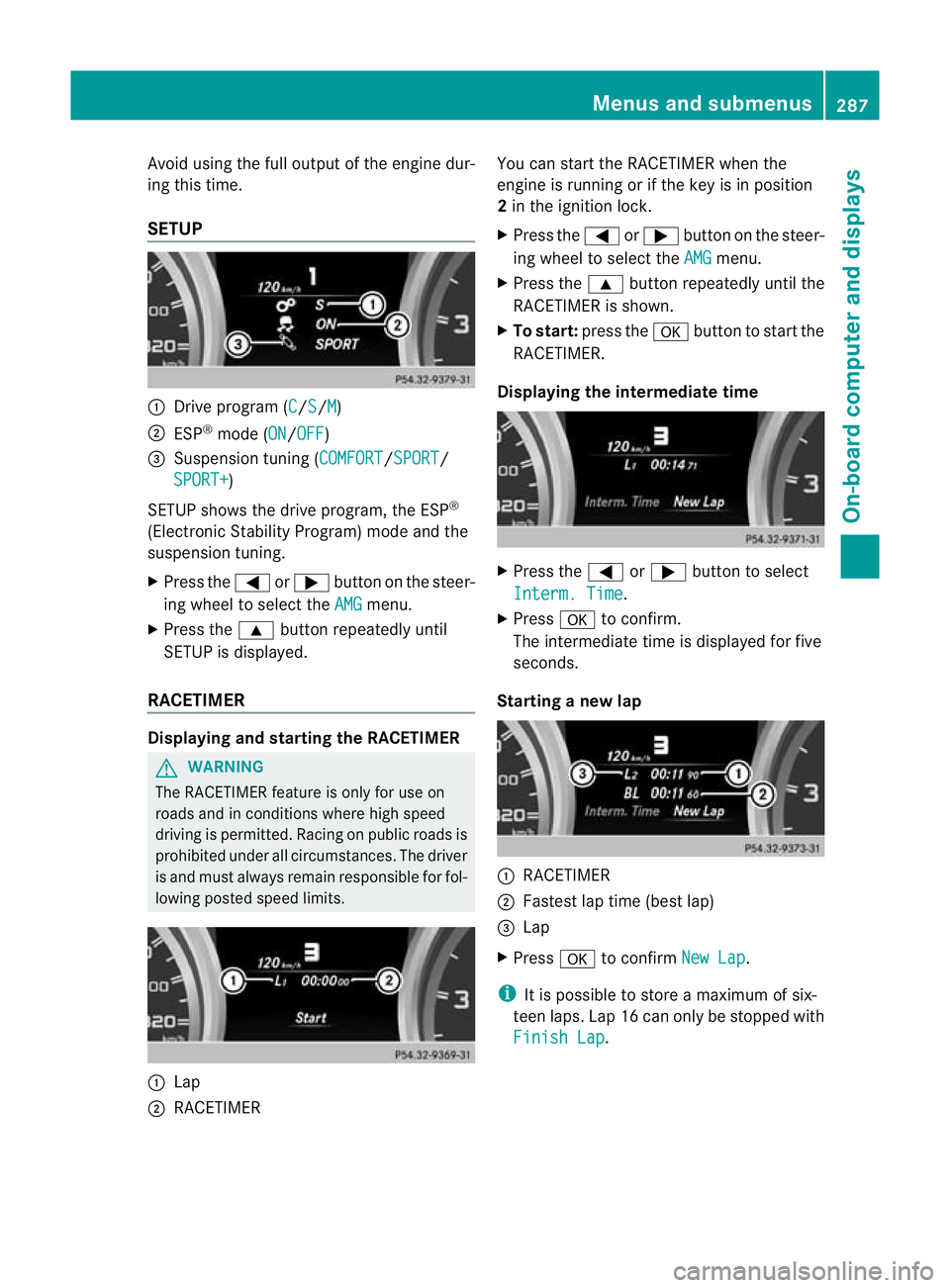
SETUP :
Drive program (C /S /M )
; ESP ®
mode (ON /OFF )
= Suspension tuning (COMFORT /SPORT /
SPORT+ )
SETUP shows the drive program, the ESP ®
(Electronic Stability Program) mode and the
suspensio ntuning.
X Press the =or; button on the steer-
ing wheel to select the AMG menu.
X Press the 9button repeatedly until
SETUP is displayed.
RACETIMER Displaying and starting the RACETIMER
G
WARNING
The RACETIMER feature is only for use on
roads and in conditions where high speed
driving is permitted. Racing on publi croads is
prohibited under all circumstances. The driver
is and must always remain responsible for fol-
lowin gposted speed limits. :
Lap
; RACETIMER You can star
tthe RACETIME Rwhen the
engin eisrunnin gorift he key is in position
2 in the ignition lock.
X Press the =or; button on the steer-
ing wheel to selec tthe AMG menu.
X Press the 9button repeatedly until the
RACETIME Risshown.
X To sta rt:press the abutton to start the
RACETIMER.
Displaying the intermediate time X
Press the =or; button to select
Interm .Time .
X Press ato confirm.
Th eintermediate time is displayed for five
seconds.
Starting anew lap :
RACETIMER
; Fastest lap time (best lap)
= Lap
X Press ato confirm NewL ap .
i It is possible to store amaximum of six-
teen laps. Lap 16 can only be stopped with
Finish Lap .Menus and submenus
287On-board computer and displays Z
Page 291 of 441
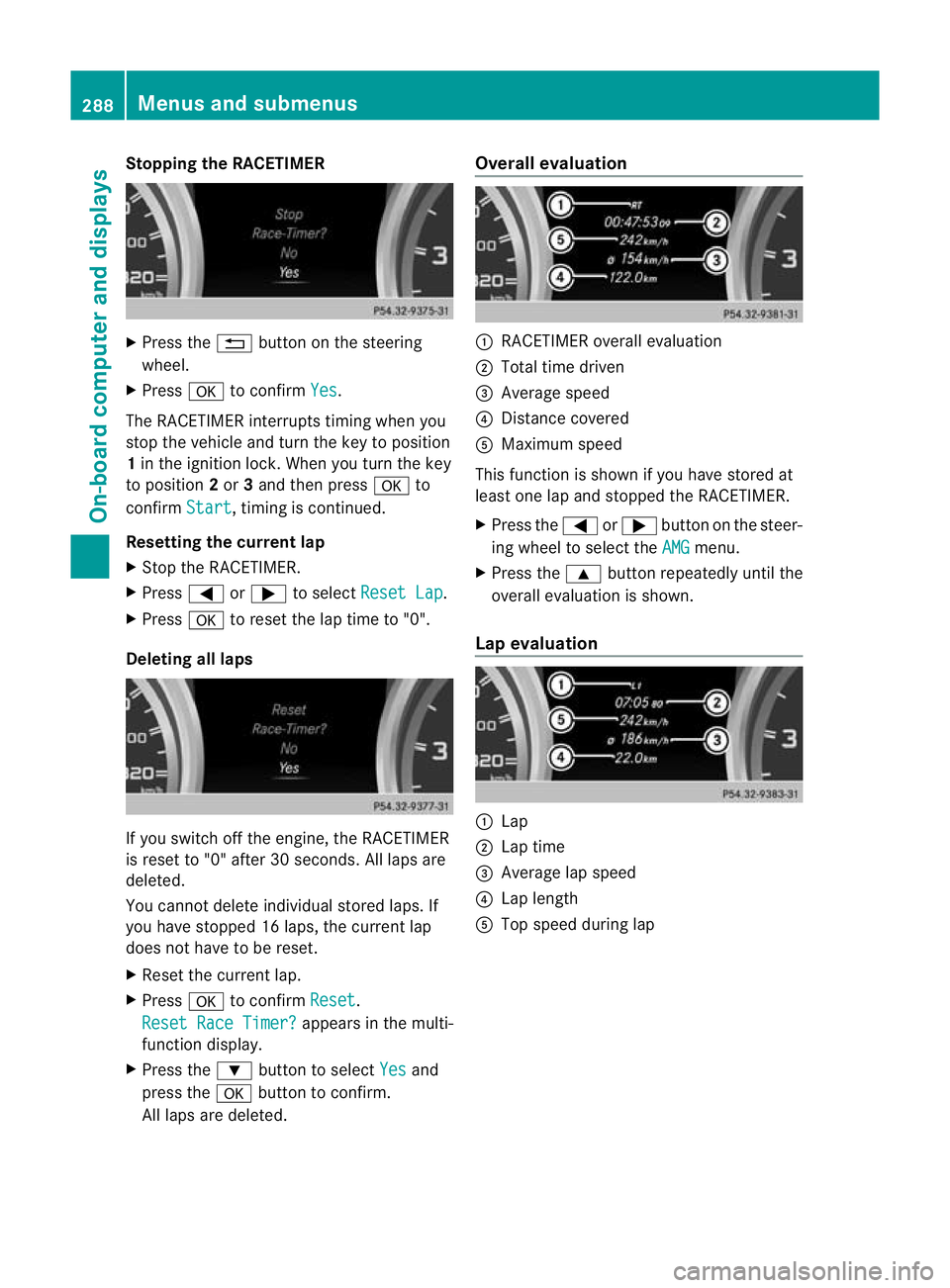
Stopping th
eRACETIMER X
Press the %button on the steering
wheel.
X Press ato confirm Yes .
The RACETIMER interrupts timing when you
stop the vehicle and turn the key to position
1 in the ignition lock. When you turn the key
to position 2or 3and then press ato
confirm Start ,t
iming is continued.
Resetting the current lap
X Stop the RACETIMER.
X Press =or; to select ResetLap .
X Press ato reset th elap time to "0".
Deleting all laps If you switch off the engine, the RACETIMER
is reset to "0" after 30 seconds
.All laps are
deleted.
You cannot delete individual stored laps. If
you have stopped 16 laps, the current lap
does not have to be reset.
X Reset the current lap.
X Press ato confirm Reset .
Rese tRace Timer? appe
arsint he multi-
func tion display.
X Press the :button to select Yes and
press the abutton to con firm.
All laps are deleted. Overall evaluation
:
RACETIMER overall evaluation
; Tota ltime driven
= Average speed
? Distanc ecovered
A Maximum speed
This func tion is shown if you have stored at
least one lap and stopped the RACETIMER.
X Press the =or; button on the steer-
ing wheel to select the AMG menu.
X Press the 9button repeatedly until the
overall evaluation is shown.
Lap evaluation :
Lap
; Lapt ime
= Average lap speed
? Lap length
A Top speed during lap 288
Menus and submenusOn-board computer and displays
Page 292 of 441
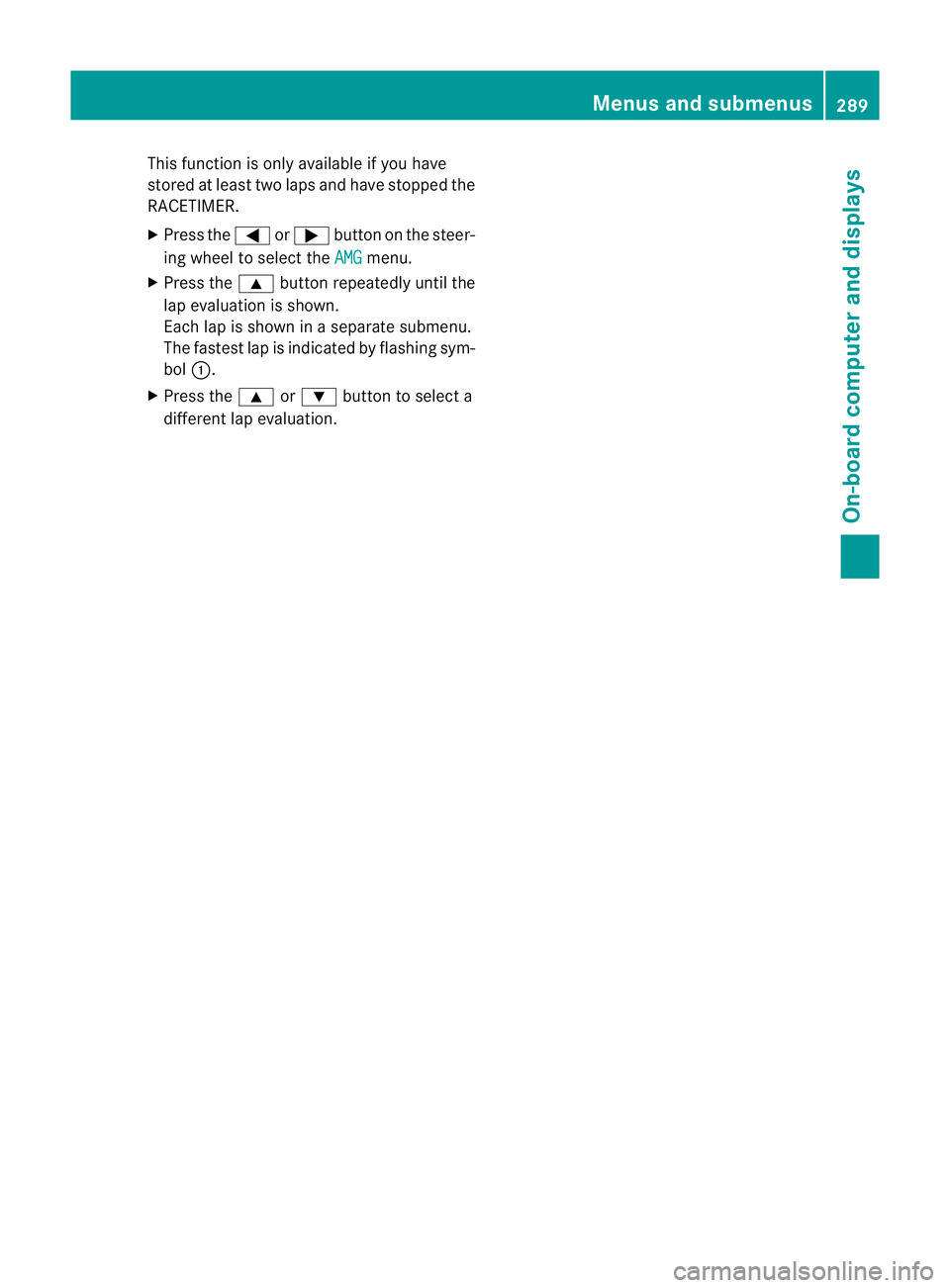
This function is only available if you have
store
datleast two laps and have stopped the
RACETIMER.
X Press the =or; button on the steer-
ing wheel to select the AMG menu.
X Press the 9button repeatedly until the
lap evaluation is shown.
Eac hlap is shown in aseparate submenu.
The fastest lap is indicated by flashin gsym-
bol :.
X Press the 9or: button to select a
different lap evaluation. Menus and submenus
289On-board computer and displays Z
Page 293 of 441
Displa
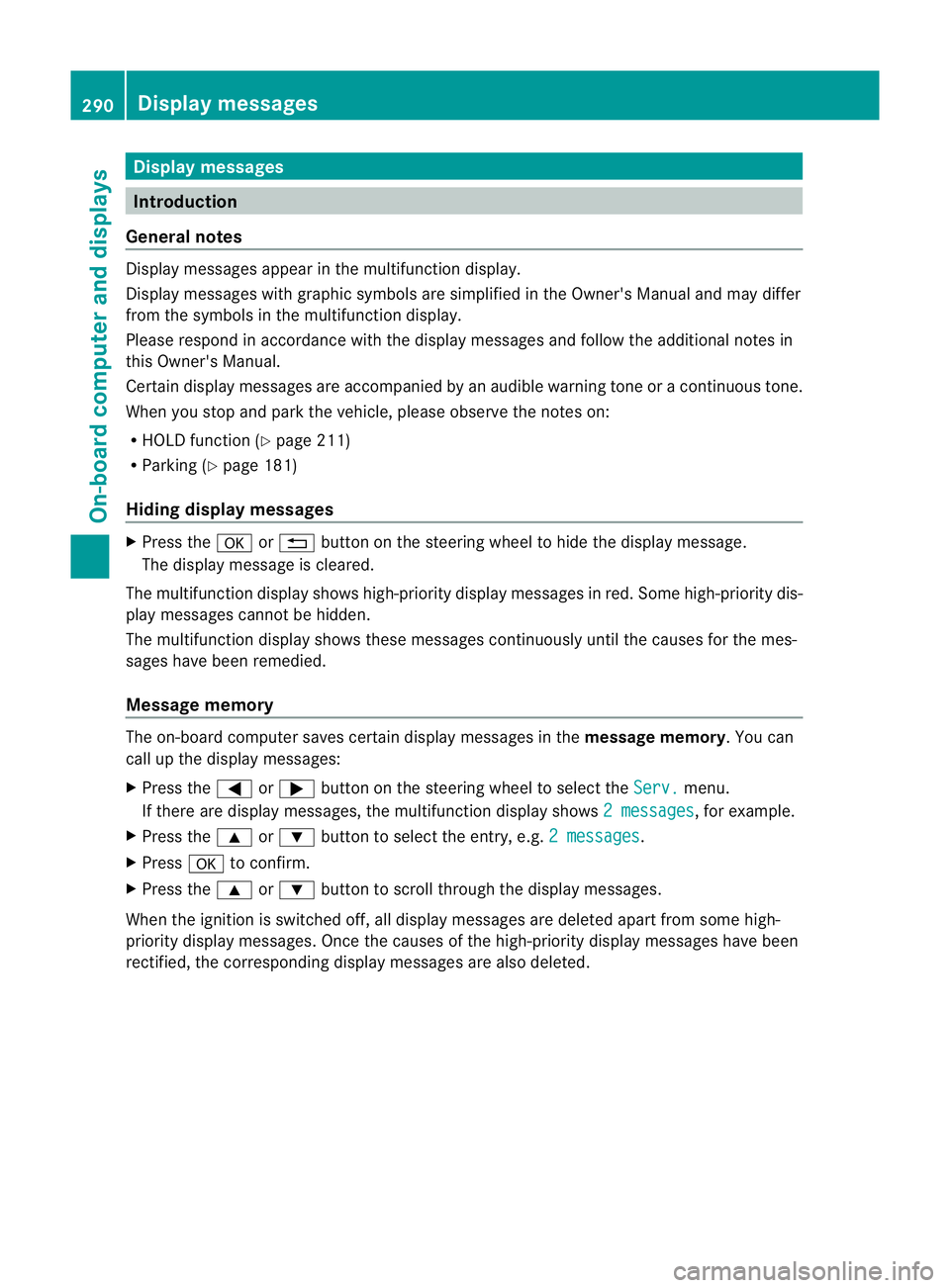
ymessages Introduction
General notes Display message
sappear in th emultifunction display.
Display messages with graphic symbols are simplified in the Owner's Manual and may differ
fro mt he symbols in the multifunction display.
Please respond in accordanc ewith the displa ymessages and follow the additional notes in
this Owner's Manual.
Certain display messages are accompanied by an audible warning tone or acontinuou stone.
When you stop and par kthe vehicle, please observe the notes on:
R HOL Dfunction (Y page 211)
R Parking (Y page 181)
Hiding display messages X
Press the aor% button on the steering wheel to hide the displa ymessage.
The display message is cleared.
The multifunction display shows high-priorit ydispla ymessages in red. Som ehigh-priority dis-
play messages cannot be hidden.
The multifunction displa yshows these messages con tinuously until the cause sfor the mes-
sages have been remedied.
Message memory The on-boar
dcomputer save scertain display messages in the message memory.You can
cal lupt he displa ymessages:
X Press the =or; button on the steerin gwheel to selec tthe Serv. menu.
If ther eare display messages, th emultifunction display shows 2messages ,f
or example.
X Press the 9or: button to select the entry, e.g. 2messages .
X Press ato confirm.
X Press the 9or: buttontos croll through the displa ymessages.
When the ignition is switched off ,all display messages are deleted apart from some high-
priority display messages. Once the causes of the high-priority display messages have been
rectified, the correspondin gdisplay messages are also deleted. 290
Display messagesOn-board computer and displays
Page 294 of 441
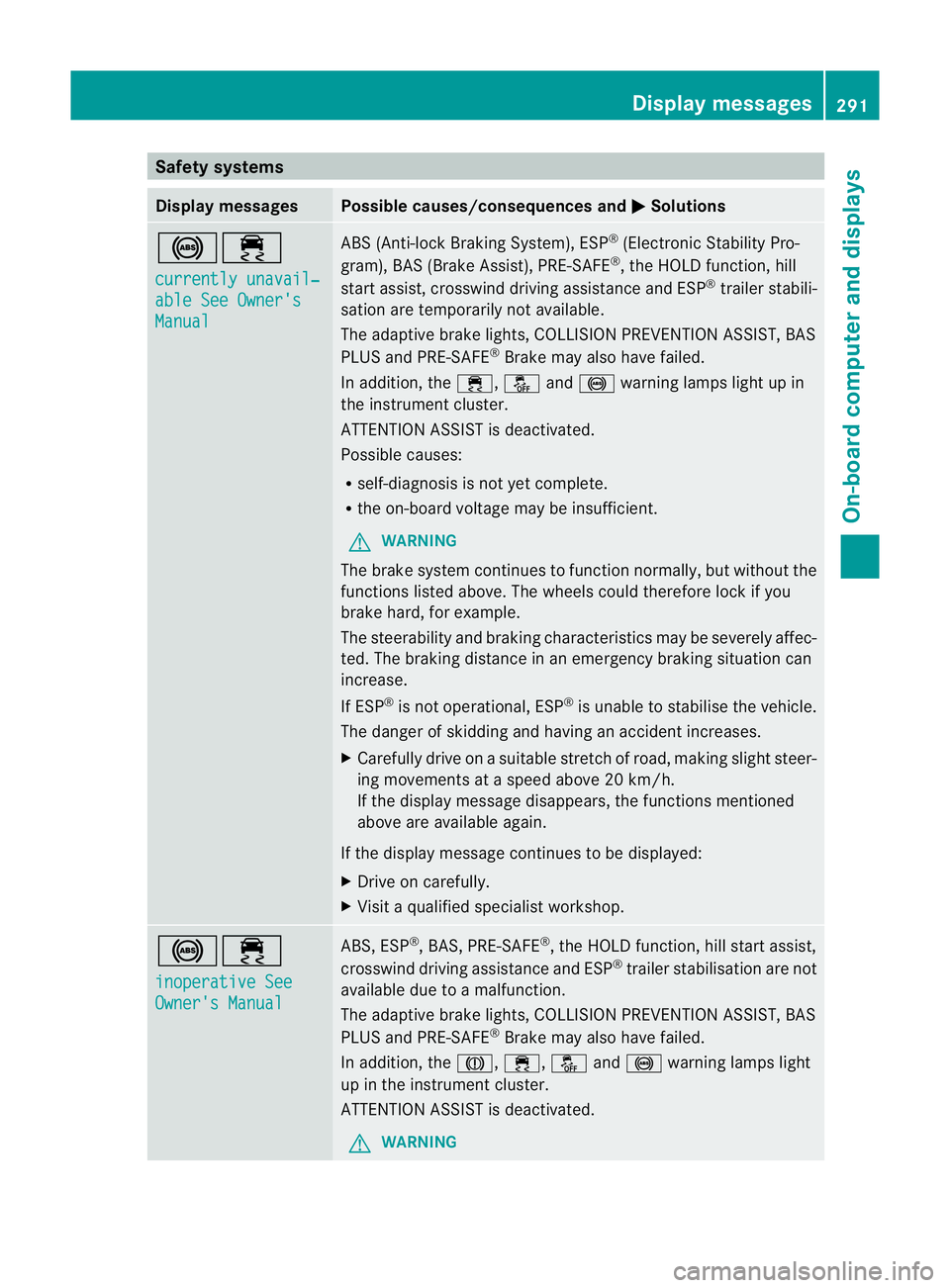
Safety systems
Display messages Possible causes/consequences and
M Solutions
!÷
currentl
yunavail‐ able See Owner's
Manual ABS (Anti-loc
kBraking System) ,ESP ®
(Electronic Stability Pro-
gram), BAS (Brake Assist), PRE-SAFE ®
,t he HOL Dfunction, hill
start assist, crosswind driving assistance and ESP ®
trailer stabili-
sation are temporarily not available.
The adaptive brake lights ,COLLISION PREVENTION AS SIST, BAS
PLUS and PRE-SAFE ®
Brake may als ohave failed.
In addition, the ÷,åand! warning lamps light up in
the instrumen tcluster.
ATTENTION ASSIST is deactivated.
Possible causes:
R self-diagnosis is not yet complete.
R the on-board voltage may be insufficient.
G WARNING
The brake system continues to func tion normally, but withou tthe
func tions listed above. The wheels coul dtherefore lock if you
brake hard, for example.
The steerability and brakin gcharacteristics ma ybeseverely affec-
ted. The braking distance in an emergency braking situation can
increase.
If ESP ®
is not operational, ESP ®
is unabl etos tabilise the vehicle.
The dange rofskidding and having an accident increases.
X Carefull ydrive on asuitable stretch of road, making slight steer-
ing movement sataspeed above 20 km/h.
If the display message disappears, the functions mentioned
above are available again.
If the display message continues to be displayed:
X Drive on carefully.
X Visit aqualified specialist workshop. !÷
inoperativ
eSee Owner's Manual ABS, ESP
®
,B AS ,PRE-SAFE ®
,t he HOL Dfunction, hill start assist,
crosswind driving assistance and ESP ®
trailer stabilisation are not
available due to amalfunction.
The adaptive brake lights ,COLLISION PREVENTION AS SIST, BAS
PLUS and PRE-SAFE ®
Brake may als ohave failed.
In addition, the J,÷,åand! warning lamps light
up in the instrumen tcluster.
ATTENTION ASSIST is deactivated.
G WARNING Display messages
291On-board computer and displays Z