lock MERCEDES-BENZ GL SUV 2012 Owners Manual
[x] Cancel search | Manufacturer: MERCEDES-BENZ, Model Year: 2012, Model line: GL SUV, Model: MERCEDES-BENZ GL SUV 2012Pages: 441, PDF Size: 10.66 MB
Page 289 of 441
:
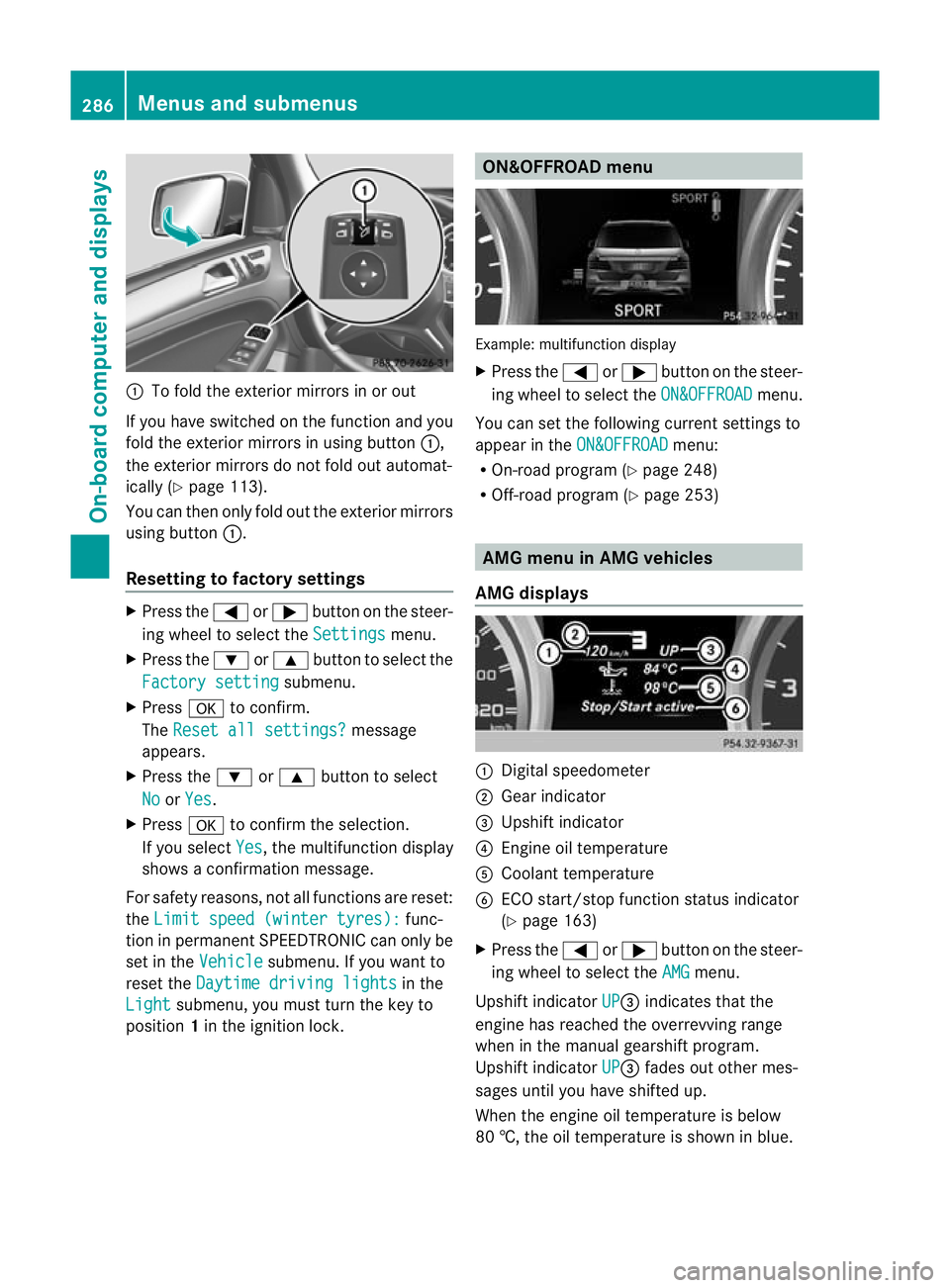
To fold the exterior mirror sinorout
If you have switched on the function and you
fold the exterior mirrors in using button :,
the exterior mirrors do not fold out automat-
ically (Y page 113).
You can then only fold out the exterior mirrors
using button :.
Resetting to factor ysettings X
Pres sthe = or; button on th esteer-
ing wheel to selec tthe Settings menu.
X Press the :or9 button to selec tthe
Factor ysetting submenu.
X Press ato confirm.
The Reset all settings? message
appe ars.
X Pres sthe : or9 button to select
No or
Yes .
X Press ato confir mthe selection.
If you select Yes ,t
he multifunction display
shows aconfirmation message.
For safet yreasons, not all functions are reset:
the Limi tspeed (winter tyres): func-
tion in permanen tSPEEDTRONIC can only be
set in the Vehicle submenu. If you want to
reset the Daytimedriving lights in the
Light submenu, yo
umust turn the key to
position 1in the ignition lock. ON&OFFROAD menu
Example: multifunction display
X
Press the =or; button on the steer-
ing wheel to select the ON&OFFROAD menu.
You can set the following current settings to
appea rintheON&OFFROAD menu:
R On-road program (Y page 248)
R Off-road program (Y page 253) AM
Gm enu in AMG vehicles
AMG displays :
Digital speedometer
; Gear indicator
= Upshift indicator
? Engin eoil temperature
A Coolant temperature
B ECO start/stop func tion status indicator
(Y page 163)
X Press the =or; button on the steer-
ing wheel to select the AMG menu.
Upshift indicator UP =
indicates that the
engin ehas reached the overrevving range
when in the manual gearshift program.
Upshift indicator UP =
fades out other mes-
sages until you have shifted up.
When the engine oil temperature is below
80 †, the oil temperature is shown in blue. 286
Menus and submenusOn-board computer and displays
Page 290 of 441
Avoi
dusing the ful loutpu toft he engin edur-
ing this time.
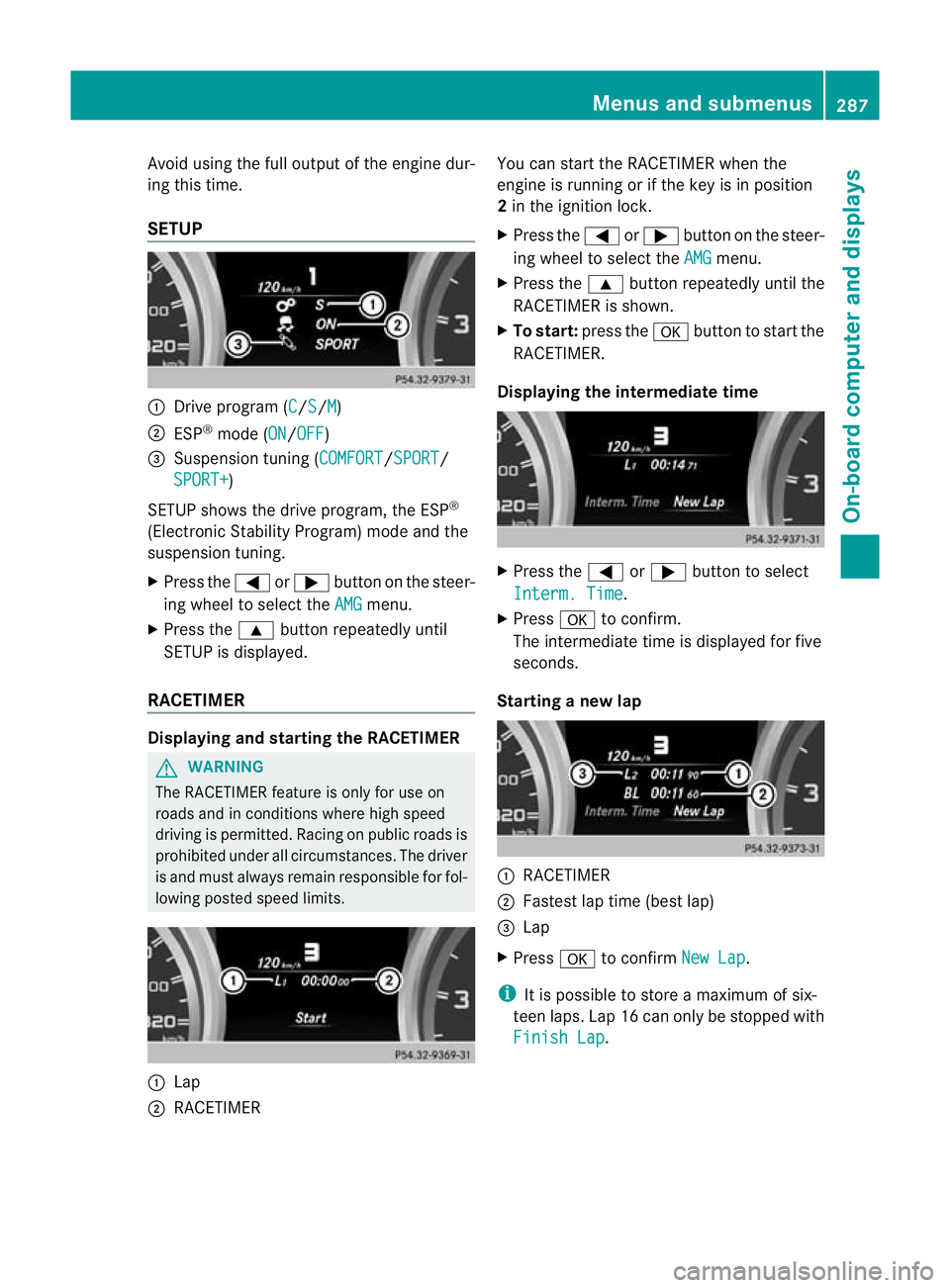
SETUP :
Drive program (C /S /M )
; ESP ®
mode (ON /OFF )
= Suspension tuning (COMFORT /SPORT /
SPORT+ )
SETUP shows the drive program, the ESP ®
(Electronic Stability Program) mode and the
suspensio ntuning.
X Press the =or; button on the steer-
ing wheel to select the AMG menu.
X Press the 9button repeatedly until
SETUP is displayed.
RACETIMER Displaying and starting the RACETIMER
G
WARNING
The RACETIMER feature is only for use on
roads and in conditions where high speed
driving is permitted. Racing on publi croads is
prohibited under all circumstances. The driver
is and must always remain responsible for fol-
lowin gposted speed limits. :
Lap
; RACETIMER You can star
tthe RACETIME Rwhen the
engin eisrunnin gorift he key is in position
2 in the ignition lock.
X Press the =or; button on the steer-
ing wheel to selec tthe AMG menu.
X Press the 9button repeatedly until the
RACETIME Risshown.
X To sta rt:press the abutton to start the
RACETIMER.
Displaying the intermediate time X
Press the =or; button to select
Interm .Time .
X Press ato confirm.
Th eintermediate time is displayed for five
seconds.
Starting anew lap :
RACETIMER
; Fastest lap time (best lap)
= Lap
X Press ato confirm NewL ap .
i It is possible to store amaximum of six-
teen laps. Lap 16 can only be stopped with
Finish Lap .Menus and submenus
287On-board computer and displays Z
Page 291 of 441
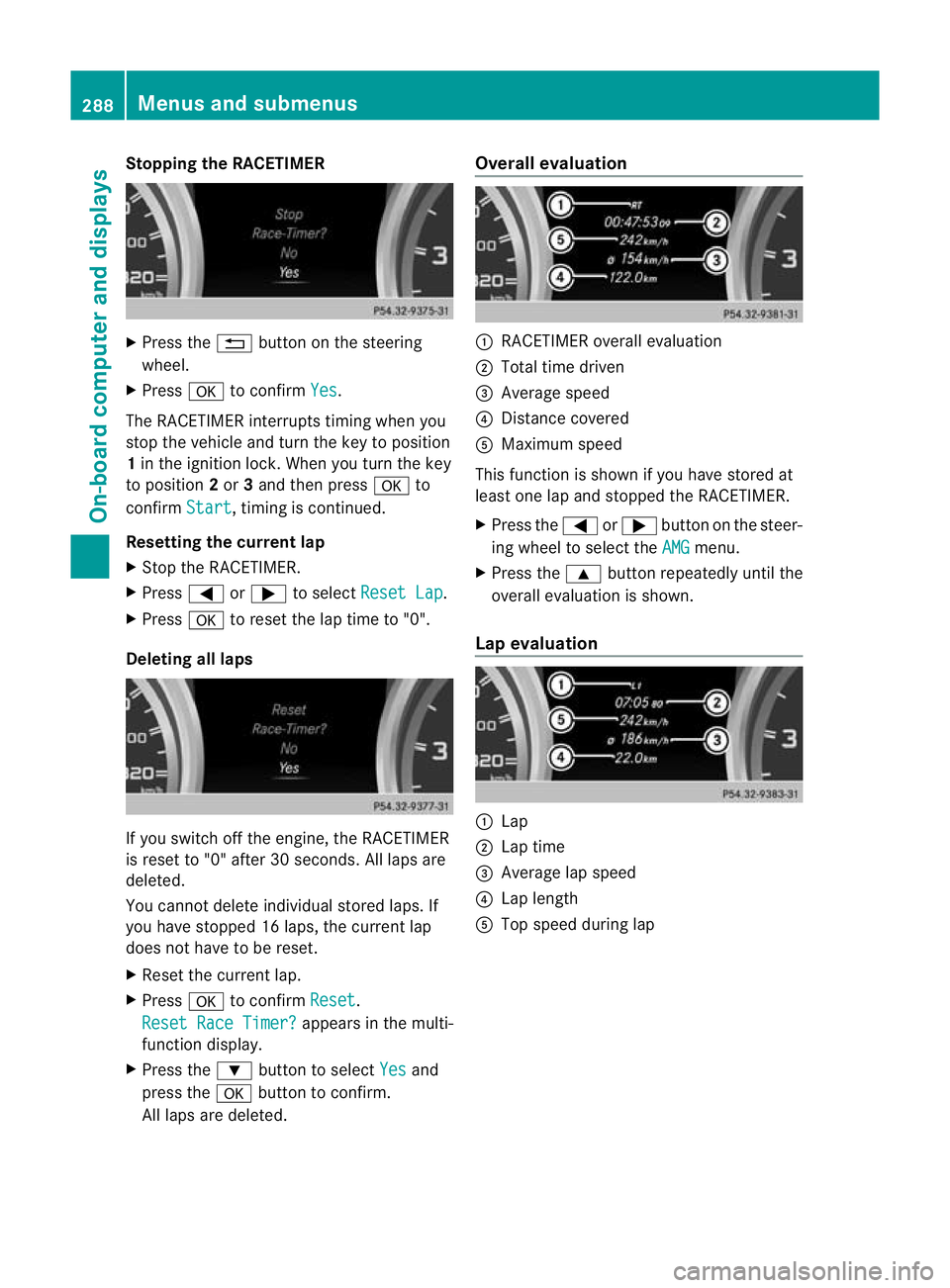
Stopping th
eRACETIMER X
Press the %button on the steering
wheel.
X Press ato confirm Yes .
The RACETIMER interrupts timing when you
stop the vehicle and turn the key to position
1 in the ignition lock. When you turn the key
to position 2or 3and then press ato
confirm Start ,t
iming is continued.
Resetting the current lap
X Stop the RACETIMER.
X Press =or; to select ResetLap .
X Press ato reset th elap time to "0".
Deleting all laps If you switch off the engine, the RACETIMER
is reset to "0" after 30 seconds
.All laps are
deleted.
You cannot delete individual stored laps. If
you have stopped 16 laps, the current lap
does not have to be reset.
X Reset the current lap.
X Press ato confirm Reset .
Rese tRace Timer? appe
arsint he multi-
func tion display.
X Press the :button to select Yes and
press the abutton to con firm.
All laps are deleted. Overall evaluation
:
RACETIMER overall evaluation
; Tota ltime driven
= Average speed
? Distanc ecovered
A Maximum speed
This func tion is shown if you have stored at
least one lap and stopped the RACETIMER.
X Press the =or; button on the steer-
ing wheel to select the AMG menu.
X Press the 9button repeatedly until the
overall evaluation is shown.
Lap evaluation :
Lap
; Lapt ime
= Average lap speed
? Lap length
A Top speed during lap 288
Menus and submenusOn-board computer and displays
Page 294 of 441
Safety systems
Display messages Possible causes/consequences and
M Solutions
!÷
currentl
yunavail‐ able See Owner's
Manual ABS (Anti-loc
kBraking System) ,ESP ®
(Electronic Stability Pro-
gram), BAS (Brake Assist), PRE-SAFE ®
,t he HOL Dfunction, hill
start assist, crosswind driving assistance and ESP ®
trailer stabili-
sation are temporarily not available.
The adaptive brake lights ,COLLISION PREVENTION AS SIST, BAS
PLUS and PRE-SAFE ®
Brake may als ohave failed.
In addition, the ÷,åand! warning lamps light up in
the instrumen tcluster.
ATTENTION ASSIST is deactivated.
Possible causes:
R self-diagnosis is not yet complete.
R the on-board voltage may be insufficient.
G WARNING
The brake system continues to func tion normally, but withou tthe
func tions listed above. The wheels coul dtherefore lock if you
brake hard, for example.
The steerability and brakin gcharacteristics ma ybeseverely affec-
ted. The braking distance in an emergency braking situation can
increase.
If ESP ®
is not operational, ESP ®
is unabl etos tabilise the vehicle.
The dange rofskidding and having an accident increases.
X Carefull ydrive on asuitable stretch of road, making slight steer-
ing movement sataspeed above 20 km/h.
If the display message disappears, the functions mentioned
above are available again.
If the display message continues to be displayed:
X Drive on carefully.
X Visit aqualified specialist workshop. !÷
inoperativ
eSee Owner's Manual ABS, ESP
®
,B AS ,PRE-SAFE ®
,t he HOL Dfunction, hill start assist,
crosswind driving assistance and ESP ®
trailer stabilisation are not
available due to amalfunction.
The adaptive brake lights ,COLLISION PREVENTION AS SIST, BAS
PLUS and PRE-SAFE ®
Brake may als ohave failed.
In addition, the J,÷,åand! warning lamps light
up in the instrumen tcluster.
ATTENTION ASSIST is deactivated.
G WARNING Display messages
291On-board computer and displays Z
Page 295 of 441
Displa
ymessages Possible causes/consequences and
M Solutions
The brak
esystem con tinues to function normally, but without the
function slisted above. The wheels could therefore loc kifyou
brake hard ,for example.
The steerabilit yand braking characteristics may be severely affec-
ted. The braking distance in an emergenc ybraking situatio ncan
increase.
If ESP ®
is not operational, ESP ®
is unable to stabilis ethe vehicle.
The danger of skidding and having an accident increases.
X Drive on carefully.
X Visit aqualified specialist worksho pimmediately. ÷
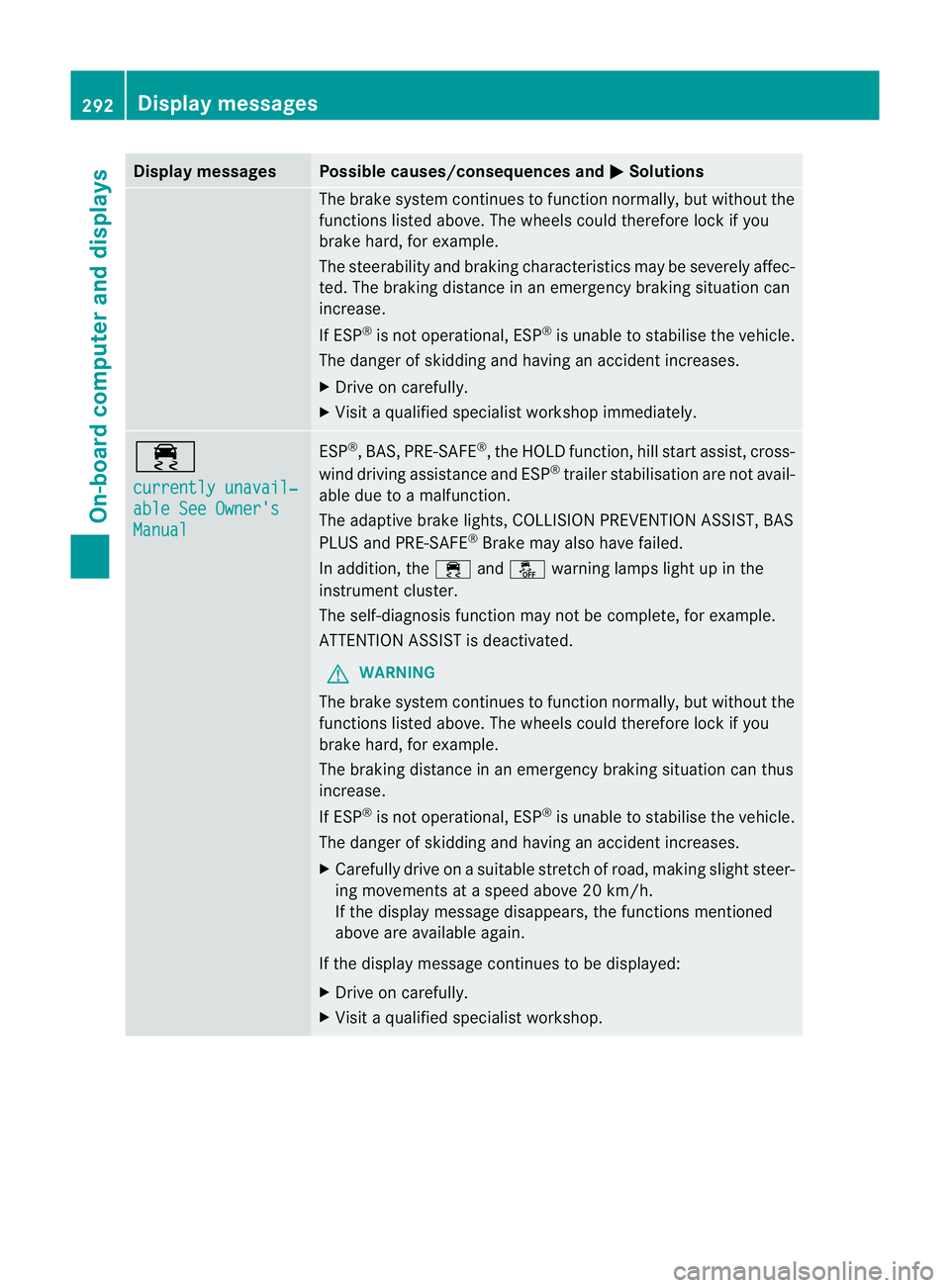
currentl
yunavail‐ able See Owner's
Manual ESP
®
,B AS, PRE-SAFE ®
,t he HOL Dfunction, hill start assist, cross-
wind driving assistance and ESP ®
trailer stabilisatio nare not avail-
ab ledue to amalfunction.
The adaptive brake lights, COLLISION PREVENTION ASSIST, BAS
PLUS and PRE-SAFE ®
Brake may als ohave failed.
In addition, the ÷andå warning lamp slight up in the
instrument cluster.
The self-diagnosi sfunction may not be complete, for example.
ATTENTION ASSIS Tisd eactivated.
G WARNING
The brak esystem continues to function normally, but witho utthe
functions listed above. Th ewheels could therefor elock if you
brake hard ,for example.
The brakin gdistance in an emergenc ybraking situatio ncan thus
increase.
If ESP ®
is not operational, ESP ®
is unable to stabilis ethe vehicle.
The danger of skidding and having an accident increases.
X Carefully drive on asuitable stretc hofroad, makin gslight steer-
ing movement sataspeed above 20 km/h.
If the display message disappears, the functions mentioned
above are available again.
If the display message continues to be displayed:
X Drive on carefully.
X Visit aqualified specialist workshop. 292
Display messagesOn-board computer and displays
Page 296 of 441
Displa
ymessages Possible causes/consequences and
M Solutions
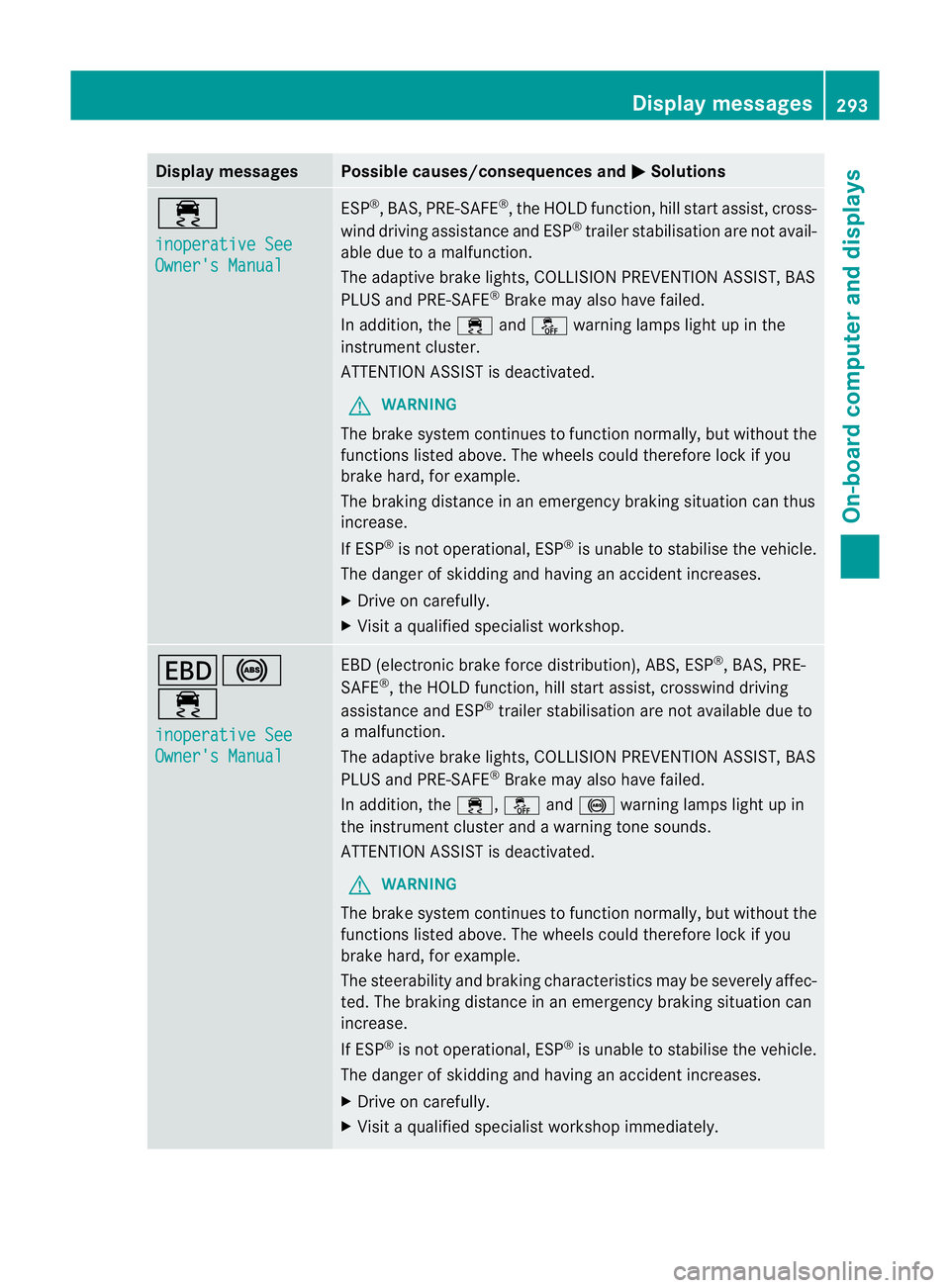
÷
in
operative See Owner'
sManual ESP
®
,B AS, PRE-SAFE ®
,t he HOL Dfunction, hill start assist, cross-
wind driving assistance and ESP ®
trailer stabilisatio nare not avail-
ab ledue to amalfunction.
The adaptive brake lights, COLLISION PREVENTION ASSIST, BAS
PLUS and PRE-SAFE ®
Brake may als ohave failed.
In addition, the ÷andå warning lamp slight up in the
instrument cluster.
ATTENTION ASSIST is deactivated.
G WARNING
The brake system continues to function normally, but withou tthe
func tions listed above. The wheels coul dtherefore lock if you
brake hard, for example.
The brakin gdistance in an emergenc ybraking situatio ncan thus
increase.
If ESP ®
is not operational, ESP ®
is unable to stabilis ethe vehicle.
The danger of skidding and having an accident increases.
X Drive on carefully.
X Visit aqualified specialist workshop. T!
÷
inoperativ
eSee Owner's Manual EBD (electroni
cbrake force distribution) ,ABS ,ESP ®
,B AS ,PRE-
SAFE ®
,t he HOL Dfunction, hill start assist, crosswind driving
assistance and ESP ®
trailer stabilisation are not available due to
am alfunction.
The adaptive brake lights ,COLLISION PREVENTION AS SIST, BAS
PLU Sand PRE-SAFE ®
Brake may also have failed.
In addition, the ÷,åand! warning lamps light up in
the instrument cluster and awarnin gtones ounds.
ATTENTION ASSI STis deactivated.
G WAR
NING
The brake sys temc ontinues to fu nction normally, but without the
function slisted above. The wheels could therefore lock if you
brak ehard, for example.
The steerabilit yand braking characteristics may be seve rely affec-
ted. The braking distanc einanemergency braking situation can
increase.
If ESP ®
is not opera tional, ESP ®
is unable to stabilise the vehicle.
The danger of skidding and havi ngan accident increases.
X Drive on carefully.
X Visit aqualified specialist worksho pimmediately. Display mess
ages
293On-board computer and displays Z
Page 299 of 441
Displa
ymessages Possible causes/consequences and
M Solutions
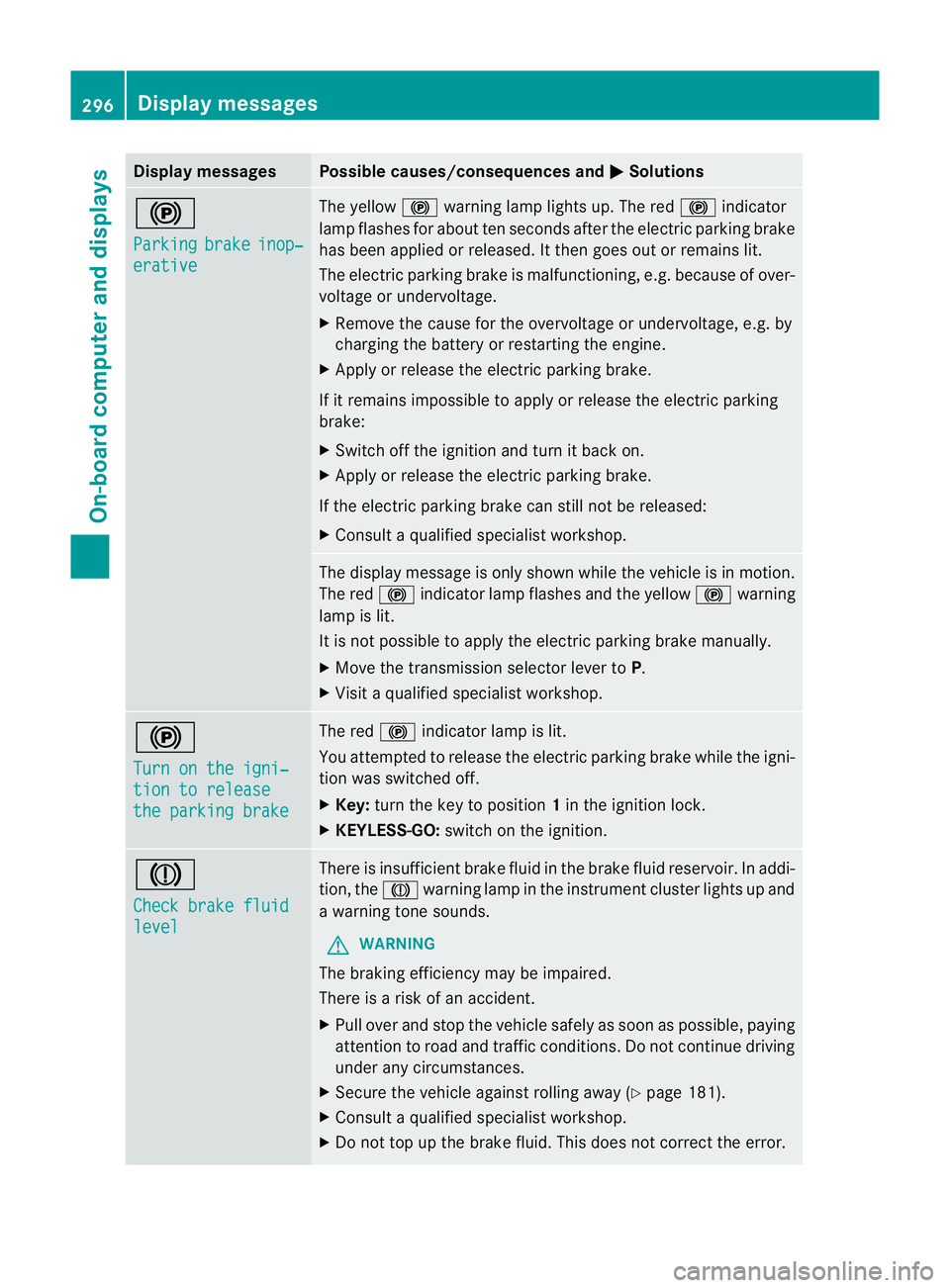
!
Pa
rking brake inop‐
erative Th
ey ellow !warning lamp lights up. The red !indicator
lamp flashes fo rabout ten seconds after the electric parkin gbrake
ha sb een applied or released. It then goes out or remains lit.
The electric parkin gbrake is malfunctioning ,e.g. because of over-
voltag eorundervoltage.
X Remove the cause for the overvoltage or undervoltage ,e.g. by
charging the battery or restarting the engine.
X Appl yorr elease the electric parkin gbrake.
If it remains impossibl etoapply or release the electric parking
brake:
X Swit choff the ignition and tur nitback on.
X Apply or release the electric parkin gbrake.
If th eelectric parkin gbrake can stil lnot be released:
X Consult aqualified specialist workshop. The display messag
eisonly shown whil ethe vehicle is in motion.
The red !indicator lam pflashes and the yellow !warning
lamp is lit.
It is not possible to apply the electric parkin gbrake manually.
X Move th etransmission selector lever to P.
X Visit aqualified specialist workshop. !
Turn on th
eigni‐ tion to release
the parkin
gbrake Th
er ed ! indicator lam pislit.
You attempted to release the electric parkin gbrake whil ethe igni-
tion was switched off.
X Key: turnthe key to position 1in the igni tion lock.
X KEYLESS-GO: switchonthe igni tion. J
Chec
kbrake fluid level There is insufficient brake fluid in th
ebrake flui dreservoir. In addi-
tion ,the J warnin glamp in the instrument cluster lights up and
aw arning ton esounds.
G WARNING
The brakin gefficienc ymay be impaired.
There is arisk of an accident.
X Pull over and stop the vehicle safely as soon as possible ,paying
attention to road and traffic conditions. Do not continue driving
under any circumstances.
X Secure the vehicle against rolling away (Y page 181).
X Consult aqualified specialist workshop.
X Do not top up the brake fluid. This does not correct the error. 296
Display messagesOn-board computer and displays
Page 307 of 441
Engine
Display messages Possible causes/consequences and
M Solutions
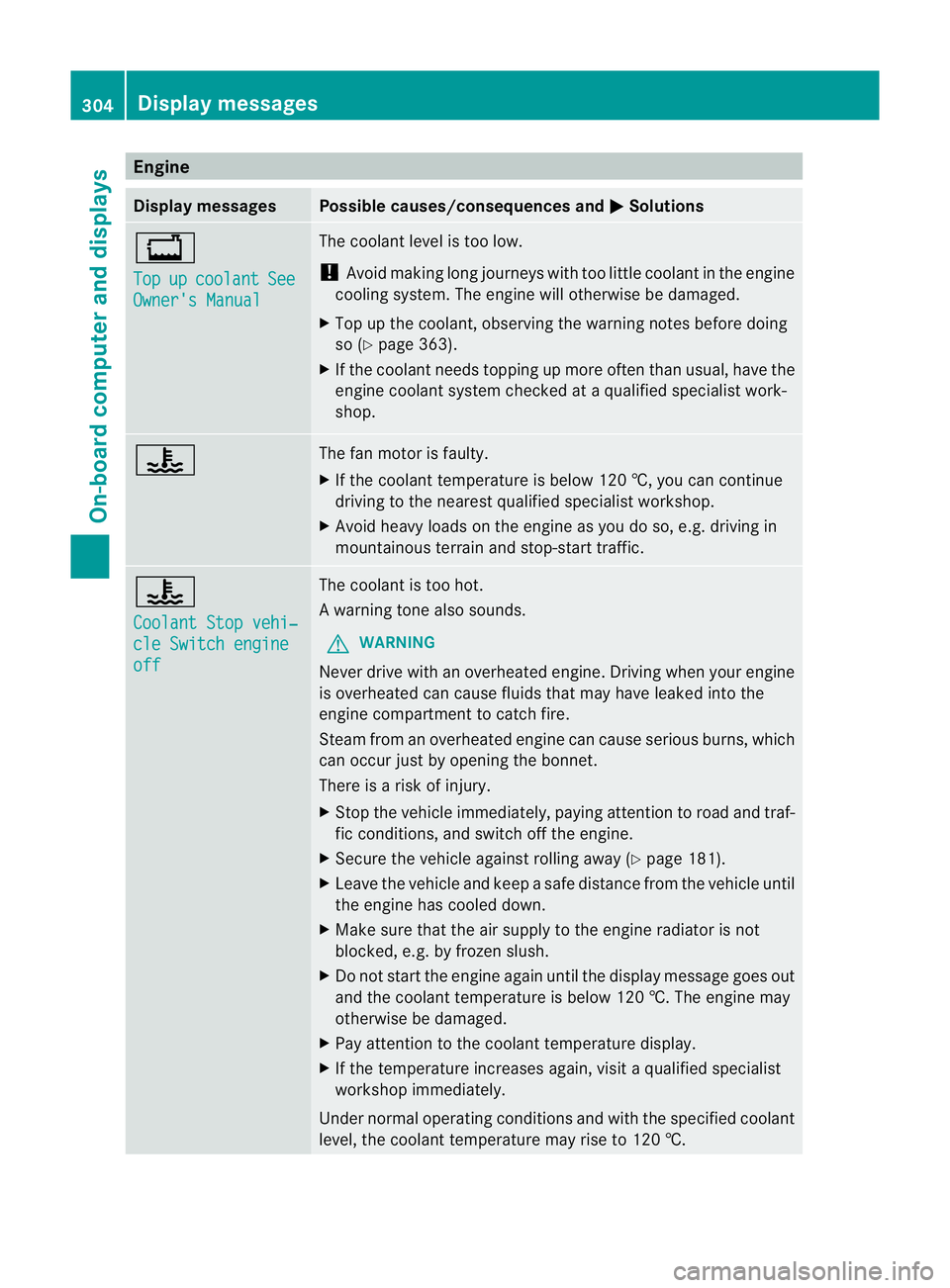
+
Top
up co
olant See
Owner'
sManual Th
ec oolant leve listoo low.
! Avoi dmaking long jour neys with too little coolant in the engine
cooling system. The engin ewill otherwise be damaged.
X Top up th ecoolant ,obser ving the warning note sbefore doing
so (Y page 363).
X If th ecoolant needs toppin gupmoreo ften than usual ,have the
engin ecoolant system checked at aqualified specialist work-
shop. ? The fan motor is faulty.
X
If the coolant temperatur eisbelow 12 0†,you can continue
dri ving to the nearest qualified spe cialist workshop.
X Avoid heav yloads on th eengineasy ou do so, e.g. driving in
mou ntainous terrain and stop-start traffic. ?
Co
olantS topv ehi‐ cle Switch engine
off Th
ec oolant is too hot.
Aw arning ton ealso sounds.
G WARNING
Never driv ewithano verheated engine. Drivi ngwhen your engine
is overheate dcan cause fluids that may have leaked int othe
engin ecompartment to catch fire.
Stea mfromano verheated engine can cause serious burns, which
can occ urjus tbyo pening the bonnet.
There is ariskofi njury.
X Stop the vehicl eimmediately, paying att entio ntor oad and traf-
fic conditions, and switc hoff th eengine.
X Secure the vehicl eagainst rolling away (Y page 181).
X Leave the vehicle and keep asafe distance from the vehicle until
the engine has cooled down.
X Make sure that the air supply to the engine radiator is not
blocked, e.g. by frozen slush.
X Do not start the engine again until the display message goes out
and the coolant temperature is below 120 †. The engine may
otherwise be damaged.
X Pay attention to the coolant temperature display.
X If the temperature increases again, visit aqualified specialist
worksho pimmediately.
Unde rnormal operatin gconditions and with the specified coolant
level, the coolant tempera ture mayrise to 120 †. 304
Display messagesOn-board computer and displays
Page 311 of 441
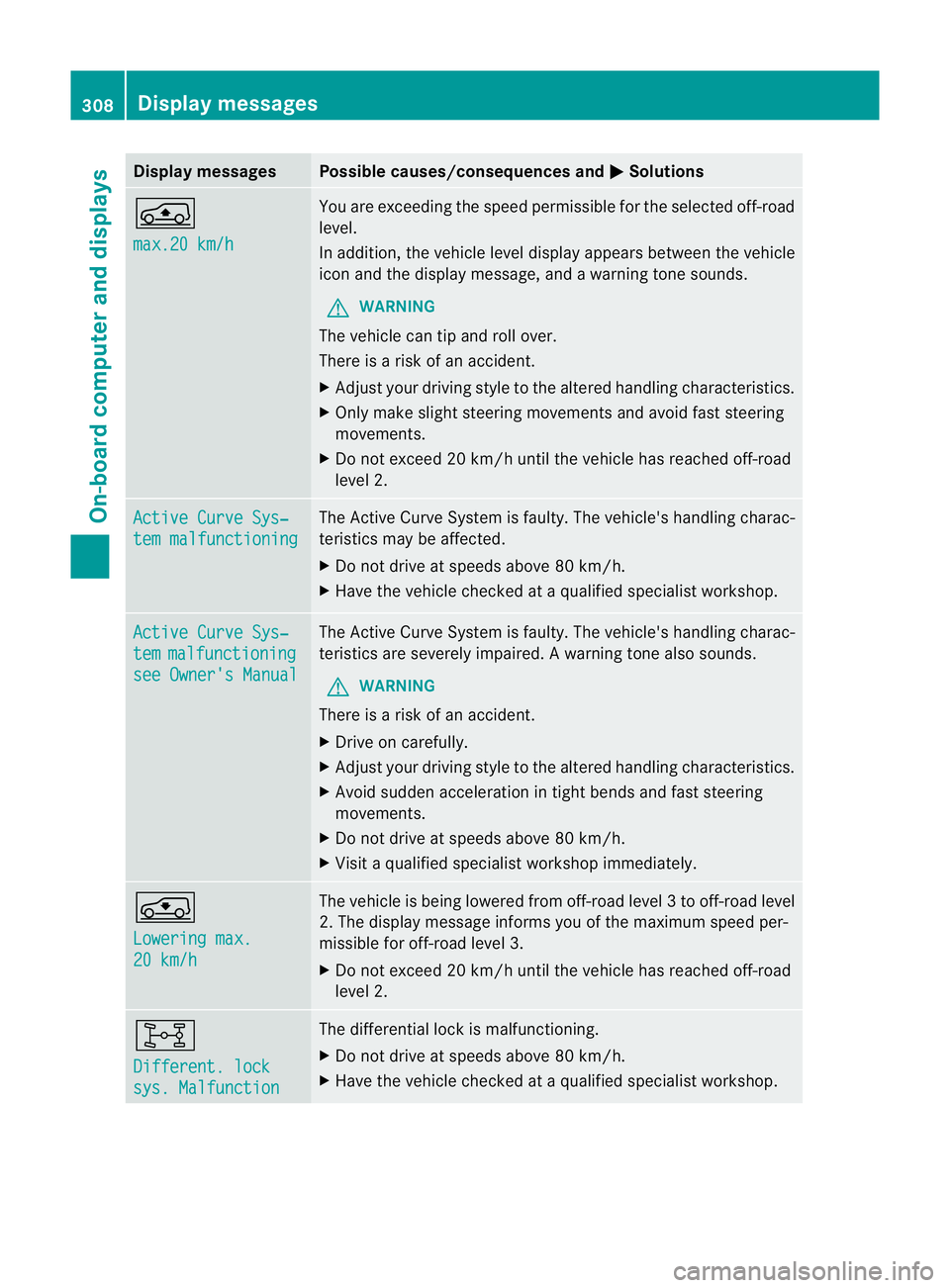
Displa
ymessages Possible causes/consequences and
M Solutions
Á
ma
x.20 km/h Yo
ua re exceedi ngthe speed permissible for the selected off-road
level.
In addition, the vehicle level display appears betwee nthe vehicle
icon and the display message, and awarning tone sounds.
G WARNING
The vehicle can tip and roll over.
There is arisk of an accident.
X Adjust your drivin gstyle to the altered handling characteristics.
X Only make slight steering movement sand avoid fast steering
movements.
X Do not excee d20km/h unti lthe vehicle has reached off-road
level 2. Active Curv
eSys‐ tem malfunctioning Th
eA ctive Curve Syste misfaulty. The vehicle's handling charac-
teristics may be affected.
X Do not drive at speeds above 80 km/h.
X Have the vehicle checked at aqualified specialist workshop. Active Curv
eSys‐ tem malfunctioning
see Owner's Manual Th
eA ctive Curve Syste misfaulty. The vehicle's handling charac-
teristics are severely impaired. Awarning ton ealso sounds.
G WARNING
Ther eisar isk of an ac cident.
X Drive on carefully.
X Adjust your driving styl etothe altered handling characteristics.
X Avoid sudde nacceleratio nintightbends and fast steering
movements.
X Do not driv eatspeeds above 80 km/h.
X Visit aqualified specialist workshop immediately. g
Loweri
ng max.
20 km/h Th
ev ehicle is being lowered from off -road leve l3tooff-road level
2. Th edisplay message informs you of the maximum speed per-
missible for off- road level 3.
X Do not exceed 20 km/ huntil the vehicl ehas reached off-road
level 2. 8
Different. lock
sys. Malfunction The differential lock is malfunc
tioning.
X Do not drive at speeds abov e80km/h.
X Have th evehicle checked at aqualified specialist workshop. 308
Display messagesOn-board computer and displays
Page 312 of 441
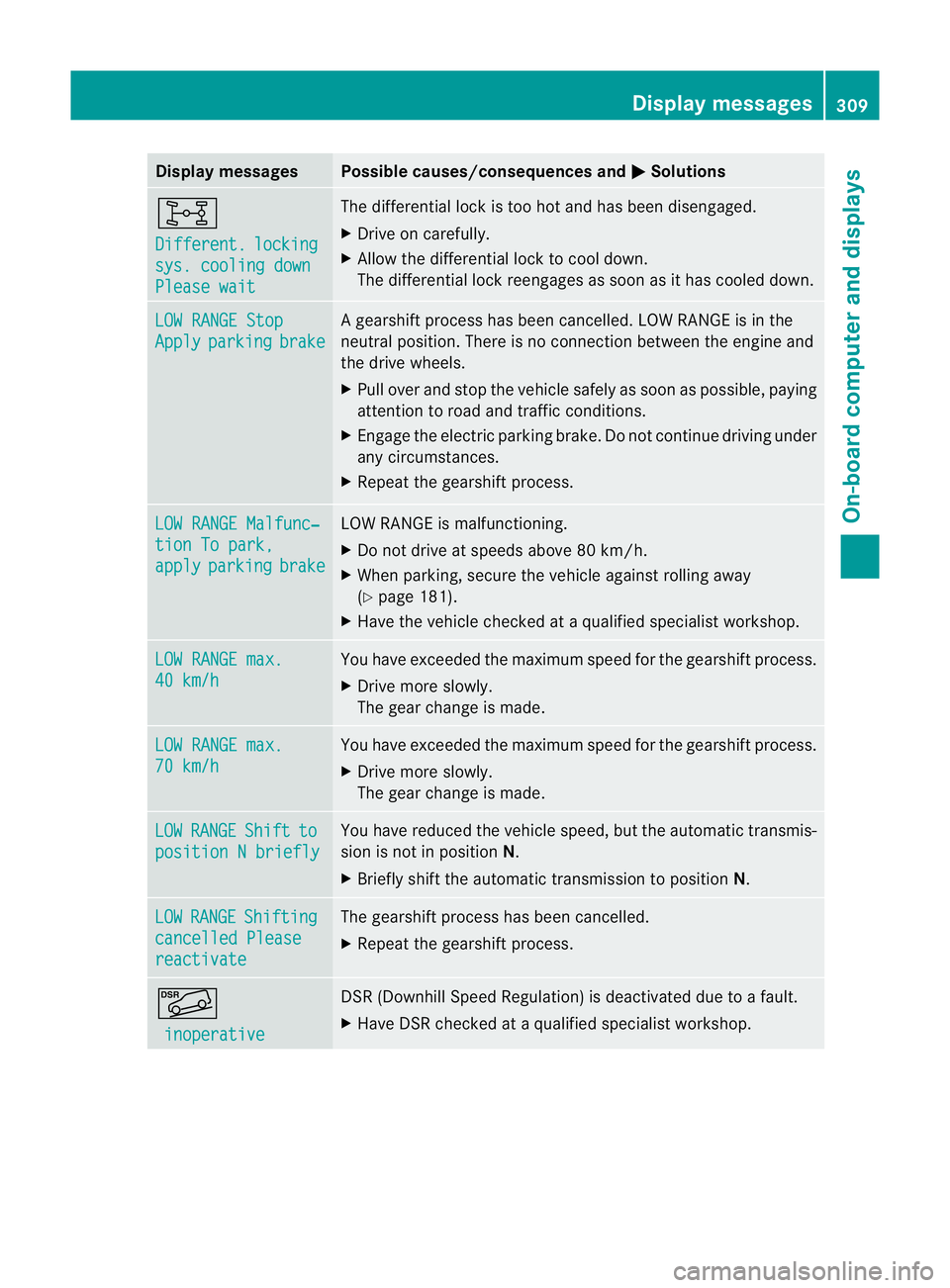
Displa
ymessages Possible causes/consequences and
M Solutions
8
Di
fferent. locking
sys
.c oolin gdown Please wait Th
ed ifferential loc kistoo hot and has been disengaged.
X Drive on carefully.
X Allow the differential lock to cool down.
The differential lock reengages as soon as it has cooled down. LO
WR ANGE Stop Apply parking brake Ag
earshif tprocess ha sbeen can celled. LOW RANGE is in the
neutral position. There is no connection between the engine and
the driv ewheels.
X Pull over and stop the vehicle safely as soon as possible, paying
attention to roa dand traffic conditions.
X Engag ethe electric parkin gbrake .Don ot con tinue driving under
any circumstances.
X Repe atthe gearshift process. LOW RANGE Malfunc‐
tion To park,
apply parking brake LO
WR ANGE is malfunctioning.
X Do not drive at speeds above 80 km/h.
X Whe nparking, secure the vehicle against rolling away
(Y page 181).
X Have the vehicle checked at aqualified specialist workshop. LO
WR ANGE max. 40 km/h Yo
uh ave exceeded the maximum spee dfor the gearshift process.
X Drive mor eslowly.
The gear change is made. LO
WR ANGE max. 70 km/h Yo
uh ave exceeded the maximum spee dfor the gearshift process.
X Drive mor eslowly.
The gear change is made. LOW RANGE Shift to
position
Nbriefly Yo
uh ave reduced the vehicle speed, but the automatic transmis-
sion is not in position N.
X Briefly shift the automatic transmission to position N.LOW RANGE Shifting
cancelle
dPlease reactivate Th
eg earshif tprocess ha sbeen cancelled.
X Repeat the gearshif tprocess. Ã
inoperative DSR (Downhil
lSpeed Regulation) is deactivated due to afault.
X Hav eDSRchecked at aqualified specialist workshop. Display messages
309On-boar dcomputer and displays Z