center console MERCEDES-BENZ GLA 2019 User Guide
[x] Cancel search | Manufacturer: MERCEDES-BENZ, Model Year: 2019, Model line: GLA, Model: MERCEDES-BENZ GLA 2019Pages: 346, PDF Size: 16.66 MB
Page 245 of 346
Operating system
Overview
General notes
!Do not use the space in front of the dis-play for storage. Objects placed here coulddamage the display or impair its function.Avoid any direct contact with the displaysurface. Pressure on the display surfacemay result in impairments to the display,which could be irreversible.
Wearing polarized sunglasses may impair yourability to read the display.
The display has an automatic temperature-controlled switch-off feature. The brightness isautomatically reduced if the temperature istoo high. The display may temporarily switchoff completely.
Cleaning instructions
!Do not touch the display. The display has avery sensitive high-gloss surface; there is arisk of scratching. If you have to clean thescreen, however, use a mild cleaning agentand a soft, lint-free cloth.
The display must be switched off and havecooled down before you start cleaning. Do notapply pressure to the display surface whencleaning it, as this could cause irreversibledamage to the display.
Switching the multimedia system
on/off
XPress theCcontrol knob.
Adjusting the volume
XTurn theCcontrol knob.
The volume is adjusted:
Rfor the currently selected media source
Rduring traffic or navigation announcements
Rin hands-free mode during an active call
Switching the sound on or off
XPress thecbutton on the control panel.If the audio output is switched off, the sta-tus line will show thecsymbol. If you
switch the media source or set the volume,the sound is automatically switched on.
iNavigation announcements will be heardeven if the sound is muted.
Functions
The multimedia system has the following func-tions:
RRadio mode
RMedia mode with media search
RSound systems
RNavigation system
COMAND: navigation via the hard drive
Audio 20: navigation via SD card
RCommunication functions
RSIRIUS Weather (COMAND)
RVehicle functions with system settings
RFavorites functions
Controller
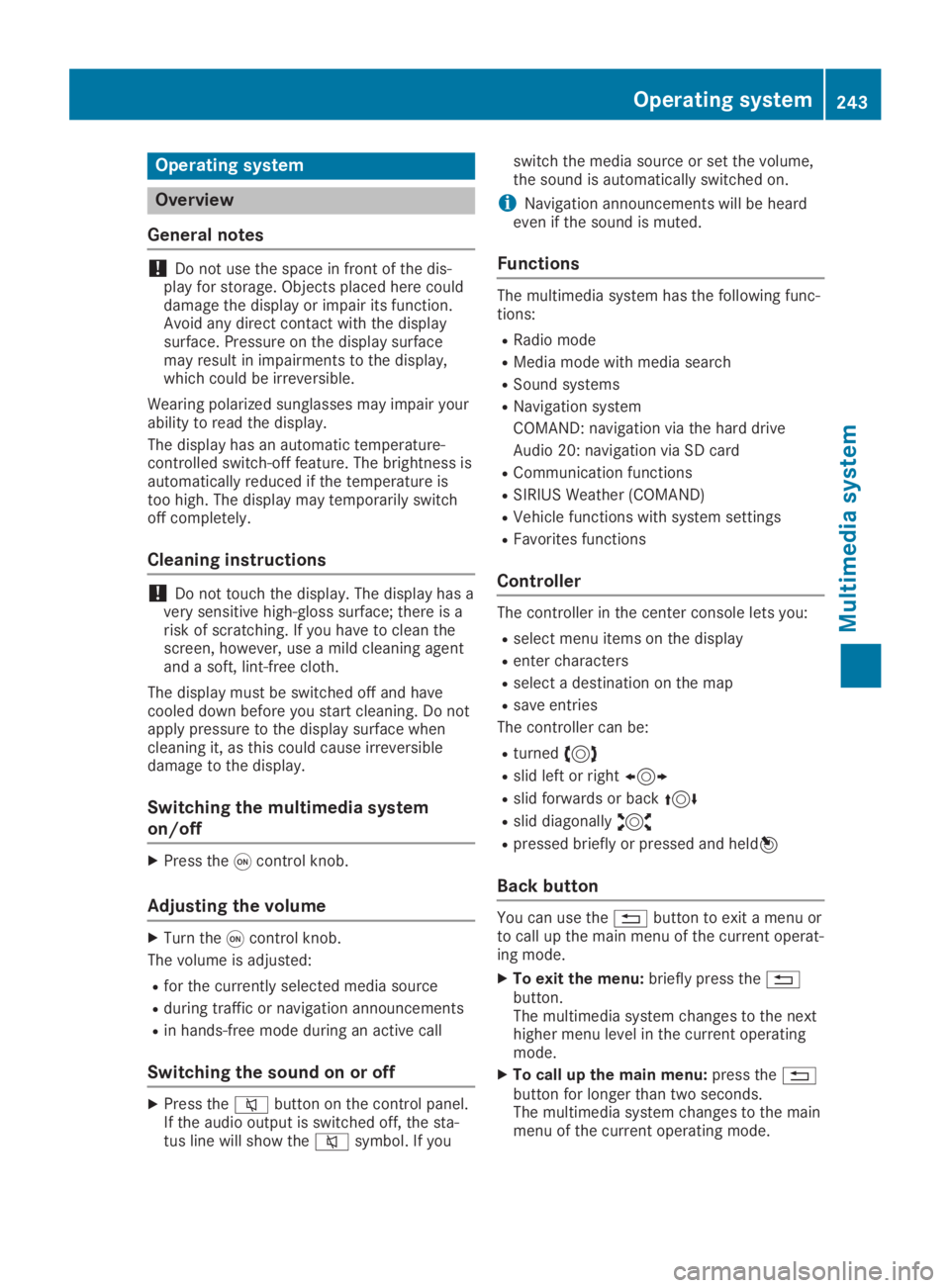
The controller in the center console lets you:
Rselect menu items on the display
Renter characters
Rselect a destination on the map
Rsave entries
The controller can be:
Rturned3
Rslid left or right1
Rslid forwards or back4
Rslid diagonally2
Rpressed briefly or pressed and held7
Back button
You can use the8button to exit a menu orto call up the main menu of the current operat-ing mode.
XTo exit the menu:briefly press the8button.The multimedia system changes to the nexthigher menu level in the current operatingmode.
XTo call up the main menu:press the8button for longer than two seconds.The multimedia system changes to the mainmenu of the current operating mode.
Operating system243
Multimedia system
Z
Page 253 of 346
able to hold the objects placed in them in
the event of an accident. There is a risk of
injury, particularly in the event of sharp
braking or sudden changes of direction.
RAlways stow objects in such a way that
they cannot be tossed about in these or
similar situations.
RAlways make sure that objects do not pro-
trude out of the stowage spaces, luggage
nets or stowage nets.
REnsure that closable stowage spaces are
shut before beginning your journey.
RAlways stow and secure heavy, hard, poin-
ted, sharp-edged, fragile or large objects
in the cargo compartment.
Observe the loading guidelines (Ypage 250).
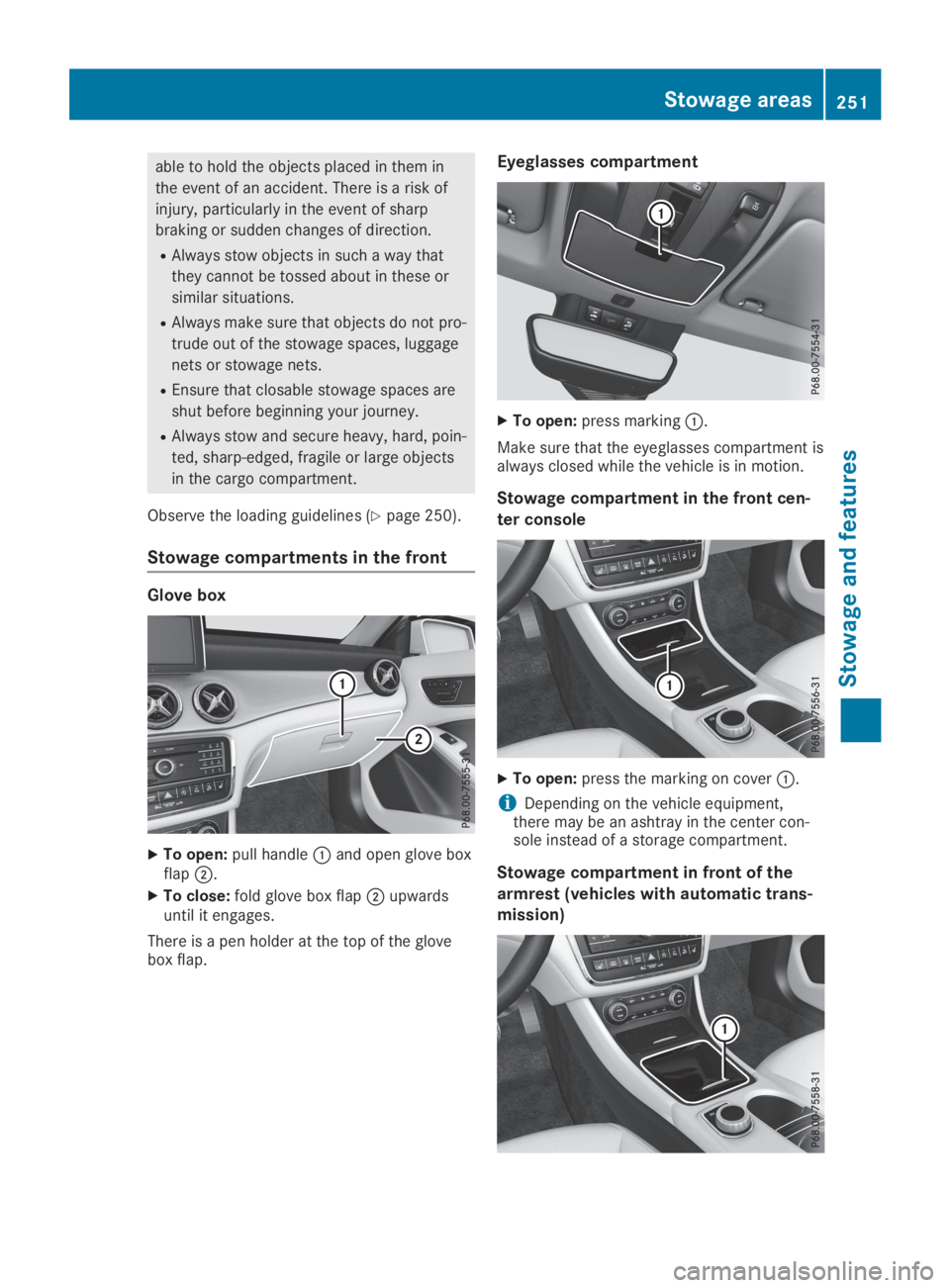
Stowage compartments in the front
Glove box
XTo open:pull handleCand open glove boxflapD.
XTo close:fold glove box flapDupwardsuntil it engages.
There is a pen holder at the top of the glovebox flap.
Eyeglasses compartment
XTo open:press markingC.
Make sure that the eyeglasses compartment isalways closed while the vehicle is in motion.
Stowage compartment in the front cen-
ter console
XTo open:press the marking on coverC.
iDepending on the vehicle equipment,there may be an ashtray in the center con-sole instead of a storage compartment.
Stowage compartment in front of the
armrest (vehicles with automatic trans-
mission)
Stowage areas251
Stowage and features
Z
Page 254 of 346
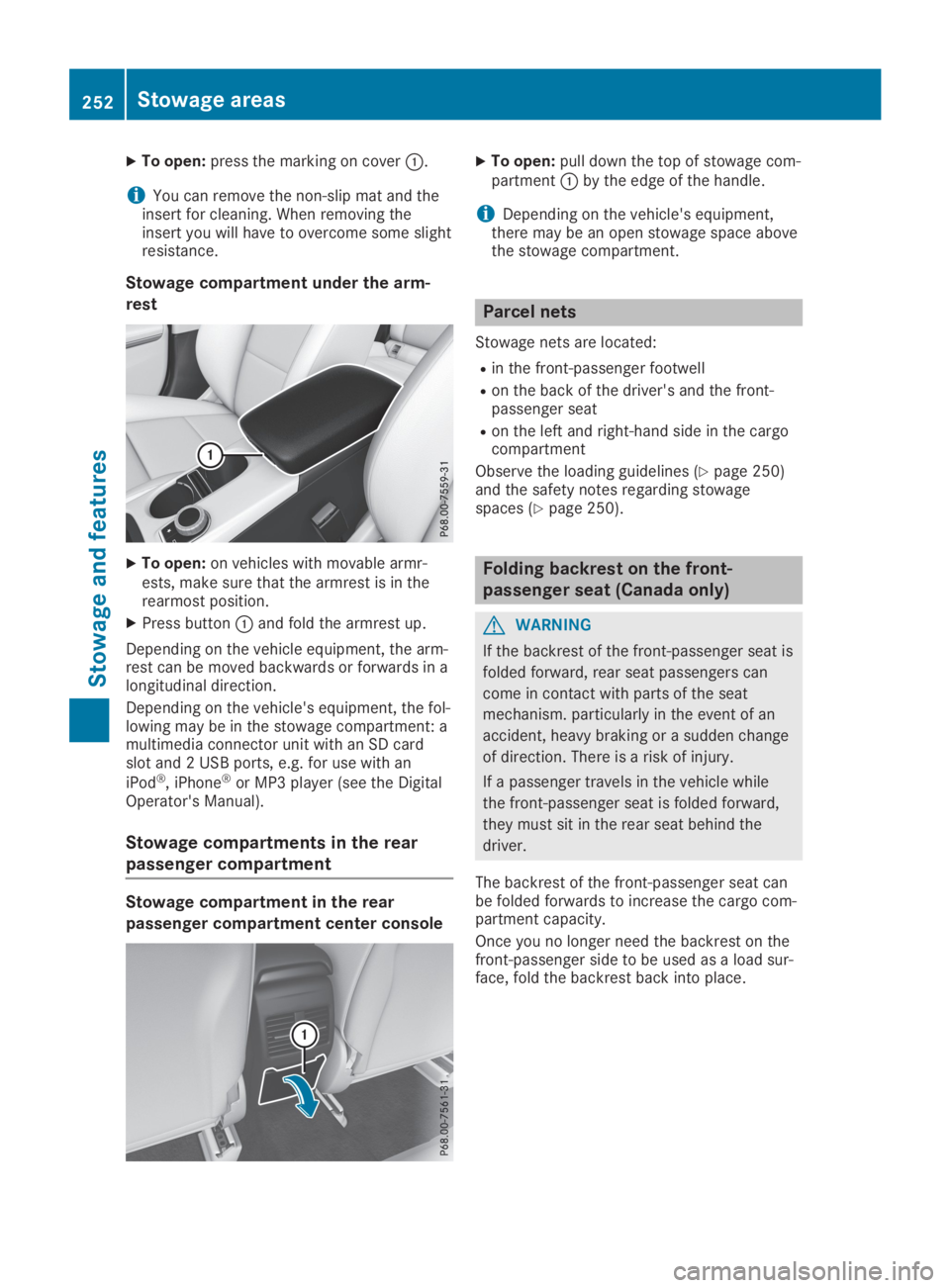
XTo open:press the marking on coverC.
iYou can remove the non-slip mat and theinsert for cleaning. When removing theinsert you will have to overcome some slightresistance.
Stowage compartment under the arm-
rest
XTo open:on vehicles with movable armr-ests, make sure that the armrest is in therearmost position.
XPress buttonCand fold the armrest up.
Depending on the vehicle equipment, the arm-rest can be moved backwards or forwards in alongitudinal direction.
Depending on the vehicle's equipment, the fol-lowing may be in the stowage compartment: amultimedia connector unit with an SD cardslot and 2 USB ports, e.g. for use with an
iPod®, iPhone®or MP3 player (see the DigitalOperator's Manual).
Stowage compartments in the rear
passenger compartment
Stowage compartment in the rear
passenger compartment center console
XTo open:pull down the top of stowage com-partmentCby the edge of the handle.
iDepending on the vehicle's equipment,there may be an open stowage space abovethe stowage compartment.
Parcel nets
Stowage nets are located:
Rin the front-passenger footwell
Ron the back of the driver's and the front-passenger seat
Ron the left and right-hand side in the cargocompartment
Observe the loading guidelines (Ypage 250)and the safety notes regarding stowagespaces (Ypage 250).
Folding backrest on the front-
passenger seat (Canada only)
GWARNING
If the backrest of the front-passenger seat is
folded forward, rear seat passengers can
come in contact with parts of the seat
mechanism. particularly in the event of an
accident, heavy braking or a sudden change
of direction. There is a risk of injury.
If a passenger travels in the vehicle while
the front-passenger seat is folded forward,
they must sit in the rear seat behind the
driver.
The backrest of the front-passenger seat canbe folded forwards to increase the cargo com-partment capacity.
Once you no longer need the backrest on thefront-passenger side to be used as a load sur-face, fold the backrest back into place.
252Stowage areas
Sto wage an d features
Page 259 of 346
You will find information on the maximum roofload in the "Technical data" section(Ypage 339).
An incorrectly secured roof carrier or roof loadmay become detached from the vehicle. Youmust therefore ensure that you observe theroof carrier manufacturer's installation instruc-tions.
Attaching the roof carrier
XSecure the roof carrier to the roof rails. Indoing so, observe the manufacturer's instal-lation instructions.
Features
Cup holder
Important safety notes
GWARNING
The cup holder cannot hold a container
secure whilst traveling. If you use a cup
holder whilst traveling, the container may be
flung around and liquid may be spilled. The
vehicle occupants may come into contact
with the liquid and if it is hot, they may be
scalded. You may be distracted from the
traffic conditions and you could lose control
of the vehicle. There is a risk of an accident
and injury.
Only use the cup holder when the vehicle is
stationary. Only use the cup holder for con-
tainers of the right size. Always close the
container, particularly if the liquid is hot.
GWARNING
The heating elements of the cup holder can
become very hot. You could burn yourself on
them.
There is a risk of injury.
Do not touch the hot heating elements of
the cup holder. Always make sure that chil-
dren cannot access the hot heating ele-
ments of the cup holder. Never leave chil-
dren unsupervised in the vehicle.
GWARNING
If you transport objects in the vehicle inte-
rior and these are not adequately secured,
they could slip or be flung around and
thereby strike vehicle occupants. In addi-
tion, cup holders, open stowage spaces and
mobile phone brackets may not always be
able to hold the objects placed in them in
the event of an accident. There is a risk of
injury, particularly in the event of sharp
braking or sudden changes of direction.
RAlways stow objects in such a way that
they cannot be tossed about in these or
similar situations.
RAlways make sure that objects do not pro-
trude out of the stowage spaces, luggage
nets or stowage nets.
REnsure that closable stowage spaces are
shut before beginning your journey.
RAlways stow and secure heavy, hard, poin-
ted, sharp-edged, fragile or large objects
in the cargo compartment.
!Only use the cup holders for containers ofthe right size and which have lids. Thedrinks could otherwise spill.
Observe the loading guidelines (Ypage 250).
The stowage compartments in the doors pro-vide space for bottles:
Rfront: capacity up to 34 fl. oz. (1.0 l)
Rrear: capacity up to 17 fl. oz. (0.5 l)
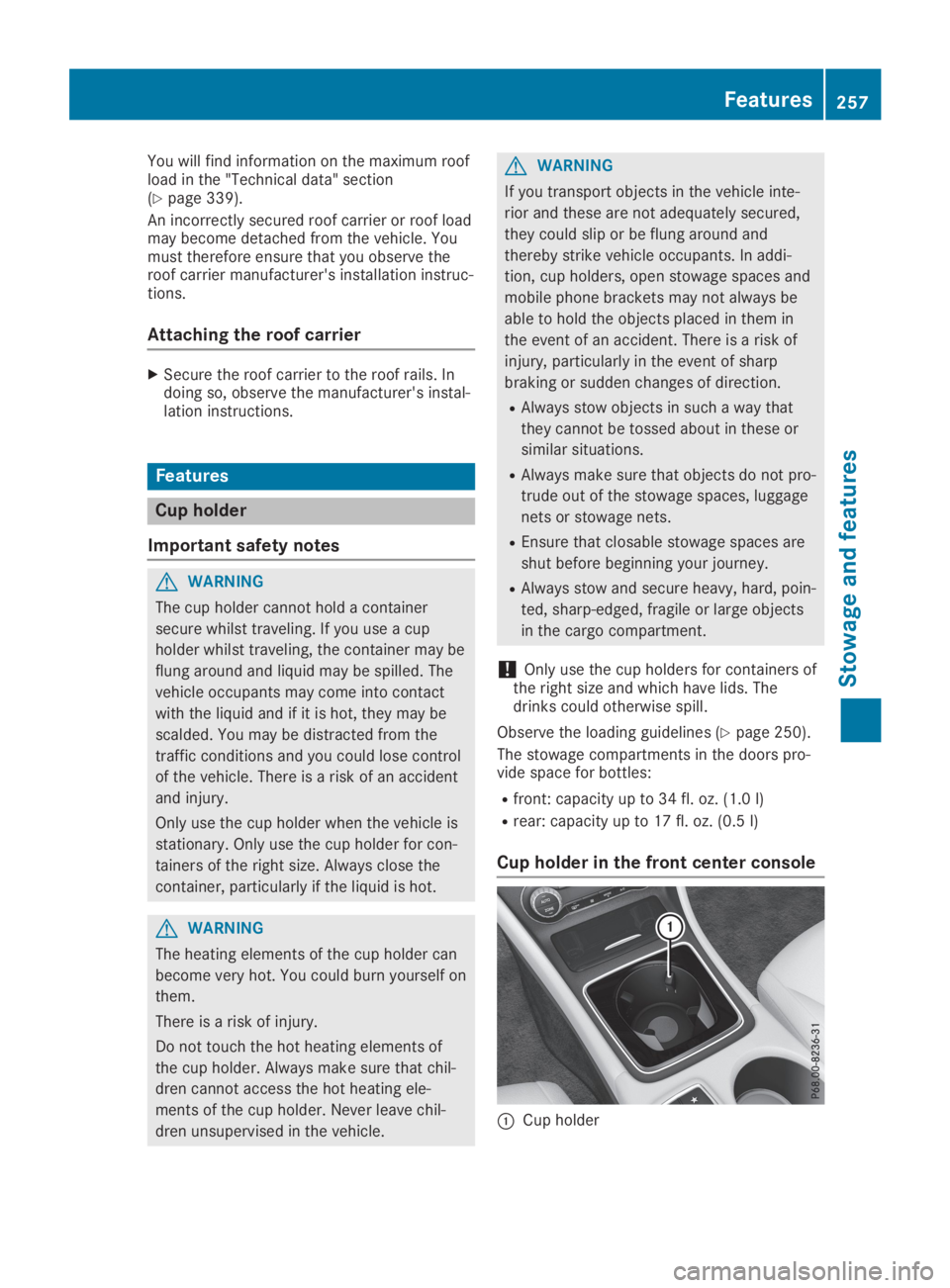
Cup holder in the front center console
CCup holder
Features257
Stowage and features
Z
Page 262 of 346
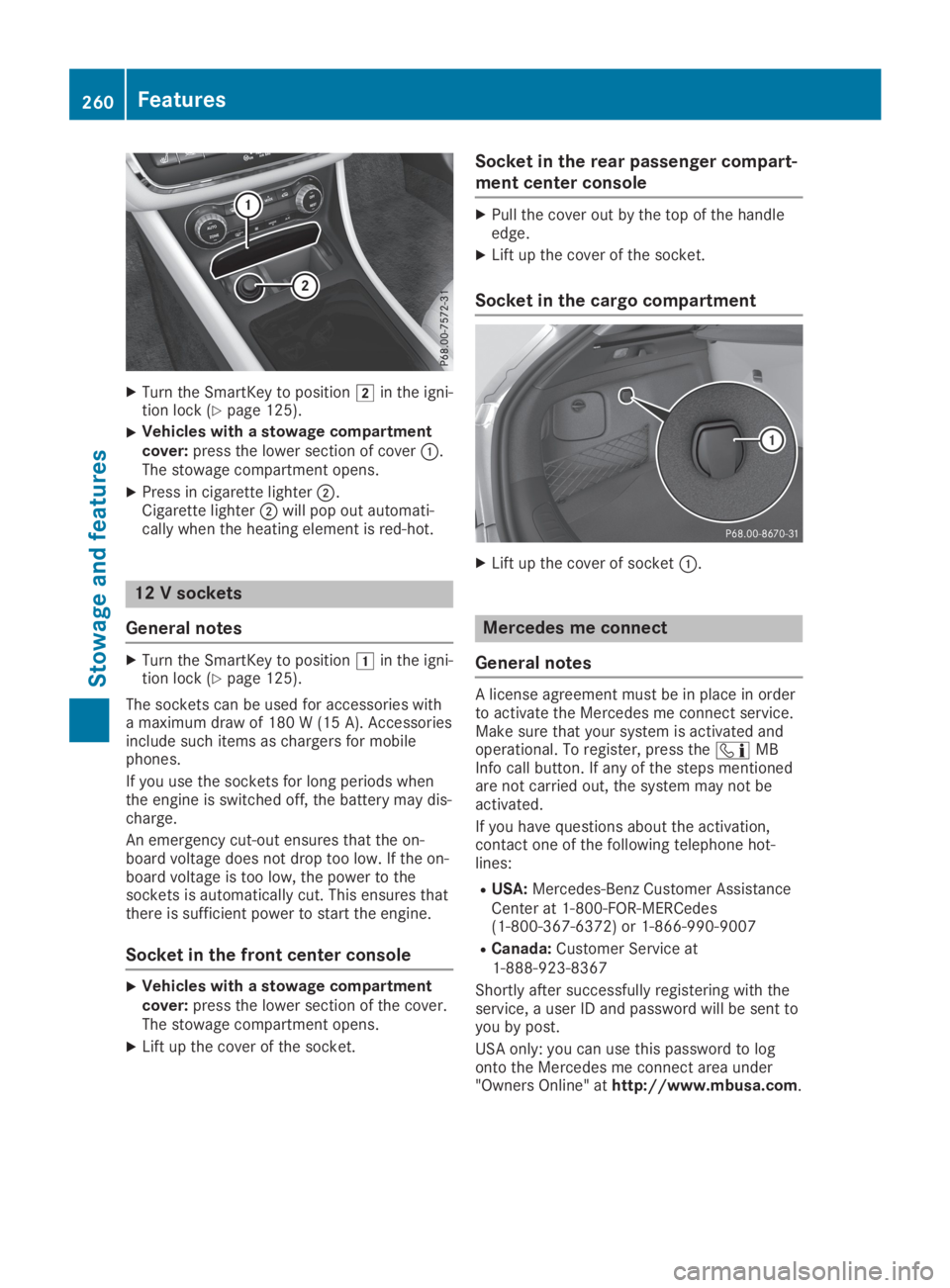
XTurn the SmartKey to positionHin the igni-tion lock (Ypage 125).
XVehicles with a stowage compartmentcover:press the lower section of coverC.The stowage compartment opens.
XPress in cigarette lighterD.Cigarette lighterDwill pop out automati-cally when the heating element is red-hot.
12 V sockets
General notes
XTurn the SmartKey to positionGin the igni-tion lock (Ypage 125).
The sockets can be used for accessories witha maximum draw of 180 W (15 A). Accessoriesinclude such items as chargers for mobilephones.
If you use the sockets for long periods whenthe engine is switched off, the battery may dis-charge.
An emergency cut-out ensures that the on-board voltage does not drop too low. If the on-board voltage is too low, the power to thesockets is automatically cut. This ensures thatthere is sufficient power to start the engine.
Socket in the front center console
XVehicles with a stowage compartmentcover:press the lower section of the cover.The stowage compartment opens.
XLift up the cover of the socket.
Socket in the rear passenger compart-
ment center console
XPull the cover out by the top of the handleedge.
XLift up the cover of the socket.
Socket in the cargo compartment
XLift up the cover of socketC.
Mercedes me connect
General notes
A license agreement must be in place in orderto activate the Mercedes me connect service.Make sure that your system is activated andoperational. To register, press the