change time MERCEDES-BENZ GLA 2019 User Guide
[x] Cancel search | Manufacturer: MERCEDES-BENZ, Model Year: 2019, Model line: GLA, Model: MERCEDES-BENZ GLA 2019Pages: 346, PDF Size: 16.66 MB
Page 161 of 346
sound and the distance warning lamp will lightup in the instrument cluster. Brake immedi-ately in order to increase the distance to thevehicle in front or take evasive action providedit is safe to do so.
Active Distance Assist DISTRONIC operates inthe speed range between 0 mph (0 km/h) and120 mph (200 km/h).
Change into a lower gear in good time on longand steep downhill gradients. This is especiallyimportant if the vehicle is laden. By doing so,you will make use of the braking effect of theengine. This relieves the load on the brake sys-tem and prevents the brakes from overheatingand wearing too quickly.
Do not use Active Distance Assist DISTRONICon roads with steep gradients.
For Active Distance Assist DISTRONIC toassist you when driving, the radar sensor sys-tem must be operational.
As Active Distance Assist DISTRONIC trans-mits radar waves, it can resemble the radardetectors of the responsible authorities. Youcan refer to the relevant chapter in the Opera-tor's Manual if questions are asked about this.
iUSA only: This device has been approvedby the FCC as a "Vehicular Radar System".The radar sensor is intended for use in anautomotive radar system only. Removal,tampering, or altering of the device will voidany warranties, and is not permitted by theFCC. Do not tamper with, alter, or use in anynon-approved way.
Any unauthorized modification to this devicecould void the user's authority to operatethe equipment.
iCanada only: This device complies withRSS-210 of Industry Canada. Operation issubject to the following two conditions:
1. This device may not cause interference,and
2. This device must accept any interferencereceived, including interference that maycause undesired operation of the device.
Removal, tampering, or altering of thedevice will void any warranties, and is notpermitted. Do not tamper with, alter, or usein any non-approved way.
Any unauthorized modification to this devicecould void the user's authority to operatethe equipment.
Important safety notes
GWARNING
Active Distance Assist DISTRONIC does not
react to:
Rpeople or animals
Rstationary objects in the road, e.g. stop-
ped or parked vehicles
Roncoming vehicles and crossing traffic
As a result, Active Distance Assist
DISTRONIC may neither give warnings nor
intervene in such situations. There is a risk
of an accident.
Always pay careful attention to the traffic
situation and be ready to brake.
GWARNING
Active Distance Assist DISTRONIC cannot
always clearly identify other road users and
complex traffic situations.
In such cases, Active Distance Assist
DISTRONIC can:
Rgive an unnecessary warning and then
brake the vehicle
Rneither give a warning nor intervene
Raccelerate or brake unexpectedly
There is a risk of an accident.
Continue to drive carefully and be ready to
brake, especially if Active Distance Assist
DISTRONIC warns you.
GWARNING
Active Distance Assist DISTRONIC brakes
your vehicle with up to 50% of the maximum
possible deceleration. If this deceleration is
not sufficient, Active Distance Assist
DISTRONIC alerts you with a visual and
acoustic warning. There is a risk of an acci-
dent.
Adjust your speed in these cases and main-
tain sufficient distance.
Apply the brakes yourself and/or take eva-
sive action.
Driving systems159
Driving and parking
Z
Page 162 of 346
!When Active Distance Assist DISTRONICor the HOLD function is activated, the vehi-cle brakes automatically in certain situa-tions.
To avoid damage to the vehicle, deactivateActive Distance Assist DISTRONIC and theHOLD function in the following or similar sit-uations:
Rwhen towing the vehicle
Rin the car wash
Active Distance Assist DISTRONIC can neitherreduce the risk of an accident if you fail toadapt your driving style, nor override the lawsof physics. Active Distance Assist DISTRONICcannot take into account road, weather or traf-fic conditions. Active Distance AssistDISTRONIC is only an aid. You are responsiblefor the distance to the vehicle in front, forvehicle speed, for braking in good time and forstaying in your lane.
Do not use Active Distance Assist DISTRONIC:
RIn road and traffic conditions which do notallow you to maintain a constant speed, e.g.in heavy traffic or on winding roads
ROn slippery road surfaces. Braking or accel-erating could cause the drive wheels to losetraction and the vehicle could then skid
RIn poor visibility, e.g. due to fog, heavy rainor snow
Active Distance Assist DISTRONIC may notdetect narrow vehicles driving in front, e.g.motorcycles, or vehicles driving in a staggeredformation.
In particular, the detection of obstacles can beimpaired if:
RThere is dirt on the sensors or anything elsecovering the sensors
RThere is snow or heavy rain
RThere is interference by other radar sources
RThere are strong radar reflections, for exam-ple in parking garages
If Active Distance Assist DISTRONIC no longerdetects a vehicle in front, Distance PilotDISTRONIC may unexpectedly accelerate tothe speed stored.
This speed may:
RBe too high if you are driving in a turninglane or an exit lane
RBe so high when driving in the right-handlane that you overtake vehicles in the left-hand lane
RBe so high in the left lane that you passvehicles driving on the right
If there is a change of drivers, advise the newdriver of the speed stored.
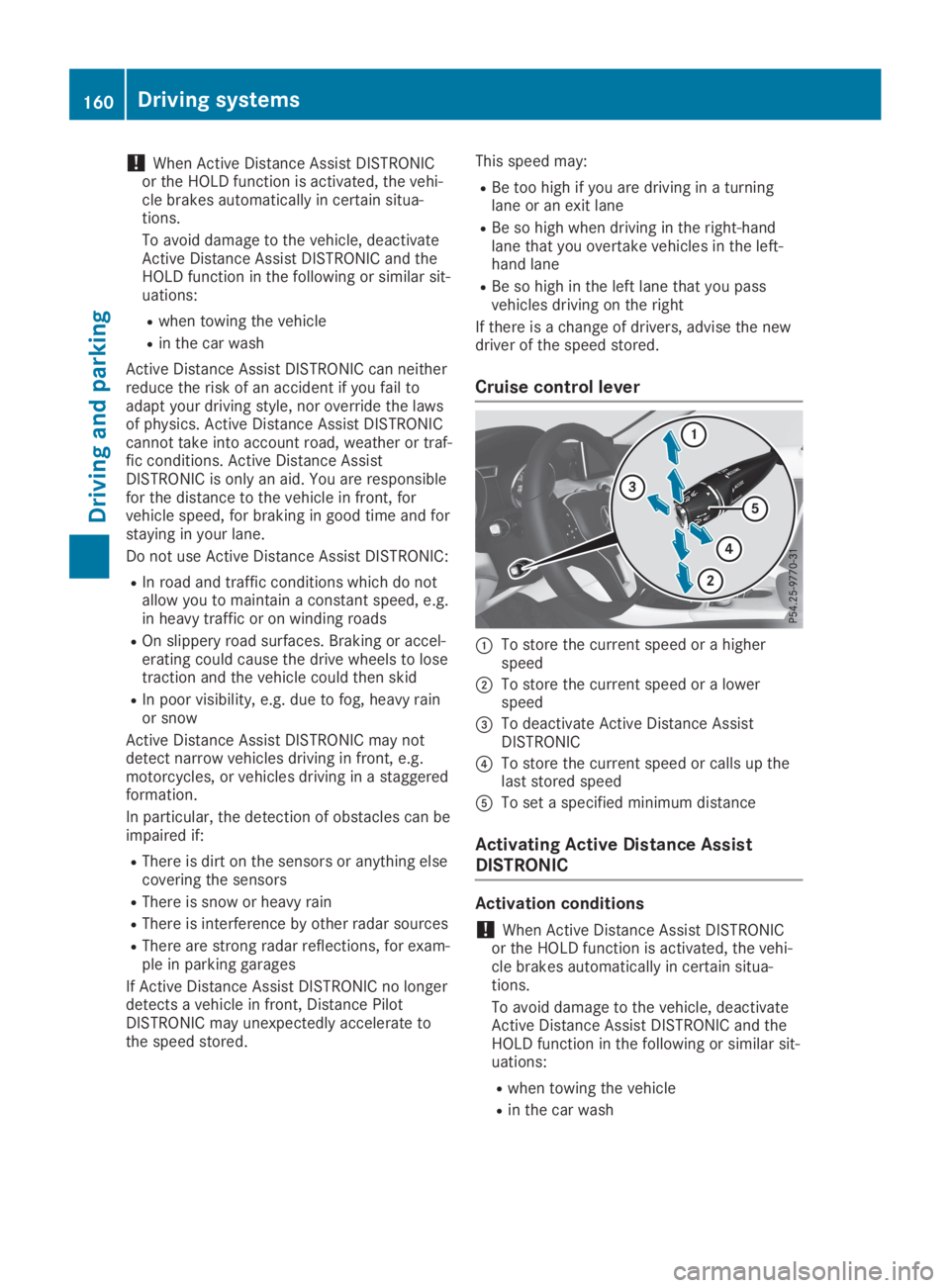
Cruise control lever
CTo store the current speed or a higherspeed
DTo store the current speed or a lowerspeed
Page 164 of 346
Selecting the drive program
Active Distance Assist DISTRONIC supports asporty driving style when you select theS+drive program (Ypage 138) or the manualdrive program (Ypage 140). Accelerationbehind the vehicle in front or to the set speedis then noticeably more dynamic. If you haveselected theE(Mercedes-AMG vehicles:C)drive program, the vehicle accelerates moregently. This setting is recommended in stop-and-start traffic.
Changing lanes
If you want to change to the overtaking laneon multi-lane roads, Active Distance AssistDISTRONIC supports you if:
Ryou are driving faster than 45 mph(70 km/h)
RActive Distance Assist DISTRONIC is main-taining the distance to a vehicle in front
Ryou switch on the appropriate turn signal
RActive Distance Assist DISTRONIC does notcurrently detect a danger of collision
If these conditions are fulfilled, your vehicle isaccelerated. Acceleration will be interrupted ifchanging lanes takes too long or if the dis-tance between your vehicle and the vehicle infront becomes too small.
Stopping
If Active Distance Assist DISTRONIC detectsthat the vehicle in front is stopping, it brakesyour vehicle until it is stationary.
Once your vehicle is stationary, it remains sta-tionary and you do not need to depress thebrake.
iAfter a time, the electric parking brakesecures the vehicle and relieves the servicebrake.
iDepending on the specified minimum dis-tance, your vehicle will come to a standstillat a sufficient distance behind the vehicle infront. The specified minimum distance is setusing the control on the cruise control lever.
When Active Distance Assist DISTRONIC isactivated, the transmission is shifted automati-cally to position]if:
Rthe driver's seat belt is not fastened and thedriver's door is open.
Rthe engine is switched off, unless it is auto-matically switched off by the ECO start/stop function.
The electric parking brake is applied automati-cally if Active Distance Assist DISTRONIC isactive when the vehicle is stationary and:
Ra system malfunction occurs.
Rthe power supply is insufficient.
If a malfunction occurs, the transmission mayalso shift to position]automatically.
Setting a speed
Keep in mind that it may take a brief momentuntil the vehicle has accelerated or braked tothe speed set.
XPress the cruise control lever upCfor ahigher speed or downDfor a lower speed.
XTo adjust the set speed in 1 mph incre-ments (1 km/h increments):briefly pushthe cruise control lever upCor downDtothe pressure point.The last stored speed increases or decrea-ses in 1 mph (1 km/h) increments.
XTo adjust the set speed in 5 mph incre-ments (10 km/h increments):briefly pushthe cruise control lever upCor downDbeyond the pressure point.The last stored speed increases or decrea-ses in 5 mph (10 km/h) increments.
iActive Distance Assist DISTRONIC is notdeactivated if you depress the acceleratorpedal. If you accelerate to overtake, ActiveDistance Assist DISTRONIC adjusts the vehi-cle's speed to the last speed stored, afteryou have finished overtaking.
Setting a specified minimum distance
You can set the specified minimum distancefor Active Distance Assist DISTRONIC by vary-ing the time span between one and two sec-onds. This determines the distance that ActiveDistance Assist DISTRONIC is to maintain fromthe vehicle in front, depending on the roadspeed. You can see this distance in the multi-function display (Ypage 164).
162Driving systems
Driving and parking
Page 179 of 346
TheParking Assist Active Select RParking Assist Active Select RObserve SurroundingsObserve Surroundingsmessage appears onthe multifunction display.
As soon as the parking procedure is complete,theActive Parking Assist FinishedActive Parking Assist Finishedmes-sage appears and a warning tone sounds. Thevehicle is now parked.
The vehicle is kept stationary without thedriver having to depress the brake pedal. Thebraking effect is canceled when you depressthe accelerator pedal.
Active Parking Assist no longer supports youwith steering interventions and brake applica-tions. When Active Parking Assist is finished,you must steer and brake again yourself.Active Parking Assist is still available.
Parking tips:
RThe way your vehicle is positioned in theparking space after parking is dependent onvarious factors. These include the positionand shape of the vehicles parked in frontand behind it and the conditions of the loca-tion. It may be the case that Active ParkingAssist guides you too far into a parkingspace, or not far enough into it. In somecases, it may also lead you across or ontothe curb. If necessary, cancel the parkingprocedure with Active Parking Assist.
RYou can also preselect transmission position[. The vehicle redirects and does not driveas far into the parking space. Should thetransmission change take place too early,the parking procedure is canceled. A sensi-ble parking position can no longer be ach-ieved from this position.
Exiting a parking space
In order that Active Parking Assist can supportyou when exiting the parking space:
Ryou need to have parked using Active Park-ing Assist.
Rthe border of the parking space must behigh enough at the front and the rear. Acurb stone is too small, for example.
Rthe border of the parking space must not betoo wide, as the position of the vehicle mustnot exceed an angle of 45° to the startingposition as it is maneuvered into the parkingspace.
Ra maneuvering distance of at least 3.3 ft(1.0 m) must be available.
Active Parking Assist can only assist you withexiting a parking space if you have parked thevehicle parallel to the direction of travel usingActive Parking Assist.
iIf Active Parking Assist detects obstacles,Active Parking Assist brakes automaticallywhile the vehicle is exiting the parkingspace. You are responsible for braking ingood time.
XStart the engine.
XRelease the electric parking brake.
XSwitch on the turn signal in the directionyou will drive out of the parking space.
XShift the transmission to position[or^.TheStart Parking Assist?Start Parking Assist?Yes: OKYes: OKNo:No:8message appears on the multifunctiondisplay.
XTo cancel the procedure:press the8button on the multifunction steering wheelor pull away.
or
XTo exit a parking space using ActiveParking Assist:press thevbutton onthe multifunction steering wheel.TheParking Assist Active Acceler‐Parking Assist Active Acceler‐ate and Brakeate and BrakeObserve SurroundingsObserve Surroundingsmessage appears on the multifunction dis-play.
XLet go of the multifunction steering wheel.
XPull away, being ready to brake at all times.Do not exceed a maximum speed of approx-imately 6 mph (10 km/h)when exiting aparking space. Otherwise, Active ParkingAssist will be canceled.
XDepending on the message or as required,shift the transmission to position[or^.Active Parking Assist immediately steers inthe other direction. TheParking AssistParking AssistActive Accelerate and BrakeActive Accelerate and BrakeObserveObserveSurroundingsSurroundingsmessage appears on themultifunction display.
iYou will achieve the best results by waitingfor the steering procedure to completebefore pulling away.
If you back up after activation, the steeringwheel is moved to the straight-ahead posi-tion.
XDrive forwards and reverse as prompted bythe Active Parking Assist warning displays,several times if necessary.
Driving systems177
Driving and parking
Z
Page 186 of 346
Important safety notes
ATTENTION ASSIST is only an aid to the driver.It might not always recognize fatigue orincreasing inattentiveness in time or fail torecognize them at all. The system is not a sub-stitute for a well-rested and attentive driver.
The functionality of ATTENTION ASSIST isrestricted and warnings may be delayed or notoccur at all:
Rif the length of the journey is less thanapproximately 30 minutes
Rif the road condition is poor, e.g. if the sur-face is uneven or if there are potholes
Rif there is a strong side wind
Rif you have adopted a sporty driving stylewith high cornering speeds or high rates ofacceleration
Rif you are predominantly driving slower than37 mph (60 km/h) or faster than 125 mph(200 km/h)
Rif the time has been set incorrectly
Rin active driving situations, such as whenyou change lanes or change your speed
ATTENTION ASSIST is reset when you continueyour journey and starts assessing your tired-ness again if:
Ryou switch off the engine
Ryou take off your seat belt and open thedriver's door, e.g. for a change of drivers orto take a break
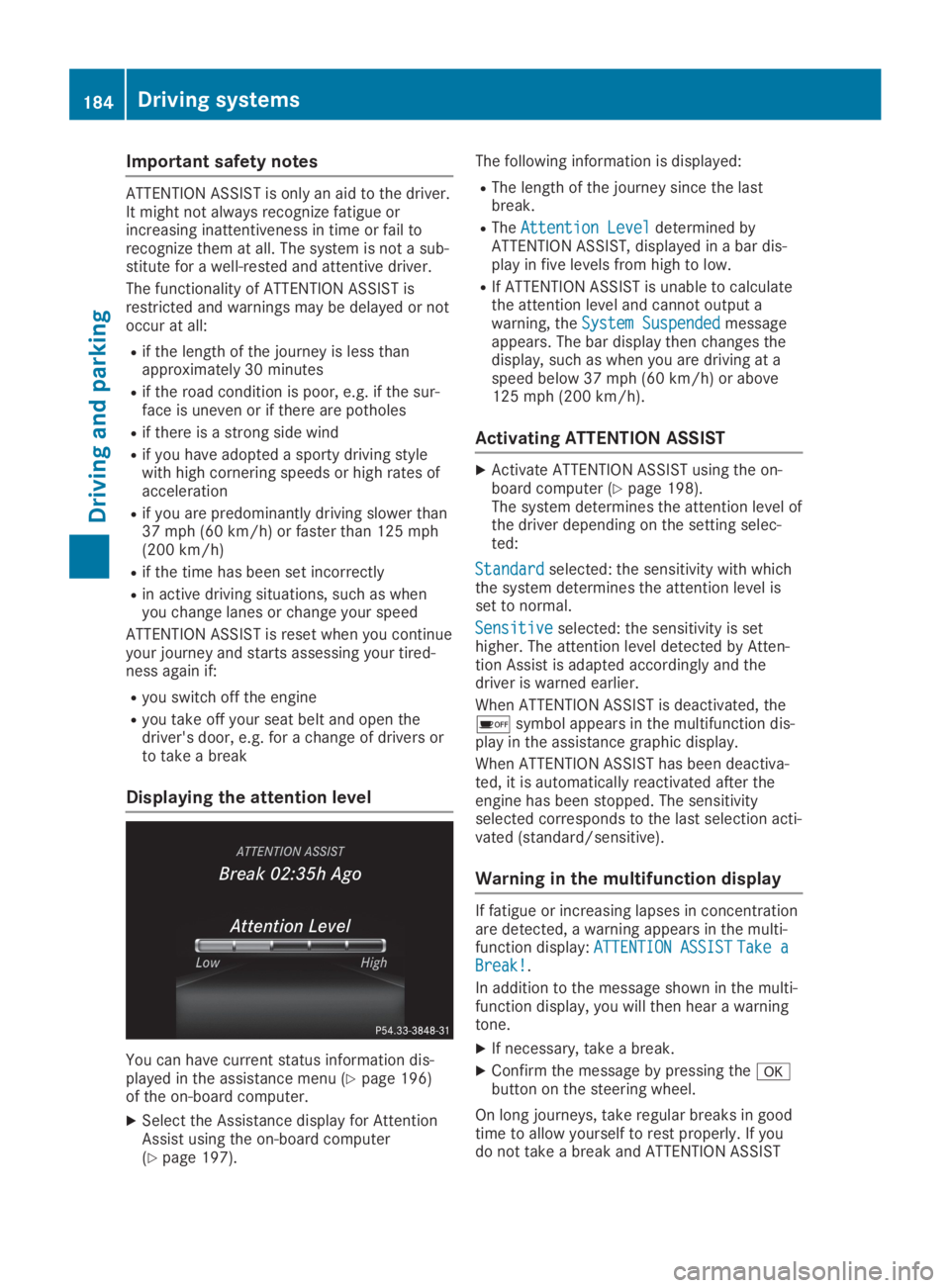
Displaying the attention level
You can have current status information dis-played in the assistance menu (Ypage 196)of the on-board computer.
XSelect the Assistance display for AttentionAssist using the on-board computer(Ypage 197).
The following information is displayed:
RThe length of the journey since the lastbreak.
RTheAttention LevelAttention Leveldetermined byATTENTION ASSIST, displayed in a bar dis-play in five levels from high to low.
RIf ATTENTION ASSIST is unable to calculatethe attention level and cannot output awarning, theSystem SuspendedSystem Suspendedmessageappears. The bar display then changes thedisplay, such as when you are driving at aspeed below 37 mph (60 km/h) or above125 mph (200 km/h).
Activating ATTENTION ASSIST
XActivate ATTENTION ASSIST using the on-board computer (Ypage 198).The system determines the attention level ofthe driver depending on the setting selec-ted:
StandardStandardselected: the sensitivity with whichthe system determines the attention level isset to normal.
SensitiveSensitiveselected: the sensitivity is sethigher. The attention level detected by Atten-tion Assist is adapted accordingly and thedriver is warned earlier.
When ATTENTION ASSIST is deactivated, the
Page 187 of 346
still detects increasing lapses in concentra-tion, you will be warned again after 15 minutesat the earliest. This will only happen if ATTEN-TION ASSIST still detects typical indicators offatigue or increasing lapses in concentration.
Vehicles with the COMAND multimediasystem:if a warning is output in the multi-function display, a service station search isperformed in the multimedia system. You canselect a service station and navigation to thisservice station will then begin. This functioncan be activated or deactivated in the multi-media system; see the Digital Operator's Man-ual.
Lane Tracking package
General notes
The Lane Tracking package consists of BlindSpot Assist (Ypage 185) and Lane KeepingAssist (Ypage 186).
Blind Spot Assist
General notes
Blind Spot Assist monitors the areas on eitherside of the vehicle that are not visible to thedriver with two lateral, rear-facing radar sen-sors. A warning display in the exterior mirrorsdraws your attention to vehicles detected inthe monitored area. If you then switch on thecorresponding turn signal to change lane, youwill also receive an optical and audible warn-ing.
Blind Spot Assist supports you from a speed ofapproximately 20 mph (30 km/h).
Important safety notes
GWARNING
Blind Spot Assist does not react to:
Rvehicles overtaken too closely on the side,
placing them in the blind spot area
Rvehicles which approach with a large
speed differential and overtake your vehi-
cle
As a result, Blind Spot Assist may not give
warnings in such situations. There is a risk
of an accident.
Always observe the traffic conditions care-
fully, and maintain a safe lateral distance.
Blind Spot Assist is only an aid. It may fail todetect some vehicles and is no substitute forattentive driving. Always ensure that there issufficient distance to the side for other roadusers and obstacles.
iUSA only:
This device has been approved by the FCCas a "Vehicular Radar System". The radarsensor is intended for use in an automotiveradar system only. Removing, tamperingwith, or altering the device will void any war-ranties, and is not permitted by the FCC. Donot tamper with, alter, or use in any non-approved way.
Any unauthorized modification to this devicecould void the user’s authority to operatethe equipment.
Radar sensors
The radar sensors for Blind Spot Assist areintegrated into the rear bumper. Make surethat the bumpers are free from dirt, ice orslush. The sensors must not be covered, forexample by cycle racks or overhanging loads.Following a severe impact or in the event ofdamage to the bumpers, have the function ofthe radar sensors checked at a qualified spe-cialist workshop. Blind Spot Assist may no lon-ger work properly.
Monitoring range of the sensors
In particular, the detection of obstacles can beimpaired if:
Rthere is dirt on the sensors or anything elsecovering the sensors
Rthere is poor visibility, e.g. due to fog, heavyrain or snow
Ra narrow vehicle traveling in front, e.g. amotorbike or bicycle
Rthe road has very wide lanes
Rthe road has narrow lanes
Ryou are not driving in the middle of the lane
Rthere are barriers or other road boundaries
Vehicles in the monitoring range are then notindicated.
Blind Spot Assist monitors the area up to 10 ft(3 m) behind your vehicle and directly next toit.
Driving systems185
Driving and parking
Z
Page 189 of 346
In such cases, Lane Keeping Assist can:
Rgive an unnecessary warning
Rnot give a warning
There is a risk of an accident.
Always pay particular attention to the traffic
situation and keep within the lane, espe-
cially if Lane Keeping Assist alerts you.
GWARNING
The Lane Keeping Assist warning does not
return the vehicle to the original lane. There
is a risk of an accident.
You should always steer, brake or accelerate
yourself, in particular if warned by Lane
Keeping Assist.
If you fail to adapt your driving style, LaneKeeping Assist can neither reduce the risk ofan accident nor override the laws of physics.Lane Keeping Assist cannot take into accountthe road, traffic and weather conditions. LaneKeeping Assist is merely an aid. You areresponsible for the distance to the vehicle infront, for vehicle speed, for braking in goodtime and for staying in your lane.
The Lane Keeping Assist does not keep thevehicle in the lane.
The system may be impaired or may not func-tion if:
Rthere is poor visibility, e.g. due to insuffi-cient illumination of the road, or due tosnow, rain, fog or spray
Rthere is glare, e.g. from oncoming traffic,the sun or reflection from other vehicles(e.g. if the road surface is wet)
Rthe windshield is dirty, fogged up, damagedor covered, for instance by a sticker, in thevicinity of the camera
Rthere are no or several unclear lane mark-ings for one lane, e.g. roadworks
Rthe lane markings are worn away, dark orcovered up, e.g. by dirt or snow
Rthe distance to the vehicle in front is tooshort and thus the lane markings cannot bedetected
Rthe lane markings change quickly, e.g. lanesbranch off, cross one another or merge
Rthe road is narrow and winding
Rthere are highly variable shade conditionson the roadway
Switching on Lane Keeping Assist
XSwitch on Active Lane Keeping Assist usingthe on-board computer; to do so, selectStandardStandardorAdaptiveAdaptive(Ypage 186).If you drive at speeds above 40 mph(60 km/h) and lane markings are detected,the lines in the assistance graphic areshown in green (Ypage 197). Lane KeepingAssist is ready for use.
IfStandardStandardis selected, no warning vibrationoccurs if:
Ryou have switched on the turn signal. In thisevent, the warnings are suppressed for acertain period of time.
Ra driving safety system intervenes, e.g. ABS,
BAS or ESP®.
WhenAdaptiveAdaptiveis selected, no warning vibra-tion occurs if:
Ryou have switched on the turn signal. In thisevent, the warnings are suppressed for acertain period of time.
Ra driving safety system intervenes, e.g. ABS,
BAS or ESP®.
Ryou accelerate hard, e.g. kickdown.
Ryou brake hard.
Ryou steer actively, e.g. swerve to avoid anobstacle or change lanes quickly.
Ryou cut the corner on a sharp bend.
In order that you are warned only when neces-sary and in good time if you cross the lanemarking, the system detects certain condi-tions and warns you accordingly.
The warning vibration occurs earlier if:
Ryou approach the outer lane marking on abend
Rthe road has very wide lanes, e.g. a freeway
Rthe system detects solid lane markings
The warning vibration occurs later if:
Rthe road has narrow lanes.
Ryou cut the corner on a bend
Driving systems187
Driving and parking
Z
Page 244 of 346
General notes
The multimedia system section in this Opera-tor's Manual describes the basic principles foroperation. More information can be found inthe Digital Operator's Manual.
Important safety notes
GWARNING
If you operate information systems and com-
munication equipment integrated in the
vehicle when driving, you may be distracted
from the traffic situation. You could also
lose control of the vehicle. There is a risk of
an accident.
Only operate this equipment when the traffic
situation permits. If you are not sure that
this is possible, park the vehicle paying
attention to traffic conditions and operate
the equipment when the vehicle is station-
ary.
You must observe the legal requirements forthe country in which you are currently drivingwhen operating the multimedia system.
The multimedia system calculates the route tothe destination without taking the followinginto account, for example:
Rtraffic lights
Rstop and yield signs
Rparking or stopping restrictions
Rroad narrowing
Rother road and traffic rules and regulations
The multimedia system may give incorrect nav-igation recommendations if the actual street/traffic situation does not correspond with thedigital map's data.
For example:
Ra diverted route
Rthe road layout or the direction of a one-waystreet has been changed
For this reason, you must always observe roadand traffic rules and regulations during yourjourney. Road and traffic rules and regulationsalways have priority over multimedia systemdriving recommendations.
Navigation announcements are intended todirect you while driving without diverting yourattention from the road and driving.
Please always use this feature instead of con-sulting the map display for directions. Lookingat the icons or map display can distract youfrom traffic conditions and driving, andincrease the risk of an accident.
This equipment complies with FCC radiationexposure limits set forth for uncontrolledequipment and meets the FCC radio frequency(RF) Exposure Guidelines in Supplement C toOET65.
This equipment has very low levels of RFenergy that is deemed to comply without maxi-mum permissive exposure evaluation (MPE).However, it is recommended to install it at adistance of at least 8 inches (approx. 20 cm)between the radiation source and a person'sbody (not including limbs such as hands,wrists, feet and legs).
GWARNING
Modifications to electronic components,
their software as well as wiring can impair
their function and/or the function of other
networked components. In particular, sys-
tems relevant to safety could also be affec-
ted. As a result, these may no longer func-
tion as intended and/or jeopardize the oper-
ating safety of the vehicle. There is an
increased risk of an accident and injury.
Never tamper with the wiring as well as elec-
tronic components or their software. You
should have all work to electrical and elec-
tronic equipment carried out at a qualified
specialist workshop.
Function restrictions
For safety reasons, some functions are restric-ted or unavailable while the vehicle is inmotion. You will notice this, for example,because either you will not be able to selectcertain menu items or a message will appearto this effect.
242Function restrictions
Multimedia system
Page 245 of 346
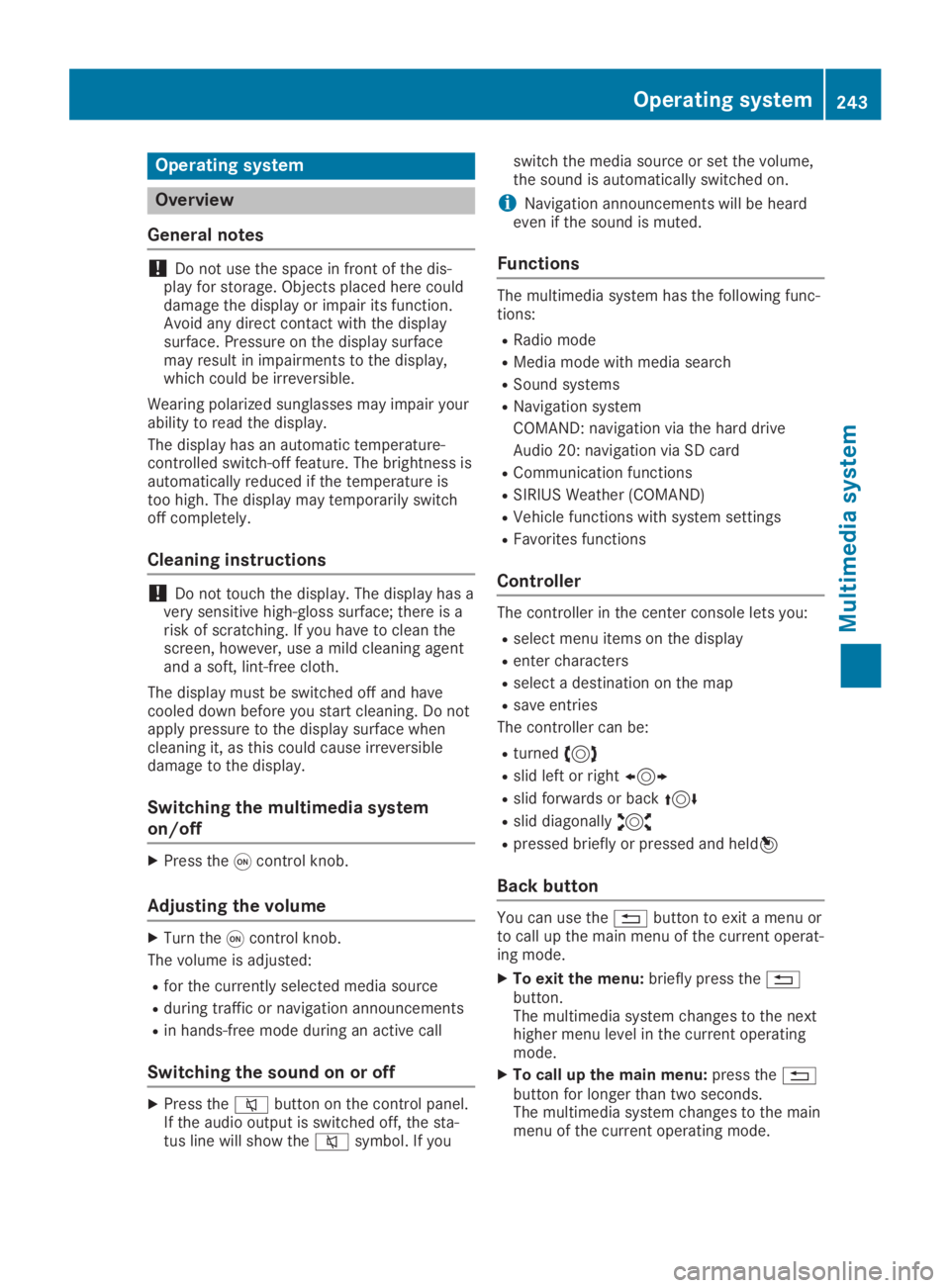
Operating system
Overview
General notes
!Do not use the space in front of the dis-play for storage. Objects placed here coulddamage the display or impair its function.Avoid any direct contact with the displaysurface. Pressure on the display surfacemay result in impairments to the display,which could be irreversible.
Wearing polarized sunglasses may impair yourability to read the display.
The display has an automatic temperature-controlled switch-off feature. The brightness isautomatically reduced if the temperature istoo high. The display may temporarily switchoff completely.
Cleaning instructions
!Do not touch the display. The display has avery sensitive high-gloss surface; there is arisk of scratching. If you have to clean thescreen, however, use a mild cleaning agentand a soft, lint-free cloth.
The display must be switched off and havecooled down before you start cleaning. Do notapply pressure to the display surface whencleaning it, as this could cause irreversibledamage to the display.
Switching the multimedia system
on/off
XPress theCcontrol knob.
Adjusting the volume
XTurn theCcontrol knob.
The volume is adjusted:
Rfor the currently selected media source
Rduring traffic or navigation announcements
Rin hands-free mode during an active call
Switching the sound on or off
XPress thecbutton on the control panel.If the audio output is switched off, the sta-tus line will show thecsymbol. If you
switch the media source or set the volume,the sound is automatically switched on.
iNavigation announcements will be heardeven if the sound is muted.
Functions
The multimedia system has the following func-tions:
RRadio mode
RMedia mode with media search
RSound systems
RNavigation system
COMAND: navigation via the hard drive
Audio 20: navigation via SD card
RCommunication functions
RSIRIUS Weather (COMAND)
RVehicle functions with system settings
RFavorites functions
Controller
The controller in the center console lets you:
Rselect menu items on the display
Renter characters
Rselect a destination on the map
Rsave entries
The controller can be:
Rturned3
Rslid left or right1
Rslid forwards or back4
Rslid diagonally2
Rpressed briefly or pressed and held7
Back button
You can use the8button to exit a menu orto call up the main menu of the current operat-ing mode.
XTo exit the menu:briefly press the8button.The multimedia system changes to the nexthigher menu level in the current operatingmode.
XTo call up the main menu:press the8button for longer than two seconds.The multimedia system changes to the mainmenu of the current operating mode.
Operating system243
Multimedia system
Z
Page 248 of 346
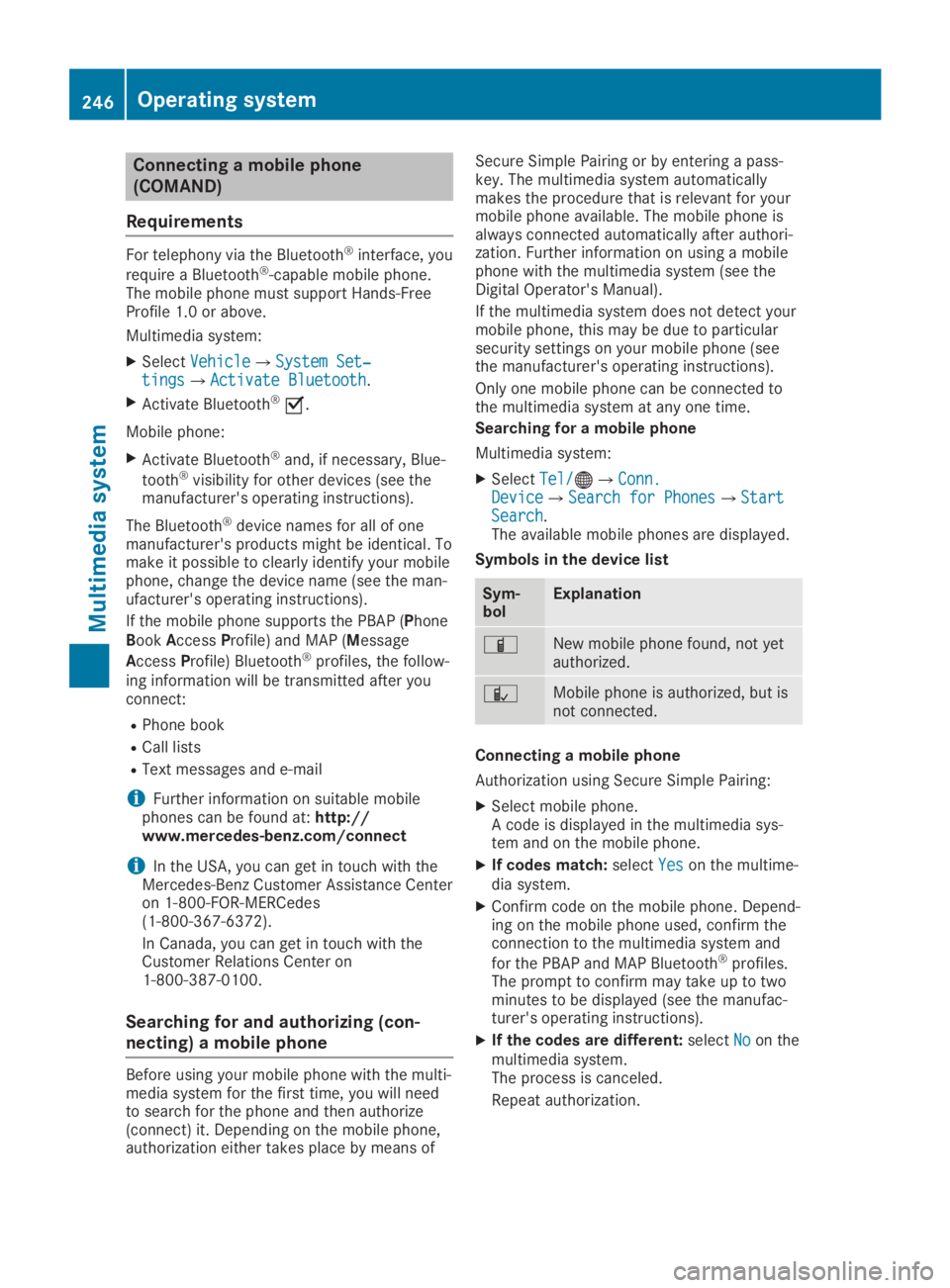
Connecting a mobile phone
(COMAND)
Requirements
For telephony via the Bluetooth®interface, you
require a Bluetooth®-capable mobile phone.The mobile phone must support Hands-FreeProfile 1.0 or above.
Multimedia system:
XSelectVehicleVehicle{System Set‐System Set‐tingstings{Activate BluetoothActivate Bluetooth.
XActivate Bluetooth®s.
Mobile phone:
XActivate Bluetooth®and, if necessary, Blue-
tooth®visibility for other devices (see themanufacturer's operating instructions).
The Bluetooth®device names for all of onemanufacturer's products might be identical. Tomake it possible to clearly identify your mobilephone, change the device name (see the man-ufacturer's operating instructions).
If the mobile phone supports the PBAP (PhoneBookAccessProfile) and MAP (Message
AccessProfile) Bluetooth®profiles, the follow-ing information will be transmitted after youconnect:
RPhone book
RCall lists
RText messages and e-mail
iFurther information on suitable mobilephones can be found at:http://www.mercedes-benz.com/connect
iIn the USA, you can get in touch with theMercedes-Benz Customer Assistance Centeron 1-800-FOR-MERCedes(1-800-367-6372).
In Canada, you can get in touch with theCustomer Relations Center on1-800-387-0100.
Searching for and authorizing (con-
necting) a mobile phone
Before using your mobile phone with the multi-media system for the first time, you will needto search for the phone and then authorize(connect) it. Depending on the mobile phone,authorization either takes place by means of
Secure Simple Pairing or by entering a pass-key. The multimedia system automaticallymakes the procedure that is relevant for yourmobile phone available. The mobile phone isalways connected automatically after authori-zation. Further information on using a mobilephone with the multimedia system (see theDigital Operator's Manual).
If the multimedia system does not detect yourmobile phone, this may be due to particularsecurity settings on your mobile phone (seethe manufacturer's operating instructions).
Only one mobile phone can be connected tothe multimedia system at any one time.
Searching for a mobile phone
Multimedia system:
XSelectTel/Tel/