light MERCEDES-BENZ GLB SUV 2019 Owners Manual
[x] Cancel search | Manufacturer: MERCEDES-BENZ, Model Year: 2019, Model line: GLB SUV, Model: MERCEDES-BENZ GLB SUV 2019Pages: 689, PDF Size: 11.39 MB
Page 349 of 689
me connect when
the ignition is switched on
and off.
or #
Select Synchronise profiles now.
Af ter selecting this option, the profiles in the
ve hicle are synchronised with the profiles on
Mercedes me connect.
% During synchronisation the profile lis tand
th e profile functions are bloc ked.
% Note on data pr otection: ifyo u do not wish
to share your data with Mercedes me, make
sure that the automatic synchronisation is
switched off and do not select Synchronise
profiles now .
Showing the profile selection when entering
Re quirements:
R Atleast one profile has been created.
Multimedia sy stem:
4 © 5
f Profiles
If th e option is activated, you can see a profile as
soon as youget in. #
Select General settings. #
Activate Show profile selection when enter-
ing .
When theve hicle is star ted, the media dis‐
play sho wsthe active profile. Themes
Overview of
themes
Yo u can configure theve hicle settings according
to yo ur preferences and sa veas a theme. A
th eme can be called up any time via the home
screen. There is then no need tomake the
desired settings again.
There are pre-defined themes available, e.g.
Journe y,Efficiency and Lounge.
Example for the use of themes
Fo rre cur ring driving situations, su chas long
drives on the mo torw ay,yo u can sa veyour pre‐
fe rred settings in a theme in theve hicle.
Yo u can sa vethefo llowing settings in a theme,
fo rex ample:
R Displa ys(e.g. navigation map or tach ome ter)
R Prefer redra dio station R
Favo ured drive program
These settings are sa ved under the name you
wish when setting up a theme (/ page 347). On
th e next mo torw ay jou rney yo u can select this
th eme and thereby restore your settings.
Content of a theme
Depending on vehicle equipment thefo llowing
settings can be sa ved in a theme:
R Setting of the Instrument Display
(/ page 294)
R Setting of the Head-up Display (/ page 306)
R Setting of the ambient lighting (/ page164)
R Active audio sou rce, e.g. radio or USB
R Starting sc reen forth e media display
R Visual style (/ page 363)
R DYNA MIC SELECT drive program
(/ page 199)
R Eco start/ stop setting (/ page197)
R Navigation sy stem settings
% Atheme conta insthe cur rently acti veset‐
tings in theve hicle. 346
MBUX multimedia sy stem
Page 353 of 689
me por
talfo rth e personalisation service to
pr otect your personal settings.
Re naming suggestions
Only navigation destinations can be renamed. #
Tap on the© symbol in the media displa y.
The home screen is shown. #
Swipe up until theSUGGESTIONS menu is
shown. #
Highlight a navigation destination and press
until theOPTIONS menu is shown. #
Select Rename. #
Ente rth e name. #
Toconfirm the entr y:select Yes.
Deleting a suggestion #
Tap on © inthe media displa y.
The home screen is shown. #
Swipe up until theSUGGESTIONS menu is
shown. #
Highlight a suggestion and press until the
OPTIONS menu is shown. #
Select Delete.
The query as towhe ther the suggestion is
dele tedte mp orarily or permanent lyappears. #
Ifth e suggestion should be shown again
at a later time: selectNot now. #
Ifth e suggestion should not be shown
again: selectNever. Favo
urites Overview of
favo urites
Fa vourites of feryo uqu ick access tofrequently
used applications. It is possible tocrea te20
fa vo urites in tota l.
Yo u can select favo urites from categories or you
add favo urites direct lyfrom an application.
Calling up favo urites
In the media display #
Tap on ©.
The home screen is shown. #
Swipe up until FAVOURITESis shown. On
thest eering wheel or theto uchpad #
Press theß rocker switch on thesteering
wheel down.
or #
Press theß button next totheto uchpad.
Ad ding favo urites
Selecting favo urites from catego ries #
Tap on © inthe media displa y.
The home screen is shown. #
Swipe up until FAVOURITESis shown. #
Select WCreate favourite .
The categories are displa yed. #
Select the categor y.
The favo urites are displ ayed. #
Select a favo urite.
The favo urite is stored at the next available
position. #
All positions in thefa vo urites are taken:
confirm the message shown with OK.
A list sho wsallthefa vo urites. #
Select a favo urite which should be overwrit‐
te n. 350
MBUX multimedia sy stem
Page 366 of 689
3
Deletes an entry
4 Deletes
Pressing brief lydele testh e last character
entered
Pressing and holding dele testh e entry
5 Enters a space
6 Switches toinput using theke yboard
7 Accepts an entry
8 Writes characters on the dr awing sur face
If av ailable, thep symbol allo wsyouto
ch ange tovoice input. #
Call up thech aracter ent ryto rename a
fa vo urite, forex ample (/ page 351). #
When theke yboard is displa yed, select v. #
Write thech aracter with one finger on the
to uchsc reen.
The character is entered in input line 1.
Suggestions are shown in 2.#
Toselect a suggestion: select one ofthe
entri es. #
Ifav ailable, display additional suggestions
with q orr. #
Resume character input. The letters can be
written next toeach other or abo veeach
ot her. #
Toend character entr y:press briefly on
G.
Setting theke yboard forch aracter entry
Multimedia sy stem:
4 Settings 5
System 5
Controls
5 Keyboards and handwriting #
Confirm Select keyboards.
Select theke yboard language in the list. Sy
stem settings Display
Configuring display settings
Multimedia sy
stem:
4 © 5
Settings 5
System
5 Styles & display
Setting the design #
Select Styles. #
Select Classic ,Sport orProgressive .
The multimedia sy stem display changes
depending on thest yle selected. If youre ve rt
to thefa ctory settings, theClassic style is
set. #
Toadjust the ambient lighting toastyl e:
select Ambient lighting adjustment.
This function adjusts the ambient lighting for
th e selected display style.
Setting the display brightness #
Select Display brightness . #
Select a brightness value.
Switching the display off/on #
Off: select Display off . #
On: press a button, %,forex ample.
Selecting the display design #
Select Day/night design . #
Select Automatic, Day design orNight
design . MBUX multimedia sy
stem 363
Page 377 of 689
ENERGIZING COMFORT
Overview of
the ENERGIZING COMFORT prog ramme
Prog ramme overview: Prog
ramme Function
Re fresh
Can maketargeted changes tothe interior climate torefresh vehicle occupants. Cooling air flow and ionisa‐
tion purify the air. The vehicle interior is illuminated with cool colours and the seats are ventilated.
Wa rmth
Can increase the comfort le vel of theve hicle occupants. The vehicle's panel, seat and steering wheel heat‐
ing produce a cosy warmth. The air is pu rified using ionisation and a pleasant fragrance is released. The
ve hicle interior is illuminated with warm lighting.
Vi tality
Can countera ct diminishing attentiveness in mono tonous driving situations. Fast-paced music and a vitalis‐
ing massa geprov ide invigorating stimulation forth eve hicle occupants. The air is purified using ionisation
and a pleasant fragrance is released. The vehicle interior is illuminated in a stimulating hue and the seat is
ve ntilated.
Pleasure Can promotea positive mood in theve hicle occupants as well as men tal and ph ysical rege neration. Moder‐
ately fastmusic is pla yed and a massage programme is activated. The air is purified using ionisation and a
pleasant fragrance is released. The vehicle interior is illuminated with amicable lighting.
We ll being
Can aidthe ph ysical and men talre laxation of vehicle occupants. A back massage combined with local
wa rmthprov ide relaxation. The air is purified using ionisation and a pleasant fragrance is released. The
audio pla yer pla ysselections of calming music and theve hicle interior is illuminated with pleasant lighting. 374
MBUX multimedia sy stem
Page 378 of 689
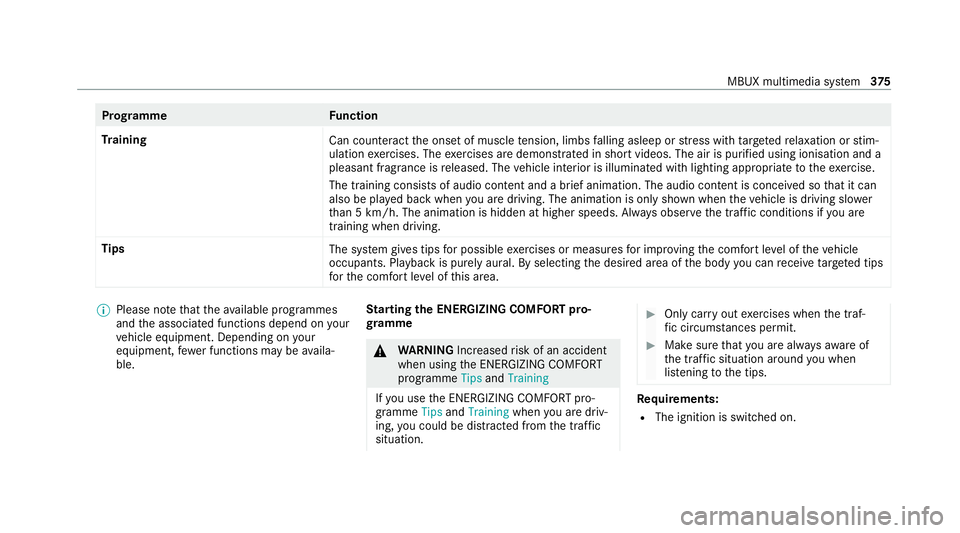
Prog
ramme Function
Tr aining
Can counteractthe onset of muscle tension, limbs falling asleep or stre ss with targeted relaxation or stim‐
ulation exercises. The exercises are demon stra ted in short videos. The air is purified using ionisation and a
pleasant fragrance is released. The vehicle interior is illuminated with lighting appropriate totheex ercise.
The training consists of audio conte nt and a brief animation. The audio content is conceived so that it can
also be pla yed back when you are driving. The animation is on ly shown when theve hicle is driving slo wer
th an 5 km/h. The animation is hidden at higher speeds. Alw ays obser vethe tra ffic conditions if you are
training when driving.
Tips The system gives tips for possible exercises or measures for impr oving the comfort le vel of theve hicle
occupants. Playback is purely aural. By selecting the desired area of the body you can recei vetargeted tips
fo rth e comfort le vel of this area. %
Please no tethat theav ailable prog rammes
and the associated functions depend on your
ve hicle equipment. Depending on your
equipment, fewe r functions may be availa‐
ble. St
arting the ENERGIZING COMFORT pro‐
gr amme &
WARNING Increased risk of an accident
when using the ENERG IZINGCOMFORT
programme TipsandTraining
If yo u use the ENERG IZINGCOMFORT pro‐
gramme TipsandTraining whenyou are driv‐
ing, you could be distracted from the tra ffic
situation. #
Only car ryout exercises when the traf‐
fi c circums tances pe rmit. #
Make sure that you are alw aysaw are of
th e traf fic situation around you when
lis tening tothe tips. Re
quirements:
R The ignition is switched on. MBUX multimedia sy
stem 375
Page 396 of 689
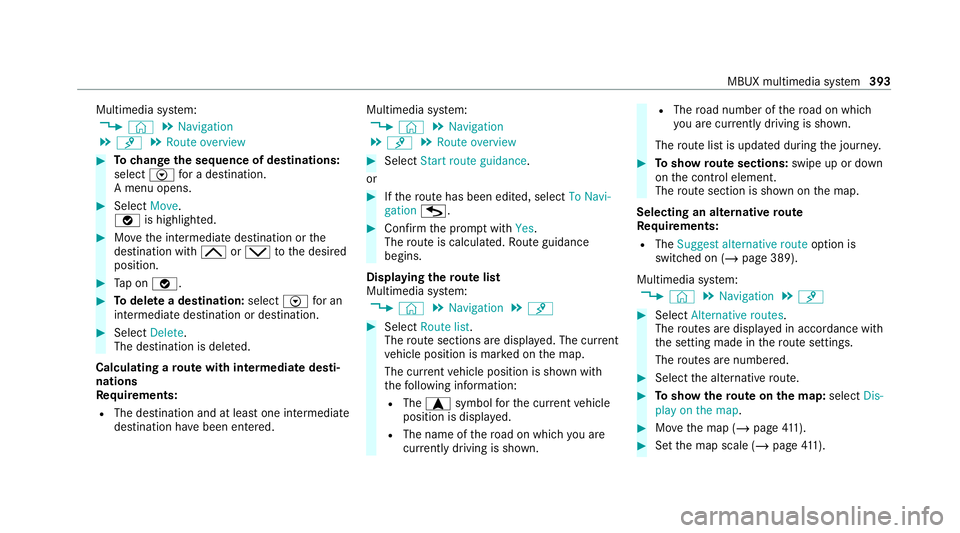
Multimedia sy
stem:
4 © 5
Navigation
5 ¡ 5
Route overview #
Tochange the sequence of destinations:
select Vfor a destination.
A menu opens. #
Select Move.
ø is highlighted. #
Movethe intermediate destination or the
destination with 4ors tothe desired
position. #
Tap on ø. #
Todel ete a destination: selectVfor an
intermedia tedestination or destination. #
Select Delete.
The destination is dele ted.
Calculating a route with intermediate desti‐
nations
Re quirements:
R The destination and at least one intermediate
destination ha vebeen entered. Multimedia sy
stem:
4 © 5
Navigation
5 ¡ 5
Route overview #
Select Start route guidance.
or #
Ifth ero ute has been edited, select To Navi-
gation G. #
Con firm the prom ptwith Yes.
The route is calculated. Route guidance
begins.
Displaying thero ute list
Multimedia sy stem:
4 © 5
Navigation 5
¡ #
Select Route list.
The route sections are displ ayed. The cur rent
ve hicle position is mar ked on the map.
The cur rent vehicle position is shown with
th efo llowing information:
R The a symbol forth e cur rent vehicle
position is displa yed.
R The name of thero ad on which you are
cur rently driving is shown. R
The road number of thero ad on which
yo u are cur rently driving is shown.
The route list is updated during the journe y. #
Toshow route sections: swipe up or down
on the control element.
The route section is shown on the map.
Selecting an alternative route
Re quirements:
R The Suggest alternative route option is
switched on (/ page 389).
Multimedia sy stem:
4 © 5
Navigation 5
¡ #
Select Alternative routes.
The routes are displ ayed in accordance with
th e setting made in thero ute settings.
The routes are numbered. #
Select the alternative route. #
Toshow thero ute on the map: selectDis-
play on the map . #
Movethe map (/ page411). #
Set the map scale (/ page411). MBUX multimedia sy
stem 393
Page 411 of 689
Benefits of Ca
r-to -X-Communication:
R Haza rds are recognised au tomatical lyin the
bac kground bytheve hicle or may be repor‐
te dby the driver. These are then sent tovehi‐
cles with Car-to-X-Communication in the
immediate vicinity.
R Ifav ailable, cur rent de tails relating tohazard
spots near theve hicle's cur rent position are
re cei ved.
This gives you suf ficient time toadapt your
driving style to the traf fic conditions.
The use of Ca r-to -X-Communication requ ires the
re gular transmission of vehicle data toDaimler
AG . The da taisthen immediately pseudony‐
mised byDaimler AG. The vehicle data is dele ted
af te r an appro priate amount of time has elapsed
(se veralwe eks) and is not stored permanently.
% Data which ser ves as identification is
re placed during the pseudonymisation proc‐
ess. In this wa y,yo ur identity is pr otected
against access byunauthorised third parties. Displaying hazard
warnings
Multimedia sy stem:
4 © 5
Navigation (Navigation)
If hazard warnings are available these can be
shown as symbols on the map. The display
depends on the settings forth eTraffic andTraf-
fic incidents options. #
Set the options (/ page 407).
The following displa ysare available:
R Show all symbols.
The Traffic andTraffic incidents options are
swit ched on.
R Only show symbols on theex pected route.
The Traffic option is swit ched off, theTraffic
incidents option is switched on.
R Show no symbols.
The Traffic incidents option is switched off.
The following hazard warnings are shown on the
map:
R Broken-down vehicles
R Accidents R
Haza rdous weather
R Gene ral hazards
R Hazard warning lights, when switched on
R Crosswind warning
R Mobile roadwor ks
The display is not available in all countries
and regions.
In theFe deral Republic of Germany the dis‐
play is cur rently available in theFe deral State
of Hesse.
% Ifth eve hicle is approaching a hazard spot
with a vehicle speed of at least thevo ice
output "T raffic incident ahead" is issued
60 km/h thevo ice output "T raffic incident
ahead" is issued.
The voice output is not issued for hazardous
we ather.
Sending haza rdwa rnings
Au tomatically de tected hazard warnings are sent
by theve hicle. 408
MBUX multimedia sy stem
Page 412 of 689
#
Tosend a haza rdwa rning yourself: tap on
th e media display when the map is shown.
The navigation menu is shown. #
Select ¡. #
Select Report traffic incident.
A prom ptis shown. #
Select Yes.
The Thank you for supporting accident pre-
vention. message appears. Ro
ute guidance with augmented reality Overview of
route guidance with augmented
re ality &
WARNING Risk of accident and inju ry
caused bydistraction, incor rect ima geor
interpr etation of the display
The dis tance to ot herroad users or informa‐
tion, such as traf fic lights, can be incor rectly
assessed from the camera image. The cam‐
era image of the augmented reality display is
not suitable tobe used for driving. #
Alw ayske ep your eyes on the actual
tra ffic situation. Only glance brief lyat
th e camera image. #
Beaware that depending on the driving
situation there may be hazards that are
not captured in the camera image, e.g.
when turning. Avoid observing the cam‐
era image forex tended pe riods. During
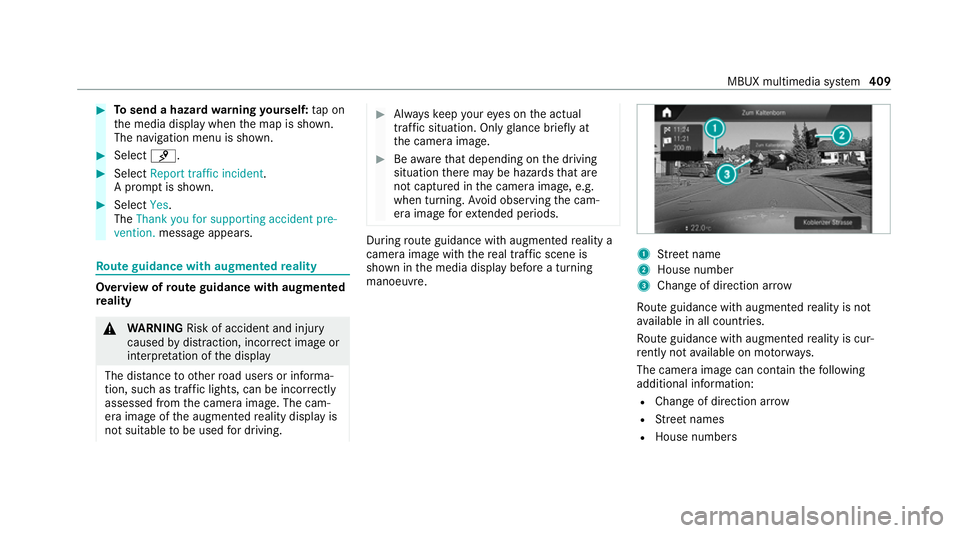
route guidance with augmented reality a
camera image with there al traf fic scene is
shown in the media display before a turning
manoeuvre. 1
Street name
2 House number
3 Change of di rection ar row
Ro ute guidance with augmented reality is not
av ailable in all countries.
Ro ute guidance with augmented reality is cur‐
re ntly not available on mo torw ays.
The camera image can contain thefo llowing
additional information:
R Change of direction ar row
R Street names
R House numbe rs MBUX multimedia sy
stem 409
Page 413 of 689
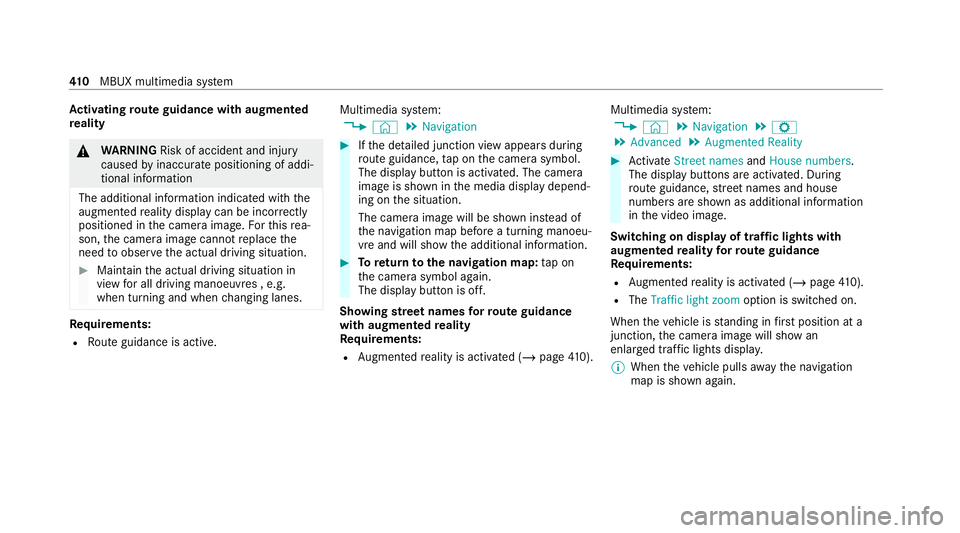
Ac
tivating route guidance with augmented
re ality &
WARNING Risk of accident and inju ry
caused byinaccurate positioning of addi‐
tional information
The additional information indicated with the
augmen tedre ality display can be incor rectly
positioned in the camera image. Forth is rea‐
son, the camera image cann otreplace the
need toobser vethe actual driving situation. #
Maintain the actual driving situation in
view for all driving manoeuvres , e.g.
when turning and when changing lanes. Re
quirements:
R Route guidance is active. Multimedia sy
stem:
4 © 5
Navigation #
Ifth e de tailed junction view appears during
ro ute guidance, tap on the camera symbol.
The display button is activated. The camera
image is shown in the media display depend‐
ing on the situation.
The camera image will be shown ins tead of
th e navigation map before a turning manoeu‐
vre and will show the additional information. #
Toreturn tothe navigation map: tapon
th e camera symbol again.
The display button is off.
Showing stre et names forro ute guidance
with augmented reality
Re quirements:
R Augmented reality is activated (/ page410). Mul
timedia sy stem:
4 © 5
Navigation 5
Z
5 Advanced 5
Augmented Reality #
Activate Street names andHouse numbers.
The display buttons are acti vated. During
ro ute guidance, stre et names and house
numbe rsare shown as additional information
in the video image.
Switching on display of traf fic lights with
augmented reality forro ute guidance
Re quirements:
R Augmented reality is activated (/ page410).
R The Traffi c light zoom option is switched on.
When theve hicle is standing in firs t position at a
junction, the camera image will show an
enlar ged tra ffic lights displa y.
% When theve hicle pulls away the navigation
map is shown again. 41 0
MBUX multimedia sy stem
Page 414 of 689
Multimedia sy
stem:
4 © 5
Navigation 5
Z
5 Advanced 5
Augmented Reality #
Activate Traffic light zoom.
The display button is acti vated. #
Under TRAFFIC LIGHT VIEW select one ofthe
Off, After asking orAutomatic options.
If After asking is set,theTraffic light indica-
tor available message is shown. The camera
image is shown af ter confirmation of the
messa ge.
If Automatic is set,the traf fic lights displ ayis
shown automatically in the camera image
when available. #
Toreturn tothe navigation map: pressthe
G button. Map and compass
Setting
the map scale
Multimedia sy stem:
4 © 5
Navigation
Zooming in #
When the map is shown, tap twice quickly
with one finger on the media display or the
to uchpad.
or #
Movetwo fingers apart on the media display
or on theto uchpad.
Zooming out #
Tap with two fingers on the media display or
th eto uchpad.
or #
Movetwo fingers toge ther on the media dis‐
play or on theto uchpad.
% You can set the unit of measurement of the
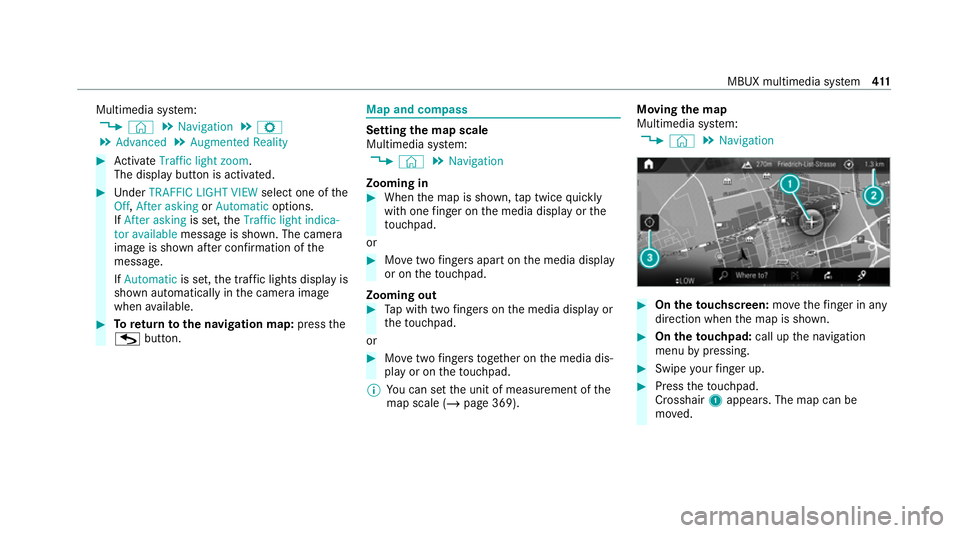
map scale (/ page 369). Moving
the map
Multimedia sy stem:
4 © 5
Navigation #
On theto uchscreen: movethefinger in any
di re ction when the map is shown. #
On theto uchpad: call upthe navigation
menu bypressing. #
Swipe your finger up. #
Press theto uchpad.
Crosshair 1appears. The map can be
mo ved. MBUX multimedia sy
stem 411