display MERCEDES-BENZ GLC 2019 Workshop Manual
[x] Cancel search | Manufacturer: MERCEDES-BENZ, Model Year: 2019, Model line: GLC, Model: MERCEDES-BENZ GLC 2019Pages: 370, PDF Size: 19.55 MB
Page 172 of 370
HOLD function
General notes
The HOLD function can assist the driver in thefollowing situations:
Rwhen pulling away, especially on steep slopes
Rwhen maneuvering on steep slopes
Rwhen waiting in traffic
The vehicle is kept stationary without the driverhaving to depress the brake pedal.
The braking effect is canceled and the HOLDfunction deactivated when you depress theaccelerator pedal to pull away.
Important safety notes
GWARNING
If the vehicle is only braked using the HOLD
function, the vehicle may roll away in the fol-
lowing situations when you leave the vehicle:
Rif there is a malfunction in the system or in
the voltage supply
Rif the HOLD function is deactivated by
depressing the accelerator pedal or brake
pedal, e.g. by a vehicle occupant
Rif the electrical system in the engine com-
partment, the battery or the fuses are tam-
pered with or the battery is disconnected
There is a risk of an accident.
Always deactivate the HOLD function and
secure the vehicle against rolling away before
you leave it.
!When DISTRONIC PLUS or the HOLD func-tion is activated, the vehicle brakes automat-ically in certain situations.
To avoid damage to the vehicle, deactivateDISTRONIC PLUS and the HOLD function inthe following or similar situations:
Rwhen towing the vehicle
Rin the car wash
Deactivating the HOLD function (Ypage 170).
Activation conditions
You can activate the HOLD function if all of thefollowing conditions are fulfilled:
Rthe vehicle is stationary.
Rthe engine is running or if it has been auto-matically switched off by the ECO start/stopfunction.
Rthe driver's door is closed or your seat belt isfastened.
Rthe electric parking brake is released.
Rthe transmission is in position[,^or\\.
RDISTRONIC PLUS is deactivated.
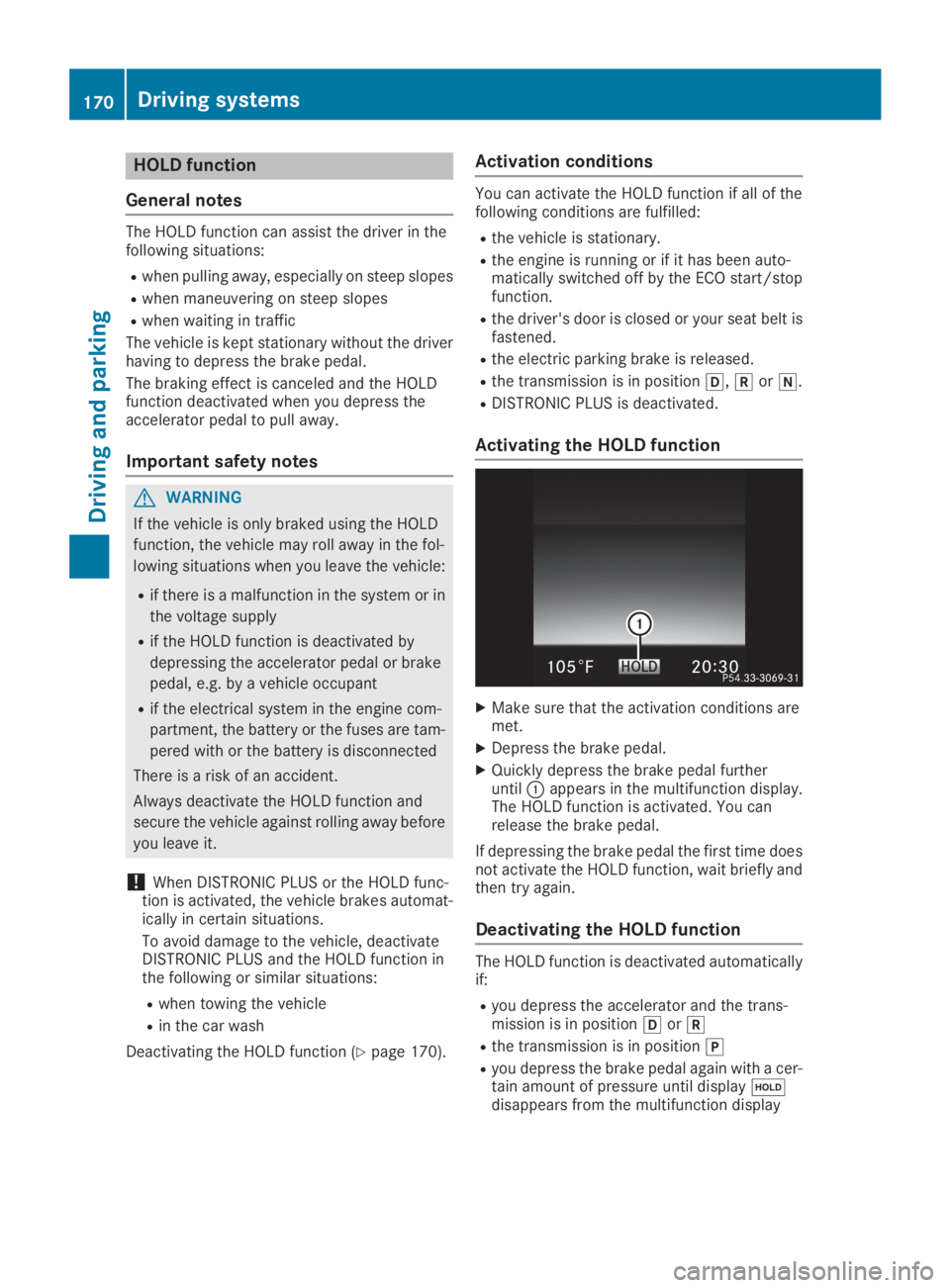
Activating the HOLD function
XMake sure that the activation conditions aremet.
XDepress the brake pedal.
XQuickly depress the brake pedal furtheruntilCappears in the multifunction display.The HOLD function is activated. You canrelease the brake pedal.
If depressing the brake pedal the first time doesnot activate the HOLD function, wait briefly andthen try again.
Deactivating the HOLD function
The HOLD function is deactivated automaticallyif:
Ryou depress the accelerator and the trans-mission is in position[or^
Rthe transmission is in position]
Ryou depress the brake pedal again with a cer-tain amount of pressure until display
Page 173 of 370
Ryou secure the vehicle using the electric park-ing brake
Ryou activate DISTRONIC PLUS
After a time, the electric parking brake securesthe vehicle and relieves the service brake.
When the HOLD function is activated, the trans-mission is shifted automatically to position]if:
Rthe driver's seat belt is not fastened and thedriver's door is open
Rthe engine is switched off, unless it is auto-matically switched off by the ECO start/stopfunction
The electric parking brake secures the vehicleautomatically if the HOLD function is activatedwhen the vehicle is stationary and:
Ra system malfunction occurs
Rthe power supply is insufficient
If a malfunction occurs, the transmission mayalso be shifted to position]automatically.
RACE START
Important safety notes
iRACE START is only available for theMercedes-AMG GLC 63 4MATIC+ andMercedes-AMG GLC 63 S 4MATIC+ models.
iRACE START must not be used on normalroads. RACE START must only be activatedand used on dedicated road circuits, outsideof public road use.
iRACE START is only available after the vehi-cle has been run-in (Ypage 130).
RACE START enables optimal acceleration froma standing start. For this, a suitably high-griproad surface is required and the vehicle and tiresmust be in good working order.
GWARNING
If you use RACE START, individual tires may
start to spin and the vehicle could skid.
Depending on the selected ESP®mode, there
is an increased risk of skidding and having an
accident. Make sure that no persons, animals
or obstacles are within range of the vehicle.
iObserve the safety notes on driving safetysystems (Ypage 65).
Be sure to read the safety notes and informa-
tion on ESP®(Ypage 68).
Activation conditions
You can activate RACE START if:
Rthe doors are closed
Rthe hood is closed
Rthe tailgate is closed
Rthe engine is running and the engine andtransmission are at operating temperature
Rthe steering wheel is in the straight-aheadposition.
Rthe vehicle is on a level surface
Rthe vehicle is stationary, the brake pedal isdepressed (left foot) and the parking brake isreleased
Rthe transmission is in position[
Rthe drive programS,S+orRaceis selected.(Ypage 139)
Activating RACE START
XQuickly depress the accelerator pedal fully.The engine speed is increased.
iIf the activation conditions are not fulfilled,RACE START cannot be carried out. TheRACERACESTART Not Possible See Operator'sSTART Not Possible See Operator'sManualManualmessage appears in the multifunctiondisplay.
XTheRACERACESTARTSTARTReleaseReleasebrakebraketotostartstartmessage appears on the multifunction dis-play.
iIn this phase you can adjust RACE STARTdepending on the road conditions: you canvary the engine speed by pulling on one of thesteering wheel paddle shifters. The segmentsin the multifunction display flicker rapidly.
iIf you do not release the brake pedal withina short time, RACE START will be canceled.TheRACE START CanceledRACE START Canceledmessageappears in the multifunction display.
XTake your foot off the brake, but keep theaccelerator pedal depressed.The vehicle pulls away at maximum acceler-ation.
TheRACE START ActiveRACE START Activemessage appearson the multifunction display.
Driving systems171
Driving and pa rking
Z
Page 174 of 370
RACE START is deactivated when the vehiclereaches a speed of approximately 30 mph (Can-ada: 50 km/h).
RACE START is deactivated immediately if yourelease the accelerator pedal during RACESTART or if any of the activation conditions areno longer fulfilled. TheRACE START CanceledRACE START Canceledmessage appears in the multifunction display.
iIf RACE START is used repeatedly within ashort period of time, it is only available againafter the vehicle has been driven a certaindistance.
AIR BODY CONTROL
General notes
AIR BODY CONTROL is an air suspension systemwith variable damping for improved driving com-fort. All-round level control ensures the bestpossible suspension and constant ground clear-ance, even with a laden vehicle. When you drivefast, the vehicle is lowered automatically toimprove driving safety and to reduce fuel con-sumption. There is also the option to manuallyadjust the vehicle level.
AIR BODY CONTROL consists of:
Rair suspension system with variable springrate
Rautomatic level control
Rspeed-dependent lowering to reduce fuelconsumption
Rmanual level control
RADS PLUS (Adaptive Damping System withcontinuous damping adjustment)
RDYNAMIC SELECT switch (Ypage 139) andlevel button (Ypage 173)
Available suspension settings
C(Comfort)Rthe suspension setting iscomfortable
Rthe vehicle is set to normallevel
RMercedes-AMG GLC 434MATIC:at speeds above100 mph (160 km/h), thevehicle level lowers
RMercedes-AMG GLC 634MATIC+/GLC 63 S4MATIC+:at speeds above112 mph(180 km/h), thevehicle level lowers
RAll other models:at speedsabove 86 mph, (138 km/h)the vehicle level lowers
RMercedes-AMG GLC 434MATIC:at speeds less than87 mph (140 km/h), thevehicle is raised again
RMercedes-AMG GLC 634MATIC+/GLC 63 S4MATIC+:at speeds lessthan 75 mph (120 km/h),the vehicle is raised again
RAll other models:at speedsbelow 50 mph (80 km/h),the vehicle is raised again
RMercedes-AMG GLC 634MATIC+/GLC 63 S4MATIC+:the 4MATIC+ issynchronised dynamically
E(Econ-omy)
Rthe suspension setting iscomfortable
Rthe vehicle is set to low level
172Driving systems
Driving and parking
Page 175 of 370
S(Sport)Rthe suspension setting ismore taut
Rthe vehicle is set to low level
RMercedes-AMG GLC 634MATIC+/GLC 63 S4MATIC+:the 4MATIC+ issynchronised more dynami-cally
S+(SportPlus)
Mercedes-AMG GLC63 4MATIC+/GLC63 S4MATIC+:RACE
Rthe suspension setting iseven more taut
Rthe vehicle is set to low level
RMercedes-AMG GLC 634MATIC+/GLC 63 S4MATIC+:the 4MATIC+ issynchronised more dynami-cally
Important safety notes
GWARNING
When the vehicle is being lowered, people
could become trapped if their limbs are
between the vehicle body and the wheels or
underneath the vehicle. There is a risk of
injury.
Make sure no one is underneath the vehicle or
in the immediate vicinity of the wheel arches
when the vehicle is being lowered.
iIf one of the doors is open, the vehicle is notlowered.
Vehicle level
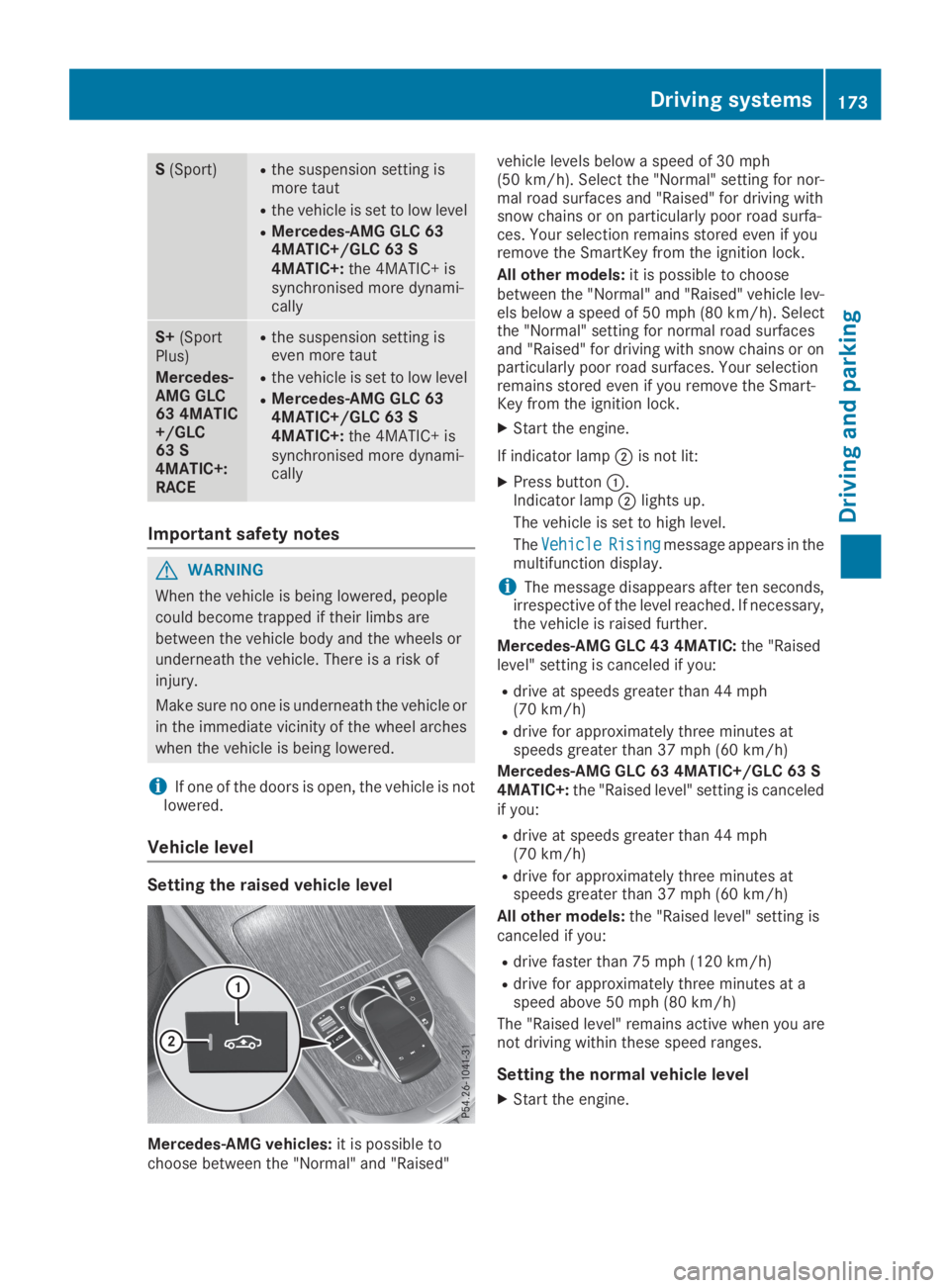
Setting the raised vehicle level
Mercedes-AMG vehicles:it is possible tochoose between the "Normal" and "Raised"
vehicle levels below a speed of 30 mph(50 km/h). Select the "Normal" setting for nor-mal road surfaces and "Raised" for driving withsnow chains or on particularly poor road surfa-ces. Your selection remains stored even if youremove the SmartKey from the ignition lock.
All other models:it is possible to choosebetween the "Normal" and "Raised" vehicle lev-els below a speed of 50 mph (80 km/h). Selectthe "Normal" setting for normal road surfacesand "Raised" for driving with snow chains or onparticularly poor road surfaces. Your selectionremains stored even if you remove the Smart-Key from the ignition lock.
XStart the engine.
If indicator lampDis not lit:
XPress buttonC.Indicator lampDlights up.
The vehicle is set to high level.
TheVehicleVehicleRisingRisingmessage appears in themultifunction display.
iThe message disappears after ten seconds,irrespective of the level reached. If necessary,the vehicle is raised further.
Mercedes-AMG GLC 43 4MATIC:the "Raisedlevel" setting is canceled if you:
Rdrive at speeds greater than 44 mph(70 km/h)
Rdrive for approximately three minutes atspeeds greater than 37 mph (60 km/h)
Mercedes-AMG GLC 63 4MATIC+/GLC 63 S4MATIC+:the "Raised level" setting is canceledif you:
Rdrive at speeds greater than 44 mph(70 km/h)
Rdrive for approximately three minutes atspeeds greater than 37 mph (60 km/h)
All other models:the "Raised level" setting iscanceled if you:
Rdrive faster than 75 mph (120 km/h)
Rdrive for approximately three minutes at aspeed above 50 mph (80 km/h)
The "Raised level" remains active when you arenot driving within these speed ranges.
Setting the normal vehicle level
XStart the engine.
Driving systems173
Driving and parking
Z
Page 180 of 370
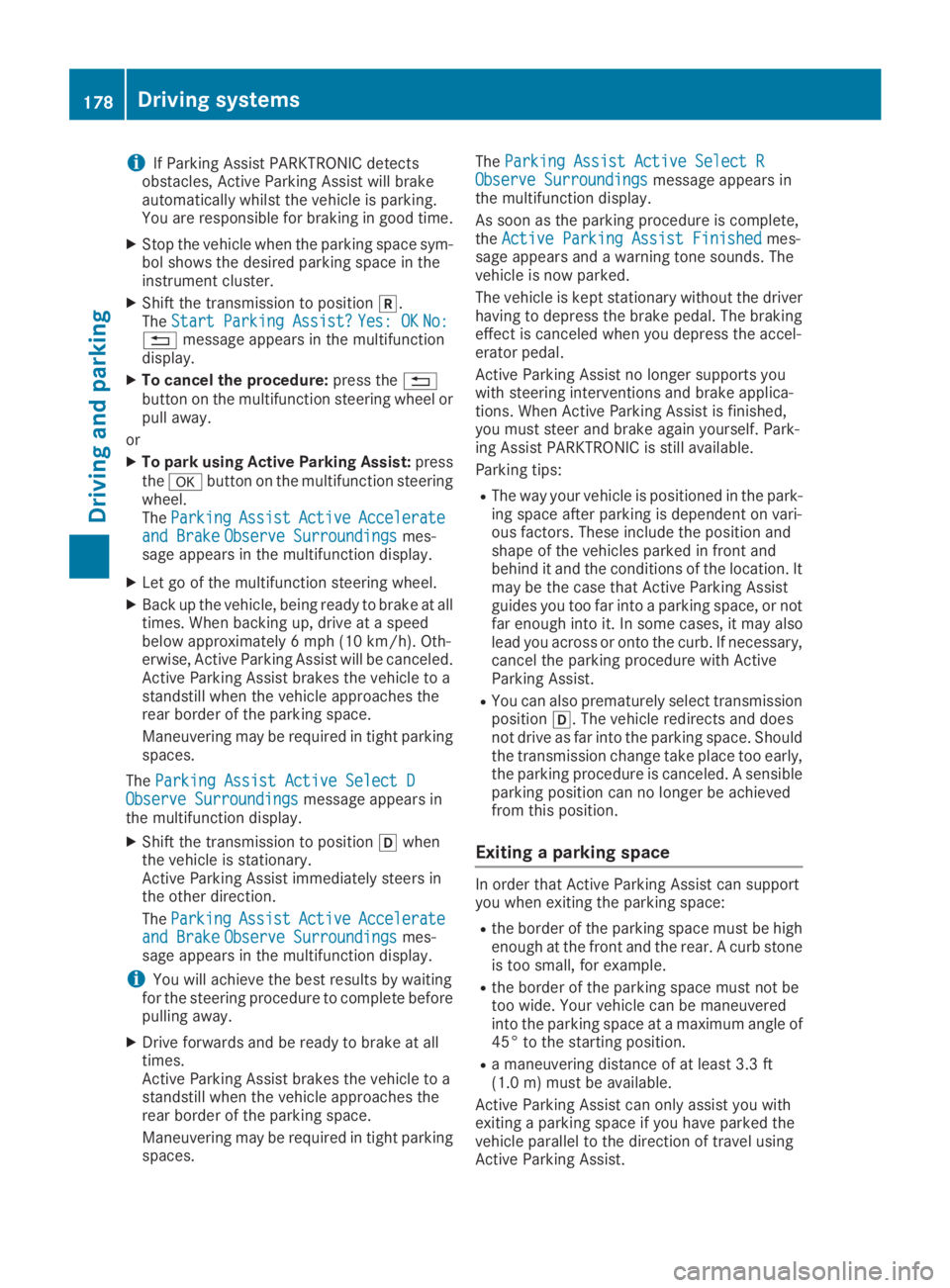
iIf Parking Assist PARKTRONIC detectsobstacles, Active Parking Assist will brakeautomatically whilst the vehicle is parking.You are responsible for braking in good time.
XStop the vehicle when the parking space sym-bol shows the desired parking space in theinstrument cluster.
XShift the transmission to position^.TheStart Parking Assist?Start Parking Assist?Yes: OKYes: OKNo:No:8message appears in the multifunctiondisplay.
XTo cancel the procedure:press the8button on the multifunction steering wheel orpull away.
or
XTo park using Active Parking Assist:pressthevbutton on the multifunction steeringwheel.TheParkingParkingAssistAssistActiveActiveAccelerateAccelerateand Brakeand BrakeObserve SurroundingsObserve Surroundingsmes-sage appears in the multifunction display.
XLet go of the multifunction steering wheel.
XBack up the vehicle, being ready to brake at alltimes. When backing up, drive at a speedbelow approximately 6 mph (10 km/h). Oth-erwise, Active Parking Assist will be canceled.Active Parking Assist brakes the vehicle to astandstill when the vehicle approaches therear border of the parking space.
Maneuvering may be required in tight parkingspaces.
TheParking Assist Active Select DParking Assist Active Select DObserve SurroundingsObserve Surroundingsmessage appears inthe multifunction display.
XShift the transmission to position[whenthe vehicle is stationary.Active Parking Assist immediately steers inthe other direction.
TheParkingParkingAssistAssistActiveActiveAccelerateAccelerateand Brakeand BrakeObserve SurroundingsObserve Surroundingsmes-sage appears in the multifunction display.
iYou will achieve the best results by waitingfor the steering procedure to complete beforepulling away.
XDrive forwards and be ready to brake at alltimes.Active Parking Assist brakes the vehicle to astandstill when the vehicle approaches therear border of the parking space.
Maneuvering may be required in tight parkingspaces.
TheParking Assist Active Select RParking Assist Active Select RObserve SurroundingsObserve Surroundingsmessage appears inthe multifunction display.
As soon as the parking procedure is complete,theActive Parking Assist FinishedActive Parking Assist Finishedmes-sage appears and a warning tone sounds. Thevehicle is now parked.
The vehicle is kept stationary without the driverhaving to depress the brake pedal. The brakingeffect is canceled when you depress the accel-erator pedal.
Active Parking Assist no longer supports youwith steering interventions and brake applica-tions. When Active Parking Assist is finished,you must steer and brake again yourself. Park-ing Assist PARKTRONIC is still available.
Parking tips:
RThe way your vehicle is positioned in the park-ing space after parking is dependent on vari-ous factors. These include the position andshape of the vehicles parked in front andbehind it and the conditions of the location. Itmay be the case that Active Parking Assistguides you too far into a parking space, or notfar enough into it. In some cases, it may alsolead you across or onto the curb. If necessary,cancel the parking procedure with ActiveParking Assist.
RYou can also prematurely select transmissionposition[. The vehicle redirects and doesnot drive as far into the parking space. Shouldthe transmission change take place too early,the parking procedure is canceled. A sensibleparking position can no longer be achievedfrom this position.
Exiting a parking space
In order that Active Parking Assist can supportyou when exiting the parking space:
Rthe border of the parking space must be highenough at the front and the rear. A curb stoneis too small, for example.
Rthe border of the parking space must not betoo wide. Your vehicle can be maneuveredinto the parking space at a maximum angle of45° to the starting position.
Ra maneuvering distance of at least 3.3 ft(1.0 m) must be available.
Active Parking Assist can only assist you withexiting a parking space if you have parked thevehicle parallel to the direction of travel usingActive Parking Assist.
178Driving systems
Driving and parking
Page 181 of 370
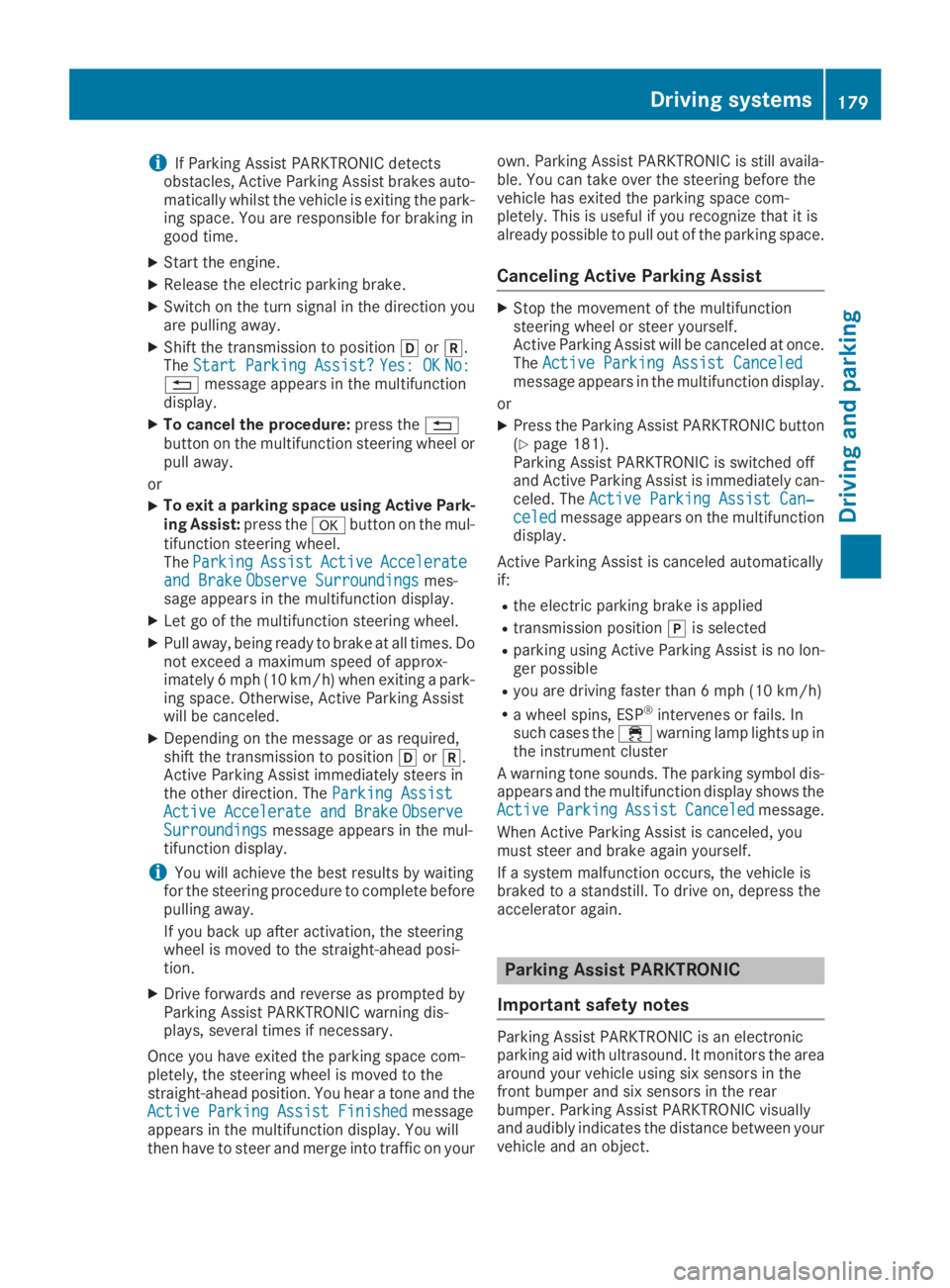
iIf Parking Assist PARKTRONIC detectsobstacles, Active Parking Assist brakes auto-matically whilst the vehicle is exiting the park-ing space. You are responsible for braking ingood time.
XStart the engine.
XRelease the electric parking brake.
XSwitch on the turn signal in the direction youare pulling away.
XShift the transmission to position[or^.TheStart Parking Assist?Start Parking Assist?Yes: OKYes: OKNo:No:8message appears in the multifunctiondisplay.
XTo cancel the procedure:press the8button on the multifunction steering wheel orpull away.
or
XTo exit a parking space using Active Park-ing Assist:press thevbutton on the mul-tifunction steering wheel.TheParkingParkingAssistAssistActiveActiveAccelerateAccelerateand Brakeand BrakeObserve SurroundingsObserve Surroundingsmes-sage appears in the multifunction display.
XLet go of the multifunction steering wheel.
XPull away, being ready to brake at all times. Donot exceed a maximum speed of approx-imately 6 mph (10 km/h) when exiting a park-ing space. Otherwise, Active Parking Assistwill be canceled.
XDepending on the message or as required,shift the transmission to position[or^.Active Parking Assist immediately steers inthe other direction. TheParking AssistParking AssistActive Accelerate and BrakeActive Accelerate and BrakeObserveObserveSurroundingsSurroundingsmessage appears in the mul-tifunction display.
iYou will achieve the best results by waitingfor the steering procedure to complete beforepulling away.
If you back up after activation, the steeringwheel is moved to the straight-ahead posi-tion.
XDrive forwards and reverse as prompted byParking Assist PARKTRONIC warning dis-plays, several times if necessary.
Once you have exited the parking space com-pletely, the steering wheel is moved to thestraight-ahead position. You hear a tone and theActive Parking Assist FinishedActive Parking Assist Finishedmessageappears in the multifunction display. You willthen have to steer and merge into traffic on your
own. Parking Assist PARKTRONIC is still availa-ble. You can take over the steering before thevehicle has exited the parking space com-pletely. This is useful if you recognize that it isalready possible to pull out of the parking space.
Canceling Active Parking Assist
XStop the movement of the multifunctionsteering wheel or steer yourself.Active Parking Assist will be canceled at once.TheActive Parking Assist CanceledActive Parking Assist Canceledmessage appears in the multifunction display.
or
XPress the Parking Assist PARKTRONIC button(Ypage 181).Parking Assist PARKTRONIC is switched offand Active Parking Assist is immediately can-celed. TheActive Parking Assist Can‐Active Parking Assist Can‐celedceledmessage appears on the multifunctiondisplay.
Active Parking Assist is canceled automaticallyif:
Rthe electric parking brake is applied
Rtransmission position]is selected
Rparking using Active Parking Assist is no lon-ger possible
Ryou are driving faster than 6 mph (10 km/h)
Ra wheel spins, ESP®intervenes or fails. Insuch cases the
Page 183 of 370
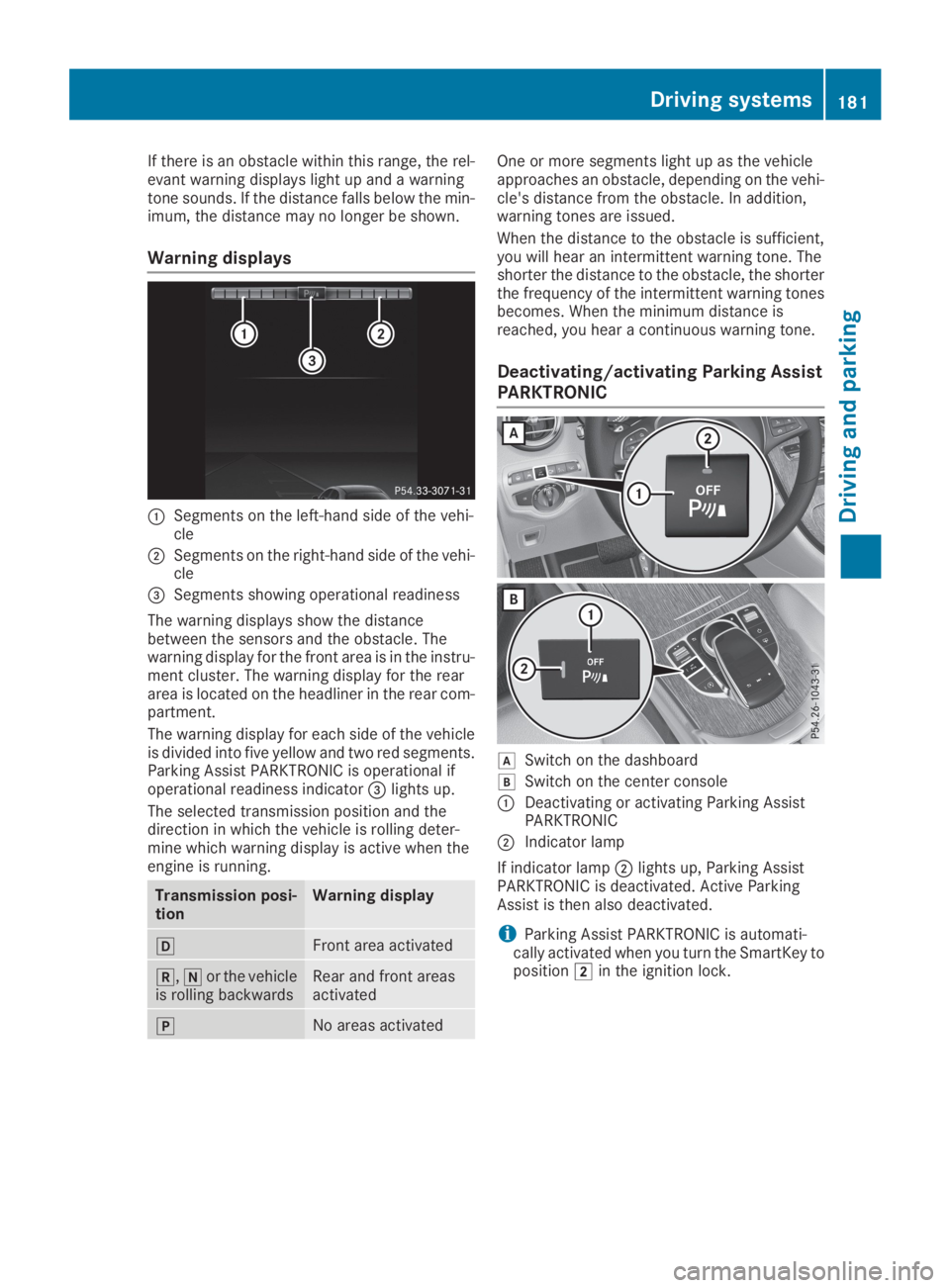
If there is an obstacle within this range, the rel-evant warning displays light up and a warningtone sounds. If the distance falls below the min-imum, the distance may no longer be shown.
Warning displays
CSegments on the left-hand side of the vehi-cle
DSegments on the right-hand side of the vehi-cle
Page 184 of 370
Problems with Parking Assist PARKTRONIC
ProblemPossible causes/consequences andPPSolutions
Only the red segments inthe Parking AssistPARKTRONIC warningdisplays are lit. You alsohear a warning tone forapproximately two sec-onds.
Parking AssistPARKTRONIC is thendeactivated and the indi-cator lamp on thePARKTRONIC buttonlights up.
Parking Assist PARKTRONIC has malfunctioned and has been deacti-vated.
XIf problems persist, have Parking Assist PARKTRONIC checked at aqualified specialist workshop.
Only the red segments inthe Parking AssistPARKTRONIC warningdisplays are lit. ParkingAssist PARKTRONIC isthen deactivated.
The Parking Assist PARKTRONIC sensors are dirty or there is inter-ference.
XClean the Parking Assist PARKTRONIC sensors (Ypage 309).
XSwitch the ignition back on.
The problem may be caused by an external source of radio or ultra-sound waves.
XCheck to see if Parking Assist PARKTRONIC works at a differentlocation.
Rear view camera
General notes
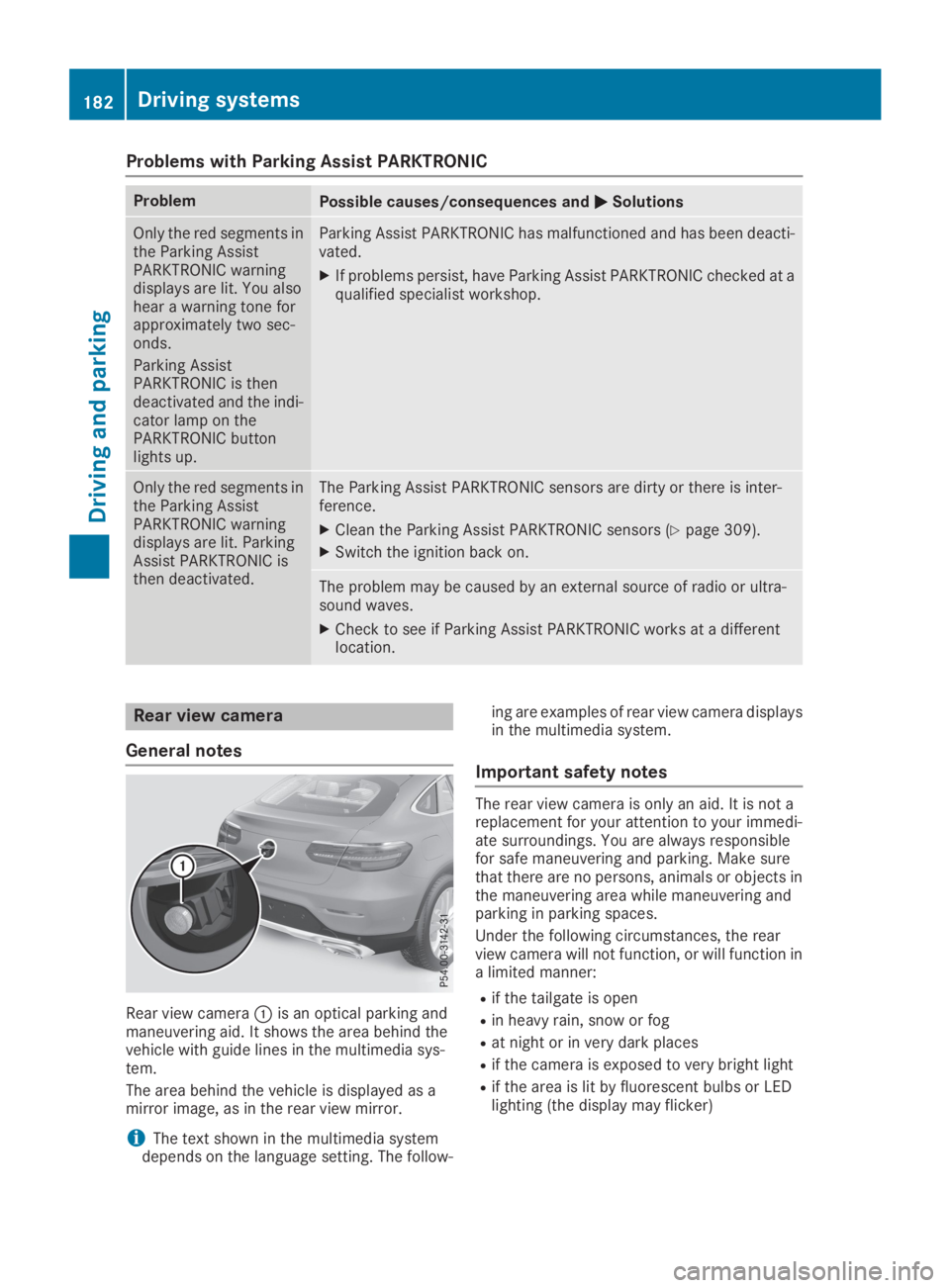
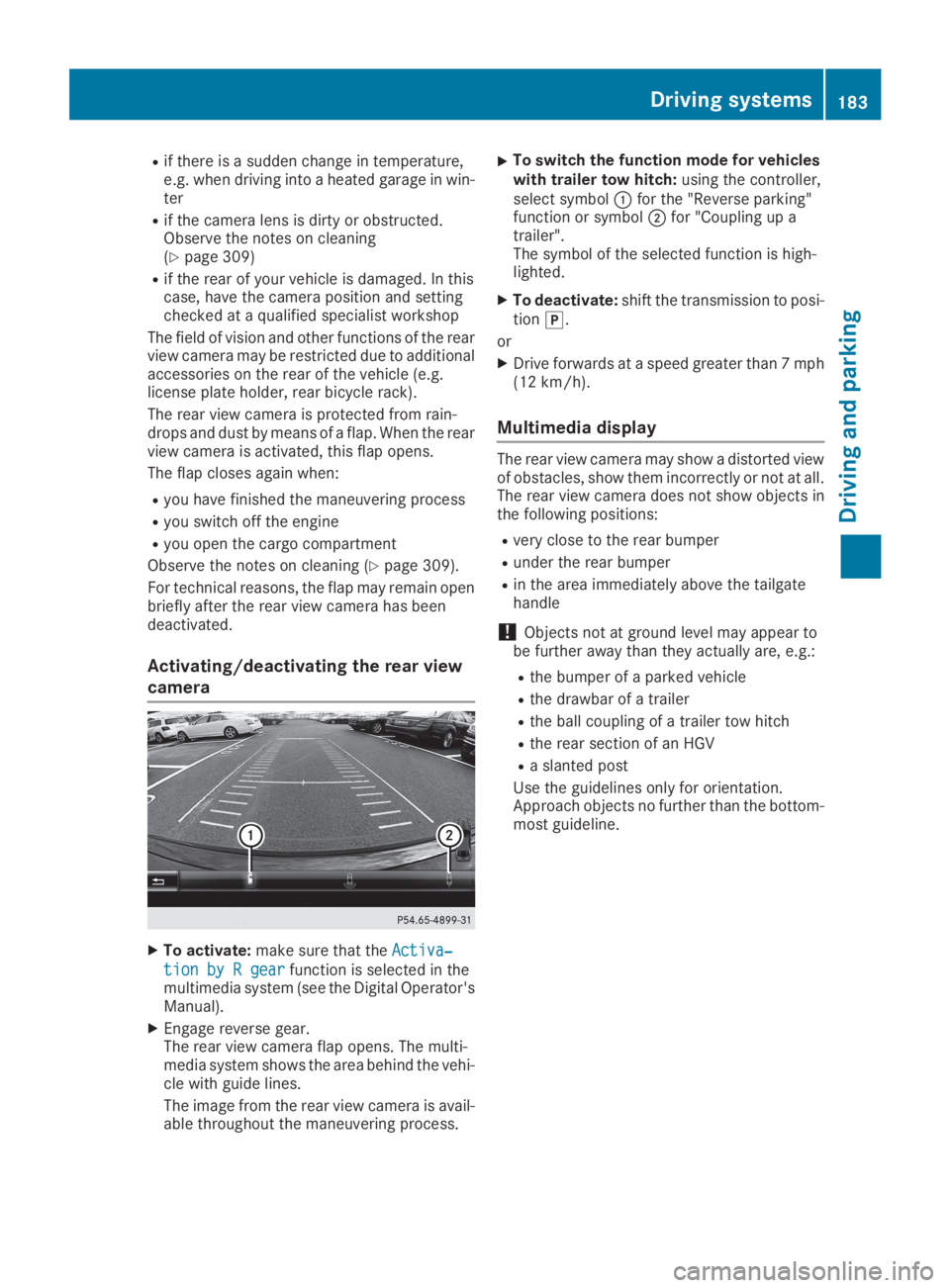
Rear view cameraCis an optical parking andmaneuvering aid. It shows the area behind thevehicle with guide lines in the multimedia sys-tem.
The area behind the vehicle is displayed as amirror image, as in the rear view mirror.
iThe text shown in the multimedia systemdepends on the language setting. The follow-
ing are examples of rear view camera displaysin the multimedia system.
Important safety notes
The rear view camera is only an aid. It is not areplacement for your attention to your immedi-ate surroundings. You are always responsiblefor safe maneuvering and parking. Make surethat there are no persons, animals or objects inthe maneuvering area while maneuvering andparking in parking spaces.
Under the following circumstances, the rearview camera will not function, or will function ina limited manner:
Rif the tailgate is open
Rin heavy rain, snow or fog
Rat night or in very dark places
Rif the camera is exposed to very bright light
Rif the area is lit by fluorescent bulbs or LEDlighting (the display may flicker)
182Driving systems
Driving and parking
Page 185 of 370
Rif there is a sudden change in temperature,e.g. when driving into a heated garage in win-ter
Rif the camera lens is dirty or obstructed.Observe the notes on cleaning(Ypage 309)
Rif the rear of your vehicle is damaged. In thiscase, have the camera position and settingchecked at a qualified specialist workshop
The field of vision and other functions of the rearview camera may be restricted due to additionalaccessories on the rear of the vehicle (e.g.license plate holder, rear bicycle rack).
The rear view camera is protected from rain-drops and dust by means of a flap. When the rearview camera is activated, this flap opens.
The flap closes again when:
Ryou have finished the maneuvering process
Ryou switch off the engine
Ryou open the cargo compartment
Observe the notes on cleaning (Ypage 309).
For technical reasons, the flap may remain openbriefly after the rear view camera has beendeactivated.
Activating/deactivating the rear view
camera
XTo activate:make sure that theActiva‐Activa‐
tion by R geartion by R gearfunction is selected in themultimedia system (see the Digital Operator'sManual).
XEngage reverse gear.The rear view camera flap opens. The multi-media system shows the area behind the vehi-cle with guide lines.
The image from the rear view camera is avail-able throughout the maneuvering process.
XTo switch the function mode for vehicleswith trailer tow hitch:using the controller,select symbolCfor the "Reverse parking"function or symbolDfor "Coupling up atrailer".The symbol of the selected function is high-lighted.
XTo deactivate:shift the transmission to posi-tion].
or
XDrive forwards at a speed greater than 7 mph(12 km/h).
Multimedia display
The rear view camera may show a distorted viewof obstacles, show them incorrectly or not at all.The rear view camera does not show objects inthe following positions:
Rvery close to the rear bumper
Runder the rear bumper
Rin the area immediately above the tailgatehandle
!Objects not at ground level may appear tobe further away than they actually are, e.g.:
Rthe bumper of a parked vehicle
Rthe drawbar of a trailer
Rthe ball coupling of a trailer tow hitch
Rthe rear section of an HGV
Ra slanted post
Use the guidelines only for orientation.Approach objects no further than the bottom-most guideline.
Driving systems183
Driving and parking
Z
Page 189 of 370
Object detection only works in wide-angle view.
To ensure that you can use the function, it mustbe switched on in the multimedia system (seethe Digital Operator's Manual).
360° Camera
General notes
The 360° camera is a system consisting of fourcameras.
The system processes images from the follow-ing cameras:
RRear view camera
RFront camera
RTwo side cameras in the exterior mirrors
The cameras cover the immediate surroundingsof the vehicle. The system supports you, forexample when parking or if vision is restricted atan exit.
You can show images from the 360° camera infull-screen mode or in seven different split-screen views on the multimedia system. A split-screen view also includes a top view of the vehi-cle. This view is calculated from the data sup-plied by the installed cameras (virtual camera).
The seven split-screen views are:
RTop view and picture from the rear view cam-era (130° viewing angle)
RTop view and image from the front camera(130° viewing angle without displaying themaximum steering wheel angle)
RTop view and enlarged rear view
RTop view and enlarged front view
RTop view and trailer view (vehicles with trailertow hitch)
RTop view and images from the rear-facing sidecameras (rear wheel view)
RTop view and images from the forward-facingside cameras (front wheel view)
When the function is active and you shift thetransmission from[or^to\\, the guidelines on the multimedia system are hidden.
When you shift between transmission positions[and^, you see the previously selected frontor rear view.
Distances measured by Parking AssistPARKTRONIC will also be optically displayed:
Rin split screen view as red or yellow bracketsaround the vehicle icon in the top view, or
Rat the bottom right as red or yellow bracketsaround the vehicle symbol in full-screen mode
The line thickness and color of the bracketsshow how far the vehicle is from an object.
Ryellow brackets with thin lines: Parking AssistPARKTRONIC is active
Ryellow brackets with normal lines: an object ispresent in close range of the vehicle
Rred line: an object is present in the immediateclose range of the vehicle
Important safety notes
The 360°camera is only an aid and may show adistorted view of obstacles, show them incor-rectly or not at all. The 360°camera is not asubstitute for attentive driving.
You are always responsible for safe maneuver-ing and parking. Make sure that there are nopersons, animals or objects in the maneuveringarea while maneuvering and parking in parkingspaces.
You are always responsible for safety, and mustalways pay attention to your surroundings whenparking and maneuvering. This applies to theareas behind, in front of and beside the vehicle.You could otherwise endanger yourself and oth-ers.
The 360° camera will not function or will func-tion in a limited manner:
Rif the doors are open
Rif the exterior mirrors are folded in
Rif the tailgate is open
Rin heavy rain, snow or fog
Rat night or in very dark places
Rif the cameras are exposed to very bright light
Rif the area is lit by fluorescent bulbs or LEDlighting (the display may flicker)
Rif the camera lenses fog up, e.g. when drivinginto a heated garage in winter, causing a rapidchange in temperature
Rif the camera lenses are dirty or covered
Rif the vehicle components in which the cam-eras are installed are damaged. In this case,have the camera position and setting checkedat a qualified specialist workshop
Driving systems187
Driving and parking
Z