heating MERCEDES-BENZ GLC SUV 2015 Owner's Guide
[x] Cancel search | Manufacturer: MERCEDES-BENZ, Model Year: 2015, Model line: GLC SUV, Model: MERCEDES-BENZ GLC SUV 2015Pages: 497, PDF Size: 15.27 MB
Page 175 of 497
The blower will run at a low speed regardless
of the airflow setting.
If you activate the residual heat function at
high temperatures, only the ventilation will be
activated. The blower runs at medium speed.
X To switch off: press the!rocker
switch up or down.
The indicator lamp above the !rocker
switch goes out.
Residual heat is deactivated automatically:
R after approximately 30 minutes
R when the ignition is switched on
R if the battery voltage drops
R when the auxiliary heating is switched on Perfume atomiser
Operating the perfume atomiser G
WARNING
If children open the perfume vial, they could
drink the perfume or it could come into con-
tact with their eyes. There is a risk of injury. Do not leave children unsupervised in the vehicle.
If the perfume liquid has been drunk, consult
a doctor. If perfume comes into contact with
your eyes or skin, rinse the eyes with clean
water. If you continue to experience difficul-
ties, consult a doctor. H
Environmental note Full perfume vials must not
be disposed of with house-
hold rubbish. They must be
collected separately and dis-
posed of in an environmen-
tally responsible recycling
system. Dispose of full perfume vials
in an environmentally
responsible manner and
take them to a special waste
collection point. :
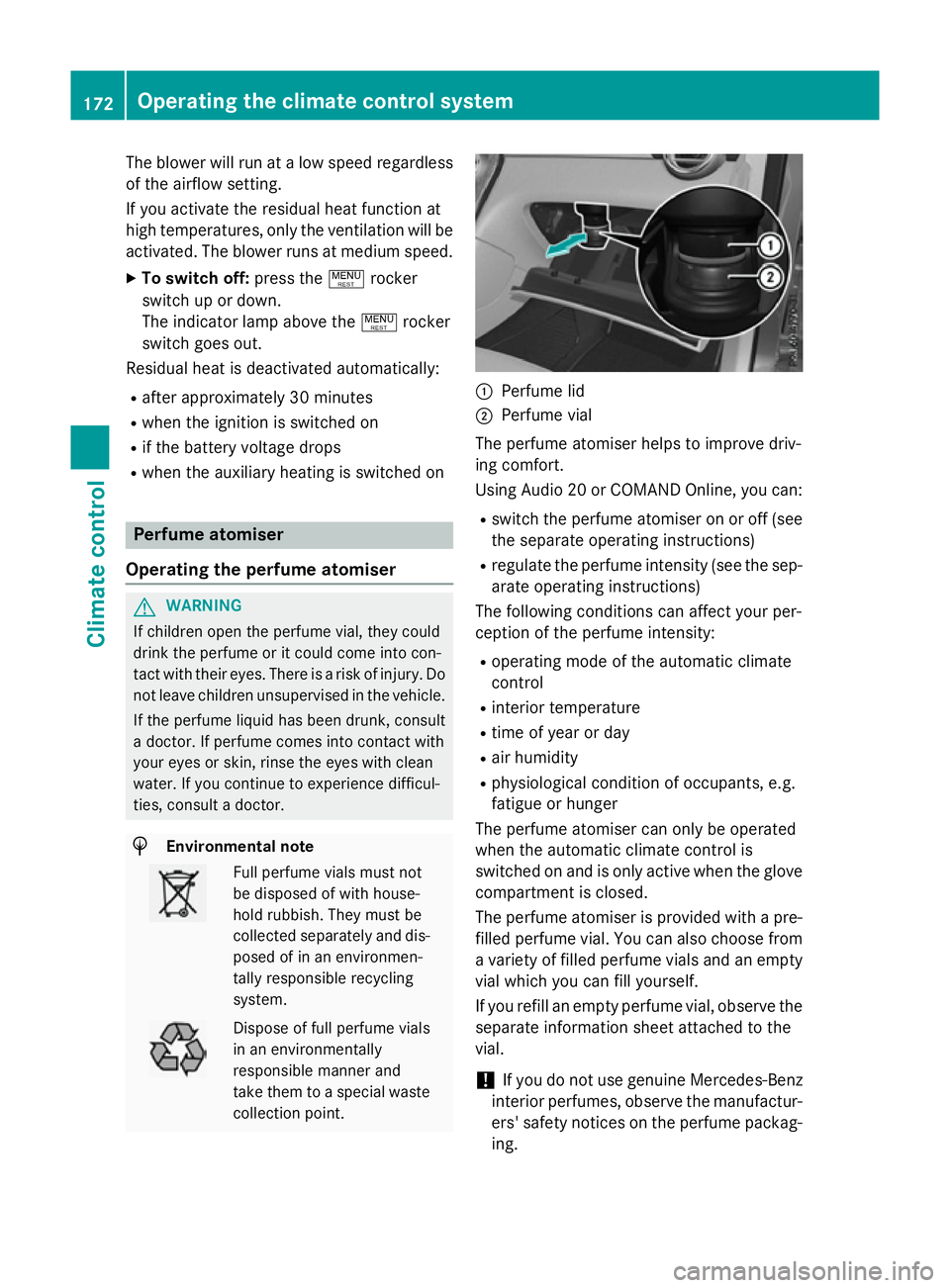
Perfume lid
; Perfume vial
The perfume atomiser helps to improve driv-
ing comfort.
Using Audio 20 or COMAND Online, you can:
R switch the perfume atomiser on or off (see
the separate operating instructions)
R regulate the perfume intensity (see the sep-
arate operating instructions)
The following conditions can affect your per-
ception of the perfume intensity:
R operating mode of the automatic climate
control
R interior temperature
R time of year or day
R air humidity
R physiological condition of occupants, e.g.
fatigue or hunger
The perfume atomiser can only be operated
when the automatic climate control is
switched on and is only active when the glove compartment is closed.
The perfume atomiser is provided with a pre-
filled perfume vial. You can also choose from
a variety of filled perfume vials and an empty
vial which you can fill yourself.
If you refill an empty perfume vial, observe the separate information sheet attached to the
vial.
! If you do not use genuine Mercedes-Benz
interior perfumes, observe the manufactur-
ers' safety notices on the perfume packag- ing. 172
Operating the climate control systemClimate control
Page 177 of 497
Problems with the perfume atomiser
Problem
Possible causes/consequences and
M
MSolutions The vehicle interior is
not perfumed although
the perfume atomiser
has been activated. The perfume vial has not been pushed into the holder as far as it
will go.
X Slide the perfume vial into the holder as far as it will go. The perfume vial is not filled sufficiently.
X Pre-filled vials: dispose of the empty vial.
X Use a new pre-filled vial.
X Refillable vials: refill the vial with a maximum of 15 ml of the
same perfume. The perfume atomiser is faulty.
X Have the perfume atomiser checked at a qualified specialist
workshop. Ionisation
Ionisation is used to purify and freshen the air
in the vehicle interior, which is conducive to a
pleasant climate.
The ionisation of the interior air is odourless
and cannot, directly, be perceived in the vehi- cle interior.
You can switch ionisation on or off using
Audio 20 or COMAND Online (see the sepa-
rate operating instructions).
Ionisation can only be operated when the
automatic climate control is switched on. The
side air vent on the driver's side must be
open. Pre-entry climate control via key
General notes The "Pre-entry climate control via key" func-
tion is only available in PLUG-IN HYBRID vehi-
cles.
Before getting in, the driver's seat area or the
whole interior can be briefly warmed or ven-
tilated in advance with the air from the air
vents being pre-cooled. The high-voltage battery must be sufficiently
charged before "Pre-entry climate control via
key" can be activated.
When the vehicle is pre-cooled, the following
functions are activated as needed:
R Automatic climate control
R Blower
R Seat ventilation
When the vehicle is pre-heated, the following functions are activated as needed:
R Automatic climate control
R Blower
R Seat heating
R Steering wheel heating
R Exterior mirror heating
R Rear window heating
If you have switched on the perfume atomiser or ionisation using Audio 20 or COMAND
Online, these will be activated together with
pre-entry climate control.
Activating the perfume atomiser or ionisation
(see separate operating instructions). 174
Operating the climate control systemClimate control
Page 178 of 497
Activating/deactivating "Pre-entry cli-
mate control via key" Before "Pre-entry climate control via key" can
be activated, you must activate the function
via Audio 20 or COMAND Online (see sepa-
rate operating instructions).
X To activate "Pre-entry climate control
via key": unlock the vehicle with the key or
KEYLESS-GO.
To deactivate "Pre-entry climate control
via key": "Pre-entry climate control via key"
deactivates automatically when the engine is
started.
The following functions remain active after
the engine is started:
R Seat heating (heating)
R Seat ventilation (ventilation)
R Perfume atomiser
R Ionisation
An activated "Pre-entry climate control via
key" function can be deactivated using the
rocker switch (Y page 177). Operating the climate control system
175Climate control Z
Page 180 of 497
When the vehicle is heated, the following
functions are activated as needed:
R Automatic climate control
R Blower
R Seat heating
R Steering wheel heating
R Exterior mirror heating
R Rear window heating
If you have switched on the perfume atomiser or ionisation using Audio 20 or COMAND
Online, these will be activated together with
"Pre-entry climate control at departure time".
Activating the perfume atomiser or ionisation (see separate operating instructions).
Setting the departure time You can set the departure time using the on-
board computer or via the Mercedes connect
me web App. The activation of the "Pre-entry climate control at departure time" function
can be linked to this departure time. Your
vehicle will then be cooled or heated until the desired temperature is reached in time for the
set departure time. "Pre-entry climate control at departure time" will be activated a maxi-
mum of 55 minutes before departure. If the
departure is delayed, the vehicle will be
heated or cooled for a further five minutes.
X To set the departure time: set the depar-
ture time using the on-board computer
(Y page 330). Set the departure time using
the Mercedes connect me web App:
http://www.mercedes.me.
X To activate or deactivate "Pre-entry cli-
mate control at departure time": acti-
vate and deactivate "Pre-entry climate con- trol at departure time" using Audio 20 or
COMAND Online (see separate operating
instructions). Activate or deactivate "Pre-
entry climate control at departure time"
using the Mercedes connect me web App:
http://www.mercedes.me.
When activating the "Pre-entry climate con-
trol at departure time" function: you can
select whether only the driver's area or also the front-passenger area should be heated or
cooled.
The "Pre-entry climate control at departure
time" function is automatically deactivated
when the vehicle is started. The following
functions remain active:
R Seat heating
R Seat ventilation
R Steering wheel heating
R Perfume atomiser
R Ionisation
To deactivate "Pre-entry climate control
at departure time": the activated "Pre-entry
climate control at departure time" can be
deactivated using the rocker switch
(Y page 177).
Activating/deactivating "Immediate
pre-entry climate control" using the
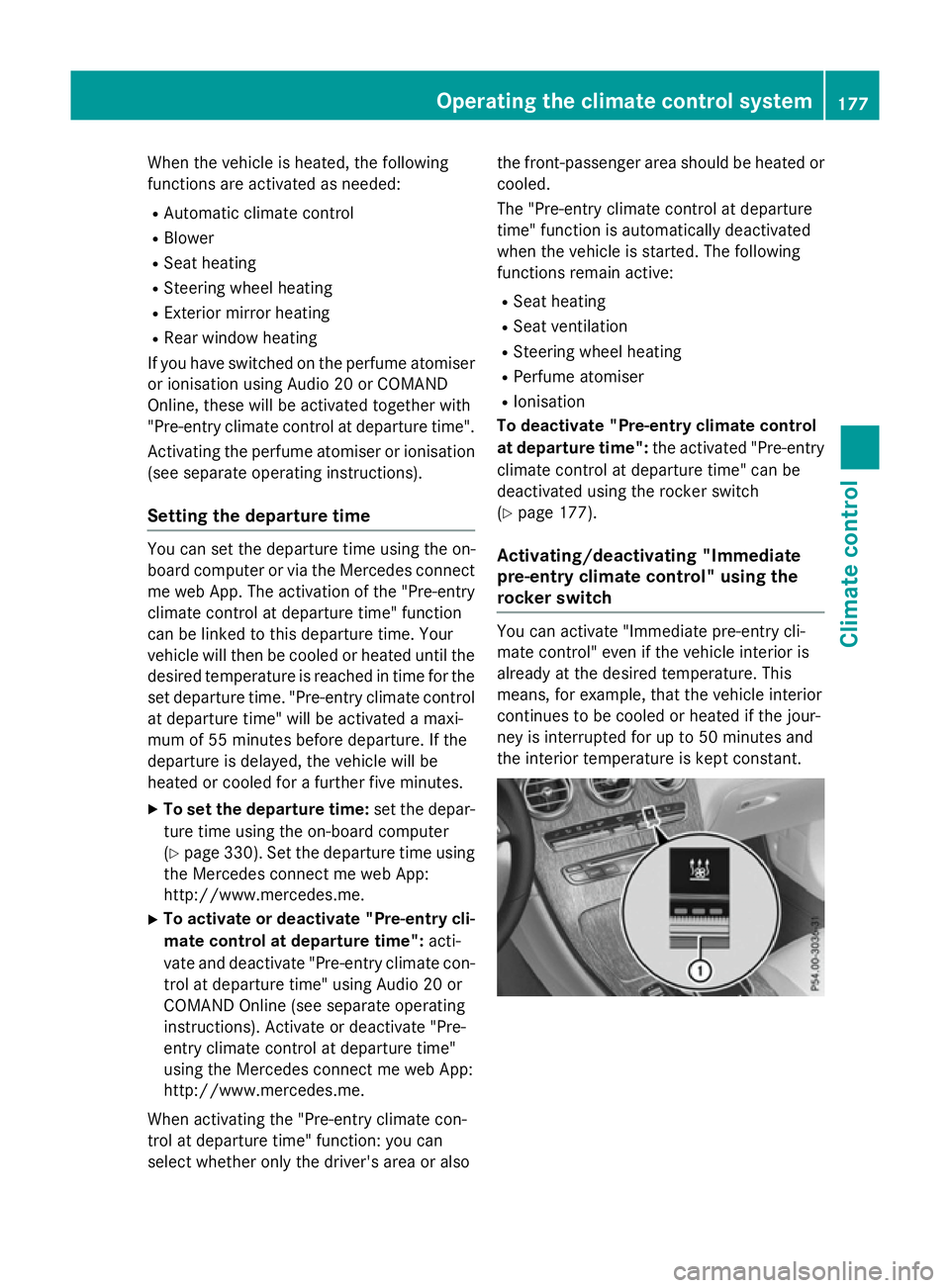
rocker switch You can activate "Immediate pre-entry cli-
mate control" even if the vehicle interior is
already at the desired temperature. This
means, for example, that the vehicle interior
continues to be cooled or heated if the jour-
ney is interrupted for up to 50 minutes and
the interior temperature is kept constant. Operating the climate control system
177Climate control Z
Page 181 of 497
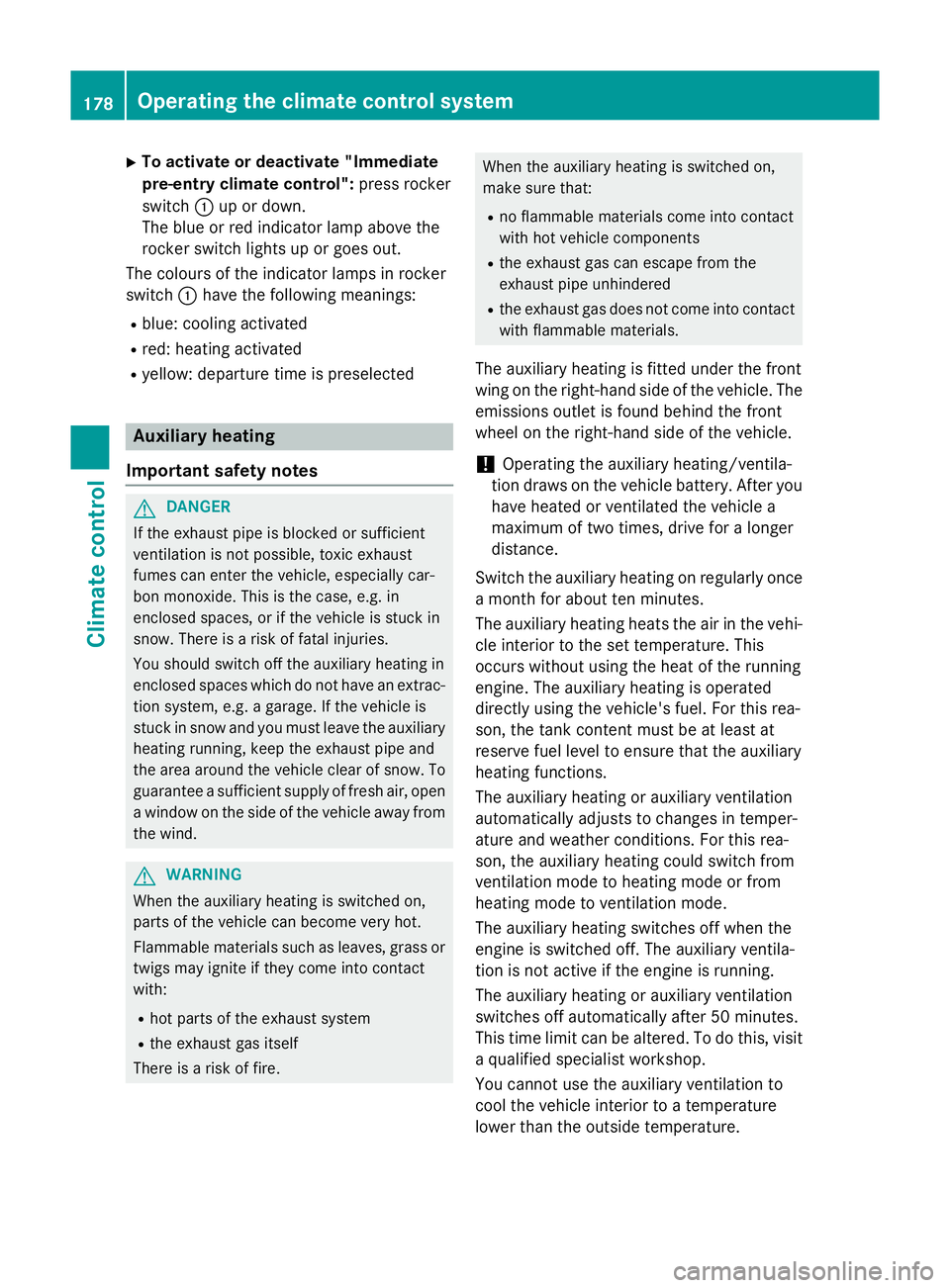
X
To activate or deactivate "Immediate
pre-entry climate control": press rocker
switch :up or down.
The blue or red indicator lamp above the
rocker switch lights up or goes out.
The colours of the indicator lamps in rocker
switch :have the following meanings:
R blue: cooling activated
R red: heating activated
R yellow: departure time is preselected Auxiliary heating
Important safety notes G
DANGER
If the exhaust pipe is blocked or sufficient
ventilation is not possible, toxic exhaust
fumes can enter the vehicle, especially car-
bon monoxide. This is the case, e.g. in
enclosed spaces, or if the vehicle is stuck in
snow. There is a risk of fatal injuries.
You should switch off the auxiliary heating in
enclosed spaces which do not have an extrac- tion system, e.g. a garage. If the vehicle is
stuck in snow and you must leave the auxiliary
heating running, keep the exhaust pipe and
the area around the vehicle clear of snow. To guarantee a sufficient supply of fresh air, open
a window on the side of the vehicle away from the wind. G
WARNING
When the auxiliary heating is switched on,
parts of the vehicle can become very hot.
Flammable materials such as leaves, grass or twigs may ignite if they come into contact
with:
R hot parts of the exhaust system
R the exhaust gas itself
There is a risk of fire. When the auxiliary heating is switched on,
make sure that:
R no flammable materials come into contact
with hot vehicle components
R the exhaust gas can escape from the
exhaust pipe unhindered
R the exhaust gas does not come into contact
with flammable materials.
The auxiliary heating is fitted under the front
wing on the right-hand side of the vehicle. The emissions outlet is found behind the front
wheel on the right-hand side of the vehicle.
! Operating the auxiliary heating/ventila-
tion draws on the vehicle battery. After you have heated or ventilated the vehicle a
maximum of two times, drive for a longer
distance.
Switch the auxiliary heating on regularly once a month for about ten minutes.
The auxiliary heating heats the air in the vehi-
cle interior to the set temperature. This
occurs without using the heat of the running
engine. The auxiliary heating is operated
directly using the vehicle's fuel. For this rea-
son, the tank content must be at least at
reserve fuel level to ensure that the auxiliary
heating functions.
The auxiliary heating or auxiliary ventilation
automatically adjusts to changes in temper-
ature and weather conditions. For this rea-
son, the auxiliary heating could switch from
ventilation mode to heating mode or from
heating mode to ventilation mode.
The auxiliary heating switches off when the
engine is switched off. The auxiliary ventila-
tion is not active if the engine is running.
The auxiliary heating or auxiliary ventilation
switches off automatically after 50 minutes.
This time limit can be altered. To do this, visit a qualified specialist workshop.
You cannot use the auxiliary ventilation to
cool the vehicle interior to a temperature
lower than the outside temperature. 178
Operating the climate control systemClimate control
Page 182 of 497
Before switching on
X
Turn the key to position 2in the ignition
lock (Y page 187).
X Set the desired temperature using the
w rocker switch on the front control
unit.
or
X Set the desired temperature using
Audio 20 or COMAND Online (see the sep-
arate operating instructions).
If you do not alter the temperature before
switching on the auxiliary heating or auxiliary ventilation, the last temperature setting will
be adopted.
Auxiliary heating or auxiliary ventilation can
also be switched on if the manually set cli-
mate control is activated. Optimum comfort
can be attained when the system is set to
automatic mode. Set the temperature to
22 †.
You can switch the auxiliary heating or auxil-
iary ventilation on or off:
R using the rocker switch on the centre con-
sole (Y page 179)
R using the remote control (Y page 180)
The on-board computer can be used to spec- ify up to three departure times, one of which
may be preselected:
R using the remote control (Y page 180)
R using Audio 20 or COMAND Online (see the
separate operating instructions) Switching the auxiliary heating/venti-
lation on/off using the centre console
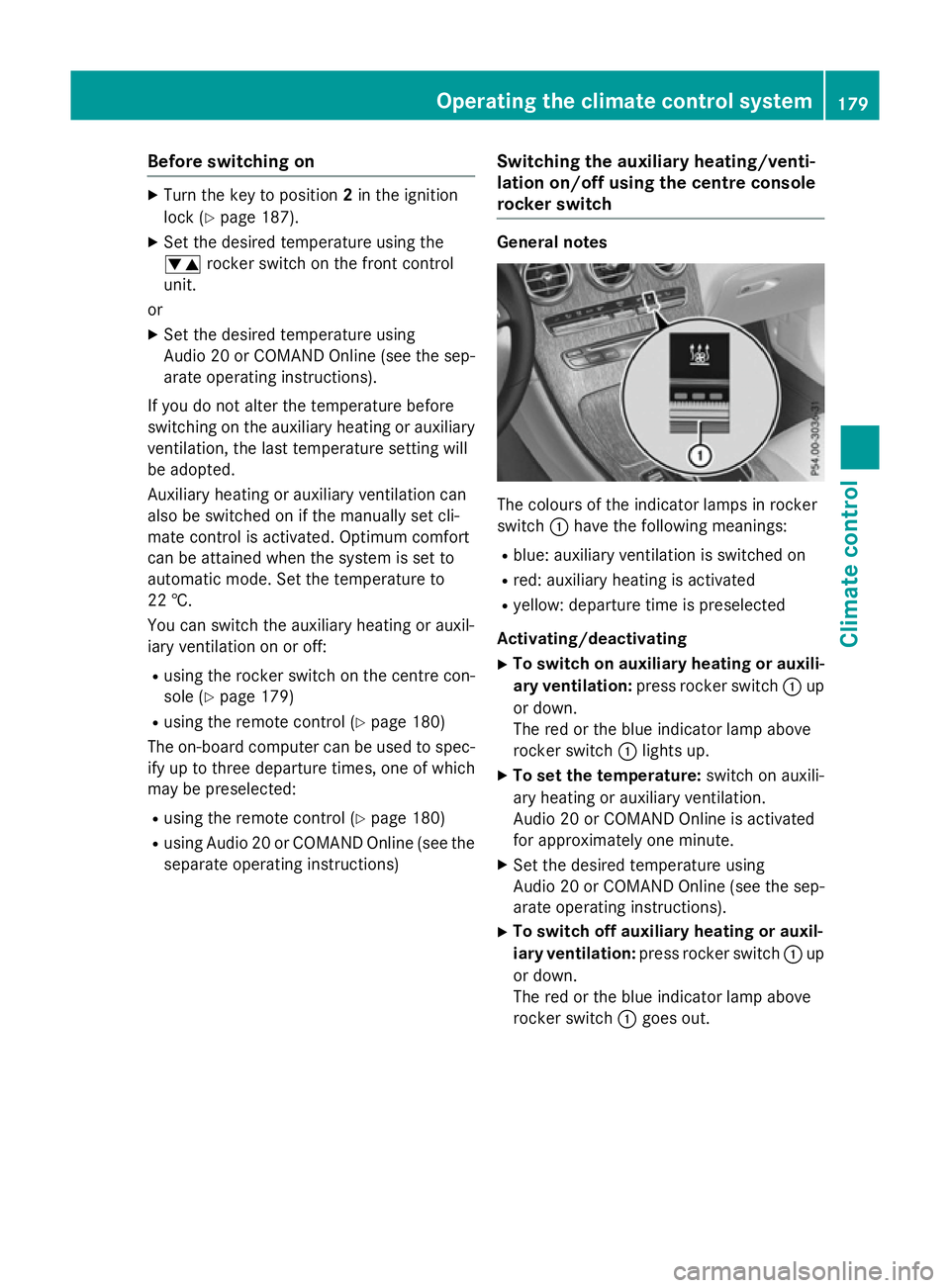
rocker switch General notes
The colours of the indicator lamps in rocker
switch
:have the following meanings:
R blue: auxiliary ventilation is switched on
R red: auxiliary heating is activated
R yellow: departure time is preselected
Activating/deactivating
X To switch on auxiliary heating or auxili-
ary ventilation: press rocker switch :up
or down.
The red or the blue indicator lamp above
rocker switch :lights up.
X To set the temperature: switch on auxili-
ary heating or auxiliary ventilation.
Audio 20 or COMAND Online is activated
for approximately one minute.
X Set the desired temperature using
Audio 20 or COMAND Online (see the sep-
arate operating instructions).
X To switch off auxiliary heating or auxil-
iary ventilation: press rocker switch :up
or down.
The red or the blue indicator lamp above
rocker switch :goes out. Operating the climate control system
179Climate control Z
Page 183 of 497
Switching the auxiliary heating/venti-
lation on or off using the remote control
General notes
Your vehicle comes with one remote control.
You may use two additional remote controls
for your vehicle. For more information, pleasecontact a qualified specialist workshop.
Store the remote control for the auxiliary
heating so that the auxiliary heating cannot
be switched on unintentionally. In particular,
ensure that the remote control for the auxili-
ary heating is kept out of the reach of chil-
dren.
The remote control has a range of approx-
imately 300 metres. This range is reduced by:
R sources of radio interference
R solid objects between the remote control
and the vehicle
R the remote control being in an unfavoura-
ble position in relation to the vehicle
R transmitting from an enclosed space
If the remote control battery is low, the bat-
tery symbol on the left of the display is shown as empty. Replace the remote control battery and observe the important safety notes when
doing so (Y page 181).
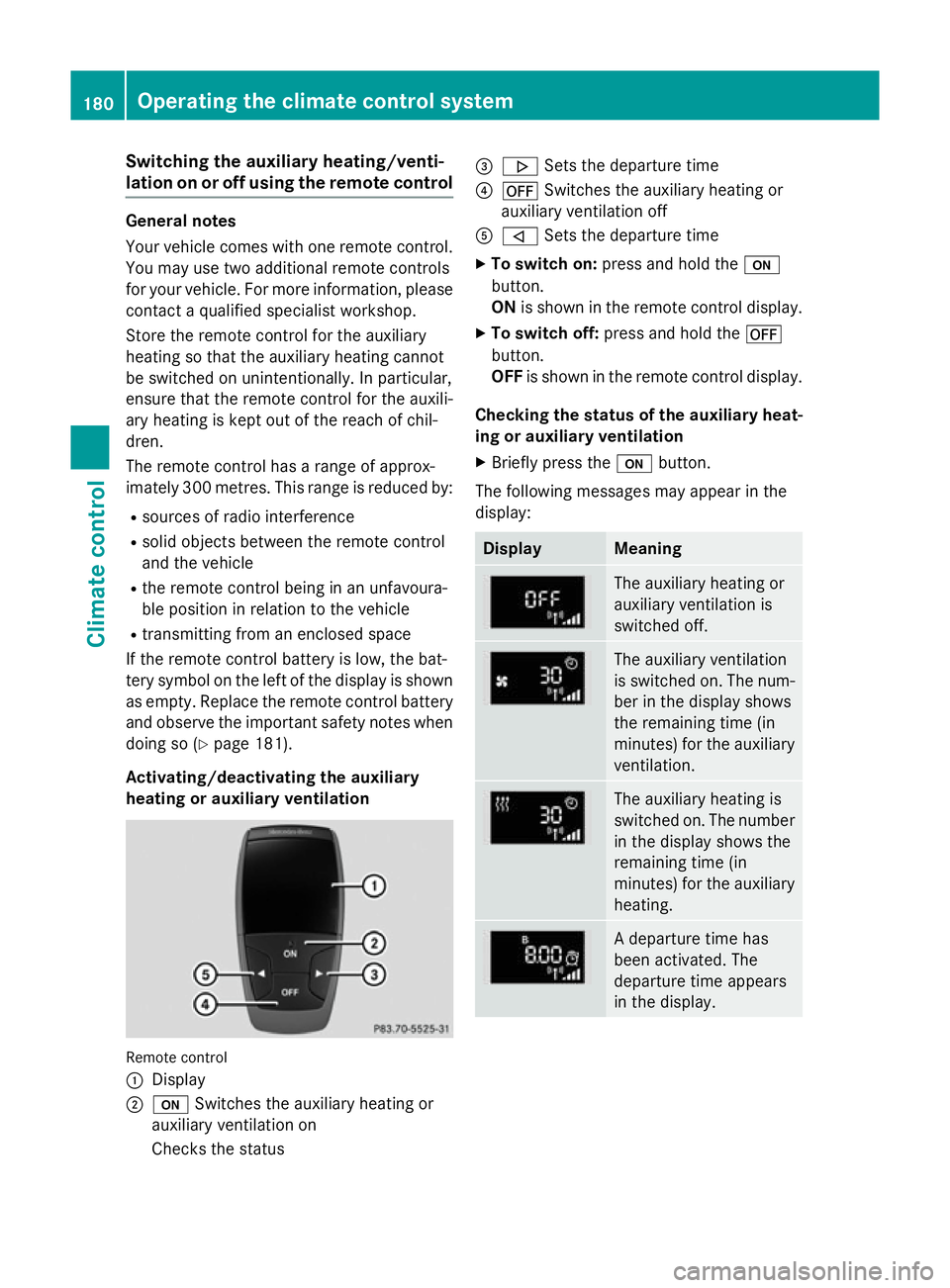
Activating/deactivating the auxiliary
heating or auxiliary ventilation Remote control
:
Display
; u Switches the auxiliary heating or
auxiliary ventilation on
Checks the status =
. Sets the departure time
? ^ Switches the auxiliary heating or
auxiliary ventilation off
A , Sets the departure time
X To switch on: press and hold the u
button.
ON is shown in the remote control display.
X To switch off: press and hold the ^
button.
OFF is shown in the remote control display.
Checking the status of the auxiliary heat- ing or auxiliary ventilation
X Briefly press the ubutton.
The following messages may appear in the
display: Display Meaning
The auxiliary heating or
auxiliary ventilation is
switched off.
The auxiliary ventilation
is switched on. The num-
ber in the display shows
the remaining time (in
minutes) for the auxiliary
ventilation. The auxiliary heating is
switched on. The number
in the display shows the
remaining time (in
minutes) for the auxiliary heating. A departure time has
been activated. The
departure time appears
in the display.180
Operating the climate control systemClimate control
Page 184 of 497
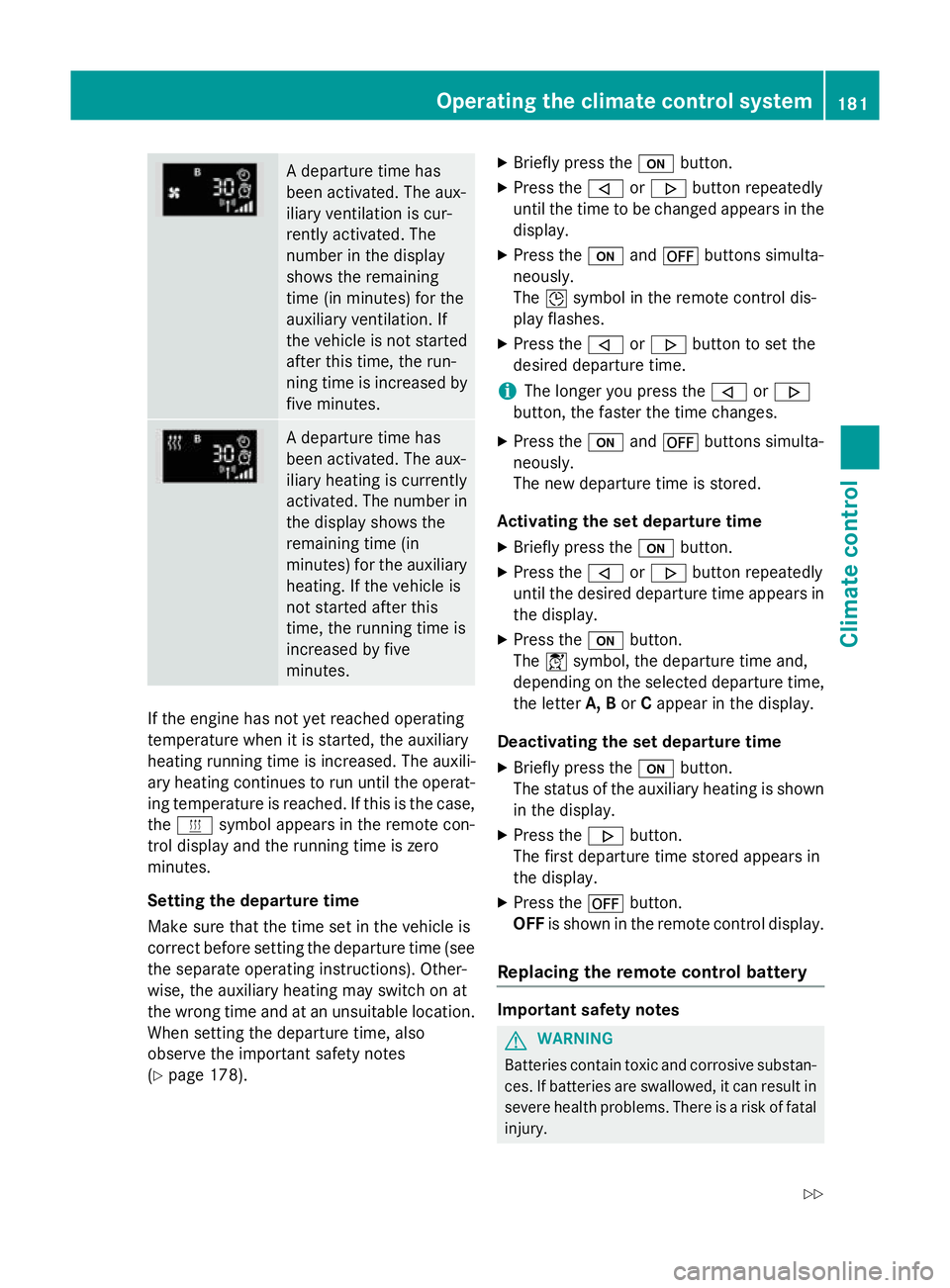
A departure time has
been activated. The aux-
iliary ventilation is cur-
rently activated. The
number in the display
shows the remaining
time (in minutes) for the
auxiliary ventilation. If
the vehicle is not started
after this time, the run-
ning time is increased by
five minutes. A departure time has
been activated. The aux-
iliary heating is currently
activated. The number in
the display shows the
remaining time (in
minutes) for the auxiliary heating. If the vehicle is
not started after this
time, the running time is
increased by five
minutes. If the engine has not yet reached operating
temperature when it is started, the auxiliary
heating running time is increased. The auxili-
ary heating continues to run until the operat- ing temperature is reached. If this is the case,
the y symbol appears in the remote con-
trol display and the running time is zero
minutes.
Setting the departure time
Make sure that the time set in the vehicle is
correct before setting the departure time (see the separate operating instructions). Other-
wise, the auxiliary heating may switch on at
the wrong time and at an unsuitable location.
When setting the departure time, also
observe the important safety notes
(Y page 178). X
Briefly press the ubutton.
X Press the ,or. button repeatedly
until the time to be changed appears in the display.
X Press the uand^ buttons simulta-
neously.
The Îsymbol in the remote control dis-
play flashes.
X Press the ,or. button to set the
desired departure time.
i The longer you press the
,or.
button, the faster the time changes.
X Press the uand^ buttons simulta-
neously.
The new departure time is stored.
Activating the set departure time X Briefly press the ubutton.
X Press the ,or. button repeatedly
until the desired departure time appears in the display.
X Press the ubutton.
The Ísymbol, the departure time and,
depending on the selected departure time, the letter A, BorCappear in the display.
Deactivating the set departure time
X Briefly press the ubutton.
The status of the auxiliary heating is shown in the display.
X Press the .button.
The first departure time stored appears in
the display.
X Press the ^button.
OFF is shown in the remote control display.
Replacing the remote control battery Important safety notes
G
WARNING
Batteries contain toxic and corrosive substan- ces. If batteries are swallowed, it can result in
severe health problems. There is a risk of fatal injury. Operating the climate control system
181Climate control
Z
Page 185 of 497
Keep batteries out of the reach of children. If
a battery is swallowed, seek medical attention
immediately. H
Environmental note Batteries contain pollutants.
It is illegal to dispose of them with the household rubbish.
They must be collected sep-
arately and disposed of in anenvironmentally responsible
recycling system. Dispose of batteries in an
environmentally responsible
manner. Take discharged
batteries to a qualified spe-
cialist workshop or to a col-
lection point for used batter-
ies.
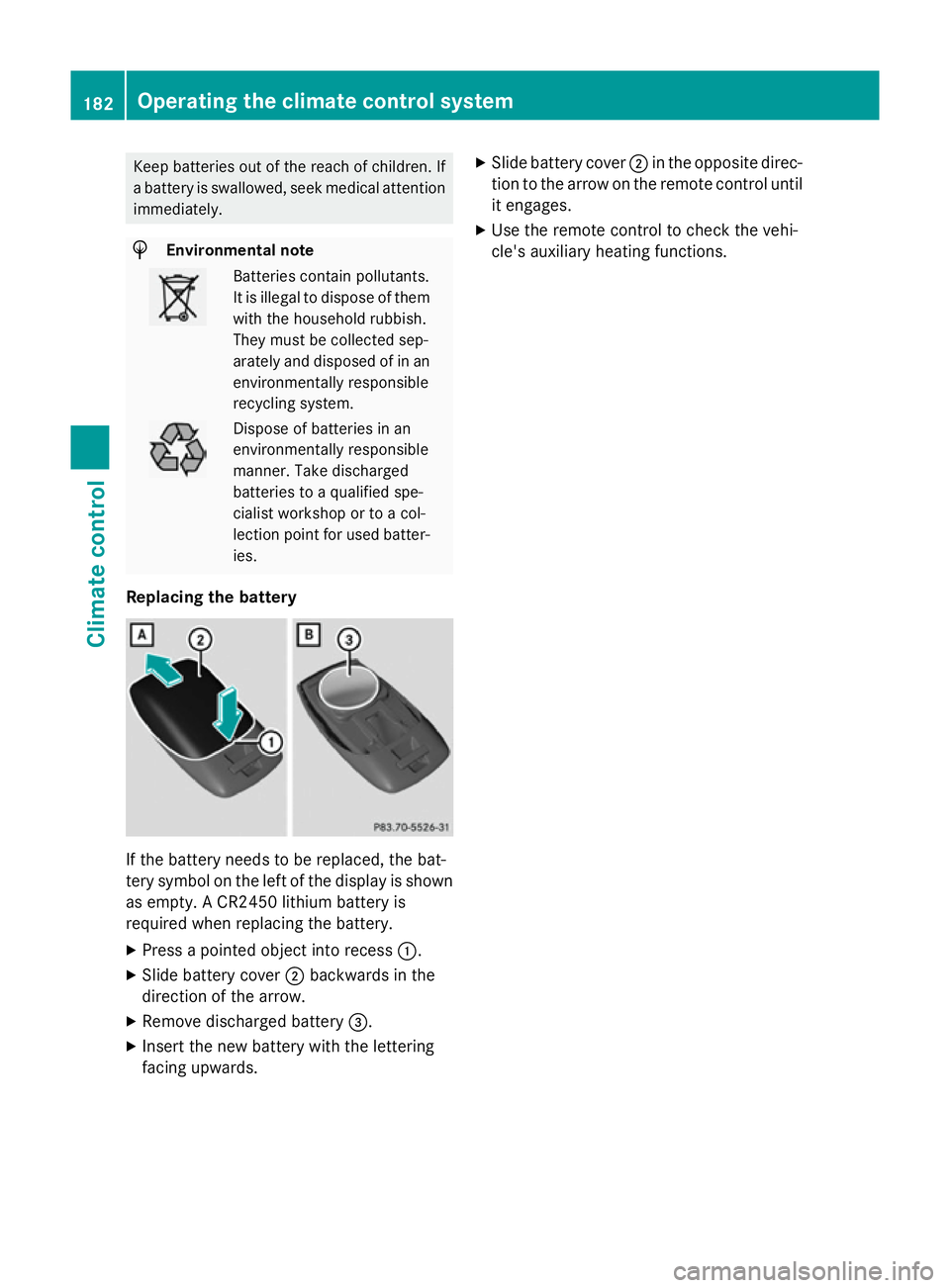
Replacing the battery If the battery needs to be replaced, the bat-
tery symbol on the left of the display is shown as empty. A CR2450 lithium battery is
required when replacing the battery.
X Press a pointed object into recess :.
X Slide battery cover ;backwards in the
direction of the arrow.
X Remove discharged battery =.
X Insert the new battery with the lettering
facing upwards. X
Slide battery cover ;in the opposite direc-
tion to the arrow on the remote control until
it engages.
X Use the remote control to check the vehi-
cle's auxiliary heating functions. 182
Operating the climate control systemClimate control
Page 186 of 497
Problems with the auxiliary heating/ventilation
Problem
Possible causes/consequences and
M
MSolutions FAIL¨ The signal transmission between the transmitter and the vehicle is
faulty.
X Change your position in relation to the vehicle, moving closer if
necessary.
X Make another attempt to switch the auxiliary heating/ventila-
tion on or off using the remote control. FAIL The auxiliary heating cannot be switched on or has switched itself
off.
The starter battery is not sufficiently charged.
X Charge the starter battery.
X Make another attempt to switch on the auxiliary heating/venti-
lation using the remote control. The auxiliary heating cannot be switched on or has switched itself
off.
The fuel tank content is below the reserve fuel level.
X Refuel at the nearest filling station.
X Make another attempt to switch on the auxiliary heating using
the remote control. FAIL¯ The auxiliary heating cannot be switched on or has switched itself
off.
The auxiliary heating is faulty.
X Have the auxiliary heating checked at a qualified specialist
workshop. Adjusting the air vents
Important safety notes
G
WARNING
Very hot or very cold air can flow from the air vents. This could result in burns or frostbite in the immediate vicinity of the air vents. There
is a risk of injury.
Make sure that all vehicle occupants always
maintain a sufficient distance to the air out-
lets. If necessary, redirect the airflow to
another area of the vehicle interior. In order to ensure the direct flow of fresh air
through the air vents into the vehicle interior,
please observe the following notes:
R keep the air inlet between the windscreen
and the bonnet free of blockages, such as
ice, snow or leaves
R never cover the vents or ventilation grilles
in the vehicle interior Adjusting the air vents
183Climate control Z