key MERCEDES-BENZ GLK-CLASS SUV 2015 Workshop Manual
[x] Cancel search | Manufacturer: MERCEDES-BENZ, Model Year: 2015, Model line: GLK-CLASS SUV, Model: MERCEDES-BENZ GLK-CLASS SUV 2015Pages: 386, PDF Size: 26 MB
Page 124 of 386
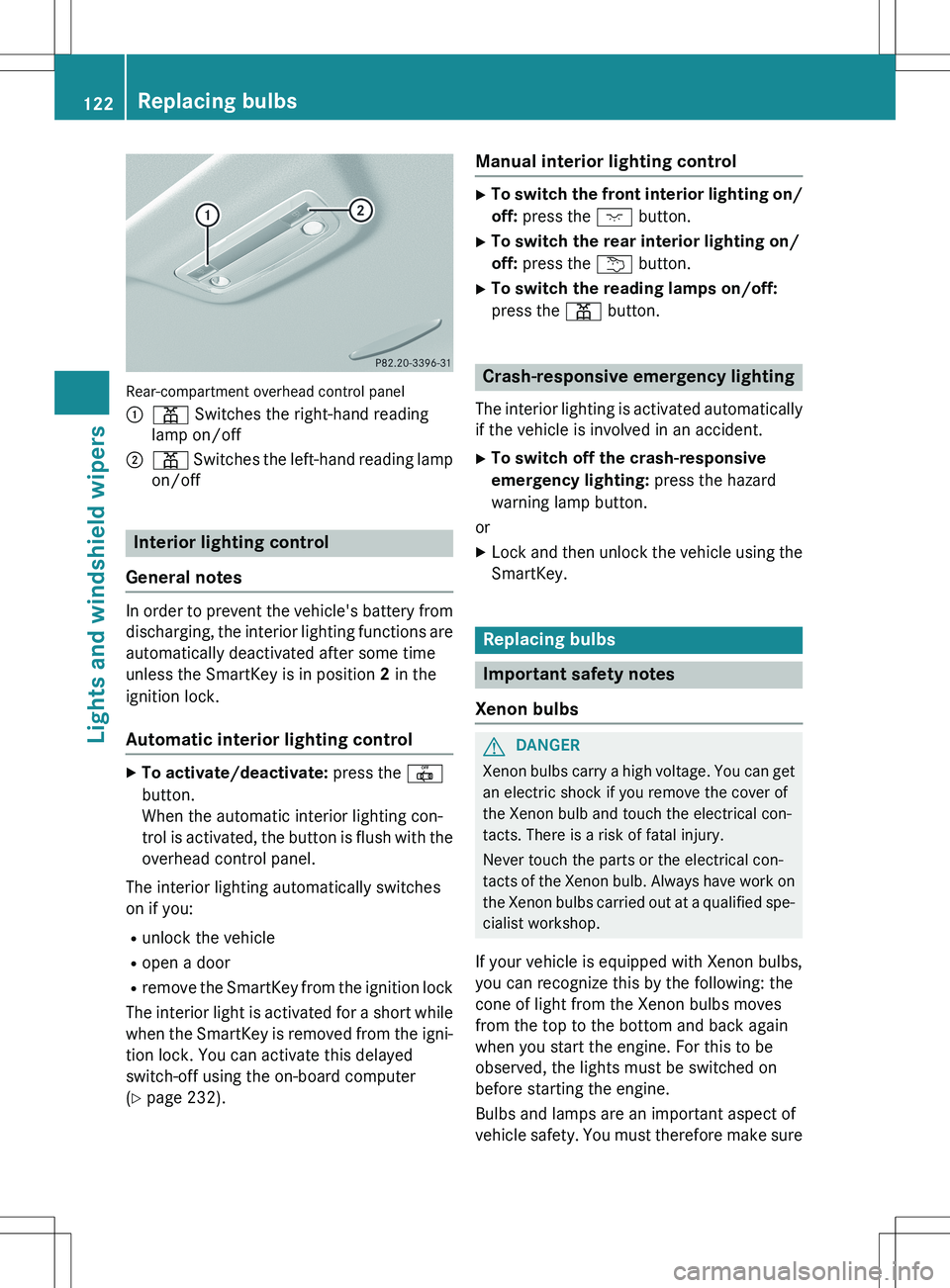
Rear-compartment overhead control panel :
p Switches the right-hand reading
lamp on/off
;p Switches the left-hand reading lamp
on/off
Interior lighting control
General notes
In order to prevent the vehicle's battery from discharging, the interior lighting functions are
automatically deactivated after some time
unless the SmartKey is in position 2 in the
ignition lock.
Automatic interior lighting control
X To activate/deactivate: press the |
button.
When the automatic interior lighting con-
trol is activated, the button is flush with the
overhead control panel.
The interior lighting automatically switches
on if you: R unlock the vehicle
R open a door
R remove the SmartKey from the ignition lock
The interior light is activated for a short while when the SmartKey is removed from the igni-
tion lock. You can activate this delayed
switch-off using the on-board computer
( Y page 232).
Manual interior lighting control
X
To switch the front interior lighting on/
off: press the c button.
X To switch the rear interior lighting on/
off: press the u button.
X To switch the reading lamps on/off:
press the p button.
Crash-responsive emergency lighting
The interior lighting is activated automatically
if the vehicle is involved in an accident.
X To switch off the crash-responsive
emergency lighting: press the hazard
warning lamp button.
or X Lock and then unlock the vehicle using the
SmartKey.
Replacing bulbs
Important safety notes
Xenon bulbs
GDANGER
Xenon bulbs carry a high voltage. You can get an electric shock if you remove the cover of
the Xenon bulb and touch the electrical con-
tacts. There is a risk of fatal injury.
Never touch the parts or the electrical con-
tacts of the Xenon bulb. Always have work on
the Xenon bulbs carried out at a qualified spe-
cialist workshop.
If your vehicle is equipped with Xenon bulbs,
you can recognize this by the following: the
cone of light from the Xenon bulbs moves
from the top to the bottom and back again
when you start the engine. For this to be
observed, the lights must be switched on
before starting the engine.
Bulbs and lamps are an important aspect of
vehicle safety. You must therefore make sure
122Replacing bulbs
Lights and windshield wipers
Page 129 of 386

Switching the rear window wiper on/
off
Combination switch :
è Switch
2ô Wipes with washer fluid
3I Switches on intermittent wiping
40 Switches off intermittent wiping
5ô Wipes with washer fluid
X Turn the SmartKey to position 1 or 2 in the
ignition lock ( Y page 149).
X Turn switch : on the combination switch
to the corresponding position.
When the rear window wiper is switched on,
the icon appears in the instrument cluster.
Replacing the wiper blades
Important safety notes
GWARNING
If the windshield wipers begin to move while
you are changing the wiper blades, you could be trapped by the wiper arm. There is a risk of
injury.
Always switch off the windshield wipers and
ignition before changing the wiper blades.
! Never open the hood/tailgate if a wiper
arm has been folded away from the wind-
shield/rear window.
Never fold a windshield wiper arm without a
wiper blade back onto the windshield/rear window. Hold the windshield wiper arm firmly when
you change the wiper blade. If you release
the wiper arm without a wiper blade and it
falls onto the windshield/rear window, the
windshield/rear window may be damaged
by the force of the impact.
Mercedes-Benz recommends that you have the wiper blades changed at a qualified
specialist workshop.
! To avoid damaging the wiper blades,
make sure that you touch only the wiper
arm of the wiper.
Changing the windshield wiper blades
Removing the wiper blades
X Remove the SmartKey from the ignition
lock or turn it to position 0 (KEYLESS-GO)
( Y page 149).
X Fold the wiper arm away from the wind-
shield until it engages.
XFirmly press release knob : and pull the
wiper blade upwards from the wiper arm in the direction of the arrow.
Installing the wiper blades
X Position the new wiper blade in the retainer
on the wiper arm and slide it into place in
the opposite direction to the arrow.
The wiper blade audibly engages.
X Make sure that the wiper blade is seated
correctly.
X Fold the wiper arm back onto the wind-
shield.
Windshield wipers127
Lights and windshield wipers
Z
Page 130 of 386
Replacing the rear window wiper blade
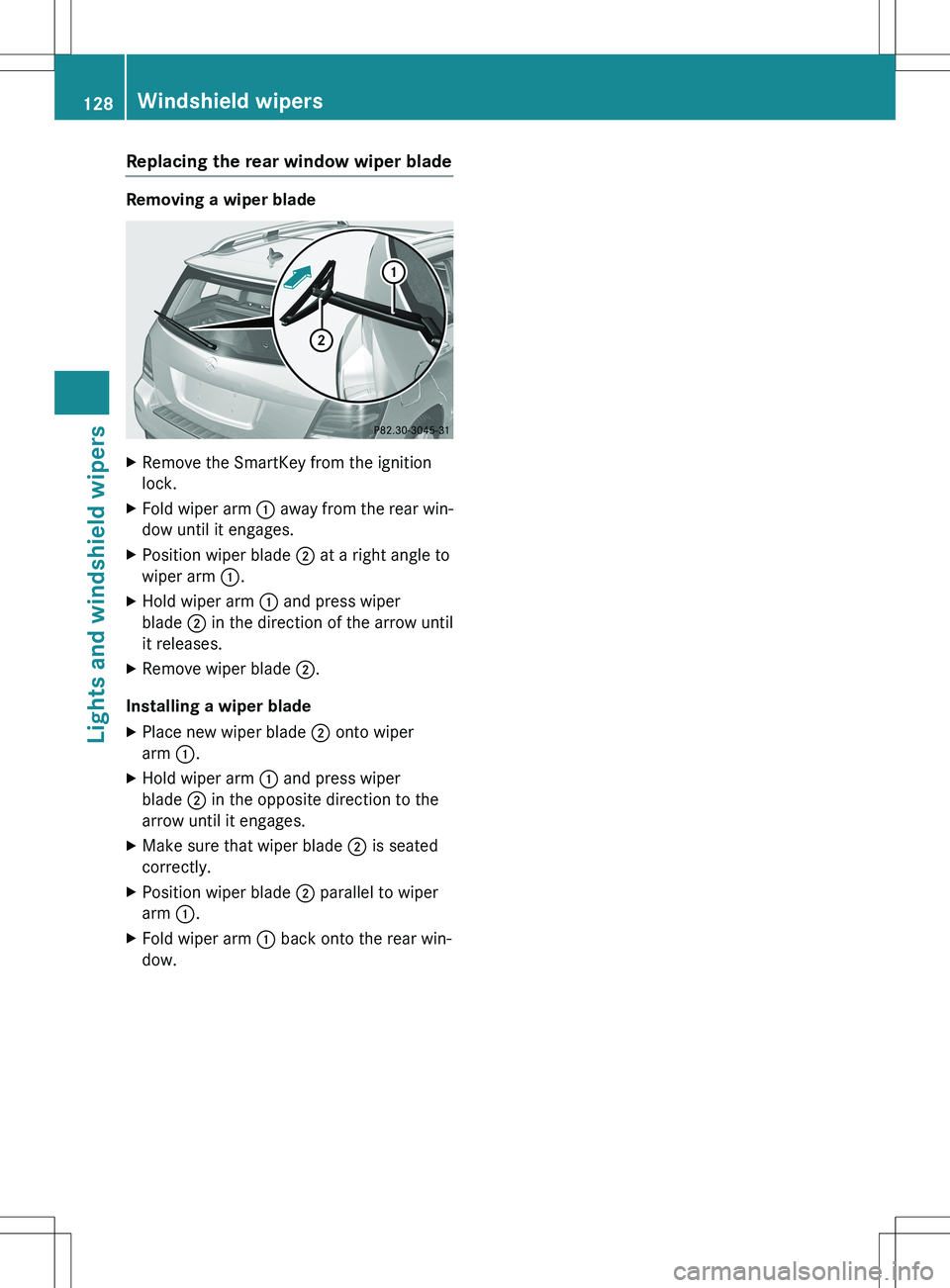
Removing a wiper blade
XRemove the SmartKey from the ignition
lock.
X Fold wiper arm : away from the rear win-
dow until it engages.
X Position wiper blade ; at a right angle to
wiper arm :.
X Hold wiper arm : and press wiper
blade ; in the direction of the arrow until
it releases.
X Remove wiper blade ;.
Installing a wiper blade
X Place new wiper blade ; onto wiper
arm :.
X Hold wiper arm : and press wiper
blade ; in the opposite direction to the
arrow until it engages.
X Make sure that wiper blade ; is seated
correctly.
X Position wiper blade ; parallel to wiper
arm :.
X Fold wiper arm : back onto the rear win-
dow.
128Windshield wipers
Lights and windshield wipers
Page 131 of 386
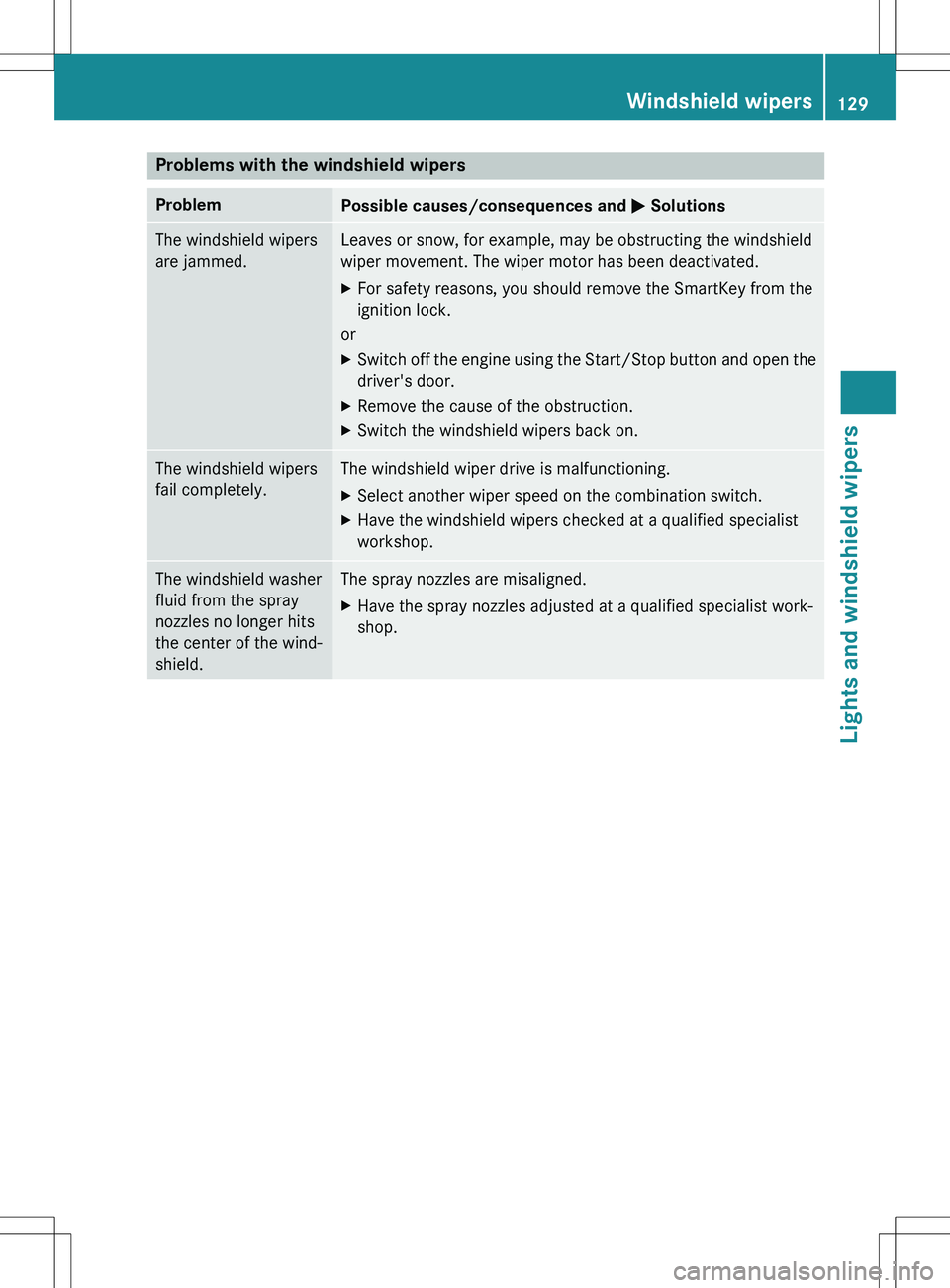
Problems with the windshield wipers
ProblemPossible causes/consequences and M Solutions
The windshield wipers
are jammed.Leaves or snow, for example, may be obstructing the windshield
wiper movement. The wiper motor has been deactivated. X
For safety reasons, you should remove the SmartKey from the
ignition lock.
or X Switch off the engine using the Start/Stop button and o pen the
driver's door.
X Remove the cause of the obstruction.
X Switch the windshield wipers back on.
The windshield wipers
fail completely.The windshield wiper drive is malfunctioning.
X Select another wiper speed on the combination switch.
X Have the windshield wipers checked at a qualified specialist
workshop.
The windshield washer
fluid from the spray
nozzles no longer hits
the center of the wind-
shield.The spray nozzles are misaligned.
X Have the spray nozzles adjusted at a qualified specialist work-
shop.
Windshield wipers129
Lights and windshield wipers
Z
Page 134 of 386

Useful information
iThis Operator's Manual describes all
models and all standard and optional equip- ment of your vehicle available at the time of
publication of the Operator's Manual.
Country-specific differences are possible.
Please note that your vehicle may not be
equipped with all features described. This
also applies to safety-related systems and
functions.
iRead the information on qualified special-
ist workshops ( Y page 27).
Overview of climate control systems
Important safety notes
Observe the settings recommended on the
following pages. The windows could other-
wise fog up.
To prevent the windows from fogging up:
R switch off climate control only briefly
R switch on air-recirculation mode only
briefly
R switch on the cooling with air dehumidifi-
cation function
R switch on the defrost windshield function
briefly, if required
Climate control regulates the temperature
and the humidity in the vehicle interior and
filters undesirable substances out of the air.
Climate control can only be operated when
the engine is running. Optimum operation is
only achieved with the side windows and roof
closed.
The residual heat function can only be acti-
vated or deactivated with the ignition
switched off ( Y page 143).
iVentilate the vehicle for a brief period
during warm weather, e.g. using the con-
venience opening feature ( Y page 93). This
will speed up the cooling process and the
desired interior temperature will be
reached more quickly.
iThe integrated filter filters out most par-
ticles of dust and soot and completely fil-
ters out pollen. It also reduces gaseous pol-
lutants and odors. A clogged filter reduces the amount of air supplied to the vehicle
interior. For this reason, you should alwaysobserve the interval for replacing the filter, which is specified in the Maintenance
Booklet. As it depends on environmental
conditions, e.g. heavy air pollution, the
interval may be shorter than stated in the
Maintenance Booklet.
iIt is possible that the dehumidification
function of the climate control system may
be activated automatically an hour after the
SmartKey has been removed. The vehicle is then ventilated for 30 minutes.
132Overview of climate control systems
Climate control
Page 139 of 386
Optimum use of dual-zone climate
control
Climate control system
The following contains instructions and rec-
ommendations to enable you to get the most
out of your 3-zone automatic climate control.
R Activate climate control using the à and
¿ buttons. The indicator lamps in the
à and ¿ buttons light up.
R In automatic mode, you can also use theñ button to set the climate mode
(FOCUS/MEDIUM/DIFFUSE). The
MEDIUM level is recommended.
R Set the temperature to 72 ‡ (22 †).
R Only use the "Windshield defrosting" func-
tion briefly until the windshield is clear
again.
R Only use air-recirculation mode briefly, e.g.
if there are unpleasant outside odors or
when in a tunnel. The windows could oth-
erwise fog up, since no fresh air is drawn
into the vehicle in air-recirculation mode.
R Use the ZONE function to adopt the tem-
perature settings on the driver's side for
the front-passenger side and the rear com-
partment as well. The indicator lamp in the
á button goes out.
R Use the residual heat function if you want to
heat or ventilate the vehicle interior when
the ignition is switched off. The residual
heat function can only be activated or deac- tivated with the ignition switched off.
ECO start/stop function
During automatic engine switch-off, the cli-
mate control system only operates at a
reduced capacity. If you require the full cli-
mate control output, you can switch off the
ECO start/stop function by pressing the ECObutton ( Y page 154).
Operating the climate control sys-
tems
Switching climate control on/off
General notes
When the climate control is switched off, the air supply and air circulation are also
switched off. The windows could fog up.
Therefore, switch off climate control only
briefly
iSwitch on climate control primarily using
the à button ( Y page 139).
Switching on/off
X
Turn the SmartKey to position 2 in the igni-
tion lock ( Y page 149).
X To activate: press the à button.
The indicator lamp in the à button lights
up. Airflow and air distribution are set to
automatic mode.
or
X Press the ^ button.
The indicator lamp in the ^ button goes
out. The previously selected settings are
restored.
X To deactivate: press the ^ button.
The indicator lamp in the ^ button lights
up.
Activating/deactivating cooling with
air dehumidification
General notes
If you deactivate the "Cooling with air-dehu-
midification" function, the air inside the vehi- cle will not be cooled. The air inside the vehi-
cle will also not be dehumidified. The win-
dows can fog up more quickly. Therefore,
deactivate the cooling with air-dehumidifica-
tion function only briefly.
The "Cooling with air dehumidification" func-
tion is only available when the engine is run-
ning. The air inside the vehicle is cooled and
Operating the climate control systems137
Climate control
Page 141 of 386
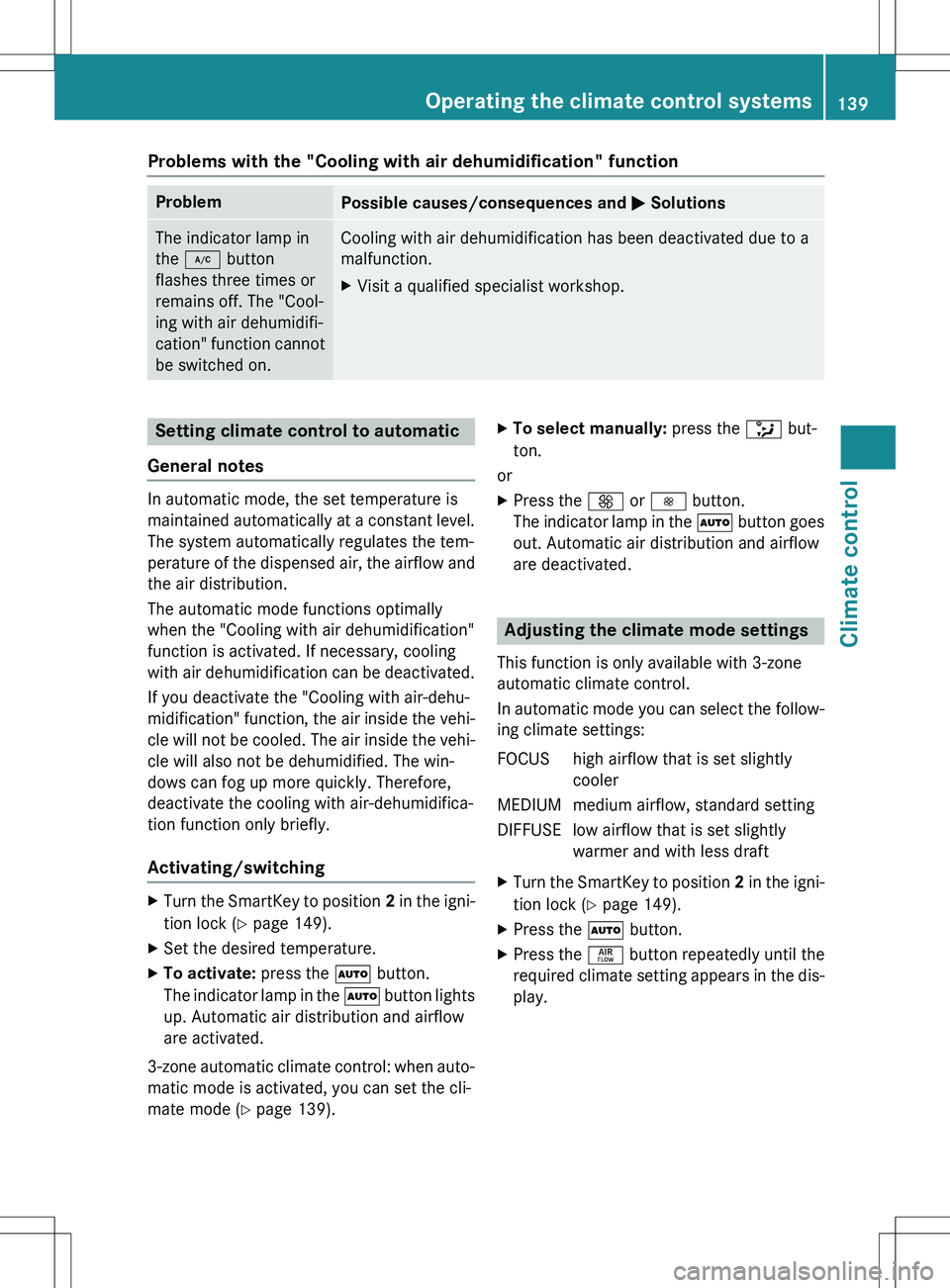
Problems with the "Cooling with air dehumidification" function
ProblemPossible causes/consequences and M Solutions
The indicator lamp in
the ¿ button
flashes three times or
remains off. The "Cool-
ing with air dehumidifi-
cation" function cannot
be switched on.Cooling with air dehumidification has been deactivated due to a
malfunction.
X Visit a qualified specialist workshop.
Setting climate control to automatic
General notes
In automatic mode, the set temperature is
maintained automatically at a constant level. The system automatically regulates the tem-
perature of the dispensed air, the airflow and
the air distribution.
The automatic mode functions optimally
when the "Cooling with air dehumidification"
function is activated. If necessary, cooling
with air dehumidification can be deactivated.
If you deactivate the "Cooling with air-dehu-
midification" function, the air inside the vehi-
cle will not be cooled. The air inside the vehi- cle will also not be dehumidified. The win-
dows can fog up more quickly. Therefore,
deactivate the cooling with air-dehumidifica-
tion function only briefly.
Activating/switching
X Turn the SmartKey to position 2 in the igni-
tion lock ( Y page 149).
X Set the desired temperature.
X To activate: press the à button.
The indicator lamp in the à button lights
up. Automatic air distribution and airflow
are activated.
3-zone automatic climate control: when auto- matic mode is activated, you can set the cli-
mate mode ( Y page 139). X
To select manually: press the _ but-
ton.
or
X Press the K or I button.
The indicator lamp in the à button goes
out. Automatic air distribution and airflow
are deactivated.
Adjusting the climate mode settings
This function is only available with 3-zone
automatic climate control.
In automatic mode you can select the follow-
ing climate settings:
FOCUS high airflow that is set slightly cooler
MEDIUM medium airflow, standard setting
DIFFUSE low airflow that is set slightly warmer and with less draft
X Turn the SmartKey to position 2 in the igni-
tion lock ( Y page 149).
X Press the à button.
X Press the ñ button repeatedly until the
required climate setting appears in the dis-
play.
Operating the climate control systems139
Climate control
Page 142 of 386
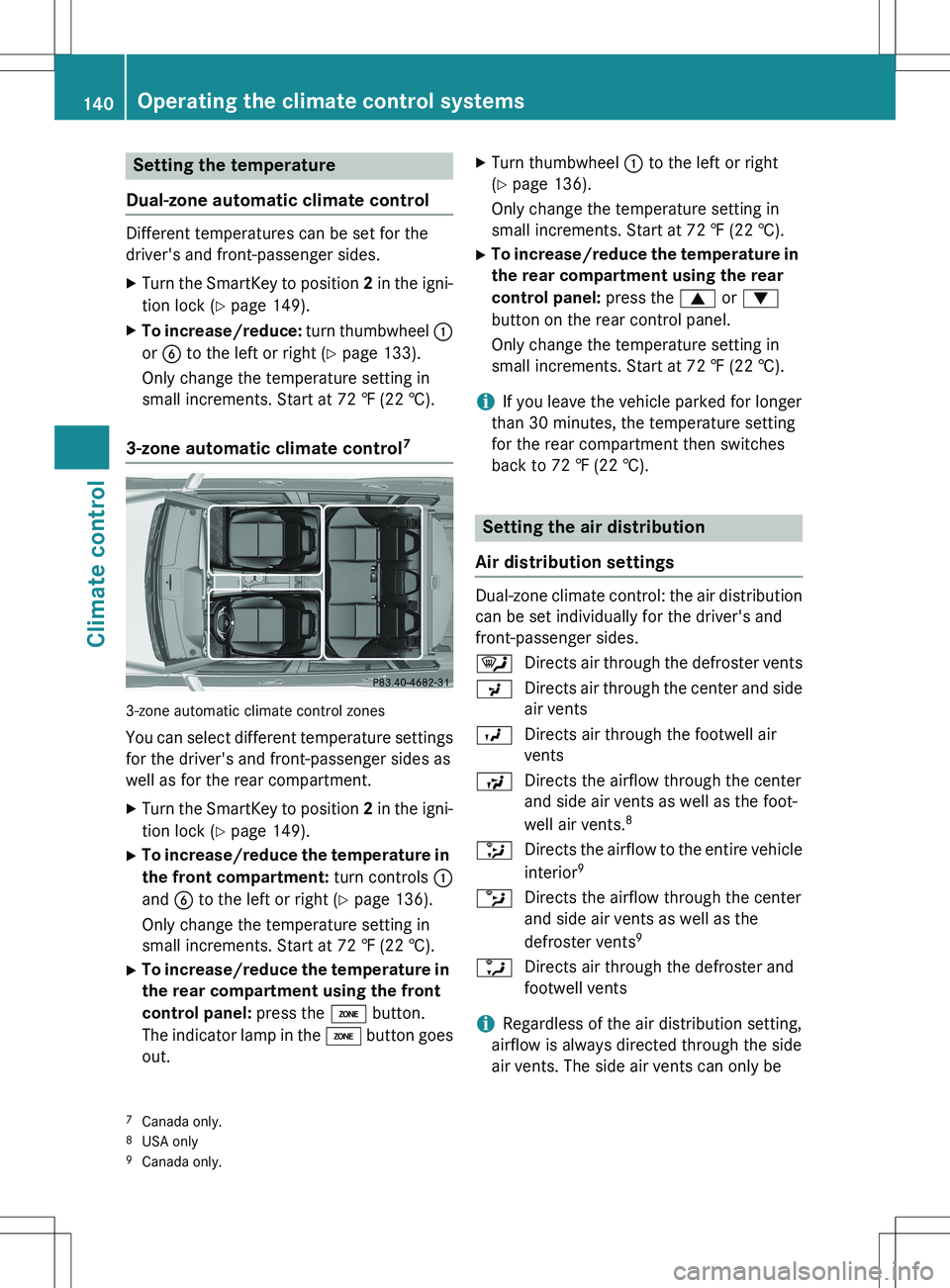
Setting the temperature
Dual-zone automatic climate control
Different temperatures can be set for the
driver's and front-passenger sides.
X Turn the SmartKey to position 2 in the igni-
tion lock ( Y page 149).
X To increase/reduce: turn thumbwheel :
or B to the left or right ( Y page 133).
Only change the temperature setting in
small increments. Start at 72 ‡ (22 †).
3-zone automatic climate control7
3-zone automatic climate control zones
You can select different temperature settings for the driver's and front-passenger sides as
well as for the rear compartment. X Turn the SmartKey to position 2 in the igni-
tion lock ( Y page 149).
X To increase/reduce the temperature in
the front compartment: turn controls :
and B to the left or right ( Y page 136).
Only change the temperature setting in
small increments. Start at 72 ‡ (22 †).
X To increase/reduce the temperature in
the rear compartment using the front
control panel: press the á button.
The indicator lamp in the á button goes
out. X
Turn thumbwheel : to the left or right
( Y page 136).
Only change the temperature setting in
small increments. Start at 72 ‡ (22 †).
X To increase/reduce the temperature in
the rear compartment using the rear
control panel: press the 9 or :
button on the rear control panel.
Only change the temperature setting in
small increments. Start at 72 ‡ (22 †).
iIf you leave the vehicle parked for longer
than 30 minutes, the temperature setting
for the rear compartment then switches
back to 72 ‡ (22 †).
Setting the air distribution
Air distribution settings
Dual-zone climate control: the air distribution can be set individually for the driver's and
front-passenger sides. ¯ Directs air through the defroster vents
P Directs air through the center and side
air vents
O Directs air through the footwell air
vents
S Directs the airflow through the center
and side air vents as well as the foot-
well air vents. 8
_ Directs the airflow to the entire vehicle
interior 9
b Directs the airflow through the center
and side air vents as well as the
defroster vents 9
a Directs air through the defroster and
footwell vents
iRegardless of the air distribution setting,
airflow is always directed through the side
air vents. The side air vents can only be
7 Canada only.
8 USA only
9 Canada only.
140Operating the climate control systems
Climate control
Page 143 of 386
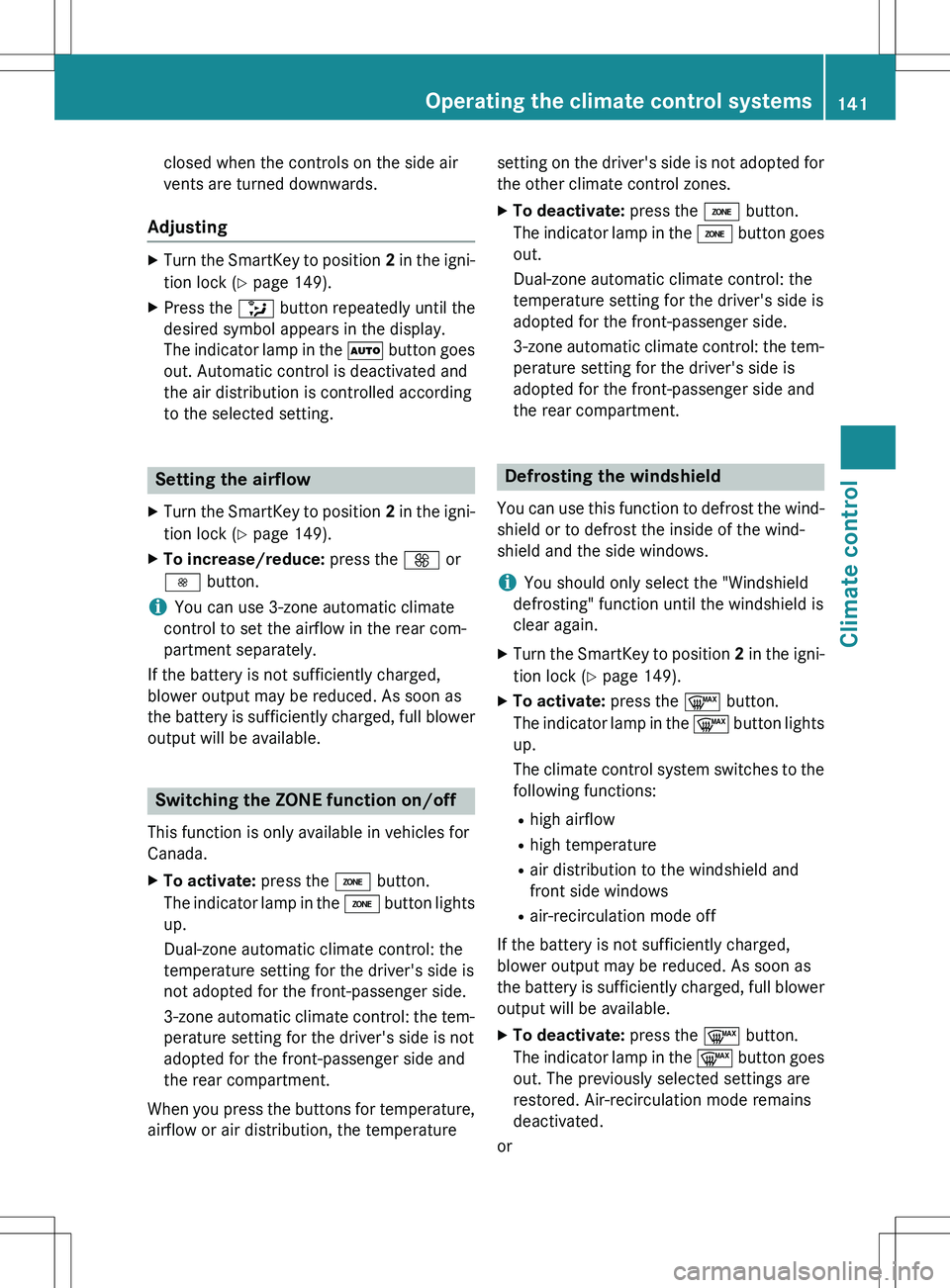
closed when the controls on the side air
vents are turned downwards.
Adjusting
XTurn the SmartKey to position 2 in the igni-
tion lock ( Y page 149).
X Press the _ button repeatedly until the
desired symbol appears in the display.
The indicator lamp in the à button goes
out. Automatic control is deactivated and
the air distribution is controlled according
to the selected setting.
Setting the airflow
X Turn the SmartKey to position 2 in the igni-
tion lock ( Y page 149).
X To increase/reduce: press the K or
I button.
iYou can use 3-zone automatic climate
control to set the airflow in the rear com-
partment separately.
If the battery is not sufficiently charged,
blower output may be reduced. As soon as
the battery is sufficiently charged, full blower output will be available.
Switching the ZONE function on/off
This function is only available in vehicles for
Canada.
X To activate: press the á button.
The indicator lamp in the á button lights
up.
Dual-zone automatic climate control: the
temperature setting for the driver's side is
not adopted for the front-passenger side.
3-zone automatic climate control: the tem-
perature setting for the driver's side is not
adopted for the front-passenger side and
the rear compartment.
When you press the buttons for temperature, airflow or air distribution, the temperature setting on the driver's side is not adopted for
the other climate control zones.
X To deactivate: press the á button.
The indicator lamp in the á button goes
out.
Dual-zone automatic climate control: the
temperature setting for the driver's side is
adopted for the front-passenger side.
3-zone automatic climate control: the tem- perature setting for the driver's side is
adopted for the front-passenger side and
the rear compartment.
Defrosting the windshield
You can use this function to defrost the wind-
shield or to defrost the inside of the wind-
shield and the side windows.
iYou should only select the "Windshield
defrosting" function until the windshield is
clear again.
X Turn the SmartKey to position 2 in the igni-
tion lock ( Y page 149).
X To activate: press the ¬ button.
The indicator lamp in the ¬ button lights
up.
The climate control system switches to the
following functions:
R high airflow
R high temperature
R air distribution to the windshield and
front side windows
R air-recirculation mode off
If the battery is not sufficiently charged,
blower output may be reduced. As soon as
the battery is sufficiently charged, full blower output will be available.
X To deactivate: press the ¬ button.
The indicator lamp in the ¬ button goes
out. The previously selected settings are
restored. Air-recirculation mode remains
deactivated.
or
Operating the climate control systems141
Climate control
Page 144 of 386
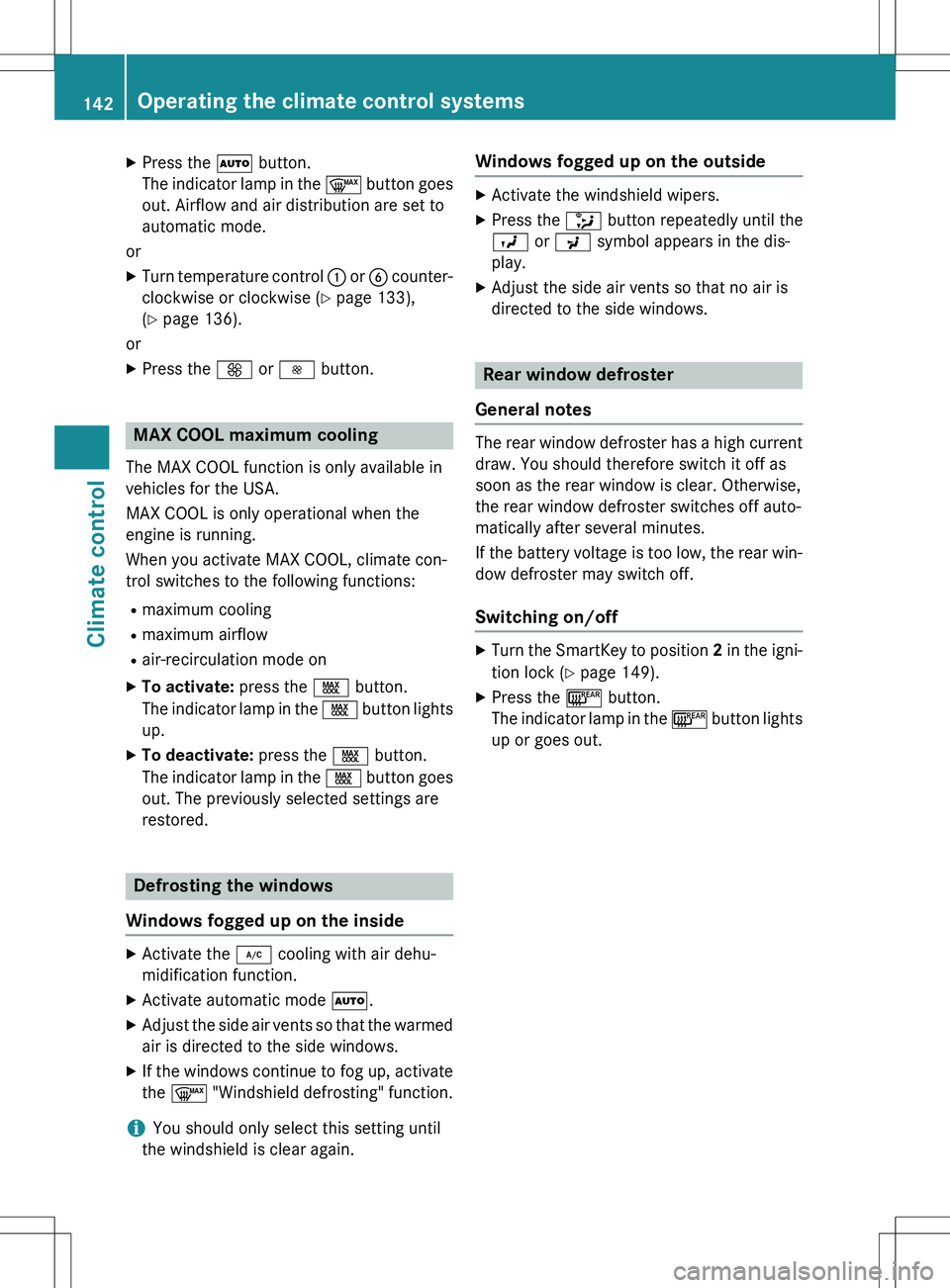
XPress the à button.
The indicator lamp in the ¬ button goes
out. Airflow and air distribution are set to
automatic mode.
or X Turn temperature control : or B counter-
clockwise or clockwise ( Y page 133),
( Y page 136).
or
X Press the K or I button.
MAX COOL maximum cooling
The MAX COOL function is only available in
vehicles for the USA.
MAX COOL is only operational when the
engine is running.
When you activate MAX COOL, climate con-
trol switches to the following functions:
R maximum cooling
R maximum airflow
R air-recirculation mode on
X To activate: press the Ù button.
The indicator lamp in the Ù button lights
up.
X To deactivate: press the Ù button.
The indicator lamp in the Ù button goes
out. The previously selected settings are
restored.
Defrosting the windows
Windows fogged up on the inside
X Activate the ¿ cooling with air dehu-
midification function.
X Activate automatic mode Ã.
X Adjust the side air vents so that the warmed
air is directed to the side windows.
X If the windows continue to fog up, activate
the ¬ "Windshield defrosting" function.
iYou should only select this setting until
the windshield is clear again.
Windows fogged up on the outside
X Activate the windshield wipers.
X Press the _ button repeatedly until the
O or P symbol appears in the dis-
play.
X Adjust the side air vents so that no air is
directed to the side windows.
Rear window defroster
General notes
The rear window defroster has a high current draw. You should therefore switch it off as
soon as the rear window is clear. Otherwise,
the rear window defroster switches off auto-
matically after several minutes.
If the battery voltage is too low, the rear win-
dow defroster may switch off.
Switching on/off
X Turn the SmartKey to position 2 in the igni-
tion lock ( Y page 149).
X Press the ¤ button.
The indicator lamp in the ¤ button lights
up or goes out.
142Operating the climate control systems
Climate control