manual transmission MERCEDES-BENZ GLS 2019 Owners Manual
[x] Cancel search | Manufacturer: MERCEDES-BENZ, Model Year: 2019, Model line: GLS, Model: MERCEDES-BENZ GLS 2019Pages: 398, PDF Size: 7.3 MB
Page 4 of 398
Index
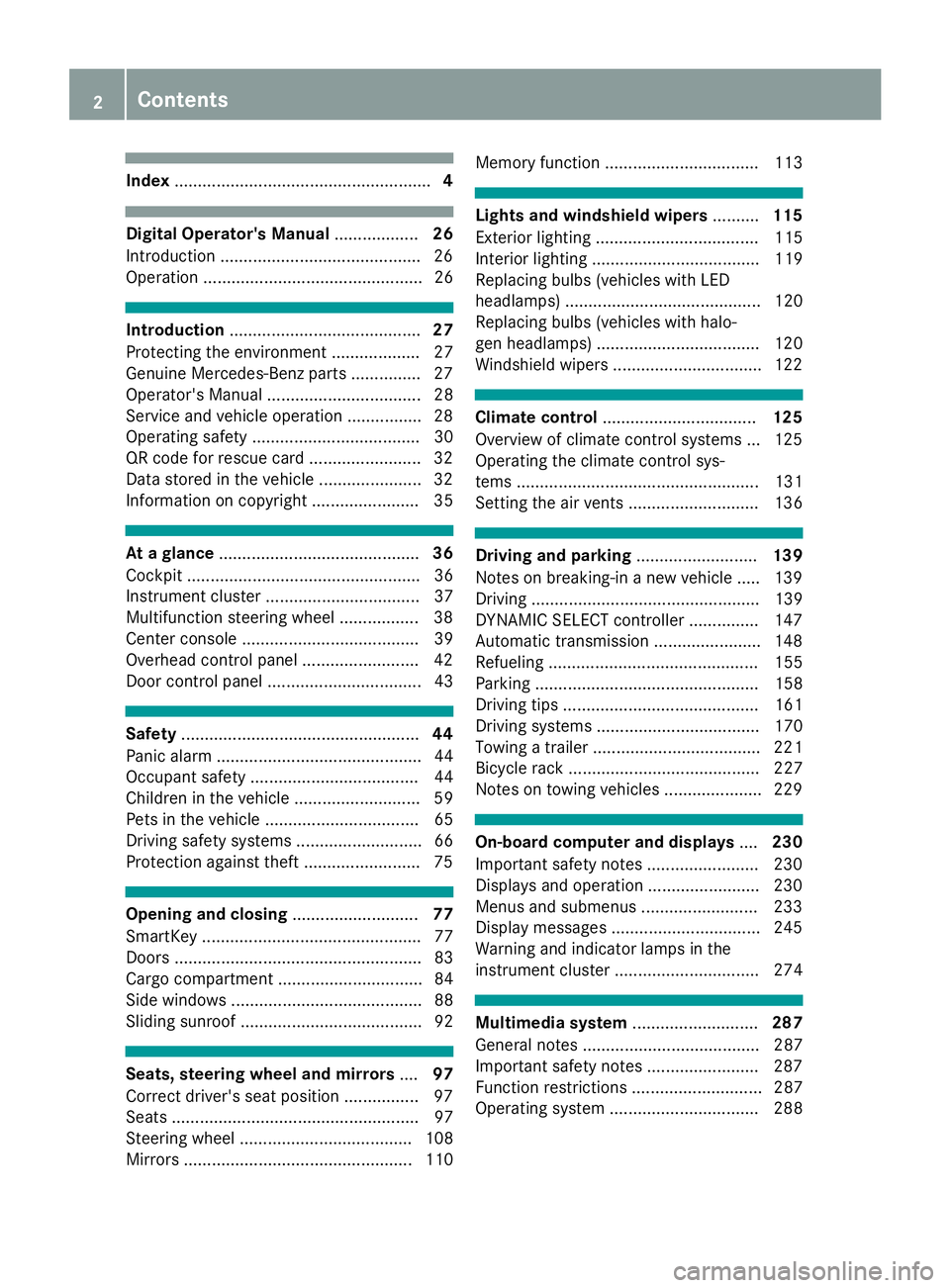
....................................................... 4Digital Operator's Manual
..................26
Introduction .......................................... .26
Operation ............................................... 26 Introduction
......................................... 27
Protecting the environment ...................27
Genuine Mercedes-Benz parts .............. .27
Operator's Manual ................................. 28
Service and vehicle operation ................28
Operating safety .................................... 30
QR code for rescue card ........................ 32
Data stored in the vehicle ......................32
Information on copyright ....................... 35 At a glance
........................................... 36
Cockpit .................................................. 36
Instrument cluster .................................37
Multifunction steering wheel ................. 38
Center console ...................................... 39
Overhead control panel .........................42
Door control panel ................................. 43 Safety
................................................... 44
Panic alarm ............................................ 44
Occupant safety .................................... 44
Children in the vehicle ........................... 59
Pets in the vehicle ................................. 65
Driving safety systems ........................... 66
Protection against theft ........................ .75Opening and closing
...........................77
SmartKey ............................................... 77
Doors ..................................................... 83
Cargo compartment ...............................84
Side windows ......................................... 88
Sliding sunroof ....................................... 92 Seats, steering wheel and mirrors
....97
Correct driver's seat position ................ 97
Seats ..................................................... 97
Steering wheel ..................................... 108
Mirrors ................................................. 110 Memory function ................................. 113 Lights and windshield wipers
..........115
Exterior lighting ................................... 115
Interior lighting .................................... 119
Replacing bulbs (vehicles with LED
headlamps) .......................................... 120
Replacing bulbs (vehicles with halo-
gen headlamps) ................................... 120
Windshield wipers ................................ 122 Climate control
................................. 125
Overview of climate control systems ... 125
Operating the climate control sys-
tems .................................................... 131
Setting the air vents ............................ 136 Driving and parking
..........................139
Notes on breaking-in a new vehicle ..... 139
Driving ................................................. 139
DYNAMIC SELECT controller ............... 147
Automatic transmission ....................... 148
Refueling ............................................. 155
Parking ................................................ 158
Driving tips .......................................... 161
Driving systems ................................... 170
Towing a trailer .................................... 221
Bicycle rack ......................................... 227
Notes on towing vehicles ..................... 229 On-board computer and displays
....230
Important safety notes ........................ 230
Displays and operation ........................ 230
Menus and submenus ......................... 233
Display messages ................................ 245
Warning and indicator lamps in the
instrument cluster ............................... 274 Multimedia system
...........................287
General notes ...................................... 287
Important safety notes ........................ 287
Function restrictions ............................ 287
Operating system ................................ 288 2
Contents
Page 8 of 398
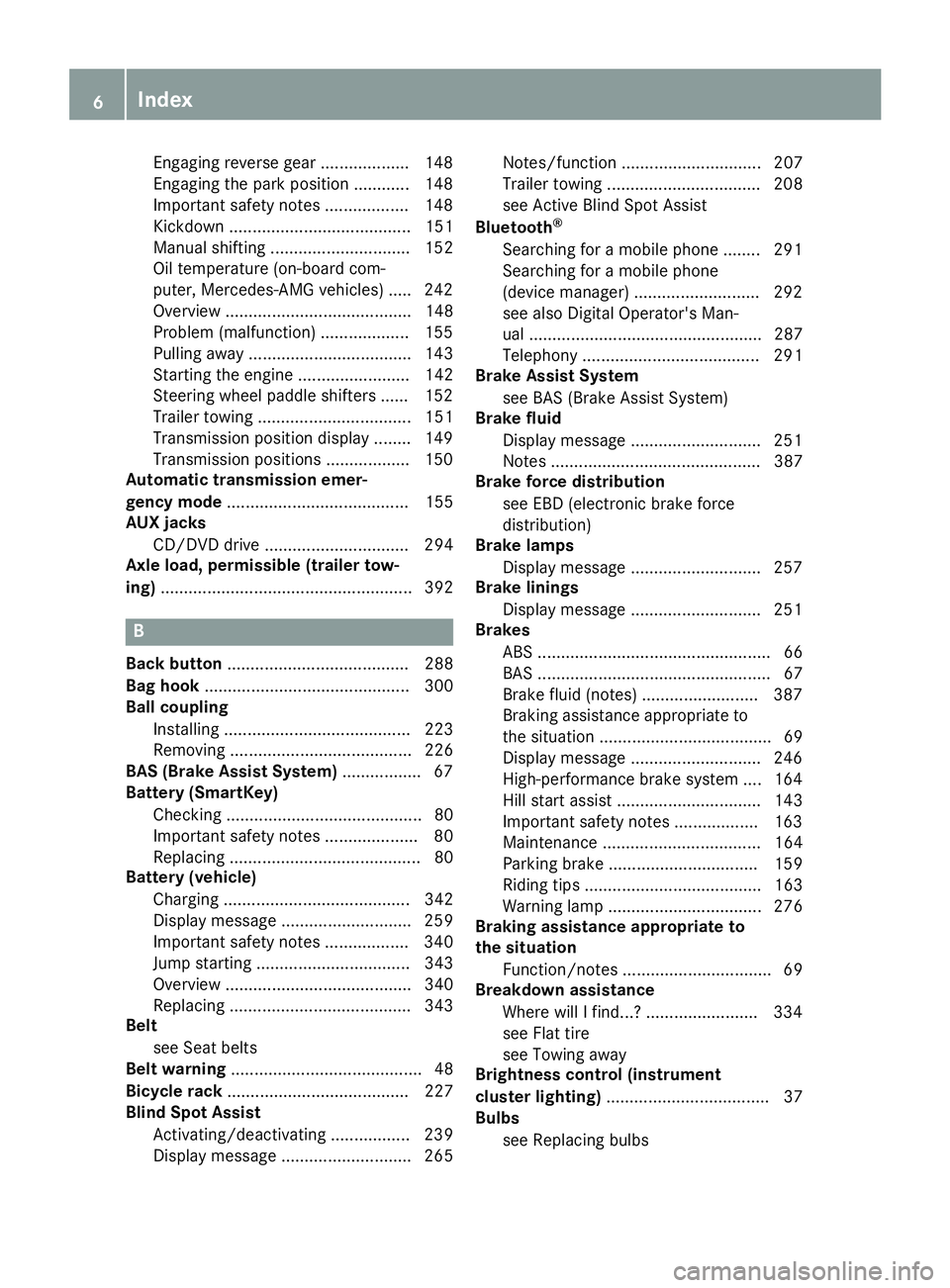
Engaging reverse gear ................... 148
Engaging the park position ............ 148
Important safety note
s.................. 148
Kickdown ....................................... 151
Manual shifting .............................. 152
Oil temperature (on-board com-
puter, Mercedes-AMG vehicles) ..... 242
Overview ........................................ 148
Problem (malfunction) ................... 155
Pulling away ................................... 143
Starting the engine ........................ 142
Steering wheel paddle shifters ...... 152
Trailer towing ................................. 151
Transmission position display ........ 149
Transmission positions .................. 150
Automatic transmission emer-
gency mode ....................................... 155
AUX jacks
CD/DVD drive ............................... 294
Axle load, permissible (trailer tow-
ing) ...................................................... 392 B
Back button ....................................... 288
Bag hook ............................................ 300
Ball coupling
Installing ........................................ 223
Removing ....................................... 226
BAS (Brake Assist System) ................. 67
Battery (SmartKey)
Checking .......................................... 80
Important safety notes .................... 80
Replacing ......................................... 80
Battery (vehicle)
Charging ........................................ 342
Display message ............................ 259
Important safety notes .................. 340
Jump starting ................................. 343
Overview ........................................ 340
Replacing ....................................... 343
Belt
see Seat belts
Belt warning ......................................... 48
Bicycle rack ....................................... 227
Blind Spot Assist
Activating/deactivating ................. 239
Display message ............................ 265 Notes/function .............................. 207
Trailer towing ................................. 208
see Active Blind Spot Assist
Bluetooth ®
Searching for a mobile phone ........ 291
Searching for a mobile phone
(device manager) ........................... 292
see also Digital Operator's Man-
ual .................................................. 287
Telephony ...................................... 291
Brake Assist System
see BAS (Brake Assist System)
Brake fluid
Display message ............................ 251
Notes ............................................. 387
Brake force distribution
see EBD (electronic brake force
distribution)
Brake lamps
Display message ............................ 257
Brake linings
Display message ............................ 251
Brakes
ABS .................................................. 66
BAS .................................................. 67
Brake fluid (notes) ......................... 387
Braking assistance appropriate to
the situation ..................................... 69
Display message ............................ 246
High-performance brake system .... 164
Hill start assist ............................... 143
Important safety notes .................. 163
Maintenance .................................. 164
Parking brake ................................ 159
Riding tips ...................................... 163
Warning lamp ................................. 276
Braking assistance appropriate to
the situation
Function/note s................................ 69
Breakdown assistance
Where will I find...? ........................ 334
see Flat tire
see Towing away
Brightness control (instrument
cluster lighting) ................................... 37
Bulbs
see Replacing bulbs 6
Index
Page 11 of 398
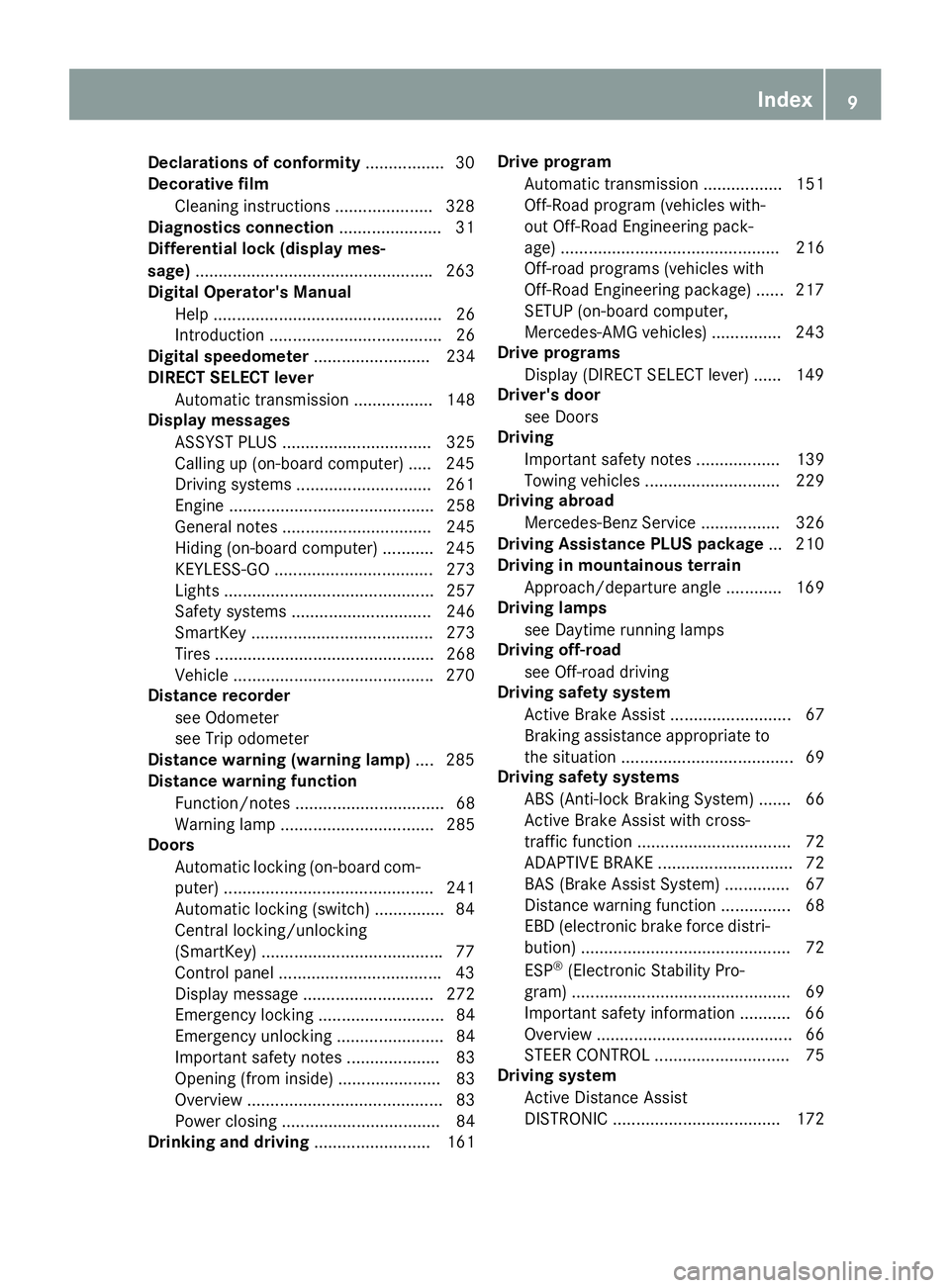
Declarations of conformity
.................30
Decorative film
Cleaning instructions .................... .328
Diagnostics connection ......................31
Differential lock (display mes-
sage) .................................................. .263
Digital Operator's Manual
Help ................................................. 26
Introduction ..................................... 26
Digital speedometer ......................... 234
DIRECT SELECT lever
Automatic transmission ................. 148
Display messages
ASSYST PLUS ................................ 325
Calling up (on-board computer) ..... 245
Driving systems ............................ .261
Engine ............................................ 258
General notes ................................ 245
Hiding (on-board computer) ........... 245
KEYLESS-GO .................................. 273
Lights ............................................. 257
Safety systems .............................. 246
SmartKey ....................................... 273
Tires ............................................... 268
Vehicle .......................................... .270
Distance recorder
see Odometer
see Trip odometer
Distance warning (warning lamp) .... 285
Distance warning function
Function/notes ................................ 68
Warning lamp ................................. 285
Doors
Automatic locking (on-board com-
puter) ............................................. 241
Automatic locking (switch) .............. .84
Central locking/unlocking
(SmartKey) ...................................... .77
Control panel .................................. .43
Display message ............................ 272
Emergency locking ........................... 84
Emergency unlocking ....................... 84
Important safety note s.................... 83
Opening (from inside) ...................... 83
Overview .......................................... 83
Power closing .................................. 84
Drinking and driving ......................... 161 Drive program
Automatic transmission ................. 151
Off-Road program (vehicles with-
out Off-Road Engineering pack-
age) ............................................... 216
Off-road programs (vehicles with
Off-Road Engineering package) ...... 217
SETUP (on-board computer,
Mercedes-AMG vehicles) ............... 243
Drive programs
Display (DIRECT SELECT lever) ...... 149
Driver's door
see Doors
Driving
Important safety notes .................. 139
Towing vehicles ............................. 229
Driving abroad
Mercedes-Benz Service ................. 326
Driving Assistance PLUS package ... 210
Driving in mountainous terrain
Approach/departure angle ............ 169
Driving lamps
see Daytime running lamps
Driving off-road
see Off-road driving
Driving safety system
Active Brake Assist .......................... 67
Braking assistance appropriate tothe situation ..................................... 69
Driving safety systems
ABS (Anti-lock Braking System) ....... 66
Active Brake Assist with cross-
traffic function ................................. 72
ADAPTIVE BRAK E............................. 72
BAS (Brake Assist System) .............. 67
Distance warning function ............... 68
EBD (electronic brake force distri- bution) ............................................. 72
ESP ®
(Electronic Stability Pro-
gram) ............................................... 69
Important safety information ........... 66
Overview .......................................... 66
STEER CONTROL ............................. 75
Driving system
Active Distance Assist
DISTRONIC .................................... 172 Index
9
Page 19 of 398
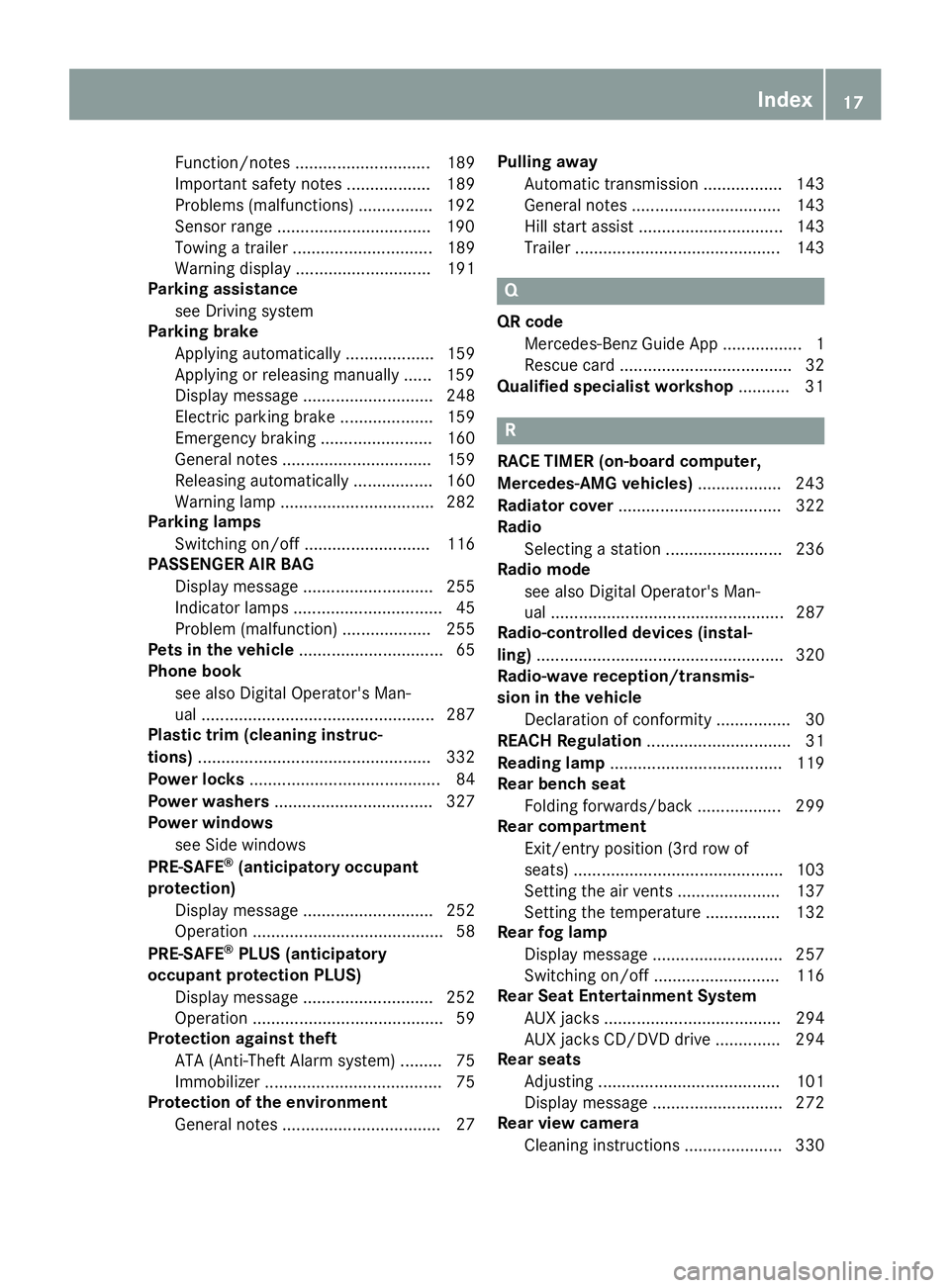
Function/notes ............................. 189
Important safety notes .................. 189
Problems (malfunctions) ................ 192
Sensor range ................................
.190
Towing a trailer .............................. 189
Warning displa y............................. 191
Parking assistance
see Driving system
Parking brake
Applying automaticall y................... 159
Applying or releasing manually ...... 159
Display message ............................ 248
Electric parking brake .................... 159
Emergency braking ........................ 160
General notes ................................ 159
Releasing automaticall y................. 160
Warning lamp ................................. 282
Parking lamps
Switching on/of f........................... 116
PASSENGER AIR BAG
Display message ............................ 255
Indicator lamps ................................ 45
Problem (malfunction) ................... 255
Pets in the vehicle ............................... 65
Phone book
see also Digital Operator's Man-
ual .................................................. 287
Plastic trim (cleaning instruc-
tions) .................................................. 332
Power locks ......................................... 84
Power washers .................................. 327
Power windows
see Side windows
PRE-SAFE ®
(anticipatory occupant
protection)
Display message ............................ 252
Operation ......................................... 58
PRE-SAFE ®
PLUS (anticipatory
occupant protection PLUS)
Display message ............................ 252
Operation ......................................... 59
Protection against theft
ATA (Anti-Theft Alarm system) ......... 75
Immobilizer ...................................... 75
Protection of the environment
General notes .................................. 27 Pulling away
Automatic transmission ................. 143
General notes ................................ 143
Hill start assist ............................... 143
Trailer ............................................ 143 Q
QR code Mercedes-Benz Guide App ................. 1
Rescue card ..................................... 32
Qualified specialist workshop ........... 31 R
RACE TIMER (on-board computer,
Mercedes-AMG vehicles) .................. 243
Radiator cover ................................... 322
Radio
Selecting a station ......................... 236
Radio mode
see also Digital Operator's Man-
ual.................................................. 287
Radio-controlled devices (instal-
ling) ..................................................... 320
Radio-wave reception/transmis-
sion in the vehicle
Declaration of conformity ................ 30
REACH Regulation ............................... 31
Reading lamp ..................................... 119
Rear bench seat
Folding forwards/back .................. 299
Rear compartment
Exit/entry position (3rd row of
seats) ............................................. 103
Setting the air vents ...................... 137
Setting the temperature ................ 132
Rear fog lamp
Display message ............................ 257
Switching on/of f........................... 116
Rear Seat Entertainment System
AUX jacks ...................................... 294
AUX jacks CD/DVD drive .............. 294
Rear seats
Adjusting ....................................... 101
Display message ............................ 272
Rear view camera
Cleaning instructions ..................... 330 Index
17
Page 23 of 398
Tailgate
Display message ............................ 271
Emergency unlocking ....................... 88
Important safety notes .................... 84
Limiting the opening angle ............... 88
Opening dimensions ...................... 389
Opening/closing (automatically
from inside) ...................................... 87
Opening/closing (automatically
from outside) ................................... 86
Opening/closing (from outside) ....... 85
Power closing .................................. 84
Tank
see Fuel tank
Tank content
Fuel gaug e....................................... 37
Technical data
Capacities ...................................... 384
Drawbar load (maximum) ............... 392
Information .................................... 382
Tires/wheels ................................. 377
Trailer load s................................... 392
Vehicle data ................................... 389
Telephone
Accepting a call (multifunction
steering wheel) .............................. 237
Authorizing a mobile phone (con-
necting) ......................................... 291
Authorizing a mobile phone via the device manager (connecting) ......... 292
Connecting a mobile phone
(device manager )........................... 292
Connecting a mobile phone (gen-
eral information) ............................ 291
Display message ............................ 272
Menu (on-board computer) ............ 237
Number from the phone book ........ 237
Redialing ........................................ 237
Rejecting/ending a call ................. 237
see also Digital Operator's Man-
ua l.................................................. 287
Temperature
Coolant (display in the instrument
cluster) .......................................... 231
Coolant (on-board computer,
Mercedes-AMG vehicles) ............... 242
Engine oil (on-board computer,
Mercedes-AMG vehicles) ............... 242 Outside temperature ...................... 230
Setting (climate control
)................ 132
Transmission oil (on-board com-
puter, Mercedes-AMG vehicles) ..... 242
Through-loading feature ................... 298
Timing (RACETIMER) ......................... 243
Tire pressure
Calling up (on-board computer) ..... 359
Checking manually ........................ 358
Display message ............................ 268
Maximum ....................................... 358
Not reached (TIREFIT) .................... 339
Note s............................................. 357
Reached (TIREFIT) .......................... 339
Recommended ............................... 355
Tire pressure loss warning system
General notes ................................ 358
Important safety notes .................. 359
Restarting ...................................... 359
Tire pressure monitor
Checking the tire pressure elec-
tronically ........................................ 361
Function/note s............................. 359
General notes ................................ 359
Important safety notes .................. 360
Radio type approval for the tire
pressure monitor ........................... 362
Restarting ...................................... 362
Warning lamp ................................. 286
Warning message .......................... 361
Tire pressure table ............................ 356
TIREFIT kit
Important safety notes .................. 337
Storage location ............................ 335
Tire pressure not reached .............. 339
Tire pressure reached .................... 339
Using ............................................. 338
Tires
Aspect ratio (definition) ................. 372
Average weight of the vehicle
occupants (definition) .................... 370
Bar (definition) ............................... 370
Changing a whee l.......................... 372
Characteristics .............................. 370
Checking ........................................ 352
Curb weight (definition) ................. 371
Definition of terms ......................... 370
Direction of rotation ...................... 373 Index
21
Page 147 of 398
Automatic engine start
The engine will be started automatically if:
R you switch off the ECO start/stop function by
pressing the ECO button
R the HOLD function is inactive, transmission
position 005Bor005C is selected and you release
the brake pedal
R you depress the accelerator pedal
R you select reverse gear 005E
R you move the transmission out of position 005D
R Mercedes-AMG vehicles: you switch to the
Sport Plus orSport drive program
R Mercedes-AMG vehicles: you activate man-
ual gearshifting
R vehicles without Off-Road Engineering
package: you switch to the Off-Roaddrive
program
R vehicles with Off-Road Engineering pack-
age: you switch to the Off-Roador
Off-Road Plus drive program
R you unfasten your seat belt or open the driv-
er's door
R the vehicle is rolling
R the brake system requests an automatic
engine start
R the temperature in the vehicle interior devi-
ates from the set range
R the climate control system detects moisture
on the windshield when the air-conditioning
system is switched on
R the battery's condition of charge is too low
Shifting the transmission to position 005Ddoes
not start the engine. Deactivating or activating the ECO
start/stop function All vehicles (except Mercedes-AMG vehi-
cles)
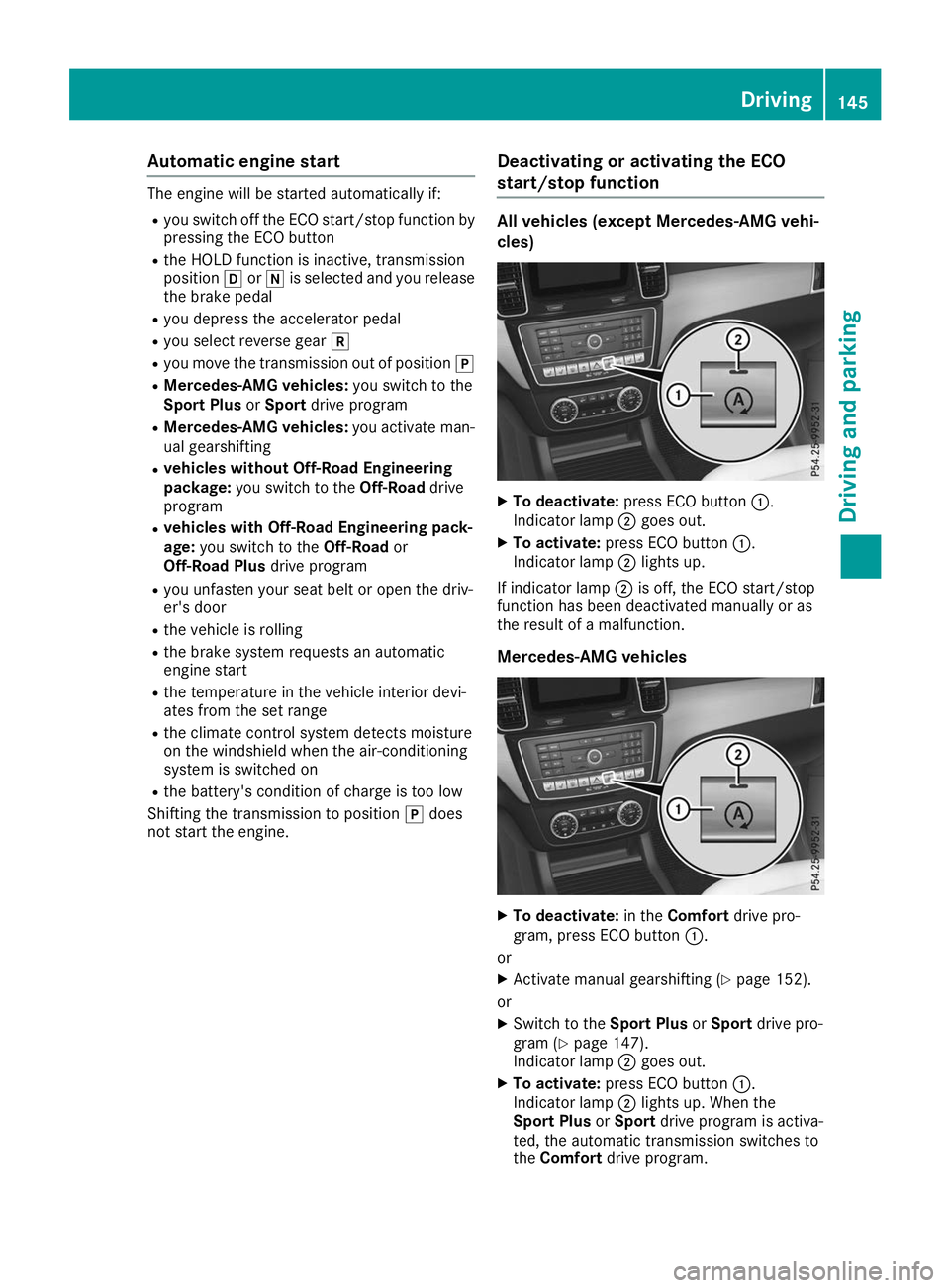
X
To deactivate: press ECO button 0043.
Indicator lamp 0044goes out.
X To activate: press ECO button 0043.
Indicator lamp 0044lights up.
If indicator lamp 0044is off, the ECO start/stop
function has been deactivated manually or as
the result of a malfunction.
Mercedes-AMG vehicles X
To deactivate: in theComfort drive pro-
gram, press ECO button 0043.
or X Activate manual gearshifting (Y page 152).
or
X Switch to the Sport PlusorSport drive pro-
gram (Y page 147).
Indicator lamp 0044goes out.
X To activate: press ECO button 0043.
Indicator lamp 0044lights up. When the
Sport Plus orSport drive program is activa-
ted, the automatic transmission switches to
the Comfort drive program. Driving
145Driving and pa rking Z
Page 154 of 398
Individual drive program
In the
Individual drive program, the following
properties of the drive program can be selected:
R the drive (engine and transmission manage-
ment)
R the transmission
R the suspension (vehicles with AIRMATIC)
R all vehicles (except Mercedes-AMG vehicles):
the steering
To select the gears in the Individualdrive pro-
gram permanently using the steering wheel pad-
dle shifters, select the permanent manual gear- shift program.
Information about configuring the Individual
drive program with the multimedia system can
be found in the Digital Operator's Manual. Manual gear shifting
General notes You can change gear yourself using the steering
wheel paddle shifters. The transmission must be
in position 005Bto do this.
Depending on which steering wheel paddle
shifter is pulled, the automatic transmission
immediately shifts into the next gear down or
up, if permitted.
To use manual shifting, you have two options:
R temporary setting
R permanent setting
If you activate manual gearshifting, the current
gear appears in the multifunction display
instead of transmission position 005B.
If manual gearshifting is deactivated, the gears
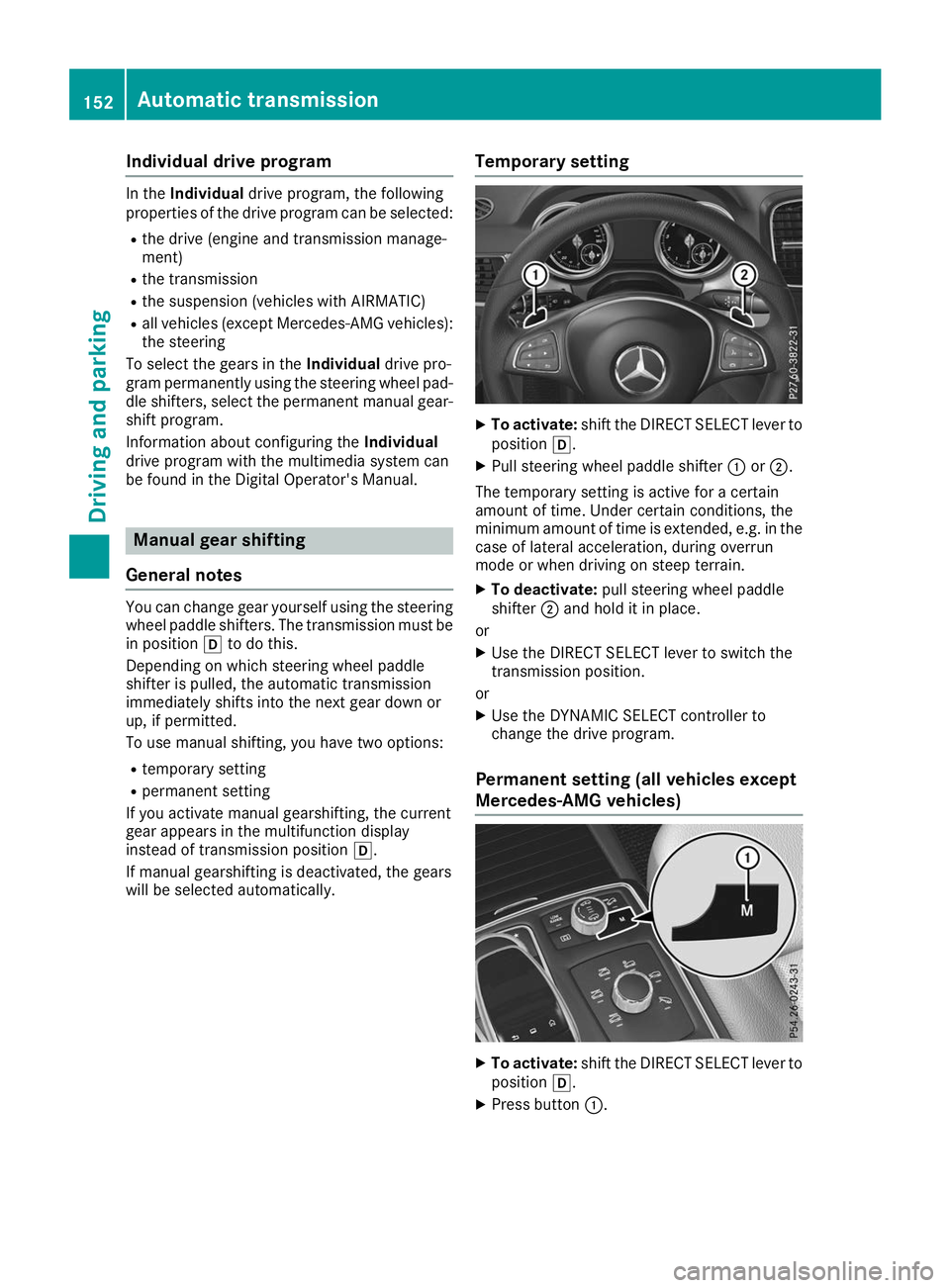
will be selected automatically. Temporary setting X
To activate: shift the DIRECT SELECT lever to
position 005B.
X Pull steering wheel paddle shifter 0043or0044.
The temporary setting is active for a certain
amount of time. Under certain conditions, the
minimum amount of time is extended, e.g. in the
case of lateral acceleration, during overrun
mode or when driving on steep terrain.
X To deactivate: pull steering wheel paddle
shifter 0044and hold it in place.
or
X Use the DIRECT SELECT lever to switch the
transmission position.
or X Use the DYNAMIC SELECT controller to
change the drive program.
Permanent setting (all vehicles except
Mercedes-AMG vehicles) X
To activate: shift the DIRECT SELECT lever to
position 005B.
X Press button 0043.152
Automatic transmissionDriving and pa
rking
Page 156 of 398
Upshifting (Mercedes-AMG vehicles)
!
In manual mode, the automatic transmis-
sion does not shift up automatically even
when the engine limiting speed for the current
gear is reached. When the engine limiting
speed is reached, the fuel supply is cut to
prevent the engine from overrevving. Always
make sure that the engine speed does not
reach the red area of the tachometer. There is
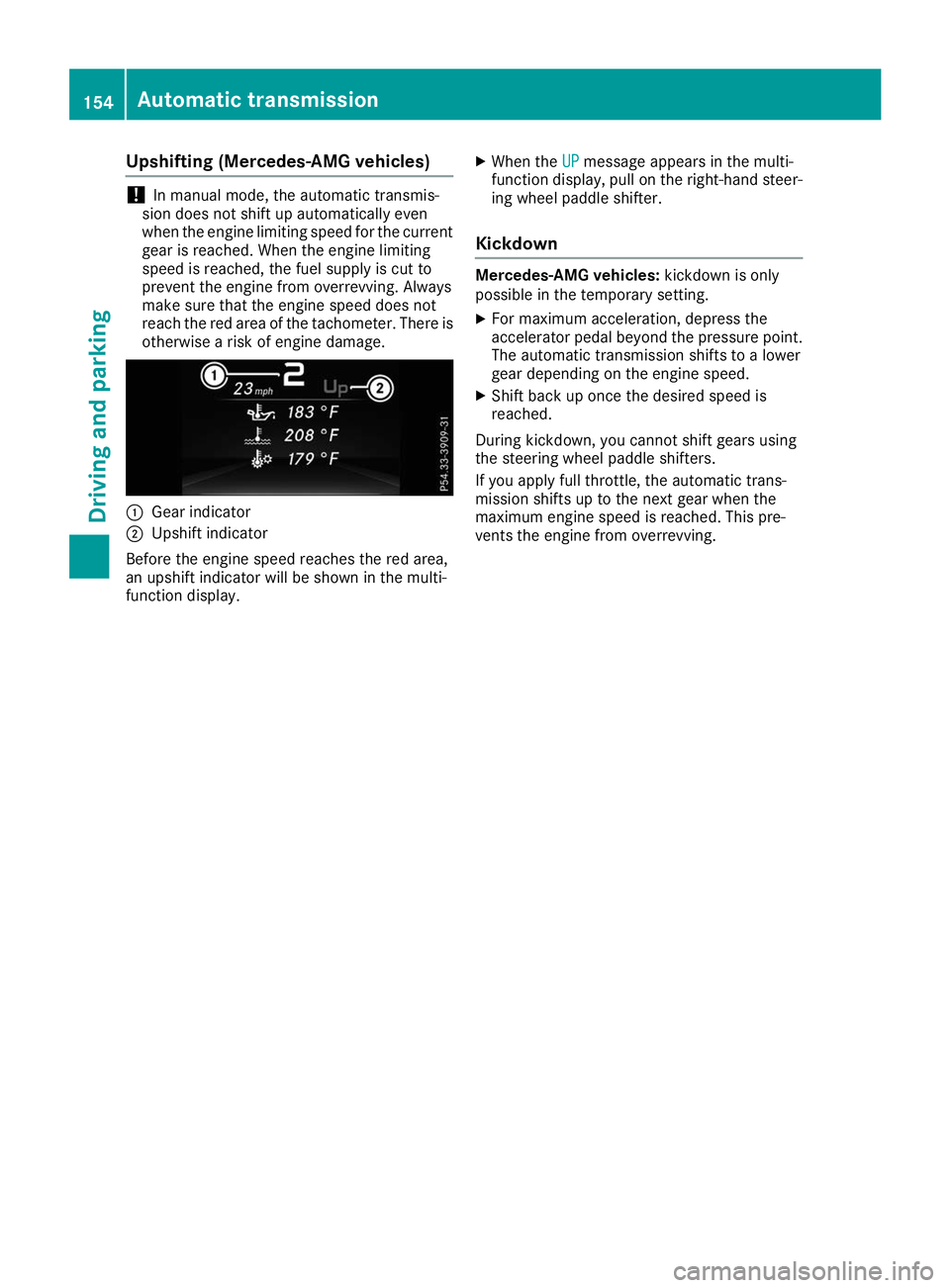
otherwise a risk of engine damage. 0043
Gear indicator
0044 Upshift indicator
Before the engine speed reaches the red area,
an upshift indicator will be shown in the multi-
function display. X
When the UP
UP message appears in the multi-
function display, pull on the right-hand steer- ing wheel paddle shifter.
Kickdown Mercedes-AMG vehicles:
kickdown is only
possible in the temporary setting.
X For maximum acceleration, depress the
accelerator pedal beyond the pressure point.
The automatic transmission shifts to a lower
gear depending on the engine speed.
X Shift back up once the desired speed is
reached.
During kickdown, you cannot shift gears using
the steering wheel paddle shifters.
If you apply full throttle, the automatic trans-
mission shifts up to the next gear when the
maximum engine speed is reached. This pre-
vents the engine from overrevving. 154
Automatic transmissionDriving and parking
Page 161 of 398
Electric parking brake
General notes G
WARNING
If you leave children unsupervised in the vehi- cle, they could set it in motion by, for example:
R release the parking brake.
R shift the automatic transmission out of the
parking position P.
R start the engine.
In addition, they may operate vehicle equip-
ment and become trapped. There is a risk of
an accident and injury.
When leaving the vehicle, always take the
SmartKey with you and lock the vehicle. Never
leave children unsupervised in the vehicle.
The function of the electric parking brake is
dependent on the on-board voltage. If the on-
board voltage is low or there is a malfunction in
the system, it may not be possible to apply the
released parking brake.
X If this is the case, only park the vehicle on
level ground and secure it to prevent it rolling
away.
X Shift the automatic transmission to position
005D.
It may not be possible to release an applied
parking brake if the on-board voltage is low or
there is a malfunction in the system. Contact a
qualified specialist workshop.
i The electric parking brake performs a func-
tion test at regular intervals while the engine
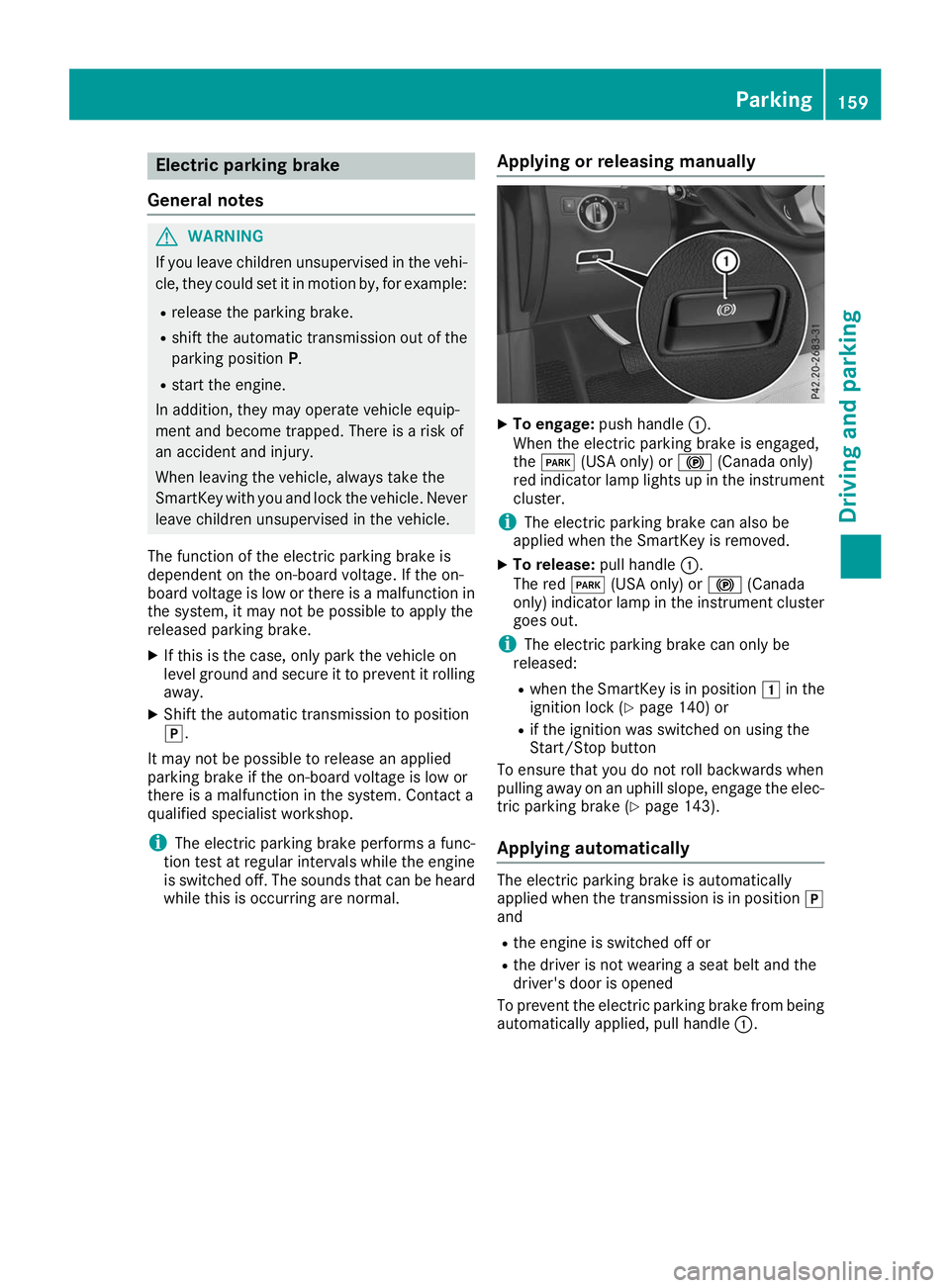
is switched off. The sounds that can be heard while this is occurring are normal. Applying or releasing manually X
To engage: push handle 0043.
When the electric parking brake is engaged,
the 0049 (USA only) or 0024(Canada only)
red indicator lamp lights up in the instrument
cluster.
i The electric parking brake can also be
applied when the SmartKey is removed.
X To release: pull handle0043.
The red 0049(USA only) or 0024(Canada
only) indicator lamp in the instrument cluster goes out.
i The electric parking brake can only be
released:
R when the SmartKey is in position 0047in the
ignition lock (Y page 140) or
R if the ignition was switched on using the
Start/Stop button
To ensure that you do not roll backwards when
pulling away on an uphill slope, engage the elec-
tric parking brake (Y page 143).
Applying automatically The electric parking brake is automatically
applied when the transmission is in position 005D
and
R the engine is switched off or
R the driver is not wearing a seat belt and the
driver's door is opened
To prevent the electric parking brake from being automatically applied, pull handle 0043. Parking
159Driving and parking Z
Page 187 of 398
The electric parking brake secures the vehicle
automatically if the HOLD function is activated
when the vehicle is stationary and:
R a system malfunction occurs
R the power supply is insufficient
On steep uphill or downhill gradients or if there
is a malfunction, the transmission may also be
automatically shifted to position 005D.AIRMATIC package
General notes AIRMATIC is an air suspension system with var-
iable damping for improved driving comfort.
Level control ensures the best possible suspen- sion and constant ground clearance, even with a laden vehicle. When you drive fast, the vehicle islowered automatically to improve driving safety
and to reduce fuel consumption. There is also
the option to manually adjust the vehicle level.
AIRMATIC consists of:
R level settings
R level control and
R ADS or ADS PLUS (Adaptive Damping Sys-
tem)
All vehicles (except Mercedes-AMG vehi-
cles): your vehicle may also be equipped with
the ACTIVE CURVE SYSTEM (Y page 186).
Mercedes-AMG vehicles: your vehicle is equip-
ped with the ACTIVE CURVE SYSTEM
(Y page 186).
Observe the notes on driving with a trailer
(Y page 222).
The vehicle level can be set using the DYNAMIC
SELECT controller (Y page 147) or the level but-
ton (Y page 187). The setting always corre-
sponds to the last selected function.
Important safety notes G
WARNING
When the vehicle is being lowered, people
could become trapped if their limbs are
between the vehicle body and the wheels or
underneath the vehicle. There is a risk of
injury. Make sure no one is underneath the vehicle or
in the immediate vicinity of the wheel arches
when the vehicle is being lowered.
If you unlock the vehicle or open a door, the
vehicle begins to compensate for load discrep-
ancies while still parked. However, for signifi-
cant level changes, such as after the vehicle has
been stationary for a long period, the engine
must be on. For safety reasons, the vehicle is
only lowered when the doors are closed. Low-
ering is interrupted if a door is opened, and it
continues once the door has been closed.
ADS and ADS PLUS (Adaptive Damping
System) General notes
The Adaptive Damping System automatically
controls the calibration of the dampers. The
damping characteristics adapt to the current
operating and driving situation.
The damping is tuned individually to each wheel
and depends on:
R your driving style, e.g. sporty
R the road surface conditions
R the drive program selected
R the vehicle level setting
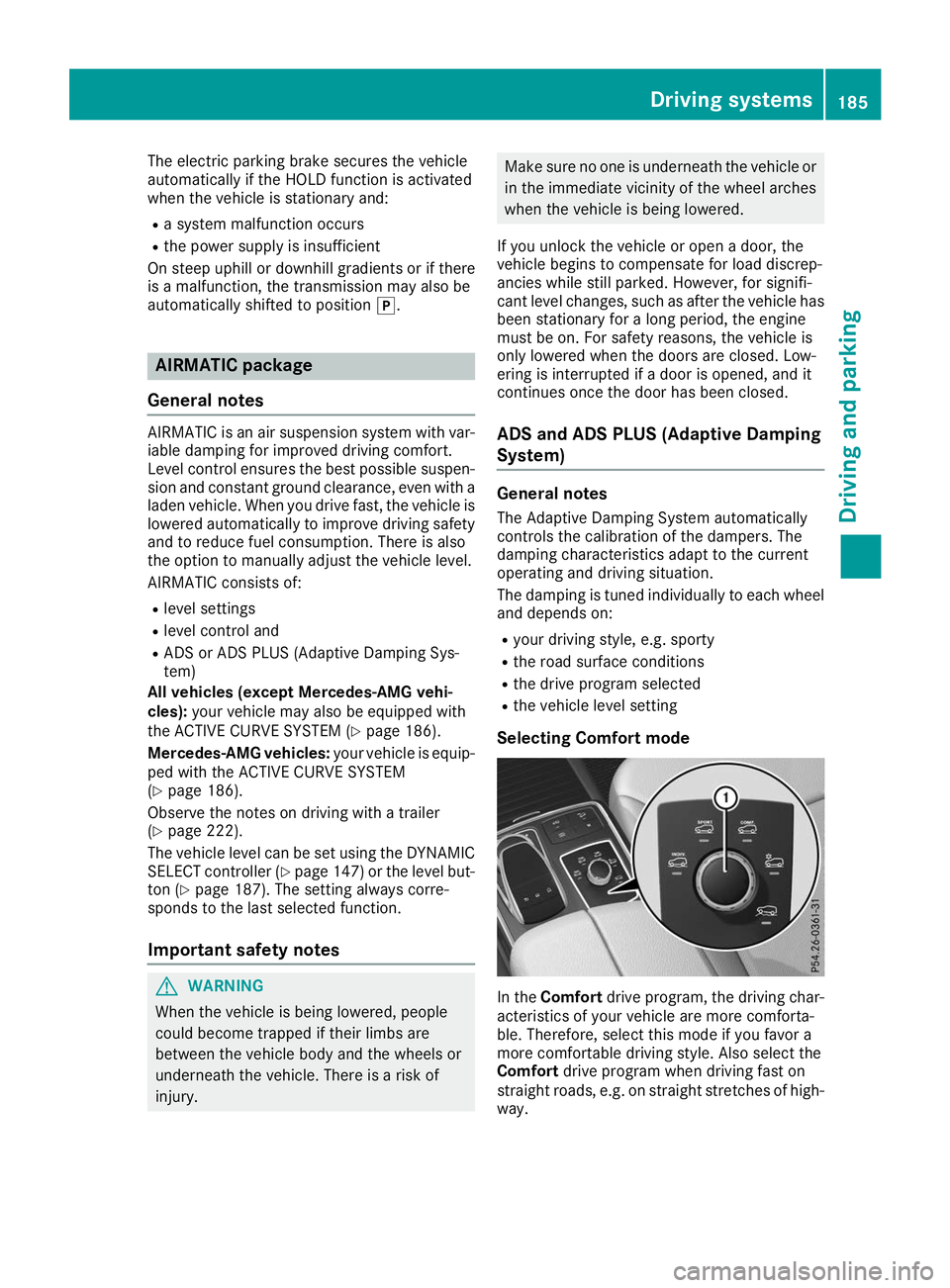
Selecting Comfort mode In the
Comfort drive program, the driving char-
acteristics of your vehicle are more comforta-
ble. Therefore, select this mode if you favor a
more comfortable driving style. Also select the
Comfort drive program when driving fast on
straight roads, e.g. on straight stretches of high-
way. Driving systems
185Driving and parking Z