rear MERCEDES-BENZ M-Class 2011 W164 Comand Manual
[x] Cancel search | Manufacturer: MERCEDES-BENZ, Model Year: 2011, Model line: M-Class, Model: MERCEDES-BENZ M-Class 2011 W164Pages: 214, PDF Size: 4.69 MB
Page 176 of 214

DVD
menu
No tes You
willfindfur ther info rm ation ontheDV D
men uin the"Vid eo"chapt er(Y page 156).
Cal ling uptheDVD menu X
Sh ow themen u(Y page 172).
X Se lec tDVD -Video and
pressthe9 but ton
on therem oteco ntro lto confirm .
X Se lec tDVD Functions and
pressthe9
but tonto confirm .
X Se lec tMen u and
pressthe9 buttonto
co nfirm .
The DVDm enu appears.
Selecting menuitems inthe DVD menu X
Select amenu itemusing the
9:=; buttonson the
remot econ trol and press the9button to
con firm.
Am enu appears.
i Menu itemswhich cannotbe select edare
shown ingray. X
Confirm Select by
pressing the9button .
The Rear SeatEntert ainmen tSystem
carries outtheaction ordisplays a
submenu forthe action selectedinthe DVD
menu.
X Ifrequired, selectfromthefurth eroption s.
The Rear SeatEntert ainmen tSystem then
switch esback tothe DVD menu. i
Depen dingonthe DVD ,the menu items
Back (tomovie) ,
Play ,
Stop ,
., /orGo Up only
work at
cert ainpoint sin the DVD menu ordo not
work atall. You willsee theKicon inthe
display asan indicat or.
Stopp ingafilm orskipp ingtothe
beginning orend ofas cene X
Se lec tany men uitem fromthe DVD menu .
Th emenu appe ars.
X To sto pthe film: select the Stop menu
ite ma ndpre ssthe 9button toconfi rm.
X To skipto the endof asc en e:sel ect
the / menu itema ndpre ssthe 9
bu tton toconfi rm.
X To skiptoth ebeginnin gof as cene:
selec tthe . menu itemandpress the
9 button toconfirm .
Moving upone level inthe DVD menu X
Option 1:press the% backbutton or
select thecorresponding menuiteminthe
DVD menu.
X Option 2:select anymenu iteminthe DVD
menu.
X Select theGoUp menu
iteminthe menu
and press the9button toconfirm .
Going backtothe movie X
Option 1:press the% backbutton
repeatedly untilyouseethefilm orselect
the corresponding menuiteminthe DVD
menu.
X Option 2:select anymenu iteminthe DVD
menu.
X Select theBack (to movie) menu
itemin
the menu andpress the9button to
confirm . 174
Video
DVDmodeRear SeatEnterta inment
Page 177 of 214
Setting
theaudio format
This funct ionisnot availa bleonallDVD s.Ifit
is availa ble,youcan setthe audi olanguage
or the audi oformat. Thenumber ofsettin gs
is determined bythe DVD content. Itis
possible thatthesettin gsmay alsobe
accessed inthe DVD menu.
X Show themenu (Ypage 172).
X Select DVD-Video and
press the9button
on the remote controltoconf irm.
X Select DVDFunctions and
press the9
button toconf irm.
X Select Audio Language and
press the9
button toconf irm.
Am enu appears afterashort while. The
# dot infron tof an ent ryindicat esthe
curren tlyselect edlanguage.
X Select alanguage usingthe9:
button sand press the9button tocon firm.
X To exit themenu: pressthe=
or ; button . Subtit
lesand camer aangle
These functionsare not available onallDVD s.
The number ofsubtitle languages andcamera
angles available dependsonthe contentof
the DVD. Itis po ssi ble tha tthe settin gsmay
also beaccessed inthe DVD menu.
X Show themenu (Ypage 172).
X Select DVD-Video and
press the9button
on the remote controltoconfirm .
X Select DVDFunctions and
press the9
button toconfirm .
X Select Subtitles or
Camera Angle and
press the9button toconfirm .
In both cases, amenu appearsafter afew
seconds. The#dot infront ofan entr y
indicates thecurrent setting.
X Select asettin gusing the9:
buttons andpress the9button toconfirm .X
To exit themenu: pressthe=
or ; button. Interactive
content
DVD scan also containinteract ivecont ent
(e.g. avideo game). Inavideo game, youmay
be able toinfluence eventsbyselecting and
triggering actions.Thetype andnumber of
actions depend onthe DVD .
X Select anaction usingthe
9:=; buttonsandpress
the 9button toexecute it.
A menu appearsand thefirst entry,
Select ,
is highlighted.
X Press the9button. AUX
mode Introduction
You canconn ectone extern alvideo source to
each ofthe displa ysofthe Rear Seat
Ent ertainment System(AUXdispla y)and also
one extern alvideo source tothe rear-
compartmen tCD/DV Ddrive (AUX drive) with
a sound andpicture signal.
Please seethecorresponding operating
instruct ionsforinformation onhow to
operate theextern alvideo source.
For further detailsconcerning externalvideo
sources, pleaseconsult anauthorized
Mercedes-Ben zCent er. Connecting
auxiliaryequipme nt
AU Xdrive The
AUX drive jacks arelocate don the CD/
DVD drive next tothe CD/DVD ejectbutton
(Y page 32). AU
Xmode
175Rear Seat Entertain ment Z
Page 178 of 214
AUX
displa y The
AUXdisp layjacksare locate don theside
of thesc ree n(Y page 30).
Aud ioand videoconnect ion X
Inser tthe audi oplug forthe left and right
signals intothecorresponding Land R
jacks.
X Insert thevideo plugintotheVsocket . Switching
onAUX mode
AUX drive X
Select Aux in
the menu usingthe
9=; buttonsonthe remote
cont roland press the9button toconfirm .
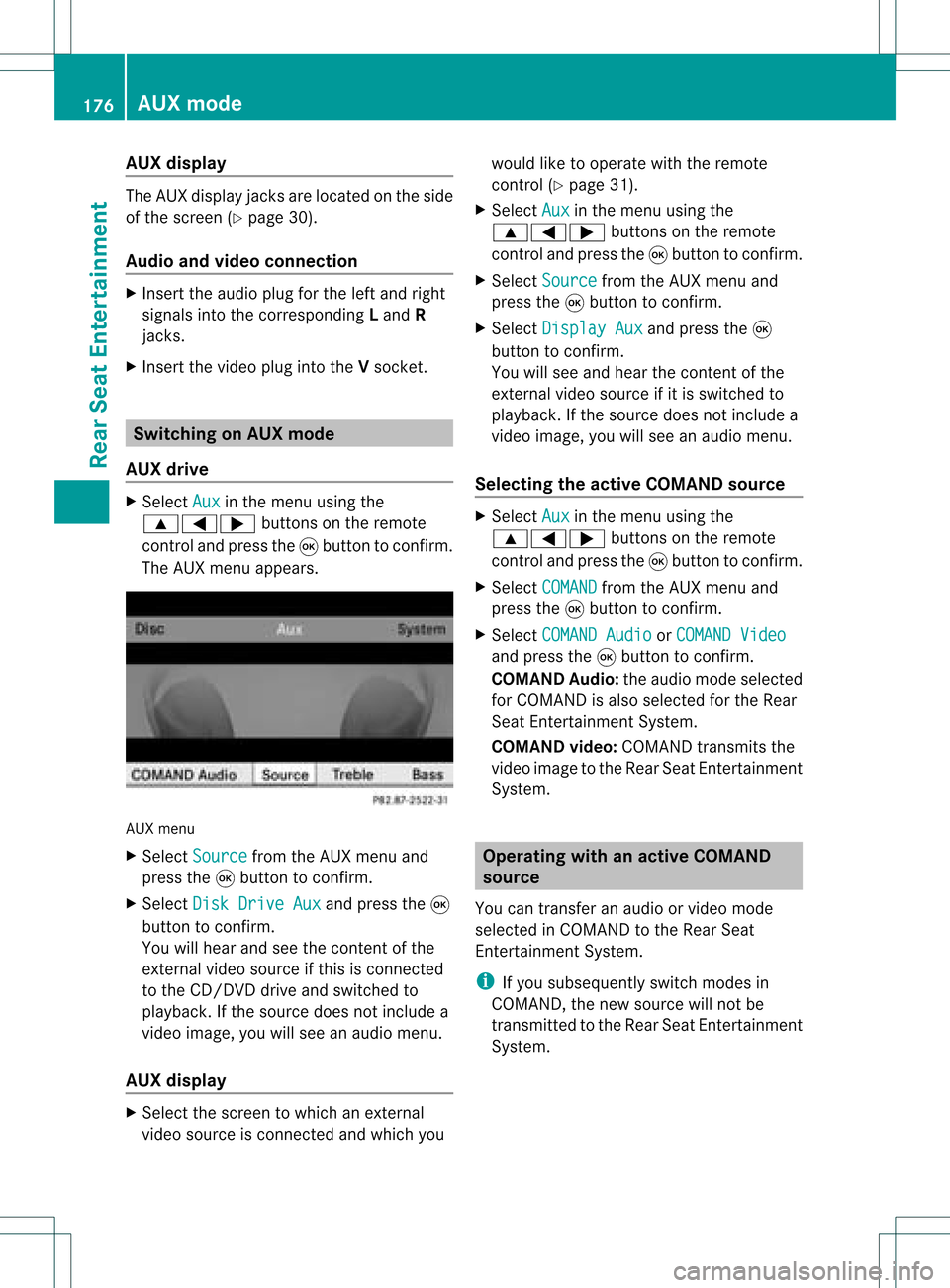
The AUX menu appears. AUX
menu
X Select Source from
theAUX menu and
press the9button toconfirm .
X Select DiskDrive Aux and
press the9
button toconfirm .
You willhear andseethecont entofthe
extern alvideo source ifthis isconn ected
to the CD/DV Ddrive andswitched to
play back. Ifthe source doesnotinclude a
video image, youwillsee anaudi omenu.
AUX display X
Select thescreen towhich anextern al
video source isconn ected andwhich you would
liketooperate withtheremote
cont rol(Ypage 31).
X Select Aux in
the menu usingthe
9=; buttonsonthe remote
cont roland press the9button toconfirm .
X Select Source from
theAUX menu and
press the9button toconfirm .
X Select Display Aux and
press the9
button toconfirm .
You willsee and hear thecont entofthe
extern alvideo source ifit is switched to
play back. Ifthe source doesnotinclude a
video image, youwillsee anaudi omenu.
Selec tingtheactive COMAND source X
Select Aux in
the menu usingthe
9=; buttonsonthe remote
cont roland press the9button toconfirm .
X Select COMAND from
theAUX menu and
press the9button toconfirm .
X Select COMAND Audio or
COMAND Video and
press the9button toconfirm .
COMAND Audio:theaudi omode selected
for COMAND isalso selected forthe Rear
Seat Entertainment System.
COMAND video:COMAND transmitsthe
video image tothe Rear SeatEntertainment
System. Operat
ingwith anactive COMAND
source
You cantransf eran audi oorvideo mode
selec tedinCOMA NDtothe Rear Seat
En ter tain men tSyst em.
i Ifyou subsequen tlyswitc hmodes in
COMA ND,the new sourc ewill notbe
tr ansm itted tothe Rear SeatEnter tain men t
Syst em. 176
AUX
modeRearSeat Enter tainment
Page 179 of 214

X
To switcho nthe function inCOMAND:
switch tothe desired audiomode in
COMAND orshow themenu invideo mode.
X Select themenu itematthe bott omleft,
e.g. CD ,
using the:=; buttons
on the remot econ trol while CDmode is
switched on.
X Select Active Aud./Vid .Source for the
Rear .
In
the statusbar atthe top, youwillsee the
headphones iconandthe_icon forthe
source thathasbeen switched on.
X To switch offthe function inCOMAND:
switch tothe desired audiomode in
COMAND oractivat ethe menu system in
video mode.
X Select themenu itematthe bott omleft,
e.g. CD ,
using the:=; buttons
and press the9button tocon firm. X
Select _Rear Audio/Vi deoOff and
press the9button tocon firm. Setting
thebright ness/contrast /
color
X Select Source in
the AUX menu andpress
the 9button onthe remot econ trol to
con firm.
X Select Display Aux or
Disk Drive Aux and
press the9button tocon firm.
X Select Brightne ss ,
Contrast or
Color and
press the9button tocon firm.
As etting scale appears.
X Select asett ingusing the9 or:
button andpress the9button tocon firm. Changing
thepictu reform at
X Select Source in
the AUX menu andpress
the 9button onthe remot econ trol to
con firm.
X Select Display Aux or
Disk Drive Aux and
press the9button tocon firm.
X Select 16:9Optimiz ed ,
4:3 or
Widescr een using
the9: buttons
and press the9button tocon firm.
The äicon infron tof amenu item
indicat esthe curren tsett ing. AUX
mode
177Rear SeatEntert ainment Z