DVD MERCEDES-BENZ M-Class 2015 W166 Comand Manual
[x] Cancel search | Manufacturer: MERCEDES-BENZ, Model Year: 2015, Model line: M-Class, Model: MERCEDES-BENZ M-Class 2015 W166Pages: 270, PDF Size: 5.82 MB
Page 6 of 270
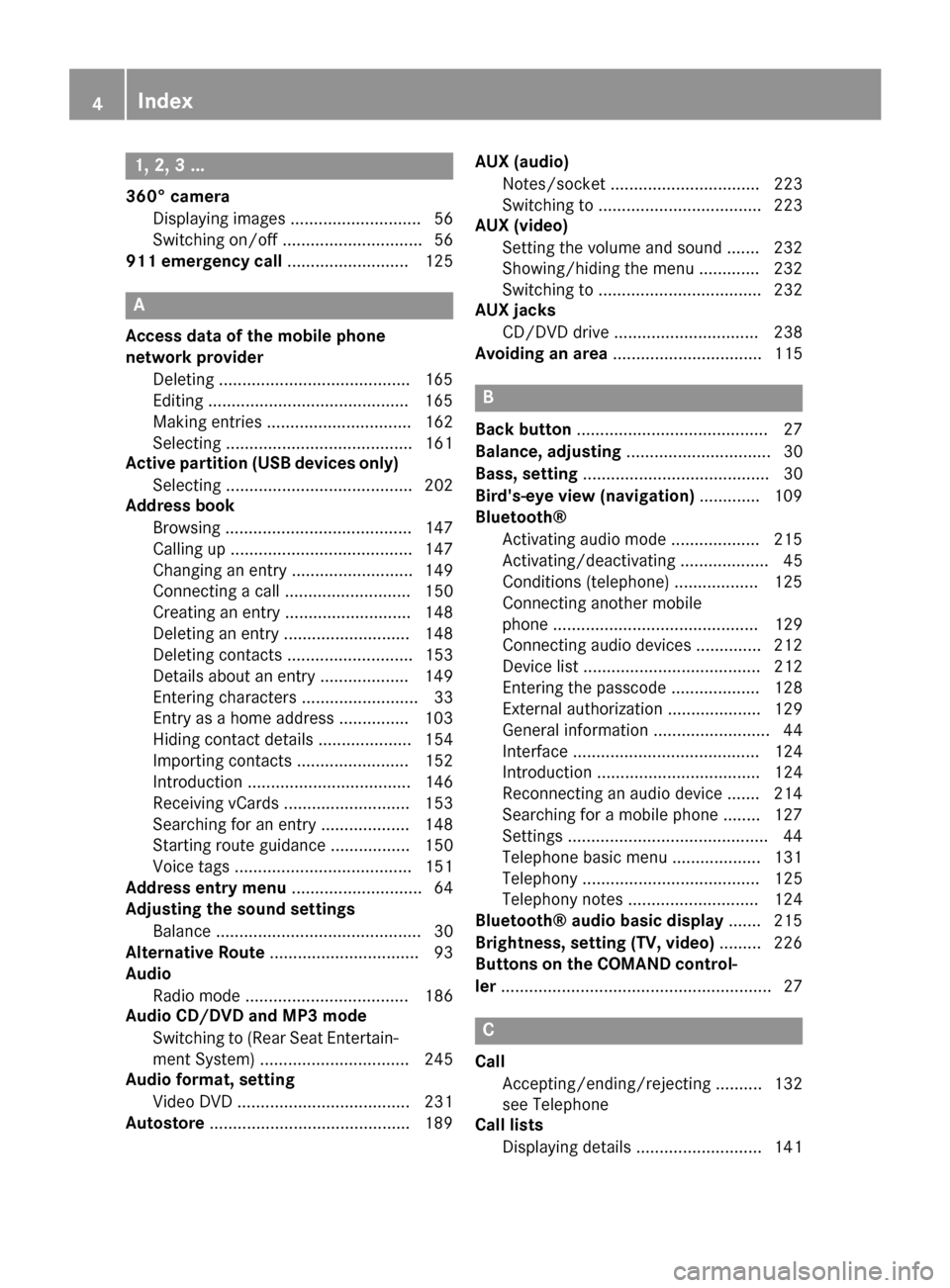
1, 2, 3 ...
360° camera Displaying images ............................ 56
Switching on/off .............................. 56
911 emergency call .......................... 125A
Access data of the mobile phone
network provider Deleting .........................................1 65
Editing .......................................... .165
Making entries ............................... 162
Selecting ........................................ 161
Active partition (USB devices only)
Selecting ........................................ 202
Address book
Browsing ........................................ 147
Calling up ....................................... 147
Changing an entry .......................... 149
Connecting a call ........................... 150
Creating an entry ........................... 148
Deleting an entry ........................... 148
Deleting contacts ........................... 153
Details about an entry ................... 149
Entering characters ......................... 33
Entry as a home address .............. .103
Hiding contact details .................... 154
Importing contacts ........................ 152
Introduction ................................... 146
Receiving vCards ........................... 153
Searching for an entry ................... 148
Starting route guidance ................. 150
Voice tags ...................................... 151
Address entry menu ............................ 64
Adjusting the sound settings
Balance ............................................ 30
Alternative Route ................................ 93
Audio
Radio mode ................................... 186
Audio CD/DVD and MP3 mode
Switching to (Rear Seat Entertain-
ment System) ................................ 245
Audio format, setting
Video DVD ..................................... 231
Autostore .......................................... .189 AUX (audio)
Notes/socket ................................ 223
Switching to ................................... 223
AUX (video)
Setting the volume and sound ....... 232
Showing/hiding the menu ............. 232
Switching to ................................... 232
AUX jacks
CD/DVD drive ............................... 238
Avoiding an area ................................ 115 B
Back button ......................................... 27
Balance, adjusting ............................... 30
Bass, setting ........................................ 30
Bird's-eye view (navigation) ............. 109
Bluetooth®
Activating audio mode ................... 215
Activating/deactivating ................... 45
Conditions (telephone) .................. 125
Connecting another mobile
phone ............................................ 129
Connecting audio devices .............. 212
Device list ...................................... 212
Entering the passcode ................... 128
External authorization .................... 129
General information ......................... 44
Interface ........................................ 124
Introduction ................................... 124
Reconnecting an audio device ....... 214
Searching for a mobile phone ....... .127
Settings .......................................... .44
Telephone basic menu ...................1 31
Telephony ...................................... 125
Telephony notes ............................ 124
Bluetooth® audio basic display ....... 215
Brightness, setting (TV, video) ......... 226
Buttons on the COMAND control-
ler .......................................................... 27 C
Call Accepting/ending/rejecting .......... 132
see Telephone
Call lists
Displaying details ........................... 141 4
Index
Page 7 of 270
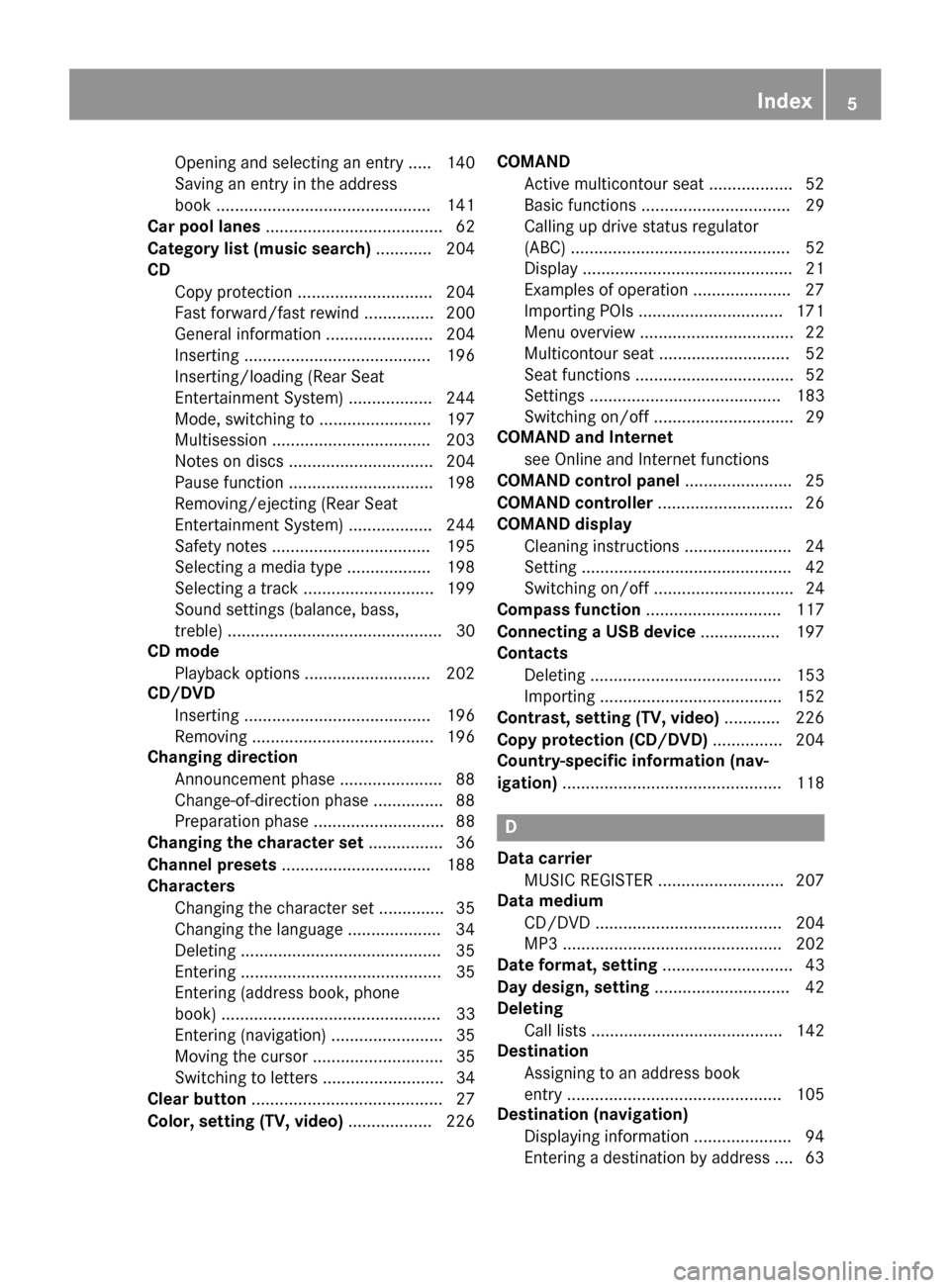
Opening and selecting an entry ..... 140
Saving an entry in the address
book ..............................................1
41
Car pool lanes ...................................... 62
Category list (music search) ............ 204
CD
Copy protection ............................ .204
Fast forward/fast rewind .............. .200
General information ....................... 204
Inserting ........................................ 196
Inserting/loading (Rear Seat
Entertainment System) .................. 244
Mode, switching to ........................ 197
Multisession .................................. 203
Notes on discs ............................... 204
Pause function ............................... 198
Removing/ejecting (Rear Seat
Entertainment System) .................. 244
Safety notes .................................. 195
Selecting a media type .................. 198
Selecting a track ............................ 199
Sound settings (balance, bass,
treble) .............................................. 30
CD mode
Playback options ........................... 202
CD/DVD
Inserting ........................................ 196
Removing ....................................... 196
Changing direction
Announcement phase ..................... .88
Change-of-direction phase .............. .88
Preparation phase ............................88
Changing the character set ................ 36
Channel presets ................................ 188
Characters
Changing the character set .............. 35
Changing the language .................... 34
Deleting .......................................... .35
Entering ........................................... 35
Entering (address book, phone
book) ............................................... 33
Entering (navigation) ........................ 35
Moving the cursor ............................ 35
Switching to letters .......................... 34
Clear button ......................................... 27
Color, setting (TV, video) .................. 226COMAND
Active multicontour seat .................. 52
Basic functions ................................ 29
Calling up drive status regulator
(ABC) ............................................... 52
Display ............................................. 21
Examples of operation ..................... 27
Importing POIs ............................... 171
Menu overview ................................. 22
Multicontour seat ............................ 52
Seat functions .................................. 52
Settings ......................................... 183
Switching on/off .............................. 29
COMAND and Internet
see Online and Internet functions
COMAND control panel ....................... 25
COMAND controller ............................. 26
COMAND display
Cleaning instructions ....................... 24
Setting ............................................. 42
Switching on/off .............................. 24
Compass function ............................. 117
Connecting a USB device ................. 197
Contacts
Deleting ......................................... 153
Importing ....................................... 152
Contrast, setting (TV, video) ............ 226
Copy protection (CD/DVD) ............... 204
Country-specific information (nav-
igation) ............................................... 118 D
Data carrier MUSIC REGISTER ........................... 207
Data medium
CD/DVD ........................................ 204
MP3 ............................................... 202
Date format, setting ............................ 43
Day design, setting ............................. 42
Deleting
Call lists ......................................... 142
Destination
Assigning to an address book
entry .............................................. 105
Destination (navigation)
Displaying information ..................... 94
Entering a destination by address .... 63 Index
5
Page 8 of 270
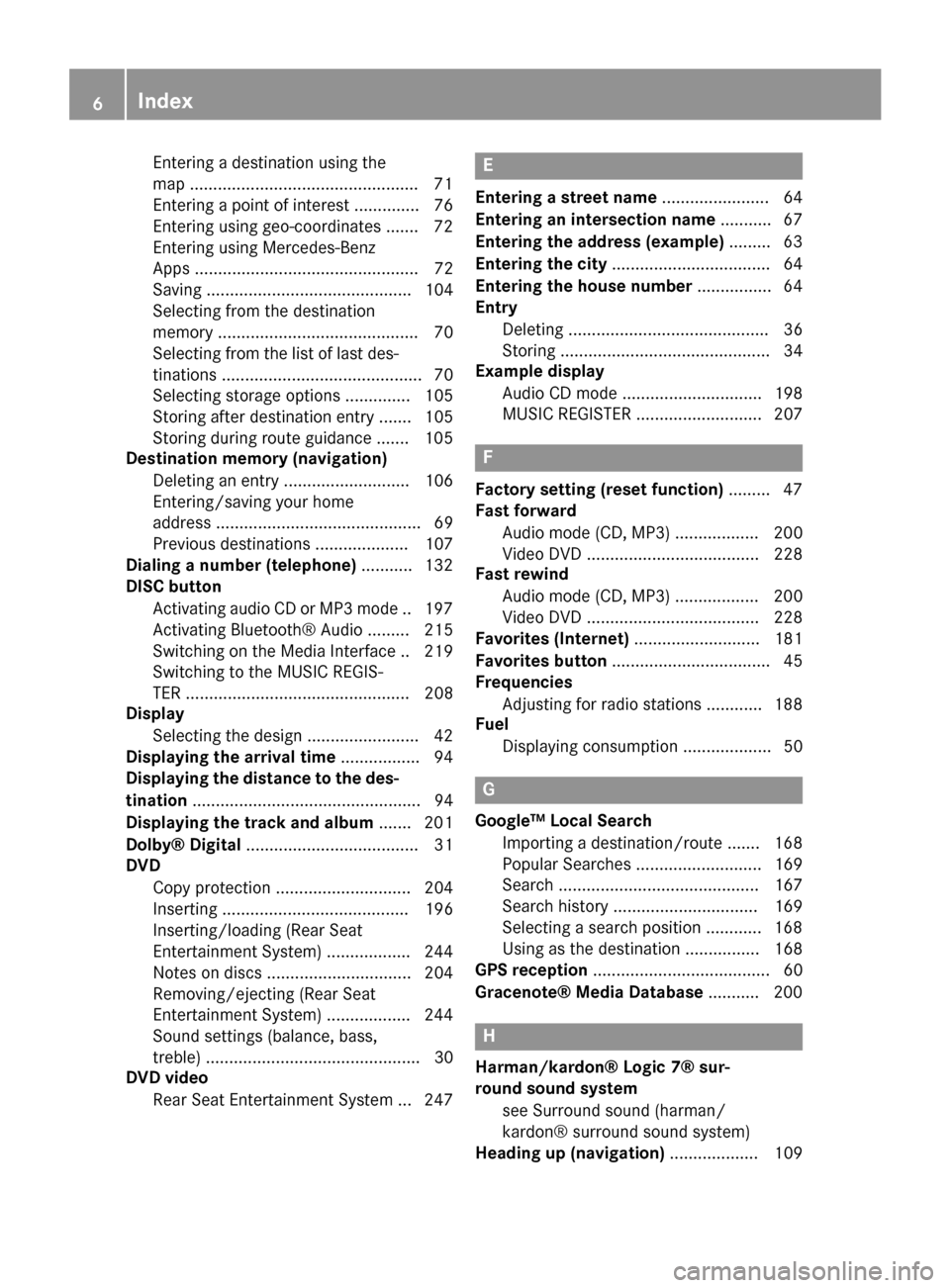
Entering a destination using the
map ................................................
.71
Entering a point of interes t.............. 76
Entering using geo-coordinate s....... 72
Entering using Mercedes-Benz
Apps ................................................ 72
Saving ............................................ 104
Selecting from the destination
memory ........................................... 70
Selecting from the list of last des- tinations ........................................... 70
Selecting storage options .............. 105
Storing after destination entry ....... 105
Storing during route guidance ....... 105
Destination memory (navigation)
Deleting an entry ........................... 106
Entering/saving your home
address ............................................ 69
Previous destinations .................... 107
Dialing a number (telephone) ........... 132
DISC button
Activating audio CD or MP3 mod e..1 97
Activating Bluetooth® Audi o......... 215
Switching on the Media Interface .. 219
Switching to the MUSIC REGIS-
TER ................................................ 208
Display
Selecting the design ........................ 42
Displaying the arrival time ................. 94
Displaying the distance to the des-
tination ................................................. 94
Displaying the track and album ....... 201
Dolby® Digital ..................................... 31
DVD
Copy protection ............................. 204
Inserting ........................................ 196
Inserting/loading (Rear Seat
Entertainment System) .................. 244
Notes on discs ............................... 204
Removing/ejecting (Rear Seat
Entertainment System) .................. 244
Sound settings (balance, bass,
treble) .............................................. 30
DVD video
Rear Seat Entertainment System ... 247 E
Entering a street name ....................... 64
Entering an intersection name ........... 67
Entering the address (example) ......... 63
Entering the city .................................. 64
Entering the house number ................ 64
Entry
Deleting ........................................... 36
Storing ............................................. 34
Example display
Audio CD mode .............................. 198
MUSIC REGISTER ........................... 207 F
Factory setting (reset function) ......... 47
Fast forward
Audio mode (CD, MP3) .................. 200
Video DVD ..................................... 228
Fast rewind
Audio mode (CD, MP3) .................. 200
Video DVD ..................................... 228
Favorites (Internet) ........................... 181
Favorites button .................................. 45
Frequencies
Adjusting for radio stations ............ 188
Fuel
Displaying consumption ................... 50 G
Google™ Local Search Importing a destination/route ....... 168
Popular Searche s........................... 169
Search ........................................... 167
Search history ............................... 169
Selecting a search position ............ 168
Using as the destination ................ 168
GPS reception ...................................... 60
Gracenote® Media Database ........... 200 H
Harman/kardon® Logic 7® sur-
round sound system
see Surround sound (harman/
kardon® surround sound system)
Heading up (navigation) ................... 1096
Index
Page 11 of 270
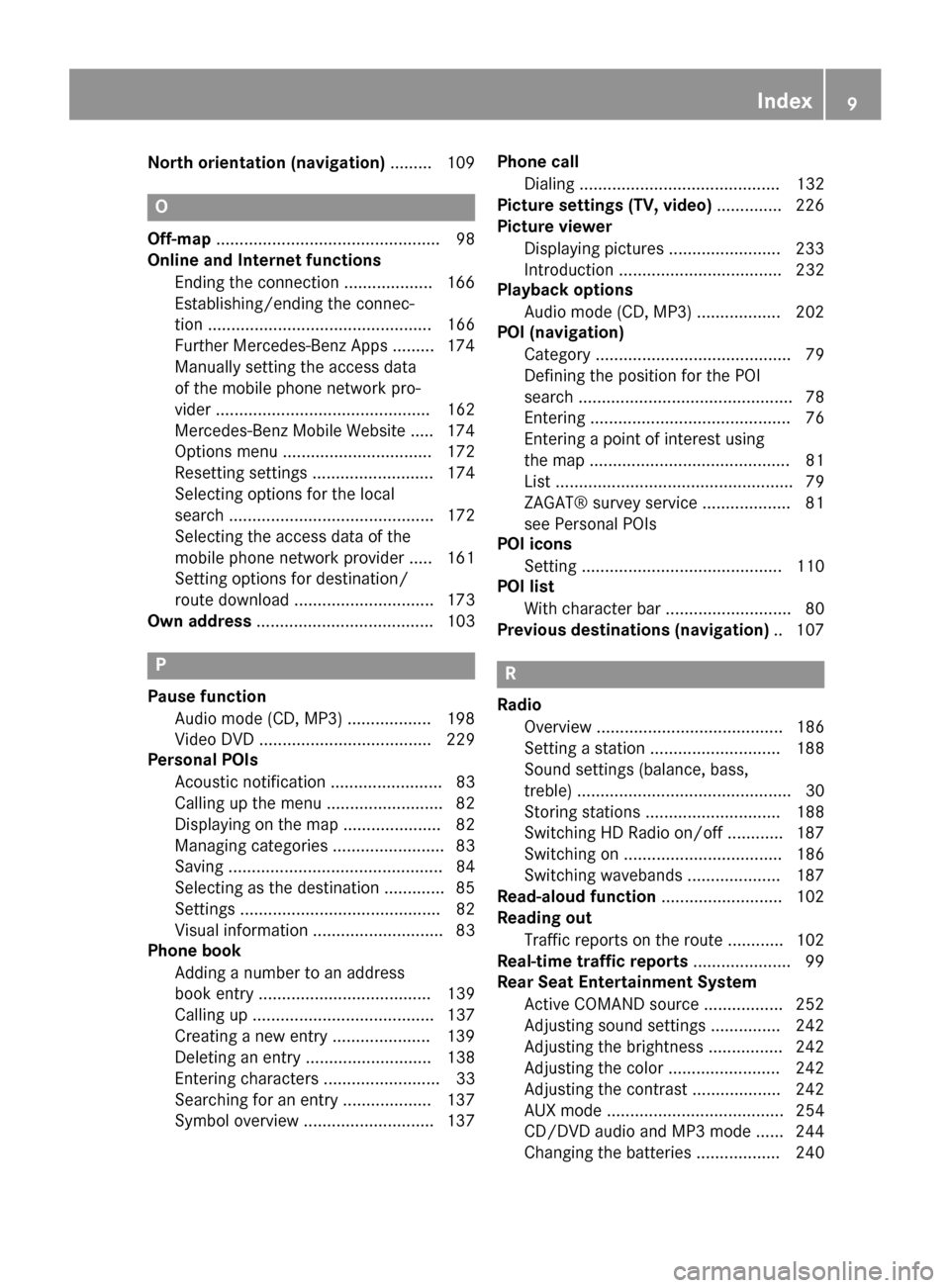
North orientation (navigation)
......... 109O
Off-map ................................................ 98
Online and Internet functions
Ending the connectio n................... 166
Establishing/ending the connec-
tion ................................................ 166
Further Mercedes-Benz App s......... 174
Manually setting the access data
of the mobile phone network pro-
vider .............................................. 162
Mercedes-Benz Mobile Website ..... 174
Options menu ................................ 172
Resetting settings .......................... 174
Selecting options for the local
search ............................................ 172
Selecting the access data of the
mobile phone network provider ..... 161
Setting options for destination/
route download .............................. 173
Own address ...................................... 103 P
Pause function Audio mode (CD, MP3 ).................. 198
Video DVD ..................................... 229
Personal POIs
Acoustic notification ........................ 83
Calling up the menu ......................... 82
Displaying on the map ..................... 82
Managing categories ........................ 83
Saving .............................................. 84
Selecting as the destination ............. 85
Setting s........................................... 82
Visual information ............................ 83
Phone book
Adding a number to an address
book entry ..................................... 139
Calling up ....................................... 137
Creating a new entry ..................... 139
Deleting an entry ........................... 138
Entering characters ......................... 33
Searching for an entry ................... 137
Symbol overview ............................ 137 Phone call
Dialing ........................................... 132
Picture settings (TV, video) .............. 226
Picture viewer
Displaying picture s........................ 233
Introduction ................................... 232
Playback options
Audio mode (CD, MP3 ).................. 202
POI (navigation)
Category .......................................... 79
Defining the position for the POI
search .............................................. 78
Entering ........................................... 76
Entering a point of interest using
the map ........................................... 81
List ................................................... 79
ZAGAT® survey service ................... 81
see Personal POIs
POI icons
Setting ........................................... 110
POI list
With character bar ........................... 80
Previous destinations (navigation) .. 107 R
Radio Overview ........................................ 186
Setting a station ............................ 188
Sound settings (balance, bass,
treble) .............................................. 30
Storing stations ............................. 188
Switching HD Radio on/of f............ 187
Switching on .................................. 186
Switching wavebands .................... 187
Read-aloud function .......................... 102
Reading out
Traffic reports on the route ............ 102
Real-time traffic reports ..................... 99
Rear Seat Entertainment System
Active COMAND source ................. 252
Adjusting sound settings ............... 242
Adjusting the brightness ................ 242
Adjusting the color ........................ 242
Adjusting the contrast ................... 242
AUX mode ...................................... 254
CD/DVD audio and MP3 mode ...... 244
Changing the batteries .................. 240 Index
9
Page 12 of 270
Changing the picture format .......... 243
Cordless headphones .................... 239
Multiple user
s................................ 242
Operating with the headphones ..... 241
Picture settings .............................. 242
System settings ............................. 243
Using the main loudspeaker .......... 241
Video DVD mode ........................... 247
Rear view camera
Displaying the image ........................ 55
Rear-compartment screens .............. 237
Receiving vCards ............................... 153
Redialing (telephone) ........................ 133
Remote control
Button lighting ............................... 238
Rear Seat Entertainment System ... 237
Reset function ..................................... 47
Resetting (factory settings) ............... 47
Route
Estimated time of arrival .................. 94
Route (navigation)
Calling up the "Routes" menu .......... 96
Displaying the distance to the des-tination ............................................ 94
Recording ........................................ 95
Route overview ................................ 94
Selecting an alternative route .......... 93
Setting route options (avoiding:
highways, toll roads, tunnels, fer-
ries) ................................................. 62
Setting the route type (short
route, fast route, dynamic route or
economic route) ............................... 62
Starting calculation .......................... 69
Route demonstration .......................... 95
Route guidance
Canceling ......................................... 92
Continuing ....................................... 92
Destination reached ......................... 92
General notes .................................. 87
Lane recommendations ................... 89
Off-road ........................................... 97
Traffic reports .................................. 99 S
Safety notes Audio CD and MP3 mode ............... 195 Using the telephone ....................... 124
Video DVD mode ........................... 226
Satellite radio
Displaying information ................... 195
Registering .................................... 191
Switching to ................................... 191
SatRadio
Notes ............................................. 190
Selecting a category ...................... 192
Saving the crosshair position .......... 108
Screen
Selecting for the remote control .... 237
SD memory card
Ejecting .......................................... 196
Inserting ........................................ 196
Search & Send ...................................... 86
Seats
Active multicontour seat .................. 52
Adjusting the lumbar support
(COMAND) ....................................... 53
Balance (seat heating) ..................... 54
Multicontour seat ............................ 52
Resetting settings ............................ 55
Seat functions (COMAND) ............... 52
Selecting for adjustment
(COMAND) ....................................... 52
Selecting a province ........................... 64
Selecting a state .................................. 64
Selecting stations
Radi o............................................. 188
Sending DTMF tones ......................... 134
Setting the audio format
Rear Seat Entertainment System ... 251
Setting the language
COMAND ......................................... 45
Rear Seat Entertainment System ... 251
Setting the night design ..................... 42
Setting the text reader speed ............ 44
Setting the volume
Telephone calls ................................ 30
Video AUX ..................................... 232
Settings
Menu overview ................................. 22
Picture (COMAND) ......................... 226
Sound settings ................................. 30
SIRIUS weather display
5-day forecast ................................ 259 10
Index
Page 13 of 270
Daily forecast ................................. 258
Detail information .......................... 259
Information chart ........................... 258
Selecting a location for the
weather forecast ............................ 259
Switching on/off ........................... 258
Weather map ................................. 262
Sound
Switching on/off .............................. 29
Sound menu ......................................... 30
Sound mode ......................................... 32
Sound settings
Calling up the sound menu .............. 30
Surround sound ............................... 31
Treble and bass ............................... 30
Speed dial list
Saving a phone book entry ............ 142
SPLITVIEW ............................................ 37
Station search ................................... 188
Stop function
Video DVD .................................... .229
Storing stations
Radio ............................................. 188
Street View .......................................... 73
Surround sound ................................... 31
Surround sound (harman/
kardon® surround sound system)
Notes ............................................... 31
Switching on/off .............................. 31
Switching between picture for-
mats (TV, video) ................................. 226
Switching between summer time
and standard time ............................... 43
Switching HD Radio on/off
see Radio
Switching the hands-free micro-
phone on/off ..................................... 134
Switching wavebands (radio) ........... 187
System settings
Bluetooth® ...................................... 44
Date ................................................. 42
Language ......................................... 45
Text reader speed ............................ 44
Time ................................................. 42
Time zone ........................................ 43
Voice Control System ..................... .44 T
Telephone Accepting/ending a cal l................ 132
Adjusting the volume for calls .......... 30
Calling (outgoing call) .................... 132
Calling via speed dial ..................... 133
Conference connection .................. 135
Connecting a mobile phone (gen-
eral information) ............................ 126
De-authorizing a mobile phone ...... 130
Ending an active cal l...................... 135
Entering a number ......................... 132
Entering phone numbers ................ 132
External authorization (Blue-
tooth®) .......................................... 129
Function restrictions ...................... 125
General notes ................................ 124
Incoming cal l................................. 132
Making a call ................................. 135
Operating options .......................... 124
Overview of functions .................... 133
Reception and transmission vol-
ume ............................................... 131
Redialing ........................................ 133
Rejecting a call .............................. 132
Rejecting/accepting a waiting
call ................................................. 134
Safety notes .................................. 124
Sending DTMF tones ...................... 134
Single call ...................................... 133
Switching hands-free microphone on/of f............................................ 134
Text messages (SMS) .................... 144
Toggling ......................................... 135
Using the telephone ....................... 132
see Bluetooth®
Telephone basic menu
Bluetooth® interface ..................... 131
Telephone number
Entering ......................................... 132
Text messages (SMS)
Calling the sender .......................... 145
Deleting ......................................... 146
Inbox .............................................. 144
Information and requirements ....... 144
Reading .......................................... 144
Reading alou d................................ 145 Index
11
Page 14 of 270
Storing sender in address book ..... 146
Storing the sender as a new
address book entry ........................ 146
Time
Setting ............................................. 44
Setting summer/standard time ....... 43
Setting the format ............................ 43
Setting the time ............................... 42
Setting the time manually ................ 42
Setting the time zone ....................... 43
Setting the time/date format .......... 43
Tone settings
Balance and fader ............................ 30
Track
Selecting (CD, MP3) ....................... 199
Selecting using the number key-
pad ................................................ 199
Track information .............................. 247
Traffic jam function ............................. 92
Traffic reports
Calling up a list .............................. 100
Real-time traffic report .................. 101
Treble, adjusting (sound) .................... 30
True Image™ ........................................ 32
TV
Automatic picture shutoff .............. 226
Picture settings .............................. 226
Sound settings (balance, bass,
treble) .............................................. 30 U
Updating the digital map .................. 118
USB
see Media Interface V
Vehicle Data acquisition ............................... 15
Video
see Video DVD
Video AUX
Setting the picture ......................... 226
Video DVD
Automatic picture shutoff .............. 226
DVD menu ..................................... 230
Fast forward/rewind ...................... 228 Function restrictions ...................... 227
Interactive content ........................ 231
Notes on discs ............................... 227
Operation ....................................... 226
Pause function ............................... 229
Playing conditions .......................... 227
Safety notes .................................. 226
Selecting ........................................ 230
Selecting a film/title ...................... 229
Selecting a scene/chapter ............ 229
Setting the audio format ................ 231
Setting the language ...................... 231
Setting the picture ......................... 226
Showing/hiding the control
menu ............................................. 228
Showing/hiding the menu ............. 228
Stop function ................................. 229
Subtitles ........................................ 231
Switching to ................................... 227
Voice Control System
Setting s........................................... 44
Volume, adjusting
COMAND ......................................... 29
Navigation messages ....................... 29 W
Way points Accepting for the route .................... 76
Creating ........................................... 73
Editing .............................................. 75
Entering ........................................... 73
Searching for a gas station when
the fuel level is lo w.......................... 76
Weather Band
Searching for a channel ................. 189
Switching on .................................. 189
Weather map (SIRIUS)
Activating/deactivating display
levels ............................................. 263
Calling up ....................................... 262
Legend ........................................... 267
Moving ........................................... 262
Showing/hiding the menu ............. 262
Time stamp .................................... 267
Weather memory (SIRIUS)
Selecting an area ........................... 261
Storing an area .............................. 261 12
Index
Page 17 of 270
Declarations of conformity
Vehicle components which receive
and/or transmit radio waves
i USA only:
The wireless devices of this
vehicle comply with Part 15 of the FCC
Rules. Operation is subject to the following two conditions:
1) These devices may not cause interfer-
ence, and
2) These devices must accept any interfer- ence, including interference that may
cause undesired operation of the device.
Changes or modifications not expressly
approved by the party responsible for com-
pliance could void the user's authority to
operate the equipment.
i Canada only:
The wireless devices of this
vehicle comply with Industry Canada
license-exempt RSS standard(s). Operation
is subject to the following two conditions:
1) These devices may not cause interfer-
ence, and
2) These devices must accept any interfer- ence, including interference that may
cause undesired operation of the device. Correct use
Observe the following information when using
COMAND:
R the safety notes in this manual
R traffic rules and regulations
R laws and safety standards pertaining to
motor vehicles
i Work improperly carried out on electronic
components or systems (e.g. radio, DVD
changer) and associated software could
cause them to cease functioning. Even sys-
tems that have not been modified could be affected because the electronic systems
are connected. Electronic malfunctions
can seriously jeopardize the operational
safety of your vehicle. i
Roof antenna functionality (telephone,
satellite radio, GPS) can be affected by the use of roof carrier systems.
Attaching metalized retrofit film to the
windshield may affect radio reception and
have a negative impact on all other anten-
nas (e.g. emergency antenna) in the vehicleinterior.
i Therefore, have all work on or modifica-
tions to electronic components carried out
at a qualified specialist workshop. This
workshop should have the necessary spe-
cialist knowledge and tools to carry out the
work required. Mercedes-Benz recom-
mends that you use an authorized
Mercedes-Benz Center for this purpose. In
particular, work relevant to safety or on
safety-related systems must be carried out at a qualified specialist workshop.
i Protection against theft:
this device is
equipped with technical provisions to pro-
tect it against theft. Further information on
protection against theft can be obtained
from an authorized Mercedes-Benz Center. Data stored in the vehicle
A wide range of electronic components in
your vehicle contain data memories.
These data memories temporarily or perma-
nently store technical information about: R The vehicle's operating state
R Incidents
R Malfunctions
In general, this technical information docu-
ments the state of a component, a module, a system or the surroundings.
These include, for example:
R operating conditions of system compo-
nents, e.g. fluid levels
R the vehicle's status messages and those of
its individual components, e.g. number of
wheel revolutions/speed, deceleration in Operating safety
15 Z
Page 22 of 270
Your COMAND equipment
These operating instructions describe all the
standard and optional equipment for your
COMAND system, as available at the time of
going to print. Country-specific differences
are possible. Please note that your
COMAND system may not be equipped with
all the features described. COMAND operating system
Overview
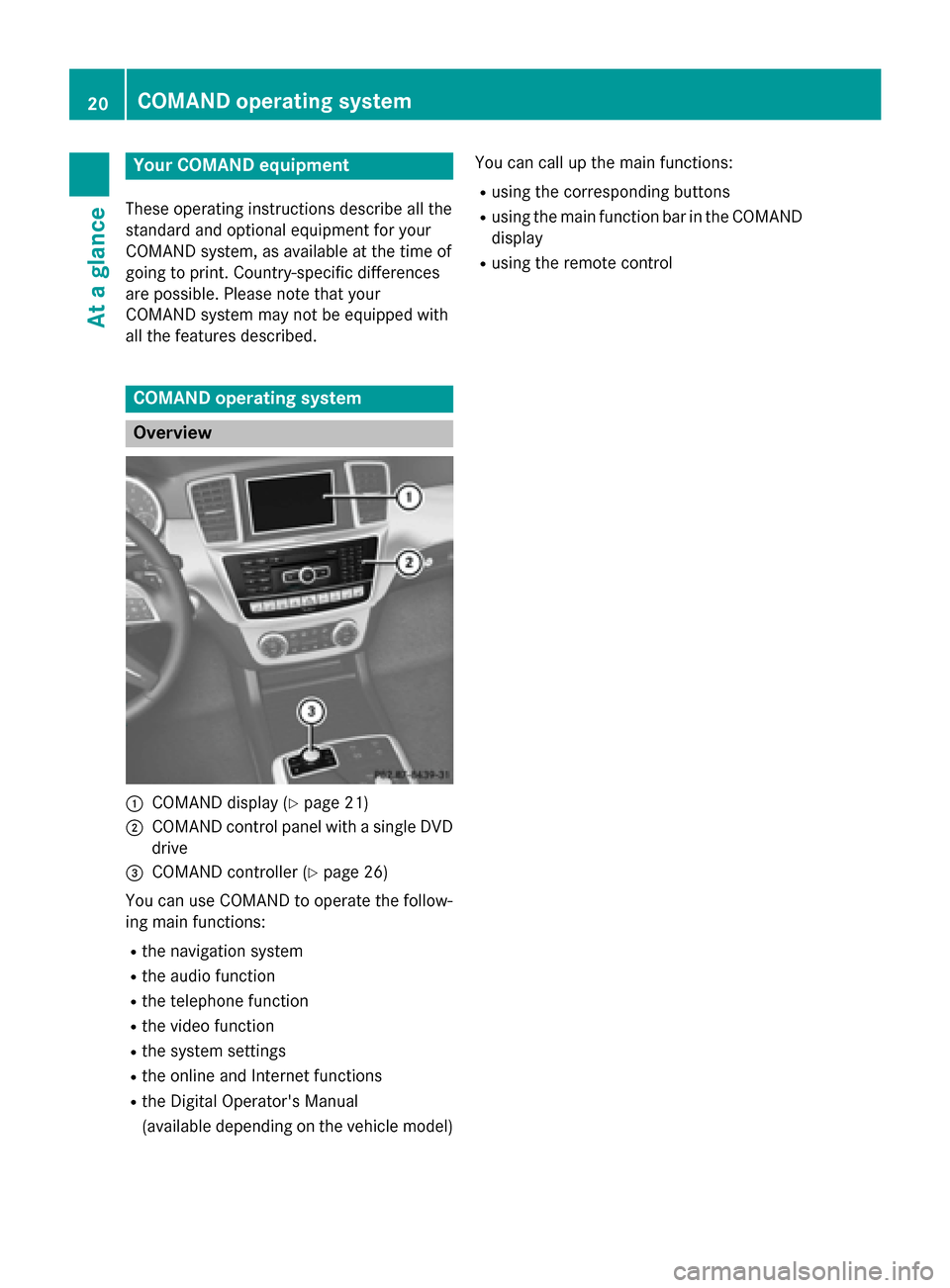
0043
COMAND display (Y page 21)
0044 COMAND control panel with a single DVD
drive
0087 COMAND controller (Y page 26)
You can use COMAND to operate the follow-
ing main functions: R the navigation system
R the audio function
R the telephone function
R the video function
R the system settings
R the online and Internet functions
R the Digital Operator's Manual
(available depending on the vehicle model) You can call up the main functions:
R using the corresponding buttons
R using the main function bar in the COMAND
display
R using the remote control 20
COMAND ope
rating systemAt a glance
Page 24 of 270
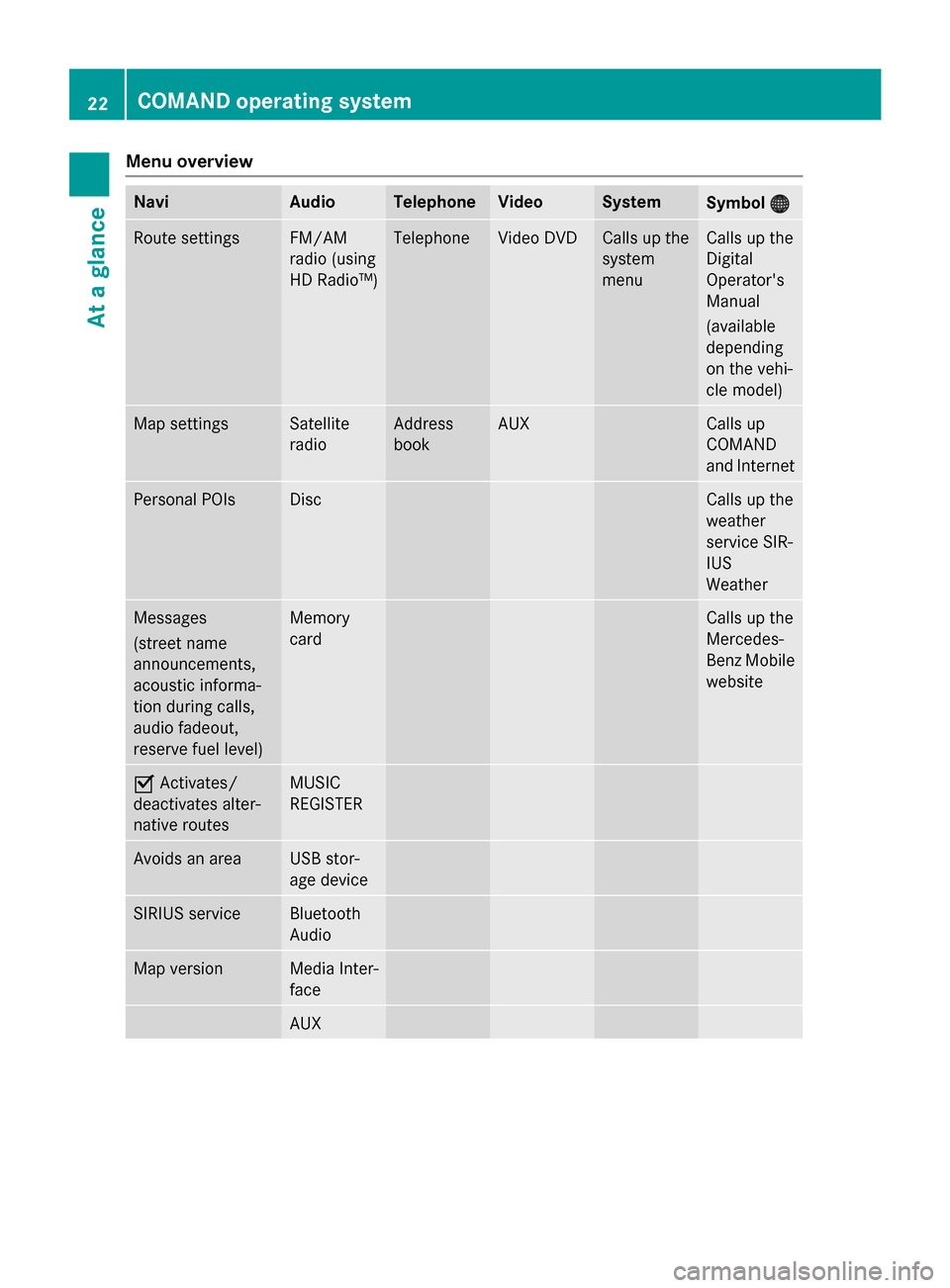
Menu overview
Navi Audio Telephone Video System
Symbol
00A7
00A7 Route settings FM/AM
radio (using
HD Radio™) Telephone Video DVD Calls up the
system
menu Calls up the
Digital
Operator's
Manual
(available
depending
on the vehi-
cle model)
Map settings Satellite
radio Address
book AUX Calls up
COMAND
and Internet
Personal POIs Disc Calls up the
weather
service SIR-
IUS
Weather
Messages
(street name
announcements,
acoustic informa-
tion during calls,
audio fadeout,
reserve fuel level) Memory
card Calls up the
Mercedes-
Benz Mobile
website 0073
Activates/
deactivates alter-
native routes MUSIC
REGISTER
Avoids an area USB stor-
age device
SIRIUS service Bluetooth
Audio
Map version Media Inter-
face
AUX22
COMAND operating systemAt a glance