towing MERCEDES-BENZ M-CLASS SUV 2011 Owners Manual
[x] Cancel search | Manufacturer: MERCEDES-BENZ, Model Year: 2011, Model line: M-CLASS SUV, Model: MERCEDES-BENZ M-CLASS SUV 2011Pages: 389, PDF Size: 9.22 MB
Page 6 of 389
Index
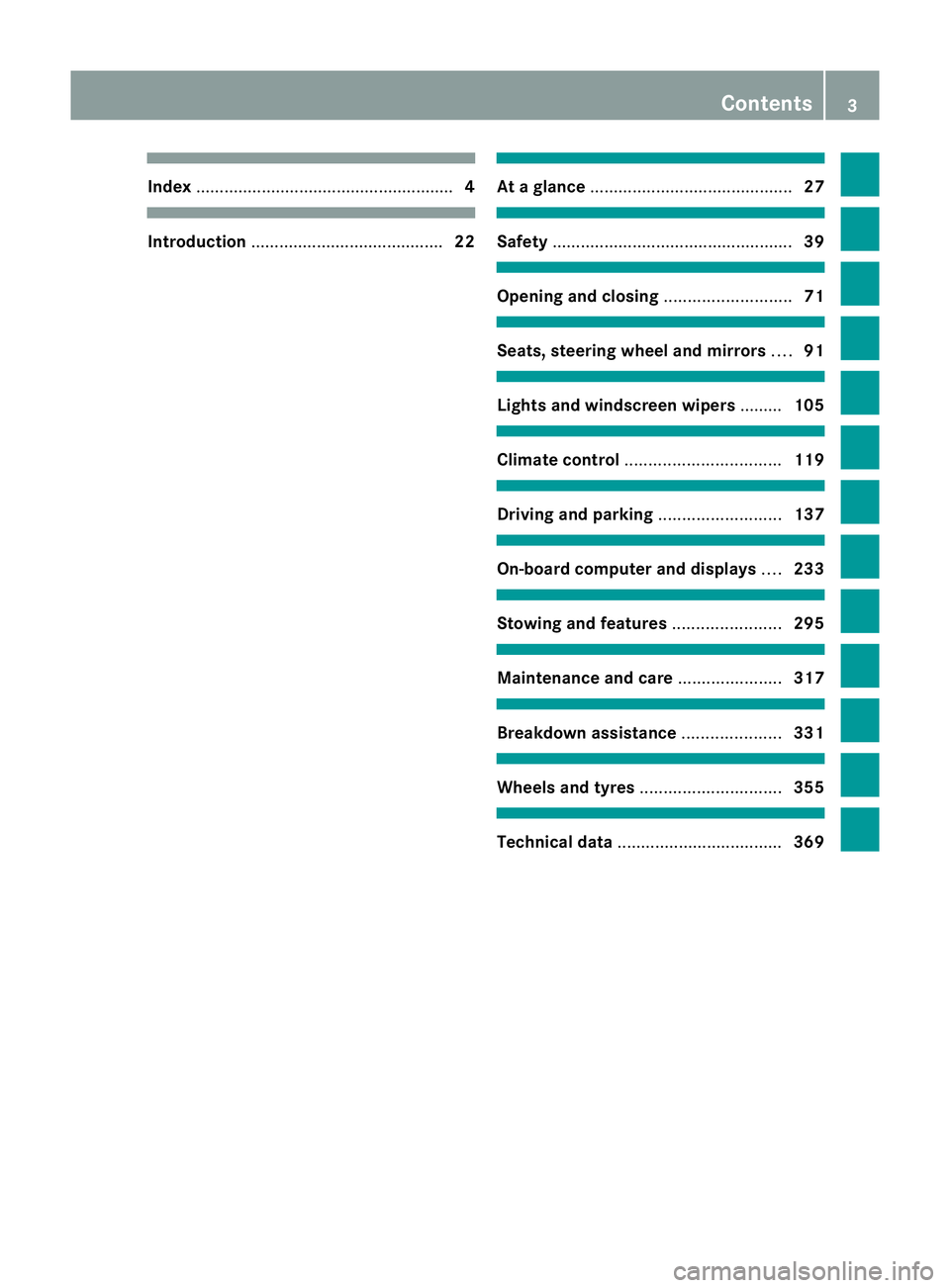
........................ ............................... 4 Introduction
......................................... 22 At
ag lance ........................................... 27 Safety
................................................... 39 Opening and closing
...........................71 Seats, steering wheel and mirrors
....91 Light
sand windscreen wipers .........105 Clima
tecontrol ................................. 119 Driving and pa
rking .......................... 137 On-boa
rdcomputer and displays ....233 Stowing and fea
tures....................... 295 Maintenance and care
......................317 Breakdown assistance
.....................331 Wheels and ty
res.............................. 355 Technical da
ta................................... 369 Contents
3
Page 8 of 389
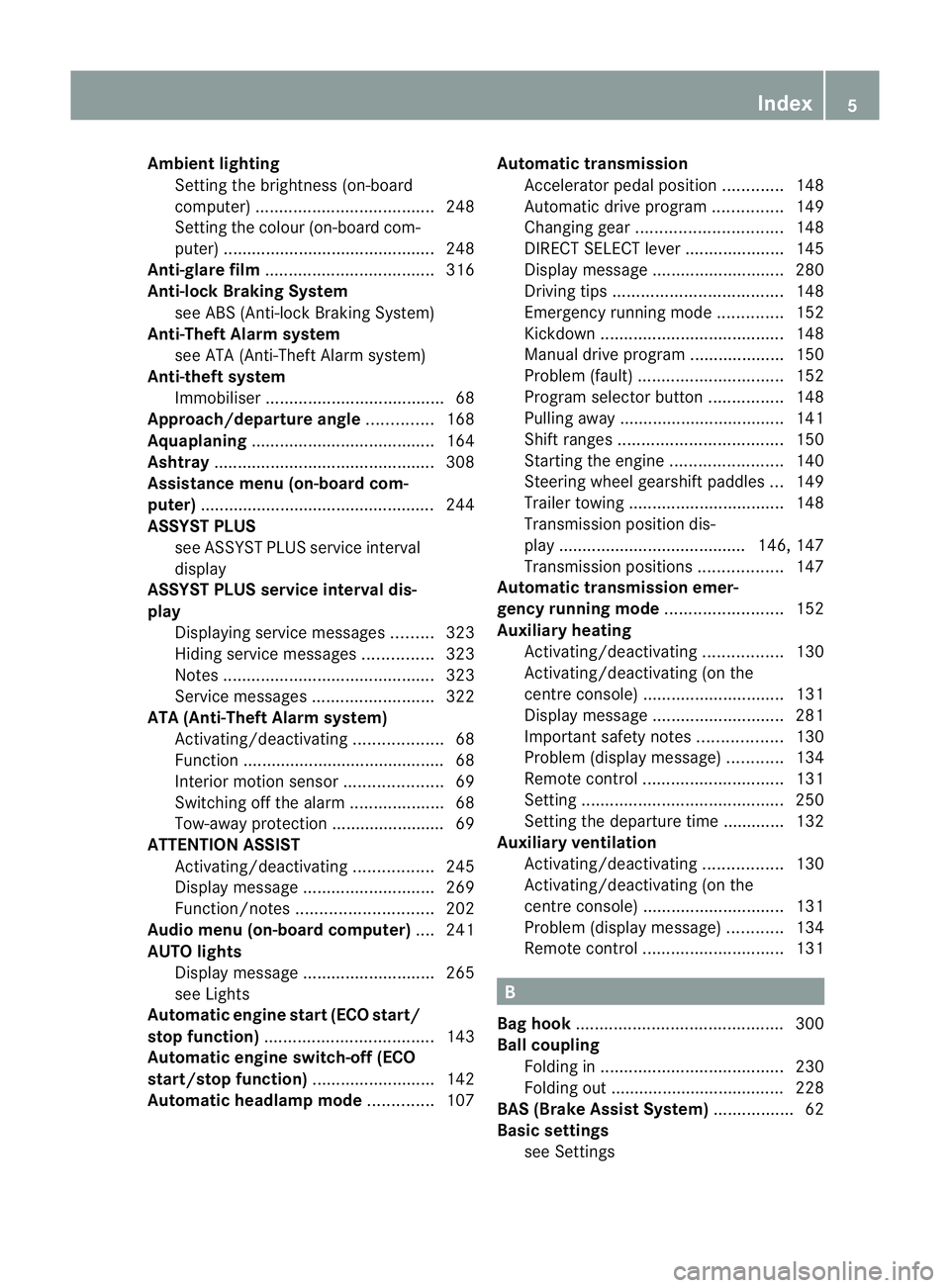
Ambient lighting
Setting the brightness (on-board
computer) ...................................... 248
Setting the colou r(on-boar dcom-
puter )............................................. 248
Ant i-glare film .................................... 316
Ant i-loc kB rakin gSystem
se eA BS (Anti-lock Braking System)
Anti-Thef tAlarm system
se eA TA (Anti-Theft Alarm system)
Anti-theft system
Immobilise r...................................... 68
Approach/departure ang le.............. 168
Aquaplaning ....................................... 164
Ashtray ............................................... 308
Assistanc emenu (on-board com-
puter) ................................................. .244
AS SYST PLUS
see ASSYS TPLUS service interval
di sp lay
ASSYST PLU Sservice interval dis-
play Displaying service messages .........323
Hid ings erv icem essages ............... 323
Note s............................................. 323
Service message s.......................... 322
ATA (Anti-Theft Alarm system)
Activating/deactivating ...................68
Functio n.......................................... .68
Interio rmotion sensor ..................... 69
Switch ingo ff th ealarm .................... 68
To w-awa yprotectio n........................ 69
ATTENTIO NASSIST
Ac tivating/deactivating .................245
Display message ............................ 269
Function/notes ............................. 202
Audio men u(on-boa rd computer) ....241
AUT Olights
Display message ............................ 265
se eL ights
Automatic engine start (ECO start/
stop function) .................................... 143
Automatic en gine switch-off (ECO
start/stop function) ..........................142
Automatic headlamp mode ..............107Automatic transmission
Accelerator pe dalposition ............. 148
Automatic drive program ...............149
Ch anging gear ............................... 148
DIREC TSELECT leve r..................... 145
Display message ............................ 280
Driving tip s.................................... 148
Emergency running mod e.............. 152
Kickdow n....................................... 148
Manual drive program ....................150
Pro blem (fault) ............................... 152
Progra mselector button ................148
Pullin gaway................................... 141
Shift rang es................................... 150
Starting the engine ........................140
Steering wh eelgearshift paddles ...149
Traile rtowing ................................. 148
Transmissio nposition dis-
play .. ..................................... .146, 147
Transmissio nposition s.................. 147
Automatic transmiss ione mer-
gency runnin gmode ......................... 152
Aux iliary heating
Activating/deactivating .................130
Activating/deactivating (o nthe
centr econsole) .............................. 131
Display message ............................ 281
Important safety notes ..................130
Pro blem (display message) ............134
Remote control .............................. 131
Setting ........................................... 250
Setting the de parture time ............. 132
Aux iliary ventilation
Activating/deactivating .................130
Activating/deactivating (o nthe
centr econsole) .............................. 131
Pro blem (display message) ............134
Remote control .............................. 131 B
Bag hook ............................................ 300
Ball coupli ng
Folding in ....................................... 230
Fol ding out ..................................... 228
BAS (Brake Assist System) .................62
Basi csettings
see Settings Index
5
Page 9 of 389
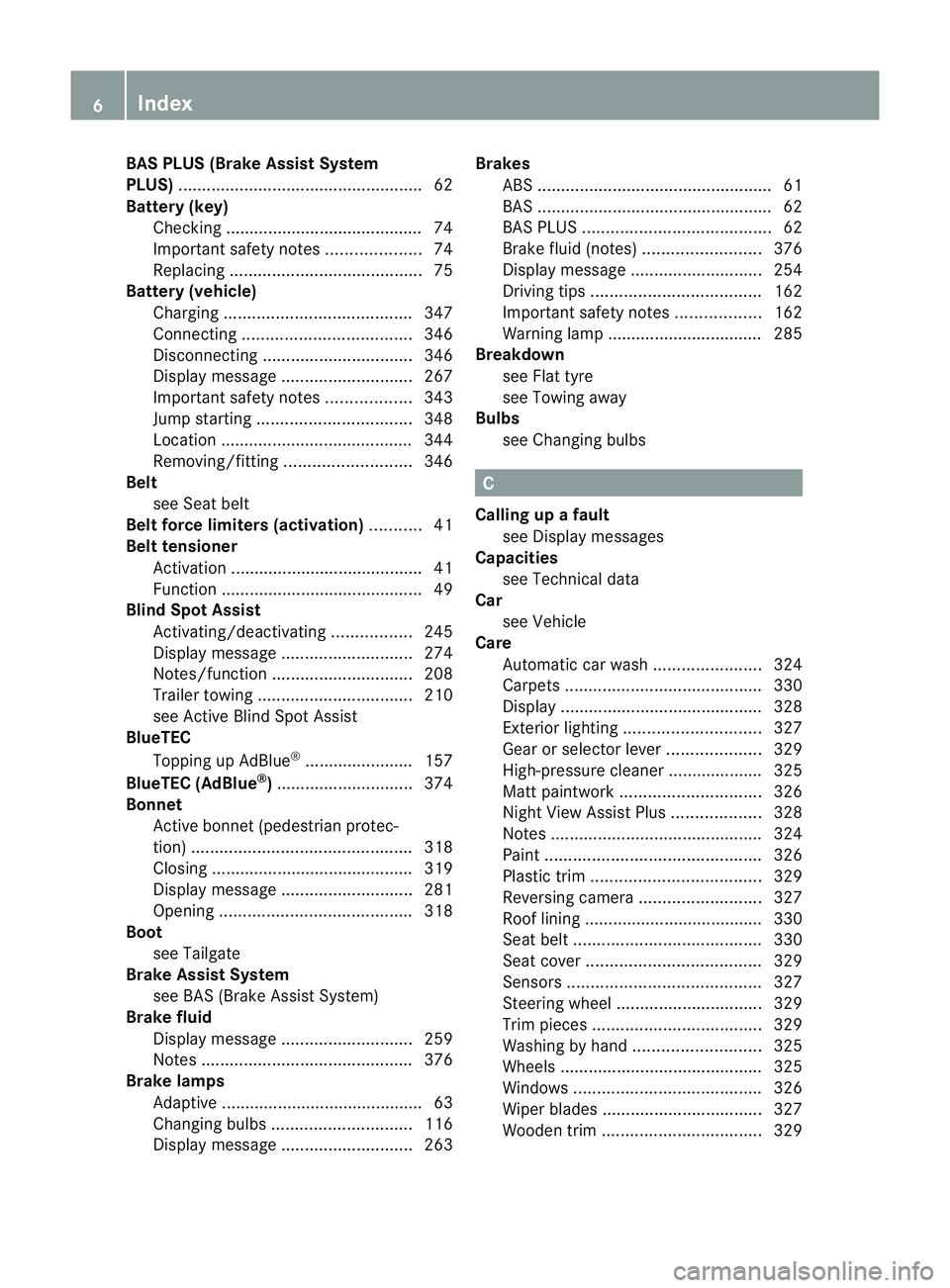
BAS PLUS (Brake Assist System
PLUS) .................................................... 62
Battery (key) Checking .......................................... 74
Important safety notes ....................74
Replacing ......................................... 75
Battery (v ehicle)
Charging ........................................ 347
Connectin g.................................... 346
Disconnecting ................................ 346
Display message ............................ 267
Important safety notes ..................343
Jump starting ................................. 348
Location ......................................... 344
Removing/fittin g........................... 346
Belt
seeS eat belt
Belt force limiters (activation) ...........41
Bel ttensioner
Activation ......................................... 41
Function .......................................... .49
Blind Spo tAssist
Activating/deactiva ting ................. 245
Display message ............................ 274
Notes/function .............................. 208
Traile rtowing ................................. 210
se eA ctive Blind Spo tAssist
BlueTEC
Topping up AdBlue ®
...... ................. 157
BlueTE C(AdBlue ®
) ............................. 374
Bon net
Active bonne t(pedestrian protec-
tion) ............................................... 318
Closing ........................................... 319
Display message ............................ 281
Opening ......................................... 318
Boot
seeT ailgate
Brak eAssist System
see BAS (Brake Assist System)
Brake fluid
Display message ............................ 259
Note s............................................. 376
Brake lamps
Ada ptive .......................................... .63
Changin gbulbs .............................. 116
Display message ............................ 263Brakes
ABS .................................................. 61
BAS .................................................. 62
BAS PLUS ........................................ 62
Brake fluid (notes )......................... 376
Display message ............................ 254
Driving tip s.................................... 162
Important safety notes ..................162
Warn ingl am p................................. 285
Breakdown
seeF lat tyre
see Towing away
Bulbs
see Changing bulbs C
Callin gupaf ault
se eD isplay messages
Capacities
see Technical data
Car
see Vehicle
Care
Automatic car was h....................... 324
Carpets .......................................... 330
Display ........................................... 328
Exterio rlighting ............................. 327
Gea rors electo rlever .................... 329
High-pressure cle aner ...... .............. 325
Matt paintwork .............................. 326
Nig htVie wA ssist Plus ................... 328
Note s............................................. 324
Pa int. ............................................. 326
Pl ast ic trim .................................... 329
Revers ingc amera .......................... 327
Roo flining ...................................... 330
Seat bel t........................................ 330
Sea tcover ..................................... 329
Sensors ......................................... 327
Steering wh eel............................... 329
Tri mp ieces .................................... 329
Washing by hand ........................... 325
Wheels ........................................... 325
Windows ........................................ 326
Wi perb lades .................................. 327
Wooden trim .................................. 3296
Index
Page 18 of 389
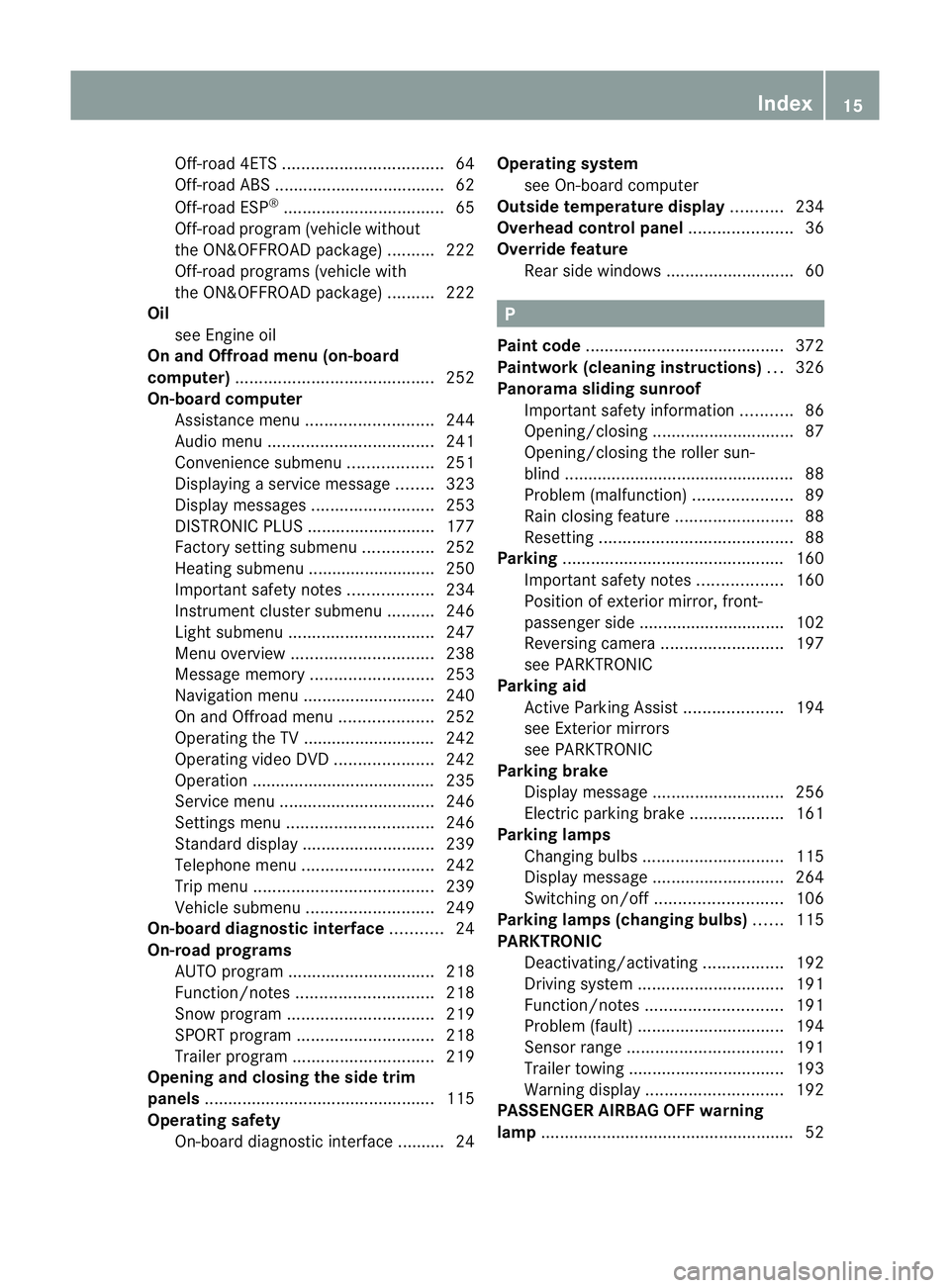
Off-road 4ETS
.................................. 64
Off-road ABS .................................... 62
Off-road ESP ®
.................................. 65
Off-road program (ve hicle without
the ON&OFFR OADp ackage) ..........222
Off-road programs (ve hicle with
the ON&OFFR OADp ackage) ..........222
Oil
seeE ngine oil
On and Offroad menu (on-board
computer) .......................................... 252
On-board computer Assistance menu ........................... 244
Aud iomen u................................... 241
Convenience su bmenu .................. 251
Displaying aserv icem essage ........323
Display message s.......................... 253
DISTRONI CPLUS ........................... 177
Factory settin gsubmenu ............... 252
Heating su bmenu ...... ..................... 250
Important safety note s.................. 234
Instrumen tcluster submenu ..........246
Lig ht subm enu............................... 247
Menu overview .............................. 238
Mess agem emor y.......................... 253
Navigation menu ............................ 240
On and Offro admen u.................... 252
Operating the TV ............................ 242
Operating vid eoDVD ..................... 242
Operatio n....................................... 235
Service menu ................................. 246
Setting smenu ............................... 246
Standard di splay. ........................... 239
Te lephon emenu ............................ 242
Tri pm enu ...................................... 239
Veh icle submenu ........................... 249
On-board diag nostic interface ...........24
On-road programs AUTO program ............................... 218
Function/notes ............................. 218
Sno wprogram ............................... 219
SPORT program ............................. 218
Traile rprog ram .............................. 219
Ope ning and closing th eside trim
panels ................................................ .115
Operatin gsafety
On-bo ardd iagnostic interface .......... 24 Operatin
gsyst em
se eO n-board computer
Outside temperature display ...........234
Ov erhead control panel ......................36
Ov erride feature
Rea rside windows ........................... 60 P
Pai nt code .......................................... 372
Pai ntwork (cleaning instructions) ...326
Pan orama sl iding sunroof
Important safety information ...........86
Opening/closing .............................. 87
Opening/closing the rol lers un-
blind ...... ........................................... 88
Problem (malfunction) .....................89
Rain closing feat ure. ........................ 88
Resetting ......................................... 88
Parking ............................................... 160
Important safety notes ..................160
Positio nofexterio rmirror, front-
passenger sid e............................... 102
Reversing camera ..........................197
se eP ARKTRONIC
Parking aid
Active Parking Assist .....................194
se eE xterior mirrors
see PARKTRONIC
Parking brake
Disp laym essage ............................ 256
Electric parking brak e.................... 161
Parking lamps
Changing bulbs .............................. 115
Display message ............................ 264
Switch ingo n/off ........................... 106
Parking lamps (chang ingb ulbs) ......115
PARKTRONIC Deactivating/activating .................192
Driving sy stem ............................... 191
Function/notes ............................. 191
Pro blem (fault) ............................... 194
Sensor rang e................................. 191
Traile rtowing ................................. 193
Warn ingd ispla y............................. 192
PA SSENGER AIRBAG OF Fwarning
lamp ...................................................... 52 Index
15
Page 22 of 389
Opening/closing (from outside)
.......80
Opening dimensions ......................378
Tail lamps
Display message ............................ 264
Tank
seeF uel tank
Technical data
Notes ............................................. 370
Traile rloads ................................... 379
Tyres/whee ls................................. 364
Vehicle data ................................... 377
Tel ephone
Accepting acall............................. 243
Display message ............................ 282
Menu (on-bo ardc omputer )............ 242
Number from the phone book ........ 243
Redialling ....................................... 244
Rej ecting/end ingac all................. 243
Te lephon ecompartmen t................ 298
Tel escopic rod (Easy-Pack fix kit) ....304
Temperature Coolan t.......................................... 234
Outs idet emper ature ...... ............... .234
Setting (cl imate control) ................126
TEMPOMAT
Function/notes ............................. 170
Theft-deterren tsyst em
ATA (Anti-Theft Alarm system) .........68
Through-loading ................................ 298
TIRE FITk it.......................................... 335
Top Tether ............................................ 54
Total distanc erecorder .................... 239
Tow-away protection ..........................69
Towing Important safety notes ..................349
Towing atrailer
Active Blind Sp ot Assist................. 215
Active Lane Kee ping Assist ............217
Active Parking Assis t..................... 197
Bulb failure ind icator for LED
lamps ............................................. 231
Pullin gawayw ithat railer .............. 141
Traile rdrive program ..................... 219
Towing away
Fitting the tow inge ye.................... 350
Removing the tow inge ye............... 351
With both axl eson the ground .......351 Tow-starting
Emergency engine starting ............352
Important safety notes ..................349
Trailer coupli ng
se eT owing atrailer
Traile rtowing
7-pin connector ............................. 231
Blind Spo tAssist ...... ...................... 210
Cleaning the trailer tow hitch ......... 328
Coupling up atrailer ...................... 228
Decouplin gatrailer ....................... 229
Driving tip s.................................... 226
ESP ®
................................................ 65
Fol ding in the bal lcoupling ............ 230
Fol ding out the bal lcoupling .......... 228
Important safety notes ..................226
Lig htsd ispla ymessage .................. 262
Mo unting dimensions ....................378
Parktroni c...................................... 193
Po wer suppl y................................. 230
Pro blem (fault) ............................... 232
Shift rang e..................................... 148
Traile rloads ................................... 379
Transmission
seeA utomati ctransmission
Transporting the vehicle ..................351
Travellin guphill
Brow of hil l..................................... 169
Driving downhil l............................. 169
Maximum gradient-climbing cap a-
bility ............................................... 169
Trim pieces (cleaning instructions) .329
Trip computer (on-b oard com-
puter) ................................................. .239
Trip meter Calling up ....................................... 239
Resetting (on-bo ardc omputer )...... 240
Trip odom eter
see Trip meter
Turn signals
Switching on/off ........................... 108
TV
Operating (on-bo ardc omputer )..... 242
se eS eparate operating instructions Index
19
Page 140 of 389
Usefu
linfor mation ............................ 138
Running-in notes ............................... 138
Driving ............................................... 138
Automati ctran smission ................... 145
Refuelling ........................................... 152
Parking ............................................... 160
Driving tips ........................................ 162
Driving systems ................................ 170
Off-road driving systems ..................220
Towing atrailer ................................. 226 137Driving
and parking
Page 151 of 389
A
Neutral
Do not shift the transmiss
ionto N
whil edriving. Otherwise, th eauto-
matic transmission could be dam-
aged.
No powe ristransmitte dfromt he
engine to the drive wheels.
Releasing the brakes will allo wyou
to move the vehicl efreely, e.g .to
push it or tow it.
If ESP ®
is deacti vated or faulty:
only shift the transmission to posi-
tion Nif the vehicle is in dange rof
skidding, e.g. on icy roads.
If you swit choff the engin eusing
the key or the Start/Stop but ton,
the automatic transmission shifts
to neutral Nautomatically.
! Rolling in neutral Ncan lead to
damage to the transmission. 7
Drive
The automatic transmission
changes gear automatically. All
forward gears are available. Changin
ggear
The automatic transmission shift stothe indi-
vidual gear sautomatically when it is in trans-
missio nposition D.This automatic gearshift-
ing behaviour is determined by:
R ap ossible limitation of the shift range
R the selected drive program
R the position of the accelerator pedal
R the roa dspeed Driving tips
Accelerator peda lposition Your style of drivin
ginfluences how the auto-
matic transmissio nshift sgear:
R littl ethrot tle: earl yupshifts
R mor ethrot tle: late upshifts
Kickdown Use kickdown for maximu
macceleration.
X Depress the accelerato rpedal beyond the
pressur epoint.
The transmission shift stoalower gear
depending on the engin espeed.
X Ease off the accelerator pedal once the
desired speed is reached.
The automatic transmission shifts back up.
Trailer towing X
Drive in the middle of the engine speed
range on uphill gradients.
X Shift down to shift range 3or
2 (Y page 150) depending on the uphill or
downhill gradient, even if cruise control,
DISTRONIC PLU SorSPEEDTRONIC is acti-
vated. Progra
mselector button
General notes The program selector button allow
syou to
choose between differen tdriving character-
istics. 148
Automatic transmissionDri
ving and parking
Page 166 of 389
G
WARNING
Make sure tha tother road user sare not
endang ered by your braking.
Downhill gradients On long and steep downhill gradients, espe-
cially if the vehicle is laden or towing
atrailer,
yo um ust select shift range 1,2or 3in good
time.
i This als oapplies if you have activated
cruise control, SPEEDTRONIC or DIS-
TRONIC PLUS.
This will use the braking effect of the engine,
so less braking will be required to maintain
the speed. This relieves the load on the brake
system and prevents the brakes from over-
heating and wearing too quickly.
Heavy and light loads G
WARNING
Never depress the brak epeda lconti nuously
while the vehicle is in motion, e.g. never cause
the brakes to rub by apply ingc onstant slight
pedal pressure. This causes the brake system
to overheat, increases the brakin gdistance
and can lead to the brakes failing completely.
If the brakes have been subjected to aheavy
load, do not stop the vehicle immediately ,but
drive on for ashort while. This allow sthe air-
flo wtoc ool the brakes mor equickly.
If the brakes have been used only moderately,
you should occasionally test their effective-
ness. To do this, brake more firmly from a
higher speed. This improves the grip of the
brakes.
Wet road surface If driving in heavy rain for
aprolonged period
of time without braking, there may be a
delayed reaction from th ebrake swhen brak-
ing for the first time. This ma yalso occur after
the vehicle has been washed. You have to depress the brake pedal more
firmly. Maintain
agreater distance from the
vehicl einfront.
After driving on awet road or havin gthe vehi-
cle washed, brake firml ywhile paying atten-
tion to the traffic conditions. This will warm
up the brake discs, thereby drying them more
quickly and protectin gthem against corro-
sion.
Limited braking perfo rmance on salt-
treated roads G
WARNING
The layer of salt on the brake discs and the
brake pads/linings may cause adelay in the
braking effect ,resultin ginas ignifican tlyl on-
ger brakin gdistance, which could lead to an
accident.
To avoid this danger, you should:
R occasionally brake carefully, without put-
ting other road users at risk, when you are
drivin gons alted roads. This helps to
remove any salt that may have started to
build up on the brake discs and the brake
pads/linings.
R maintain agreater distance to th evehicle
ahead and driv ewith particular care.
R carefully apply the brakes at the end of a
trip and immediately after commencing a
new trip, so that salt residues are removed
from the brake discs.
New brake pads/linin gs G
WARNING
New brak epads/linings only reach their opti-
mum braking effect after several hundred kil-
ometres of driving. Before this optimum brak-
ing effect is reached, you shoul dcompensate
for the reduced brakin geffect by applying
greate rpressure when braking .This also
applies after the brake discs or the brake
pads/linings hav ebeen replaced.
For safety reasons, Mercedes-Benz recom-
mends that you only have brak epads/linings Driving tips
163Drivingand parking Z
Page 173 of 389
erwise, the vehicle could slip sideways, tip
and over turn.
R Before tackling steep downhill gradients,
select shift range 1.
R Activat eDSR. If this is not suffici ent, brake
gently. Whe ndoing so, make sure that the
vehicle is facing in the direction of the line
of fall.
R Check that the brakes ar eworking normally
after along downhil lstretch.
i Off-road ABS is activated when the off-
road program or LOW RANGE off-road gear
is selected.
At speeds belo w30km/h, th efront wheels
lock cyclicall yduring braking. The digging-
in effect achieved in the process reduces
the stopping distance when driving off-
road. The steerability of the vehicle is con-
siderably reduced if the wheel slock. Driving systems
Cruise control
Important safety notes G
WARNING
Do not change down for additiona lengine
braking on aslippery road surface. This could
cause the drive wheels to lose their grip and
the vehicle could skid. G
WARNING
Cruise control cannot take account of road
and traffic conditions.
Always pay attention to traffic conditions
even when cruise control is activated.
Cruise control is only an aid designed to assist
driving. You are responsible for the vehicle's
speed and for braking in good time. G
WARNING
Do not use cruise control
R in traffic conditions that do not allow you to
drive at aconstant speed (e.g. heavy traffic or winding roads). You may otherwise
cause an accident.
R on slipper yroads. The driv ewheels may
lose their grip when brakin goraccelerating
and the vehicle may skid.
R whe nthere is low visibility, e.g. due to fog,
heav yrain or snow.
General notes Cruise control maintains
aconstant road
speed for you. It brakes automatically in order
to avoid exceeding the set speed. On long and
steep downhil lgradients ,especially if the
vehicle is laden or towing atrailer, yo umust
select shift range 1,2or 3in good time. By
doing so, you will make use of the braking
effect of the engine. This relieves the load on
the brake system and prevent sthe brakes
from overheating and wearing too quickly.
Use cruise con trol only if roa dand traffic con-
ditions make it appropriate to maintain a
steady speed for aprolonged period. Yo ucan
store any road spee dabove 30 km/h.
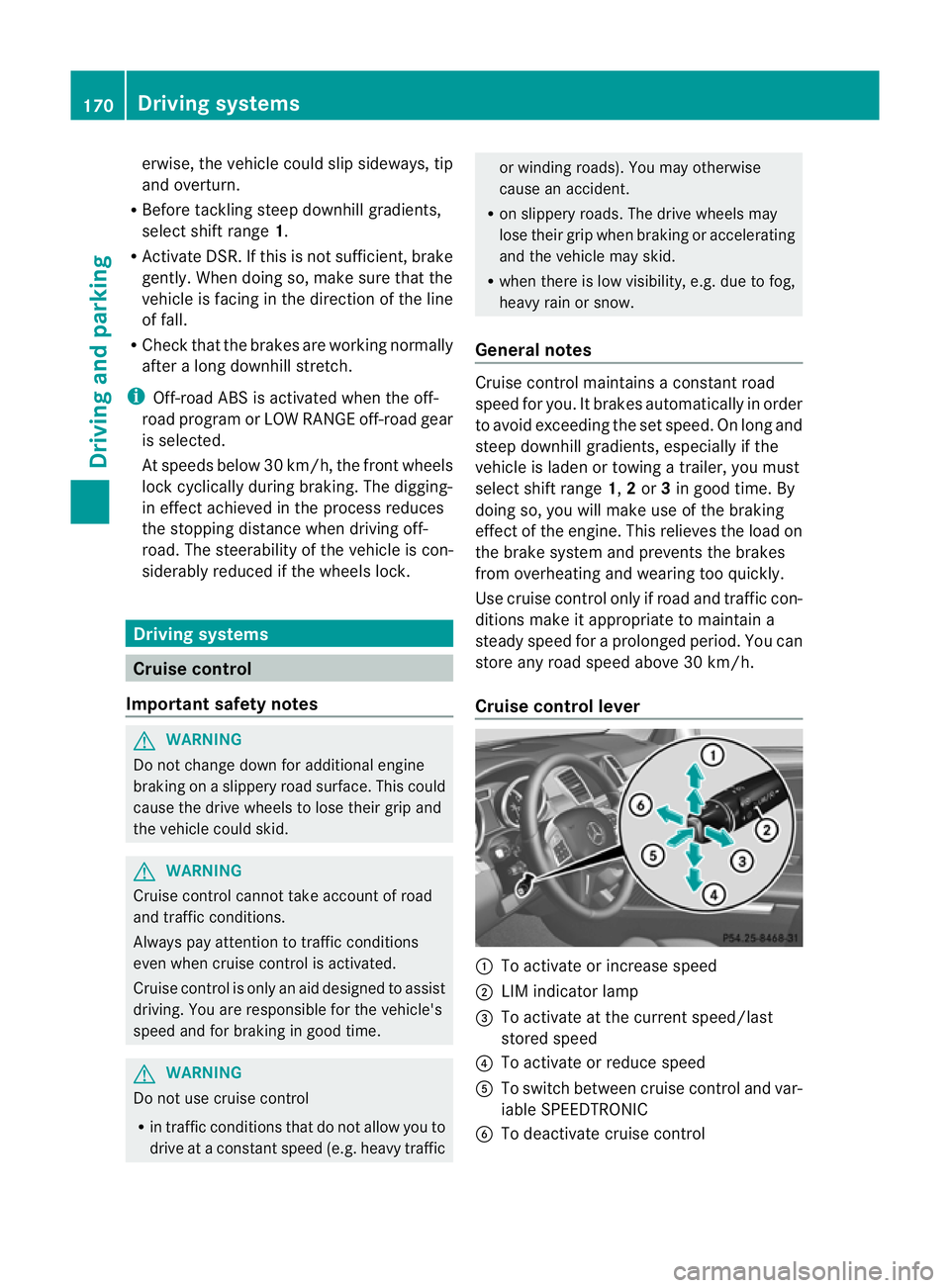
Cruise contro llever :
To activate or increase speed
; LIMi ndicato rlamp
= To activate at the current speed/last
stored speed
? To activate or reduce speed
A To switch between cruise control and var-
iable SPEEDTRONIC
B To deactivate cruise control 170
Driving systemsDriving and parking
Page 176 of 389
vehicl
eisladen or towing atrailer, yo umust
select shift range 1,2or 3in good time. By
doing so, you wil lmake use of the braking
effect of the engine. This relieves the loa don
the brake syste mand prevents the brakes
from overheating and wearing too quickly. If
you need additiona lbraking, depress the
brake peda lrepeatedly rather than continu-
ously.
You can set avariable or permanent limit
speed:
R variable for speedlimits, e.g. in built-up
areas
R permanent for long-term spee drestric-
tions, e.g. when driv ingw ith winter tyres
fitted (Y page174)
i Thes pee dindicated in the spe edometer
ma ydiffer slightly from the limit speed
sto red.
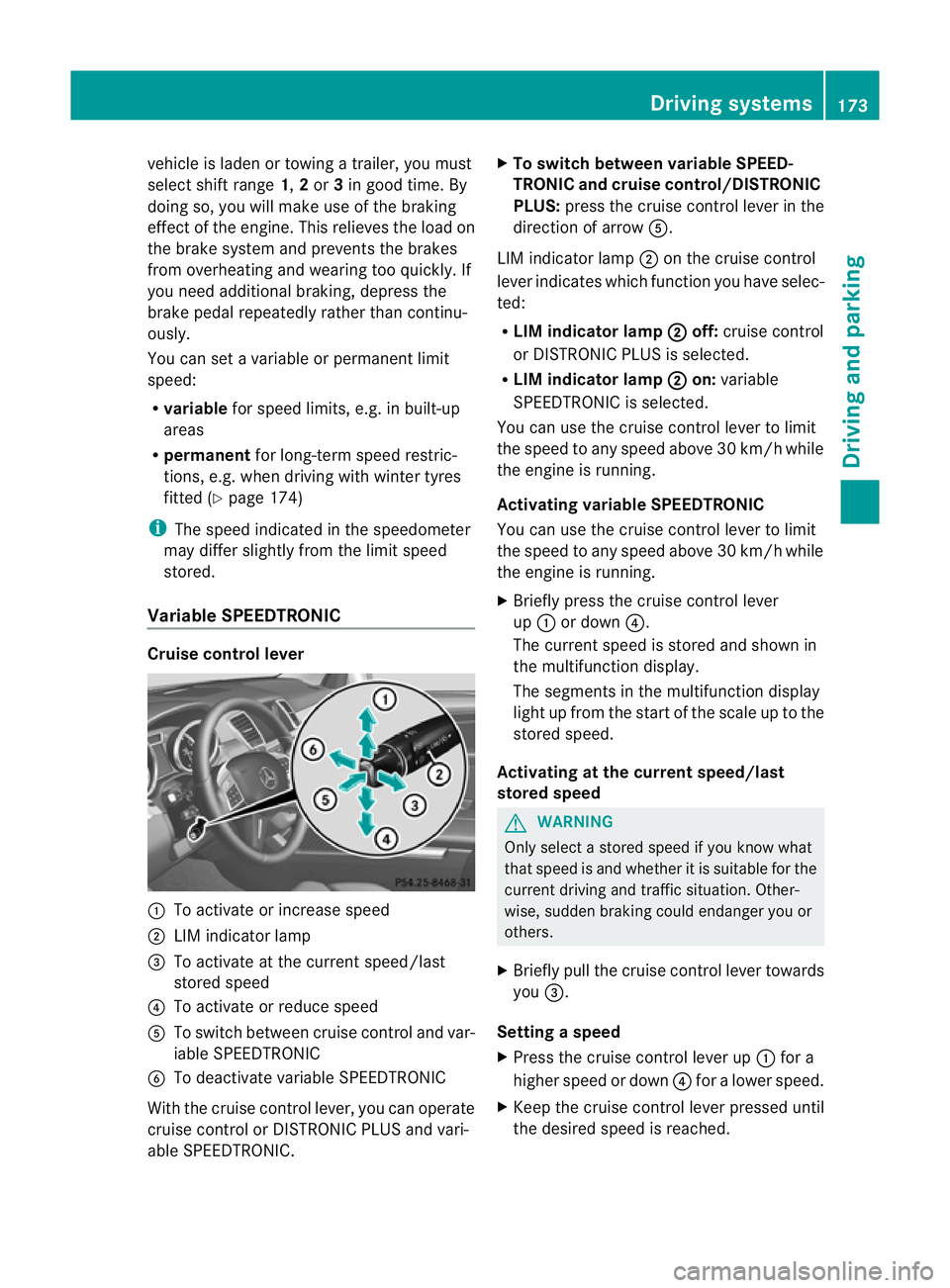
Variable SPEEDTRONIC Cruise control lever
:
To acti vate or increase speed
; LIM indicator lamp
= To activate at the curren tspeed/last
stored speed
? To acti vate or reduce speed
A To switch between cruise control and var-
iable SPEEDTRONIC
B To deactivate variable SPEEDTRONIC
With the cruise control lever, you can operate
cruise control or DISTRONIC PLUS and vari-
able SPEEDTRONIC. X
To switch between variable SPEED-
TRONIC and cruise control/DISTRONIC
PLUS: press the cruise control lever in the
direction of arrow A.
LIM indicator lamp ;on the cruise control
lever indicates which function you have selec-
ted:
R LIM indicator lamp ; off:
cruise control
or DISTRONIC PLUS is selected.
R LIM indicator lamp ; on:
variable
SPEEDTRONIC is selected.
You can use the cruise control lever to limit
the speed to any speed above 30 km/ hwhile
the engin eisrunning.
Activating variable SPEEDTRONIC
You can use the cruise control lever to limit
the spee dtoany speed above 30 km/h while
the engine is running.
X Briefly pres sthe cruise con trollever
up : or down ?.
The curren tspeed is stored and shown in
the multifunction display.
The segment sinthe multifunction display
light up from the star tofthe scal euptot he
stored speed.
Activating at th ecurren tspeed/last
store dspeed G
WARNING
Only select astored speed if you know what
that speed is and whether it is suitable for the
current driving and traffic situation. Other-
wise ,sudden braking could endanger you or
others.
X Briefly pull the cruise control lever towards
you =.
Setting aspeed
X Press the cruise contro llev er up :for a
higher speed or down ?for alower speed.
X Keep th ecruis econtr ol leve rpresse duntil
the desired speed is reached. Drivin
gsystems
173Drivingand park ing Z