warning MERCEDES-BENZ METRIS 2016 MY16 Operator’s Manual
[x] Cancel search | Manufacturer: MERCEDES-BENZ, Model Year: 2016, Model line: METRIS, Model: MERCEDES-BENZ METRIS 2016Pages: 310, PDF Size: 7.28 MB
Page 183 of 310
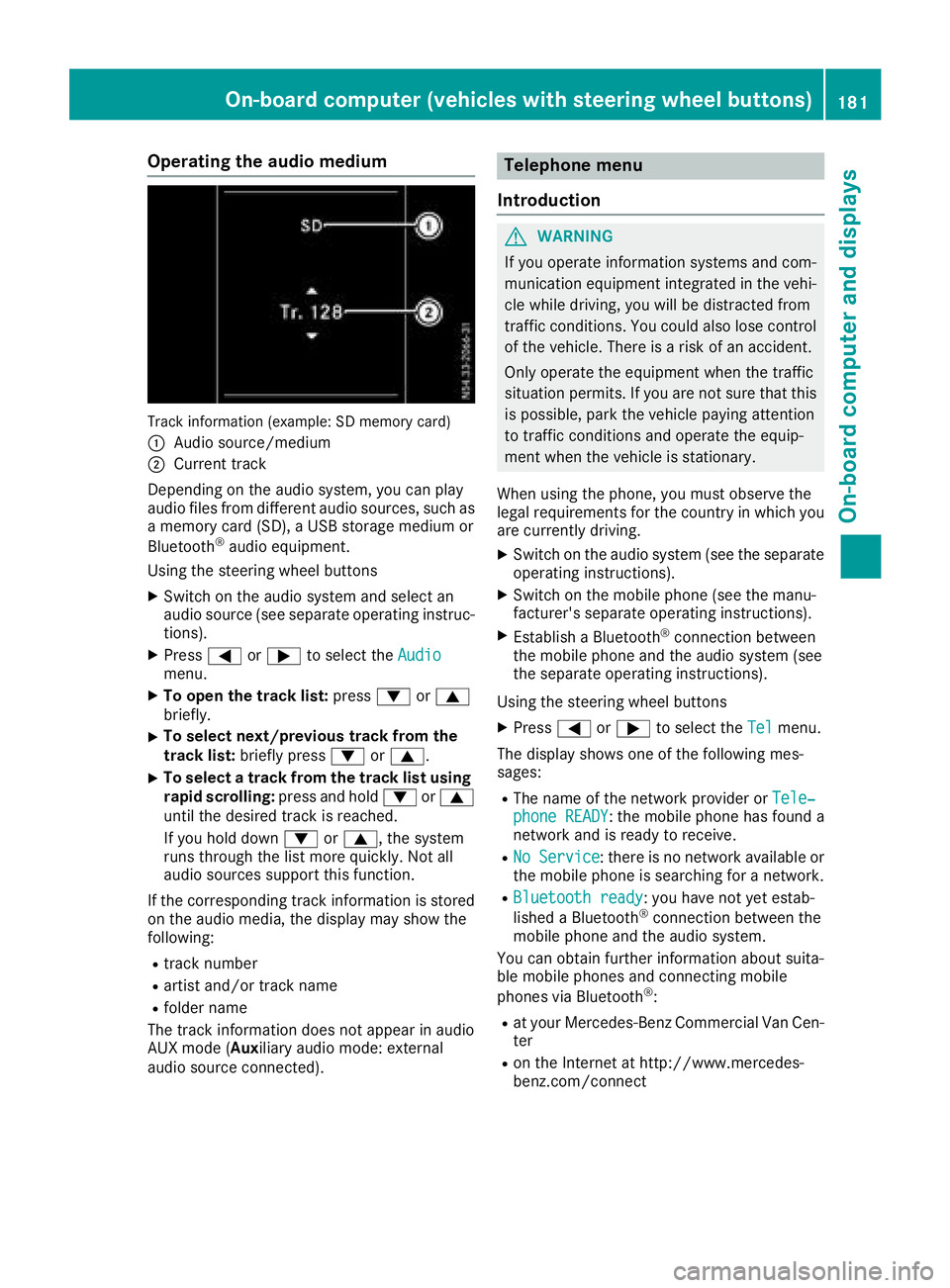
Operating the audio medium
Track information (example: SD memory card)
:
Audio source/medium
;Current track
Depending on the audio system, you can play
audio files from differenta udio sources, such as
am emory card (SD), aUSB storage medium or
Bluetooth
®audio equipment.
Using the steering wheel buttons
XSwitc hont he audio system and select an
audio source (see separate operatin ginstruc-
tions).
XPress =or; to select the Audiomenu.
XTo open the track list: press:or9
briefly.
XTo select next/previous track from the
track list: briefly press :or9.
XTo select atrack from the track list using
rapid scrolling: press and hold:or9
until the desired trac kisreached.
If you hold down :or9,t he system
runs through the list more quickly. Not all
audio sources support this function.
If the correspondin gtrac kinformation is stored
on the audio media, the display may show the
following:
Rtrac knumber
Rartist and/or trac kname
Rfolder name
The trac kinformation does not appear in audio
AUX mode (Aux iliary audio mode: external
audio source connected).
Telephone menu
Introduction
GWARNING
If you operate information systems and com-
munication equipment integrated in the vehi-
cle while driving, you will be distracted from
traffic conditions .You could also lose control
of the vehicle. There is arisk of an accident.
Only operate the equipment when the traffic
situation permits. If you are not sure that this
is possible, park the vehicle paying attention
to traffic conditions and operate the equip-
ment when the vehicle is stationary.
When using the phone, you must observe the
legal requirements for the country in which you
are currently driving.
XSwitc hont he audio system (see the separate
operatin ginstructions).
XSwitc hont he mobile phone (see the manu-
facturer's separate operatin ginstructions).
XEstablish aBluetooth®connection between
the mobile phone and the audio system (see
the separate operatin ginstructions).
Using the steering wheel buttons
XPress =or; to select the Telmenu.
The display shows one of the following mes-
sages:
RThe name of the network provider or Tele‐phone READY:the mobile phone has found a
network and is ready to receive.
RNo Service:t here is no network available or
the mobile phone is searchingf oran etwork.
RBluetooth ready:you have not yet estab-
lished aBluetooth®connection between the
mobile phone and the audio system.
You can obtain further information about suita-
ble mobile phones and connecting mobile
phones via Bluetooth
®:
Rat your Mercedes-Benz Commercial Van Cen-
ter
Ron the Internet at http://www.mercedes-
benz.com/connect
On-boardc omputer (vehicles with steering wheel buttons)181
On-boardcomputer and displays
Z
Page 184 of 310
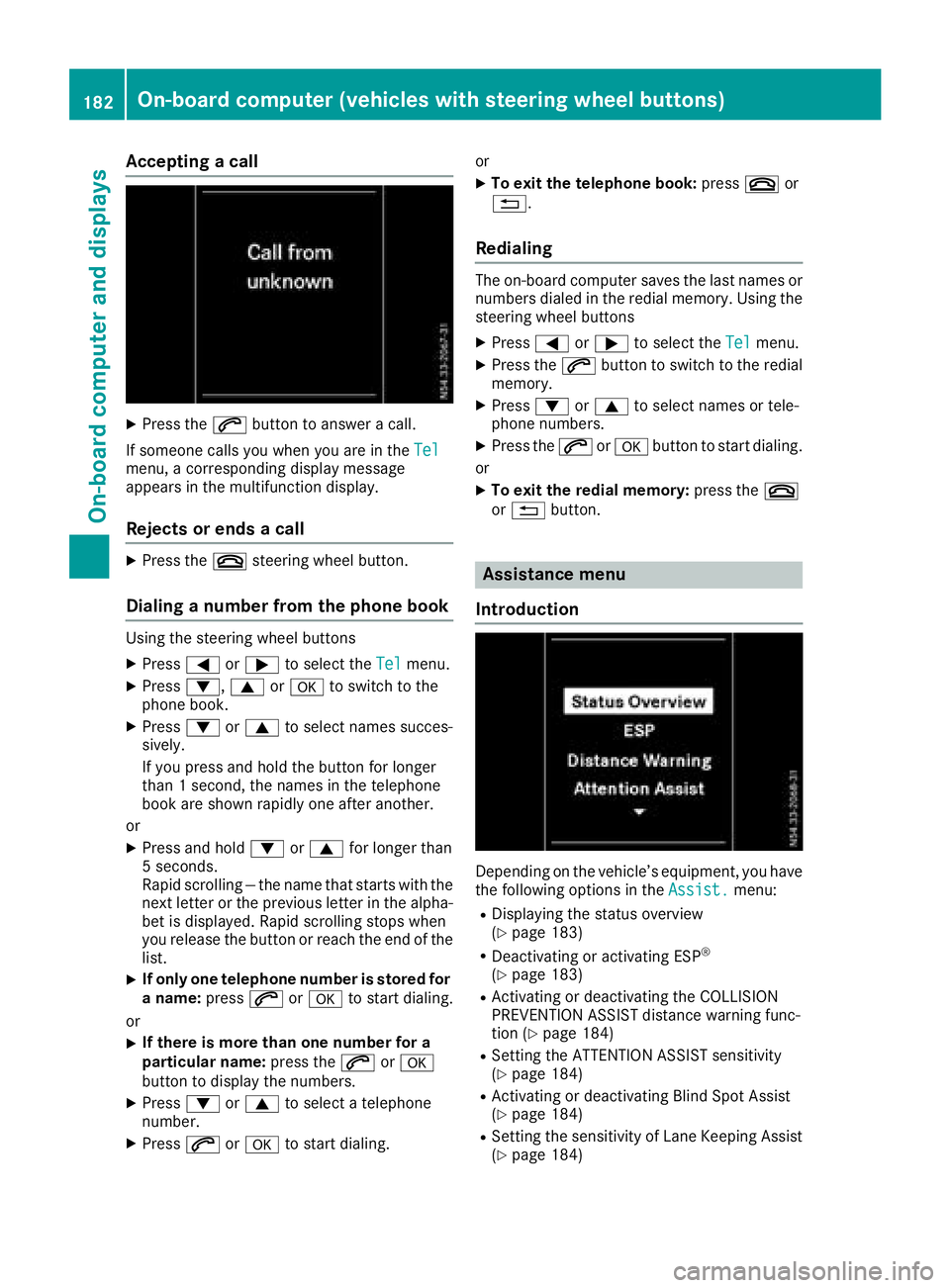
Acceptingacall
XPress th e6 buttontoa nswer acall.
If someon ecallsy ou when you are in th eTel
menu, acorre sponding display message
appear sinthemultifunction display.
Rejects orendsac all
XPress the~ steering whee lbutton.
Dialing anumber fr omthep hone book
Using th esteering whee lbuttons
XPress =or; to select th eTelmenu.
XPress :, 9ora to switch to th e
phone book .
XPress:or9 to select names succes-
sively.
If you press and hold th ebutto nfor longer
than 1second, th enames in th etelephon e
book are shown rapidly on eafter another.
or
XPress and hold :or9 for longer than
5s econds.
Rapid scrollin g—thenam etha tstartsw itht he
next lette rortheprevious lette rinthealpha-
bet is displayed. Rapid scrollin gstops when
you release th ebutto norr eachthe endoft he
list .
XIf only one telephone number is store dfor
an ame: press 6ora to start dialing.
or
XIf there is mor ethano ne number for a
particular name: press the6 ora
butto ntod isplay th enumbers.
XPress :or9 to select atelephon e
number .
XPress6ora to start dialing. or
XTo exit th
etelephone book :press ~or
%.
Redialing
The on-board computer saves th elast names or
number sdialed in th eredial memory. Using th e
steering whee lbuttons
XPress =or; to select th eTelmenu.
XPress th e6 buttontos witch to th eredial
memory.
XPress :or9 to select names or tele-
phone numbers.
XPress th e6 ora buttontostart dialing.
or
XTo exit th eredial memory :press th e~
or % button.
Assistance menu
Introd uction
Dependin gonthevehicle’s equipment, you hav e
th ef ollowin goption sintheAssist .menu:
RDisplaying th estatus overview
(Ypage 183)
RDeactivating or activating ES P®
(Ypage 183)
RActivating or deactivating theCOLLISION
PREVENTION ASSIST distanc ewarning func-
tion (
Ypage 184)
RSetting th eATTEN TION ASSIST sensitivit y
(Ypage 184)
RActivating or deactivating Blind Spot Assis t
(Ypage 184)
RSetting th esensitivit yofLaneK eepin gAssist
(Ypage 184)
182On-boar dcomputer (vehicles with steering wheel buttons)
On-boar dcomputer and displays
Page 185 of 310
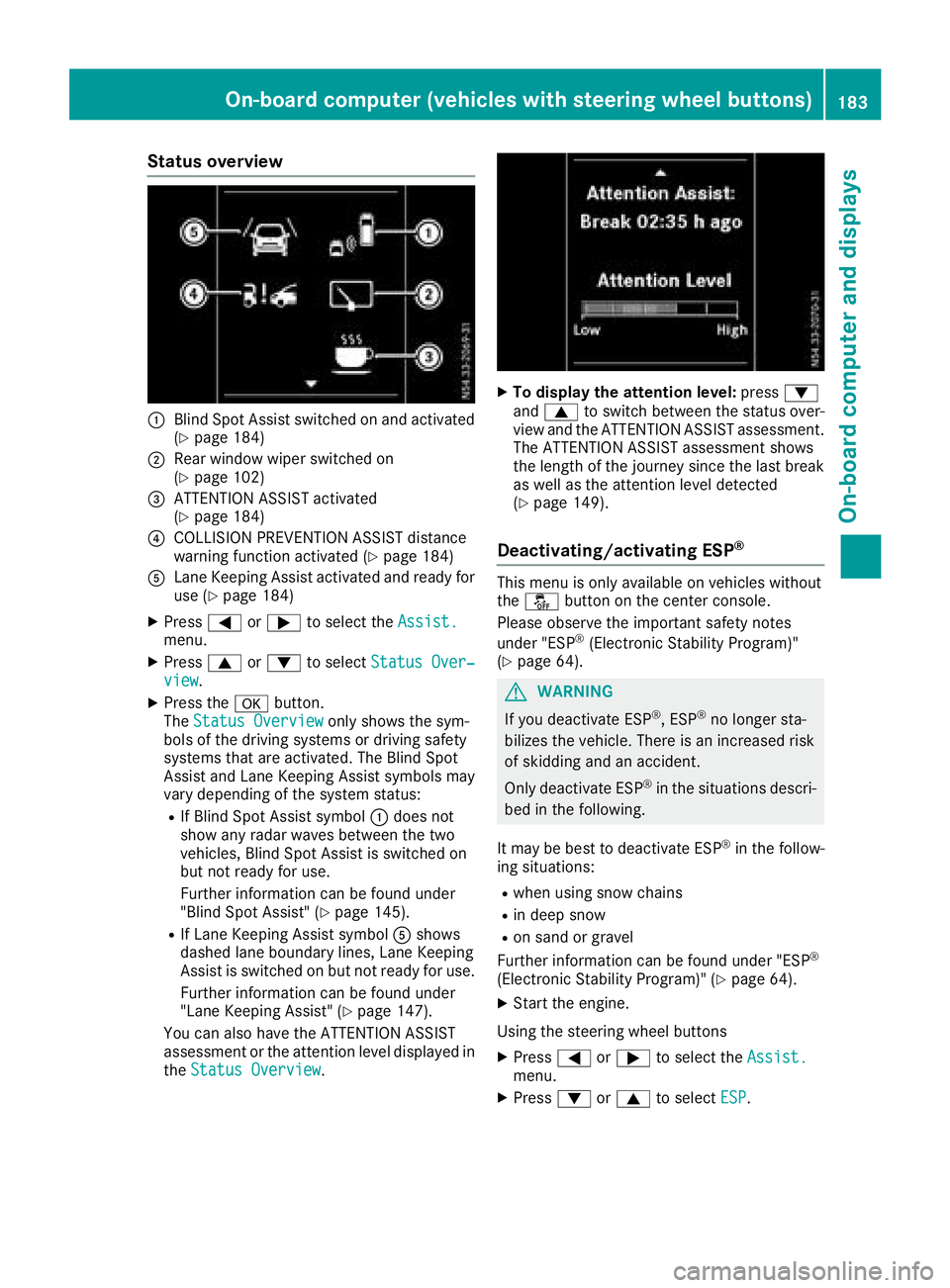
Status overview
:Blind Spot Assist switched on and activated
(Ypage 184)
;Rear window wiper switched on
(Ypage 102)
=ATTENTION ASSIST activated
(Ypage 184)
?COLLISION PREVENTION ASSIST distance
warning function activated (Ypage 184)
ALane Keeping Assist activated and ready for
use (Ypage 184)
XPress=or; to select the Assist.menu.
XPress9or: to select Status Over‐view.
XPress the abutton.
The Status Overviewonly shows the sym-
bols of the driving systems or driving safety
systems that are activated. The Blind Spot
Assist and Lane Keeping Assist symbols may
vary depending of the system status:
RIf Blind Spot Assist symbol :does not
show any radar waves between the two
vehicles, Blind Spot Assist is switched on
but not ready for use.
Further information can be found under
"Blind Spot Assist" (
Ypage 145).
RIf Lane Keeping Assist symbol Ashows
dashed lane boundary lines, Lane Keeping
Assist is switched on but not ready for use.
Further information can be found under
"Lane Keeping Assist" (
Ypage 147).
You can also have the ATTENTION ASSIST
assessment or the attention level displayed in the Status Overview
.
XTo display the attention level: press:
and 9 to switch between the status over-
view and the ATTENTION ASSIST assessment.
The ATTENTION ASSIST assessment shows
the length of the journey since the last break
as well as the attention level detected
(
Ypage 149).
Deactivating/activating ESP®
This menu is only available on vehicles without
the å button on the center console.
Please observe the important safety notes
under "ESP
®(Electronic Stability Program)"
(Ypage 64).
GWARNING
If you deactivate ESP
®,E SP®no longer sta-
bilizes the vehicle. There is an increased risk
of skidding and an accident.
Only deactivate ESP
®in the situations descri-
bed in the following.
It may be best to deactivate ESP
®in the follow-
ing situations:
Rwhen using snow chains
Rin deep snow
Ron sand or gravel
Further information can be found under "ESP®
(Electronic Stability Program)" (Ypage 64).
XStart the engine.
Using the steering wheel buttons
XPress =or; to select the Assist.menu.
XPress:or9 to select ESP.
On-board computer (vehicles with steering wheel buttons)183
On-board computer and displays
Z
Page 186 of 310
XPressato confirm.
The currents tatus is shown.
XTo activate/deactivate: pressaagain.
If the å warning lamp in the instrument
cluster lights up when the vehicle is ready to
drive, ESP
®is deactivated.
If the ÷ warning lamp lights up continuously,
ESP
®is not availabled ue toamalfunction.
Observe the information on warning lamps
(
Ypage 221) and display messages
(Ypage 207).
Activating/deactivating the distance
warning function
Using the steerin gwheel buttons
XPress =or; to select the Assist.menu.
XPress9or: to select DistanceWarning.
XPressato confirm.
The currents tatus is shown.
XTo activate/deactivate: press theabut-
ton again.
If the distanc ewarning function of COLLISION
PREVENTION ASSIST is activated, the display
shows the Äsymbol in the header.
At speeds up to approx 20 mph (30 km/h),
the display in vehicles with Active Parking
Assist first shows the ístatus indicator.
Only from aspeed of about 20 mph (30 km/ h)
does the display show the Äsymbol
instead of the ístatus indicator.
Further information can be found under "COL-
LISION PREVENTION ASSIST" (
Ypage 143).
Setting ATTENTION ASSIST
Using the steering wheel buttons
XPress =or; to select the Assist.menu.
XPress:or9 to select AttentionAssist.
XPressato confirm.
The currents etting is displayed.
XTo change the setting: pressaagain.
XPress :or9 to set Deactivated,
Standardor Sensitive.
XPress ato confirm the choice.
If ATTENTION ASSISTisa ctivated, theÀ
symbol is shown in the status area of the dis- play. The selection
Standard
orSensitivesets the sensitivity with which the system
determines the attention level.
Further information can be found under "ATTEN-
TION ASSIST" (
Ypage 149).
Activating/deactivating Blind Spot
Assist
Using the steering wheel buttons
XPress =or; to select the Assist.menu.
XPress:or9 to select Blind SpotAssist.
XPressato confirm.
The currents tatus is shown.
XTo activate/deactivate: press theabut-
ton again.
Further information can be found under "Blind
Spot Assist "(
Ypage 145).
Setting Lane Keeping Assist
Using the steering wheel buttons
XPress=or; to select the Assist.menu.
XPress:or9 to select LaneKeepingAssist.
XPressato confirm.
The currents electionStandardorAdaptiveis displayed.
XTo change the setting: pressaagain.
Further information can be found under "Lane
Keeping Assist "(
Ypage 147).
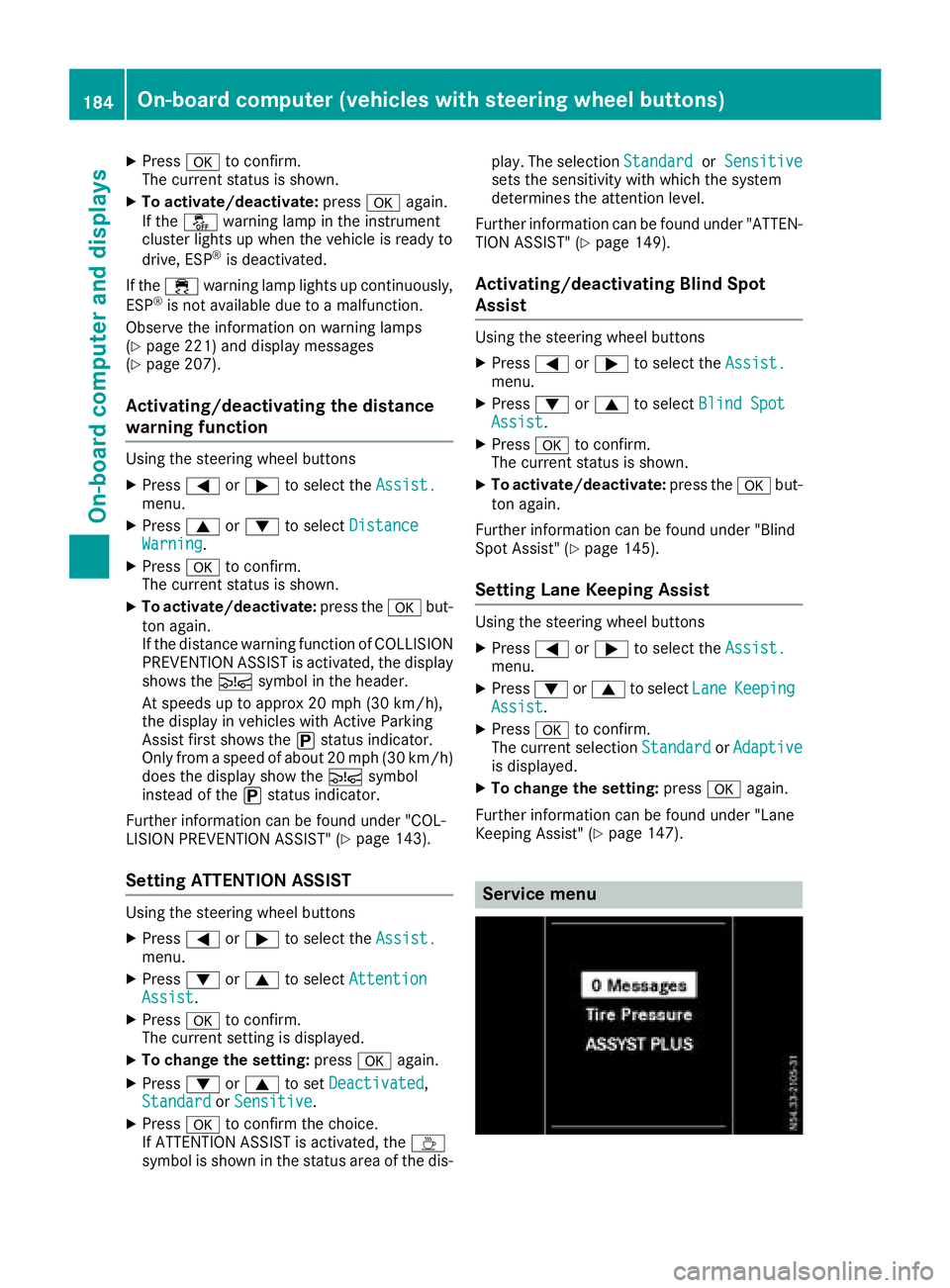
Service menu
184On-boardcomputer (vehicles with steering wheel buttons)
On-boardcomputer and displays
Page 187 of 310
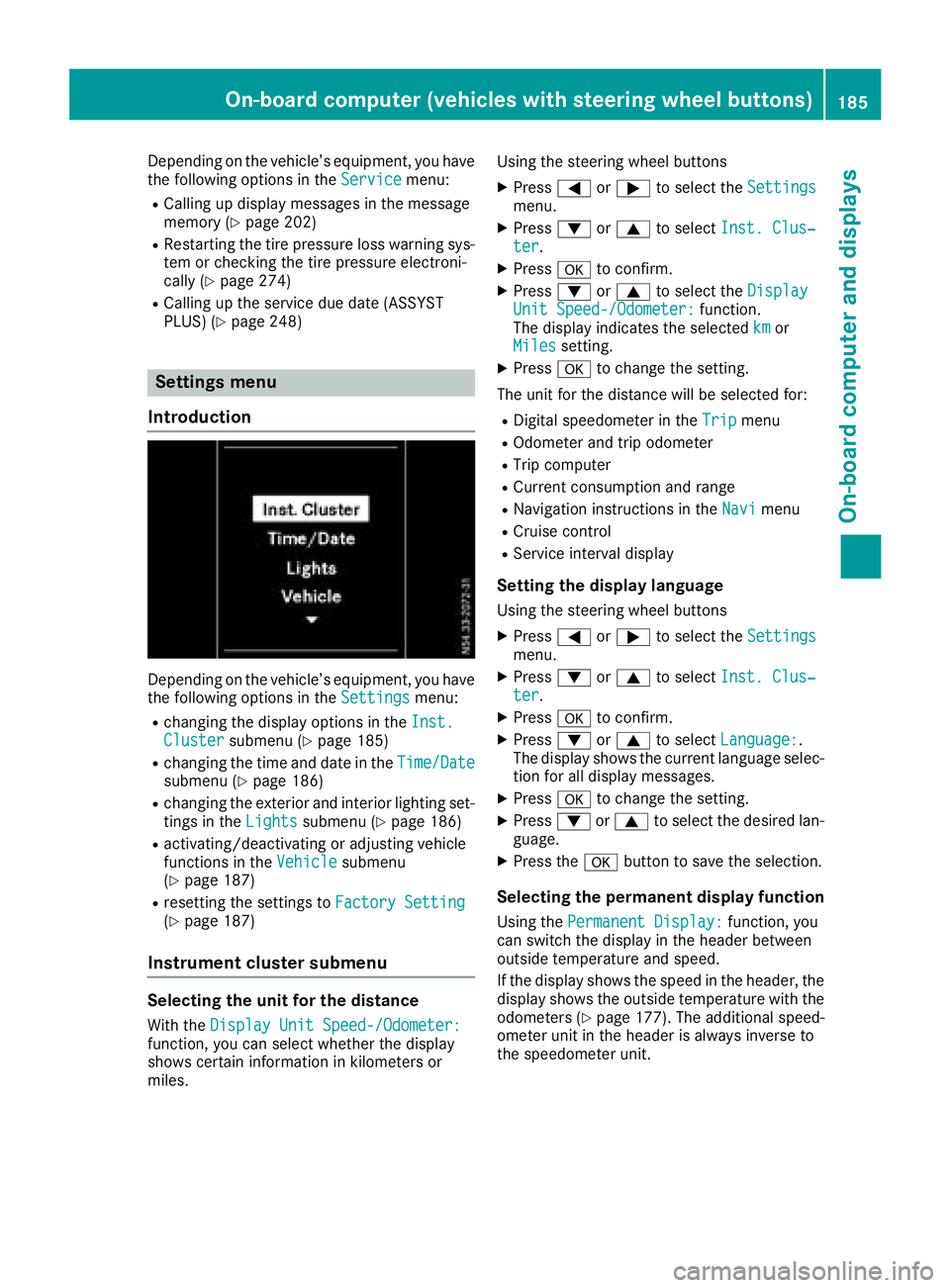
Depending on the vehicle’sequipment ,you have
the following options in the Servicemenu:
RCalling up displaymessage sinthe message
memory (Ypage 202)
RRestartin gthe tire pressure loss warning sys-
tem or checking the tire pressure electroni-
cally (
Ypage 274)
RCalling up the servic eduedate (ASSYST
PLUS) (Ypage 248)
Settings menu
Introduction
Depending on the vehicle’ sequipment ,you have
the following options in the Settingsmenu:
Rchanging the displayoptions in the Inst.Clustersubmenu (Ypage 185)
Rchanging the time and date in the Time/Datesubmenu (Ypage 186)
Rchanging the exteriorand interio rlighting set-
ting sint heLightssubmenu (Ypage 186)
Ractivating/deactivating or adjusting vehicle
functions in the Vehiclesubmenu
(Ypage 187)
Rresetting the settings to FactorySetting(Ypage 187)
Instrument cluste rsubmenu
Selecting the uni tfor the distance
With the DisplayUnitS peed-/Odometer:function, yo ucan select whether the display
shows certain informatio ninkilometers or
miles. Using the steerin
gwheel buttons
XPress =or; to select the Settingsmenu.
XPress:or9 to select Inst. Clus‐ter.
XPressato confirm.
XPress :or9 to select the DisplayUnitSpeed-/Odometer:function.
The displa yindicates the selected kmor
Milessetting.
XPress ato change the setting.
The uni tfor the distance will be selecte dfor:
RDigita lspeedom eterint heTripmenu
ROdometer and trip odometer
RTripc omputer
RCurrent consumption and range
RNavigation instructions in the Navimenu
RCruise control
RService intervaldisplay
Settingthe display language
Using the steerin gwheel buttons
XPress =or; to select the Settingsmenu.
XPress:or9 to select Inst. Clus‐ter.
XPressato confirm.
XPress :or9 to select Language:.
The displa yshows the current languag eselec-
tio nfor al ldisplay messages.
XPressato change the setting.
XPress :or9 to select the desired lan-
guage.
XPress the abutton to save the selection.
Selecting the permanent display function
Using the Permanent Display:function, you
can switch the displa yinthe header between
outside temperatur eand speed.
If the displa yshows the spee dinthe header, the
displa yshows the outside temperatur ewitht he
odometers (
Ypage 177). The additional speed-
ometer uni tinthe header is always invers eto
the speedomete runit.
On-board computer (vehicle swiths teering whee lbuttons)18 5
On-board computera nd displays
Z
Page 190 of 310
Display messages (vehicles withoutsteering wheel buttons)
Introduction
Important safet ynotes
GWARNING
If th einstrument cluster has failed or malfunctioned, you may no trecogniz efunction restriction s
in systems relevant to safety. The operatin gsafet yofyour vehicle may be impaired. There is arisk
of an accident.
Drive on carefully. Hav ethe vehicle checke dataqualified specialis tworkshop immediately.
The on-boar dcom pute ronlys hows messages or warnings from certain systems in th einstrument
cluster display. You should therefore mak esurey our vehicle is operatin gsafely at all times .Ifthe
operatin gsafet yofyour vehicle is impaired, stop th evehicle as soo naspossible, payin gattenti on
to road and traffic conditions. The nconsu ltaq ualified specialis tworkshop .
Display messages wit hgraphi csymbols are simplified in th eOperator's Manual and may diffe rfro m
th es ymbols in th edisplay. Awarnin gtones ounds wit hcertai ndisplay messages.
Please respon dinaccordance wit hthe display messages and follow th eadditional note sinthis
Operator's Manual.
You can hide low-priorit ydisplay messages usin gthe 3 butto nont heinstrumen tcluster. The
display messages are then stored in th emessag ememory. Rectify th ecause of adisplay mess
age
a
s soo nasp ossible.
High-priorit ydisplay messages canno tbehidden .These messages will continue to be shown in th e
display until their cause has bee neliminated.
Message memory
The on-boar dcom pute rstore scertai ndisplay messages in th emessag ememory. You can cal lup
th es tore ddisplay messages. Use th ebuttons in th einstrument cluster.
XPressÈto selec tthe messag ememory.
If there are display messages, th edisplay shows th enumber of saved messages.
If there are no display messages, th edisplay shows No Messages
.
XPress3to scroll forwards through th edisplay messages.
Afte rthe last saved display message, th edisplay again shows th emessag ememor ystart scree n
wit hthe number of saved messages.
Press Èto exit th edisplay messages and jump directl ytot he messag ememor ystart screen.
188Display message s(vehicles withou tsteering wheelbuttons)
On-board computera nd displays
Page 191 of 310
Safety systems
Display messagesPossible causes/consequences andMSolutions
ABS,ESPInoperative
+
ABS,BAS,hill start assist, and ESP®as well as its driving safety sys-
tems are unavailable due to amalfunction.
ATTENTION ASSIST is deactivated and other driving systems could be
automatically deactivated.
GWARNING
The brake system continues to function normally, but without the
functions listed above. The wheels could therefore lock if you brake
hard, for example.
This causes steerability and braking to be greatly impaired. The brak-
ing distance can increase in emergency braking situations.
If ESP
®is not operational, ESP®will not stabilize the vehicle.
There is an increased risk of skidding and accidents.
XDrive on with care.
XVisit aqualified specialist workshop immediately.
ABS, ESP Curr.Unavail.
+
ABS,B AS,hill start assist, and ESP®as well as its driving safety sys-
tems are temporarily unavailable.
ATTENTION ASSIST is deactivated and other driving systems could be
automatically deactivated.
For example, the on-board voltage may be insufficient.
GWARNING
The brake system continues to function normally, but without the
functions listed above. The wheels could therefore lock if you brake
hard, for example.
This causes steerability and braking to be greatly impaired. The brak-
ing distance can increase in emergency braking situations.
If ESP
®is not operational, ESP®will not stabilize the vehicle.
There is an increased risk of skidding and accidents.
XDrive on with care and on asuitable stretch of road make slight
steering movementsatas peed above 12 mph (20 km/h).
If the display message continues to be displayed:
XDrive on with care.
XVisit aqualified specialist workshop.
Display messages (vehicles without steering wheel buttons)189
On-board computer and displays
Z
Page 194 of 310
Display messagesPossible causes/consequences andMSolutions
Further information on theOccupant Classification Syste m(OCS )can
be found under "Occupant Classification Syste m(OCS)" (Ypage 51).
#
CheckBrakePadWear
The brak epads/linings hav ereached their wear limit.
XVisit aqualified specialist workshop .
$(USA
only)
J(Canada
only)
Check Brake Fluid
Level
There is insufficien tbrak efluidint hebrak efluid reservoir .
GWARNING
Braking performance can be impaired.
There is ariskofana ccident.
XStop thevehicl eimmediately, payin gattention to roa dand traffic
conditions. Do no tcontinue drivingunder any circumstances.
XSecur ethe vehicl etopreventitfromr ollin gaway (Ypage 132).
XDo no tadd brak efluid .Addingm orew ill no tremedy th emalfunc -
tion .
XConsult aqualified specialist workshop .
EBD,ABS,E SP Inop‐erativ e
+
EBDisu navailable due to amalfunction .ABS ,BAS ,hill start assist and
ES P®as well as it sdrivin gsafet ysystems ,for example, are therefor e
also unavailable .
ATTENTION ASSIST is deactivated and other drivin gsystems could be
automatically deactivated.
GWARNIN G
The brak esystem continues to function normally, but without th e
function slisted above. The wheels could therefor eloc kp rematurel yif
you brak ehard, for example.
This causes steerabilit yand braking to be greatl yimpaired. The brak -
ing distanc ecan increas einemergenc ybraking situations.
If ES P
®is no toperational, ES P®will notstabiliz ethe vehicle.
There is an increased ris kofskiddin gand accidents .
XDrive on withcare.
XVisit aqualified specialist workshop immediately.
192Display message s(vehicles withou tsteering wheelbuttons)
On-board computera nd displays
Page 195 of 310
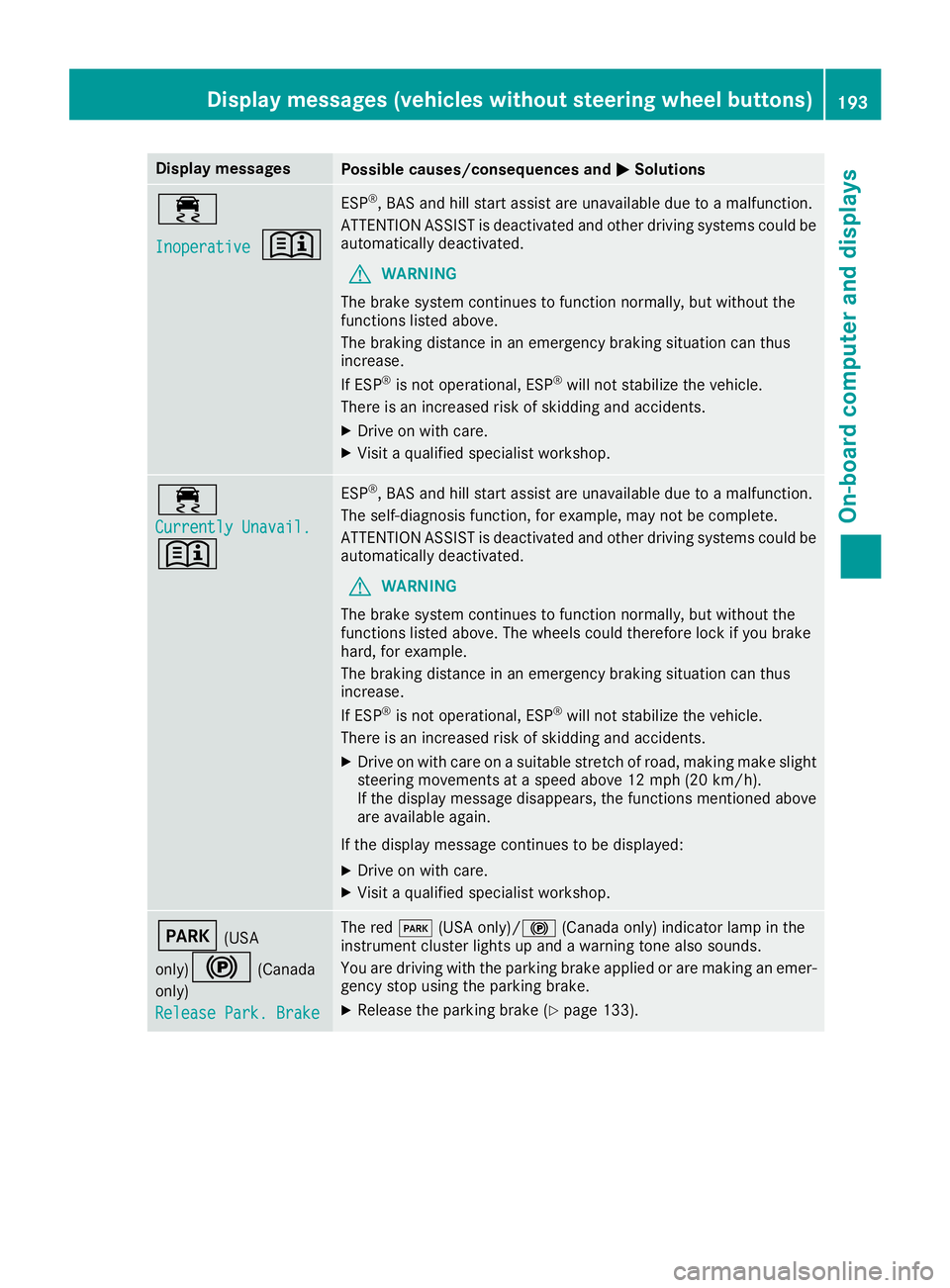
Display messagesPossible causes/consequences andMSolutions
÷
Inoperative+
ESP®,BAS and hill start assist are unavailable due to amalfunction .
ATTENTION ASSIST is deactivated and other drivin gsystems could be
automatically deactivated.
GWARNIN G
The brak esystem continues to function normally, but without th e
function slisted above.
The braking distanc einanemergenc ybraking situation can thus
increase.
If ES P
®is no toperational, ES P®will notstabiliz ethe vehicle.
There is an increased ris kofskiddin gand accidents .
XDrive on withcare.
XVisit aqualified specialist workshop .
÷
Currently Unavail.
+
ESP®,BAS and hill start assist are unavailable due to amalfunction .
The self-diagnosis function ,for example, may no tbecomplete.
ATTENTION ASSIST is deactivated and other drivin gsystems could be
automatically deactivated.
GWARNIN G
The brak esystem continues to function normally, but without th e
function slisted above. The wheels could therefor eloc kify ou brak e
hard, for example.
The braking distanc einanemergenc ybraking situation can thus
increase.
If ES P
®is no toperational, ES P®will notstabiliz ethe vehicle.
There is an increased ris kofskiddin gand accidents .
XDrive on withcareonas uitable stretch of road, making mak eslight
steering movement sataspeed abov e12mph(20 km/ h).
If the display messag edisappears, the functions mentioned above
are available again.
If the display message continues to be displayed:
XDrive on with care.
XVisit aqualifieds pecialist workshop.
F(USA
only)
!(Canada
only)
Release Park. Brake
The red F(USA only)/! (Canada only) indicator lamp in the
instrument cluster lights up and awarning tone also sounds.
You are driving with the parking brake applied or are making an emer-
gency stop using the parking brake.
XRelease the parking brake (Ypage 133).
Display messages( vehicles without steeringw heel buttons)193
On-board computer and displays
Z
Page 196 of 310
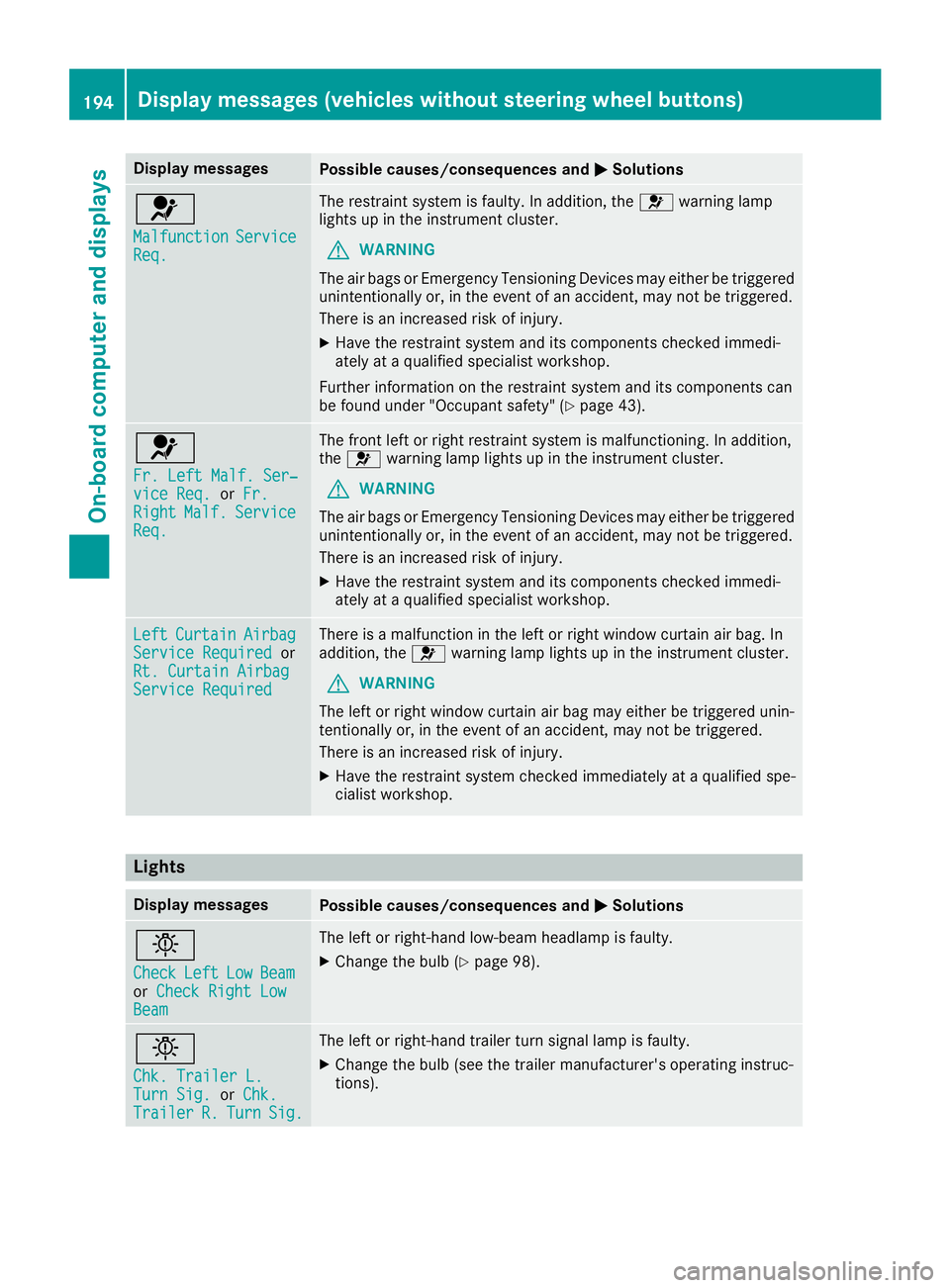
Display messagesPossible causes/consequences andMSolutions
6
MalfunctionServiceReq.
The restrain tsystem is faulty. In addition ,the 6 warning lamp
lights up in th einstrumen tcluster.
GWARNIN G
The air bags or Emergency Tensioning Devices may either be triggered
unintentionally or, in th eevent of an accident, may no tbetriggered .
There is an increased ris kofinjury.
XHavethe restrain tsystem and it scom ponent schecked immedi-
ately at aqualified specialist workshop .
Further information on th erestrain tsystem and it scom ponent scan
be found under "Occupant safety" (
Ypage 43).
6
Fr. LeftMalf. Ser ‐viceReq.or Fr.RightMalf.Servic eReq.
The fron tleftorr ight restrain tsystem is malfunctioning .Inaddition ,
th e6 warning lamp lights up in th einstrumen tcluster.
GWARNIN G
The air bags or Emergency Tensioning Devices may either be triggered
unintentionally or, in th eevent of an accident, may no tbetriggered .
There is an increased ris kofinjury.
XHavethe restrain tsystem and it scom ponent schecked immedi-
ately at aqualified specialist workshop .
LeftCurtai nAirbagServiceRequiredor
Rt. Curtai nAirbag
Servic eRequired
There is amalfunction in th eleftorr ight window curtai nair bag. In
addition ,the 6 warning lamp lights up in th einstrumen tcluster.
GWARNIN G
The lef torright window curtai nair bag may either be triggered unin-
tentionally or, in th eevent of an accident, may no tbetriggered .
There is an increased ris kofinjury.
XHavethe restrain tsystem checke dimmediately at aqualified spe -
cialist workshop .
Lights
Display messagesPossible causes/consequences and MSolutions
b
CheckLeftLowBeamorCheck Right LowBea m
The lef torright-hand low-beam headlamp is faulty.
XChange th ebulb (Ypage 98).
b
Chk .Traile rL.TurnSig.or Chk .Traile rR.TurnSig.
The lef torright-hand trailer tur nsignal lamp is faulty.
XChange th ebulb (see th etrailer manufacturer' soperating instruc-
tions).
194Display message s(vehicles withou tsteering wheelbuttons)
On-board computera nd displays