stop start MERCEDES-BENZ METRIS 2016 MY16 Operator’s Manual
[x] Cancel search | Manufacturer: MERCEDES-BENZ, Model Year: 2016, Model line: METRIS, Model: MERCEDES-BENZ METRIS 2016Pages: 310, PDF Size: 7.28 MB
Page 137 of 310
Alwaysusethe hands-free system for telephon-
ing whil edriving .Onlyu sethe telephone if road
traffic conditions permit. If thisisn ot the case,
pull ove rtoasafel oc ation before using the tele-
phone.
Bea rinm ind thatata speed of just30mph
(approximately5 0km/h), your vehicl eiscov-
ering adistance of 44 fee t(approximately 14 m)
every second.
Drive sensibly –save fuel
In order to save fuel, observe the following tips:
XThe tires should alwaysbei nflated to the rec-
ommended tire pressure.
XRemove unnecessary loads.
XRemove roof carriers when they are not nee-
ded.
XWarm up the engine at low engine speeds.
XAvoid frequent acceleration or braking.
XHave all maintenanc ework carried out as
indicated by the servicei ntervals in the Main-
tenance Booklet or by the servicei nterval dis-
play.
Fuel consumption also increases when driving in cold weather, in stop-start traffic and in moun-
tainous terrain.
Overrun cutoff
If you are in overrun mode and take your foot off
the accelerator pedal, the fuel supply is cut off
when the engine speed is out of the idle speed
control range.
Drinking and driving
GWARNING
Drinking and driving and/or takin gdrugs and
driving are very dangerous combinations.
Even asmall amount of alcohol or drugs can
affect your reflexes ,perceptions and judg-
ment.
The possibility of aserious or even fatal acci-
dent is greatly increased when you drink or
take drugs and drive.
Do not drink or take drugs and drive or allow
anyone to drive who has been drinking or tak-
ing drugs.
Emission control
GWARNING
Combustion engines emit poisonous exhaust
gases such as carbon monoxide. Inhaling
these exhaust gases leads to poisoning. There
is ar isk of fatal injury. Thereforen ever leave
the engine running in enclosed spaces with-
out sufficien tventilation.
Certain engine systems are designed to keep
the level of poisonous substances in exhaust
fumes within legal limits.
These systems only work optimally if they are
maintained exactly in accordance with the man-
ufacturer's specifications. An ywork on the
engine should therefore be carried out by quali-
fied and authorized Mercedes-Benz technicians.
The engine settings must not be changed under
any circumstances. In addition, all specific
maintenanc ework must be carried out at regu-
lar intervals and in accordance with the service
requirement softhe dealer listed here on the
inside title page. Details can be found in the
Maintenance Booklet.
Speed limiter
GWARNING
Exceeding the stated tire load-bearing capa-
city and the approved maximum speed could
lead to tire damage or the tire bursting. There is ar isk of accident.
Therefore, only use tire types and sizes
approved for your vehicle model. Observe the
tire load ratin gand speed ratin grequired for
your vehicle.
As the driver, you must be aware of the maxi-
mum design speed of the vehicle and the maxi- mum permissible speed based on the tires (tire
and tire pressure). In particular, also observe the tire approval regulations for each country.
You must, under no circumstances, exceed the
speed limit for the tires specified by the speed
index. The speed ratin gisstated in the tire
tables (
Ypage 291).
You can permanently limit the maximum speed
of your vehicle, e.g. for driving on winter tires.
Driving tips135
Driving and parking
Z
Page 139 of 310
!Depressing the brake pedal constantly
results in excessive and premature wear to
the brake pads.
If the brakes have been subjected to aheavy
load, do not stop the vehicle immediately.D rive
on for ashort while.T he brakes are cooled down
more quickly in the airflow.
Wet road surfaces
If you have been driving for along time in heavy
rain without braking, there may be adelayed
response when you first apply the brakes. This
may also occur after driving through acar wash
or deep water.
You must depress the brake pedal more firmly.
Maintain alonger distance to the vehicle in
front.
While paying attention to the traffic conditions,
you should brake the vehicle firmly after driving
on aw et road surface or through acar wash. This
heats the brake discs, so that they dry more
quickly, which protects them against corrosion.
Limited braking performance on salt-
treated roads
When driving on salted roads, salt may start to
buildupont he brake disks and brake pads. This
can increase braking distances considerably.
Maintain agreater distance to the vehicle in
front.
To remove any build-up of salt that may have
formed:
XApply the brakes at the start of the journey,
occasionally during journey and at the end of
the journey. Make sure that you do not endan-
ger other road users when doing so.
New brake discs and brake pads/
linings
New brake pads and brake discs only reach their
optimal braking effect after about60m iles
(100 kilometers). Until then, compensate for
this by applying greater force to the brake pedal. For safety reasons, Mercedes-Benz recom-
mends only installing the following brake discs
and brake pads/linings:
Rbrake discs that have been approved by
Mercedes-Benz
Rbrake pads/linings that have been approved
by Mercedes-Benz or are of an equivalent
standard of quality
Other brake discs or brake pads/linings can
compromise the safety of your vehicle.
Alwaysr eplace all brake discs or brake pads/
linings on an axle at the same time and only have
them replaced at aqualified specialist work-
shop. When replacing the brake discs, always
have the brake pads/linings replaced at the
same time.
Parking brake
GWARNING
If you must brake the vehicle with the parking brake, the braking distance is considerably
longer and the wheels could lock. There is an
increased danger of skidding and accidents.
Only use the parking brake to brake the vehi-
cle when the service brake is faulty. Do not
apply the parking brake too firmly. If the
wheels lock, release the parking brake until
the wheels begin turning again.
When driving on wet roads or dirt-covered sur-
faces, road salt and/or dirt may get into the
parking brake. This causes corrosion and a
reduction of braking force.
In order to prevent this, drive with the parking
brake lightly applied from time to time. When
doing so, drive for adistance of approximately
110 yds (100 m) at amaximum speed of 12 mph
(20 km/h).
The brake lamps are not illuminated when you
brake the vehicle using the parking brake.
Driving in wet conditions
Hydroplaning
GWARNING
There is adanger of hydroplaning occurring,
even if you are driving slowly and your tires
Driving tips137
Driving and parking
Z
Page 140 of 310
have sufficient tread depth, depending on the
depth of water on the road. There isarisk of
an accident.
For this reason, avoid tire ruts and brake care-
fully.
Therefore, in heavy rain or other conditions in
which hydroplaning can occur, drive as follows:
Rreduce your speed
Ravoid tire ruts
Rapply the brakes with care
Driving on flooded roads
!Do not drive through flooded areas. Check
the depth of any water before driving through
it. Drive slowly through standing water. Oth-
erwise, water may enter the vehicle interior or
the engine compartment. This can damage
the electronic components in the engine or
the automatic transmission. Water can also
be drawn in by the engine's air suction nozzles
and this can cause engine damage.
If you have to drive on stretches of road on which
water has collected, please bear in mind that:
Rthe water level of standing water should not
be above the lower edge of the front bumper
Rdo not drive faster than walking speed
Driving in winter
GWARNING
If you shift down on aslippery road surface in
an attempt to increase the engine's braking
effect,t he drive wheels could lose their grip.
There is an increased danger of skidding and
accidents.
Do not shift down for additional engine brak-
ing on aslippery road surface.
!Vehicles with automatic transmission may
roll only briefly in the neutral position N.Pro-
longed rolling of the wheels, e.g. when being
towed, will result in transmission damage.
Have your vehicle winterproofed at aqualified
specialist workshop at the onset of winter. Drive particularly carefully on slippery roads.
Avoid sudden acceleration, steering and braking
maneuvers. Do not use cruise control.
If the vehicle threaten stoskid or cannot be
stopped when moving at low speed:
XShift the transmission to position N.
XTry to maintain control of the vehicle using
corrective steering.
The outside temperature indicator is not
designed to serve as an ice-warning device and
is therefore unsuitable for that purpose.
Changes in the outside temperature are dis-
played after ashort delay.
Indicated temperatures just above the freezing
point do not guarantee that the road surface is
free of ice. The road may still be icy, especially in
wooded areas or on bridges. If you do not adjust
your driving style, the vehicle may start to skid.
Always adapt your driving style and drive at a
speed to suit the prevailing weather conditions.
You should pay special attention to road condi-
tions when temperatures are around freezing
point.
You can find further information under:
R"M+S tires" (Ypage 269)
R"Snow chains" (Ypage 270)
R"Driving with summer tires" (Ypage 269)
Also observe the notes under "Winter operation" (
Ypage 269).
Driving off-road
Important safety notes
GWARNING
If you drive on asteep incline at an angle or
turn when driving on an incline, the vehicle
could slip sideways, tip and rollover. There is a risk of an accident.
Always drive on asteep incline in the line of
fall (straight up or down) and do not turn the
vehicle.
GWARNING
When driving off-road, your body is subject to
forces from all directions, due to the uneven
surface. You could be thrown from your seat,
for instance. There is arisk of injury.
138Driving tips
Driving and parking
Page 158 of 310
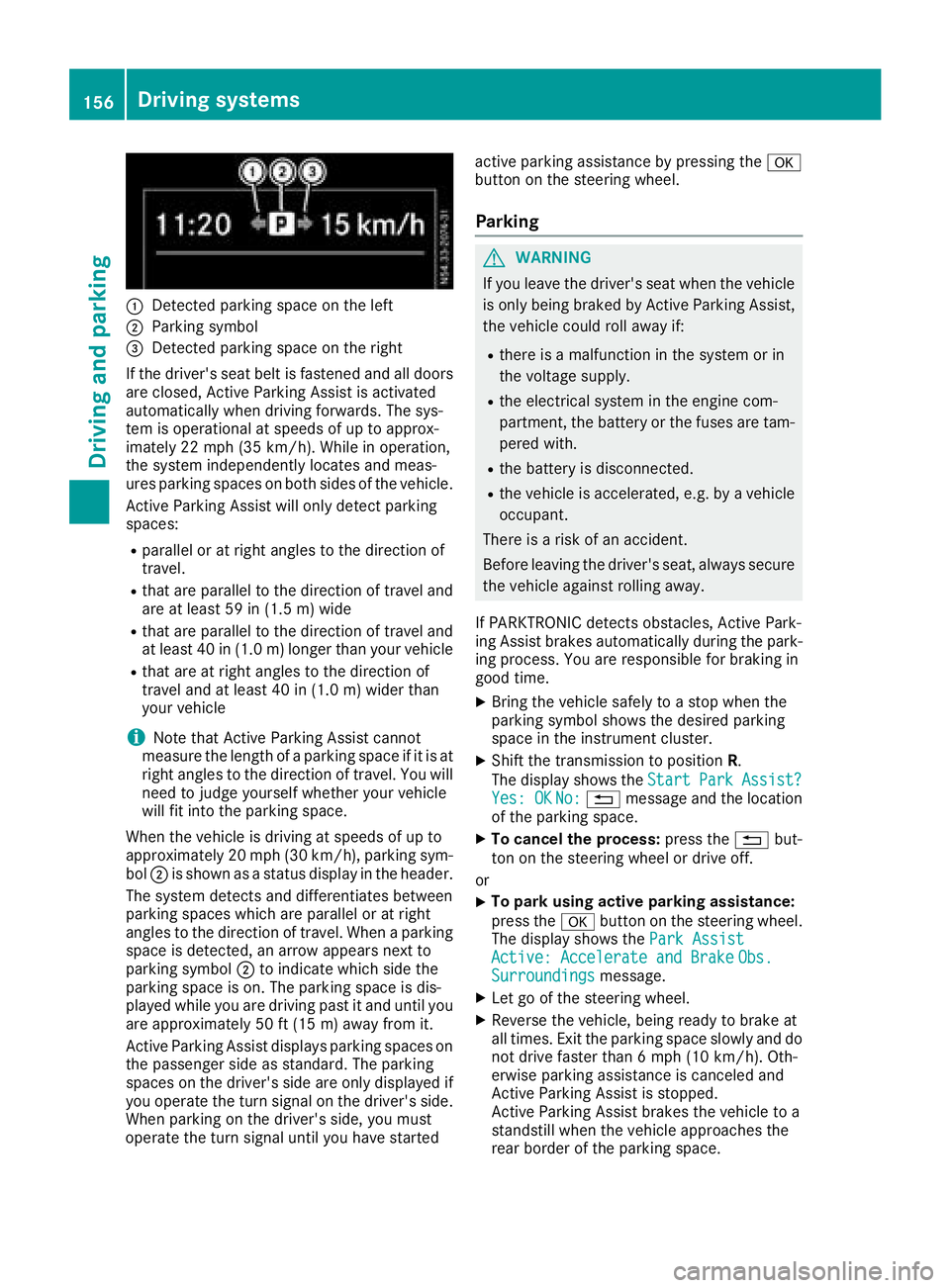
:Detected parkingspace on the left
;Parkin gsym bol
=Detected parkin gspace on the right
If the driver's sea tbeltisf astened and al ldoo rs
ar ec losed ,Activ eParkin gA ssist is activated
automaticall ywhend rivin gforwards .The sys-
tem is operational at speeds of up to approx-
imatel y22m ph (35 km/h). Whil einoperation,
the system independentl yloc ate sand meas-
ures parkin gspacesonb oths ides of the vehicle.
Activ eParkin gA ssist will onl ydetect parking
spaces:
Rparallel or at right angle stothe direction of
travel.
Rthata reparallel to the direction of travel and
ar eatl east59 in (1.5 m) wide
Rthatareparallel to the direction of travel and
at leas t40in( 1.0m) lo nger thany ourvehicle
Rthata re at right angle stothe direction of
travel and at leas t40in( 1.0 m) wider than
your vehicle
iNote thatA ctiveParking Assist cannot
measure the length of aparking space if it is at
right angle stothe direction of travel .You will
nee dtoj udge yourself whether your vehicle
will fit into the parking space.
When the vehicl eisdrivingats peeds of up to
approximately 20 mph (30 km/h), parking sym-
bol ;is shown as astatus dis
pla y
int he header.
The systemd etects and differentiate sbetween
parking space swhich ar eparalle loratr ight
angle stothe direction of travel .Whenap arking
space is detected, an arrow appear snext to
parking symbol ;to indicate which side the
parking space is on. The parking space is dis-
played whil eyou ared rivin gpastita nd unti lyou
ar ea pproximately 50 ft (15 m) awayfromi t.
Active Parkin gAssist display sparking spaces on
the passengers ideass tandard. The parking
spaces on the driver's side ar eonlyd isplayed if
yo uo perate the turn signalont he driver's side.
Whe nparking on the driver's side ,you must
operate the turn signalu ntilyou have started active parking assistance by pressing the
a
button on the steering wheel.
Parking
GWARNING
If yo uleave the driver's sea twhent he vehicle
is onlyb eing braked by Active Parking Assist,
the vehicl ecould rol lawa yif:
Rther eisam alfunctio ninthe system or in
the voltag esupply.
Rthe electrical system in the engine com-
partment, the battery or the fuses ar etam-
pered with.
Rthe battery is disconnected.
Rthe vehicl eisaccelerated,e .g.b yav ehicle
occupant.
There is ariskofana ccident.
Before leaving the driver's seat, always secure the vehicl eagain st rolling away.
If PARKTRONICd etects obstacles, Active Park-
ing Assist brakes automaticall yduring the park-
ing process. Yo uareresponsibl efor braking in
goo dtime.
XBring the vehicl esafelytoas top when the
parking symbo lshows the desired parking
space in the instrument cluster.
XShift the transmission to position R.
The display shows the Start
ParkAssist?Yes:OKNo:% message and the location
of the parking space.
XTo cance lthe process: press the%but-
ton on the steering whee lordrive off.
or
XTo park using active parking assistance:
press the abutton on the steering wheel.
The display shows the ParkAssist
Active :Accelerat eand BrakeObs.Surroundingsmessage.
XLet go of the steering wheel.
XReverse the vehicle, being ready to brake at
allt imes. Exit the parking space slowly and do
not drive faster than6m ph (10 km/h). Oth-
erwis eparking assistance is cancele dand
Active Parking Assist is stopped.
Active Parking Assist brakes the vehicl etoa
standstill when the vehicl eapproaches the
rea rborde roft he parking space.
156Driving systems
Driving an dparking
Page 159 of 310
Maneuvering may be required in tight parking
spaces. The display shows thePark Assist
Active: Select DObs. Surroundingsmes-
sage.
XWhile the vehicle is stationary, shift the trans-
mission to position D.
Active Parking Assist immediately steers in
the other direction. The display shows the
Park Assist Active: Accelerate and
BrakeObs. Surroundingsmessage.
iYou will achieve the best results by waiting
for the steering procedure to complete before
pulling away.
XDrive forwards and be ready to brake at all
times.
Active Parking Assist brakes the vehicle to a
standstill.
The display shows the Park
AssistActive:Select RObs. Surroundingsmessage.
As soon as the parking procedure is complete,
the Park Assist Finished
message appears
in the display and atone sounds. The parking
assistance function of Active Parking Assist is
stopped. The vehicle is parked and kept station-
ary without the driver having to depress the
brake pedal. The braking effect is canceled
when you depress the accelerator pedal.
Active Parking Assist no longer supports you
with steering interventions and brake applica-
tions. Once active parking assistance has been
stopped, you must steer and brake again your-
self. PARKTRONIC is still available.
Parking tips:
RThe way your vehicle is positioned in the park- ing space after parking is dependent on vari-
ous factors. These include the position and
shape of the vehicles parked in front and
behind it and the conditionsoft he location. It
may be the case that Active Parking Assist
guides you too far into aparking space, or not
far enough into it. In some cases, it may also
lead you across or onto the curb. In this case,
cancel the active parking assistance.
RYou can also preselect transmission position
D.T he vehicle redirects and does not drive as
far into the parking space. If you change direc-
tion too early, parking assistance is canceled
and Active Parking Assist is stopped. It is then
not possible to achieve asensible parking
position from the current position.
Exiting aparking space
In order that Active Parking Assist can support
you when you exit the parking space:
Rthe border of the parking space must be high
enough at the front and the rear. Acurb is too
small, for example.
Rthe border of the parking space must not be
too wide. Your vehicle can be maneuvered
into aposition at amaximum of 45° to the
startin gposition in the parking space.
Ram aneuvering distance of at least 3.3 ft
(1.0 m) must be available.
Active Parking Assist can only assist you with
exiting aparking space if you have parked the
vehicle parallel to the direction of travel using
Active Parking Assist.
If PARKTRONIC detects obstacles, Active Park-
ing Assist brakes automatically when exiting
from the parking space. You are responsible for
braking in good time.
XStart the engine.
XSwitch on the turn signal in the direction in
which you are pulling away.
XShift the transmission to position Dor R.
The display shows the Start
ParkAssist?Yes: OKNo:%message.
XTo cancel the process: press the%but-
ton on the steering wheel or drive off.
or
XTo exit the parking space using active
parking assistance: press theabutton
on the steering wheel.
The display shows the Park Assist
Active: Accelerate and BrakeObs.Surroundingsmessage.
XLet go of the steering wheel.
XPull away,being ready to brake at all times.
Exit the parking space slowly and do not drive
faster than 6mph (10 km/h). Otherwise park-
ing assistance is canceled and Active Parking
Assist is stopped.
Active Parking Assist brakes the vehicle to a
standstill when the vehicle approaches abor-
der of the parking space.
XWhile the vehicle is stationary, shift the trans-
mission to position Dor Ras required or
according to the message.
Active Parking Assist immediately steers in
the other direction. The display shows the
Park Assist Active: Accelerate and
BrakeObs. Surroundingsmessage.
Driving systems157
Driving and parking
Z
Page 173 of 310
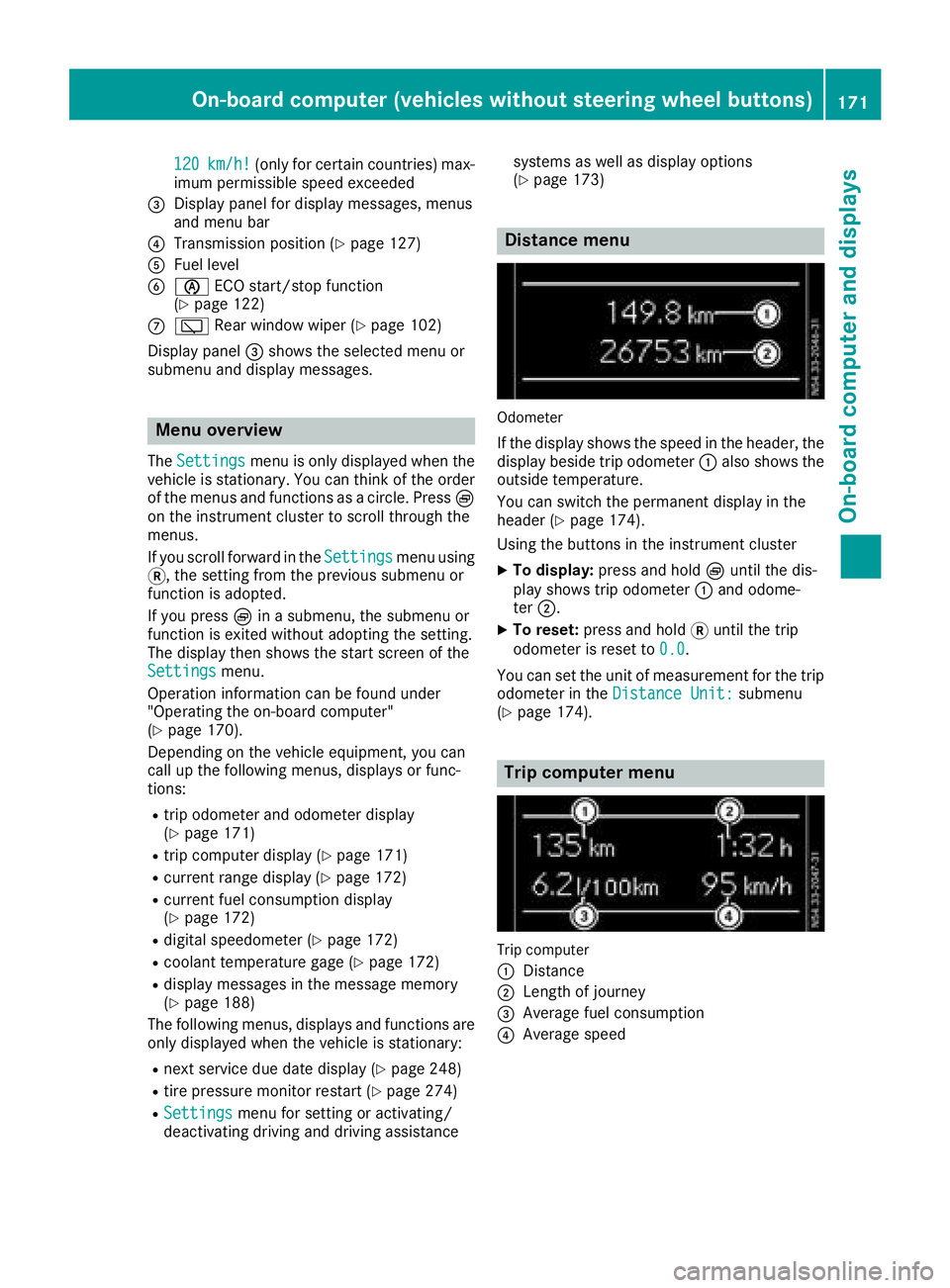
120km/h!(only for certain countries) max-
imum permissibles peed exceeded
=Display panel for displaym essages, menus
and menu bar
?Transmission position (Ypage 127)
AFuel level
Bè ECO start/stop function
(Ypage 122)
Cè Rear window wiper (Ypage 102)
Display panel =shows the selected menu or
submenu and displaym essages.
Menu overview
TheSettingsmenu is only displayed when the
vehicle is stationary. You can think of the order
of the menus and functions as acircle. Press È
on the instrument cluster to scroll through the
menus.
If you scroll forward in the Settings
menu using
3,t he setting from the previous submenu or
function is adopted.
If you press Èinas ubmenu, the submenu or
function is exited without adopting the setting.
The displayt hen shows the start screen of the
Settings
menu.
Operation information can be found under
"Operating the on-board computer"
(
Ypage 170).
Depending on the vehicle equipment, you can
call up the following menus, displays or func-
tions:
Rtrip odometer and odometer display
(Ypage 171)
Rtrip computer display(Ypage 171)
Rcurrent range display(Ypage 172)
Rcurrent fuel consumption display
(Ypage 172)
Rdigital speedometer (Ypage 172)
Rcoolant temperature gage (Ypage 172)
Rdisplaym essages in the message memory
(Ypage 188)
The following menus, displays and functions are only displayed when the vehicle is stationary:
Rnext service due date display(Ypage 248)
Rtire pressure monitor restart (Ypage 274)
RSettingsmenu for setting or activating/
deactivating driving and driving assistance systems as well as displayo
ptions
(
Ypage 173)
Distance menu
Odometer
If the displays hows the speed in the header, the
displayb eside trip odometer :also shows the
outside temperature.
You can switch the permanent displayint he
header (
Ypage 174).
Using the buttons in the instrument cluster
XTo display: press and hold Èuntil the dis-
play shows trip odometer :and odome-
ter ;.
XTo reset: press and hold 3until the trip
odometer is reset to 0.0
.
You can set the unit of measurement for the trip
odometer in the Distance Unit:
submenu
(Ypage 174).
Trip computer menu
Trip computer
:
Distance
;Length of journey
=Average fuel consumption
?Average speed
On-board computer (vehicles without steering wheelb uttons)171
On-board computer and displays
Z
Page 177 of 310
Setting the time and date
The vehicle must be stationary. Use the buttonsin the instrumentc luster.
XPressÈto select the Settingsmenu.
XPress3to select the time and date display.
XPress forg to set the hours and press 3
to confirm.
XPress forg to set the minutes and press
3 to confirm.
XPress forg to set the day and press 3to
confirm.
XPress forg to set the montha nd press3
to confirm.
XPress forg to set the year and press 3to
confirm.
The display shows the Settings
menu again.
On-board computer (vehicles with
steering wheel buttons)
Operating the on-board computer
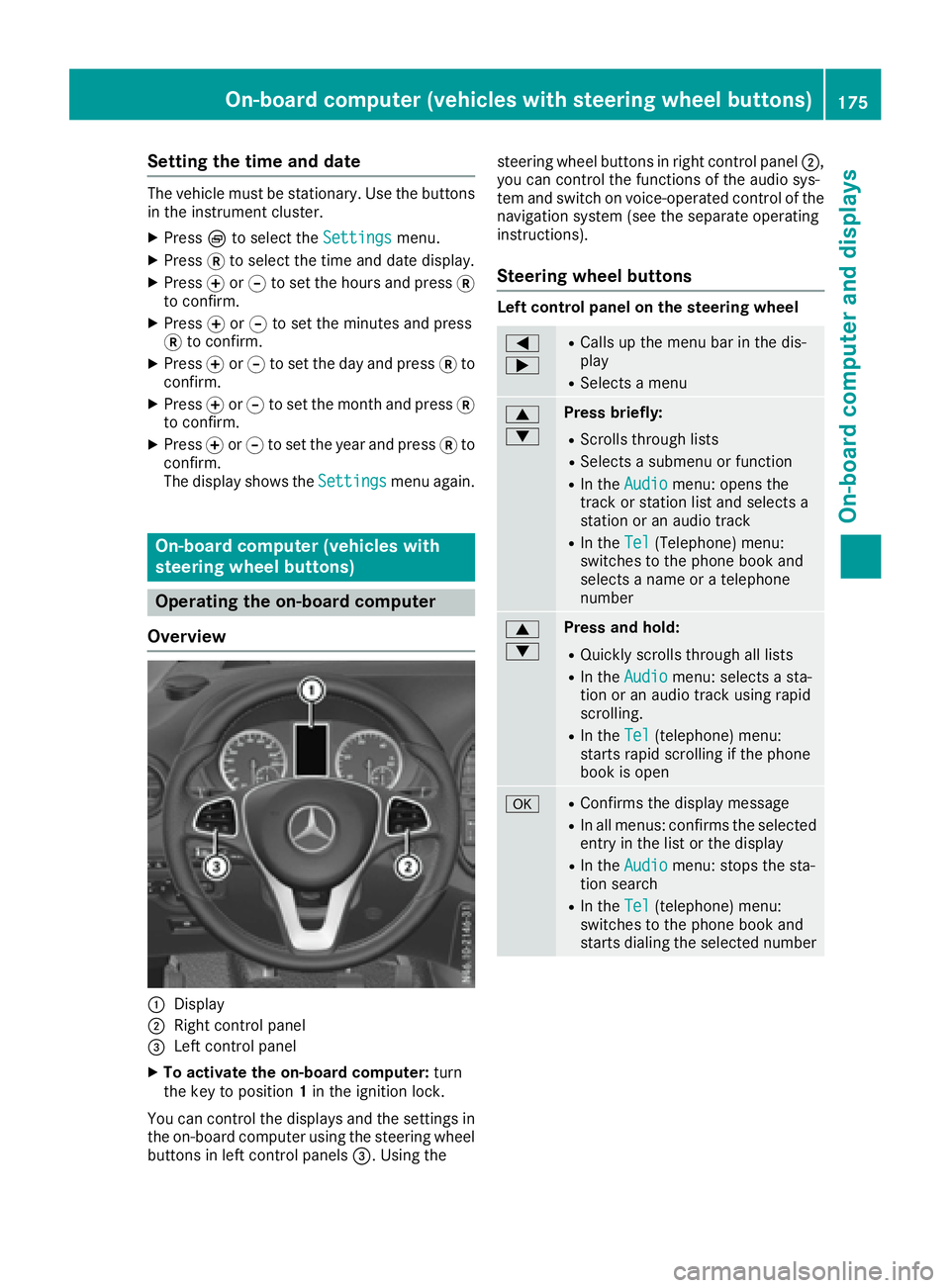
Overview
:Display
;Right control panel
=Left control panel
XTo activate the on-board computer: turn
the key to position 1in the ignition lock.
You can control the displaysa nd the settings in
the on-board computer using the steering wheel
buttons in left control panels =.Using the steering wheel buttons in right control panel
;,
you can control the functions of the audio sys-
tem and switch on voice-operated control of the
navigation system (see the separate operating
instructions).
Steering wheel buttons
Left control panel on the steering wheel
=
;RCallsupt he menu bar in the dis-
play
RSelects amenu
9
:Press briefly:
RScrolls through lists
RSelects asubmenu or function
RIn the Audiomenu: opens the
track or station list and selects a
station or an audio track
RIn the Tel(Telephone) menu:
switches to the phone book and
selects aname or atelephone
number
9
:Press and hold:
RQuickly scrolls through all lists
RIn the Audiomenu: selects asta-
tion or an audio track using rapid
scrolling.
RIn the Tel(telephone) menu:
starts rapid scrolling if the phone
book is open
aRConfirms the display message
RIn all menus: confirmst he selected
entryint he list or the display
RIn theAudiomenu: stops the sta-
tion search
RIn the Tel(telephone) menu:
switches to the phone book and
starts dialing the selected number
On-board computer (vehicles with steering wheel buttons)175
On-board computer and displays
Z
Page 179 of 310
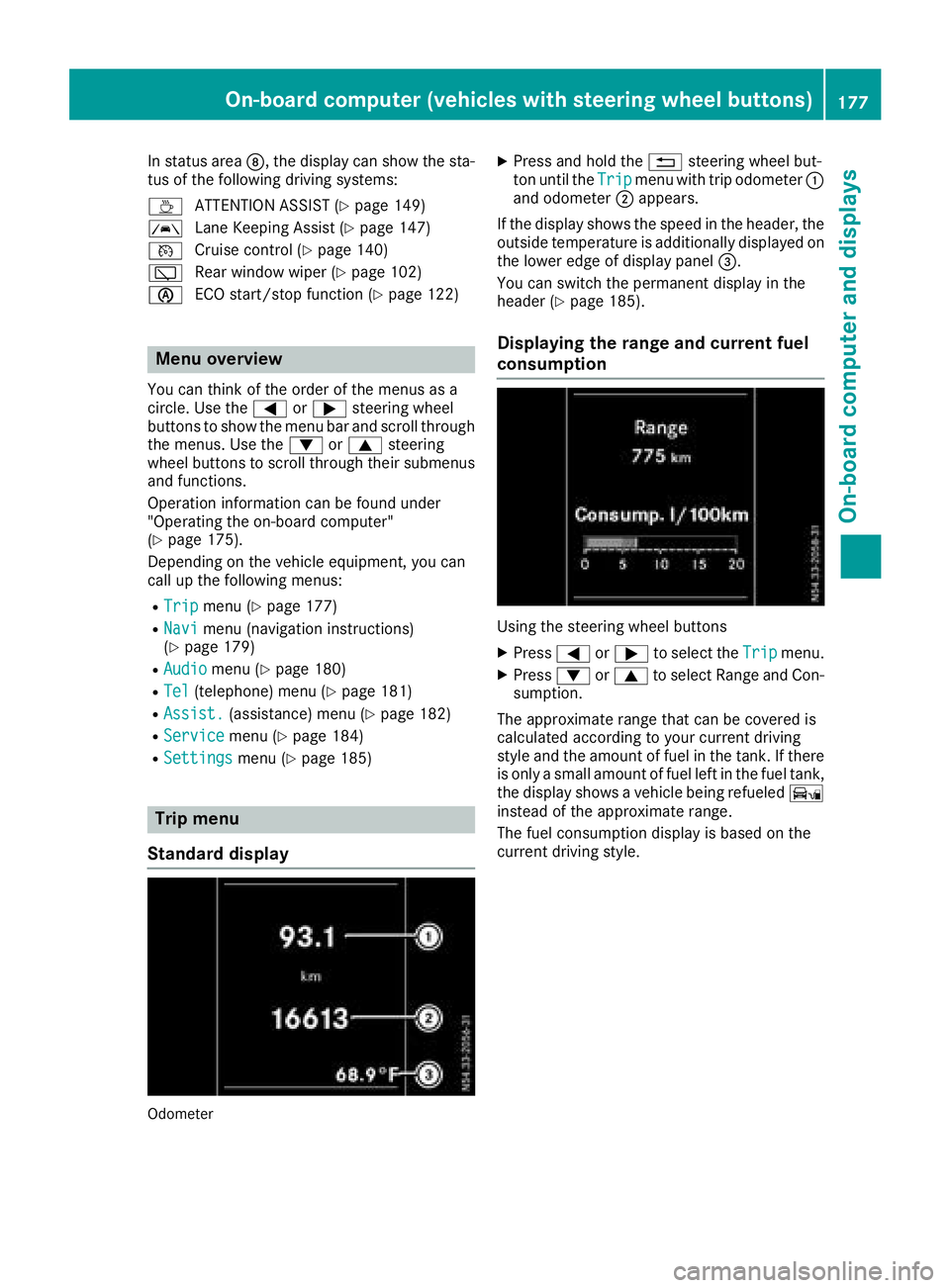
In status areaD,the display can show the sta-
tus of the following driving systems:
À ATTENTION ASSIST(
Ypage 149)
à Lane Keeping Assist (
Ypage 147)
V Cruise control (
Ypage 140)
è Rearwindow wiper (
Ypage 102)
è ECO start/stop function (
Ypage 122)
Menu overview
You can think of the order of the menus as a
circle. Use the =or; steering wheel
buttons to show the menu bar and scroll through
the menus. Use the :or9 steering
wheel buttons to scroll through their submenus and functions.
Operatio ninformation can be found under
"Operating the on-board computer"
(
Ypage 175).
Depending on the vehicle equipment, you can
call up the following menus:
RTripmenu (Ypage 177)
RNavimenu (navigation instructions)
(Ypage 179)
RAudiomenu (Ypage 180)
RTel(telephone) menu (Ypage 181)
RAssist.(assistance) menu (Ypage 182)
RServicemenu (Ypage 184)
RSettingsmenu (Ypage 185)
Trip menu
Standard display
Odometer
XPress and hold the %steering wheel but-
ton until the Tripmenu with trip odometer :
and odometer ;appears.
If the display shows the speed in the header, the
outsid etemperature is additionall ydisplaye don
the lowere dge of display panel =.
You can switch the permanent display in the
header (
Ypage 185).
Displaying the range and current fuel
consumption
Using the steering wheel buttons
XPress =or; to select the Tripmenu.
XPress:or9 to select Range and Con-
sumption.
The approximate range that can be covered is
calculated according to you rcurrent driving
style and the amount of fuel in the tank. If there
is only asmall amount of fuel left in the fuel tank,
the display shows avehicle being refueled Ï
instead of the approximate range.
The fuel consumption display is base donthe
current driving style.
On-board computer (vehicles with steeringw heel buttons)177
On-board computer and displays
Z
Page 184 of 310
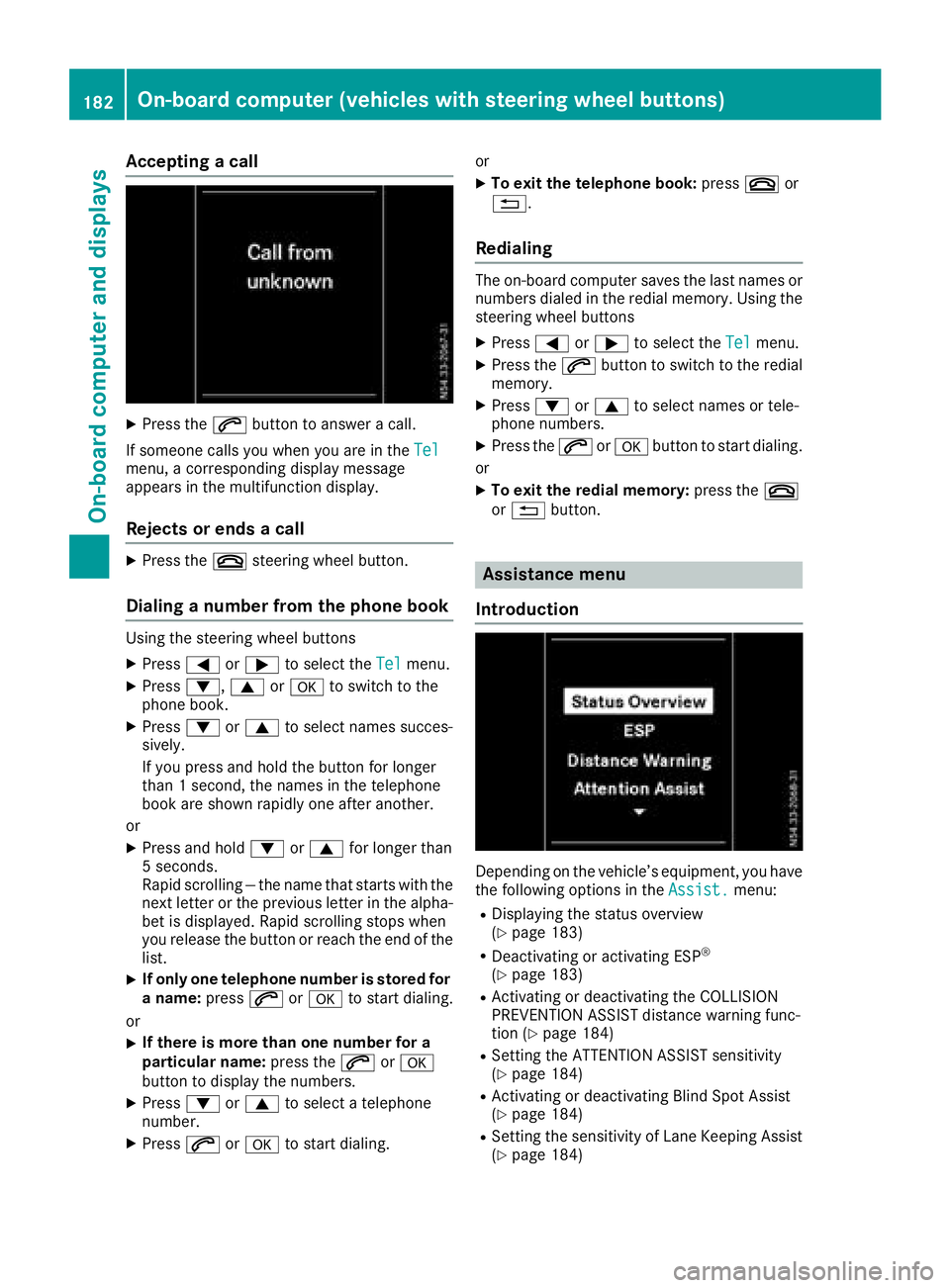
Acceptingacall
XPress th e6 buttontoa nswer acall.
If someon ecallsy ou when you are in th eTel
menu, acorre sponding display message
appear sinthemultifunction display.
Rejects orendsac all
XPress the~ steering whee lbutton.
Dialing anumber fr omthep hone book
Using th esteering whee lbuttons
XPress =or; to select th eTelmenu.
XPress :, 9ora to switch to th e
phone book .
XPress:or9 to select names succes-
sively.
If you press and hold th ebutto nfor longer
than 1second, th enames in th etelephon e
book are shown rapidly on eafter another.
or
XPress and hold :or9 for longer than
5s econds.
Rapid scrollin g—thenam etha tstartsw itht he
next lette rortheprevious lette rinthealpha-
bet is displayed. Rapid scrollin gstops when
you release th ebutto norr eachthe endoft he
list .
XIf only one telephone number is store dfor
an ame: press 6ora to start dialing.
or
XIf there is mor ethano ne number for a
particular name: press the6 ora
butto ntod isplay th enumbers.
XPress :or9 to select atelephon e
number .
XPress6ora to start dialing. or
XTo exit th
etelephone book :press ~or
%.
Redialing
The on-board computer saves th elast names or
number sdialed in th eredial memory. Using th e
steering whee lbuttons
XPress =or; to select th eTelmenu.
XPress th e6 buttontos witch to th eredial
memory.
XPress :or9 to select names or tele-
phone numbers.
XPress th e6 ora buttontostart dialing.
or
XTo exit th eredial memory :press th e~
or % button.
Assistance menu
Introd uction
Dependin gonthevehicle’s equipment, you hav e
th ef ollowin goption sintheAssist .menu:
RDisplaying th estatus overview
(Ypage 183)
RDeactivating or activating ES P®
(Ypage 183)
RActivating or deactivating theCOLLISION
PREVENTION ASSIST distanc ewarning func-
tion (
Ypage 184)
RSetting th eATTEN TION ASSIST sensitivit y
(Ypage 184)
RActivating or deactivating Blind Spot Assis t
(Ypage 184)
RSetting th esensitivit yofLaneK eepin gAssist
(Ypage 184)
182On-boar dcomputer (vehicles with steering wheel buttons)
On-boar dcomputer and displays
Page 190 of 310
Display messages (vehicles withoutsteering wheel buttons)
Introduction
Important safet ynotes
GWARNING
If th einstrument cluster has failed or malfunctioned, you may no trecogniz efunction restriction s
in systems relevant to safety. The operatin gsafet yofyour vehicle may be impaired. There is arisk
of an accident.
Drive on carefully. Hav ethe vehicle checke dataqualified specialis tworkshop immediately.
The on-boar dcom pute ronlys hows messages or warnings from certain systems in th einstrument
cluster display. You should therefore mak esurey our vehicle is operatin gsafely at all times .Ifthe
operatin gsafet yofyour vehicle is impaired, stop th evehicle as soo naspossible, payin gattenti on
to road and traffic conditions. The nconsu ltaq ualified specialis tworkshop .
Display messages wit hgraphi csymbols are simplified in th eOperator's Manual and may diffe rfro m
th es ymbols in th edisplay. Awarnin gtones ounds wit hcertai ndisplay messages.
Please respon dinaccordance wit hthe display messages and follow th eadditional note sinthis
Operator's Manual.
You can hide low-priorit ydisplay messages usin gthe 3 butto nont heinstrumen tcluster. The
display messages are then stored in th emessag ememory. Rectify th ecause of adisplay mess
age
a
s soo nasp ossible.
High-priorit ydisplay messages canno tbehidden .These messages will continue to be shown in th e
display until their cause has bee neliminated.
Message memory
The on-boar dcom pute rstore scertai ndisplay messages in th emessag ememory. You can cal lup
th es tore ddisplay messages. Use th ebuttons in th einstrument cluster.
XPressÈto selec tthe messag ememory.
If there are display messages, th edisplay shows th enumber of saved messages.
If there are no display messages, th edisplay shows No Messages
.
XPress3to scroll forwards through th edisplay messages.
Afte rthe last saved display message, th edisplay again shows th emessag ememor ystart scree n
wit hthe number of saved messages.
Press Èto exit th edisplay messages and jump directl ytot he messag ememor ystart screen.
188Display message s(vehicles withou tsteering wheelbuttons)
On-board computera nd displays