lock MERCEDES-BENZ METRIS 2020 MY20 Operator’s Manual
[x] Cancel search | Manufacturer: MERCEDES-BENZ, Model Year: 2020, Model line: METRIS, Model: MERCEDES-BENZ METRIS 2020Pages: 320, PDF Size: 26.38 MB
Page 215 of 320
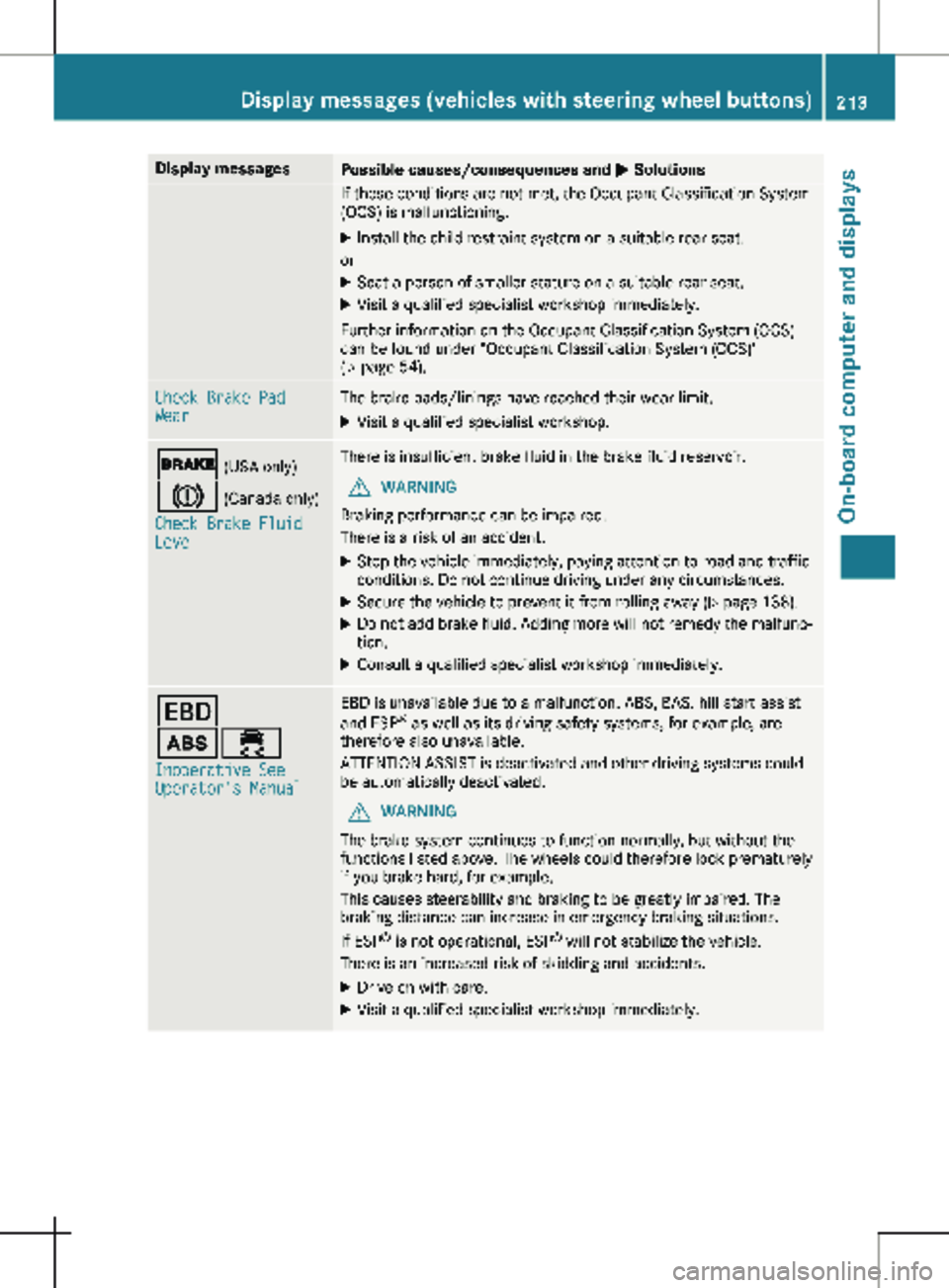
Display messages
Possible causes/consequences and
M SolutionsIf these conditions are not met, the Occupant Classification System
(OCS) is malfunctioning.
X Install the child restraint system on a suitable rear seat.
or X Seat a person of smaller stature on a suitable rear seat.
X Visit a qualified specialist workshop immediately.
Further information on the Occupant Classification System (OCS)
can be found under "Occupant Classification System (OCS)"
(Y page
54). Check Brake Pad
Wear The brake pads/linings have reached their wear limit.
X Visit a qualified specialist workshop. $ (USA only)
J (Canada only)
Check Brake Fluid
Level There is insufficient brake fluid in the brake fluid reservoir.
G WARNING
Braking performance can be impaired.
There is a risk of an accident.
X Stop the vehicle immediately, paying attention to road and traffic
conditions. Do not continue driving under any circumstances.
X Secure the vehicle to prevent it from rolling away (Y page
138).
X Do not add brake fluid. Adding more will not remedy the malfunc-
tion.
X Consult a qualified specialist workshop immediately. T
ò÷
Inoperative See
Operator's Manual EBD is unavailable due to a malfunction. ABS, BAS, hill start assist
and ESP
®
as well as its driving safety systems, for example, are
therefore also unavailable.
ATTENTION ASSIST is deactivated and other driving systems could
be automatically deactivated.
G WARNING
The brake system continues to function normally, but without the
functions listed above. The wheels could therefore lock prematurely
if you brake hard, for example.
This causes steerability and braking to be greatly impaired. The
braking distance can increase in emergency braking situations.
If ESP ®
is not operational, ESP ®
will not stabilize the vehicle.
There is an increased risk of skidding and accidents.
X Drive on with care.
X Visit a qualified specialist workshop immediately. Display messages (vehicles with steering wheel buttons)
213
On-board computer and displays Z
Page 216 of 320
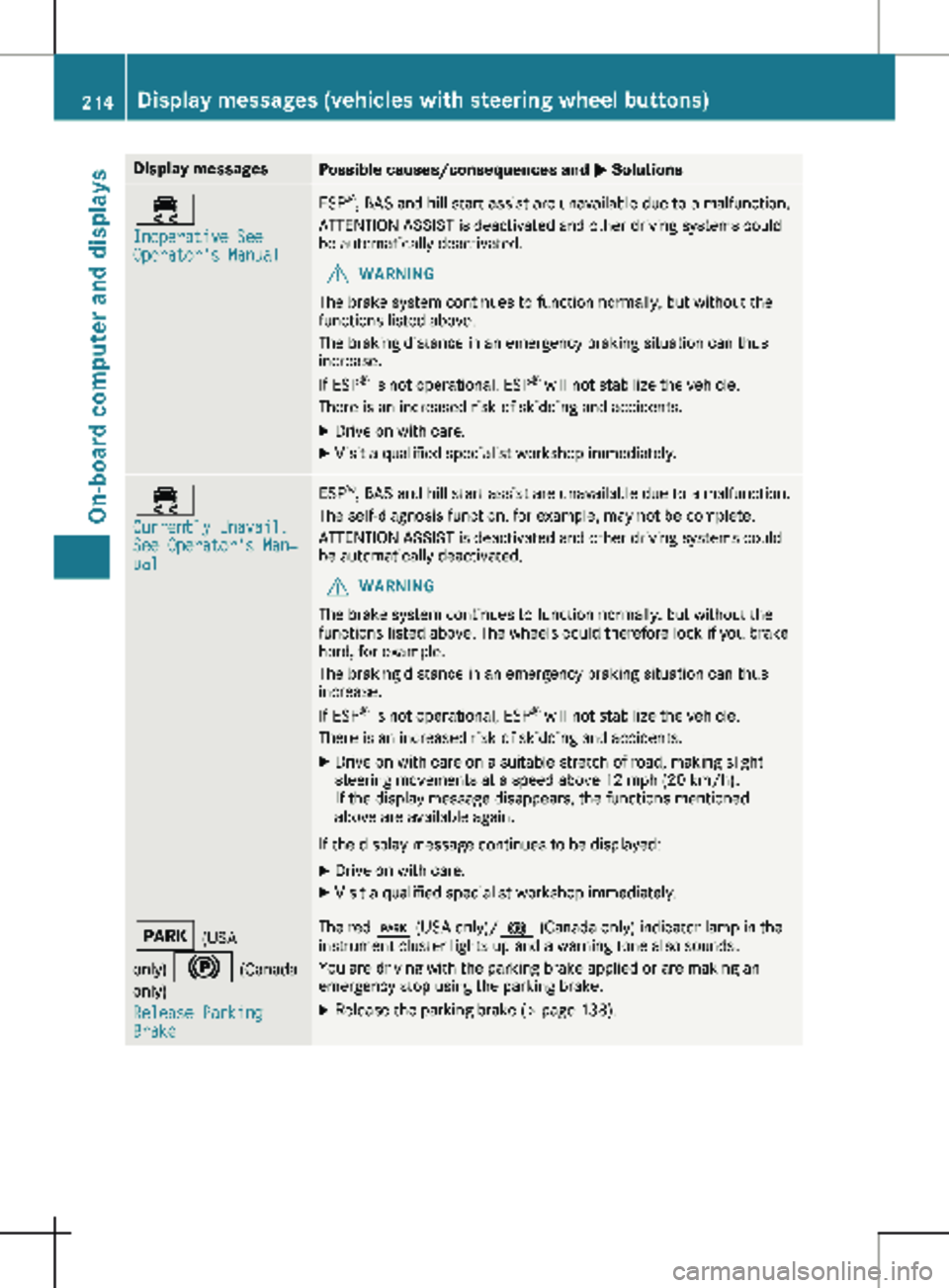
Display messages
Possible causes/consequences and
M Solutions÷
Inoperative See
Operator's Manual ESP
®
, BAS and hill start assist are unavailable due to a malfunction.
ATTENTION ASSIST is deactivated and other driving systems could
be automatically deactivated.
G WARNING
The brake system continues to function normally, but without the
functions listed above.
The braking distance in an emergency braking situation can thus
increase.
If ESP ®
is not operational, ESP ®
will not stabilize the vehicle.
There is an increased risk of skidding and accidents.
X Drive on with care.
X Visit a qualified specialist workshop immediately. ÷
Currently Unavail.
See Operator's Man‐
ual ESP
®
, BAS and hill start assist are unavailable due to a malfunction.
The self-diagnosis function, for example, may not be complete.
ATTENTION ASSIST is deactivated and other driving systems could
be automatically deactivated.
G WARNING
The brake system continues to function normally, but without the
functions listed above. The wheels could therefore lock if you brake
hard, for example.
The braking distance in an emergency braking situation can thus
increase.
If ESP ®
is not operational, ESP ®
will not stabilize the vehicle.
There is an increased risk of skidding and accidents.
X Drive on with care on a suitable stretch of road, making slight
steering movements at a speed above 12 mph (20 km/h
).
If the display message disappears, the functions mentioned
above are available again.
If the display message continues to be displayed: X Drive on with care.
X Visit a qualified specialist workshop immediately. F (USA
only) ! (Canada only)
Release Parking
Brake The red
F (USA only)/ ! (Canada only) indicator lamp in the
instrument cluster lights up and a warning tone also sounds.
You are driving with the parking brake applied or are making an
emergency stop using the parking brake.
X Release the parking brake (Y page
138).214
Display messages (vehicles with steering wheel buttons)
On-board computer and displays
Page 228 of 320
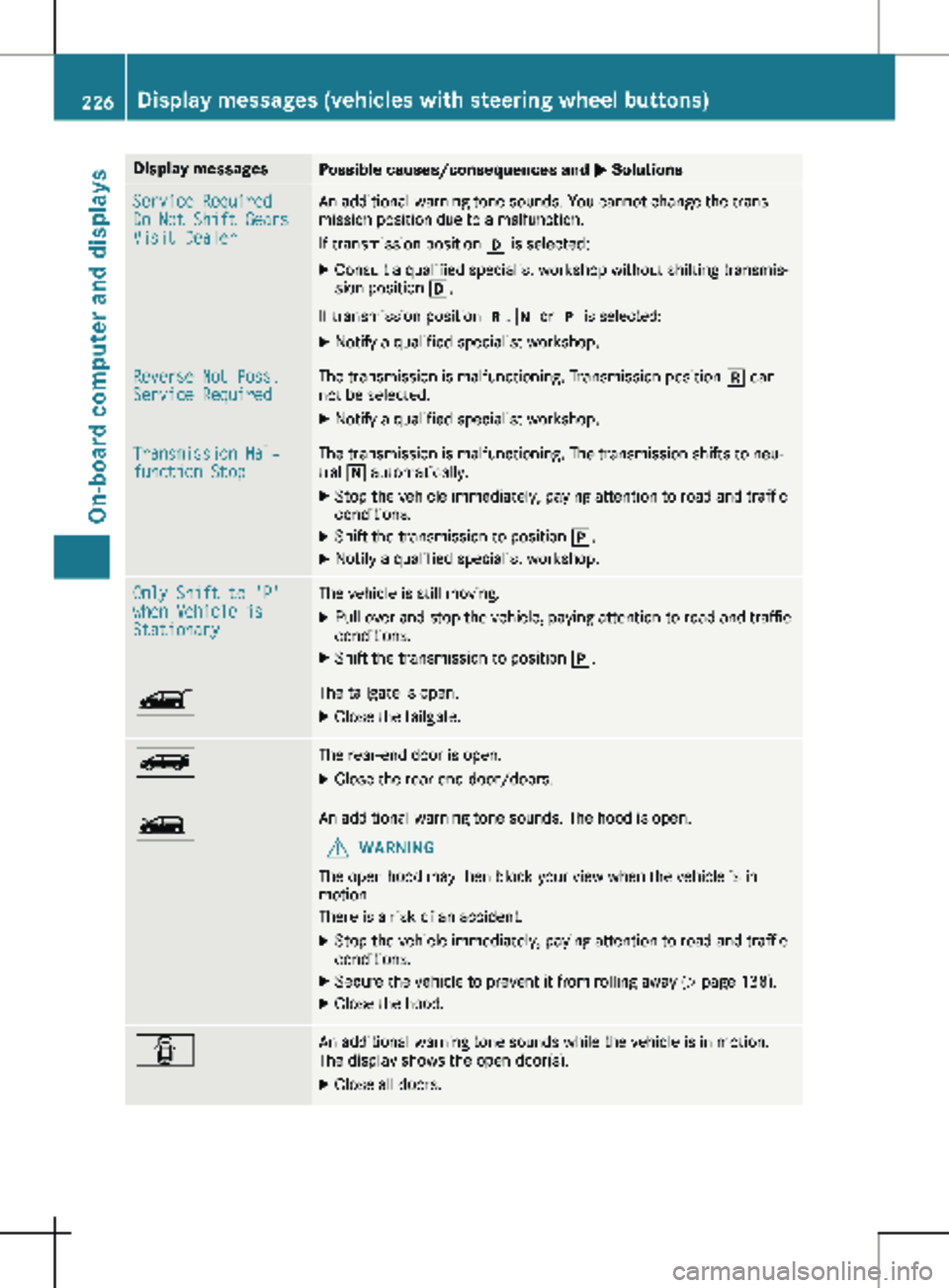
Display messages
Possible causes/consequences and
M SolutionsService Required
Do Not Shift Gears
Visit Dealer An additional warning tone sounds. You cannot change the trans-
mission position due to a malfunction.
If transmission position h is selected:
X Consult a qualified specialist workshop without shifting transmis-
sion position h.
If transmission position k, i or j is selected:
X Notify a qualified specialist workshop. Reverse Not Poss.
Service Required The transmission is malfunctioning. Transmission position k can-
not be selected.
X Notify a qualified specialist workshop. Transmission Mal‐
function Stop The transmission is malfunctioning. The transmission shifts to neu-
tral i automatically.
X Stop the vehicle immediately, paying attention to road and traffic
conditions.
X Shift the transmission to position j.
X Notify a qualified specialist workshop. Only Shift to 'P'
when Vehicle is
Stationary The vehicle is still moving.
X Pull over and stop the vehicle, paying attention to road and traffic
conditions.
X Shift the transmission to position j.Ò The tailgate is open.
X Close the tailgate. Ñ The rear-end door is open.
X Close the rear-end door/doors. Ó An additional warning tone sounds. The hood is open.
G WARNING
The open hood may then block your view when the vehicle is in
motion.
There is a risk of an accident.
X Stop the vehicle immediately, paying attention to road and traffic
conditions.
X Secure the vehicle to prevent it from rolling away (Y page 138).
X Close the hood. C An additional warning tone sounds while the vehicle is in motion.
The display shows the open door(s).
X Close all doors.226
Display messages (vehicles with steering wheel buttons)
On-board computer and displays
Page 231 of 320
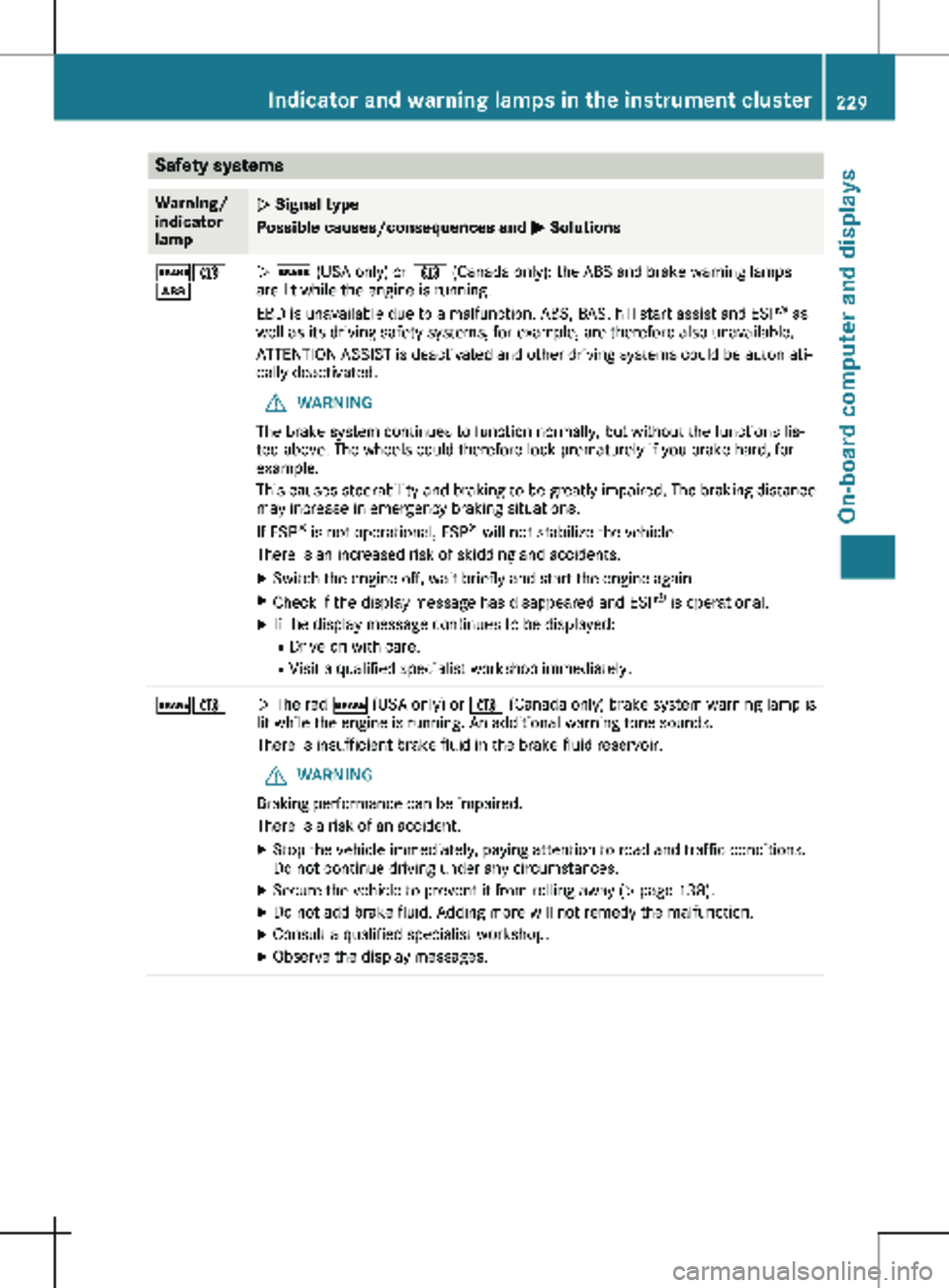
Safety systems
Warning/
indicator
lamp
N Signal type
Possible causes/consequences and
M Solutions$J
ò
N $ (USA only) or J (Canada only): the ABS and brake warning lamps
are lit while the engine is running.
EBD is unavailable due to a malfunction. ABS, BAS, hill start assist and ESP
®
as
well as its driving safety systems, for example, are therefore also unavailable.
ATTENTION ASSIST is deactivated and other driving systems could be automati-
cally deactivated.
G WARNING
The brake system continues to function normally, but without the functions lis-
ted above. The wheels could therefore lock prematurely if you brake hard, for
example.
This causes steerability and braking to be greatly impaired. The braking distance
may increase in emergency braking situations.
If ESP ®
is not operational, ESP ®
will not stabilize the vehicle.
There is an increased risk of skidding and accidents.
X Switch the engine off, wait briefly and start the engine again.
X Check if the display message has disappeared and ESP ®
is operational.
X If the display message continues to be displayed:
R Drive on with care.
R Visit a qualified specialist workshop immediately. $J
N The red
$ (USA only) or J (Canada only) brake system warning lamp is
lit while the engine is running. An additional warning tone sounds.
There is insufficient brake fluid in the brake fluid reservoir.
G WARNING
Braking performance can be impaired.
There is a risk of an accident.
X Stop the vehicle immediately, paying attention to road and traffic conditions.
Do not continue driving under any circumstances.
X Secure the vehicle to prevent it from rolling away ( Y page 138).
X Do not add brake fluid. Adding more will not remedy the malfunction.
X Consult a qualified specialist workshop.
X Observe the display messages. Indicator and warning lamps in the instrument cluster
229
On-board computer and displays Z
Page 232 of 320
Warning/
indicator
lamp
N Signal type
Possible causes/consequences and
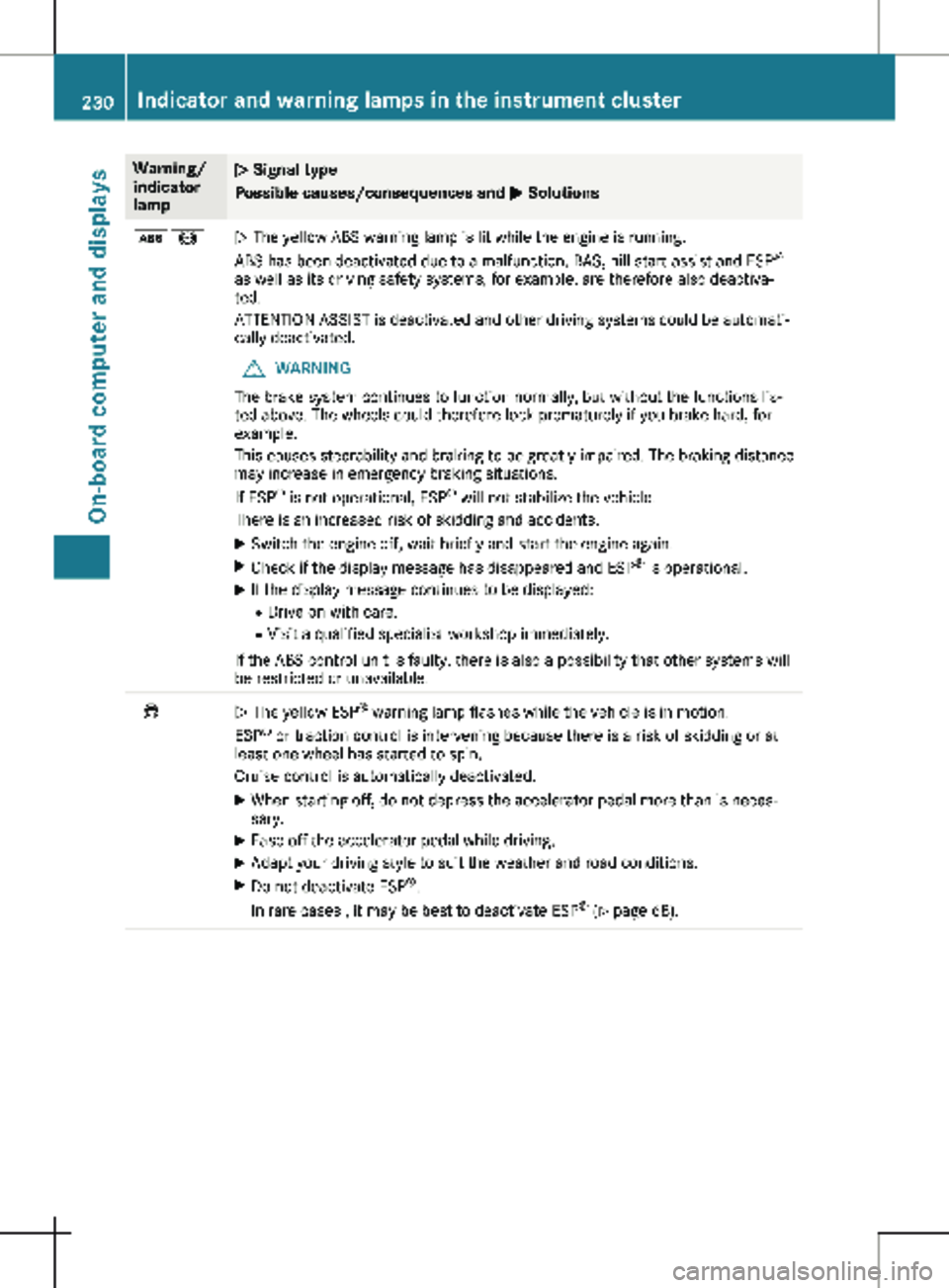
M Solutionsò!
N The yellow ABS warning lamp is lit while the engine is running.
ABS has been deactivated due to a malfunction. BAS, hill start assist and ESP
®
as well as its driving safety systems, for example, are therefore also deactiva-
ted.
ATTENTION ASSIST is deactivated and other driving systems could be automati-
cally deactivated.
G WARNING
The brake system continues to function normally, but without the functions lis-
ted above. The wheels could therefore lock prematurely if you brake hard, for
example.
This causes steerability and braking to be greatly impaired. The braking distance
may increase in emergency braking situations.
If ESP ®
is not operational, ESP ®
will not stabilize the vehicle.
There is an increased risk of skidding and accidents.
X Switch the engine off, wait briefly and start the engine again.
X Check if the display message has disappeared and ESP ®
is operational.
X If the display message continues to be displayed:
R Drive on with care.
R Visit a qualified specialist workshop immediately.
If the ABS control unit is faulty, there is also a possibility that other systems will
be restricted or unavailable. ÷
N The yellow ESP
®
warning lamp flashes while the vehicle is in motion.
ESP ®
or traction control is intervening because there is a risk of skidding or at
least one wheel has started to spin.
Cruise control is automatically deactivated.
X When starting off, do not depress the accelerator pedal more than is neces-
sary.
X Ease off the accelerator pedal while driving.
X Adapt your driving style to suit the weather and road conditions.
X Do not deactivate ESP ®
.
In rare cases , it may be best to deactivate ESP ®
(Y page
68).230
Indicator and warning lamps in the instrument cluster
On-board computer and displays
Page 236 of 320
Warning/
indicator
lamp
N Signal type
Possible causes/consequences and
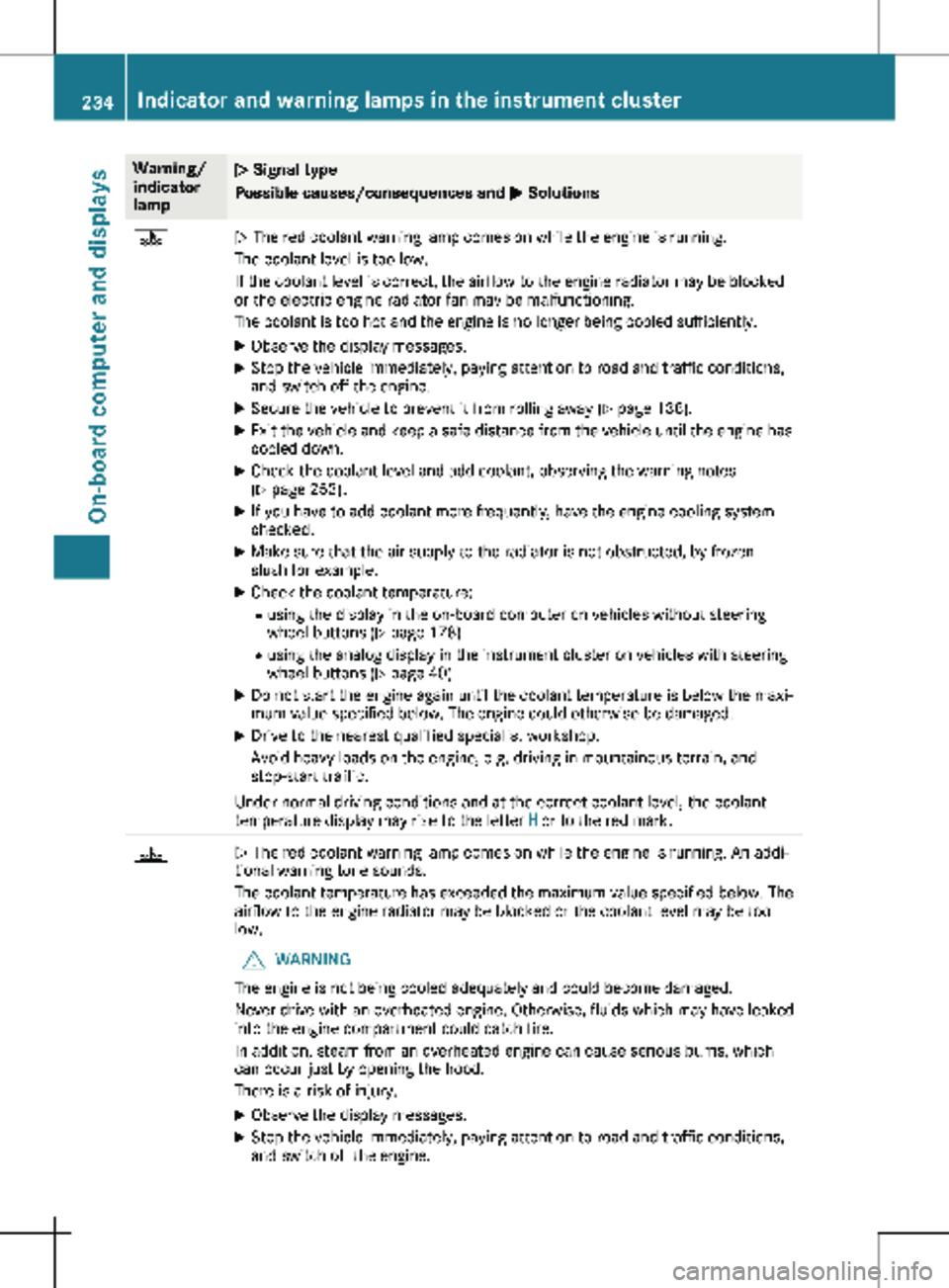
M Solutions?
N The red coolant warning lamp comes on while the engine is running.
The coolant level is too low.
If the coolant level is correct, the airflow to the engine radiator may be blocked
or the electric engine radiator fan may be malfunctioning.
The coolant is too hot and the engine is no longer being cooled sufficiently.
X Observe the display messages.
X Stop the vehicle immediately, paying attention to road and traffic conditions,
and switch off the engine.
X Secure the vehicle to prevent it from rolling away (Y page 138).
X Exit the vehicle and keep a safe distance from the vehicle until the engine has
cooled down.
X Check the coolant level and add coolant, observing the warning notes
(Y page
253).
X If you have to add coolant more frequently, have the engine cooling system
checked.
X Make sure that the air supply to the radiator is not obstructed, by frozen
slush for example.
X Check the coolant temperature:
R using the display in the on-board computer on vehicles without steering
wheel buttons ( Y page
178)
R using the analog display in the instrument cluster on vehicles with steering
wheel buttons ( Y page 40)
X Do not start the engine again until the coolant temperature is below the maxi-
mum value specified below. The engine could otherwise be damaged.
X Drive to the nearest qualified specialist workshop.
Avoid heavy loads on the engine, e.g. driving in mountainous terrain, and
stop-start traffic.
Under normal driving conditions and at the correct coolant level, the coolant
temperature display may rise to the letter H or to the red mark.?
N The red coolant warning lamp comes on while the engine is running. An addi-
tional warning tone sounds.
The coolant temperature has exceeded the maximum value specified below. The
airflow to the engine radiator may be blocked or the coolant level may be too
low.
G WARNING
The engine is not being cooled adequately and could become damaged.
Never drive with an overheated engine. Otherwise, fluids which may have leaked
into the engine compartment could catch fire.
In addition, steam from an overheated engine can cause serious burns, which
can occur just by opening the hood.
There is a risk of injury.
X Observe the display messages.
X Stop the vehicle immediately, paying attention to road and traffic conditions,
and switch off the engine. 234
Indicator and warning lamps in the instrument cluster
On-board computer and displays
Page 240 of 320
Useful information
This Operator's Manual describes all models
as well as standard and optional equipment of
your vehicle that were available at the time of
going to print. Country-specific variations are
possible. Note that your vehicle may not be
equipped with all of the described functions.
This also applies to systems and functions rel-
evant to safety.
Read the information on qualified specialist
workshops (Y page
32).Stowage spaces and stowage com-
partments
Important safety notes
G
WARNING
If you transport objects in the vehicle inte-
rior and these are not adequately secured,
they could slip or be flung around and
thereby strike vehicle occupants. In addi-
tion, cup holders, open stowage spaces and
mobile phone brackets may not always be
able to hold the objects placed in them in
the event of an accident. There is a risk of
injury, particularly in the event of sharp
braking or sudden changes of direction.
R Always stow objects in such a way that
they cannot be tossed about in these or
similar situations.
R Always make sure that objects do not pro-
trude out of the stowage spaces, luggage
nets or stowage nets.
R Ensure that closable stowage spaces are
shut before beginning your journey.
R Always stow and secure heavy, hard, poin-
ted, sharp-edged, fragile or large objects
in the cargo compartment.
Observe the "Loading guidelines"
(Y page
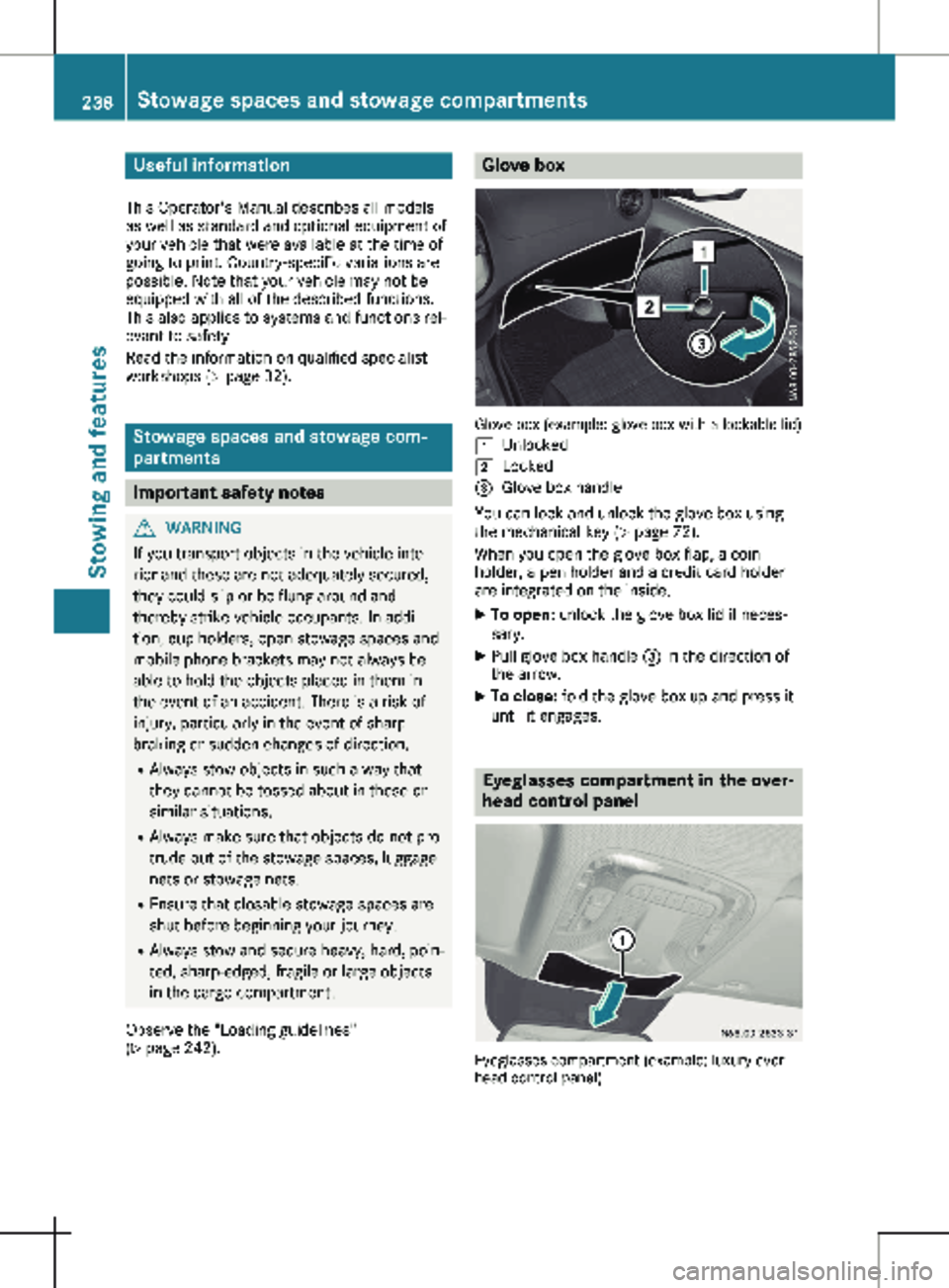
242). Glove box
Glove box (example: glove box with a lockable lid)
1 Unlocked
2 Locked
= Glove box handle
You can lock and unlock the glove box using
the mechanical key (Y page
72).
When you open the glove box flap, a coin
holder, a pen holder and a credit card holder
are integrated on the inside.
X To open: unlock the glove box lid if neces-
sary.
X Pull glove box handle = in the direction of
the arrow.
X To close: fold the glove box up and press it
until it engages. Eyeglasses compartment in the over-
head control panel
Eyeglasses compartment (example: luxury over-
head control panel) 238
Stowage spaces and stowage compartments
Stowing and features
Page 241 of 320
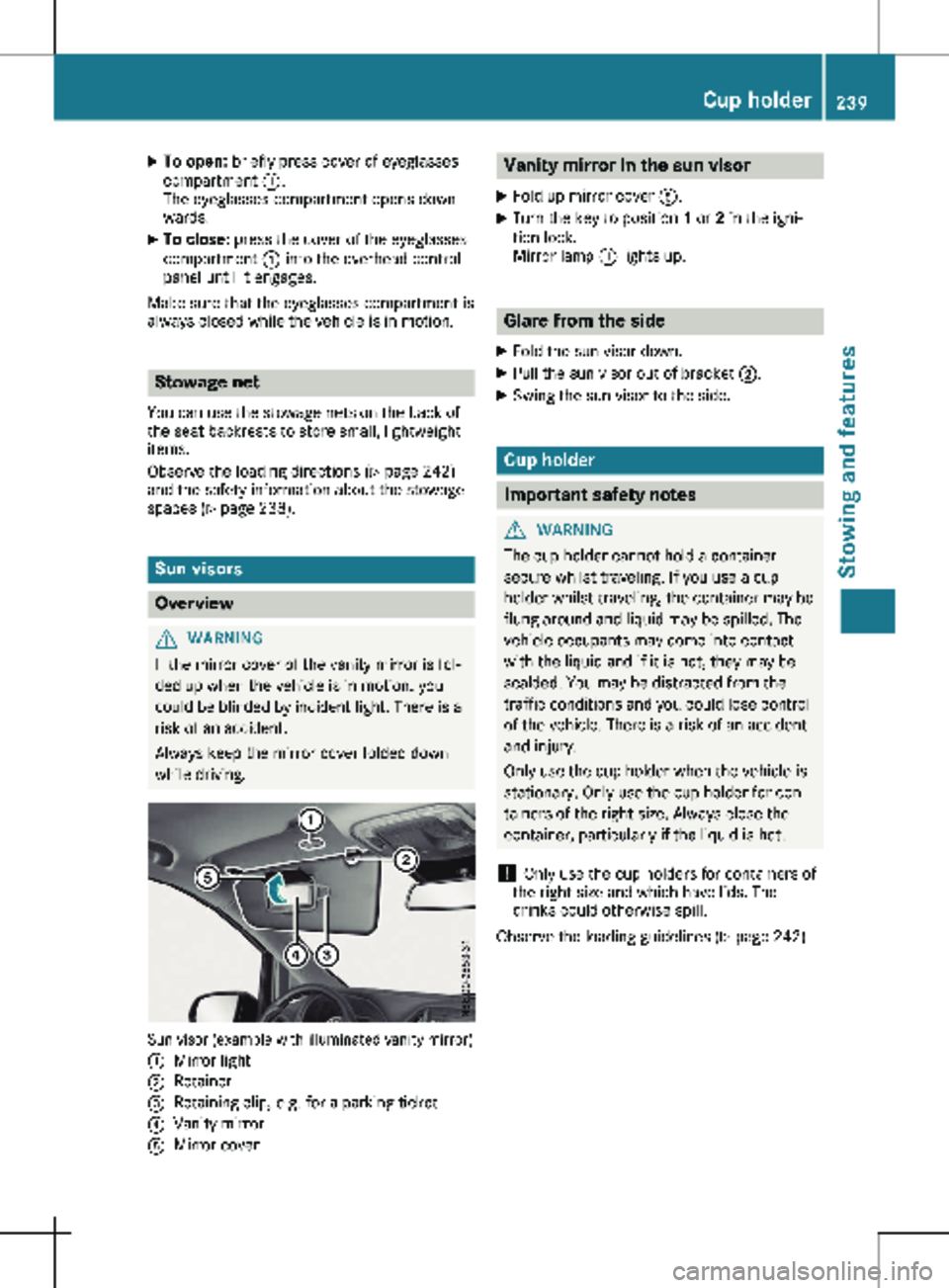
X
To open: briefly press cover of eyeglasses
compartment :.
The eyeglasses compartment opens down-
wards.
X To close: press the cover of the eyeglasses
compartment : into the overhead control
panel until it engages.
Make sure that the eyeglasses compartment is
always closed while the vehicle is in motion. Stowage net
You can use the stowage nets on the back of
the seat backrests to store small, lightweight
items.
Observe the loading directions ( Y page
242)
and the safety information about the stowage
spaces (Y page 238). Sun visors
Overview
G
WARNING
If the mirror cover of the vanity mirror is fol-
ded up when the vehicle is in motion, you
could be blinded by incident light. There is a
risk of an accident.
Always keep the mirror cover folded down
while driving. Sun visor (example with illuminated vanity mirror)
:
Mirror light
; Retainer
= Retaining clip, e.g. for a parking ticket
? Vanity mirror
A Mirror cover Vanity mirror in the sun visor
X Fold up mirror cover A.
X Turn the key to position 1 or 2 in the igni-
tion lock.
Mirror lamp : lights up. Glare from the side
X Fold the sun visor down.
X Pull the sun visor out of bracket ;.
X Swing the sun visor to the side. Cup holder
Important safety notes
G
WARNING
The cup holder cannot hold a container
secure whilst traveling. If you use a cup
holder whilst traveling, the container may be
flung around and liquid may be spilled. The
vehicle occupants may come into contact
with the liquid and if it is hot, they may be
scalded. You may be distracted from the
traffic conditions and you could lose control
of the vehicle. There is a risk of an accident
and injury.
Only use the cup holder when the vehicle is
stationary. Only use the cup holder for con-
tainers of the right size. Always close the
container, particularly if the liquid is hot.
! Only use the cup holders for containers of
the right size and which have lids. The
drinks could otherwise spill.
Observe the loading guidelines
(Y page 242). Cup holder
239Stowing and features Z
Page 243 of 320
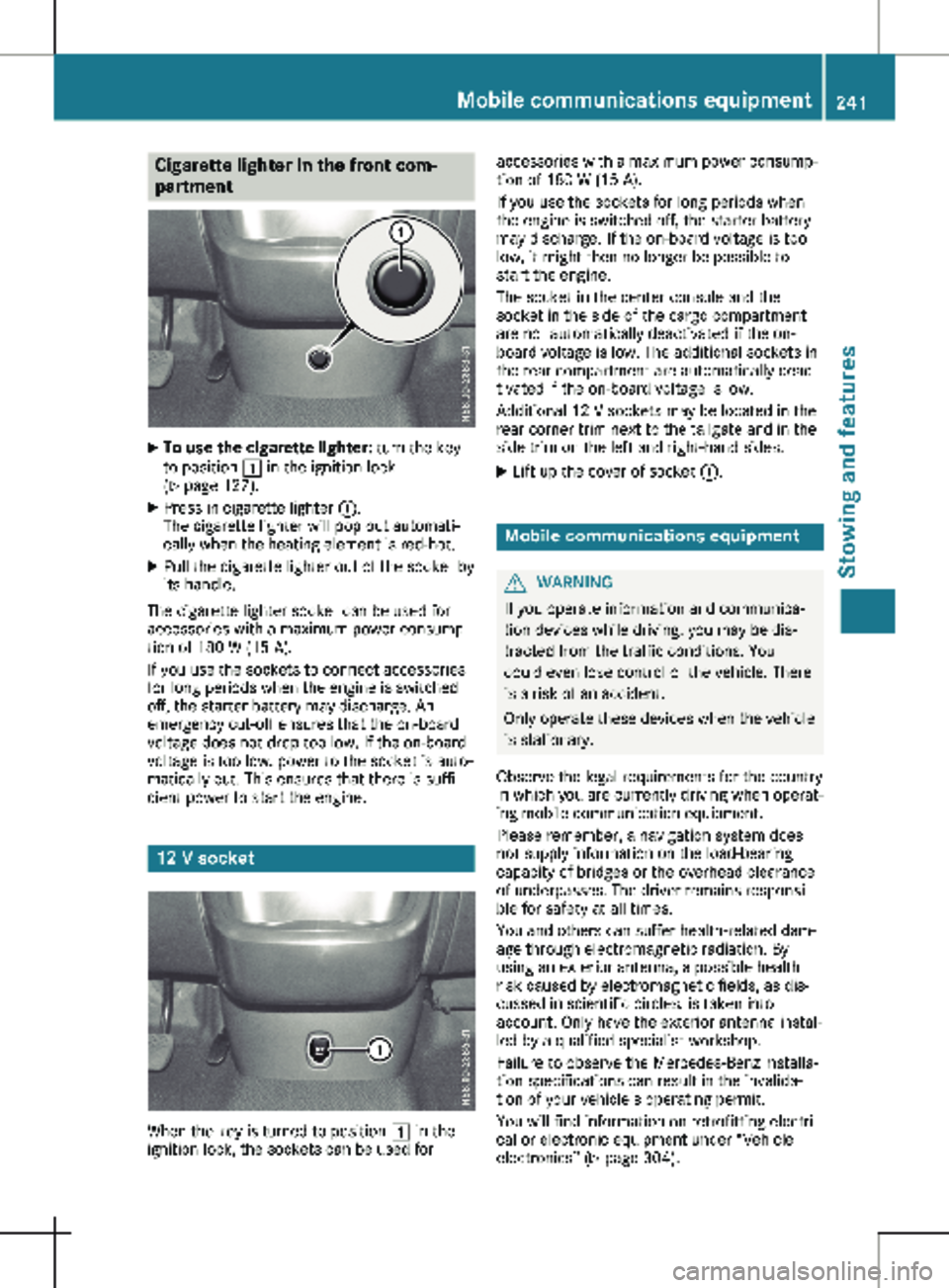
Cigarette lighter in the front com-
partment
X
To use the cigarette lighter: turn the key
to position 1 in the ignition lock
(Y page
127).
X Press in cigarette lighter :.
The cigarette lighter will pop out automati-
cally when the heating element is red-hot.
X Pull the cigarette lighter out of the socket by
its handle.
The cigarette lighter socket can be used for
accessories with a maximum power consump-
tion of 180 W
(15 A).
If you use the sockets to connect accessories
for long periods when the engine is switched
off, the starter battery may discharge. An
emergency cut-off ensures that the on-board
voltage does not drop too low. If the on-board
voltage is too low, power to the socket is auto-
matically cut. This ensures that there is suffi-
cient power to start the engine. 12 V socket
When the key is turned to position 1 in the
ignition lock, the sockets can be used for accessories with a maximum power consump-
tion of
180 W (15 A).
If you use the sockets for long periods when
the engine is switched off, the starter battery
may discharge. If the on-board voltage is too
low, it might then no longer be possible to
start the engine.
The socket in the center console and the
socket in the side of the cargo compartment
are not automatically deactivated if the on-
board voltage is low. The additional sockets in
the rear compartment are automatically deac-
tivated if the on-board voltage is low.
Additional 12 V sockets may be located in the
rear corner trim next to the tailgate and in the
side trim on the left and right-hand sides.
X Lift up the cover of socket :. Mobile communications equipment
G
WARNING
If you operate information and communica-
tion devices while driving, you may be dis-
tracted from the traffic conditions. You
could even lose control of the vehicle. There
is a risk of an accident.
Only operate these devices when the vehicle
is stationary.
Observe the legal requirements for the country
in which you are currently driving when operat-
ing mobile communication equipment.
Please remember, a navigation system does
not supply information on the load-bearing
capacity of bridges or the overhead clearance
of underpasses. The driver remains responsi-
ble for safety at all times.
You and others can suffer health-related dam-
age through electromagnetic radiation. By
using an exterior antenna, a possible health
risk caused by electromagnetic fields, as dis-
cussed in scientific circles, is taken into
account. Only have the exterior antenna instal-
led by a qualified specialist workshop.
Failure to observe the Mercedes-Benz installa-
tion specifications can result in the invalida-
tion of your vehicle's operating permit.
You will find information on retrofitting electri-
cal or electronic equipment under “Vehicle
electronics” (Y page
304). Mobile communications equipment
241
Stowing and features Z
Page 246 of 320
X
Always transport loads in the cargo com-
partment and with the seat backrests folded
up and properly locked in position.
X Always place the load against the backrests
of the front or rear seats.
X Move large and heavy loads as far towards
the front of the vehicle as possible against
the front or rear seats. Stow the load flush
with the rear or front seats.
X Always additionally secure the load with
suitable load-securing aids or tie downs.
Observe the following notes:
R Do not stack loads higher than the upper
edge of the backrests.
R Transport loads behind seats that are not
occupied.
R If the rear bench seat is not occupied, insert
the seat belts crosswise into the buckle of
the opposite seat belt. Cargo compartment variations
You can vary the cargo compartment accord-
ing to your transportation requirements as fol-
lows:
R by folding the seat backrests forward to the
table position.
R by removing the rear bench seat.
You will find information about rear bench
seats in the "Rear bench seats" section
( Y page
89). Securing loads
Important safety notes
G
WARNING
If you attach the tie-down incorrectly when
securing the load, the following may occur in
the event of abrupt changes in direction,
braking maneuvers or an accident:
R the cargo tie-down rings may become
detached or the tie-down may tear if the
permissible load is exceeded
R the load may not be restrained. This may cause the load to slip, tip over or
be tossed about, striking vehicle occupants.
There is a risk of an accident and injury.
Always tension the tie-downs in the proper
manner and only between the described
cargo tie-down rings. Always use tie-downs
designed specifically for the loads.
! Observe the information on the maximum
loading capacity of the individual cargo tie-
down points.
If you use several cargo tie-down points to
secure a load, you must always take the
maximum loading capacity of the weakest
cargo tie-down point into account.
If you brake hard, for example, the forces
acting could be up to several times the
weight force of the load. Always use multi-
ple cargo tie-down points in order to distrib-
ute the force absorption. Load the ancho-
rages evenly.
As the driver, you are responsible for ensuring
that: R The load is secured against slipping, tipping,
rolling or falling off in normal traffic condi-
tions, should the vehicle swerve to avoid an
obstacle, in the event of maximum full-stop
braking and on poor road surfaces
R The applicable requirements and guidelines
relating to load-securing practices are met
If this is not the case, this may constitute a
punishable offense, depending on local leg-
islation and any ensuing consequences.
Always observe the legal requirements for
the country you are currently in.
Make sure that the load is secure before every
journey and at regular intervals during a long
journey. Correct an incorrectly or inadequately
secured load if necessary.
Always observe the operating instructions or
the notes of the lashing strap manufacturer for
the operation of the lashing strap.
You can obtain information about securing the
load correctly from the manufacturer of the
load securing aids or tie down for securing the
load. Also observe the safety information in
the loading directions ( Y page 242).
X Fill spaces between the load and the cargo
compartment walls or wheel housings (form-244
Securing loads
Transporting loads