warning MERCEDES-BENZ METRIS 2020 MY20 Operator’s Manual
[x] Cancel search | Manufacturer: MERCEDES-BENZ, Model Year: 2020, Model line: METRIS, Model: MERCEDES-BENZ METRIS 2020Pages: 320, PDF Size: 26.38 MB
Page 210 of 320

Display messages
Possible causes/consequences and
M SolutionsTire Press. Moni‐
tor Currently
Unavail. Due to a source of radio interference, no signals can be received
from the wheel sensors. The tire pressure monitor is temporarily
malfunctioning.
The tire pressure monitor restarts automatically as soon as the
problem has been solved. Tire Press. Moni‐
tor Inoperative The tire pressure monitor is malfunctioning and switched off. Either
the installed wheels do not have suitable tire pressure sensors or
the system is malfunctioning, e.g. because a tire pressure sensor is
faulty.
X Install wheels with suitable tire pressure sensors.
The tire pressure monitor is activated automatically after driving
for a few minutes.
or X Visit a qualified specialist workshop. Vehicle
Display messages
Possible causes/consequences and
M SolutionsÒ The tailgate is open.
X Close the tailgate. Ñ The rear door is open.
X Close the rear door(s). Ó An additional warning tone sounds. The hood is open.
G WARNING
The open hood may then block your view when the vehicle is in
motion.
There is a risk of an accident.
X Stop the vehicle immediately, paying attention to road and traffic
conditions.
X Secure the vehicle to prevent it from rolling away (Y page 138).
X Close the hood. 0 An additional warning tone sounds while the vehicle is in motion.
The display shows the open door(s).
X Close all doors. Ð
Pwr. Steering Mal‐
funct.
+ An additional warning tone sounds. The steering power assistance
could be malfunctioning. You may need to steer more forcefully.
X Carefully continue to a qualified specialist workshop and have the
steering checked immediately. 208
Display messages (vehicles without steering wheel buttons)
On-board computer and displays
Page 211 of 320
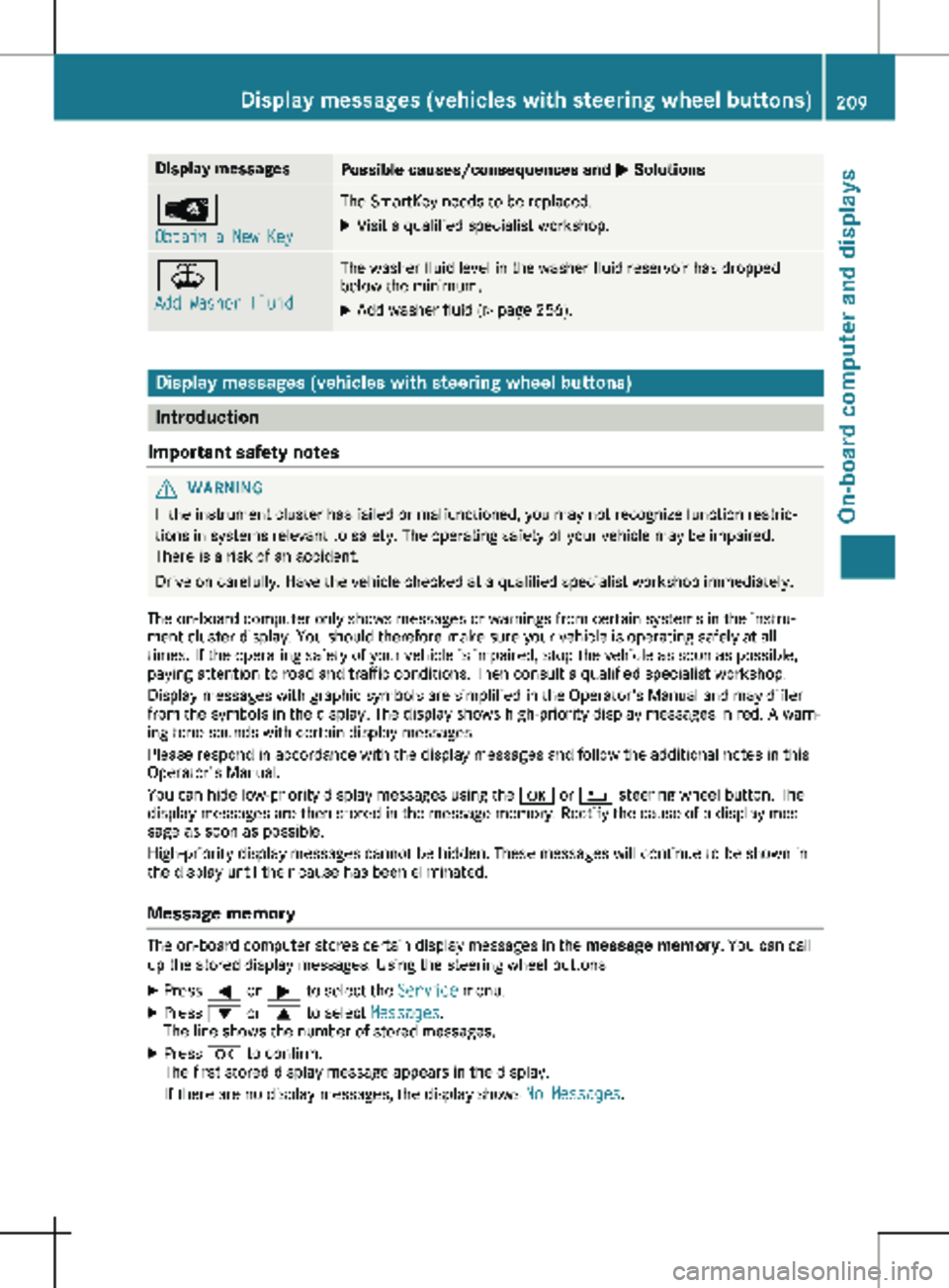
Display messages
Possible causes/consequences and
M SolutionsÂ
Obtain a New Key The SmartKey needs to be replaced.
X Visit a qualified specialist workshop. ¥
Add Washer Fluid The washer fluid level in the washer fluid reservoir has dropped
below the minimum.
X Add washer fluid (Y page 256).Display messages (vehicles with steering wheel buttons)
Introduction
Important safety notes G
WARNING
If the instrument cluster has failed or malfunctioned, you may not recognize function restric-
tions in systems relevant to safety. The operating safety of your vehicle may be impaired.
There is a risk of an accident.
Drive on carefully. Have the vehicle checked at a qualified specialist workshop immediately.
The on-board computer only shows messages or warnings from certain systems in the instru-
ment cluster display. You should therefore make sure your vehicle is operating safely at all
times. If the operating safety of your vehicle is impaired, stop the vehicle as soon as possible,
paying attention to road and traffic conditions. Then consult a qualified specialist workshop.
Display messages with graphic symbols are simplified in the Operator's Manual and may differ
from the symbols in the display. The display shows high-priority display messages in red. A warn-
ing tone sounds with certain display messages.
Please respond in accordance with the display messages and follow the additional notes in this
Operator's Manual.
You can hide low-priority display messages using the a or % steering wheel button. The
display messages are then stored in the message memory. Rectify the cause of a display mes-
sage as soon as possible.
High-priority display messages cannot be hidden. These messages will continue to be shown in
the display until their cause has been eliminated.
Message memory The on-board computer stores certain display messages in the
message memory. You can call
up the stored display messages. Using the steering wheel buttons
X Press = or ; to select the Service menu.
X Press : or 9 to select Messages.
The line shows the number of stored messages.
X Press a to confirm.
The first stored display message appears in the display.
If there are no display messages, the display shows No Messages.Display messages (vehicles with steering wheel buttons)
209
On-board computer and displays Z
Page 212 of 320
X
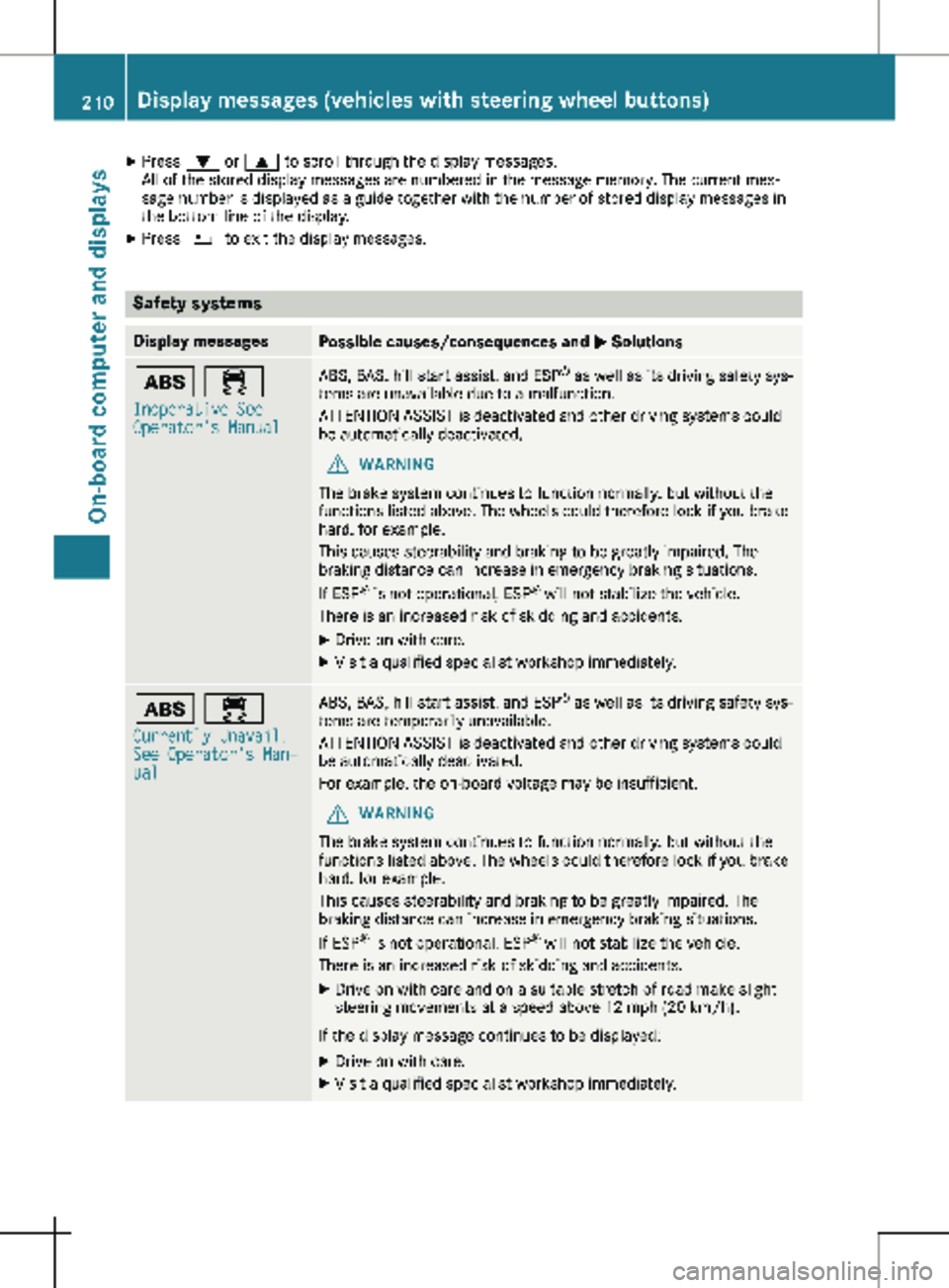
Press : or 9 to scroll through the display messages.
All of the stored display messages are numbered in the message memory. The current mes-
sage number is displayed as a guide together with the number of stored display messages in
the bottom line of the display.
X Press % to exit the display messages. Safety systems
Display messages
Possible causes/consequences and
M Solutionsò ÷
Inoperative See
Operator's Manual ABS, BAS, hill start assist, and ESP
®
as well as its driving safety sys-
tems are unavailable due to a malfunction.
ATTENTION ASSIST is deactivated and other driving systems could
be automatically deactivated.
G WARNING
The brake system continues to function normally, but without the
functions listed above. The wheels could therefore lock if you brake
hard, for example.
This causes steerability and braking to be greatly impaired. The
braking distance can increase in emergency braking situations.
If ESP ®
is not operational, ESP ®
will not stabilize the vehicle.
There is an increased risk of skidding and accidents.
X Drive on with care.
X Visit a qualified specialist workshop immediately. ò ÷
Currently Unavail.
See Operator's Man‐
ual ABS, BAS, hill start assist, and ESP
®
as well as its driving safety sys-
tems are temporarily unavailable.
ATTENTION ASSIST is deactivated and other driving systems could
be automatically deactivated.
For example, the on-board voltage may be insufficient.
G WARNING
The brake system continues to function normally, but without the
functions listed above. The wheels could therefore lock if you brake
hard, for example.
This causes steerability and braking to be greatly impaired. The
braking distance can increase in emergency braking situations.
If ESP ®
is not operational, ESP ®
will not stabilize the vehicle.
There is an increased risk of skidding and accidents.
X Drive on with care and on a suitable stretch of road make slight
steering movements at a speed above 12 mph (20 km/h ).
If the display message continues to be displayed: X Drive on with care.
X Visit a qualified specialist workshop immediately.210
Display messages (vehicles with steering wheel buttons)
On-board computer and displays
Page 213 of 320
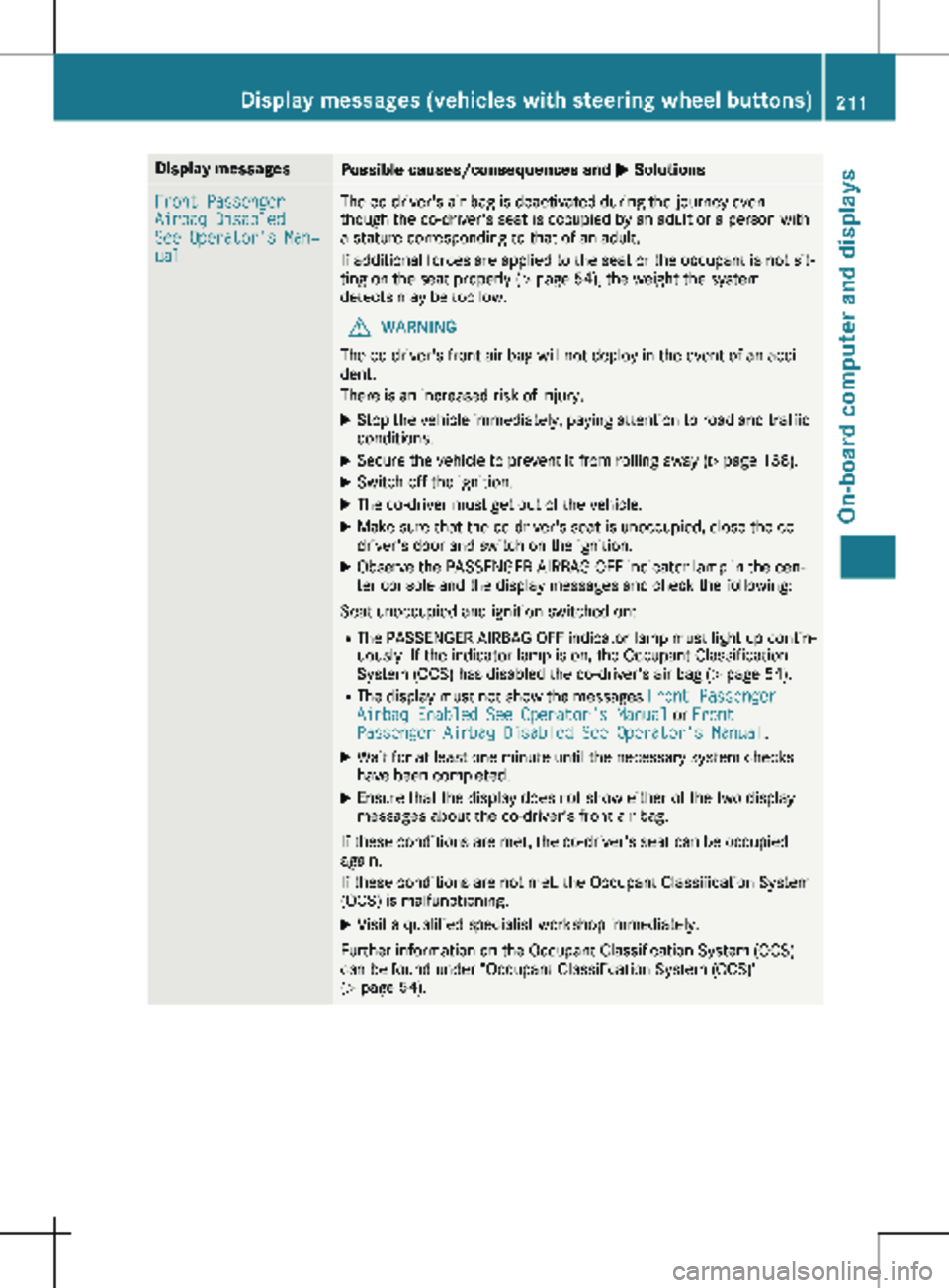
Display messages
Possible causes/consequences and
M SolutionsFront Passenger
Airbag Disabled
See Operator's Man‐
ual The co-driver's air bag is deactivated during the journey even
though the co-driver's seat is occupied by an adult or a person with
a stature corresponding to that of an adult.
If additional forces are applied to the seat or the occupant is not sit-
ting on the seat properly (Y page
54), the weight the system
detects may be too low.
G WARNING
The co-driver's front air bag will not deploy in the event of an acci-
dent.
There is an increased risk of injury.
X Stop the vehicle immediately, paying attention to road and traffic
conditions.
X Secure the vehicle to prevent it from rolling away ( Y page
138).
X Switch off the ignition.
X The co-driver must get out of the vehicle.
X Make sure that the co-driver's seat is unoccupied, close the co-
driver's door and switch on the ignition.
X Observe the PASSENGER AIRBAG OFF indicator lamp in the cen-
ter console and the display messages and check the following:
Seat unoccupied and ignition switched on: R The PASSENGER AIRBAG OFF indicator lamp must light up contin-
uously. If the indicator lamp is on, the Occupant Classification
System (OCS) has disabled the co-driver's air bag
(Y page 54).
R The display must not show the messages Front Passenger
Airbag Enabled See Operator's Manual or Front
Passenger Airbag Disabled See Operator's Manual.
X Wait for at least one minute until the necessary system checks
have been completed.
X Ensure that the display does not show either of the two display
messages about the co-driver's front air bag.
If these conditions are met, the co-driver's seat can be occupied
again.
If these conditions are not met, the Occupant Classification System
(OCS) is malfunctioning.
X Visit a qualified specialist workshop immediately.
Further information on the Occupant Classification System (OCS)
can be found under "Occupant Classification System (OCS)"
(Y page
54). Display messages (vehicles with steering wheel buttons)
211
On-board computer and displays Z
Page 214 of 320
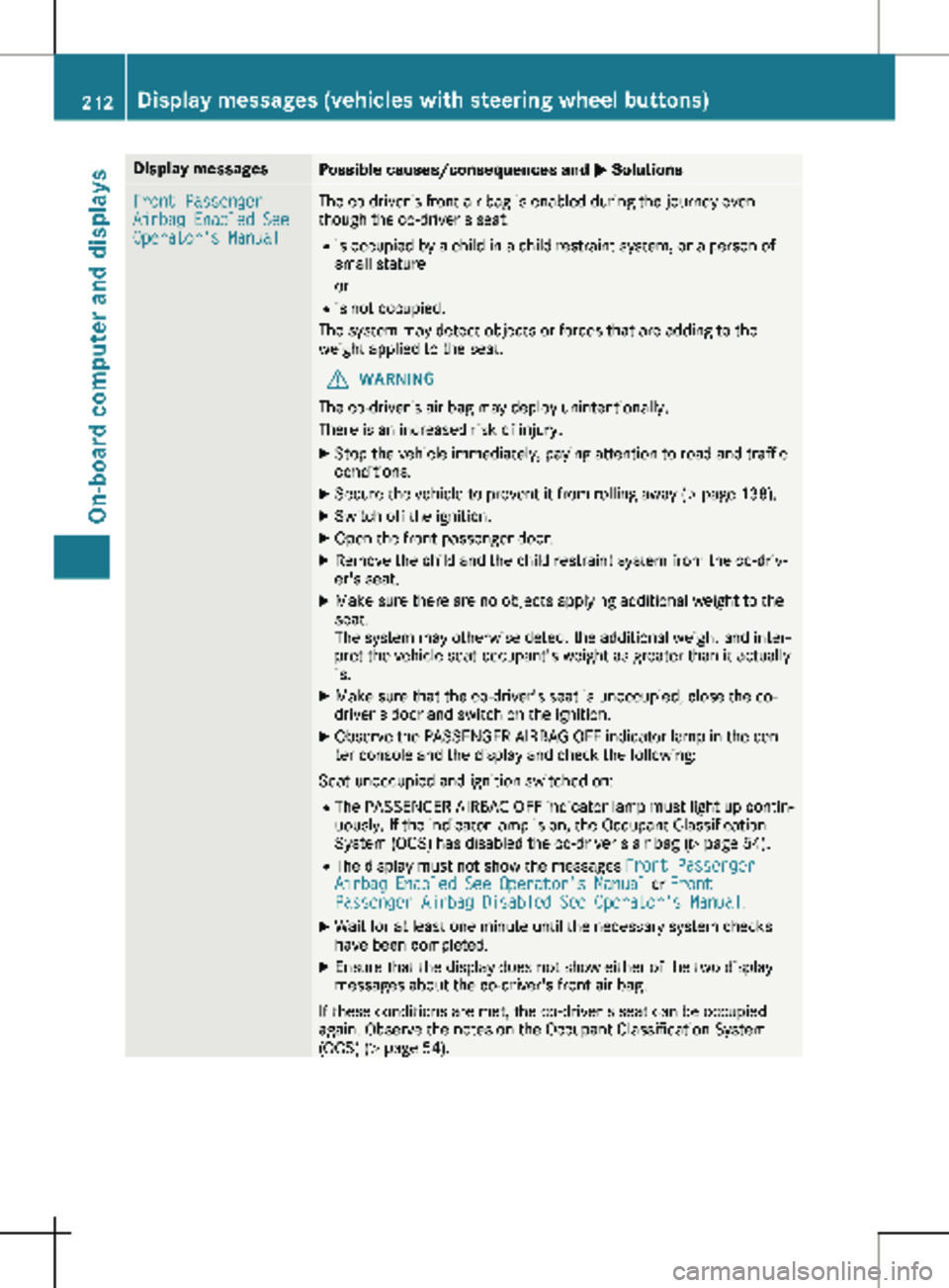
Display messages
Possible causes/consequences and
M SolutionsFront Passenger
Airbag Enabled See
Operator's Manual The co-driver's front air bag is enabled during the journey even
though the co-driver's seat:
R is occupied by a child in a child restraint system, or a person of
small stature
or
R is not occupied.
The system may detect objects or forces that are adding to the
weight applied to the seat.
G WARNING
The co-driver's air bag may deploy unintentionally.
There is an increased risk of injury.
X Stop the vehicle immediately, paying attention to road and traffic
conditions.
X Secure the vehicle to prevent it from rolling away ( Y page 138).
X Switch off the ignition.
X Open the front-passenger door.
X Remove the child and the child restraint system from the co-driv-
er's seat.
X Make sure there are no objects applying additional weight to the
seat.
The system may otherwise detect the additional weight and inter-
pret the vehicle seat occupant's weight as greater than it actually
is.
X Make sure that the co-driver's seat is unoccupied, close the co-
driver's door and switch on the ignition.
X Observe the PASSENGER AIRBAG OFF indicator lamp in the cen-
ter console and the display and check the following:
Seat unoccupied and ignition switched on:
R The PASSENGER AIRBAG OFF indicator lamp must light up contin-
uously. If the indicator lamp is on, the Occupant Classification
System (OCS) has disabled the co-driver's air bag
(Y page 54).
R The display must not show the messages Front Passenger
Airbag Enabled See Operator's Manual or Front
Passenger Airbag Disabled See Operator's Manual.
X Wait for at least one minute until the necessary system checks
have been completed.
X Ensure that the display does not show either of the two display
messages about the co-driver's front air bag.
If these conditions are met, the co-driver's seat can be occupied
again. Observe the notes on the Occupant Classification System
(OCS) ( Y page
54).212
Display messages (vehicles with steering wheel buttons)
On-board computer and displays
Page 215 of 320
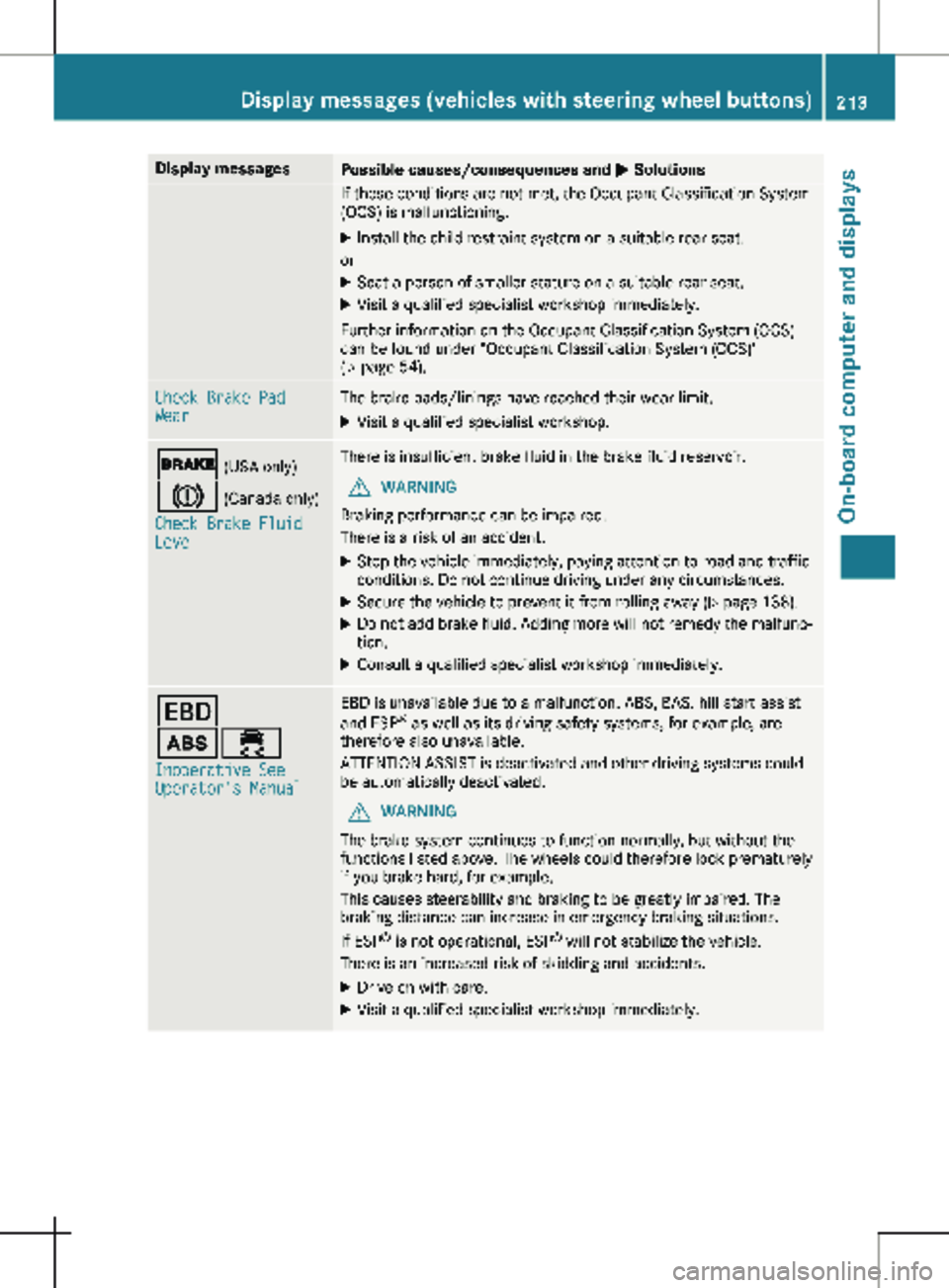
Display messages
Possible causes/consequences and
M SolutionsIf these conditions are not met, the Occupant Classification System
(OCS) is malfunctioning.
X Install the child restraint system on a suitable rear seat.
or X Seat a person of smaller stature on a suitable rear seat.
X Visit a qualified specialist workshop immediately.
Further information on the Occupant Classification System (OCS)
can be found under "Occupant Classification System (OCS)"
(Y page
54). Check Brake Pad
Wear The brake pads/linings have reached their wear limit.
X Visit a qualified specialist workshop. $ (USA only)
J (Canada only)
Check Brake Fluid
Level There is insufficient brake fluid in the brake fluid reservoir.
G WARNING
Braking performance can be impaired.
There is a risk of an accident.
X Stop the vehicle immediately, paying attention to road and traffic
conditions. Do not continue driving under any circumstances.
X Secure the vehicle to prevent it from rolling away (Y page
138).
X Do not add brake fluid. Adding more will not remedy the malfunc-
tion.
X Consult a qualified specialist workshop immediately. T
ò÷
Inoperative See
Operator's Manual EBD is unavailable due to a malfunction. ABS, BAS, hill start assist
and ESP
®
as well as its driving safety systems, for example, are
therefore also unavailable.
ATTENTION ASSIST is deactivated and other driving systems could
be automatically deactivated.
G WARNING
The brake system continues to function normally, but without the
functions listed above. The wheels could therefore lock prematurely
if you brake hard, for example.
This causes steerability and braking to be greatly impaired. The
braking distance can increase in emergency braking situations.
If ESP ®
is not operational, ESP ®
will not stabilize the vehicle.
There is an increased risk of skidding and accidents.
X Drive on with care.
X Visit a qualified specialist workshop immediately. Display messages (vehicles with steering wheel buttons)
213
On-board computer and displays Z
Page 216 of 320
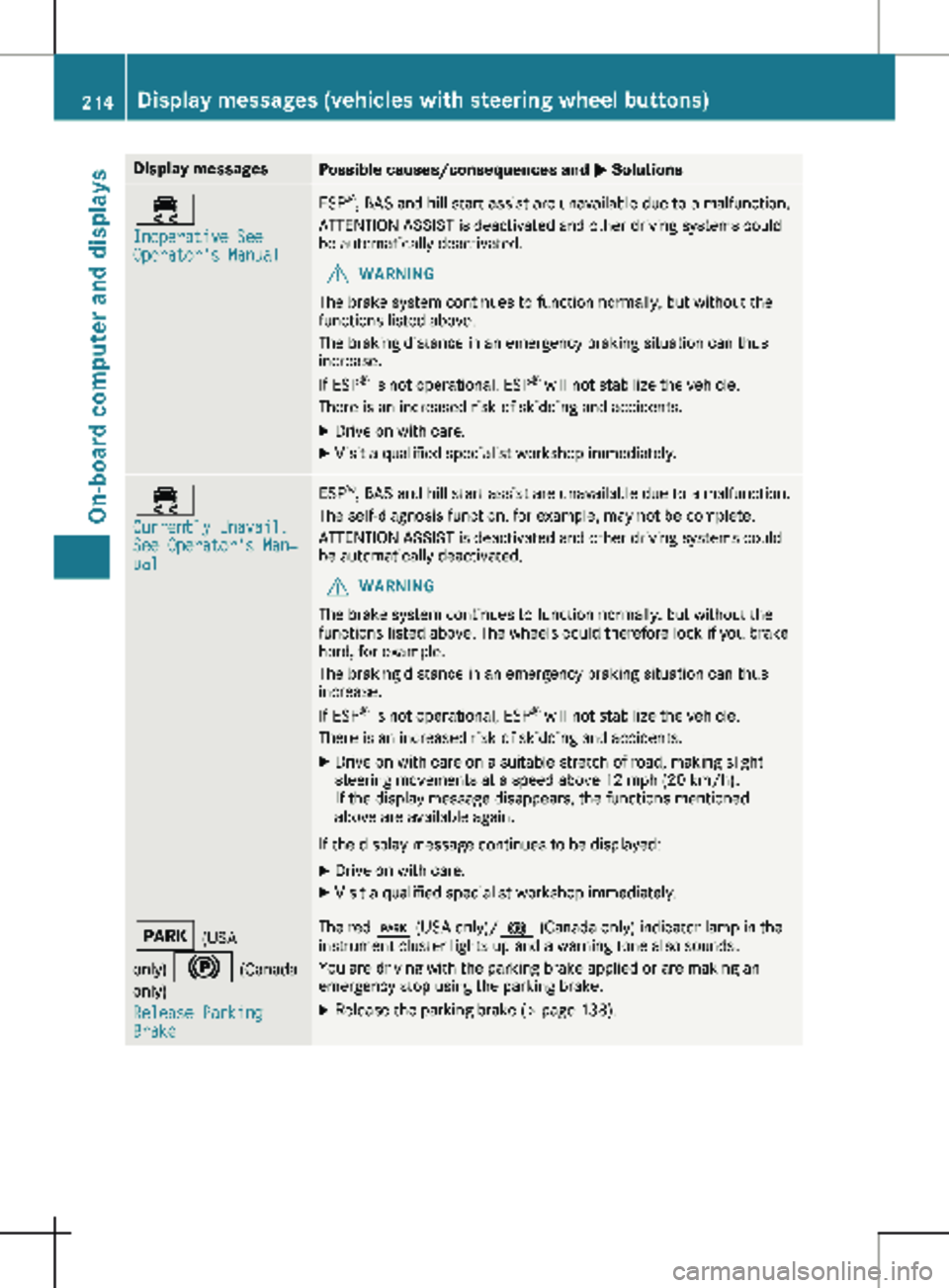
Display messages
Possible causes/consequences and
M Solutions÷
Inoperative See
Operator's Manual ESP
®
, BAS and hill start assist are unavailable due to a malfunction.
ATTENTION ASSIST is deactivated and other driving systems could
be automatically deactivated.
G WARNING
The brake system continues to function normally, but without the
functions listed above.
The braking distance in an emergency braking situation can thus
increase.
If ESP ®
is not operational, ESP ®
will not stabilize the vehicle.
There is an increased risk of skidding and accidents.
X Drive on with care.
X Visit a qualified specialist workshop immediately. ÷
Currently Unavail.
See Operator's Man‐
ual ESP
®
, BAS and hill start assist are unavailable due to a malfunction.
The self-diagnosis function, for example, may not be complete.
ATTENTION ASSIST is deactivated and other driving systems could
be automatically deactivated.
G WARNING
The brake system continues to function normally, but without the
functions listed above. The wheels could therefore lock if you brake
hard, for example.
The braking distance in an emergency braking situation can thus
increase.
If ESP ®
is not operational, ESP ®
will not stabilize the vehicle.
There is an increased risk of skidding and accidents.
X Drive on with care on a suitable stretch of road, making slight
steering movements at a speed above 12 mph (20 km/h
).
If the display message disappears, the functions mentioned
above are available again.
If the display message continues to be displayed: X Drive on with care.
X Visit a qualified specialist workshop immediately. F (USA
only) ! (Canada only)
Release Parking
Brake The red
F (USA only)/ ! (Canada only) indicator lamp in the
instrument cluster lights up and a warning tone also sounds.
You are driving with the parking brake applied or are making an
emergency stop using the parking brake.
X Release the parking brake (Y page
138).214
Display messages (vehicles with steering wheel buttons)
On-board computer and displays
Page 217 of 320
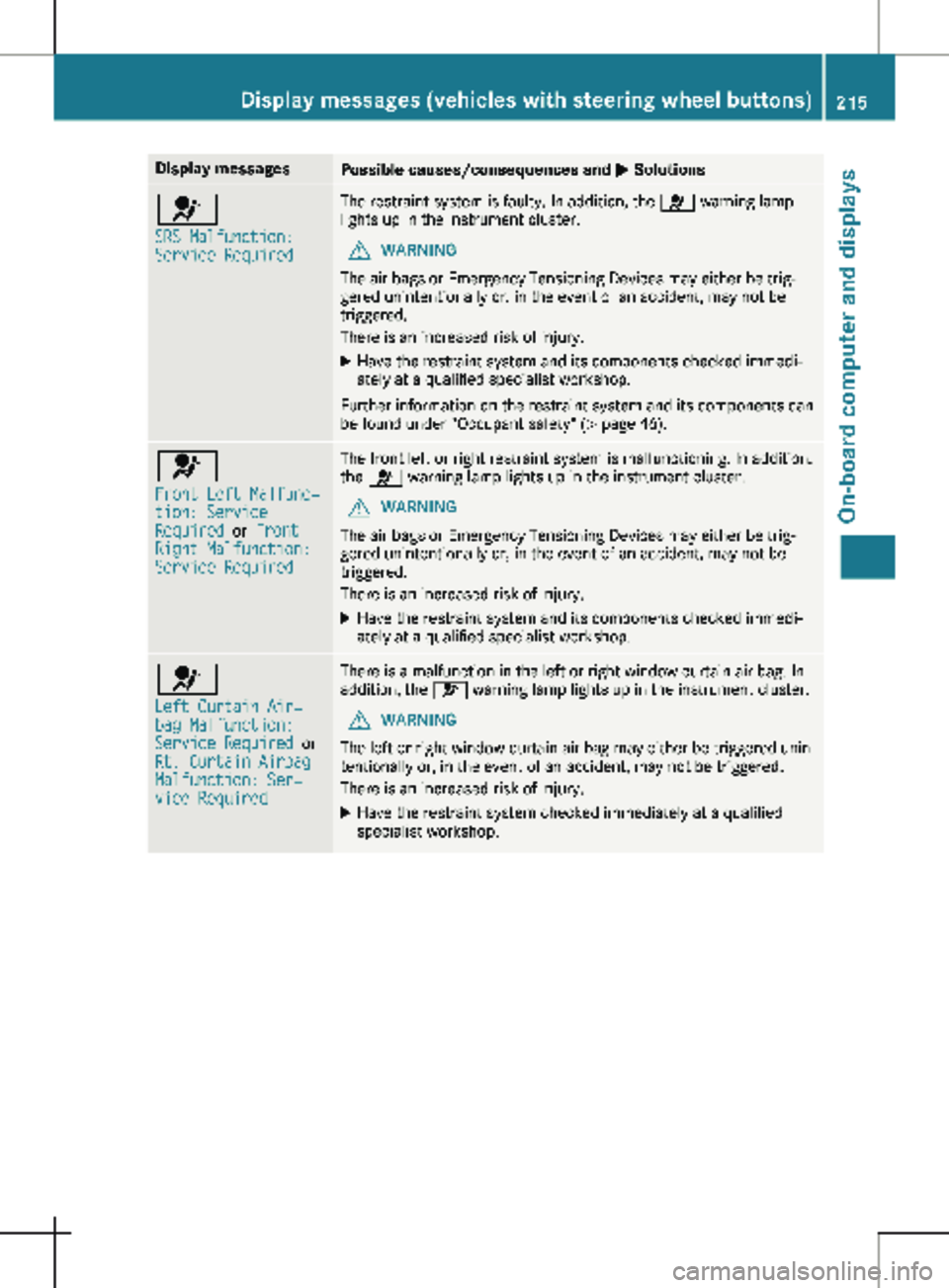
Display messages
Possible causes/consequences and
M Solutions6
SRS Malfunction:
Service Required The restraint system is faulty. In addition, the
6 warning lamp
lights up in the instrument cluster.
G WARNING
The air bags or Emergency Tensioning Devices may either be trig-
gered unintentionally or, in the event of an accident, may not be
triggered.
There is an increased risk of injury.
X Have the restraint system and its components checked immedi-
ately at a qualified specialist workshop.
Further information on the restraint system and its components can
be found under "Occupant safety" (Y page 46). 6
Front Left Malfunc‐
tion: Service
Required
or Front
Right Malfunction:
Service Required The front left or right restraint system is malfunctioning. In addition,
the 6 warning lamp lights up in the instrument cluster.
G WARNING
The air bags or Emergency Tensioning Devices may either be trig-
gered unintentionally or, in the event of an accident, may not be
triggered.
There is an increased risk of injury.
X Have the restraint system and its components checked immedi-
ately at a qualified specialist workshop. 6
Left Curtain Air‐
bag Malfunction:
Service Required
or
Rt. Curtain Airbag
Malfunction: Ser‐
vice Required There is a malfunction in the left or right window curtain air bag. In
addition, the 6 warning lamp lights up in the instrument cluster.
G WARNING
The left or right window curtain air bag may either be triggered unin-
tentionally or, in the event of an accident, may not be triggered.
There is an increased risk of injury.
X Have the restraint system checked immediately at a qualified
specialist workshop. Display messages (vehicles with steering wheel buttons)
215
On-board computer and displays Z
Page 219 of 320
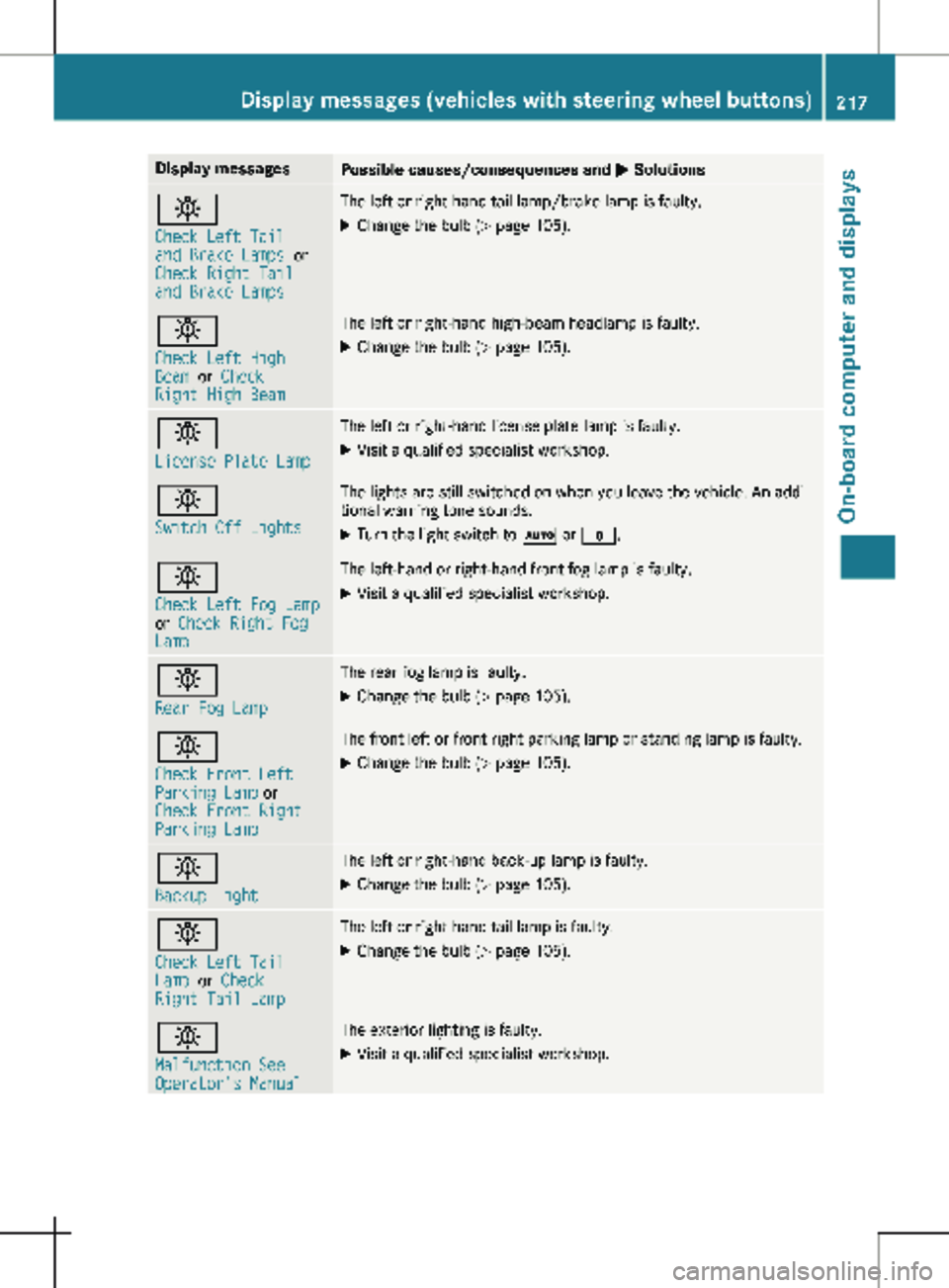
Display messages
Possible causes/consequences and
M Solutionsb
Check Left Tail
and Brake Lamps
or
Check Right Tail
and Brake Lamps The left or right-hand tail lamp/brake lamp is faulty.
X Change the bulb (Y page 105).b
Check Left High
Beam
or Check
Right High Beam The left or right-hand high-beam headlamp is faulty.
X
Change the bulb ( Y page 105).b
License Plate Lamp The left or right-hand license plate lamp is faulty.
X Visit a qualified specialist workshop. b
Switch Off Lights The lights are still switched on when you leave the vehicle. An addi-
tional warning tone sounds.
X Turn the light switch to à or $.b
Check Left Fog Lamp
or
Check Right Fog
Lamp The left-hand or right-hand front fog lamp is faulty.
X Visit a qualified specialist workshop. b
Rear Fog Lamp The rear fog lamp is faulty.
X Change the bulb (Y page
105).b
Check Front Left
Parking Lamp or
Check Front Right
Parking Lamp The front left or front right parking lamp or standing lamp is faulty.
X Change the bulb ( Y page
105).b
Backup Light The left or right-hand back-up lamp is faulty.
X Change the bulb (Y page
105).b
Check Left Tail
Lamp
or Check
Right Tail Lamp The left or right-hand tail lamp is faulty.
X Change the bulb (Y page 105).b
Malfunction See
Operator's Manual The exterior lighting is faulty.
X Visit a qualified specialist workshop. Display messages (vehicles with steering wheel buttons)
217
On-board computer and displays Z
Page 221 of 320
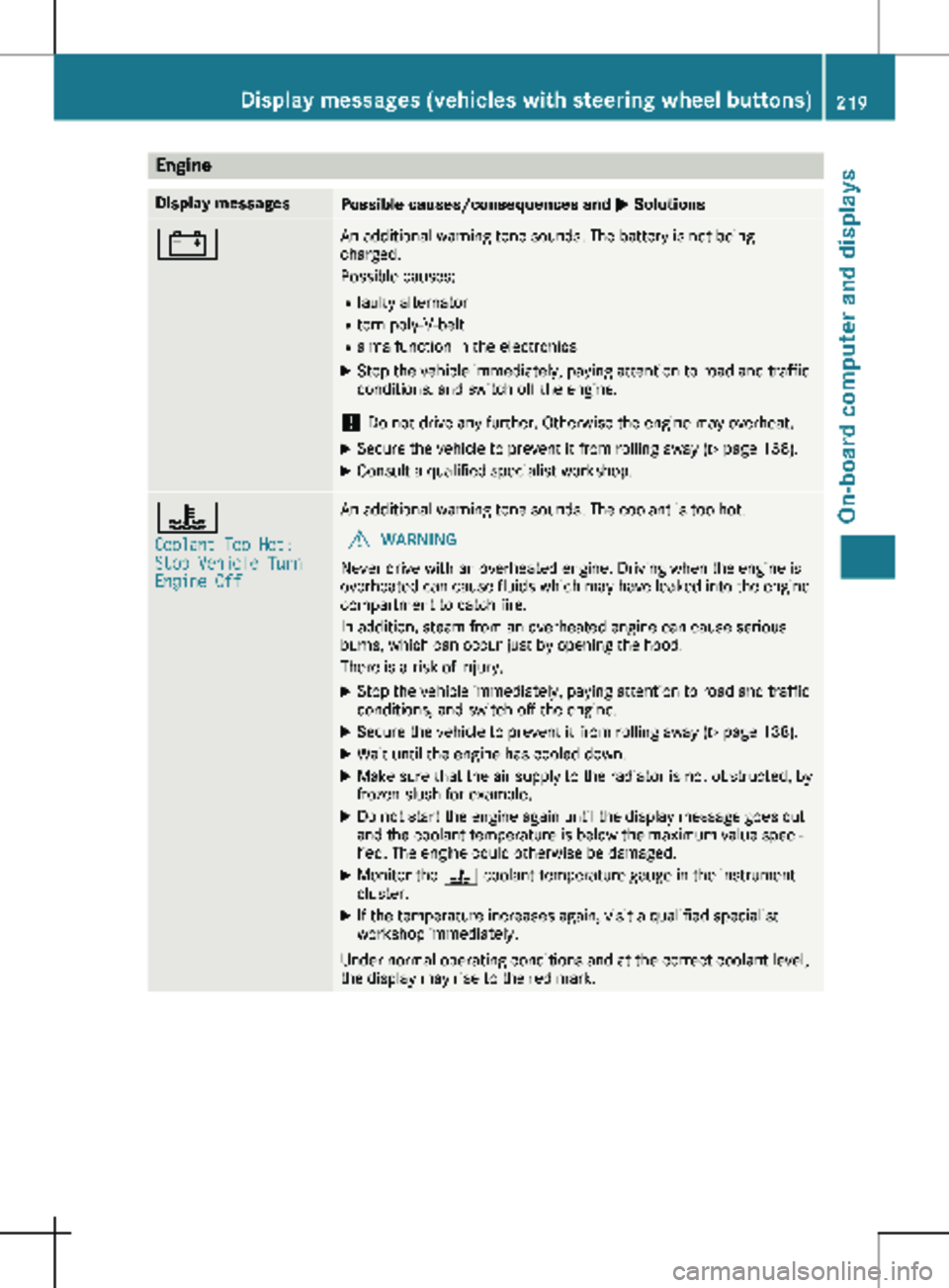
Engine
Display messages
Possible causes/consequences and
M Solutions# An additional warning tone sounds. The battery is not being
charged.
Possible causes:
R faulty alternator
R torn poly-V-belt
R a malfunction in the electronics
X Stop the vehicle immediately, paying attention to road and traffic
conditions, and switch off the engine.
! Do not drive any further. Otherwise the engine may overheat.
X Secure the vehicle to prevent it from rolling away ( Y page 138).
X Consult a qualified specialist workshop. ?
Coolant Too Hot:
Stop Vehicle Turn
Engine Off An additional warning tone sounds. The coolant is too hot.
G WARNING
Never drive with an overheated engine. Driving when the engine is
overheated can cause fluids which may have leaked into the engine
compartment to catch fire.
In addition, steam from an overheated engine can cause serious
burns, which can occur just by opening the hood.
There is a risk of injury.
X Stop the vehicle immediately, paying attention to road and traffic
conditions, and switch off the engine.
X Secure the vehicle to prevent it from rolling away ( Y page
138).
X Wait until the engine has cooled down.
X Make sure that the air supply to the radiator is not obstructed, by
frozen slush for example.
X Do not start the engine again until the display message goes out
and the coolant temperature is below the maximum value speci-
fied. The engine could otherwise be damaged.
X Monitor the ? coolant temperature gauge in the instrument
cluster.
X If the temperature increases again, visit a qualified specialist
workshop immediately.
Under normal operating conditions and at the correct coolant level,
the display may rise to the red mark. Display messages (vehicles with steering wheel buttons)
219
On-board computer and displays Z