warning MERCEDES-BENZ METRIS 2020 MY20 Operator’s Manual
[x] Cancel search | Manufacturer: MERCEDES-BENZ, Model Year: 2020, Model line: METRIS, Model: MERCEDES-BENZ METRIS 2020Pages: 320, PDF Size: 26.38 MB
Page 163 of 320
Active Parking Assist does not assist you park-
ing in spaces at right angles to the direction of
travel if:
R two parking spaces are located directly next
to one another
R the parking space is directly next to a low
obstacle such as a low curb
R you forward park
Active Parking Assist does not assist you park-
ing in spaces that are parallel or at right angles
to the direction of travel if:
R the parking space is on a curb
R the system reads the parking space as being
blocked, for example by foliage or grass
paving blocks
R the area is too small for the vehicle to
maneuver into
R the parking space is bordered by an obsta-
cle, e.g. a tree, a post or a trailer :
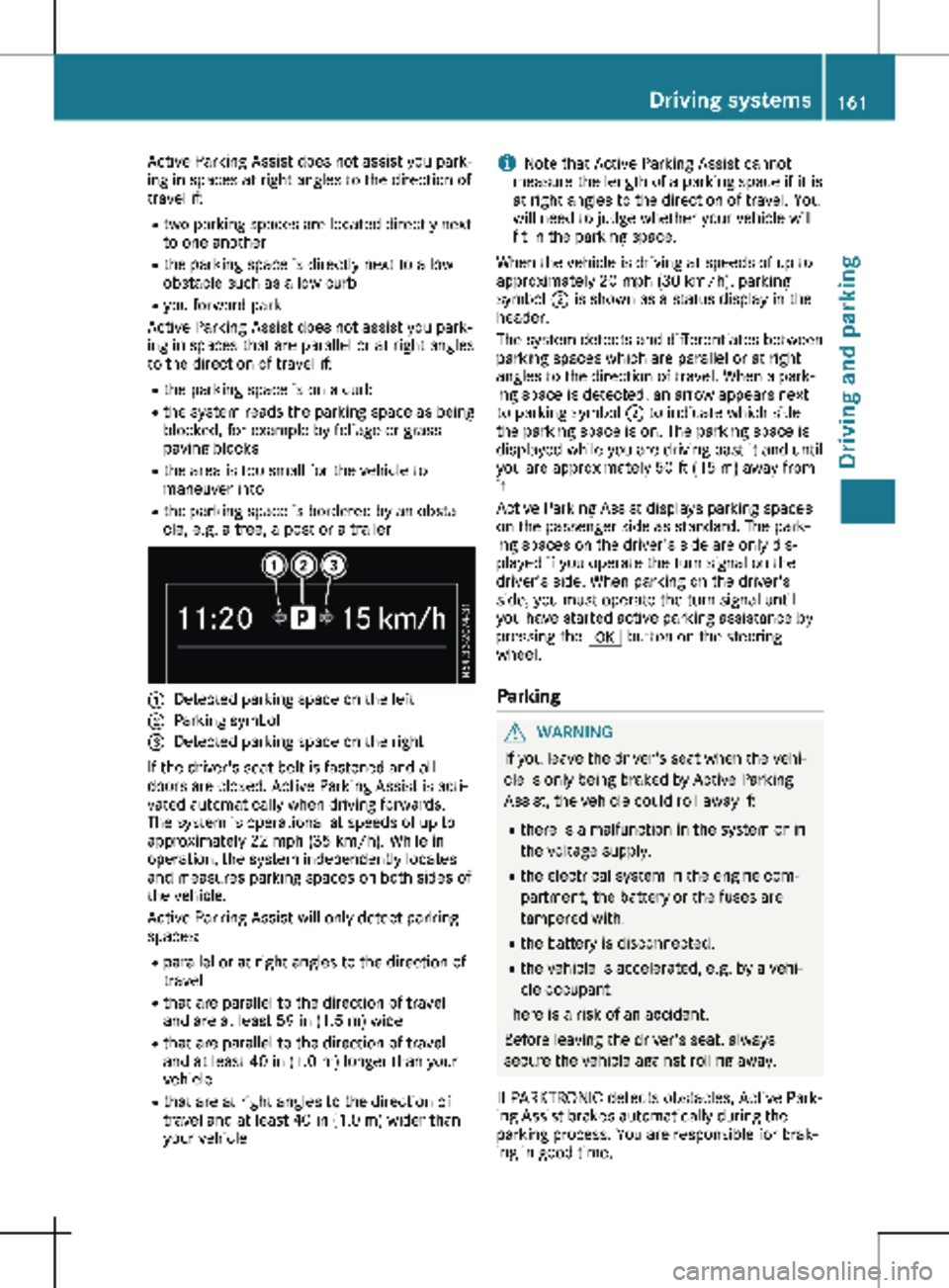
Detected parking space on the left
; Parking symbol
= Detected parking space on the right
If the driver's seat belt is fastened and all
doors are closed, Active Parking Assist is acti-
vated automatically when driving forwards.
The system is operational at speeds of up to
approximately
22 mph (35 km/h). While in
operation, the system independently locates
and measures parking spaces on both sides of
the vehicle.
Active Parking Assist will only detect parking
spaces:
R parallel or at right angles to the direction of
travel
R that are parallel to the direction of travel
and are at least 59 in (1.5 m) wide
R that are parallel to the direction of travel
and at least 40 in (1.0 m) longer than your
vehicle
R that are at right angles to the direction of
travel and at least 40 in (1.0 m) wider than
your vehicle i
Note that Active Parking Assist cannot
measure the length of a parking space if it is
at right angles to the direction of travel. You
will need to judge whether your vehicle will
fit in the parking space.
When the vehicle is driving at speeds of up to
approximately
20 mph (30 km/h), parking
symbol ; is shown as a status display in the
header.
The system detects and differentiates between
parking spaces which are parallel or at right
angles to the direction of travel. When a park-
ing space is detected, an arrow appears next
to parking symbol ; to indicate which side
the parking space is on. The parking space is
displayed while you are driving past it and until
you are approximately 50 ft (15 m) away from
it.
Active Parking Assist displays parking spaces
on the passenger side as standard. The park-
ing spaces on the driver's side are only dis-
played if you operate the turn signal on the
driver's side. When parking on the driver's
side, you must operate the turn signal until
you have started active parking assistance by
pressing the a button on the steering
wheel.
Parking G
WARNING
If you leave the driver's seat when the vehi-
cle is only being braked by Active Parking
Assist, the vehicle could roll away if:
R there is a malfunction in the system or in
the voltage supply.
R the electrical system in the engine com-
partment, the battery or the fuses are
tampered with.
R the battery is disconnected.
R the vehicle is accelerated, e.g. by a vehi-
cle occupant.
There is a risk of an accident.
Before leaving the driver's seat, always
secure the vehicle against rolling away.
If PARKTRONIC detects obstacles, Active Park-
ing Assist brakes automatically during the
parking process. You are responsible for brak-
ing in good time. Driving systems
161
Driving and parking Z
Page 165 of 320

X
Start the engine.
X Switch on the turn signal in the direction in
which you are pulling away.
X Shift the transmission to position h or k.
The display shows the message Start
Park Assist? Yes: OK No: %.
X To cancel the process: press the % but-
ton on the steering wheel or drive off.
or
X To exit the parking space using active
parking assistance: press the a button
on the steering wheel.
The display shows the message Park
Assist Active: Accelerate and Brake
Obs. Surroundings.
X Let go of the steering wheel.
X Pull away, being ready to brake at all times.
Exit the parking space slowly and do not
drive faster than
6 mph (10 km/h). Other-
wise parking assistance is canceled and
Active Parking Assist is stopped.
Active Parking Assist brakes the vehicle to a
standstill when the vehicle approaches a
border of the parking space.
X While the vehicle is stationary, shift the
transmission to position h or k as
required or according to the message.
Active Parking Assist immediately steers in
the other direction. The display shows the
message Park Assist Active: Acceler‐
ate and Brake Obs. Surroundings.
i You will achieve the best results by waiting
for the steering procedure to complete
before pulling away.
If you back up after activation, the steering
wheel is moved to the straight-ahead posi-
tion.
X Drive forwards and reverse as prompted by
the PARKTRONIC warning displays, several
times if necessary.
Once you have exited the parking space com-
pletely:
R The display shows the Park Assist Fin‐
ished message.
R A tone sounds.
R The steering wheel is moved to the straight-
ahead position
The parking assistance function of Active Park-
ing Assist is stopped. You will then have to
steer and merge into traffic on your own.
PARKTRONIC is still available. You can take over the steering before the vehi-
cle has exited the parking space completely.
This is useful, for example when you recognize
that it is already possible to pull out of the
parking space.
Canceling active parking assistance X
Stop the movement of the steering wheel or
steer yourself.
or X Press the f button and deactivate
PARKTRONIC
(Y page 158).
Parking assistance is canceled immediately
and Active Parking Assist is stopped. The
display shows the Park Assist Canceled
message.
Active parking assistance is canceled automat-
ically in the following cases:
R you apply the parking brake.
R parking using Active Parking Assist is no
longer possible.
R you are driving faster than
6 mph
(10 km/h).
R a wheel spins and ESP ®
intervenes or fails.
The ÷ warning lamp in the instrument
cluster then lights up.
R you unfasten your seat belt.
R you open a door or the tailgate/rear-end
door.
R you shift the transmission to position j.
A warning tone sounds, the parking symbol in
the display goes out and the Park Assist
Canceled message appears.
Once active Parking Assist has been canceled,
you must steer and brake again yourself.
If a system malfunction occurs, vehicles are
automatically braked down to a standstill. To
continue driving, you must depress the accel-
erator pedal again. Rear view camera
General notes On vehicles with a tailgate, the rear view cam-
era is next to the tailgate handle
(
Y page
267).
On vehicles with rear-end doors, the rear view
camera is in the top of the license plate mold-
ing ( Y page 267). Driving systems
163
Driving and parking Z
Page 168 of 320
The guide lines are shown when the transmis-
sion is in position k.
The distance specifications only apply to
objects that are at ground level. PARKTRONIC warning displays for vehicles with
Active Parking Assist
E
Front warning displays
F Vehicle symbol as PARKTRONIC measure-
ment operational readiness indicator
G Rear warning displays
On vehicles with Active Parking Assist, the
PARKTRONIC is activated and operational,
(Y page
158), the camera image shows vehicle
icon F. When the PARKTRONIC warning dis-
plays go on, warning displays E and G light
up accordingly as red or yellow brackets
around vehicle icon F.
"Reverse parking" function Backing up straight into a parking space
without turning the steering wheel
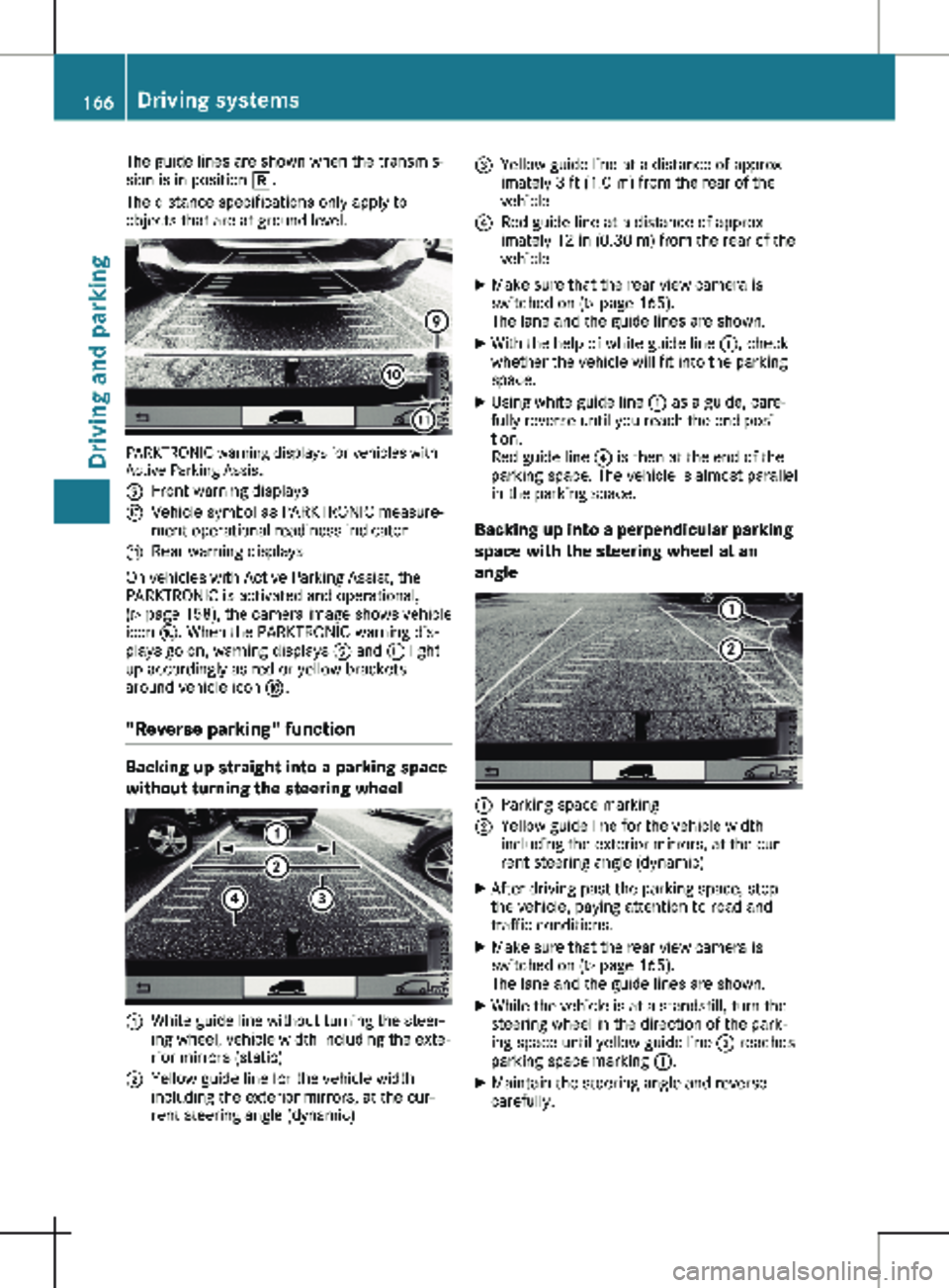
:
White guide line without turning the steer-
ing wheel, vehicle width including the exte-
rior mirrors (static)
; Yellow guide line for the vehicle width
including the exterior mirrors, at the cur-
rent steering angle (dynamic) =
Yellow guide line at a distance of approx-
imately
3 ft (1.0 m) from the rear of the
vehicle
? Red guide line at a distance of approx-
imately
12 in (0.30 m) from the rear of the
vehicle
X Make sure that the rear view camera is
switched on (Y page
165).
The lane and the guide lines are shown.
X With the help of white guide line :, check
whether the vehicle will fit into the parking
space.
X Using white guide line : as a guide, care-
fully reverse until you reach the end posi-
tion.
Red guide line ? is then at the end of the
parking space. The vehicle is almost parallel
in the parking space.
Backing up into a perpendicular parking
space with the steering wheel at an
angle :
Parking space marking
; Yellow guide line for the vehicle width
including the exterior mirrors, at the cur-
rent steering angle (dynamic)
X After driving past the parking space, stop
the vehicle, paying attention to road and
traffic conditions.
X Make sure that the rear view camera is
switched on (Y page
165).
The lane and the guide lines are shown.
X While the vehicle is at a standstill, turn the
steering wheel in the direction of the park-
ing space until yellow guide line ; reaches
parking space marking :.
X Maintain the steering angle and reverse
carefully.166
Driving systems
Driving and parking
Page 170 of 320
Information on the audio system control
knob can be found in the separate operating
instructions.
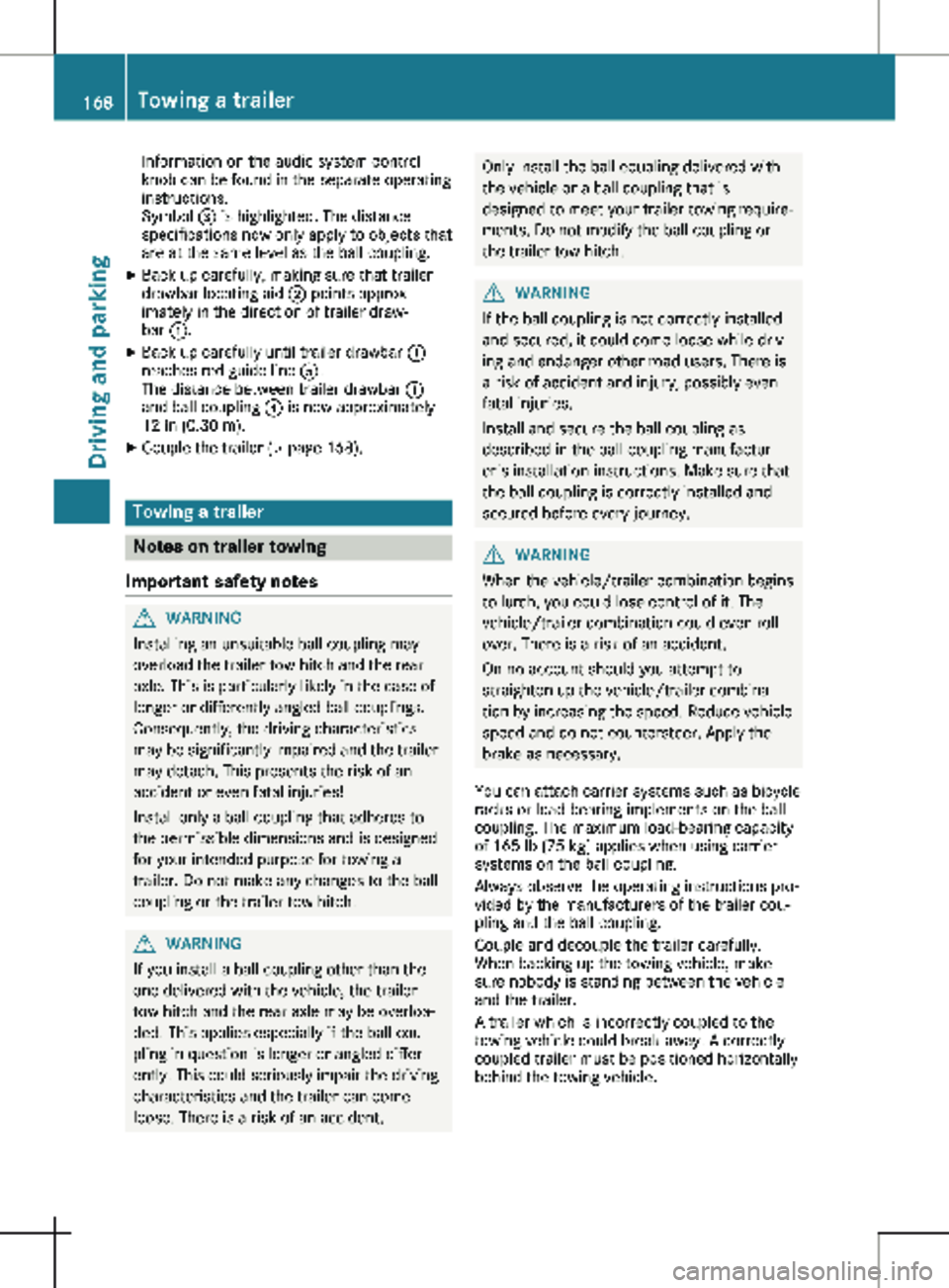
Symbol
= is highlighted. The distance
specifications now only apply to objects that
are at the same level as the ball coupling.
X Back up carefully, making sure that trailer
drawbar locating aid ; points approx-
imately in the direction of trailer draw-
bar :.
X Back up carefully until trailer drawbar :
reaches red guide line A.
The distance between trailer drawbar :
and ball coupling ? is now approximately
12 in (0.30 m
).
X Couple the trailer (Y page
168).Towing a trailer
Notes on trailer towing
Important safety notes G
WARNING
Installing an unsuitable ball coupling may
overload the trailer tow hitch and the rear
axle. This is particularly likely in the case of
longer or differently angled ball couplings.
Consequently, the driving characteristics
may be significantly impaired and the trailer
may detach. This presents the risk of an
accident or even fatal injuries!
Install only a ball coupling that adheres to
the permissible dimensions and is designed
for your intended purpose for towing a
trailer. Do not make any changes to the ball
coupling or the trailer tow hitch. G
WARNING
If you install a ball coupling other than the
one delivered with the vehicle, the trailer
tow hitch and the rear axle may be overloa-
ded. This applies especially if the ball cou-
pling in question is longer or angled differ-
ently. This could seriously impair the driving
characteristics and the trailer can come
loose. There is a risk of an accident. Only install the ball coupling delivered with
the vehicle or a ball coupling that is
designed to meet your trailer towing require-
ments. Do not modify the ball coupling or
the trailer tow hitch.
G
WARNING
If the ball coupling is not correctly installed
and secured, it could come loose while driv-
ing and endanger other road users. There is
a risk of accident and injury, possibly even
fatal injuries.
Install and secure the ball coupling as
described in the ball coupling manufactur-
er's installation instructions. Make sure that
the ball coupling is correctly installed and
secured before every journey. G
WARNING
When the vehicle/trailer combination begins
to lurch, you could lose control of it. The
vehicle/trailer combination could even roll-
over. There is a risk of an accident.
On no account should you attempt to
straighten up the vehicle/trailer combina-
tion by increasing the speed. Reduce vehicle
speed and do not countersteer. Apply the
brake as necessary.
You can attach carrier systems such as bicycle
racks or load-bearing implements on the ball
coupling. The maximum load-bearing capacity
of 165 lb (75 kg
) applies when using carrier
systems on the ball coupling.
Always observe the operating instructions pro-
vided by the manufacturers of the trailer cou-
pling and the ball coupling.
Couple and decouple the trailer carefully.
When backing up the towing vehicle, make
sure nobody is standing between the vehicle
and the trailer.
A trailer which is incorrectly coupled to the
towing vehicle could break away. A correctly
coupled trailer must be positioned horizontally
behind the towing vehicle. 168
Towing a trailer
Driving and parking
Page 173 of 320
Observe the following when towing a trailer:
R Practice driving around bends, stopping and
backing up at a place where there is no traf-
fic. This enables you to gain experience and
get used to the new handling characteris-
tics.
R Before driving, check:
- that the trailer tow hitch and ball coupling
are secure
- that the safety switch for a braked trailer
is functioning properly
- that the safety chains are secure and not
damaged
- that the electrical connections are secure
- that the lights are working
- that the wheels are in good order and the
tire pressure is correct
R Adjust the exterior mirrors to provide an
unobstructed view of the rear section of the
trailer.
R If the trailer is equipped with a separate
functional braking system, check before
each journey whether the brakes are func-
tioning correctly.
R Secure the load on the trailer according to
the applicable specifications and current
standards on securing loads
(Y page 244).
R When driving with a trailer, check at regular
intervals that the load is secured and that
the brakes and lights are working.
R Bear in mind that the handling will be less
stable when towing a trailer than when driv-
ing without one. Avoid sudden steering
movements.
R The vehicle/trailer combination is heavier,
accelerates more slowly and has a
decreased gradient climbing capability and a
longer braking distance.
It is more susceptible to crosswinds and
requires cautious steering.
R If possible, do not brake suddenly, but
rather moderately at first so that the trailer
can activate its brakes. Then increase the
force on the brake pedal.
R If the automatic transmission repeatedly
shifts between gears when driving on
inclines, restrict the shift range. Select shift
range 4, 3, 2 or 1.
Driving in a low gear and at a low speed
reduces the risk of damaging the engine. R
When driving on a downhill gradient, shift to
a low gear and take advantage of the
engine's braking effect.
Avoid continuous brake application as this
may overheat the vehicle brakes and, if
installed, the trailer brakes.
R If the coolant temperature increases dra-
matically while the air-conditioning system
is switched on, switch off the air-condition-
ing system.
Coolant heat can also be dissipated by
switching the airflow and the temperature of
the air conditioning to the maximum level.
Open the windows if necessary.
R When overtaking, pay particular attention to
the extended length of your vehicle/trailer
combination.
Due to the length of your vehicle/trailer
combination you need an additional dis-
tance before you can return to your original
lane. Uncoupling a trailer
G
WARNING
If you uncouple a trailer with the overrun
brake engaged, you could trap your hand
between the vehicle and the trailer drawbar.
There is a risk of injury.
Do not uncouple a trailer if the overrun
brake is engaged.
! Do not disconnect a trailer with an
engaged overrun brake. Otherwise, your
vehicle could be damaged by the rebound-
ing of the overrun brake.
X Make sure that the selector lever of the
automatic transmission is in position P.
X Engage the vehicle's parking brake.
X Close all doors.
X Apply the parking brake of the trailer.
X In addition, secure the trailer against rolling
away with a wheel chock or similar object.
X Remove the trailer cable and safety chains
and decouple the trailer. Towing a trailer
171
Driving and parking Z
Page 174 of 320
Permissible trailer loads and trailer
drawbar noseweights
Weight information !
For vehicles with a permissible gross vehi-
cle weight of 6614 lbs (3000 kg), the per-
missible gross combination mass is less
than the sum of the permissible gross vehi-
cle weight plus the permissible trailer load.
Exceeding the permissible gross combina-
tion mass can lead to damage to the drive-
train, to the transmission or to the trailer
hitch.
If either the vehicle or the trailer is fully
laden, the permitted gross vehicle weight or
the permitted trailer load values are reduced
accordingly. In this case, you may only parti-
ally load the trailer or the vehicle.
The gross trailer weight (GTW) is calculated by
adding the weight of the trailer to the weight
of the load and equipment. If the trailer is
installed with a separate functional braking
system, then the maximum gross trailer weight
is 5000 lbs (2268 kg). G
WARNING
If you tow a trailer without a separate func-
tional braking system and a gross trailer
weight (GTW) of more than
1635 lbs
(750 kg), then the vehicle brake system may
overheat. This increases the braking dis-
tance and the brake system may even fail.
There is an increased risk of accident and
injury, possibly even fatal.
Always use a trailer with a separate func-
tional braking system when towing a trailer
with a gross trailer weight (GTW) of more
than 1635 lbs (750 kg).
The maximum noseweight of the trailer draw-
bar on the ball coupling is 500 lbs (227 kg).
The actual noseweight may not exceed the
value given on the identification plates of the
trailer tow hitch or the trailer. If the values
vary, the lowest value always applies.
The gross combination weight rating (GCWR) is
calculated by adding the gross weight of the
trailer to the gross vehicle weight including a
driver's weight of approximately 150 lbs
(68 kg). The permissible Gross Combination Weight Rating is vehicle-specific and depends
on the equipment level.
When driving with a trailer, you should not
exceed the permitted Gross Combination
Weight Rating (GCWR).
The permissible values, which must not be
exceeded, can be found in your vehicle docu-
ments and on the trailer tow hitch type plates
for the trailer and the vehicle (
Y page
304).
The basic values approved by the manufac-
turer can also be found in the "Technical data"
section ( Y page 315). If the values vary, the
lowest value always applies.
Loading a trailer !
Utilize the maximum permissible nose-
weight as fully as possible. Do not allow the
weight to fall below the minimum permissi-
ble noseweight, otherwise the trailer may
come loose.
R The load must be distributed over the vehi-
cle and the trailer so as not to exceed either
the maximum permissible values for the
gross vehicle weight rating (GVWR) and
gross trailer weight (GTW), the gross combi-
nation weight rating (GCWR), nor the maxi-
mum permissible gross axle weight rating
(GAWR) and trailer drawbar noseweight rat-
ing of your vehicle.
R Add the drawbar noseweight on the ball
coupling (TWR) to the rear axle load. This
will prevent you from exceeding the permis-
sible gross axle weight (GAWR).
R Add the drawbar noseweight on the ball
coupling (TWR) to the vehicle payload. This
will ensure that you do not exceed the per-
missible gross vehicle weight rating (GVWR).
Checking the vehicle and trailer
weight R
Make sure the weights of the towing vehicle
and the trailer comply with the maximum
permissible values. Have the vehicle/trailer
combination weighed on a calibrated weigh-
bridge. The vehicle/trailer combination con-
sists of the towing vehicle including the
driver, passengers and load, as well as the
loaded trailer.
R Check the maximum permissible gross axle
weight rating of the front and rear axles
(GAWR), the gross trailer weight (GTW), the
gross combination weight rating (GCWR) 172
Towing a trailer
Driving and parking
Page 176 of 320
Useful information
This Operator's Manual describes all models
as well as standard and optional equipment of
your vehicle that were available at the time of
going to print. Country-specific variations are
possible. Note that your vehicle may not be
equipped with all of the described functions.
This also applies to systems and functions rel-
evant to safety.
Read the information on qualified specialist
workshops (Y page
32).Important safety notes
G
WARNING
If you operate information systems and com-
munication equipment integrated in the
vehicle when driving, you may be distracted
from the traffic situation. You could also
lose control of the vehicle. There is a risk of
an accident.
Only operate this equipment when the traffic
situation permits. If you are not sure that
this is possible, park the vehicle paying
attention to traffic conditions and operate
the equipment when the vehicle is station-
ary. G
WARNING
If you are driving and reach through the
steering wheel to operate the adjustment
knob, you could lose control of the vehicle.
There is a risk of an accident and injury.
Only operate the adjustment knobs when
the vehicle is stationary. Do not reach
through the steering wheel when driving.
You must observe the legal requirements for
the country in which you are currently driving
when operating the on-board computer. G
WARNING
If the instrument cluster has failed or mal-
functioned, you may not recognize function
restrictions in systems relevant to safety. The operating safety of your vehicle may be
impaired. There is a risk of an accident.
Drive on carefully. Have the vehicle checked
at a qualified specialist workshop immedi-
ately.
The on-board computer display only shows
messages and warnings from certain systems.
You should therefore make sure your vehicle is
operating safely at all times. If the operating
safety of your vehicle is impaired, stop the
vehicle as soon as possible, paying attention
to road and traffic conditions. Then consult a
qualified specialist workshop.
The accuracy of the speedometer and odome-
ter displays is legally prescribed. Determining
the speed is dependent on the wheel size or
the rolling circumference of the wheels. If you
change the wheel size on your vehicle, make
sure it is assigned to the correct wheel size
category ( Y page
278). If you change wheel
size category without recoding the control
unit, the speedometer indication will be inac-
curate. Driving safety and driving systems may
be impaired or detect a malfunction and shut
down.
An overview of the instrument cluster can be
found under "Instrument cluster":
R for vehicles without steering wheel buttons
(Y page 38)
R for vehicles with steering wheel buttons
(Y page 40) Display and operation
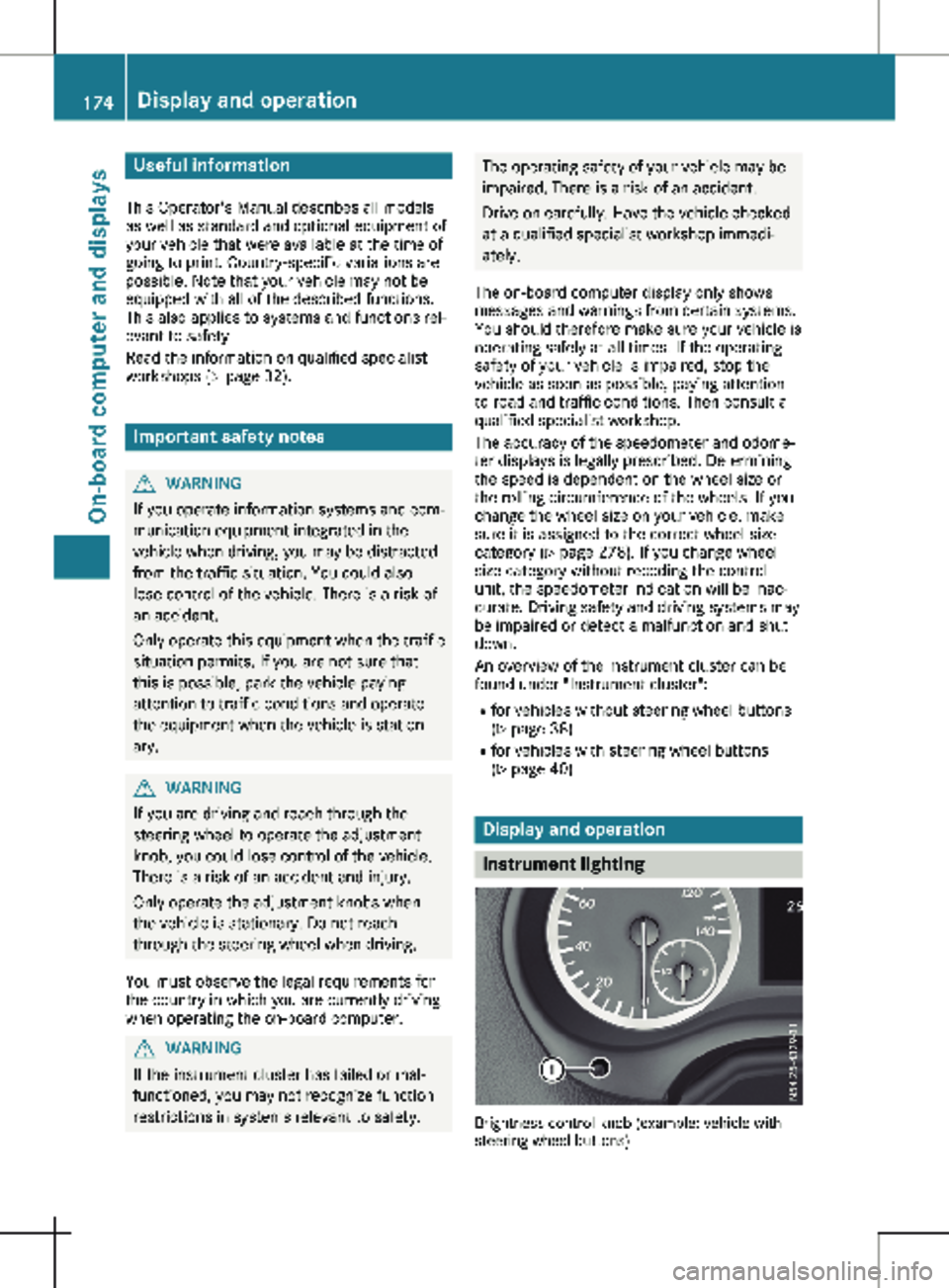
Instrument lighting
Brightness control knob (example: vehicle with
steering wheel buttons)174
Display and operation
On-board computer and displays
Page 177 of 320

In daylight, the displays in the instrument clus-
ter are illuminated. A dimming function is not
possible in daylight.
On vehicles with steering wheel buttons, the
light sensor in the instrument cluster automat-
ically controls the brightness of the display
lighting.
While the lights are on, the brightness is
dependent upon the brightness of the ambient
light. You can also adjust the brightness of the
instrument lighting and the display lighting:
R by pressing the f and g buttons on the
instrument cluster on vehicles without
steering wheel buttons (not in the Settings
menu)
R by turning brightness control knob : on
vehicles with steering wheel buttons Speedometer
If you change the wheel size on your vehicle,
make sure it is assigned to the correct wheel
size category ( Y page
278). If you change
wheel size category without recoding the con-
trol unit, the speedometer indication will be
inaccurate. The current vehicle speed may
then be higher than the speed displayed in the
speedometer.
The speed can also be shown in the display in
the form of a digital speedometer:
R on vehicles without steering wheel buttons
(Y page 178)
R on vehicles with steering wheel buttons
(Y page 185)
i In some countries, a warning sounds
and/or the display shows a message when
the vehicle reaches the maximum legally
permissible speed limit, e.g. at 75 mph
(120 km/h). Tachometer
! Do not drive in the overrevving range, as
this could damage the engine. H
Environmental note
Avoid driving at high engine speeds. This
unnecessarily increases the fuel consump-
tion of your vehicle and harms the environ-
ment as a result of increased emissions. The red band in the tachometer indicates the
engine's overrevving range.
To protect the engine, the fuel supply is inter-
rupted when the red band is reached.
Outside temperature display
You should pay special attention to road con-
ditions when temperatures are around freezing
point.
Please bear in mind that the outside tempera-
ture display shows the air temperature meas-
ured and not the road temperature.
The display shows the outside temperature in
the header:
R on vehicles without steering wheel buttons
(Y page
176)
R on vehicles with steering wheel buttons
(Y page 183)
Changes in the outside temperature are dis-
played after a short delay. Coolant temperature gauge
G
WARNING
Opening the hood when the engine is over-
heated or when there is a fire in the engine
compartment could expose you to hot gases
or other service products. There is a risk of
injury.
Let an overheated engine cool down before
opening the hood. If there is a fire in the
engine compartment, keep the hood closed
and contact the fire department.
On vehicles without steering wheel buttons,
you can have the coolant temperature shown
in the display
(Y page 178).
On vehicles with steering wheel buttons, an
analog coolant temperature gauge is located
in the tachometer in the instrument cluster
(Y page 40). Under normal driving conditions and at the
correct coolant level, the display may rise to
the letter H or to the red mark. Display and operation
175
On-board computer and displays Z
Page 178 of 320
On-board computer (vehicles with-
out steering wheel buttons)
Operating the on-board computer
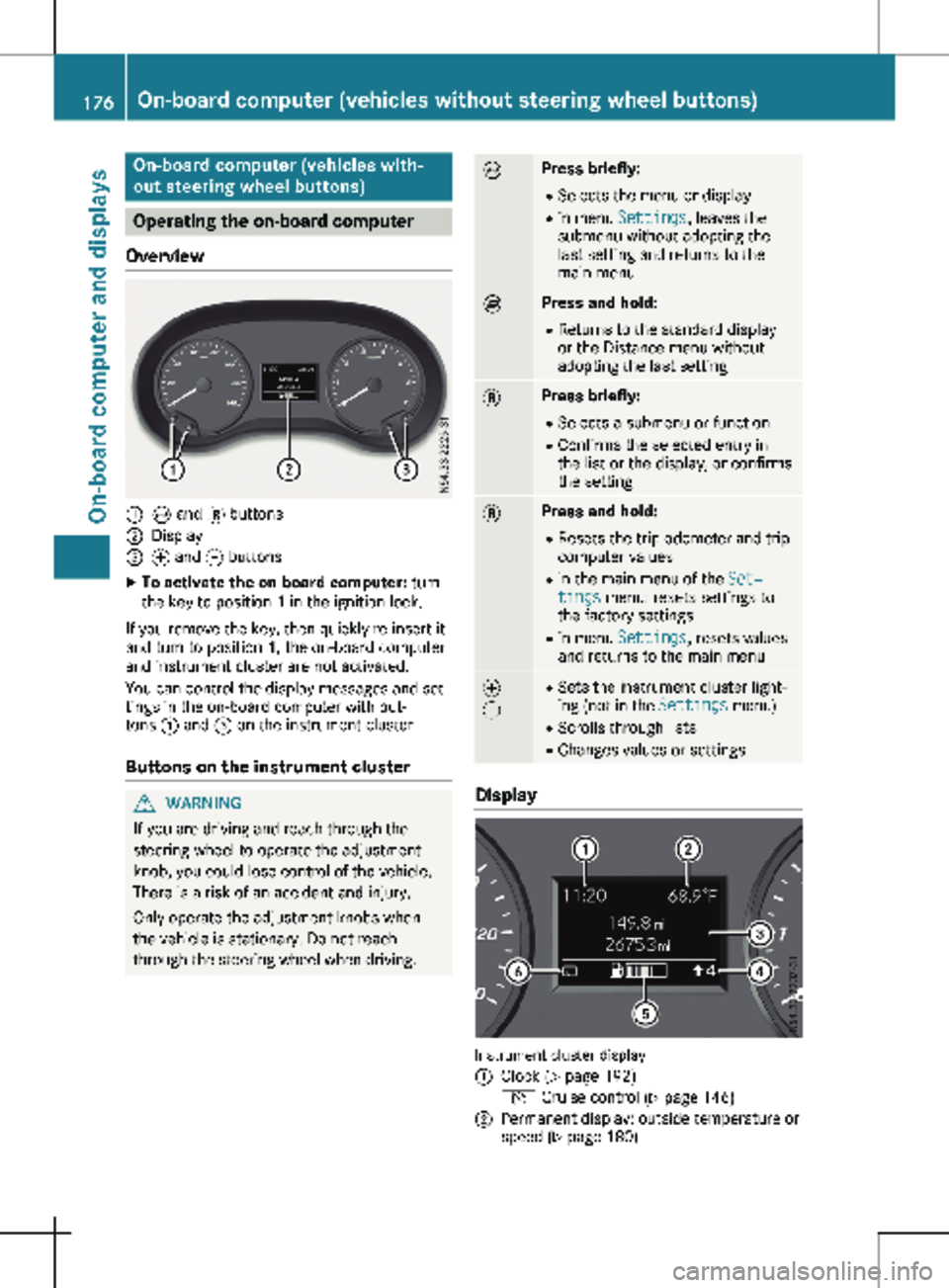
Overview :
È and 3 buttons
; Display
= f and g buttons
X To activate the on-board computer: turn
the key to position 1 in the ignition lock.
If you remove the key, then quickly re-insert it
and turn to position 1, the on-board computer
and instrument cluster are not activated.
You can control the display messages and set-
tings in the on-board computer with but-
tons : and = on the instrument cluster.
Buttons on the instrument cluster G
WARNING
If you are driving and reach through the
steering wheel to operate the adjustment
knob, you could lose control of the vehicle.
There is a risk of an accident and injury.
Only operate the adjustment knobs when
the vehicle is stationary. Do not reach
through the steering wheel when driving. È Press briefly:
R Selects the menu or display
R in menu Settings, leaves the
submenu without adopting the
last setting and returns to the
main menu È Press and hold:
R
Returns to the standard display
or the Distance menu without
adopting the last setting 3 Press briefly:
R Selects a submenu or function
R Confirms the selected entry in
the list or the display, or confirms
the setting 3 Press and hold:
R
Resets the trip odometer and trip
computer values
R in the main menu of the Set‐
tings menu: resets settings to
the factory settings
R in menu Settings, resets values
and returns to the main menu f
g R
Sets the instrument cluster light-
ing (not in the Settings menu)
R Scrolls through lists
R Changes values or settings Display
Instrument cluster display
:
Clock (Y page 192)
V Cruise control (Y page
146)
; Permanent display: outside temperature or
speed
(Y page 180)176
On-board computer (vehicles without steering wheel buttons)
On-board computer and displays
Page 180 of 320
Use the buttons in the instrument cluster.
X To display: press È to select the trip com-
puter display.
The values displayed relate to those meas-
ured since the trip computer was last reset.
X To reset values: press and hold 3 until all
values are reset.
The trip computer is automatically reset if the
value exceeds 9,999 hours or 99,999 miles.
You can set the unit of measurement for con-
sumption and distance in the Distance
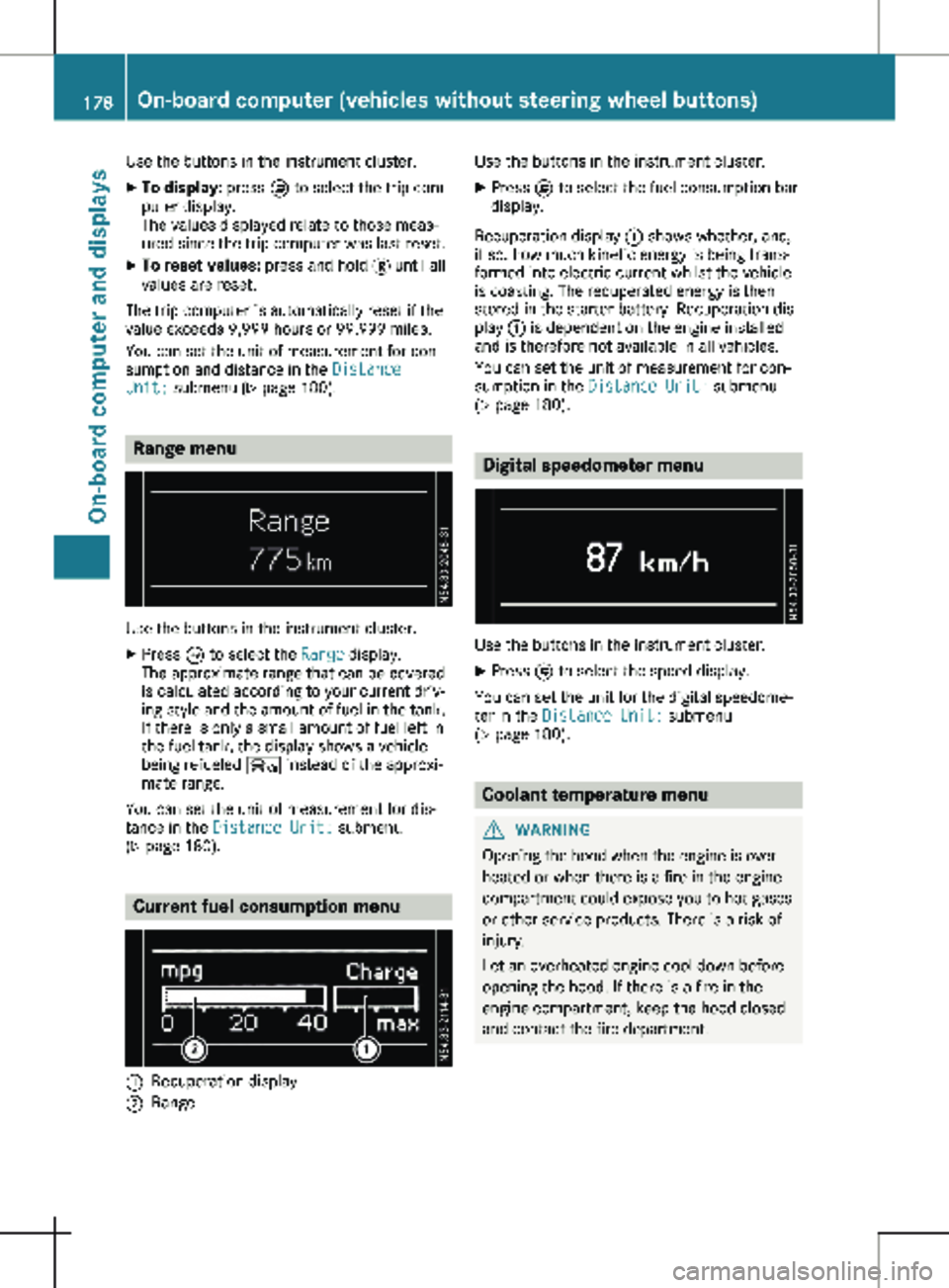
Unit: submenu ( Y page 180).Range menu
Use the buttons in the instrument cluster.
X Press È to select the Range display.
The approximate range that can be covered
is calculated according to your current driv-
ing style and the amount of fuel in the tank.
If there is only a small amount of fuel left in
the fuel tank, the display shows a vehicle
being refueled Ï instead of the approxi-
mate range.
You can set the unit of measurement for dis-
tance in the Distance Unit: submenu
(Y page
180). Current fuel consumption menu
:
Recuperation display
; Range Use the buttons in the instrument cluster.
X Press È to select the fuel consumption bar
display.
Recuperation display : shows whether, and,
if so, how much kinetic energy is being trans-
formed into electric current whilst the vehicle
is coasting. The recuperated energy is then
stored in the starter battery. Recuperation dis-
play : is dependent on the engine installed
and is therefore not available in all vehicles.
You can set the unit of measurement for con-
sumption in the Distance Unit: submenu
(Y page
180). Digital speedometer menu
Use the buttons in the instrument cluster.
X Press È to select the speed display.
You can set the unit for the digital speedome-
ter in the Distance Unit: submenu
(Y page
180). Coolant temperature menu
G
WARNING
Opening the hood when the engine is over-
heated or when there is a fire in the engine
compartment could expose you to hot gases
or other service products. There is a risk of
injury.
Let an overheated engine cool down before
opening the hood. If there is a fire in the
engine compartment, keep the hood closed
and contact the fire department. 178
On-board computer (vehicles without steering wheel buttons)
On-board computer and displays